Customer Ratings & Reviews


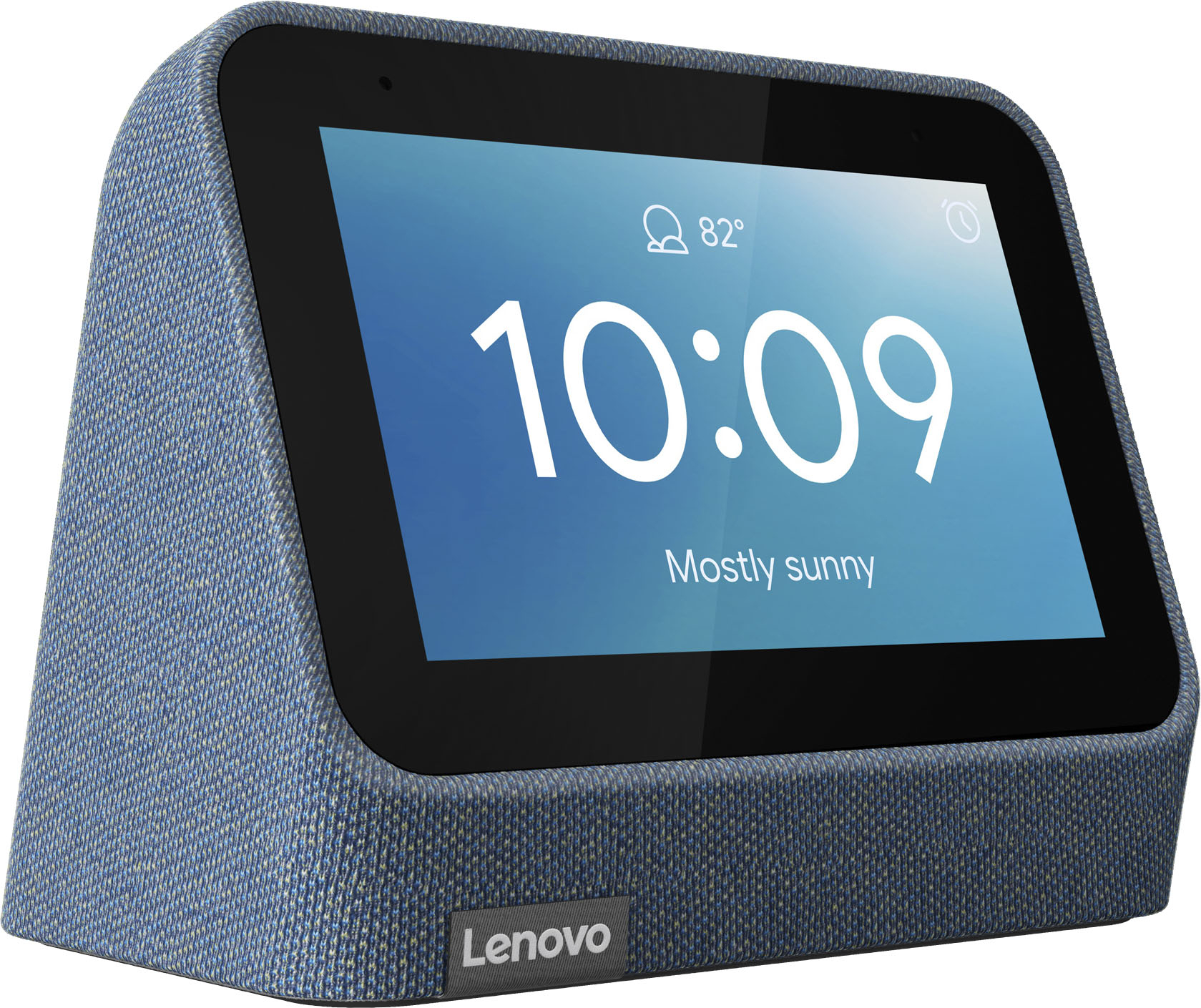
- Model:
- ZA970028US
- SKU:
- 6481518
Rating by feature
- Value
Rating 4.3 out of 5 stars
- Quality
Rating 4.3 out of 5 stars
- Ease of Use
Rating 4.3 out of 5 stars
Customers are saying
Customers frequently mention the wireless charging and surprisingly good sound quality as top features. The ease of use and the alarm functionality also receive positive feedback. However, some customers express that the screen size could be larger and there are concerns about the battery life and price point for some users.
This summary was generated by AI based on customer reviews.
- Pros mentioned:Wireless chargingCons mentioned:Screen size
Glad I got it on sale
||Posted . Owned for 1 week when reviewed.This reviewer received promo considerations or sweepstakes entry for writing a review.I was looking for an alarm clock to replace having to depend on just my plugged in phone - mostly to check the time in the middle of the night or in the morning. I have used Lenovo smart devices in the past, so, I thought this would be as good. I really love the mesh design and the feel of the clock overall, pretty nice and sturdy despite being made of plastic. I also like the added usb port on the back. However, this loses 2 stars for me because of the lack of options on the alarm clock. Watch faces are still pretty weak and options like auto-dim when the room is dark are missing. I have to manually dim the screen when I'm about to go to sleep. Sometimes I'll leave it at the lowest setting and throughout the day I can barely see it, which means I have to manually brighten it again throughout the day. Then there's the Qi charger. It barely works with my iPhone 12 Pro Max. It'll charge but for some reason it will lose connection throughout the night since the charger + icon is a bit raised, meaning the connection isn't flush. I don't understand why it's designed like this... maybe better for Airpods or something. To try to get around this I planned on plugging in my Magsafe charger in the back but there's no USB C port on this clock. I get it's designed for Android devices, but Android uses USB C and Qi chargers too - so the overall design of the Qi charging is definitely half-baked. I say skip this version and use your money on a Google Nest. Or another, cheaper Lenovo clock.
No, I would not recommend this to a friendBrand response from Lenovo Product Expert
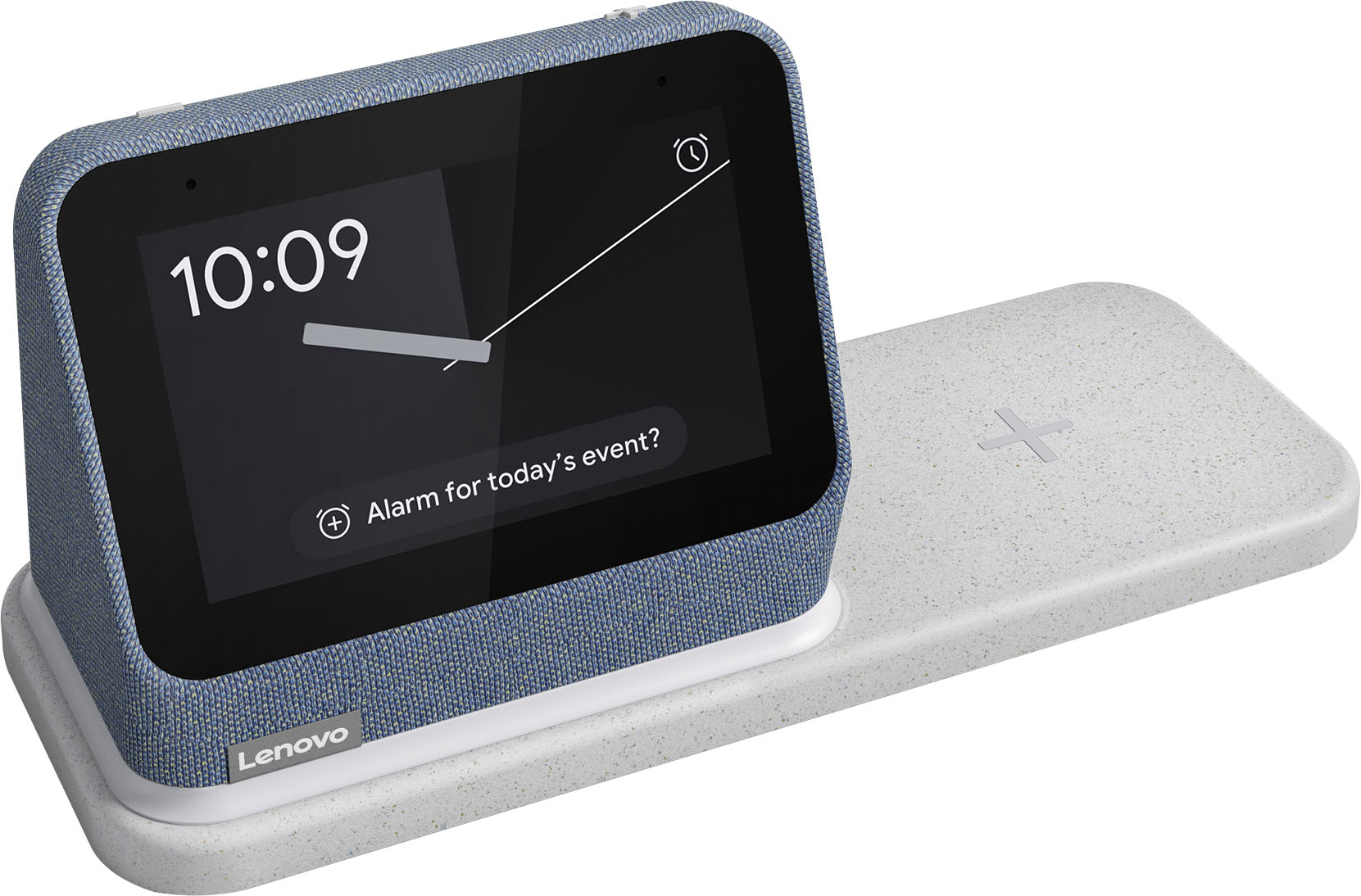
Posted .Thank you for choosing the Lenovo Smart Clock 2. You can setup auto brightness of the screen by swiping up from the bottom of the Smart Clock 2 touch screen and tap the sun icon. Tap the sun icon in the settings to set auto brightness on/off. You can manually adjust the screen brightness by using the settings slider once auto brightness is turned off, or just use a Voice Command like Hey Google, Increase Screen Brightness By 50 Percent. You also have multiple clock faces to choose from within settings. Swipe up again from the bottom of the screen. Tap the settings gear icon. The tap Clock Faces to select your choice of available clock faces. The Lenovo Smart Clock 2 ships with a wireless charging dock that is compatible with both Qi-Wireless charging and MagSafe Wireless Charging. Check with your device manufacturer for compatibility. You can tell when the device is charging when the device charging indicator turns on. There is also a USB port on the back of the charging dock for wired charging of compatible devices. Here is a link to a YouTube Video that demonstrates the features and functions of the Smart Clock 2: https://www.youtube.com/watch?v=O892EcqY5Jc&t=167s. If you have questions about your Smart Clock 2 we recommend you contact lenovo Tech Support for Smart Devices at: 866-426-0911.

- Pros mentioned:Alarm, Wireless charging
Awesome!
||Posted . Owned for 1 week when reviewed.This reviewer received promo considerations or sweepstakes entry for writing a review.This is exactly what i was looking for. Gives the time and weather, charges my phone, goes dim when I'm sleeping. We have an Alexa in the living room of our small house, so this being Google enabled was a plus so both devices don't answer at once.
I would recommend this to a friend - Pros mentioned:Wireless charging
Nice small smart display
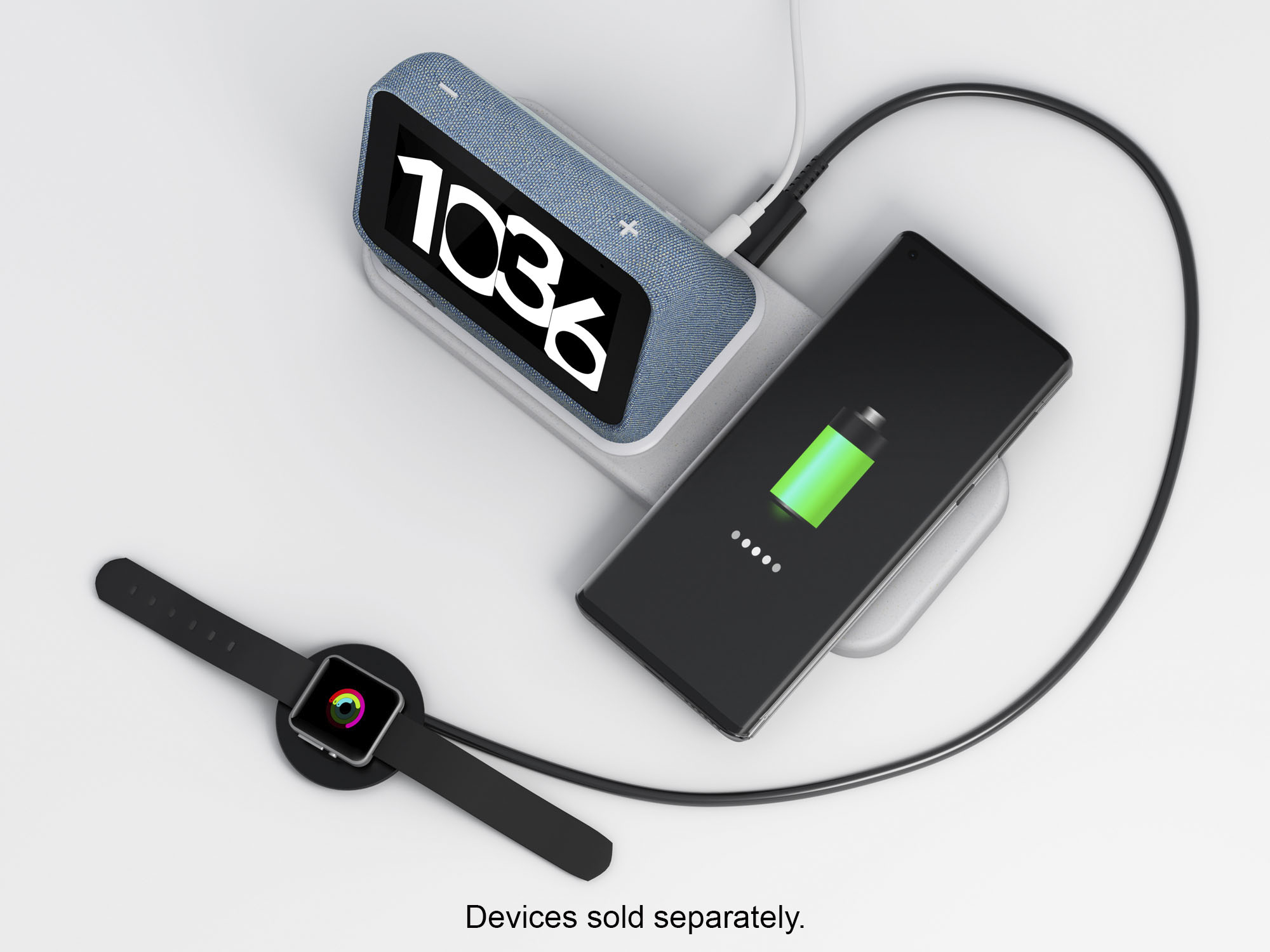
||Posted . Owned for 1 month when reviewed.This reviewer received promo considerations or sweepstakes entry for writing a review.Great little google display. I just wish it would have ability to watch videos. But, other than that, and you can't beat the price, it's a great smart display for our home. What I really like about it is you can charge your phone and watch with it at the same time. It also has a night light. I have about 30 google products on our network at home.
I would recommend this to a friendBrand response from Lenovo Product Expert
Posted .Thank you for purchasing the Lenovo Smart Clock with a Wireless Charging Dock! We are glad to hear that the features of this Lenovo Smart Clock meets your needs so well.
- Pros mentioned:Wireless charging
This thing is essential in my daily routine!
||Posted . Owned for 1.5 years when reviewed.This reviewer received promo considerations or sweepstakes entry for writing a review.I absolutely love this thing. I have one in my bedroom, and my bathroom. It's great as a digital frame, but more pragmatically useful in my morning routine. It will share the news and weather as I shower and get ready for the day. Much cheaper than a Google hub, but perfect if you don't need those extra features. I will say, the nightlight is a little frustrating. I wish you could add timers or automations to it via Google home like you can other lights. The wireless charging is decent feature, especially if you want to have it for your nightstand. But it's a slower charge for most modern flagships.
I would recommend this to a friend - Pros mentioned:Wireless charging
it works but sometimes resets randomly
||Posted . Owned for 1 year when reviewed.This reviewer received promo considerations or sweepstakes entry for writing a review.I have an older version that does the same thing and cannot figure it out if it weren't for that it would get 5 stars, shows weather, speaker is loud and wireless charger works well and has a night light also and you can detach the clock from the base
I would recommend this to a friend - Pros mentioned:Google assistant, Sound quality, Wireless chargingCons mentioned:Screen size

A smart choice for a “Smart Clock”
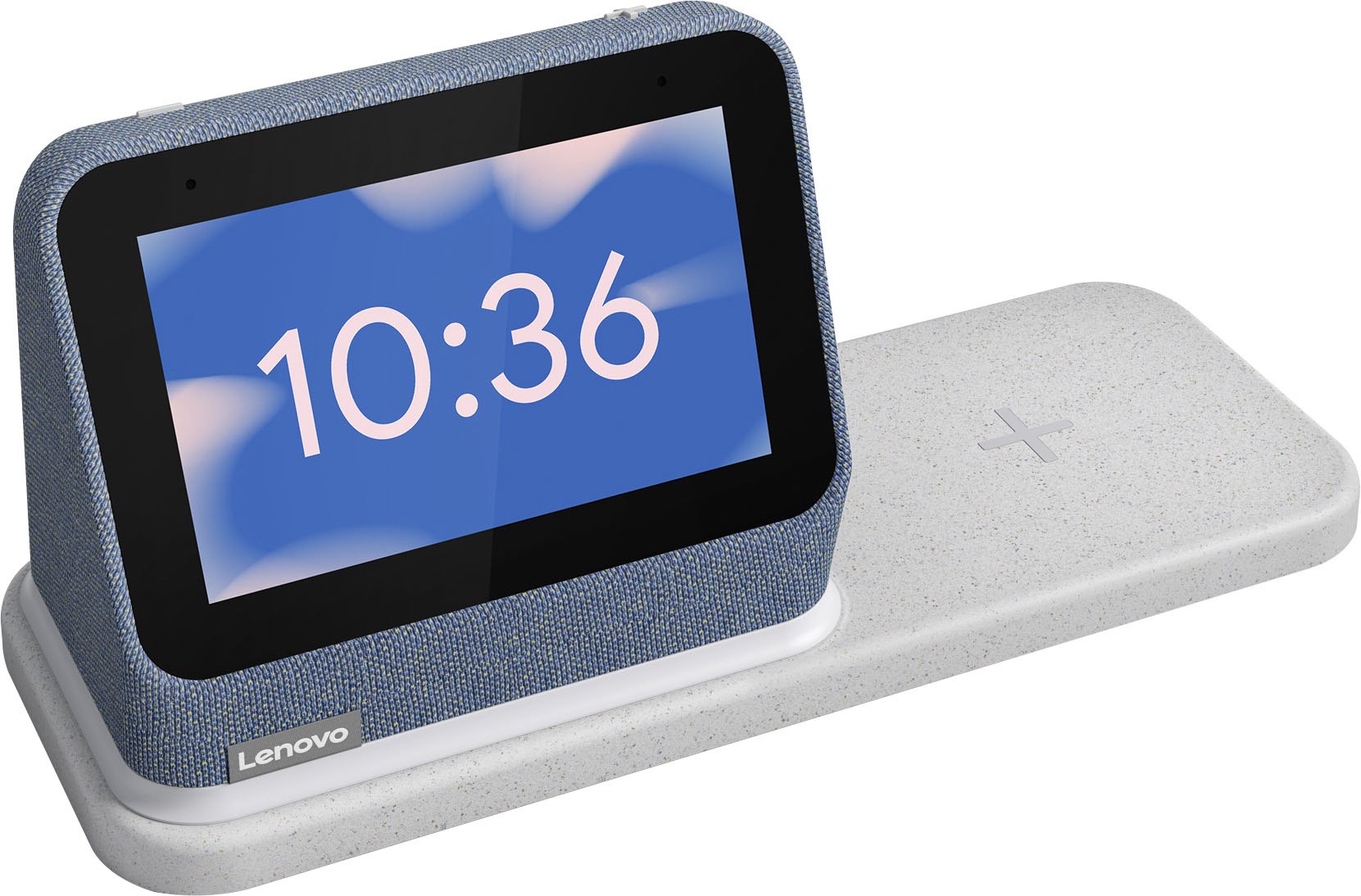
|Posted .This reviewer received promo considerations or sweepstakes entry for writing a review.============================== >>>>> Bottom Line Up front: <<<<< ============================== The Leno Smart Clock 2 (w/charging dock) is literally capable of doing everything your old “non-smart” alarm clock does; but in my opinion, does all those things way better. Having built in Google Assistant functionality along with extra useful design features, such as a built-in night light and wireless charging base help make the Smart Clock 2 a top choice if you’re considering a smart clock…..so long as you don’t have to have to be tied into the Amazon/Alexa Eco-System. I appreciated the Smart Clock 2 being a “clock” more so than many of the media steaming/consuming, video camera chat enabled “smart displays” that are out there. As a desktop companion, there wasn't much I couldn't do to stay on top my schedule and get things done with addition of Google Assistant functionality. ========================= - Overall Design/Aesthetics: - ========================= I am a fan of simple, clean, design aesthetics. That being said, the Smart Clock 2 ticks that box off quite well. The heather grey exterior covering on the main “display unit” has a nice clean, modern look that blends in with almost any desk, counter, or night table. The fabric like material feels durable, well formed; yet somehow soft at the same time, which I really liked. The charging base and integrated night light seamlessly blend in with the main display unit, and allows both pieces to appear as one physical unit. Thanks to the high strength magnets in the docking section, they also feel extra sturdy even when just picked up by the base alone. The plastic material used on the wireless charging base feels semi-slick and a little less “luxe” feeling in texture when compared to the main unit itself. I appreciate the little “flecks” of grey coloring emplaced into the exterior shell of the docking station, as it helped to hide dust and dirt; but something about those flecks made the base seem slightly off when contrasted to the grey used in the main speaker in my opinion. The "night light" ring also seamlessly blends into the grey base and is pretty hard to notice when not actively in use. I am always fan of multiple color options, and I think the Smart Clock 2 looks even more stylish in some of the other colors they make this model in (Abyss Blue or Shadow Black). The added USB Type A port on the back also allowed me to plug my Smart watch charger for even more functionality. . ===================== - Smart Clock 2 usage: - ===================== I’ve been using the Lenovo Smart Clock 2 (and its wonderful wireless charging dock) on my main desktop for a good week now, and I have been really happy how it has been working out for me. I currently own and have used a fair share of “smart” clocks and displays over the years, which is why I when I say I think the Lenovo Smart Clock 2 is worthy of serious consideration, its not for lack of comparison/time with other devices on the market. For starters, having the integrated wireless charging pad within reach has really been useful in keeping my phones topped up on power and always within arms reach while I am working at my desk. The charging pad area itself is reasonably sized, and functioned flawlessly with my Samsung Note 20 and Galaxy S21 (they even displayed the “fast wireless” charging indicator). Unfortunately, I could not get my Samsung Galaxy Watch 2 or Watch 4 to charge. I’m not sure if it has to do with the large raised “+” sign on the middle that may prevent flush contact with enough source, or some other technical reason however as I previously mentioned in the design portion; I got around this by plugging my watch charter into the USB-A port on the back of the with no issues. Surprisingly, I have found the built-in night light to be SUPER useful. Initially, I wasn’t sure if I was going to use it all but I have found it a nice source of ambient lighting for my general desktop area. It has helped me helped me see things and documents, while allowing to keep background lighting to a minimum and helping to reduce additional eyestrain from being on the computer for hours on end. Fun fact, the light can go as bright as 11 lumens – but I don't recommend keeping it at that level if your actually using to try and sleep. To add to that, you can even control the night light by simply using Google Assistant Voice Commands as well. Lenovo’s decision to include Google Assistant is what makes the Smart Clock 2 - "smart" to begin with. I’ve watched Google’s Assistant grow tremendously over the years, and thanks to this added functionality; there are so many possibilities that open up that only this type of digital assistance integration can bring. With just my voice, the Smart Clock 2 allowed me to control my smart bulbs around my house, set the temperature my Nest thermostat, check local traffic conditions before I headed out, and even just got verbal confirmation of what was on my Google calendar for the day (keep in mind you have to have given Google Assistant permissions/settings in order to get this added functionality. Keep in mind, this also means that some Amazon/Alexa specific devices (to include commands) and applications might not possibly be compatible/controllable on/through the Smart Clock 2, but I don't count that as deal breaker as that normally doesn't tend to be the case for most devices these days. I personally may not consider this a disadvantage, but your usage patterns may vary from mine. I generally didn’t use the Smart Clock 2 to stream music (nor do I on my other smart devices) – but the 3W front firing speaks sounded just fine from what I heard. So long as you keep your expectation of what a 1.5” speakers can do, I would say it is on par with everything else out there. The last thing I want to share are my thoughts on the display and UI of the Smart Clock 2 itself. This area is where I think the Smart Clock 2 may be lacking when compared to other devices out there. When I personally compared the Smart Clock 2 to my other “smart” display devices in my house, I found the Smart Clock 2 a little shorthanded when it comes to physical screen size and added lack of additional “tech” features. Don’t get me wrong the 4-inch IPS screen is sharp and responsive, but it is smaller than I would have liked/used to. I have 5,8,10 inch devices that are notably larger, and therefore easier to see at distance - when placed side by side. Unfortunately, the Smart Clock 2's user selectable clock faces don’t help much to "enlarge" the numbers in that regard either. Unlike some of my other devices, you can’t watch any streaming video, nor is there embedded camera functionality of any type. Again, I don’t need those things in my at my personal desktop area, but I know for some folks not having those types of features could be a deal breaker, especially if other similar devices have them – yet the Smart Clock 2 does not. I loved the Smart Clock 2 for just being a super easy to use Clock, that helped me stay organized and charge my phone - plain and simple. ========================== >>>>> Closing thoughts: <<<<< ========================== Thanks to the Lenovo Smart Clock 2’s Google Assistant integration and extra useful design features (night light and wireless charging base) – I think it offers something that the other smart displays and clocks out there don’t. Unfortunately, that also go against the Smart Clock 2 as well, when directly comparing against similar units. I really appreciated the simple, yet functional User Interface (UI) and streamlined 2-piece design. My main grip, honestly is with the screen size – make it BIGGER - especially if it is being focused as a more “dedicated” clock type unit (as compared to other smart “display” that don’t necessarily call themselves “clocks”). I really think the screen size should be at least an inch or two bigger and offer more choices/customization on the clock faces or Lenovo should offer more variety of sizes in the product line. Regardless, the Smart Clock 2 is excellent "dumb" alarm clock, a great "smart: alarm clock, but perhaps not the best smart alarm clock if your committed to the Alexa/Amazon ecosystem - or want a GIANT screen. I really don't think you'll disappointed regardless though.
I would recommend this to a friendBrand response from Lenovo Product Expert
Posted .Thank you for choosing the Lenovo Smart Clock 2. We appreciate your input and we are pleased to hear that the features and function of the Lenovo Smart Clock 2 are working out so well for you.
- Pros mentioned:Ease of use, Google assistant
Great Clock
||Posted . Owned for 2 weeks when reviewed.This reviewer received promo considerations or sweepstakes entry for writing a review.Easy to set up Google Assistant is awesome great for setting up various alas overall great clock
I would recommend this to a friend - Pros mentioned:Wireless charging
Love My New Clock!!
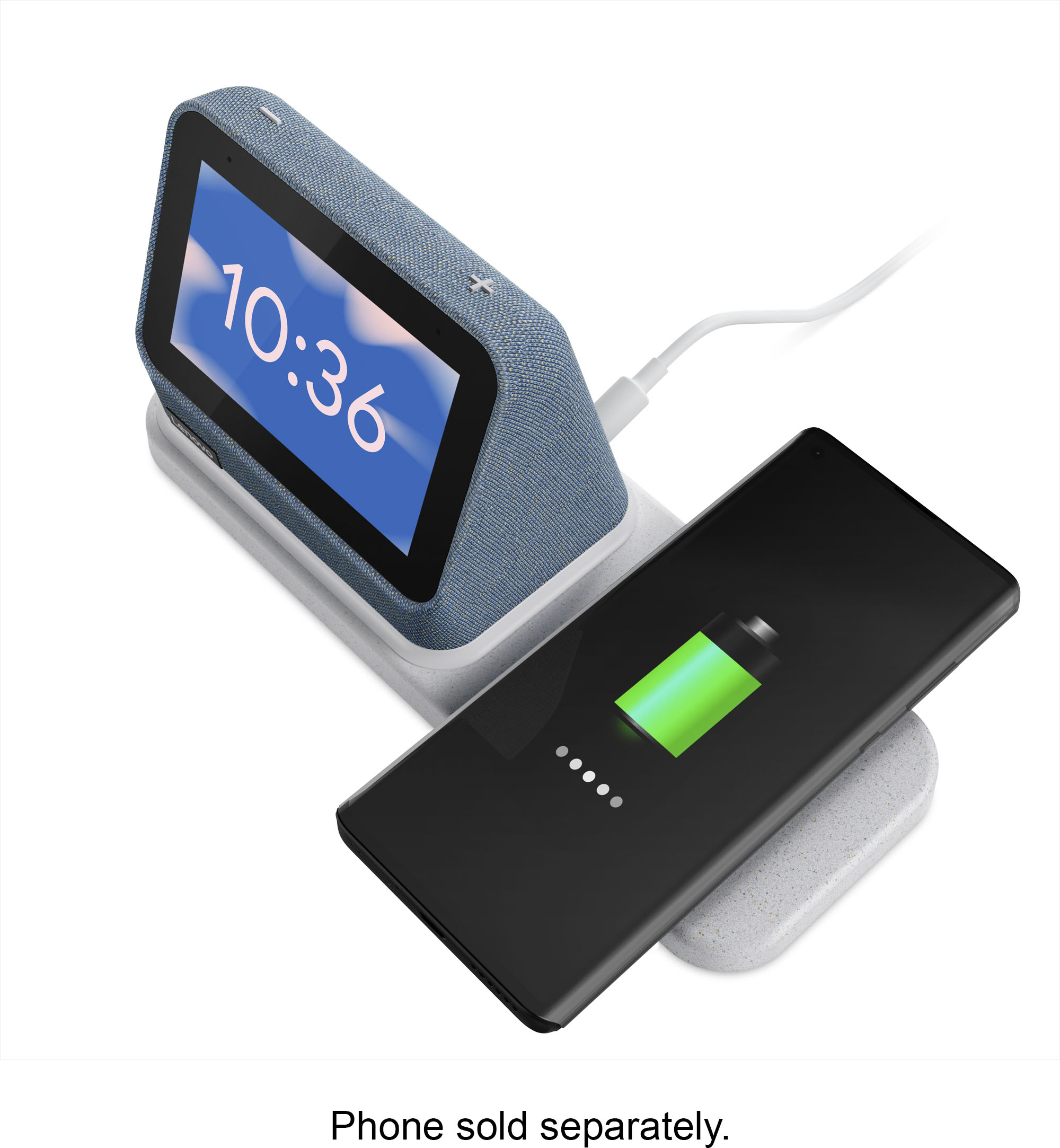
||Posted . Owned for 3 weeks when reviewed.This reviewer received promo considerations or sweepstakes entry for writing a review.I needed a replacement clock for my night stand and saw this one. I liked that the numbers were large, can make them different colors or styles. It has google so I can ask him to set the alarm, what the temps are etc without getting out of bed. The best part is I can lay my phone on it and it will charge it for me. All within reach! Also I got it for a price I couldn’t refuse!! Very happy!!
I would recommend this to a friend - Pros mentioned:Ease of use
Looks expensive
||Posted . Owned for 1 month when reviewed.This reviewer received promo considerations or sweepstakes entry for writing a review.Very slick design. Easy to set up/ connect to wifi. I like how stylish it is.
I would recommend this to a friend - Pros mentioned:Ease of use, Sound quality, Wireless charging
Amazing
||Posted . Owned for 1 month when reviewed.This reviewer received promo considerations or sweepstakes entry for writing a review.This google smart clock is amazing. Charges phone fast . Great sound and display . Easy to setup with google account . Plays Apple Music . Highly recommended
I would recommend this to a friend My Nest
||Posted . Owned for 1 month when reviewed.This reviewer received promo considerations or sweepstakes entry for writing a review.It’s really helpful to just say hey Google etc love it!
I would recommend this to a friend- Pros mentioned:Sound quality, Wireless charging
Works flawlessly, great sound!
||Posted . Owned for less than 1 week when reviewed.This reviewer received promo considerations or sweepstakes entry for writing a review.The wireless charging area has magnets so it aligns on the right place for proper charging your devices, so far I’ve tried my iPhone 13 pro max, my wife’s iPhone 11 Pro Max, AirPods Pro 1st gen and AirPods 3rd gen all of them worked. The speakers on the screen sound better than I thought it would, it has a nice punchy bass and it can connect with your music apps to play songs from voice commands. Easy to set up took less than 5 minutes with updates. Totally worth it!!
I would recommend this to a friendBrand response from Lenovo Product Expert
Posted .Thank you for choosing the Lenovo Smart Clock 2 with Wireless Charging Dock. We are pleased to hear that the Smart Clock 2 with Wireless Charging Dock is working out so well.
- Pros mentioned:Sound quality, Wireless charging
Perfect setup for bedside table
||Posted . Owned for less than 1 week when reviewed.This reviewer received promo considerations or sweepstakes entry for writing a review.I love this clock. The size is great, the sound is good, charging my phone + USB port is a fantastic bonus. A feature not mentioned is that the dock can be removed and not used if desired. Also, there is a light that comes on under the clock that shines briefly letting you know that phone charging has started.
I would recommend this to a friendBrand response from Lenovo Product Expert
Posted .Thank you for choosing the Lenovo Smart Clock 2 with Wireless Charging Dock. We are pleased to hear that the features and performance of the Smart Clock 2 with Wireless Charging Dock meets your needs so well.
Best product
||Posted . Owned for 1 month when reviewed.This reviewer received promo considerations or sweepstakes entry for writing a review.Was skeptical about a smart clock,but a buddy convinced me and im glad i got it at a duscounted price:)
I would recommend this to a friend- Pros mentioned:Ease of use
cool
||Posted . Owned for 1 year when reviewed.This reviewer received promo considerations or sweepstakes entry for writing a review.i love it i think its a great clock & device for my room
I would recommend this to a friend - Pros mentioned:Ease of use
Just regular customer
||Posted . Owned for 6 months when reviewed.This reviewer received promo considerations or sweepstakes entry for writing a review.Just simple and easy to use. Especially with Android phones.
I would recommend this to a friend - Pros mentioned:Google assistant, Wireless charging
Useful
||Posted . Owned for 1 week when reviewed.This reviewer received promo considerations or sweepstakes entry for writing a review.Was looking for a clock to look at time, so im not always searching for my phone. The google home assist and charging pad is a plus.
I would recommend this to a friend - Pros mentioned:Wireless charging
Great Alarm clock
||Posted . Owned for 3 weeks when reviewed.This reviewer received promo considerations or sweepstakes entry for writing a review.Exactly as described. Setup was extremely easy. The Google assistant is not as good as their actual devices. Can not receive Nest images. Wireless charge for the phone works great once you figure out the sweet spot for placement.
I would recommend this to a friend - Pros mentioned:Sound quality, Wireless charging
Smart Clock With a Charger!!!
|Posted .This reviewer received promo considerations or sweepstakes entry for writing a review.The new Lenovo Smart is a nice addition to any smart home with its new design and now with a fast-wireless charger, a USB port, and a night light built-in. The Lenovo smart clock 2 has a 4-inch touch customizable display and a speaker that is actually pretty loud for its size that I am sure that you will love. So, let go over some of the features and PROs and CONs of the new Lenovo Smart Clock 2. Features: Setup – The setup process for the Lenovo smart Clock 2 was actually very simple just the like previous model. You will need to download Google Home on your device and the application will guide you thru the rest of the process. It took me about 5 minutes to setup the clock from putting it together to the end of the setup. 4-Inch Display- So, like the previous model, the new Lenovo Smart Clock 2 also features a 4-inch color, touchscreen and a customizable display. The display can be used to display you pictures, weather or different variation of a clock. The top of the clock has two physical buttons for volume. The display can also be used with other devices such as viewing your doorbell or even your cameras, if you have them linked. Speaker & Mic - I am actually very surprised by the sound that you get this tiny little thing. The speaker on this clock actually packs a punch. The speaker can be used to play your favorite tunes, setup a wake alarm, or even talk to your google assistant. The best feature is the multiroom audio setup. So, like myself, if you own any other google assistant enabled devices they can all be linked up together for multi-room audio, so you can play your favorite tunes all over your house. Wireless Charging Pad – Unlike the previous model, which only had a USB port, the new Lenovo Clock comes with a wireless fast charging pad for your devices, along with a USB port so that you can charge up multiple devices and clear up the clutter of wire on your night stand. The Not so good: The only issue I had with the clock was that fact that I did not notice any changes or see any new features in the clock or even its software from the previous model. Yes, the charging pad is cool, the new night light is a nice add-on but it would have been nice to have some new features added on, like a camera for instance so that the clock could have also been used for video calling. PROS: MULTIROOM AUDIO CHARGING PAD NIGHT LIGHT CONS: NO NEW FEATURES OR CHANGES IN THE SOFTWARE – NEW SHELL WITH THE SAME OLD OPERATING SYSTEM Overall, I am pretty with the clock. I have been using everyday with my morning alarms, using it to control my smart lights and being able to view my doorbell and my cameras on it. The fast wireless charging pad is also a nice addition and helped us clear up some wire clutter from our night stand.
I would recommend this to a friendBrand response from Lenovo Product Expert
Posted .Thank you for choosing the Lenovo Smart Clock 2. We are pleased to hear that the Smart Clock 2 is working out so well for you.
Not good phone charger
||Posted . Owned for 1 month when reviewed.This reviewer received promo considerations or sweepstakes entry for writing a review.The clock works well for what I wanted. I cannot get the charger to work with my iPhone 13pro max all the time. It will say connected charging but when I grab my phone in the morning it has not charged
No, I would not recommend this to a friend