Customer Ratings & Reviews
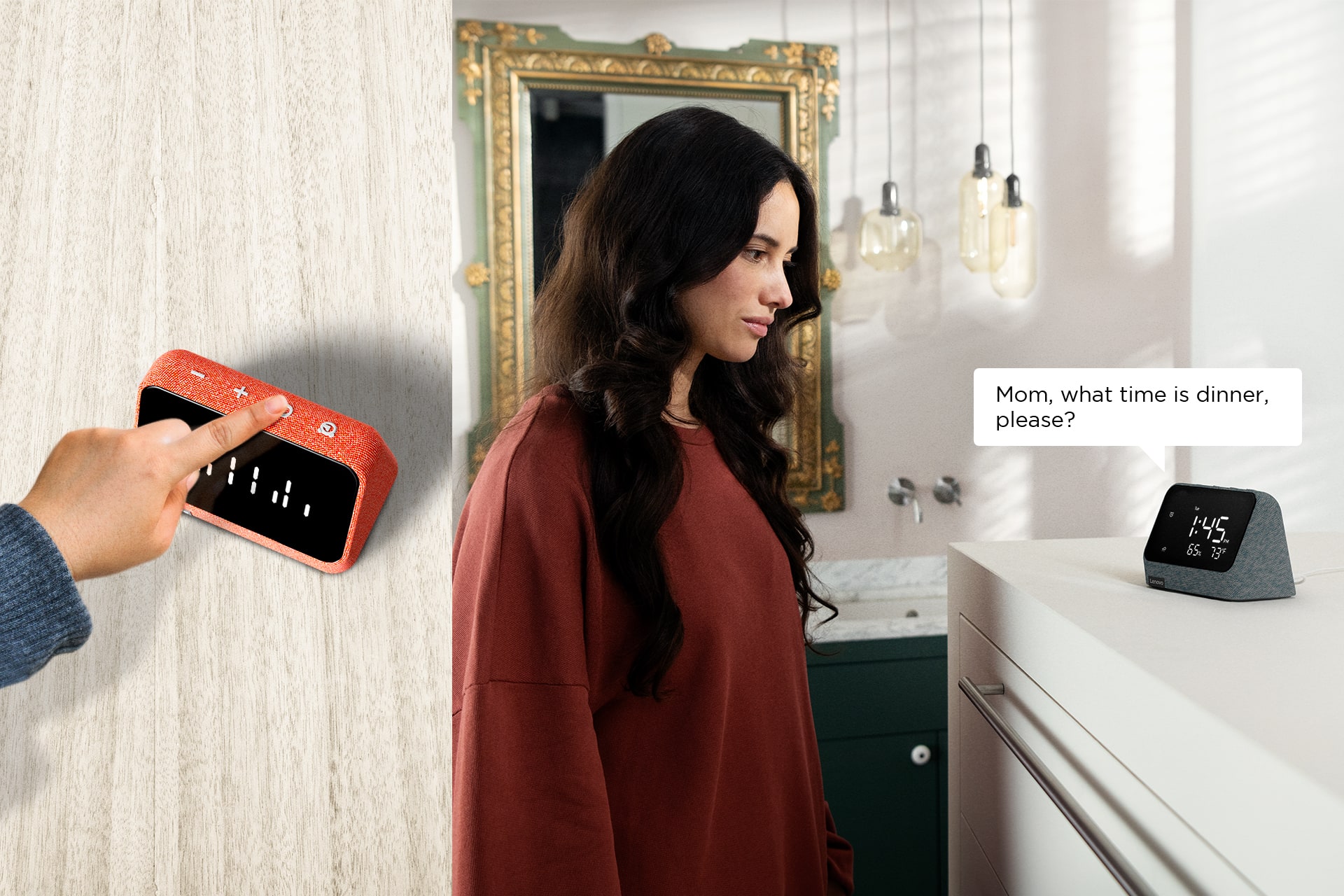
- Model:
- ZAA30006US
- SKU:
- 6492863
Rating by feature
- Value
Rating 3.9 out of 5 stars
- Quality
Rating 4.3 out of 5 stars
- Ease of Use
Rating 3.9 out of 5 stars
Customers are saying
Customers consistently note the positive sound quality and easy-to-use interface of the Smart Clock Essential. The bright, clear display and convenient alarm features also receive high praise. However, some users experienced minor issues with the Alexa integration. The size of the device is considered appropriate by many.
This summary was generated by AI based on customer reviews.
Garbage
||Posted . Owned for 2 months when reviewed.This reviewer received promo considerations or sweepstakes entry for writing a review.Piece of garbage, dont waist your money. I couldnt get the thing to show the right time so I just left it an hour ahead but then the screening starting freezing up. I returned mine.
No, I would not recommend this to a friend- Pros mentioned:Display

Quality clock w/questionable smartness
|Posted .This reviewer received promo considerations or sweepstakes entry for writing a review.This is a quality little clock. The brightness setting allows you to set it to your liking. I like it nice and bright so that I can see the time from across the room. In addition to the time, my settings show the humidity% and the outside temperature (F or C). That is useful functionality. It also displays a small graphic depicting what type of weather is occurring at the moment eg: fog, sun, clouds, etc. The display is simple yet sufficient. The coolest thing of all - when this clock is being used as Alexa, the display turns to 2 blinking eyes. That aspect is very cute! The speaker quality isn’t the best and while it does have all of the basic Alexa functions, it doesn’t function as well as my other Alexa devices. It also has difficulty recognizing its name (Alexa) causing me to have to raise my voice when using it. That is inconvenient for me. The clock part works great but this is sold as a “Smart” Clock. The “Smart” part could be better, and the reason for 3 stars.
Brand response from Lenovo Product Expert
Posted .Thank you for choosing the Lenovo Smart Clock Essential with Alex Built in. You can train the Alexa Assistant to recognize your voice. Here is a link to instructions: https://www.pcmag.com/how-to/how-to-train-amazons-alexa-to-recognize-your-voice. If you have questions about your Lenovo Smart Clock Essential with Alexa Built in, we recommend you contact Lenovo Tech Support for Smart Devices at: 866-426-0911.

Mis-Adverised
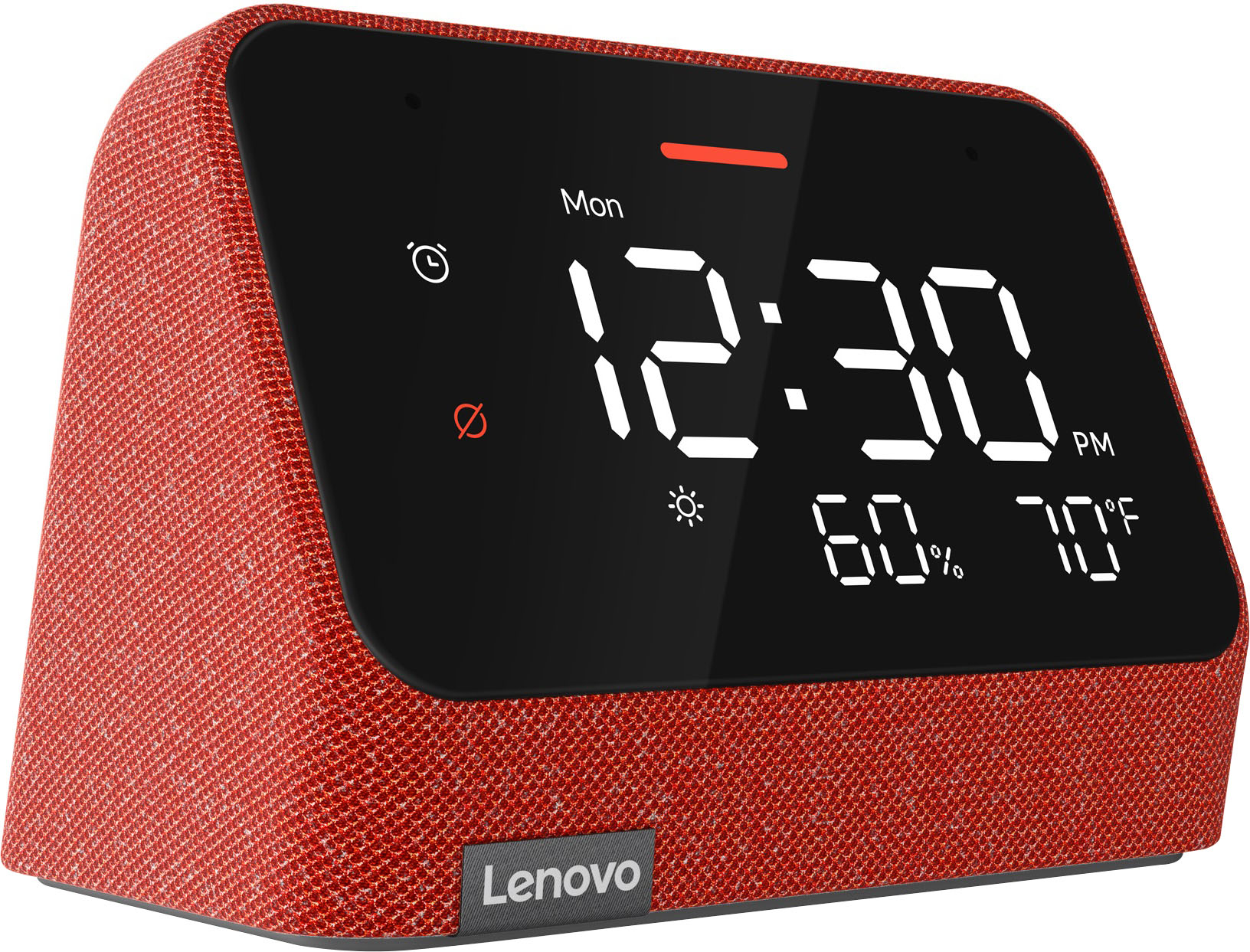
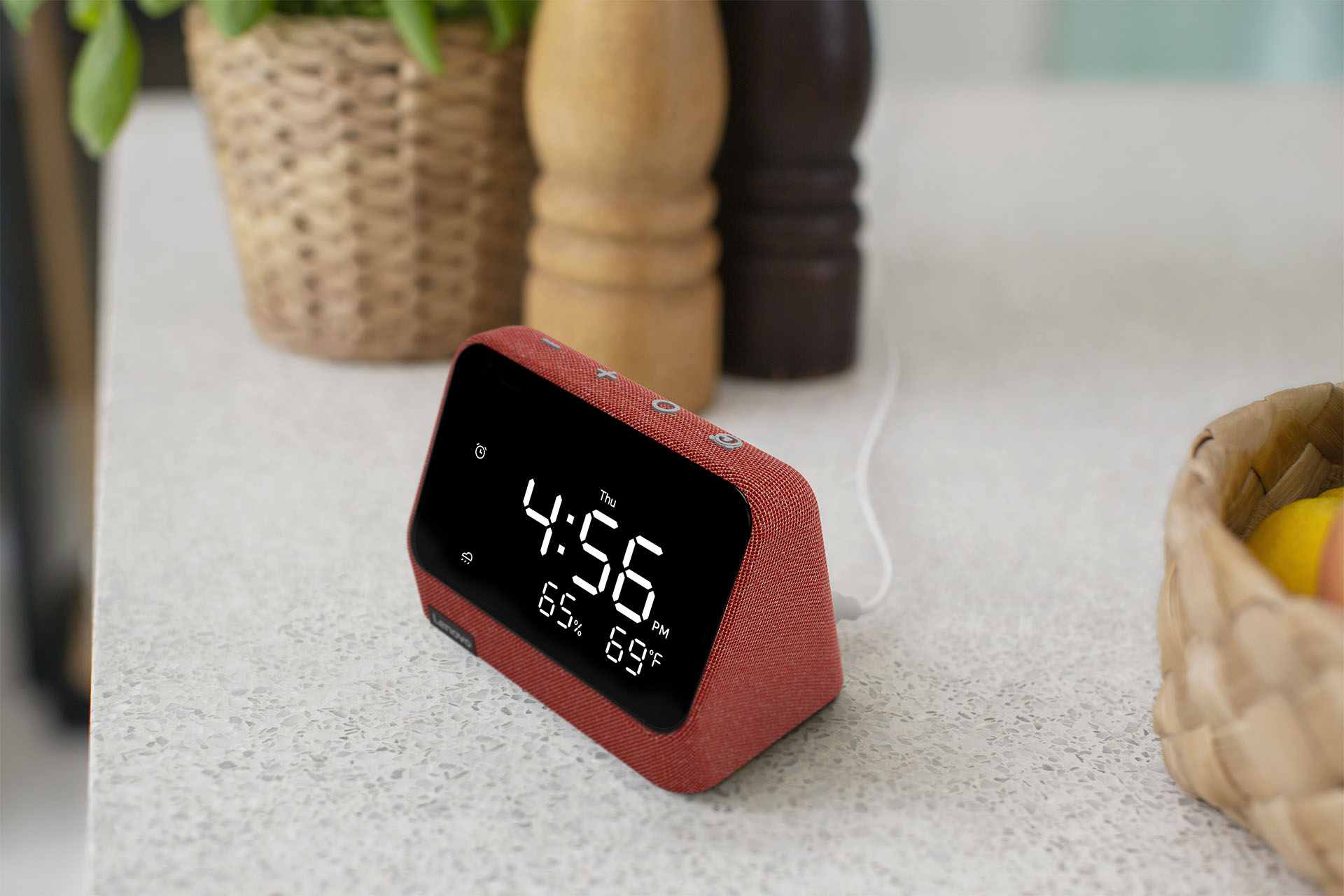
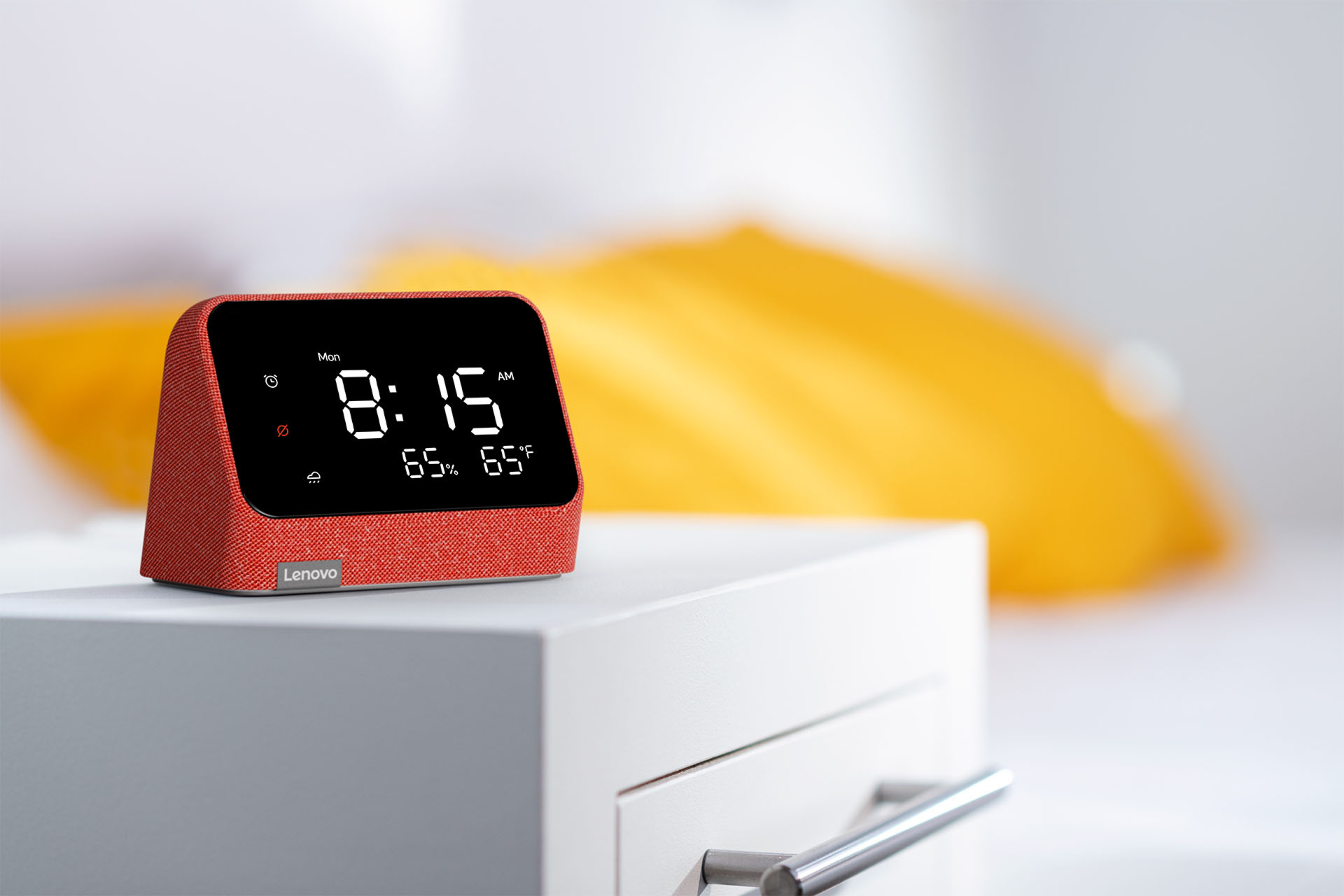
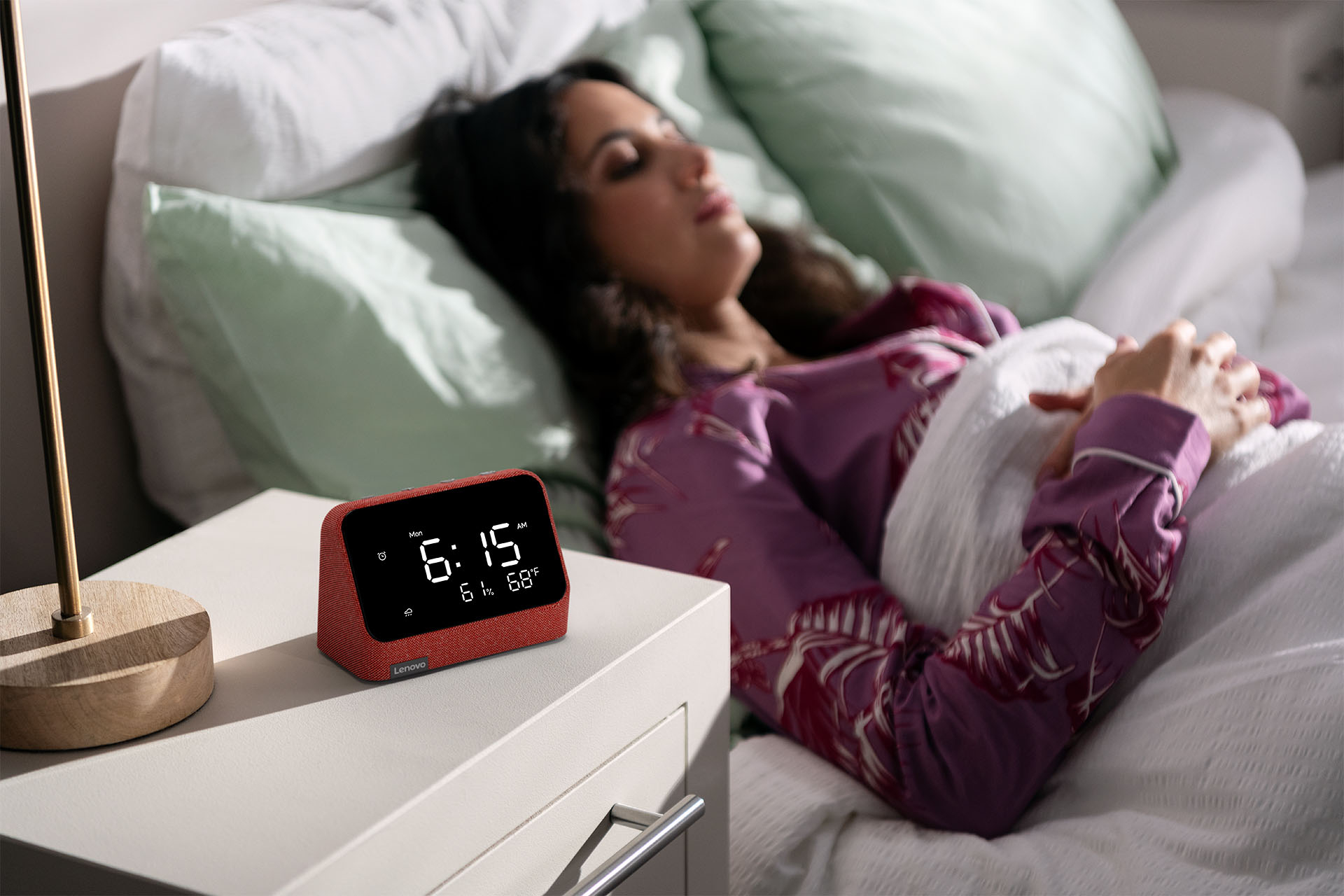
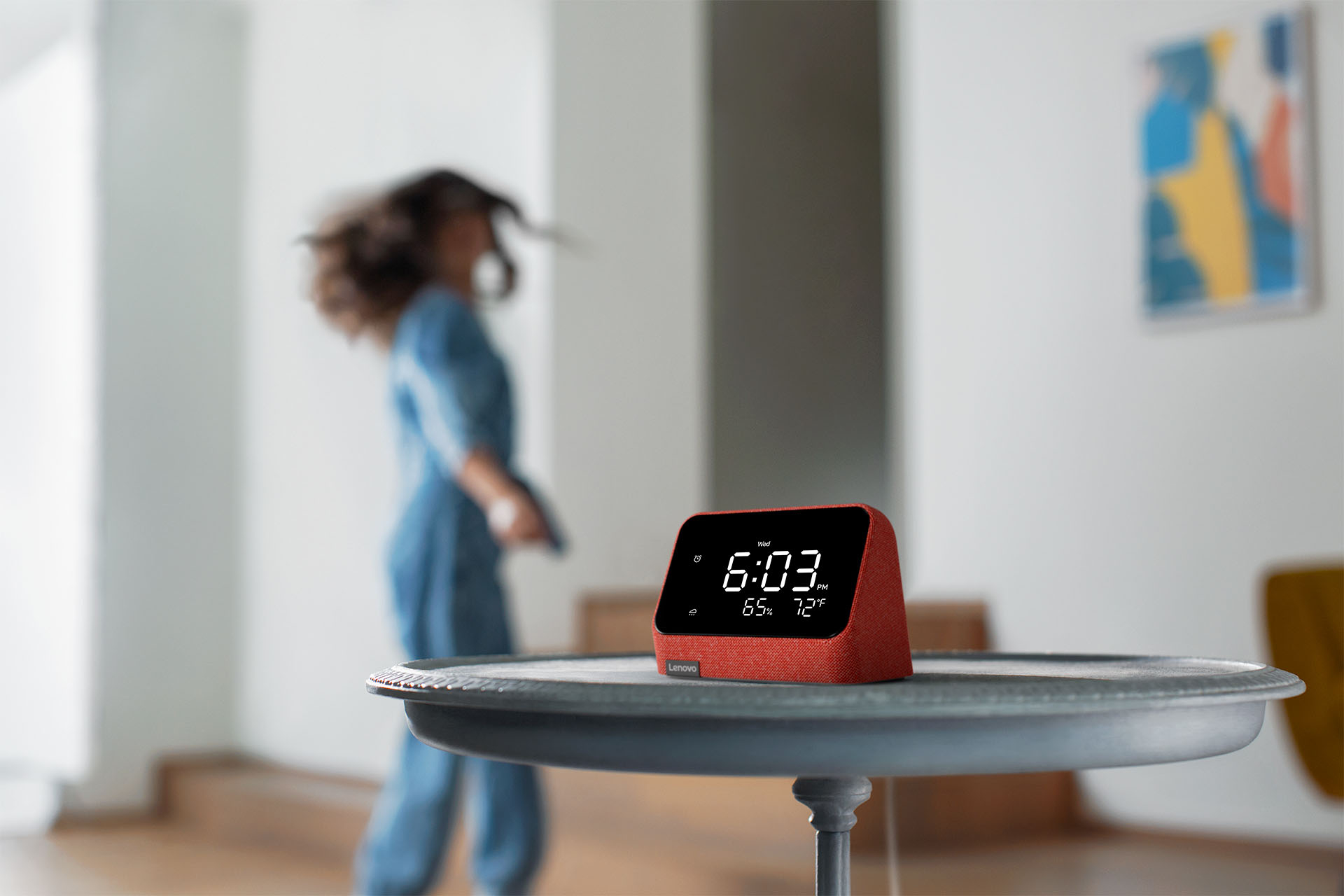
||Posted . Owned for 1 month when reviewed.This reviewer received promo considerations or sweepstakes entry for writing a review.You see the 60% and the 70temp in your picture. These aren't on the clock. ????????????????????????????????????????????
No, I would not recommend this to a friendWho said alarm clocks aren't useful anymore?
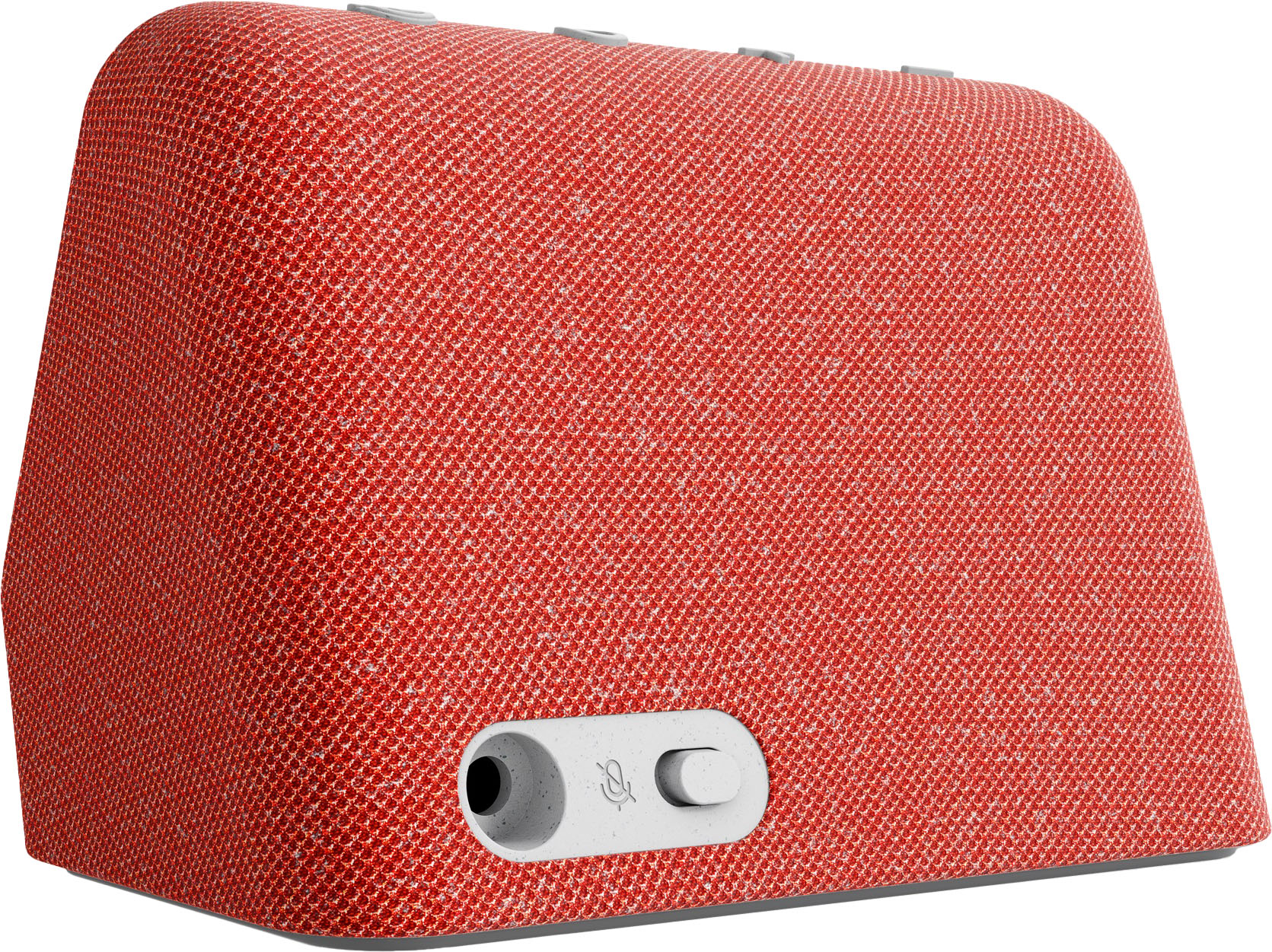
|Posted .This reviewer received promo considerations or sweepstakes entry for writing a review.I was always of the opinion the smart phone effectively eliminated the need for many personal devices we all found very useful, the alarm clock being one of them. With this in mind, I thought it strange to see Lenovo bring this product to market, but I have one. What I have learned is that there are things which should be revisited to determine if they could be better served with a fresh approach that includes today’s technology. Upon unboxing this smart clock, I appreciated the simple design. It’s soft to the touch, doesn’t have touch screen, and has four simple buttons for operation, and a switch on the rear to disable the microphone. Set up was simple. Just open the Alexa app and add the device – that’s it. One improvement to setup would be to detect time zone from my phone or the home network, but the time itself was accurate, albeit EDT. I like that setup and settings are done using Alexa. This means I don’t have an additional app to install and remember. The time displays as a typical digital clock and can easily be seen from distance. Once up and running, this thing is very useful in its simplest state – displaying current time. It’s crazy how we’ve forgotten that we can look at a clock on display rather than pull out a cell phone or something. Add to that there is a quick weather display icon and a smaller display footprint for either decibel level or weather (Lenovo should add more options here). You can use Alexa voice commands to set alarms for reminders or to be awakened, ask general questions for information, and control any other devices in your home tied to Alexa. Can’t you just get an Echo Dot to do this? Of course, but it doesn’t cover the satisfaction one receives from rolling over in bed and looking at a real clock in the morning. The smart clock package also hides the presence of the Echo. There are times when a product is a can’t miss. I’m not sure this is one of them, simply because to some a clock is a matter of preference. If you want an Alexa point and an always-on time device, this deserves a strong look. I like it not only for its capabilities via Alexa, but that it fills a self-induced void – always displayed time (and weather) on my nightstand. I was reaching for and flipping my phone, then activating the screen – not anymore thanks to this smart clock.
I would recommend this to a friendBrand response from Lenovo Product Expert
Posted .Thank you for choosing the Lenovo Smart Clock Essential with Alexa Built In. We are pleased to hear that the easy setup, features and performance of the Smart Clock Essential with Alexa meets your needs so well.
Will return, only usable if you want to be spied o
||Posted . Owned for less than 1 week when reviewed.This reviewer received promo considerations or sweepstakes entry for writing a review.I hate this freakin thing. Its unusable without installing the alexa app on your phone. I knew this was alexa enabled but if I wanted an alexa device I would have bought one. I don't want that spying btch in my house. Will probably return. Hey Lenovo, try making a digital Bluetooth enabled clock instead of this hunk of spyware having az sht.
No, I would not recommend this to a friend- Pros mentioned:Sound quality
Good design and a fast response to 'Alexa'
|Posted .This reviewer received promo considerations or sweepstakes entry for writing a review.If Amazon built a straight alarm clock without the fancy graphics or the ability to watch videos, it would look a lot like Lenovo’s Smart alarm clock. As a bedside companion, it gives you all you need: a clear view of the time and the weather -- with nothing else. No annoying suggestions for what else you should be spending money on. The clock never disappears to “showcase” a new feature. It even has a one-touch button to see what time the alarm is set for. Sound quality is very good, better than the Echo Dot I have in my bathroom. Not quite as good as a stand alone speaker. One disappointment is that it doesn’t have a line output to connect to another speakers. You have to rely on the internal speaker for sound/music. As an Echo device, it does all you’d expect. It even has a cute face when it’s listening to what you have to say. The front of the clock turns blue, similar to the blue light ring on Echo devices. It can hear clearly from across the room, as well as any of the other devices I have in the house. It’s generally more responsive than the Fire TV cube I have nearby. It has a mute button, if you only want an alarm clock with no corporate eavesdropping. While it’s a little pricey, it checks all the boxes if you don’t want to be bothered by ads, but want an accurate clock for your bedside or under the TV.
I would recommend this to a friendBrand response from Lenovo Product Expert
Posted .Thank you for choosing the Lenovo Smart Clock Essential with Alex a Built in. Here is a link to a YouTube video that demonstrates the features and functions of the Lenovo Smart Clock Essential with Alexa Built in: https://www.youtube.com/watch?v=JY1o429amcE. If you have questions about your Lenovo Smart Clock Essential with Alexa, we recommend you contact Lenovo Tech Support for Smart Devices at: 866-426-0911.
Likes to freeze
||Posted . Owned for 1 week when reviewed.This reviewer received promo considerations or sweepstakes entry for writing a review.The display has frozen twice since i boight it. Cycling power will fix it but very annoying.
No, I would not recommend this to a friend- Pros mentioned:Alarm
NIce smart clock but with limitations
|Posted .This reviewer received promo considerations or sweepstakes entry for writing a review.First off, I'm fully invested in the Alexa ecosystem. So when I saw the Lenovo smart clock had that capability built-in, I was all in. On opening the box, it was actually much smaller than I expected. Not tiny, but just not what I was really hoping for. Setup was easy enough using the Alexa app. Within just a few minutes it was recognized and added to my account. The sound isn't phenomenal which is to be expected by a unit this size. It's decent, but a little tinny. My biggest disappointment is that although it appears to be added to a multi-room music group, it simply will not play with the others. It does fine on its own, just not as part of a group. That may be an Amazon thing but it's a little frustrating to say the least. On the plus side, I like having the temperature displayed on my bedside and the alarms work quite well.
I would recommend this to a friendBrand response from Lenovo Product Expert
Posted .Thank you for choosing the Lenovo Smart Clock Essential with Alexa. This Smart Clock Essential with Alexa works with many smart home devices from different brands. It can control all gadget featuring the works with the Alexa badge. If you have Alexa compatible speakers connected to the Alexa APP and have the same music streaming service setup and paired to each device, you will be able to pair this Lenovo Smart Clock Essential with Alexa to the other speakers paired within the Alexa APP. If you have questions about your Lenovo Smart Clock Essential with Alexa, we recommend you contact Lenovo Tech Support for Smart Devices at: 866-426-0911.
Terrible alarm clock if you wan to snooze
||Posted . Owned for 3 weeks when reviewed.This reviewer received promo considerations or sweepstakes entry for writing a review.Cannot use the snooze function with an alarm set to music. That just doesn't make sense.
No, I would not recommend this to a friendReview
||Posted . Owned for 1 month when reviewed.This reviewer received promo considerations or sweepstakes entry for writing a review.It was a mistake to buy, hard to setup doesn't display anything half the time, needs to go back.
No, I would not recommend this to a friendnot friendly
||Posted . Owned for 1 month when reviewed.This reviewer received promo considerations or sweepstakes entry for writing a review.couldn't get functions to work sent it back. Either unit didn't work or instructions confusing.
No, I would not recommend this to a friend- Pros mentioned:Sound quality
Good product but needs improvement
|Posted .This reviewer received promo considerations or sweepstakes entry for writing a review.First of all, thanks to Lenovo for producing a product that’s super simple and lightweight with a good speaker quality. Setup is quite simple with the Alexa app. First disappointment I have with this is that it requires to plugged into power all the time. It would have been a battery operated product, that would have made It awesome. Secondly, it could have had options for thr alarm tunes - default one is annoying and there’s no way to change it. Audio quality is good, works seamlessly with Alexa. Display is fine, however, i noticed the display going crazy one time where the letters were jumbled when the product booted up, but did not see that happening again. Overall, a good product with a lot of scope for improvement.
I would recommend this to a friend Good for nightstand use
|Posted .This reviewer received promo considerations or sweepstakes entry for writing a review.I got this to replace my old Echo Spot. The spot is a good size for a nightstand but I can't see the time at night without my glasses. The Lenovo Smart Clock has huge, clear numbers that I can easily read in the dark without my glasses. Setup was a little tricky. It took three attempts in the Alexa app on my Z Fold 3 to set up the Smart Clock on my network. I'm not sure what the difference was, but on the third try it set up normally. Once there it appears as any other Echo device and you can re-name it and assign it to a room. While it doesn't display a lot of information it shows what's essential as a bedside device. The time is big and easy to read and below it is an area with other information. It defaults to a noise meter, which is interesting but not really useful. It's either quiet enough for me to sleep or not. I don't need to see the noise level in the room. You can change this to show the outdoor temperature in the Alexa app, which is much more useful tio me. This device seems less sensitive to recognizing the "Alexa" wake word than other devices. A couple of times I've had to say it loud enough for my Echo Show in the next room to react. Once it recognizes the wake word the display turns into a set of blinking "eyes" while listening. Sound is adequate for a clock-radio use case, but once it's turned up a little the sound really falls apart. If you're looking for this to do more than wake you up with music you would likely want a first-party Amazon device.
I would recommend this to a friendBrand response from Lenovo Product Expert
Posted .Thank you for choosing the Lenovo Smart Clock Essential with Alexa Built in. Be sure that the smart phone or tablet you use to setup the Smart Clock Essential with Alexa with is connected to the same WiFi network as the network you want to connect the Smart Clock Essential with Alexa to. Turn on the smart phone's/tablet's Bluetooth feature to make it easier for the Smart Clock 2 with Alexa to find the device and connect to the WiFi Network. You can train the Alexa Assistant to recognize your voice. Here is a link to information: https://www.pcmag.com/how-to/how-to-train-amazons-alexa-to-recognize-your-voice. If you have questions about your Smart Clock Essential with Alexa, we recommend you contact Lenovo Tech Support for Smart Devices at: 866-426-0911.
- Cons mentioned:Alexa
Uneven performance
|Posted .This reviewer received promo considerations or sweepstakes entry for writing a review.Although this device shows a great deal of potential, I'm not sure that it meets it. First of all, this is my first exposure to the Alexa environment, so I'm not committed to it nor do I have a number of Alexa compatible devices. When I first tried to install and activate the device, it appeared to connect correctly to the Alexa app. In then trying to use Alexa, I would be presented with an "Alexa is not ready" message. I found the documentation to try and correct the issue to be limited. I finally went back the following day and restarted the linking process from scratch and the second time, I was successful. I ran through the entire setup process, including the voice training. Now to try it out. This was my second stumble with Alexa, it would not activate unless I pushed the "activate" button. For a hands free device, it didn't bode well to have to manually activate it. With time, I discovered that I had to announce "Alexa" in just the right way and in near proximity to the device for Alexa to activate. This clock has a tremendous amount of potential, that I currently feel is not being met. When Alexa works, it seems to work very well. I have seen an Amazon Alexa device at my parents house and was pleasantly surprised at how responsive it was. I don't feel that the Lenovo implementation is there yet.
I would recommend this to a friendBrand response from Lenovo Product Expert
Posted .We are sorry to hear that you are having difficulty with your Lenovo Smart Clock 2 with Alexa Built In. You can turn on the Alexa Assistant with the Alexa Alert Button on the top of the Clock (the circle button) or just say - Alexa - to turn on the Alexa Assistant, then ask your question or deliver your Voice Command like Alexa, play some music from Pandora. You can tech Alexa to recognize your voice more readily. Here is a link to instructions for doing this: https://www.gearbrain.com/instructions-teach-alexa-different-voices-2495882120.html#:~:text=Alexa%20can%20learn%20your%20roommate's%20voice%20too&text=They%20have%20to%20log%20into,to%20%22Learn%20my%20voice.%22. If you have questions about your Lenovo Smart Clock Essential with Alexa Built In, we recommend you call Lenovo Tech Support for Smart Devices at: 866-426-0911.
- Pros mentioned:Sound quality
Lenovo Smart Clock
|Posted .This reviewer received promo considerations or sweepstakes entry for writing a review.The set up was easy out of the box. Once the clock and Alexa hooked up to my phone. It set up the proper time zone and time. The clock is easily controlled by voice thru Alexa. You can set it up to show the current weather and temp. The speaker has a good sound quality. The alarm cam be set by voice, this is nice for those of us that don’t work a set schedule. The alarm volume is adjustable also by voice. I would recommend to friends.
I would recommend this to a friendBrand response from Lenovo Product Expert
Posted .Thank you for choosing the Lenovo Smart Clock Essential with Alexa Built In. We are pleased to hear that the easy setup features and functions of the Smart Clock essential with Alexa are working out so well for you.
Smart-ish Clock
|Posted .This reviewer received promo considerations or sweepstakes entry for writing a review.I'm a bit disappointed in this lenovo Smart clock. The concept is exactly what I wanted on my coffee table. I do like the design and color. The screen is what you see in the product pictures. Not a display for pictures or anything like a smart phone has, just numbers. You can change a couple of settings, humidity/temp or decibel level. The sound is disappointing, no bass, no fullness. On the echo dot you can change bass and treble in the equalizer, there is no option for that here. The echo dot and other lenovo smart clocks sound so much better. You control the clock and set up through the alexa app. It is nice you can ask the clock to do the things alexa can but it just doesn't integrate well. If you add this clock into a group for music, it won't play. (only on its own) and it messes up the rest of the speakers. Only 55 seconds of each song will play.(unplug this clock and the rest of the speakers play fine) I'm really hoping with an update they will fix the Bluetooth / streaming issues and improve the sound quality. Right now it's only worth half what they charge, if that.
No, I would not recommend this to a friendBrand response from Lenovo Product Expert
Posted .We are sorry to hear that you are having issues with your Lenovo Smart Clock Essential with Alexa Built in. Regarding pairing the Smart Clock Essential with Alexa to other Alexa compatible speakers within your network, and streaming music through all the compatible speakers, be sure that you have setup your account on the Smart Clock Essential with Alexa and that the account for streaming music is setup on all the other smart devices you want to pair with. If the issue continues where the streaming must drops, try resetting the Lenovo Smart Clock Essential with Alexa, back to original factory settings. To do this, hold down both the minus button and the alarm button on the top of the Smart Clock Essential with Alexa, for 6-seconds. Then follow the instructions provided by the Alexa Assistant. If the issue continues after this reset, we recommend you contact Lenovo Tech Support for Smart Devices at: 866-426-0911.
I wanted to love it, but big letdown
|Posted .This reviewer received promo considerations or sweepstakes entry for writing a review.I was really excited to try the Lenovo - Smart Clock Essential 4" Smart Display with Alexa because, not only did I need a clock for my bedroom, but because Alexa is also included. The installation was somewhat simple, yet confusing. I say this because you are to complete the setup on the Alexa app, but when adjusting certain features on the device you have to make the correct "device" option from the menu. I don't understand why it is not all under the same device. Aside from the confusing setup settings, the clock display is nice and bright. I really like the fact that it displays time and weather. It's a nice looking clock. For the downside: Alexa is very unresponsive on the Lenovo - Smart Clock Essential 4" Smart Display with Alexa. At first, I thought it was a setting that was not right or that the mute button was on. After checking all of these things and making sure that everything was in line, I still have trouble accessing Alexa. This is even after practically yelling to get Alexa to activate. This was a big disappointment for me, as it was a feature that I really wanted. I cannot recommend the Lenovo - Smart Clock Essential 4" Smart Display with Alexa because of the issues that I have been experiencing with it.
No, I would not recommend this to a friendBrand response from Lenovo Product Expert
Posted .We are sorry to hear that you are having difficulty with Voice Commands on your Lenovo Smart Clock Essential with Alex Built In. Try resetting Voice Recognition on your Smart Clock Essential: Open the Amazon Alexa app on Android or iOS, or go to alexa.amazon.com in a browser. Tap the hamburger button in the top left to expand the menu and select Settings. Under Accounts, tap Your Voice. Tap either Edit your voice or Forget my voice. Here is a link to detailed instructions for teaching Alexa to recognize your voice through the Alexa APP: https://www.hellotech.com/guide/for/how-to-make-alexa-learn-your-voice. If you continue to have issues, we recommend you contact Lenovo Tech Support for Smart Devices for additional help at: 866-426-0911.
A Reliable Smart Clock!
|Posted .This reviewer received promo considerations or sweepstakes entry for writing a review.As a person who loves Lenovo's products, this product is an added bonus. Firstly, I love the way the red color "pops" as it is an eye holder of its own. The features are great as I need a reliable clock in my room. Also, I love knowing what the daily weather is which is always a super plus for me. I am super happy to add this smart clock which has Alexa's features to my everyday routine. Also, I know this clock will serve me well for many years to come.
I would recommend this to a friendHow can Lenovo fail so badly with an alarm clock?
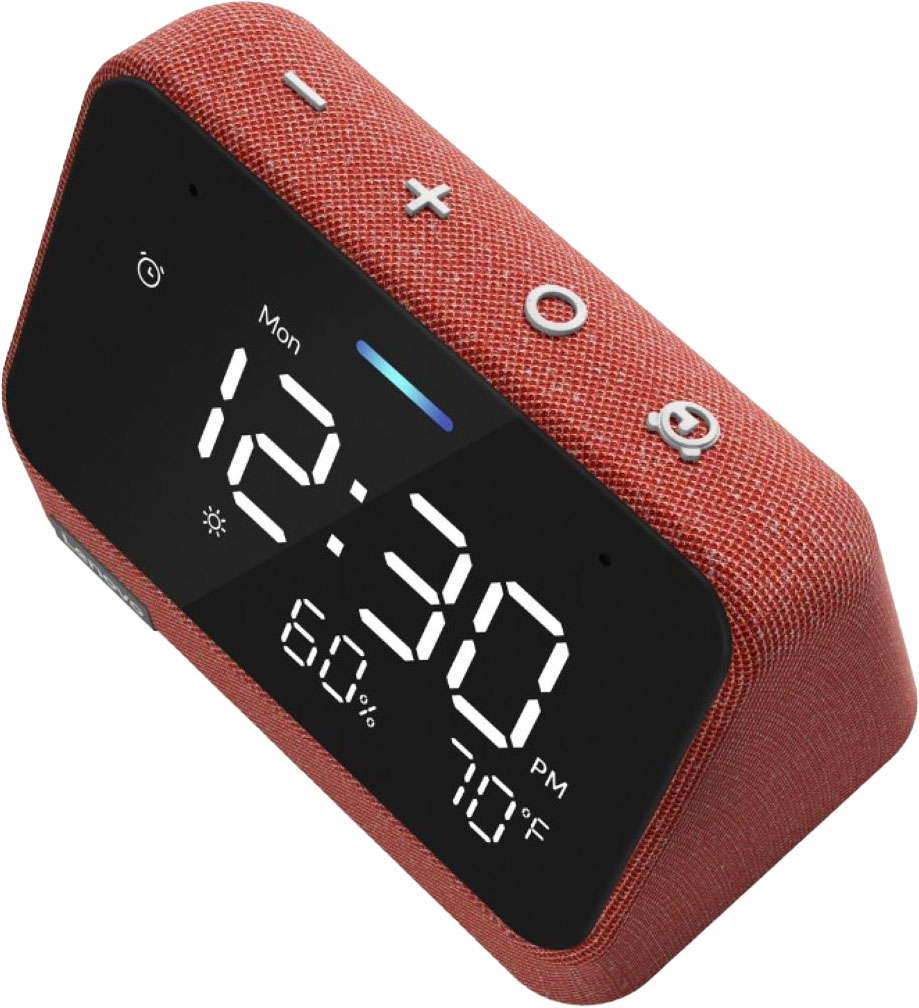
|Posted .This reviewer received promo considerations or sweepstakes entry for writing a review.I'm at a loss at how badly this thing performs and was thought out (or not thought out as the case may be). This thing fails at the most simplest level - being an alarm clock. First off, it's tiny. The pictures are deceiving. Yes, the digits are large and take up the entire screen, but since the actual unit is so small, that's not saying much. It is definitely difficult to read from across the room. Next, the buttons. One thing an alarm clock needs is a big, obvious snooze button. And, again, this fails at that. The four buttons across the top are volume down, volume up, an 'action' button and an alarm set button. They are all the same size and tiny. And, it's not obvious which button you have to push to snooze an alarm vs. turn off an alarm. In fact, I had to dig the 'instructions' (in quotes b/c they don't really tell you much other than set up the device via the Alexa app) out of the trash b/c it wasn't obvious which button did what and I couldn't find any information online. Turns out the 3rd button from the left (the action) button turns off the alarm and the alarm set button snoozes the alarm. First of all, how counter-intuitive is that? Second, when you're half asleep in the morning and your alarm goes off, having to think which button to snooze vs which button to turn off is near impossible. Third, even if you followed Lenovo's logic on this stuff, you need to differentiate the snooze button from all the other buttons in some way (ie, my note about it needing to be large and obvious). I just can't fathom how any of this made it past the design stage. The biggest downfall of this alarm clock, however, is its reliance on the Amazon Alexa app which, in my opinion (and most others online), is a complete dumpster fire. This app is so confusing that not even the most tech savvy person could make heads or tails of it, let alone trying to configure and control the alarm clock with it (which you basically have to do as the physical controls on the clock are counter-intuitive as I've mentioned at least once before). Whether you need to stream music, group speakers, control smart home items or even just set the alarm, good luck with all that. Two different versions of the clock show up in the Alex app - one with a little headphone icon (I think that's what it is) and one with a different icon that I don't really know what it's supposed to signify. Some controls are tied to one icon and others are tied to the other. So, unless you have a photographic memory, you're constantly going into one icon before realizing what you're trying to do is not there and must be tied to the other icon, and vice versa. And, on top of this farce, some settings just disappear. I could have sworn that I was able to control the output volume of the alarm via one of those icons. However, now I can't find it anywhere.
No, I would not recommend this to a friendBrand response from Lenovo Product Expert
Posted .We are sorry to hear that the Lenovo Smart Clock Essential with Alexa does not meet your needs. The Smart Clock Essential has a 4 inch (screen size measured diagonally) viewable screen size. The Smart Clock measures - Dimensions LxWxH 4 x 3 x 3 inches. To stop or snooze an alarm, you can either use a Voice Command through the Alexa Voice Assistant, like Stop or Alexa snooze, or if you do not want to disturb anyone else in the room, When it’s time to wake up, tap the top to dismiss the alarm or snooze. If you have questions about your Lenovo Smart Clock with Alexa Built in, we recommend you contact Lenovo Tech Support for Smart Devices at: 866-426-0911.
Nice but poor instructions re programming.
Posted .This reviewer received promo considerations or sweepstakes entry for writing a review.Nice features offered. Attractive small shape which is perfect for bedside. Automatic light dimming good for sleep. Like Alexa feature. However, very confusing & difficult instructions for initially programming the system.
I would recommend this to a friend