Customer Ratings & Reviews









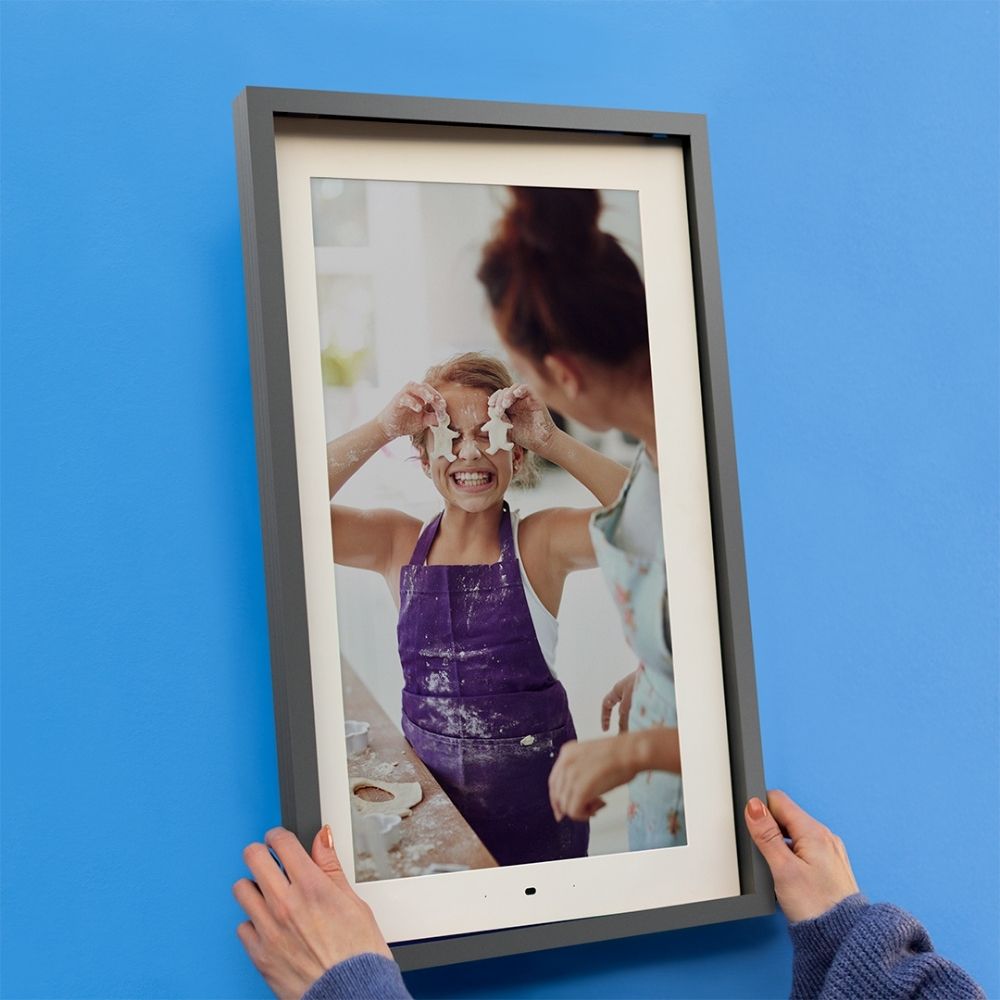
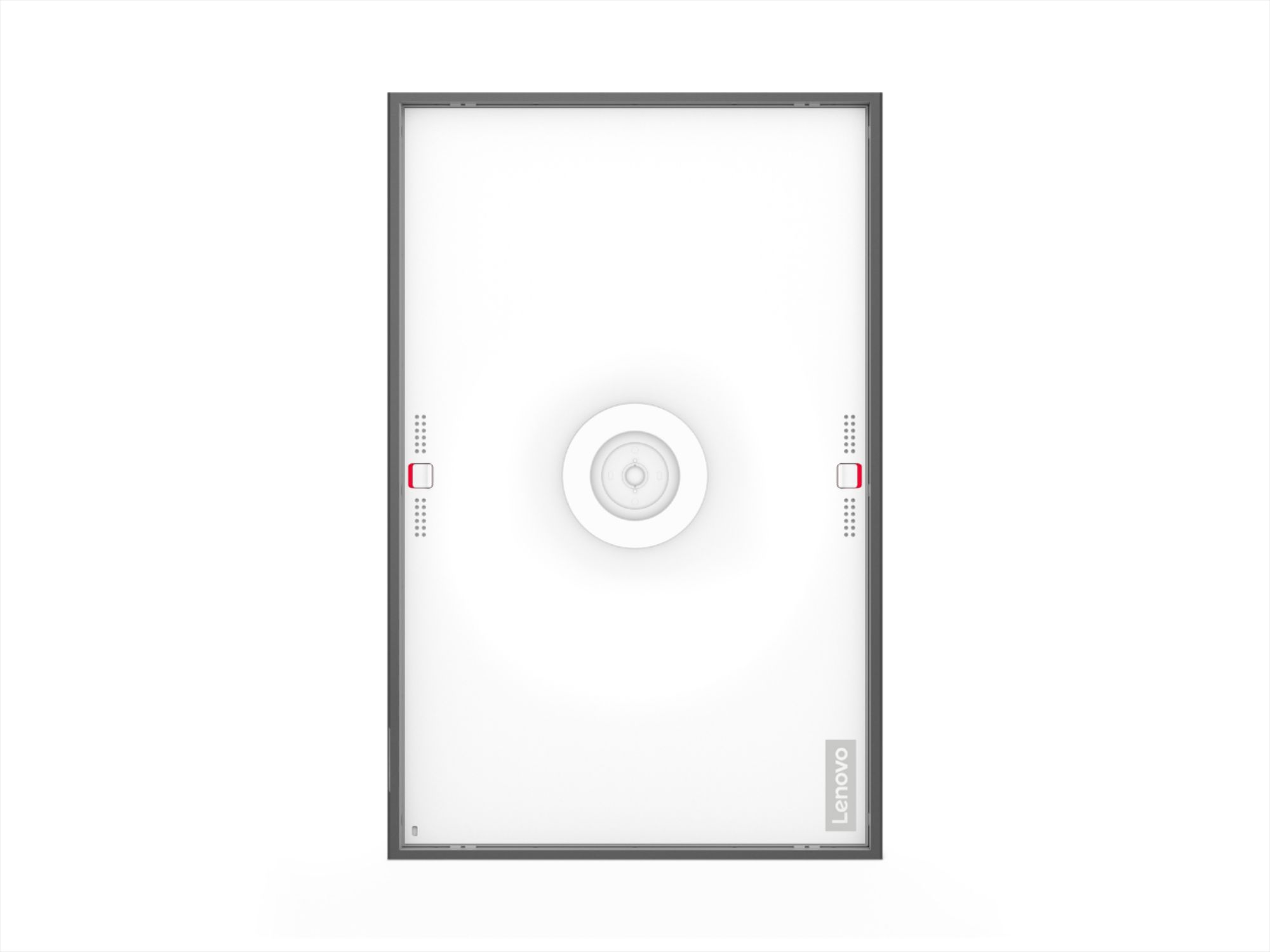

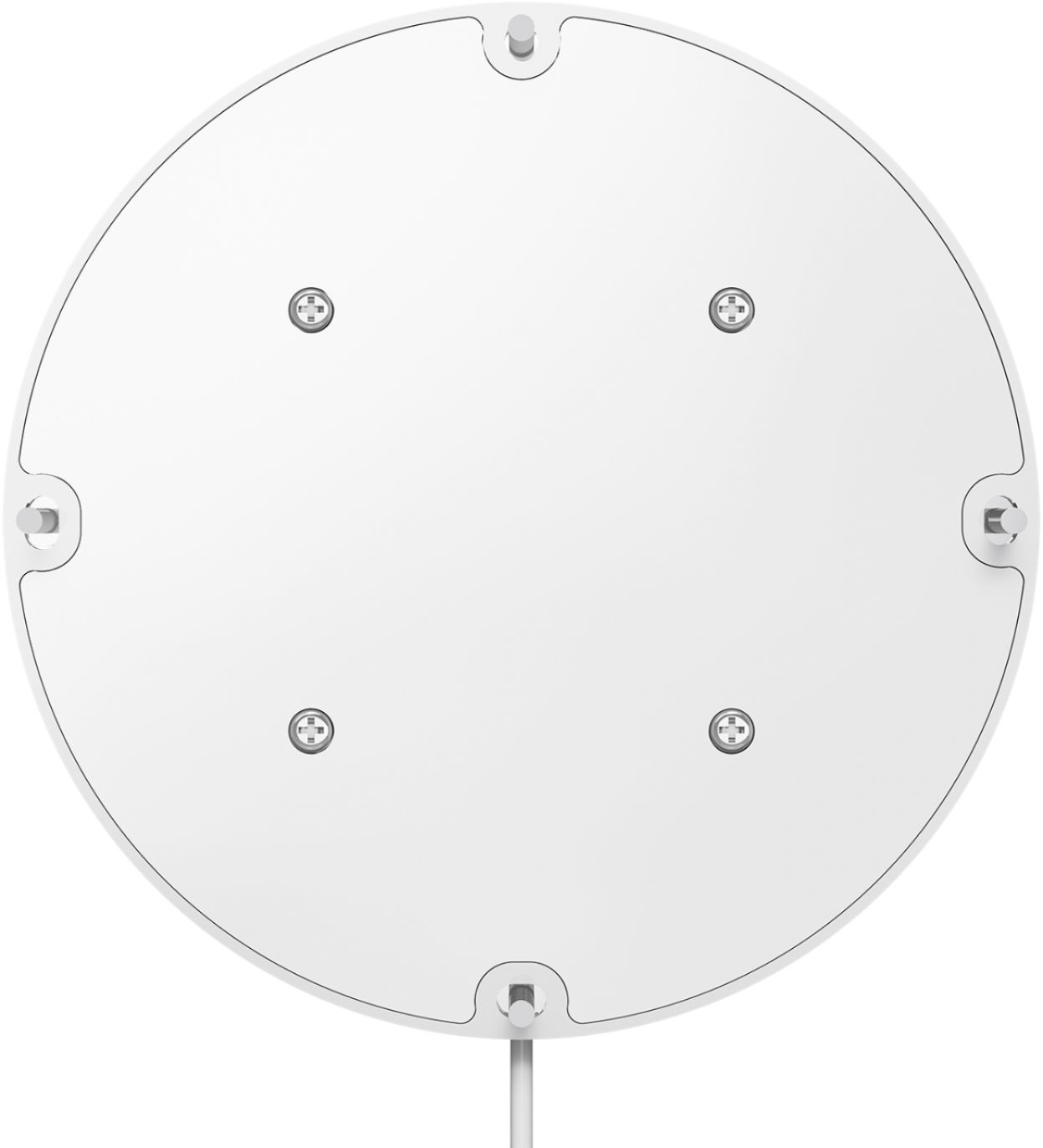
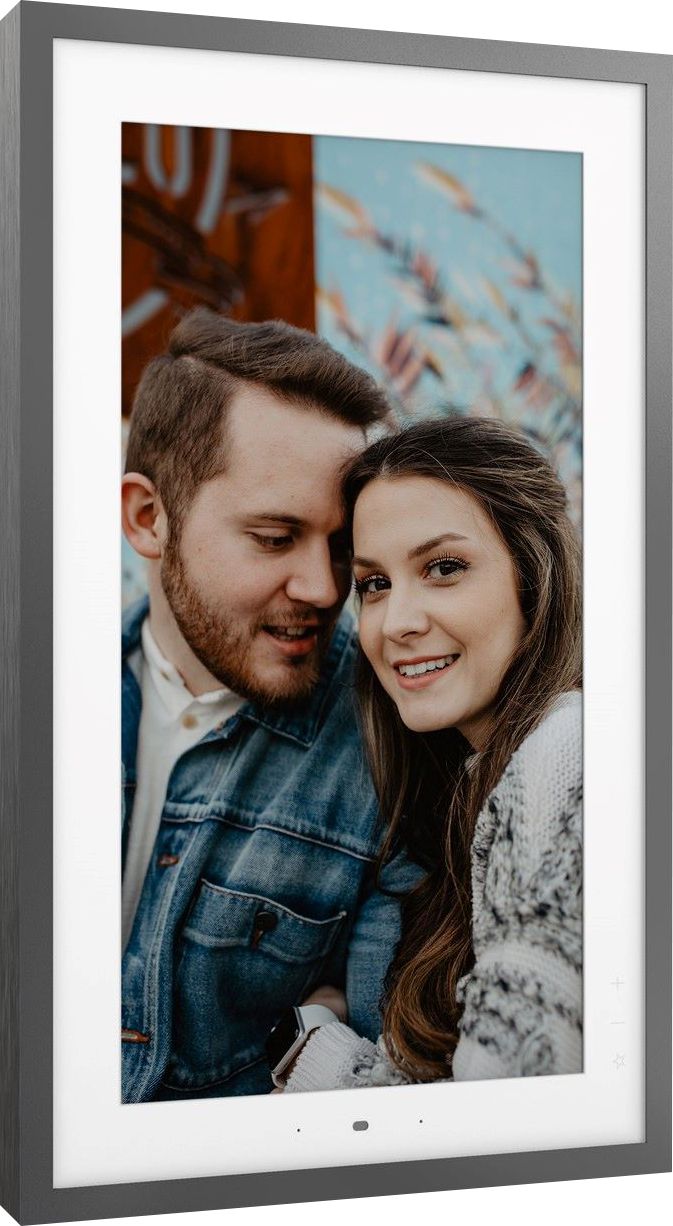
- Model:
- ZA6G0006US
- SKU:
- 6455115
Rating by feature
- Value
Rating 4.0 out of 5 stars
- Quality
Rating 4.4 out of 5 stars
- Ease of Use
Rating 4.1 out of 5 stars
Customers are saying
Customers commend the Smart Frame 21.5" for its high-quality pictures and ease of use, with many praising the simple setup and convenient wall mounting options. However, some users experienced issues with the accompanying app and reported concerns about the display's performance in low-light conditions and the power cord length. The frame's design, while aesthetically pleasing to many, presented challenges for some users.
This summary was generated by AI based on customer reviews.
- Pros mentioned:Ease of use
Smart Frame works with Google and Alexa
||Posted . Owned for 1 week when reviewed.This reviewer received promo considerations or sweepstakes entry for writing a review.Very good quality, easy to hang on wall and rotate horizontal or vertical Connects with Google photos Wish we can use it without connecting to power!
I would recommend this to a friendBrand response from Lenovo Product Expert
Posted .Thank you for choosing the Lenovo Smart Frame. The Lenovo Smart Frame must be connected to an electrical outlet and a WiFi network to function.

- Pros mentioned:Ease of use, Picture quality, Wall mountCons mentioned:App

Nice, but only if you can catch it on sale
|Posted .This reviewer received promo considerations or sweepstakes entry for writing a review.Pros: - Easy to set up - Innovative mounting system - Integration with Google Photos works well - Gesture controls - Neutral styling fits any décor - Nice display - Google Assistant/Alexa integrations allow some control options Cons: - Wi-Fi setup issues on tablet - Algorithm does not always crop correctly - Price vs. value - Included artwork/clocks not all that great - App limited in its scope - Some controls like color space, contrast missing - Would be good if other integration options for storage I want to like the Lenovo 21-inch smart frame, I really do. It is attractive and has some nice features and I am enjoying seeing some photos I have not looked at for a while. But the sticking point for me is price versus value. I feel like the MSRP is a little high for the size of the display and the features provided. Considering that there are a lot of options both in the retail space for a ready-made display frame and the even lower cost options of building one yourself make the audience for this device limited. I can see this as a great option as a gift for someone who is not comfortable with tech and wants something easy to set up, or a senior family member who wants to see pics of the family/grandkids without much bother. In those instances, you may well justify the pricing as worthy for a “set it and forget it” solution. But I think it becomes a harder decision as a personal purchase. Which is a shame, as the Lenovo Smart Frame has a lot going for it. First of all, it is easy to set up and has an innovative magnetic mounting system that even has a built-in bubble level so you can get it right the first time. The circular mount also allows you to shift the orientation from landscape to portrait on demand without having to disconnect it from the mount. It has a neutral design that should fit most decorating styles and a decent display (though for the price, I think a higher resolution or bigger display would be better). The app has its issues though; I could not set up my frame with my Samsung tablet, which is running stock Android and is less than a year old. It could find my frame but not my Wi-Fi which was confusing. After trying several of the usual fixes (rebooting the tablet, the frame, and the router) I finally tried my phone (which is older and running the same version of Android), which connected immediately. Once I got past that, connecting to Google Photos was quick and selecting photos for display was simple. The app also offers ‘channels’ with curated artwork (but I found none of them to my liking or style) and a collection of clock displays (which was also underwhelming). It is nice that they offer these, but I really do not see the point. There are few display controls in the app like brightness, a scheduled sleep mode and slide show times, but for the price I would expect more options like contrast, color space and different transitions. I found – especially with older images scanned from photos – that the algorithm prioritizes for width over height resulting in some of my family members having the tops of their heads cut off. There should be a way to control this in the app, either on an individual picture basis or at least globally. I also think there should be more of a randomness to the order of display. The integration with Google Photos is seamless and as previously mentioned, this would be a great solution for senior family members or non-technical folks to get updated pics from the rest of the family and keep connected; something even more important these days. You could set up a folder in Photos and then share it with others and as they add pics to it, the frame will keep updating on a regular basis. And the gesture controls work great though I do not see myself using it much. These issues are small, but in a price vs. value argument, they become more important – at least to me. I would highly recommend this for the use cases I mentioned but I think current pricing may make this more of a ‘luxury’ purchase if you are buying this for yourself unless you can justify it. Or if you can catch it on sale at Best Buy!
I would recommend this to a friendBrand response from Lenovo Product Expert
Posted .Thank you for choosing the Lenovo Smart Frame. We appreciate your incite and observations.
- Pros mentioned:Picture quality
All your photos in one frame!
||Posted . Owned for 5 months when reviewed.This reviewer received promo considerations or sweepstakes entry for writing a review.I was able to catch this on sell and it was worth it. I had Best Buy come and install it and all of my guests say how much they like it. If you can find it on sale I highly recommend it
I would recommend this to a friendBrand response from Lenovo Product Expert
Posted .Thank you for choosing the Lenovo Smart Frame 21.5 inch. We are pleased to hear that the Smart Frame is working out so well for you.
Brings memories to the forefront again.
||Posted . Owned for 1 month when reviewed.This reviewer received promo considerations or sweepstakes entry for writing a review.In todays world our pictures live and die on our phones. This frame was such a hit this year because it has pulled things out of the recent and past years for us to remember our memories together. This doesnt function perfectly as far as the motion swipe. But i just think it is so neat that it can do that. My sister even wants one now. Should note, Im not very tech savvy and had 0 to do with the set up. But my fiance had no issues.
I would recommend this to a friendBrand response from Lenovo Product Expert
Posted .Thank you for choosing the Lenovo Smart Frame. We are sorry to hear that you are having issues with the motion function of the Smart Frame. Here is a link to a You Tube video that demonstrates the setup, features and functions of the Smart Frame including motion control: https://www.youtube.com/watch?v=jKn9aHccCHs&t=193s. If you have questions about your Lenovo Smart Frame, we recommend you contact lenovo Tech Support for Smart Devices at: 866-426-0911.
- Pros mentioned:Picture qualityCons mentioned:Power cord
Large Digital Photo Frame
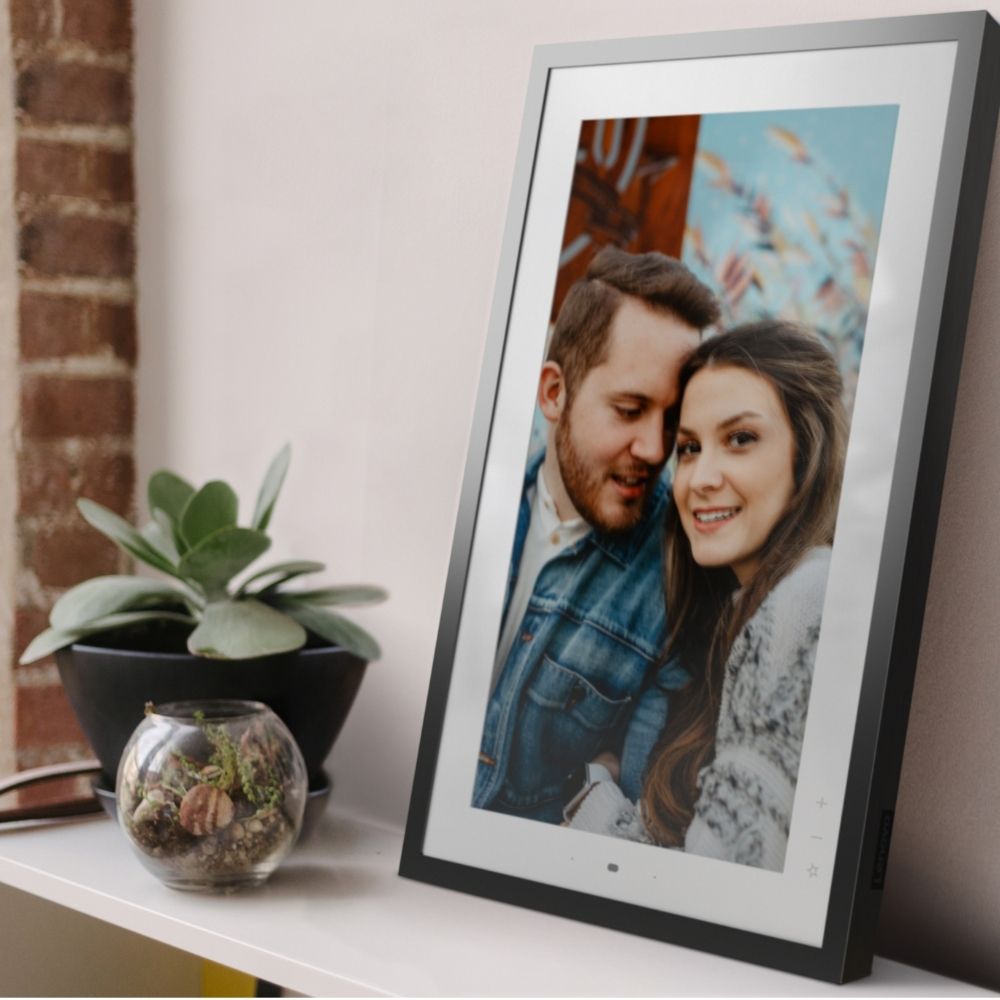
|Posted .This reviewer received promo considerations or sweepstakes entry for writing a review.Large Digital Photo Frame About the Lenovo Smart Frame The Lenovo Smart Frame is a digital picture frame with built-in Wi-Fi capabilities. It is designed to work with Google Photos or could be used with the stock art images. The screen is 21.5” with a white plastic housing. It comes with an optional silver additional frame. It can be mounted on a wall or as used as a desktop picture frame. Setting It Up Setting up the picture frame was not difficult. There are not many parts to it, and I chose to use it as a desktop picture frame so I was not mounting it to the wall. Attach the mount to the back of the frame, plug in the power to the mount, set it in place, and plug it into the wall. The frame will require you to download an app for the Lenovo product called Lenovo Smart Frame. It will also ask to connect to your Google account to stream images from your Google Photos app (you can pick a folder to use). Features There are a few features to this product that most digital picture frames do not have. This smart frame has a motion sensor to detect “gestures” you can change the “channel” (group of images) or move to the next or previous image using your hands without having to touch the display. This can also be done in the app. There is an auto-brightness feature so that the smart frame can self-control its brightness based on the environment. Brightness is also controllable from the app. You can control the speed at which pictures change. There are preset intervals to choose from. We currently have ours set to 1 minute increments, but may change to 3 minutes to slow down the show. There are built-in art images that look very nice on the display. You can show works from artists such as Georges Seurat or Claude Monet. If you know that you will not be viewing the display during certain times of the day, you can use the timer feature to turn the smart frame off and on as a routine schedule. Unfortunately, there is not an advanced timer to create more than one off/on schedule per day or to have alternating times during a week. My Impressions The picture frame is nice. The higher quality the images are, the better it will look. We’ve noticed that our older cell phone pictures appear blurry, and that is because the picture is of a lower quality. Mounting to the wall and hiding the wires could be challenging. The mount looks like it would be sturdy, but the problem is getting the power to the frame. The power cord is not all that long, so you’d need to buy an extension for the cord or locate it near the outlet. Also, the instructions mention being able to buy an extension for the power cord, but I feel that the product should have come with it. Most electrical outlets are mounted 18” off the floor and are spread out in the room. The chances that the cord will reach are not that likely. You need two hands to remove the display from the mount because of the locking tabs on opposite sides of the display. Someone who has a disability may struggle with this. Just an observation. I’m not a fan of the gesture control. It changes easily when you walk up to the frame, even when you are not trying to change anything… You can turn it off, which is what I will likely do. Would be good to make the timer more advanced so that you can set it as you need to. One on/off schedule may not be enough. Size – the picture frame is a decent size, but like any monitor you will need to pay attention to the scale of where you are locating the frame. It’s kind of big for a work desk, but not big enough to hang above the fireplace. Just need to consider this before purchasing. Inputs – If you think that you will hook up anything else to this display, forget it. There’s no other inputs. No USB, HDMI, VGA, Display Port – nothing. Overall, the picture frame is nice. The image quality and brightness work well. It’s fun to watch the pictures change. Connecting the smart frame to the app and Google Photos was pretty smooth. There are some changes that I would like to see, such as including the power cord extension, making the timer more advanced, and allowing the slideshow speed to be any increment. Also, there’s no other way to use the product since there are no inputs. We like the product, and think that it has a fairly elegant look to it. I will round this up to 4 stars because I don’t think that it deserves a 3 star rating. The product works well and looks nice.
I would recommend this to a friendBrand response from Lenovo Product Expert
Posted .Thank you for choosing the Lenovo Smart Frame. The Lenovo Smart Frame has WiFi 802.11 ac/a/b/g/n; 2.4/5GHz capability as well as Bluetooth: Bluetooth 5.0 capability for connection with your phone, while using the Smart Frame APP..
- Pros mentioned:Ease of use, Picture quality, Setup
Easy setup and nice picture
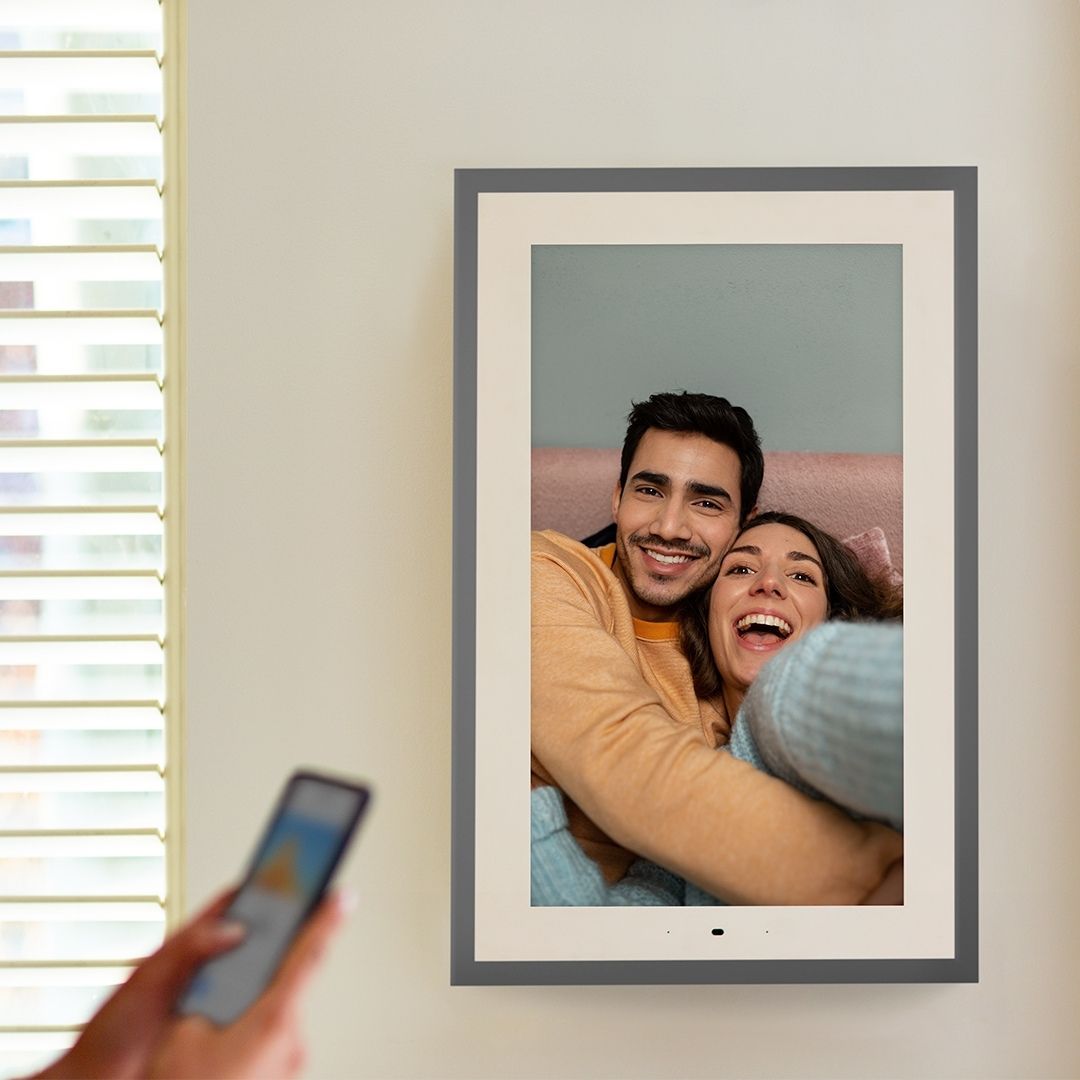
|Posted .This reviewer received promo considerations or sweepstakes entry for writing a review.I've had a couple of digital picture frames in the past, but it has been over 10 years since I got the last one. The old ones required copying files to onboard storage or one-off cloud services with picture quality that wasn't the greatest. This Lenovo Smart Frame resolves those issues. First, setup is very fast. Turn it on, download the Smart Frame app to your phone and connect it to your wireless network. Once that is done, you connect to your Google Photos account and you're pretty much done. I setup a separate photo album on Google to link to the Smart Frame and it started flipping through the pictures almost immediately. I have it sitting on a mantle, but it comes with all the necessities to install on a wall. The frame can be setup in landscape or portrait mode and if can be spun from one to the other pretty easily, even if wall-mounted. Another nice feature is the curated artwork that you can show instead of your personal pictures or you can show a clock. The picture quality is very good and bright enough to see on a sunny day. The frame itself can be controlled by waving your hand in front of the sensor. Waving side to side changes the pictures back and forth and waving up or down changes the channel. You can also change the settings in the app or using the buttons on the frame itself, so you have multiple options. Since you can show specific photo albums from Google, we plan to create lists for people that are coming to visit to show pictures we have with them on the frame. That seems like a nice personal touch and is easy to setup in the app. Overall, I really like this frame and the ease with which it took to setup and will be to maintain. Looking forward to good conversations watching the pics scroll through.
I would recommend this to a friendBrand response from Lenovo Product Expert
Posted .Thank you for choosing the Lenovo Smart Frame. We are pleased to hear that the features and performance of the Smart Frame are working out so well for you.
- Pros mentioned:Ease of use
Great Smart Frame
||Posted . Owned for 3 weeks when reviewed.This reviewer received promo considerations or sweepstakes entry for writing a review.Very easy to setup my family love it and anyone that come to my house.
I would recommend this to a friendBrand response from Lenovo Product Expert
Posted .Thank you for choosing the Lenovo Smart Frame. We are pleased to hear that the Smart Frame isd working out so well for your family.
- Pros mentioned:Picture qualityCons mentioned:Power cord
A Photo Frame for the 21st Century and Beyond
|Posted .This reviewer received promo considerations or sweepstakes entry for writing a review.============================ >>>>> Bottom Line Up front: <<<<< ============================ The 21.5” Lenovo Smart Frame is a feature packed and easy to use digital “smart” framed that will help you bring your favorite Google Photos wherever you choose to mount/display it. The large 21.5” display panel handles all your digital family photos and professional art styled gallery images with equal aplomb while providing generous viewing angles at the same time. The included hardware and matte metallic brushed styled frame make ensure that it will look equally at home in your living room shelf, or in an more modern professional gallery styled design theme as well. Touchless gesture navigation works well enough if you take the time to learn the proper movements, and an easy to use Android based App that integrates with Google Photos makes the whole package seamless work together right out the box. ================================ >>>>> Packaging/Unboxing/Setup: <<<<< ================================ Lenovo did an outstanding job with the product packing and presentation in my opinion. When I take ownership of something that costs upwards of several hundred dollars; I like to know that the company behind the product took the time to make sure it arrives in one piece, with no broken parts, and is easy to identify parts/set up right away. This Lenovo Smart frame knocks all that out the park in those regards. There is always room for improvement though, and if I were to offer some to them it would be nice to have a small rectangular foam insert or protective cushion that lines the screen side of the frame against the inner carton. The Lenovo Smart Frame comes with the all the necessary hardware and mounting material to easily set it up n your favorite wall, which I plan to do shortly once I get a free weekend to measure it out – but regardless looks equally as stunning on a shelf. Speaking of placing the frame on shelf, the stock images don’t show the little rubber covers/feet that are applied to the exterior frame corners to ensure a non-slip grip on most surfaces – Nice. ============================================ >>>>> Personal Observations using it for a week: <<<<< ============================================ - Picture Quality/Image Reproduction: I actually have more than few Echo Shows (8”s/10”s) scattered throughout my house that have I have been using to display digital photo of friends and family – prior to setting this Lenovo 21.5” Smart Frame – and I didn’t realize how much I was missing out on until now. For starters, the quality of the images is excellent and thanks to its matte IPS display - is better on almost regard from color vibrancy, saturation, accuracy AND viewing angles – especially when compared to what I was using before. Having 21.5” of screen real-estate to work with allows me to display collages of photos and more creative combinations of shots that would traditionally require sperate frames for those type of jobs. The auto-dimming and color-curation features are added bonuses, and app that much more flexibility to how you can integrate the frame in your desired space. - Physical Design: Overall, I would say the Lenovo Smart Frame has a “modern” design aesthetic- thanks to its brushed matte metallic frame. Interestingly, I think Lenovo is missing out on an opportunity here to offer/market more/different kinds of “snap-in” frames that would offer end users more personalized choices in how they would display their frame, such as: light/dark wood grain, carbon fiber, solid color, shiny metallic, etc. – direct to consumers. As it stands, you could make something yourself by using vinyl styled wraps or stickers, or even just omit using the metallic frame and only the white base unit itself. I have 1 main gripe on the physical design – and that is the length of the power cord. I suggest making it longer, or by some miracle make a very long-lasting battery that can be recharged (if the user chooses to go this route), or even consider wireless power charging. Truthfully, we the end users could pursue a Google Nest type mounting bracket installation that has the power outlet hidden/installed behind the frame, but that is prohibitively expensive to say the least. - Smart Frame App/Google Photo Integration: This is probably the weakest area for the Lenovo Smart Frame. After crushing it in every other category, there is always room for significant improvement in mobile apps – particularly that the product is non-functional if you don not install the app and 3rd party Google Photos service integration – this applies to EVERY manufacturer. I am a strong proponent of data privacy, and having to install yet another app, just to make the frame work is not cool in book. As someone who codes quite a bit for a living, Lenovo’s App is significantly better than most, and has bright, slick, well thought out images and tutorials built into the app itself – however it falls short when it comes to the amount and types of photos you can integrate through Google Photos itself. I would like to see more end user flexibility on the way photos can be introduced into the frame itself. It seems its Google Photos or bust – not having the ability to incorporate SD card/USB storage is a bummer. Not everyone (including myself) pays for unlimited/extra Google Drive/Photo storage, so having the ability to not only rely on that is a big issue for me. The app should also offer the ability to adjust/crop user photo aspects so that they appear/display properly on the display (not all photos in Google photos are always the same aspect ratio) – which can result in images being cropped/displayed improperly. ========================= >>>>> Closing thoughts: <<<<< ========================= With so many “smart” things available out on the market today, it’s no surprise that digital picture frames are now getting their turn to modernize and jump into 21st century as well. The Lenovo 21.5” Smart Frame does an outstanding job of making this transition easy and fun. Within minutes of taking, it out of the box and setting up the Lenovo Smart App – you can be enjoying wireless high-definition photos of things, people, and places you love. I actually had a guest not even realize it was a digital photo frame the other until the image changed in the gallery while they were directly looking at it. While the Smart Frame may not be 100% perfect with minor gripes and niggles to deal with, kudos to Lenovo for delivering a solid product from start to finish that should hopefully get better over time.
I would recommend this to a friendBrand response from Lenovo Product Expert
Posted .Thank you for choosing the Lenovo Smart Frame. We appreciate your observations of the Smart Frame's features and performance.
- Cons mentioned:App
Bad purchase never buy Lenovo products
||Posted . Owned for 2 weeks when reviewed.This reviewer received promo considerations or sweepstakes entry for writing a review.Do not purchase! The frame requires the companion app to complete set up; however, the app is not working. Per recommendation from the customer service rep from Lenovo, I should return the frame and get my money back. SMH they know there is an issue with their product but they’re not addressing it within a timely manner.
No, I would not recommend this to a friend - Pros mentioned:Picture quality, SetupCons mentioned:Power cord
Beautiful way to display Google Photos!
|Posted .This reviewer received promo considerations or sweepstakes entry for writing a review.I setup and hung this frame about a week ago and I've been impressed and pleased ever since. I have been looking for a way to display photos in my Google Photos library for a while, and this is the perfect solution. The display quality is great, and the functionality and integration with Google Photos has been seamless and easy to manage. The added bonus of choosing from three "channels" is great to keep the pictures fresh. You can sync one of the channels to a specific album within your Google Photos library, a second is reserved for artwork (not changeable) and a third for "recommended" (which I don't use since it shows random photos from your entire library) The display also is supposed to support video playback and google assistant integration, but Lenovo hasn't activated those features yet and will come in the future via firmware update. Installation of the frame was simple, and Lenovo provided all the hardware necessary except for a drill. The mounting hardware for the frame even has a built in level. The frame can be rotated on the mount between portrait and landscape orientation, and the frame auto-senses which way to rotate your pictures. The frame will automatically stitch together two portrait pictures if you have the frame in landscape orientation. The biggest issue with the frame is that it requires AC power, which necessitates a an unsightly power cord to hang down the wall. You could run the cord inside the wall, but the provided cord is only 6 feet long, so you'll need to purchase an extension cable from Lenovo (it has a proprietary barrel connector end). Overall, if you're looking for a way to display a rotating collection of your digital photos on your wall, this is the perfect solution.
I would recommend this to a friend - Pros mentioned:Wall mountCons mentioned:Display
Love everything about it but the cable
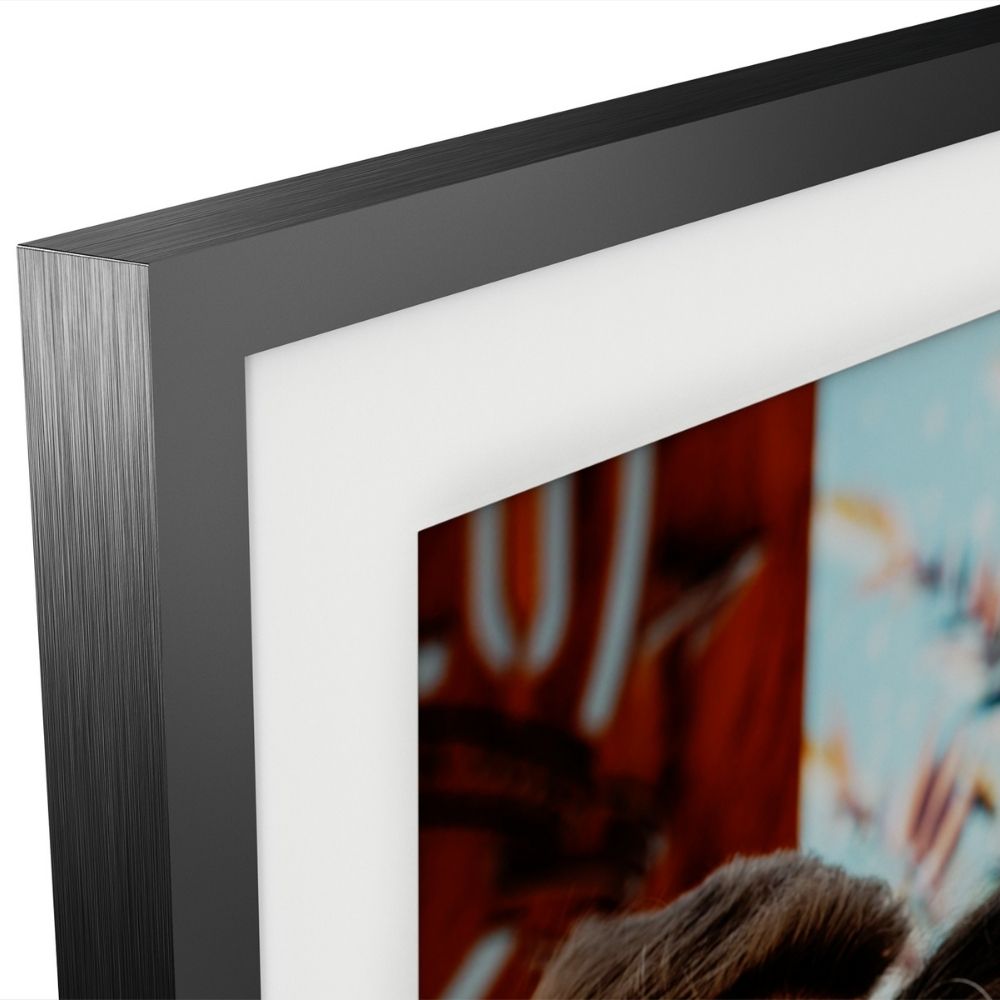
|Posted .This reviewer received promo considerations or sweepstakes entry for writing a review.I was very excited to try out this Lenovo Smart Frame. The frame screen gives off a nice matte finish, which makes the photos look more like art than something on a display. The frame has a circular wall mount the frame securely locks into which made it easy to mount. The photos sync through Google Photos, and a smart phone is required to download the app in order to setup the device. There are some stock art photos you can choose to use if you want a different atmosphere, but the way it displays your own photos is so gorgeous, I haven’t had any desire to use the default artwork, aside from testing it out. The frame automatically combines landscape and portrait photos together in a college and updates based on the orientation of the display. My only reservation, which isn’t really a fault of the design, is that you have to have a cable running to the frame, which breaks the framed artwork vibe it otherwise gives off and brings your mind to a tv cable dangling on the wall. The frame can be placed on a flat surface instead of hung on a wall, but as it specifically calls out, the frame isn’t non-slip so I wouldn’t trust it anywhere it could potentially get bumped. Overall, the quality of the frame and photo arrangements are stunning, and I’m pretty sure we have to buy one for my mother-in-law’s birthday now because she’s always talking about how much she loves it. I would recommend this product for someone looking for an elegant photo display solution.
I would recommend this to a friendBrand response from Lenovo Product Expert
Posted .Thank you for choosing the Lenovo Smart Frame. We are pleased to hear that the Smart Frame is working out so well for you.
- Pros mentioned:Ease of use, Picture quality
Great way to display your favorite pictures
|Posted .This reviewer received promo considerations or sweepstakes entry for writing a review.I love this frame! It was so easy to set up and connect to my Google photos (you MUST have Google photos for this to work). When mounted, it is several inches away from the wall (I have included a picture from the side). You mount a bracket first then the frame "snaps" in with a magnet. At first, it was rotating between the "famous" paintings that are pre-loaded and a clock setting. I had to play with the app to remove the "channels" that I did not want to be displayed (I included a picture of the app showing the removed channels). I love watching it cycle through the pictures. I have hundreds of pictures from trips and of my family. Every time I go by, it's something different. I have it set to 30 seconds between pictures and that is plenty of time to enjoy each photo. It does go to sleep at night. You can set the time that the frame is shut off. (Preset time is 11 pm-6 am) It has a motion control "eye" that allows you to swipe pictures forward and backward but I don't use that function. I love just watching them cycle through my hundreds of pictures. I opted to create a new file for all the pictures I wanted to be displayed and moved all the photos I wanted into that album. You can connect it to up to about 5 albums in your Google photos but it will display all that are in the albums. This is a nice size and the picture clarity is very good. I can see the frame from another room and the pictures are large and clear.
I would recommend this to a friendBrand response from Lenovo Product Expert
Posted .Thank you for choosing the Lenovo Smart Frame. We are pleased to hear that the Smart Frame is working out so well for you.
Visually Pleasing Digital Frame!
|Posted .This reviewer received promo considerations or sweepstakes entry for writing a review.Lenovo’s Smart Frame is a satisfying decorative piece to add to your home. From displaying art pieces, favorite wallpapers, family photos, and dog pictures, this smart frame can display anything you so desire in HD quality. Its anti-glare IPS display with 1920 x 1080 resolution is truly visually pleasing to look at. In this review, I will go into depth on why this smart frame may be for you. *TLDR at bottom ======================================= IN THE BOX/SET-UP: In the box, you will get the white smart frame, a metallic gray outer shell for the smart frame, power adapter, mounting bracket, drill bit, screws, brick wall plugs, drywall plugs, and the quick start guide/warranty. Lenovo gives you the option to either display this smart frame by either mounting it on a wall or displaying it on a desktop. You also get the option to display the smart frame with portrait or landscape mode. I went with the desktop option but if you choose to mount this on a wall, the instructions do an excellent job on how to do this. There is a level on the mounting bracket which I thought was a nice addition! Note that the outer frame does not have an anti-slip feature if you choose to go with the desktop option. Once you are done with your set-up, download the Lenovo Smart-Frame App to start the set-up process. You will need to create a Lenovo account and a Google Photos account to display your photos if you choose to do so. ======================================= LENOVO SMART FRAME APP/FEATURES: This Lenovo Smart Frame contains plenty of features to fully customize the smart frame to your desire. All customizations can be done through the Lenovo Smart Frame App. To start, I created a couple of albums in my Google Photos account and then created channels with the albums I made. To add the albums as channels, you click on the “Create Channel” button in the Channel settings. Lenovo provides some pre-loaded channels within the app. There is the art gallery, which I found incredibly beautiful, and a clock channel, which displays digital clocks. Unfortunately, Lenovo sets a cap on how many channels you can create. The current cap is three, I have several albums in my Google Photos account and found this maximum cap disappointing. There is the option to display certain albums in your Google account by selecting the “Selected Photos” channel but doing this takes a lot longer than creating a channel for that album. Hopefully, Lenovo allows more created channels in the future. Some display features this smart frame has is the ability to display time, auto-brightness, curate pictures together to display a collage, adjust slideshow speeds, and show the date of the created photo. This can all be enabled/disabled through the app. There is also a sleep mode available. This mode turns off the display during the scheduled time and wakes up as soon as the time is up. This smart frame also works with Amazon’s Alexa or Google Assistant. There are two ways to control the slideshow and switch between channels. You can either use gestures or use the capacitive buttons on the frame. I will go into how these work in the next section. ======================================= MY THOUGHTS: Lenovo’s Smart Frame is indeed visually beautiful. The pre-loaded art gallery contains neat art and looks fairly realistic when displayed. Of course, at certain angles, you will be able to see the display but if you are looking at the art piece straight on, you may think the art piece is an actual canvas. HD images look the best on this smart frame. I was also able to display some GIFs on this smart frame as well. The controls to control the slideshow and channels are subpar. Gestures seemed to be a hit-or-miss at times. Many times as I walked by the smart frame, the frame would register it as a gesture and either change the photo or change the channel. I decided to stick with the capacitive buttons on the frame and disable the gestures after many accidental changes. The capacitive buttons work but they aren’t the most sensitive buttons. There were times where the frame wouldn’t register my press. But overall, they seem to work a lot better than the gestures. ======================================= CONCLUSION/TLDR: Overall, Lenovo did an excellent job with this digital smart frame. The frame does its job well and displays all pictures in vibrant HD quality. Art appears semi-realistic and pictures appear overall sharp. I recommend you use HD quality pictures for the optimum experience. Some notable features are the ability to create channels for your photo albums, sleep mode, auto-brightness, and seamlessly switch between portrait and landscape mode. The control methods are a bit of a bummer as gestures seemed to work but not as well as I thought they would. The capacitive buttons were decent and seemed to be the way to go when it comes to controlling the slideshow/channels. While this smart frame lacked good working control methods, I would say the smart frame itself is visually pleasing and definitely could be a great addition to your home.
I would recommend this to a friendBrand response from Lenovo Product Expert
Posted .Thank you for choosing the Lenovo Smart Frame, model number ZA6G0006US. You can control the features and operation of this product through the Lenovo Smart Frame APP when installed on a smart phone
Excellent size/photo quality. Needs improvements
|Posted .This reviewer received promo considerations or sweepstakes entry for writing a review.The Lenovo 21.5 inch Smart Frame arrived very securely packed with form-fitting foam. In the box there was the display, a metal frame, a wall-mounting bracket, some hardware for mounting the bracket, a power cord, and a quick-start manual. Other manuals and guides are available on-line. Some things I liked about it • Large display – 21.5 inches. The largest I’ve ever seen offered. Most max out at about 10 inches. • Resolution 1920 x 1080 pixels for a good HD experience. • Anti-glare. It views well at wide angles. • Sleep mode – so it doesn’t keep running all night (Be aware that it works along with a light sensor, so if you have lights on in the room, it will still keep running after your turn off time, unless it is on “pause.”) • Choice of orientation – Landscape or Portrait • Wall or Desktop installation – I chose Desktop and put a small anti-slip pad under it to keep it from slipping. I put bumper guards on the back where it leans against the wall. • At about 8 lbs, it is not as heavy as I would have expected. If you want to mount this on your wall, you should not be concerned about it falling as long as you use the proper anchors and screws. • Voice Control with Google Assistant or Alexa • You can change to a new “channel” or change to the next/previous photo using hand gestures or using the plus, minus, or star buttons on the frame. More info: Lenovo Smart Frame has 3 pre-made “channels.” The first channel is “Selected Photos.” This lets you show slideshows from albums that you have made on Google Photos. The next channel is “Art Gallery”. There are several pre-selected works of art in portrait or landscape orientation that you can run in a slideshow. The third channel is “Recommendation” where it will randomly choose photos that you have in your Google Photos account. You can also create up to 3 custom channels by saving albums as “created channels.” You can only save 1 album per channel. I tried to save 4 albums as a channel, but it wouldn’t let me choose more than one. Lastly, If you mark a photo as a favorite, it will put it in a “favorites” album, making it easy to view your favorite photos in one album. Some things I didn’t like about it: • Only works with Google Photos which has a limited sort feature (as well as another important limitation, listed below.) You cannot sort photos by file name, only by oldest, newest, or recently added. You can custom sort using a drag and drop method. A USB port or MicroSD slot on the Lenovo Smart Frame would be great! You could make folders instead of albums and put your photos in order by file name. This would also eliminate the issue that Google Photos plans to limit free usage beginning June 1, 2021. • Google Photos will only let 100 photos per album load to the Smart Frame, so if your album has more photos, you won’t see any after the first 100. So you will need to make multiple albums if you are showing more than 100 photos. If you could use a USB drive or MicroSD card instead of Google Photos, this problem would also be eliminated. • You can show up to 5 albums, but the albums will be shown in random order. Lenovo really needs to fix this! This problem is not with Google Photos. This could be fixed in an app update. • It cuts off part of the image on most non-cell phone photos. Lenovo shows cell phone photos completely because they match Lenovo’s 16:9 ratio, but my Nikon has 3:2 ratio so Lenovo crops off 15.7% of my photos. I made copies of them and edited all of the copies to the 16:9 ratio so that I could choose where to crop them myself. If you don’t want to crop any of your photos, you can also edit them to place a border on either side (for Landscape) or top/bottom (for Portrait) to make it that 16:9 ratio. (See sample image.) • Won’t play video even though I have the video in Google Photos and it plays there. • Need shorter increments for changing to the next photo. The shortest is 10 seconds. • Only 1 choice for Transition between photos. A right to left wipe that is distracting and annoying. • No color choice for display “mat”. The area around the display screen is white. • Trying out the hand gestures to change pictures, it worked most of the time, but would occasionally change to the next channel instead, “Art Gallery”. I worked around this by removing all of the other channels from the active channels. You can easily put them back as active by pressing the “plus” button next to the channel. I know I have a lot of negative things written about the Smart Frame, but I am working around most of the limitations so I think it will be fine. Many people would not have an issue with 100 photos or less per album or with random albums showing. If you are one of those people, there are no other major concerns with using this frame. If you aren’t, you may try still want this frame because the quality of the photos and the size of the frame are huge benefits. In the photos below, the black borders were added by me in a photo editing program before I uploaded them the Google Photos. I had to crop over 300 photos for this one slide show and add black borders to 10 or so of the other photos. Only my cell phone photos didn't have to have work done on them.
I would recommend this to a friendBrand response from Lenovo Product Expert
Posted .Thank you for choosing the Lenovo Smart Frame. We appreciate your input as to improvements for the Smart Frame.
A bigger version of the Pixel Stand Photo frame
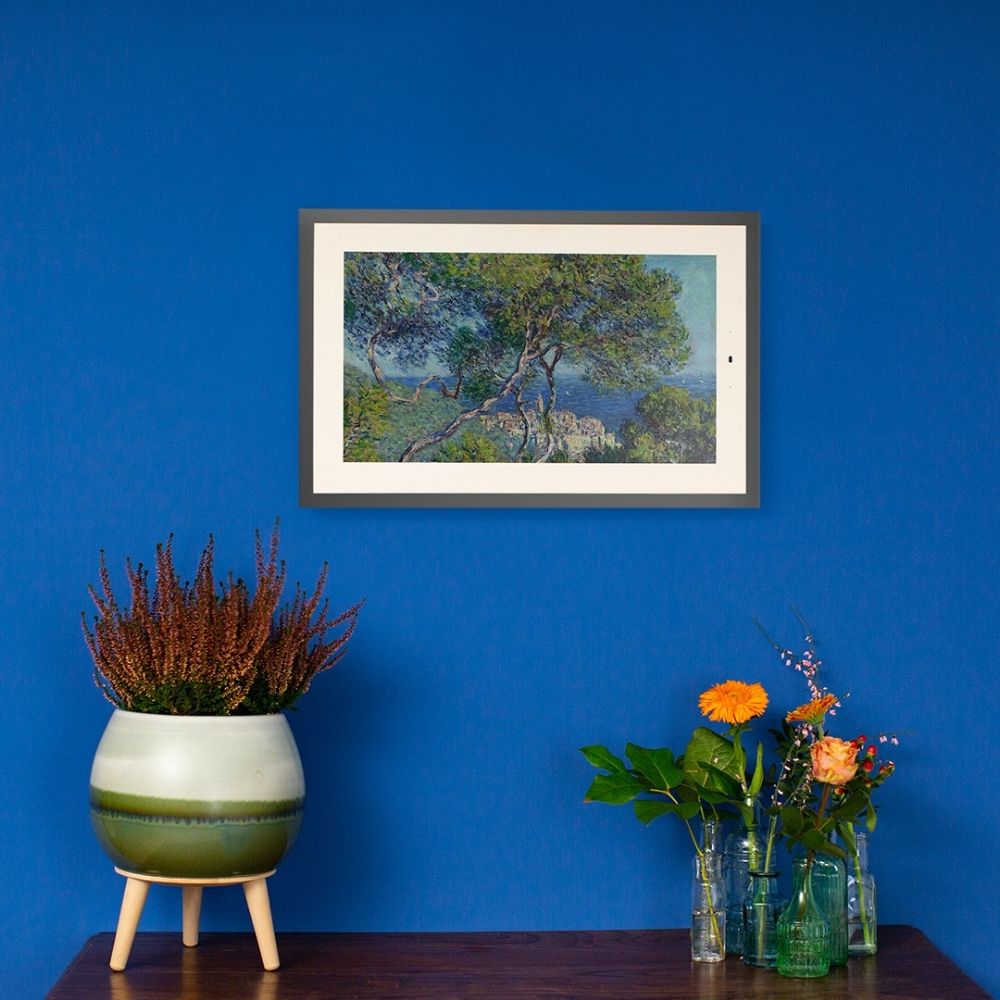
|Posted .This reviewer received promo considerations or sweepstakes entry for writing a review.The Lenovo Smart Frame is a 10-lb. matted and framed 21.5" screen that you can hang on your wall or set on a shelf and use to display your favorite Google photos and a small selection of stock art and classic impressionist and post-impressionist paintings. For people with a Google Photos account and a desire for a handsome way to display a rotating selection of your best shots on the wall, this may be just the thing you're looking for. For all others who aren't deeply embedded in the Google Photos environment at this time, it's an expensive, heavy, full-HD screen that shows bland art or some really ugly (and somehow analog) clocks without a lot of additional functionality. At least, that's what is is *now*. If this thing sees wide adoption, there may soon be added functionality, including additional ways to connect your cloud-based or local photo storage accounts, some way to use the Smart Frame as a Google Assistant hub, and maybe someday even streaming video from a computer, phone, or the internet. But let's not get ahead of ourselves here. Right now, this photo frame is basically a way to get your Google Photos out of your phone app (where you probably don't spend a lot of time looking at them) and onto your wall, where you will. If you're a Google-using person with a Pixel phone, this frame is basically a big, shiny version of the Pixel's "Photo Frame" function, which displays an ever-changing, rotating selection of photos from folders within your Google Photos library when you're wirelessly charging your Pixel on the Pixel Stand. Here's the important stuff about the Lenovo Smart Frame: As referenced above, this frame is an excellent way to be reminded of all the times you took a photo of a special moment, even if you have long since forgotten about that moment. The frame pairs with your Google Photos library and allows you to select any number of folders within that library, which it then draws a small selection from to display. Every hour or so, the frame refreshes the selection and rotates through the new batch. The frame can be mounted on your wall with the included, very sturdy mounting panel (which comes with hardware for mounting on a variety of surfaces), or set on a table or shelf and leaned against the wall. The wall mount is easy to get right, because it comes with a built-in level to ensure the perfect placement. When mounted, the frame can be rotated 90 degrees by the user to display in landscape or portrait modes. If you're a renter, you might want to avoid the wall mount, as it requires several penetrations that won't look pretty once the mount is removed. The frame will display two vertically-aligned photos side by side when in landscape orientation, or two landscape photos top and bottom when vertical, unless you choose to "Lock Photo Orientation" within the settings menu of Lenovo's app. The date the photos were taken is set to display by default in the lower right corner (but can be turned off), and the current time can also be set to display as an overlay in the upper left corner of the frame in 12- or 24-hour format. The frame uses a full-HD (1920x1080) IPS panel, which Lenovo claims offers a 100 percent sRGB color gamut and has an 89-degree viewing angle. In practice, the viewing angles don't seem as good as Lenovo asserts. Also, at 1080p, pixels are visible if you stand within 1 or 2 feet of the frame. The color reproduction is fairly excellent, though, and you'll usually not be standing that near or viewing the frame from an exaggerated angle, so the minor quibbles here don't detract from the quality of the display. There are capacitive touch buttons on the front that can be used to advance to the next picture or return to the former one, and also to add a given picture as a favorite, which creates a new folder within Google Photos called, fittingly, "Lenovo Smart Frame Favorites." I found this to be an excellent function, because I first synced an AI-created folder with thousands of pictures of close friends and family in it, and "favoriting" the best shots within that folder over the course of a couple days helped me populate the Lenovo folder with truly great photos. Once I had a sufficient number of favorite photos chosen, I switched the synced folder over to Lenovo favorites, where I can be sure only the best photos are stored. There are also sensors built into the frame that allow for swiping gestures to advance or go back through photos. The sensors work most of the time, if you're at just the right distance, and also switch between Lenovo's "channels," which is what the company calls the various modes the frame can employ. There are four default channels: one called "Selected Photos," which you populate with Google folders on initial setup, another called "Art Gallery," which contains about 200 of the most godawfully boring pieces of art ever created, and nothing more (although that could change in the future). I have to editorialize a bit here, because this mode could be an amazing feature of the Smart Frame, but instead is a frustrating mess. My 9 year-old kid almost immediately pointed out that every person who appears in any one of these artworks is white as a sheet. In the current grouping of photos, there is nary a person of color, and nary an artwork that strays from Euro-centric pastel blandness. I would LOVE to see Lenovo make the Art Gallery channel a robust, customizable experience, with art from all over the world, and maybe even little bios about the work and artists as a bonus functionality. I understand copyright may be an issue with certain works, so why not partner with living artists and the estates of copyright-holding deceased ones to provide interesting, unique, iconic, and/or iconoclastic experiences with this frame? I truly hope Lenovo manages to update the frame with something better than what they have, because as it exists, the Art Gallery channel is a waste of space, and it was one of the reasons I was excited about using this product in the first place. Now then, where was I? Oh yes, back to the channels. A third option is the "Clock" channel, which... I hate to pile on Lenovo here, but this is another waste of space. I love that I can overlay a digital clock on my photo channel, but I guess if I wanted a channel that was somehow *only* clock, I would expect it to be stylish and exceptional. Instead, we get 4 super boring and ugly choices of "disembodied analog clock hands and pastel shapes." Why? The final channel is "Recommendation," which is supposed to be "Intelligently selected photos from your Google Photos Account." When I turned this channel on, one of the first photos it showed was one I took of my 4th-grader's homework to upload to a distance learning portal. You might want to reconsider what you call "intelligent," Lenovo. Looking again toward the future, this frame *could* end up with added functionality and retooled channels. The whole thing is driven by a MediaTek MT8167S processor, which according to its maker is "a highly integrated solution for wireless connected multimedia systems" capable of handling streaming video at "up to 867Mbps." The Smart Frame also includes a microphone and two 2-watt speakers which are currently unused, but which Lenovo told at least one internet reviewer were added for "future-proofing." That could mean future functionality as a bigger wall-mounted version of Google's Nest Home Hub, which would be *awesome*. Side note: there is no way to turn the microphone off; make of that what you will. On the software side, Lenovo's own website states the company is "looking to add other photo storage and storage services in the future," so folks who don't use Google Photos could get support for their favorite cloud photo services. I'd personally like to see support for local files on a NAS device, or integration with the Ibi personal cloud platform I use for photo backup at home. Ibi has the added functionality of shared family albums, so when your sister in-law in Poughkeepsie takes the perfect shot of your nephew's first steps, you could have it on your photo frame that evening. Lenovo also states the Art Gallery channel will come with "A large selection of stock art pieces... (which) will be updated regularly." Here's hoping! All this potential would seem to point to a possible future for the Lenovo Smart Frame that could be miles ahead of where it exists today. It is this potential that keeps me hopeful that this product will see improvements and enhancements to its functions and connectivity. In its current state, again, it's a great picture frame for folks in the Google Photos ecosystem, and not much else. The good news is it looks good and is dead simple to use. The bad news is it doesn't do anything else particularly well. I can't currently recommend it to people who aren't in the target demographic, but I hope to someday.
No, I would not recommend this to a friend- Pros mentioned:Picture quality, Wall mount
Wonderful Frame
Posted .This reviewer received promo considerations or sweepstakes entry for writing a review.Great display and wonderful mounting system. The ability to rotate the display is great though not as useful for us as it might be for some. Disappointed in the limited options for transitions and for needing to use Google Photos but it’s far superior to any other digital frames out there. We bought two and love them so far.
I would recommend this to a friendBrand response from Lenovo Product Expert
Posted .Thank you for choosing the Lenovo Smart Frame. We are pleased to hear that the features and performance of the Lenovo Smart Frame meets your needs so well that you purchased two.
- Pros mentioned:Picture qualityCons mentioned:Display
Getting Better! (Use High Res Photos)
||Posted . Owned for 1 month when reviewed.This reviewer received promo considerations or sweepstakes entry for writing a review.Work well with Google Photos, just wish can could swipe up and down for different google photo Folders. It actually look better in a brightly lit room rather then darken ones since the display doesn't get dim enough to match lighting. High Res enough to look real if you photos are High res ( I have my DSLR Photos in my Google Photos account, they look great). Hopefully updates will make this only better.
I would recommend this to a friendBrand response from Lenovo Product Expert
Posted .Thank you for choosing the Lenovo Smart Frame. You can manually adjust the screen brightness within the Google Home App to your personal preferences. Here is a link to a YouTube Video that demonstrates the setup and functions of the Lenovo Smart Frame, including manual brightness control within the Google Home APP: https://www.youtube.com/watch?v=jKn9aHccCHs. If you have additional questions about your Lenovo Smart Frame, we recommend you contact Lenovo Tech Support for Smart Devices at: 866-426-0911.
- Pros mentioned:Picture quality
Great frame if you catch it on sale
||Posted . Owned for 5 months when reviewed.This reviewer received promo considerations or sweepstakes entry for writing a review.Beautiful, large frame to display all your favorite photos. Thought 1080p would be low resolution, but when at a comfortable viewing distance pictures are sharp and colors pop. The gestures are also great and make navigating photos fun. Love that it painlessly connects straight to Google Photos and can choose exactly which albums you want to display. I have it wall mounted and love that I can turn it to be portrait or landscape. The app also provides a great deal of customization. The main drawback of this frame is that it's expensive. I got it on sale 50% off, but for a fill price of $400, it definitely leans on the pricier side.
I would recommend this to a friend - Pros mentioned:Picture quality
Good picture quality.
||Posted . Owned for 1 year when reviewed.This reviewer received promo considerations or sweepstakes entry for writing a review.Works great however it's google photo integration needsto be improved. At times displays items not selected. However pictures do look realistic. It's a conversation stopper when we have guests as we reminisce on the memories.
I would recommend this to a friend - Pros mentioned:Setup
Incaseyouwerewondering
||Posted . Owned for 1 month when reviewed.This reviewer received promo considerations or sweepstakes entry for writing a review.The installation process was a breeze. The instructions were easy to read, but I’m a visual learner so I went to the website and watched the video. It took a total of 10 minuets. The app set up was quick snd seamless. What took the longest was setting up a specific album in google photos to be displaced. The frame and device itself is beautiful and detachable so if you want an all white option you have it. Our photos look Amazing and being so far from family it brightens me day to see them pop up.
I would recommend this to a friendBrand response from Lenovo Product Expert
Posted .Thank you for choosing the Lenovo Smart Frame. We are pleased to hear that the easy setup and performance of the Smart Frame are meeting your needs so well.