Customer Ratings & Reviews

























- Model:
- 83JR0002US
- SKU:
- 12301492
Rating by feature
- Battery Life
Rating 4.7 out of 5 stars
- Speed
Rating 4.7 out of 5 stars
- Display
Rating 4.8 out of 5 stars
BUY!!
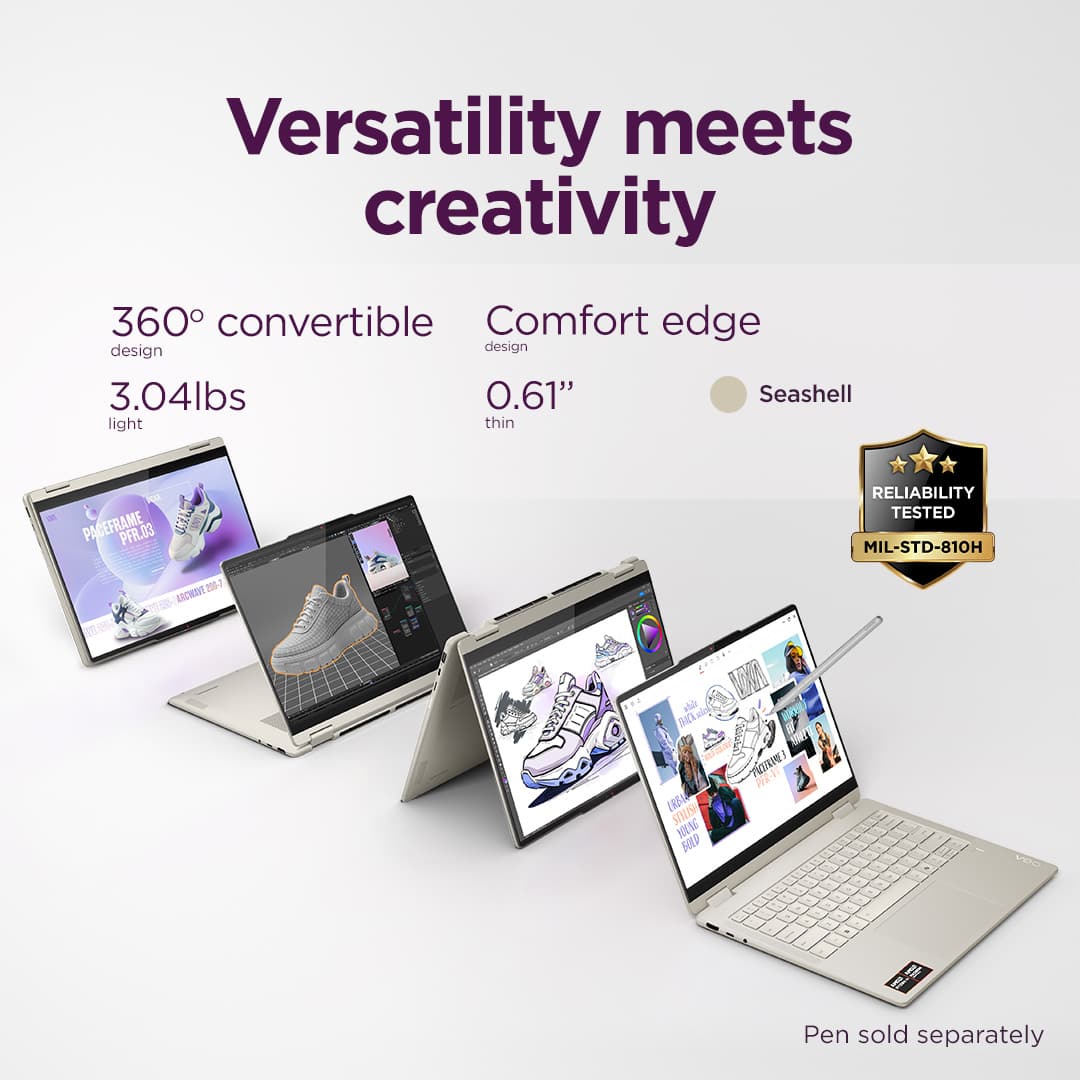
||Posted . Owned for 3 weeks when reviewed.This reviewer received promo considerations or sweepstakes entry for writing a review.great laptop its perfect for college! its my everyday laptop and i love how its 360.
I would recommend this to a friendBrand response from Lenovo Product Expert
Posted .Hi LizbethP,
Thanks for choosing Lenovo and for sharing your feedback with us!
We are pleased to read that your Yoga 7 2-in-1 is perfect for college.
Please feel free to reach out to us via the Q& A section of this product page should you have any questions or need assistance.
Best,
Lenovo
The Best
||Posted . Owned for 1 week when reviewed.This reviewer received promo considerations or sweepstakes entry for writing a review.Everyone I came in contact was friendly and helpful and answered all my questions
I would recommend this to a friendBrand response from Lenovo Product Expert
Posted .Hi SusaneA,
Thanks for choosing Lenovo and for sharing your feedback with us!
We are pleased to read that your service received was pleasant and helpful.
Please feel free to reach out to us via the Q& A section of this product page should you have any questions or need assistance.
Best,
Lenovo
Good product
||Posted . Owned for 1 month when reviewed.This reviewer received promo considerations or sweepstakes entry for writing a review.This is a good quality product, I would highly recommend.
I would recommend this to a friendBrand response from Lenovo Product Expert
Posted .Hey Teddy,
Thank you for choosing Lenovo and for sharing your feedback with us!
We are pleased to read that you are satisfied with your purchase.
Please don't hesitate to reach out to us via the Q& A section of this product page or contact Lenovo Support should you have any questions or need assistance.
Regards,
Lenovo
GOODDDD
||Posted .This reviewer received promo considerations or sweepstakes entry for writing a review.This laptop is amazing it is great the keyboard is perfect so is the trackpad The chip set is perfect for office work and on the go light gaming
I would recommend this to a friendBrand response from Lenovo Product Expert
Posted .Hey ThomasD,
Thank you for choosing Lenovo and for sharing your feedback with us!
We are glad to hear that the Yoga 7 2-in-1 is perfect for you in various aspects.
Please feel free to reach out to us should you have any questions.
Best,
Lenovo
Nice computer
||Posted . Owned for 3 weeks when reviewed.This reviewer received promo considerations or sweepstakes entry for writing a review.Great product I’m thinking to get another one For my son birthday next
I would recommend this to a friendBrand response from Lenovo Product Expert
Posted .Hi Albustan,
Thanks for choosing Lenovo and for sharing your feedback with us!
We are pleased to read that this Yoga 7 2-in-1 is working great for you. If you happy to get one for your son, please let us know how it goes.
Please feel free to reach out to us via the Q& A section of this product page should you have any questions or need assistance.
Best,
Lenovo
Disappointed
||Posted . Owned for 3 weeks when reviewed.This reviewer received promo considerations or sweepstakes entry for writing a review.After 2 weeks the fingerprint access has stopped working, and cannot resolve, and Windows has crashed. Not the quality I expect from Lenovo
No, I would not recommend this to a friendBrand response from Lenovo Product Expert
Posted .Hi again CarrieS,
Thank you for sharing your feedback with us. We are sorry to hear that you are experiencing these issues with your Yoga 7. We apologize for the disappointment that this has caused you. As stated in response to your last review, if you'd like, we wish to work with you to try to improve your experience.
To start, fingerprint reader functionality issues and system stability can be attributed to problematic software and drivers. We recommend ensuring you have the latest software by checking for updates, as this could correct the issue. To do so, first, open the Settings app > Select the Windows update tab > Select the Check for updates button, apply all available updates. Next, open the Lenovo Vantage app > on the homepage, select the Check for updates button, following on-screen prompts to apply all available updates here as well.
If after the available updates are applied and the system restarts but the issue persists, you may attempt booting the computer in safe mode. In safe mode, problematic software can be isolated, and if the issue persists in safe mode, this could lead to discovering the root of the issue. To learn about entering and exiting safe mode, here's a link to a Lenovo Support site with details: https://support.lenovo.com/us/en/solutions/ht116905-how-to-enter-or-boot-to-safe-mode-in-windows-7-8-81-and-10
If the software crashes in safe mode, in-depth troubleshooting will be necessary to fix the problem. We then recommend contacting Lenovo Support here: 877-453-6686, for further assistance.
Please update us when you can regarding this.
Best regards,
Lenovo
No to happy
||Posted . Owned for 1 month when reviewed.This reviewer received promo considerations or sweepstakes entry for writing a review.Seams there were to busy to expand how things work. Only one guy on sat for a hour over the time set for us. I am not sure if you geek squad downloaded the stuff I paid for. The sale's people were great.
No, I would not recommend this to a friendDirector
||Posted . Owned for 3 weeks when reviewed.This reviewer received promo considerations or sweepstakes entry for writing a review.That’s is a great laptop that I was looking for to have!
I would recommend this to a friendBrand response from Lenovo Product Expert
Posted .Hi BulentD,
Thanks for choosing Lenovo and for sharing your feedback with us!
We are pleased to read that this Yoga 7 is a great fit for you.
Please feel free to reach out to us via the Q& A section of this product page should you have any questions or need assistance.
Best,
Lenovo
Laptop info
||Posted . Owned for 3 weeks when reviewed.This reviewer received promo considerations or sweepstakes entry for writing a review.overall a solid laptop .I bought this laptop for my son for college .I like the features it offers for the price point.
I would recommend this to a friendBrand response from Lenovo Product Expert
Posted .Hi RasD,
Thanks for choosing Lenovo and for sharing your feedback with us!
We are pleased to read that this Yoga 7 2-in-1 has been solid for your son overall.
Please feel free to reach out to us via the Q& A section of this product page should you have any questions or need assistance.
Best,
Lenovo
Lenove laptop review
||Posted . Owned for 3 weeks when reviewed.This reviewer received promo considerations or sweepstakes entry for writing a review.I love it really, i am just having a hard time converting myself from regular mouse to pad, the picture quality is beautiful!!! Got it for my husband to use while recuperating from knee replacement
I would recommend this to a friendBrand response from Lenovo Product Expert
Posted .Hey LauraD,
Thank you for choosing Lenovo and for sharing your feedback with us!
We are glad to hear that you are really loving this Yoga 7 2-in-1, and we hope that your husband is recovering well from the procedure.
Please feel free to reach out to us should you have any questions.
Best,
Lenovo
Laptop
||Posted .This reviewer received promo considerations or sweepstakes entry for writing a review.Just love the touchscreen! Color is vibrant and beautiful and pictures are great.
I would recommend this to a friendBrand response from Lenovo Product Expert
Posted .Hi user577321,
Thanks for choosing Lenovo and for sharing your feedback with us!
We are pleased to read that you are satisfied with various aspects of your Yoga 7 2-in-1.
Please feel free to reach out to us via the Q& A section of this product page should you have any questions or need assistance.
Best,
Lenovo
Great product!
||Posted . Owned for 1 month when reviewed.This reviewer received promo considerations or sweepstakes entry for writing a review.I’m really glad with this decision of buying this particular laptop.
I would recommend this to a friendBrand response from Lenovo Product Expert
Posted .Hi GuillermoV,
Thanks for choosing Lenovo and for sharing your feedback with us!
We are pleased to read that you are happy with your purchase.
Please feel free to reach out to us via the Q& A section of this product page should you have any questions or need assistance.
Best,
Lenovo
laptop
||Posted . Owned for 3 weeks when reviewed.This reviewer received promo considerations or sweepstakes entry for writing a review.This was a very good purchase, customer survice was nice also
I would recommend this to a friendBrand response from Lenovo Product Expert
Posted .Hi VincentLe,
Thanks for choosing Lenovo and for sharing your feedback with us!
We are pleased to read that you are satisfied with your purchase and that your service received was nice.
Please feel free to reach out to us via the Q& A section of this product page should you have any questions or need assistance.
Best,
Lenovo
Ok laptop
||Posted . Owned for 1 month when reviewed.This reviewer received promo considerations or sweepstakes entry for writing a review.It was ok. Just something I needed for my kids to use.
I would recommend this to a friendGreat product
||Posted . Owned for 1 week when reviewed.This reviewer received promo considerations or sweepstakes entry for writing a review.I love it and would buy again its an awesome laptop
I would recommend this to a friendBrand response from Lenovo Product Expert
Posted .Hey Tweety1973,
Thanks for choosing Lenovo and for sharing your feedback with us!
We are glad to read that you are loving this Yoga 7 2-in-1.
Please feel free to reach out to us via the Q&A section of the product page should you have any questions or need assistance.
Best,
Lenovo
Better options elsewhere
||Posted . Owned for 5 months when reviewed.This reviewer received promo considerations or sweepstakes entry for writing a review.Had a old macbook air I used before I purchased this computer. Would prefer the macbook over this, have had multiple bugs like touchpad not working, battery draining, computer not turning on and only had this for five months now.
No, I would not recommend this to a friendLaptop Freezes constantly
||Posted .This reviewer received promo considerations or sweepstakes entry for writing a review.This laptop has froze more times than I can count for simple things. I am not a gamer, so its not that the powerhouse is over worked, its simple actions, like google, or email that the screen just freezes. I have reset it, called support, and it still happens. May just be this particular one, but im not taking chances.
No, I would not recommend this to a friendThanks Best Buy stuff
||Posted . Owned for less than 1 week when reviewed.This reviewer received promo considerations or sweepstakes entry for writing a review.All was fine Happy to buy from Best Buy easy and informative
I would recommend this to a friendBrand response from Lenovo Product Expert
Posted .Hi EmadM,
Thanks for choosing Lenovo and for sharing your feedback with us!
We are pleased to read that you are satisfied with your purchase and buying experience.
Please feel free to reach out to us via the Q& A section of this product page should you have any questions or need assistance.
Best,
Lenovo
college freshman
||Posted . Owned for 1 month when reviewed.This reviewer received promo considerations or sweepstakes entry for writing a review.Bought for grandchild freshman year college - she loves it
I would recommend this to a friendBrand response from Lenovo Product Expert
Posted .Hey MartinH,
Thanks for choosing Lenovo and for sharing your feedback with us!
We are glad to read that your grandchild is loving this Yoga 7 2-in-1.
Please feel free to reach out to us via the Q& A section of this product page should you have any questions or need assistance.
Best,
Lenovo
Bought for student
||Posted . Owned for 1 week when reviewed.This reviewer received promo considerations or sweepstakes entry for writing a review.The 2 in 1 touchscreen works great for our college student
I would recommend this to a friendBrand response from Lenovo Product Expert
Posted .Hey AWK1,
Thanks for choosing Lenovo and for sharing your feedback with us!
We are glad to read that this Yoga 7 2-in-1 is working out great for your college student.
Please feel free to reach out to us via the Q& A section of this product page should you have any questions or need assistance.
Best,
Lenovo