Customer Ratings & Reviews



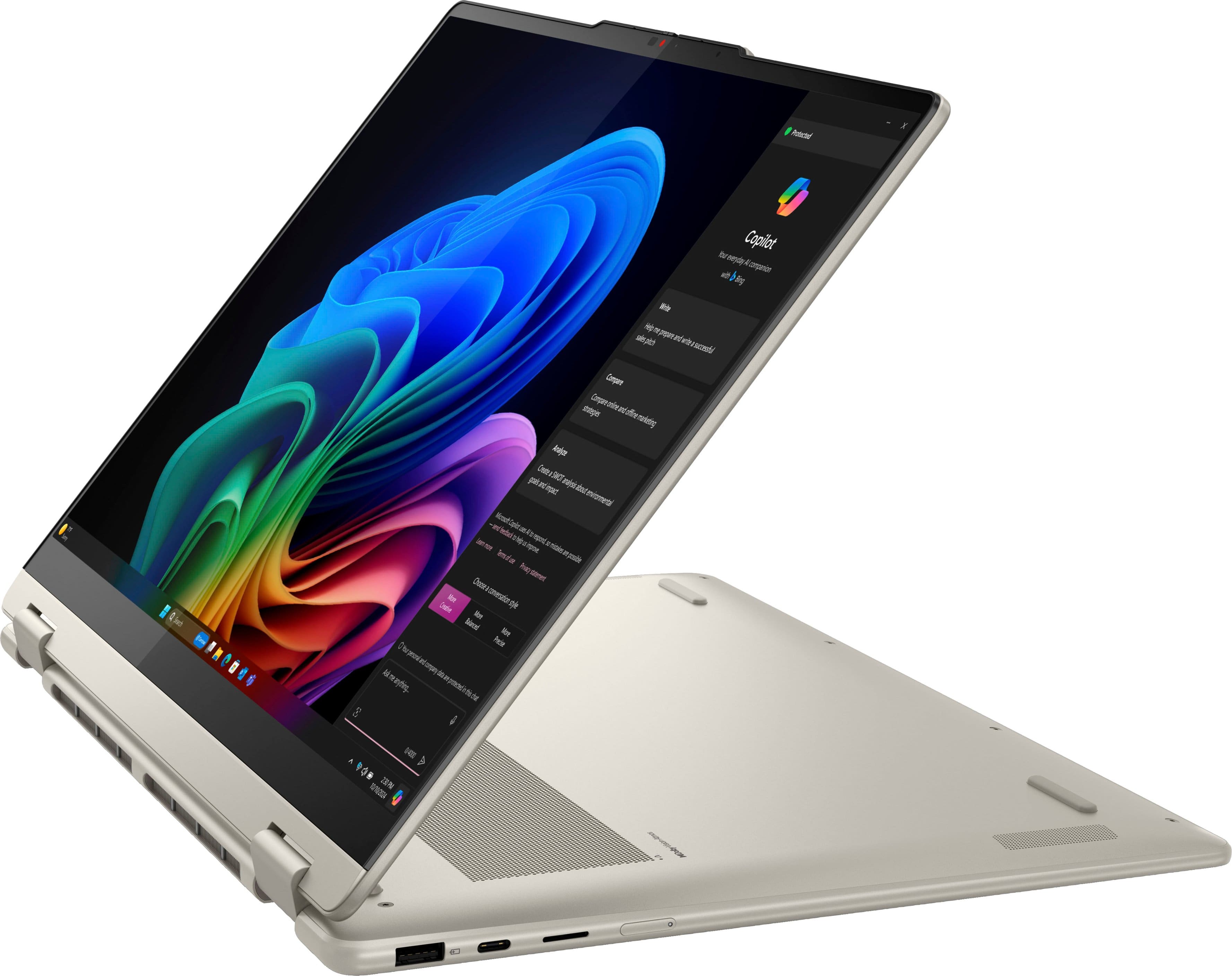














- Model:
- 83JU0001US
- SKU:
- 11985625
Rating by feature
- Battery Life
Rating 4.7 out of 5 stars
- Speed
Rating 4.8 out of 5 stars
- Display
Rating 4.8 out of 5 stars
Lenovo Yoga 2 in 1
||Posted .This reviewer received promo considerations or sweepstakes entry for writing a review.The Product was ok considering the price which I have to, I hear a lot of creaking sound when I use the laptop rest everything is going well
I would recommend this to a friendBrand response from Lenovo Product Expert
Posted .Hey SaisanthoshC,
Thanks for choosing Lenovo and for sharing your feedback with us!
We are glad to read that the Yoga 7 2-in-1 is working out well for you overall.
Please feel free to reach out to us via the Q&A section of the product page should you have any questions or run into any issues.
Best,
Lenovo
Yippee, it works!
||Posted . Owned for 3 weeks when reviewed.This reviewer received promo considerations or sweepstakes entry for writing a review.Purchased a new laptop for my home. Happy with it.
I would recommend this to a friendBrand response from Lenovo Product Expert
Posted .Hi LorettaG,
Thanks for choosing Lenovo and for sharing your feedback with us!
We are pleased to read that you are happy with your Yoga 7i 2-in-1 laptop.
Please feel free to reach out to us via the Q& A section of this product page should you have any questions or need assistance.
Best,
Lenovo
Average rating
||Posted . Owned for 3 weeks when reviewed.This reviewer received promo considerations or sweepstakes entry for writing a review.I have started using this item and the microphone does not work for Video meetings. It works fair but just average.
No, I would not recommend this to a friendHave no idea of what you mean by 'ADD A TITLE'.
||Posted . Owned for 2 weeks when reviewed.This reviewer received promo considerations or sweepstakes entry for writing a review.Unstable platform. Cursor all over the place. Could not get it to open where it was when closed....always had to go through a re-boot. Returned it for an ACER ChromeBook. Very pleased with it.
No, I would not recommend this to a friendDon't buy from Best Buy
||Posted . Owned for 1 month when reviewed.This reviewer received promo considerations or sweepstakes entry for writing a review.Best Buy scammed me on the Trade In of my old computer. I contacted them by phone, email, and going into the store. The "company" wouldn't even reply to the store manager for help on the process of sending the Trade In computer to corporate to get my trade in value/credit. I was given an email for that department and sent them 3 emails with no reply. I called and twice was told that messages were sent to the trade in department and I would get a call back. Nothing happened. There was no link online on my order, no email received, nothing in the shipment of my new computer. Only choice I have now is to dispute the difference and value of the trade in with my credit card company. What horrible customer service
No, I would not recommend this to a friendIt's a mystery
||Posted . Owned for 1 month when reviewed.This reviewer received promo considerations or sweepstakes entry for writing a review.Still trying to get accustomed to this machine. It's not easy to navigate
I would recommend this to a friendBrand response from Lenovo Product Expert
Posted .Hey ClaireL,
Thanks for choosing Lenovo and for sharing your feedback with us.
If there are any aspects of using system that you'd like to become more proficient in, please share these details in the form of a question in the Q& A section of this product page.
Best regards,
Lenovo
It keep freezing
||Posted . Owned for 3 weeks when reviewed.This reviewer received promo considerations or sweepstakes entry for writing a review.This product must be a refurbished it keep getting hot and freezing
No, I would not recommend this to a friendBrand response from Lenovo Product Expert
Posted .Hi there,
Thank you for sharing your feedback with us. We are sorry to hear that you are having trouble with your Yoga 7. We apologize for the inconvenience that this may have caused you, and we'd like to work with you to resolve this issue.
To start, we recommend following these steps below to address heating troubles:
“What to check if the PC seems warm” Tips:
1. Remove objects or dust covering the ventilation areas of the machine (ventilation areas are usually located on the left, right, or back of the machine or at the bottom side of the machine). Clear lint, dust, or debris from vents with compressed air when the PC is off.
2. Try placing the laptop on a flat, hard surface. Uneven or soft surfaces may block the ventilation areas.
3. Close applications that require high CPU usage. Check CPU levels in Task Manager.
4. Try to update the drivers on the Lenovo Support site: https://pcsupport.lenovo.com/. Type the machine serial number (S/N) on the search bar. Hit enter to search the details regarding that unit. Click on the Drivers and Software tab, head to the Manual Update tab. Filter the Operating System drop-down to Windows 11 and proceed to downloading / updating the drivers. Restart your laptop when updates are done.
5. If your issue persists after these steps, we then recommend contacting Lenovo Support directly at this number: 855-253-6686, to work with a representative for more in-depth troubleshooting.
Please update us when you can regarding this, and feel free to reach out to us via the Q& A section of this product page should you have any questions or further comments.
Best regards,
Lenovo
Defective
||Posted . Owned for 2 weeks when reviewed.This reviewer received promo considerations or sweepstakes entry for writing a review.Came defective they keyboard doesnt work its a brand new laptop and alrrady having issues with the software drivers.
No, I would not recommend this to a friendBrand response from Lenovo Product Expert
Posted .Hey Kathy,
Thank you for sharing your feedback with us. We are sorry to hear that you ran into this issue with your Yoga 7. We wish to provide the best experience possible with our products, and we apologize that this has not been the case for you. We'd like to work with you to try to resolve this issue.
To start, to verify keyboard function, we recommend contacting Lenovo Support here: 877-453-6686, for assistance and reviewing device repair options.
Please feel free to share any updates here.
Best regards,
Lenovo
Title
||Posted .This reviewer received promo considerations or sweepstakes entry for writing a review.1 star for poor customer service. Absolutely useless.
No, I would not recommend this to a friendPoor customer service
||Posted . Owned for 1 month when reviewed.This reviewer received promo considerations or sweepstakes entry for writing a review.Order cancelled without explanation or any attempt to contact me prior to cancellation
No, I would not recommend this to a friendRoadie hire thieves.
||Posted . Owned for 2 weeks when reviewed.This reviewer received promo considerations or sweepstakes entry for writing a review.Roadie did not deliver my laptop. Delivery driver stole my laptop.
No, I would not recommend this to a friendWrong route
||Posted . Owned for 2 months when reviewed.This reviewer received promo considerations or sweepstakes entry for writing a review.Freezes, battery dies fast. Speakers poor w/ unworthy sound.
No, I would not recommend this to a friendBrand response from Lenovo Product Expert
Posted .Hey Nogo5363,
Thanks for choosing Lenovo and for sharing your feedback with us. We are sorry to hear that you ran into these issues with your Yoga 7 2-in-1. We wish to provide the best experience possible, so if you'd like to work with us, we’d like to work with you to address these points and improve your experience with your Yoga 7.
First, regarding the performance issues you're experiencing, we recommend ensuring you have the latest software by checking for updates, as this could correct the issue. To do so, first, open the Settings app > Select the Windows update tab > Select the Check for updates button, apply all available updates. You may need to complete this step several times for all updates to populate. Also, we recommend ensuring you have the latest software by checking for updates, as this could correct the issue. To do so, first, open the Settings app > Select the Windows update tab > Select the Check for updates button, apply all available updates. Next, open the Lenovo Vantage app > on the homepage, select the Check for updates button, following on-screen prompts to apply all available updates here as well.
With battery life, there are many variables that contribute to shorter battery life. Thankfully, many of those variables can be adjusted. By default, the system will tend to give more speed when needed, which can sacrifice battery life. If you want to squeeze out more battery life, we recommend utilizing the Lenovo Vantage application that is preinstalled to adjust settings related to power and battery performance (to access relevant settings, open Vantage > Device Settings > Power). You can also take advantage of the keyboard shortcut, Fn + Q to toggle thermal modes and easily switch between prioritizing battery life or power, or even the best of both worlds.
Also, with the audio, we recommend using the Dolby Access that's preinstalled on this Yoga 7 2-in-1. With the speakers featuring Dolby Audio, using the Dolby Access app will enable you to adjust the audio profile to your liking, which should improve your audio experience.
We hope that the information shared helps. Please don't hesitate to reach out to us should you have any questions or need further assistance, as your satisfaction is important to us.
Best regards,
Lenovo
Laptop apple
Posted .This reviewer received promo considerations or sweepstakes entry for writing a review.The zlaptop was perfect for what we wanted nice size screen vivid coĺors and compact. We also purchased w it a printer easy hookup
I would recommend this to a friendBrand response from Lenovo Product Expert
Posted .Hi MichelleJ-
Thank you for choosing Lenovo and sharing your experience with us. We are happy to hear that you are enjoying the display quality and product design of the Yoga 7. We aim to offer great user experience and are overjoyed to see that we met our goal.
Please reach out to us through the Q & A section of this product webpage if you have any questions or need any assistance.
Best wishes,
Lenovo
Great for engineering
Posted .This reviewer received promo considerations or sweepstakes entry for writing a review.Runs really well. I've ran CFD simulations, Fusion360, and Solidworks. The laptop handles it perfectly. The keyboard and trackpad feel nice and responsive too. The screen is vivid and the touchscreen works well.
I would recommend this to a friendBrand response from Lenovo Product Expert
Posted .Hi JamesL,
Thanks for choosing Lenovo and for sharing your feedback with us!
We are pleased to read that this Yoga 7 2-in-1 is working quite well for you with it tackling your needs perfectly.
Please feel free to reach out to us via the Q& A section of this product page should you have any questions or need assistance.
Best,
Lenovo
Great for a college student!
Posted .This reviewer received promo considerations or sweepstakes entry for writing a review.This laptop is working great so far, and the battery lasts me all day! The only bad thing I noticed is that it sometimes ignores my pin and makes me use the authenticator app to get into my computer.
I would recommend this to a friendBrand response from Lenovo Product Expert
Posted .Hi,
Thanks for choosing Lenovo and for sharing your feedback with us!
We are glad to read that you are satisfied with your purchase.
Please don't hesitate to reach out to us via the Q& A section of this product page or contact Lenovo Support should you have any questions or need assistance.
Regards,
Lenovo
Love my new Laptop!
Posted .This reviewer received promo considerations or sweepstakes entry for writing a review.I came into Best Buy knowing I needed a new laptop, but I was unsure which one would be the best purchase. The Geek Squad did exactly what they were supposed to do and gave the best advice. I am extremely happy with my computer and highly recommend Best Buy to anyone looking to make a similar purchase.
I would recommend this to a friendBrand response from Lenovo Product Expert
Posted .Hi,
Thanks for choosing Lenovo and for sharing your feedback with us!
We are glad to read that you are satisfied with your purchase.
Please don't hesitate to reach out to us via the Q& A section of this product page or contact Lenovo Support should you have any questions or need assistance.
Regards,
Lenovo
Smooth, Fast, and Versatile 2-in-1
Posted .This reviewer received promo considerations or sweepstakes entry for writing a review.I’ve been using the Lenovo Yoga 7 16" Copilot+ PC for a few weeks now, and I’m really impressed. The build quality feels premium, and the Seashell finish gives it a clean, modern look. The AMD Ryzen AI 5 processor with 16GB of memory handles multitasking smoothly, from work apps to streaming and light editing. Windows Copilot+ features are a nice bonus and make productivity feel effortless.
I would recommend this to a friendBrand response from Lenovo Product Expert
Posted .Hi user301070,
Thanks for choosing Lenovo and for sharing your feedback with us!
We are pleased to read that you are quite impressed with this Yoga 7 2-in-1 thus far.
Please feel free to reach out to us via the Q& A section of this product page should you have any questions or need assistance.
Best,
Lenovo
Great Computer
Posted .This reviewer received promo considerations or sweepstakes entry for writing a review.Works great! Runs smoothly and the screen has great pixels!
I would recommend this to a friendBrand response from Lenovo Product Expert
Posted .Hi OliviaS,
Thanks for choosing Lenovo and for sharing your feedback with us!
We are pleased to read that this Yoga 7 2-in-1 is working great for you.
Please feel free to reach out to us via the Q& A section of this product page should you have any questions or need assistance.
Best,
Lenovo
Thanks
Posted .This reviewer received promo considerations or sweepstakes entry for writing a review.Thanks love my laptop, its easy to operate. Easier
I would recommend this to a friendBest Laptop
Posted .This reviewer received promo considerations or sweepstakes entry for writing a review.I bought this laptop for school and to play certain VR games. It is one of the best purchases I have ever made. It is fast, graphics are great, and runs VR games with ease. It’s everything that I wanted and more!
I would recommend this to a friendBrand response from Lenovo Product Expert
Posted .Hi MicahD,
Thanks for choosing Lenovo and for sharing your feedback with us!
We are pleased to read that this Yoga 7 2-in-1 offers all that you wanted and more in a laptop.
Please feel free to reach out to us via the Q& A section of this product page should you have any questions or need assistance.
Best,
Lenovo