Customer Ratings & Reviews
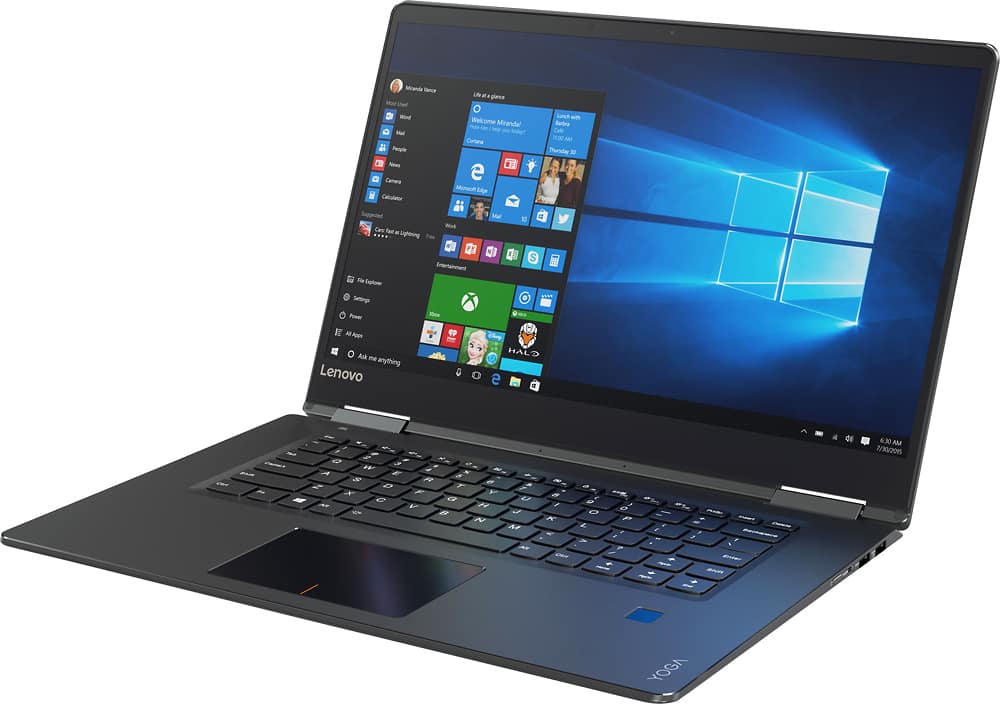
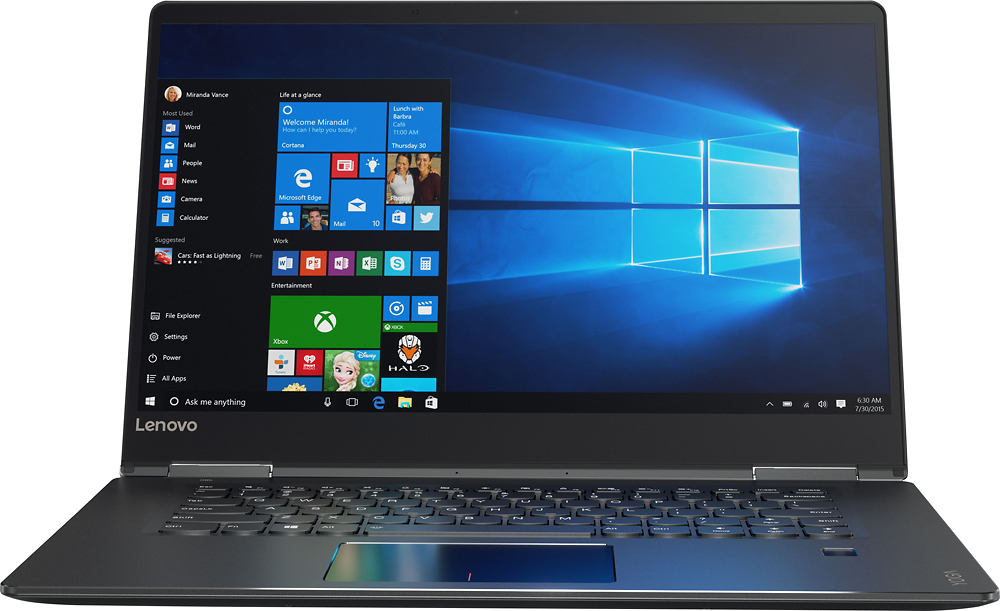
- Model:
- 80V50000US
- SKU:
- 5579128
Rating by feature
- Value
Rating 3.6 out of 5 stars
- Quality
Rating 3.8 out of 5 stars
- Ease of Use
Rating 4.1 out of 5 stars
Customers are saying
Customers are positive about the Yoga 710's touchscreen, light weight, ease of use, and SSD, with many praising its performance and design. However, customers are negative about the keyboard quality, particularly the placement and size of the right shift key, and some experienced excessive fan noise. The battery life and price also received positive feedback. While some appreciated the dedicated graphics card, others found the keyboard layout unconventional.
This summary was generated by AI based on customer reviews.
- Pros mentioned:Touch screen, Weight
Love my Lenovo
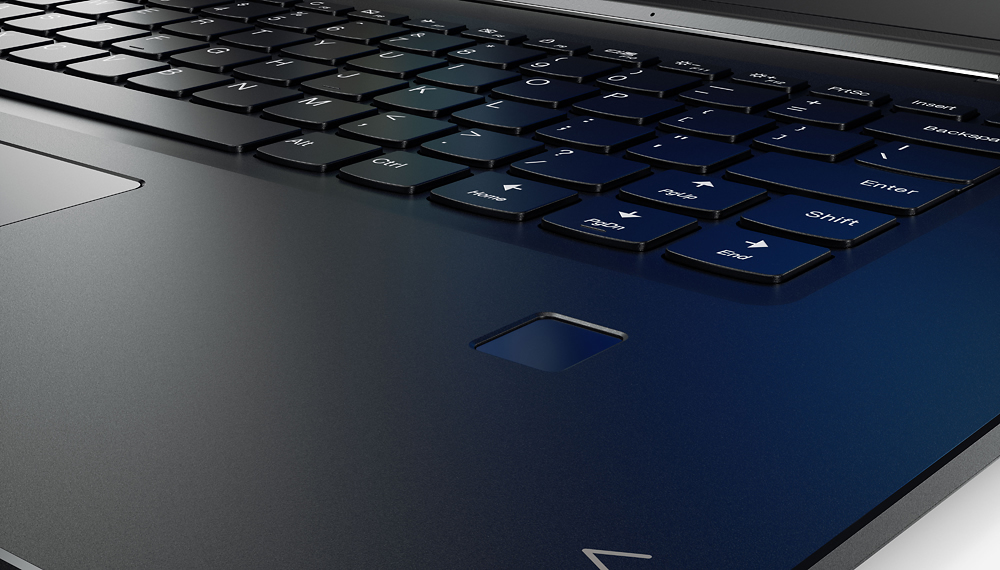
||Posted .This reviewer received promo considerations or sweepstakes entry for writing a review.I was looking for a laptop computer that I could use as a tablet too. My husband and I did a lot of research and finally settled on the Yoga. It is thin so it is not heavy. I can flip it over to tablet and use it in my lap with no problem. I like the touch screen. I have to remember not to rest my hand on the screen though. I can use it as a laptop and get work done. One problem is the page up key is where the shift key should be on the right side. This is a major irritation when you are typing. However if you read some other reviews there is a fix for this. I just haven't done it yet. After our research my husband and I went with the Lenovo as the best product for the price. It has met all of our expectations. Lenovo does need to fix the key placement problem.
I would recommend this to a friendBrand response from Lenovo Product Expert
Posted .Thank you for choosing the Lenovo Yoga 710-15. We are pleased to hear that the value and performance of the Yoga 710-15 meets your computing needs so well. With regard to the right shift key issue you mention, there is a free software APP called KeyTweak that may help you. You can switch the key functions of specific keys on your keyboard with this software, so you could change the right shift key with the key you hit in its place. Just Google search "KeyTweak" and you will find articles about what the software does and you will find the download location for this free APP.

- Pros mentioned:Processor speed, Touch screenCons mentioned:Keyboard quality
Fantastic laptop
||Posted .This reviewer received promo considerations or sweepstakes entry for writing a review.The Lenovo Yoga laptop is a quality product, it has handled everything that I have thrown at it, it is by far the fastest laptop that I have owned, the display is sharp and the touch screen is very responsive and I have enjoyed using it in tablet mode to watch shows and browse the internet. the only thing that I have a problem with is the keypad feels a touch small, I have fairly large hands and at times I feel like I'm just mashing keys, but I did purchase a wireless keyboard for the times I need to type a lot. All in all a solid product.
I would recommend this to a friendBrand response from Lenovo Product Expert
Posted .Thank you for choosing the Lenovo Yoga 710-15. We are pleased to hear that the performance of the Yoga 710-15 meets your computing needs so well.
- Pros mentioned:Ssd, Touch screen
Awesome laptop 2in1
||Posted .This reviewer received promo considerations or sweepstakes entry for writing a review.Awesome 2 in 1. I researched 2in1's for months. Tried 3 different laptops and returned them all. Waited a few months and started over. The Lenovo came to the front. I wanted either a 14 or 15 inch screen, i5 or better and SSD. This laptop model has dedicated graphics also and is the fall update to the same model earlier in the yr. For the price you can beat it. i5, 256 SSD, 15.6 inch screen, thin, fast, 2in1, HD. Highly recommend. Only wish it had a bigger SSD. I decided that for the basic computing I do the i7 wasn't worth the extra cost. But at the same time the dedicated graphics card and RAM gives me the ability to do some photo editing.
I would recommend this to a friend - Pros mentioned:Ease of use, Weight
Even Non-Computer Savvy Can Use
||Posted .This reviewer received promo considerations or sweepstakes entry for writing a review.This computer was a replacement for my way too old laptop that finally decided it didn't want to work anymore. It's been long enough since I purchased a laptop that CD-Rom drives are no longer a thing! I have not used this as a tablet yet but find that the computer is easy to use and was reasonably priced. It is light weight and allows me to accomplish the minimal amount of tasks that I ask of it.
I would recommend this to a friendBrand response from Lenovo Product Expert
Posted .Thank you for choosing the Lenovo Yoga 710-15. We are pleased to hear that the Yoga 710-15 is meeting your computing needs so well.
- Pros mentioned:Ssd
Laptop Review
||Posted .This reviewer received promo considerations or sweepstakes entry for writing a review.Got this laptop for my girlfriend as a Christmas gift, overall its a perfect gift for my girlfriend, pros: backlit keyboard, ssd hard drive (VERY FAST BOOT UP TO LOGIN SCREEN), battery life is amazing, and comes with a nvidia graphis card (GOOD FOR GAMING) CONS: price point, and touch screen is horrible overall she loves her laptop and i am glad i made this purchase :)
I would recommend this to a friend - Pros mentioned:Ease of use, Touch screenCons mentioned:Keyboard quality
Great speed, clear screen
||Posted .This reviewer received promo considerations or sweepstakes entry for writing a review.I am not a highly tech savvy person. Yet this laptop is user friendly. Only one issue with the touch mouse pad not clicking/selecting at times. Screen does show prints and even imprint of keyboard easily; as to be expected. Touch screen has worked great with no issues. This laptop can go a Lot more than what I use it for.
I would recommend this to a friendBrand response from Lenovo Product Expert
Posted .Thank you for choosing the Lenovo Yoga 710-15. With regard to the touchpad, you can make adjustments to the touchpad in your system settings. You can get there by clicking on the magnifying glass at the bottom left your Windows 10 screen. Type "touchpad" in the search window. Select "Mouse & touchpad settings" from the list of choices. You can make general adjustments to the touchpad there. You can also select "Additional mouse options" for more detailed adjustments to the touchpad sensitivity by increasing the delay of the touchpad.
Good Solid Machine
||Posted .This reviewer received promo considerations or sweepstakes entry for writing a review.I bought this laptop last February. While I don’t use it very often I must say that whenever I do fire it up I am quite impressed. It’s a good speedy machine. It took me a little bit of time to tweak it to my specifications. The only thing I do not like about the windows operating system is I feel like I have to get rid of a lot of extra stuff that they include. After I got rid of all of the extra stuff the machine seem to run faster and more efficient Even though it is the “yoga” model I have never used it in “tablet” form. I believe one time I did to watch a movie. That was quite a good experience. The picture and the sound quality were pretty phenomenal. I don’t do a lot of serious gaming, but I do play the Walking Dead game that I bought out of the store and it loaded and opens fast. Again, the sound and picture and speed at which the game please is quite good. I would like to try a different type of game to really test the limits of the processor and game chip. It connects to my Bluetooth devices with no issues. It does feel a little heavy. I had a MacBook air and I tried the brand new MacBook Pro with the Touch Bar, but I ended up returning it for this machine. A basic model of the touch bar machine basically wiped out my $2200 credit card limit , while this machine left me with over $1000 to play with. Price and looks were also a factor for me. Overall I have been quite impressed with this machine. While I am not a total tech nerd so I cannot tell you the ins and outs of the processor and hard drive and RAM I do know that this machine is no slouch. This is a good machine for people who were looking for a step up from your basic beginning model laptop for a few hundred dollars.
I would recommend this to a friend- Pros mentioned:Processor speed, Touch screen
Solid machine!
||Posted .This reviewer received promo considerations or sweepstakes entry for writing a review.I did a ton of research and I found that overall (for me) this convertible 2in1 laptop hit all the high notes. Intel 7th gen cpu, discrete video, long battery life, all aluminum body, SD card reader, includes 1 usb port that charges devices even while it's off and unplugged from the AC., beautiful screen, sensitive touchscreen....imo, best of breed for this wave of late 2016 2in1 laptops
I would recommend this to a friendBrand response from Lenovo Product Expert
Posted .Thank you for choosing the Lenovo Yoga 710-15. We are pleased to hear that the features and performance of the Yoga 710-15 meets your computing needs so well.
- Pros mentioned:Processor speed
Speedy laptop with nice display.
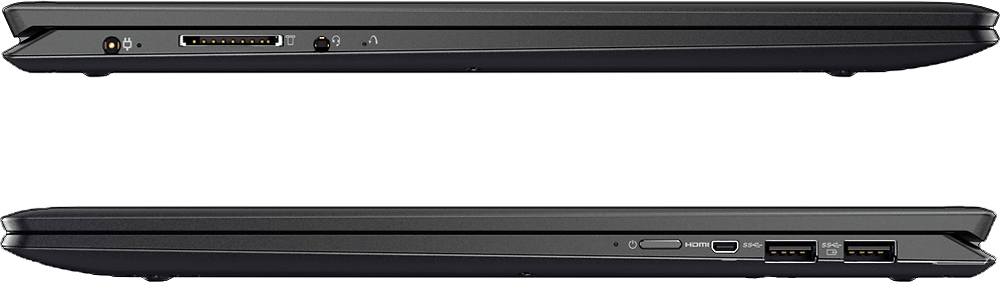
||Posted .This reviewer received promo considerations or sweepstakes entry for writing a review.Overall I am enjoying this laptop, The speed is great and I have yet to make it crawl to a halt. The nVidia graphics card works well with the games I play (World of Warcraft, CSGO, Heroes of the Storm, Just Cause) The display is very crisp and bright. The only issue I have is the lack of USB ports as it only has two, right next to each other that make it a bit hard to use on top of that the micro HDMI connector is also right next to the USB port, and when you plug in an adapter it makes it even harder yet to get a USB plugged in right next to it. The cramped design of this make it less than perfect. There's also no Ethernetport but there is media card reader, which seems like a waste and that should have just put two more USB ports where that is as well as maybe another useful port. All in all I still really like the laptop and it's a great price for a fairly powerful laptop. I would definitely say go for it if you're looking for a nice laptop that feel fairly sturdy and runs fast.
I would recommend this to a friendBrand response from Lenovo Product Expert
Posted .Thank you for choosing the Lenovo Yoga 710-15. We are pleased to hear that the performance of the Yoga 710-15 meets your computing needs so well. With regard to the ports on the device, we will look in to this for future improvements.
- Pros mentioned:Processor speed, SsdCons mentioned:Keyboard quality
Awesome 2-in-1 for the money
||Posted .This reviewer received promo considerations or sweepstakes entry for writing a review.Awesome 2-in-1 for the money. Couldn't afford the i7 this time around and opted for the Yoga 710 with an i5 chip and the 256 gb SSD. No time wasted waiting on programs to open on this one. Only complaint is the undersized right side shift key. Have to think about it to get to it everytime.
I would recommend this to a friendBrand response from Lenovo Product Expert
Posted .Thank you for choosing the Lenovo Yoga 710-15. With regard to the right shift key issue you mention, there is a free software APP called KeyTweak that may help you. You can switch the key functions of specific keys on your keyboard with this software, so you could change the right shift key with the key you hit in its place. Just Google search "KeyTweak" and you will find articles about what the software does and you will find the download location for this free APP.
- Pros mentioned:Processor speed, Weight
Great
||Posted .This reviewer received promo considerations or sweepstakes entry for writing a review.I love my yoga. The speed and versatility are fantastic. The weight is great. It is lightweight and quick. Everything I needed.
I would recommend this to a friend - Pros mentioned:Weight
Worth the price
||Posted .This reviewer received promo considerations or sweepstakes entry for writing a review.This laptop is great for the price. Quick startup. Runs cool. Quiet. Light. Good screen color. My wife uses it for design work and the Nvidia graphics card is great for the phostoshop/illustrator/light 3D work. There is no cd drive which is fine as you can download/stream everything now. Overall, good purchase for the price.
I would recommend this to a friendBrand response from Lenovo Product Expert
Posted .Thank you for choosing the Lenovo Yoga 710-15. We are pleased to hear that the performance of the Yoga 710-15 meets your computing needs so well.
- Pros mentioned:Touch screen, WeightCons mentioned:Keyboard quality
Great flexible laptop for students
||Posted .This reviewer received promo considerations or sweepstakes entry for writing a review.The screen is awesome and the touch screen is perfectly callobrated. The only issue I have had is that the mouse pad tends to make the screen zoom in and out whenever it feels. Other than that, it's very fast and I love that it's light-weight.
No, I would not recommend this to a friendBrand response from Lenovo Product Expert
Posted .Thank you for choosing the Lenovo Yoga 710-15. With regard to the touchpad, you can make adjustments to the touchpad in your system settings. You can get there by clicking on the magnifying glass at the bottom left your Windows 10 screen. Type "touchpad" in the search window. Select "Mouse & touchpad settings" from the list of choices. You can make general adjustments to the touchpad there. You can also select "Additional mouse options" for more detailed adjustments to the touchpad sensitivity by increasing the delay of the touchpad.
- Pros mentioned:Processor speed, Ssd
Optimal Performance Laptop for price
||Posted .This reviewer received promo considerations or sweepstakes entry for writing a review.Just upgraded to this from my old Imac and I am not disappointed! Runs photoshop and illustrator perfectly. Also plays all the old games I havent had a chance to play. Loving the graphics card and processor. SSD is the way to go also. Just use it for programs and buying external HD for storing images, videos, music, etc
I would recommend this to a friendBrand response from Lenovo Product Expert
Posted .Thank you for choosing the Lenovo Yoga 710-15. We are pleased to hear that the performance of the Yoga 710-15 meets your computing needs so well.
- Pros mentioned:Ease of use, Ssd, Touch screen
Runs very well, sturdy and flexible!
||Posted .This reviewer received promo considerations or sweepstakes entry for writing a review.I have never purchased this brand before but it was recommended by the IT Tech at work. I am so happy to have it, it is very user friendly, no errors or complications like I've had with previous HPs and Dells and it is touch screen and can be used as a tablet! i5 processor, 8gb of RAM and solid state hard drive!
I would recommend this to a friendBrand response from Lenovo Product Expert
Posted .Thank you for choosing the Lenovo Yoga 710-15. We are pleased to hear that the features and performance of the Yoga 710-15 meets your computing needs so well.
- Pros mentioned:Processor speedCons mentioned:Shift key
Nice overall
||Posted .This reviewer received promo considerations or sweepstakes entry for writing a review.I started grad school and needed a new computer. I asked my brother for help and he picked this one. I had read reviews and saw there was an issue with the shift key. It's technically in the same place, just halved and we get the second, further away half. I've been typing for 29 years. It is very hard to type and remember that key is a bit further away. Instead I hit the up arrow and start typing in the word on the line above. Aside from that, sometimes the backspace key doesn't work. Those are kind of minor, I will eventually remember the shift key and the backspace generally works. I have also had a speaker driver issue, but Geek Squad fixed that promptly. So 3 minor issues. It's fast, flexible use, and has served me well in my first 4 weeks of grad school.
I would recommend this to a friendBrand response from Lenovo Product Expert
Posted .Thank you for choosing the Lenovo Yoga 710-15. We are pleased to hear that the Yoga 710-15 meets your computing needs so well. With regard to the right shift key issue you mention, there is a free software APP called KeyTweak that may help you. You can switch the key functions of specific keys on your keyboard with this software, so you could change the right shift key with the key you hit in its place. Just Google search "KeyTweak" and you will find articles about what the software does and you will find the download location for this free APP.
- Pros mentioned:Processor speed, Weight
Great Laptop
||Posted .This reviewer received promo considerations or sweepstakes entry for writing a review.I bought this particular laptop because I wanted the higher graphics card that was included. It has met all of my expectations, including light weight, speed, clarity, and price. The graphics card has helped in my designing programs as I had hoped for. Great product and worth the $$.
I would recommend this to a friendBrand response from Lenovo Product Expert
Posted .Thank you for choosing the Lenovo Yoga 710-15. We are pleased to hear that the features, value and performance of the Yoga 710-15 meets your computing needs so well.
- Pros mentioned:Ease of use, Weight
Easy to use computer.
||Posted .This reviewer received promo considerations or sweepstakes entry for writing a review.This is a great computer for my needs. It is easy to use and easy to carry as it is lightweight and slim. The computer case is very easy to deal with. Computer slides in and out easily and it has handles, which I prefer, and shoulder strap. Excellent price on both products.
I would recommend this to a friend - Pros mentioned:Touch screenCons mentioned:Keyboard quality
Purchase for Mother
||Posted .This reviewer received promo considerations or sweepstakes entry for writing a review.Let me say I work in technology and wanted to provide a laptop for my mother so she could transition from her Ipad to an actual laptop with a touch screen. This product was part of a 4-hour flash sale while I was making my decision. I honestly do my reviews on many sites and look for feedback from users and also professionals. Consumer reports is another way to get information. Once you have this information you then need to make up your own mind. In this case this had all the features I was looking for in screen size, touchable screen, and usable keyboard. This is probably one of my biggest complaints because the right shift button is smaller and next to the arrow keys. This is irritating for someone who like to type like you should. Overall I am impressed with the build quality and setup. You may or may not like the power button on the side. It does take some time to get used to but a minor issue. Like it does the job.
I would recommend this to a friendBrand response from Lenovo Product Expert
Posted .Thank you for choosing the Lenovo Yoga 710-15 for your mother. We are pleased to hear that the value, features and performance of the Yoga 710-15 meets your mother's computing needs so well.
- Pros mentioned:Touch screen
PLEASE READ B4 BUYING: Disgraceful Quality Control
Posted .This reviewer received promo considerations or sweepstakes entry for writing a review.So let's start off with the good stuff: fingerprint sensor works nice with Windows Hello, the screen is amazing, battery life is satisfactory, and the NVIDA driver works very well. Now for the bad. I HAVE BEEN THROUGH 2 OF THESE, I'm about to go return this one AGAIN. This is after I'd already gone through 2 of the other Lenovo Yoga 710 (same exact form and specs, but without NVIDA or 7th gen processor) - 1st one: keypad button was stuck down. Did not recognize clicks about 50% of the time. -2nd one: screen had bleeding -1st one of THIS product: just died on me one day. Would power on, but screen did not turn on at all. Tried every single troubleshooting step in book, and tried to hard reset with little button next to head phone jack. Not even the Geek Squad people could figure it out . - 2nd one of these (current): everything was fine, until I tried to use the headphone jack. I'll let the pictures do most of the explaining, but there was an obvious manufacturing error in which they made the headphone jack too shallow for headphones. Paperclip shown for scaling. Nothing is stuck inside, and it looks like a standard functional jack, until you try to use it. AND by the way: ALL OF THESE have a fan problem which you will notice in almost every single review for this one and the other 710. The fan goes crazy with just opening the web browser. These processors are made to be at normal (non-fan) operation way above the temperatures at which this computer turns on the fan. Google "Yoga 710 fan" and you'll see a variety of posts on this issue on Lenovo's forums, and the best suggestion the Lenovo people give is to use a third-party fan control software (WHICH DOESN'T WORK because they have this option disabled in the BIOS) or to take apart the computer and check the glue by the fan. (OBVIOUSLY VOIDING YOUR WARRANTY!) This has been an ongoing problem since the original Yoga 710 15.6" was released in May, and NOT A SINGLE BIOS update has been made since, even with all the complaints. It's about to be 6 months and Lenovo has not addressed the problem. You might be asking why I keep buying these: I'm a poor college student and I've used a credit on these that is no longer eligible for other computers, so if I get one that isn't the same exact product, I lose my credit. Summary: save yourself and don't buy these computers with no sense of quality control or customer service. It will break, and if you're past Best Buy's return policy, you're out of luck.
No, I would not recommend this to a friend