Customer Ratings & Reviews
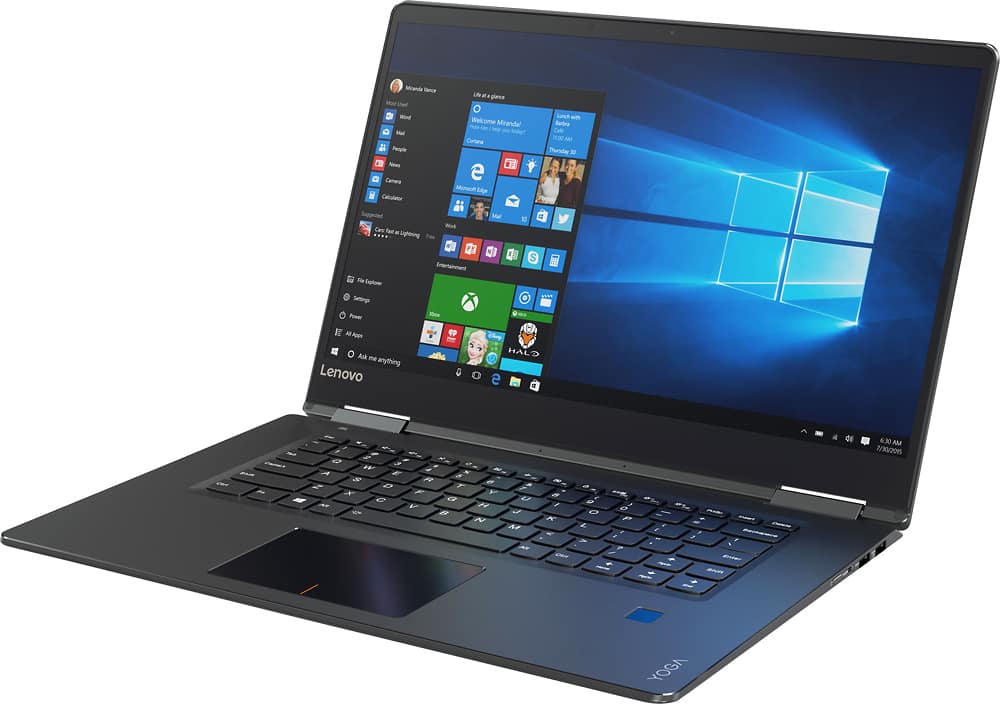
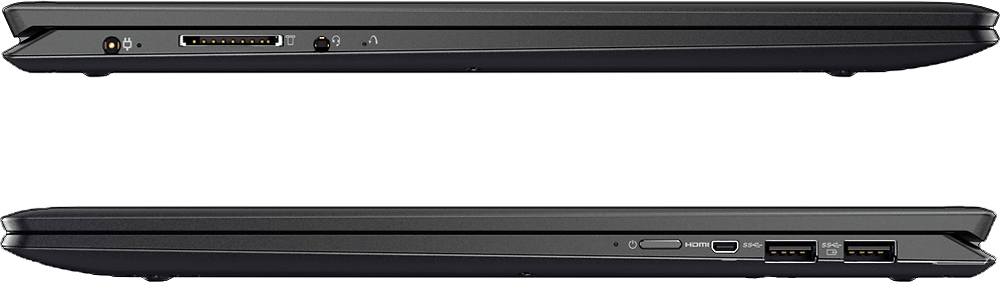
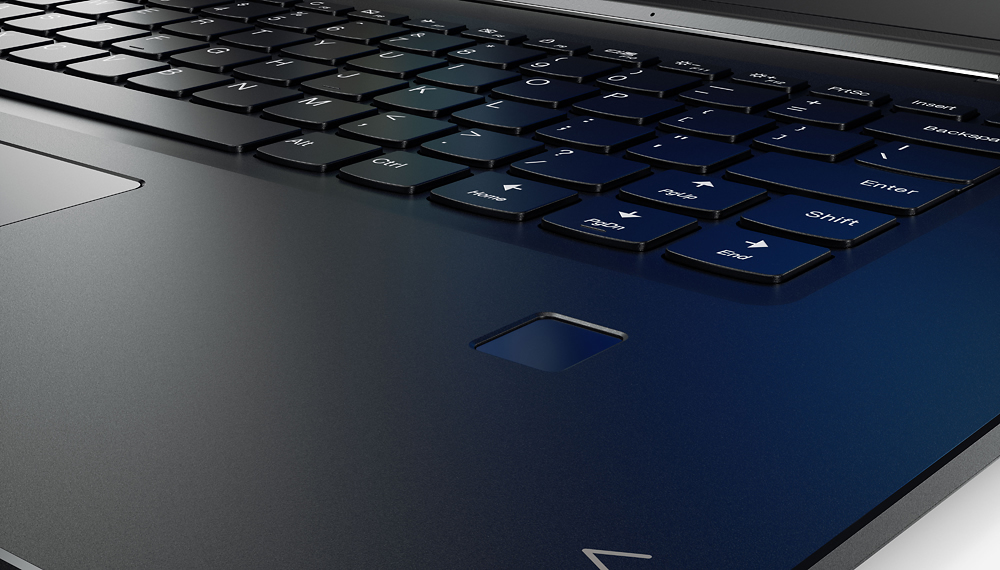
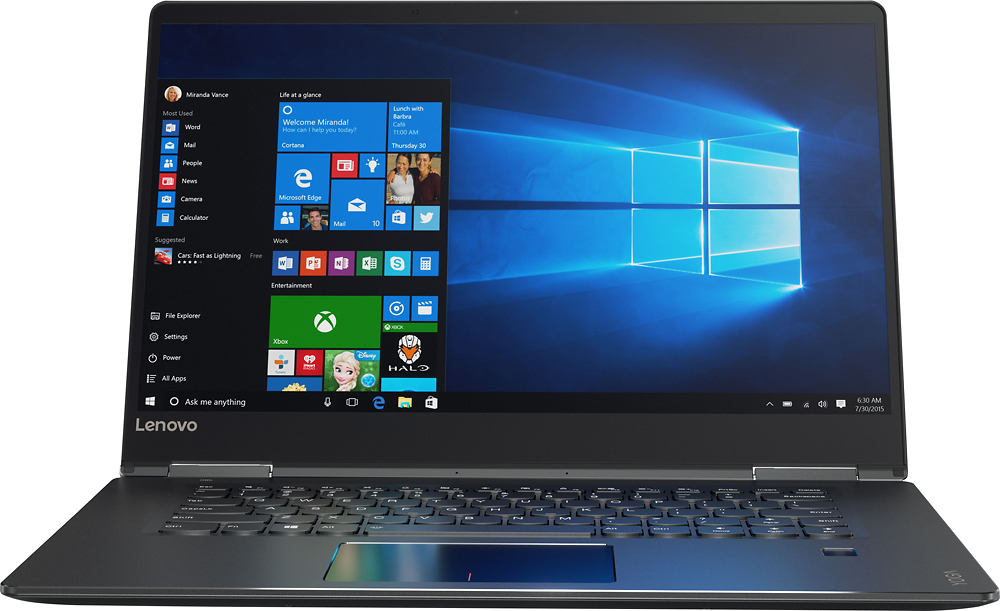
- Model:
- 80V50000US
- SKU:
- 5579128
Rating by feature
- Value
Rating 3.6 out of 5 stars
- Quality
Rating 3.8 out of 5 stars
- Ease of Use
Rating 4.1 out of 5 stars
Customers are saying
Customers are positive about the Yoga 710's touchscreen, light weight, ease of use, and SSD, with many praising its performance and design. However, customers are negative about the keyboard quality, particularly the placement and size of the right shift key, and some experienced excessive fan noise. The battery life and price also received positive feedback. While some appreciated the dedicated graphics card, others found the keyboard layout unconventional.
This summary was generated by AI based on customer reviews.
- Pros mentioned:SsdCons mentioned:Keyboard quality
awesome laptop.
||Posted .This reviewer received promo considerations or sweepstakes entry for writing a review.This laptop is great. SSD harddrive means it's lightning fast and the 1080p screen is gorgeous to look at, both desktop and tablet mode. The fingerprint sensor works really well. Only "grip" would be the right shift key being in an awkward location, but not a deal breaker.
I would recommend this to a friendBrand response from Lenovo Product Expert
Posted .Thank you for choosing the Lenovo Yoga 710-15. With regard to the right shift key issue you mention, there is a free software APP called KeyTweak that may help you. You can switch the key functions of specific keys on your keyboard with this software, so you could change the right shift key with the key you hit in its place. Just Google search "KeyTweak" and you will find articles about what the software does and you will find the download location for this free APP.

- Pros mentioned:Processor speed
Love it!
||Posted .This reviewer received promo considerations or sweepstakes entry for writing a review.This computer is super fast! I highly recommend having the right shift key reassigned.
I would recommend this to a friend - Pros mentioned:Processor speed
Excellent mid size laptop
||Posted .This reviewer received promo considerations or sweepstakes entry for writing a review.Great laptop for mid-range mid-size mid-price machine. Separate graphics chip makes a BIG difference. Images are crystal clear and machine can handle mid settings of most games with your favorite browser and chat app open in the background. For the price, can't be beat.
I would recommend this to a friendBrand response from Lenovo Product Expert
Posted .Thank you for choosing the Lenovo Yoga 710-15. We are pleased to hear that the value, features and performance of the Yoga 710-15 meets your computing needs so well.
- Pros mentioned:Touch screenCons mentioned:Fan noise
Faulty Audio, Fan; Awkward trackpad and no wifi
||Posted .This reviewer received promo considerations or sweepstakes entry for writing a review.To be clear, I purchased an open-box, 'excellent' Geek Squad certified offer of this laptop, for about $676 after tax. Regular shipping, which actually arrived early! Most of this laptop is actually amazing. The screen is punchy and has great viewing angles and color accuracy, and gets bright. The build is very good, since it's mostly aluminum with little flex, and the yoga mechanism works great. The hinges are firm but not stiff, and the keyboard is good, although the layout takes getting used to. Fingerprint sensor is okay, but is a bit slow. Sadly, the audio was not functioning out of the box. Installing drivers would be easy, if the wifi were working as well. The wifi didn't show any networks at all, as if it weren't active to begin with (airplane mode was off and did nothing). I had to use another computer to fetch drivers from Lenovo's website and install them to get wifi, which was resolved. However, audio continued to be a problem, and persistently gave a "No audio output installed" notification, despite driver updates. The fan would also go berserk when there were no processes running and at low temperatures, not to mention it's loud to begin with. There's also a strange, quiet rattling sound on occasion. I installed Lenovo Companion to get some updates and this alleviated the problem a bit, but not nearly enough, and a BIOS update to ver. 2.03 did little. According to Lenovo forums, this is an ongoing problem with the Yoga 710 series, and isn't always fixed by a BIOS update. Some other miscellaneous problems are the awkward tracking, which didn't support two-finger taps, the buzzing noise that would occur upon any sort of screen activity like moving the mouse or scrolling, and the missing Nvidia drivers. I'm probably returning this or exchanging for a new one.
Access Denied
You don't have permission to access "http://www.bestbuy.com/%7eassets/bby/_img/int/plsvgdef-frontend/svg/Close_Cancel_Line.svg" on this server.Reference #18.29182117.1778073871.191f4af5
https://errors.edgesuite.net/18.29182117.1778073871.191f4af5
No, I would not recommend this to a friend - Pros mentioned:Processor speed
Great laptop for anyone
||Posted .This reviewer received promo considerations or sweepstakes entry for writing a review.I asked for a computer that would be good for photoshop and gaming and the best buy representative brought me to this laptop. He also compared it to another one which came with a stylus. The other one was out of my price range. However this one was just right. I love it.
I would recommend this to a friend - Pros mentioned:Touch screenCons mentioned:Keyboard quality
Kick-Butt LapTop
||Posted .This reviewer received promo considerations or sweepstakes entry for writing a review.I really have enjoyed my Lenovo Yoga! I use it for work and play. I love the touch screen and lite keyboard. I have had for two months now and have no issues with it thus far. My only issue is the PgUp key is right next to Shift key. Other than that great product!
I would recommend this to a friendBrand response from Lenovo Product Expert
Posted .Thank you for choosing the Lenovo Yoga 710-15. With regard to the right shift key issue you mention, there is a free software APP called KeyTweak that may help you. You can switch the key functions of specific keys on your keyboard with this software, so you could change the right shift key with the key you hit in its place. Just Google search "KeyTweak" and you will find articles about what the software does and you will find the download location for this free APP.
- Pros mentioned:Touch screen
Great laptop for school
||Posted .This reviewer received promo considerations or sweepstakes entry for writing a review.Really liking it so far. The touch and flipping screen make it great to work with anywhere. Holds a charge well. Usage so far has primarily been school. Have not tried a lot of gaming on it yet.
I would recommend this to a friendBrand response from Lenovo Product Expert
Posted .Thank you for choosing the Lenovo Yoga 710-15. We are pleased to hear that the features and performance of the Yoga 710-15 meets your computing needs so well.
- Pros mentioned:Ssd, Touch screen
Great, fast Laptop
||Posted .This reviewer received promo considerations or sweepstakes entry for writing a review.Love the sturdy feel of this laptop. I have always wanted to purchase a Lenovo due to its reputation and this laptop did not disappoint. The SSD hard drive helps boot Windows in seconds, the touch screen is responsive and the web cam is adequate. Highly recommend.
I would recommend this to a friendBrand response from Lenovo Product Expert
Posted .Thank you for choosing the Lenovo Yoga 710-15. We are pleased to hear that the features and performance of the Yoga 710-15 meets your computing needs so well.
- Cons mentioned:Fan noise
Not bad
||Posted .This reviewer received promo considerations or sweepstakes entry for writing a review.It has an amazing screen that is very bright and long lasting battery. But that's about where the perks end. Even after doing all updates and installing the newest BIOS, this laptops fans run practically non stop even without doing anything. for a full screen laptop, what is the point of putting in micro HDMI instead of full? and pressing the power button is super stiff and there is no click to it at all. It's also a little hard to open, but that's not necessarily a bad thing. It's good computer, but theres better out there for around the same price.
Access Denied
You don't have permission to access "http://www.bestbuy.com/%7eassets/bby/_img/int/plsvgdef-frontend/svg/Close_Cancel_Line.svg" on this server.Reference #18.29182117.1778073871.191f4af5
https://errors.edgesuite.net/18.29182117.1778073871.191f4af5
No, I would not recommend this to a friend - Pros mentioned:Ssd, Touch screen
Continue to be a great notebook
||Posted .This reviewer received promo considerations or sweepstakes entry for writing a review.I have purchased several of these, I have one, my wife, on of the kids and two of my consultants all carry this machine. Minor differences depanding on age but all have SSD drive with the larger screen option. For the price I believe these to be good value.
I would recommend this to a friendBrand response from Lenovo Product Expert
Posted .Thank you for choosing the Lenovo Yoga 710-15. We are pleased to hear that the Yoga 710-15 is working out so well for you and your other users. We appreciate your loyalty to the Yoga 710-14 and the Lenovo Brand.
- Cons mentioned:Keyboard quality
Great Computer So Far
||Posted .This reviewer received promo considerations or sweepstakes entry for writing a review.I came from a lifetime of failing HP computers and laptops. I was very impressed with what this laptop had to offer but there are a couple reasons why this laptop received 4 stars instead of 5. The first being the keyboard, the up arrow is where the shift key should be, fortunately Lenovo changed that with the Yoga 720 model. The second, I have only had the computer for a few weeks, but the hinges that connect it are loosening up and when the laptop is closed the sides don't match up anymore. This obviously worries me because I need my laptop for a lot and knowing that the main connectors might fail is a huge flaw. Overall, its a completely amazing laptop for now.
Access Denied
You don't have permission to access "http://www.bestbuy.com/%7eassets/bby/_img/int/plsvgdef-frontend/svg/Close_Cancel_Line.svg" on this server.Reference #18.29182117.1778073871.191f4af5
https://errors.edgesuite.net/18.29182117.1778073871.191f4af5
No, I would not recommend this to a friendBrand response from Lenovo Product Expert
Posted .Thank you for choosing the Lenovo Yoga 710-15. With regard to the right shift key issue you mention, there is a free software APP called KeyTweak that may help you. You can switch the key functions of specific keys on your keyboard with this software, so you could change the right shift key with the key you hit in its place. Just Google search "KeyTweak" and you will find articles about what the software does and you will find the download location for this free APP. With regard to the 360-degree hinge on this device, they have been tested through 25,000 cycles or approximately 8 to 10 years of normal use, without a failure of the hinges or connectors.
- Pros mentioned:Ease of useCons mentioned:Keyboard quality
great laptop for my use
||Posted .This reviewer received promo considerations or sweepstakes entry for writing a review.great screen bright and clear, easy to use. only problem is the location of the shift key on the left. I keep hitting the "page up" when I want a capital letter or nee the shift function.
I would recommend this to a friendBrand response from Lenovo Product Expert
Posted .With regard to the right shift key issue you mention, there is a free software APP called KeyTweak that may help you. You can switch the key functions of specific keys on your keyboard with this software, so you could change the right shift key with the key you hit in its place. Just Google search "KeyTweak" and you will find articles about what the software does and you will find the download location for this free APP.
- Pros mentioned:Processor speedCons mentioned:Fan noise
Great reliable fast and affordable
||Posted .This reviewer received promo considerations or sweepstakes entry for writing a review.Awesome laptop. Fast enough for light video and photo editing. Beautiful display. I've utilized its 2 in 1 functionality more than I thought I would. I also haven't experienced the fan noise problem others reported which was a big annoyance with my Sony vaio
I would recommend this to a friend - Pros mentioned:Ease of useCons mentioned:Keyboard quality
Great laptop
||Posted .This reviewer received promo considerations or sweepstakes entry for writing a review.I work from home and use my computer for office only.The laptop boots fast and i like it because it is easy to navigate.I dont like the mousepad and hence would suggest an external mouse.
I would recommend this to a friendBrand response from Lenovo Product Expert
Posted .Thank you for choosing the Lenovo Yoga 710-15. With regard to the touchpad, you can make adjustments to the touchpad in your system settings. You can get there by clicking on the magnifying glass at the bottom left your Windows 10 screen. Type "touchpad" in the search window. Select "Mouse & touchpad settings" from the list of choices. You can make general adjustments to the touchpad there. You can also select "Additional mouse options" for more detailed adjustments to the touchpad sensitivity by increasing the delay of the touchpad.
- Pros mentioned:Processor speed, Ssd
Great Buy
||Posted .This reviewer received promo considerations or sweepstakes entry for writing a review.I have had this computer for a out 6 weeks now. And I love it! It's extremely fast, has 256gb of memory on the hardrive which is plenty of memory until I transfer my data to my external hard drive. I got a great price on it, making it an even better buy!
I would recommend this to a friendBrand response from Lenovo Product Expert
Posted .Thank you for choosing the Lenovo Yoga 710-15. We are pleased to hear that the value, features and performance of the Yoga 710-15 meets your computing needs so well.
- Pros mentioned:Ease of use, Weight
Lenovo Helps
||Posted .This reviewer received promo considerations or sweepstakes entry for writing a review.The Lenovo replaces an HP touchscreen. It is the perfect size for me and has good mobility. I use it for both personal use and light home business. It is versatile, lightweight and easy to use in all of my requirements. I haven't ;found a limitation yet.
I would recommend this to a friendBrand response from Lenovo Product Expert
Posted .Thank you for choosing the Lenovo Yoga 710-15. We are pleased to hear that the features and performance of the Yoga 710-15 meets your computing need so well.
- Pros mentioned:Processor speed, Touch screen
Just what I wanted
||Posted .This reviewer received promo considerations or sweepstakes entry for writing a review.I love the Lenovo Yoga 710 2 in 1. It is fast, has a nice screen and works like a charm. I don't love Windows 10 but that is for another story. If I had any complaint it would be that it is a little heavy but that goes with the oversized tablet screen.
I would recommend this to a friendBrand response from Lenovo Product Expert
Posted .Thank you for choosing the Lenovo Yoga 710-15. We are pleased to hear that the performance of the yoga 710-15 meets your computing needs so well.
- Pros mentioned:Touch screen
Amazing laptop
||Posted .This reviewer received promo considerations or sweepstakes entry for writing a review.This laptop is awesome. The touchscreen makes for easy navigation.
I would recommend this to a friend - Pros mentioned:Processor speed, Touch screen
Great laptop for the price
||Posted .This reviewer received promo considerations or sweepstakes entry for writing a review.Very pleased with this laptop so far. It's very fast. Everything is very crisp on the screen. Only thing I miss compared to my desktop is there is not the separate number pad on the side of keyboard, just the row above the letters.
I would recommend this to a friend Gets the job done
||Posted .This reviewer received promo considerations or sweepstakes entry for writing a review.This laptop works for what I need it to work for with minimal extras. The one thing I wish it had is a number keypad. This replaced my old Samsung laptop that I’d had for 6 years and had become a time consuming ordeal to use. This laptop is quick and efficient.
I would recommend this to a friend