Customer Ratings & Reviews







- Model:
- 80VF00FRUS
- SKU:
- 5723427
to a friend
Customers are saying
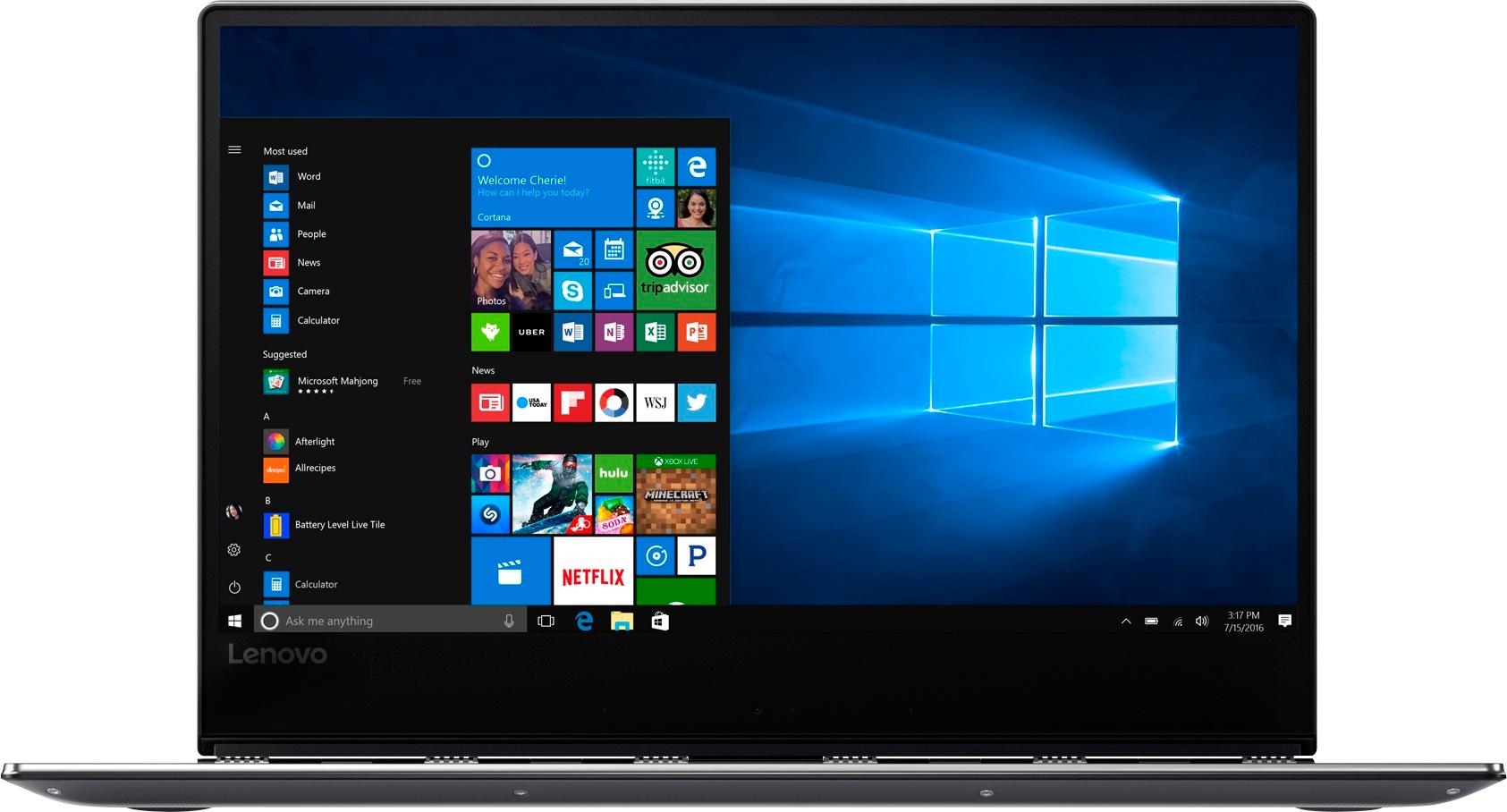
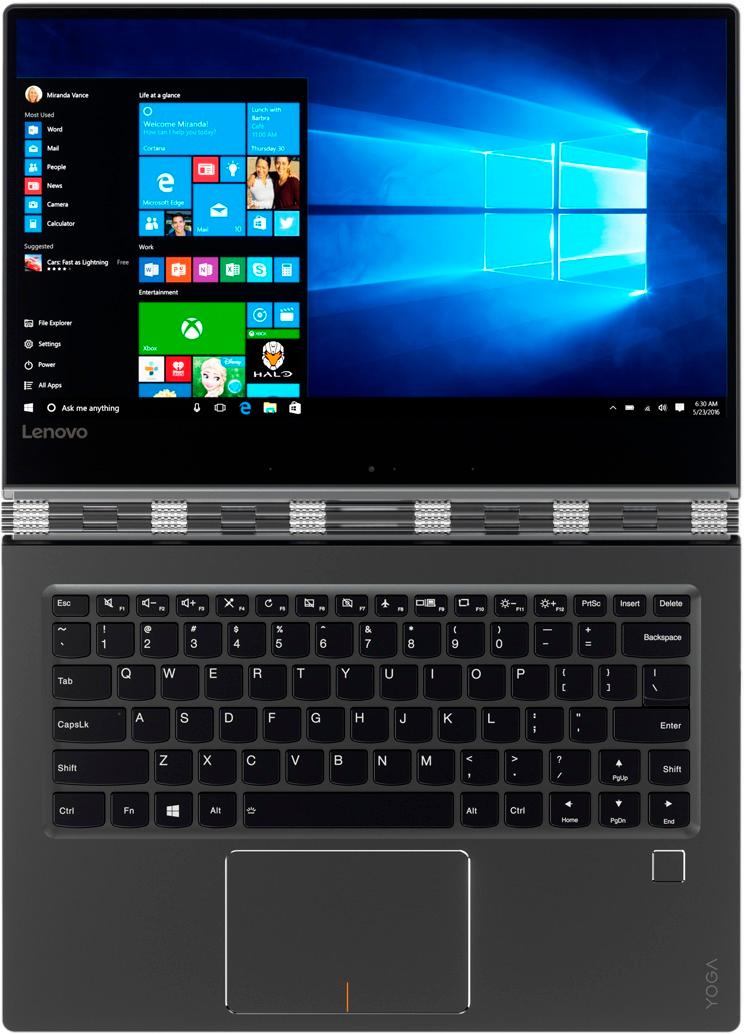
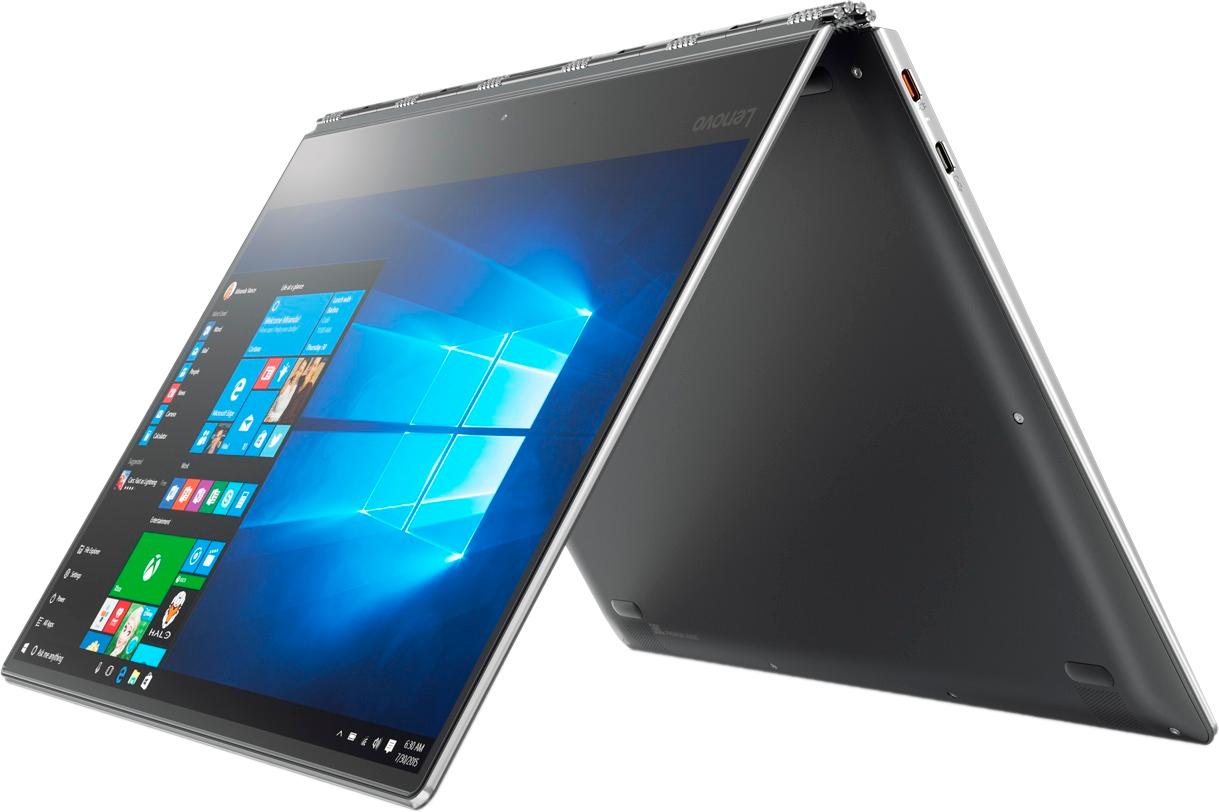
Customers appreciate the Yoga 910's fast performance, lightweight design, and long battery life. They also value the high-quality 4K touch screen and the large 1TB SSD storage. However, some customers have expressed concerns about the fan noise, the placement of the right Shift key, and the limited number of ports.
This summary was generated by AI based on customer reviews.
- Pros mentioned:Lightweight
Light weight and great internal memory
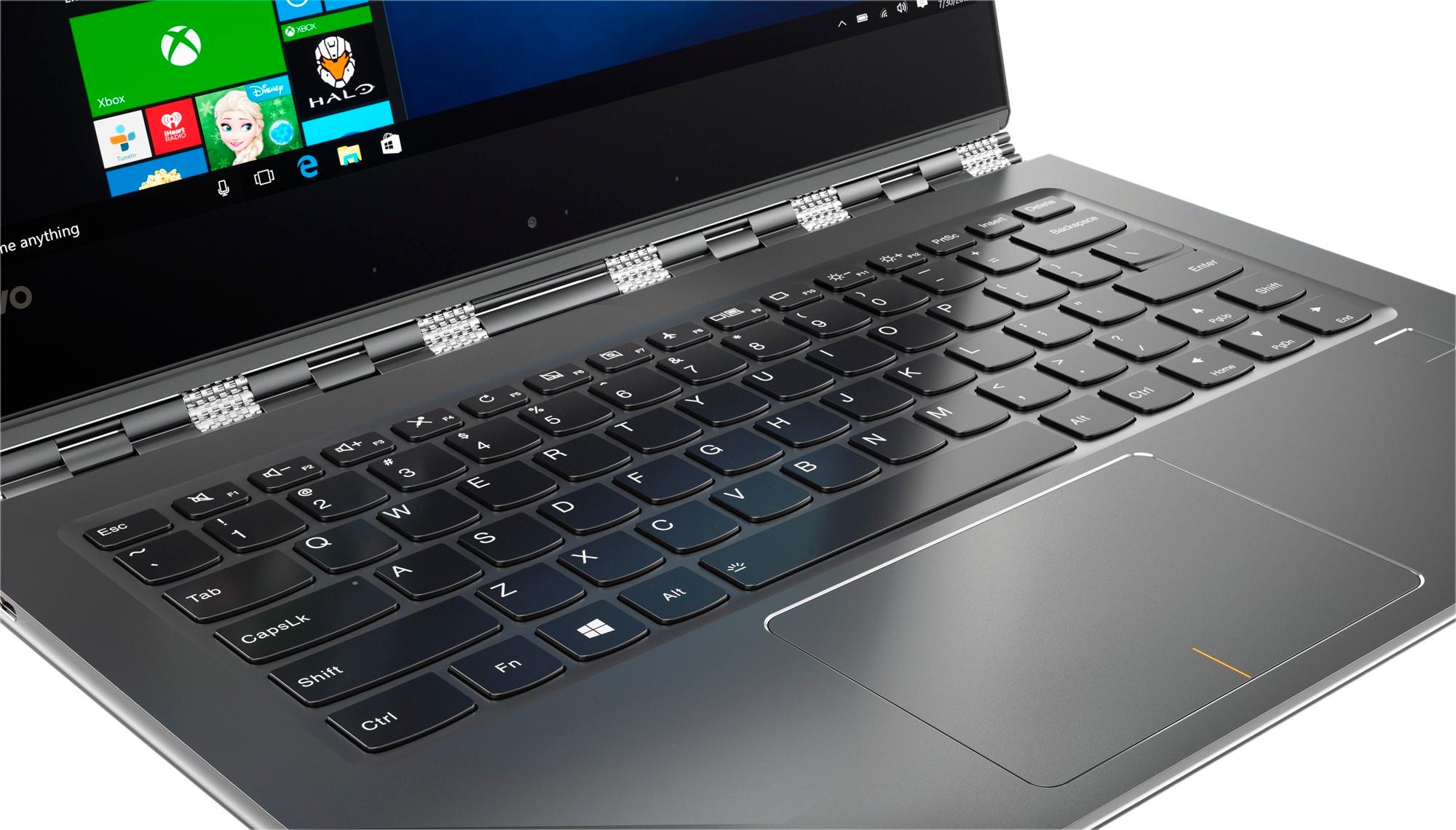
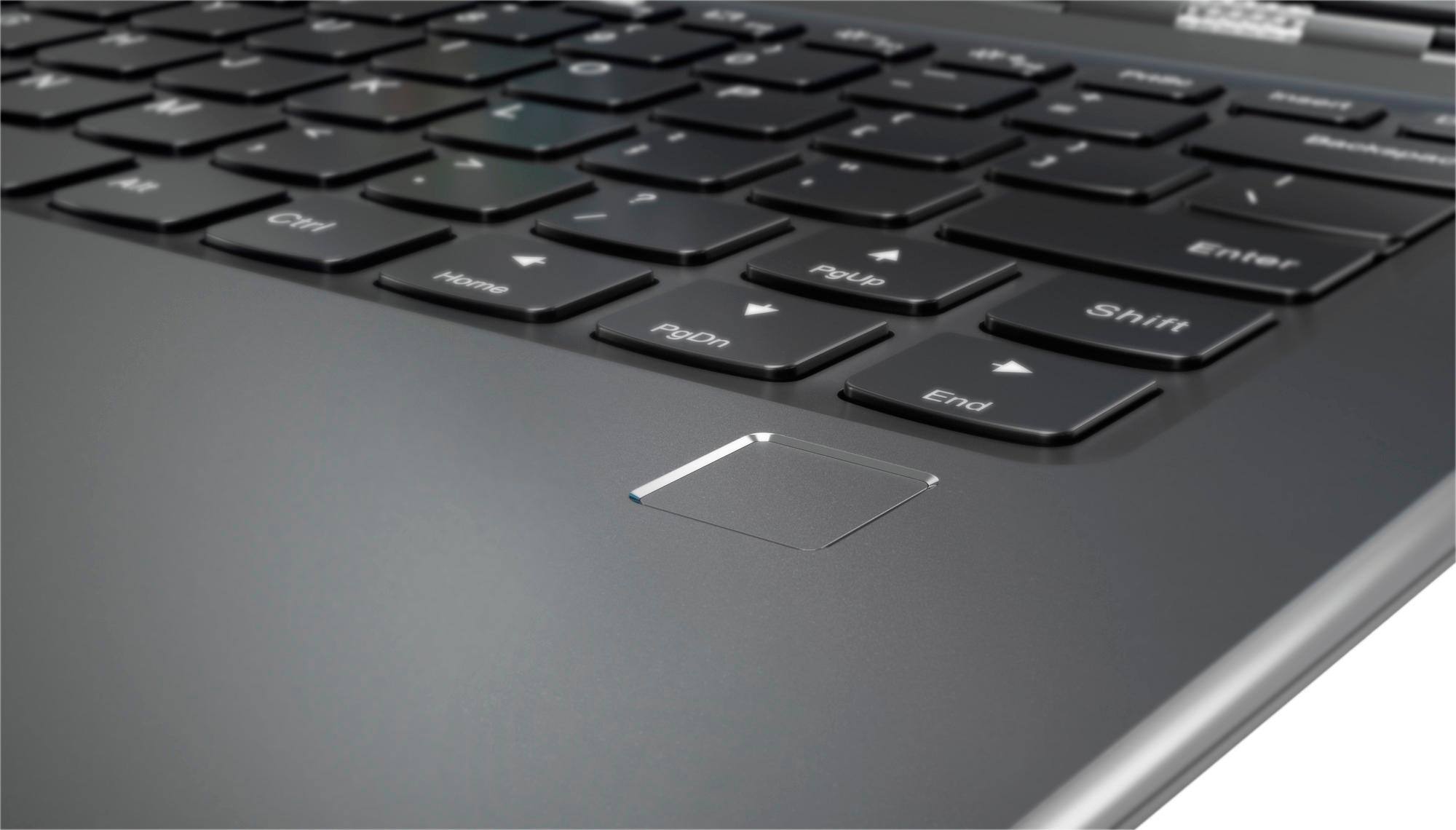
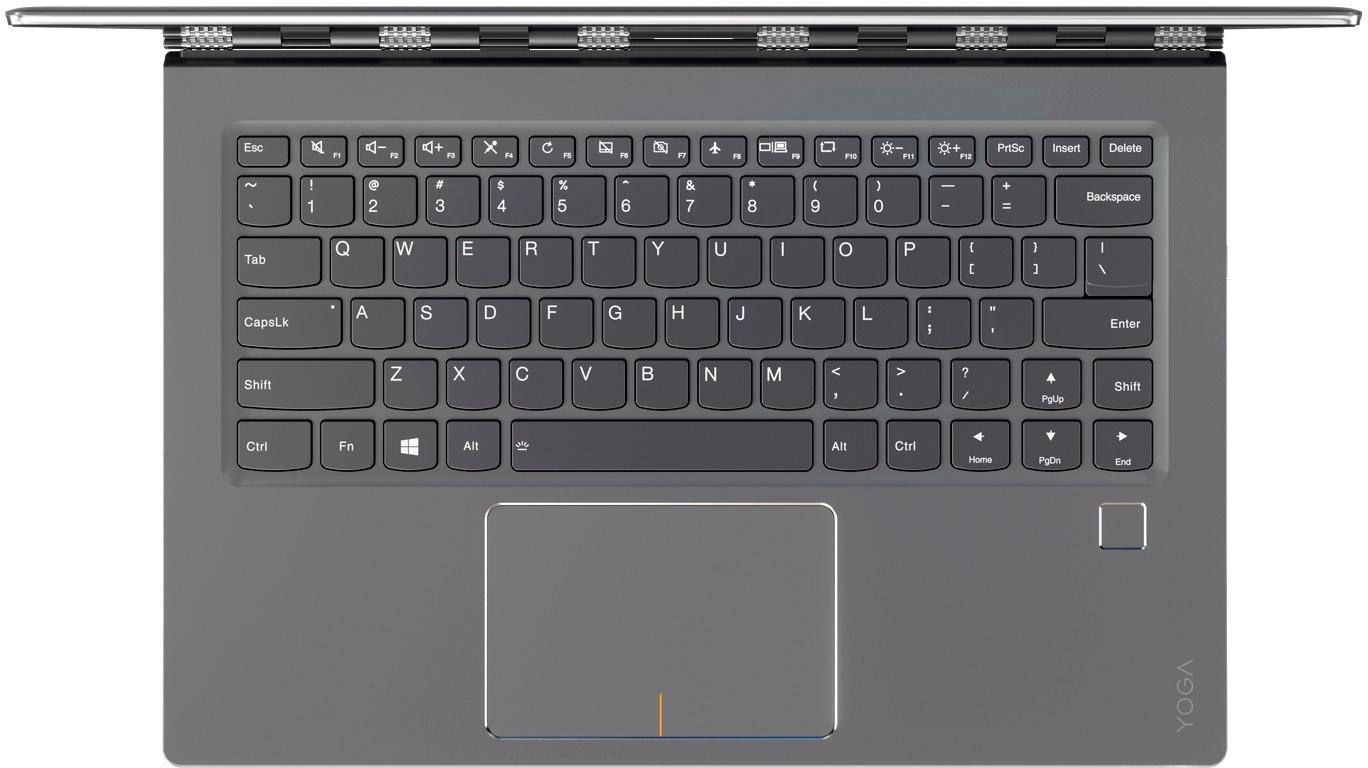
||Posted .This reviewer received promo considerations or sweepstakes entry for writing a review.Light weight and easy to take along on a trip. Not able to adjust the display size within programs to better read some of the command tools. Too easy to turn off the USB drives and fingerprint having to go to device manager and enable them again and again. The right hand shift key is too close to the up arrow key so it is easy to move the cursor into the wrong position when I reach to capitalize a letter being typed.
I would recommend this to a friendBrand response from Lenovo Product Expert
Posted .Thank you for choosing the Lenovo Yoga 910-14. For programs not compatible with the 4K resolution, just minimize the program window, right click on the Windows 10 desktop. Select "Display Settings" within the window that opens, adjust screen resolution as necessary. Click "apply". Maximize the window that your program is open in, refresh the program and the new resolution setting should be apparent. With regard to the right shift key issue you mention, there is a free software APP called KeyTweak that may help you. You can switch the key functions of specific keys on your keyboard with this software, so you could change the right shift key with the key you hit in its place. Just Google search "KeyTweak" and you will find articles about what the software does and you will find the download location for this free APP.

- Pros mentioned:WeightCons mentioned:Shift key
Good design. Hard to find 14-in screen.
||Posted .This reviewer received promo considerations or sweepstakes entry for writing a review.I enjoy using my Lenovo. It is lightweight, and it has the perfect-size screen for me - 14-in. My only complaint is the location of the right-hand shift-key.
I would recommend this to a friend - Pros mentioned:Screen
Great Product - No Windows Ink
||Posted .This reviewer received promo considerations or sweepstakes entry for writing a review.I strongly believe that Lenovo produces great elite products. The 4K resolution screen is amazing to look at. However, my purpose is required this machine to be able to be compatible with a Windows ink compatible pen. This will help me to take notes in class and ecetera. However this computer was not compatible with such, and I had to return it.
I would recommend this to a friend - Pros mentioned:Battery lifeCons mentioned:Fan noise
Very happy Lenovo 910 Yoga laptop owner
||Posted .This reviewer received promo considerations or sweepstakes entry for writing a review.Overall I am very happy with my purchase of a Lenovo 910 Yoga laptop. It's been I few weeks since my purchase and I know I made the correct choice for me. This is a good ultralight laptop/tablet for any user. I opted to go for the ultra display, larger hard drive and 16GB memory since nothing is upgradeable. The laptop display is very crisp and the battery life is great. My only complaints are sometimes when the fan kicks on it is very loud, and the usb-c ports. One port is just for charging and the other one is only for peripherals. Lenovo should have made both ports capable of doing both. I wouldn't hesitate to recommend this laptop despite the two issues above.
I would recommend this to a friendBrand response from Lenovo Product Expert
Posted .Thank you for choosing the Lenovo Yoga 910-14. This is a high performance system. The fan is necessary to keep this device at optimum operating temperatures. With regard to the USB-c ports being dual purpose, we will look into to this for future improvements.
- Pros mentioned:Fast, Screen
Love this Lenovo Yoga notebook PC!
||Posted .This reviewer received promo considerations or sweepstakes entry for writing a review.The Lenovo Yoga 910 UHD/4K is awesome. Very fast, incredible screen, beautiful to look at. Flawless. I had the Dell XPS 13, but it kept freezing on me so glad to get rid of it. I lost data when I hadn't saved it in time. I highly recommend THIS Lenovo!
I would recommend this to a friendBrand response from Lenovo Product Expert
Posted .Thank you for choosing the Lenovo Yoga 910-14. We are pleased to hear that the features and performance of the Yoga 910-14 meets your computing needs so well.
- Cons mentioned:Fan noise, Shift key
A Little Disappointed
||Posted .This reviewer received promo considerations or sweepstakes entry for writing a review.I did a lot of research before purchasing this laptop. In fact, I have two friends who purchased this laptop before me and recommended it. I was a little disappointed. The shift key placement is monumentally bad design, and it should have been a warning sign. The shift key placement can be fixed by remapping the keys, however the sub par touchpad cannot be fixed. You can adjust the sensitivity, but I have found with the sensitivity all the way down, CAD programs become unwieldy. With the sensitivity all the way up, CAD programs are navigable, but you cannot hope to type. The keyboard layout and touchpad are overall just poorly designed and made. Lastly, the screen is beautiful, but I really don't need (no one needs) a 4K screen. You have to use the built-in settings to lower the resolution just so you can see and use Windows programs. Further, it drains battery life, which on this laptop is middling at best. I really wish they had offered this laptop with a 1080p HD screen and 1TB HD option. To get 16GB RAM and 1TB HD, I had to get the 4K screen. The fan noise is loud and always runs, but that hasn't bothered me as much as some. It is not a bad laptop. It has just been a disappointment. I feel at this point there are no great laptops on the market that have it all. Apple used to make the best, but now, they are distracted by gimmicks and profit. There are smaller manufacturers who allegedly make great laptops (on spec), but when you dig into the reviews, they are horribly unreliable with high failure rates. I feel this laptop will probably perform adequately for a few years to come, so it is good enough but not great.
No, I would not recommend this to a friendBrand response from Lenovo Product Expert
Posted .The battery life of this device is approximately 10 hours with the 4K screen, depending on the work the system is performing. If the touchpad will not give you the detail you need, you can use an external mouse with this device. There are some software programs that are not compatible with 4K resolution, this will change in the future, which gives the Yoga 910-14 4K model "future protection". Finally, with regard to the right shift key issue you mention, there is a free software APP called KeyTweak that may help you. You can switch the key functions of specific keys on your keyboard with this software, so you could change the right shift key with the key you hit in its place. Just Google search "KeyTweak" and you will find articles about what the software does and you will find the download location for this free APP.
- Cons mentioned:Fan noise, Shift key
Great Specs at a good price
||Posted .This reviewer received promo considerations or sweepstakes entry for writing a review.It really does come with amazing specs which is what attracted me to it, however, it is certainly limited on ports and connectivity. If you've read other reviews I'm sure you read about the location of the shift key, its a pain but you do get used to it. Fan noise also went away with the bios update. Having said that, I probably wouldnt buy it again. The performance reliability isnt quite there even with the monster specs.
No, I would not recommend this to a friend - Pros mentioned:Fast
Love the 4K screen and lite weight i7
||Posted .This reviewer received promo considerations or sweepstakes entry for writing a review.Had this machine for two months and still love it. The 4K display looks great and fits well with my work. The i7 and 1TB SSD keep it running fast and smooth. I'm looking to buy another one like the great deal I got at Best Buy.
I would recommend this to a friendBrand response from Lenovo Product Expert
Posted .Thank you for choosing the Lenovo Yoga 910-14. We are pleased to hear that the Yoga 910-14 is working out so well for you that you plan on purchasing a second one. We appreciate your loyalty to the Yoga 910-14 and the Lenovo Brand.
- Pros mentioned:Fast, Weight
LOVE THIS LAPTOP!!!
||Posted .This reviewer received promo considerations or sweepstakes entry for writing a review.This is by far the lightest and fastest laptop I have ever purchased.
I would recommend this to a friendBrand response from Lenovo Product Expert
Posted .Thank you for choosing the Lenovo Yoga 910-14. We are pleased to hear that the features and performance of the Yoga 910-14 meets your computing needs so well.
Great computer
||Posted .This reviewer received promo considerations or sweepstakes entry for writing a review.I bought this computer for my daughter who is a high school senior. I expect this will last at lest until her junior college year. The hardware is very good for the price and the size is perfect for a college student.
I would recommend this to a friendBrand response from Lenovo Product Expert
Posted .Thank you for choosing the Lenovo Yoga 910-14 for your daughter. We are pleased to hear that the Yoga 910-14 meets your daughter's computing needs so well.
- Pros mentioned:Battery life
Decent Laptop
||Posted .This reviewer received promo considerations or sweepstakes entry for writing a review.Lenovo is a reliable machine. Use it for work and has ample of juice to stay on without charging. Powerful processor and great spec. Definitely recommend it for daily work use and software like Oracle or Peoplesoft.
I would recommend this to a friend - Pros mentioned:Weight
Great laptop
||Posted .This reviewer received promo considerations or sweepstakes entry for writing a review.Great laptop for the price, light in weight, fast turn on bootup
I would recommend this to a friendBrand response from Lenovo Product Expert
Posted .Thank you for choosing the Lenovo Yoga 910-14. We are pleased to hear that the value, features and performance of the Yoga 910-14 meets your computing needs so well.
- Pros mentioned:Screen, Weight
GREAT LAP TOP
||Posted .This reviewer received promo considerations or sweepstakes entry for writing a review.Great display, light weight, and perfect size for personal use.
I would recommend this to a friendBrand response from Lenovo Product Expert
Posted .Thank you for choosing the Lenovo Yoga 910-14. We are pleased to hear that the features and performance of the Yoga 910-14 meets your computing needs so well.
- Pros mentioned:Screen
It's okay, but....
||Posted .This reviewer received promo considerations or sweepstakes entry for writing a review.I was on the fence about returning this, and then the 30 days ran out, and it was, "oh well, it's good enough." The display is nice, the big "chin" (area underneath the visible display) is a bit odd, I had to dial down the max CPU to 99% and that seems to have stopped the fan from running so much, and the small right-side shift key makes me nuts. The keyboard stroke depth is a bit short if you're used to a deeper touch, so to speak. But, the 16GB RAM and 1TB SSD are nice. The charger plug does wobble a bit (not a tight fit), and then there is the hassle of getting new connectors for ethernet and HDMI. I hope I get to like it more than I do now (replacing an older MacBook Air I've had for quite a while, just tired of the whole Apple thing and most of my business work is on Windows anyway). I was looking at Dell XPS 13 and a ThinkPad model (I've had two other ThinkPads back in the day, I just like their touch and feel overall). No problems with the fingerprint scanner that other people have complained about on other sites. But that shift key, that just kind of grates on me. Think long and hard about if you can live with that.
I would recommend this to a friendBrand response from Lenovo Product Expert
Posted .Thank you for choosing the Lenovo Yoga 910-14. With regard to the right shift key issue you mention, there is a free software APP called KeyTweak that may help you. You can switch the key functions of specific keys on your keyboard with this software, so you could change the right shift key with the key you hit in its place. Just Google search "KeyTweak" and you will find articles about what the software does and you will find the download location for this free APP.
- Pros mentioned:Fast
Nice Looking Machine
||Posted .This reviewer received promo considerations or sweepstakes entry for writing a review.Very Sharp Looking Machine, My Son love this PC. Very fast
I would recommend this to a friendBrand response from Lenovo Product Expert
Posted .Thank you for choosing the Lenovo Yoga 910-14 for your son. We are pleased to hear that the performance of the Yoga 910-14 meets your son's computing needs so well.
- Pros mentioned:Fast, Lightweight
Fast, beautiful screen, compact
||Posted .This reviewer received promo considerations or sweepstakes entry for writing a review.Love this! Fast, lightweight, easy to use, nice screen.
I would recommend this to a friendBrand response from Lenovo Product Expert
Posted .Thank you for choosing the Lenovo Yoga 910-14. We are pleased to hear that the features and performance of the Yoga 910-14 meets your computing needs so well.
as spected
||Posted .This reviewer received promo considerations or sweepstakes entry for writing a review.At the moment, I have not tested the performance of this team. but until now its performance is quite fast. I hope to be able to issue a better opinion in a future time
I would recommend this to a friendGreat Laptop
||Posted .This reviewer received promo considerations or sweepstakes entry for writing a review.I spent many hours researching "ultrabook" options. I have purchases several Yoga laptops for family members and we have had good luck with them. So, I was biased to like the Yoga 910, but I was dismayed by the concerns written in other reviews. So, rather than rehash all the details found in many reviews, let me address my views on several concerns I had read about in my research. 1) The Right Shift Key. There is no denying the odd keyboard layout choice the designers made. The bottom-right 6 keys are: ? / UP / R-SHIFT LEFT / DOWN / RIGHT This layout puts the UP/DOWN keys right above/below each other, which makes sense from an arrow pad standpoint, but that removes the typical double-wide R-SHIFT key (like the L-SHIFT) and moves R-SHIFT to the far side of the up arrow. For touch typists, you will not get used to this! However, there is an "easy" fix. The app "KeyTweak" is available which allows you to remap/swap the UP and R-SHIFT keys so that despite the labels on the keys, the R-SHIFT is moved to where your finger expects it. For touch typing, all is right again. The downside is that when I DO want to navigate with the arrow keys, I'm not in touch-type mode and hitting the "shift" key to go up is not quite natural yet. I discovered another consequence. For the remapping I've done, the remapped up-arrow doesn't "repeat" when I hold it down. This may be another KeyTweak setting to look for. I'm also considering remapping the RIGHT and DOWN keys so that up and down are over each other again. Lots to experiment with, but I haven't taken the time because it doesn't bug me that much. Bottom line on keyboard layout, the annoying shifted-RSHIFT can be fixed easily. So, I didn't ding my rating for it. Nothing's perfect. 2) The Fan Many reviewers indicated a march louder fan noise than expected and described it as loud and distracting. When I began using my Yoga 910, I too experienced a nearly-constant running fan. The fan wasn't loud in the "grinding gears" sense, but it was ever-present and very audible in a quiet room but not noticeable in a loud classroom. Most reviewers complaining of fan noise received feedback to "update drivers", and some indicated it didn't help, so I didn't hold out much hope. And with the fan running, I was only getting about 3-4 hours of battery life. When I had a chance, I decided to open the Lenovo system maintenance app have it check the system. There were indeed a few things it recommended updating, though they seemed innocuous and unrelated, so I updated everything the tool presented as available. Sadly, from a scientific point of view (because I now don't know which thing helped), I then also took a second action. I opened the power settings and switched from a hybrid profile to a power-savings profile and adjusted every setting I thought could help. I didn't need high performance while editing documents and web surfing on battery. I tweaked some "while plugged in" setting for better performance, but mostly turned stuff down. To my delight, as I rebooted and powered up, the fan came on for a few seconds and then it completely shut off. I then used the laptop continuously while plugged in and later while on battery, and it ran silent with no (audible) fan for hours with no heat problems. Since then I've used the laptop for a couple weeks and the fan almost never runs (at a level I can hear, anyway). I couldn't be more pleased. This is the "fanless" experience I've always wanted from a laptop and I'm finally getting it. Everything else is great! The screen is stunning. The icons are set with some scaling to automatically give me high resolution, but scale up the icons for usability (probably a Win10 thing). Touch is responsive. TouchPad is OK, though I turn it off when I'm typing because my palms brush against it and move the cursor. I also like the charge cord that comes in two pieces: an extension cord segment (plugs from wall to brick), and the brick (which has a standard wall plug directly mounted on it). This way I can haul just the brick to school and leave the extender at home plugged in. Anyway, great laptop.
I would recommend this to a friendBrand response from Lenovo Product Expert
Posted .Thank you for choosing the Lenovo Yoga 910-14. We are pleased to hear that the Yoga 910-14 is working out for you. For others reading this review that may be experiencing the issues you mention, the right shift key fix: There is a free software APP called KeyTweak that may help you. You can switch the key functions of specific keys on your keyboard with this software, so you could change the right shift key with the key you hit in its place. Just Google search "KeyTweak" and you will find articles about what the software does and you will find the download location for this free APP. Concerning the fan throttling is the BIOS in addition to power management drivers that must be updated. The BIOS link is here: http://pcsupport.lenovo.com/us/en/products/laptops-and-netbooks/yoga-series/yoga-910-13ikb/80vf/80vf00frus/downloads
- Pros mentioned:Fast
Neat Fast Performer
||Posted .This reviewer received promo considerations or sweepstakes entry for writing a review.This laptop is really cool, it has 1TByte of SSD coupled with an Intel i7 and 16GByte memory, it makes it one of the fastest ultra laptop that I have seen. The screen display is a bonus with 4K resolution and a touch screen, it will definitely be very useful to use with a fine stylus pen
I would recommend this to a friendBrand response from Lenovo Product Expert
Posted .Thank you for choosing the Lenovo Yoga 910-14. Please keep in mind, the Yoga 910-14 is not compatible with any active/digital pen.
- Pros mentioned:Weight
Mighty powerhouse of Machine!
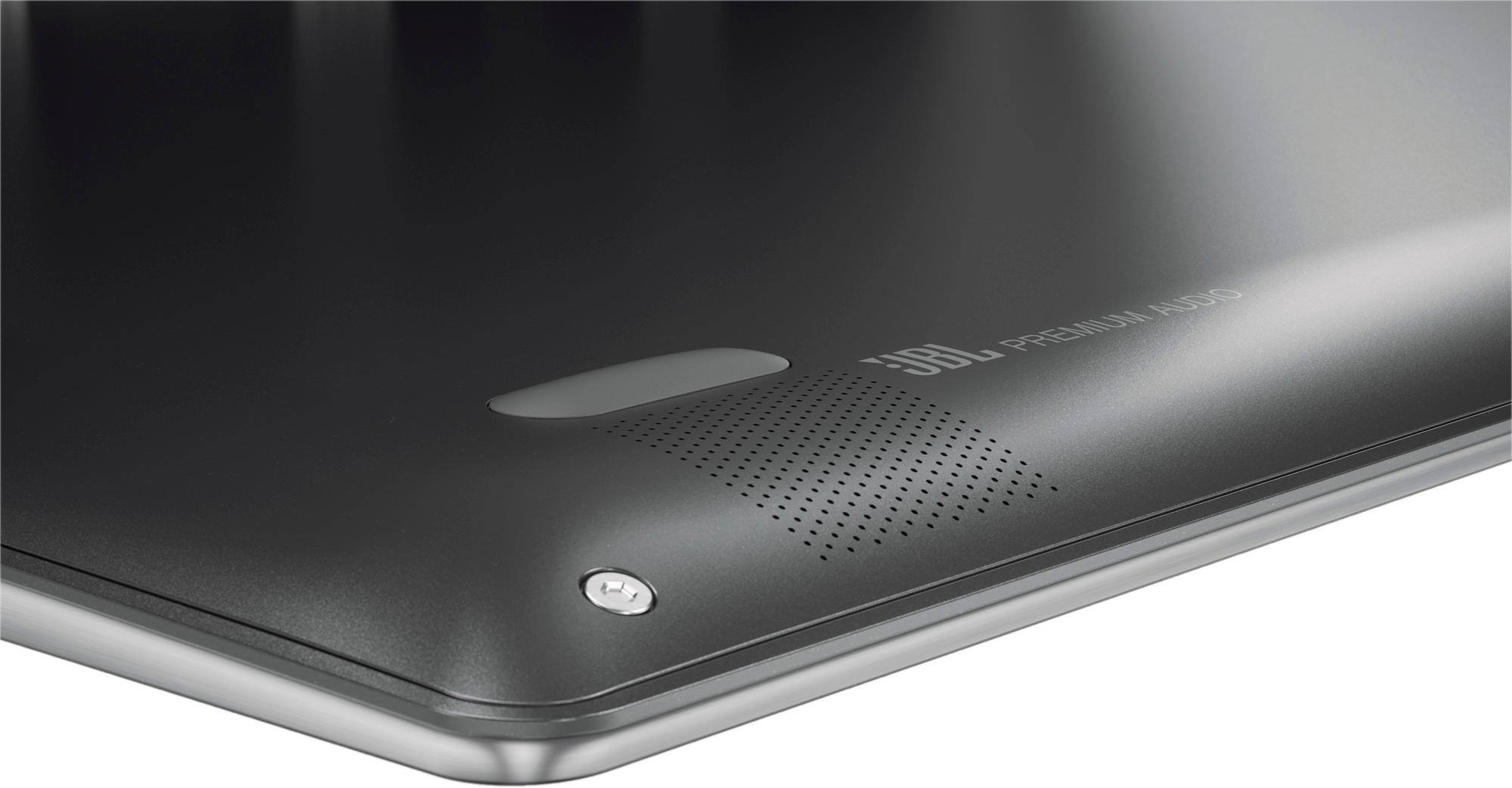
||Posted .This reviewer received promo considerations or sweepstakes entry for writing a review.Mighty powerhouse of an ultra light of a machine. Looked sleek. Was light, loaded. Good sound. All and all really nice for competitive price. The biggest turn off the touch pad. Although very responsive, smooth functionality. But the draw back: every once in a while slight touch, the cursor jumps off its current position and if you were in the middle of typing it throws you off. My daughter could not stand it since it was intended for her. Everything else she loved about it.
I would recommend this to a friendBrand response from Lenovo Product Expert
Posted .With regard to the touchpad, you can easily make adjustments to the touchpad in your system settings. You can get there by clicking on the magnifying glass at the bottom left of your Windows 10 screen. Type "touchpad" in the search window. Select "Mouse & touchpad settings" from the list of choices. You can make general adjustments to the touchpad there. You can also select "Additional mouse options" for more detailed adjustments to the touchpad sensitivity by increasing the delay of the touchpad.