Customer Ratings & Reviews




- Model:
- 80VGS00300
- SKU:
- 5612903
to a friend
Customers are saying
Customers highly value the Yoga 910's stunning screen quality, lightweight design, and impressive performance. Many appreciate its beautiful build and fast processing speeds, although some find the fan noise noticeable under heavy use. The comfortable weight is frequently praised, while a few users mention challenges adapting to the smaller shift key. Positive feedback also highlights the ample RAM and, for some, the long battery life.
This summary was generated by AI based on customer reviews.
- Pros mentioned:Screen qualityCons mentioned:Fan noise
Stunnning Laptop
||Posted .This reviewer received promo considerations or sweepstakes entry for writing a review.Let me first start off by saying that this is an awesome computer for the price. It handles really well with not a lot of issues. This is actually my second 910 model that I have purchased. Unfortunately, I had to return one as a result of a faulty keyboard. There was also an issue with the fan spooling up constantly when going online or doping heavy tasks. I am happy to report that the BIOS update seems to have fixed the fan issue, as I have not heard it since. The UHD 4K display is just stunning. I only wish that it had at least one thunderbolt 3 port like the new Hp Specters. The lenovo interface is also very user friendly. The finger print reader is also very responsive with windows HI. The camera is also a bit dodgy. I really wish it was a little clearer and placed on the top instead of the bottom of the computer. All in all this is an awesome computer with very little flaws. I also wish the processor was faster the i7 seem to be slower than my skylake i7. It took like 3 hours to configure and render videos. Hopefully there will be a fix to optimize CPU performance.
I would recommend this to a friend - Pros mentioned:Screen quality
I Love It - except for 1 thing
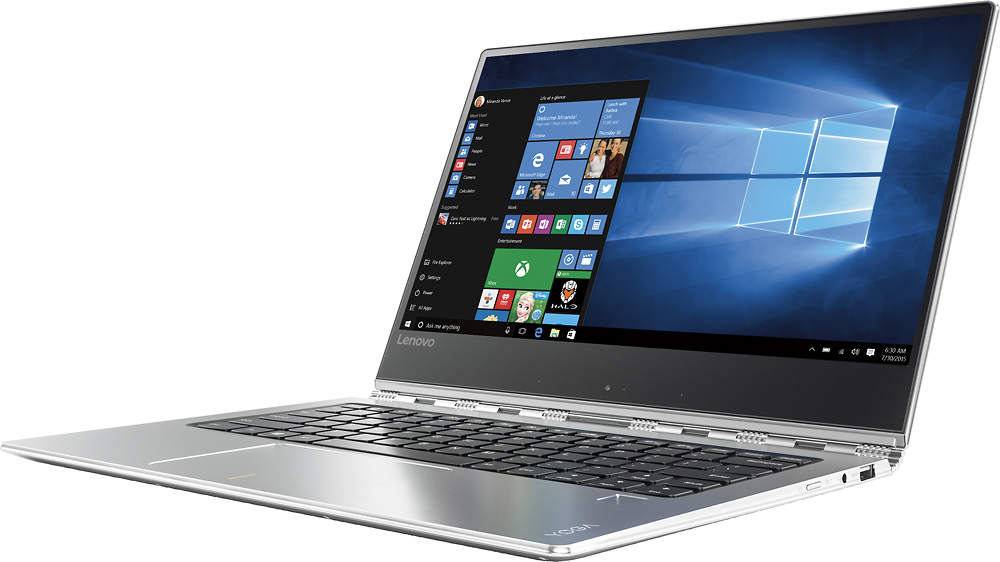
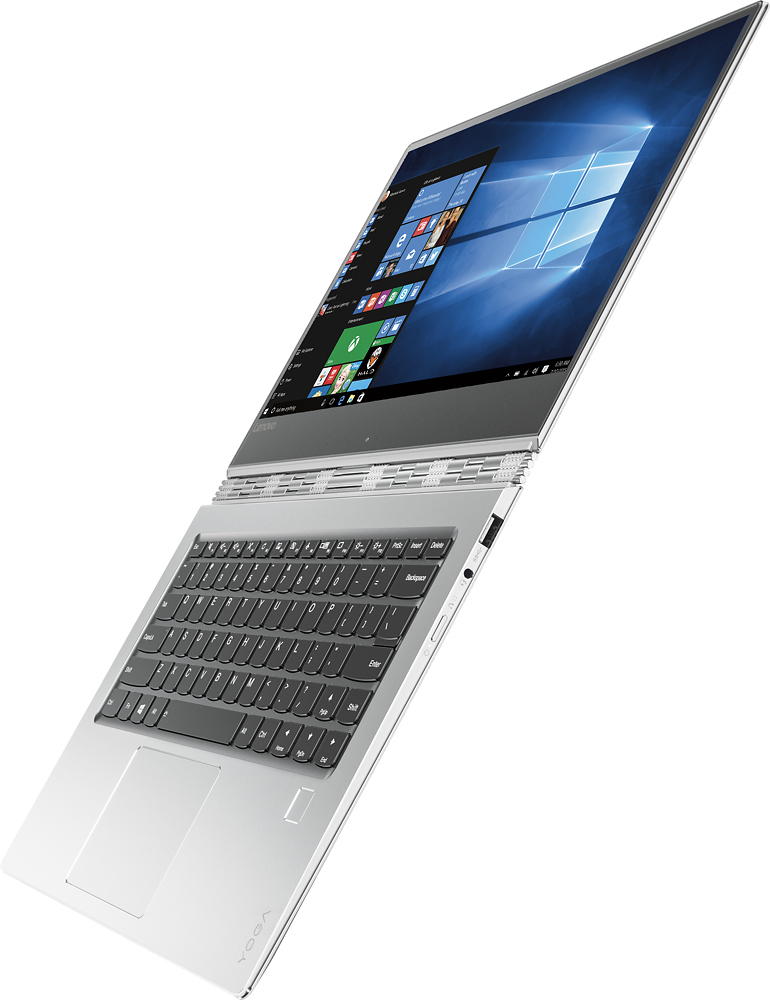
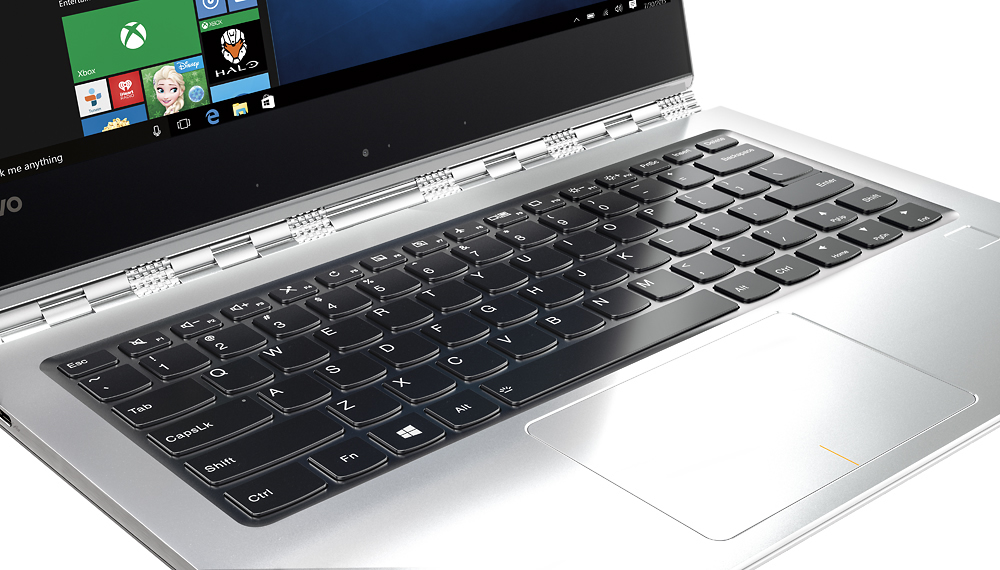
||Posted .This reviewer received promo considerations or sweepstakes entry for writing a review.This laptop has the most gorgeous display I've ever seen on a desktop or laptop. And the laptop itself is really a work of art - except for one minor flaw. The shift key on the right is not a regular shift key. It's divided into two. Now that would be ok with me if the half closest to my right little finger had been designated the shift. But unfortunately, the half that is closest to my right typing hand has been programmed as the 'page up' key. And the half that is further away has been programmed as the right shift key. My little finger doesn't reach it without raising my hand from the keyboard. I don't look at the keyboard when I'm typing, so it took me a while to understand why my password wasn't working. My password contains a capital letter that requires me to hit the right shift key, but unfortunately, I was hitting the page up key, so I kept getting a message that my password was incorrect. So now I know the issue and can deal with it. But it's a pain to have to raise my fingers off their usual spot in order to reach the right shift key instead of automatically hitting the page up key. It definitely slows down my typing and messes with the flow of my thoughts. I tried a few programs to re-program those two keys, but unfortunately, the shift keys and the page up keys are ones that are not allowed to be re-programmed. If not for this issue, it would definitely have gotten 5 stars from me.
I would recommend this to a friend - Pros mentioned:Battery life, Design, Processor speedCons mentioned:Fan noise
Best 2-in-1 ultrabook out there!
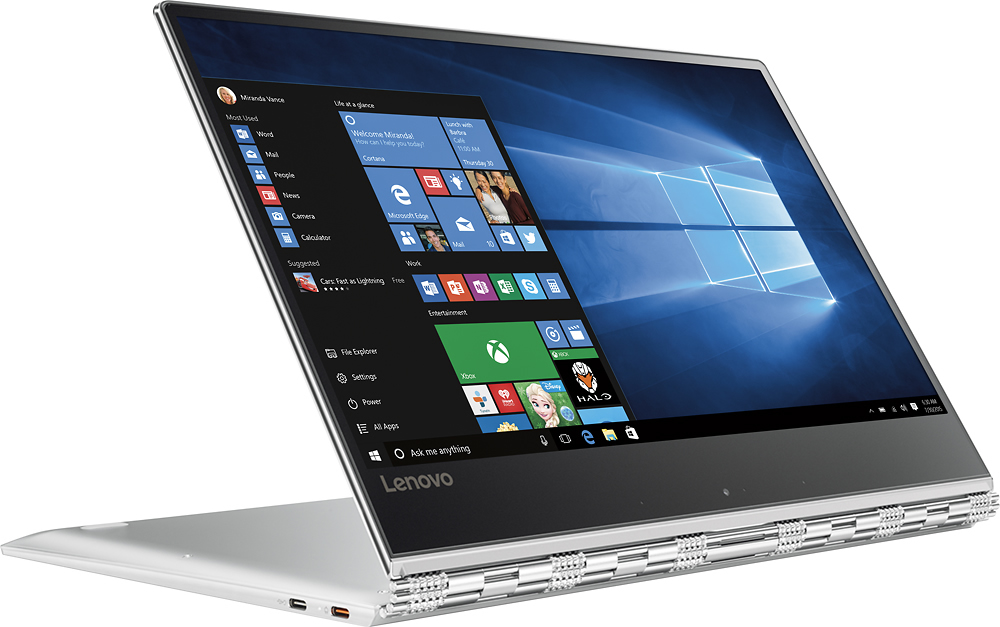
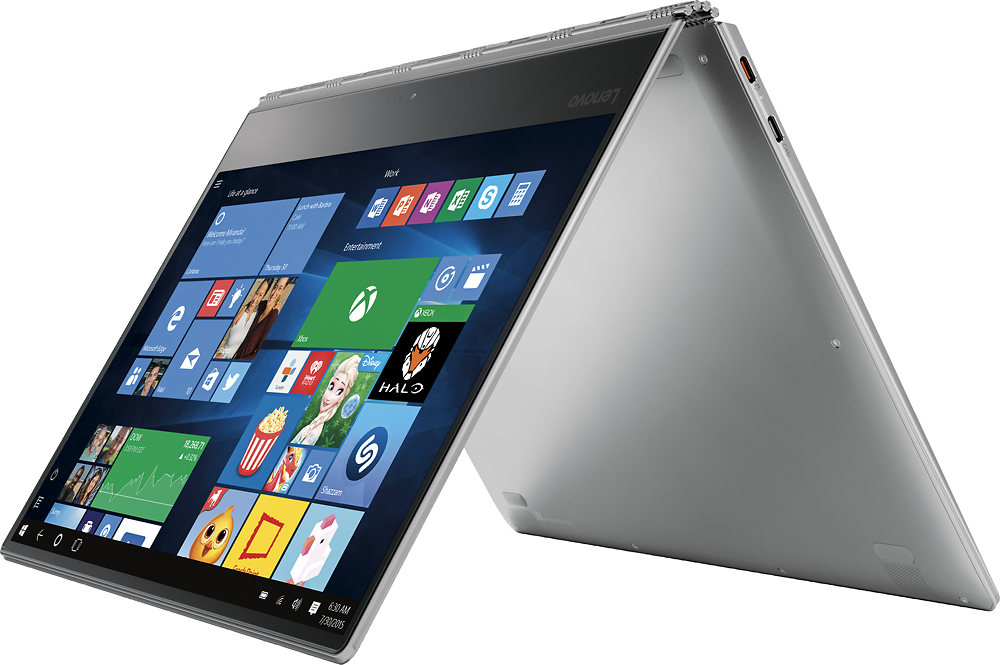
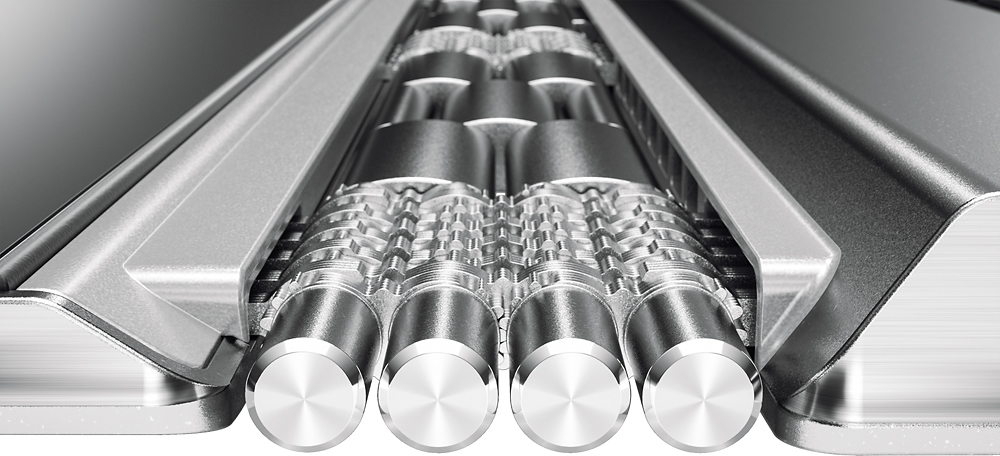
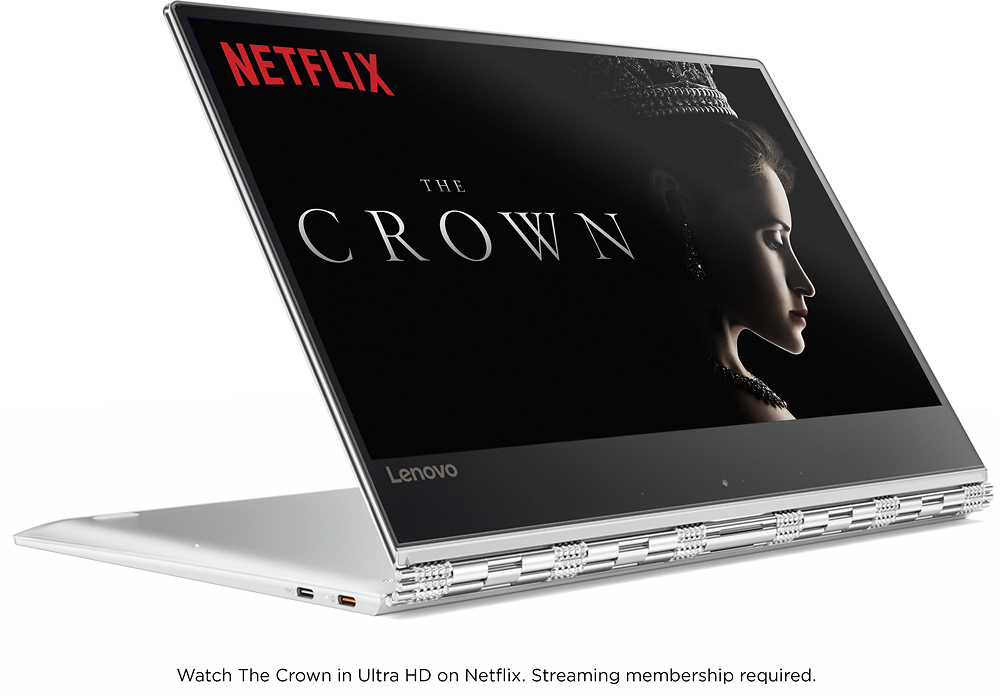
Posted .This reviewer received promo considerations or sweepstakes entry for writing a review.Disclosure: Lenovo Yoga 910 as part of the Lenovo INsiders program. All opinions are my own. The Yoga 910 refines essentially every flaw on last year's Yoga 900; with a drastically better keyboard and trackpad, larger display, smaller bezels, and much better battery life. Even though the Yoga 910 is 13.9" (almost an inch larger), it is the same exact size as the Yoga 900, meaning the sleeve for my Yoga 900 fits the Yoga 910 perfectly. Design- Just like last year's Yoga 900; the Yoga 910 has the same beautiful watchband hinge. The Yoga 910's hinge is actually much sturdier than the Yoga 900's hinge; which means that moving the display has much less wobble. This year though, the entire machine is made of metal. The sides are made of shiny, chrome metal, and the inside is covered with the all-metal unibody design. Resting my arms on the metal chassis feels great, since it's cool to the touch. Don't worry about the metal scratching; there's no scratches during the time I used it, and it's been carried in a backpack with a laptop slot. Also, the fingerprint sensor is super fast and responsive, awesome add-on. Performance- It's got the Intel Core i7-7500U processor, up to 16GB RAM and up to 1TB PCIe storage. It's as top of the line as any ultrabook this range gets. It zips through whatever I throw at it. I edited multiple videos on it, and noticed no glitching or stuttering. I was able to stream YouTube while rendering a video, and even though the fans kicked in a full throttle, the system still didn't stutter. Speaking of the fans, I noticed in the beginning that the fan was always on, even though I wasn't doing much. There's a BIOS update on Lenovo Support that drastically improves this: I barely hear the fan when I'm just web browsing or editing documents. The only time I hear it is when I stream videos or edit/render video. Keyboard & Trackpad- The keyboard is much more clicky and gives you more tactile feedback than the Yoga 900. The left shift key is also larger, but the right shift key is a bit on the short side. I got used to it in a few days, and I'm able to type my typical 80wpm on this keyboard. I could see writing a paper or essay very enjoyable on this keyboard. There's a huge improvement on the trackpad. This time, it's a Microsoft Precision Trackpad, which means you get a lot of gestures that you didn't get before. More importantly, scrolling, regular trackpad usage, and zooming is miles better than the Yoga 900. Everything is smooth, just like using the touchscreen. It's pretty amazing the drastic difference the Precision Trackpad has over the non-precision trackpad. Display- It's about an inch larger than last year's display, even though it has the same dimensions, because Lenovo cut down the bezels. Texts and photos are extremely sharp on the UHD display, and the display get very bright. I had no issues using it near direct sunlight. The colors are vivid, and it has a high contrast ratio that leads to crisp details. Battery- It has a 78Wh battery, which is 30Wh larger than the Yoga 900, and is considerably larger than the competitors out there. If you're really power hungry and need a lot of battery life, you should go with the FHD model. Lenovo says up to 15.5 hours with that display. I have the UHD model, in which I get 8-9 hours of mixed usage. Of course, the UHD display takes up more battery because of all the pixels it has to push out; but it's entirely up to your needs. Audio- The two JBL speaker with Dolby Audio sound pretty good. There's a Dolby app preinstalled that allows you to change what mode you want to be in. There's movie mode, music mode, game mode, and voice mode. You can also personalize it to your liking. Dolby also adjusts the audio output when you which modes, and by that I mean laptop mode, tent mode, tablet mode, etc. Tons of modes! Webcam & Microphone- It has a 720p HD camera with dual-array microphones. The camera looks good; but since it's located on the bottom, typing during a video call would block about one-fourth of the camera viewing angle. Since it's a Yoga, I suggest propping it up into either tent or stand mode, and use it that way. Conclusion- It's the best 2-in-1 ultrabook out there. It's by far the best looking out there, but also has top of the line performance, a wonderful display, amazing battery life, and an amazing unibody metal design. I'd say the only thing to really consider is FHD vs UHD. If you need the laptop to last a really long time on a charge, the FHD is the best option because you get 15.5 hours of juice. Otherwise, the UHD is the way to go.
I would recommend this to a friendBrand response from Lenovo Product Expert
Posted .Thank you for choosing the Lenovo Yoga 910-14. We are pleased to hear that the features and performance of the Yoga 910-14 meets your computing needs so well.

- Pros mentioned:Battery life, Processor speed, Screen qualityCons mentioned:Fan noise
Wonderful Laptop!
||Posted .This reviewer received promo considerations or sweepstakes entry for writing a review.Like many before me, I did lots of research on this product (and other comparable laptops - Dell XPS 13, HP Spectre 13, HP Spectre 360 - I did not consider a Mac as they are too overpriced for the specs you get) before I purchased. I chose this one due to the aesthetics, the specs, and the dark keyboard on the silver case (makes the keys really easy to see). All the computers I considered would have been adequate for my needs - office work when home, web browsing, email etc. There is a lot of comments about the fan noise and here is my take: When I first booted it up, I went straight to Windows Updates and took care of all of them (took about 30 minutes). The fan ran pretty continuously and loudly through that process (was not obnoxiously loud to me). I next went to Lenovo's website, created an account and then entered my product info (serial number). Once done, I clicked on support for this product and then went to the Drivers Update section. There were numerous driver updates including the BIOS update - all in all there was about 10 driver updates to take care of. I updated all of these (took 30 minutes or so) and the fan ran continuously and loudly through this process as well (again, not obnoxiously loud). Once that was done I added all my photos, documents, and music to the computer (130 gb of data). Fan ran intermittently and sometimes loudly though all that. After that was completed, I uploaded my non sensitive files to my Google Drive and the fan ran intermittently again. Once all this "homework" was completed, this laptop has been very very quiet (can barely hear it). Fan kicks in briefly now and again at a very low level for 10-15 seconds and to me, not bothersome at all. As a good reference, I have been using this computer this morning for work for the last 3 hours and I have heard the fan all of 4 times, each time being about 20 seconds then it shuts off. Of note, I will say that there was one Lenovo Driver Update that got "stuck" and kept trying to install itself so i had to go into Task Manager and stop the process as it was causing the processor to work at 30% and the fan would run continuously. I uninstalled that driver update, went to Lenovo's website and re downloaded it, reinstalled it and the issue resolved. I purchase a Logitech Anywhere MX2 Mouse to connect via Bluetooth and that frees up my USB type A 3.0 port and the 2, USB type C ports are free unless charging. I have no need for USB thunderbolt ports at this time so that was a complete non issue for me. Once all my personal 130gb of data was transferred, I will not need much in the way of fast transfer speeds or thunderbolt connections. To extend the battery life, I then went to the Power Settings and created my own Balanced settings that I prefer. I turned off all things that run in the background that I do not use and I am happy to say I am getting about 10 hours on a charge which is more than plenty for me. Regarding the keyboard, I find it stellar. The black keys with light grey letter/numbers on a silver case makes it extremely easy to see the keys, even in low light. When low enough the keyboard light turns on. The much mentioned Right Shift Key is different but has been a non issue for me after typing for a week. My fingers have already "learned" the new position and I have no more errors now than I do on a different keyboard. I recommend you download a 4k picture and use it as the desktop background as this will show you what the screen is capable of....stunning actually. I have used this laptop now for about a week since all the above was done and I have found that it is lightening fast, runs quiet and cool, looks amazing and has been a pleasure to own.
I would recommend this to a friendBrand response from Lenovo Product Expert
Posted .Thank you for choosing the Lenovo Yoga 910-14. We are pleased to hear that the performance of the Yoga 910-14 meets your computing needs and expectations so well.
- Pros mentioned:Screen quality, WeightCons mentioned:Fan noise
Overall it's a good, portable laptop
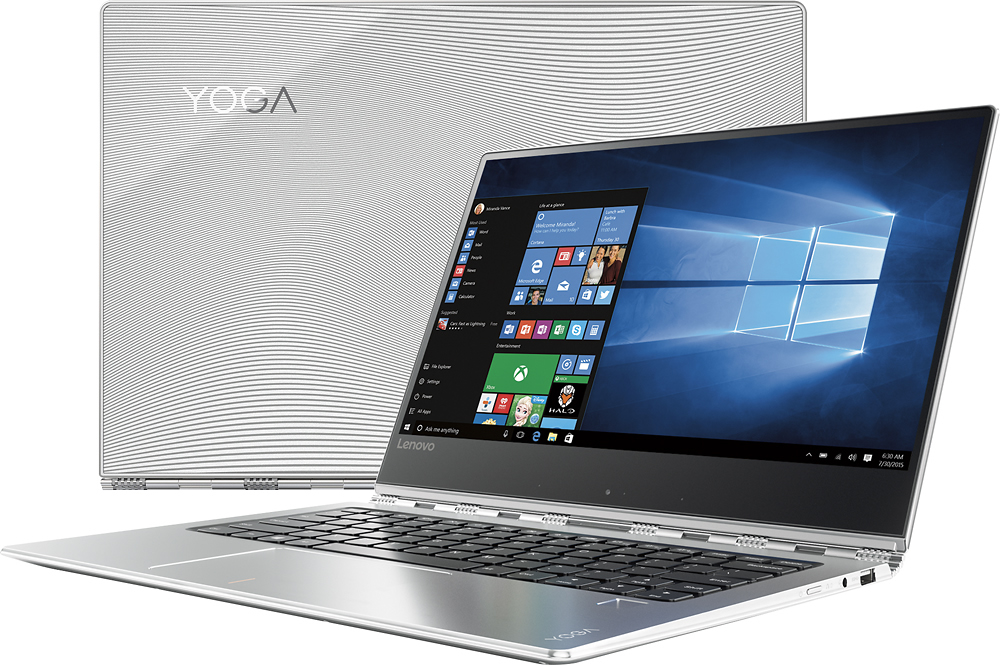
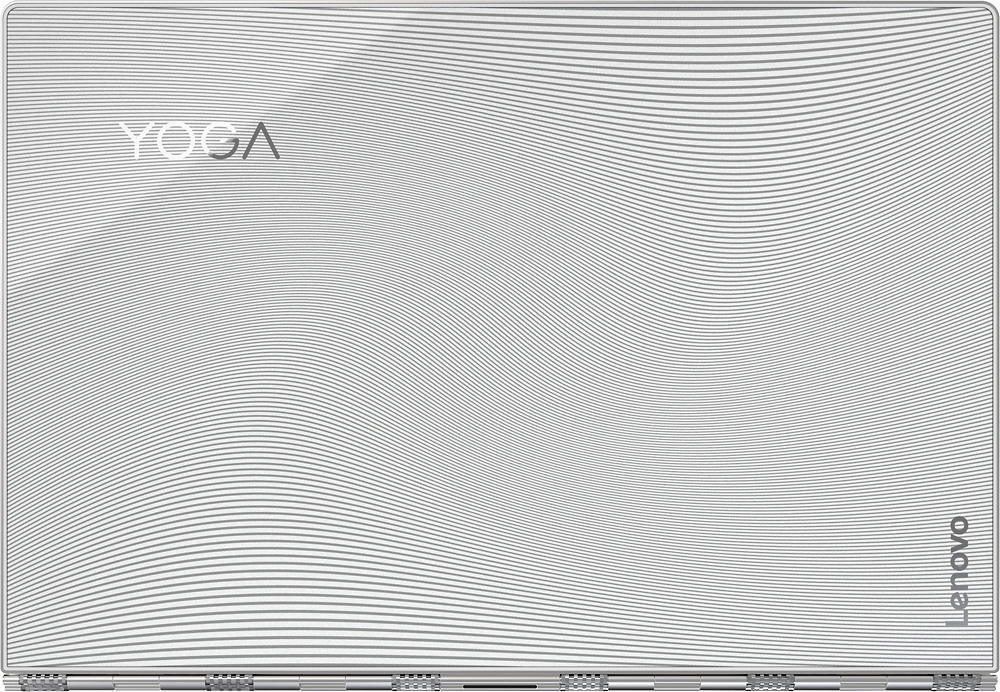
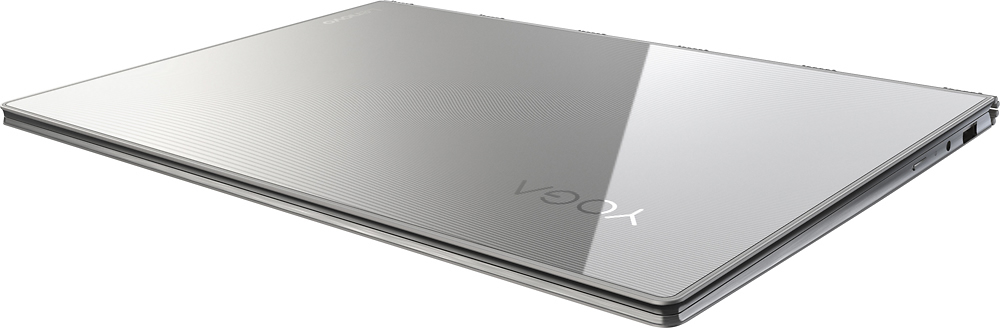
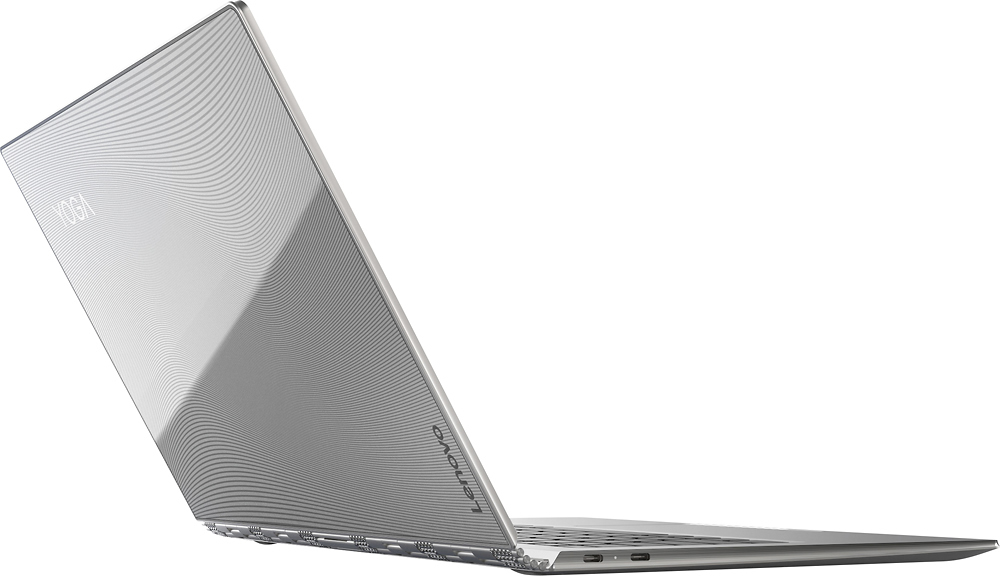
||Posted .This reviewer received promo considerations or sweepstakes entry for writing a review.I've had my Yoga 910 (glass edition) for about a month now. Overall, it fits the requirements that I had when deciding which laptop to buy; 16gb of ram, i7 CPU, reasonable sized HDD and a decent touchpad. It's super fast to boot up, is lightweight and the screen is crisp and clear. Did some of the negative / less than stellar reviews concern me? They did, but I decided to find out for myself whether the main concerns are deal breakers for me. The main things that stood out were a loud fan and the keyboard layout (specifically the positioning of the right shift key). About the fan: Is it loud? Not in my opinion. Can you hear it at times; yes. It's no louder than my old-ish MacBook Air and much quieter than my ancient Dell XPS i7 laptop. So for me; it's not an issue. How about the keyboard layout? It's frustrating to say the least. If there was any significant downfall to this laptop it's the keyboard layout. Yes, there are ways to remap those (which I haven't yet done). It's just a poor design to begin with and really no reason that I can think of why it was done this way. Unexpected problems? Some applications don't scale well on a 4k monitor (I'm looking at you, Quicken). As with the keyboard problem, there are ways to tweak that if you run into it. So, there it is. Overall I'm happy with this laptop and would buy it again. My suggestion is to hear for yourself about the fan noise. That's a fairly subjective thing so what's loud to one person might be just a whisper to another. But this keyboard; ish! I've got a feeling I'll be remapping keys soon.
I would recommend this to a friend display problem
||Posted .This reviewer received promo considerations or sweepstakes entry for writing a review.there are some display problems. some menu bar is partially visible, some words are not clear, some word are too small.
No, I would not recommend this to a friendBrand response from Lenovo Product Expert
Posted .This system has a 4K resolution screen. Some programs are not compatible with this high resolution. You can adjust the resolution and the size of the desktop icons by right clicking on your desktop. Select "Display settings" from the pop up window list. Change the size of text etc. there.
- Pros mentioned:WeightCons mentioned:Fan noise
Great but runs hot and loud with bad keyboard
||Posted .This reviewer received promo considerations or sweepstakes entry for writing a review.I've had the Leveno Laptop for about a month now. Pluses are that it is everything it's advertised to be, it's light, and future forward. However there are significant downsides. The biggest problem in use was poor placement of the right shift key which makes it difficult to get used to entering shift for keys on right side. The biggest design problem is lack of enough vents that don't simply vent into the metal band (which gets very hot). When the fan kicks on, it makes quite a bit of noise and generally it's running 80% of the time. Additionally, the machine will lockup for a brief period of time when it gets too hot. This essentially means the pointer disappears for 10 seconds when this occurs. Haven't read reviews before hand, I don't think the reviews I read did enough to point out these issues. They did mention them but even professional reviews did not make that point clear enough. As a result, while the machine is overall great and fast, it has some significant issues I'm hoping drivers will later fix. As a result, I would suggest paying careful attention to these issues as they are real and will be known within 30 minutes of using the machine.
No, I would not recommend this to a friendBrand response from Lenovo Product Expert
Posted .This system should never run hot enough to force the system to stop performing, especially if the fan is running 80% of the time. We recommend you take your Yoga 910-14 in to your local Best Buy and have the Geek Squad analyze the system to be sure the heat issue is not a problem. There is a BIOS update to fix the fan noise issue, but you first need to see if there is an overheating issue with this system. Once you have the overheating issue corrected, there is a free software APP called KeyTweak that may help you. You can switch the key functions of specific keys on your keyboard with this software, so you could change the right shift key with the key you hit in its place. Just Google search "KeyTweak" and you will find articles about what the software does and you will find the download location for this free APP.
- Pros mentioned:Processor speed, Screen qualityCons mentioned:Fan noise
Exactly what I wanted!
||Posted .This reviewer received promo considerations or sweepstakes entry for writing a review.This laptop has everything I wanted: it's super thin and light, looks great, and is maxed out on the specs ... latest processor, tons of RAM, ultra high def display, large SSD, etc. The only thing it's missing is a discrete video card, but since I won't be using it for gaming, no big deal. As others have stated, the only real negative is the fan noise. The fan cycles on and off quite a bit, and when it's at max, it is pretty loud. But for me, it's not a big deal. This thing is so thin and yet so powerful, I'm sure that cooling was a major challenge to the designers. It's a small price to pay for the rest of the awesomeness. One other thing that I really love about this laptop is the fingerprint scanner. It is small and discrete, yet makes logging into the PC and LastPass so quick and easy. In addition to the Yoga, I was considering the Dell XPS 13 and the HP Spectre 360. The Yoga was the only one available in a 14" size, which was perfect for me. 13" seemed too small, yet 15" seemed too big and heavier than I wanted. Plus the Yoga is the only one with the integrated fingerprint scanner. I love this laptop!
I would recommend this to a friend - Pros mentioned:Processor speed, Screen quality
Great laptop with a few things to be wished for
||Posted .This reviewer received promo considerations or sweepstakes entry for writing a review.Overall, this laptop is great. The 4k screen is crystal clear, the 16GBs of DDR4 ram is very appreciated, the SSD read speeds are blazing fast & write speeds are not bad, and the i7-7500u CPU is very snappy! Yet there are some things that this laptop still has me wishing for... For one, the right shift key is smaller when compared to most standard keyboards; it took me about a week to train my pinky to get used to it so i wouldn't hit the up key but it would have been more ideal if Lenovo just stuck to a more standard & familiar keyboard layout. Secondly, there are two USB type C ports, one of which is USB 2.0 (used for charging) and the other which is USB 3.0 (used for data transfers and display out)... not sure why Lenovo didn't make both of these ports Thunderbolt 3 (or at least one of them) as this would have made the Yoga 910 more versatile and future proof. Lastly, the bottom bezel of the screen is extremely thick and not to mention, the camera is placed there... the bezel doesn't bother me much but i did wish it was not as thick. as for the camera, it makes it hard to carry video calls when the top half of your head is cut off and all the camera can show is the inside of your nostrils... Gripes aside, one thing for sure though is that at this price-point of $1299, you won't be able to find a laptop with equivalent or better specs. *There are some reviews that this laptop has loud fan noise. I can confirm that it did have loud fan noise when i first purchased it but on 12/14/2016, Lenovo released a BIOS update to address and optimize the fan noise. Since updating the BIOS, i have noticed a reduction in the fan noise (at least 40% quieter) so kudos to Lenovo on addressing that issue.
I would recommend this to a friendBrand response from Lenovo Product Expert
Posted .Thank you for choosing the Lenovo Yoga 910-14. With regard to the right shift key issue you mention, there is a free software APP called KeyTweak that may help you. You can switch the key functions of specific keys on your keyboard with this software, so you could change the right shift key with the key you hit in its place. Just Google search "KeyTweak" and you will find articles about what the software does and you will find the download location for this free APP.
- Pros mentioned:Battery life, Screen qualityCons mentioned:Fan noise
Great laptop, nice size
||Posted .This reviewer received promo considerations or sweepstakes entry for writing a review.I have been using this laptop for 6 weeks now and really like it. The display is fantastic! I love the high resolution. So far battery life looks great. Some folks have commented on a high-pitched fan noise, but I have not noticed it. The fan runs less than that of my older laptop and is quieter. I like that there are no vents on the case bottom, air enters and leaves at the hinge. That means you can actually set it in your lap without worries of blocking the cooling vents. :-) This is my first laptop with a touch screen. I used to think a touch screen on a laptop was silly but find I use it whenever I am scrolling, it is much easier than scrolling using a touchpad. And the touchpad is no slouch, either, it is a great touchpad. Something to consider if you are coming from a laptop that has a plastic case -- the metal case sucks the heat from your palms if you rest them on it while typing. I find this to be a very minor annoyance, though. It encourages good typing posture, eh? ;-) I am OK with the AC adapter using USB-C, but wish the real USB-C connector was not right next to the power USB-C connector. I sometimes confuse them. No harm done, just some head scratching, "Why won't the external display work? ... Oh, plugged it into the power USB-C again." All in all a great laptop, but pricey.
I would recommend this to a friendBrand response from Lenovo Product Expert
Posted .Thank you for choosing the Lenovo Yoga 910-14. We are pleased to hear that the features and performance of the Yoga 910-14 meets your computing needs so well.
- Pros mentioned:Screen qualityCons mentioned:Fan noise, Shift key
Amazing overall laptop, slight annoyances
||Posted .This reviewer received promo considerations or sweepstakes entry for writing a review.This laptop wasn't actually my first choice as a new laptop, but the Best Buy I went into had a open box special edition 4K screen, glass top, and it's even a numbered edition. I love the specs and they're all top of the line and very premium. The only two issues: the fan noise, the camera position, and the small right shift key. The fan noise was literally unbearable and I had to change the BIOS configuration to a Quiet Mode that was specially made to reduce fan noise. The noise is basically gone, but it's still much louder than my other laptops at times. The camera is in the bottom bezel and is completely awkward and a terrible angle. I see this was rectified in the new Yoga 720. The right shift is extremely small (also rectified in the 720) and is just a slight annoyance. Overall, I definitely do love this laptop, but if I wasn't able to make the fan noise go away, this would have been returned in a day.
I would recommend this to a friend - Pros mentioned:Processor speed, Screen quality, WeightCons mentioned:Fan noise
A nice laptop
||Posted .This reviewer received promo considerations or sweepstakes entry for writing a review.This is a fast, lightweight and well built laptop. My work has lots of travel and its easy to take this. I read about the noise that is annoying when this laptop is put into demanding tasks. My usage is generally simple and i rarely hear that noise. But yes when you hear that noise it is a bit annoying sometimes. This one problem doesnt let this laptop down. Overall this one is great!!
I would recommend this to a friend - Pros mentioned:Battery lifeCons mentioned:Fan noise
Beautiful Design - Easy Use - Ultrabook
||Posted .This reviewer received promo considerations or sweepstakes entry for writing a review.I have been reading a lot of these reviews for some time before purchasing this laptop. I was looking for a laptop that i can carry with me when going to coffee shops. Please the main issues everyone brings up is FAN and SMALL Right Shift Key. Here is what i think after a day of use. Fan does ramp up but has been very rare for me, unless you are using this laptop for gaming or above average use yes the fan will be heard. not bad enough that i would send this back or complain about it. Shift key not an issue for me since i am left handed never use the right shift key. So i have no issues with this. Look at the product pictures to see if you have an issue with this key. This laptop did not have any bloatware. The battery life on this is great for a day of updating system and surfing the interwebs. I would say i got around 8 hours +. I only have one issue and i know this happens with all devices is the Hard drive. It advertises a 512 GB hard drive but you only have 475 GB showing. That would be 37 GB missing from the 512 GB being sold. So after that little issue still enjoying this laptop and hope you get something out of this review.
I would recommend this to a friendBrand response from Lenovo Product Expert
Posted .Thank you for choosing the Lenovo Yoga 910-14 Limited Edition model. With regard to the 37GB of space not available to you on the hard drive, that is the space used by the operating system, drivers and other support software. We are pleased to hear that the features and performance of the Yoga 910-14 Special Edition meets your computing needs so well.
- Pros mentioned:Design, Processor speed, Screen quality
Happily Surprised
||Posted .This reviewer received promo considerations or sweepstakes entry for writing a review.I was originally focused on getting a Windows Surface Pro but after looking in my checkbook I started looking at something more my pricepoint with as close to the best features I could find. This first choice has been in use for one month now; I am very happy with it. I did use a tip from another Yoga user to use KeyTweak to switch the Page Up key with the Shift key; worked like a charm and I've had no other issues at all (the shift key is located on the very edge of the keyboard which caused me too much grief). The best part is that it is crisp, clear, very portable, stylish and fast. I have no buyers regret!
I would recommend this to a friend - Pros mentioned:Battery life, Screen qualityCons mentioned:Fan noise
Great 2 in 1
||Posted .This reviewer received promo considerations or sweepstakes entry for writing a review.I work in IT and am a student. This thing is a nice little powerhouse that gets done everything I need it to. Battery life is great, screen is crystal, sound is good, fan noise when I first got it was high especially because I was installing all my programs and files. But the fan noise was addressed with an update from Lenovo before I got it, just needed to install. Trackpad is great and the touchscreen is perfect. I don't care much for videochat and don't use that feature for much of my work so the "nosehair" cam is not an issue for me. The right Shift key does take some getting used to. If you don't want to retrain yourself, there are ways to rebind the keys that you can look up online. All has been great. "No Ragrets!"
I would recommend this to a friend - Pros mentioned:Processor speed, WeightCons mentioned:Fan noise
Great laptop
||Posted .This reviewer received promo considerations or sweepstakes entry for writing a review.This is a great laptop. I love the finger print scanner. It's pretty accurate. I love the USB-C ports as well as the traditional ones. Others have mentioned a loud fan, but I don't have any complaints about fan noise. It's pretty fast, it never lags or slows down. My internet is even very fast even though I have a very weak connection (Verizon hotspot device). And I absolutely love how light and sleek it is. My only complaint is that the battery didn't seem to last as long as stated. I usually only get around 3-4 hours of very basic internet browsing. I have tested the battery capacity though, and the battery test says it's performing at maximum capacity. Overall I love this laptop and do not regret this purchase.
I would recommend this to a friend - Pros mentioned:Design, Screen qualityCons mentioned:Fan noise
Lovely Computer
||Posted .This reviewer received promo considerations or sweepstakes entry for writing a review.Love this computer. Beautiful screen. Sleek design. I purchased the FHD first and returned it back for the UHD because I loved the glass cover with the special edition. The UHD is better in resolution of course, but the two main differences that I noticed was the battery life with the UHD is less (which is a given and stated on their website) than the FHD, and also I hear the fan noise when the computer is working on multiple tasks (the fan noise doesn't bother me-it sounds like a jet taking off). All in all, I love this computer and no complaints. I chose this computer over the NEW MacBook pro. It only made sense. I'm a MacBook person, but until Apple gets a touchscreen, I'll be staying with a PC.
I would recommend this to a friend - Pros mentioned:Battery life, DesignCons mentioned:Shift key
Still learning but excellent laptop
||Posted .This reviewer received promo considerations or sweepstakes entry for writing a review.I read many reviews about this laptop before purchase. The main issue I read was on the shift key placement. It is a bit different but it's a laptop, not a standard keyboard. If it was placed in any other format I'm sure others would complain about the arrow keys not being in good position. Not an issue to keep you from purchasing. This laptop's battery life is amazing, it's sleek, great for flights when your fellow traveler in front of you chooses to recline (just go to tent mode), fingerprint reader is great. Truly a great purchase. Like I said, still learning much about Windows 10 and so on but this laptop is great for upgrade.
I would recommend this to a friend - Pros mentioned:Weight
Powerpacked
||Posted .This reviewer received promo considerations or sweepstakes entry for writing a review.Powerpacked. We like that it has 4K so we can also connect to a bigger SMART TV with 4K. It is a limited production so it seems some sort of a collector's item. It is classy and light so easy to bring when travelling but not meant to be turned on for a long time. It crashed a few times perhaps because it has a small on board drive. We had to buy more accessories to extend the ports and those can be pricey. Trouble with ultrabooks is that there are limited ports and when my iPhone crashed, I have to do it directly on the USB port and had to remove the hubs so my mouse cannot be used.
I would recommend this to a friend - Pros mentioned:Screen quality, WeightCons mentioned:Fan noise
Amazing Laptop!
||Posted .This reviewer received promo considerations or sweepstakes entry for writing a review.I was really needing a new laptop and almost made the jump to Apple, but I am glad to have stuck to my comfort zone of windows This is super lightweight and easy to carry around. The screen displays beautiful picture. I dont use the touchscreen portion or tablet mode all that often since I have a Samsung tablet I use when needed, but its nice to have the option. I will agree with other viewers that the fan noise does get loud at times, but for the most part the computer is silent. Would recommend this to anyone needing a new computer. The glass lid adds a nice aesthetic.
I would recommend this to a friendBrand response from Lenovo Product Expert
Posted .Thank you for choosing the Lenovo Yoga 910-14. With regard to fan noise, you may want to try this BIOS update: http://support.lenovo.com/us/en/products/Laptops-and-netbooks/Yoga-Series/yoga-910-13ikb/80VF/007TUS/downloads/DS119202