Customer Ratings & Reviews



- Model:
- F0E50000US
- SKU:
- 6325579
Rating by feature
- Value
Rating 4.1 out of 5 stars
- Quality
Rating 4.3 out of 5 stars
- Ease of Use
Rating 4.4 out of 5 stars
Customers are saying
Customers recognize the Yoga A940's large screen size and strong performance as significant advantages, frequently praising its ease of use and the convenient wireless charging feature. However, some users have noted that the fan can be noisy at times and that the included pen could be improved. Concerns were also raised regarding the device's tendency to overheat.
This summary was generated by AI based on customer reviews.
Big!
||Posted .This reviewer received promo considerations or sweepstakes entry for writing a review.Great! Has a stylist pen and pad for doing signatures or drawing.
I would recommend this to a friendBrand response from Lenovo Product Expert
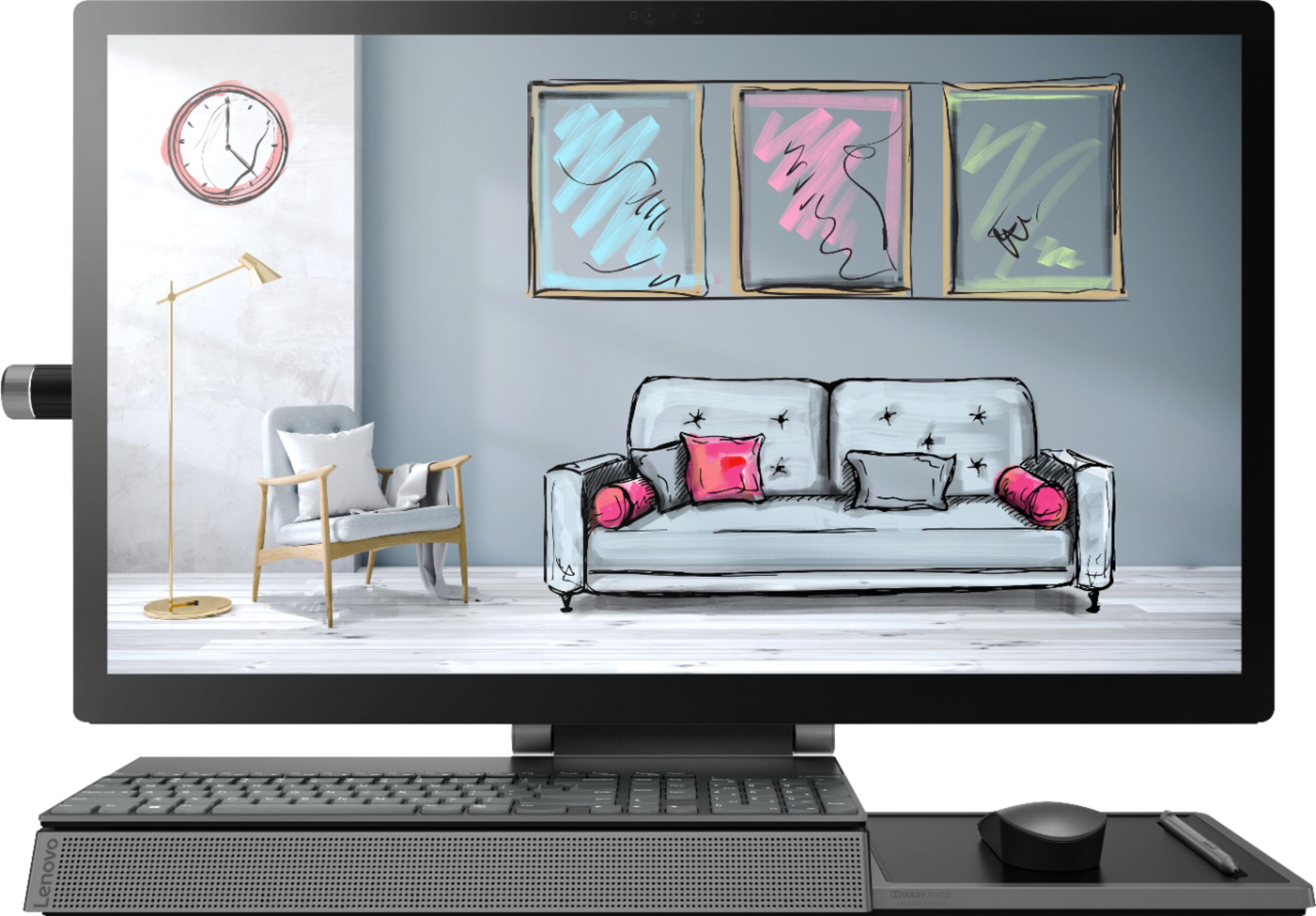
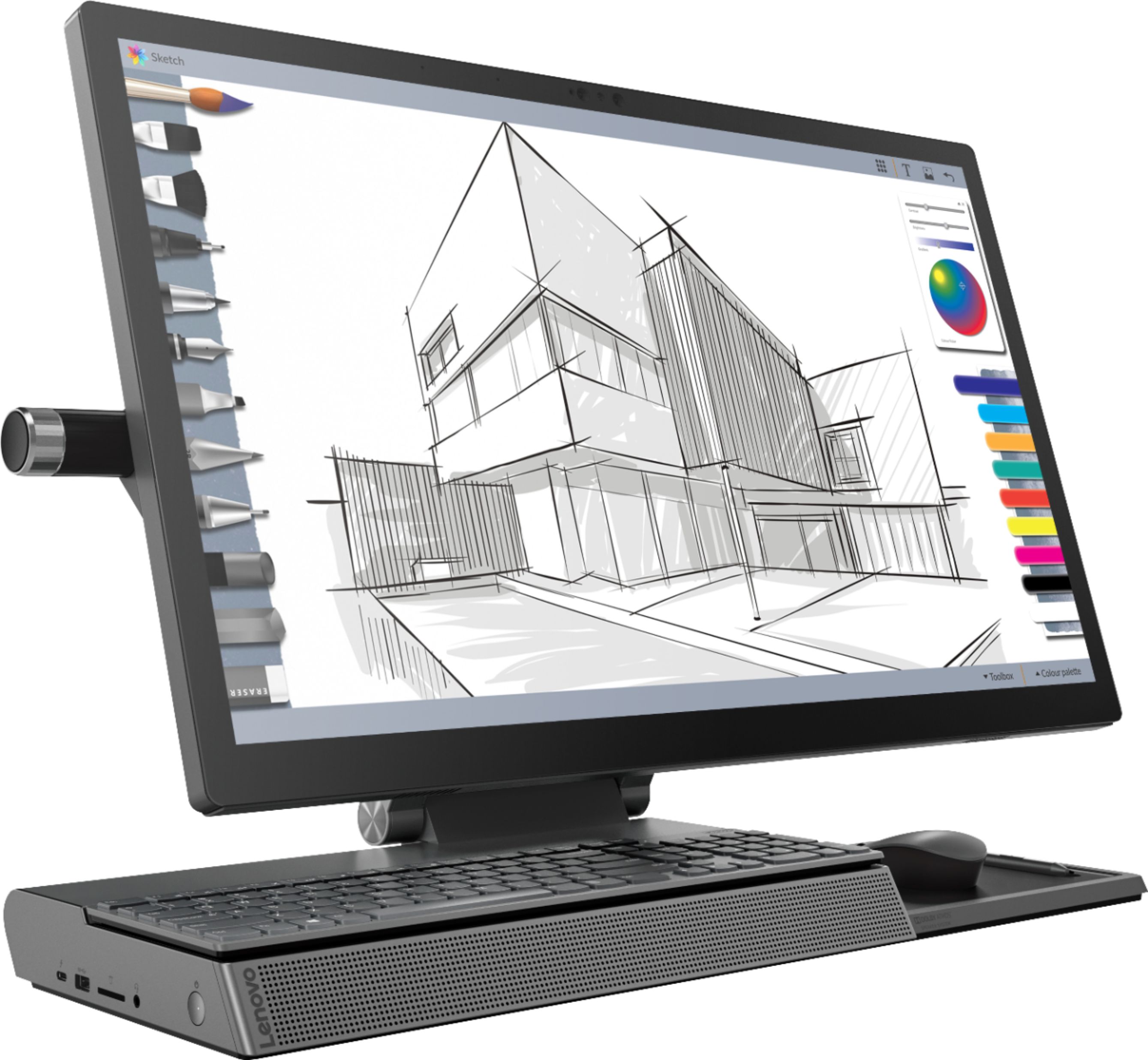
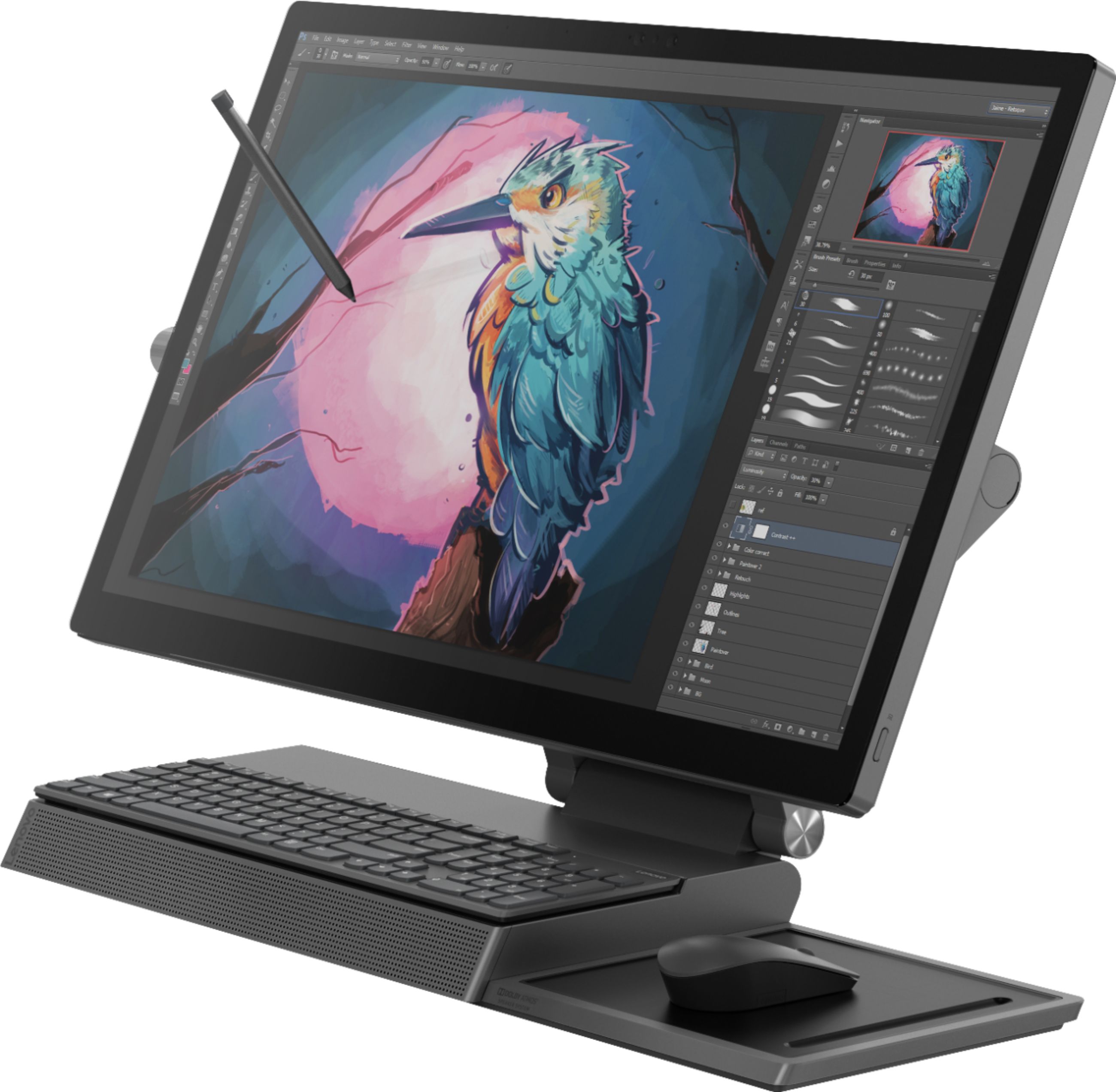
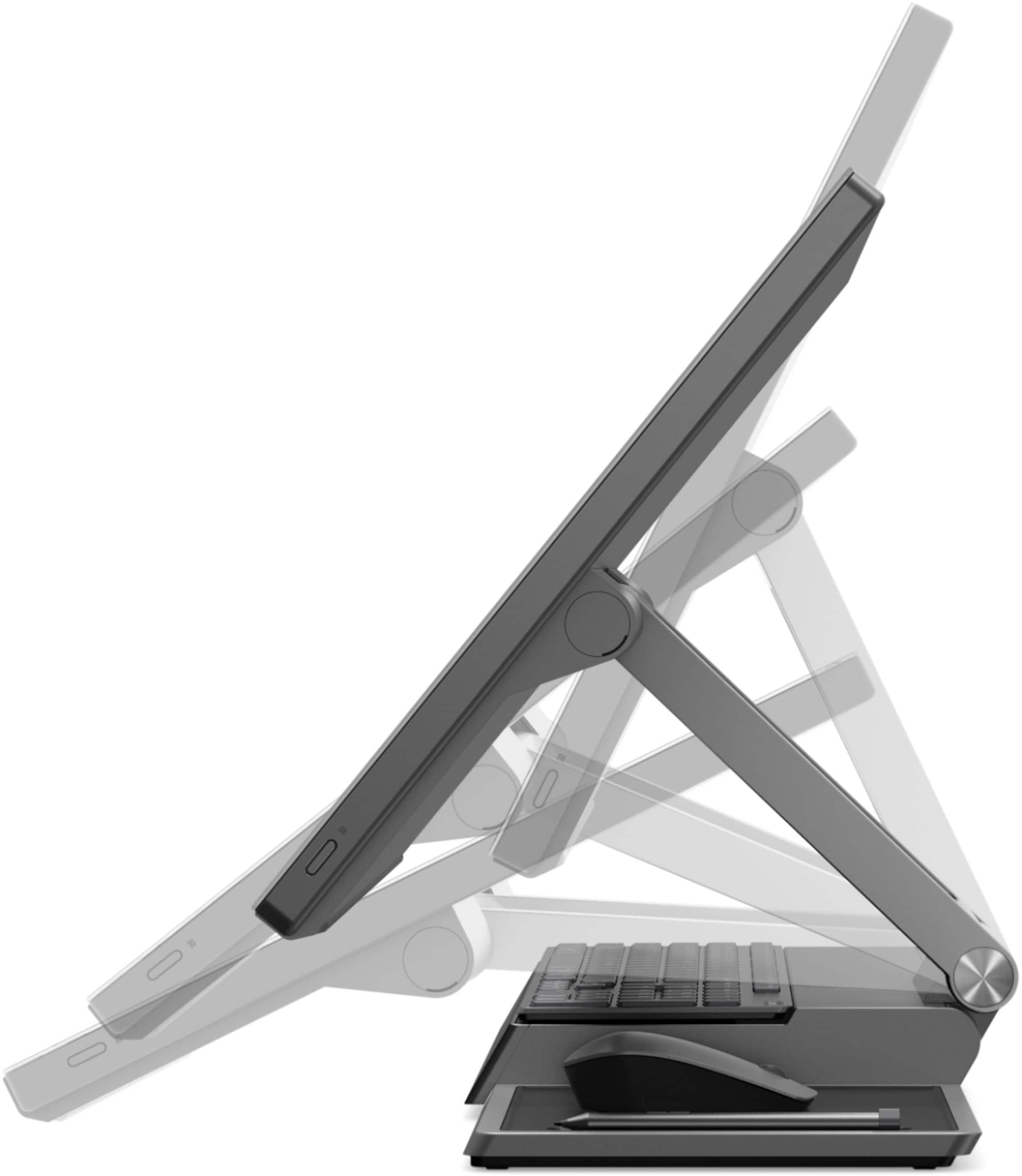
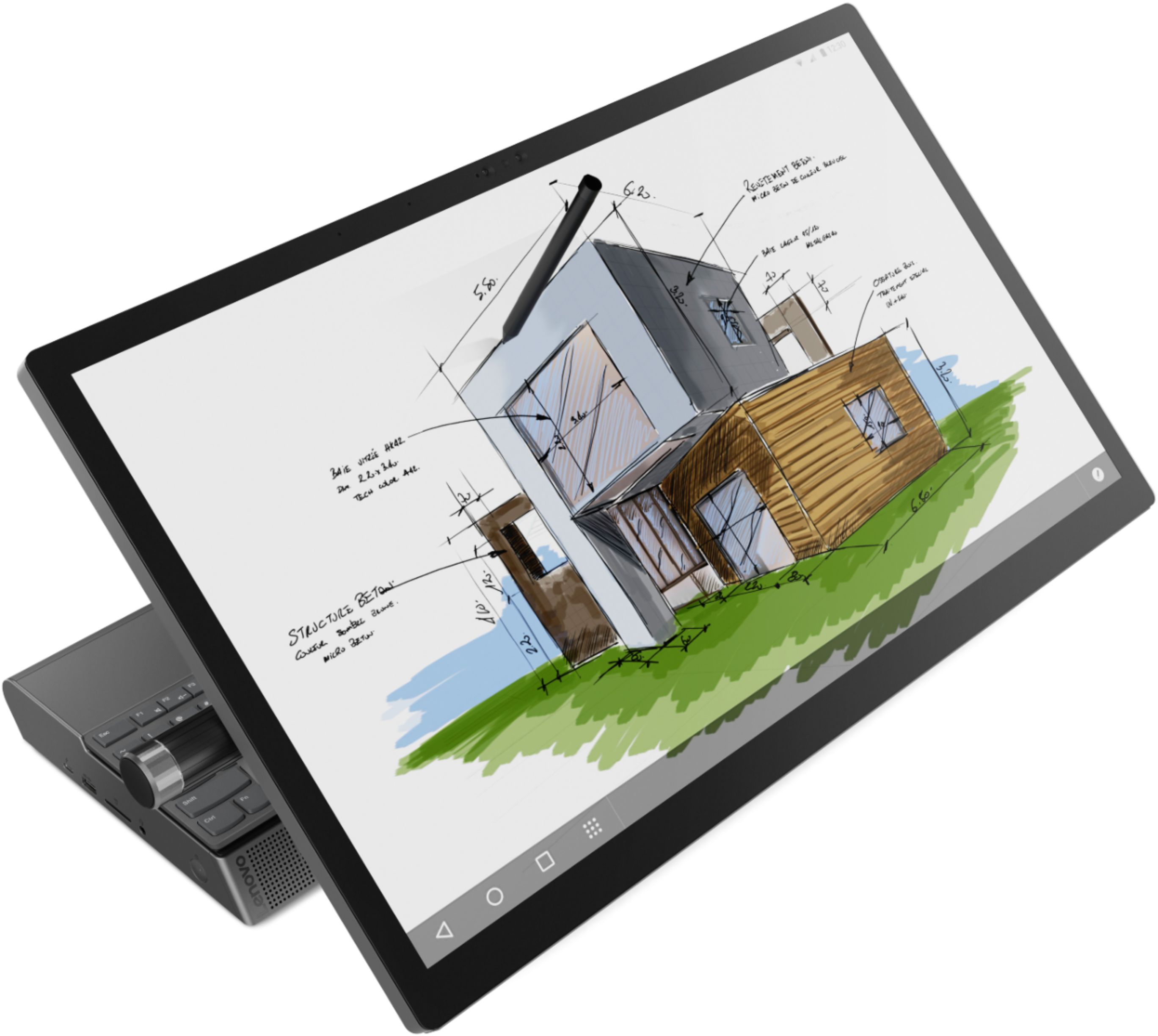
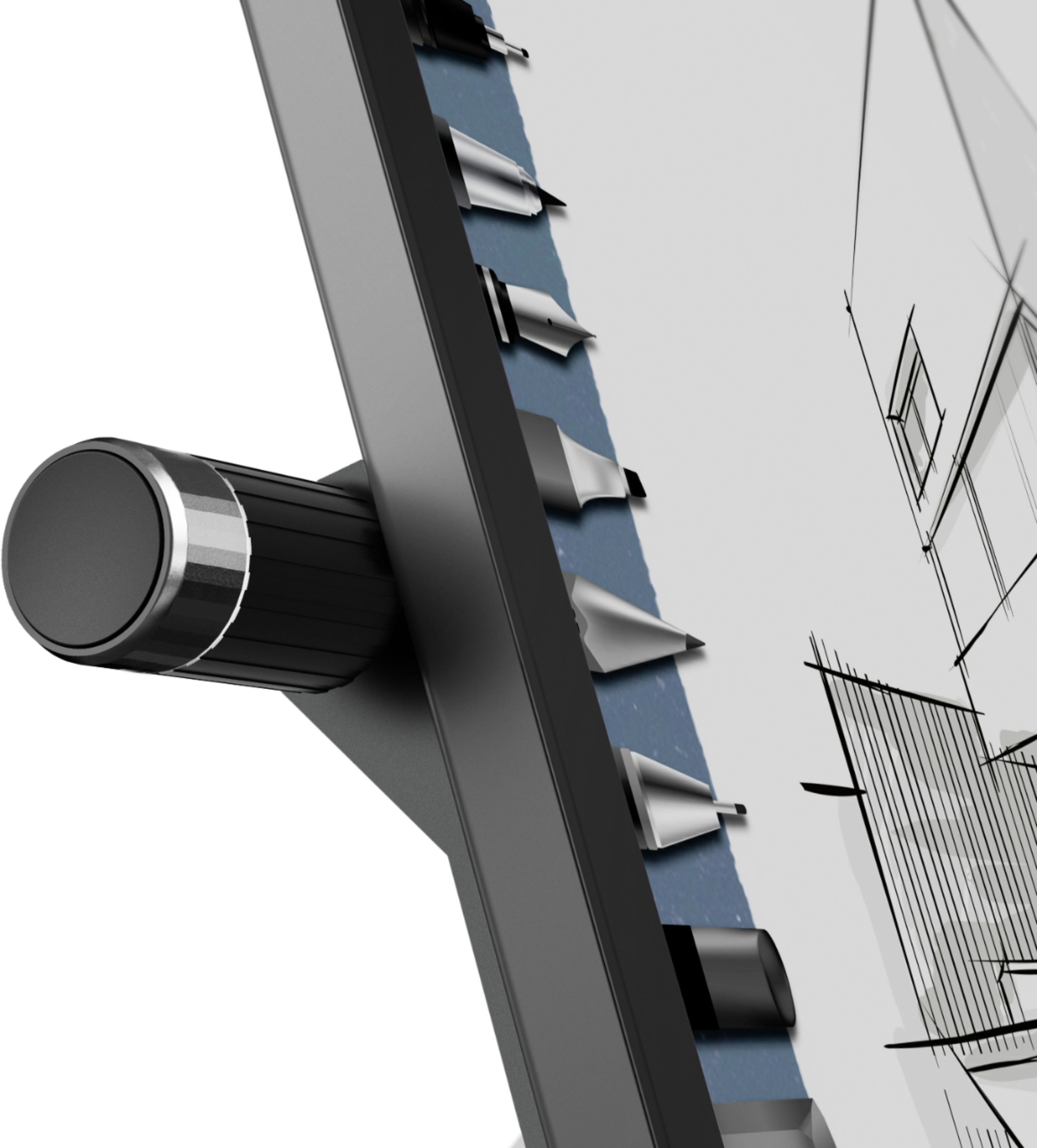
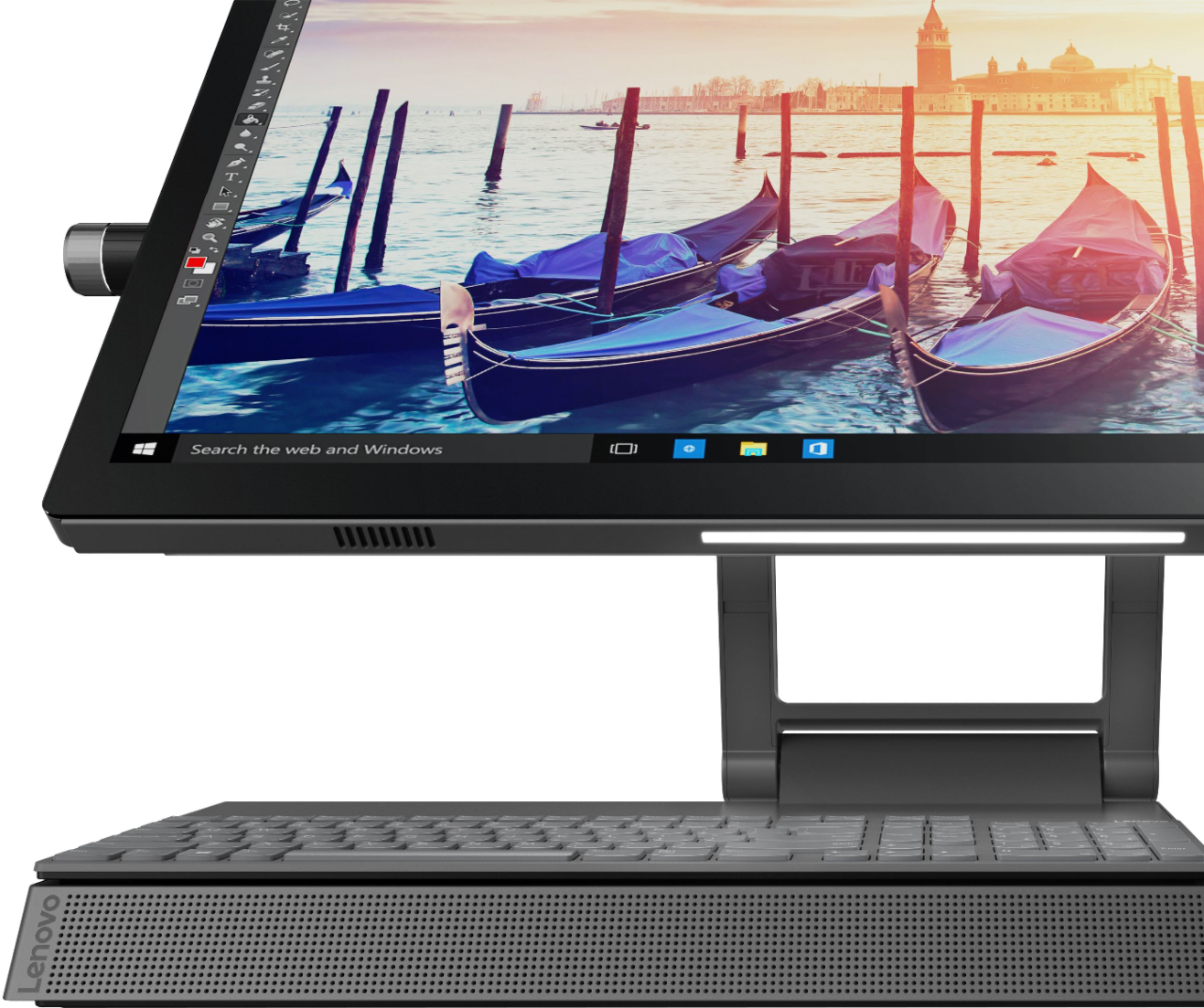
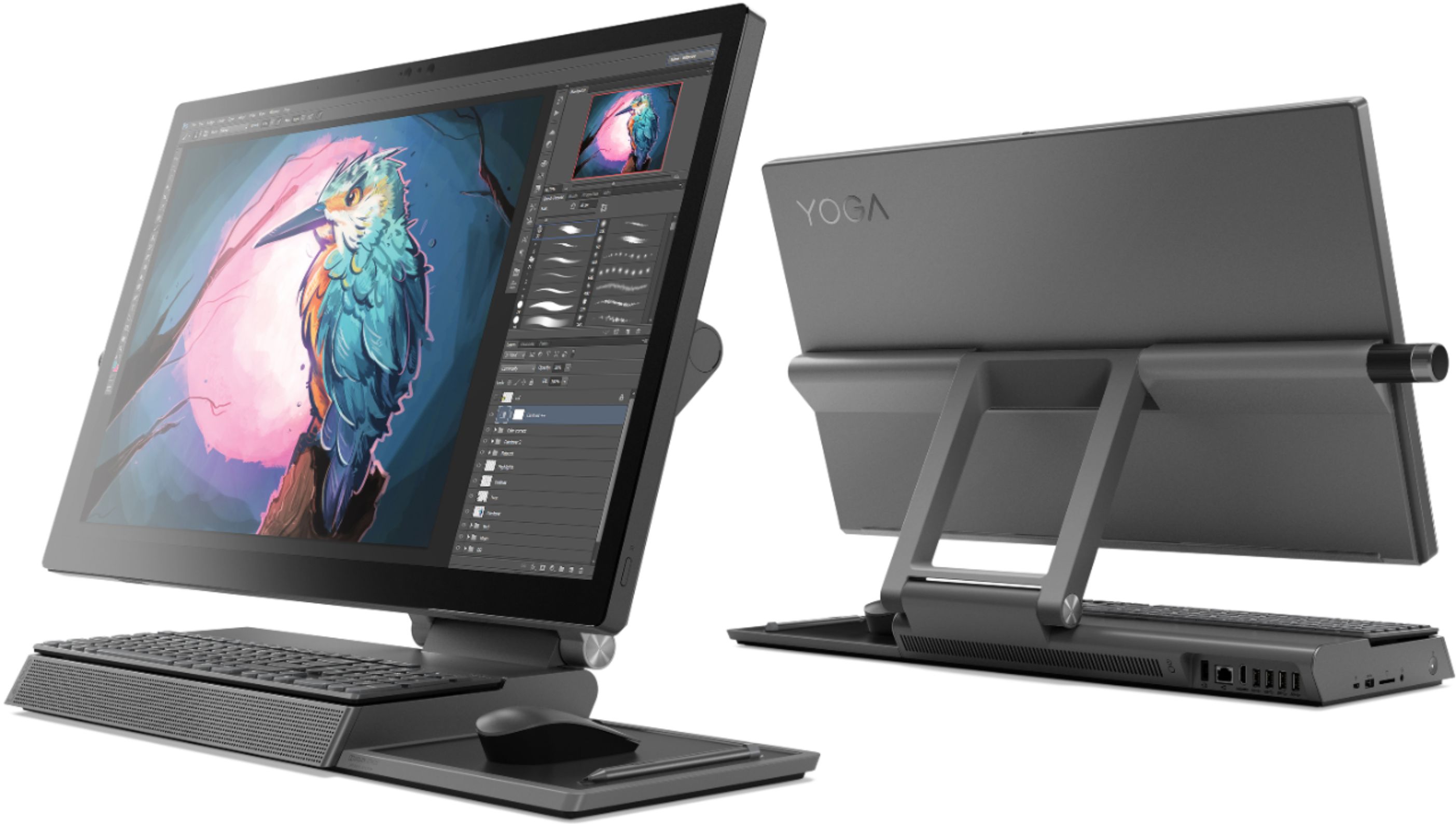
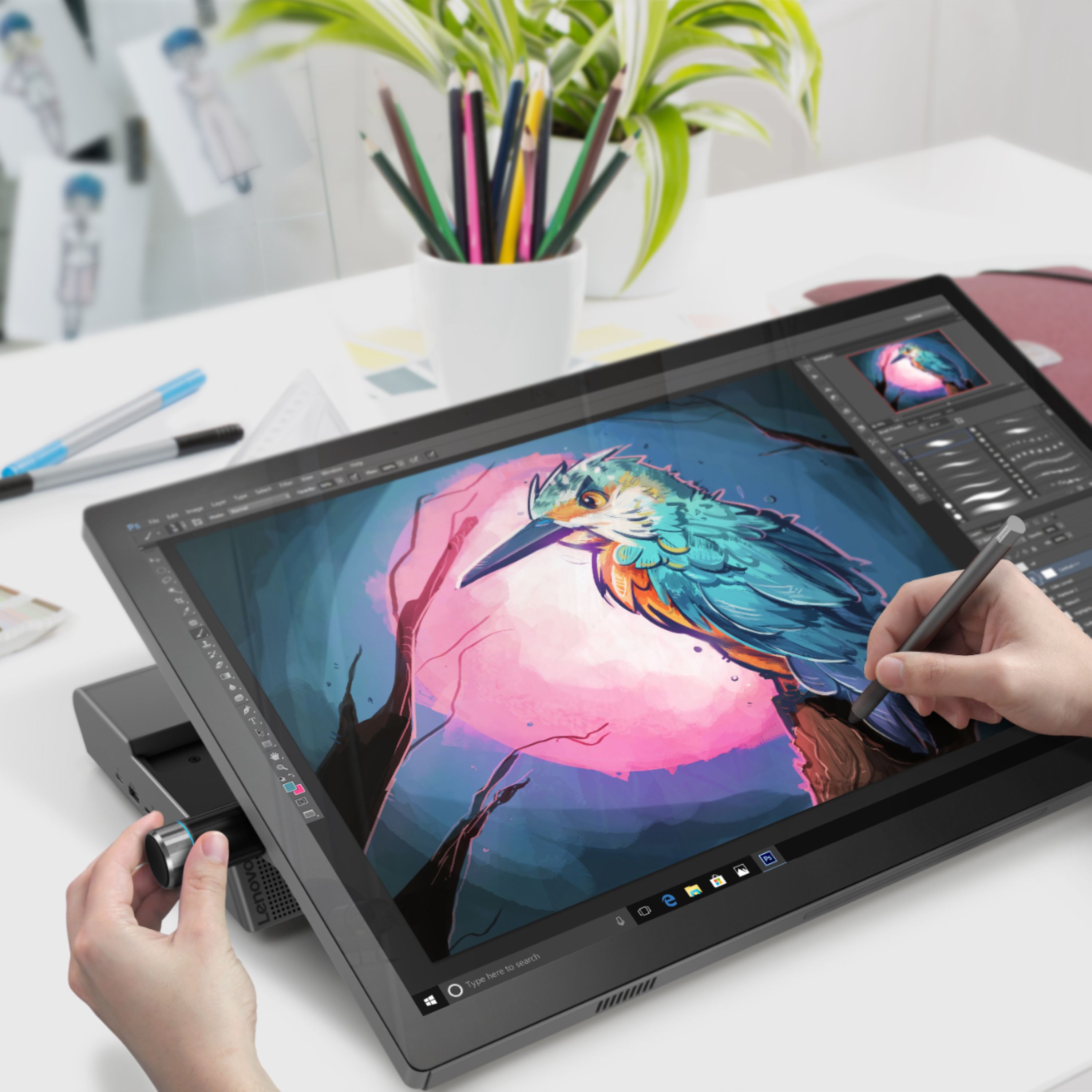
Posted .Thank you for choosing the Lenovo Yoga A940-27 All-In-One system. Tilt the Yoga A940's 27-inch display to 25-degrees with a rotating hinge that provides stability for drawing and writing with a digital pen. The innovative dual hinge design makes it easier to slide into drafting mode with one hand- and palm-rejection technology provides a pen-to-paper experience whether you’re sketching out your next project or tweaking details in Lightroom. Scroll, calibrate, and make precise adjustments to your work with a twist of the Yoga A940's content creation dial. Use it to assign settings and features in Adobe Illustrator, Photoshop, Lightroom and more. Better yet, the dial can be placed on either the left or right side of the display to ensure maximum comfort for left-handed, right-brained creators. Experience stunning color, contrast, and detail in 4K resolution on a 27-inch wide-angle display optimized with Dolby Vision HDR. The Yoga A940 also offers powerful sound in every mode, with the user-facing Dolby Atmos Speaker System. Encased underneath the display is a second set of speakers, designed to maximize sound even when the display is tilted into drafting mode. The Yoga A940 offers Intel Core i7-8700 processing with 6-Cores/12-Threads for intelligent, ultrafast performance. Combined with powerful AMD Radeon RX560 discrete graphics, this all in one PC delivers lightning-fast responsiveness whether you’re editing or creating content.

This is a stunning PC
||Posted . Owned for 3 weeks when reviewed.This reviewer received promo considerations or sweepstakes entry for writing a review.Great functionality, beautiful screen resolution and many more capabilities that I haven't even discovered yet.
I would recommend this to a friendBrand response from Lenovo Product Expert
Posted .Thank you for choosing the Lenovo Yoga A940-27 All-In-One system. We are pleased to hear that the features and performance of the Yoga A940-27 AIO meets your computing needs so well. Tilt the Yoga A940's 27-inch display to 25-degrees with a rotating hinge that provides stability for drawing and writing with a digital pen. The innovative dual hinge design makes it easier to slide into drafting mode with one hand- and palm-rejection technology provides a pen-to-paper experience whether you’re sketching out your next project or tweaking details in Lightroom. Experience stunning color, contrast, and detail in 4K resolution on a 27-inch wide-angle display optimized with Dolby Vision HDR. The Yoga A940 also offers powerful sound in every mode, with the user-facing Dolby Atmos Speaker System. Encased underneath the display is a second set of speakers, designed to maximize sound even when the display is tilted into drafting mode. The Yoga A940 offers premium 8th Generation Intel Core i7 processing with six processor cores for intelligent, ultrafast performance. Combined with powerful AMD Radeon RX560 discrete graphics, this all-in-one PC delivers lightning-fast responsiveness whether you’re editing or creating content.
Excellent computer
||Posted . Owned for 1 month when reviewed.This reviewer received promo considerations or sweepstakes entry for writing a review.Could not be happier with the purchase on the Lenovo all in one. By far best computer I’ve ever had.
I would recommend this to a friendBrand response from Lenovo Product Expert
Posted .Thank you for choosing the Lenovo Yoga A940-27 All-In-One system. We are pleased to hear that the Yoga A940-27 AIO is working out so well for you. Tilt the Yoga A940's 27-inch display to 25-degrees with a rotating hinge that provides stability for drawing and writing with a digital pen. The innovative dual hinge design makes it easier to slide into drafting mode with one hand- and palm-rejection technology provides a pen-to-paper experience whether you’re sketching out your next project or tweaking details in Lightroom. Experience stunning color, contrast, and detail in 4K resolution on a 27-inch wide-angle display optimized with Dolby Vision HDR. The Yoga A940 also offers powerful sound in every mode, with the user-facing Dolby Atmos Speaker System. Encased underneath the display is a second set of speakers, designed to maximize sound even when the display is tilted into drafting mode. The Yoga A940 offers the Intel Core i7-8700 processing power, with 6-Cores/12-Threads for intelligent, ultrafast performance. Combined with powerful AMD Radeon RX560 discrete graphics, this all-in-one PC delivers lightning-fast responsiveness whether you’re editing or creating content.
Great computer
||Posted . Owned for 3 weeks when reviewed.This reviewer received promo considerations or sweepstakes entry for writing a review.It does all the job it says, good quality and 100% satisfaction
I would recommend this to a friendBrand response from Lenovo Product Expert
Posted .Once again, thank you for choosing the Lenovo Yoga A940-27 All-In-One system. You can keep your computer running at its best by keeping the Windows 10 Operating System and all supporting BIOS files and drivers up to date. You can easily accomplish this by scanning the computer with the Lenovo Utility software available on this computer. This system has Lenovo utilities installed to help maintain the health of the device and keep the operating system software up to date. Type "Lenovo Vantage" in the Cortana Search window (if Lenovo Vantage is not installed on your device, you can download the APP and install it now). Select Lenovo Vantage from the list. In the window that opens, click on "Health and Support". In the expanded menu, select "Hardware Scan" In the window that opens, select "Run Quick Tests". This will scan your entire system for errors. Follow any directions that may pop up. If the problem continues after this scan, now click on "System Update". First select Windows update from the menu. Scan your system to be sure you have the latest version of Windows 10. Once that scan is complete, select "Additional Updates". This will scan your device to be sure there are no new BIOS/Driver updates needed. Follow any instructions that may pop up. If you ever need additional help with your Lenovo computer, we recommend you call Lenovo Tech Support at: 877-453-6686 for additional help.
Nice Desktop.
||Posted . Owned for 3 weeks when reviewed.This reviewer received promo considerations or sweepstakes entry for writing a review.Not a bad computer. Switching over to the hard drive mode helped me with more gaming space.
I would recommend this to a friendBeautiful and functional
||Posted . Owned for 1 month when reviewed.This reviewer received promo considerations or sweepstakes entry for writing a review.This desktop can do anything I have given it the task to do The ambient lighting is great for my needs
I would recommend this to a friendBrand response from Lenovo Product Expert
Posted .Thank you for choosing the Lenovo Yoga A940-27 All-In-One system. We are pleased to hear that the performance of the A940-27 AIO meets your computing needs so well. Tilt the Yoga A940's 27-inch display to 25-degrees with a rotating hinge that provides stability for drawing and writing with a digital pen. The innovative dual hinge design makes it easier to slide into drafting mode with one hand- and palm-rejection technology provides a pen-to-paper experience whether you’re sketching out your next project or tweaking details in Lightroom. Scroll, calibrate, and make precise adjustments to your work with a twist of the Yoga A940's content creation dial. Use it to assign settings and features in Adobe Illustrator, Photoshop, Lightroom and more. Better yet, the dial can be placed on either the left or right side of the display to ensure maximum comfort for left-handed, right-brained creators. Experience stunning color, contrast, and detail in 4K resolution on a 27-inch wide-angle display optimized with Dolby Vision HDR. The Yoga A940 also offers powerful sound in every mode, with the user-facing Dolby Atmos Speaker System. Encased underneath the display is a second set of speakers, designed to maximize sound even when the display is tilted into drafting mode. The Yoga A940 offers premium 8th Generation Intel Core i7 processing with six processor cores for intelligent, ultrafast performance. Combined with powerful AMD Radeon RX560 discrete graphics, this all-in-one PC delivers lightning-fast responsiveness whether you’re editing or creating content.
Love it
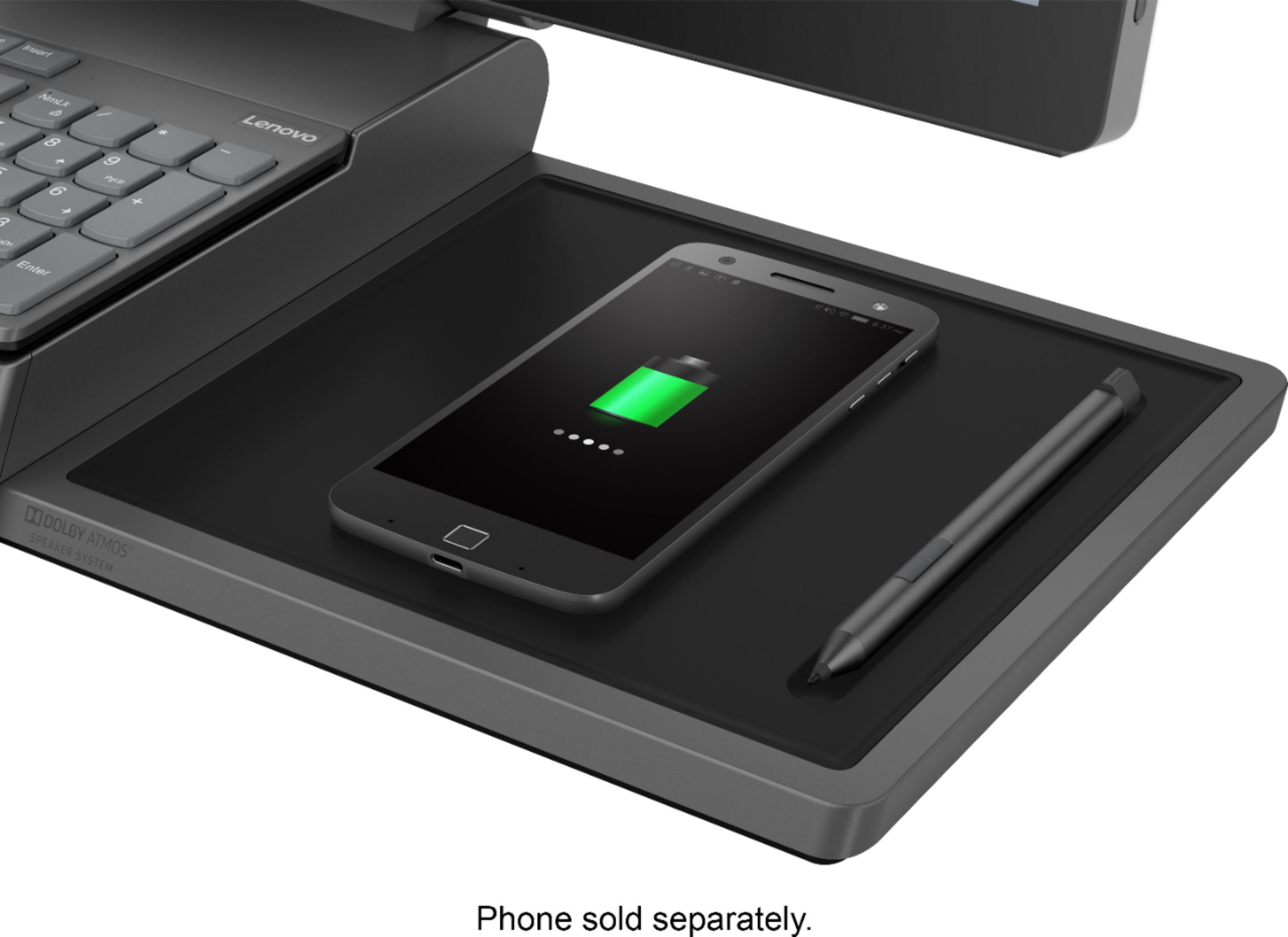
||Posted . Owned for 1 month when reviewed.This reviewer received promo considerations or sweepstakes entry for writing a review.I really love this computer. I love the pen that it comes with and how it charges your phone
I would recommend this to a friendBrand response from Lenovo Product Expert
Posted .Once again, thank you for choosing the Lenovo Yoga A940-27 All-In-One system. You can keep your computer running at its best by keeping the Windows 10 Operating System and all supporting BIOS files and drivers up to date. You can easily accomplish this by scanning the computer with the Lenovo Utility software available on this computer. Just type "Lenovo Vantage" in the Cortana Search window (if Lenovo Vantage is not installed on your device, you can download the APP and install it now). Select Lenovo Vantage from the list. In the window that opens, click on "Health and Support". In the expanded menu, select "Hardware Scan" In the window that opens, select "Run Quick Tests". This will scan your entire system for errors. Follow any directions that may pop up. If the problem continues after this scan, now click on "System Update". First select Windows update from the menu. Scan your system to be sure you have the latest version of Windows 10. Once that scan is complete, select "Additional Updates". This will scan your device to be sure there are no new BIOS/Driver updates needed. Follow any instructions that may pop up. If you ever need additional help with your Lenovo computer, we recommend you call Lenovo Tech Support at: 877-453-6686 for additional help.
Great buy!
||Posted . Owned for 3 weeks when reviewed.This reviewer received promo considerations or sweepstakes entry for writing a review.As a teacher this is perfect! It meets all my needs, especially for remote learning.
No, I would not recommend this to a friendNot So Good If You Use a Keyboard & Mouse :)
||Posted . Owned for less than 1 week when reviewed.This reviewer received promo considerations or sweepstakes entry for writing a review.Received the computer and started setting it up on Wednesday, 11/25. Very DISAPPOINTED. The desktop is great but the keyboard and mouse worked intermittently - or should I say DID NOT WORK. I registered the purchase w/ Lenovo today, 11/26, but that won't be active for 24 hours. So ... for now, I can try and use the computer w/ the on-screen keyboard and a very old USB connected mouse. I'll update this review after I've spoken w/ Lenovo support on Friday and let all know my thoughts. Happy Thanksgiving!
No, I would not recommend this to a friendBrand response from Lenovo Product Expert
Posted .Hi there, we are sorry to hear you are experiencing this issue with your Lenovo Yoga A940 27" AIO. Please ensure you have removed the wireless USB adapter from inside of the wireless mouse's battery compartment and plugged it into the A940. If you have and are still experiencing this issue please ensure the mouse is connected and turned on. If your issue remains please ensure you have downloaded and installed the latest system software and deice drivers. You can easily accomplish this by scanning the computer with the Lenovo Utility software available on this computer. This system has Lenovo utilities installed to help maintain the health of the device and keep the operating system software up to date. Type "Lenovo Vantage" in the Cortana Search window (if Lenovo Vantage is not installed on your device, you can download the APP and install it now). Select Lenovo Vantage from the list. In the window that opens, click on "Health and Support". In the expanded menu, select "Hardware Scan” In the window that opens, select "Run Quick Tests". This will scan your entire system for errors. Follow any directions that may pop up. If the problem continues after this scan, now click on "System Update". First select Windows update from the menu. Scan your system to be sure you have the latest version of Windows 10. Once that scan is complete, select "Additional Updates". This will scan your device to be sure there are no new BIOS/Driver updates needed. Follow any instructions that may pop up. If the issue continues after these updates, we recommend you call Lenovo Tech Support at: 877-453-6686 for additional help.
Lenovo
||Posted . Owned for 1 year when reviewed.This reviewer received promo considerations or sweepstakes entry for writing a review.Awesome desktop just a bit bulky need something smaller
I would recommend this to a friendbest computer i have ever had !!
||Posted .This reviewer received promo considerations or sweepstakes entry for writing a review.see above comment for details !! i wish i had one when i gat the Samsung laptop!!
I would recommend this to a friendBrand response from Lenovo Product Expert
Posted .Thank you for choosing the lenovo Yoga A940-27 All-In-One system. Experience stunning color, contrast, and detail in 4K resolution on a 27-inch wide-angle display optimized with Dolby Vision HDR. The Yoga A940 also offers powerful sound in every mode, with the user-facing Dolby Atmos Speaker System. Encased underneath the display is a second set of speakers, designed to maximize sound even when the display is tilted into drafting mode. Scroll, calibrate, and make precise adjustments to your work with a twist of the Yoga A940's content creation dial. Use it to assign settings and features in Adobe Illustrator, Photoshop, Lightroom and more. Better yet, the dial can be placed on either the left or right side of the display to ensure maximum comfort for left-handed, right-brained creators. The Yoga A940 offers premium 8th Generation Intel Core processing with six processor cores for intelligent, ultrafast performance. Combined with powerful AMD Radeon RX560 discrete graphics, this all-in-one PC delivers lightning-fast responsiveness whether you’re editing or creating content.
Good computer
||Posted . Owned for 1 month when reviewed.This reviewer received promo considerations or sweepstakes entry for writing a review.Love my new computer. Does more than I need, but love the options.
I would recommend this to a friendGreat product
||Posted . Owned for less than 1 week when reviewed.This reviewer received promo considerations or sweepstakes entry for writing a review.Very computer for work and to have at home Inhavw several already
I would recommend this to a friendIt's ok. I was expecting more.
||Posted . Owned for 1 month when reviewed.This reviewer received promo considerations or sweepstakes entry for writing a review.The front USB port is very very slow to charge my Samsung phone. I'm surprised that I do not' use the touch screen very much. I am pleased with the larger screen and graphics.
I would recommend this to a friendBrand response from Lenovo Product Expert
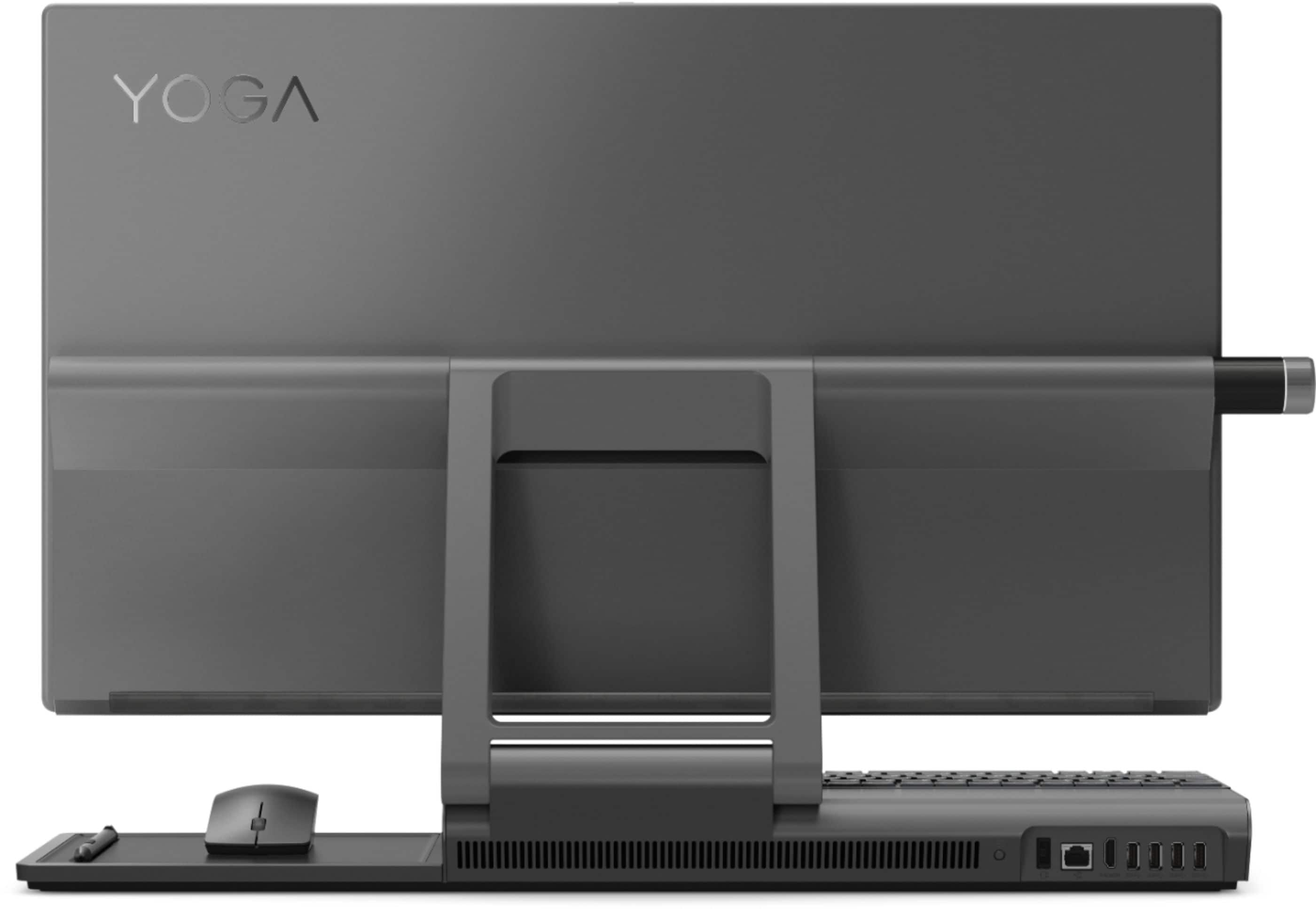
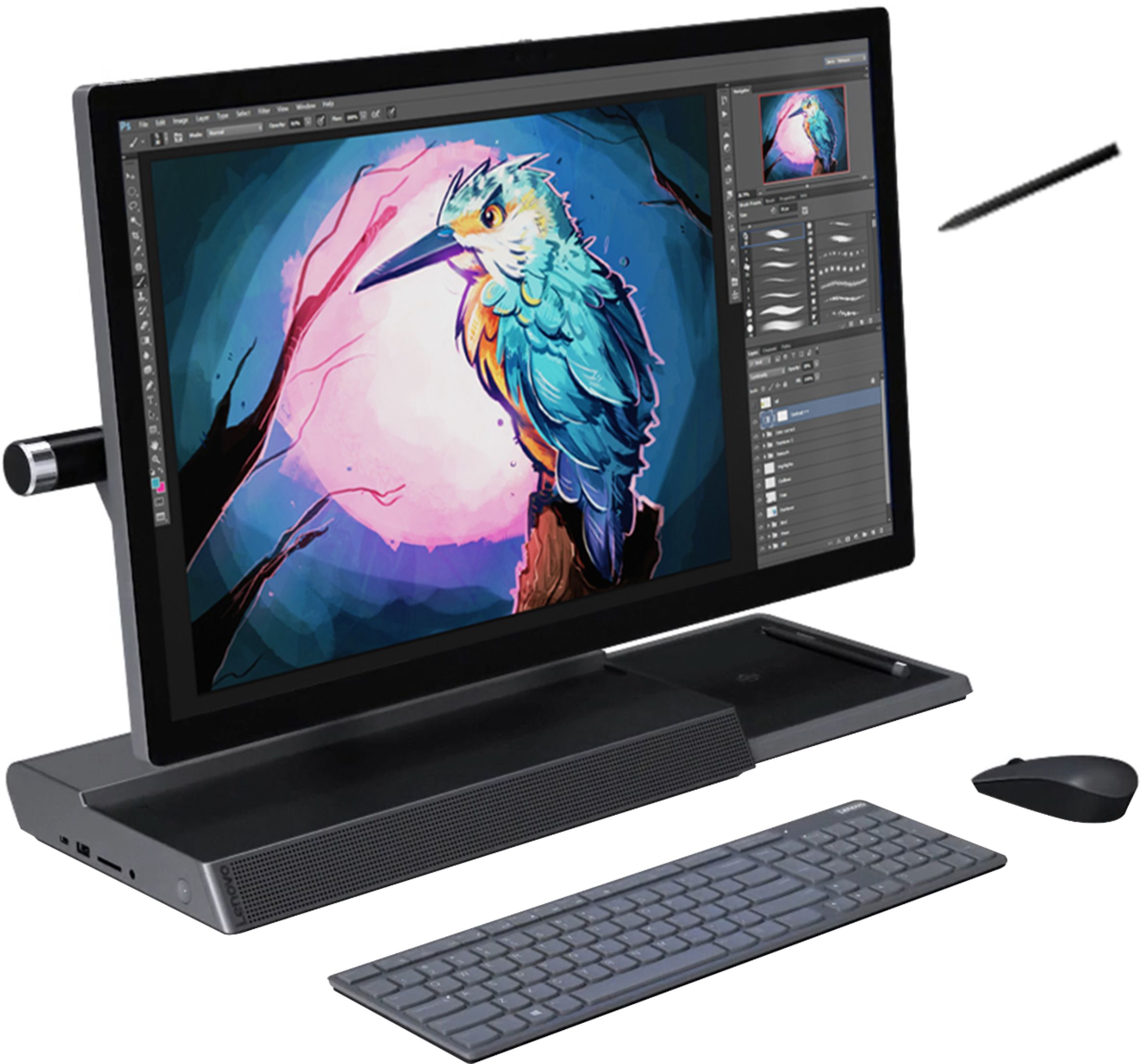
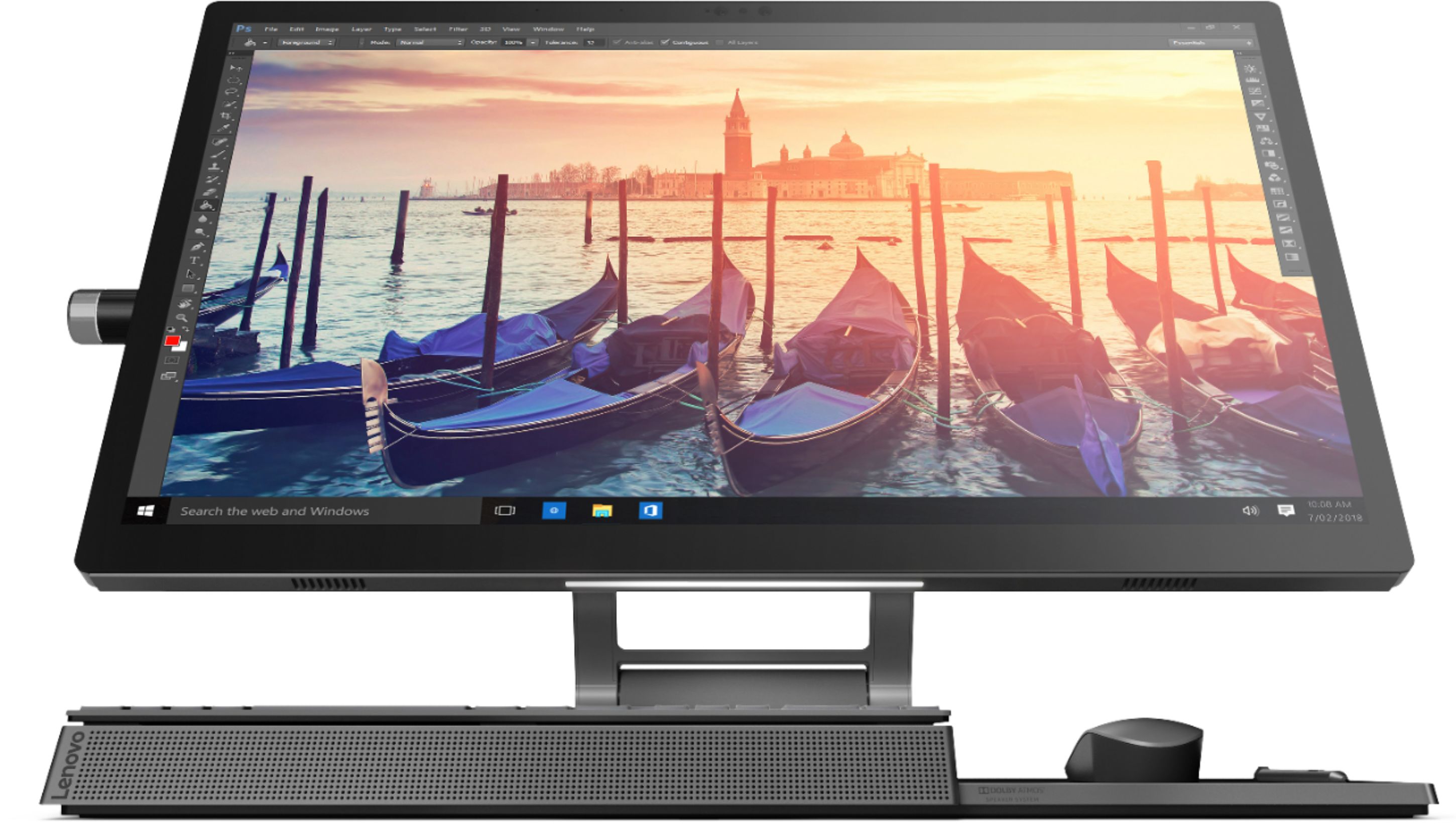
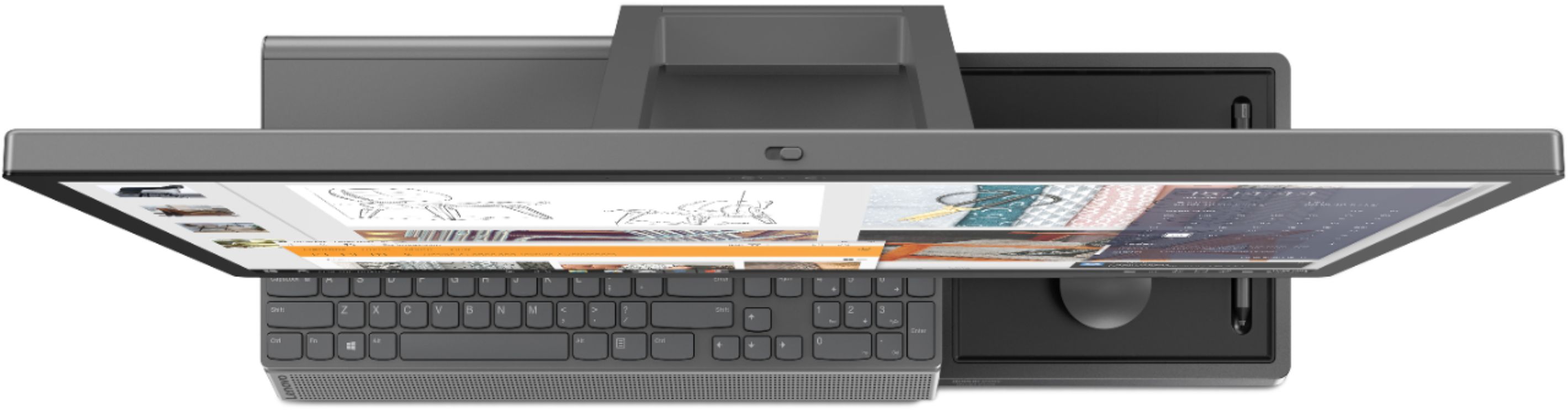
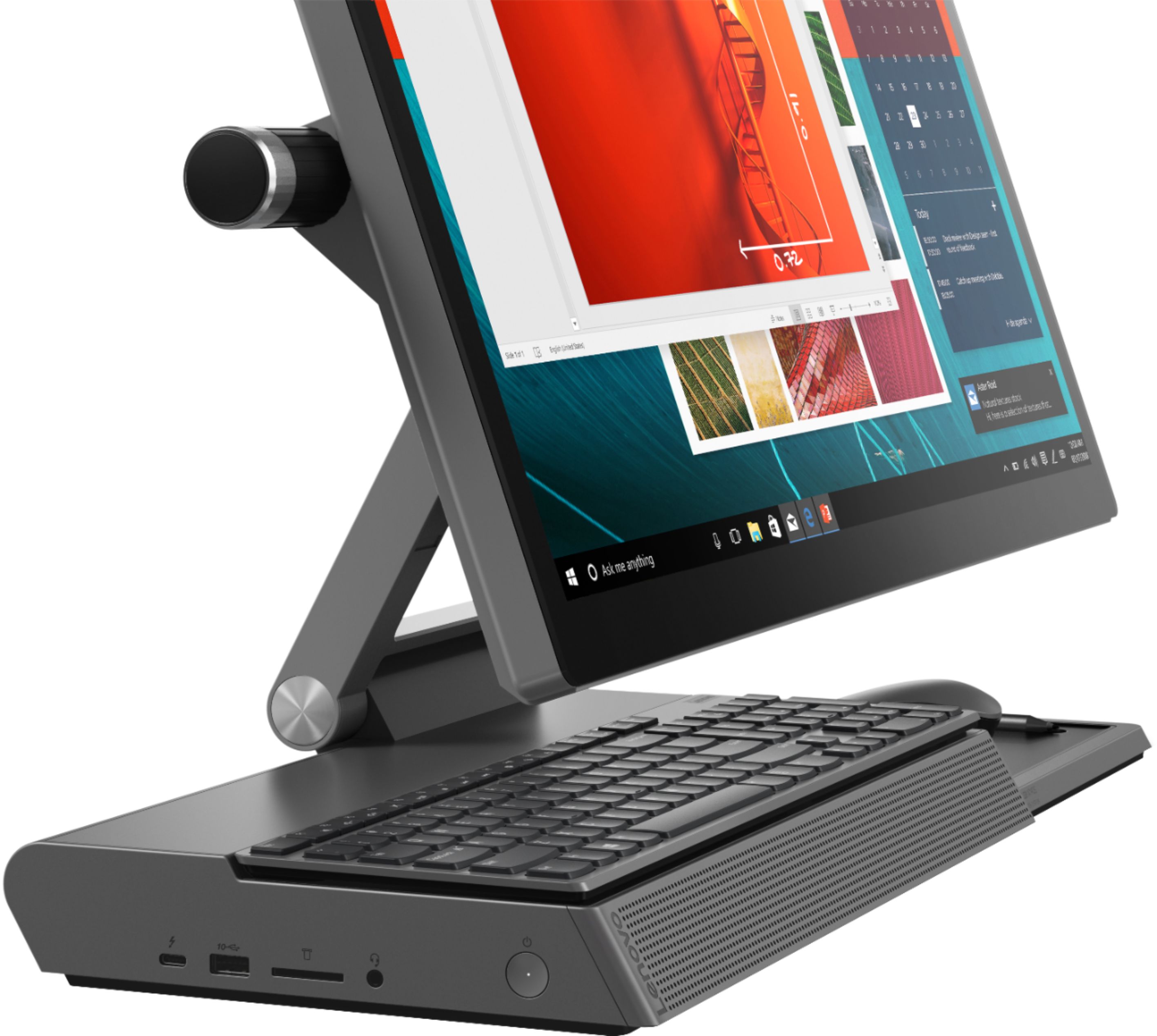
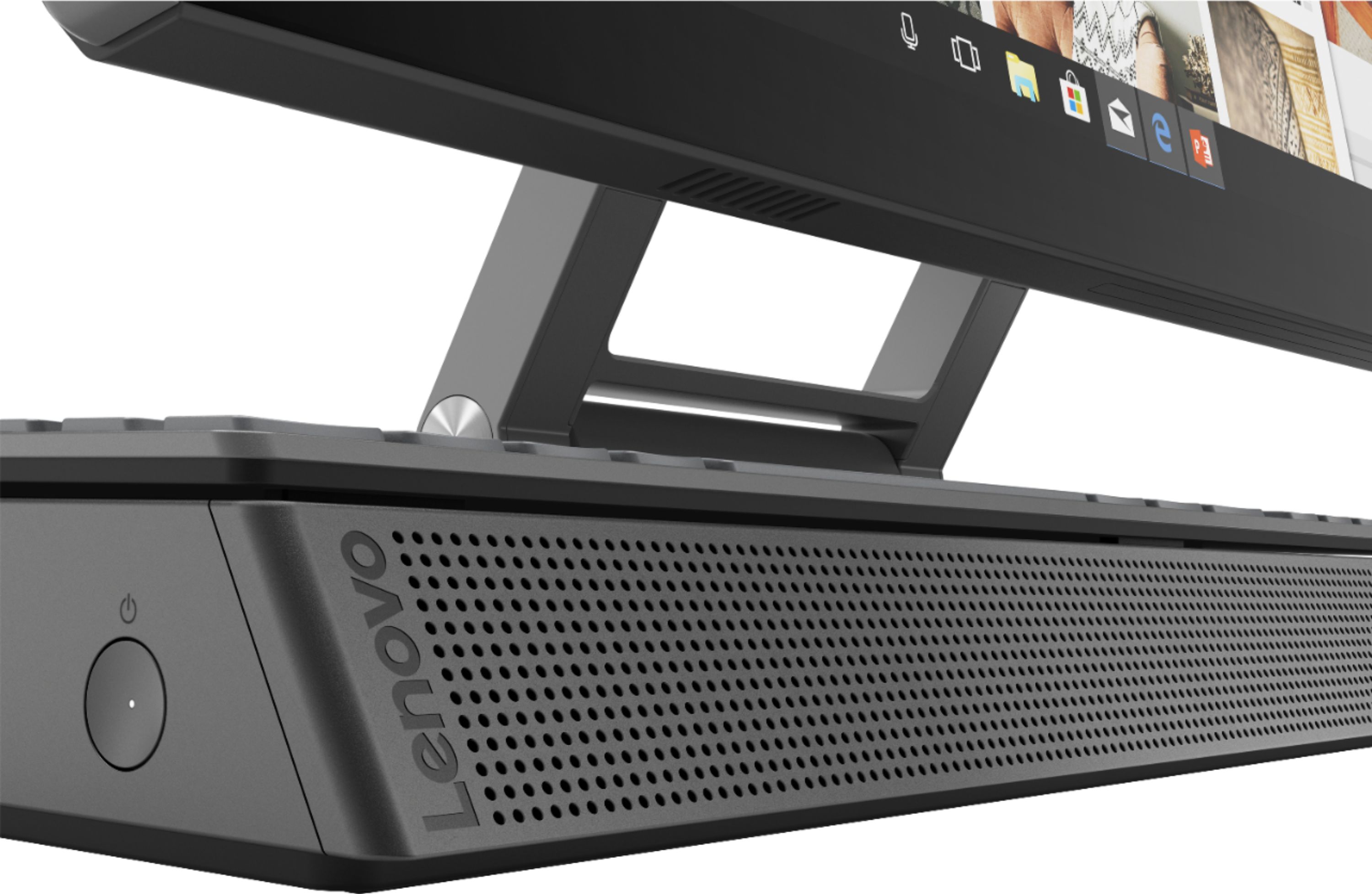
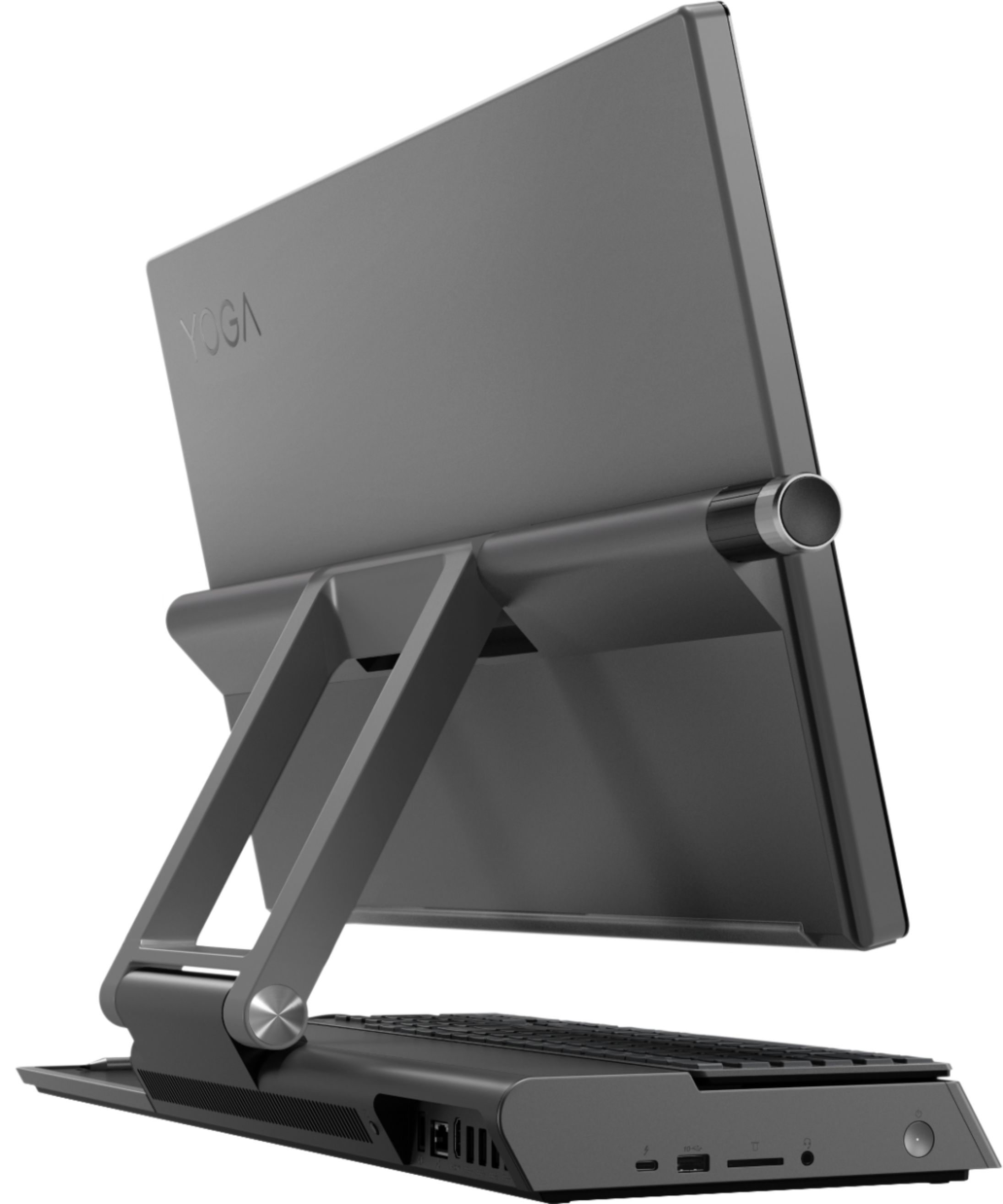
Posted .The Lenovo A940-27 All-In-One system keeps it simple with a wireless charging dock and a groove for pen storage. The Yoga A940 is designed for your convenience, featuring dedicated spots for your keyboard and mouse that minimize clutter and keep your desk clean. It also boasts an LED light under the display for working in low-light conditions. There is no "front USB port" on the Yoga A940-27 AIO. On the side of the Yoga A940-27 AIO you will find: Intel Thunderbolt, USB 3.1, 3-in-1 card reader, Audio jack. On the back of the Yoga A940-27 AIO, you will find: AC-in, RJ45, HDMI, 4 x USB 3.0. The Yoga A940-27 AIO Features a 27" tilting 4K display with pen support (active pen included), a content creation dial, and other innovative solutions, it's an all-in-one PC engineered to provide the ultimate workspace for your creativity.
Great support Good Computer
||Posted . Owned for 3 weeks when reviewed.This reviewer received promo considerations or sweepstakes entry for writing a review.The wife likes this computer plus got great support front the geeks
I would recommend this to a friendBrand response from Lenovo Product Expert
Posted .Thanks for choosing the Lenovo Yoga A940 All-In-One. We are pleased to hear the features and performance of the A940 All-In-One are meeting your computing needs so well!
Either bad design or I got a lemon
||Posted . Owned for 1 year when reviewed.This reviewer received promo considerations or sweepstakes entry for writing a review.There is a charging station attached to the base which worked one time and stopped working. I took it back to BestBuy and they had to send it back to Lenovo for repair. I didn’t get it back for almost 2 months. The monitor is attached to the base and pivots up and down; and when I did get it back the pivoting was very loose and kinda hangs, instead of being able to position it at a higher angle/location. There’s no way to tighten it, so I’m having to prop it up with something to keep it at eye level. I’m assuming this happened because of all the handling it went through, and someone carried it by the screen opposed to the base…but I really don’t know. The guys at BestBuy just looked at me like …??? Anyway, other than the monitor issue everything worked fine until today, about two months after I got it back, the charger stopped working again. I’m not going to take it back; I’ll just chalk it up to BAD LENOVO product and go elsewhere next time.
No, I would not recommend this to a friendHas some pretty cool features
||Posted . Owned for 3 weeks when reviewed.This reviewer received promo considerations or sweepstakes entry for writing a review.Still learning about all the cool features, but it is a great computer.
I would recommend this to a friendBrand response from Lenovo Product Expert
Posted .Thank you for choosing the Lenovo Yoga A940-27 All-In-One system. Tilt the Yoga A940's 27-inch display to 25-degree with a rotating hinge that provides stability for drawing and writing with a digital pen. The innovative dual hinge design makes it easier to slide into drafting mode with one hand- and palm-rejection technology provides a pen-to-paper experience whether you’re sketching out your next project or tweaking details in Lightroom. Experience stunning color, contrast, and detail in 4K resolution on a 27-inch wide-angle display optimized with Dolby Vision HDR. The Yoga A940 also offers powerful sound in every mode, with the user-facing Dolby Atmos Speaker System. Encased underneath the display is a second set of speakers, designed to maximize sound even when the display is tilted into drafting mode. The Yoga A940 offers premium 8th Generation Intel Core i7 processing with six processor cores for intelligent, ultrafast performance. Combined with powerful AMD Radeon RX560 discrete graphics, this all-in-one PC delivers lightning-fast responsiveness whether you’re editing or creating content. Keep it simple with a wireless charging dock and a groove for pen storage. The Yoga A940 is designed for your convenience, featuring dedicated spots for your keyboard and mouse that minimize clutter and keep your desk clean. It also boasts an LED light under the display for working in low-light conditions.
awesome computer for photography
||Posted . Owned for 1 month when reviewed.This reviewer received promo considerations or sweepstakes entry for writing a review.awesome computer and does everything I need for my business
I would recommend this to a friendBrand response from Lenovo Product Expert
Posted .Thank you for choosing the Lenovo Yoga A940-27 All-In-One system. Tilt the Yoga A940's 27-inch display to 25-degrees with a rotating hinge that provides stability for drawing and writing with a digital pen. The innovative dual hinge design makes it easier to slide into drafting mode with one hand- and palm-rejection technology provides a pen-to-paper experience whether you’re sketching out your next project or tweaking details in Lightroom. Scroll, calibrate, and make precise adjustments to your work with a twist of the Yoga A940's content creation dial. Use it to assign settings and features in Adobe Illustrator, Photoshop, Lightroom and more. Better yet, the dial can be placed on either the left or right side of the display to ensure maximum comfort for left-handed, right-brained creators. Experience stunning color, contrast, and detail in 4K resolution on a 27-inch wide-angle display optimized with Dolby Vision HDR. The Yoga A940 also offers powerful sound in every mode, with the user-facing Dolby Atmos Speaker System. Encased underneath the display is a second set of speakers, designed to maximize sound even when the display is tilted into drafting mode. The Yoga A940 offers premium 8th Generation Intel Core i7 processing with six processor cores for intelligent, ultrafast performance. Combined with powerful AMD Radeon RX560 discrete graphics, this all-in-one PC delivers lightning-fast responsiveness whether you’re editing or creating content.
Wouldn’t recommend
||Posted . Owned for 4 months when reviewed.This reviewer received promo considerations or sweepstakes entry for writing a review.My husband and I went into the store and asked the associate which computer would be best for games like sims including mods. He pointed at this one and it’s terrible. It’s crazy loud and kicks me out all the time. It’s constantly lagging. If you’re only using it for work purposes it’s fine. Anything else and it’s terrible. I can’t even play small games without getting sick because of the display.
No, I would not recommend this to a friendAwesome computer
||Posted .This reviewer received promo considerations or sweepstakes entry for writing a review.Easy to set up and fast. Lenovo is my favorite computers
I would recommend this to a friendBrand response from Lenovo Product Expert
Posted .Thank you for choosing the Lenovo Yoga A940-27 All-In-One system. Featuring a 27" tilting 4K display with pen support, a content creation dial, and other innovative solutions, it's an all-in-one PC engineered to provide the ultimate workspace for your creativity. We are pleased to hear that the features and performance of the Yoga A940-27 AIO meets your computing needs so well. Lenovo is the number #1 manufacturer of computers in the World:
https://venturebeat.com/2019/01/10/gartner-and-idc-hp-and-lenovo-shipped-the-most-pcs-in-2018-but-total-numbers-fell/