Customer Ratings & Reviews






- Model:
- 45GR95QE
- SKU:
- 6530356
Rating by feature
- Display Quality
Rating 4.8 out of 5 stars
- Ease of Use
Rating 4.8 out of 5 stars
- Features
Rating 4.8 out of 5 stars
Customers are saying
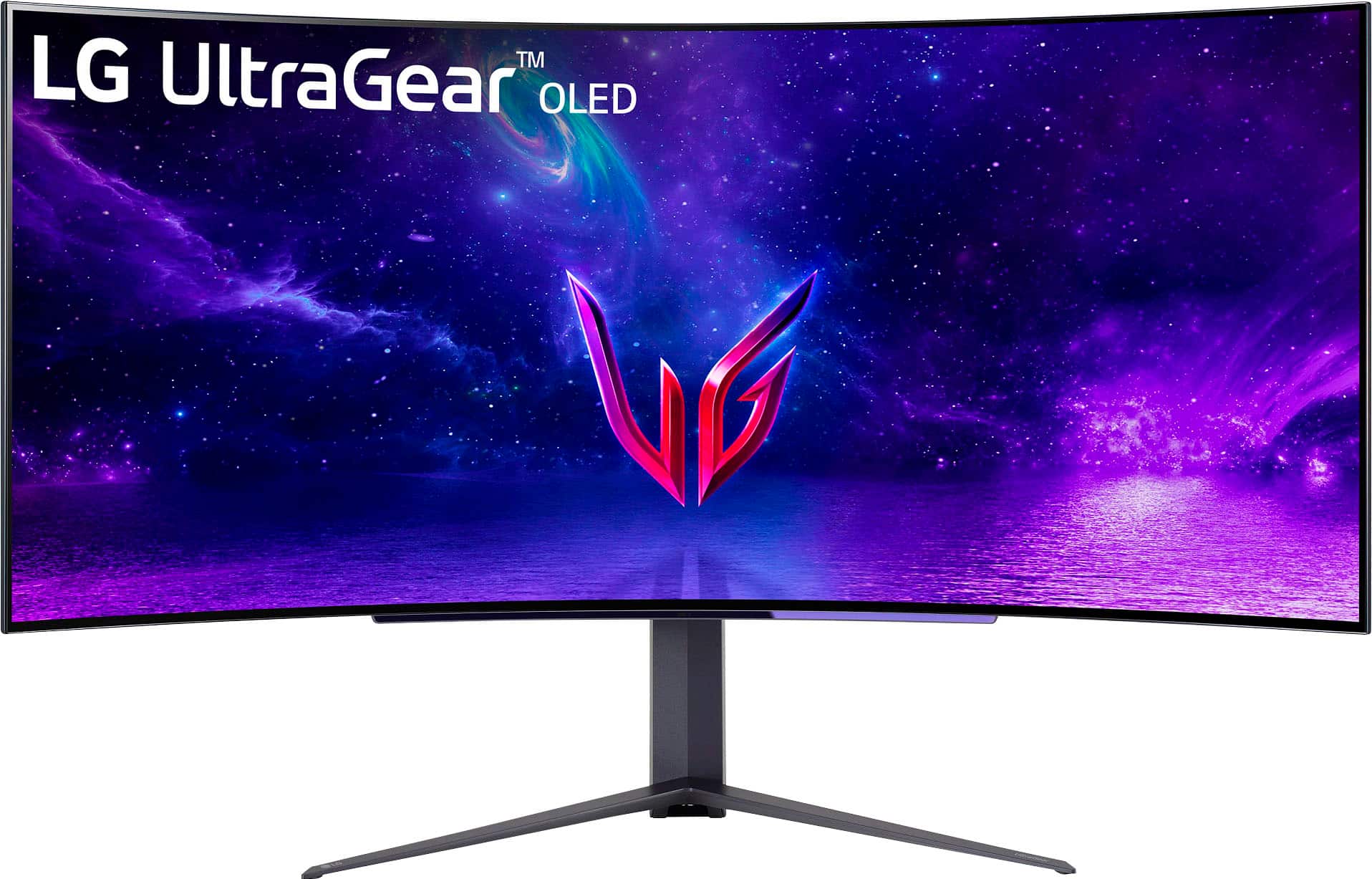
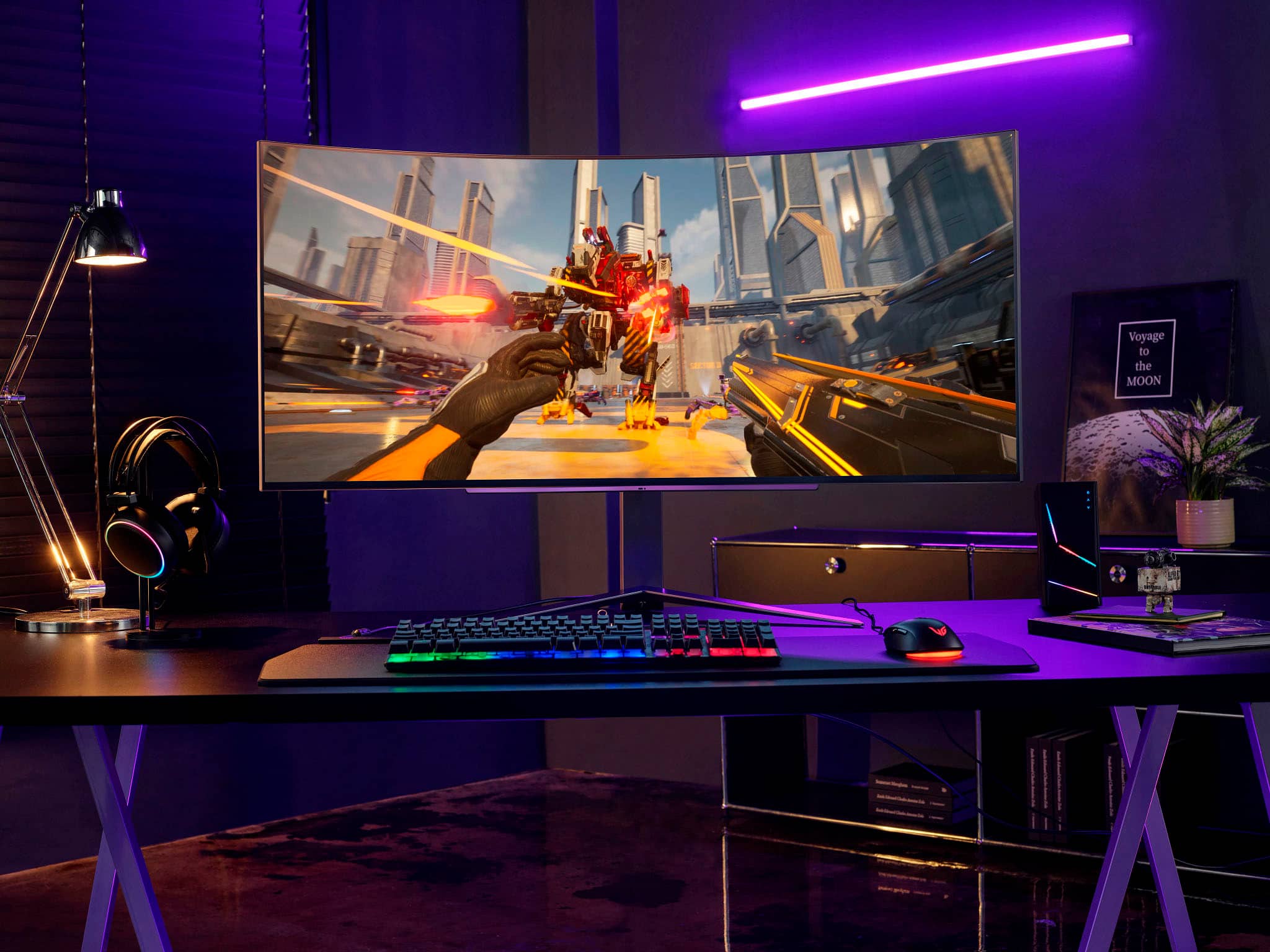
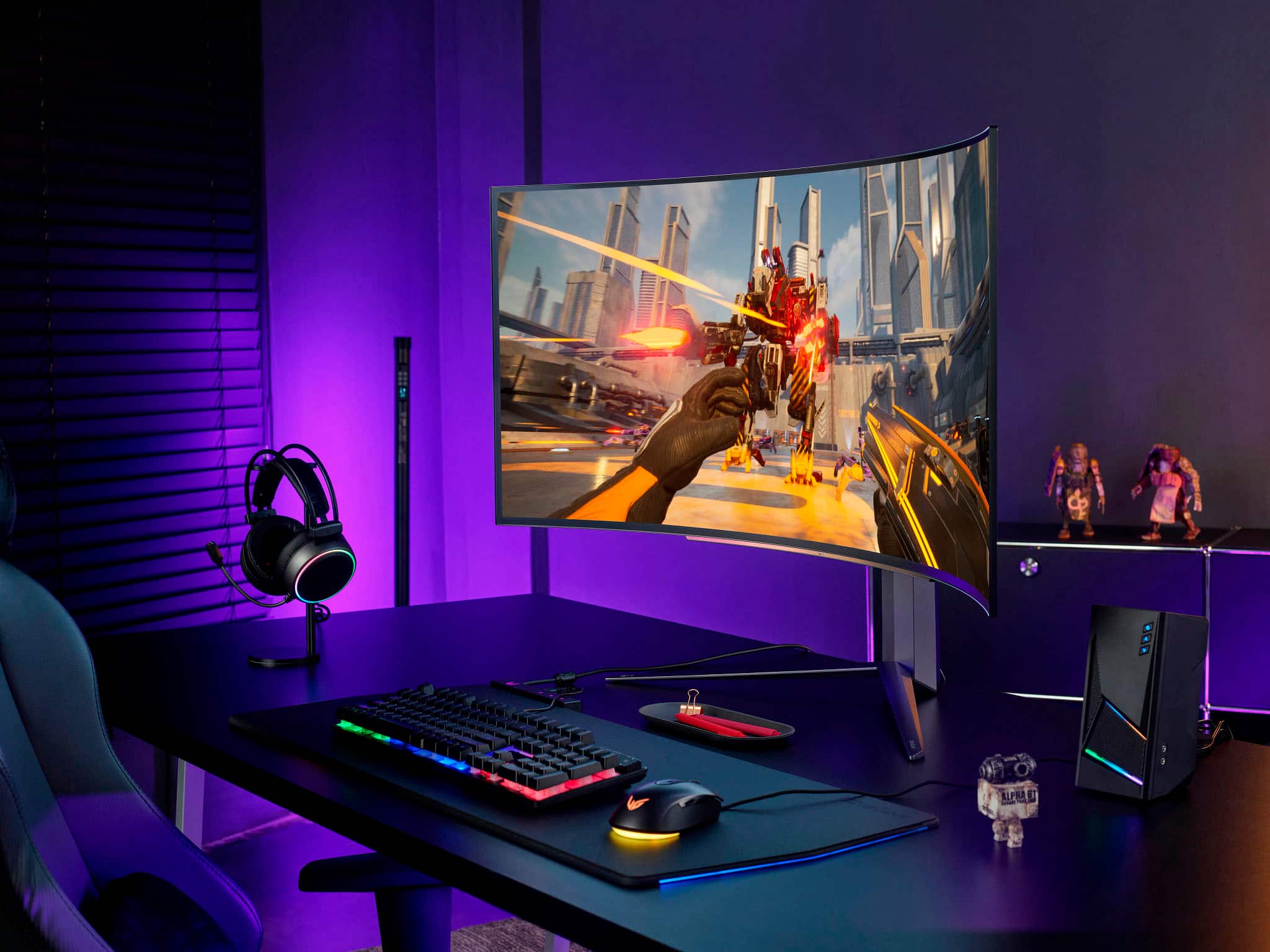
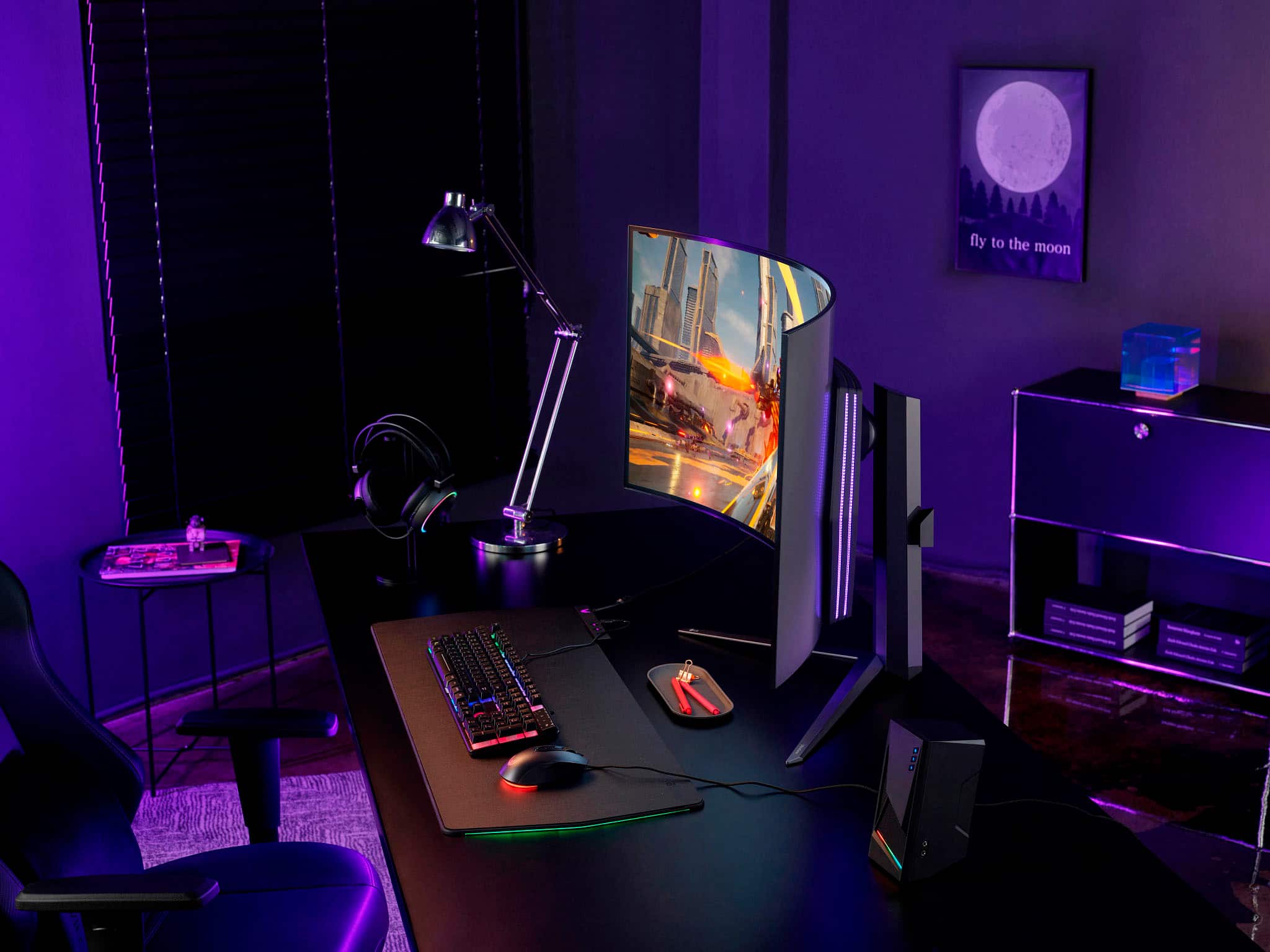
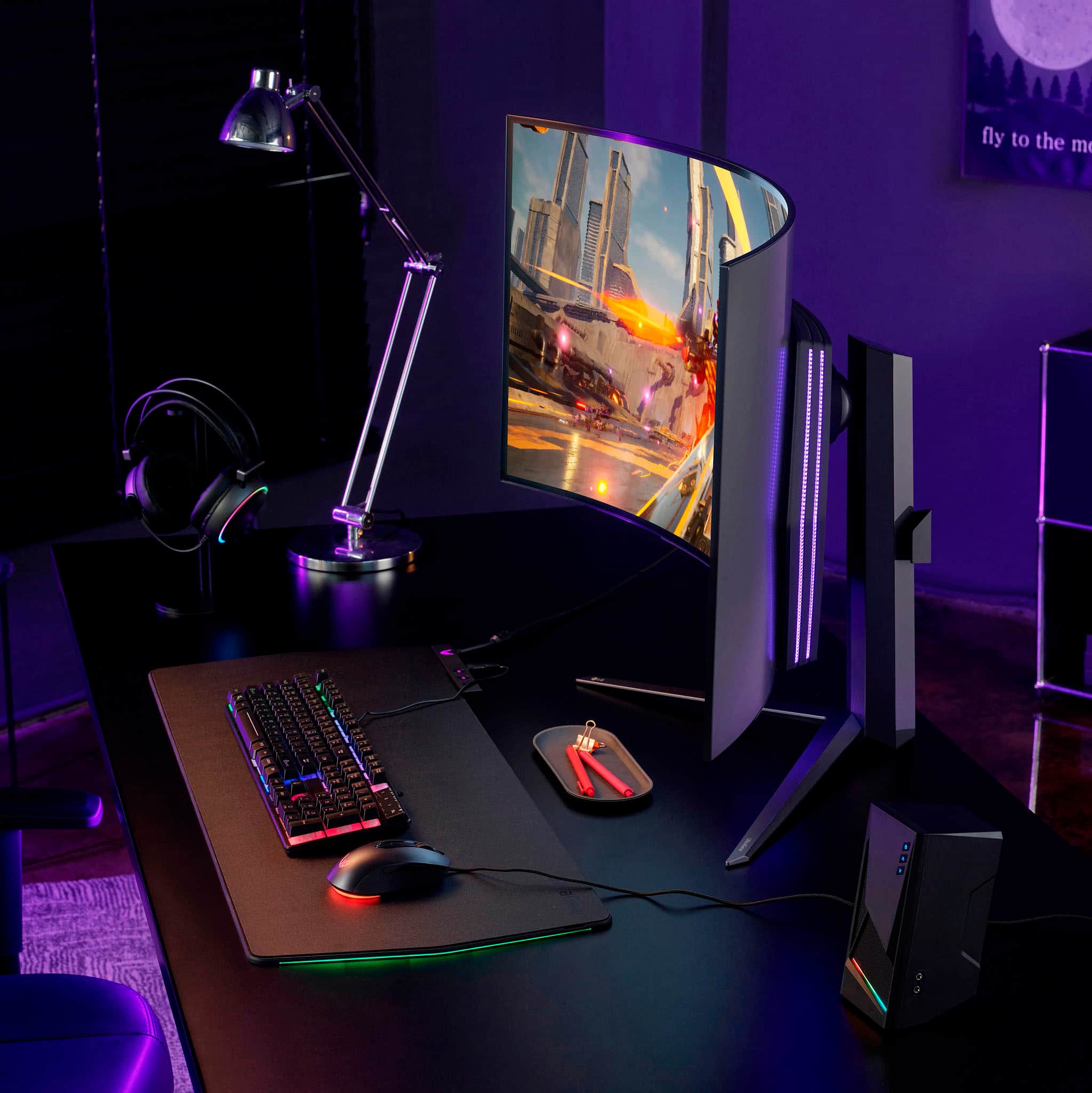
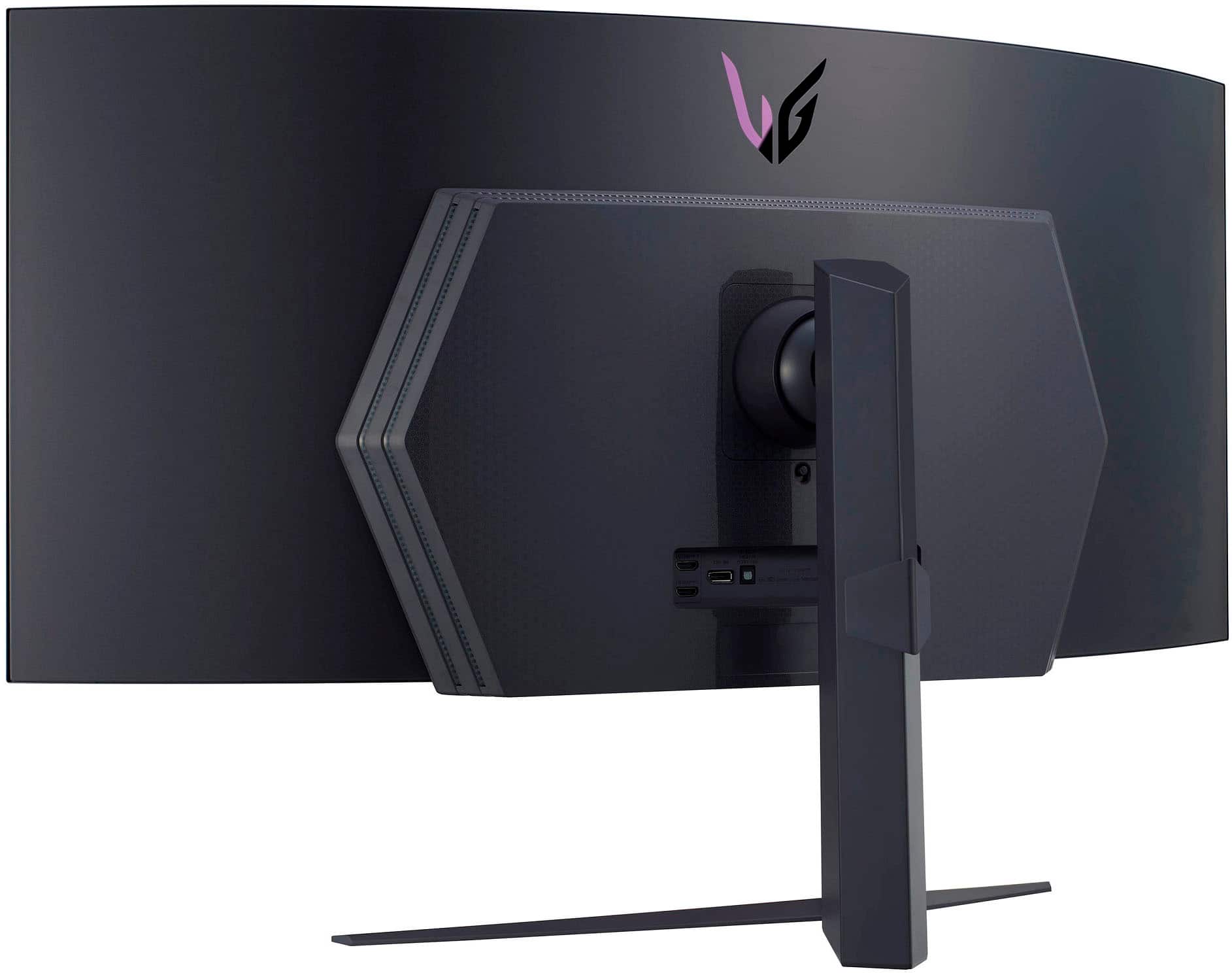
Customers admire the UltraGear 45” OLED monitor's expansive screen size, incredibly smooth refresh rate, and immersive curved design, praising the OLED technology for its vibrant colors and deep blacks. However, some users note concerns regarding text clarity and the relatively high price point. A few also mention the monitor stand's size and the lack of built-in speakers.
This summary was generated by AI based on customer reviews.
Great monitor for work and play
||Posted . Owned for 3 weeks when reviewed.This reviewer received promo considerations or sweepstakes entry for writing a review.Title: A Game-Changer in Productivity and Entertainment I was initially hesitant to dive into the world of large computer monitors, but after taking the plunge, I can confidently say that my experience has been nothing short of phenomenal. Here's a breakdown of my thoughts: Initial Hesitation: At first, the idea of getting such a huge monitor felt a bit overwhelming. I wondered if it would be too much for my workspace or if I would struggle to adapt to the change. However, any concerns I had were quickly dispelled. Exceptional Workspace for Productivity: This monitor has turned out to be a game-changer for my work. The expansive screen real estate is a dream come true for tasks that demand a lot of space, such as writing SQL queries and working in Excel. The increased space not only enhances my efficiency but also makes multitasking a breeze. Picture Quality: One of the standout features of this monitor is its exceptional picture quality. The colors are vibrant, and the clarity is impressive. Whether I'm deep into a work project or enjoying some downtime with a movie, the visuals are consistently sharp and detailed. Immersive Gameplay: For gaming enthusiasts, this monitor delivers an immersive and enjoyable experience. The large screen size and curvature adds a new dimension to gameplay, making it more engaging and fun. The graphics are crisp, and the overall performance exceeds my expectations. Overall Satisfaction: I can confidently say that I am extremely happy with my decision to invest in this monitor. It has exceeded my expectations in terms of both productivity and entertainment. The initial hesitation was quickly replaced with satisfaction, and I wouldn't hesitate to recommend this monitor to others.
I would recommend this to a friendDetailed Review Comparing to other OLEDs
||Posted . Owned for 1 week when reviewed.This reviewer received promo considerations or sweepstakes entry for writing a review.In my search for the best OLED monitor ive run into some discovieries along the way. This monitor is the closets one ive found to being the one aside from a few drawbacks. This monitor has a very extreme curve and Personally i hate the extreme curve because i like my monitors to be more on the flat end but i do love a good subtle curve. When looking for a monitor my first areas the monitor needs to shine in are really crisp clear and sharp for productivity first and if the monitor ticks those boxes then gaming on it is usually a beautiful expericnce. With this monitor I’m pretty happy overall when it cokes to those checkboxes although the PPI is a bit low for the size i got used to it oretty fast but this monitor wouod look so much better if it was UHD. One of the main drawbacks for me was that i would constantly find myself wanting it to be brighter jusy to oversll make my image clearer and unfortunately it just couldnt meet my brightness taste. I did demo the uodated version for 2024 in store and brightness seems a lot better. I think because of those two cons I went with the LG 48” C3 OLED as my main monitor but the LG UltraGear 48” monitor is also a worthy honorable mantion it was beat by the C3 by a bit hecause ofbthe brightness being better on it. I did test a lot of OLED monitors to finally settle on the C3 but i did want to touch on some of the other OLED alternatives out there and why i think these LG OLED monitors come out on too over whats out there in the OLED Monitor World. After I tried the newer OLED monitors like the Samsung G9 and the other brands that share the same 2nd gen QD-OLED panel like the MSI ultra wide but those were an automatic no go for me because the way they have their OLED pattern is unacceptable for productivity and professional work. Woth whites you can very clearly see the separation between the Green OLED pixels on the edge of anything white and text is barely readable it doesnt look sharp at all and just borderline useless for anything text based or productivity wise but for movies or games its a nice monitor but i think very few people only use a monitor on PC for just gaming or movies at that point just get a TV.
I would recommend this to a friend- Cons mentioned:Price
The best monitor I've had.
||Posted . Owned for 4 months when reviewed.This reviewer received promo considerations or sweepstakes entry for writing a review.I will just say this; this shouldn't be someone's first monitor when it comes to getting into the world of Ultrawide monitors. It can be, but there are a couple of things one should really note. One is that 45" is pretty big for an ultrawide. Yeah, you got something like Samsung having both 49" and 55" ultrawides, but 45" is still big. For reference, the most common ultrawides start at 29" or 34". I came from a 34" and even then, it was still a bit for me to adjust to. But once you adjust to it, it's literally one of the most wonderful experiences. Second thing is that the resolution is only 3440 x 1440. It can be a bit noticeable if you currently own a monitor close to that resolution, or at it if you have a 34" ultrawide. As the LG is bigger, you might notice that things are probably not as "sharp" as on a 34", but it being an OLED panel really helps with the quality, which is likely why they went with being only a 3440 x 1440p monitor to begin with. But if you only own a 1080p monitor, then everything is gonna be just fine. It might feel a bit disorientating at first, though that can be the case with any ultrawide. But the feeling goes away after a good bit of usage. That aside though, this monitor is absolutely amazing. I really cannot say how much I really am glad I purchased this monitor since my old one was starting to go green in some areas. The price might be off-putting to some, and I can agree, but it is very much worth it. No shame in waiting for a sale though, sometimes I've seen this thing go for anywhere from 100~300 dollars off. Despite it though, I will be using this as my main monitor for a very long time. LG really have outdone themselves with this.
I would recommend this to a friend Unlike anything I've ever used
||Posted . Owned for 2 months when reviewed.This reviewer received promo considerations or sweepstakes entry for writing a review.First thing you'll notice about this panel is that it's HUGE. Desk space is absolutely a requirement for this 45" monster. The second thing you'll notice is how BAD text looks on the desktop. The panel uses a very 'interesting' sub-pixel layout, meaning that text looks very soft. Even with that, I've kind of forgotten what my old, sharper monitor looked like. The other issue lending to the softer picture is the 3440x1440 combined with the 45 inch panel, giving you a pixel-per-inch of about 83. Despite these shortcomings on the desktop, as soon as you get in game all of that goes out the window. OLED had the fastest response time at any refresh rate. I cannot describe how INSANELY CRISP and clear images in motion are. With 240hz and full VRR support, things stay so buttery smooth all the way across the refresh range. The lower resolution still sometimes presents itself in-game, however. Depending on how well the game's AA is, I found that running the game at a higher render resolution, either through the game or your GPU driver, and it's good enough. Couple that with how AMAZING the HDR can be (flash bangs are pretty rough) you're getting the most contrast-y, fastest, clearest image possible. The stand was easy to assemble, however PLEASE HAVE A BUDDY to help you get the monitor out of the box. It's heavy and awkward to hold; the last thing you would want to do is almost drop it... Given that this monitor is made for gaming, I am more than willing to see past the few issues with text fringing and the lower resolution, since most of my time is spent in game clicking heads. Look no further if what you want is one of the biggest monitors on the market that check all the boxes for premium gaming features.
I would recommend this to a friendBest monitor in existence
||Posted . Owned for 3 weeks when reviewed.This reviewer received promo considerations or sweepstakes entry for writing a review.This is by far the most expensive monitor I've ever purchased, but after a couple weeks of using it I must say I still think this was a good investment. What makes it special is the fact it's an OLED screen so you get incredible picture quality, colors and response time. Also 240hz and curved, and the largest in this form factor, and, and... well if you can afford it and are considering this monitor, my advice is "do it".
I would recommend this to a friendLG Yltra Gear Curved Monitor
||Posted . Owned for 1 year when reviewed.This reviewer received promo considerations or sweepstakes entry for writing a review.LOVE this Monitor. We wish is had the built in mic and speakers but we got them. Maybe plan on buying a USB pigtail if you need more USB ports but other than that. This has made have multiple screens open an one time so easy.
I would recommend this to a friendGreat Monitor - Not For Everyone
||Posted . Owned for 1 month when reviewed.This reviewer received promo considerations or sweepstakes entry for writing a review.I have grown accustomed to large monitors. My last monitors were 32 inch, 1440p panels. Ive had my eye on an ultrawide for a long time and this is the only one that had the vertical height that i really needed. That being said, the PPI is really low. Some text looks blurry while working. Corsair offers a 3 year burn in warranty while LG only offers a year... so i purchased the best buy protection plan that covers burn in for three years. This panel also doesnt get that bright. Should have waited until the qdoleds come out in this size... but other than those negatives, its a fantastic monitor. Beautiful HDR, awesome blacks, and super big and immersive.
I would recommend this to a friendAmazing Monitor! Just buy it already!!!!
||Posted . Owned for 3 weeks when reviewed.This reviewer received promo considerations or sweepstakes entry for writing a review.At first I’ll admit I felt the monitor was almost too big. But after having logged many, many, many gaming hours on it all I can say is if you are on the fence just buy it already! This monitor was a huge upgrade from my 27 inch predators. The curve allows you to see the entirety of the screen without having to turn your head.
I would recommend this to a friendSo close to perfect
||Posted . Owned for 1 month when reviewed.This reviewer received promo considerations or sweepstakes entry for writing a review.This is a good monitor. The size is perfect and I'm really excited for this size monitor to become more widely available. It fills your field of view, without being too tall. The curve is very nice also, although it does cause some distortion near the sides of the screen. The OLED screen is breathtaking and has convinced me that I'm not going back from OLED on any future monitor. The refresh rate is also top-notch, and I love gaming on high-rate monitors. However, there is ghosting on the screen which should not be occurring if the response times are <1ms as advertised. Not really sure what's going on there. Now for the disappointment, and the reason I'm going to have to return it. The pixel density is terrible. I've tried my best to ignore it, but it's too tough for me to ignore. I was able to smooth out the text on the screen using Windows Clear Type, and that's not really a huge issue anymore, but you can actually see the pixels from a normal distance from this screen. That means that most games end up looking a little grainy. There are lots of different display modes, but I find they either soften the image to the point of looking blurry or have that grainy appearance. Also, objects in the background of games just end up losing all definition. Bumping the resolution of this monitor to 3840x1600 would help, but I still don't think it would be enough, as the pixel density would still be about 92 or 93 ppi. I think a monitor this size needs to have a 4k resolution. If LG made this a 4k Ultrawide, it would literally be the perfect monitor for me. I understand that would be 30% more pixels that a 16:9 4k display, so it would be a greater strain on the GPU, but the image would be amazing. I'm running a 4090, and my pc could handle the extra pixels, albeit at a lower frame rate. This is definitely a premium price monitor, and therefore there could be a reasonable expectation that you have a premium PC to drive it. I would buy this thing in a second at higher resolution, but in it's current state, you have to sacrifice image quality to use this.
No, I would not recommend this to a friendBrand response from LGAnswers
Posted .Hey there, Will. We appreciate your time in leaving us a review in regards to your LG monitor. We will surely pass on your feedback to the rest of our team. We rely on our customers, like you, to let us know what we're doing right and wrong so we can continue to provide the best experience possible.Your feedback is very important to us, and it helps us keep a fresh perspective on new ways to improve our services and future product developments.We work continuously to improve the quality of our products and anticipate market demands that drive customer satisfaction. ~Anthony

One Display for Everything!
||Posted . Owned for 1 month when reviewed.This reviewer received promo considerations or sweepstakes entry for writing a review.For 10+ years i have been a 2 display guy. People even used to make fun of me for having 2x 27” widescreen monitors in my cube at work (until they all started doing it too!) When I started working primarily from home I needed to find a good solution that wouldn’t take over my entire desk but still allow me the screen space my workflow needs. I tried the DualUp but it didn’t give good enough resolution and the ergonomics were aub par for the price. I thought this 45” display would be too big but it is pure perfection. It has everything I need for now and future connection upgrades. I am not a big gamer so I was hesitant to pay unnecessarily for a monitor with gaming-targeted feature sets, but this display comes with a better price tag than others with half the features. The curve is perfect for any application, not just gaming. The resolution, OLED, and HDR are major value adds for work as well. The advanced features like temp adjustment are amazing for reducing strain on my eyes throughout the day. The only thing I don’t take full advantage of for work is the super fast refresh rate, but if I do start playing need for speed again I know this monitor will be excellent for that as well. Seriously could not be happier.
I would recommend this to a friendGreat Monitor - Poor With Text
||Posted . Owned for 1 month when reviewed.This reviewer received promo considerations or sweepstakes entry for writing a review.I ended up returning this monitor. The picture quality is great. The size is impressive. However, and as many probably know, reading text on it is not ideal. If you're only buying this to game on, it's a good purchase. If you are one of the many computer users who need it for both work and play, it is not ideal. Hopefully OLED monitors get better with text because I'd love to own one, but I cannot justify spending this much money on a monitor that only does one thing well.
No, I would not recommend this to a friendIt's Great!
||Posted . Owned for 1 month when reviewed.This reviewer received promo considerations or sweepstakes entry for writing a review.It's beautiful. Perhaps too big for some. The pixel density isn't great but it's not really noticeable to be honest. Unless you're up really close trying to see the pixels. 240hz is butter and IS a noticeable jump from 120-144hz monitors. the OLED is simply amazing. the screen is fine. the curve is fine too. Well built or at least feels like it, overall would recommend.
I would recommend this to a friendBought open box
Posted .This reviewer received promo considerations or sweepstakes entry for writing a review.I bought this monitor past friday open box! Everything was there and everything was still in the plastic ! Someone elses buyers remorse came in handy! Ingot this for almost $500 off . The monitor had lines in the screen when i first turned it on (as shown in first pic) and my heart sank . but after an LG oled screen reset and a screen clean within the UI it was like new ! Beautiful screen and honestly the perfect gaming size . I dont think it gets better than this (unless it was 4k maybe)
I would recommend this to a friendHuge monitor!
||Posted . Owned for 2 months when reviewed.This reviewer received promo considerations or sweepstakes entry for writing a review.I got this because the hdr looks great where the darker black areas of the images are actually black and not lit up. But coming from an 34" ultrawide to this is awesome and the curve is almost wrap around. For example racing games are so immersive.
I would recommend this to a friendBeast of a Monitor!
||Posted .This reviewer received promo considerations or sweepstakes entry for writing a review.I tried this one and the G8 Samsung QD-OLED panel. The Samsung was more minimalist design, but this one is way cooler. Colors seem more vibrant, higher refresh rate, larger screen. Plus the Samsung had the smart monitor capabilities which I didn't care for much. This is a beast - and I love it! Highly recommend it.
I would recommend this to a friendA+ for gaming. C for engineering productivity...
||Posted . Owned for less than 1 week when reviewed.This reviewer received promo considerations or sweepstakes entry for writing a review.I currently roll with a LG 40WP95C-W as my main with a ppi of 140-it is awesome for productivity as an engineer. I’m currently testing LG’s 45GR95QE-B OLED as a second monitor with a ppi of 80. It is an awesome gaming monitor but not suitable for coding, reverse engineering, running Windows [CMD] or Linux commands on the fly. I’m torn if I should keep the OLED monitor and use it exclusively for gaming. It is an expensive monitor but I'm 85% confident, I will keep the OLED for gaming-esp. since Diablo 4 is coming out. Form follows function.
I would recommend this to a friendBrand response from LGAnswers
Posted .We're blown away by your kind words! It's our pleasure to provide the best possible service to our customers, and we're glad this commitment was reflected with your experience using the LG OLED TV. Thank you for giving us the chance to serve you. Should you need any assistance with your unit, please send us a private message on Facebook or Twitter at @LGUSSupport, or reach us at our customer service line at (800) 243-0000, and we will be happy to accommodate you. ^Jolly
I deserve $400 gift card for telling you this.
||Posted . Owned for 2 weeks when reviewed.This reviewer received promo considerations or sweepstakes entry for writing a review.For the sale price- There shall be no complaints, only answers. Everyone knows the Monitor is awesome for gaming so I'm not going to talk about that, but what I came on here to address, is the text clarity issue. LG did a solid on this one, but I'd say it's a Novice to Advanced level adjustment involved. LG graciously provided an option within the monitor (Remote) settings that allows you to turn off Display Port 1.4 DSC (Display Stream Compression). If you are using an Nvidia GPU, what you need to do is Set this Monitor's Display Port setting to the Lossless version, which is labeled as just plain DP 1.4 (This unlocks DSR factors). After doing this your desktop will shift to a 144hz refresh rate at 10bpc color (Make sure you have Nvidia set to control desktop color). If you would prefer 12bpc color over the 144hz refresh rate, you can set it to 120hz at 12bpc color. Now go into Nvidia Control Panel/Mange 3D settings and scroll down until you see DSR factors. It is here that you can enable Dynamic Super Resolution (You will see many options, the ones labeled DL are Artificial Intelligence driven). After some experimentation I'm sure you can find what suits you for text clarity, and there is a DSR smoothness slider just below where you can adjust sharpness (For me, I'm at 6880x2880 @120hz 12bpc, smoothness set to zero, and I scale the 'Windows' desktop setting up and down, depending on what I'm doing, at max 200%). This can be used in conjunction with other methods to completely eliminate text ghosting and create a really nice work environment, but I'm only covering the DSR portion here, which should give you a good starting point for adjusting this monitor for tasks other than gaming, as well as some other cool stuff like running movies at a much higher quality resolution, editing videos at higher resolution etc. To go back to the 240hz after this is simple, you just take the remote and turn DP 1.4 DSC back on and windows desktop will automatically change to the 3440x1440 240hz 12bpc (as long as you have Nvidia set to control your color). The Monitor setting is Under "General/Input compatibility version". All of these settings are features of your Monitor and your GPU and are safe. This does not mean that I suggest running a game at 6880x2880 (Which you could do if you have a high-end GPU). This post is meant to reveal a starting point for those who would like to get more out of their monitor. The text clarity and Graphic space is there, but you have to work for it a little bit.
I would recommend this to a friend45 inches of pure unadulterated screen real estate
||Posted . Owned for 3 months when reviewed.This reviewer received promo considerations or sweepstakes entry for writing a review.The LG UltraGear 45” OLED Curved Gaming Monitor is the new sheriff in town, and it's not just bending screens, it's bending minds. With a curve so intense, it's like giving your eyeballs a hug from the future. And let's talk about that refresh rate – it's like the monitor chugged an energy drink and sprinted into hyperspace. Who needs 4K when you've got a display that's more 'in your face' than a 3D blockbuster? This monitor doesn't just set the bar; it throws the bar out the window and draws a new one in neon. So buckle up, gamers, because this ride doesn't need rails – just a desk sturdy enough to handle the G-forces.
I would recommend this to a friend
Great gaming monitor
|Posted . Owned for 1 week when reviewed.This reviewer received promo considerations or sweepstakes entry for writing a review.[Employee of bestbuy] Really good monitor. Great colors and amazing for video games. The only issue with the monitor for me was that at the size, the resolution was a bit too low. It is perfect for gaming but when looking at text or using it for work, the low ppi really shows itself. If you’re a gamer and you want a big and immersive monitor, this is for you. 240hz and OLED.
I would recommend this to a friendPhenomenal Monitor
||Posted . Owned for less than 1 week when reviewed.This reviewer received promo considerations or sweepstakes entry for writing a review.Let me start by saying I've decide to choose this over the Alienware DW and DWF, both of which I purchased and tested against this. For starters, the screen size of 45" vs 34", i personally prefer the larger and with the curve, games really feel like they pull you in entirely. I also prefer the matte screen finish, but know it's not for everyone. It's not a super aggressive matte, but be warned, it does seem to cause very, very slight bloom, even though the panel is OLED. Colors on the DW/DWF seemed to "pop" more than on the LG, but at the same time, it almost caused colors to be over contrasted or washed out as a result, whereas the LG seems more "true to life". To address some of the complaints i see, brightness and PPI. Brightness appears to not be much different than the Alienware, at least on the panels i had. Against both HDR1000 and 400 True black, the LG seems to be just as bright in HDR and SDR content. I understand that it's not on paper, but if you have proper lighting, you're not going to be cranking any monitor at max brightness anyways, especially OLED. The other, PPI, is it noticeable? Short answer is yes, long answer is your mileage may vary. To me, apps like Office 365 have no clarity issues, same with the overall Windows UI. Other apps, such as one of my add-on managers for a game, look absolutely awful as a result of not scaling with windows. I wouldn't say its any better/worse than the QD OLED panels due to their odd pixel layout as well. ClearType and Better ClearType do help, but also, spending the price you are for this monitor or the DW/DWF, you should already know what to expect going in, rather than purchasing it and then being mad you didn't do your research on monitors in the $1400-$1800 range. In gaming, the text fringing is not a problem at all and games look amazing. Windows advanced HDR calibration shows the monitor only reaching about 600 nits, not the advertised 1000, but again, a properly lit room resolves this for most panels.
I would recommend this to a friendBrand response from LGAnswers
Posted .It makes our day to hear that we were able to provide you a 5-star experience. We put customer experience and satisfaction as our priority, and your review reaffirms the hard work we put in every day. So thanks for your kind words and we look forward to seeing you again. Please get in touch with us if you have questions for us by sending us a private message on Facebook or Twitter using @LGUSSupport, or call our Customer Service at (800) 243-0000, and it we would be glad to help. ^Jolly