Customer Ratings & Reviews
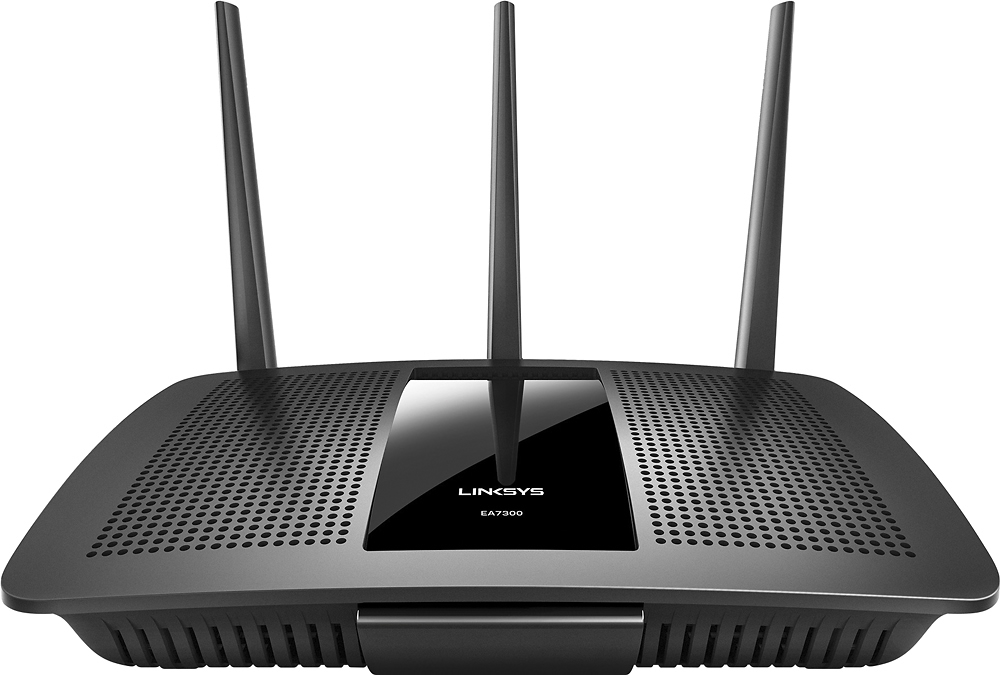
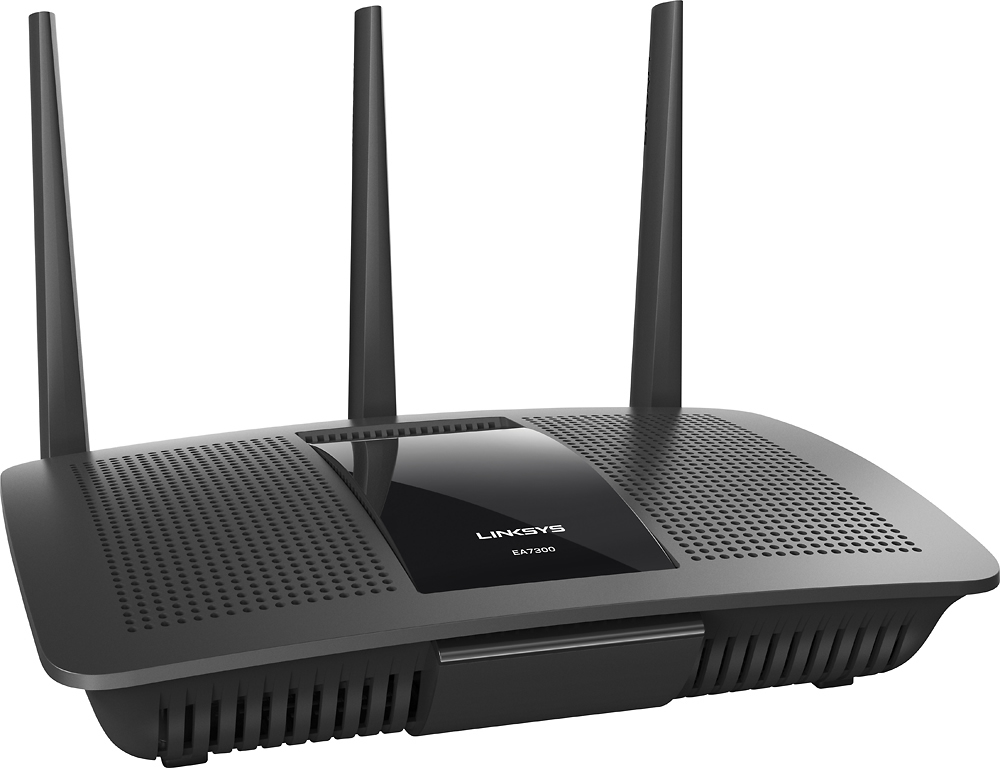

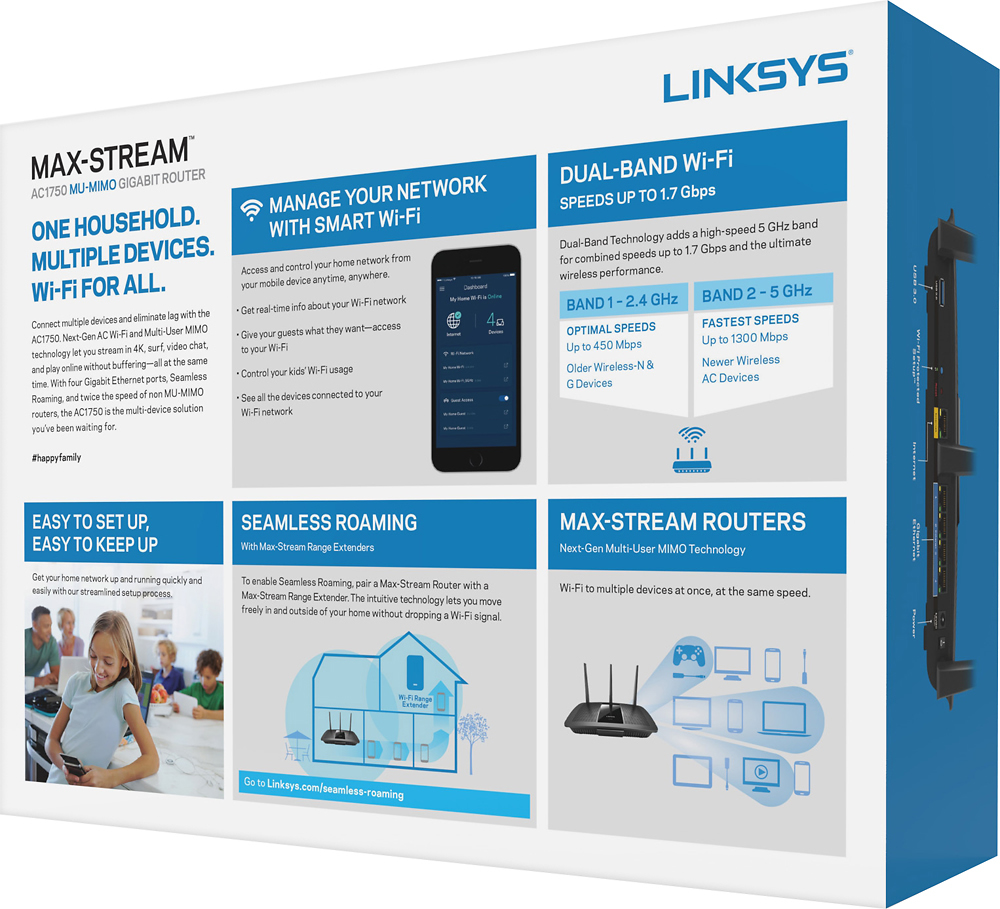




- Model:
- EA7300
- SKU:
- 5604102
Rating by feature
- Value
Rating 4.4 out of 5 stars
- Quality
Rating 4.6 out of 5 stars
- Ease of Use
Rating 4.6 out of 5 stars
Customers are saying
Customers are impressed with the AC1750 Dual-Band WiFi 5 Router's ease of use, range, and performance. Many appreciate the strong signal and reliable streaming capabilities, along with the generally positive setup experience and good coverage. While some experienced connection issues or found the router larger than expected, the majority of feedback was favorable. The price point also received positive comments.
This summary was generated by AI based on customer reviews.
- Pros mentioned:Ease of use, Performance, Range
Powerful options, yet easy to set up
Posted .This reviewer received promo considerations or sweepstakes entry for writing a review.I repair computers for a living so I know my way around setting up a home wifi network. This has a lot of the options an advanced user could want, yet I would feel comfortable recommending this to someone who knows very little about computers and networking. I was up and running in about ten minutes, including the time it took to update the firmware. The speed and range is great, and very reliable. I have 8-10 devices hooked up and it has handled each one perfectly. If you live in an apartment complex or have a lot of neighbors with wifi like I do, a dual-band router is a must-have. There are obviously more powerful and fancier routers out there, but I'm very happy with this router considering the price.
I would recommend this to a friend - Pros mentioned:Ease of use, PerformanceCons mentioned:Lag
Plug & Play
Posted .This reviewer received promo considerations or sweepstakes entry for writing a review.I received a free sample from Linksys in exchange for my honest feedback, and honestly this router is very easy to setup and use. It is compact, but powerful. I have 3 floors in my home and I have coverage on all three levels with the router located on the third floor. I have owned many routers in the past and this one has went a step above the rest. I have a large family with many devices, most of them streaming all at the same time. No one has complained once about any lag or buffering since installing this unit. I titled this review as plug & play and although you have many settings that you can customize, it really is plug & play.
I would recommend this to a friend Not worth it. Not Supported.
||Posted . Owned for 1 year when reviewed.This reviewer received promo considerations or sweepstakes entry for writing a review.lasted a year with frequent problems the last 3 months. NEVER a firmware update. Still available at Best Buy with a price slash and still not worth the cost.
No, I would not recommend this to a friendTerrible Wifi coverage
||Posted .This reviewer received promo considerations or sweepstakes entry for writing a review.I live in a small apartment and I expected this to do the trick. I used to have a Netgear Nighthawk, which was perfect until it fell from the shelf and broke. I'll have to upgrade again.
No, I would not recommend this to a friendBrand response from Linksys Staff
Posted .Hi, Stella7397,
The EA7300 router has three external antennas designed to improve the coverage. Proper positioning according to your environment will help as well as optimizing the wireless settings. Please get in touch with us at LinksysCares@linksys.com so we can have our Escalation Engineers assist you. Include your contact details and a link to this review for reference.
Regards,
Rosalyn
Linksys Support
- Pros mentioned:Performance, Speed
A Router Upgrade I didn't Know I Needed
Posted .This reviewer received promo considerations or sweepstakes entry for writing a review.I've been using a netgear router for the past year, which I don't consider "old" by any means. I never had any real problems with it besides some spotty wifi reception but I still decided to look for new ones to see what I was missing out on. After doing lots of research on different routers, I decided to go with Linksys after reading the positive reviews on their products. Fast-forward a bit, I received this Linksys Max-Stream AC1750 in the mail and I immediately noticed the sleek and clean packaging. The router is a bit larger than my old router but is not obtrusive. Setup: DEAD SIMPLE. There's not much to say except: I opened box. Unplugged power and Ethernet cable (coming from my internet modem) from the old router. Plugged it into new router. Connected to the router using the 6 step instructions in the box. Btw, we're already on step 4. Logged in to the router settings. Changed the router name and password to my old router name and password. Internet = WORKING! All of my devices were connected to the internet without changing any settings on them. Before I talk about the performance itself, I wanted to give an honorable mention to the Linksys Smart Wifi App for being just as sleek and clean as the router. I can change any wifi settings and monitor who's connected to my home network without having to use my computer browser and typing in those random numbers to access settings. Performance: This is where the router blew me away! As I mentioned, I didn't have any major concerns with my old router so my expectations for this Linksys were pretty low. I went to the far end of my house, and with the help of the three external antennas, my spotty issues were in the past. I ran an internet connection test and that is where the surprise came. I was actually getting 1.7x faster speeds just by using this router. It made no sense to me at first because a router does not dictate how fast your internet speeds are, your service provider does. After talking to a few people about this, it turns out that my old router wasn't actually able to keep up with the fast internet speeds we signed up for with Comcast. The new "Wireless-AC and 5ghz band" technology in this router was able to serve the fast internet to all of our current gen apple products and network devices. The router solved a problem I never knew I had! I'm thoroughly impressed with this router and I wouldn't be surprised if I had it for a few more years. *Note: I received this router for free in exchange for my honest feedback and have provided nothing but that. I know how important it is to read customer reviews whenever making a decision to buy a new product and I would hope that no other consumers leave biased reviews on products.
I would recommend this to a friend - Pros mentioned:Ease of use, Signal strength
Great home router, Easy Setup...
Posted .This reviewer received promo considerations or sweepstakes entry for writing a review.I received a free sample of this EA7300 Linksys Router in exchange for my honest feedback. That said, this is a router that I had been interested in and it seemed to be a good choice to replace my aging Cisco E3200 that I had purchased in late 2011. I waited for a few days after the initial installation to have a chance to get some experience with this unit. Since the initial setup, I have also spent another 30 minutes experimenting with various network settings and trying different combinations. The installation was accomplished without any complications. The first steps were to connect the Router to my modem and a power cable. The included “quick start guide” was very clear. After powering on, I then configured the EA7300 using a desk PC closest to the router. Since this computer is not WiFi based I made that connection using a standard LAN cable and my browser. The biggest issues were choosing my network names, robust network passwords, and making sure I had appropriate encryption settings to protect my networks. The entire setup lasted perhaps 15 minutes. Some of that time was spent exploring the Router’s many configuration options. I think you could use the default settings and have the unit operating in just a few minutes. Of course any connected devices required network updates to locate and connect using the new network names and passwords. So far I have connected a smart TV, an older laptop, a fairly new Android phone, a WiFi home thermostat, and my desk PC using the LAN cable. All devices were able to connect without difficulty. My only device that seemed to have capability of using the 5.0 network was my smart phone. For all other devices I used the 2.4 network. I have not had any connection problems since initial installation and the modem has been stable without any interruptions or reboots. I like that the Router sells for what seems to be a very competitive price and includes all the features I was looking for including the standard 2.4 MHz and 5.0 network options, guest network, and MU-MIMO. There is a web based option which I also set up allowing me to view my network from any connected PC. I also downloaded and activated an Android Linksys app which also allows the network to be viewed or reconfigured from my smart phone. The signal strength has been adequate for all needed locations in my mid-size house. Streaming movies on my distant smart WiFi connected TV has gone as expected without any pauses in the movie. I think for most homes, this Router would serve very well. Certainly, make sure this Router has the features you require. I can recommend the EA7300 without any reservations.
I would recommend this to a friend Did not last long at all
||Posted .This reviewer received promo considerations or sweepstakes entry for writing a review.Bought this thing in November 2016 brand new from Best Buy. This router died before I even had it for 2 years. Very frustrating to say the least. It's been plugged into a surge protector and showed no signs of any sort of problems before today. It just up and DIED. I feel like I got ripped off here. This router should last a lot longer than my iphone which I bought around the same time. The iphone gets abused and keeps on working. This thing just sits on a table. I'm thoroughly disappointed. I will not be purchasing another one from Linksys.
No, I would not recommend this to a friendBrand response from Linksys Staff
Posted .Hi MarcoPolo,
Your experience is not common as we made sure that our routers were tested for ultimate durability. We're eager to learn if there are still lights on your EA7300 router so we can have one of our Escalation Engineers diagnose if it's still good for a fix. Please shoot us an email at LinksysCares@linksys.com with your contact details and the link to this post for easy reference.
Regards,
Jay
Linksys Support
- Pros mentioned:Signal strength
Strong signal
||Posted .This reviewer received promo considerations or sweepstakes entry for writing a review.This has a strong signal but that's it it. does not do better then my 4 year old Linksys router and it is not compatible with me Liftmaster garage application
No, I would not recommend this to a friendBrand response from Linksys Staff
Posted .Hi, Eric23,
There could be some settings that we need to change or enable to maximize the router's performance. As for the Liftmaster, it would be best if you can share your challenges with us so we can help you get it up and running. Please email us at LinksysCares@linksys.com with your phone number and the link to this post so we can have you assisted by our Escalation Engineers.
Regards,
Irish
Linksys Support
Avoid this in 2019
||Posted .This reviewer received promo considerations or sweepstakes entry for writing a review.I just learned today that I threw $130 in the trash... I've had to reset this thing because of DNS issues every day 2-3 times a day. I've only had it about 4 months. Logging into it is almost impossible, the media server function is a joke, I've completely reset it multiple times to no avail. I even bought a new cable modem! Nothing has solved my issues and Linksys tech support is like talking to a brick wall. I've cut my losses and bought a new router. Avoid this, save yourself some time and go towards Google Wifi.
No, I would not recommend this to a friendFailed after 1 year
||Posted .This reviewer received promo considerations or sweepstakes entry for writing a review.Had this router for a year with no issues. As of last week my 2.4 and 5.0 network speeds started to degrade from 100 Mbps to less then 1 mb, factory reset the router and it was working the following day with no issue. Tonight both networks disappeared while surfing the web and nothing could connect to it, and the Linksys status light just started blinking. Rebooted the router and the same issue persists; I'll try to reload the firmware, but these issues should not be happening for a router that is only a year old.
No, I would not recommend this to a friendBrand response from Linksys Staff
Posted .Hi Reppin1718,
We appreciate your product review. A flashing Linksys Logo would indicate a connection error to your Linksys EA7300. To isolate, try to connect a computer directly to your modem to see if you have a stable connection from it. Let us know the result at LinksysCares@linksys.com with your contact details and the link to this review, so we can have our Escalation Engineers investigate the router further.
Regards,
Jan
Linksys Support
0 stars for this junk
||Posted .This reviewer received promo considerations or sweepstakes entry for writing a review.This router is probably the worst i have worked with within passed 3 years . Headaches out of box . Installed , configured , firmware updated ...and ?? and - Losing connection , reconnecting itself , to use wireless printer - you need to - OFF, ON both , router and printer ( each time ) manual configuration , including wireless channels i m changing to pick at least 20 mbps , 1-11 channel - work between - bad and worst . Downgrade the firmware , few times reset ... same s```.. Linksys has completely violated my trust . Stay away from this router
No, I would not recommend this to a friendBrand response from Linksys Staff
Posted .Hi Vitaminchik,
Thank you for taking the time in sharing this review and we'll take this chance to change your perspective towards us. We understand that you've gone through a lot of troubleshooting and we'll have our Escalation Engineers assist you. Please reach out to us at LinksysCares@linksys.com with your contact details and the link to this review.
Regards,
Rechel
Linksys Support
Works for some
||Posted .This reviewer received promo considerations or sweepstakes entry for writing a review.My son managed to work around it by making his i.p. address. He's way smarter about these things than I am. So it was worthless to me for what I was trying to accomplish.
No, I would not recommend this to a friendBrand response from Linksys Staff
Posted .Hi txChris,
Modifying the router's IP address is needed at times due to several
factors such as avoiding conflict between the modem and the router.
Nonetheless, we appreciate your posting this review. Reach out to
us anytime at LinksysCares@linksys.com should you need further
assistance.
Regards,
Klaudette
Linksys Support
Not Reliable
||Posted .This reviewer received promo considerations or sweepstakes entry for writing a review.Bought this router May 2017. Worked great until now. 2.4 is dropping out and disconnecting any devices using this frequency. That's less than two years!
No, I would not recommend this to a friendBrand response from Linksys Staff
Posted .Hello LTacker,
We might need to change the 2.4GHz frequency wireless channel as it could've been affected by interference in your network. For further assistance, shoot us an email at LinksysCares@linksys.com along with your phone number and the link to this review for easy reference; we'll have our Escalation Engineers lend you a hand.
Regards,
Princes
Linksys Support
Terrible software avoid this router
||Posted .This reviewer received promo considerations or sweepstakes entry for writing a review.This was one of the worst routers I have ever worked with. Simply getting it configured on the network required me to create a linksys account. When I tried to put it in bridge mode, the software went into loops and would not allow me to access the router. The only way to restore was a hard reset back to factory settings. In trying to make the router easier to set up, Linksys made it impossible to set up. Do yourself a favor and buy an Asus instead, simple to setup and configure.
No, I would not recommend this to a friendBrand response from Linksys Staff
Posted .Hi sbruck,
During setup, there's an option for manual configuration if you don't want to create a Linksys Smart Wi-Fi account. Also, please note that accessing the interface of your Linksys router in Bridge Mode can only be done locally using either wired or wireless connection. We'd appreciate if you will reach out to us at LinksysCares@linksys.com so we can have one of our Escalation Engineers assist you in resolving your challenges. In your email, don't forget to include your contact details and the link to this post for easy reference.
Regards,
Jay
Linksys Support
Fair Router
||Posted .This reviewer received promo considerations or sweepstakes entry for writing a review.Worked well for a few days, then slowed down. Tec support was great. Found the router was bad, offer to send me a replacement. I declined and returned it.
No, I would not recommend this to a friendBrand response from Linksys Staff
Posted .Hello, Kend,
With proper tweaking on the router's settings, we're certain that your unit can provide quality performance. Should you decide in proceeding with the replacement, then please email the link to this post and your contact details at LinksysCares@linksys.com, and our Escalation Engineers will make it up to you.
Regards,
Klaudette
Linksys Support
Did not work
||Posted .This reviewer received promo considerations or sweepstakes entry for writing a review.I followed the instructions 3 times and the "blinking light" never turned to a solid white as it said it would. Boxed it up and returned for a Netgear router.
No, I would not recommend this to a friendBrand response from Linksys Staff
Posted .Hi, Gramma,
There are instances that we need to configure the router's settings for it to communicate with your Internet Service Provider's connection. Our Escalation Engineers could have helped you get the unit up and running. Should you need any assistance with your other Linksys devices, please reach out to us at LinksysCares@linksys.com anytime.
Regards,
Kristine
Linksys Support
- Pros mentioned:Performance, Range, Signal strength
Great Linksys Router
Posted .This reviewer received promo considerations or sweepstakes entry for writing a review.Been using this router for over 5 years now. Reliable and gets the job done. Setup was fairly simple minus calling the provider to have them update on their end. Range is sufficient for our home. Signal strength is also good for a 2700 sq foot home. Encountered minimal problems that a simple reboot would easily fix.
I would recommend this to a friend Didn't really help
||Posted .This reviewer received promo considerations or sweepstakes entry for writing a review.I set it up but it really didn't change my signal strength. Also kind of tricky when setting up didn't connect right away like they told me it would
No, I would not recommend this to a friendBrand response from Linksys Staff
Posted .Hi Elnene,
Setting up the router is normally easy using the Smart Setup Wizard. To boost the wireless signal, it is ideal to place the router either in the central part of your house or in a location free from any obstructions that may block its signal. Adjusting the wireless channel will also reduce possible interference in your network. Please get in touch with us at LinksysCares@linksys.com so our Escalation Engineers can go through the necessary steps with you. Include your contact details and the link to this review.
Regards,
Rechel
Linksys Support
- Pros mentioned:Signal strengthCons mentioned:Lag
Solved a problem
Posted .This reviewer received promo considerations or sweepstakes entry for writing a review.I had been shopping for a new router when I received this EA7300 from Linksys as a free sample for evaluation. It arrived just in time to replace an older Linksys EA3500 that I had been using for several years.The EA3500 worked just fine in our smaller home but after moving to a larger two story I found that I had dreaded WI-FI dead zones on the same floor as the router and even worse on the other floors. I tried to get by by installing WI-FI extenders but this got to be expensive and was, at times, difficult to keep in sync with the main router. After installing the new EA7300, I had full bar WI-Fi signal strength throughout my home and was able to get rid of the extenders. The EA7300 was a breeze to setup. My son followed the Quick Start Guide and I was literally up and running in 10 minutes. The intuitive web browser based Linksys setup application is similar to the EA3500 so changing the SSID and router password was easy. With the new router, my son said that lag time is almost completely gone when playing his online games. I've also noticed that streaming movies in 720p has very little, if any, lag that can be directly attributed to the router. We all have multiple computers and mobile devices that this router seems to accommodate seamlessly. Overall, I'm very happy with the performance and easy of setup of this router. If it is anything like my past Linksys routers, I know that it will last my a few years before I look to upgrade just to keep up with new technology.
I would recommend this to a friend - Pros mentioned:Range, Signal strength, Speed
Easy to Setup Great Performance
Posted .This reviewer received promo considerations or sweepstakes entry for writing a review.I received this sweet little piece of technology through Linksys in exchange for my feedback on my experience with it. I live in a small house so testing the range and how well the signal carries throughout a large area broken up into different rooms was limited. I have no problem with signal strength in an open 800 sq. foot space. I also did a walk around outside the house with my smartphone to see how far away I could get before the signal weakened which it did after about a hundred feet from the router that was inside the house, but still had a pretty good signal. My old router isn’t much and pretty old so comparing the speeds of the two isn’t a great mile marker, but nevertheless my internet connection speeds have improved noticeably with some added snap. I have had two laptops and two other mobile devices online at the same time and didn’t notice it effecting connection speed at all. Videos streamed without interruption. The setup was as easy as plugging it in and entering a couple passwords. It took a few tries (reboots) and a few minutes for the router, modem and devices to start talking to each other. No big deal. Router settings can be accessed via an intuitive and clean user interface in the cloud (so can access from anywhere) that is logical and a snap to use. All of the configuration options and settings are easy to navigate set in a minimalistic and logical interface. Sweet! This is quality technology at any price yet alone for $130. bucks. There is a lot of bang for the buck and it’s easy setup and usability makes it the perfect router for me, a non-computer tech that needs secure quality hardware/software to be able to just plug and play. It is rich with features if you’re inclined to take advantage of all the configuration options and network capabilities. I think you could run a small office with several computers and other devices on one or more networks.
I would recommend this to a friend