Customer Ratings & Reviews
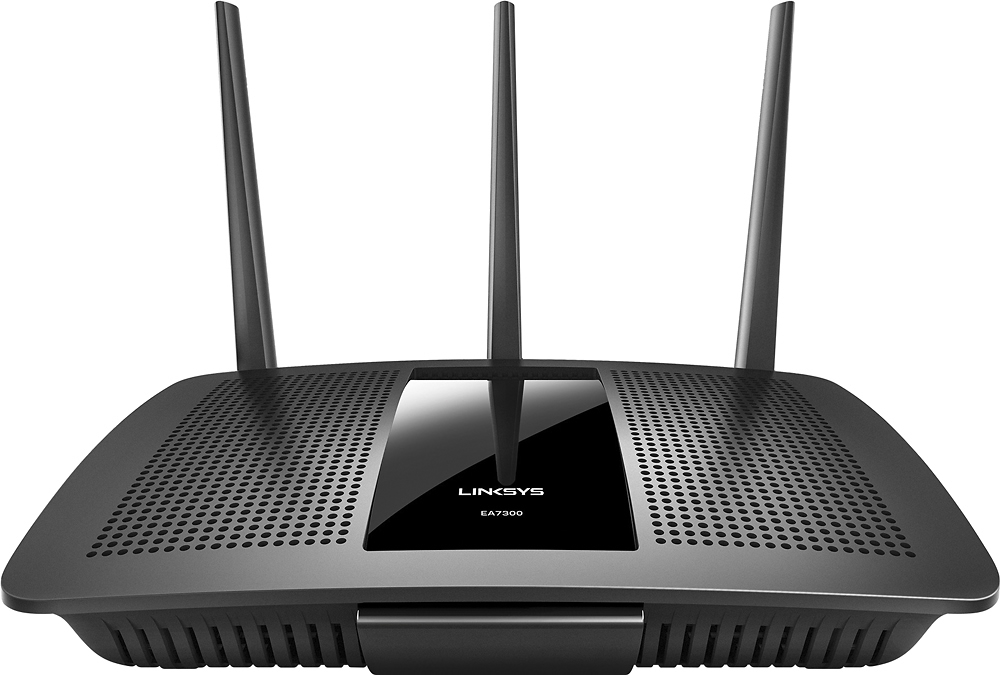
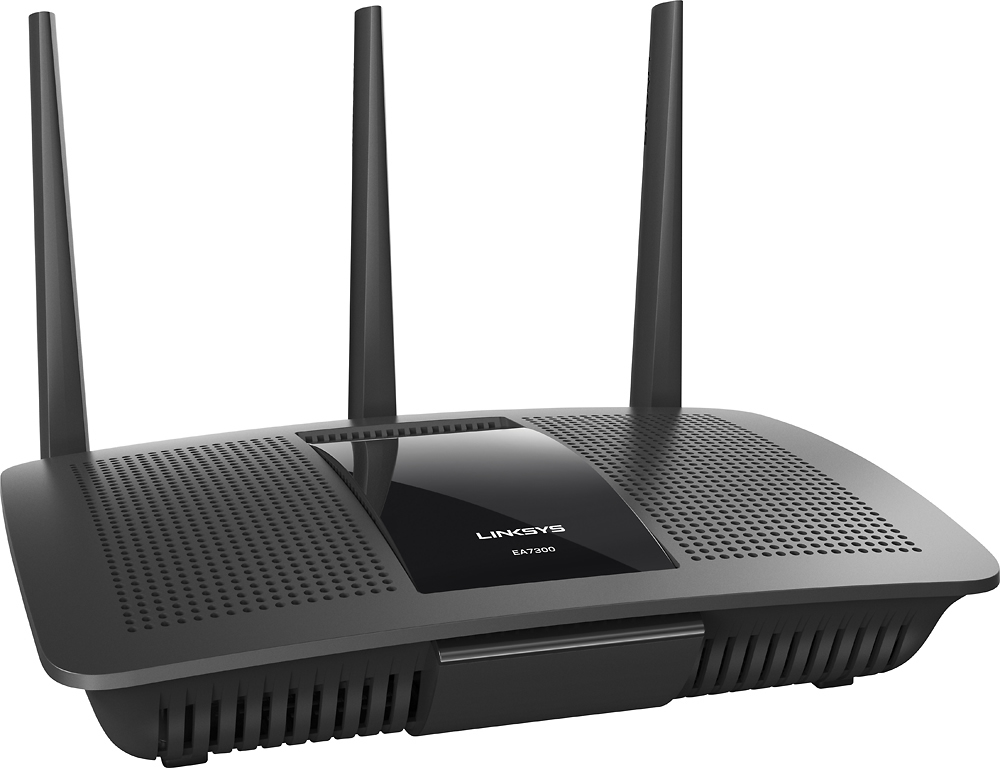

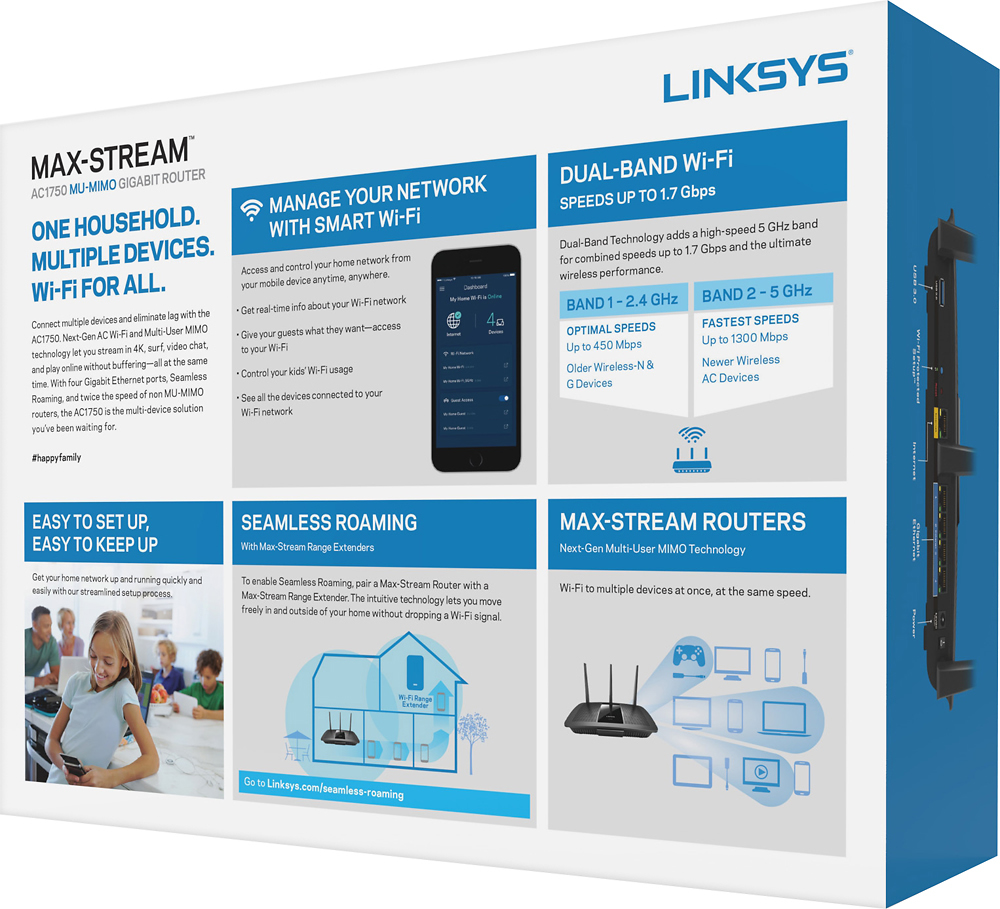




- Model:
- EA7300
- SKU:
- 5604102
Rating by feature
- Value
Rating 4.4 out of 5 stars
- Quality
Rating 4.6 out of 5 stars
- Ease of Use
Rating 4.6 out of 5 stars
Customers are saying
Customers are impressed with the AC1750 Dual-Band WiFi 5 Router's ease of use, range, and performance. Many appreciate the strong signal and reliable streaming capabilities, along with the generally positive setup experience and good coverage. While some experienced connection issues or found the router larger than expected, the majority of feedback was favorable. The price point also received positive comments.
This summary was generated by AI based on customer reviews.
low speed followed by complete failure
||Posted .This reviewer received promo considerations or sweepstakes entry for writing a review.I bought this router nearly a year ago and I get 100 speed internet, but, not with this router. I never received more than 84. And now it has failed completely. I hope the manufacture will replace it as it has been less than a year. Who knows with electronics. Best Buy only covers it for 15 days. Hint..hint..Ask an expert before buying a Linksys. Then buy something else.
No, I would not recommend this to a friendBrand response from Linksys Staff
Posted .Hi, customer101,
It seems that your EA7300 router is not providing you the right amount of internet speed which shouldn't be happening if the firmware is up-to-date and the settings are well-configured. No worries, we'll have one of our Escalation Engineers contact you and sort this out. Please drop us an email at LinksysCares@linksys.com with your contact details and the link to this review for reference.
Regards,
Jay
Linksys Support
Poor signal
||Posted .This reviewer received promo considerations or sweepstakes entry for writing a review.Poor signal in my < 1700 sq ft house. Had to get powerline adapters since WiFi wasn’t good enough
No, I would not recommend this to a friendBrand response from Linksys Staff
Posted .Hi Jk129,
It is possible that signal interference is what's causing the limited Wi-Fi coverage. Allow us to have our Second Level Technicians get in touch with you for further troubleshooting.
Just send us your contact details at LinksysCares@linksys.com so that we can escalate your case. Don't forget to include the link to this post.
We hope to hear from you soon.
Regards,
Thaddeus
Linksys Support
- Cons mentioned:Connection
died within a month
||Posted .This reviewer received promo considerations or sweepstakes entry for writing a review.Router died within a month of purchasing. would drop connection constantly.
No, I would not recommend this to a friendBrand response from Linksys Staff
Posted .Hi, Techmanrz,
It is odd that it already stopped working considering the span of time that you've used it. Allow us to check what could've caused it and help you with the replacement process. Please email us at LinksysCares@linksys.com with your phone number and the link to this post for our reference.
Regards,
Irish
Linksys Support
returned it
||Posted .This reviewer received promo considerations or sweepstakes entry for writing a review.when our intewrnet was installed the tech said this was not as good as their standard router`
No, I would not recommend this to a friendupdated router from an old N router
||Posted .This reviewer received promo considerations or sweepstakes entry for writing a review.They told me no more buffering this will stream perfect incorrect mad buffering my old router was better
No, I would not recommend this to a friendBrand response from Linksys Staff
Posted .Hi,
This an odd behavior for the Linksys router. There is a possibility that signal interference is the cause of the intermittent connection. We can have our Escalation Engineers assist you with the adjustments of the router to help you achieve the performance you want.
Just send us your contact details at LinksysCares@linksys.com along with the link to this post.
We hope to hear from you soon.
Regards,
Thaddeus
Linksys Support
- Pros mentioned:Performance, Speed
Linksys AC1750 MU-MIMO Router - Great Performer
Posted .This reviewer received promo considerations or sweepstakes entry for writing a review.I received a free sample of this router from Linksys in exchange for my honest feedback. I have been using the Linksys Max-Stream AC1750 MU-MIMO Gigabit router for about two months replacing the WRT1900ACS that had a major problem with intermittent reboots. They were happening multiple times a day and usually at the most inopportune time. The AC1750 is a good performer with the same speed levels for both bands and coverage of the same footprint as the WRT1900ACS. Initially, for the first month or so, I had an intermittent reboot about twice a week. The difference was that when it rebooted, it never completed the process. I had to pull the power to the unit each time. Once power was reapplied it would boot up and work flawlessly until the next intermittent reboot. After about a month of this I shut everything down, disconnected everything (including my cable modem), waited a few hours and hooked everything up again (the same thing I tried with the WRT1900ACS with no luck). In the case of the AC1750, I have not had another intermittent reboot in about a month. I have 33 devices including multiple Rokus, Fire TVs, Apple TVs, phones, tablets, etc., with no apparent loss of bandwidth when using any combination of devices. The only things I miss is the extra USB port of the WRT1900ACS. I have held off updating the firmware until I was sure how the AC1750 worked out. I will be trying the new firmware starting next week. I have been very happy with this router. I would definitely recommend the AC1750, especially as a replacement for those still suffering from the constant reboots of the WRT1900ACS.
I would recommend this to a friendBrand response from Linksys Staff
Posted .Hi, JDri30,
Thanks for sharing your experience. We're glad to hear that your EA7300 is performing great! To avoid any connectivity issues, we recommend keeping the firmware up-to-date. For queries and assistance, don't hesitate to email us at LinksysCares@linksys.com, anytime. We'd be more than willing to serve you.
Regards,
Jay
Linksys Support
- Pros mentioned:Performance, Range, Speed
Great Router!!!
Posted .This reviewer received promo considerations or sweepstakes entry for writing a review.The range on this thing is amazing! Its performance and speed are solid. I have had this router for over a year and I love it.
I would recommend this to a friend Slow wifi
||Posted .This reviewer received promo considerations or sweepstakes entry for writing a review.Nice device for like 2 months and after that, wifi connection is realy bad, low speed
No, I would not recommend this to a friendBrand response from Linksys Staff
Posted .Hi, Chico,
The Linksys EA7300 router should maintain a good wireless connection if the firmware is up to date and the settings are properly configured. Tweaking the router's wireless channels can help fix this setback. Reach out to us at LinksysCares@linksys.com so we can have our Escalation Engineers walk you through the steps. Indicate your contact details and the link to the post for our reference.
Regards,
Joseph
Linksys Support
Can't recommend it
||Posted . Owned for 1 month when reviewed.This reviewer received promo considerations or sweepstakes entry for writing a review.Purchased the WIFI because my AT&T router/WIFI wasn't doing the job, had the Geek Squad hook it up along with a new AT&T router/ WIFI, now it is even worse, now when streaming movies from Netflix etc. sometimes it has to stop and reload more info, not sure what the problem is, didn't do that before.
No, I would not recommend this to a friendBrand response from Linksys Staff
Posted .Hi, Jobill,
If the concern is only happening to your Wi-Fi network, then try to optimize its wireless setting by changing the channels of your Linksys EA7300 to the recommended ones. Email us then at LinksysCares@linksys.com so we can have our Escalation Engineers assist you further. Include your contact info and the link of this review for reference.
Regards,
Elyza
Linksys Support
Usually great stuff
||Posted .This reviewer received promo considerations or sweepstakes entry for writing a review.Ended up returning, not sure if it was really defective, it might have been verizons fault.
I would recommend this to a friendBrand response from Linksys Staff
Posted .Hi, Slim,
Thank you for bringing this to our attention. Our Escalation Engineers could've gathered more details of the issue and helped you get the router to work as expected. We understand that you have already returned the unit. However, if you need assistance with your other Linksys products, please don't hesitate to reach out to us at LinksysCares@linksys.com anytime.
Regards,
Kristine
Linksys Support
Not what I expected
||Posted .This reviewer received promo considerations or sweepstakes entry for writing a review.when first installed I tried to follow direction to "safely" install product and securely - before I could get to the website I had all these virus pop ups and I got nervous and unplugged and returned to store. I did not what to use something that was going to cause problems. I upgraded my router and so far so good.
No, I would not recommend this to a friendBrand response from Linksys Staff
Posted .Hi, lmgi1,
Your experience with the setup process has caught our attention as it should be smooth using the Smart Setup Wizard. Our Escalation Engineers could have checked the pop-ups and helped you get the router up and running. Should you need assistance with your other Linksys devices, please don't hesitate to reach out to us at LinksysCares@linksys.com anytime.
Regards,
Kristine
Linksys Support
Not worth it
||Posted .This reviewer received promo considerations or sweepstakes entry for writing a review.This particular router had issues right out of the box - failing to renew the lease from the ISP, random lockouts from config page, random no access to USB media. Firmware update did not help. Also the UI is really locked down, and there are hidden menus that you have to know the direct URL to access.
No, I would not recommend this to a friendBrand response from Linksys Staff
Posted .Hi, sec880,
All Linksys products went through rigorous tests to ensure proper functionality out of the box. Your experience is very uncommon and we would like to make things right. Please shoot us an email at LinksysCares@linksys.com so we can have you assisted by one of our Escalation Engineers. Indicate your contact details and the link to this review for reference.
Regards,
Jay
Linksys Support
Cheap
||Posted .This reviewer received promo considerations or sweepstakes entry for writing a review.Cheap useful piece of paper weight. I would not buy again
No, I would not recommend this to a friend- Pros mentioned:Range, Speed
Great router for the price!!
Posted .This reviewer received promo considerations or sweepstakes entry for writing a review.I purchased this router from Best Buy on 7/15/17 on sale to replace my several year old Asus n66r router. While the Asus has been solid for many years, over the last few months it's been dropping out and slowing to a crawl requiring several reboots A DAY. Initial setup on the new Linksys AC1750 was easy breezy, easier than any router ever actually. I work in IT so that's saying a lot. The Linksys AC1750 has incredible range on both freqs and has yet to slow at all after a week. I personally like to set both 2.4 and 5ghz to the same SSID and let my devices choose which to use. So far that has worked flawlessly with this router. My iPhone 7 +(3 in the house), laptop, and MiBox 3 all seem to prefer the 5ghz which is great. All my devices(12-15, depending) run at my total available bandwidth and even my whole yard has great wifi coverage. My house is ~1500 sq/ft and sits on almost an acre. Very happy with this purchase and would recommend to anyone with a small to medium house or business.
I would recommend this to a friend Can't get it to open up type
||Posted .This reviewer received promo considerations or sweepstakes entry for writing a review.Won't open my nat type had no problems with my apple router
No, I would not recommend this to a friendBrand response from Linksys Staff
Posted .Hi, LeeB,
It's odd that the EA7300 is having an issue with NAT type since it's working with the other router. Our Escalation Engineers are eager to closely work with you and check the router's settings. Please email us your contact information at LinksysCares@linksys.com so that they can contact you as soon as possible. Indicate the link to this review for our reference.
Regards,
Kristine
Linksys Support
- Pros mentioned:Ease of use, RangeCons mentioned:Size
Fast, Easy Setup
Posted .This reviewer received promo considerations or sweepstakes entry for writing a review.This is the fourth or fifth router I've installed and setup and it was by far the easiest; just connect the cables, plug it in, and set it up with the Linksys app on my iPad (no need for a PC) in about five minutes. Got all the wireless devices in the house linked to it in another five minutes, truly the best transition from one router to the next I've ever done! Not once in the last two weeks have I lost connection with any of the six wireless devices in the house and I get good coverage outdoors as well. The only drawback is the size, it's the biggest router we've had and the three antennas sticking up make trying to place it hidden in an unobtrusive place a challenge but the range and reliability it gives far outweigh the size. (I received this product from Linksys in exchange for my honest review)
I would recommend this to a friend Great router for home streaming.
Posted .This reviewer received promo considerations or sweepstakes entry for writing a review.Great router for home streaming. Easy setup with optional "Smart Wi-Fi" mobile application for remote administration. I received this item as a free sample from Linksys in exchange for my honest feedback. I would recommend this router to a regular home user who is interested in a higher-end streaming router that will simply work. I would not, however, recommend it to anybody interested in doing any advanced networking setup or wishing to use a custom firmware on their router. Router pros: 802.11a/b/g/n/ac with beamforming and 3 radios (Mu-MIMO), boasting potential 1.3Gbit/s (5GHz) (advertises 1.7Gbit/s; 2.4GHz+5GHz) wireless rates with excellent range and compatibility; great for small households with up to 10 devices streaming 4K/HD video (as advertised) Easy initial setup (ideal for home users) with optional "Smart Wi-Fi" mobile application for remote administration Supports WPA2 (Personal or Enterprise; CCMP) for wireless security, WPA2/WPA mixed mode (Personal or Enterprise; CCMP/TKIP) for compatibility (note: TKIP is partially insecure; CCMP was recently discovered to be insecure); also supports open or WEP-encrypted networks (note: WEP is deprecated by the IEEE and is highly insecure; always use WPA2 whenever possible) Supports WPS for one-touch wireless setup (Security warning: Recommend disabling this as it does not allow disabling PIN-based WPS authentication which is known to be insecure even when not in use; WPA2 should always be preferred over WPS) Media Prioritization (partial Quality-of-Service support) allows certain applications or devices to be prioritized Parental Controls (partial Access Restrictions) allows blocking of specific devices at specific times and/or certain websites to be blocked USB 3.0 port allows for External Storage or Print Server functionality; External Storage (NAS) allows a USB flash drive or external USB hard-disk/solid-state drive to be connected to the network as a Windows share (SMB/CIFS), FTP server, and/or a media server. Guest wireless network allows for up to 50 guest devices separated from the private network Supports UPnP for simple device and service configuration Network Map allows for visualization of network devices Automatic firmware update Supports VPN passthrough Basic Stateful Packet Inspection Simple Packet Filtering (private interface only; anonymous requests, multicast, NAT redirection and ident) Single-host DMZ Single/Ranged Port Forwarding and Port Triggering Application Layer Gateway for SIP Supports 802.11k (seamless BSS transitions; if multiple access points are interconnected and share the same SSID) DDNS through NO-IP.com or Dyn.com Supports IPv6 Supports PPTP and L2TP tunnelling Router cons: Cannot disable HTTP admin panel (Potential security issue if left enabled on wireless and wireless is left open! Somewhat mitigated by using HTTPS or using physical connection for the admin panel) HTTPS admin panel must be enabled in any mode other than bridge mode when used in bridge mode (Inconvenient firmware configuration user-interface flaw) Cannot disable admin panel on wifi in bridge mode (Potential security issue if wireless is left open! Somewhat mitigated by using HTTPS or using physical connection for the admin panel) No simple method to enable admin panel on "Internet" interface (especially useful but impossible in bridge mode) No telnet or shell capabilities (ideal for advanced networks and administration) Currently no support for custom firmware (DD-WRT, OpenWRT, etc...; custom firmware can potentially fix other "cons" and/or security issues, though isn't necessarily supported by the manufacturer) No way to disable PIN-based WPS authentication when WPS is active (known to be insecure) Quality-of-Service support ("Media Prioritization") lacks upstream support External Storage not available in bridge mode Only supports RIP in terms of routing protocols Speed Test does not work as expected (requires Adobe Flash but errors or displays nothing when Adobe Flash is installed) Not well-suited for advanced network configurations (lack of full support of the following: VLANs, SNMP, secure VPN tunnelling, QoS (upstream), Access Restrictions (specific protocols/keywords), Wake-on-LAN (not necessary but potentially useful), advanced packet filtering, cannot set CIDR lower than 16 (however, DHCP device count on this device is better than unmodified DD-WRT: 65533 managed devices vs 253 managed devices on unmodified DD-WRT)) **Note: Certain Linksys routers (including this one) are subject to newly-discovered known vulnerabilities, including but not limited to the newly-discovered vulnerabilities in WPA2-CCMP. See http://blog.ioactive.com/2017/04/linksys-smart-wi-fi-vulnerabilities.html and https://www.linksys.com/us/support-article?articleNum=246427 for more details.
I would recommend this to a friendNot a good product
||Posted .This reviewer received promo considerations or sweepstakes entry for writing a review.Did not work out of the box. Product support people are off shore and impossible to understand. Set up takes an electrical engineer. Just A very disappointing product. I returned it to the store the next day.
No, I would not recommend this to a friendBrand response from Linksys Staff
Posted .Hi, MKL1,
This is clearly not the experience that we wanted you to have and we regret to hear that you've already returned your EA7300 router. We'd appreciate if you will share with us your reference number at LinksysCares@linksys.com so we can review your case and investigate if there was a breakdown of the process so this won't happen again.
Hoping to hear from you soon.
Regards,
Jay
Linksys Support
- Pros mentioned:Range, Speed
Best Router I Ever Had
Posted .This reviewer received promo considerations or sweepstakes entry for writing a review.Received this router as a free sample from Linksys in exchange for my honest feedback. And I can honestly say that this is a very good wifi router for home users. I replaced a router (Cisco Linksys EA3500) that was doing an adaquate job, but the new AC1750 is and has been a great performer. I have several devices connecting (phones, tablet, printer, desktop computer, and Tivo Bolt DVR) and all have no issues. And the speed is great especially when using the 5 GHz band. I can reach the max speed I have with my internet provider of 50Mbps! The 2.4 GHz, for reasons I have not determined, seems to cap out at around 20 Mbps. Range is also good in our two-story home. Strong signal everywhere. Setup was easy and simple.
I would recommend this to a friend - Pros mentioned:Ease of use, Range, Signal strength
Great Speed
Posted .This reviewer received promo considerations or sweepstakes entry for writing a review.I received this as a free sample from Linksys in exchange for my honest review. I opened the box, and the quick start directions were very clear and made it easy to connect the router. I did have an issue with a firmware upgrade that was required, and it took me several attempts to upgrade qnd get it working. I also have a wireless router/modem all in one. The signal on the Linsys is much stronger and has a much larger range than the modem/router combo. It is very quick and extended far. I downloaded the app on my phone and it is a wonderful resource. You can even add parental controls. All in all, I am very pleased with this product and would recommend it for people looking for speed and an outstanding range.
I would recommend this to a friend