Customer Ratings & Reviews
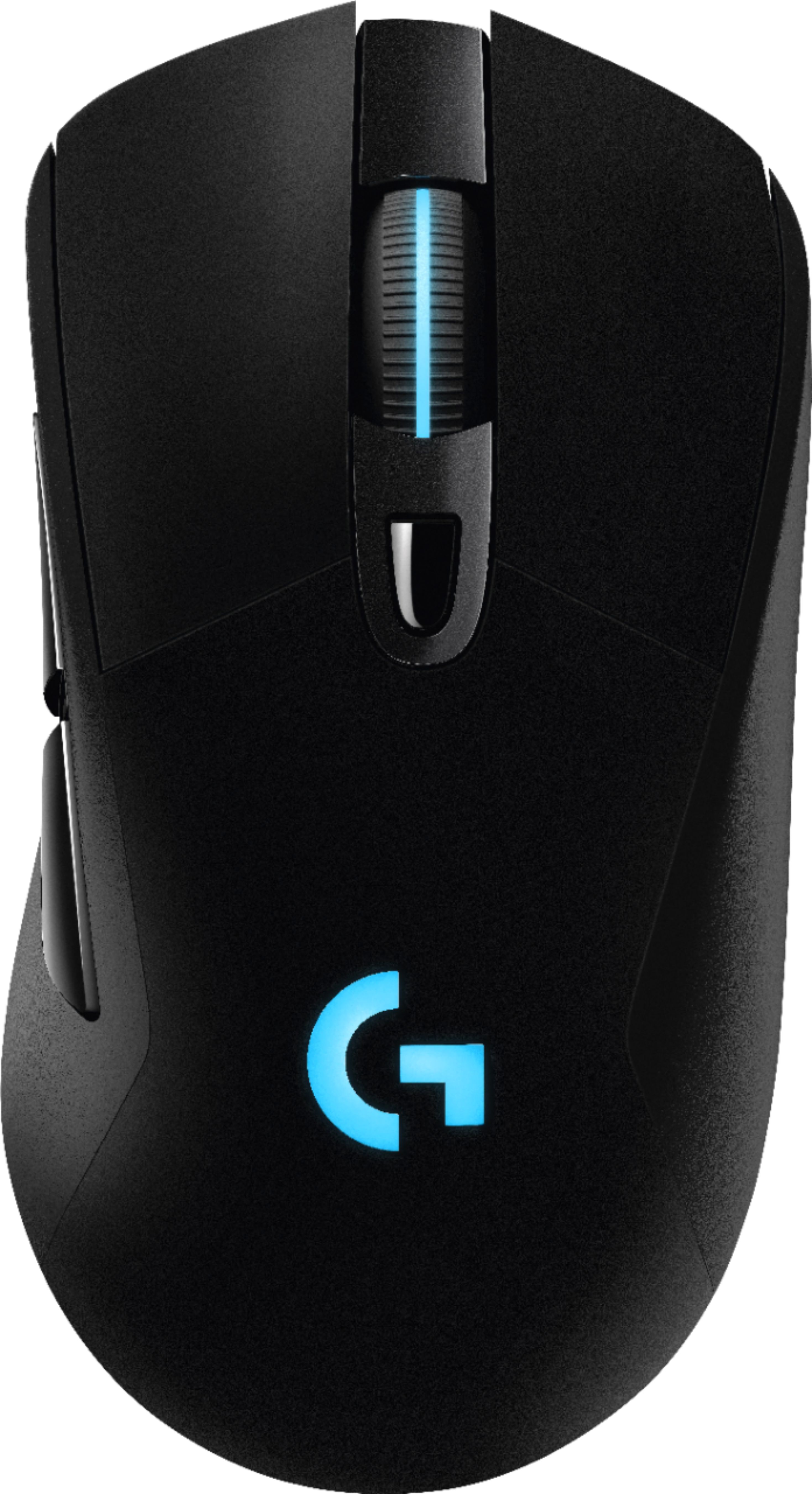
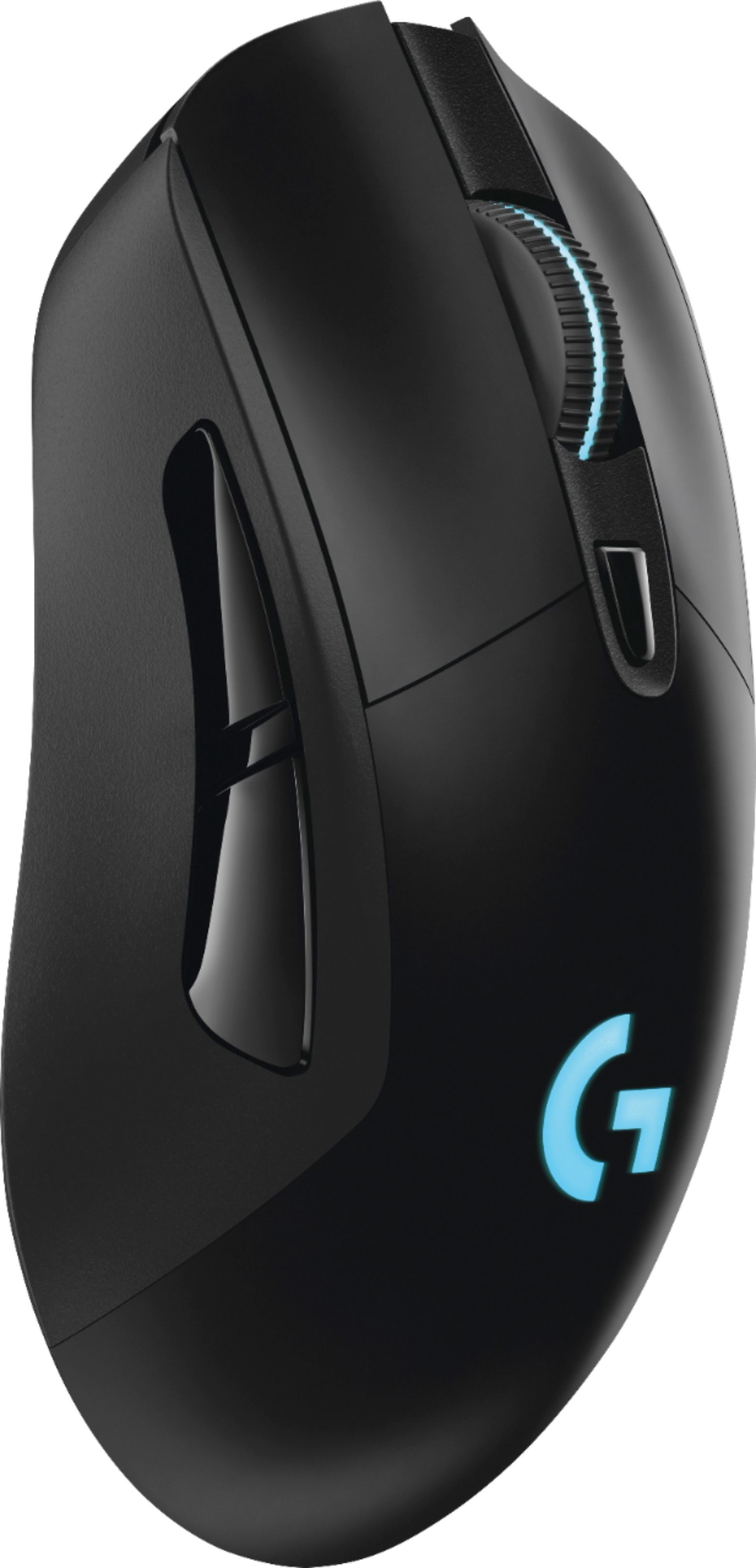
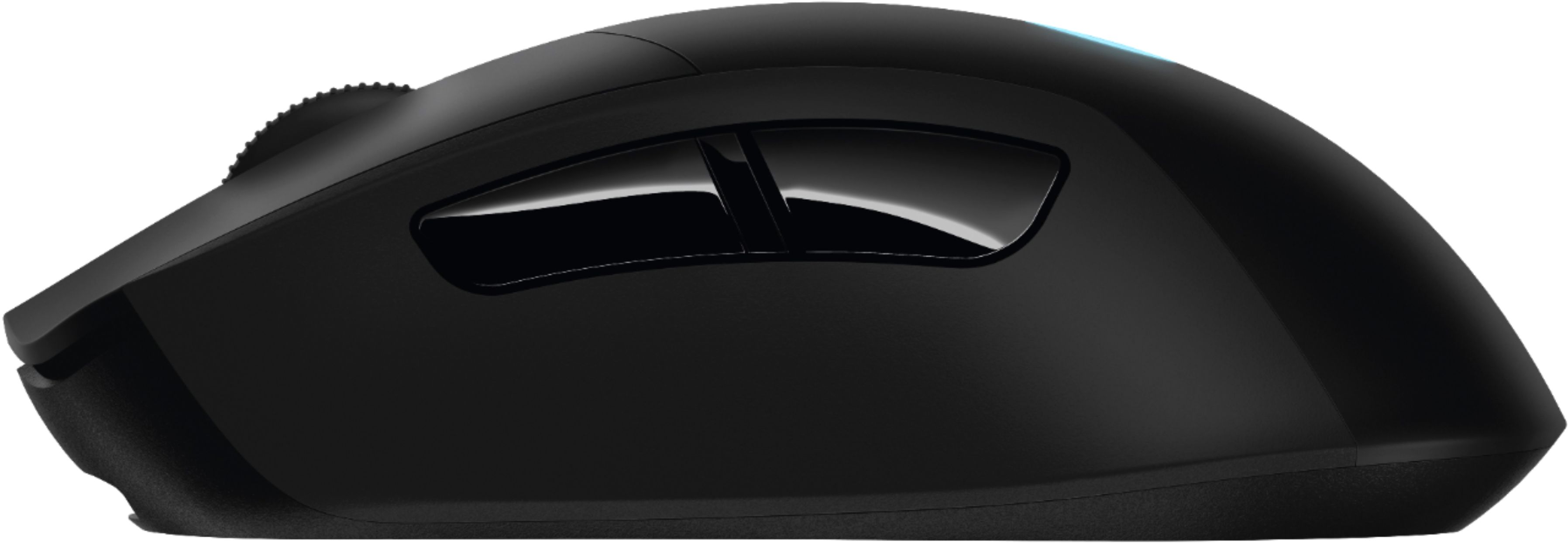
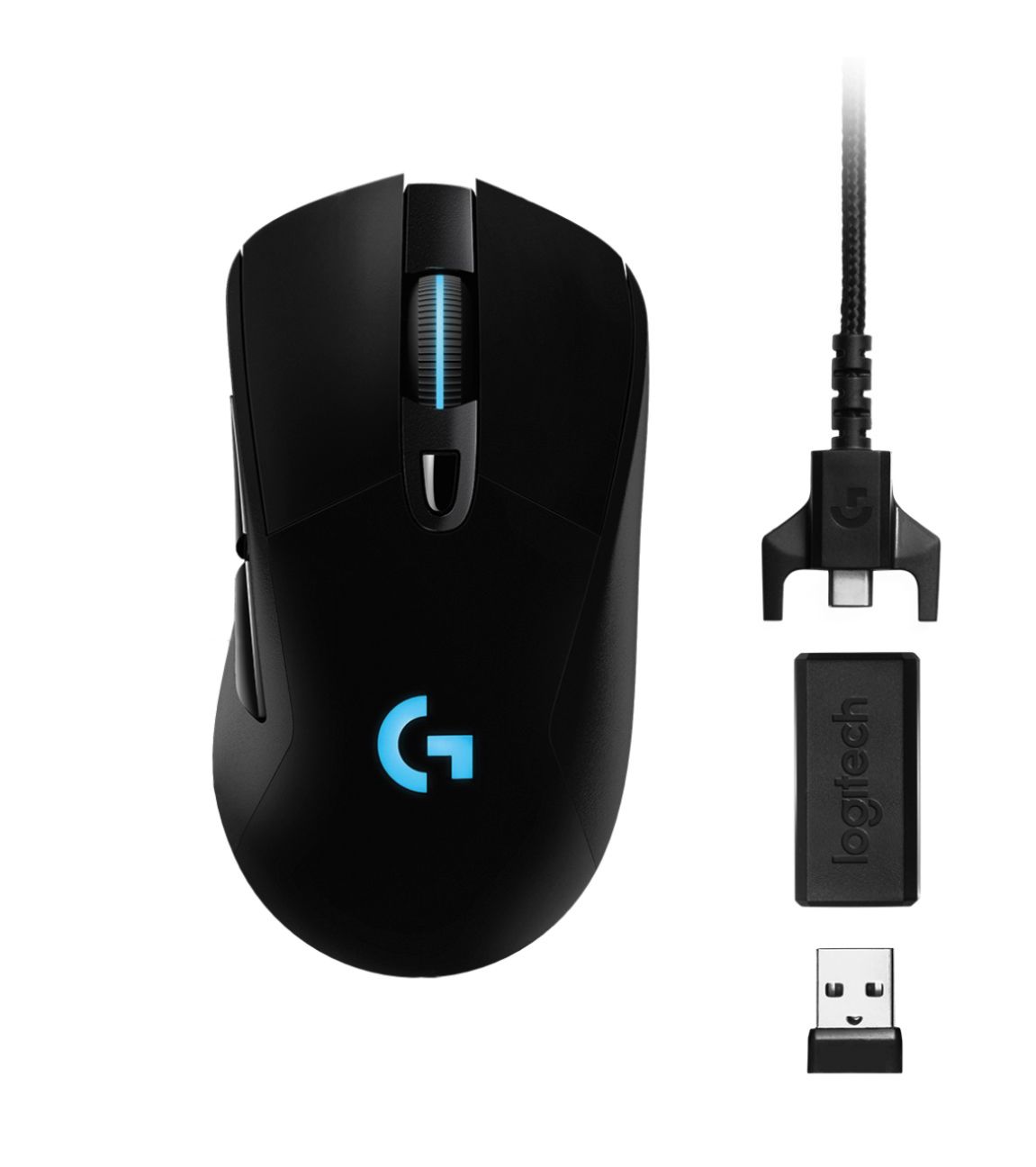

- Model:
- 910-005091
- SKU:
- 5877913
Rating by feature
- Value
Rating 4.3 out of 5 stars
- Quality
Rating 4.4 out of 5 stars
- Ease of Use
Rating 4.8 out of 5 stars
Customers are saying
Customers regard the G703 Wireless Optical Gaming Mouse with RGB Lighting highly for its excellent battery life, wireless functionality, and comfortable weight. Many appreciate the responsive performance, accurate tracking, and ease of use, although some found the shape and price less appealing. A few users experienced issues with the scroll wheel and buttons. Overall, the positive feedback on performance and features outweighs the negative comments.
This summary was generated by AI based on customer reviews.
Unbelievable!
||Posted .This reviewer received promo considerations or sweepstakes entry for writing a review.I bought this mouse on sale for $50. I could not be more impressed with the options in Logitech’s software and the comfort of this mouse. I was so impressed that I went out and got a G810 Orion Keyboard to match. I’m in love. <3
I would recommend this to a friend- Pros mentioned:Ergonomics, Rgb lighting, Weight

Excellent mouse. Gaming-ready
|Posted .This reviewer received promo considerations or sweepstakes entry for writing a review.This mouse is so good that it has finally replaced my >10-yrs-old trusty Logitech MX1000 wireless laser mouse. I LOVE its white-and-black design that matches my computer case & keyboard, its lightness (adjustable with an included weight), in-hand feel, and the super-responsive and clickity buttons. I also really like the glowing LED lights on the wheel scroll and body sections of the mouse. With the Logitech Gaming Software (LGS) installed, one can assign different colors and set different lighting rhythms. If all of that is too gimmicky for you, you can always just turn off the LED lighting entirely. I have mine setup to a "breathing" white LED pulse pattern. Installation is super simple and easy and I like its charging cable setup. One can either charge it with a phone charger using a microUSB cable or use the cable that comes inside the box. The benefit of charging the mouse with the included cable is that you can still use the mouse while it is being charged. And since the charging cable plugs into the front end of the mouse, the cable won't get in your way as you're using it. Brilliant! As for performance, there are no complaints. Used across different gaming genres (FPS, hack-and-slash), the mouse performs excellently and without any lags, delays, or stutters thanks to its ultra-high DPI options and fast connection to the connection dongle. To maximize the full potential of the G703, one needs to install the LGS software. With it, you can change around button assignments, create shortcuts and macros, and expand the number of key combinations and functions by using the G Shift function. Looking at and using the G703 is such a pleasure. I highly recommend it.
I would recommend this to a friend - Pros mentioned:Battery life, Wireless
Headshot! Multi-Kill! God-LIKE!
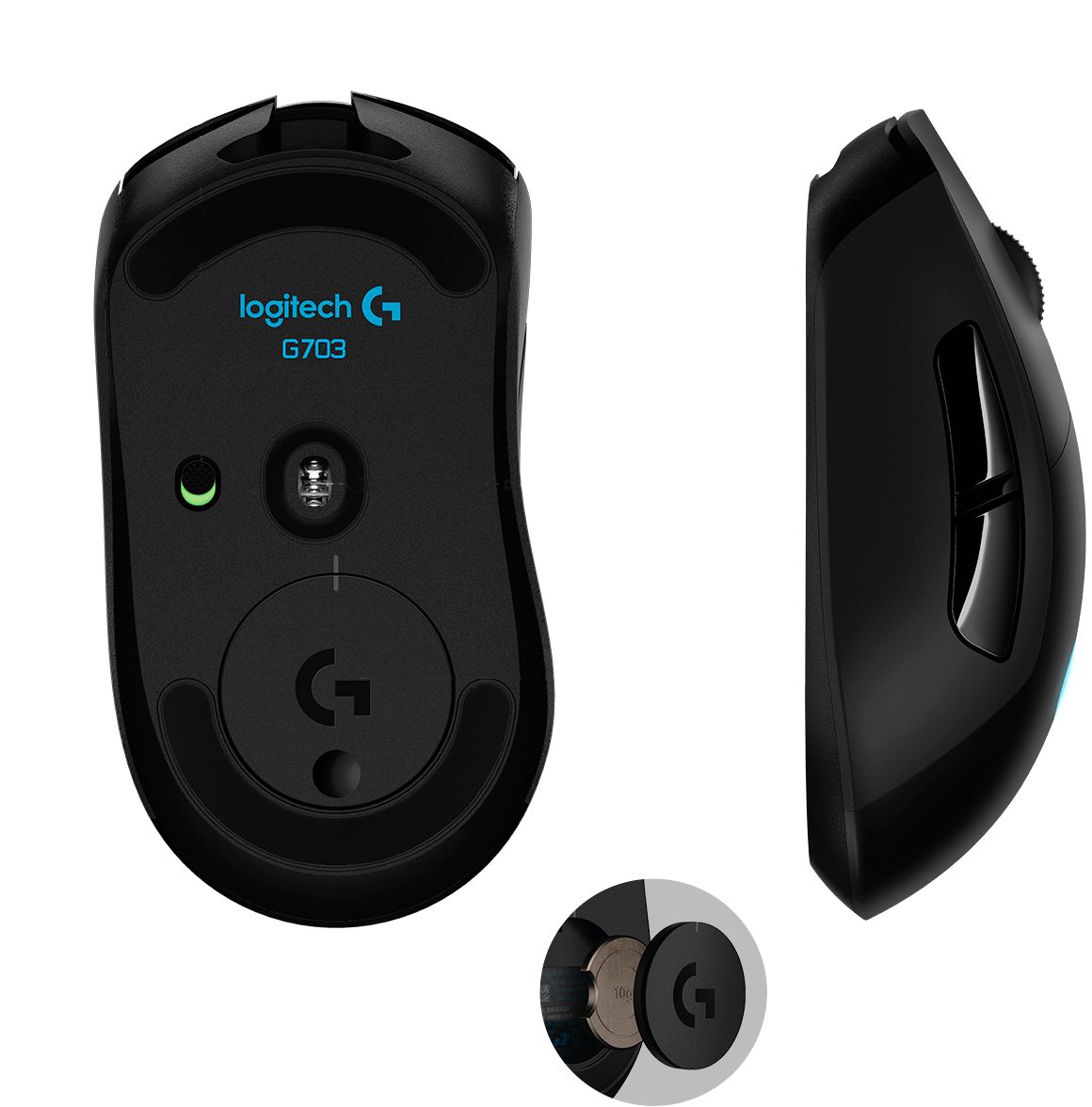
|Posted .This reviewer received promo considerations or sweepstakes entry for writing a review.Logitech G703 Quick Features on the Product Integrated LIGHTSPEED wireless (2.4GHz) Advanced button tensioning Pro-graded PMW3366 sensor (200-12000 DPI) Customizable lighting and buttons Charging/data cable Works with new Logitech G POWERPLAY Wireless Charging System USB report rate: 1000 Hz (1ms) Main buttons: 50-million clicks (durability) Battery Life w/ Default Lighting = 24 hours, w/ No Lighting = 32 hours What's in the box? G703 wireless gaming mouse Plug and forget nano receiver USB Charging/data cable Optional receiver extension adapter Optional 10-gram weight Setup guide Important Safety, Compliance, Warranty Information sheet Setup/Testing/Conclusion I’m going to first start off with the packaging. This is a personal opinion as I am one of those consumers that thoroughly enjoy walking through an aisle and seeing really nice “thought out” packaging on a product I am looking to purchase. With the Logitech G703, I didn’t really get the WOW factor on the packaging. Being that I am a FPS gamer, I buy mouses pretty regularly. I’ve purchased Razer, Logitech, Microsoft, Thermaltake, SteelSeries, etc. in the past many times. The thing that hooks me when purchasing a mouse is of course the mouse itself. But it definitely helps when I pick up a mouse box and get the WOW factor when I haven’t even taken the mouse out of the box yet. But hey, as I said it's a personal opinion and what crossed my mind is that Logitech probably put more money into the mouse than the box itself. So here goes the setup, testing and final thoughts. Setting up the mouse was self explanatory. It was extremely simple to setup. One I set up the mouse, I went ahead and downloaded the Logitech Gaming Software. During the installation process, it gives you an option to download/install a program called OverWolf. OverWolf is basically a software that gives the gamer the capability of not having to “alt tab” to do things like browsing, instant message, etc… I personally didn’t download/install it but it's definitely a neat feature to look into if you’re deciding on purchasing the Logitech G703. Once I was all ready to go I went into the Logitech Gaming Software and tuned the mouse to my liking and changed the color(s) of the mouse. Logitech Gaming Software is definitely something I would recommend downloading because you can fine tune your mouse like buttons, colors, surface optimization, etc. So download it! I play one main FPS and that is Counter-Strike. I understand it’s an old game but it’s a really good FPS game and people still play it competitively. All I can say is… WOW. The Logitech G703 performs exceptionally well. Can you say… HEADSHOT! During my gaming session, my hand did not feel fatigued at all and the side grip texture definitely helps. I am a hybrid grip when it comes to gaming on a PC. There are people that are “claw grip” and some that are “palm grip”, hybrid just means you do a bit of both. By the way speaking about grip, if you’re a left handed user I want to sincerely apologize but the G703 will not work for you because it's for right handed users ONLY. This mouse resembles a lot of my most favorite mouse ever and that is the Microsoft Intellipoint mouse. I like the shape of the G703 and the way it performs. I tested DPI from 200 ~ 12000 and I did not experience any stutter or acceleration at all. Why you would need 12000 DPI still baffles me because even 3200 DPI is a lot for me. But some people may need 12000. When it comes to FPS games, I feel like the Logitech G703 delivers what Logitech promises.. If you’re looking to do a lot of key mapping/binding of keys, the G703 may not be the best mouse for you. This is only because it has a total of 6 programmable buttons. If you’re looking for a mouse with more buttons to program, you may want to look into the G903 from Logitech. It supports the same wireless charging technology G POWERPLAY. I did insert the optional weight and it does make a little difference but nothing drastic. I’ve owned the Logitech G502 and the Logitech G500 previously and enjoyed the feature of having more weights to fine tune the weight of the mouse to my liking. With the G703 you only have a single 10g weight to either put in or leave out. The cable that the G703 comes with is fantastic. I must say, Logitech has improved a lot on their cable game. When I used the G500 a while ago even though it had a braided cable, it wasn’t as flexible as the ones now. The braided cable that Logitech uses now is flexible yet durable and I really enjoy that. So with all these pros that I’ve been giving the Logitech G703, you’re probably wondering if there are any “issues” with the mouse. I hate to do it because I really like the G703 but the only con I ran into is the build quality of the mouse. For an MSRP of $99.99, I expect to get a mouse that is built around that price range. For the build quality of the mouse on the G703, I feel like it's the same quality as a mouse I would get for around $40.00. I’m sure the Logitech G703 “guts” are where the funds were put into as opposed to the “shell” of the mouse. But I just personally feel like it has a “cheap” build quality “feel”, a lot of plastic. I would’ve liked seeing maybe a more grippy texture on the top of the mouse as opposed to the smooth plastic. That is probably the only con I have with the G703. Besides that, it performed exceptionally well wired and wireless. At this time, I wouldn’t even mind dishing out another $99.99 for the G POWERPLAY. Its definitely a nice addition to add to the G703. Since the mouse performs as well via wireless as it does wired, that is why I personally feel like paying an additional $99.99 for the G POWERPLAY is worth it. This way, you never have to worry about plugging/unplugging the wire to charge the G703 because it’ll charge as you play. So there you have it ladies and gentlemen. Those are my thoughts with the G703. I’d definitely recommend it to a friend or family member. I work around a lot of people that are gamers and would not hesitate to recommend the G703. As I mentioned above, if you’re looking for a mouse that has more buttons to map for games like MMORPGs; I would look into the G903. All I can say is, great work Logitech and keep it up!
I would recommend this to a friend - Cons mentioned:Lag
Comfortable ergonomic wireless gaming mouse
||Posted .This reviewer received promo considerations or sweepstakes entry for writing a review.I think wireless technology is finally caught up with wired. Pros are openly using g403 & g703 for professional competitive play in csgo. There is no input lag and the accuracy is spot on.
I would recommend this to a friend - Pros mentioned:Battery life
Logitech G703
||Posted .This reviewer received promo considerations or sweepstakes entry for writing a review.I bought this mouse mostly for work. Overall, I can say it is a solid mouse with exceptional wireless performance. The battery life is good, but I think it still has room for improvement without sacrificing the lightning effect.
I would recommend this to a friend - Cons mentioned:Buttons, Lag
A Very Good Gaming Mouse.
|Posted .This reviewer received promo considerations or sweepstakes entry for writing a review.Let me start by saying that I'm comparing this to my current mouse, which is an older Logitech G700s. Comfort wise, the G703 wins hands down. It is a very comfortable mouse, and tracks very well. Especially if your use Logitech's software. I allows you to tune the G703 to your gaming surface, and it also has presets for Logitech's own mouse pads. I used the G703 mouse to play a bit of Black Ops 3 today, and have somewhat mixed feelings on it. For starters, there are a lack of buttons. There are basically three programmable buttons, 4 if you don't need to change DPI in game. This may not be a big deal to anyone else but me, but I found the lack of left and right clicks on the scroll wheel a bit of a disappointment. On my G700s, I use them for being able to select and activate score streaks. Again, it's probably just me affected my this. A side note on the DPI button, you can change your DPI in game, but there's nothing on the G703 to tell what DPI profile you are on. I constantly change DPI profiles depending on what weapon I plan on using in game. Another thing that sort of bothered me was the placement of the sensor. It is almost directly in the center of the mouse, but on my G700s, It's placed about 1/3 from the front of the mouse, which makes movements easier compared to the G703 at the same DPI. Another issue I have is that the mouse feels light. It comes with a 10g weight, but even after adding that, the G703 feels too light for my liking. As far as a wireless mouse goes, this one is top notch. I didn't notice any lag, and the mouse performed flawlessly during matches, which is impressive. If I didn't already own a fantastic Logitech mouse, I probably wouldn't notice any of the things I wrote here, and I'm sure after I have a bit more time with the mouse, I'll have it tuned to exactly how I like it. Overall, it's a very good gaming mouse.
I would recommend this to a friend - Pros mentioned:Battery life, Rgb lighting
Amazing mouse for gaming.
|Posted .This reviewer received promo considerations or sweepstakes entry for writing a review.This mouse is really fantastic. In the short time I have had it, it's worked incredibly well. The DPI of up to 12,000 is insane and makes for rapid movements and pinpoint shooting is a breeze. I love the lighting on it. I kinda wish my G700v1 I use also had this. The Logitech software works perfect without any issue, this is also true on MacOS Sierra where I have been primarily using the mouse. The battery, although I wish it was removable, is incredible. Compared to the rechargable in my G700, this thing will last you a while. If you have the brightness of the mouse all the way up and you have it pulse rotating the RGB lit mousewheel and Logitech G logo, you will see about 12-16 hours. I keep mine about half brightness on a single color with a slow pulse with only the logo lit and I'm seeing around 26-32 hours on a full charge. I imagine you could get a whole work week out of the mouse with max polling and minimal brightness. You can turn off the lighting completely as well. You can also adjust it to where you can have just the logo, the mousewheel, or both on or off independently. I really like the cable they included as it's all braided and definitely gives a sense of quality. It also has the wireless dongle. It also has some sort of other rectangular dongle with a standard USB on one side and Micro USB on the other. I think this is so you can use the charger cable as an extension for the wireless dongle if your case is far away. My only real cons with this mouse, I wish it had more buttons. You get the Middle Mouse, Horizontal Scroll, 2 side buttons and the middle button below the wheel for DPI. All these can be configured through the Logitech SW. The other con I have is that the mouse picks up dust really well around the Teflon feet. I've also noticed the Teflon pad that's around the laser start to shift, not sure how long it will last before it comes off. I'm using it on a SteelSeries QCK+ mat, which my 5 year old G700 hasn't had an issue with. Oh before I forget, they also included a weight in the box. It add's a bit of heft to the mouse as well.
I would recommend this to a friend - Pros mentioned:Weight
Great, Except for Instructions
|Posted .This reviewer received promo considerations or sweepstakes entry for writing a review.I've been a user of Logitech mice for a really long time. I found this mouse to be one of the more comfortable ones I've used in a long time given its higher arch than some other mice I've used. To get the most out of the mouse, you need to download the online driver software, which brings up my biggest problem with the mouse, the four page instruction booklet. It is pictures only with the exception of a URL and copyright notice. Also, make sure you get all the pieces out of the plastic casing in the box as that is where the dongle is to connect to your computer. It doesn't use Bluetooth or Wifi, instead its own LIGHTSPEED technology, which may be faster but requires its own connector in your USB port. Once you download/install the software, to get the most out of the battery life of the mouse, turn off the lights. Sure, you can customize the colors, but then you're eating into the battery life of the mouse. If you're into long gaming sessions with the mouse, you don't want it to die in the middle. Sure, you can then use it as a wired mouse, but that isn't its true purpose. You can also program the mouse's six buttons with the help of this software. Great for customizing for your games. The different DPI options are great for gaming too when you need to switch between settings. And, there is a 10g weight to make the mouse heavier if you so desire. Overall, I like the mouse, especially after customizing it with the available software. Without the software, you'll find it lacking. I do like the look of the white mouse over the black one, but that is a personal preference and has nothing to do with performance/behavior.
I would recommend this to a friend - Pros mentioned:Battery life, Rgb lighting, Weight
The only Mouse you'll ever need
Posted .This reviewer received promo considerations or sweepstakes entry for writing a review.Coming from the G403, I knew what I was getting with the G703. And that was stellar wireless technology- lag free and lengthy battery life, durable build quality, minimal RGB aesthetics, extreme comfort. The G703 has all of those features plus optional weight, the new wireless Power Play charging and 50 million click life cycle. Its a right handed form, so those who game with a left hand will sadly miss out. There are your right and left buttons, a scroll wheel and two side buttons on the left side for your thumb. The sides of the mouse have a very minimal amount of rubberized surface to offer better grip and the buttons are caved in to form your fingers just fine. Whether you use a claw, fingertip, or palm grip- this mouse will work perfect for you.
I would recommend this to a friend Favorite Mouse for Mac OS
|Posted .This reviewer received promo considerations or sweepstakes entry for writing a review.Finding a great mouse for gaming on MacOS can be a challenge. The Logitech G703 with LIGHTSPEED is the fastest & the most accurate mouse I have ever experienced. Charge it, add the 10G weight if you choose, plug in the LIGHTSPEED receiver, snap the switch ON & you are connected! No drop outs, no loss of signal, no lag - EVER!! The confidence the G703 inspires by it's complete lack of any lag & it's high speed with total control led me to try it for all applications, not just gaming. My "daily driver" mouse is the Logitech MX Master 2S. I love the thumb rest on that mouse, and the little button behind the mouse wheel that removes the drag click and provides a weighted flywheel for high speed spinning. The high speed spinning is the only feature I miss on the G703. The photos show the G703 Gaming Mouse, the MX Master 2S & the Apple Magic Mouse 2 for size comparison. Even without loading the recommended Logitech software, you can control the DPI instantly on the G703 by the small button just behind the mouse wheel. It is amazing that this DPI change works out of the box perfectly with no software added on MacOS. The LED lighting on the body & the wheel is very cool. I love the feel of the rubber grips on the right and left sides of this mouse. The lightweight body feels feather weight, compared with the outstanding MX Master 2S. Snap the on / off switch & the mouse starts instantly, no connection delay or start-up lag. I plan to buy the Powerplay wireless charging system for this mouse, as soon as it is released (it can be preordered today). Never having to stop & charge the mouse plus the ability to change the mousepad surface from hard to soft is the "icing on the cake!". CONCLUSION: Logitech quotes 50 million click durability. This is a precision quality instrument & it feels like it. No lag, super fast, consistent, feather weight - you feel as one with this mouse. The Logitech G703 LIGHTSPEED Gaming Mouse earns my HIGHEST RECOMMENDATION!
I would recommend this to a friend- Pros mentioned:Battery life, Wireless
Best mouse?
||Posted .This reviewer received promo considerations or sweepstakes entry for writing a review.I owned many gaming mouse, just a bad habit wanting the newest and best thing out there. I use claw grip mostly, sometimes palm. The best feature on this mouse is its wireless, hands down the best: no lag. The sensor is pretty much perfect, no skipping when you lift and good battery life. You can keep both the wire and receiver plugged in, connect the wire only when mouse is flashing low power and remove it once fully charged, no interruption between game plays. My only complain is side scrolling on this guy, other than that. The design of the mouse is safe, nothing flashy, highly recommend it.
I would recommend this to a friend - Pros mentioned:Wireless
Game On!
|Posted .This reviewer received promo considerations or sweepstakes entry for writing a review.This mouse is perfectly tailored to PC gamers, but it is equally nice as a daily driver. The customizable lighting may turn some people off, but they look very nice, and can easily be turned off if they aren't your thing. The multiple DPI switching is a cool feature that would allow you to switch between tight precision and speedy movement. I'm also very interested in pairing this mouse with its wireless-charging mousepad. Such a great idea. Pros: Excellent customization, comfortable, nice-looking lighting effects, optional wireless charging mousepad Cons: The recommended range from the wireless adapter seems like it's a bit close, but I didn't have any problems, even using it from my couch (about 10 feet from my PC).
I would recommend this to a friend A very good and accurate mouse
|Posted .This reviewer received promo considerations or sweepstakes entry for writing a review.I’ve been a heavy PC gamer for a good 20 years and I’ve had more mice than I want to count. I’m currently using this with my Acer Predator gaming laptop and I’m really impressed with this mouse. It’s fast, accurate and comfortable to use. I have another Logitech G500S gaming mouse I use with my desktop system and this one is very comparable. The removable weight is an added bonus, as I like a heavy mouse so I’m leaving it in, most mice are way to light for my tastes and gaming needs. The mouse wheel has an illuminated stripe running down the center, "first time I've had one like this", it's sort of neat, as you can easily see the wheel in a dark room. There's also an illuminated "G" logo on the palm rest area. Both of them can be controlled with the Logitech software, they can also be shut off if you prefer. And like the G500S you can control the DPI, this one with the small button just below the mouse wheel. I find this a very nice touch and you can also set the 4 presets the way you like it within the Logitech software. This one has a rechargeable battery and you have to remember to plug it in on occasion, at least you can plug it in and still use it while charging, I just try to remember to plug it in at night when going to bed. Haven’t had it long enough yet to see just how long the battery last yet though but the software shows it has around 25hrs of life left at 80%' I’ve tried this on a couple different mouse pads and they all seem to work equally well, even the cloth of our sofa works really well. If you are looking for a nice sleek gaming mouse you should be happy with this one. I've attached a picture with a few other Logitech mice I have for size comparison.
I would recommend this to a friendExcellent wireless mouse
|Posted .This reviewer received promo considerations or sweepstakes entry for writing a review.Previously owning a Logitech G602 Proteus Spectrum mouse, I was very hesitant about wanting to upgrade to a wireless mouse given how they aren't usually as reliable as wired gaming mouses when it comes to absolute tracking and precision. However, the new G703 LIGHTSPEED wireless mouse from Logitech is destined to narrow that trust gap that grew from previous wireless mice I've owned. This mouse is incredibly light out of the box, and is quite surprising given how it has a built-in rechargeable battery, but thankfully there was a 10g weight that came with the packaging, allowing you to make it just a tad heavier and is something I'd recommend for most people to do. Installation and setup was a breeze and Logitech's software made it easy to customize the mice for my specific gaming needs. I do recommend you adjust the lighting effects in a way that achieves maximum battery life per charge, as having the LEDs on the "G" and the line on the scroll wheel rapidly change colors lowers the range from 29 hours to about 18 hours, which also hampers the lifespan of the battery over time. Adjust those settings to your best liking, but I'd prefer not to have to charge the mouse so frequently. And speaking of battery life, you rarely ever have to turn the mouse off when not in use. It has an excellent standby mode feature that in my tests does not drain any of it's juice whatsoever. Coming back from sleep the mouse instantly reconnects to the USB dongle and is ready for use. I do like the feel of the mouse, but will admit that it isn't perfect and may be a bit large for those with smaller hands; the body is coated with a soft material that makes it more comfortable to hold and move around compared to my previous G502 Proteus Spectrum, however I did like the slimmer profile of the latter better as it had a nice thumb rest that made it feel better to hold. I also miss being able to customize the scroll wheel's feel on the G502, which I cannot do on this G703 and am limited to notch scrolling. Whether the mouse will last Logi's 50 million clicks guarantee is something I can't speak up to now, as I've only had daily use with the G703 for two weeks into writing this review. Overall, the G703 is an excellent wireless gaming mouse with a long-lasting battery charge and a wide variety of specific configuration options that will meet the needs of every gamer.
I would recommend this to a friend- Pros mentioned:Ergonomics, Wireless
Great mouse for FPS games
||Posted .This reviewer received promo considerations or sweepstakes entry for writing a review.This mouse is by far my favorite wireless mouse that I have used. It has excellent tracking, can be wirelessly charged, and feels amazing in the hand. Does not have a whole lot of buttons so be aware of that when buying. Overall, this is an amazing mouse!
I would recommend this to a friend - Pros mentioned:Rgb lighting
Feels great with the weight added.
||Posted .This reviewer received promo considerations or sweepstakes entry for writing a review.If you're looking for a wireless mouse that's comparable to right-handers like the G502 or DeathAdder, get this mouse. It's on the same level as the G903 in every way that counts - same sensor, LightSpeed, and PowerPlay compatible. I like the RGB pattern more than G903's, also. However, it does lack certain non-gamer perks like the infinite scroll toggle and horizontal scrolling. It also only has one DPI cycling button by default, and no sniper button. I plan to use this on the go with my gaming laptop and keep the G502 at home for gaming on my desktop.
I would recommend this to a friend - Pros mentioned:Battery life, Weight
Just awesome
||Posted .This reviewer received promo considerations or sweepstakes entry for writing a review.Easily the best mouse ive owned. Don't let the fact that its wireless throw you off. Its REALLY accurate and it doesnt skip or disconnect AT ALL. Its faster than my razer naga and lighter than my logitech G502. Honestly the thing is just awesome. It doesnt need to be charged more than maybe 30 mins once every 5 days at the minimum. the battery has never died on me and it lets me know whne its at 30% which is perfect. It can also be used as a wired mouse but the defeats the purpose as it ruins the experience if you are gaming wired.
I would recommend this to a friend A niche update with unseen potential
Posted .This reviewer received promo considerations or sweepstakes entry for writing a review.If you've owned the G403 mouse in the past, you can stop here. This mouse is a rehash with few minor changes. It has a new switch rated for 50 million clicks, as opposed to 20, and is compatible with the upcoming PowerPlay mat. They both use the PWM3366 sensor and have roughly the same battery life. If you already own the G403, there isn't a compelling reason to upgrade. For everyone else: Ergonomics ---------------- The G703 is a right-hand only mouse with a familiar design. It favors a palm grip for medium to large hands, though I noticed the palm rest is taller than what I'm used to. I'm coming from a G602 mouse which has a wide body with a low slope, so this took a little time to adjust. When in use though, it's quite comfortable. The body has a slight rubberized feel around the sides and the top has a smooth matte finish. The buttons are separate from the body and have a consistent, tactile feel to them. It doesn't go crazy with buttons, with left, right, middle, and two side buttons - all of which are fully programmable. Another button dedicated to switching between DPI presets sits under the scroll wheel. Performance ------------------ This mouse is easily the most accurate I've used. This is due to the PWM3366 optical sensor it employs for tracking. The software includes "surface tuning" to calibrate against whatever you're using, but I would consider that optional. The DPI range is bonkers, going from 200 to 12,000, with five customizable presets. On a dual-monitor setup, 2000 - 3000 is more than enough for me. I've tested on a few mouse-heavy games, and it feels spot on - no acceleration or smoothing. It shines as a gaming mouse, though it's not as well suited for productivity and it could use just a couple more programmable buttons to include a few more use cases where hotkeys or shortcuts make a difference. A full charge is stated to last up to 30 or so hours if all the RGB lighting is turned off, and that seems to be the case. The software also tracks your usage and what is affecting your battery life. The mouse comes with a braided charge cable that locks into micro USB port, and requires a few hours for a full charge. It can be used either in wireless or wired mode, and there doesn't seem to be a noticeable difference in performance. Features ------------------ The primary reason to buy this mouse over its predecessor the G403 hasn't yet arrived to the market, the Powerplay wireless charging mat. At this time, only the G703 and G903 are compatible with it, so if that's a desired feature, using any other wireless mouse will not yield any benefits. How well that technology works or if it is a boon to gaming has yet to be seen. The software is the star of the show in terms of features. It includes a ton of customization options that are pretty simple to use. Other, more advanced features, like autofire or macros aren't much more difficult to figure out. Summary ------------------ There's no getting around this specific mouse and its bigger brother the G903 are for a niche audience. Owners of the G403 in either wired or wireless variations don't have much reason to upgrade, and potential buyers not interested in buying the $100 companion Powerplay mat can save their money and buy a cheaper product. However, those who are interested in the upcoming wireless charging system can't go wrong here. The G703 is an excellent mouse for several, but not all, use cases. Anyone that needs a bevy of extra buttons, or dabbles in editing or production regularly may want to seek out something better tailored for those situations. Although, if your'e a gamer who values accuracy AND wireless performance above all else, this is your mouse.
I would recommend this to a friend- Pros mentioned:Battery life, WeightCons mentioned:Lag
Excellent Device
||Posted .This reviewer received promo considerations or sweepstakes entry for writing a review.Smooth no noticeable lag great battery life good weight to the device best mouse i have used so far
I would recommend this to a friend - Pros mentioned:ErgonomicsCons mentioned:Lag
A gaming mouse for Macs
||Posted .This reviewer received promo considerations or sweepstakes entry for writing a review.The unassuming design and white/black color scheme match any Mac perfectly. For anyone in graphic design or casual gaming, this is the mouse for you. I tried the G903 but it is too aggressive-looking, not as comfy, and overly complicated. I do not notice any lag with this mouse. My only complaint is with the software. You can’t check battery level on the mouse with a mouse button if not using an onboard profile.
I would recommend this to a friend