Customer Ratings & Reviews
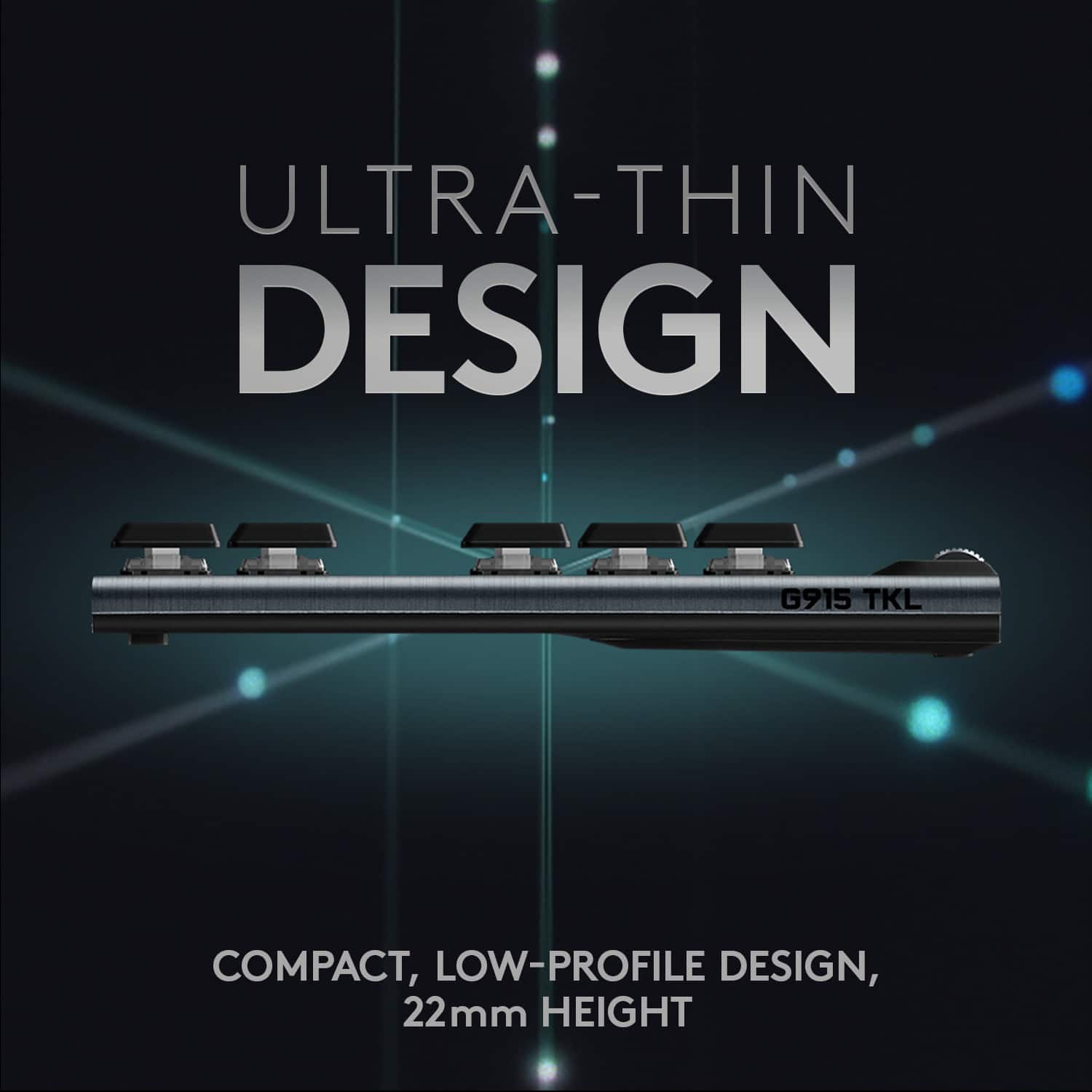
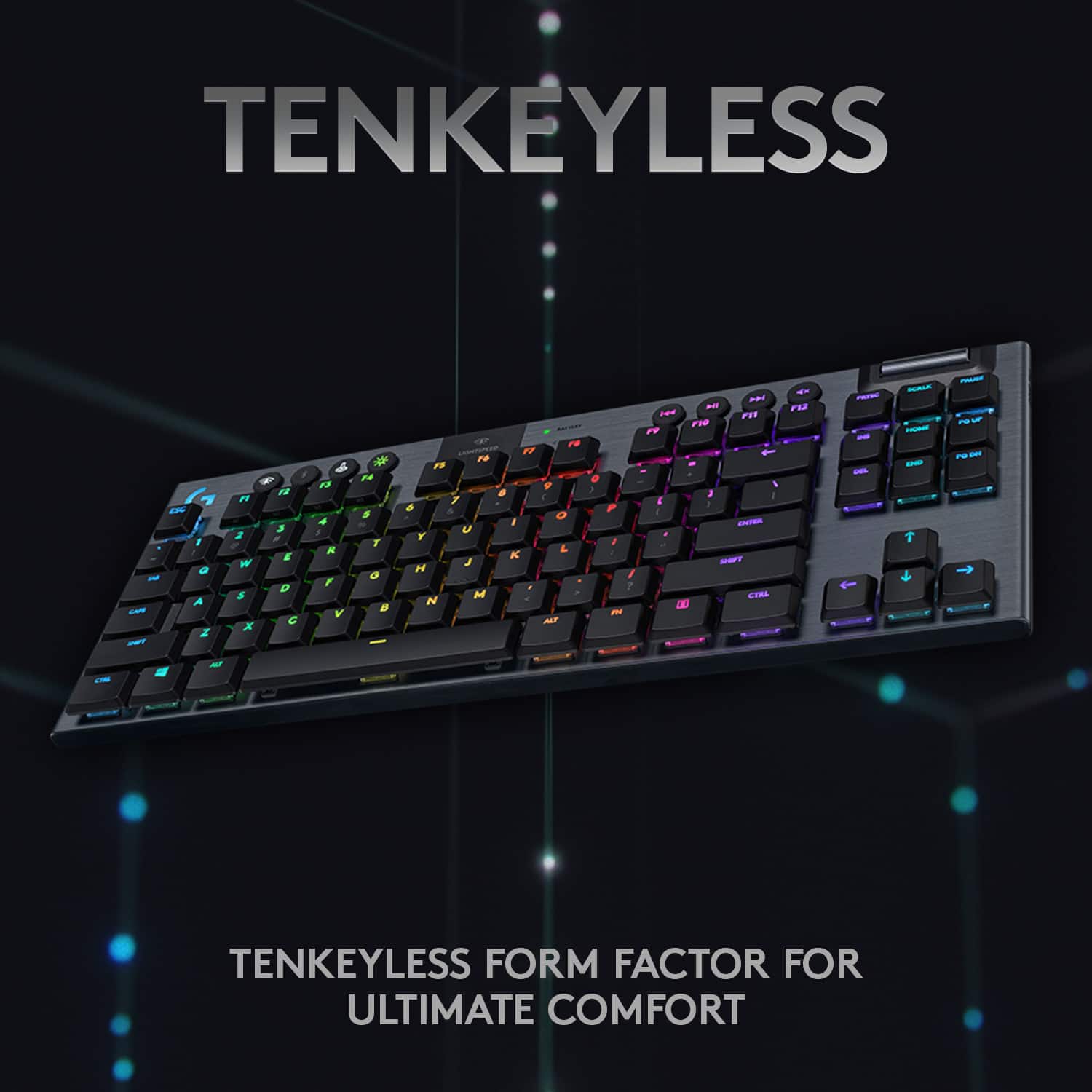
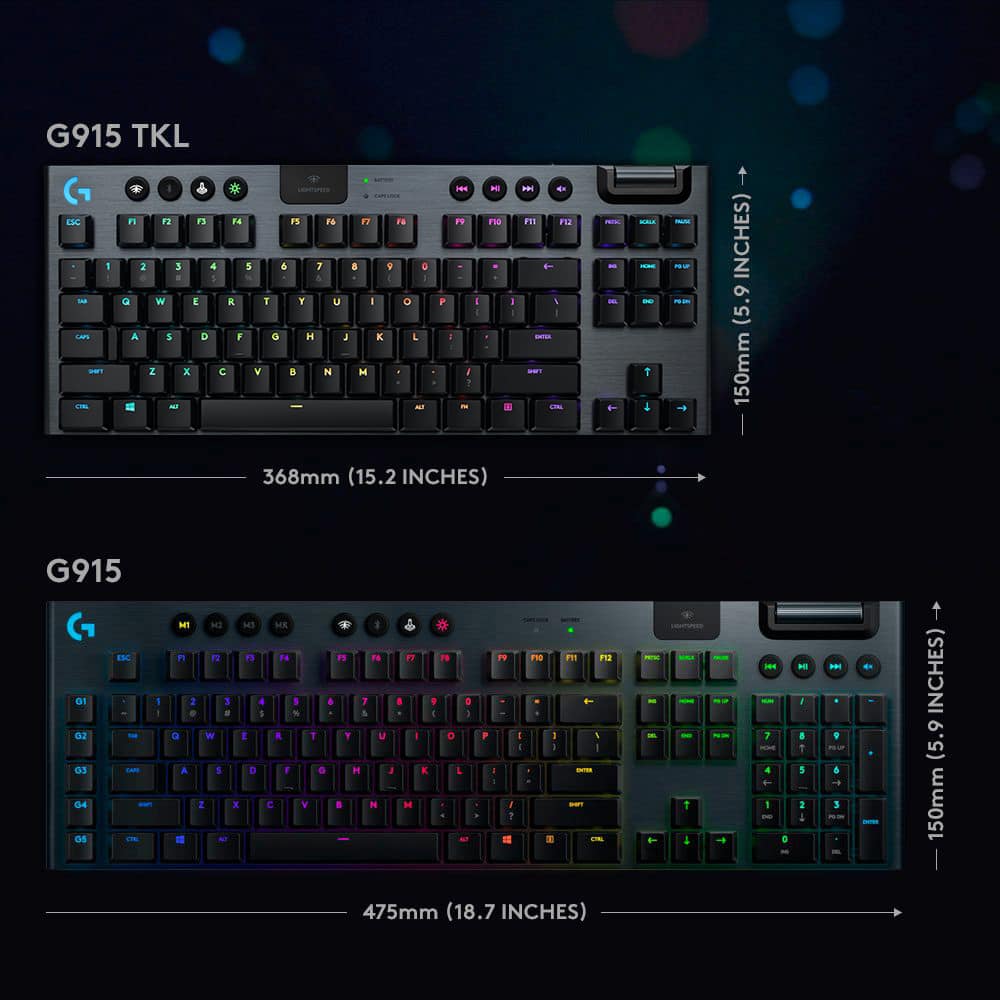
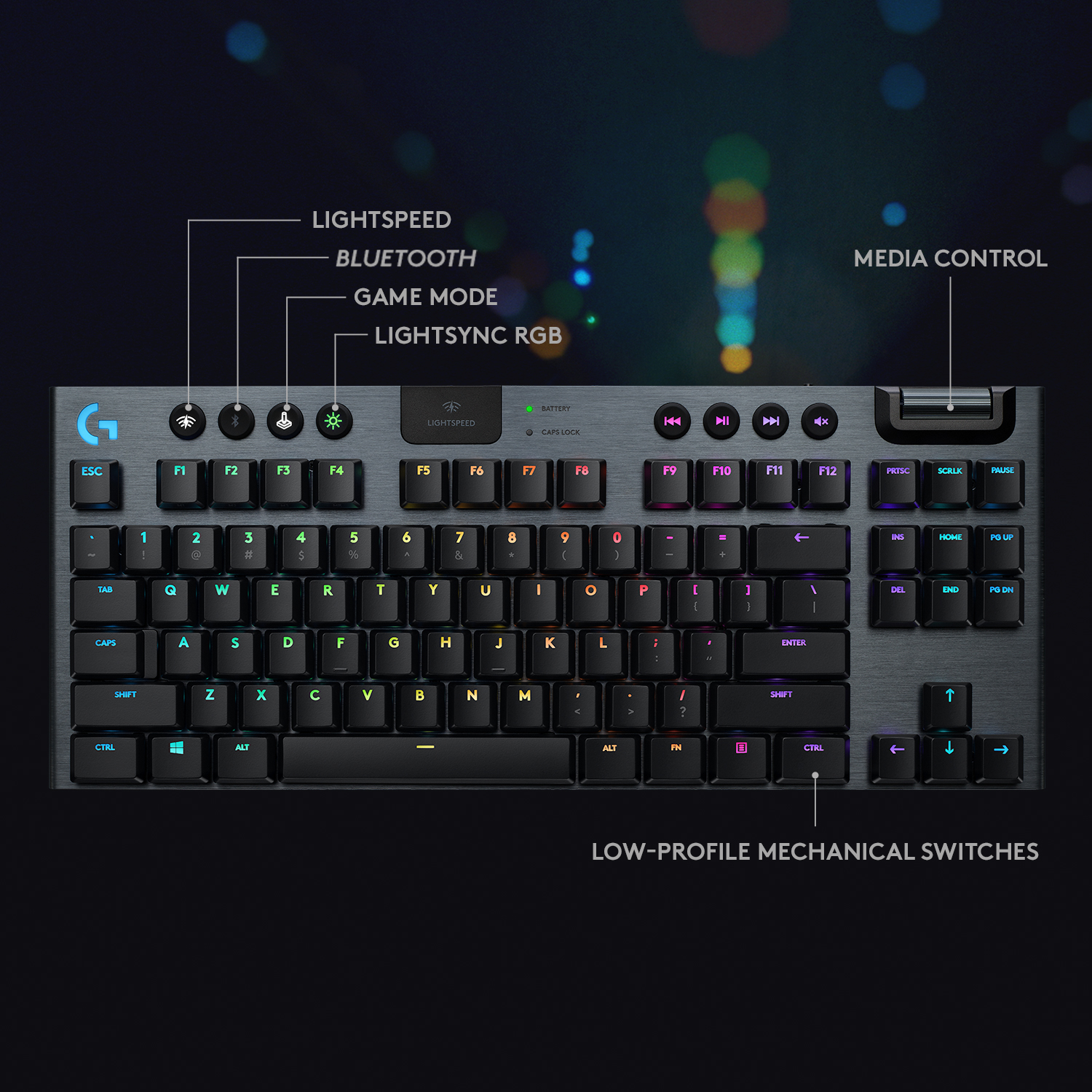
![The text on the image is already grouped and correctly spelled. It reads:
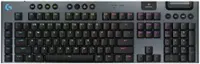
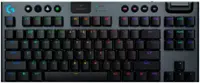
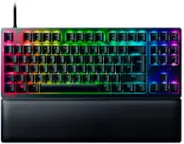
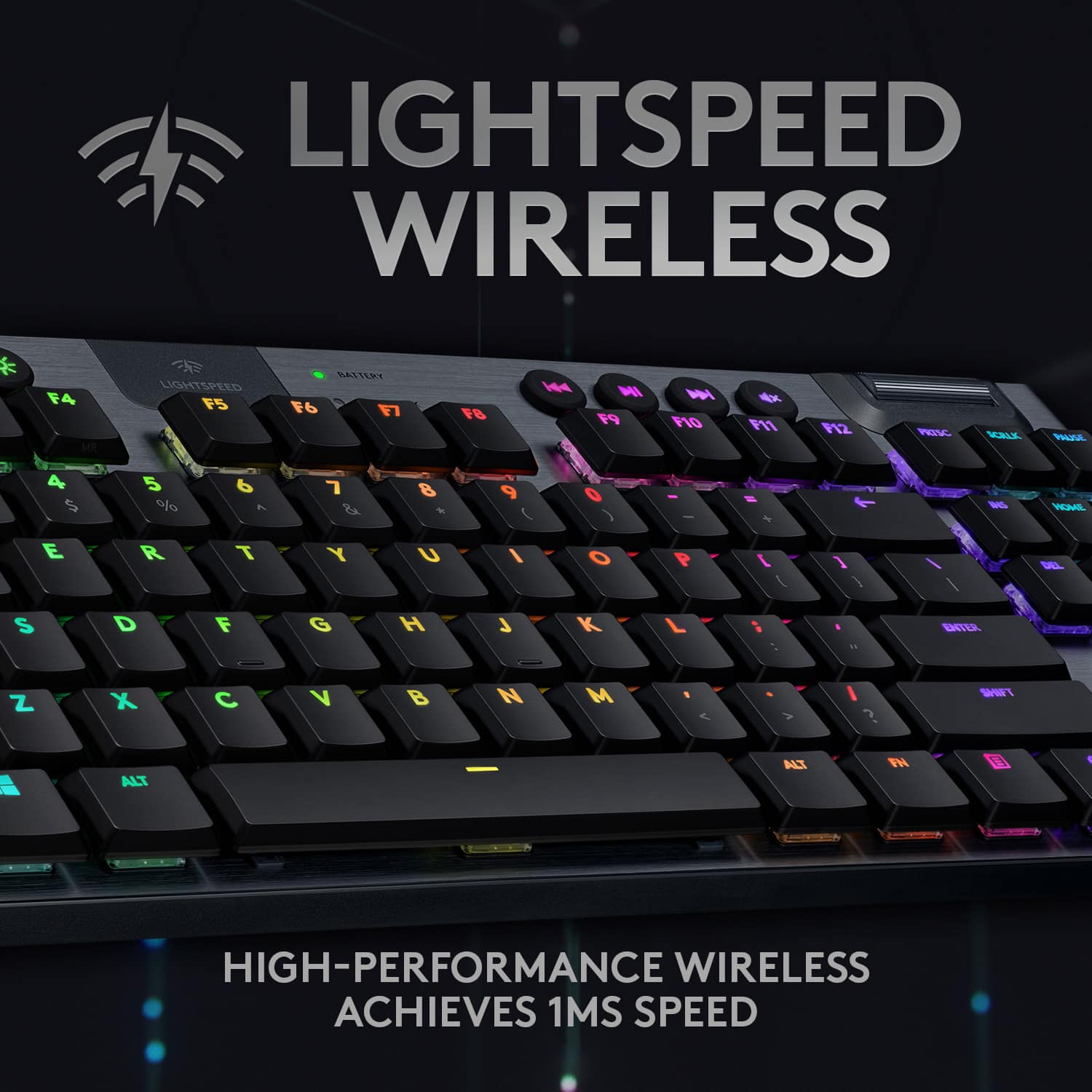
"LIGHTSPEED BATTERY CAPS LOCK K NI x ESC F1 F2 F3 F4 F5 F6 F7 F8 F9 F10 F11 F12 PRTSC SCRLK PAUSE - 1 2 3 # 4 $ 5 % 6 A 7 8 9 ( 0 ) - + INS HOME PG UP TAB Q W E R T Y U I O P [ { ] DEL END PG DN CAPS A S D F G H J K L ; ENTER SHIFT Z X C V B N M A > I ? SHIFT CTRL ALT ALT FN CTRL TKL G/915 TKL"](https://pisces.bbystatic.com/image2/BestBuy_US/images/products/b5efd26c-f360-4501-9ddd-133cf753b425.jpg)


- Model:
- 920-009495
- SKU:
- 11296165
Rating by feature
- Value
Rating 4.2 out of 5 stars
- Quality
Rating 4.8 out of 5 stars
- Ease of Use
Rating 4.8 out of 5 stars
Good
||Posted . Owned for 1 week when reviewed.This reviewer received promo considerations or sweepstakes entry for writing a review.Just clickety enough. I’m using it to game on my Xbox Series X
I would recommend this to a friendWireless keyboard
||Posted . Owned for 2 weeks when reviewed.This reviewer received promo considerations or sweepstakes entry for writing a review.It was for son for Christmas hope he likes it thanks best buy
I would recommend this to a friend- Pros mentioned:Keyboard quality, Rgb backlighting, Wireless

The Little Keyboard that could
|Posted .This reviewer received promo considerations or sweepstakes entry for writing a review.This is an expensive investment. Right now, the G915 is probably one of if not the best wireless option with backlit keys available. Near lag less while gaming. The KB is the single part of the computer you will touch the most. More than any mouse, touchpad or trackball. So, a meaningful change there will have a real impact on your experience with your computer. I found this keyboard fantastic -- but with some issues. Well worth my money but has some nagging flaws, with the first one being the most significant to me - the secondary legends are not lit. All the special character keys (like & and *) are simply printed on the keys and do not light. Since the printing is not high contrast to begin with, this makes them exceptionally difficult to see in the dark. I have no problem touch typing with the alpha keys but will glance for the less frequently used special characters, and the lack of lighting is really annoying. It's also a little confusing for keys where the secondary character is used more commonly than the primary (ex: double quotes, question mark, etc...). Second, this is 2020. Why in the world did Logitech choose to go with micro-USB instead of USB-C? Most other new model high end keyboards now have started adopting USB-C. Having the ability to switch between devices using BluTooth or wifi connections is awesome! The RGB LED lights are programable to your tase. Build quality is top-notch and the aluminum top panel is attractive and has a decent heft to it. The bottom is plastic but seems solid and the keyboard doesn't feel like it has any worrisome flex to it. The plastic tip-out feet do feel a bit cheap, though they still hold the keyboard without shaking (like every other KB). I absolutely love this keyboard flaws and all. For road-warriors who love to game and are also carrying everything in a pack this is a must have, light.
I would recommend this to a friend Great keyboard
||Posted . Owned for 2 weeks when reviewed.This reviewer received promo considerations or sweepstakes entry for writing a review.Really like the whole setup of it and the media controls
I would recommend this to a friend- Pros mentioned:Battery life, Keyboard quality
A great wireless keyboard with all the upgrades
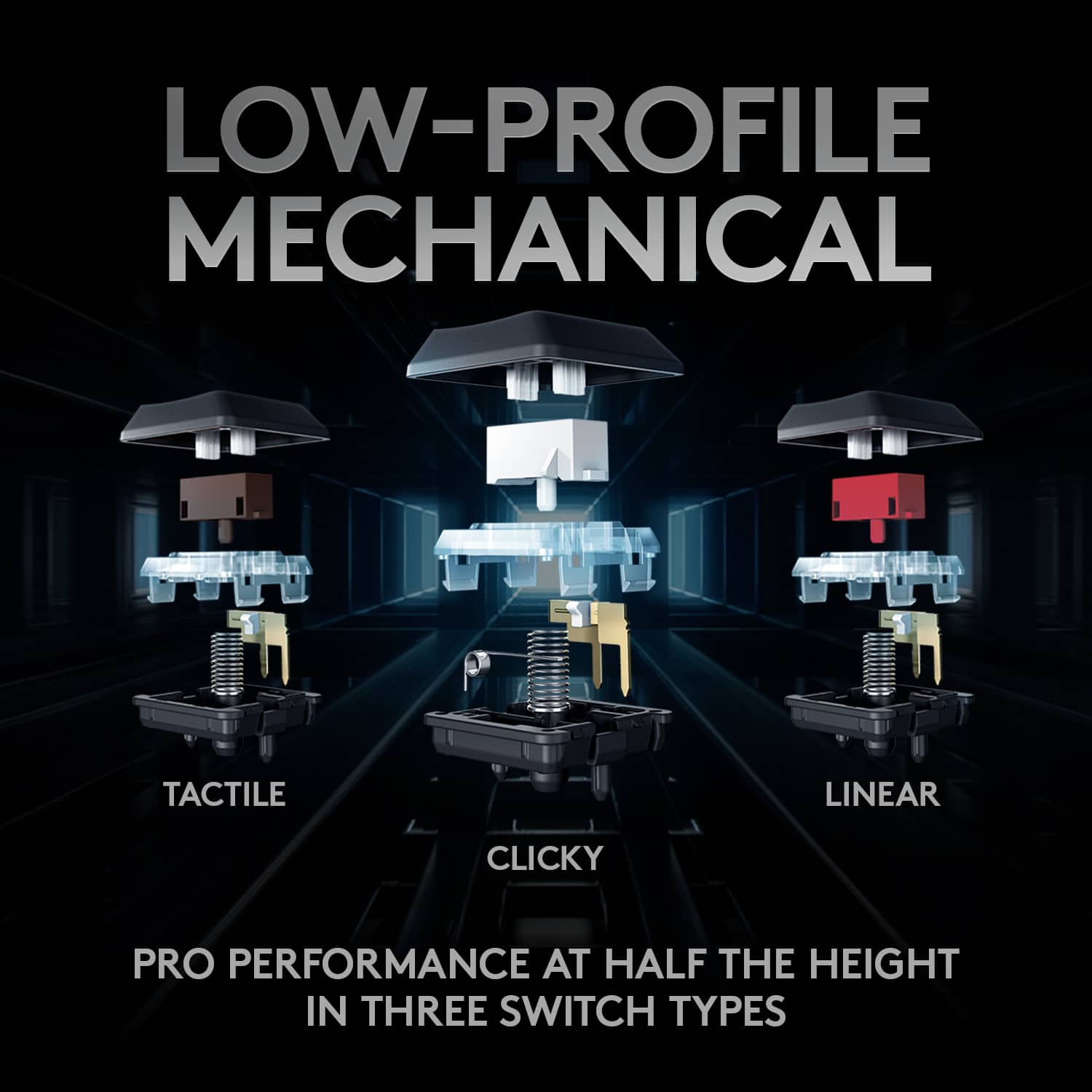
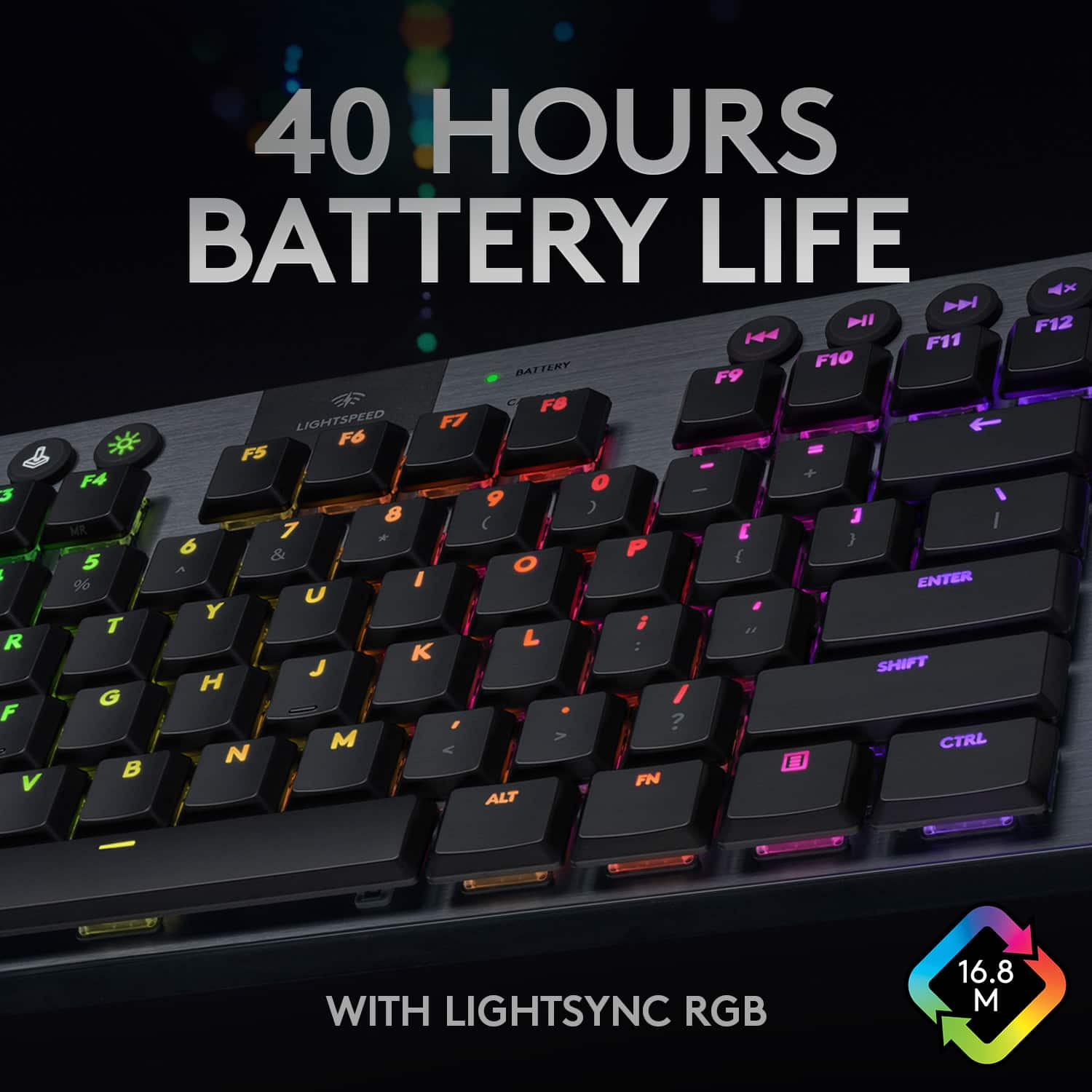
|Posted .This reviewer received promo considerations or sweepstakes entry for writing a review.I recently obtained the Logitech G915 Lightspeed Wireless RGB Mechanical Gaming Keyboard and I am glad that I did. I am not a true hardcore gamer; I am in my 50’s but I play when I can. This keyboard is heavy duty keyboard with an aluminum alloy top and a steel reinforced base, it looks good and the mechanical switched can take a beating. The keyboard comes in three versions of mechanical switches, Gl Clicky which has a click and tactical feedback. The GL Linear which has a more fluid keystroke. The 3rd option the GL Tactile is the one I chose, it is not a clicky as the GL Clicky, you it gives you feedback with a little bump. The keyboard keeps a smaller footprint on your desk by removing the Ten key so it is not as long and you can keep your mouse closer to you as needed. It also has programmable function keys that you can set up one touch commands to your liking. These commands can be programmed for each game you play by using Logitech’s G Hub. G Hub is software lets you customize your keyboard any way you want, you can create your own profile for each game you play and customize the colors of every key on your keyboard or if you want to use someone else’s configuration you can. This is where you would also setup one touch commands for your function keys. The keyboard is wireless and comes with a lightspeed USB receiver that has a 1ms response time, it also comes with a six foot Micro-USB cable. Using the keyboard wirelessly I have not seen any lag in response time. The keyboard battery claims to have a 40 hour life span, I haven’t played for 40 hours in a long time, so I am taking their word for it. I have not bought a gaming keyboard in a very long time, but I really like this one and I look forward to using it for a long time.
I would recommend this to a friend Good keyboard, bad feel
||Posted . Owned for 3 months when reviewed.This reviewer received promo considerations or sweepstakes entry for writing a review.I really wanted to love this TKL keyboard. The keystroke was quite "scratchy" feeling I couldn't get over. Otherwise a great keyboard if that doesn't bother you.
No, I would not recommend this to a friendBrand response from Logitech
Posted .Hi KFranz, thank you for sharing your experience with the G915 TKL keyboard. I'm sorry that you didn't like the feel of the keystroke. The G915 TKL does come in 3 different switches, you might find the linear to be a more comfortable switch for you! Thank you for being a Logitech customer. Kristi from Logitech.
Dont buy this garbage.
||Posted . Owned for 3 weeks when reviewed.This reviewer received promo considerations or sweepstakes entry for writing a review.About 10 hours of use keys q through u stoped working. Driver update wouldn't fix it and switching it between Bluetooth and the light speed mode didnt fix it either. I also researched and found out i wasnt the only person with that problem. I got to mad at the thing and busted it to pieces.
No, I would not recommend this to a friendBrand response from Logitech
Posted .Hey! We understand your frustration. It's concerning to hear that multiple keys on your G915 malfunctioned after only 10 hours and troubleshooting steps like driver updates and switching modes weren't successful. To get you the best possible assistance please reach out to our social care team via email at [email protected] with your
- Name:
- Email Address:
- Country:
- Product Name:
- Brief description of issue:
- Pros mentioned:Keyboard quality, Rgb backlighting
Great Keyboard but needs documentation
|Posted .This reviewer received promo considerations or sweepstakes entry for writing a review.The keyboard itself is pretty amazing. It is a smaller 10-keyless keyboard with a really pretty small form factor which is a bit different so if you’re not sure whether this keyboard is right for you, try using your current keyboard without the 10 key and see if it drives you crazy. If you think you are fine not having the 10-key pad, then read on to see what I liked and didn’t like about it. The first thing that I noticed right out of the box is that this keyboard is heavy. The bottom panel is plastic, but the top feels like it’s made of metal. This is a really solid keyboard and you can feel the quality. All the lights on the keypad are bright and clear which is nice since some lighted accessories I’ve had in the past have been so pathetic with the lighting that it almost was more annoying than cool. Finally, the feel of the keys is really nice. I went with a tactile version and I really like it. It feels similar to what I’m used to with other keyboards, but just higher quality. It also doesn’t have any creative button placement so it’s pretty easy to get going without feeling like you are constantly hitting the wrong key on accident and need to get used to the keyboard. The macros work just as I would expect, and the response time for both the buttons and the wireless signal were great. My games played exactly how I wanted them to with no issues at all. I wouldn’t say that it improved my gaming at all, but honestly I’m not a professional esport player so I don’t know if I am as picky there. I do think that it didn’t interfere with my gaming and the programmable keys did make certain actions a lot faster or easier. Overall, this is really an amazing keyboard that you’ll be very happy with as long as you are ok with the smaller form factor. Now, while the keyboard itself is really great the documentation sucks. And by sucks I mean it is non-existent. My included instructions consisted of a 4” x 4”, with print on both sides, but over half of which were legalize warnings and notices. The actual instructions were 6 pictures that basically said that the included cables should be plugged into the keyboard and then into your computer, and there is a button that you can push that switches to Bluetooth. That’s it, and I’m pretty sure my elementary aged kids could have figured all of that out without any of the included instructions at all. I was having trouble with the keyboard doing some quirky stuff, so I decided to try to search online for the actual manual that would tell me everything I would need to know. Online there is no documentation. There is some stuff for the G915 full sized keyboard, which was helpful because many of the commands and functions are the same, but it sometimes referenced buttons of features that the full sized keyboard has that this one doesn’t because of the smaller form factor and different layout. It took me over an hour to piece together all the functions and fix the quirky things with the keyboard so that I could even get into a position to start customizing it. This was a big enough irritation that I almost took off a star and kind of wish that we had a half star option. Once Logitech gets their act together so that the necessary documentation is there and customers can really just jump in and start using the keyboard, it deserves a full 5 stars. So, to save a new user time here are some of the things I had to figure out on my own and can hopefully help you avoid some frustration (and maybe help decide if the 10 key-less version is really right for you). First, this thing has Bluetooth, but it DOES NOT connect to the G hub software you need to customize the keyboard while on Bluetooth. You can customize while connected by wire or their lightspeed dongle, and then use those customizations on Bluetooth, but don’t try to connect to the software while on Bluetooth, it just won’t work. Second, the keyboard has a built in memory that holds all your setting when you are not connected to the software. This is really nice. Other gaming hardware I’ve used won’t even run if not connected to the software, but this keyboard just stores everything internally and lets you use it seamlessly without ever having to have the software installed. This was great when I wanted to use the keyboard with my work computer. As I’ve been working from home this keyboard was a great little upgrade for my work laptop when I’m not trying to game with it. Because I do not work at my company’s IT department, I can’t install new programs on my computer and that means that other nicer keyboards and mice are out since they require the software to run. With this one, I just set up the keyboard on my personal computer and then sync it to my work computer by laptop and its up and working flawlessly. Also the wireless and Bluetooth modes adds an fun feature in that I can have this keyboard linked to two different computers at the same time and switch between them seamlessly with just a push of a button. I put the wireless dongle into my personal computer and synced to my work computer by Bluetooth and I can just push the button at the top of the keyboard to switch devices without ever having to go into settings or unplug/plug something in. I don’t think that was their intention, but it’s a fun side feature. Now a bit of a word of warning, the profiles that are shipped pre-programmed into the keyboard are kind of funny. For example, when I would manually change to a different lighting mode, it would only hold on for like a min. before it would switch back to the default. When I turned down the lights to try and save batteries, it would turn back to the default lighting system and start draining batteries again after a min. However, this is NOT a flaw in the keyboard. It’s a flaw in the pre-programmed profiles. If you use the software to override their profile with your own custom profile (even if theoretically it was the same settings), it will override this and the keyboard will act like it should. This is all changed in the on-board memory mode in the G hub software. Set up all your profile settings and customizations then connect to the app and set those profiles to the 3 M slots and it will download it to your keyboard and override the defaults that are a bit quirky. Although here is where one of the limitations of onboard mode for the keyboard shows how documentation is really necessary. When hooked up to the lightspeed wireless system you can set a lot of different lighting options, onboard it can only use the 7 presets (which are not all the presets available when not using onboard) or the 2 custom options you loaded, but the coloring, speed and other settings are the default lighting presets not your customized versions. So for example, you cannot pick the color of the breath option when using onboard mode (for example, Bluetooth mode). This is really not a huge deal and is understandable why it works this way, but I thought something was broken at first and worked for a long time to try and get the typing echo option to work onboard. If there was good documentation, they can have a single line that tells you which options are available for onboard settings and I would not have wasted so much time. I didn’t have any problems with the keyboard remembering macros or other shortcuts I put into the custom key setup. One more thing that may be important about the smaller form factor (over the full sized G915) is that it no longer has separate G buttons for your custom key setup. Instead, the keyboard lets you override the fn keys. Every macro or custom key setup you want to do must replace a fn and if you need those keys for your game, then you have to pick and choose. Theoretically this actually gives you more options, because you can customize 12 keys on 3 different settings, for 36 different functions per game (as Logitech calls them in their standard sized g915 documentation). But realistically you will probably need one of the settings to be standard fn keys so it’s really only 24 custom key setups– but still that’s 9 more than on the standard sized g915, so while it really depends on your game or how many games you want to have a setup saved in the onboard memory, it’s a matter of personal preference here. This limitations go out the window when using the lightspeed or wireless connections since you can set up an almost unlimited number of profiles and link choose them for each game. This keyboard can really do a lot and is pretty fun to play around with and customize, however it’s not very intuitive and the complete lack of documentation can be incredibly frustrating. Going online and downloading and reading through the manual for the full sized m915 and the manual for the hub software will help a lot, but that’s a lot of reading and guessing how it was implemented in this hardware. I’m sure there is a lot more that the keyboard can do that I don’t even realize, but I’ll have to figure out over time or when they finally get a manual for this exact model. If you are really into tech and gaming and are looking for a smaller form factor, you’ll love this keyboard.
I would recommend this to a friendBrand response from Logitech
Posted .Hi Dren,
Thank you for your five-star review! It is greatly appreciated. Continue to enjoy your device. If you ever need assistance, please contact Logitech Support on the website.
LaShonda from Logitech
- Pros mentioned:Battery life, Key feel, Keyboard quality
Solid and full featured with a twist
|Posted .This reviewer received promo considerations or sweepstakes entry for writing a review.Logitech - G915 TKL Tenkeyless LIGHTSPEED Wireless RGB Mechanical Gaming GL Tactile Switch Keyboard with Back Lighting – Black This is a solid keyboard. It is incredibly thin, yet there is zero flex or bounce when using it thanks large part to the metal used in construction. It has some weight to it and stays right where you place it. Leaving the number pad off for a gaming keyboard is a great move. It bring the mouse in and it fells more comfortable. The low profile keys were easily adjusted to and I found the change welcome. The keys have a good noticeable feel but are not as noticeable or as loud as the clicky keyboard. The built-in battery lasted a solid week of heavy work and play use. The lights dim after few seconds of non use. Click any key and they come back on. The keyboard lights are easily adjustable using the software. Using the GHUB software, you can set each key to a different color to identify them quicker, or have them react to action in your game or the music playing. Creating macros is also supported in GHUB. Unfortunately the special character keys you have to press Shift to use are not lit and the grey ink does not contrast well against the black keycaps. The print on the keys are hard to see if the area is not well lit. The battery is not user replaceable. When the battery fails to hold a charge, does one toss the pricey keyboard in the trash? My ooma phone has a pair of rechargeable AA NimH batteries I was able to easily replace after a few years of use. The same should have been done here. I plugged in the thin USB cable to charge the keyboard and that also allowed the keyboard to work again as it charged. At least you can continue to use it as a wired keyboard. The 6’ USB cable is a standard micro-USB used on droid phones and Kindles for years. The LIGHTSPEED wireless connection works flawlessly. Try as I might, I could not make it fail or detect any lag. There is a spot on the back of the keyboard to store the USB receiver when not needed so it will not get lost. The Bluetooth connected easily and worked perfectly as well. The large volume roller at the top edge rolls too easily and quickly. Get the volume where you want and if you are not careful taking your finger off, the knob will move enough to make a noticeable change to the volume. Some subtle detents would help prevent this and provide some nice feedback. The other audio controls are handy and easy to use,
I would recommend this to a friend Not for use with multiple computers
||Posted . Owned for 4 months when reviewed.This reviewer received promo considerations or sweepstakes entry for writing a review.It's a great keyboard, but DON'T get this if you want to use it for more than one computer. Absolute mess, bluetooth and wired functions just don't reliably connect/stay connected, and if you loose the usb dongle you are out of luck - Logitech support will not help you or even allow you to buy a new one. Bonus kick in the teeth - the color setting will never reliably sync or stay saved. At this price point these deficiencies are unacceptable.
No, I would not recommend this to a friendBrand response from Logitech
Posted .Hello customer, I'm sorry to hear that you're having some issues with your G915 TKL. Unfortunately you are right, this keyboard is not designed to be used with multiple computers, and it can cause some issues with the device if you try to. If you're still having issues, try downloading our GHub software, which can help with the color synching issues, as it allows you to customize and save different presets into the keyboard's on board memory.
Love this keyboard but no wrist rest
||Posted . Owned for 1 week when reviewed.This reviewer received promo considerations or sweepstakes entry for writing a review.No wrist rest for such an exoensive keyboard. Its also not usb-c which is annoying.
I would recommend this to a friend- Cons mentioned:Price
Overpriced
||Posted .This reviewer received promo considerations or sweepstakes entry for writing a review.Overpriced delayed for a week a good card but not worth the price
I would recommend this to a friend - Pros mentioned:Battery life, Keyboard quality, Rgb backlighting
Best Keyboard I have used
|Posted .This reviewer received promo considerations or sweepstakes entry for writing a review.The Logitech G915 TKL is definitely the best overall wireless keyboard I have owned. As soon as you open the box and pick up the keyboard you realize that Logitech thoughtfully designed this keyboard. The build quality in my opinion is unmatched. Logitech managed to make a beautiful aluminium keyboard that is fairly thin which makes transporting it easy. The lightsync technology also make this keyboard unique because you can sync the RGB combos to your games. Pairing via Bluetooth or the included USB dongle is as easy as pairing any Bluetooth device to your phone. There is also a slot on the back of the keyboard where you can easily store the USB dongle The tactile response of the keyboards is better than any wired or wireless keyboard I have used in the past due to the satisfying feedback you get from each keystroke. Battery life is very impressive with this keyboard as well. For all its functionality I am surprised that I am easily ably to get more than 40 hrs in before having to charge it . Downloading the Logitech G-hub software allows you to further customize the keyboard to your specs. The bottom line is that if you are looking for the next great thing in gaming keyboards then you can stop searching because Logitech has finally made it.
I would recommend this to a friend Junk
||Posted . Owned for more than 2 years when reviewed.This reviewer received promo considerations or sweepstakes entry for writing a review.Keyboard broke as soon as warranty was up, it cannot connect to any computer. Did troubleshooting with Logitech which is a joke, it's all automated. Don't buy this.
No, I would not recommend this to a friendBrand response from Logitech
Posted .That's disappointing to hear and it's surely not what we expect to deliver. We understand your displeasure and apologize for any issues that arise. We value your input, therefore we will forward it along to the appropriate team so they can look into it. Thanks a lot!
Don't buy
||Posted . Owned for 4 months when reviewed.This reviewer received promo considerations or sweepstakes entry for writing a review.Don't buy. Lightspeed connection doesn't work. R key repeats at random or doesn't work. Reinstalled drivers several times and it works for one day.
No, I would not recommend this to a friendBrand response from Logitech
Posted .That's unfortunate! In order to assist you effectively, please provide your information to our support team by emailing [email protected]. Name – Email address – Country – Product name – Brief description of the issue –
10 months
||Posted . Owned for 10 months when reviewed.This reviewer received promo considerations or sweepstakes entry for writing a review.Item lasted 10 months before keys were peeling and switches were going out one of the worst logitech items i've purchased.
No, I would not recommend this to a friendBrand response from Logitech
Posted .Apologies for the negative experience and it's surely not what we expect to deliver. We understand your displeasure and we will forward it along to the right team so they can look into it. In order to help you effectively, please provide your information to our support team by emailing [email protected]. Name – Email address – Country – Product name – Brief description of the issue –
Cheap
||Posted . Owned for 9 months when reviewed.This reviewer received promo considerations or sweepstakes entry for writing a review.The key travel on this keyboard is awful. So bad I returned the first one thinking something was wrong with it. When the second one arrived I then realized these keyboards themselves aren't good.
No, I would not recommend this to a friendWould not recommend this keyboard.
||Posted .This reviewer received promo considerations or sweepstakes entry for writing a review.I did not like the keyboard because it used abs key caps which felt cheap, it uses micro usb, did not like the switches and I was overall dissatisfied with product I did return it. But the customer service in exchanging it was awesome :).
No, I would not recommend this to a friendBrand response from Logitech
Posted .Hello Will,
I am sorry that the G915 gaming keyboard was not what you expected. I will record your product insight and pass it along. Logitech appreciates your product review. - Leo from Logitech
- Pros mentioned:Battery life, Key feel, Keyboard quality
Descent wireless gaming keyboard
|Posted .This reviewer received promo considerations or sweepstakes entry for writing a review.Logitech - G915 TKL Tenkeyless LIGHTSPEED Wireless Gaming Keyboard with tactile switches. The build quality is quite good and the aluminum top panel and reinforced plastic base are quite sturdy. It is thin but heavy which prevent it from sliding around when you are in the midst of some heavy keyboard game play. The keys feel well made though they are plastic. And the low profile keys were comfortable. The switches of the tactile style keyboard have a noticeable feel without resistance at the point when they are actuating. There is not a lot of sound generated by the keys when stroked. They are quick and responsive and the use with the dongle appears to be fast and the connection is reliable. The keyboard is compact and I didn’t have a problem adjusting to the closeness of the keys. The G hub software was updated and fixed prior to release day. This caused a slight delay in my review since I acquired this prior to official release. It is easy to use if you have done any prior customization and macro programing on other keyboards. High amount of customization to the lighting effects. But it might have a learning curve for those new to this type of customization. And programing can be uploaded to the keyboard storage which is important if you are also using this keyboard without the dongle but with Bluetooth. After putting it through 20 plus hours or gaming use and some regular usage I am still going strong with out having to recharge the battery. The keyboard can be used with a Bluetooth connection and can pbe used on two different machines with the push of a button switching to dongle connection or Bluetooth. The negatives aren’t something that can be overcome but one, in my opinion, causes the drop in the star rating and should be considered. • The secondary functions of keys do not light up but are only painted on. They don’t even show up in low light conditions. • The keyboard can be used with a Bluetooth connection but the software doesn’t recognize it so one has to rely on storing the programed options on board. • PBT double shot keycaps would have been expected over the plastic ones and at this stage third party keycaps are not available nor are replacement ones from Logitech. • The battery is not replaceable and this could be a problem down the road with the lithium battery when it looses capacity. • Plastic tip out feet would have been better if a stronger material like aluminum • The use of micro USB instead of USB-C … I just hate when I have to guess which way to stick the USB into the socket.
I would recommend this to a friendBrand response from Logitech
Posted .Hi AZEqualizer,
Thank you for your three-star review! It is greatly appreciated. Continue to enjoy your device. If you ever need assistance, please contact Logitech Support on the website.
LaShonda from Logitech
Avoid low profile
||Posted . Owned for 1 month when reviewed.This reviewer received promo considerations or sweepstakes entry for writing a review.I hate the low profile feel, I thought I would like it but it’s terrible! I went with a steel series apex pro TKL and it’s much better feeling.
No, I would not recommend this to a friend