Customer Ratings & Reviews
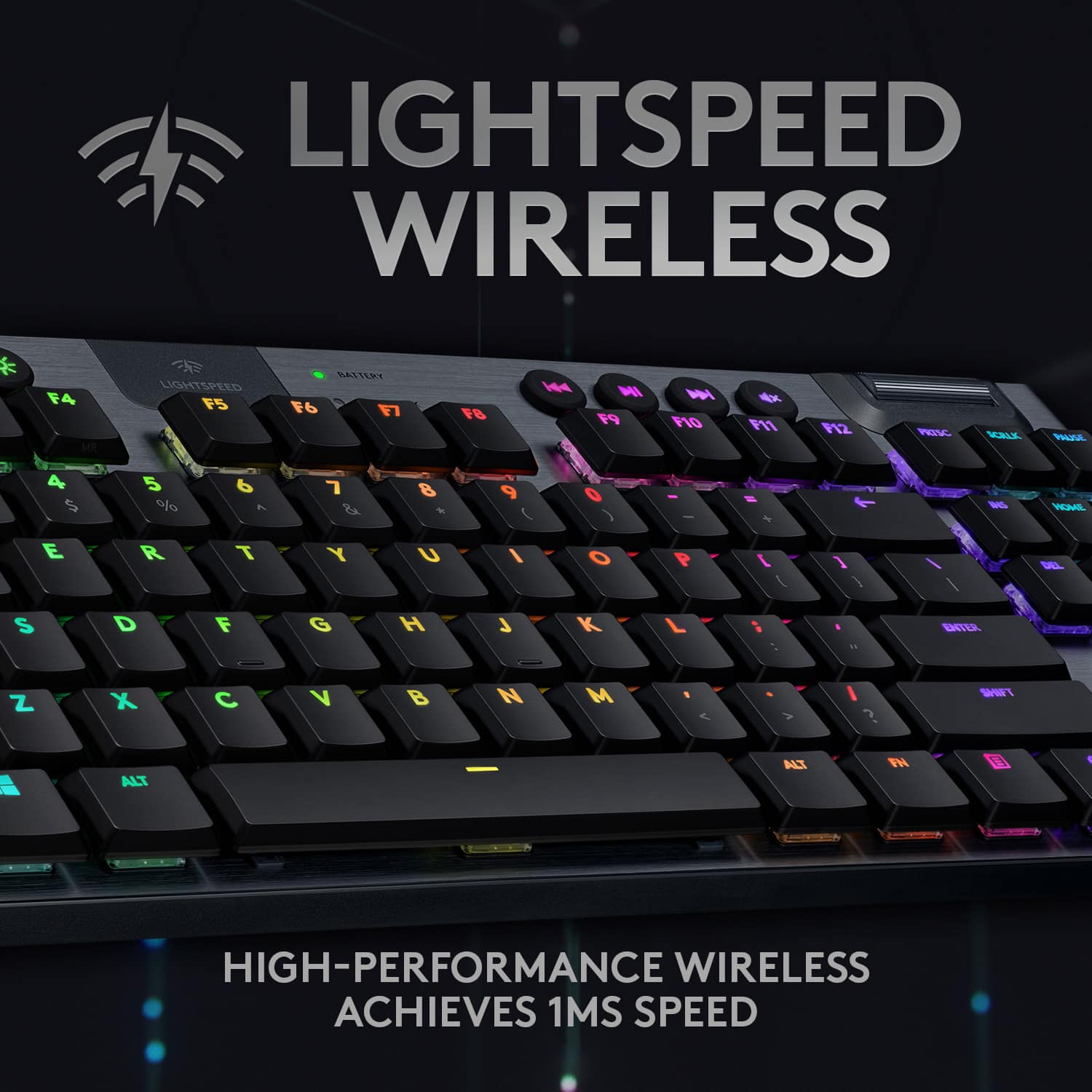
![The text on the image is already grouped and correctly spelled. It reads:
"LIGHTSPEED BATTERY CAPS LOCK K NI x ESC F1 F2 F3 F4 F5 F6 F7 F8 F9 F10 F11 F12 PRTSC SCRLK PAUSE - 1 2 3 # 4 $ 5 % 6 A 7 8 9 ( 0 ) - + INS HOME PG UP TAB Q W E R T Y U I O P [ { ] DEL END PG DN CAPS A S D F G H J K L ; ENTER SHIFT Z X C V B N M A > I ? SHIFT CTRL ALT ALT FN CTRL TKL G/915 TKL"](https://pisces.bbystatic.com/image2/BestBuy_US/images/products/b5efd26c-f360-4501-9ddd-133cf753b425.jpg)


- Model:
- 920-009495
- SKU:
- 11296165
Rating by feature
- Value
Rating 4.2 out of 5 stars
- Quality
Rating 4.8 out of 5 stars
- Ease of Use
Rating 4.8 out of 5 stars
- Pros mentioned:Battery life, Keyboard quality

Top quality keyboard
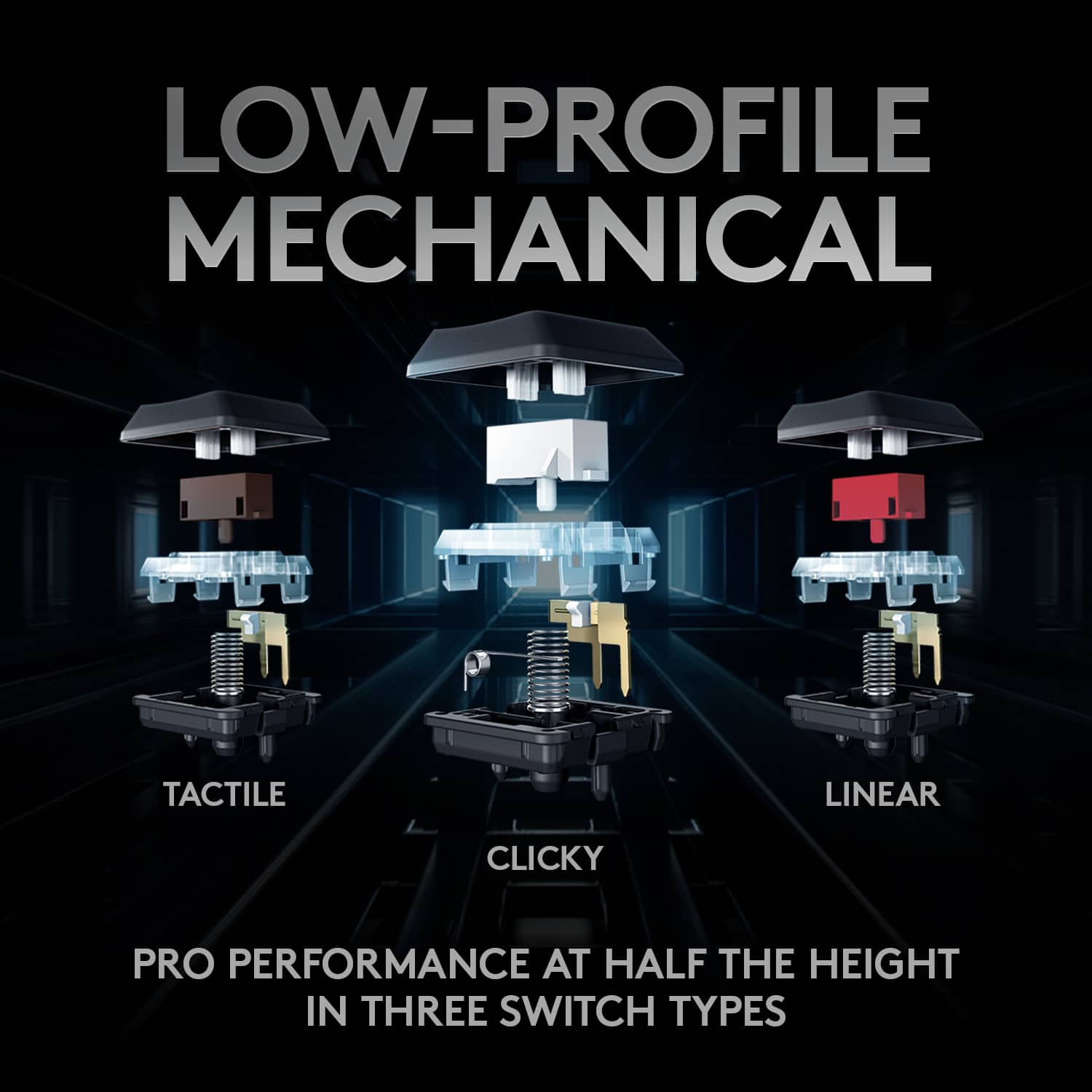
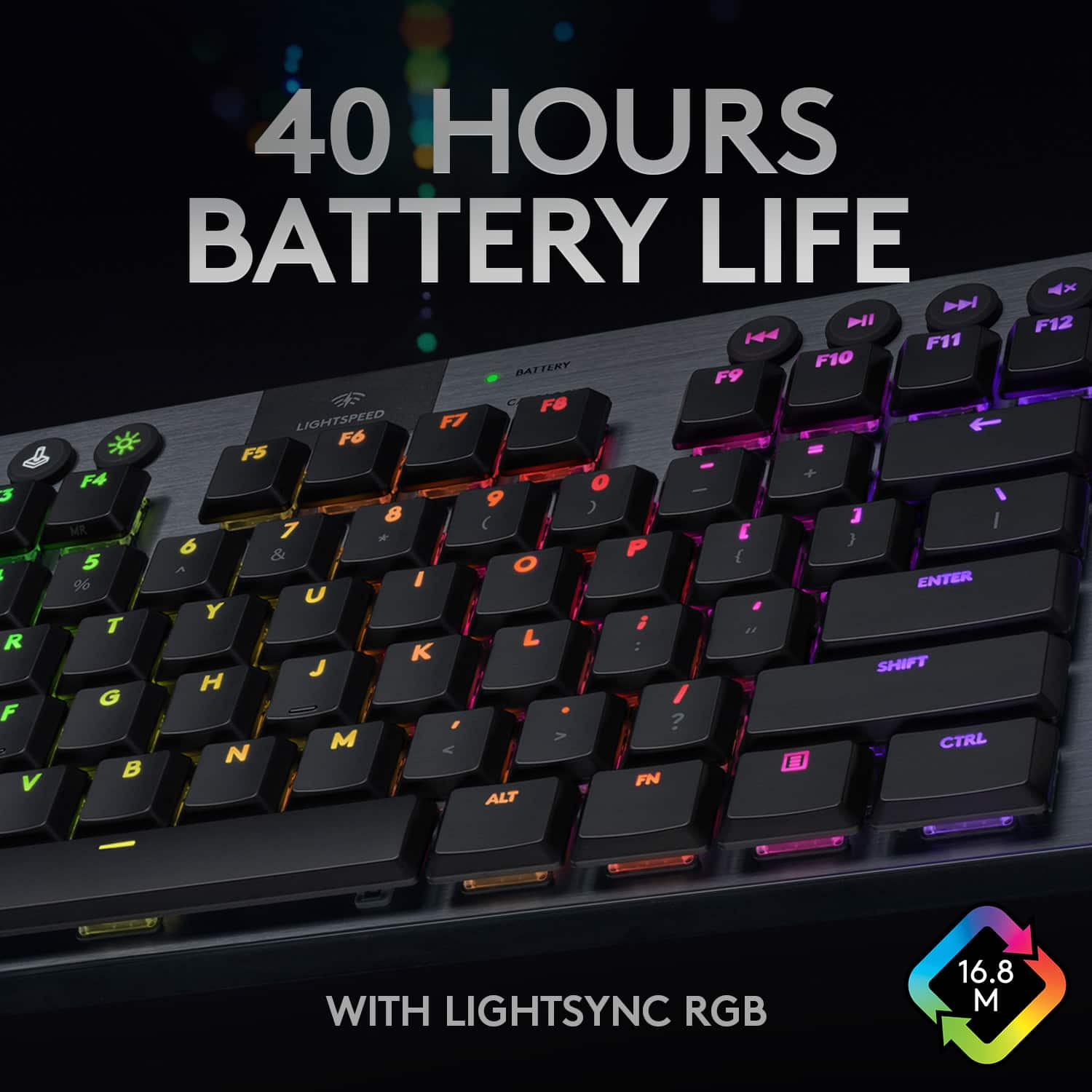
|Posted .This reviewer received promo considerations or sweepstakes entry for writing a review.I have had quite a few keyboards over the years, but not any that have been wireless due to the issues/concerns of increased latency with your average wireless technology. This keyboard has convinced me that the "lightspeed" tech that logitech is marketing is legit. Between daily work and gaming I have had no complaints in regards to the connection performance of the keyboard. This keyboard can also connect via bluetooth, but I would recommend the lightspeed wireless. Battery life has also been impressive in relation to what I expected being this has individual RGB back lit keys. I have about ~20ish hours on the current charge with the G HUB software showing that I still have 75% battery capacity. It has an auto sleep mode which im sure helps this because I am terrible at remembering to turn it off (it has a physical on/off switch on the backside of the keyboard if you want to use that and likely further extend time between charges). This keyboard has a built in battery so you don't have to worry about throwing AA batteries in it every few weeks, just plug it into your computer for about an hour or so and it will be at full charge. I elected to get the tactile switches and to be honest I think I would get one of the other options if I were to do it over again. These switches just feel a little heavy to me in terms of the force need to complete a keystroke. I switched from a Logitech G Pro wired keyboard with the logitech linear switches and I currently I could type faster on that keyboard with less fatigue. Currently this isn't a big enough issue to make me switch back and I am giving myself more time to grow accustom to it before I swear them off for good. Also not sure I am a huge fan of the low profile key caps, although it does aid in the aesthetics of the keyboard for sure. Physically the keyboard is the same width as my Logitech G Pro (also a TKL design), but the key caps feel a little more cramped and for me results in a few more typos currently. I think most of these observations will fall to the wayside after more time using this particular keyboard. Looks wise this thing is super sharp which is one of the main things I got it for to be honest. It has an anodized aluminum top cover, and the rest of the keyboard is constructed from a good quality heavy duty plastic. It is very thin and sleek looking overall from the key caps to just the actual physical dimensions, my G Pro keyboard looks like a major chonk next to this thing. I like the additional media control buttons, something I didn't have before and have come to really appreciate, and the volume dial works very well. Not sure what else I can say about this particular keyboard at this point. I am happy with the quality and appearance of it, just wish I would have opted for one of the other switch options they have available for this model. If possible to type on it before buying that is always best, but regardless of what you choose you are getting a very nice very high quality keyboard for your money. MSRP is a bit steep but between the form factor, the fact that it is wireless, and the premium materials used I suppose that is to be expected in this day and age.
I would recommend this to a friend Stick keys
||Posted . Owned for 2 weeks when reviewed.This reviewer received promo considerations or sweepstakes entry for writing a review.It was good keyborad but didnt like how after long gaming sessions my fingers would stick to the keys
I would recommend this to a friend- Pros mentioned:Battery life, Keyboard quality
Amazingly built keyboard!! Beautiful feel!!
|Posted .This reviewer received promo considerations or sweepstakes entry for writing a review.This keyboard is simply stunning! This is absolutely the most perfect, compact, mechanical keyboard I’ve come across. This is the perfect travel keyboard or space saving tenkeyless keyboard you could purchase. Opening the box, you’re presented with a nicely designed package, holding the keyboard tightly, wrapped in plastic with a tab presenting to you for easy opening. The build quality is quite amazing. You feel like the keyboard is almost made out of solid metal. The aluminum-magnesium shell makes this keyboard feel indestructible. I honestly feel like I could run this keyboard over with my car and not worry about it bending. This thing is a sleek, thin, solid keyboard. Functionality wise, this keyboard is fully loaded. The LIGHTSPEED connection is lighting fast, the bluetooth connection is handy for connecting to other devices that don’t have a USB port (think iPad, iPhone, etc), and you can always use it connected via USB (also charges this way). The battery life is stunning even with the fully customizable RGB lighting going full send. The G-Hub software really opens some additionally functionality as you can create and assign MACROs to your hearts content. The media keys along with the volume roller at the top feel amazing as well. I got the GL-Tactile keys, and I can’t fathom how Logitech got such a compact, slim key feeling so great. The tactile feedback feels great, and the sound is not overwhelming for a mechanical keyboard. I feel like my fingers are effortlessly floating around on the keys while typing this review, and yet when in game, you know exactly when the keyboard is responding, just by the feel of those tactile keys. Overall, I couldn’t be more impressed with this keyboard! Logitech has built an amazing platform and line of devices here. If you’re looking for a great compact or portable mechanical keyboard, this is definitely the keyboard for you! You definitely won’t be disappointed!
I would recommend this to a friend - Pros mentioned:Battery life
Yes, let's play!
|Posted .This reviewer received promo considerations or sweepstakes entry for writing a review.This G915 tenkeyless keyboard is designed very well for gaming. The design is beautiful. Small footprint with a great weight making it sturdy and keeps it in place. Connection is quick and easy. Wireless works great with a very fast response time. Switching between wireless and Bluetooth is as easy as pressing a button conveniently located at the top left of the keyboard Logitech's G Hub software is easy to use for programming F-keys commands and macros. Lightsync allows setting up personal colors or animations that sync to your games or music. The dedicated media controls with the volume roller is a favorite feature. Need to hear footsteps approaching? Quickly, easily turn the volume up. A grenade goes off near you and your ears are ringing? Quickly, easily turn the volume down. Love this feature. Coming from a clicky mechanical to this tactile mechanical is a blessing on others in the house, especially for those late-night matches. Less sound, but a discernable bump to register the press of the keys. Battery life has been awesome. A week of playing before needing a charge, and that was on the battery life that came with the keyboard A red light lets me know when it needs charging and gives me about an hour's warning. The light is small and easy to not notice in the heat of battle though. One thing I do have to remember is to disconnect the charging cable from the computer when shutting down or the computer won't boot up. It reads a keyboard error if trying to boot up with the cable connected. Easy to fix by disconnecting and starting the boot up again, but a timewaster. Not a fault of the keyboard, just something I need to work on remembering as I'm not in the habit of it yet. So I recommend this keyboard and say again... yes, let's play!
I would recommend this to a friend Who makes this crap?
||Posted . Owned for 2 months when reviewed.This reviewer received promo considerations or sweepstakes entry for writing a review.Glitches out all the time for no reason. I wanted to crush it with a hammer but it cost too much money
No, I would not recommend this to a friendBrand response from Logitech
Posted .Hey there kc99, I'm sorry to hear that you had some issues with your G915. It sounds like you're having some connectivity issues; I would recommend trying the Bluetooth option instead of the RF receiver, or vice versa, or use the device wired if there is too much interference. -Weston from Logitech
DO NOT BUY IF TRYI NG TO USE ON PS4
||Posted . Owned for less than 1 week when reviewed.This reviewer received promo considerations or sweepstakes entry for writing a review.it's 2021 and somehow a BT keyboard with dongle, with one of the largest manufacturers is somehow not compatible with PS4.
No, I would not recommend this to a friendBrand response from Logitech
Posted .Hi Kraig, Sorry to hear about the disappointment with trying to use the G915 TKL with your PS4. Most of the PlayStation 4 games don’t natively support a keyboard and mouse but plenty of new ones do. Sadly, as of right now, the support for keyboard and mouse on PS4 is poor. It’s up to developers to decide whether it’s a feature worth implementing and most choose not to. If you want to play PS4 games with a keyboard and mouse there aren’t many options, unless you opt for the HORI Tactical Assault Commander Pro, or an adapter. There’s numerous PS4 adapters on the market which connect wirelessly to your console and allow you to program your settings and keyboard. This allows you to play PS4 games like a PC player. The recommended PS4 adapters are: Xim 4 adapter, VemonX adapter, and IOGEAR. Using these methods you can play any PS4 game with a keyboard and mouse. It’s important to note that PS4 games are specifically designed to be played with a DualShock 4 controller, so it’s going to be difficult to replicate the keyboard and mouse experience of a PC player to perfection. Hope that you found this helpful and that all is going better. Thank you for being a Logitech customer. - Richard from Logitech
Meh
||Posted . Owned for 2 weeks when reviewed.This reviewer received promo considerations or sweepstakes entry for writing a review.All i can say meh you ono what i mean hahahahahahah
No, I would not recommend this to a friend- Pros mentioned:Rgb backlighting, Wireless
Great "non-clacky" gaming keyboard
|Posted .This reviewer received promo considerations or sweepstakes entry for writing a review.Gaming keyboards (and mechanical keyboards in general) are fantastic - not only for playing games, but also just to type on in general. The keystrokes are precise and accurate...but most mechanical keyboards come with one big downside: the noise. This keyboard fixes that superbly. I'm not sure what is technically different inside with these tactile switches, but they keep all of the mechanical keyboard goodness without the aggressive noise. The keys are still louder than a traditional keyboard, but nowhere near as obnoxious as a typical gaming keyboard. In this new work-from-home life we find ourselves in, my wife and I are sharing an office. A large portion of her work is phone calls, and I had my previous keyboard banished to the closet because the noise was bleeding into her calls. I'm happy to say that the noise from this keyboard is wife-sharing-a-home-office-approved! While I tend to keep the backlighting on just a single color, there are dozens of RGB options to choose from in the software for this keyboard, and it's pretty intuitive to set up. The connectivity couldn't have been easier either; I just plugged the dongle into the back of my PC and was off and running. It can also pair via Bluetooth or plug in directly via the included USB cable, but I've had no issues with the dongle whatsoever. Tl;dr - great typing experience, not very loud, can't ask for much more.
I would recommend this to a friend Waste of money
||Posted . Owned for 2 months when reviewed.This reviewer received promo considerations or sweepstakes entry for writing a review.had the keyboard for less than 2 months. Backspace stopped functioning completely
No, I would not recommend this to a friendBrand response from Logitech
Posted .Hello, we are sorry to hear that you are having issues with your G915TKL. Our Logitech G products come with a two year manufacturer warranty. You may reach us for support by opening a Technical Support ticket here: https://support.logi.com/hc/en-us/requests/new?ticket_form_id=360000621393
Not worth the price
||Posted . Owned for 3 months when reviewed.This reviewer received promo considerations or sweepstakes entry for writing a review.Not worth the money. These keyboard are a lot different than others. Shop around!
No, I would not recommend this to a friendBrand response from Logitech
Posted .Hello, we are sorry to hear that you are not enjoying your G915TKL. If you are having any issues or need help with using your device, you may reach us for support by opening a Technical Support ticket here: https://support.logi.com/hc/en-us/requests/new?ticket_form_id=360000621393
- Cons mentioned:Software
Incapable of powering off automatically when wired
Posted .This reviewer received promo considerations or sweepstakes entry for writing a review.Good things: I'll start off with the good things. It's compact and doesn't take up as much room as a full-sized g815. This is good because I rarely know anyone who uses the number keys or macros of the g815 so the tkl version has just what you need and with extra room for your desk. The keys are very responsive and smooth. It requires very little to actuate the keys, meaning you will likely have a higher typing speed because of this and the fact that the keys are so close to each other, making it easy to glide across each key you type. The keys themselves are not too bulky or huge like other keyboards, which I really like. Bad & Horrible things: - The keyboard is not designed in a way that you can use it wired instead of wireless in an easy way. The biggest thing, if you use this keyboard wired, when you power off your PC, the lights will dim after 5 minutes, but if you press any key, it still turns the lights back on, meaning there is still power to the keyboard. I'm not sure who designed it this way or what the thinking process was but this is ridiculous. It makes it so that each time I power off my PC, I have to physically move the switch on the back of the keyboard to power off the keyboard and each time I power on the PC, I have to move the switch back to power the keyboard back on. I have never encountered this with any keyboard in my life. Despite the LogitechG subreddit having people asking for G815 TKL instead of the wireless G915 TKL, they still ended up making this and we have no easy way of being able to use this keyboard in a wired mode instead if we wanted to. Not to mention, based on the comments of LogitechG tech support reps on the subreddit, they claim that using the keyboard wired for too long can cause battery issues, so it's literally made by design to force you to use it wirelessly when most people want to use it wired. I don't care how sophisticated the wireless technology is, I don't want to use it wireless, what is so difficult about this to understand and why are the devs this stubborn to force you to use it wireless, coupled with their awful software. I do not care for any features that save battery on the keyboard, because I'm using it wired. - This keyboard is made by design in such a way that you cannot control the lighting of it unless you get their horrible G Hub software. And no, I'm not the only one that thinks this because there have been videos, comments on sites, and forum posts on their Reddit for the past 3-4 years explaining in heavy detail why the G Hub software is horrible and Logitech ignoring and disregarding any feedback related to it because it has stayed pretty much the same throughout the years, with the same horrible base features that make the experience of modifying your peripherals un-intuitive and very annoying. - The lighting on the keyboard is set to automatically turn off every 5 minutes. So unless you look up a YouTube tutorial on how to use the on-board memory feature of the G Hub software, there is no way to permanently make your keyboard have the lights stay on without dimming. I had to go out of my way, to figure out how to make a profile on the G Hub software where I had to set a profile setting the light turn off feature to never, then binding that profile to the on-board memory profile of the keyboard so that I can still use it if I end the process of G Hub in my task manager or uninstall the program. (I uninstalled G Hub and will explain exactly why in the next point). - G Hub. Whoever made this software needs to legitimately be fired. First off, if you're using Logitech Gaming Software for any of your older Logitech peripherals like the g303 for instance, it will detect the LGS that I'm trying to use and gives some message with LGS stating "Your Logitech G303 Daedalus Apex is now supported in the new Logitech G HUB software, giving you more advanced configurations and features." and doesn't let me use LGS again unless I uninstall G Hub. I do not want to use GHub because it automatically switches my DPI for different games and sometimes even switches the dpi back after I disable the games it for some reason detects in my "Games & Applications" section. I don't understand why this feature is enabled by default anyway because wouldn't most people want to have the same dpi across everything that they use by default? I have rarely heard anyone having to switch their DPI for each individual game or application. The software is so awful, that the LogitechG subreddit has petitions every couple of weeks to remove it and go back to a software that does actually work, such as Logitech Gaming Software or even the Logitech on-board memory manager, but the developers are so stubborn, that they are unwilling to listen to any of the feedback or make it actually intuitive. Overall, the keyboard hardware itself is great, but everything else related to how it was designed to function in regards to the lighting dimming because of assuming people will just use it wirelessly and want to save battery and having no intuitive way to change this or workaround it, makes it not feasible to use. That combined with the fact that your battery on the keyboard will degrade faster if you just use it wired and the fact that you to manually turn the physical switch on the keyboard off and on each time you power your PC off or on, makes it not worth the headache. You have to ask yourself why was a basic feature like this overlooked just to make it so that my keyboard lights stay on while the PC is on and stay off when the PC is off? It doesn't seem like it's that much to ask for... I'll be returning the keyboard and either getting a different brand tkl keyboard or waiting till Logitech comes out with a G815TKL. For now though, it's not worth the hassle of keeping it.
No, I would not recommend this to a friend I expected more from logitech
||Posted . Owned for 1.5 years when reviewed.This reviewer received promo considerations or sweepstakes entry for writing a review.The keycaps are super wobbly, they wear off, the feet on the back don't elevate the keyboard as much as others do, and the battery life is pitiful. For the price, you can get something much nicer with standard keycaps and MX keyswitches....
No, I would not recommend this to a friendBrand response from Logitech
Posted .We apologize that the Logitech G915 keyboard did not meet your expectations. It's unfortunate that you found the keycaps to be wobbly and prone to wear, and that the keyboard's feet did not provide the desired elevation. We appreciate your feedback and it is important to us. If you have any further concerns, please don't hesitate to get in touch with the Logitech Support team.
- Pros mentioned:Keyboard qualityCons mentioned:Software
A great looking and performing keyboard
|Posted .This reviewer received promo considerations or sweepstakes entry for writing a review.This keyboard is extremely well built and is a great companion for gamers, especially couch gamers. The wireless seemed flawless until about 25 feet away, perfect if you plan on using this keyboard for both a desktop and couch setup. The LightSync feature of tying the lights to in-game events didn’t work in a few titles for me but was neat when it worked. When the keyboard goes into sleep mode, it wakes up with almost no delay. My only complaints of this keyboard were the lack of USB-C (this should be mandatory for any premium product in 2020), offline profiles are extremely limited in functionality on this keyboard, and I didn’t find the G Hub software very intuitive to use. There is definitely an adjustment period that comes with low profile; I ended up preferring it for both typing and gaming.
I would recommend this to a friend - Pros mentioned:Keyboard quality
Well built, excellent wireless, small form factor
|Posted .This reviewer received promo considerations or sweepstakes entry for writing a review.This is a great keyboard if you're looking for wireless connectivity (bluetooth or using the lightspeed dongle), rgb, a tenkeyless layout, and/or low profile mechanical switches. The keyboard feels very study, it has a good weight to it, but not so heavy that you'll be upset toting this around. It's overall a great keyboard. So let's break it down. in the box you get the keyboard, charging cable, and wireless dongle with a cable extender. build quality - as stated the build quality is nice, the body of the keyboard is hefty and tough, featuring a brushed metal look. there is no bend or flex whatsoever when pressing keys, and the materials feel like they'd be pretty easy to keep clean. key switches - this is my first time using low-profile keys as I'm not a laptop guy. they feel great, as good as any other mechanical switches, though these tactile switches lack tactile feedback compared to my cherry mx blue switches, but I suspect there's more than enough for people accustomed to typing on a membrane keyboard or anyone familiar with Logitech's Romer G switches. These are a huge step up in terms of how satisfying the keypress is. It feels much more stable than the romer g switches. just a great overall typing experience. Backlighting is excellent on every key, and the low profile design of the keycaps actually allows more light to shine through than you might expect from a traditional rgb keyboard. no complaints here. extra buttons - along the top of the keyboard you have your function key row, and above this you have various buttons for choosing your level of rgb brightness (of you can turn it off), lightspeed and bluetooth toggles, game mode button, standard media controls and a volume rocker. The volume rocker is made from metal and has some nice knurling on it, but the other buttons are all trash. They're made from some weird squishy silicone-like material, and while their backlighting looks excellent, I just don't like the feeling of these squishy keys on an otherwise perfect keyboard. I like that they're round and design-wise they stand out from the traditional keys, but man do I hate the way they feel. other thoughts - I really wanted to like this keyboard, but as it turns out switching to a low-profile keyboard just doesn't do it for me. I hated the typing experience, it's simply too different from what I'm accustomed to on a traditional keyboard. I was able to type quickly and accurately, but I just couldn't get used to the layout. Compared to a traditional keyboard it feels small and cramped, and I found myself hesitating at times when I'd usually be typing away without thinking about it. It's a great board. Just not the board for me. cons - as stated, while this keyboard isn't to my taste, I do think it's a pretty great little keyboard. Great for travel or everyday use, if it's your thing, but I do question the wisdom of RGB on a wireless peripheral. Yes you can turn the lights off or dim them, but if they're on at all that's going to be draining your battery. Not a fan of that. But that's a minor complaint next to what I find to be a major deal breaker personally. It charges via micro-usb. That's right, no usb C support. As a rule I only buy USB-C products because that's what everything I have uses at this point. Phone, wireless headsets, ipad, external drives ... all USB-C. so that's a no from me overall a great little keyboard .... but sadly one that will spend most of it's life in a closet as a backup keyboard oh well, it looks nice
I would recommend this to a friend - Pros mentioned:Battery life, Keyboard quality
Nice form factor
Posted .This reviewer received promo considerations or sweepstakes entry for writing a review.The keyboard has good quality and battery life. The software can be a pain from time to time. The switches are average but nothing to complain about.
I would recommend this to a friendBrand response from Logitech
Posted .We appreciate your feedback on the G915 LIGHTSPEED TKL! It's great to hear you're enjoying the form factor, build quality, and battery life. We also acknowledge your comments regarding the software and switches. Thank you for sharing your honest review!

- Pros mentioned:Battery life, Keyboard quality
Sleek & Beautiful
Posted .This reviewer received promo considerations or sweepstakes entry for writing a review.I love this keyboard! Any gamer would LOVE. The frame is tuff sleek and smooth, i choose linear switches nice and quiet with faster reaction in game PERFECT. No disconnects from pc. The bateery actually last a long time and i game all day :) Aye like I said Perfect :)
I would recommend this to a friend Outdated?
||Posted . Owned for 2 weeks when reviewed.This reviewer received promo considerations or sweepstakes entry for writing a review.Need a newer version logitech, its been years.....
No, I would not recommend this to a friend- Pros mentioned:Keyboard qualityCons mentioned:Price
I like the keyboard but not the price
Posted .This reviewer received promo considerations or sweepstakes entry for writing a review.Love logitech products this keyboard works great but i think is lot of money just for a keyboard
No, I would not recommend this to a friend - Pros mentioned:Keyboard quality
Great Gaming Keyboard
|Posted .This reviewer received promo considerations or sweepstakes entry for writing a review.The G915 TKL keyboard is another winner in Logitech's lineup. Heavy duty,solid feel, appears to be nearly indestructible. Key response is fantastic, I selected the Tactile version which I prefer over the Clicky or Linear options. Using the G Hub software, I was able to quickly configure this keyboard and easily adjust to suit the mood. Eliminating the 10 Key, not really needed when gaming, reduces the overall footprint. The ability to use wired or wireless makes for a compact and portable unit. My only complaint is the inclusion of the volume wheel, not really necessary and probably the flimsiest feature on this keyboard. Overall a good pick.
I would recommend this to a friend - Pros mentioned:Battery life
G915 TKL Tactile
Posted .This reviewer received promo considerations or sweepstakes entry for writing a review.Almost 4 years and still amazing battery life and best keyboard I have ever had. I game and use it everyday.
I would recommend this to a friendBrand response from Logitech
Posted .That's fantastic! We're thrilled to hear you're still loving your G915 TKL after almost four years. It's great that the battery life is holding up so well and that it's your favorite keyboard for both gaming and daily use. Thanks for sharing your long-term positive experience!