Customer Ratings & Reviews

- Model:
- 915-000321
- SKU:
- 6323168
to a friend
Customers are saying
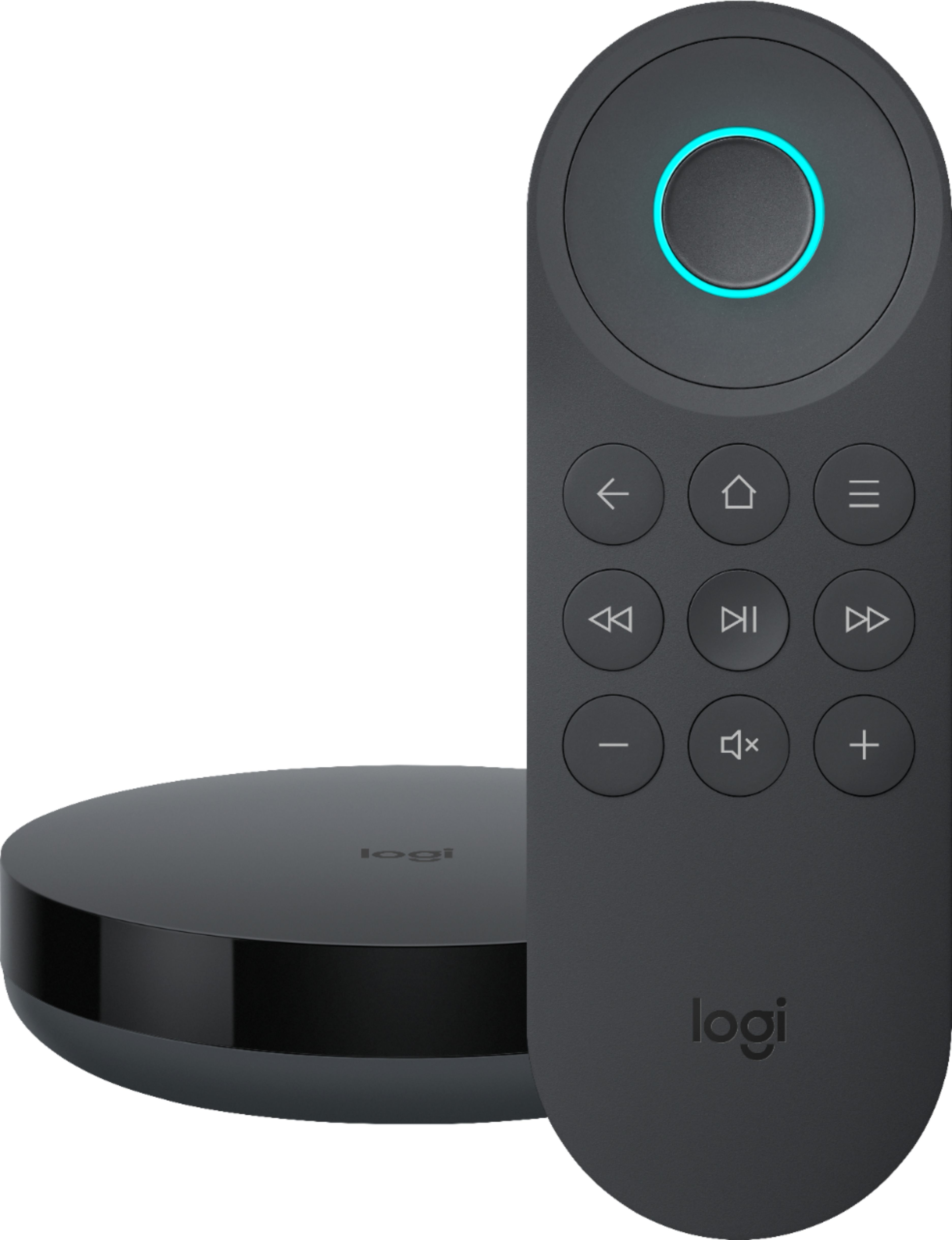
Customers recognize the Harmony Express Remote's voice control and ease of use as significant strengths, with many praising its simple setup and convenient size. Positive feedback also highlights the remote's rechargeable battery and sleek design. However, some users experienced compatibility issues with certain devices and limitations with Alexa integration and the lack of a dedicated power button.
This summary was generated by AI based on customer reviews.
- Pros mentioned:Setup, Voice controlCons mentioned:Compatibility

Fun Addition to Home Entertainment
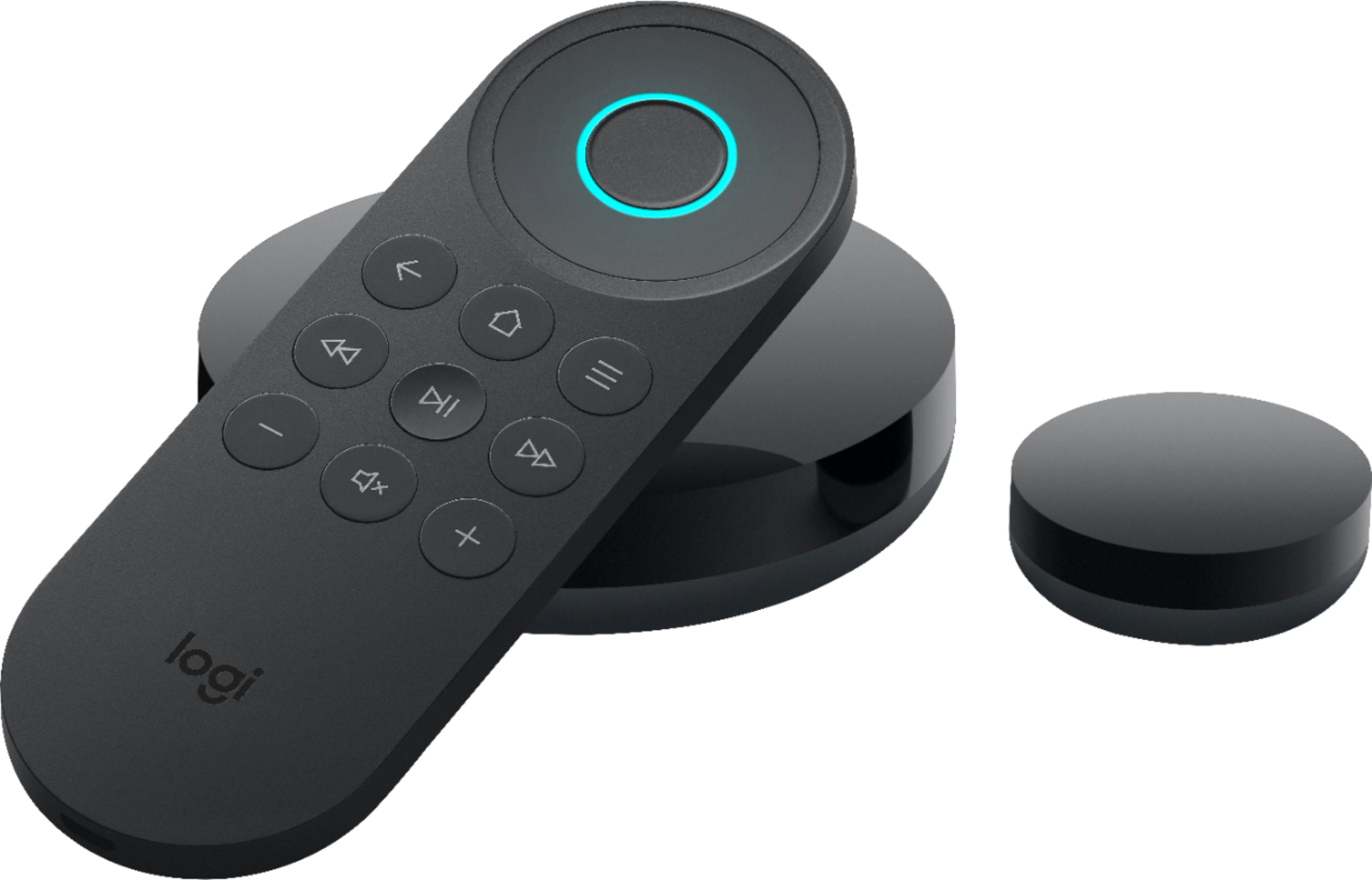
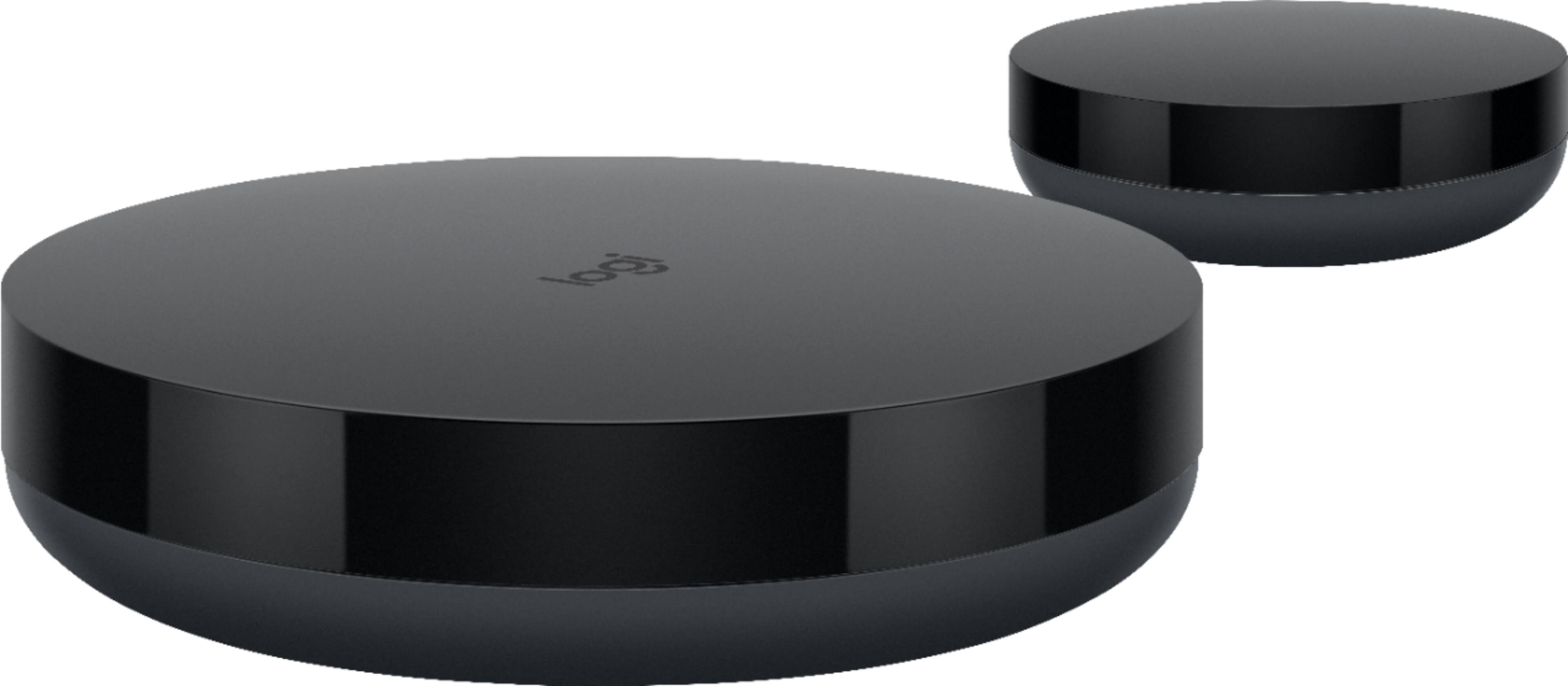
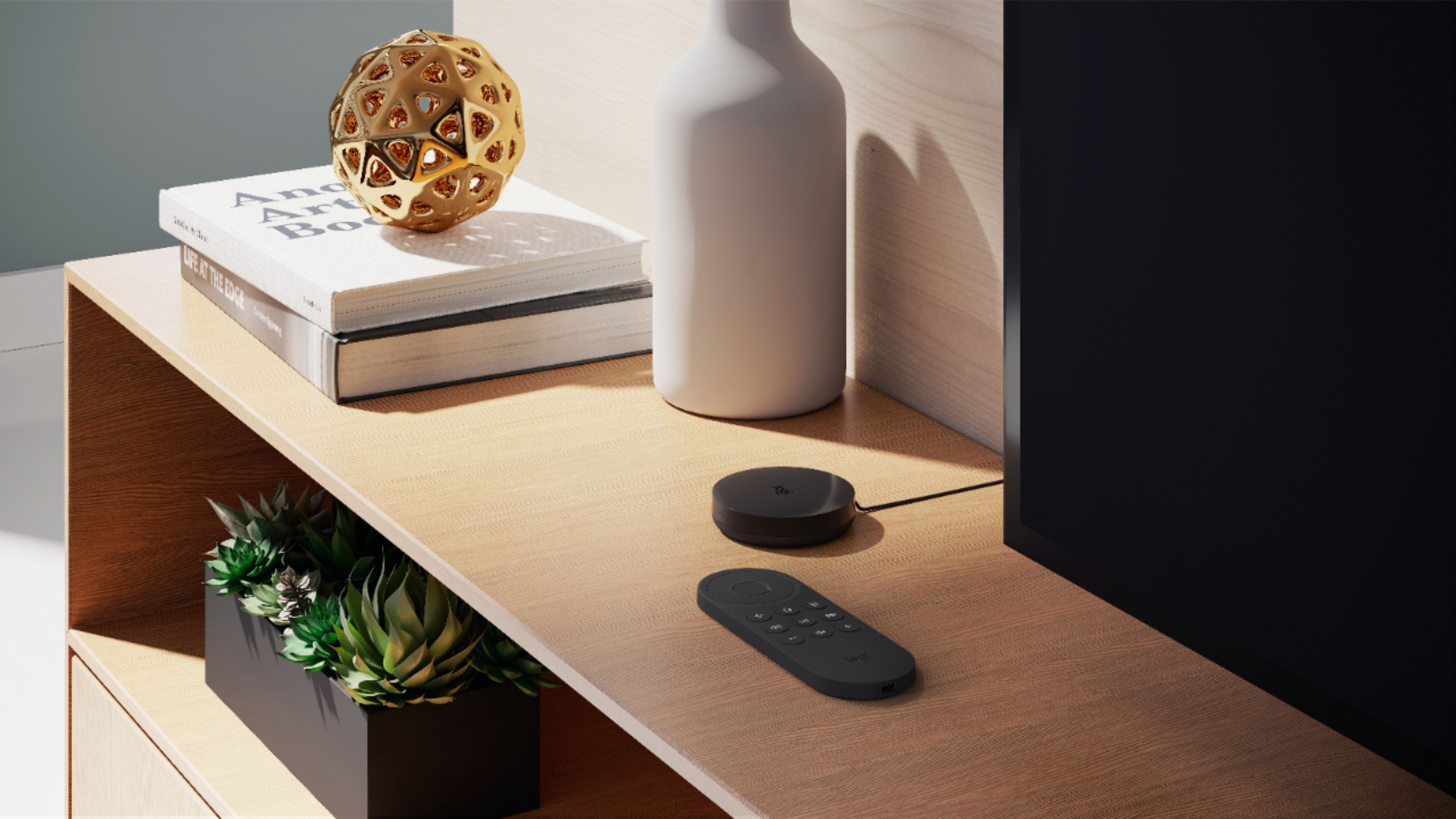
|Posted .This reviewer received promo considerations or sweepstakes entry for writing a review.The Harmony Express is a kind of low-tech/hi-tech hybrid. It basically allows you to use your voice to do what those little infrared blasters on cables that used to come with all kinds of audio/video components would do--reach the component so you don't have to aim directly at it with the remote. The setup uses a phone app and was fairly easy getting started with adding the TV, dish box etc. It has a cool way of having your listed components matched up with the available HDMI or other inputs on your TV. You drag and drop the icon for the component to one of the available HDMI inputs and immediately check the results on your TV screen. We were already able to control the dish receiver DVR with Alexa, but having the ability to also turn the TV on and off and change the volume by voice was nice. An older TV (9-yr-old Toshiba) would not work successfully as the Express mixed up the available inputs, making a mess of the setup. It also would not successfully control a high-end Harmon Kardon receiver that is about 12 years old. The newer model TV and components were no trouble though. The main blaster has an attachable mini-blaster with a rather long cable that you can use to place near an item that is too far away to be controlled with the main blaster. The included remote lets you speak commands into it as well as control the play and volume functions of the device connected at the time. For some reason it stays lighted when you unplug power to the main blaster. Still a worthwhile addition to a "smart home." I'd give it a 5th star if it was more affordable.
I would recommend this to a friend - Pros mentioned:Setup, Voice control
Good for controlling modern HDMI-connected devices
|Posted .This reviewer received promo considerations or sweepstakes entry for writing a review.This device is almost amazing. I have a huge home entertainment system that I have been building since 2004. Since then I have abandoned some of my components (traditional cable box, digital VCR, TV Antenna HD Receiver), and I replaced my DVI-based HDTV and A/V receiver with HDMI-based versions. I still have a ton of components, most of which run through my Pioneer SC-1222 receiver. They include a Pioneer PD-F908 CD jukebox; a Pioneer CT-W208R dual cassette tape deck; a Stanton STRB-100 digital turntable, a SONY SLV-N88 VCR; an Oppo OPDV-971H DVD player; a SONY BDP-S5100 Blu Ray player, an ASUS Chromebox running Kodi; an Intel NUC HTPC, and, most recently a Roku Premier. I ditched my cable box long ago and get TV channels with an over-the-air antenna. With all of these components, I've thought about an all-in-one remote for a long time. I did not bother until now because the remote for my Pioneer receiver does a pretty good job of controlling most of the components—at least once they are turned on. But I finally decided to try the Harmony Express because of the prospect of being able to turn individual components on and off as well as controlling my entertainment system by voice commands. I recently acquired the Echo Show and some smart home devices, so I was also pleased that Harmony Express uses Alexa. I found that I could ask the Echo Show in my bedroom to control my living room entertainment center through Alexa. If I ever wanted to do that. Setup was surprisingly simple. Or at least it should have been. I made a couple of mistakes at first, but the process is so clear that I quickly noticed my errors and easily went back to correct them. Essentially, what I had to do was install the Harmony Express app for my Android phone and follow the instructions. The app searched for and found some components while I had to add some manually. In the latter case I had to drag the image of my component onto an image of the appropriate HDMI port on my receiver. Thankfully I kept a copy of a picture of the back of my receiver that shows which components are connected to which ports. However, there was initially some confusion because I had assigned some of my own names to the HDMI ports, and the Harmony Express software showed both of them with two different images with different names, e.g., HDMI 1 and DVD. It wasn't clear which I should choose. It turns out it did not make a difference in that case. The video for my old Oppo DVD player is connected to my receiver via a DVI to HDMI converter (and the sound through a separate digital coaxial connection). Even though the Harmony Express database recognized and accepted my Oppo, I could not control it through the Harmony Express. Not sure why not—DVI is supposed to be bi-directional, just like HDMI. (If you're wondering why I've kept this old player around when I have a Blu Ray player, it is because it can play DVDs from any region.) Components that were recognized and that I was able to control included the Roku, my SONY Blu Ray player, and, amazingly, my NUC HTPC. It was a wonderful feeling to be able to boot up the NUC remotely for the first time. Still, I had to use my separate Logitech wireless keyboard to do anything meaningful with the computer. Oddly, the Harmony database did not even recognize my ASUS Chromebox. I am perplexed that I am able to access the NUC through its HDMI connection, but not the Chromebox through its HDMI connection. Surprisingly, my CD jukebox was in Harmony's database. However, I was not able to control it. Unsurprisingly, my cassette deck and VCR were not in the database. I think that the bottom-line lesson here is that if you want the Harmony Express to work with your components, they better be fairly new rather than vintage components, and they must connect with HDMI. I was curious to see what would happen when I asked Harmony to launch the Netflix app, because I have different versions of the app on Roku, my TV, and my Blu-Ray player. When I had my Blu-Ray player on, I was directed to use its app. But when I had my player off, it went to the Roku app (which is what I usually use). A very important lesson that has been mentioned in other reviews is that the Harmony Express responds only to a limited set of specific voice commands. Fortunately, Logitech provides a handy card that summarizes common commands and provides a link to further voice commands. So, if I say, "Turn on system," the remote responds, "Did you mean Harmony Express, Living Room?" Answering "yes" will power up only the TV. I have yet to find a voice command that will power up only my A/V receiver. But if I say "Turn on Roku," this will power up the receiver (and the TV, if it is not already on). Now, if I say "Turn on Intel," my receiver switches to the computer's HDMI connection and boots up the computer. To me this is truly amazing. But then here's the really sad news that make the Harmony Express only almost amazing: The system gets stuck on that HDMI connection. I can't find a command that switches things back to the Roku HDMI port (I use the receiver's CBL/SAT port for the Roku). "Turn on Roku" does not work. "Turn on cable" switches the system to the over-the-air TV antenna. So I still need my receiver remote to punch the CBL/SAT button to get the system back to Roku. Maybe there is a solution here, but I haven't found it yet. By the way, the Harmony remote works great with Roku. I can say "Launch Netflix app" or "Launch DIRECTV app" and the remote controls these apps just fine. The remote also works great with over-the-air TV channels. I can say "Go to channel 23" or "Go to ABC" and the TV tunes in the channel properly. In summary, I think that the Harmony Express is on the verge of being amazing. The remote can connect to and control at least some of my components that are connected to my receiver by HDMI. If only it could recognize and control all of them (like my Oppo DVD player and Asus Chromebox). And if it could switch between all HDMI channels without getting stuck on one of them. I don't expect I'll ever have an all-in-one that will do these things and also control my old equipment like my cassette player and VCR. That would be a miracle indeed. But if the Harmony Express could control all of my HDMI-connected components reliably, it would be amazing.
I would recommend this to a friend - Cons mentioned:Compatibility
Waste of money
||Posted . Owned for 3 months when reviewed.This reviewer received promo considerations or sweepstakes entry for writing a review.Bought it as a Christmas gift only to find out Logitech doesn’t support this produce so it’s a useless piece of tech I cannot return.
No, I would not recommend this to a friend Not copatable with Epson Projector.
||Posted . Owned for 3 weeks when reviewed.This reviewer received promo considerations or sweepstakes entry for writing a review.2 visits from geek squad and still have to use projector remote most of the time. Works ok with DISH. Wasn’t worth the money when it was recommended by Geeks at store to replace all remotes for $300.
No, I would not recommend this to a friend- Pros mentioned:Design, Ease of use
Version One of a New Kind of Remote
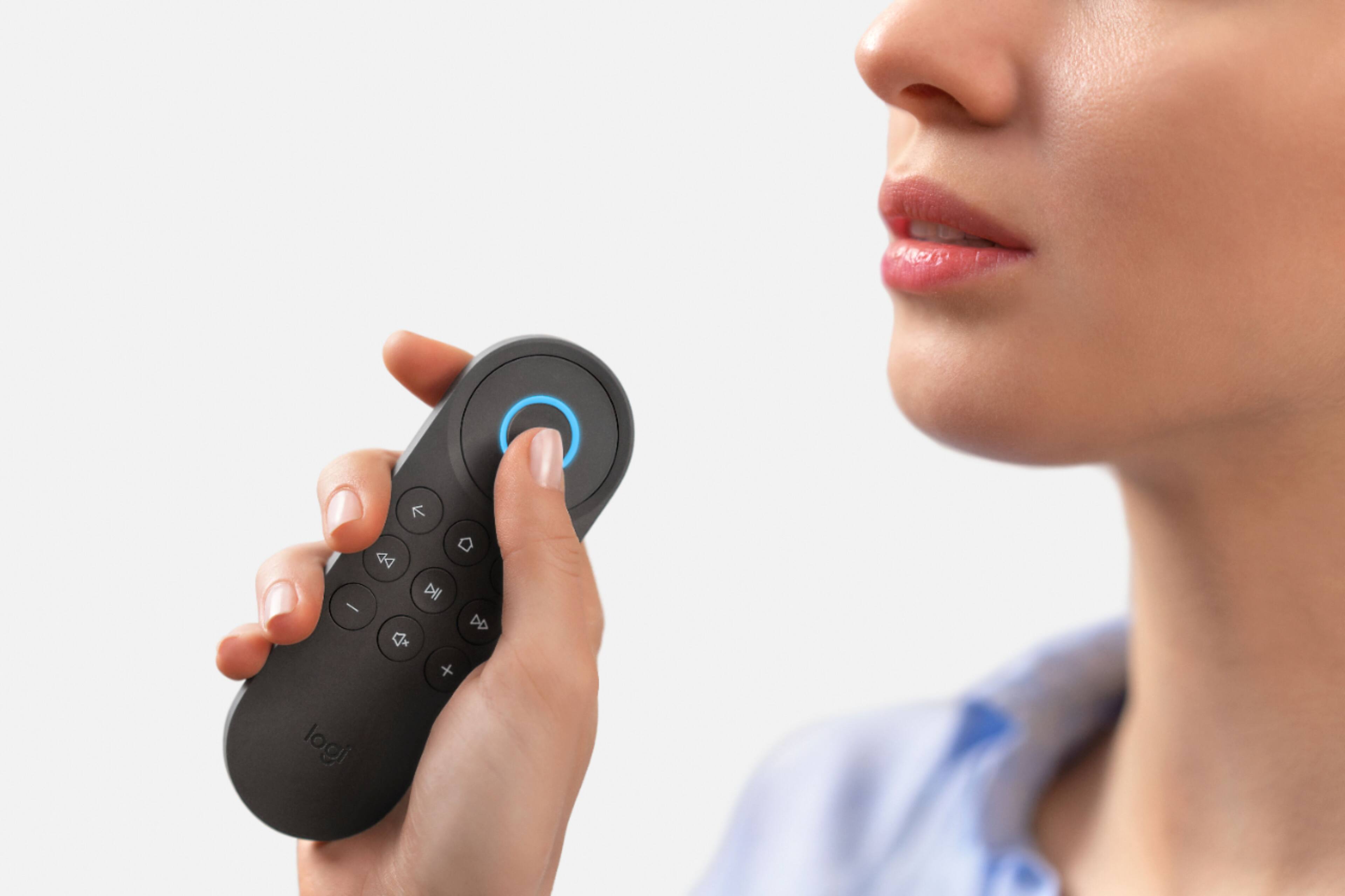
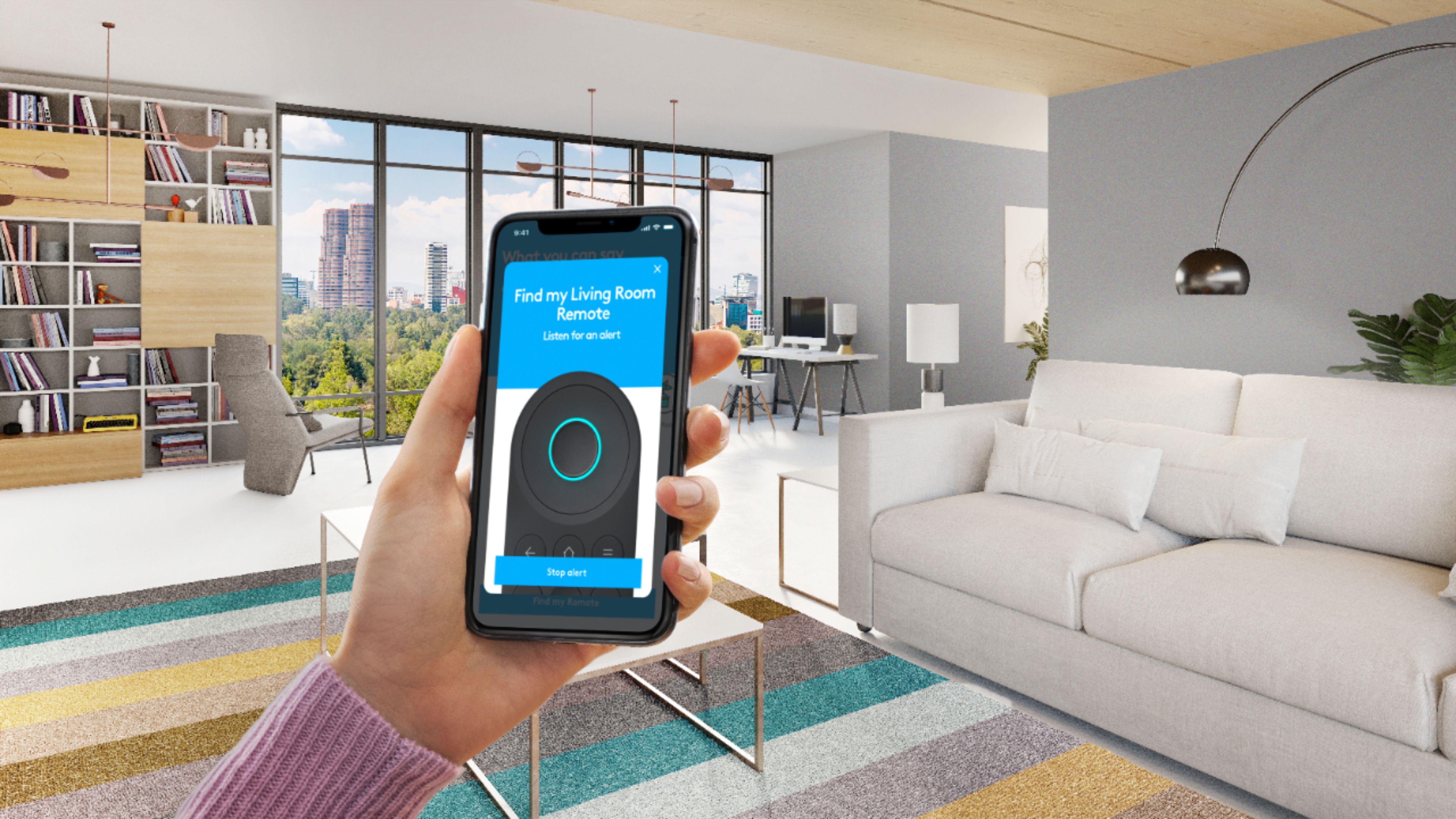
|Posted .This reviewer received promo considerations or sweepstakes entry for writing a review.- I have to admire Logitech for thinking out of the box here. Their remote-control models have become ever more complex and feature laden over the years and this seems like a sincere attempt to use technology like Lexa to make our lives easier. However, this one missed the mark for me and more importantly, for my less gizmo-loving family members. Features: - The “Express App” for setup is accessed via the internet on your phone and gives a very clear step-by-step process for connecting the handheld remote to the included Hub and then connecting to all of your home theater devices - Alexa on the Harmony Express is accessed by pressing the large round button rather than saying “Hey Alexa”. This will prevent other Alexa devices in the home from chiming in and trying to adjust your home theater devices when you only want your Harmony Express to make the changes. - The remote contains its own microphone, which means you can speak the commands relatively quietly rather than loudly across the room. It also contains a small speaker so you can hear Alexa’s response to your request. - The Harmony Express package includes an IR (infrared) emitter on the main Hub and a small infrared blaster that repeats the pulsed code if some of your components are not near the location of your main hub for example one inside and one outside of a component closet. - If the Harmony Express is lost between cushions, it can be commanded to make a sound so it can be located. PROS: - A very Lightweight Remote - A Contemporary simple design - Excellent Guided Setup available through your smart phone. CONS: - Relatively Expensive. - Changes a simple well understood task (press a button) into complex task (rigid scripted voice commands). - Cannot perform some functions of current button-focused Harmony remotes, such as mood settings where activating the home theater automatically activates things like Phillip Hue lights to dim the Livingroom lights or change their color output. CONCLUSION: - As the pendulum swings back and forth in technology, it sometimes it swings too far. With the Harmony Express remote-control, Logitech makes the overall assumption that selecting and pressing buttons is confusing or laborious, while talking is simple. The problem is that eventually even remotes with too many buttons, become easy to operate once the location of the buttons for 5 or 6 common operations like pause and skip are muscle memorized. Memorizing a strict script of words for commanding each operation and then simply hearing Alexa say “Sorry, I don’t understand” instead of giving hints like “Did you want me to pause the movie?” can be frustrating. I know that many might say “Hey, you can memorize the exact voice commands too”, and they would be right, but what happens when a guest or other family member needs to know the voice commands to operate your home theater when you’re away? It’s not as simple as picking up the remote and reading the buttons. I think this system is just an early version of what will become common and successful once real AI comes. When all I have to say to Alexa or Cortana when the phone rings (if that’s still a thing) is “Hey I need to answer that call” and she knows enough (without me writing a script) to mute the sound or pause whatever video is playing and then bring the phone call up on the sound system for me to answer, THAT will be progress, as well as a little scary. The Logitech Harmony Express is worth a look if you are the only one controlling your home theater. If you have a family with equal access and use, I would personally not recommend it at this time.
No, I would not recommend this to a friend - Pros mentioned:Ease of use, Voice control
Awesome remote with some compromise
|Posted .This reviewer received promo considerations or sweepstakes entry for writing a review.Device is so easy to set up!!! Once you have the app running and once it has detected your express blaster, all I did was follow the directions. All my components were in the app database and I just had to drag and drop to set devices up. It hardly asked for anything-- the express app is intuitive enough to know which ones to turn on and off depending on your usage. I used to have the Logitech hub so I know how these work. But for a virgin for these kinds of remotes, this is heaven. The thing is, this one is even easier to set up and I was ready within 15 minutes of unboxing. I find this one responsive (even more responsive than the hub) although it loses internet connection at times. The remote itself is very lean. I wish it had a little more buttons because I need to always talk to it to make it work. Just some added buttons in instances that I cannot really talk (like my 6 year old is asleep beside me). Given that, I also need to talk to it to turn devices off-- unless of course I use the app from my phone, which defeats the purpose of having one remote. The navigation button is a little wide too-- I find myself pressing the middle button than up or down if I am resting my thumb from one direction (e.g. I'm pressing up coming from pressing down). In general, I like it. It makes everything so simple and the voice commands are easy-- however it will require you to work around its functionality vs. it working around your routines. There is a learning curve and the remote has some limitations so I had to make do with what it does. Once you learn though how to understand it's functionalities, it's a great lean remote! It's future proof-- I'm sure there can be some updates to functionality and a version 2 remote. Overall, it's an awesome device and will make your TV show marathons so easy!
I would recommend this to a friend - Pros mentioned:Design
Simple design, easy to use and set up
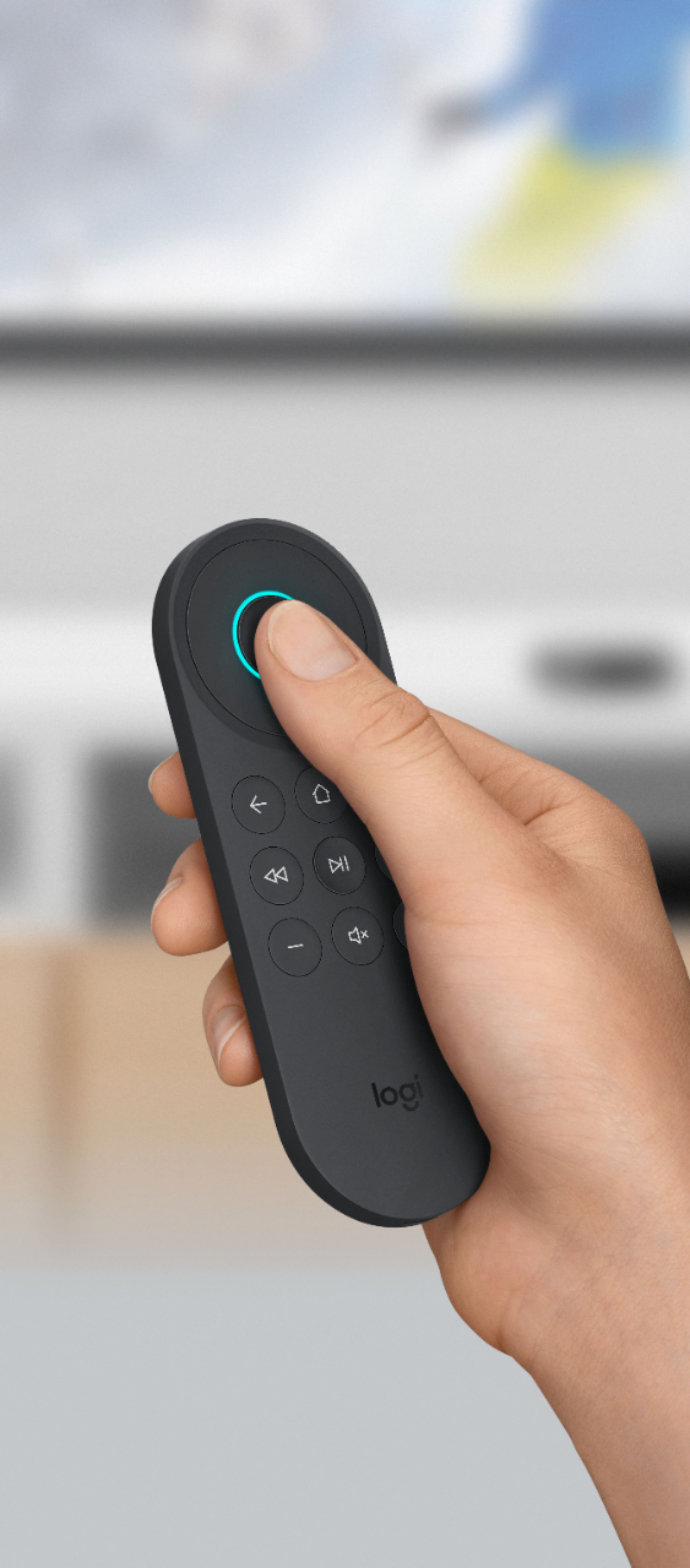
|Posted .This reviewer received promo considerations or sweepstakes entry for writing a review.I’ve finally decluttered my living room coffee table, downsizing from four remotes to only one! The Logitech Harmony Express took some time to get used to, but after a couple days I think I’ve gotten the hang of it and am really enjoying the simplicity. The remote came securely packaged in a nice box with easy to follow instructions. Set up was fairly easy and took about twenty minutes, but it would have gone faster had I been able to remember the model number for my television. To set up the remote you simply download the app, plug-in and place the blaster and mini-blaster devices and follow the on-screen instructions in the app. The app has you turn on all devices that you want to connect to the remote. Then you add each device individually, assigning the inputs as you go. If the app doesn’t find your device you can add it by entering the brand and model information. Once everything is set up you can modify the startup order for your devices and set a delay for devices that take a little longer to startup. I had to do with with my Xbox. The default order ended up with my soundbar home menu being displayed on the television when I said, “turn on Xbox”. I changed the startup order to start my Xbox first, then the TV, then the soundbar, and also adjusted the delay to 0 seconds. This fixed the issue and now the Xbox menu is displayed on the television when I press the voice button and say “turn on Xbox”. I’ve put all my other remotes into a drawer and haven’t had to use them for two days now. However I did have to access and use the additional device commands via the app to control my TV picture settings while watching a movie on my Blu-ray player last night. I could have exited the movie and used the Harmony to go to the TV settings, or grabbed the TV remote from the drawer, but having the commands on my phone was nice to have available and allowed me to keep the movie playing and not get out of my seat.. LOL I can’t seem to get the Harmony to open any apps on my devices. I have Netflix, Vudu, Hulu, etc., that I use often and is available on my TV, Blu-ray player and Xbox but I don’t see a way to assign these commands. Saying “go to Netflix app”, “open Vudu” or similar phrases doesn’t work. This might be because I don’t have an Echo or any other Amazon device but I’m not sure. I did download the Alexa app onto my phone but still haven't been able to figure it out. So if I want to open Netflix I say, “Turn on TV” or “Turn on Blu-ray player” then just navigate to the Netflix app using the remote. Hopefully I can get this figured out and working. The design of the remote is simple and easy to learn to use. If feels sturdy and has a rounded, semi-non-slip silicone surface coating on the back. I love that the buttons have a back-light that automatically comes on when the remote is lifted. The remote speaker sound is good for what it is and has three volume settings that can be selected in the app. You can actually play music through the remote too. I was surprised when I said, “play music” and the remote started playing my iHeartRadio station. I tried to change this to Pandora in the Alexa app but it says Pandora isn’t supported by this device. Not a big deal though, since I don’t plan to listen to a lot of music on the remote.. LOL. The remote comes with a micro-USB cord for charging which means less batteries to replace! If I were to request an improvement on the design, it would be to make it touch-sensitive, it looks and feels like it would be but it’s not. My television came with touch-pad remote and I really like it a lot. I’m very happy with this remote and am glad to have stored the others!
I would recommend this to a friend - Pros mentioned:Battery lifeCons mentioned:Alexa integration
What Could Have Been Just Isn't
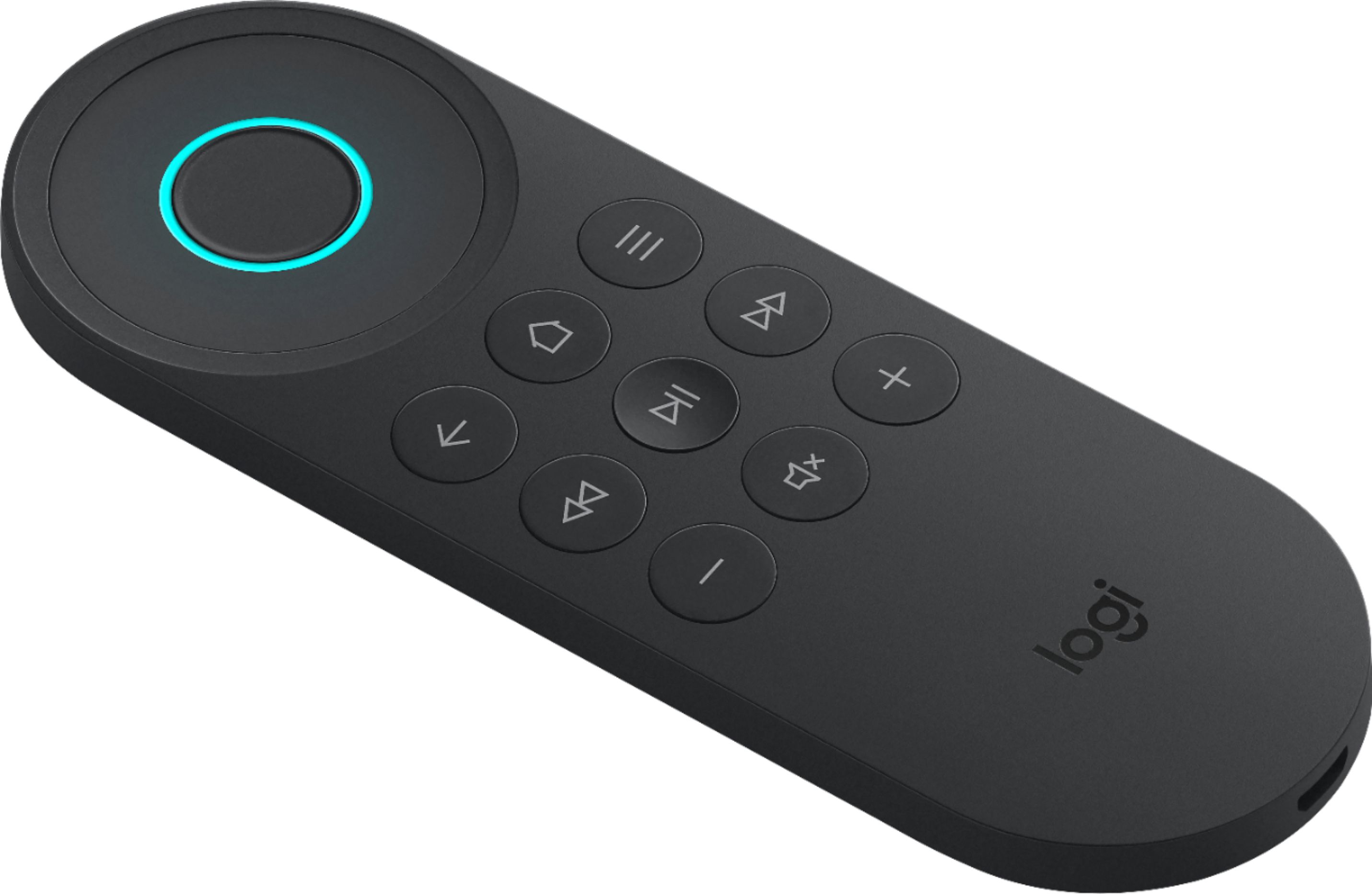
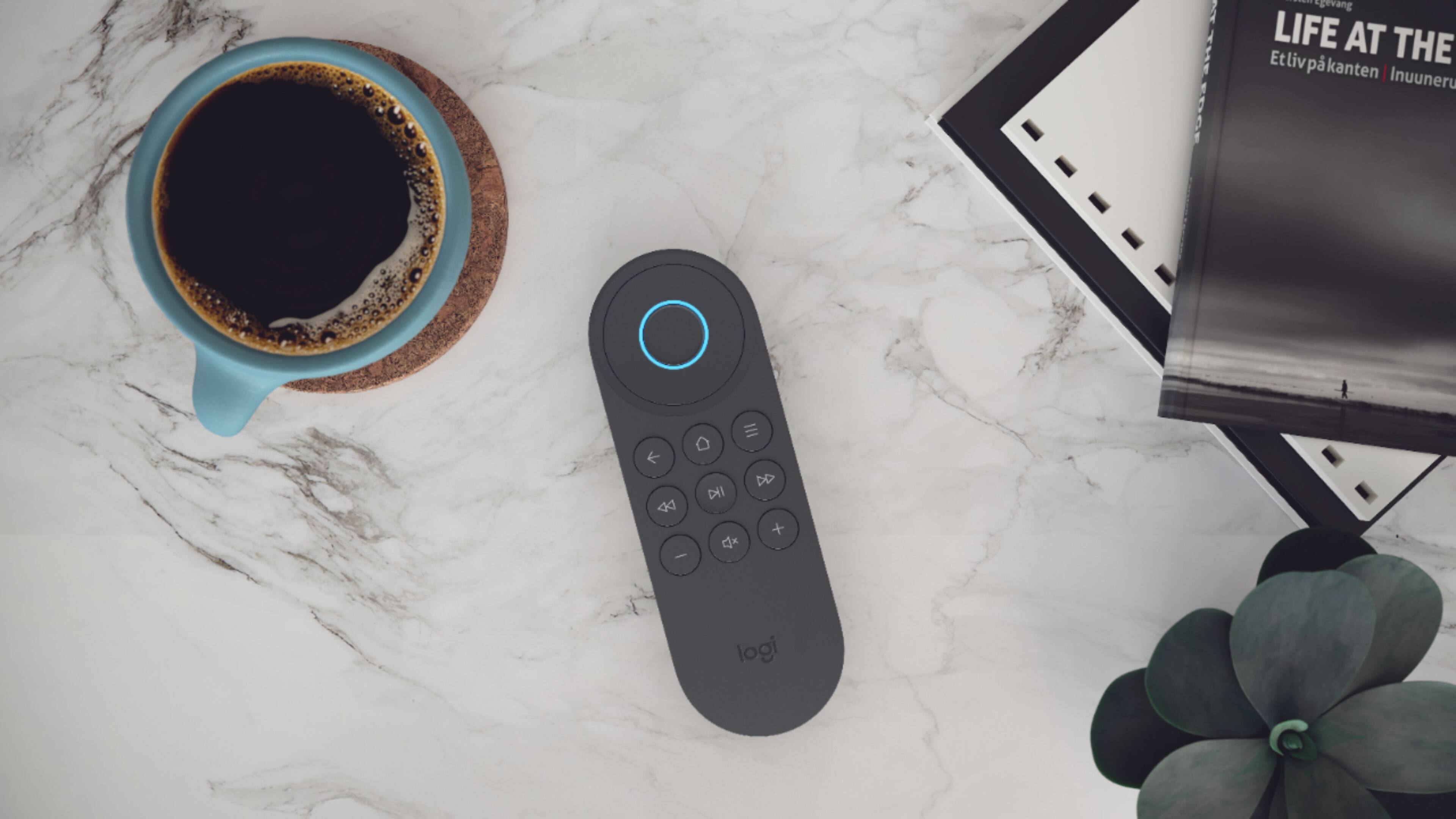
|Posted .This reviewer received promo considerations or sweepstakes entry for writing a review.The Harmony Express is the little remote that could, but didn’t. It’s a total shame, seeing the potential with this, but it has a lot of work still left to be done. Pros: - Ease of setup - Leverages your existing Alexa account - Recharge lasts long time - App will find a lost remote for you - Simple controls Cons: - EXTREMELY poor instructions - Missing apps? Out of luck. - No ability to manually set up missing integrations. - No ability to control “macros”. - Illogical buttons to control functions. The Express newest device in Harmony’s line is a small, simple, screen-free device. The device features a remote with only 9 buttons, a directional pad, and a center button for activating the Alexa feature. The simplicity and lack of buttons should be replaced by the Alexa voice control. Alexa is already a powerful media integration service, with Verizon FiOS, for example, using Alexa to allow you to locate programs and change the channel by simply saying, “Find me the Washington Capitals”, or “Find me Bar Rescue”, or “Tune to TBS”. Unfortunately, that level of Alexa integration stops with this remote. The remote is limited to asking to launch the guide or telling it to tune to a specific channel (“Tune to TNT”) or channel number. The ability to find a program from the Harmony Alexa stops with the ability to search program titles The setup is easy with a smartphone app. Pretty much any compatible device on your WiFi or can be located with Bluetooth will be discovered by the setup and automatically added to your system. Previous Harmony setups with more complicated remotes require you to locate a lot of model data and find model codes to be added to the Harmony setup. This was the easiest Harmony setup to date (this is officially my 3rd Harmony overall). Those not automatically found (like my IR-enabled HDMI switch) were easily added with a search of the manufacturer. The system includes an IR blaster, as well as a cabled “mini-IR blaster” that can be placed some distance apart to be able to trigger your various devices, even those in a cabinet that otherwise couldn’t be reached with a standard IR remote without opening doors. Unfortunately, that’s about where the positive points stop and the negatives kick in. With my Samsung TV, which is maybe 2 years old tops and is equipped with multiple apps (Netflix, Amazon Prime, YouTube, etc.), the device is completely unable to toggle to those apps. You’re supposed to be able to say, “Go to Netflix App”, or “Go to Amazon Prime App”. It fails to launch those apps and thus switch inputs on the TV, responding with, “I couldn’t find Netflix”. And there is no way to override that (for example, on other Harmony remotes you can build a macro (a series of recorded key strokes) that would maybe serve up 4 or 5 normal remote keystrokes to launch into the TV apps. There is ZERO way to program anything beyond what Harmony gives you, a fact that is frustrating when you’re very familiar with remotes and finding features that are missing. The same goes for changing AV inputs on the Samsung TV – I can’t switch to the 2nd HDMI input to get to my gaming systems. “Go to Input HDMI 3” is supposed to work, but again it replies, “Sorry, I can’t find that.” Oh, and you want to find help? Good luck. The help provided on this device is nearly criminal. Harmony continues the trend of “Express Setup Guides” and then hoping it works. Online help is basically nothing more than the in-app help, which is limited to essentially telling you what commands will work with Harmony (if they worked). Call-in support has limited hours and their operators work off standard cue cards, usually ending with, “It appears your device is not supported”. And don’t even think about the “Community Boards”; they only have 8 entries as of the writing of this post, none of which address anything detailed about issues with the device or how to override them. The lack of buttons on the remote leads to some odd, illogical button functions. For example, there is no power button on the remote. You’re expected to turn the TV on using the Alexa feature “Turn on the TV”. Turning off is the same, but to do that with the button it’s a long press of the Mute button. A long press of the Home button pauses your DVR. And unless you memorize this, you’ll never think to use those. Ultimately, I found myself using this to quickly turn on the TV and, if I knew it, tune to a specific channel or launch the guide to do old school browsing for the channel I wanted. But found myself picking up my more advanced Harmony remote to finish the job or change inputs. In the end, this is an interesting concept poorly executed, and it pains me to say that as I really wanted this to work. The lack of ability to manually program or override features is a deal-breaker right out of the chute. It has a lot of potential, had they put a little more work in to it. Perhaps updates down the road will fix these shortcomings, but for the price, you honestly would be better off just upgrading to a similarly or closely-priced device with a screen and more programmability.
No, I would not recommend this to a friend - Pros mentioned:Voice controlCons mentioned:Power button
Complicated Setup
|Posted .This reviewer received promo considerations or sweepstakes entry for writing a review.Having uses several other Harmony remotes in the past I really wanted to like this, but I think it's the lease appealing of their lineup. First off, if you have one of the other Harmony smartphone remotes, this one actually uses a completely different app. One of the strengths of Harmony remotes is the ability tp clone devices from one to the other as you upgrade. Not so with the express. You have to start all over, unless I missed something in the setup process. The main difference is the built-in Alexa functionality and the ability to voice control up to 15 devices, up from 8 with my previous Harmony remote. It's a neat trick, and great for home theaters so you can set up routines easily, like "start movie" to play a Blu-Ray and lower the lights (if so equipped). The remote has basic functions built into it, like playback controls and volume. I would like to see more physical buttons. The buttons do light up when the remote is lifted, which is a nice plus. The built in speaker sounds good despite it's small size and the remote itself is rechargeable with a micro USB cable. Also included is a wired remote IR blaster so you can control equipment in a cabinet or otherwise out of sight.
No, I would not recommend this to a friend - Pros mentioned:Setup, Voice control
Nice Multimedia Remote, Easy setup
|Posted .This reviewer received promo considerations or sweepstakes entry for writing a review.The Harmony Express remote is a nice remote for those looking for voice control with Amazon Alexa. I have a main living room theater setup that already uses a Logitech Harmony remote to control everything, so I used this for my game room. My game room consists of a 55 in Samsung TV, Bose soundbar and woofer and an Xbox. Set up was super easy. It is your usual steps, setup equipment, download app, connect to WiFi network then assign equipment. I have it set up to turn on my Xbox, TV and then soundbar in that order. Voice commands are easy and the remote picks up everything with little lag. I love using my voice to command it to open the Netflix app when I'm ready to enjoy watching a movie. The remote feels good in hand and the buttons are nice and responsive. For those looking for a voice activated remote I would recommend the Harmony Express.
I would recommend this to a friend Lack in Harmony
||Posted . Owned for 1 year when reviewed.This reviewer received promo considerations or sweepstakes entry for writing a review.Never worked well. Constant problems with not following my commands, and just systems breakdowns..
No, I would not recommend this to a friendDo not buy
||Posted . Owned for 1 year when reviewed.This reviewer received promo considerations or sweepstakes entry for writing a review.Terrible, Terrible! Did I say terrible. Logictech bought all of these back
No, I would not recommend this to a friend- Pros mentioned:Setup
Nice universal remote setup with Alexa
|Posted .This reviewer received promo considerations or sweepstakes entry for writing a review.The Logitech Harmony Express is a nice universal remote with voice commands that can easily get you to apps or connected devices after a simple setup process. Setting up the device was really easy, you need to connect the device and install the app on your smart phone to configure. You easily join it to your wifi and tell the harmony express system what TV and devices you have connected. After this step you will tell it which inputs the devices you added are plugged into. One thing that threw me off was when I added the Xbox One X it gave me a generic system icon, however when I added the Playstation 4 Pro it showed the Playstation Logo. I don't know if this has something to do with approval to use the Xbox Logo, or it just hasn't been added it, it made me question if I input something incorrectly. Once I got everything set up, you have a simple tutorial on how to use the voice commands and your pretty much set with the defaults. If you added a sound bar, it will ask what your preferred output is for a device when you switch to it, which can easily be set up on your phone. You can also go into the settings for each device and modify the startup process and some power options. The remote is fairly simple overall, I had a previous Harmony Remote that released for the Xbox 360 and this does quite a few things that could do, but with commands now instead of button presses. The nice thing about this remote is that you can use it to navigate on both the Xbox and the Playstation allowing you to navigate the menus and watch videos simply by using the remote. With my experience in the past with Harmony remotes, the configuration from the app will get you up and running with the basics, but if you invest a little time you can get a chain of steps configured into one command. I am definitely looking forward to playing with this some more, there are what feels like a few limitations to the device that don't ruin the experience, but can frustrate you if you don't say the proper command like many voice controlled devices. I know the device is new, and anything at launch can have some annoyances, I hope Logitech continues to support this device and improves upon the device after each update!
I would recommend this to a friend - Pros mentioned:Voice control
Voice Driven Remote
|Posted .This reviewer received promo considerations or sweepstakes entry for writing a review.The Harmony Express is Logitech’s new entry and attempt to simplify managing your entertainment center with Alexa built into the heart of the system. A voice driven remote that relies on only nine buttons and your voice. Setup from the phone app is straight forward and easy enough and should have your system setup within thirty minutes. If when you scan any devices do not show up you can enter the devices manually and add to the system. Simple enough. If you have HDMI CEC Control on in your TV, receiver or other devices you may need to turn that function off as the Express does not appear to be compatible. Alexa responses well to voice commands and executes quickly but you most know the specific commands as with all Alexa devices. Have a had mixed bag of results with the remote. What it does it does well, but for instance it gets frustrating trying to turn on my Nvidia Shield with voice command. When it works it is fine, when doesn’t, well it just doesn’t. Really like the ability to jump directly to broadcasts/channels with voice command, that is very nice. But cannot get Netflix, Prime, etc. to operate from my Smart TV or Nvidia Shield with the remote but this may simply be a compatibility issue with my equipment? Harmony Express and Alexa have some interesting ideas, but the system has not made watching TV or other devices easier for me on my system. Had hopes of the Express solving my usage of three controllers on a typical day, and in some things ways it is successful, but I am continually going to other controllers. Believe user’s experience and equipment will depend upon personal preferences. Feel that Express based on Alexa is a work in progress that will only get better as the interface of the remote and Alexa matures. Some will love the Express depending upon their equipment, setup, services and of course their own comfort zone. For me using voice is nice, but I want control and prefer having my buttons available for controlling the whole system.
No, I would not recommend this to a friend Easy to set up for what it is, somewhat redundant
|Posted .This reviewer received promo considerations or sweepstakes entry for writing a review.I am a big fan of Logitech remotes and have been for years. I have a lot of components in my home theater and the ease of pushing a button so everything turns on at once (including turning off lights) and switching different tasks (Blu-Ray to PS4) is awesome. But like most technology, it's great when it works but frustrating when it doesn't. The Logitech Express is no different. SET UP I have to say that setting up any universal remote takes a little work in the initial set up department. As far as ease of use, Logitech does a great job of walking you through the process. Depending on your set up, you have to know the model number and make of your devices and what input each device is plugged into. This can be a little tricky to determine. Most people don't know the model number of the TV, most just know the screen size and brand name. But knowing that information is crucial for ANY universal remote setup. So if you're reading this far, you're probably prepared to get that info (I generally look at my digital receipts or in some instances, a A/V receiver might have the model number on the front). To get started you have to download yet another app. If you have another Logitech Home, at home, you have to get a different app. Once everything is setup, you won't use the app unless you need to alter some settings. So luckily, it's not something you'll need to access frequently. Once you download the app, it walks you through everything step-by-step. Again, as far as universal remote set up goes, this is about as easy as it comes. You plug in the hub "puck" and your phone connects to it and then your remote connects to it after a few button presses. From there, you simply add the devices you want to control (this is where you need model number and make) and then you drag and drop and icon of the entertainment device (i.e. receiver, PS4, Xbox One, Fire TV) to the input of the device. Depending on how many devices you have and whether or not you use a soundbar or A/V receiver, will determine how complex this seems. For example, I use an A/V receiver, I tell the app I do, and then I tell it what input the A/V receiver plugs into to my TV and from there I tell the app what entertainment devices are plugged into what input on the receiver. This requires a little trial and error, my A/V receiver isn't in a convenient place to locate the inputs in the back, so I have to turn everything on and then turn the input knob to figure it out. If I had to do this a lot, it would be a pain, but for one time set up, no big deal. Once you have the inputs set up, you're pretty much good to go. The app then walks you through the basics of the remote, like holding the Alexa button while you talk, and how to turn the TV off (hold mute button, there's no power toggle). Then you turn everything off and give it a whirl. I should add that part of the setup process does require you to grab the remotes for certain devices. The Fire TV for example, you have to pair the Logitech Express hub to it via Bluetooth, which requires the packaged Fire TV to navigate to the settings. Same goes for PS4 (I use it to watch Blu-Rays, but NOTE, you cannot turn your PS4 on with the Express, which is a huge disappointment on that front). CONTROLLER The controller is sleek and feels solid. the microphone is on the top and the speaker is on the back. It gives you audible commands and assistance (with the same Alexa voice) that is helpful when a voice command you give it doesn't register or you say something incorrectly (helpful as in, not getting a response and nothing happening and you sitting there not knowing what's not working). There are plenty of buttons on the remote, but not too many. The Directional pad is a circle that surrounds the Alexa button, my only complaint about the D-pad is that it's tough to "feel" with your thumb where the Alexa button is vs. the D-pad. I wish the circular D-pad was raised a little bit. The other buttons are smartly placed and labeled and all you really need. Pause, play, fst fwd, rewind, mute and volume, home and menu. It has a rechargeable battery which is nice, but I don't know how long it lasts. And it's charged via micro-USB but I REALLY wish companies would move to USB-C, but I digress. Other than the tactile feel of the directional pad, my biggest complaint of the remote is lack of backlighting. It makes it tough to see in a dark room. This may not be an issue for everybody, but it is slightly annoying. I assume there's no backlight to help with battery life. EASE OF USE Once everything is set up, I would definitely spend some time testing it. I was lucky and assigned all of the ports correctly so everything turned on as it should, but it is easy to make a mistake and it's worth the time to fix it right then and there while you're in the mood. If everything is set up, it works great. You hold the Alexa button and say "Turn on Netflix." (I MUST NOTE, I use a Fire TV 4K, so I don't know how this would work with say, Apple TV. I assume most people that look at this product are Amazon Fire Stick users.) You are then taken to the Netflix screen and can browse from there. I can hit Alexa button again and say turn on PS4, and while it can't turn the PS4 on, it does change all of the inputs for me which is still nice. It really is a nice remote to have when everything is set up and very easy to navigate. I will use voice commands to turn everything on and off, but other than that, I generally navigate the screen with the D-pad which is okay by me. There's no lag and response time is great. I do want to add that the voice controls are limited. I tried asking Alexa to start an episode of Eastbound and Down, but I kept getting an error message that the remote couldn't do it. I could tell it to go to Netflix or Amazon Video and it did that, but what would really make this remote pop (and truly justify it's price) is to ask for specific shows across a variety of apps that you have access to. That's the time saver. Getting me to the Netflix app so I can then manually navigate it doesn't save me much time and is in some ways, useless (Netflix is always on my recently used apps and towards the top of the Fire TV menu). WHO'S THIS FOR? All of that being said, it's kind of tough to say who this product is intended for. Most people looking at the Express already have a Fire TV. And if you have a newer one, Alexa is built into that remote AND it has power and volume controls for your TV. If you fall into that camp, I'd say this remote is simply replacing features you already have. But say you have a more complicated setup, like an A/V/ receiver, Blu-Ray player, gaming device and Fire TV, the Express can be a life saver. At the same time, the Express is more limited than say the Logitech Home Hub. The Logitech Home Hub does the same thing as the Express but more. You can link the Home Hub to your Alexa OR Google Home and use a smart speaker to control your TV without talking into a remote. And say you lost your remote, you can use your phone as the controller. But the Home Hub is a bit more complicated to set up (IMHO). As a user of both, I do prefer the Home Hub (cheaper and can be more useful if you put the work in and have the right equipment), both operate in similar matters. But with the Express, you definitely have to have the remote with you to use it (I have kids that love remotes, so finding it when I need it doesn't always happen). CONCLUSION All in all, this is a great remote. It's a bit pricey, but the cost is justified if you have a complicated A/V set up AND use an Amazon Fire. If you could use voice control to get any show, I would give it 5 stars. I'm not sure if additional voice controls will be available down the road, but I'm optimistic. To me, using the voice control as-is to turn on the TV or off, or change inputs isn't a game changer (I could do that with my Harmony Hub with my voice or my Companion remote with a touch of a button). And the Alexa feature is baked into your newer Fire TV remotes, but again, if you have a complicated A/V/ set up, the ease of using one quality remote is worth the price and initial set up
I would recommend this to a friend- Pros mentioned:Ease of use, Voice control
Voice Controlled Universal Remote
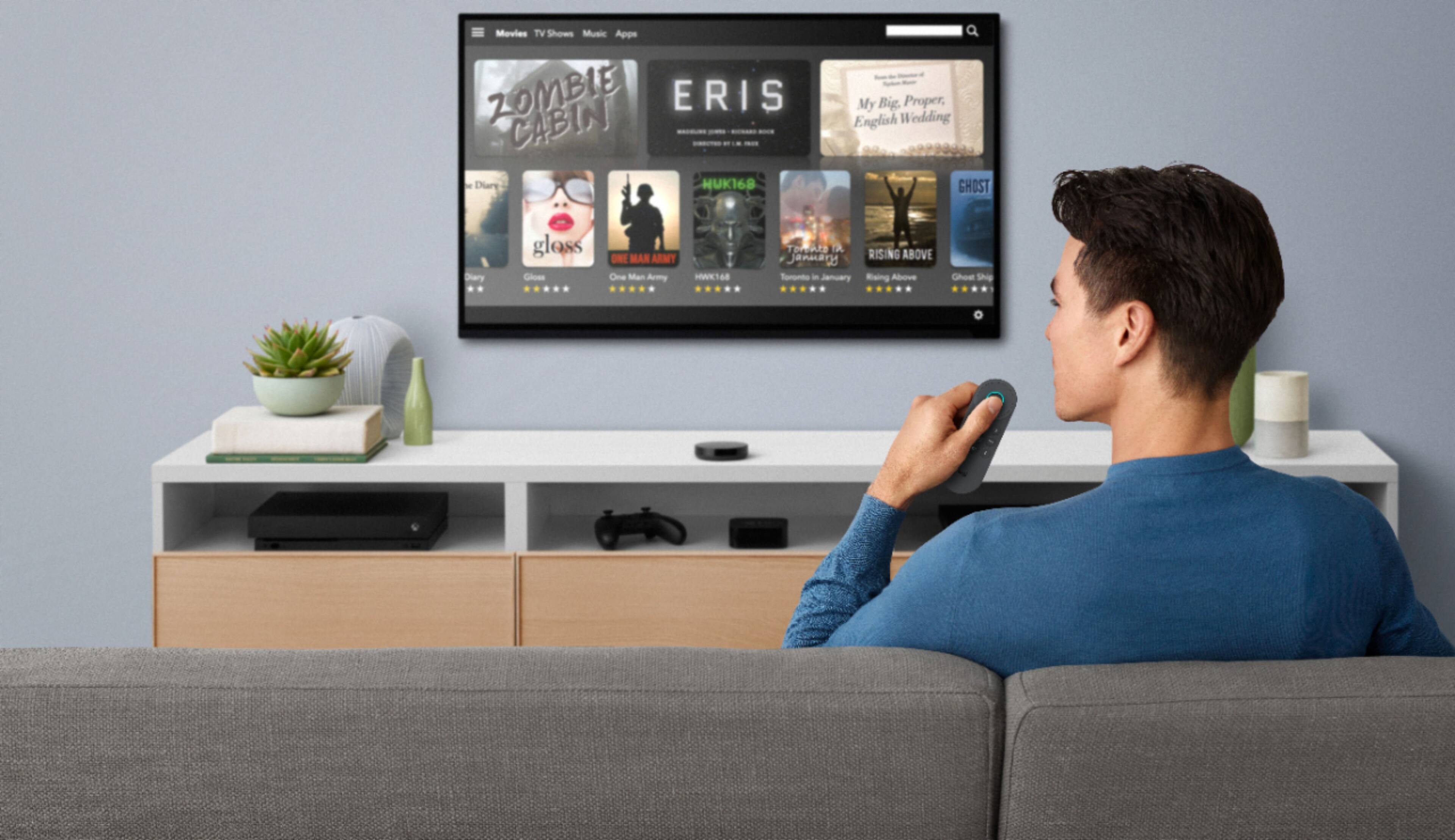
|Posted .This reviewer received promo considerations or sweepstakes entry for writing a review.The Logitech Harmony Express remote is a voice controlled universal remote that allows you to control your television and other media devices with your voice. It is all set up on an app through your phone. It easily recognized all of my devices and I was ready to use within minutes. With the push of a button on the remote - I can turn on the TV, launch Apple TV, Amazon Firestick, the DVD player, turn on Netflix or Hulu and more. It is also enabled to work with other Alexa products like lights and more. The best thing that I like about this remote is I no longer have to call out "ALEXA" to make these things happen. I can just say "turn on TV' and the TV turns on. You can also use the app to find your remote if it gets stuck between the couch cushions!
I would recommend this to a friend Solves Problems, but Creates Others
|Posted .This reviewer received promo considerations or sweepstakes entry for writing a review.I have always been intrigued by these universal remotes as I am a person that enjoys home theater entertainment and with the variety of sources that stream movies now, I have lots of components to my theater room. This leads to lots of remotes. If I could cut down my approximately 6 remotes to one? FANTASTIC! And instead of searching for the right button I could just voice my commands to the components? EVEN BETTER! Unfortunately, even though this remote works for some of my needs, I still find myself searching for my other remotes and using them as it takes less time to do that than trying to explain to Alexa, as she seems to get confused easily. First, setup for the remote isn't easy, but it isn't overly complex either. You will definitely want to make sure that you have the make and model numbers of all your components handy before starting setup as the app will ask you for this information. This was a little bit of a pain for me as my Samsung Smart TV is mounted above a mantle and the model number is on the back of the television. Also, the app will not let you set up multiple televisions. I have my main television in my family room, but all of the AV components are inside of my office which is adjacent to the family room and shares a wall with the family room. My office has an Alexa enabled Smart TV that is also connected to the same AV equipment as the family room, but the app will only let me connect one of the televisions. On a positive note, I was pleasantly surprised that the app recognizes and works with my old PS3, which I use as my bluray player. After some hiccups in setup but working my way through, I found a STEEP learning curve to using this remote. The voice commands seem to be limited and have to be exact. I have many Alexa enabled devices throughout my home and am well versed in how to communicate with these devices, but I just can't seem to find harmony with this remote. Even when we seem to communicate clearly, there still seems to be speed bumps in the road. Example: I have my Samsung Smart TV connected to my Pioneer Elite AV Receiver via the ARC cable (App Does Not Recognize This Input btw). In my receiver, I have a chromecast dongle connected to the "Stream Box" input. I do not have a cable box as I use YouTube TV via this dongle. If I tell the remote to "Turn on Television", the receiver kicks on, the television kicks on, and my Chromecast pops up and is ready to go. This leaves me in a sense of awe as technology is amazing and all of my equipment is performing as one. But then I tell the remote to turn my television off. The TV turns off, the receiver turns off, but then the TV turns back on. Odd. So I repeat my request, and the remote replies "I'm sorry, I can not help you with that". So I request that the TV turns back on. Everything comes back on as it should. I tell the remote to turn off the television again, and same story. Everything turns off, but the television turns back on. After lots of playing with the remote, I learned that the battery life of this device is not great. I am only getting a few days use out of it before it needs charged again. This could be because I used it heavily trying to become acquainted, but I still was not impressed. Something I would really like to see with this remote is a charging dock. Maybe even a wall mounted charging dock that will allow you to have a home for your remote when not in use and charge it at the same time. Conclusion: I really want this remote to work, And sometimes it does. But from my experiences, Harmony is not an apt name for this device. I spend more time troubleshooting the issues of getting everything to play nice together than I would just using my half dozen remotes for all of my components. I think that Logitech is on to something here, but it isn't quite polished yet. I would love to see what a second version would be like.
No, I would not recommend this to a friend- Pros mentioned:Ease of use, Voice control
Awesome Simple Remote
|Posted .This reviewer received promo considerations or sweepstakes entry for writing a review.I have used Logitech touch screen remotes for years. I wasn't sure this one would meet my needs but it nocked it out of the park. Set up was simple. Entered a few pieces of info, made some adjustments and it worked. I even have a HDMI splitter that works with this remote. Activated are voice activated and the remote works with a variety of devices. My expensive Logitech did not work with the Firestick and this one did. Also works will all my video games. Really happy with this device. It does so much but is not complicated and very simple.
I would recommend this to a friend - Pros mentioned:Ease of use, Setup
Awesome!
|Posted .This reviewer received promo considerations or sweepstakes entry for writing a review.Few products surprise me as much as this. Amazingly simple design, highly intuitive to operate - especially to the Apple/MAC-minded individual. Setup was straightforward and it works brilliantly! Throw in the Amazon Alexa compatibility and I couldn't ask for a better remote. Now, that said, my setup is fairly simple: Sony smart TV, Martin Logan sound bar (connected to digital optical out from TV), an Apple TV and a PS4 Pro. Setting up this remote made my previous Logitech Universal seem like setting up a shuttle launch. And everything worked first time. I can't recommend this product highly enough.
I would recommend this to a friend CordCutters dream... Start Harmony Help for others
|Posted .This reviewer received promo considerations or sweepstakes entry for writing a review.I want to preface this review by saying this remote has a lot of potential! Logitech is onto something here with Alexa integration and I really can't wait to see the Harmony Express v2.0. You must be patient with this if you are buying it right now as there are always things that get improved with software and firmware updates. If you are an early adopter of tech, you know this is to be expected while bugs are discovered and improvements are made. I will tell you my decision later… Here are some good things I liked in the time I used it. It has a quality speaker that is clear and loud that doubles as a remote finder that gets pretty loud. Since Alexa is built into the remote, you don't need to rely on TV speakers and it's always close by. Setup is easy but could be faster if they created some sort of Harmony cloud syncing so you can import previous devices. By using this remote, you will have almost full access to Alexa from your remote if you don't own a Fire TV already. It makes a TV smart and adds voice operation if you have a TV pre 2018. This device futureproofs your setup. The Express App is excellent for learning how to use this device. It is key to learning voice commands and unlocking a full understanding of the product. There is limited "remote" functionality with simple input buttons should you be already using your phone. The Harmony Express phone app doesn't do much if you want to use your phone as a D-Pad to navigate. You can however press an input icon and it will switch everything to it for you all from your phone. Some of my disappointments were the sharp edges that need to be refined so it is more comfortable to hold. Its shape is a bit odd and the layout of the buttons/D-pad require weird shifting in the hand to transition between them. Actual accuracy of the commands were not that great working with app based content. Specifically when using the FireTV devices, voice commands do not work well for app involved voice commands. For something with Alexa integration I would expect better reliability when partnering with Amazon. I found myself troubleshooting more than using the remote the more I tried using it. Often you will get the remote to default to the TV remote rather than the cable box for instance. It could be the Harmony Express skill is not well developed too. To fix this I selected use Smart TV to launch apps. It integrates well with Samsung TV I have tested. I cannot ignore the connectivity issues, it says devices have become unpaired and the hub and remote lost connection. I have found it is not smart enough to switch between devices intuitively. It will default to the TV controls from FireTV, in my experience after being idle a few minutes. The fix for this is saying "Start Harmony Help" and going through the questions like in other Harmony remotes to confirm things are on and correct. This is all done by voice which is cool. It often lags at times too. You will get a few spams of a button which is frustrating. This will happen in a home with much wireless interference like mine. Verdict I really want to love this remote but it just isn't advanced enough for my setup. That doesn't mean it isn't good, it means it doesn't work for me. Most cord cutters and cable ditchers who stream will be fine with this. If you use multi-color buttons to work with your DVR, Satellite TV, or even basic SmartTV functions, you will not want to put away your TV remote. Verbiage is not intuitive and there isn't much "AI" involved in figuring out what you meant between "go to" and "turn on" for example. If you memorize voice commands this will work for most of your needs. If you say one word different you will be stuck.
No, I would not recommend this to a friend