Customer Ratings & Reviews
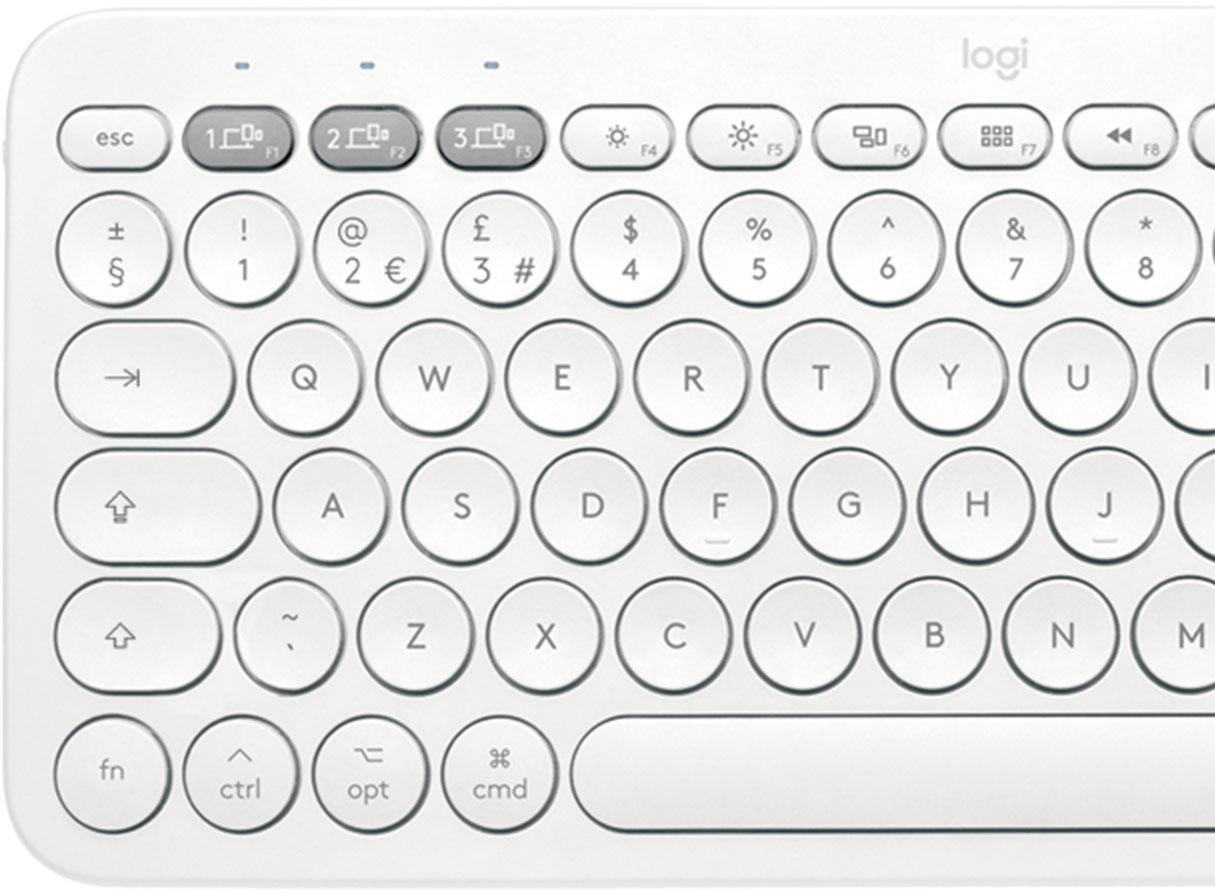
![esc 4 4 1 4 P delete W at + logi MI W " 4 18 / I I BSE 17 I 0 } I 0 6 1 9 1 1 PS & 8 P ] return * TA O . 3 3 15 % 6 / : 1 2 12 $ 5 U : 1 F1 # 4 Y L 3 T K ? @ J > I ! 2 R I < 1 E H - W G M t - F 3 opt Q D - cmd tab S V A C lock X caps Z H shift t cmd opt ctrl fn shift](https://pisces.bbystatic.com/image2/BestBuy_US/images/products/6404/6404200_sd.jpg)




![The text on the image is in French, so I will provide the corrected text in French.
MULTI-DEVICE K380 for Mac Portable typing for ac, iPhone and iPad Clavier portable pour c, iPhone et iPad 1W 2C0 3C0 - a00e sto logi F - i ae 4 PA 4 A - 1 7 e 2 & 3 $ a % 5 A & 7 a y o + delete fols Q W E R T Y U O P ( ] ] ] 1 I caps lock A S D F G H J L . return shift Z x C V N M < A ? / shift fn ctri - opt 3 cmd D cmnd - opt logitech logi esc m 2 210 1 FO TN 0 N 121 " HI 1 2g 4 Fn 1 2 a 3 S 4 % 5 6 & 7 8 I 9 3 0 + - delete der Q W E R T Y U o P i I I I I / caps lock A S D F G H J K L return shift Z x C V N M < ? / shift fn ctri - opt x cmnd x cmd C opt](https://pisces.bbystatic.com/image2/BestBuy_US/images/products/6404/6404200cv16d.jpg)

- Model:
- 920-009729
- SKU:
- 6404200
Rating by feature
- Value
Rating 4.7 out of 5 stars
- Quality
Rating 4.7 out of 5 stars
- Ease of Use
Rating 4.7 out of 5 stars
Customers are saying
Customers love the ease of use, lightweight design, and high quality of the K380 TKL Bluetooth keyboard. Many appreciate its compact size, compatibility with multiple devices, and long battery life. Positive feedback also highlights the attractive color options and sleek design. While some minor issues with key feel and the lack of a caps lock indicator were noted, these were less frequent concerns.
This summary was generated by AI based on customer reviews.
- Pros mentioned:Battery life, Keyboard quality
Excellent Keyboard for the iPad.
||Posted . Owned for less than 1 week when reviewed.This reviewer received promo considerations or sweepstakes entry for writing a review.Unboxing: This comes with the keyboard and already installed AAA batteries with an insulation paper. These batteries are estimated to last 2 years according to the Logitech. There are also some paperwork of course. I would have preferred some velvet cloth in the box so that the keyboard would be properly protected from scratches while in your bag. Build: Great. I bought the white and its looks so beautiful in person. It feels solid, has some weight to it. This weight and the attached rubber feet prevents it from sliding around while you type. Typing Experience: Keyboard travel is ideal. I type much faster than using the on-screen keyboard on my iPad. I am actually typing this review with this keyboard. Connectivity: Easy. Just long-press the connection number you want to connect your device to and it puts the keyboard in connection mode. Put your device in connection mode, select “K380 For Mac” from the available devices list. Enter the number you see on the screen using the keyboard and press “RETURN”. You also don’t get the notification: Using “K380 For Mac” may affect Wi-Fi and Bluetooth connectivity as you get with most Bluetooth devices that connect to the iPad. I got this notification on the other Logitech 380 keyboard for Windows and the non-apple Bluetooth mice I used. Flow (Switching between devices on the fly) also works beautifully. Other Devices: It works on my Samsung Galaxy Note8. It also works on my Windows computer and my FireTV Stick 4K. I actually tested both K380 types. However, on Windows, the “Start” button becomes “Command” and some other slight changes. Once you get a hang of it, it works well. On Android, the commands are basically unchanged. The function keys also work well on both Windows and Android. Windows also has the capability of changing the assigned functions of some 4 function Keys using the “Logitech Options” software. Conclusion: If you want an external keyboard and you own an Apple device, this Keyboard is for you even though you own Android and Windows and you use a FireTV stick. This is an excellent keyboard for the iPad. Thanks for reading. Peace!
I would recommend this to a friendBrand response from Logitech
Posted .Hi Davoncci,
Thank you for your five-star review! It is greatly appreciated. Continue to enjoy your device. If you ever need assistance, please contact Logitech Support on the website.
LaShonda from Logitech
- Cons mentioned:Key feel
Good for the price tag
||Posted . Owned for 1 year when reviewed.This reviewer received promo considerations or sweepstakes entry for writing a review.The keyboard is worth the money. You won't get an Apple keyboard alternative or direct analog for the money, but a basic wireless keyboard with awkward round keys and a lot of pressure resistance. Uncomfortable. Giving 5-stars only due to a price.
No, I would not recommend this to a friend - Pros mentioned:Compatibility, Ease of use, Keyboard quality
Amazing Keyboard
||Posted . Owned for less than 1 week when reviewed.This reviewer received promo considerations or sweepstakes entry for writing a review.I love this keyboard! It's heavier than you'd expect, and the build quality is excellent. It connected right to my iMac without any issue-- the setup was a breeze and I love that I can switch it to my iPad with just a tap of the button! I will admit I was worried the keys would be awkward, and at first they were, but after an hour or so my hands adjusted to the form factor and now it feels just as natural as square shaped keys! There's nothing to dislike about this keyboard, really. It's a great piece of hardware and I'm looking forward to having it for a long time!
I would recommend this to a friend - Pros mentioned:Ease of use, Keyboard quality
Logi K380 paired with 2 apple devices and fire tv!
||Posted .This reviewer received promo considerations or sweepstakes entry for writing a review.Great for my iPad mini6 , iPhone 13 pro max, and surprisingly my Amazon fire tv! Wow, this pairs once and has 3 grey buttons to switch instead of repairing each time. Searching for streaming shows is so quick now and has all the features plus more on the keyboard, for play, fwd, pause, and much more. This really works well with my IPad mini 6 and Typing much more efficiently and effective. Lastly, currently I’m typing this review on my iPhone, and the process took less than half the usual time. Couldn’t have asked for a better product to sync with all my electronic devices. I would say this would be on everyone’s list, and for $15 off regular price, $36, it’s become my favorite purchase since my IPad. Go get yours now, if you can relate . And I imagine connecting only 2 devices, would be more than worth it! Very satisfied!!!
I would recommend this to a friend - Pros mentioned:Ease of use, Size
Great little Keyboard!
||Posted .This reviewer received promo considerations or sweepstakes entry for writing a review.Pleasantly surprised with this keyboard. I got this for my Mac mini. I usually go with apple branded, but this looked good for the price. I love it immediately! I like the round keys, ts quiet and small. Bluetooth for 3 devices is a cool option if you need for iPhone/iPad too. I may get the matching mouse. It is a quality, sturdy build. Feels modern and easy to type. Recommended.
I would recommend this to a friend - Pros mentioned:Ease of use
Highly recommend this product
||Posted . Owned for 1 month when reviewed.This reviewer received promo considerations or sweepstakes entry for writing a review.I was looking for a Bluetooth keyboard for my iPad but wanted it to also connect to my laptop so I bought this one. Since I already have the Logitech Pebble mouse, this keyboard seemed like the perfect combination with it. It is lightweight, portable and it doesn’t make that much noise when typing. Highly recommend.
I would recommend this to a friend - Pros mentioned:Ease of use
Great for anyone with multiple devices
||Posted .This reviewer received promo considerations or sweepstakes entry for writing a review.Light weight, easy to carry and pair. It’s a quiet keyboard with light click sounds. My one complaint would be the lettering on the keyboard. The letters are not printed on the buttons; they’re stickers. I’m concerned they’ll rub off/fall off with time. I got a cover in hopes of preventing that.
I would recommend this to a friendBrand response from Logitech
Posted .Hello Michelle! I’m happy to hear you’re enjoying the K380 keyboard! Feel free to reach out to our support team here https://support.logi.com/hc/en-us/requests/new?ticket_form_id=360000621393 if you ever need any assistance or if something happens in the 1-year limited hardware warranty. Thank you for the review and for shopping Logitech! – Maggie from Logitech
- Pros mentioned:Keyboard quality, Size
Very nice just no directions
||Posted .This reviewer received promo considerations or sweepstakes entry for writing a review.Very nice keyboard. Works good with my small hands. Some of the keys do lag a bit which i did not expect to happen. But, it connects great to my Ipad Pro, the bluetooth sets up fast. There’s no directions that come with it, so just had to figure out how to configure the bluetooth.
I would recommend this to a friend - Pros mentioned:Ease of use
Easy to use and switch between devices
||Posted . Owned for 1 week when reviewed.This reviewer received promo considerations or sweepstakes entry for writing a review.OMG!!! I really like this Bluetooth keyboard. Looks good, good price and easy to use. It’s very convenient for me switching between different devices.
I would recommend this to a friend Good purchase good quality
||Posted . Owned for 5 months when reviewed.This reviewer received promo considerations or sweepstakes entry for writing a review.Using this one with my MacBook connected to my 52” led tv screen
I would recommend this to a friend- Pros mentioned:Battery life, Compatibility, Keyboard quality

Good budgeted keyboard
|Posted .This reviewer received promo considerations or sweepstakes entry for writing a review.This is a great keyboard, specially if you have an iPad or an iMac. It works with macbooks and iPhones as well but I won't be using it for these devices as macbook pros have their own keyboard and I don't need one for my iPhone anyways. However, I did connect it with my macbook just to try it out. In fact, I'm writing this review with this K380 keyboard. It works great and I don't see any issues so far. It can be connected to three different devices and is very easy to switch between all three devices. My main purpose of getting this keyboard was to use it with my Apple TV 4K but unfortunately, it doesn't work with that as the Apple TV 4K is 5th generation and this keyboard only works with 2nd & 3rd generations. This was very disappointing. Typing on apple tv is horrible and not very user friendly. People of own apple tv or have owned will definitely agree with me on this. Now I'm not sure if this is logitech's incapability or just apple tv's 5th generation doesn't support any bluetooth keyboard. I wasn't aware of that first and tried to pair the keyboard with my Apple TV. I went into Settings > Remotes and Devices > Bluetooth. Apple TV does recognize this keyboard as "K380 Keyboard for MAC" but when I click on it to connect, it tries and ultimately spits out the error that it failed. I tried at least 10 times using different pairing options before giving up. Tried searching online as well but there wasn't much support. That's when I found out it only supports 2nd & 3rd gen. It would have made life so much easier if it was compatible with 5th gen as well. Hence the reason for deducting 1 star. Apart from this issue, I didn't find any other problem with this keyboard. It comes pre-installed with two AAA batteries and logitech claims to have two years worth of juice in them, of course that will also depend on your usage. The keyboard is budget friendly, specially if compared with Apple's own magic keyboard. Now, I've never used magic keyboard, so I'm not aware of its advantages over 3rd party keyboards but I've no complaints with this logitech keyboard so far (apart from the above mentioned one). The quality seems great. It doesn't look cheap like some other keyboards available in the market. Keys are quiet and have a good feel to them. I received this keyboard and my new macbook pro on same day (yesterday) and was very excited to use them. I treat any of my new devices as if they are going to break with a slight touch. They trigger my ASMR very easily. The keys on this keyboard are same. It feels so good to press them. Overall, I'm in love with this keyboard and would recommend it.
I would recommend this to a friendBrand response from Logitech
Posted .Hello, I am so glad to hear you are mostly satisfied with the keyboard! Thank you for being a Logitech customer and writing this very informative review. We really appreciate it!
- Pros mentioned:Size
Logi Keyboard
||Posted . Owned for 1 week when reviewed.This reviewer received promo considerations or sweepstakes entry for writing a review.I love this keyboard so far, its small and perfect for my desk
I would recommend this to a friend Lightweight and very useful!
||Posted . Owned for 1 week when reviewed.This reviewer received promo considerations or sweepstakes entry for writing a review.I will admit, it took me a minute or two to get this keyboard setup with my macbook, ipad, and pc. However, now i can use this on all those devices simultaneously!! And its one button to switch which one im on!
I would recommend this to a friend- Pros mentioned:Battery life, Keyboard quality
Perfect Portable Keyboard for My Apple Devices!
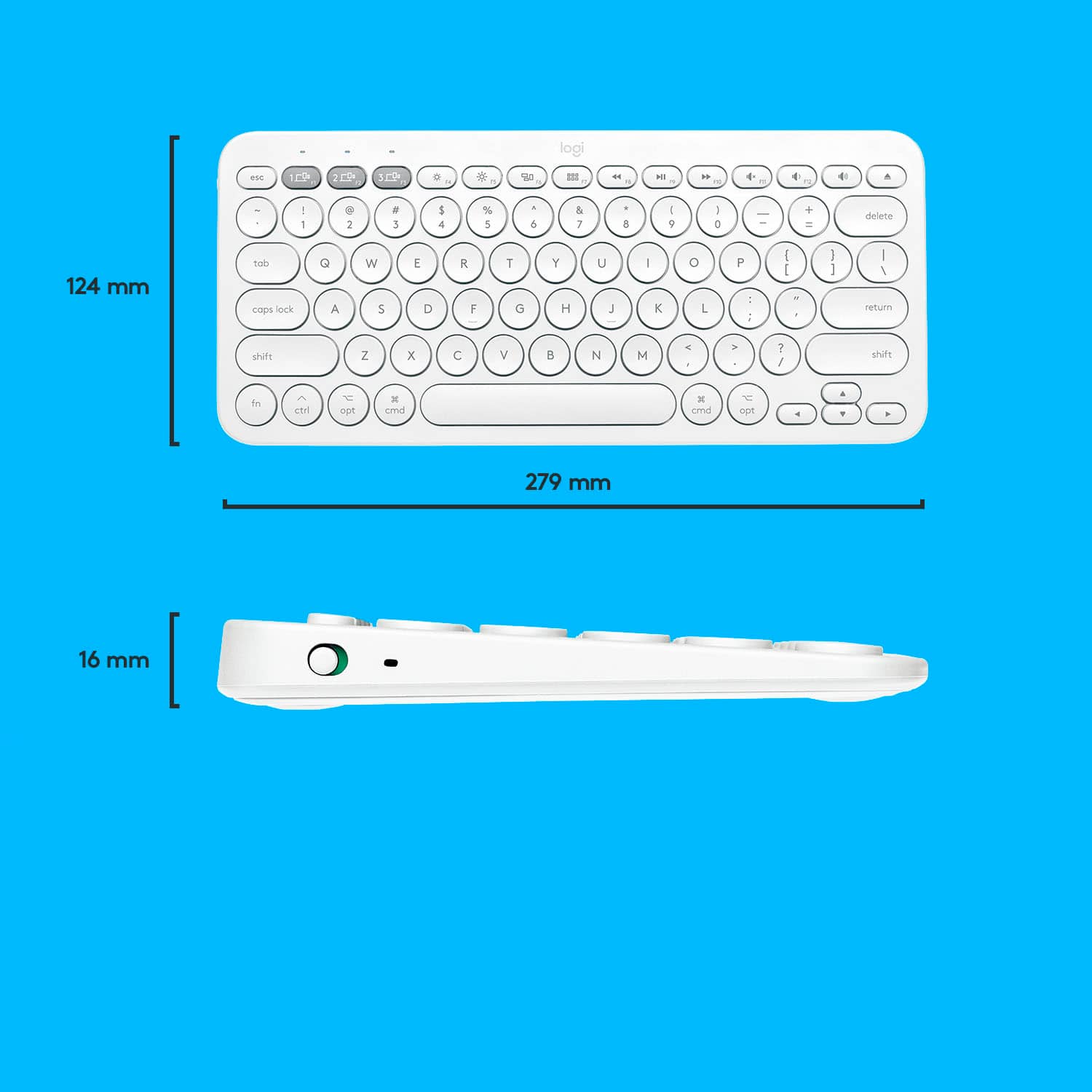
|Posted .This reviewer received promo considerations or sweepstakes entry for writing a review.The Logitech K380 Bluetooth Keyboard is the perfect fit for using multiple devices. Usually, I'm not a big fan of portable keyboards. However, the K380 has the best feel of any portable keyboard I have ever tried. As a writer, I'm pretty serious about my keyboards. I have an iMac, an iPhone, and an iPad. And this keyboard works with all of my devices. Setup and Paring The graphic instruction sheet is easy to understand. I removed the battery block slip to enable the power. The keyboard will run up to two years with the two supplied AAA batteries, automated power-saving technology, and an on/off button on the left side. For paring the keyboard with my iMac, I opened up the Bluetooth preferences on the Mac and held down the first Bluetooth button on the keyboard. The device appeared in the preferences, I selected, and Mac OS had me enter a number sequence on the keyboard to confirm paring. Then Mac OS stepped me through two keyboard presses to identify the keyboard. From box to typing on the iMac in less than two minutes, which is where I started typing this review. Paring with my iPad Pro was just as easy. I pressed the second Bluetooth key on the keyboard and selected it in the Bluetooth settings on the iPad. I entered the number sequence to confirm, and then I was able to continue typing this review from my iPad. Paring with my iPhone worked precisely as with my iPad. I could easily switch between all three devices by selecting the assigned Bluetooth key on the keyboard. Keyboard Feel I am very impressed with the comfort and feel of this keyboard. It is a very sturdy device, and it has a good quality feel to it. There are four rubber pads on the bottom and just enough weight to prevent movement while typing. Even though the keyboard's compact width is much tighter than my regular keyboard, typing on it was very comfortable. There is a minimal throw distance in the keypress, but it is just enough for my speed typing with a minimum of effort. The keys are very quiet and perfect for typing on the road or in the same room with someone sleeping. I tend to be a heavy typer, and I use a mechanical keyboard in my office. However, I can lighten my touch on the K380 and can barely hear it. Pros • Easy to pair and use with multiple devices. • Solid high quality feel. • 11 x 5 inches will easily fit into a bag or purse. • Rubber pads on the bottom and enough weight to prevent movement while typing. • Sculpted keys for a quiet and fluid typing experience. • Easy to switch between multiple devices with three Bluetooth switch buttons. • Up to two years of battery life (2 AAA) with automated power-saving and power switch. • MacOS command keys. • Media control keys. • Slight angle to the base for comfortable typing. • Mission Control and Launchpad keys for Mac OS. • Downloadable Logitech Options software for Mac OS Cons • No backlighting Summary Overall, I am very impressed with this keyboard. It is solid, comfortable, and compatible with all of my Apple devices. This is going to get a LOT of use.
I would recommend this to a friendBrand response from Logitech
Posted .Hi Timothy,
Thank you for your five-star review! It is greatly appreciated. Continue to enjoy your device. If you ever need assistance, please contact Logitech Support on the website.
LaShonda from Logitech
Great
||Posted . Owned for 3 weeks when reviewed.This reviewer received promo considerations or sweepstakes entry for writing a review.Range is pretty good. Can be used with 3 devices, easy to connect and switch between the devices . No problems so far.
I would recommend this to a friend- Pros mentioned:Battery life, Compatibility, Keyboard quality
Functional and Practical!
|Posted .This reviewer received promo considerations or sweepstakes entry for writing a review.I probably said the same thing you are thinking right now. “Why would I need a keyboard for an Apple iPad? Trust me, it is totally worth getting this keyboard! Sometimes, you want the option of using your tablet for work, but typing emails or papers is next to impossible using a touch screen if they are lengthy messages or documents! That is where the Logitech K380 comes into play! This keyboard provides the portability I need to get work done on the go! I am typing this review with the keyboard as well! This keyboard is sturdy! It has some significant weight to it, and that is no problem at all. It doesn’t feel cheap or like it could be easily broken. They keyboard is advertised to function up to 2 years at a time on two AAA batteries that are included with the unit. The keyboard can be synced with 3 different MAC/Apple devices and allow you to change which device your using on the fly by using a button on the top left of the keyboard. You can also change all the functions of your iPad with the function buttons on the top of the keyboard! Adjusting things like volume, screen brightness, FFWD, RWD, play, pause, etc. all with the touch of a button. It also has all the functions of a regular keyboard such as shift, tab, and caps lock. Now I don’t necessarily have to take my laptop everywhere. I can have a tablet and a “laptop” all in one! The only thing I want to point out is, on the left side of the keyboard is a power switch! I did not know that was there for the first several days I owned the keyboard. I left it on the entire time. I supposed that did not have any significant effect on the batter life, but it is worth pointing out that any key touch will wake the keyboard up. If it were in a bag then it is possible you could prematurely drain the batteries. All in all, a very useful and sturdy piece of hardware! I really like it and you will too!
I would recommend this to a friend - Pros mentioned:Battery life, Keyboard quality
Excellent multi-device portable keyboard
|Posted .This reviewer received promo considerations or sweepstakes entry for writing a review.When it came time to look for a keyboard the K380 was on my radar. I needed something that I can easily switch from a MacBook to my iPad Pro 12.9 without having to re-sync them each time I switch devices. When I saw that Logitech had a version that was specific to Mac I was sold. What I like about the K380 is the ability to sync 3 devices and quickly switch over pressing one of the hot keys (F1-F3). To sync a device just hold down one of the hot keys (F1-F3) for a couple of seconds. After that the led lights start to blink, connect to your device via Bluetooth settings. Switching devices is simple as just pressing they hot key that was used to sync to your device. Battery life is rated up to 2 years. I wouldn’t be surprised if it gets pretty close to that since the keyboard does lack backlit keys. Typing experience for being on the portable side it’s pretty good. Keystrokes felt like typing on a laptop keyboard. They’re not too loud and comfortable to use for an extended period of time. I did not experience any keyboard fatigue when using it for a couple of hours of office work. The keyboard does offer some slight elevation so it’s not sitting completely flat.The only thing I was missing from a full size keyboard was the numeric keypad. I’m willing to sacrifice the numeric keypad for some portability. The keys are circular not square for some that have big hands this might pose a problem since portability means keys will be a lot closer to each other. For me I did not find this to be an issue. I actually ended up spending most of my time using it with my iPad Pro device. Whenever I need to do some work that doesn’t require a full size laptop the iPad is my go to device. It worked well with it including the shortcut keys. Pair this up with the Logitech Pebble mouse trust me the iPad starts to feel a lot more like a laptop device.I prefer this setup since I share my device with my kids. Drop protection is a must for me, something that keyboard cases can’t provide. I can quickly hand over the device to them and just shut off the keyboard and mouse. Since this model is specifically made for Mac the layout is tailored towards Apple devices. You can still pair this up with non-Apple devices if you wanted to. Since the layout is tailored for Apple devices I found myself creating more typing errors on devices like a Windows laptop due to the location of the control key being swapped. Overall if you want an excellent keyboard that is portable enough to be carried around in your bag, but still useful enough to be use at your desk the K380 is an excellent choice. Logitech does offer another version suited more towards Windows devices with the same features but slightly different keyboard layout. The K380 first hit the scene around 2015. 5 years later is still considered one of the best portable keyboards to have. I cannot highly recommend it enough.
I would recommend this to a friendBrand response from Logitech
Posted .Hi J0A0A7,
Thank you for your five-star review! It is greatly appreciated. Continue to enjoy your device. If you ever need assistance, please contact Logitech Support on the website.
LaShonda from Logitech
- Pros mentioned:Compatibility, Keyboard quality
K380 Multi-Device Bluetooth Keyboard
|Posted .This reviewer received promo considerations or sweepstakes entry for writing a review.This is a good one! I got this because I had been looking for a decent small keyboard for my Ipad. What I really like about this one is that you can still pair individually with devices, but this has 3 distinct keys color differently at the top left that allow you quickly switch between devices. Out of the box this looks great. Size is right for a smaller size keyboard, similar to the small Apple one. It’s a bit more solid than the Apple one, the rise is accomplished by designs to slightly raise the top part if you are sitting it on a table or desktop. Pairing was flawless with both the Ipad and my Macbook Pro. Switching between them was simple push of a button to separately use them. Comfort is key here and this is a very comfortable and quiet keyboard. All Mac keys are here and work great. For my Ipad, I really like the separate keyboard vs. a bulky keyboard case/cover. I don’t always need a keyboard for my Ipad and the portability of this makes it more functional in my opinion. I typically travel ( when I did and hopefully when I do..lol ) with both Ipad and Mac. This will be perfect for that scenario. I was also able to pair this to my Android Smart TV ! worked great, was able to type and use arrows to much more easily navigate things like You Tube and Netflix searches as well as Web App on the TV. Really nice! Overall I really like the look, feel and weight of this keyboard. Very well made, quiet and functional in a way that I will use it. I would recommend it.
I would recommend this to a friend - Pros mentioned:Ease of use, Keyboard quality
Easy to pair and convenient!
|Posted .This reviewer received promo considerations or sweepstakes entry for writing a review.Good keyboard for on the go typing. It uses two AAA batteries and has an on/off switch on the side. There are 3 profile buttons where you can choose to pair it with 3 devices (a mac, an ipad or iphone). I paired it first with my iphone and it was easy, the phone asked me to type a security code on the keyboard and I did (figured had to press enter afterwards) and it was connected. Then I paired it with my mac and it was easy too. After you can press those profile function keys to switch on the go (however to must also pres fn+i or o, so the keyboard uses the layout for iOs or MacOs). They keys were fairly silent and feel like any chiclet laptop keyboard. Its lightweight and easy to carry, the only con I could see, is there is no back light (but then, with two AAA batteries as power source they may get depleted fast).
I would recommend this to a friendBrand response from Logitech
Posted .Hi
Thank you for your four-star review! It is greatly appreciated. Continue to enjoy your device. If you ever need assistance, please contact Logitech Support on the website.
LaShonda from Logitech
- Pros mentioned:Battery life
Great form, fit and function.
|Posted .This reviewer received promo considerations or sweepstakes entry for writing a review.Logitech K380 Bluetooth Keyboard Best Buy TIN had this keyboard as an option. I decided to try it. It is a Bluetooth keyboard that is designed for the Mac, iPhone and iPad. It also reportedly pairs with versions 2 & 3 of the AppleTV. I paired mine with my 11” iPad Pro and my 2018 Mac Mini. Once paired, I can switch connections with the press of a button. When I power on the K380, an LED momentarily lights up above the pairing key, indicating the device with which the K380 is currently paired. The layout is nearly identical to the Apple Magic Keyboard without the numeric keypad. Only the top row of keys differs. There are 15 keys in that row on the K380 vs 14 on the AMK that I have. The key functions are very similar, but they are shifted. The K380 can be paired with three devices. The gray buttons in the top row allow me to select which device I want to communicate with at any given time. This forced a shift of the normal function key assignments to the right. The shape of the keys also differs in that the K380 key are round or rounded while the AMK keys are square or rectangular. The keyboard action is really nice, IMHO. It offers a little springlike resistance that helps with touch typing. It has a very nice feel. After typing on both keyboards, I realized the K380 feel is very similar to the feel of my older, but equally comfortable Apple Magic Keyboard. I think that speaks very well for the K380. It is powered by two AAA batteries. Logitech says they will last for 2 years. It took some care and a little finness, but I was finally able to open the battery compartment to see the batteries. I was concerned that I might break the latch on the battery cover, but I was careful and managed to get it open without doing any damage. I like that the K380 isn’t connected to the iPad at all. I can use the iPad normally or grab the keyboard if I want to use it. Many of the other keyboards are also covers, so when I want to shed the weight of the keyboard, I have to also give up the cover. There are pros and cons to both styles, but “detached” seems to work better for me, personally. While typing this review in Notes, I powered off the K380 to flip it over. The on-screen keyboard popped up on my iPad Pro immediately. When I powered the K380 back on, the on-screen keyboard dropped out of sight again. I can also use the key on the top right of the keyboard to raise or lower the on-screen keyboard. Using the K380 reminding me what I miss about a physical keyboard when I use my iPad normally. I like the Command-Tab method of cycling through my open apps and the ability to hold the shift key down while arrowing around to make a text selection very precisely. That is much easier than with my finger or using the space bar on the on-screen keyboard as a touch pad (which is now my second favorite method). I also like the “Delete” key rather than reaching up to touch the trash can icon. Command-V is also easier than touching the right spot on the screen and hoping the paste option shows up on the screen. I can also use a combination of actions like touching the screen where I want to paste a block of text and then using the arrow keys to fine tune where the cursor ended up. I tried pairing K380 with the 4K version of the AppleTV, I couldn’t get it to pair. I’m not sure if I did something wrong or if it truly only works with the 2nd and 3rd versions of the AppleTV. I would like to be able to use the K380 with my AppleTV because typing text (selecting keys) on the AppleTV controller is horrible, but I usually pull out my iPhone or iPad and use the Remote app for this, so I’ll keep doing that. However, I could see where it would be handy to just press F3 (for example) and use my K380 to type on the AppleTV if I happened to be using the K380 with my iPad while watching AppleTV. Overall, I think the K380 is a great little keyboard that I will use often. I normally take my iPad on trips and leave my MacBook Pro at home. I could take the K380 more conveniently than my MBP and while it doesn’t make my iPad a true MacBook, it does make typing and navigating my iPad (and any laptop I control remotely using my iPad) much easier.
I would recommend this to a friendBrand response from Logitech
Posted .Hi Ancient Geek,
Thank you for your five-star review! It is greatly appreciated. Continue to enjoy your device. If you ever need assistance, please contact Logitech Support on the website. LaShonda from Logitech