Customer Ratings & Reviews

- Model:
- 910-004432
- |
- SKU:
- 4375300
Customer reviews
Rating 4.6 out of 5 stars with 2662 reviews
(2,662 customer reviews)Rating by feature
- Value4.6
Rating 4.6 out of 5 stars
- Quality4.6
Rating 4.6 out of 5 stars
- Ease of Use4.7
Rating 4.7 out of 5 stars
Customers are saying
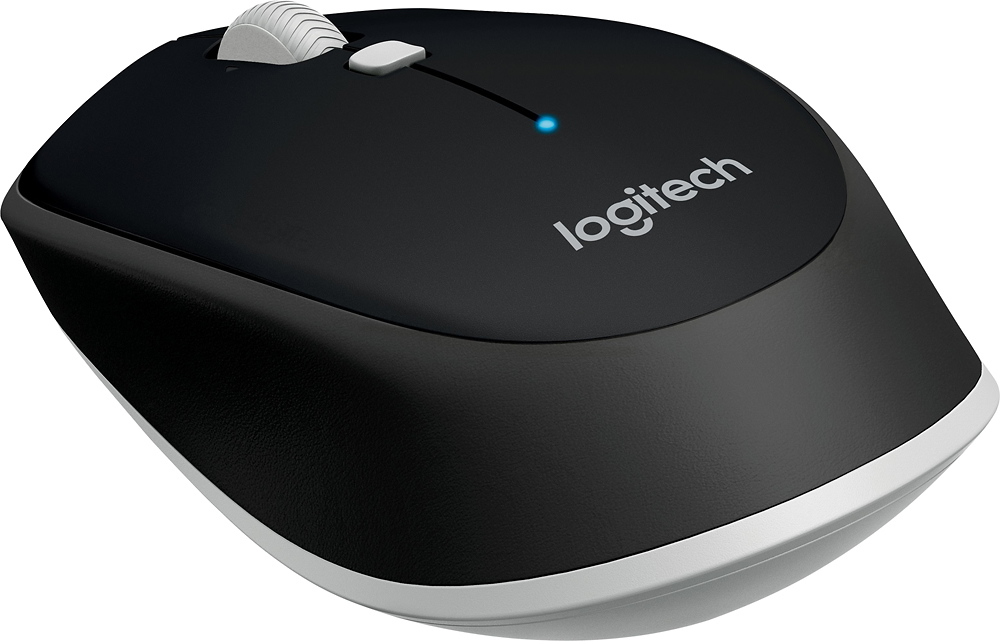
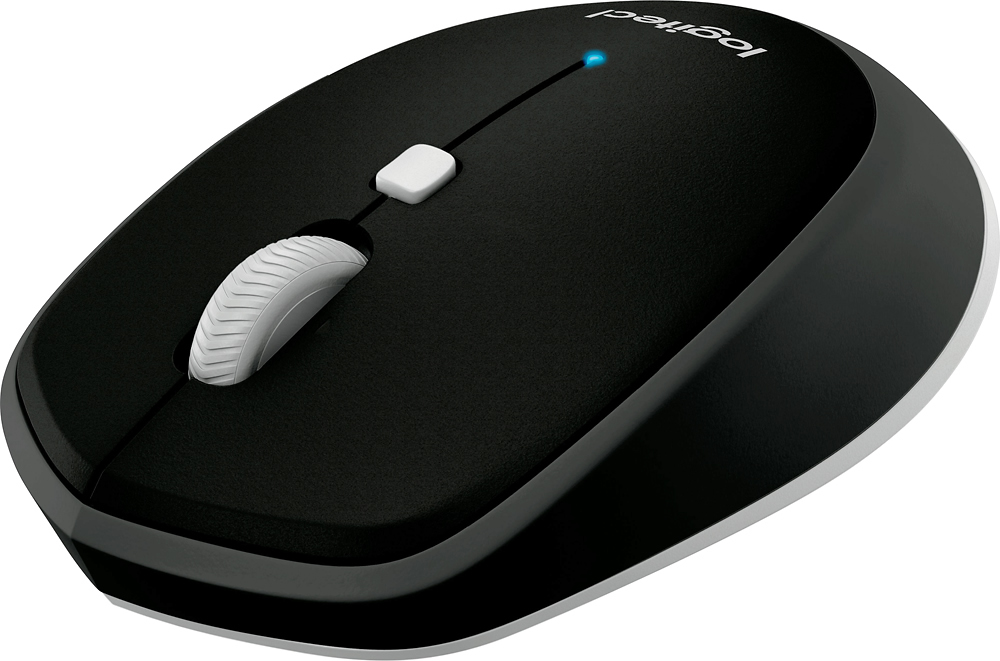
Customers value the M535 Bluetooth Optical Mouse for its Bluetooth connectivity, ease of use, and compact size. Many appreciate the long battery life, reasonable price, and responsive performance. While some users noted the click sound could be louder than expected, and others mentioned minor issues with the scroll wheel, the overall feedback is overwhelmingly positive. The mouse is also praised for its compatibility and lightweight design.
This summary was generated by AI based on customer reviews.
- Pros mentioned:Bluetooth, Easy to use
Rated 5 out of 5 stars
Logitech - M535 Bluetooth Optical Mouse
||Posted .This reviewer received promo considerations or sweepstakes entry for writing a review.Works fine. On occasion after various Microsoft updates have to pair up the mouse. Also , once in awhile you might have to go into my devices and reset the mouse depending on what goes on . There are plenty of tutorials on you tube. Nice not having a dongle hanging off the side of the laptop.
I would recommend this to a friend - Pros mentioned:Bluetooth
Rated 4 out of 5 stars
Very good Bluetooth mouse
||Posted .This reviewer received promo considerations or sweepstakes entry for writing a review.I wanted a bluetooth mouse for my old Microsoft surface (ver 1, and it still works great). Tired of having to use the touchpad on the keyboard when I had an external device attached to the USB. I really like this mouse, it does exactly what I need. A little odd in its shape, but easily gotten used to and I like its size, small enough to be easily manageable yet large enough to use.
I would recommend this to a friend - Pros mentioned:Bluetooth
Rated 5 out of 5 stars
Great Compact Wireless Mouse
||Posted .This reviewer received promo considerations or sweepstakes entry for writing a review.I had to replace my older Bluetooth mouse because it stopped working and found this mouse at Best Buy. It pairs quickly and without the need for a USB receiver which is AWESOME since it does not take up any USB port spaces. The shape and size of the mouse is also perfect for me.
I would recommend this to a friend - Pros mentioned:Bluetooth
Rated 5 out of 5 stars
Great wireless mouse
||Posted .This reviewer received promo considerations or sweepstakes entry for writing a review.Works well with Mac Pro desktop. Middle mouse clicks works well with 3D apps. Overall great wireless mouse.
I would recommend this to a friend - Pros mentioned:Bluetooth
Rated 5 out of 5 stars
Easy mouse
||Posted .This reviewer received promo considerations or sweepstakes entry for writing a review.I use this mouse on my Surface Pro 3 "only one USB port". I Edit pictures in Photoshop and Lightroom and the trackpad just wasn't cutting it. Most mice require a key fob to plug into the USB port this one works without it andfrees up my USB port. It seems to function flawlessly battery life has been very good
I would recommend this to a friend - Pros mentioned:Bluetooth
Rated 5 out of 5 stars
i got it for my daughters laptop
||Posted .This reviewer received promo considerations or sweepstakes entry for writing a review.I bought it for my 9 year olds laptop, its Bluetooth and I didn't want to use a usb dongle so this worked perfect!!!
This review is from Logitech - M535 Bluetooth Optical Mouse - Blue
I would recommend this to a friend - Pros mentioned:Bluetooth
Rated 5 out of 5 stars
Excellent Bluetooth mouse
||Posted .This reviewer received promo considerations or sweepstakes entry for writing a review.This is an exceptional Bluetooth mouse. Connects flawlessly and awesome performance. Highly recommended.
I would recommend this to a friend - Pros mentioned:Bluetooth
Rated 5 out of 5 stars
Great Mouse
||Posted .This reviewer received promo considerations or sweepstakes entry for writing a review.The blue tooth is great so I don't use up a usb port and it does a superb job tracking on glossy / shiny surfaces.
This review is from Logitech - M535 Bluetooth Optical Mouse - Blue
I would recommend this to a friend - Pros mentioned:Affordable
Rated 4 out of 5 stars
Value!
||Posted .This reviewer received promo considerations or sweepstakes entry for writing a review.Great value. Of all the mouses with Bluetooth to chose from this gets it done at the lowest cost. Only issue is don't forget to turn it off or it may drain your battery.
I would recommend this to a friend - Pros mentioned:Affordable, Bluetooth
Rated 4 out of 5 stars
Nice and compact
||Posted .This reviewer received promo considerations or sweepstakes entry for writing a review.I am always working on the go. I bought this because this because it was compact and secondly it was bluetooth. It had a nice fit and compared to the other bulky ones. I bought this for use with my laptops. Above all, you really couldn't beat the price! I am extremely happy with it. I do not regret it all, Only reason it did not get 5 stars is because the lack of color choices!!! That is the ONLY reason.
This review is from Logitech - M535 Bluetooth Optical Mouse - Blue
I would recommend this to a friend - Pros mentioned:Bluetooth
Rated 5 out of 5 stars
Everything I needed.
||Posted . Owned for 4 months when reviewed.This reviewer received promo considerations or sweepstakes entry for writing a review.Overall very happy with the product - I am mostly a business writer for training manuals, blogs, and do a lot of Visio and PowerPoint work. I love this simple Bluetooth Mouse. I was a holdout for years with my ThinkPad TrackPoint center Button; hated the TrackPad with so many false movements of my cursor, I'd find myself typing somewhere else on the document. Ultimately, my finger started to hurt using the Button so much. After some research about some of the more sophisticated devices I chose this for the simplicity. It paired seamlessly with the Laptop, has performed flawlessly for near 5 months. I do like the center button to bring up all open files. Occasionally I do get a little 'shuddering' when in Instagram when scrolling, and sometimes it goes a little over where I want to be when scrolling within a large document but this is very limited.
I would recommend this to a friend - Pros mentioned:Bluetooth
Rated 5 out of 5 stars
Very good bluetooth unit
||Posted .This reviewer received promo considerations or sweepstakes entry for writing a review.I wanted a bluetooth mouse so that I didn't take up another USB port. It works great. Sleek design.
I would recommend this to a friend - Pros mentioned:Bluetooth
Rated 5 out of 5 stars
Works great
||Posted .This reviewer received promo considerations or sweepstakes entry for writing a review.Love the bluetooth, works all the time, has not given me any problems. Use it with my Macbook pro.
I would recommend this to a friend - Pros mentioned:Bluetooth
Rated 5 out of 5 stars
Wireless mouse
||Posted .This reviewer received promo considerations or sweepstakes entry for writing a review.The Bluetooth mouse paired easily with my Lenovo Yoga laptop without a dongle. It's very smooth and accurate.
I would recommend this to a friend - Pros mentioned:Bluetooth
Rated 5 out of 5 stars
Simple and Compact
||Posted . Owned for 1 month when reviewed.This reviewer received promo considerations or sweepstakes entry for writing a review.A family member's old wireless mouse finally gave up the ghost. Their new laptop has few USB ports so looked for a Bluetooth option. Synced up fine and they have been very happy with the size and feel.
I would recommend this to a friend - Pros mentioned:Easy to use, Responsive
Rated 5 out of 5 stars
Quick responding mouse
||Posted .This reviewer received promo considerations or sweepstakes entry for writing a review.The mouse was easy to set up and responds quickly to movement. I have multiple screens and am able to move info from screen to screen with ease. Only complaint (and it is something I will have to get used to) is having to turn the mouse off to save on the battery.
I would recommend this to a friend - Pros mentioned:Easy to use
Rated 5 out of 5 stars
The price is right!
||Posted .This reviewer received promo considerations or sweepstakes entry for writing a review.Works as expected and makes it very easy to use. Just what I wanted, no problems to handle!
I would recommend this to a friend - Pros mentioned:Bluetooth, Responsive
Rated 5 out of 5 stars
Great Bluetooth Mouse
||Posted .This reviewer received promo considerations or sweepstakes entry for writing a review.I bought this mouse because I wanted to have a mouse that was Bluetooth without having to deal with a usb receiver. This was easy to install and it works great with my 2015 MacBook Pro. It is small and easy to carry around. It is very responsive and there isn't much of a lag.
I would recommend this to a friend - Pros mentioned:Bluetooth
Rated 4 out of 5 stars
Great Mouse
||Posted .This reviewer received promo considerations or sweepstakes entry for writing a review.Worked great and I did not have to use a usb port which is wonderful if you are purchasing one of the small 2 and 1 laptops that only have 3 usb ports.
This review is from Logitech - M535 Bluetooth Optical Mouse - Blue
I would recommend this to a friend - Pros mentioned:Bluetooth
Rated 5 out of 5 stars
Great mouse
||Posted .This reviewer received promo considerations or sweepstakes entry for writing a review.It’s a Bluetooth mouse and it’s standard what more do you need from a wireless mouse.
I would recommend this to a friend