Customer Ratings & Reviews
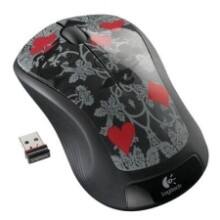
- Model:
- M310
- |
- SKU:
- 3925784
Customer reviews
Rating 4.7 out of 5 stars with 15391 reviews
(15,391 customer reviews)Rating by feature
- Value4.8
Rating 4.8 out of 5 stars
- Quality4.7
Rating 4.7 out of 5 stars
- Ease of Use4.8
Rating 4.8 out of 5 stars
Customers are saying
Customers find value in the product's ease of use, overall performance, and convenient size, along with its competitive price, wireless functionality, and long battery life. Many also appreciate its ergonomic design and variety of colors. However, a small number of customers have reported concerns regarding the scroll wheel, occasional lag, and its weight or sensitivity.
This summary was generated by AI based on customer reviews.
Rated 5 out of 5 stars
Great mouse for the price.
||Posted .This reviewer received promo considerations or sweepstakes entry for writing a review.Got this for my laptop, has really good distance and feels solid.
This review is from Logitech - M310 Wireless Optical Ambidextrous Mouse - Wireless - Black
I would recommend this to a friendRated 5 out of 5 stars
Inexpensive and works great
||Posted .This reviewer received promo considerations or sweepstakes entry for writing a review.It's a wireless mouse. Plug and play. No issue. Small USB connection.
This review is from Logitech - M310 Wireless Optical Ambidextrous Mouse - Wireless - Peacock Blue
I would recommend this to a friendRated 5 out of 5 stars
Good mouse
||Posted .This reviewer received promo considerations or sweepstakes entry for writing a review.It is comfortable and very well done, no problem at all.
This review is from Logitech - M310 Wireless Optical Ambidextrous Mouse - Wireless - Silver
I would recommend this to a friendRated 5 out of 5 stars
Good basic mouse
||Posted .This reviewer received promo considerations or sweepstakes entry for writing a review.Nothing fancy here, works well and worth the money
This review is from Logitech - M310 Wireless Optical Ambidextrous Mouse - Wireless - Silver
I would recommend this to a friendRated 4 out of 5 stars
BASIC
||Posted .This reviewer received promo considerations or sweepstakes entry for writing a review.It's your basic run of the mill mouse. Larger than I expected (both length and width). I'd recommend it simply because it gets the job done.
This review is from Logitech - M310 Wireless Optical Ambidextrous Mouse - Wireless - Black
I would recommend this to a friendRated 5 out of 5 stars
Great mouse
||Posted .This reviewer received promo considerations or sweepstakes entry for writing a review.It is a great basic mouse and is comfortable to handle.
This review is from Logitech - M310 Wireless Optical Ambidextrous Mouse - Wireless - Peacock Blue
I would recommend this to a friendRated 5 out of 5 stars
Works fine.
||Posted .This reviewer received promo considerations or sweepstakes entry for writing a review.My mouse was not working, so this was recommended. It works fine.
This review is from Logitech - M310 Wireless Optical Ambidextrous Mouse - Wireless - Silver
I would recommend this to a friendRated 5 out of 5 stars
nice product
||Posted .This reviewer received promo considerations or sweepstakes entry for writing a review.really nice and it works well...serves its purpose
This review is from Logitech - M310 Wireless Optical Ambidextrous Mouse - Wireless - Silver
I would recommend this to a friendRated 5 out of 5 stars
Prefect Mouse for Work
||Posted .This reviewer received promo considerations or sweepstakes entry for writing a review.Its pretty cool and liking it lot, value for price.
This review is from Logitech - M310 Wireless Optical Ambidextrous Mouse - Wireless - Peacock Blue
I would recommend this to a friendRated 5 out of 5 stars
Just what I needed
||Posted .This reviewer received promo considerations or sweepstakes entry for writing a review.I owned a similar model Logitech mouse that quit working properly after a few years. This is essentially the same mouse. This mouse goes to sleep when not in use, so the battery lasts a very long time.
This review is from Logitech - M310 Wireless Optical Ambidextrous Mouse - Wireless - Flame Red
I would recommend this to a friendRated 5 out of 5 stars
Comfortable
||Posted .This reviewer received promo considerations or sweepstakes entry for writing a review.This mouse fits my hand wonderfully. No other issues to report
This review is from Logitech - M310 Wireless Optical Ambidextrous Mouse - Wireless - Silver
I would recommend this to a friendRated 4 out of 5 stars
good cheap wireless mouse
||Posted . Owned for 1 month when reviewed.This reviewer received promo considerations or sweepstakes entry for writing a review.While this mouse is good, I recommend getting something with more features.
This review is from Logitech - M310 Wireless Optical Ambidextrous Mouse - Wireless - Peacock Blue
I would recommend this to a friendRated 5 out of 5 stars
Great mouse
||Posted .This reviewer received promo considerations or sweepstakes entry for writing a review.It works perfectly and fits in my hands like a glove.
This review is from Logitech - M310 Wireless Optical Ambidextrous Mouse - Wireless - Silver
I would recommend this to a friendRated 5 out of 5 stars
Money Value
||Posted .This reviewer received promo considerations or sweepstakes entry for writing a review.This product is worth buying this is the best product.
This review is from Logitech - M310 Wireless Optical Ambidextrous Mouse - Wireless - Peacock Blue
I would recommend this to a friendRated 5 out of 5 stars
Comfortable to use
||Posted .This reviewer received promo considerations or sweepstakes entry for writing a review.Wireless mouse fits well and is comfortable to use.
This review is from Logitech - M310 Wireless Optical Ambidextrous Mouse - Wireless - Silver
I would recommend this to a friendRated 1 out of 5 stars
Stop working in 10th month
||Posted . Owned for 10 months when reviewed.This reviewer received promo considerations or sweepstakes entry for writing a review.This is really surprise me. After used it for 10 months, I couldn’t find point on screen, green light is on and off. I contact bestbuy they said hey you need to buy warranty then we will support you. Contact Logitech they keep sending many instructions ask you to download this and download that... ok I am DONE here. I know it’s a cheap mouse, but actually I don’t know which price level can I get a good quality mouse? Well if bestbuy you can write straight forward on the product description: hey! This is a cheap mouse won’t last long, then I won’t buy it. Please do mark TRASH on such kind of product on your website, please.
This review is from Logitech - M310 Wireless Optical Ambidextrous Mouse - Wireless - Black
No, I would not recommend this to a friendBrand response from Logitech
Posted .Hi Consumerwhogetfooled,
Thank you for your feedback. It is greatly appreciated. Sorry for any inconvenience you have with your device Here are possible solutions:
If your mouse is not working, the problem is likely to be a lost connection. The connection between the mouse and Unifying USB receiver can be lost for several reasons. Make sure you have fresh batteries in your mouse and is turned on. Make sure the Unifying USB receiver is securely plugged directly into a working USB port on your computer. Turn your computer one. If you ever need assistance, please contact Logitech Support on the website.
LaShonda from Logitech
- Pros mentioned:Ease of use
Rated 3 out of 5 stars
wireless mouse is handy.
||Posted .This reviewer received promo considerations or sweepstakes entry for writing a review.The first wireless mouse I have ever used was easy to set up. It works well but it is a little large for my hand.
This review is from Logitech - M310 Wireless Optical Ambidextrous Mouse - Wireless - Silver
I would recommend this to a friend Rated 5 out of 5 stars
Works well
||Posted .This reviewer received promo considerations or sweepstakes entry for writing a review.It works. It's not to small and fits great in my hands.
This review is from Logitech - M310 Wireless Optical Ambidextrous Mouse - Wireless - Black
I would recommend this to a friendRated 5 out of 5 stars
Great mouse for anyone
||Posted .This reviewer received promo considerations or sweepstakes entry for writing a review.Comfortable to use. Glides easily. Connected easily.
This review is from Logitech - M310 Wireless Optical Ambidextrous Mouse - Wireless - Silver
I would recommend this to a friendRated 5 out of 5 stars
Solid Mouse
||Posted .This reviewer received promo considerations or sweepstakes entry for writing a review.This mouse is nice to the palm and is very accurate too.
This review is from Logitech - M310 Wireless Optical Ambidextrous Mouse - Wireless - Silver
I would recommend this to a friend