Customer Ratings & Reviews
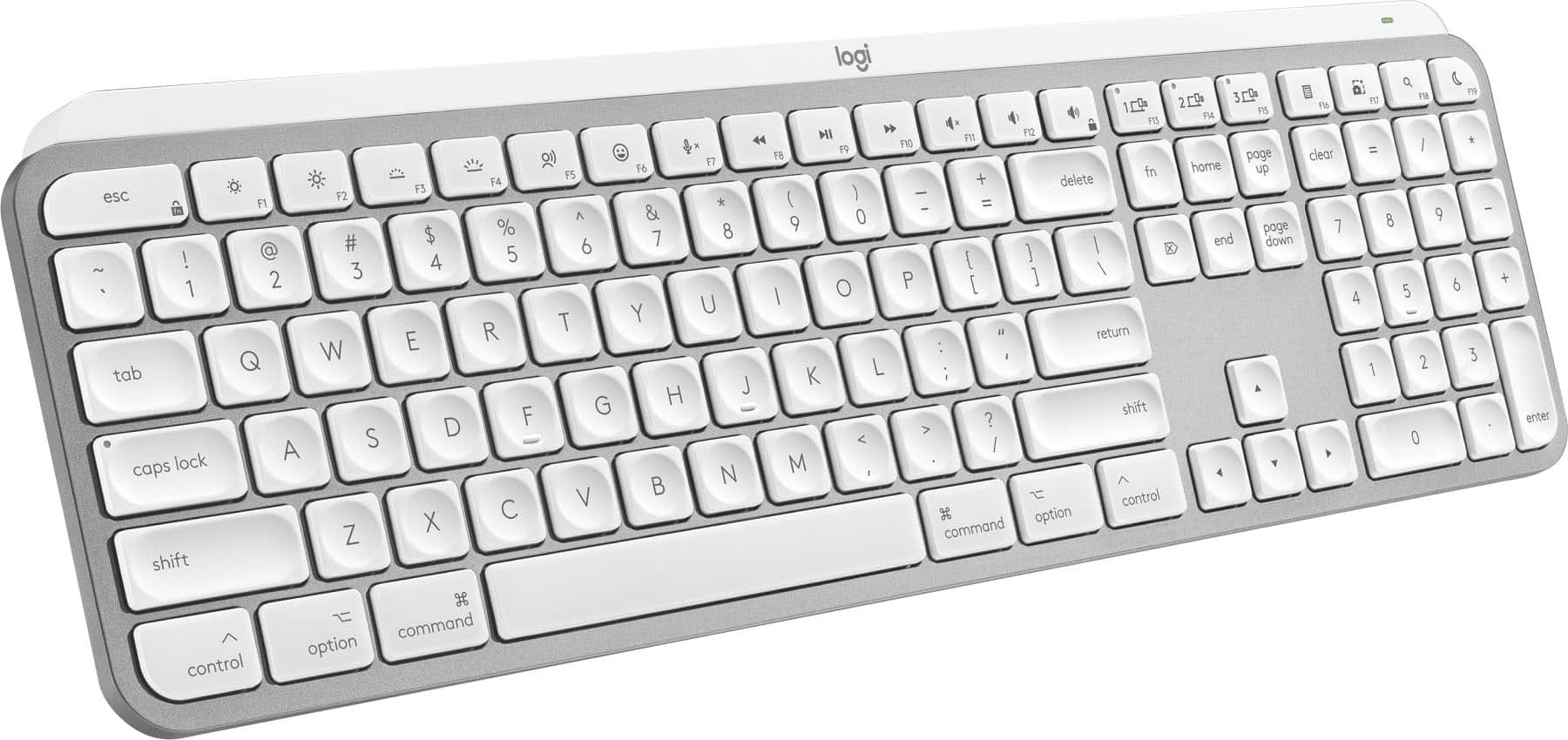
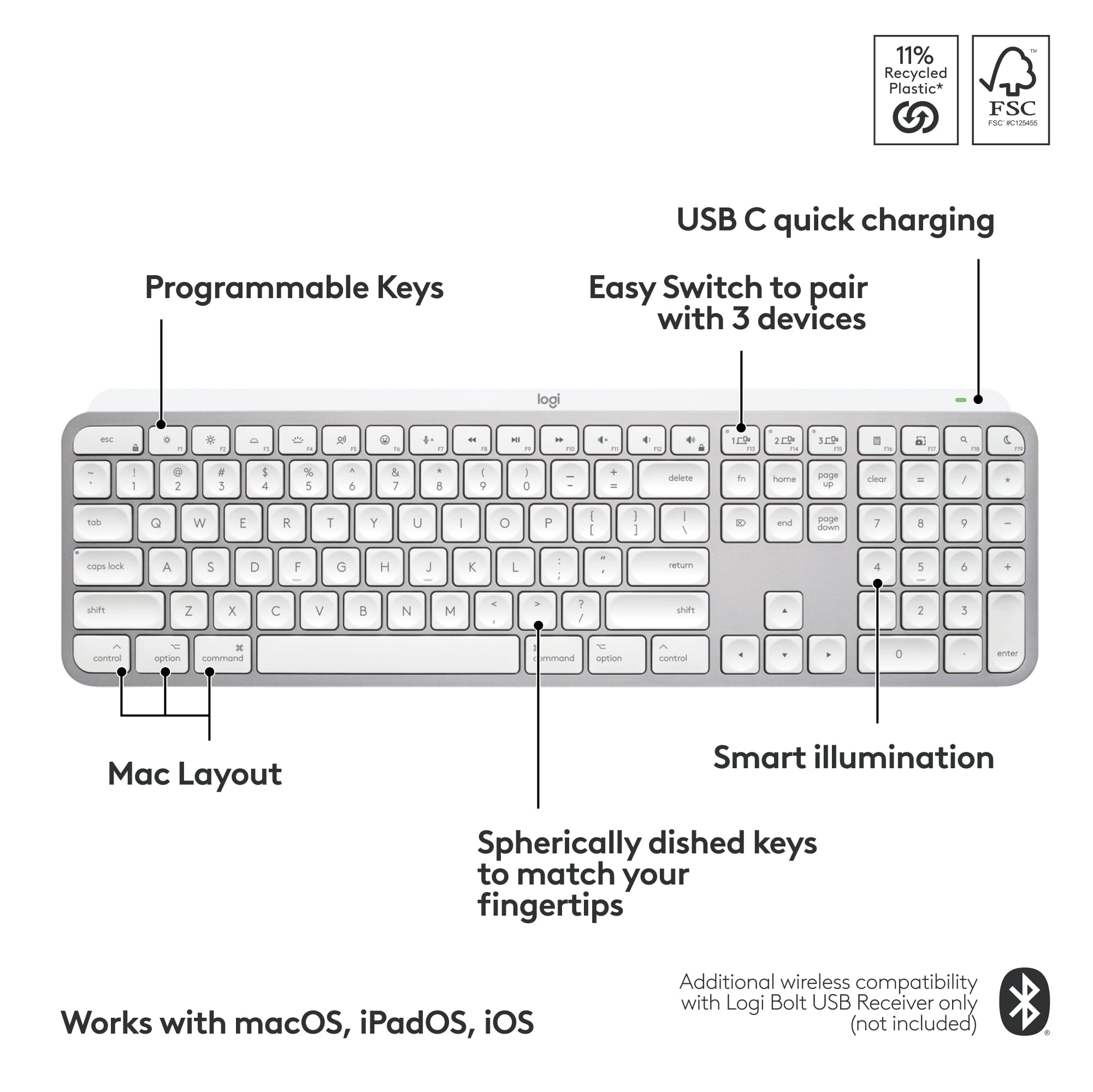
![Key layout for Mac:
1. 5: esc
2. 1: q
3. 2: w
4. 3: e
5. 4: r
6. 5: t
7. 6: y
8. 7: u
9. 8: i
10. 9: o
11. 0: p
12. -: j
13. =: k
14. @: l
15. [: ;
16. ]: ctrl
17. \: shift
18. |: option
19. : : control
20. j: cmd
21. i: fn
22. e: cmd
23. g: cmd
24. d: cmd
25. l: cmd
26. c: cmd
27. t: cmd
28. s: cmd
29. q: cmd
30. x: cmd
31. a: cmd
32. z: cmd
33. cmd: cmd
34. shift: shift
35. option: option
36. control: control
37. cmd: cmd
38. fn: fn
39. fast fluid precision typing: fast fluid precision typing](https://pisces.bbystatic.com/image2/BestBuy_US/images/products/668b36a6-74a2-4b65-9612-cd52dd54ba7a.png)



- Model:
- 920-011622
- SKU:
- 11614927
Rating by feature
- Value
Rating 4.5 out of 5 stars
- Quality
Rating 4.8 out of 5 stars
- Ease of Use
Rating 4.7 out of 5 stars
Logi Mini
||Posted . Owned for 1 month when reviewed.This reviewer received promo considerations or sweepstakes entry for writing a review.This is an excellent keyboard! The keys. The backlight is the perfect brightness. It has a great proximity sensor.
I would recommend this to a friend- Pros mentioned:Battery life, Connectivity, Key feel
Great Keyboard
||Posted .This reviewer received promo considerations or sweepstakes entry for writing a review.If you spend hours typing every day, this keyboard feels like a meaningful upgrade from the standard Apple keyboard. The keys are low-profile and pleasantly quiet, with just enough travel to feel solid and responsive — ideal for emails, documents, coding, or creative work. The backlit keys brighten automatically when your hands approach and adjust to the lighting around you, which is a small but thoughtful touch that makes late-night work easier. Users consistently praise the comfortable key feel, long battery life, and seamless connection to multiple Apple devices like a MacBook, iMac, or iPad — you can switch between them in a couple of seconds. It doesn’t have Touch ID like Apple’s own keyboard, and some people feel the backlight could be a touch brighter, but these are minor quibbles compared to the overall quality and typing comfort you get for the price. Most owners would happily recommend it to a friend — especially if you’re looking for a reliable, sleek keyboard that just works with macOS
I would recommend this to a friendBrand response from Logitech
Posted .Thank you for your detailed feedback on the MX Keys S for Mac! We’re delighted to hear it’s been a meaningful upgrade and that you value its comfort, seamless connectivity, and thoughtful design.

- Pros mentioned:Keyboard quality
Love this keyboard!
||Posted . Owned for 1 month when reviewed.This reviewer received promo considerations or sweepstakes entry for writing a review.This keyboard is so cute. I love the color and it feels great to type on. The backlit keys are really cool too. It is smaller than a regular keyboard so it doesn't have a number pad and some keys are in a different place than I'm used to but I'm getting used to using it.
I would recommend this to a friend Great keyboard
||Posted . Owned for 3 weeks when reviewed.This reviewer received promo considerations or sweepstakes entry for writing a review.I am very happy with this keyboard. It has just the right touch and is easy to operate. It paired easily with my Android cell phone, and works perfectly!
I would recommend this to a friendLogitech MX Mini Wireless Keyboard
||Posted . Owned for less than 1 week when reviewed.This reviewer received promo considerations or sweepstakes entry for writing a review.I simply love this keyboard. Pink/Rose are my favorite color, so when I saw it, I knew I had to have it. It’s lightweight but not to light. I love the backlight when typing at night. The emoji feature is great. Great price. Very fast delivery. I also purchased the matching Logitech MX Wireless Mouse in rose. I am extremely satisfied with these 2 products.
I would recommend this to a friendGreat one..
||Posted . Owned for 3 weeks when reviewed.This reviewer received promo considerations or sweepstakes entry for writing a review.I used a previous version, and i love this one..F8 print screen option is great.. Usb C charging is great as well. Traveling size and up to 3 devices support
I would recommend this to a friendMX Keys Mini Broke Fast, No Support Help
||Posted . Owned for more than 2 years when reviewed.This reviewer received promo considerations or sweepstakes entry for writing a review.Disappointed with MX Keys Mini – Broke Within 2 Years and Poor Customer Support I purchased the Logitech MX Keys Mini, expecting premium quality from a $100 keyboard. Unfortunately, the experience has been very disappointing. Within less than two years of normal home office use, the Ctrl key and the Enter key developed visible cracks (see attached photos). For such an expensive and highly marketed “premium” keyboard, this is unacceptable. What made the experience worse was Logitech’s customer support. Despite providing all necessary proof (serial number, purchase details, and photos of the damage), they refused to replace the keyboard. For a company that advertises quality and durability, this is a letdown. At this price point, I expected the product to last much longer and the company to stand behind their product. I do not recommend the MX Keys Mini, especially if you are looking for durability and good customer service. There are better options out there.
No, I would not recommend this to a friendBrand response from Logitech
Posted .We're truly sorry to hear about your disappointing experience with the MX Keys Mini and our customer support. We understand your frustration when a premium product doesn't meet expectations for durability and service. Your feedback regarding the key cracking and your support interaction is invaluable, and we sincerely apologize for the inconvenience this has caused.
Why does it say Mac on the box?
||Posted . Owned for less than 1 week when reviewed.This reviewer received promo considerations or sweepstakes entry for writing a review.I replaced a previous MX Keys that went bad after three years. I liked it, so I replaced it with a new one. The old one wasn't the Mac version but worked fine. This new one won't let me login. It will not work until I log myself in with my Mac Keyboard and pair the new one in System Settings. The difference between the old one and this one is that the old one came with a dongle, and this new one is bluetooth only. I've just spent over an hour chatting with Logitech's tech support, and the solution seems to be to BUY a $15 bolt receiver and take up a USB slot so this thing can work. Well, I'll order the stupid thing, but if it says "MX Keys Mac" on the box, it should work better than the one made for Windows, don't you think? Even if the thing works perfectly after I order and finally receive the Bolt Receiver, I won't change my rating because of the time and money wasted. I won't recommend this to a mac owner wishing to replace their magic keyboard.
No, I would not recommend this to a friendBrand response from Logitech
Posted .Thank you for your feedback on the Logitech MX Keys S for Mac. We're truly sorry to hear about the login issues you've experienced and the frustration you've encountered with the Bluetooth-only connection and the need for a separate Bolt receiver. We understand your disappointment, especially given the "Mac" designation on the box. We appreciate you sharing your experience, and we apologize for the inconvenience and wasted time and money.
- Pros mentioned:Battery life, Key feel, Keyboard quality

The Perfect Mac Keyboard Doesn't Exi.....
|Posted .This reviewer received promo considerations or sweepstakes entry for writing a review.I've been using the Logitech MX Keys S for Mac, and I can confidently say that it is the best keyboard made for Macs, period. For context, I have been a Mac user for the past 18 years, and this keyboard corrects every flaw and capitalizes on every strength found in Apple-branded keyboards. I only came across one feature that I miss, but everything else about this keyboard makes up for it. Pros: The typing experience is simply fantastic. The keys feel like they have about the same travel as a MacBook Pro, and I did not expect to like the dished-shaped keys as much as I do. Part of the reason the concave keys are so nice is that your fingers naturally find the center of the key vs. striking off-center. The sound, key travel, and angle are all on point. I can't think of a single thing I would change about this keyboard. YES, IT'S BACKLIT. Not only is it backlit, but the keys light up when your hand approaches the keyboard. This feature is basically magic as far as I'm concerned. I've tried to identify where the sensors are, but they are so well integrated that I couldn't find anything. The days of having to hit a key to wake up the keyboard are gone! The best part is that it works all the time and does an excellent job conserving battery life. The build quality for the price is great. To be clear, the shell is plastic, and there is no aluminum like you would find on an Apple product, but that being said, I had this keyboard for 5 days before I noticed it wasn't aluminum. Also, I have used an MX Master mouse for 6 years now, and I love that this keyboard not only shares the same ecosystem but also brought over the ability to quickly swap between 3 Apple devices. This might not seem like something you'd use if you're not already using it, but I promise you will use it way more than you think. Cons: I only found two cons that should be highlighted. First is the elephant in the room: there is no Touch ID on this keyboard. This is the one feature that I will miss the most about my Apple keyboard, but to be honest, there are so many features I like more on the MX Keys S for Mac that I don't mind having to type my password in. Secondly, this is a heavy keyboard. If you plan on stuffing this in your backpack, do keep in mind that it weighs about 1 lb. 12 oz. For comparison, the Apple-branded keyboard is about 12 oz., making this keyboard a full pound heavier. In conclusion, the Logitech MX Keys S for Mac is a remarkable keyboard that enhances the Mac user experience in numerous ways. Its superior typing experience, intuitive backlighting, and excellent build quality make it a standout choice. Despite its lack of Touch ID and its heavier weight, the overall functionality and convenience it offers far outweigh these minor drawbacks. For any long-time Mac user or anyone looking to upgrade their current keyboard, the MX Keys S for Mac is an excellent investment. I highly recommend it for its impressive performance and thoughtful design.
I would recommend this to a friendBrand response from Logitech
Posted .Hey! Thanks for the glowing review of the Logitech MX Keys S for Mac! We especially appreciate you comparing it to Apple's Magic Keyboard and highlighting the aspects you find superior, like the typing experience, backlit keys with motion detection, and ability to connect to 3 devices. The weight is a helpful detail to know for potential buyers. Even though you miss Touch ID, it sounds like the MX Keys S for Mac offers a compelling alternative for Mac users.
- Pros mentioned:Battery life, Keyboard quality
The Reference Standard Keyboard for Mac
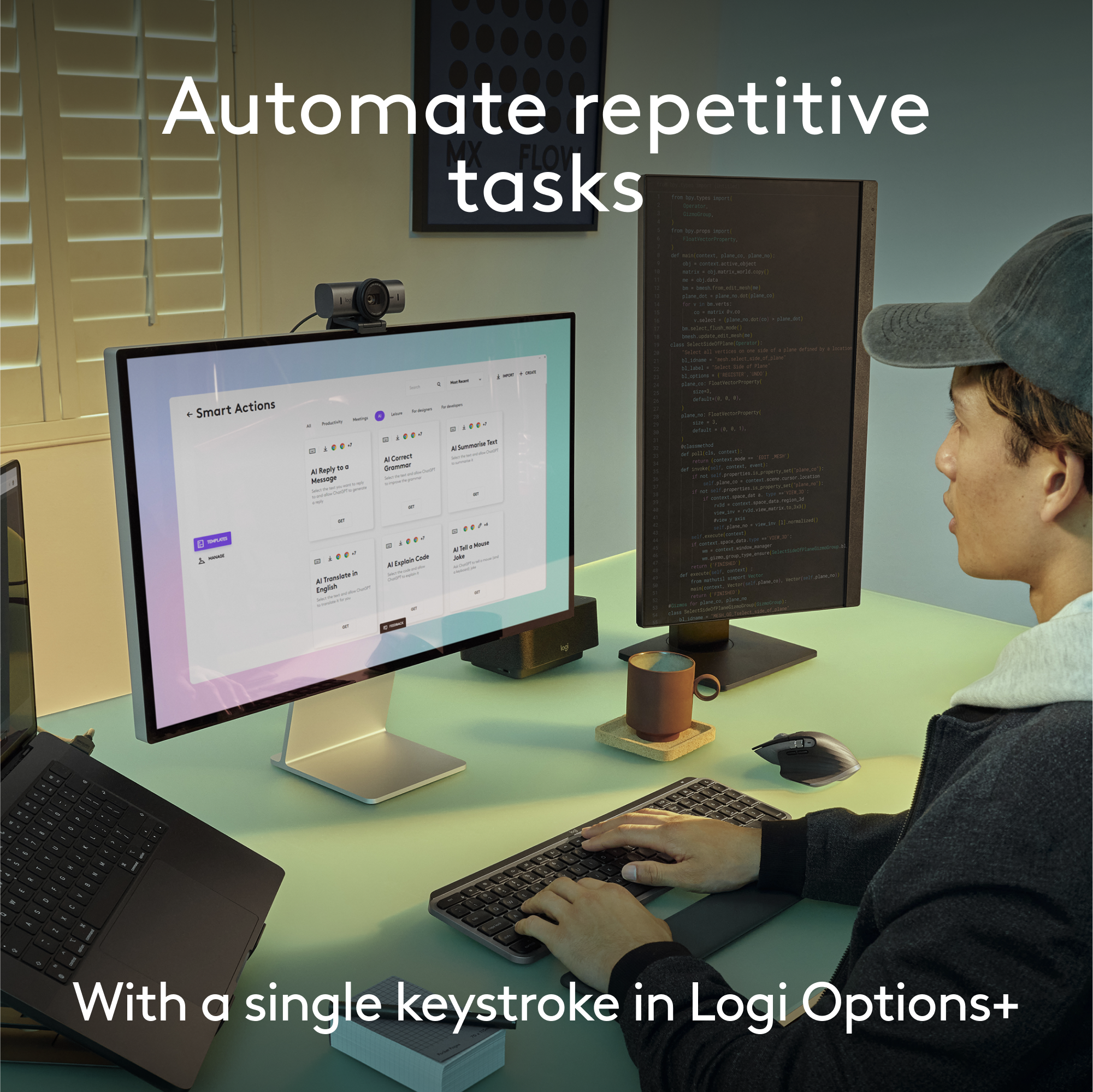
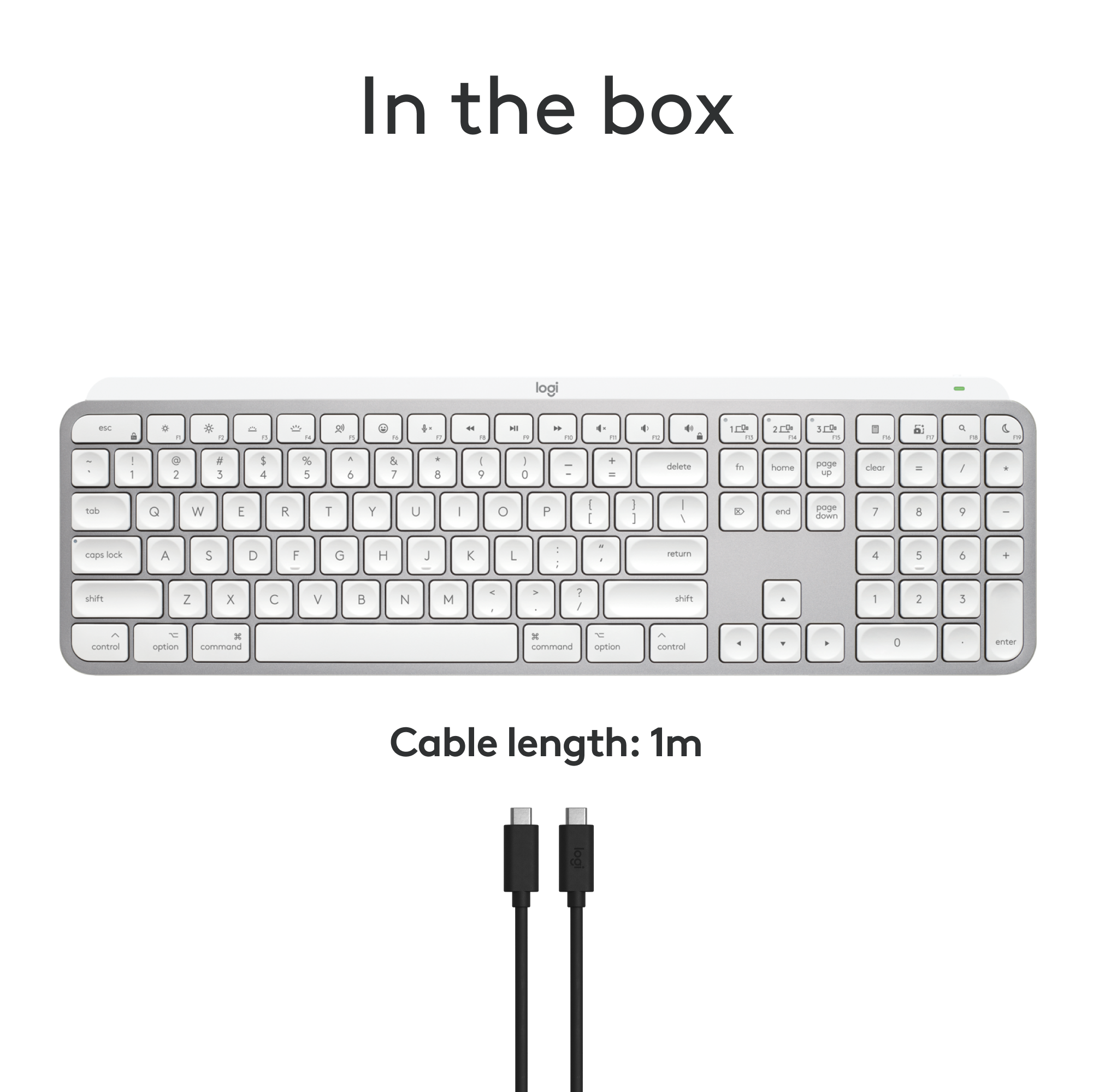
|Posted .This reviewer received promo considerations or sweepstakes entry for writing a review.Logitech is the world renowned producer of premium quality computer accessories. This premium quality keyboard is named: "MX KEYS S FOR MAC"; it is super easy to connect by Bluetooth Low Energy enabled device, or a Logi Bolt USB receiver (included). The spherically-dished keys shaped for your fingertips are the first thing they you notice when you see this keyboard. The keys are virtually silent & are designed for smooth, fast & accurate typing. This is a heavy keyboard built on an aluminum frame that will not slide on your desk, as so many plastic keyboards do. It measures 16 7/8" W X 5 1/8" D. You feel the quality of this keyboard at the first touch. I love the backlit keys. They actually light up as your hands approach! Battery life is amazing; recharge the internal battery using standard USB C cable (included). It stays powered for up to 10 days or up to 5 months with backlit keys turned off. The optional Logi Options+ app allow Smart Actions shortcuts. For example, press the calculator key & a calculator instantly appears on your desktop (see attached photo). CONCLUSION: I love this MX Keys S for Mac Keyboard. It draws compliments from virtually anyone who walks in my office & earns my highest recommendation.
I would recommend this to a friendBrand response from Logitech
Posted .Hello! Thank you for your glowing review of the MX Keys S for Mac keyboard! It's great to hear you find it easy to connect, comfortable to type on, and built with quality materials. We appreciate you highlighting the backlit keys, long battery life, and customizable Smart Actions features. This sounds like a great recommendation for Mac users looking for a premium keyboard experience!
- Pros mentioned:Battery life, Key feel, Keyboard quality
Great Choice for Mac - Also Pairs Well with PC
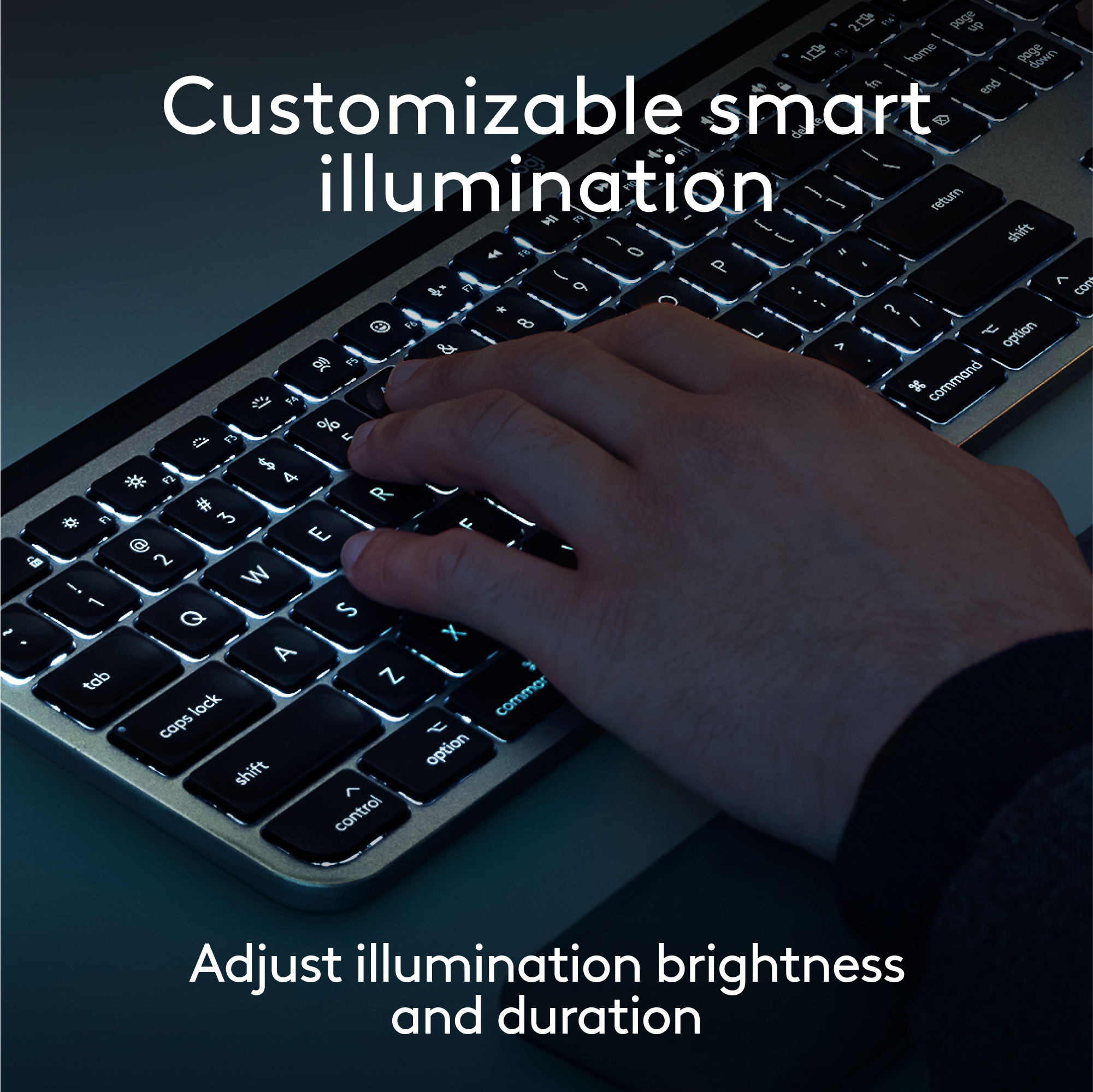
|Posted .This reviewer received promo considerations or sweepstakes entry for writing a review.As I type this review on my Logitech MX Keys S for Mac, it is very quiet in my home office. I notice that this keyboard barely increases the decibel levels. Just one of the many features I like about my new keyboard. It’s not all heart emojis though. There are a couple things I’m not completely in love with. First let me say, my main driver for work is a Windows computer, but a 2021 MB Pro is my personal laptop of choice. This keyboard, while designed for use with Mac, works surprisingly well with my Dell Latitude 5540 as well. What I love about this keyboard is a long list- The Look & Feel: From the packaging and unboxing experience to the design and simplicity of the keyboard, the MX Keys S for Mac feels like an Apple product. It is a heavy keyboard which makes it feel like a premium device. The color perfectly matches my Space Gray MB Pro. The keys are backlit and look similar to Apple’s own.The backlit keyboard is great. Keys dim after about 15 seconds of inactivity but light back up when it senses your hand hovering. Performance: The keyboard is quick to pair and respond to keystrokes. I’ve never noticed any lag. I also really like having a 10 key keyboard for my Mac. I work with data so a 10 key for me is a must. It charges via USB-C which I appreciate because I don’t have to carry extra cords when I am on the road. My MX Master 3S mouse also charges via USB-C. One other great feature is the ability to connect to three different devices. I mentioned a work and personal laptop, I can switch between the two by simply pressing a button on the keyboard. It has three different Bluetooth buttons, one for each connected device. I have my MB Pro as device 1, my work PC as 2, and my iPad Pro as 3. All I need to do is hit the button that corresponds with each device and I am connected. Battery life has been great so far. I charged it for about an hour and a half out of the box. I’ve been using it consistently for the past week and it is at 90%. Where I would have changed some things- Keyboard Layout: For the most part, the layout is pretty conventional. My biggest issue is with the “dash” or “minus” buttons location. Most keyboards with a 10-key number pad have the “-” located on the upper right side of the “9” key. This is a standard that I am extremely used to with the data entering and report building I do everyday. This keyboard has it located to the immediate right of the “9” key. While this is the same layout Apple uses with their Magic Keyboard, I prefer the upper-right location. This has taken some getting used to. Muscle memory is a powerful thing and in my 40’s, I’m not as easy to retrain. The keyboard also does not have any height adjustments built in. Basically there is a black block that runs nearly the length of the keyboard that houses the battery and acts as a wedge to angle the keyboard forward. I like a little more height than the ½” the MX Keys S allows. Some height adjustments would have been appreciated. Overall I really do like the keyboard. The scissor keys are quiet and smooth, with nice travel. The indented keys give my fingers guidance on where to press. The aesthetics are pleasing. The keyboard is designed for Mac but works well with PC too, as I mentioned. There are some things you need to adjust to, which most people who go back-and-forth between Mac and PC are already aware of. If you are primarily a PC user, the regular version will likely suit you better than the Mac edition, but I imagine most people reading this are Mac users. The MX Keys for Mac will be my go-to for travel and most daily usage.
I would recommend this to a friendBrand response from Logitech
Posted .Hi! Thanks for the MX Keys S for Mac review! We appreciate you sharing both the pros and cons, especially as a Mac/PC user. Great points on quiet keys, multi-device switching, and battery life.
- Pros mentioned:Battery life, Connectivity, Keyboard quality
The best keyboard for Mac with one minor missing e
|Posted .This reviewer received promo considerations or sweepstakes entry for writing a review.I'll start this review by saying that I'm coming into it as a HUGE fan of the Logitech MX Keys keyboards. I own two others- one for work and one for my home office. I have found them extremely reliable, able to hold up to my heavy typing, and the quality is top notch. But my previous MX Keys keyboards were the model for PC. Work makes me use a PC, so I have purchased several for different work location. They have been terrific purchases. This is the first version I've tried that was built for Macs. While work requires me to use PCs, for personal use, I prefer Macs. I own a Mac Studio for power use at home and a Macbook Air for portability. My wife also has a Macbook Air and we have 3 ipads between us. We've drunk the Apple Kool-Aid and are happily bought into the ecosystem. Given I love the PC version of this keyboard so much, what is different on the Mac version? Truthfully, very little. The PC version layout is identical although color options are slightly different. The CMD/ALT, FN, and OPT/CTRL keys are dual labeled on the PC version so you could use it on either PC or Mac. On the Mac version, the PC labels are removed and just the Mac labels remain. Pretty much everything else is the same, which is a really good thing. The keyboard is built to be very solid, with little or no flex to it. The rechargeable battery (via USB-C) lasts for weeks even with the keyboard illumination feature turned on. I am a hard typist- I slam my fingers on to the keys which is a holdover from years of using older mechanical keyboards. I have not had a problem with the MX Keys holding up to my typing. The keys respond quickly and the labels on all the keys show no signs of wearing off after extensive use. One of the best features of the keyboard is it's ability to connect to 3 different bluetooth devices. There are buttons on the keyboard for quick switching between devices. I have mine setup for 1. Mac Studio; 2. Macbook Air; and 3. iPad Pro. I can sit in from of my Studio with the iPad ot Macbook open and easily switch between typing on any of the devices. It just takes a brief second or two to switch. I can categorically recommend this keyboard for any Mac user. I find it more capable and a better typing experience than the Apple built keyboards. The single complaint I have about it, and the only fix I wish they would make, is that the keyboard does not have the fingerprint reader for signing in that the Apple keyboard has. It's the only feature I truly miss moving from Apple to Logitech. Being able to log into my machine with a single key press is extremely convenient. I miss it on the MX Keys. If they added this, it would be a Grand Slam device.
I would recommend this to a friendBrand response from Logitech
Posted .Hello there! Thanks for the detailed review of the Logitech MX Keys S for Mac! It's very helpful for Mac users who are considering this keyboard, especially those who are already familiar with the PC version. It's clear you find the build quality, battery life, and multi-device connectivity to be excellent. Even the minor drawback you mentioned, missing the fingerprint reader, is well-explained.
- Pros mentioned:Battery life, Connectivity, Keyboard quality
The Best Mac Keyboard You Can Buy!
|Posted .This reviewer received promo considerations or sweepstakes entry for writing a review.Logitech has made a name for themselves as a premiere accessory provider whether it be mouses, webcams, or keyboards and the MX Keys S is simply put my favorite keyboard I have used and its an excellent choice for the Mac! PROS: - Unboxing this you can tell how premium it is right away. It has a really nice metal and black finish to it along with a nice weight that you know means they put in good quality work to the keyboard. - The keyboard connects 1 of 2 days; either through a USB dongle or via Bluetooth. I prefer the USB dongle for my Mac but the Bluetooth is excellent as you can switch between your Mac and two other Bluetooth devices with ease so I often switch from my iPad and Mac. - This MX Keys S was made specifically for a Mac as you can see by its Mac specific buttons like the command icon and emoji key which is nice that helps maintain that consistent Mac experience. - Typing with the MX Keys S is truly a wonderful experience. When you hover your hands over the keyboard, it senses you are there and will turn the backlit keys on which is such a cool feature, and then typing is great. It’s precise, has a nice balance of responsiveness but low profile, and is really just a fast typing experience. - Logitech has a companion App you can download for your Mac as well to check on the MX Keys’ battery life or make some settings changes which is a nice feature as well. - Lastly, this does not need batteries and is charged via USB-C which works perfectly as all of my other Mac/tech devices charge with USB-C anyways and the battery last a long time! CONS: - Really nothing I have run into is a “con” to me. It checks every mark and does it very well! BOTTOM LINE: - As Mac owners know, you need a keyboard along with your Mac; and the Logitech MX Keys S is the best one you can buy! It’s got a great build, excellent backlit keyboard sensing features, and the typing experience is so fluid and easy you will tell a huge difference compared to other ones you have used. This is the keyboard to pick for a Mac!
I would recommend this to a friendBrand response from Logitech
Posted .Hello there! Thanks for the detailed review of the Logitech MX Keys S for Mac! It sounds like a great keyboard option for Mac users, especially those who prioritize a premium feel, backlit keys, and a long battery life.
- Pros mentioned:Battery life, Keyboard quality
Fantastic Mini Keyboard
|Posted .This reviewer received promo considerations or sweepstakes entry for writing a review.This is a nice little keyboard that delivers a pleasurable typing experience. I’m not quite convinced on it being a “creator’s keyboard” (I’m a legal professional), but it delivers. It’s pricey for a keyboard, but if you type for any amount of time during the day and you care about that experience, this one is worth a look. Especially if you have limited desktop space or like to take a keyboard with you for travel (I do on work trips). IN THE BOX Pretty straightforward, the keyboard and a USB cable. Know that for the first time in a long time, if ever, Logitech doesn’t include a USB dongle to plug into your computer. Some people might be disappointed, but I love the idea. Virtually every computer nowadays has Bluietooth, why take up a USB slot with a dongle? SETUP I recommend plugging in the keyboard before even using it (if you’re able to). My keyboard was shipped with less than 25% so it died pretty quickly after I began using it. Much like Bluetooth headphones, or speakers, setting up the Mini MX keyboard is a similar process. You simply open up the Bluetooth settings in your computer and search for a new device. Then you turn on your keyboard (there’s a switch on the top, can’t miss it), then you hold down the F1, F2 or F3 button to put it in pairing mode. You can repeat this process with up to three different devices. When you want to switch you simply tap which of those buttons that corresponds with the device you’re using. DESIGN AND TYPING EXPERIENCE I’ve been fond of the MX lines of keyboard and mice for a long time. I own several MX mice and I own the first MX keyboard. I really like the overall design and build quality of the devices. As for the Mini, the design is fantastic. It’s extremely svelte and sturdy. The battery resides in the top which also serves as a stand so the keys are angled slightly towards you. I have to say, I don’t normally use mini keyboards that don’t have number pads, so it feels at first, a little awkward to type on, but I assure you, the keyboard layout is the equivalent of a normal keyboard (sans numberpad). Obviously, if you need a number pad, this keyboard isn’t for you. I’ve somewhat of a typing enthusiast. I am a legal professional and I’m typing everyday and I enjoy “clicky” sounding mechanical keyboards. The MX Mini isn’t a traditional mechanical keyboard, the keys are more shallow and more quiet, but it delivers a satisfying experience. I also like the size. While this hasn’t replaced my desktop keyboard, because I use the number pad a lot, it does travel with me because I much prefer a keyboard to ANY laptop keyboard. And I like the small size and footprint. It’s pretty easy to travel with. My only complaint with the design is the inclusion of Mac and Windows shortcuts. It’s obvious why the keyboard has both, but as a strictly Windows user, it’s odd seeing symbols I’m not used to. But that’s an extremely minor gripe, we’re talking about 4 keys. FEATURES So this is billed as a keyboard for creative types. I don’t really understand that marketing. Sure, it has a button to bring up emojis (which I’ve tried just to test but don’t use in my everyday work). But unlike the original MX keyboard which has a cool dial (which could do a number of things, scroll through tabs in a browser, adjust volume etc.) there’s nothing in my mind that separates the MX mini from any other mini keyboard (in terms of “creative” features). There’s a dedicated emoji button, transcribing button (more on that below), mic mute (convenient for video conference calls), play/pause and volume buttons. These aren’t found in all keyboards, but to me there’s nothing creative about them, they’re just standard keyboard shortcuts that are really convenient to have. My favorite might actually by the microphone button. Using a Windows computer, I hit that button and it activates the microphone built into my laptop. I can then transcribe like you might with Google or Siri on your phone. It’s convenient and it works pretty well, but I’m more of a typing person than dictation person, but I can see that being beneficial to some. The emoji button brings up emojis (at least in Google Docs) that allows you to pick one to insert. I guess this is cool, but I don’t typically put emojis in anything but text messages. BATTERY LIFE One thing I’ve never had any complaints about from Logitech mice and cordless keyboards is battery life. And this Mini MX is no exception. It claims to have 10 day battery life with the backlight on, and several week battery life with the backlight off. I haven’t tested this claim, but I certainly trust Logitech based on previous experiences. I actually turn the backlight on and off depending on the setting. I tend to keep it off because my office is well lit, but in a dark hotel I turn it on. You can turn it on and off by holding the brightness level buttons (obviously holding the dimmer button until it’s off and vice versa). A nice battery saving feature is that the backlight will turn off if it doesn’t detect input after so many seconds and turns back on when you start typing again. The backlight is nice, it illuminates all of the keys, through the keys themselves (versus just seeing the light underneath each key). MISCELLANEOUS My only real complaint is the small size of the arrow keys. In a full sized keyboard the arrows are offset away from the enter key so they’re plenty big. Here, the keys are half size and underneath the shift button. It’s just an unfortunate necessity for any mini keyboard. Not necessarily a design choice made only by Logitech. I just wanted to also mention the types of devices this keyboard works with. Obviously anything Bluetooth. I connected it to my Galaxy FoldZ3 and it worked well. It also easily paired to my GOogle Slate Chromebook (and obviously my WIndows laptop). I haven’t tested it with any Apple products, but I have zero doubts that it will work great with those devices as well. CONCLUSION Logitech has done it again, building a high quality keyboard worth your money. Especially for those that care about the looks of their devices and a premium keyboard typing experience. The battery life is phenomenal, it can connect to 3 devices at once and it’s extremely responsive (connecting within fractions of a second when turning it on). While it’s advertised towards creatives, let’s be honest, it’s a fantastic keyboard for everyone.
I would recommend this to a friendBrand response from Logitech
Posted .Hello. Thank you for taking the time to share such a detailed experience with the MX Keys Mini. I'm happy to hear that you're enjoying the many features and benefits of the keyboard! If you haven't already, please download and install the free software, Logitech Options, to open up even more benefits and features to customize. If you have any questions or issues, please visit our support site: support.logi.com
Thanks for choosing Logitech!
-Charlton at Logitech
- Pros mentioned:Battery life, Keyboard quality
A Little Pro
|Posted .This reviewer received promo considerations or sweepstakes entry for writing a review.I’ve been using Logitech’s Craft keyboard for some time, and a couple of times I even decided to carry it from home to work with me, but it normally stays parked on my desk at home. It was just too bulky to lug around. Enter in the little and capable brother, the MX Keys Mini. This gives you just about all the same typing experience as the larger MX/Craft, with a couple of compromises. Setup is a breeze, especially if you have the Logitech Options software already installed. My PC at home had a little notification pop up when I powered up the MX Keys Mini and in a couple of seconds, it was connected to my computer. I also connected it to my PC at work, and another laptop. Typing experience is top notch! It feels so great using this keyboard, it does not feel cramped, and the feel of the keys is awesome. The typing feel is the same as what I get on the Craft keyboard. I love the backlight keys and that they illuminate as soon as it senses your hands, approaching they keys. You get easy to access media keys, and a new emoji key that my Craft keyboard doesn’t have. I’ve used it a couple of times in some meetings. I love that the mic mute button is not for the software that you are currently using, but it mutes the mic at the system level. So far, the battery life has been great. I’ve been using it daily for the last week and it is still going strong. It is easy to stow, not quite as portable as my Keys-to-Go keyboard, but this experience is much better, that I don’t mind the extra weight. The only compromise that some folks might not like is the lack of number keypad. You still get the top row of number keys, but if you use the number keypad frequently, this does not have one. Obviously, this is omitted to reduce size and weight, and I am totally fine with it, I just thought it was worth mentioning. I love this little keyboard. It’s comfortable to use, allows you to quickly switch between 3 paired devices, and has all the bells and whistles you would expect from a high-quality keyboard. This is an easy recommendation for anyone looking for a great portable typing experience.
I would recommend this to a friend Lower Volume Key Fails with Mac
||Posted . Owned for 11 months when reviewed.This reviewer received promo considerations or sweepstakes entry for writing a review.I've had a couple of these now, they work good for a couple months, and then the F12/Lower Volume key starts opening a debugging side screen instead of controlling the volume. It's the only key that fails. The exact same thing has happened on two of these.
No, I would not recommend this to a friendBrand response from Logitech
Posted .In order to help you effectively, please provide your information to our support team by emailing [email protected]. Name – Email address – Country – Product name – Brief description of the issue –
Fab Bluetooth Keyboard!!!
||Posted . Owned for 1 month when reviewed.This reviewer received promo considerations or sweepstakes entry for writing a review.This is a great Bluetooth keyboard. It pairs perfectly with my MBP. I have the mouse also. They are great travel companions!!
I would recommend this to a friend- Pros mentioned:Battery life, Keyboard quality
A Huge Improvement for My Mac Studio Setup
|Posted .This reviewer received promo considerations or sweepstakes entry for writing a review.As a long-time Mac user, I recently decided to upgrade from the original Macintosh wireless keyboard that came with my Mac Studio to the Logitech MX Keys Advanced Wireless Illuminated Keyboard for Mac. After testing it, I’m happy to share my experience with this fantastic keyboard. The first thing that struck me about the MX Keys is its sleek and stylish design. It fits right in with the elegant aesthetic of my Mac Studio setup. The keyboard’s low-profile design and spherically dished keys felt immediately comfortable under my fingers, providing a typing experience that’s both satisfying and whisper-quiet. As someone who spends a significant amount of time typing (I develop content for a living), I appreciate the attention to detail in the key design. The tactile feedback is just right, and the keys are perfectly spaced, making typing a breeze. The keys’ shape, which mimics the curve of my fingertips, enhances accuracy and speed. It’s clear that Logitech put a lot of thought into the ergonomics of this keyboard. The keyboard is clearly well built (which I’d expect from Logitech) and solid. A nice feature is the smart illumination. The backlighting adjusts automatically based on the lighting conditions in my office, and the keys light up as my hands approach. It’s a small touch, but it adds a level of convenience that I didn’t know I needed until I had it. This feature is especially useful during late-night work sessions when I prefer to keep the room dimly lit. Adjusting the brightness (or completely turning off) the illuminated keys is as simple as using the F3/F4 keys, just like on my Macbook Pro. Even though I am primarily using this with my Mac Studio, I did try the easy-switch functionality with my iPad Pro. Switching between devices has never been easier. With the easy-switch buttons, I can connect the MX Keys to my Mac Studio, iPad, or even my iPhone and switch between them with a simple button press. This flexibility will be helpful when I want to travel and not drag my laptop with me but still have the comfort of my everyday keyboard. The battery life on this keyboard is impressive. Even with the backlighting on, I’ve gone several days without needing to recharge. And when it’s time to juice up, the USB-C charging is quick and hassle-free. I appreciate not having to deal with battery swaps or frequent charging sessions. Logitech has included a variety of function keys that enhance productivity. From quick access to system controls to dictation and emoji keys, the MX Keys have made my daily tasks more efficient. It’s also compatible with Logitech Flow, which allows me to control multiple computers with one mouse and keyboard setup—a feature that’s incredibly useful for multitasking. Overall, the Logitech MX Keys Advanced Wireless Illuminated Keyboard for Mac has exceeded my expectations. It’s a stylish, comfortable, and highly functional upgrade from the original Macintosh wireless keyboard. Whether you’re typing up reports, coding, or just browsing the web, this keyboard delivers a superior experience. If you’re a Mac user looking to enhance your setup, I highly recommend giving the MX Keys a try. It’s a small change that can make a big difference in your daily routine.
I would recommend this to a friendBrand response from Logitech
Posted .Hi! Thank you for your detailed review of the Logitech MX Keys Advanced Wireless Illuminated Keyboard for Mac! It's fantastic to hear how much you're enjoying the keyboard, especially the comfortable typing experience, smart illumination, and easy-switch functionality between your devices. We put a lot of thought into the design and functionality of the MX Keys, and we're glad it's exceeding your expectations and making your workflow more efficient. We appreciate you recommending it to other Mac users!
- Pros mentioned:Battery life, Keyboard quality
Performance Comfortable Mini MX keyboard for creat
|Posted .This reviewer received promo considerations or sweepstakes entry for writing a review.Logi MX keys Mini is minimalist 70% form factor wireless illuminated keyboard intended to take anywhere on the go or for minimizing desk space and targeted for everyday productivity. It takes less space on your desk and looks awesome when paired with MX master3 and MX speakers(see pic). Unboxing and What’s included: In the box, MX Mini keyboard, USB C to A cable for charging in box with safety, compliance, and warranty info papers. Keyboard’s minimalistic design is excellent with 75% ergonomic form factor and measures 11.65 x 5.19x 0.82 inches and weighs around 506 grams. Setup is simple. It does not come with the new compatible Logi Bolt receiver that was released recently and this keyboard will not pair or work with unifying receiver. So, if you are planning to purchase this to use with your unifying receiver you are out of luck and may need to purchase the new Bolt USB receiver. Connection via Bluetooth is simple and uses Bluetooth low energy and is compatible with windows 10 or Mac or iOS or iPad OS or Android OS. Just go the settings and search for available nearby devices after turning the switch on and select the MX keys mini to get connected. You can connect max of 3 devices and switch between them with the tap of the easy switch keys located on the top row. Very seamless and fluid switching between devices once configured and connected. To connect different devices after connecting one device, press and hold the another easy-switch buttons on top for few seconds until it blinks to complete the setup process for other device. Once configured, just with the tap of the easy switch keys you can navigate to different devices. For my setup, I have my work laptop and personal gaming laptop connected to the Samsung 49-inch G9 monitor on a sit stand desk and this new mini keyboard paired with MX Master 3 works great for productivity. You can customize this keyboard with various functions by downloading the Logitech options software and setup functions keys and setup voice to text dictation. By default, the first row of 3 keys is assigned with easy switch keys to switch to various devices (1 to 3), decreasing /increasing brightness for backlighting for keyboard, dictation and emoji keys, screen capture keys, mic off keys and multimedia keys (play/pause, volume mute, volume decrease, volume increase). All these keys can be easy switched between Fn keys by pressing Fn+Esc and all this without holding the Fn button. Keystroke is perfect with the keys shaped for fingertips and is very comfortable ergonomically. Batteries will last up to 10 days on a full charge, and it again depends on the usage and the backlight brightness. If you need more than few months of battery life, suggest turning off the backlighting in the logi options software or reduce the brightness to save battery. This mini MX keys will definitely save desk space and when paired with MX Master 3 it can switch and operate multiple computers on the same network seamless using the Logitech flow software. Overall, if you are looking for a productive, compact (space saving), performance, comfortable, portable (easy to take anywhere you go), wireless, multi device connection keyboard without losing the full keyboard functions and have no need for dedicated number pad then this is the keyboard for you and won’t regret the purchase.
I would recommend this to a friendBrand response from Logitech
Posted .Hi TechGuru, we're glad to see you're loving the premium productivity features of your ultra portable MX Keys Mini Bluetooth Keyboard! Continue to enjoy! -N from Logitech
- Pros mentioned:Battery life, Keyboard quality
Great for long typing sessions
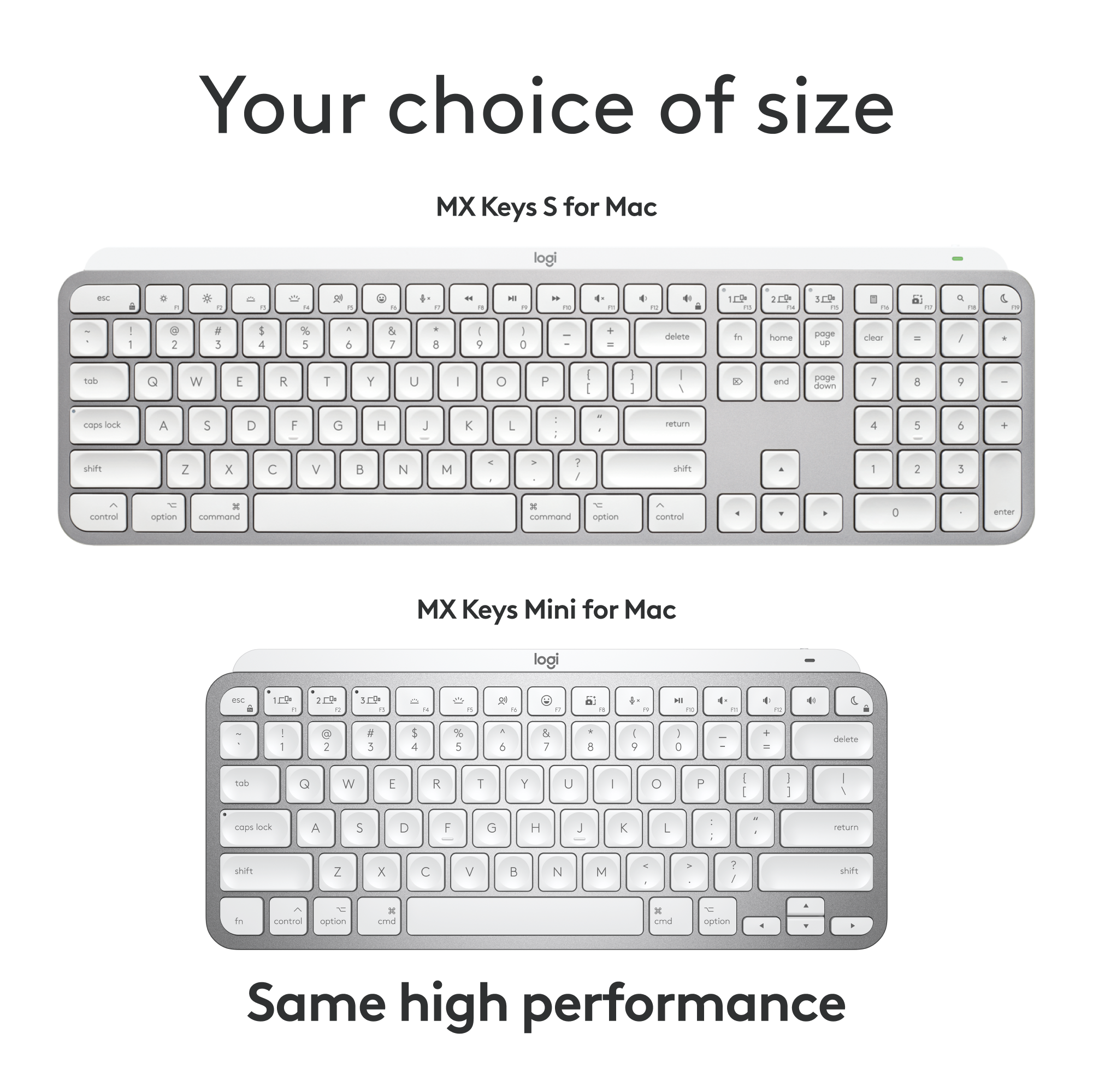
|Posted .This reviewer received promo considerations or sweepstakes entry for writing a review.## Design I’m a big fan of the full-size version of the Logitech MX Keys keyboard, so I was happy to see that Logitech makes a smaller version now as well. The MX Keys Mini drops the numeric keyboard and reconfigures the layout a bit, making the arrow keys smaller and shrinking the CTRL, FN and other related keys, while keeping the letters and numbers at full size. The keys are backlit and impressively light up as your hand approaches the keyboard, making it easy to see where your hands should “land” in a dark room. On the row of function keys are dedicated media and volume controls. ## Performance Like its larger sibling, the Logitich MX Keys Mini still has a satisfying feel when typing. It’s not “clicky” like a typical mechanical keyboard, but the keys do provide nice tactile feedback when pressed. I find the keyboard very comfortable for long typing and coding sessions. Battery life seems to be very good as I’ve only had the keyboard for a few days, but I haven’t needed to recharge it yet, even with the backlight on. ## Features Wireless: Oddly, there was no Logitech Unifying Receiver included with this keyboard (although the full size keyboard did include one). Therefore, your only option of connecting the keyboard is via Bluetooth. The USB-C port appears to be “charge only” as I was not able to use the keyboard via a wired connection. Backlighting: As mentioned earlier, the backlight seems to sense that your hand is approaching and lights up before you even touch a key. There is only a white LED backlight, so there is no option to change between different colors. Multiple machine support: There are 3 dedicated buttons for switching between devices. So you can pair the keyboard via Bluetooth to your laptop, phone and tablet and then switch between devices easily. Emoji key: Maybe one of my favorite new features, there is a dedicated key for emojis on the F7 key that allows you to easily bring up iOS’ Emoji keyboard. Screenshot key: There is also a dedicated screenshot key that invokes iOS’ screenshot function. Dictation key: There is also a key for voice dictation that invokes iOS’ dictation feature. USB-C Recharging: You can use the included USB-C to charge the kayboard, but not to connect it to your computer as a wired keyboard. ## Summary Overall, the Logitech MX Keys Mini keyboard is great for using your laptop in “clamshell” mode, or for connecting to your phone, tablet, or any device with Bluetooth keyboard support. The backlight feature works very well and the dedicated Emoji, screenshot and dictation keys are very convenient. Unfortunately, a wireless USB adapter is not included with this version of the keyboard, so it will need a Bluetooth connection.
I would recommend this to a friendBrand response from Logitech
Posted .Hi TechnicallyWell, we're glad to see you're loving the premium productivity features of your ultra portable MX Keys Mini Bluetooth Keyboard! This is one keyboard that can do a lot in a small form factor. Continue to enjoy and thank you for your feedback! -N from Logitech