Customer Ratings & Reviews




- Model:
- 910-005693
- |
- SKU:
- 6404201
Customer reviews
Rating 4.7 out of 5 stars with 896 reviews
(896 customer reviews)Rating by feature
- Value4.5
Rating 4.5 out of 5 stars
- Quality4.8
Rating 4.8 out of 5 stars
- Ease of Use4.7
Rating 4.7 out of 5 stars
Customers are saying
Customers enjoy the ergonomic design, ease of use, and impressive battery life of the MX Master 3 mouse. The scroll wheel and customization options also receive high praise, with many appreciating the precision and responsiveness. However, some find the mouse too large and heavy for their preference, and a few have noted concerns about the software's performance. The price point is also a factor for some customers.
This summary was generated by AI based on customer reviews.
- Pros mentioned:Customization, Ergonomic
Rated 5 out of 5 stars
Excellent mouse for productivity!
||Posted . Owned for 1 month when reviewed.This reviewer received promo considerations or sweepstakes entry for writing a review.Excellent mouse for productivity. Its ergonomic design allows you to be comfortable for hours on end and the buttons (which are customizable) really optimizes my workflow.
I would recommend this to a friend - Pros mentioned:Multi-device
Rated 5 out of 5 stars
Efficient mouse with great functionality
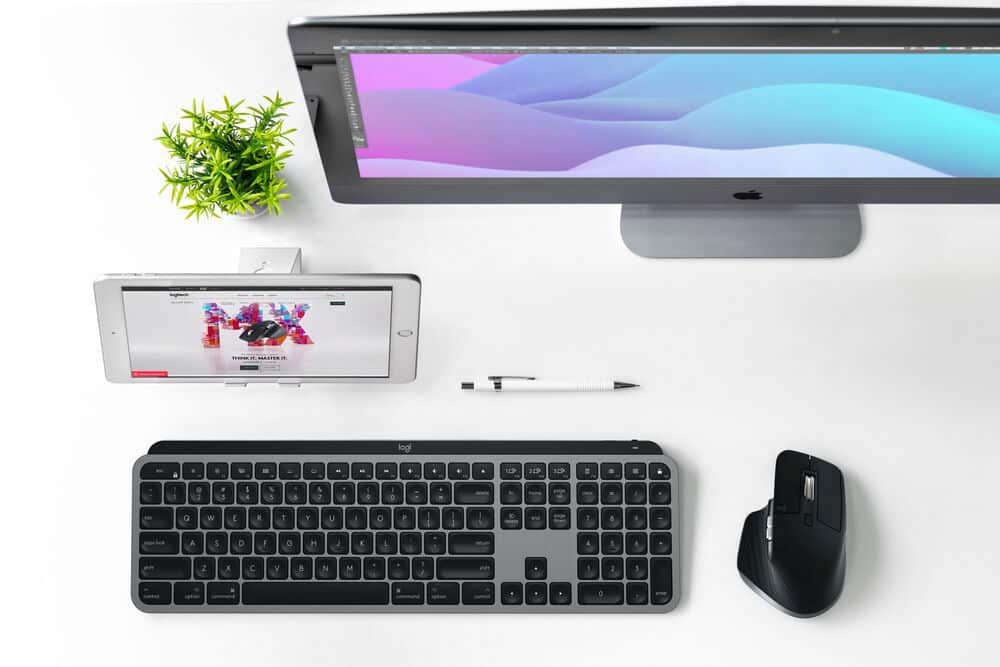
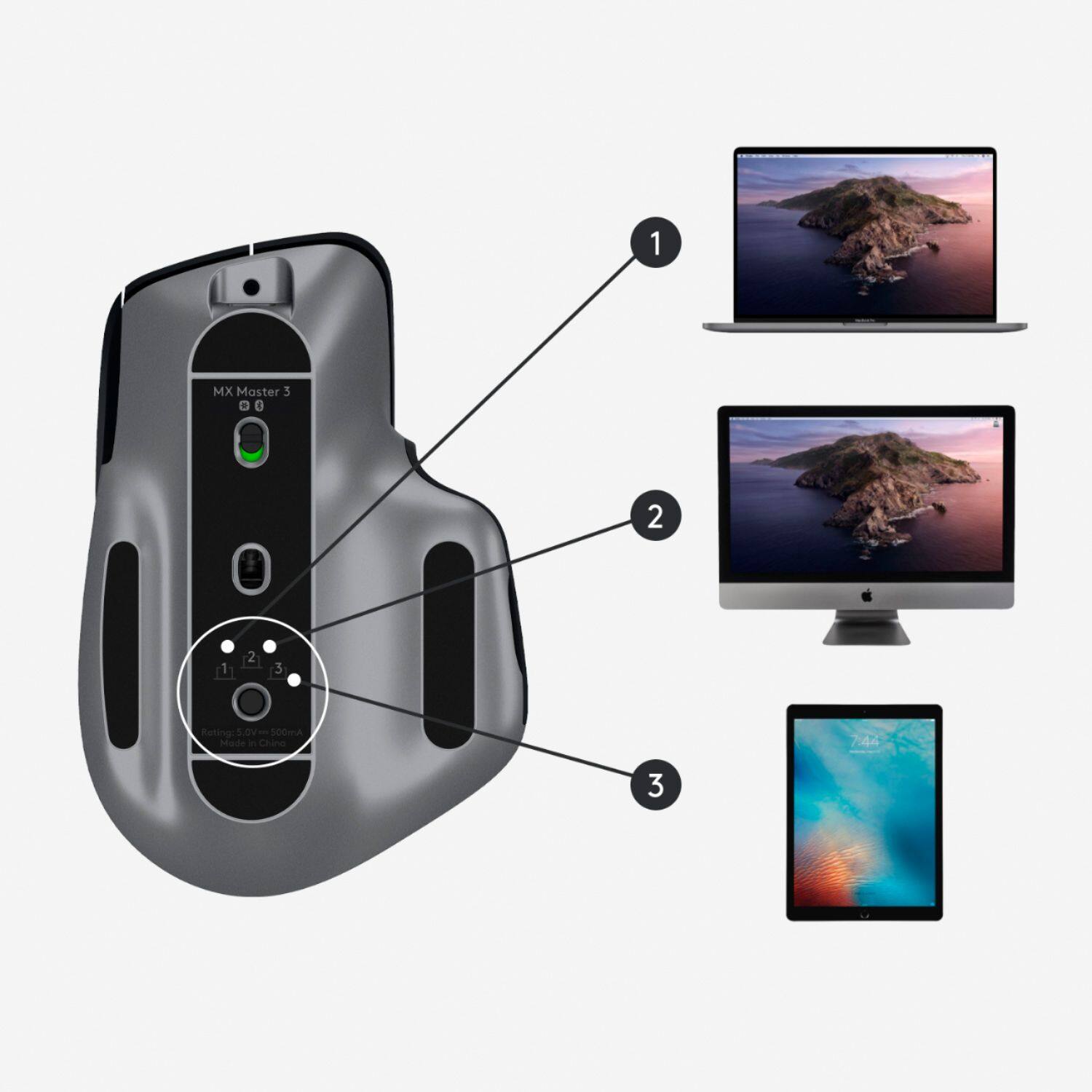
||Posted . Owned for less than 1 week when reviewed.This reviewer received promo considerations or sweepstakes entry for writing a review.This mouse really streamlines my ability to quickly switch between my work pc and personal Mac. Fast and easy switching without cluttering my desk with two sets of keyboards and mice. This is a great mouse all around for both pc and Mac, and the ability to change functionality for the buttons on the mouse is a great feature. I can also use this mouse with my ipad, I wouldn’t use it on the go but for working at my desk with my work pc and my Mac and my iPad and being able to switch between all 3 is super efficient.
I would recommend this to a friend Rated 5 out of 5 stars
I love this mouse
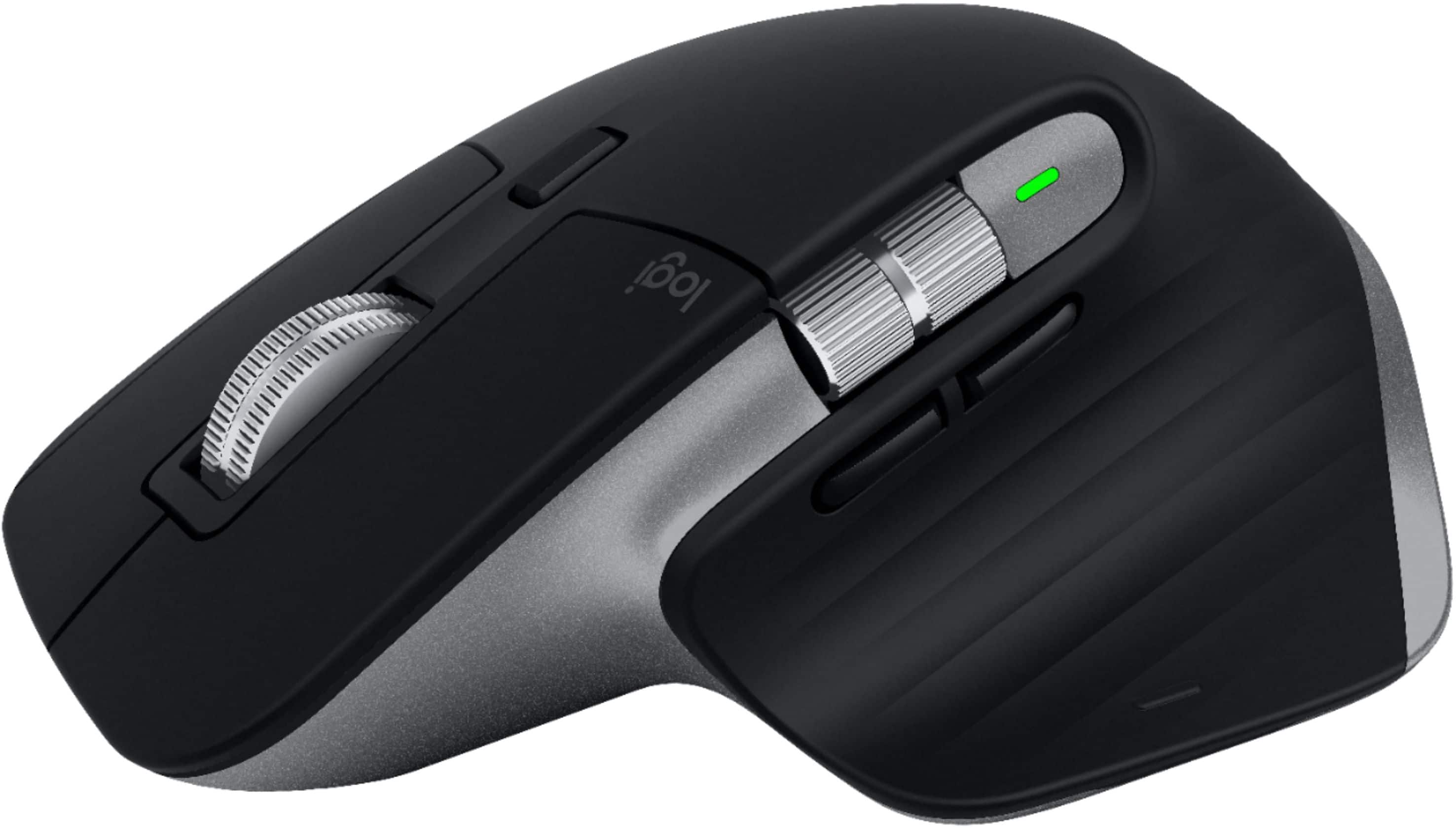
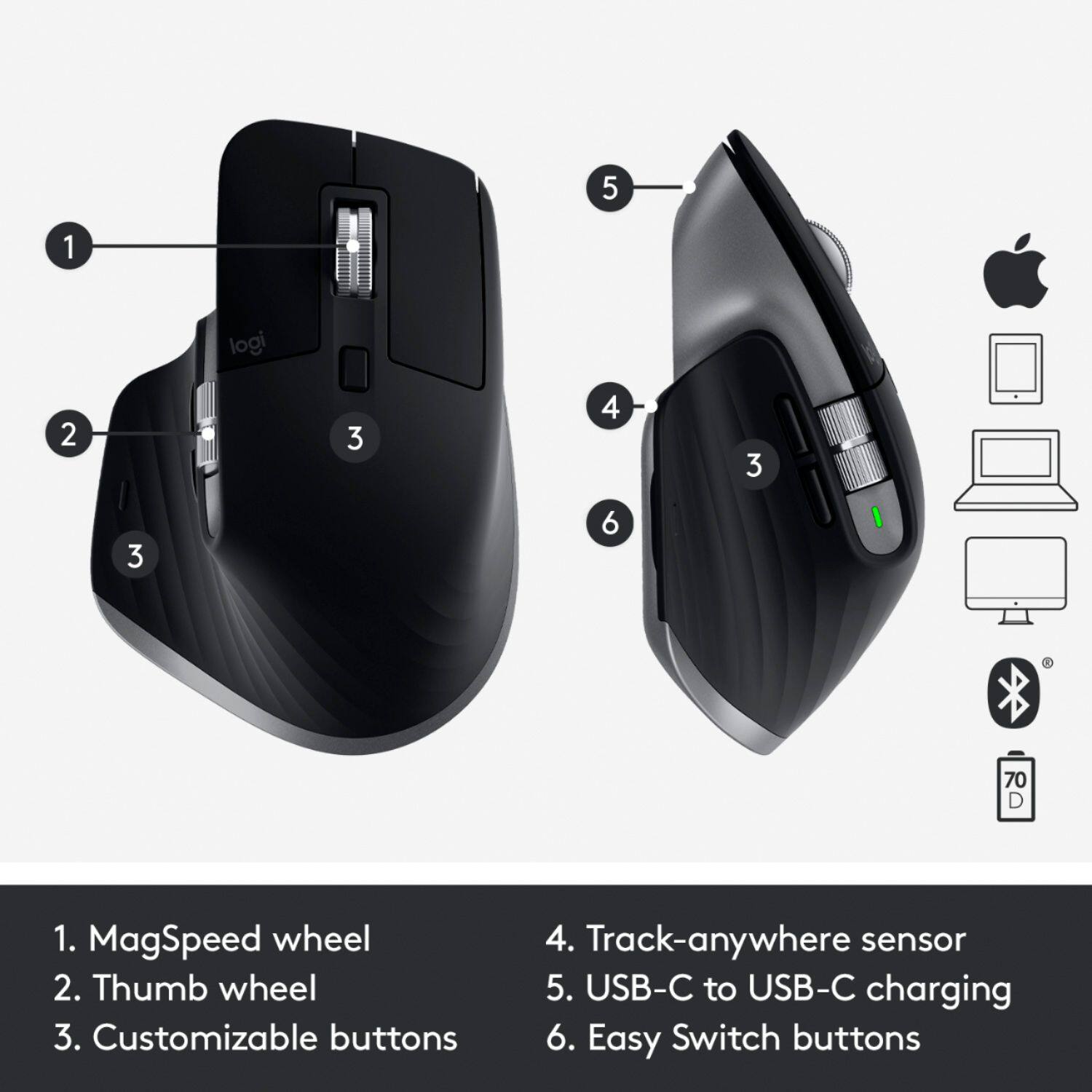
||Posted . Owned for 2 weeks when reviewed.This reviewer received promo considerations or sweepstakes entry for writing a review.Setup was extremely quick and easy. It pairs just like any other bluetooth device to your Mac and then you’ll use Logi Options for customization. During the setup process, it guides you through all the functions of the device including the app specific button setups for apps like Adobe Premiere Pro, Google Chrome, and Safari. As mentioned, I am coming from an MX Master 2S and before that, a Performance Mouse MX, so I am very familiar with the shape that Logitech has employed on their high end productivity focused mice. I could not imagine using any other mouse than the 3, 2S, or Performance MX for day to day use. My main use cases are web browsing, photo editing, and video editing. The shape of the mouse has largely remained the same from the 2S, however the volume has increased on the portion that sits below your Thenar eminence (I had to google that - the muscular portion below your thumb). For me, that change makes the 3 more form fitting than the 2S. Also, the portion of the mouse that sits beneath the base knuckle of your index finger is higher which also feels more comfortable for me. The 3 appears to be slightly narrower than the 2S but this sort of makes sense considering it has a taller shape, so your hand will curve a bit more. The thumb buttons now sit below the thumb scroll wheel and this a welcomed change for the the functionality of the thumb buttons making them more accessible and easy to use than the 2S where the thumb buttons sat behind the thumb wheel, but that results in the thumb wheel being above the buttons on the 3. At first, this took a little getting used to but after using it for a while, I would prefer this over the 2S configuration of the thumb buttons being behind the thumb wheel. App specific functions that I particularly found useful were: - Thumb wheel for scrolling through open tabs in Chrome/Safari - Back/Forward page navigation with thumb buttons in Chrome/Safari - Thumb wheel for changing brush size in Photoshop - Undo/Redo with thumb buttons in Photoshop - Pan by holding down scroll wheel in Photoshop and Premiere Pro - Horizontal scrolling of timeline in Premiere Pro with thumb wheel I find that the MX Master 3 has just enough buttons to aid in productivity without having so many that you may forget what some of those buttons actually do. The comfort and ergonomics is what really sets this mouse apart and that’s why I have been a very long-time user of Logitech’s top of the range mice including the Master 2S and the Performance Mouse MX.
I would recommend this to a friend- Pros mentioned:Compatibility, Ergonomic
Rated 5 out of 5 stars
Better than Apples Mouse
||Posted . Owned for 8 months when reviewed.This reviewer received promo considerations or sweepstakes entry for writing a review.I absolutely love this mouse. I have the keyboard as well. They are a match made in heaven. Much better than the apple magic keyboard and mouse.
I would recommend this to a friend - Pros mentioned:Customization, Multi-device
Rated 4 out of 5 stars
Nice peripheral
||Posted . Owned for 1 month when reviewed.This reviewer received promo considerations or sweepstakes entry for writing a review.Overall nice mouse. Customizable and the ability to switch between 3 devices is really nice. I ordered the Windows version and was sent the Mac unit. Only difference as far as I can tell is there’s not a usb dongle. Works well otherwise.
I would recommend this to a friend - Pros mentioned:Ergonomic
Rated 5 out of 5 stars
Great mouse. Will buy more
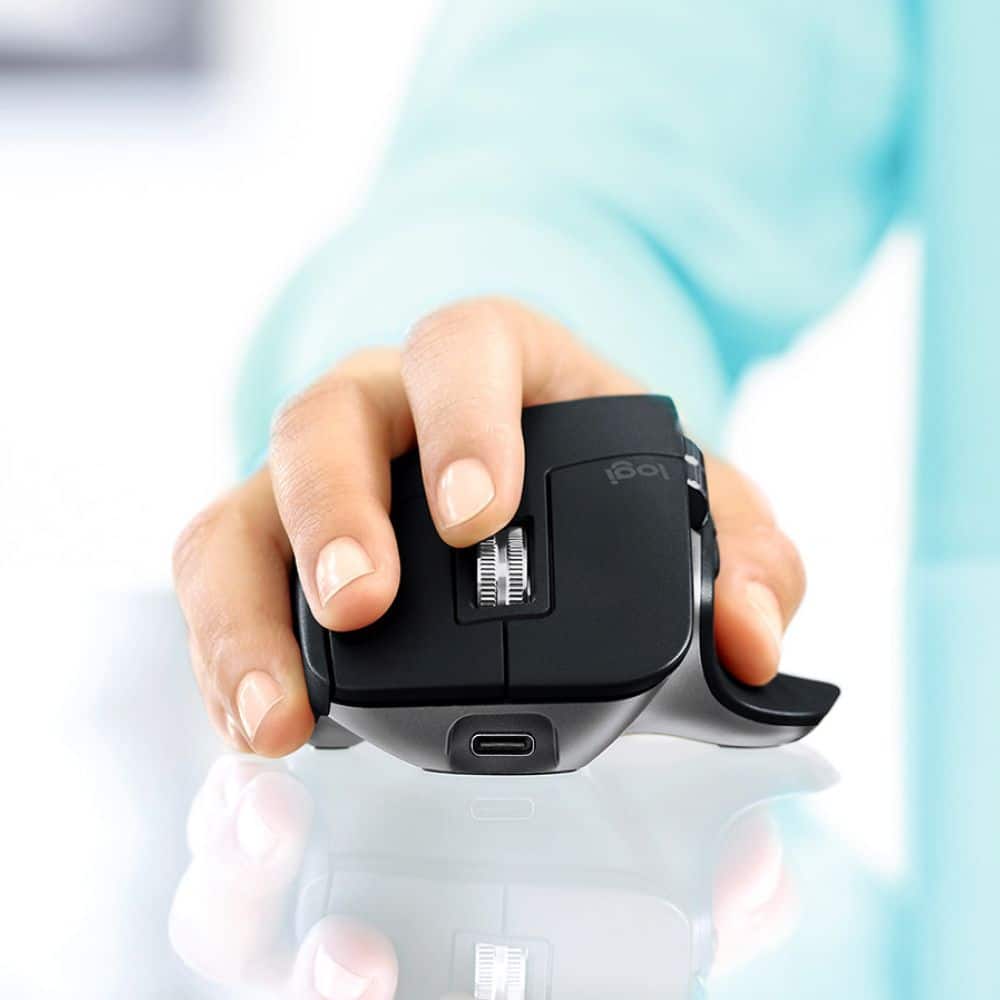
||Posted . Owned for 1 week when reviewed.This reviewer received promo considerations or sweepstakes entry for writing a review.I'm really enjoying this mouse. Very fast and responsive with both the buttons and scroll wheel. It's quite comfortable. I didn't realize how much having an ergonomic mouse like this impacted the computer experience! Really easy and consistent pairing to my macbook pro. I paired once, and it's never dropped. It wakes my laptop up from sleep as well. I also really like how it's USB-C rechargeable, and the charge lasts a long time. I've had the mouse a couple weeks now and haven't recharged once. Think I'll get one for my office too.
I would recommend this to a friend Rated 5 out of 5 stars
Best mouse on the market
||Posted . Owned for 1.5 years when reviewed.This reviewer received promo considerations or sweepstakes entry for writing a review.You may not need the mac specific one, but this is a great mouse and super comfortable.
I would recommend this to a friend- Pros mentioned:Battery life
Rated 5 out of 5 stars
Mouse so CLICKY!!!
||Posted .This reviewer received promo considerations or sweepstakes entry for writing a review.This mouse is so clicky!!! It is a great mouse. I spend 15 to 16 hours working on excel spreadsheets and the function of this mouse could not make me anymore happy. I can use this mouse on basically any surface and is easy to toggle between my work PC and my Mac. Personally I would by the Mac addition of you have a windows pc because it connect via Bluetooth and you do not need a dongel. That is one less thing you can loose. The battery is amazing and you will be happy to buy. So slap that stick and enjoy your new hand Climax
I would recommend this to a friend Rated 5 out of 5 stars
Ditch the apple mouse, like now.
||Posted .This reviewer received promo considerations or sweepstakes entry for writing a review.I was getting tired of the Apple mouse accidentally thinking I was tapping the mouse. Also didn't like that it was hypersensitive to swiping left or right. Also really hated charging the stupid mouse upside down, making it unusable. The logitech mouse is vastly different and not nearly as sleak, but after about 10 minutes of use I really came to like it. The scroll wheel is incredible. I love being able to switch between fast scroll and line by line scroll. There are shortcut keys enabled for programs like Photoshop, which I love. This mouse is superior to the apple mouse!
I would recommend this to a friendRated 5 out of 5 stars
Amazing
||Posted . Owned for 1 year when reviewed.This reviewer received promo considerations or sweepstakes entry for writing a review.I owned the MX Master 2 before and really enjoyed using it. I feel the same way with the MX Master 3 as well. Moreover, I love that it can now be charged via USB C.
I would recommend this to a friend- Pros mentioned:Battery life, Customization
Rated 5 out of 5 stars
Fantastic mouse
||Posted . Owned for 3 weeks when reviewed.This reviewer received promo considerations or sweepstakes entry for writing a review.Can really personalize with keyboard and logi software. It’s got amazing battery life and I love how I can charge the mouse at the same while using
I would recommend this to a friend - Pros mentioned:Ergonomic
Rated 5 out of 5 stars
A mouse created by the gods...
||Posted . Owned for 3 weeks when reviewed.This reviewer received promo considerations or sweepstakes entry for writing a review.Certainly this is the best mouse that has been created to date. It is comfortable, accurate, configurable, ergonomic, stylish and easy to use. It is easy to link to any computer or tablet and is built to last for years of rough use. The two scroll wheels are a big plus, as are the nicely placed forwards and backwards button. I love how the mouse perfectly fits the human hand. It's downside? Well, maybe the price, but not really. $100 isn't bad for something so superior.
I would recommend this to a friend - Pros mentioned:Battery life, Ergonomic
Rated 5 out of 5 stars
Premium mouse.
||Posted . Owned for 4 months when reviewed.This reviewer received promo considerations or sweepstakes entry for writing a review.This is the best mouse I’ve owned. Battery life is great even though I forget to turn off. I love the scroll functionality. Ergonomics are GREAT.
I would recommend this to a friend - Pros mentioned:Customization, Multi-device
Rated 5 out of 5 stars
works perfect. worth the money
||Posted . Owned for 3 months when reviewed.This reviewer received promo considerations or sweepstakes entry for writing a review.Awesome mouse. Customizable and easy to use. I love that I can use with 3 different devices.
I would recommend this to a friend Rated 5 out of 5 stars
Greatest Mouse ever Made
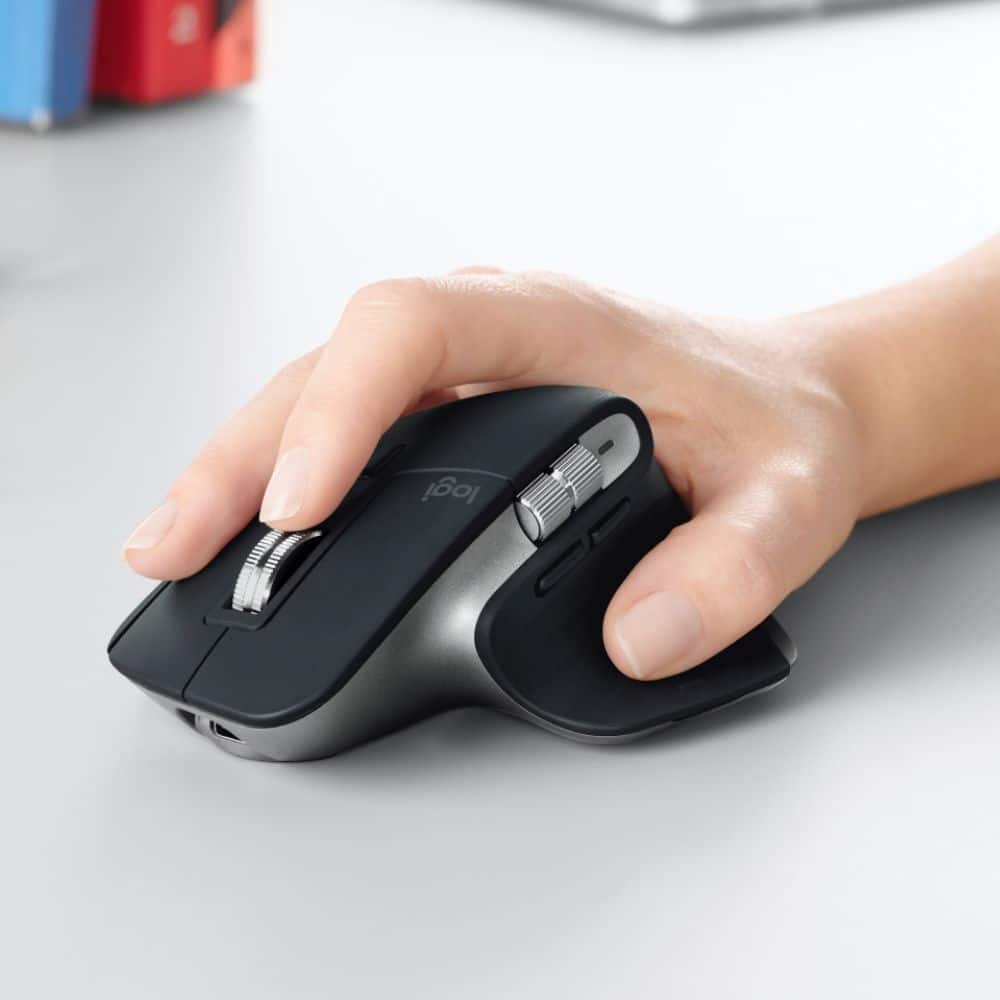
||Posted . Owned for 1.5 years when reviewed.This reviewer received promo considerations or sweepstakes entry for writing a review.Very happy with this mouse. I use it at work, home and play. Extremely comfortable and doesn’t hurt my hands like the others
I would recommend this to a friend- Cons mentioned:Software
Rated 4 out of 5 stars
Fantastic mouse if you can look past minor issues
||Posted . Owned for 1 month when reviewed.This reviewer received promo considerations or sweepstakes entry for writing a review.Absolutely love this mouse after finally upgrading from the throw-away models I've purchased over the years. My only complaints would be the software for modifying the mouse settings and some scroll-wheel play (resolved by changing the scroll wheel from geared > smooth and back). Using the mouse with a 2021 MacBook Pro M1 Pro may be an issue(?) The Gestures button works fine but the gestures themselves are prone to quit working randomly as far as I have noticed. To fix the issue, the mouse has to be disconnected or forgotten from the attached device and re-paired. Otherwise I'm very happy with the purchase
I would recommend this to a friend Rated 4 out of 5 stars
Great yet may be bulky
||Posted . Owned for more than 2 years when reviewed.This reviewer received promo considerations or sweepstakes entry for writing a review.smooth, fast connecting, relatively bulky, fits well in my hand, likely not suitable for small hands
I would recommend this to a friend- Pros mentioned:Multi-device
Rated 5 out of 5 stars
The Best Mouse For Multi Tasking
||Posted . Owned for 2 weeks when reviewed.This reviewer received promo considerations or sweepstakes entry for writing a review.I was skeptical that this mouse was all that the reviews said it was, but it's true. This mouse is more than all the competition. It's more accurate, it works on my desk without a mousepad, feels great in the hand and has buttons in all the right places. It can connect to three devices. The only negative I can say is that the flow software that it comes with is a bit clunky. I just use the switch on the bottom to move between devices. Easy and fast. The MX Master for Mac has exceeded all of my expectations. I highly recommend this device.
I would recommend this to a friend - Pros mentioned:Ergonomic, Multi-device
Rated 5 out of 5 stars
MX Master 3
||Posted . Owned for 2 months when reviewed.This reviewer received promo considerations or sweepstakes entry for writing a review.Perfect for my Mac mini but sometimes it feels off, its ergonomic easy to use I can pair to 3 devices how awesome is that
I would recommend this to a friend - Pros mentioned:Compatibility, Customization
Rated 5 out of 5 stars
Logitech MX series is amazing!!!
||Posted . Owned for less than 1 week when reviewed.This reviewer received promo considerations or sweepstakes entry for writing a review.I love this mouse very precise and I love how you can customize the controls. I use it for work on my windows PC, and my Mac mini setup.
I would recommend this to a friend