Customer Ratings & Reviews






- Model:
- 920-009154
- SKU:
- 6342887
Rating by feature
- Value
Rating 4.4 out of 5 stars
- Quality
Rating 4.6 out of 5 stars
- Ease of Use
Rating 4.6 out of 5 stars
Customers are saying
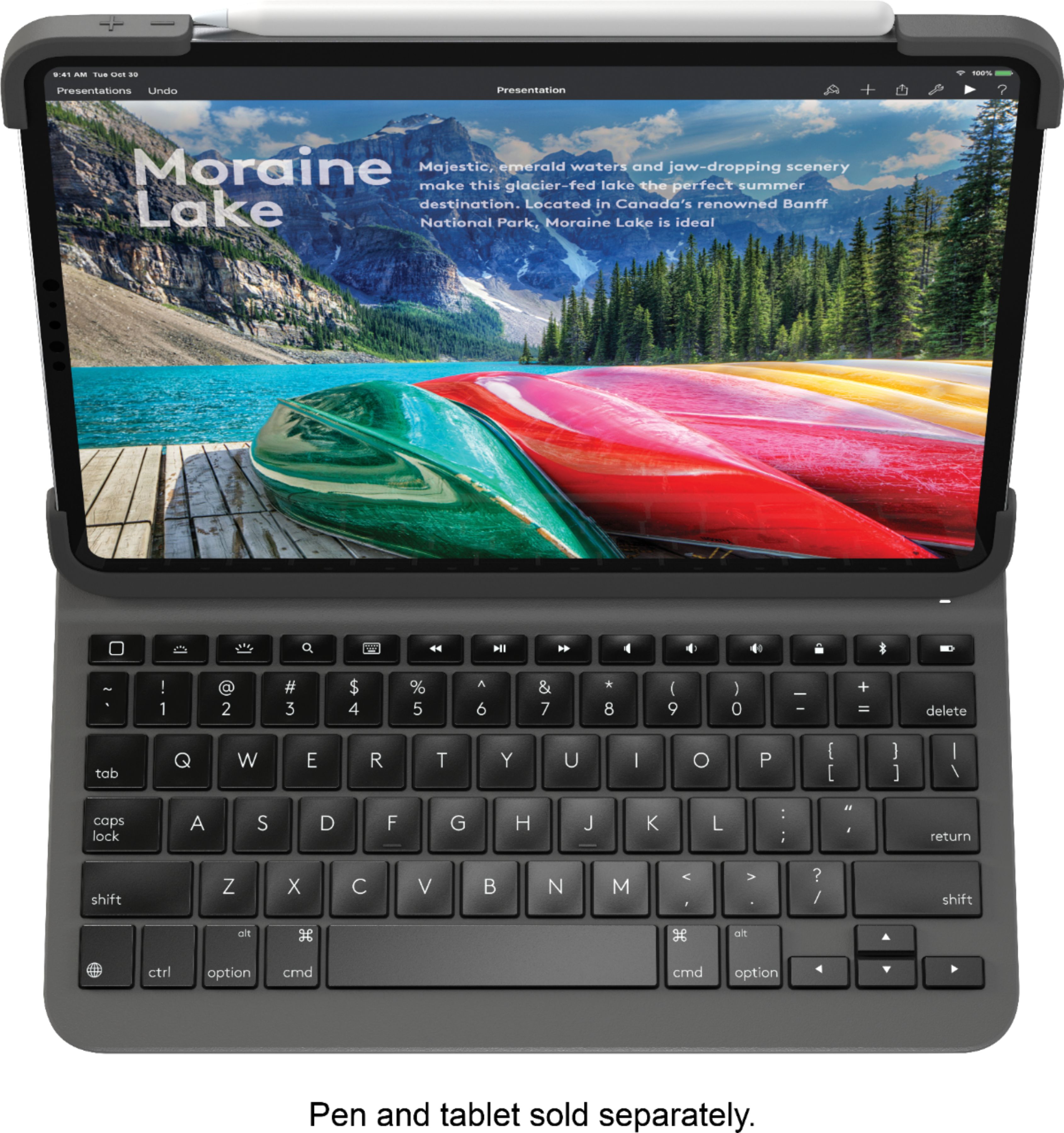
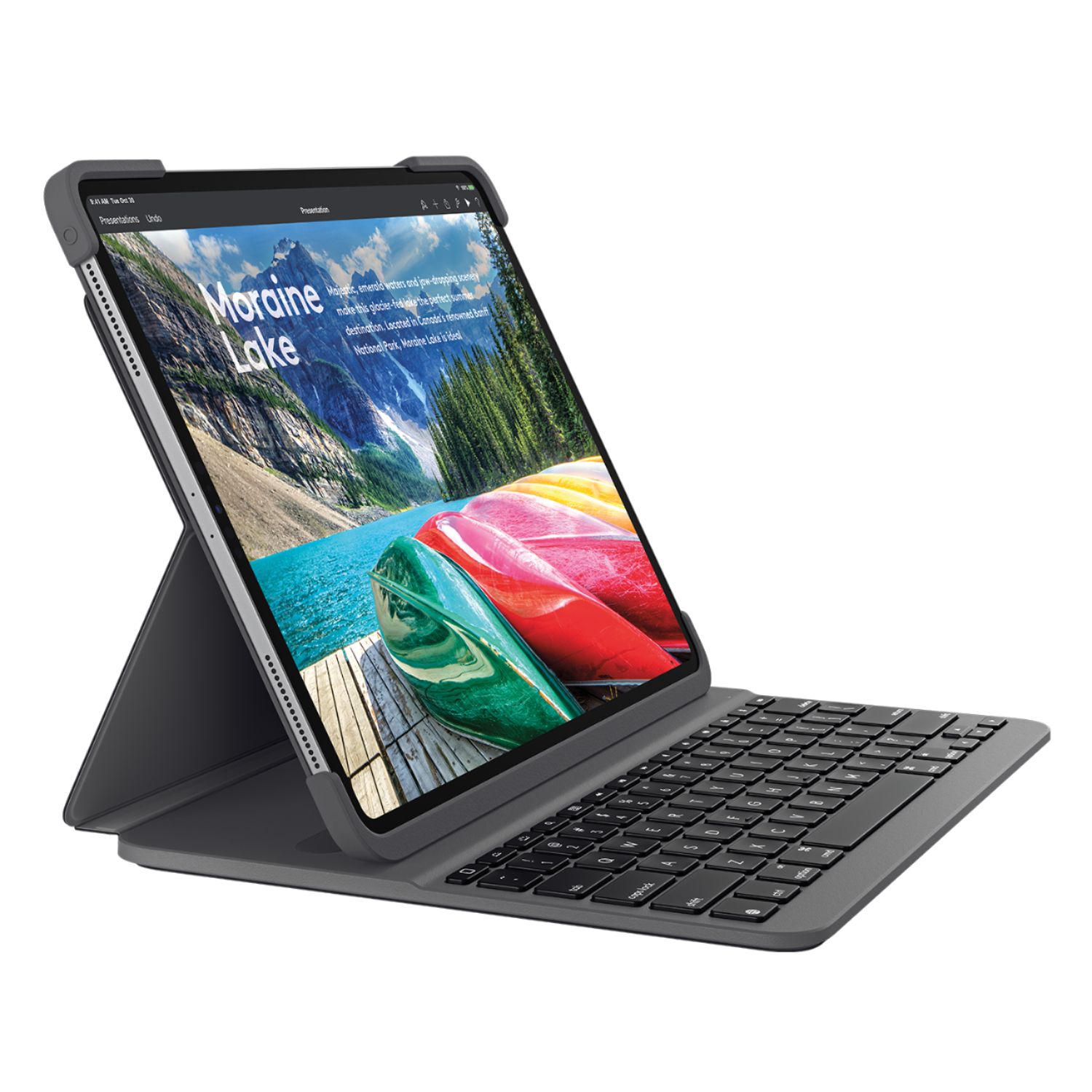
Customers praise the Slim Folio Pro Keyboard Case for its high-quality keyboard, excellent protection for the iPad, and good battery life. They also appreciate its ease of use and the convenient storage for the Apple Pencil, finding it to be a good value for the price. However, some find the case adds noticeable weight and bulk to the iPad. The case's added protection and functionality are generally seen as outweighing these drawbacks.
This summary was generated by AI based on customer reviews.
- Pros mentioned:Battery life, Keyboard quality, ProtectionCons mentioned:Weight
Great alternative Keyboard to the Apple option
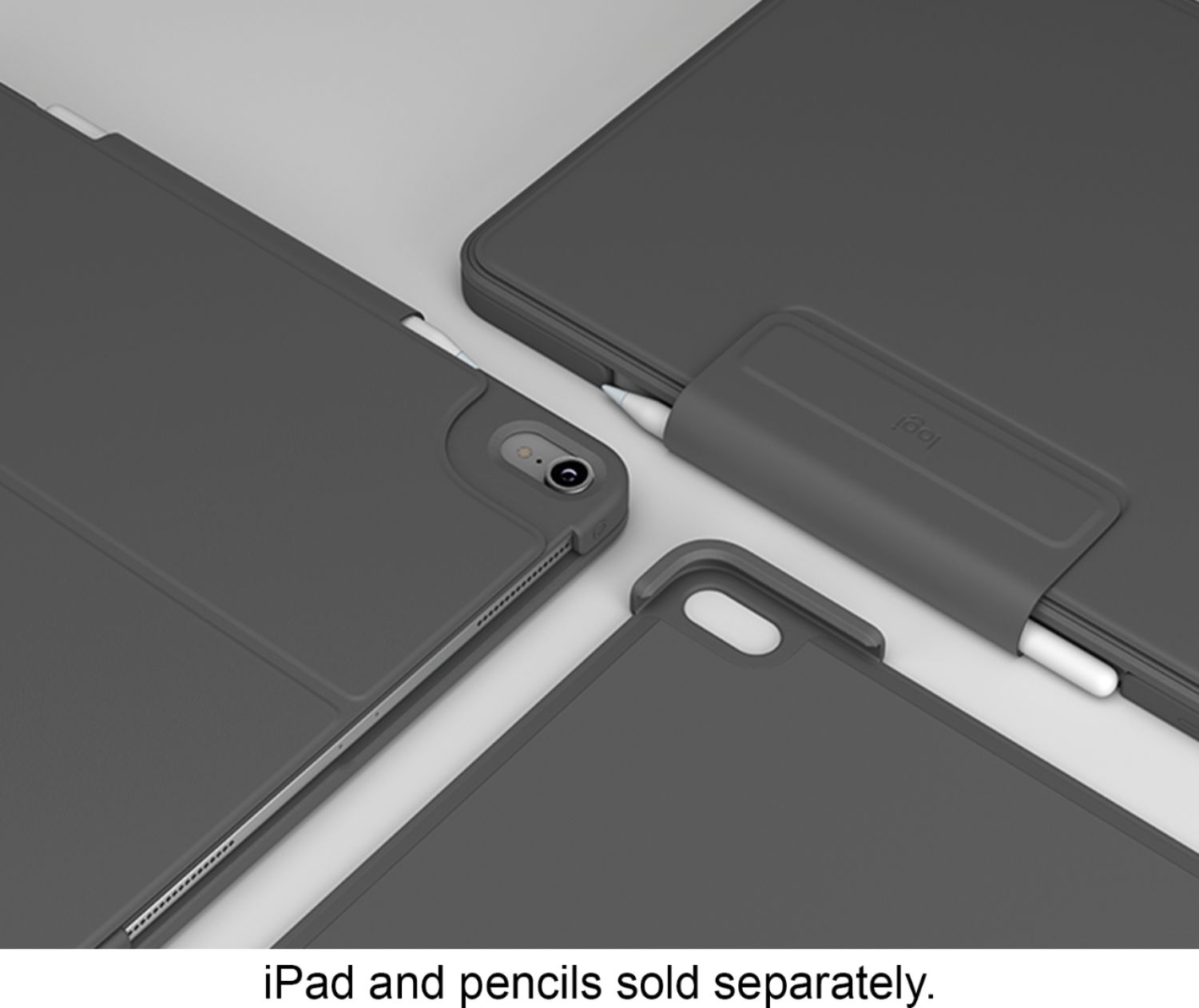
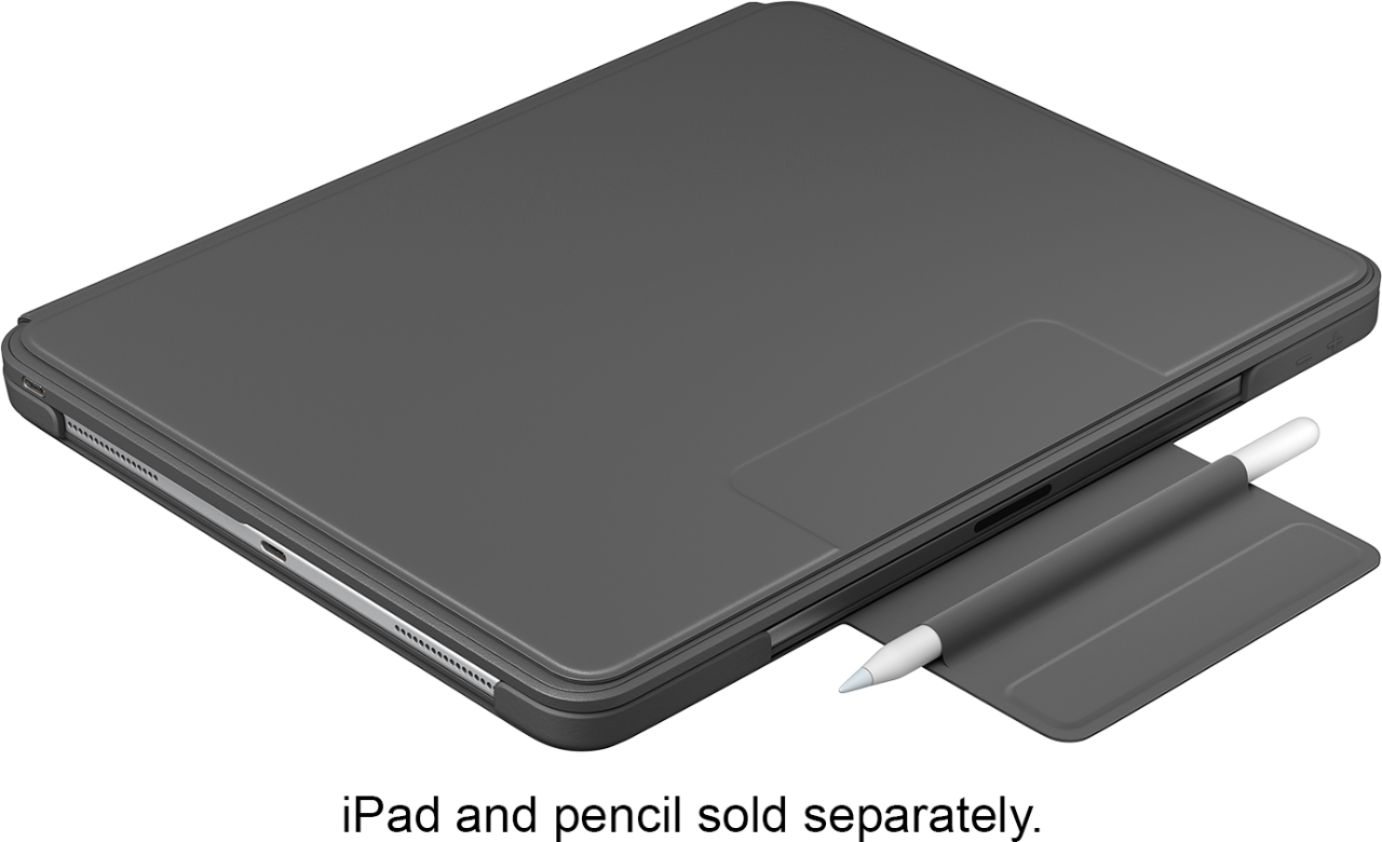
||Posted . Owned for 3 weeks when reviewed.This reviewer received promo considerations or sweepstakes entry for writing a review.This is a great alternative keyboard to the option Apple provides. Not only is it less expensive, it provide more protection of the iPad especially on the corners and the keyboard feels more like a laptop keyboard (not Apple's MacBook keyboard). Having a secure option to store the Apple Pencil is very nice as well. It is great to have the magnetic side to key it on but having a dedicated mini sleeve is great for ensuring you don't accidentally lose it. I have not had to charge the case yet since taking it out of the box. I use it almost daily as well. Having it be USB-C for charging is great as well! I can now use just use the USB-C cable that come with the iPad to charge. One of the pros as I mentioned above about more protection is also semi a con as well. Having that extra protection comes at the cost of bulkiness. This is by no means a slim case as Logitech states. It does add bulk especially compared to the Apple option. Taking the iPad out is much more difficult than Apple's option but Logitech's option provides a much more secure fit. The only other issue and it is not that big of an issue is only having one viewing angle. I would have liked an option to have 2 or 3 viewing angles. Though the viewing angle is generally good especially when using the iPad on a flat surface. If using it on you lap, then I would have preferred another angle. Overall I would recommend this to anyone looking for a solid option to Apple's option. Good Price Good Build Quality Great Battery Life A bit bulky but provides a lot of protection
I would recommend this to a friend - Pros mentioned:Keyboard quality

Great Keyboard, Great Protection, Ok Execution
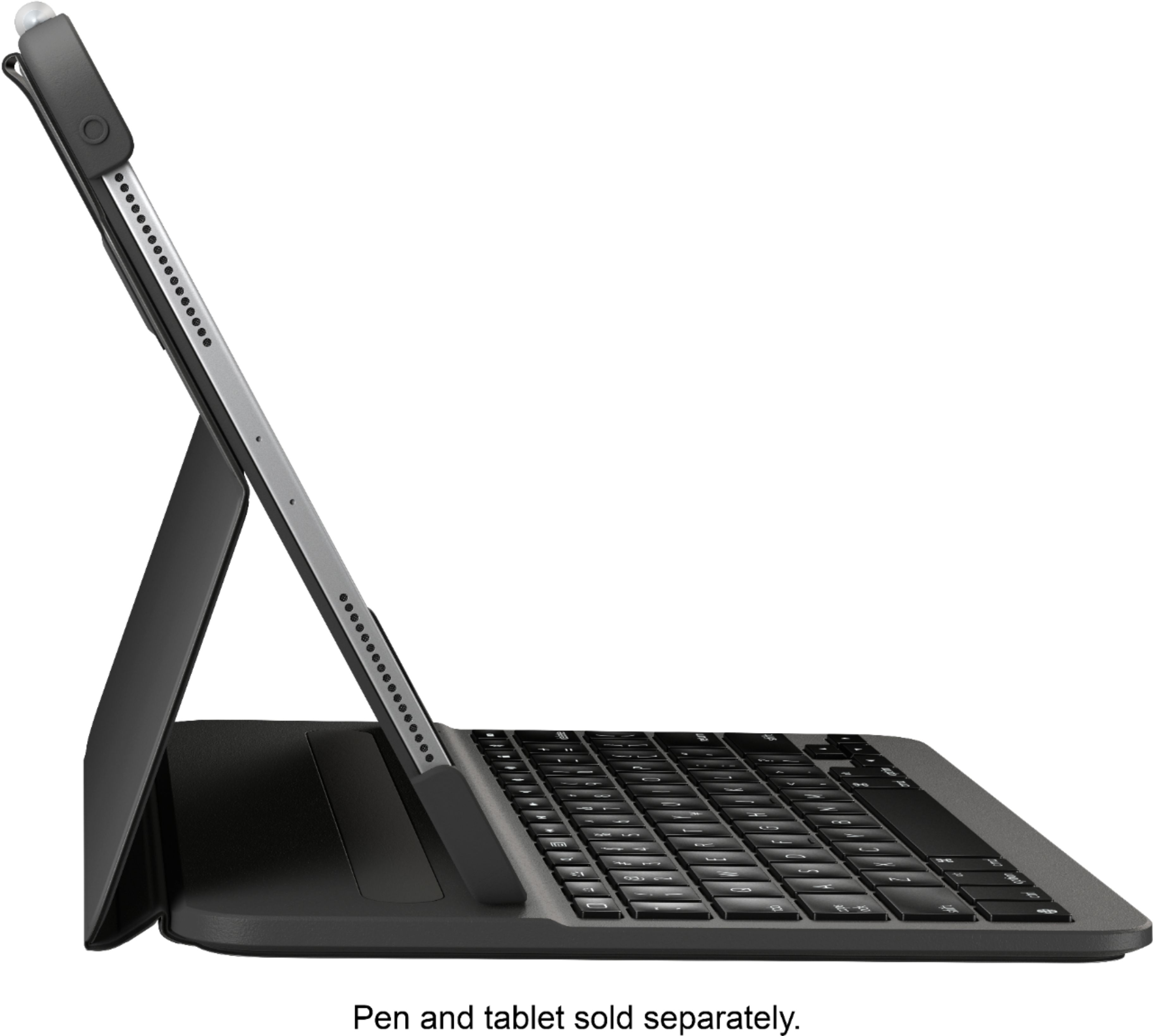
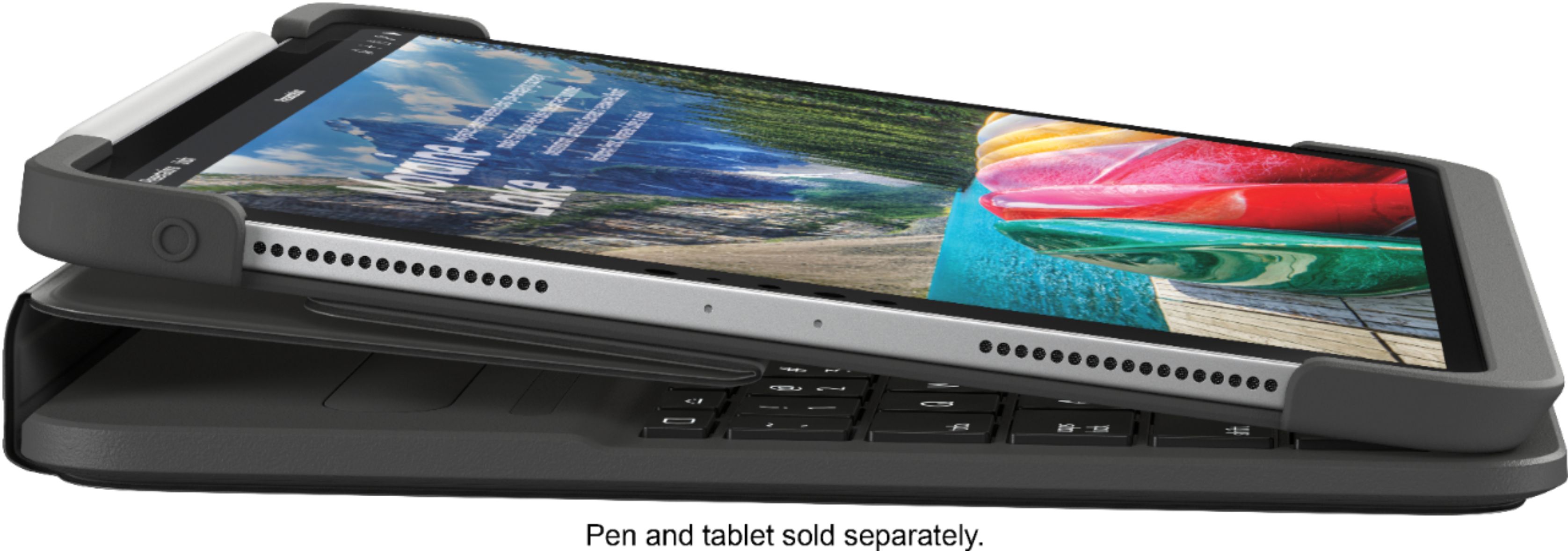
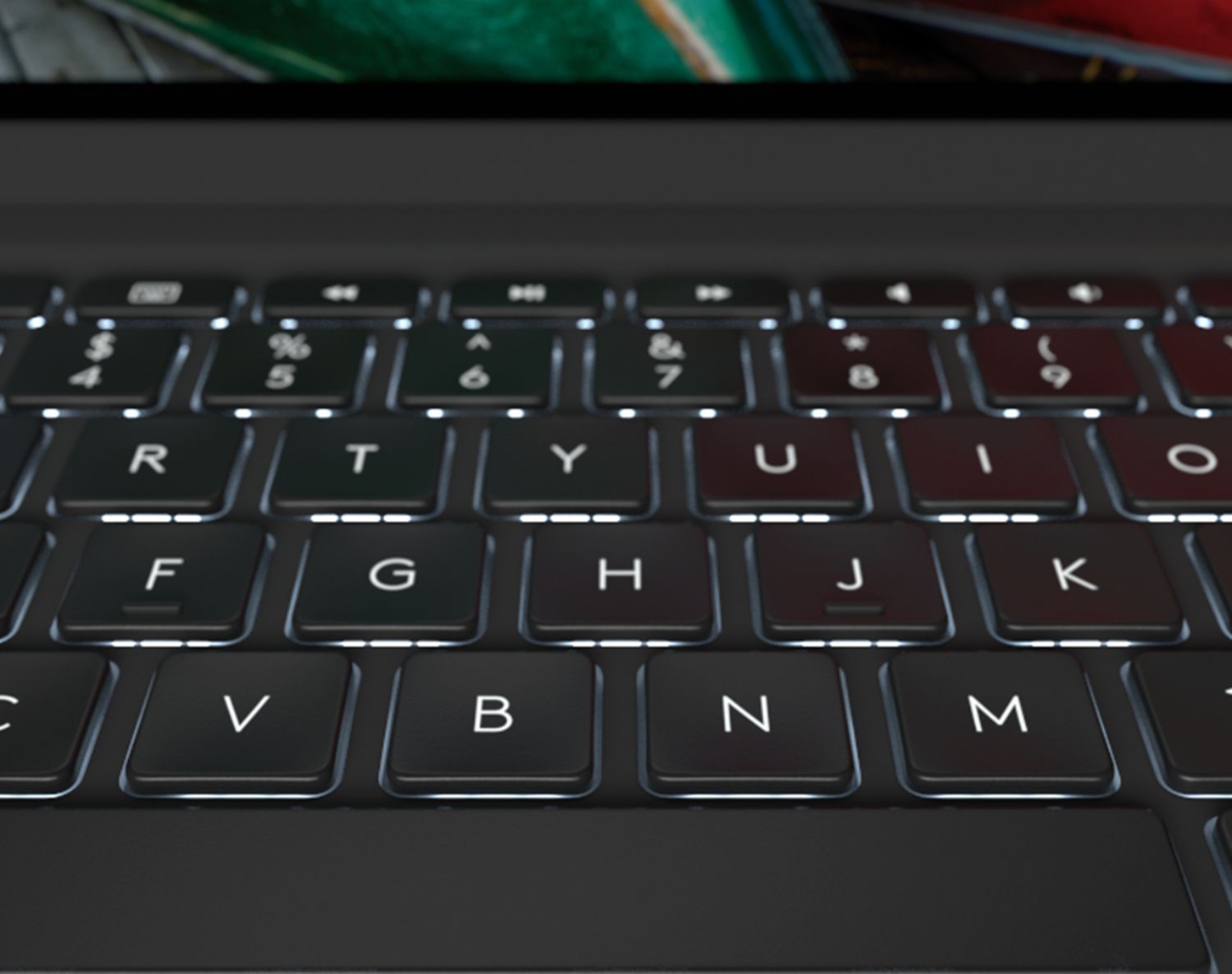
|Posted .This reviewer received promo considerations or sweepstakes entry for writing a review.The positives of this keyboard: nice key size and spacing, dedicated keys to things such as music/video control, multiple levels of backlighting, and volume control. I also like the robust protection of the case and the fact that it holds an Apple Pencil. You can switch among, near-flat for tablet only use, a slight angle for drawing or placing on your lap and then an upright position. The Bluetooth connection is quick and reliable. What don’t I like? There is only one upright position and it feels a little too close to vertical for most of my uses. I also am annoyed by the magnetic flap that usually hits the screen before flipping out of the way. I also wish I could easily detach my iPad from the keyboard. Gripes aside, I always like Logitech products because they are durable and relatively attractive. It’s truly a nice tablet keyboard to use.
I would recommend this to a friend - Pros mentioned:Battery life, Keyboard quality, Protection
Best keyboard case!
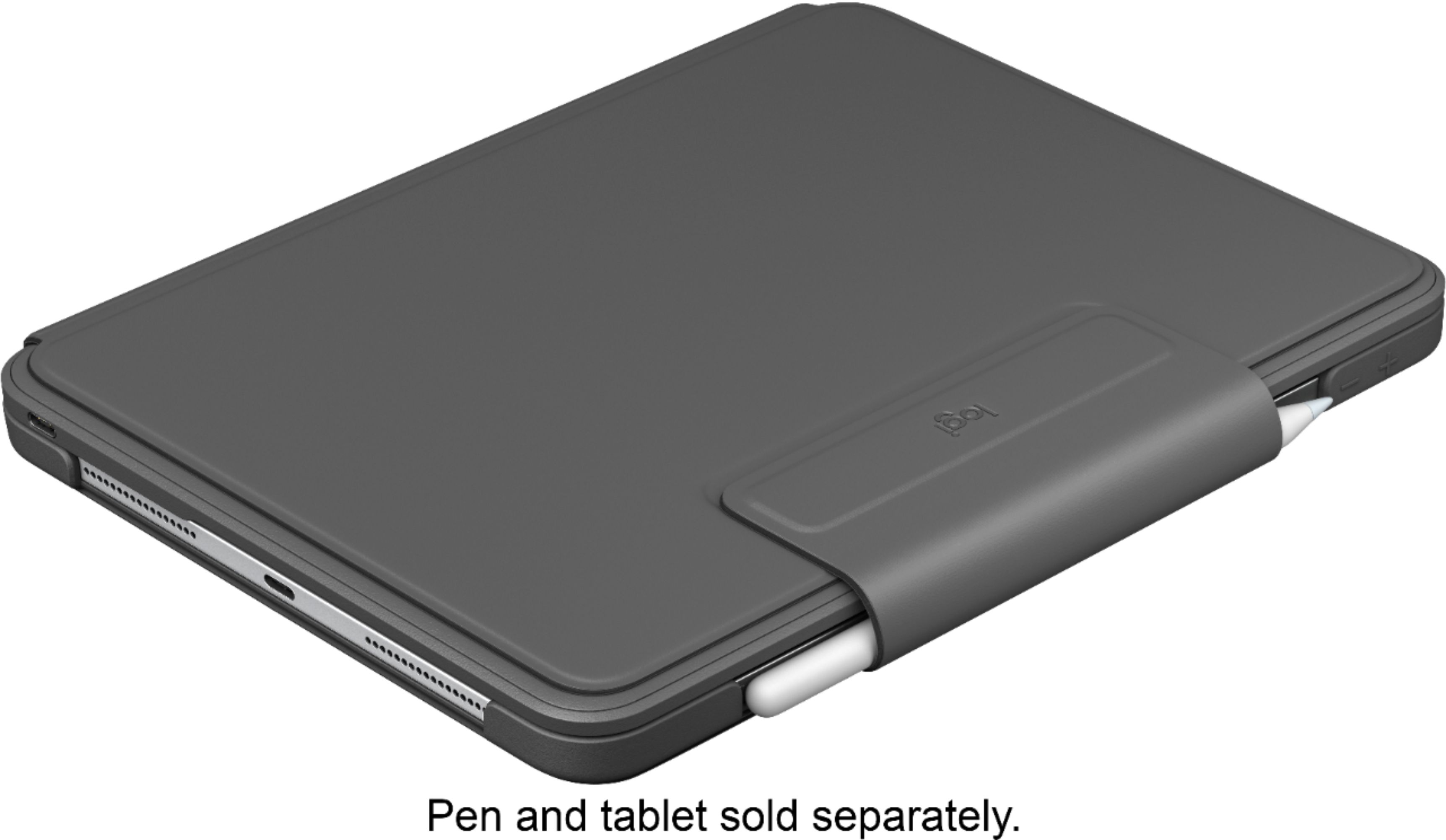
||Posted . Owned for 3 weeks when reviewed.This reviewer received promo considerations or sweepstakes entry for writing a review.I wanted a protective case with a built in keyboard, so I tested several keyboard cases, including Apple’s Smart Keyboard. I enjoy writing and I wanted a responsive keyboard that gave me feedback like a traditional keyboard, and a case that provided protection in transport and the occasional drop. I was not a fan of the Apple Smart Keyboard. This is personal. I recommend you try it out yourself if interested...It didn’t give enough tactile feedback when I clicked a key, and the fabric keys felt strange, and I wondered about their durability over time. Plus, they didn’t light up. Upon closer inspection, while the case provides scratch protection to the front and back of your tablet, I don’t think it would protect the edges as it doesn’t wrap around the corners. The Smart Keyboard case is held onto your device by the internal magnets ( which also charge your keyboard, so you don’t have to charge it externally). I’d be willing to bet it would come off in a drop. It does however look slim and sleek on the Pro tablet, and is very minimalist in design. I’m a bit too tough for it though... Enter the Logitech Slim Folio Keyboard case. This case has true edge protection as you have to fit your Pro into the case and it has nice rubber bumpers around each edge. It doesn’t use your tablet to charge the keyboard, and instead requires an external charge that lasts about 3 months with 2hrs of use per day) and is paired easily via Bluetooth. There is plenty of typing space and I don’t feel cramped. The feedback and travel are perfect for typing and are not sensitive to finger hover. The keys light up when typing, and there are plenty of handy shortcut keys like: volume, home, emoji keyboard, brightness, battery, and play/pause/rewind/fast forward. The cutouts are prefect for all of your ports and Apple Pencil charging...plus the fold over flap to keep your case together has a little slip pocket to slide your pencil into during travel if you don’t want to keep it on the charging edge of your tablet. My only complaint is that the power button is covered by the rubber edge bumper, and while there is a button you can push to activate it, it takes considerable push to connect with it. There are several viewing angles, with the most useful being in keyboard/laptop setup (the magnet it uses to keep it in this angle is nice and strong so it won’t accidentally get bumped, but you will need two hands to disengage it.). It has landscape drawing with slight angle, and flat for reading, plus, you can even fold the keyboard behind the tablet and keep it in movie viewing mode if you have enough space on your table. The Logitech case is heavier than Apples Smart Keyboard folio, and adds more bulk, but I still find it’s profile slim and am willing to have the extra thickness for the protection it provides. The material is matte with good grip so it doesn’t slide out of the hand. It’s a dark gray color and goes nice with my space gray tablet. I highly recommend it if you love to type a lot and plan on using your tablet as a laptop, and want extra drop protection. Did I mention it’s $55 cheaper than Apple’s Smart Keyboard folio?? This keyboard is amazing!
I would recommend this to a friend Awesome case!
|Posted .This reviewer received promo considerations or sweepstakes entry for writing a review.I’m not the biggest fan of cases as I like the natural feel of the aluminum and glass design. But...I do realize these things are way to expensive to always go without a case. I purchased the Apple case when I first got my iPad and I rarely use it as I like the look, but it doesn’t add all that much protection as it doesn’t cover the edges. Though this case adds more bulk than that case, I’m very surprised at much more I like it than the Apple case . The keyboard is absolutely awesome and feels just as good if not better than a lot of laptop keyboards. The keys have a vey nice feel and stroke to them that doesn’t feel like you’re using a keyboard designed for an iPad .The case adds ample protection to the iPad and your Apple Pencil if you use one. The case is more slim in its name than in actuality, but its really not that bad and the added protection and the keyboard make you forget that. This is the first case that I wont be removing after a few days. 3 months battery life, charges via USB C just like the iPad, awesome backlit Laptop worthy keyboard and a name you know you can trust in Logitech.
I would recommend this to a friend- Pros mentioned:Battery life, Keyboard quality, Protection
My preferred iPad keyboard solution
||Posted .This reviewer received promo considerations or sweepstakes entry for writing a review.First I want to point out that something like a keyboard accessory for a tablet is a highly subjective device. It’s really based on preference. This review is based on my preferences, so your mileage may vary. When I bought my iPad Pro earlier in 2019, I decided to try and use the onboard keyboard. My usage includes writing, spreadsheets, coding, note-taking occasionally, messaging. So a keyboard is essential for me. The onboard keyboard quickly didn’t measure up for me, so I decided to try a detached Bluetooth keyboard. I picked up the very good Logitech K811 keyboard, super responsive, great keys, backlit and Bluetooth. Very nice. For a while it was nice, and I could just stow it when not using it. It was alright. But...I got tired of having another accessory to carry. The integration feature became a much wanted thing. So I started looking at keyboard case options. Of course the very svelt apple keyboard case solution was an option, looks great, has the smart connector, but expensive for not having much protection and no backlighting, and the keys are ok, but not great. So I kept looking. Zagg produces some very nice options, backlit, and detachable keyboard when desired. But I wasn’t enameled with the casing around the iPad itself, the speakers have diversion channels that I’m skeptical of, and the back easel part of the case is really stiff, a good thing, but also feels sort of flimsy to me. So I was worried about breaks. But the price is killer, it’s a great price point. So overall, briefly testing it, the keys were comfortable, and the lighting options were great, but in the end I didn’t stop there. I considered the Brydge keyboard option, but I didn’t feel it offered enough protection for my taste. Then I tried this keyboard case. I knew from K811 that the keyboard on this case would be excellent, in Logitech fashion. I have not been disappointed. The back lighting is great, the case provides protection enough, but not too overbearing, the pencil area is open for charging, with the closure flap either protecting it in the charging position, or providing a loop for you to store the pencil if you don’t want it to be trickle charging from the iPad all the time. The color is happily neutral for me, and is a great palette for stickers if that is something you enjoy doing. It hold the iPad in a great position to type on your lap, or just to watch videos with. It charges via USB-C, so it will use your iPad charger. But the charge has been phenomenal so far. I topped it off at the beginning, and haven’t need to charge since. Overall, this was the end of my journey. I am happy with this Logitech solution, it provides the sweet spot for my keyboarding needs. I highly recommend it.
I would recommend this to a friend - Pros mentioned:Battery life, Keyboard quality
Good Decision
Posted .This reviewer received promo considerations or sweepstakes entry for writing a review.I purchased this keyboard for my iPad a few days ago and was going to wait before posting a review if I was going to post a review, however the few days I have spent using this keyboard this review being one of the times I have used it out of all the times over the past days let me tell you that I made the right decision. It’s bulkier than what Apple offers but offers hot keys, protection and an actual typing feel. The backlit keyboard is a great addition for low light or no light settings. I was debating whether to go with Apples keyboard or this one and apples keyboard just didn’t appeal to me enough nor did it offer what Logitech did. The Logitech keyboard is bulkier than apples keyboard but that was expected since Logitech has put a battery in it but I don’t find the weight to be much of an issue for myself. All in all the Logitech keyboard was the right decision for me.
I would recommend this to a friend - Pros mentioned:Keyboard quality
STOP THINKING ABOUT IT AND BUY IT!
Posted .This reviewer received promo considerations or sweepstakes entry for writing a review.Where do I even start! This keyboard has been amazing! I used to own the apple Smart Keyboard and looking back on it I was so stupid for purchasing that in the first place. This is the clear winner between the two keyboards no doubt about it. First of all, the keys on this keyboard actually feel like keys. Secondly, there is an Apple Pencil holder and when you are carrying it around there is something that goes around the Apple Pencil so it stays in place and doesn’t fall out, the iPad is nice and secured as opposed to the apple Smart Keyboard which is just dependent upon a few magnets this case actually holds your iPad in place and you know this thing ain’t going no where! There is beautiful little backlit keys which you don’t realize how great they are at night —- i used to never be able to use the apple Smart Keyboard at night all too well because the keys were obviously not backlit but also the spacing was a little weird, with this keyboard the keys actually feel normal and it feels like a normal sized keyboard. Lastly all the little short cut buttons are great (which again apple Smart Keyboard doesn’t do) you have a home button, backlight button on/off, search button, music control keys, volume buttons, iPad lock button, Bluetooth, and battery level. This keyboard is nothing short of excellent and well worth the price compared to the steep price of the Apple keyboard. Tl;DR: BUY THIS KEYBOARD IF YOU HAVE AN 11” IPAD PRO PLEASE (WAYYYYYY BETTER THAN APPLE SMART KEYBOARD)
I would recommend this to a friend - Pros mentioned:Keyboard quality, Protection
Overall best keyboard for the iPad Pro 11"
||Posted . Owned for 11 months when reviewed.This reviewer received promo considerations or sweepstakes entry for writing a review.Given the two or three options available at the time that the iPad Pro 11" had around launch, this was the better of the options, in my opinion. Cost effective, a lot cheaper than Apple's keyboard. Light-up keys, a big feature missing from Apple's keyboard, a big feature that I can't live without. Actual tactile feel to keystrokes, sorely missing in others. The charging is a small inconvenience. You can charge this keyboard with your iPad charger, so no issue. The quick connection of the Apple keyboard is the only redeeming feature, that is greatly missing from Logitech's, but the bluetooth tech works great. Finally, the extra protection/padding has definitely saved our iPad from the classic Apple cracked screen. Great product for the price!
I would recommend this to a friend - Pros mentioned:Keyboard quality, ProtectionCons mentioned:Weight
Nice protective keyboard case.
||Posted .This reviewer received promo considerations or sweepstakes entry for writing a review.This is my second Logitech keyboard case. They’ve certainly improved the design since I bought one for the first iPad Air. The previous cases had a huge design flaw! The tabs which would hold the iPad in the case would break after about a month of use. After Logitech replaced the cases about 5 times, I resorted to using clear packing tape, to hold the iPad in the case. The new cases seem to have fixed this problem. Thanks so much, Logitech! The keyboard is excellent and easy to type on - unlike the Apple case. The case is actually protective - unlike the Apple case. This Logitech case has a magnetic closure strap, which also holds the Apple Pen in place - unlike the Apple case! The only downside is the case is heavier than similar products. However, it’s worth it to have much better protection and keyboard.
I would recommend this to a friend - Pros mentioned:Battery life, Keyboard quality, Protection
Solid keyboard with backlight
||Posted .This reviewer received promo considerations or sweepstakes entry for writing a review.When I bought my iPad Pro 11 there really wasn’t much out yet for cases or keyboards. I bought the Apple slimline keyboard and it worked ok but offered little in the form of protection. Typing was ok but not as smooth as a laptop keyboard. Used some Best Buy bucks to pick up the Logitech cover keyboard and really like it. Allows me to safely carry and charge my Apple Pencil and provides great protection to the iPad Pro. Be advised that this keyboard cover adds considerable weight. Keyboard feels great and the backlight is perfect. It came with a decent charge, too. Uses the same USB C cable as the iPad, too. Nice!
I would recommend this to a friend - Pros mentioned:Battery life, Keyboard quality, Protection
Best accessory for iPad
||Posted . Owned for less than 1 week when reviewed.This reviewer received promo considerations or sweepstakes entry for writing a review.This is the 2nd iPad that I have had with a Logitech Slim Folio, and I love it. It pairs quickly and is stable. The battery lasts for a long time. The keys are a nice balance of size, location, and feedback. The back light is handy, and give a nice look. The case provides a nice level of protection without adding too much bulk. It is definitely more bulk then the Apple keyboard or just a magnetic cover, but the keyboard and stand makes this work the added bulk. I would recommend the Logitech Slim Folio to everyone with an iPad (and a model that fits).
I would recommend this to a friend - Pros mentioned:Apple pencil, Battery life, Protection
Better Than the Apple Keyboard
||Posted . Owned for 3 weeks when reviewed.This reviewer received promo considerations or sweepstakes entry for writing a review.This keyboard is phenomenal. It offers corner protection for the iPad which Apples keyboard does not. It also offers a magnetic latch to hold the Apple Pencil in place while connected to the iPad which apples does not. In addition the keyboard lights up and still automatically connects and disconnects via a magnet on the bottom. It does not draw battery power from the iPad so it does need to be charged individually but the battery is quoted to last 3 months and charges with usb so you can charge it with your iPad. Best of all it is cheaper than the Apple keyboard by $50!
I would recommend this to a friend - Pros mentioned:Keyboard quality, ProtectionCons mentioned:Bulk
Great case but heavy
||Posted . Owned for 1 month when reviewed.This reviewer received promo considerations or sweepstakes entry for writing a review.I love the satisfying click each button gives when pressed. The buttons are close together but still comfortable to type quickly and accurately. The case offers rubber bumpers on all corners, which is more than the Apple Brand case, which I have not used. I like the protective flap that helps to keep the apple pen in place with the option of inserting it into a sleeve for better retention. Overall, I enjoy this case even though it is a bit bulky and heavy. I change the case out to my slim folio one when I know I won't be needing the keyboard for a while.
I would recommend this to a friend - Pros mentioned:Apple pencil, Keyboard qualityCons mentioned:Weight
Great non Apple keyboard for iPad Pro
||Posted . Owned for 3 weeks when reviewed.This reviewer received promo considerations or sweepstakes entry for writing a review.Love this keyboard. Price is right, less than Apple, and keyboard is awesome. Coming from an Apple bigot this is the first non Apple product i have purchased. Keyboard has back lighting (easy to see in darker locations) and the feel of the keys are great. Also like how it retains the Apple pen, more secure than other options. The only down side is it weighs more than the Apple keyboard. But the design of the solution outweighs the weight difference.
I would recommend this to a friend - Pros mentioned:Keyboard quality, Protection
Great protection/Keyboard
||Posted . Owned for less than 1 week when reviewed.This reviewer received promo considerations or sweepstakes entry for writing a review.I previously purchased the Apple Folio Keyboard case, and was for the most part happy with it. However my IPad took three falls, one off a couch, one off a bed, and one, off a guitar case onto the concrete; probably around a six inch fall. All those falls with my IPad slightly damaged it. It was able to protect the back and front, but the sides were damaged. And the bottom of the screen was chipped. I feel if I had this Keyboard/Case by Logitech that my IPad would be less “battle scarred”. The Logitech- Slim Folio Pro Keyboard is easy to attach and remove, if you like to use multiple cases. If you have the IPad with Cellular features, you can’t access the SIM card without unhinging it from one corner, however it is an easy process. Doing so doesn’t feel like it will wither away the backing over time. Overall the material and build are solid. The only downfall of this keyboard opposed to the Apple Folio Keyboard is that, it’s case does not protect against water. If given the option of using both, I would not recommend using this in a place where water might get misted or splashed on. For example the Apple Folio Keyboard case would be better when drinking wine in bed, or when going to the beach where the Logitech Folio Keyboard might get jammed with sand. Overall for a daily use/overall protection I would rather have the Logitech Folio Keyboard attached. One last note, the Logitech Folio Keyboard provides a vary of usueful hot keys providing shortcuts such as: Home Button, Backlight Brightness, Keyboard Brightness, Media playback, Volume controls, and a Lock Button.
I would recommend this to a friend - Pros mentioned:Battery life, Keyboard quality, Protection
Great keyboard
||Posted . Owned for 2 weeks when reviewed.This reviewer received promo considerations or sweepstakes entry for writing a review.The Logitech is a sturdy keyboard that outshines the Apple keyboard for the IPad Pro. It has extra command keys above the numerical ones, and the back light is a real plus in a darker environment. I appreciate the protection it gives my IPad, and love the magnetic flap that adds extra insurance for my Apple Pencil atop the Ipad itself. This keyboard keeps a charge for a good long while, also.
I would recommend this to a friend - Pros mentioned:Battery life, Ease of use, Keyboard quality
Great key board! Works perfectly with my iPad Pro
||Posted . Owned for 3 weeks when reviewed.This reviewer received promo considerations or sweepstakes entry for writing a review.I hesitated to purchase the keyboard when I bought my iPad Pro, because I did not think I would use it. It is wonderful. I am not sure how I ever did without it. It docks perfectly and holds a charge forever. It is much easier to text, send emails and surf the web. The case protects my iPad and it has a slot for my pen. I would highly recommend it.
I would recommend this to a friend - Pros mentioned:Keyboard quality, ProtectionCons mentioned:Weight
Great Keyboard
||Posted . Owned for 1 month when reviewed.This reviewer received promo considerations or sweepstakes entry for writing a review.I really liked the keyboard because it offered great protection and storage for the Apple Pencil while charging. Less expensive than the Apple Smart Keyboard folio. The keyboard made my iPad Pro feel heavy and I prefer something lightweight that will still provide protection for my tablet and pencil. So, I returned the keyboard. It is a great product.
I would recommend this to a friend - Pros mentioned:Keyboard quality, Protection
Great alternative to the Apple SmartKeyboard
||Posted .This reviewer received promo considerations or sweepstakes entry for writing a review.BLUF: More features and less expensive than the Apple SmartKeyboard. As a buyer of the original slim keyboard for the 10.5 iPad Pro, this was a no-brainer decision to purchase, looking at what you get vs the Apple SmartKeyboard this is the better buy. Backlighting, better keys and more protection is a definite plus. One downside I would give this case is where the iPad Pro’s power button is located and how Logi decides to plus one of the bumpers on top of that button. It’s extremely difficult to confirm a FaceID prompt (it takes effort to push it down), that’s really the only downside to this product.
I would recommend this to a friend - Pros mentioned:Keyboard quality, ProtectionCons mentioned:Weight
Good for people who type a lot
||Posted . Owned for 1 week when reviewed.This reviewer received promo considerations or sweepstakes entry for writing a review.A bit heavy, but great keyboard. Great feature is flap over your pen preventing it from loosing. Another good feature: folio is great for protecting your iPad Pro (edges protection). Two things that could be better: 1. Keyboard should be slimmer. 2. It should be possible to remove keyboard and use just the case.
I would recommend this to a friend