Customer Ratings & Reviews
- Model:
- FL301A-DBW-AA1
- SKU:
- 6642380
to a friend
Customers are saying
Customers recognize the 2K Floodlight Wi-Fi Security Camera's crisp image quality and great field of view. Customers also appreciate the option for local storage of video clips. There were no cons mentioned for this product.
This summary was generated by AI based on customer reviews.
- Pros mentioned:Brightness, Video quality

Bright light and clear video with remote access
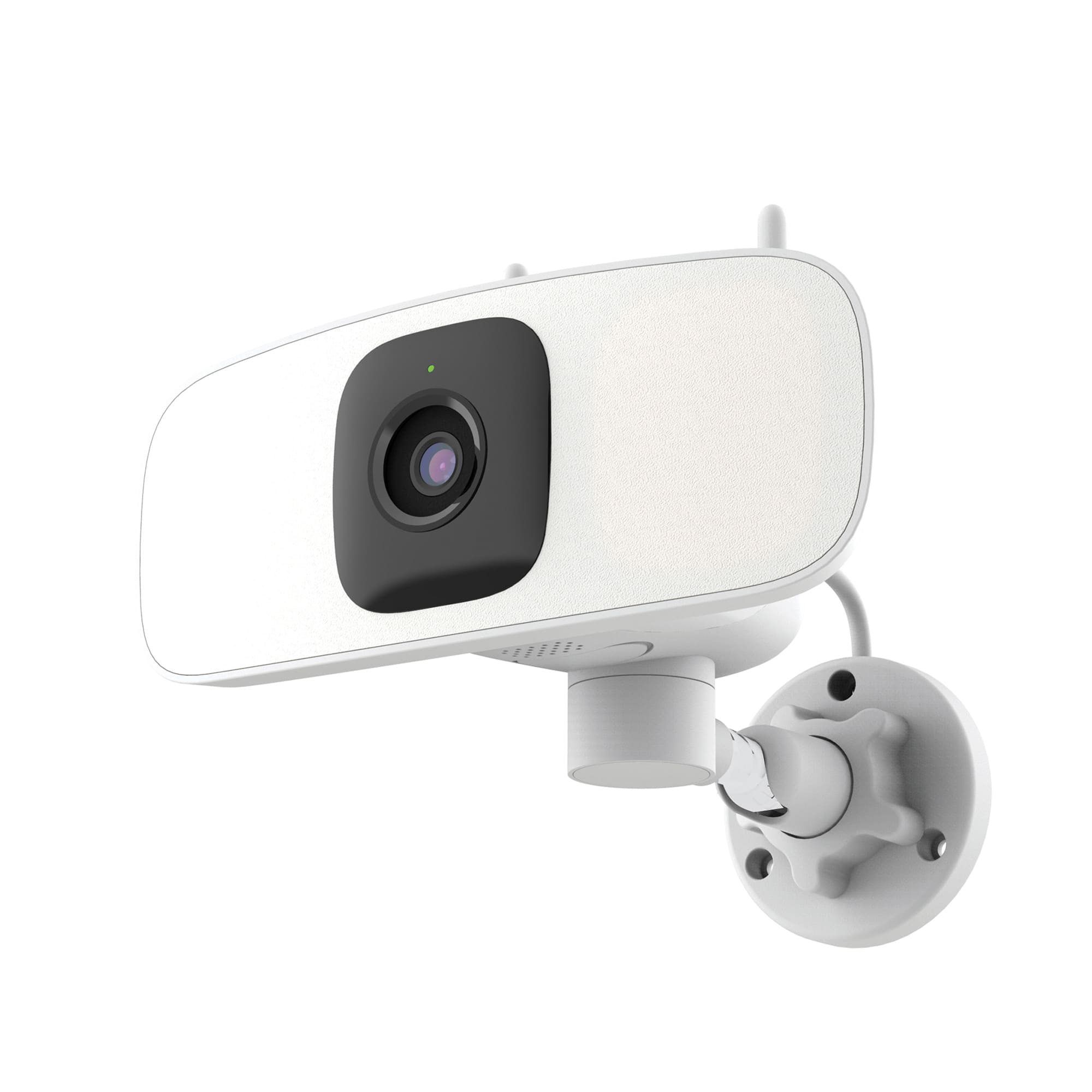
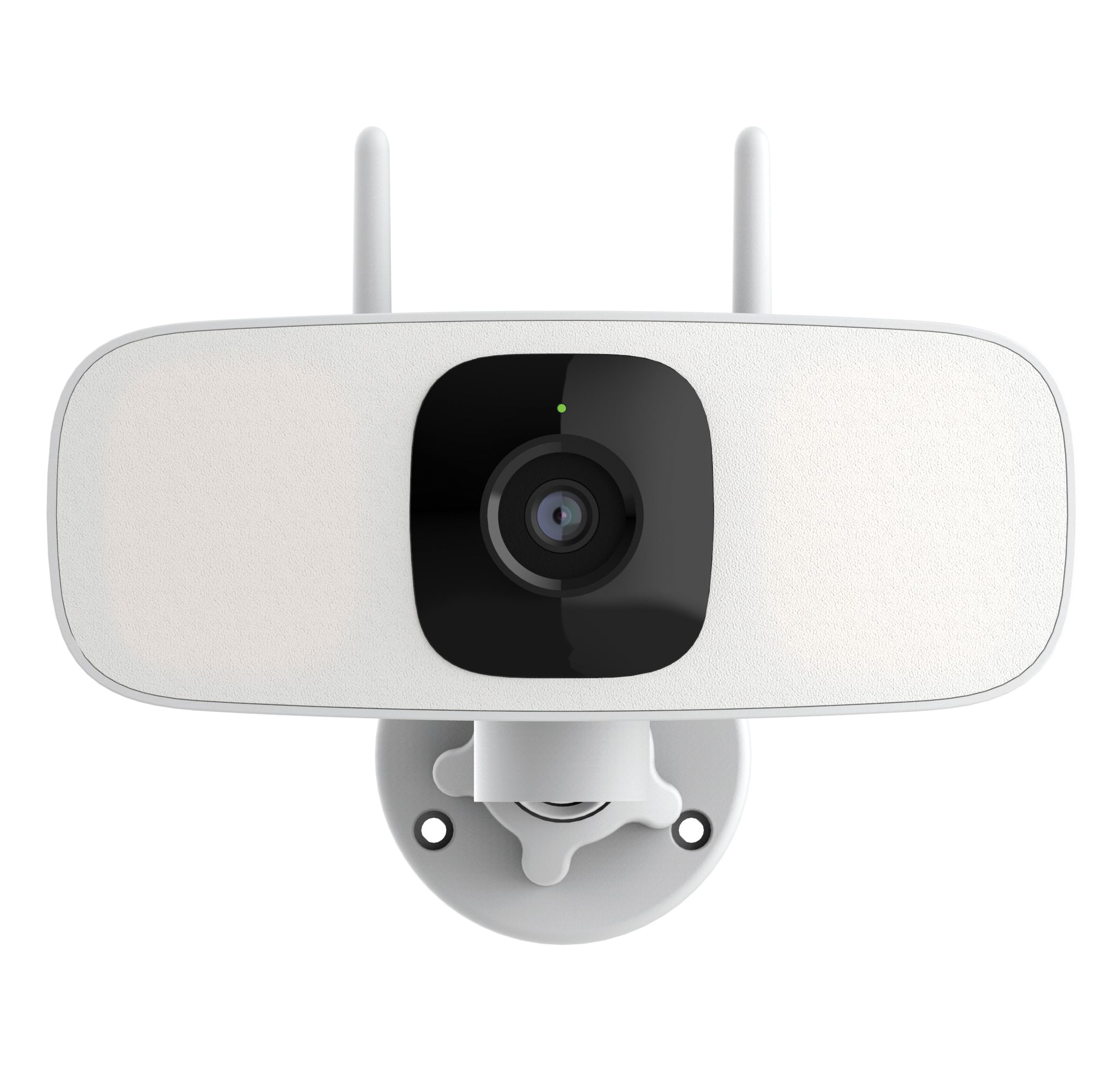
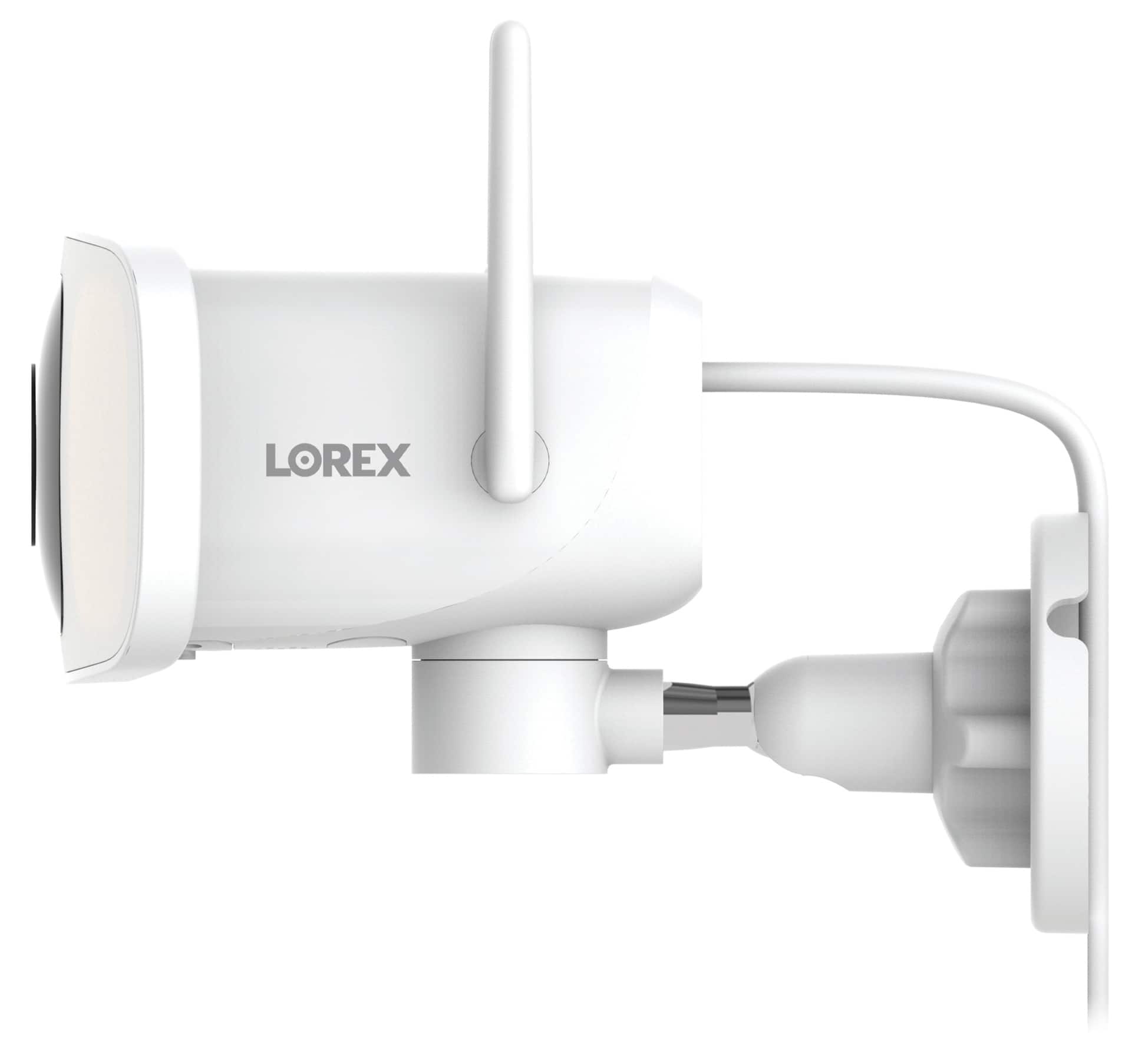
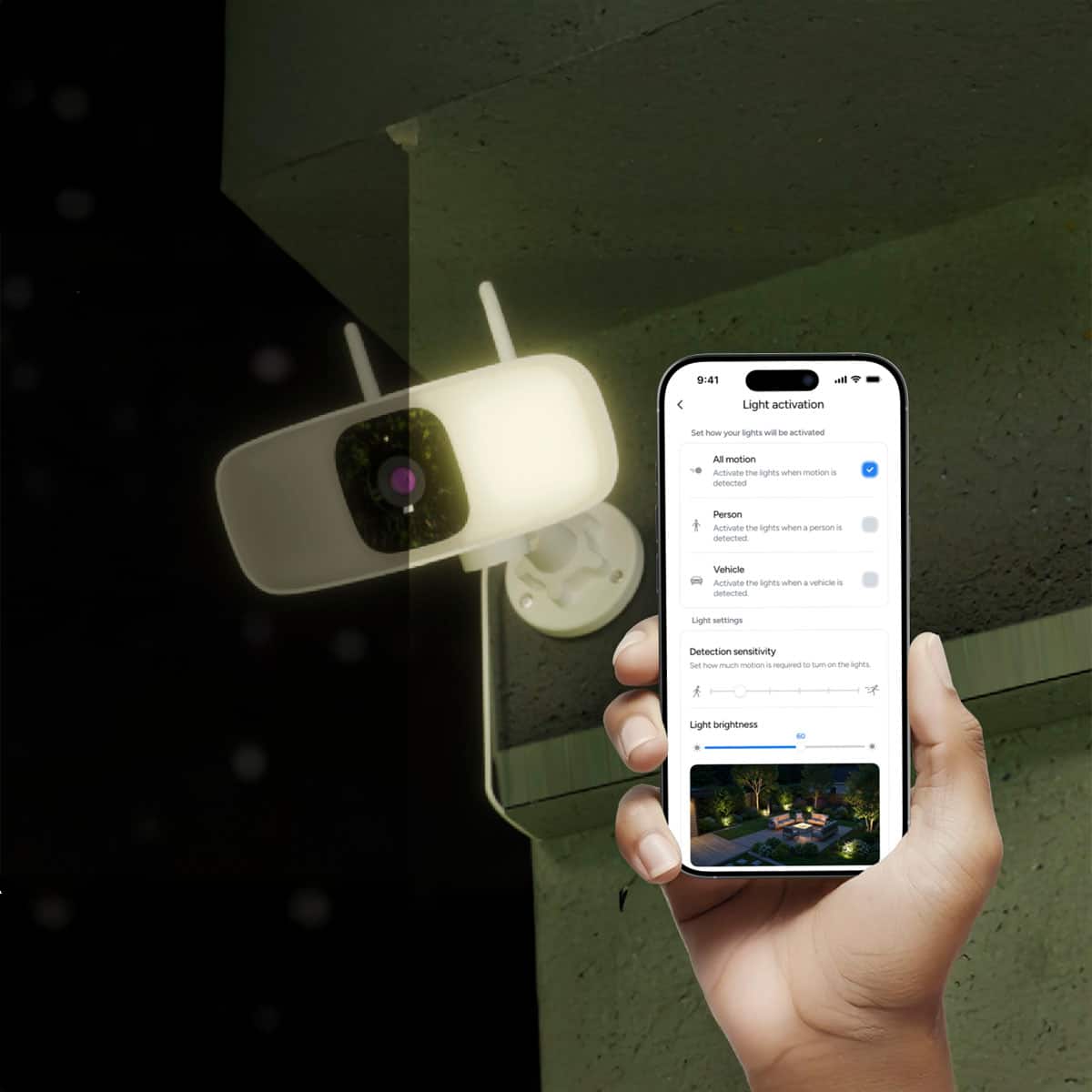
|Posted .This reviewer received promo considerations or sweepstakes entry for writing a review.I own a couple of other Lorex home security devices, so I choose this floodlight camera as an expansion to my current setup. The camera features 2K video and audio capture, two-way audio, automatic floodlight activation, and local storage -- all features that I wanted in an outdoor security camera for the backyard. Note that this unit has a plug-in AC adapter and does not include a hardwiring kit, so it’ll need to be installed within 10 ft feet of an outlet. The wire can be routed behind the wall mount, if drilling a hole to the interior of the home for power, but if plugged into an exterior outlet, you’ll need a way to secure it so that it is not exposed to the elements and cannot be easily unplugged. The unit is smaller and more compact than floodlights with traditional bulbs, as it uses a 6-LED panel around the centered camera lens instead. On the underside of the camera’s housing is a panel secured by two mini screws that covers the microSD card slot which can accept up to 256GBs for local video and photo storage. A mini screwdriver is included to access the slot, but you'll need to provide your own memory card. I was a bit disappointed to find that the device can't be added to the Lorex Home mobile app that I already use, now renamed ‘Lorex Classic,’ and I had to download and install the new ‘Lorex Connect’ app to manage this device instead. Thankfully the login for the new app is the same as the old one, so I didn’t have to create a separate account. Once the unit is added, you’ll connect it to your home’s 2.4 GHz WiFi network, and it will automatically install any firmware updates which takes about 10 minutes. The new app is similar in design and function to the original app, so I found it frustrating that they are separate. The app gives you remote access to view the camera’s feed, start a recording or take a snapshot, review saved video and photos, and control the pan of the camera as it can turn 160° degrees (80° to the right or left). Note that the camera cannot tilt or zoom. The field of view of the camera is wide at around 100° horizontal and 55° vertical and has two resolution choices: 2048x1536 HD or 640x480 SD, both at 15 fps and 4:3 aspect ratio. In dark conditions it has IR night vision which is black and white by default but can be colorized in the settings, which I found reproduced accurate colors similar to what you’d see during the day. At 2K quality, the video is clear, motion is smooth, colors look accurate, contrast is well balanced, and there's a lot of detail in the images. I did find that video captured in low light tended to look somewhat more 'smear-y' during fast motion due to the low framerate. The 1500 lumen floodlight can be manually activated in the app or set to be automatically triggered by motion detection events. The camera detects three types of events: general motion, sound, and people. Each of these modes has additional settings like sensitivity and motion zones. In the ‘Detection Settings’ menus for motion and person detection is a toggle to activate the light during detection events, however, that setting doesn’t actually work. Rather, you’ll need to go to the ‘light settings’ menu to make those selections. I found that having the light switch on for ‘all motion’ didn’t seem to work well, since when the light would shut off the camera would detect the change in contrast as ‘motion’ and immediately turn the light back on in a continuous loop. Sound detection also sets off quite frequently from just wind noise, even at the least sensitive setting. You can adjust the brightness of the light from 1-100, and I found that the max brightness is quite blinding with a throw of around 25 ft or more. The light can optionally be set to flash when triggered. If your neighborhood has a light pollution ordinance you may want to set the brightness lower. One interesting feature is the camera’s ability to automatically ‘follow’ a detected person using the panning motion. When the person moves through the field of view of the camera, the camera will pan and keep them centered within its range of motion. When they exit the camera’s range, it will automatically return to its original position to avoid changing the coverage area and creating an unintentional blind spot. However, this following behavior cannot be used for non-person moving objects. The unit has a built-in speaker that is used both as a siren (100 dB), which can only be manually triggered but not automatically set off by events, or for two-way talk (90 dB max) with the camera’s microphone. There are also a handful of pre-recorded responses that you can broadcast through the speaker by tapping the phrase in the app in order to communicate with visitors or delivery people. The mic pickup is pretty good and the audio captured is decent. Since audio recording may be regulated in different areas, it can be toggled off to comply with your local laws. The recordings on the camera’s local storage can be viewed in the app and downloaded to your mobile device but the unit must be online to do so and depending on the strength of your WiFi signal playback can be choppy and transfers slow. However, Lorex will be launching several tiers of subscription cloud storage plans as a backup repository for up to 60 days of recordings. That would give you cloud access to your recordings even if the camera loses power or its internet connection. While this floodlight would be one of the compatible devices for the service, it is not yet available as of the writing of this review. Overall, the Lorex Connect 2K Floodlight is a nice additional outdoor camera to our existing home security setup. It delivers high quality video and audio, a super bright spotlight to enhance video at night or act as a deterrent, a loud siren, motorized pan and follow, two-way talk, and built-in local storage. Cloud storage will also soon be available for those that want a subscription plan with or without professional monitoring. I just wish all my Lorex devices could be managed and viewed in a single unified app instead of having to use multiple ones.
I would recommend this to a friend - Pros mentioned:Brightness, Video quality
Great controls & Usability for Home Security
|Posted .This reviewer received promo considerations or sweepstakes entry for writing a review.Lorex - 2K Floodlight Wi-Fi Security Camera (with App-Controlled Horizontal Pan). Security monitoring is rarely this flexible. From setup, to user controls accessible from the app, and to the local storage of video clips, Lorex has given me complete freedom to manage security the way I prefer. The wired horizontal pan camera and floodlight are set up where you need them, and no matter their initial setup location, you can manually redirect the camera. And, the Lorex camera has the ability to track an intruder while it continues to record and focus. Storage is onboard with a (NOT provided) microSD card you can acquire. Details below. SETUP: If you already have an account, you simply add this camera in the App. The Lorex app first directs you to sign up, and then to plug your camera in so it can be added to your network. It uses your phone camera to scan a QR code located at the rear of the Lorex camera. From there, linking it to your Wi-Fi network takes less than a minute. You are now able to select your camera, view images live, and modify every setting. and create a schedule of camera behaviors. It’s here that I wish Lorex would provide an overall SETTINGS guide to advise the end user where SETTINGS are located, how these settings work and maybe suggest a typical schedule. That said, once a user is in the SETTINGS menus, a brief description does a decent job of explaining what you are able to do. (See photos for the various settings.) I’m not sure why Lorex advertises “No Wiring” because the Wi-Fi is certainly wire-free, but you do need a nearby outlet for power. PERFORMANCE: Images are sharp, clear, and brightly lit in daylight. The images are very natural in color, brightness, and contrast. There is no way I could find to manage any of those parameters, but I’m not complaining. Too many security cameras make no effort to get the image right and leave that to the end user, who never does achieve a good image. These are picture-perfect, wide-view (120 degrees) when your camera (or tablet) remains in the vertical orientation. If you rotate your camera or tablet to maximize size, the image becomes horizontally distorted. The large feature list includes the wonderful and easy-to-use PAN (160-degree PAN), the fully variable intensity LED Flood Light (up to 1500 lumens). I actually set it at 5%! I don’t want angry neighbors when the light is triggered. The PAN feature is fully automatic, but I can override it. I can set color night vision if there is adequate light. Intruder detection utilizes AI to distinguish people, pets, and vehicles from background noise. This was reasonably effective. I can modify my alert selection based on these settings. There is also real-time communication using the microphone and speaker. There is only modest lag. Custom responses allow for immediate interactions with delivery people or unwelcome visitors. Video clips are easy to view with sufficient detail and contrast. They are also easy to manage. The entire process of setting up, using, and modifying features is generally intuitive, but a real user guide should be provided. There’s a lot here, even if it is fairly easy to sort out. Recordings can be set using a very easy scheduler feature in the app. You cannot enable recording unless you have a microSD card (NOT provided) to store video clips. SUMMARY: The Lorex - 2K Floodlight Wi-Fi Security Camera (with App-Controlled Horizontal Pan) is actually fun to use and has become an immediately useful security and monitoring tool. Lorex has this PAN, Zoom, and camera action nicely implemented. The app is convenient and reliable. I’m quickly connected and can interact with the camera and a visitor when needed. I do like recording to the camera directly and avoiding a subscription. Others will want to consider if subscription-based cloud storage makes more sense for them. This combination of flexible camera placement, onboard recordings, and convenient app is all well done. Recommended.
I would recommend this to a friend - Pros mentioned:App usability, Night vision, Pan functionality
Smooth Pan and resolution
|Posted .This reviewer received promo considerations or sweepstakes entry for writing a review.Unboxing the Lorex 2K camera, 2 way audio, Color night vision, warning siren, IR night vision - the unit is well made, it doesn’t feel like cheap plastic for an outdoor camera. Pretty easy to install. The camera comes with everything you need to install, even comes with a tiny Philips screwdriver. Setting up the app to control the pan and view images was also easy and straightforward. I like that a lot of company’s are similar so set up is pretty easy now when purchasing from different companies. Register, connecting to WiFi was a little finicky because it was further out from the router so I had to move my WiFi extender to provide a stronger signal. Once it was set up and running you have to configure the motion and light settings. The camera has an optional 32GB microSDHC card slot if you don’t want to subscribe to a plan but want to save everything (microSD card not included). A Cloud storage option will be available in the Lorex Connect app soon which will allow users to back up recordings, access footage and have AI powered features. I must say that I am impressed with the resolution of this 2K camera as well as the pan feature. It does not tilt up or down just side to side which is controlled through the app. So make sure you adjust the height when attaching. The pan feature was pretty smooth, no jittering which was pretty impressive and very useful for an outdoor security camera. The LED lights were very bright to light up the path when coming home or outside with the dogs. The night vision is clear for camera at this price point (unfortunately I upgraded phone and lost some photos). Overall, this is a great camera at this price point for resolution, ease of use in the app and the Lorex connect app. I highly recommend if you want the pan feature and bright LED lights.
I would recommend this to a friend - Cons mentioned:Motion detection
Practically useless
|Posted .This reviewer received promo considerations or sweepstakes entry for writing a review.Sure, on paper it has some great specs and features. But, in use, this thing is either over recording or under recording. There seems to be no middle ground. I have used Lorex cameras a lot over the years. Mostly wired NVR/DVR devices and the one wireless device I used of theirs before, I also did not rate well. I was hoping that since it has been a couple years since that mess that they have made better. Well, like I mentioned, on paper, the item is nice. A 2K camera with a bright LED flood light, panning capability even with auto tracking, micro-SD card slot for local recording, two-way audio with a siren and pre-recorded replies that fit many situations. But, what good is all that if it either records every leaf blowing in the yard or misses every single actual event you expect it to capture. I installed this above my garage, which luckily I have an outdoor plug just to the side. It is a one car garage and the cord is just barely long enough to reach the middle of that to the plug literally right beside the door. I would figure that a security camera system would provide a cord long enough to go inside so it is secured, or even a screw mount option to secure it to the plug. Mounting the camera is fairly easy as they have always provided a little sticker so you can pre-drill holes in the proper location. The plastic mounting bracket also has a notch if you want to drill a hole through your space to run the cord through your wall inside. With 3 screws and a twist on the neck, you are pretty much installed. However, if you do intend to use a micro-SD card, install that first, as the tiny screws for the cover are very easy to lose. The rest of the install is with the app and it is simple as scanning the QR code and connecting it to WiFi. However, finding the right settings for you is where it starts getting frustrating. There are three detection modes, motion, sound and person. Each one has their own sensitivity settings, schedule and zone. However, sound detection will trigger on practically every breeze that blows by, so not a good idea to keep that one on. I tried just person detection, but it only seems to recognize a person when you are fully in camera, so missing anything that happened as you come into screen. So, you need motion detection if you want to catch other things. But, then as I mentioned, it either catches every single thing while on high, like lighting changing due to clouds, a leaf blowing by or a light change from the house lighting or nearly nothing at all when it is on medium or low. On low, I was literally jumping in front of the camera and nothing. Then you have light settings. Which of course, that is the whole point of this type of setup. It too has activation settings, but, if you adjust it here, it will then also change your detection settings for the camera. Instead of low/medium/high, it is now an image of a person standing or running. So, put it on running and the light will trigger on everything that the motion was triggering on. Like the camera settings, you also have a schedule you can set for light activation, but good luck on trying to make it stay on the time you want. Apparently there is no “all day” option and you would think that 12:00 am to 11:59 pm would make a full day, but for some reason it reverts to 12 pm every single time I go back to it. It seems to handle smaller intervals, but will not take a full 24 hours or so. There is a separate schedule option for each thing, including notifications. Which again, does the same thing when you try to set for all day. As mentioned above though, the worst thing is that it is so inconsistent with recording and notifying of events. I get a clip of motion as I am getting out of my truck, not the fact that I drove into the driveway. But, that was just 18 seconds, not the fact that I got out, and walked around my truck. Another time, it only notified me that it detected a person after I was walking out of my vehicle and only for a few seconds, not seeing anything I did after walking away. But, I set it to high detection and now the light is constantly coming on/off, recording 5 minute segments of leaves blowing around. I set the tracking on and can see it is tracking me as I walk around, but check for any playback footage and there is nothing. Even while working with tech support on trying to get consistent recording and notifications, this camera and the new app were frustrating me. Now I have three different Lorex apps for the various systems that I have obtained over the years and this one, though looks simple, has been the most frustrating as it seems the various settings that look like they are separate, are linked to each other in some way or another. Overall, the specs you see on the product are nice. However, in everyday practical use, this will either drive you crazy with false notifications and recordings, or not record the very thing you were hoping to have a security camera for.
No, I would not recommend this to a friendBrand response from Lorex Technology Team
Posted .We are sorry to hear that the camera did not meet your expectations. We appreciate your feedback and will work on improving the issues you have mentioned.

- Pros mentioned:App usability, Pan functionality, Video quality
Good and effective security cam
|Posted .This reviewer received promo considerations or sweepstakes entry for writing a review.I actually was pleasantly surprised by the features and versatility of the Lorex 2K floodlight security camera. I have used a few of its competitors in the past and wanted to try out this in one of my rental properties. The set up is quite easy but the connection cord can be longer, especially if one is thinking about setting it up at an elevated height. You need the app and a wifi connection. The app is intuitive enough and wifi set up was a breeze. This was my first time using any Lorex product and the app seemed nicely done and user friendly. One of the better features is the Pan function that you can control through the app. It pans horizontally and not vertically and can follow the motion of the person it has in its sight, much like a robot. One can set up the floodlight function on the app by controlling the intensity (and it can be surprisingly very intense). It also has a surprisingly loud speaker that can sound a siren (when set manually) and act as a two way conversation tool using the microphone. The video and alerts are sent to the phone and you don't really need a subscription. There is a micro SD card slot that can be used to record as well. The resolution is clear and 2K is more than plenty to give clear crisp images. It also ensures that not too much space gets used in the storage device if you are using one. Night images are black and white in the factory mode, but you can change it to color in the settings. Night time resolution is respectable. The only caveat has been that alerts can be a little inconsistent and laggy. Overall, a good recommendation at this price point.
I would recommend this to a friend - Pros mentioned:Brightness, Pan functionality, Video quality
Great product if it matches your specific needs
|Posted .This reviewer received promo considerations or sweepstakes entry for writing a review.I am a huge fan of Lorex. I have many of their products in different places, wired and wireless.I recommend them over any surveillance brand. Their products are typically well made, durable, and their is a decent app. The biggest issues I have are typically related to the app. Punchline: If you are in the market for this type of camera, I completely recommend it. The reason it loses a star is because of the power source. It uses an AC adapter with no hardwire option. It may have a solar option that I'm not aware of. The app can be annoying at times which reinforces this downgrade. Otherwise, it is another great product. Installation: The best product out there. The only one I could easily ceiling mount since that is my current setup and power source. Almost no other decent floodlight cam has this option. If you do not have an outdoor rated outlet really close by, you're out of luck or need to put one in. Personally, this necessitates it needing to be mounted higher so it doesn't get unplugged which is really bad design. I have also moved away from the standard practice to mount cameras very high to avoid them getting messed with. This makes that impossible. For anything these days, I highly recommend using your own screws. These strip easily. Otherwise, setup is a breeze. App: Easy set up, easy to use. Across all my devices I often have so issues with delays connecting to the cam. It is definitely not terrible and no worse that other products. I haven't spent enough time teasing out whether it's an issue on my end. Otherwise, the app is easy to use, well laid out, and packed with features. Best out of any surveillance. No fees either! Surveillance: I would much prefer 4K, not sure why they still do so many 2k but it is what it is. The light is bright. Pan is easy to use. First time I've had a pan capable cam so I think it works well. The quality is good at about 10' install height. Would be better at my preferred height of 8'. Features: You can adjust so many settings with the light, detection, and there's two way talk. Overall, great cam. See punch line above. If Lorex had a few better design thoughts, it would easily be 5 stars.
I would recommend this to a friend - Pros mentioned:Video qualityCons mentioned:Motion detection
no required subscription, mechanical pan
|Posted .This reviewer received promo considerations or sweepstakes entry for writing a review.I'll start with my biggest, and persistent, gripe with this latest Lorex camera. The app still remains very very finicky. I've had Lorex cameras for over 6 years now, and my complaint basically hasn't changed. The app layout, while not the shiniest compared to competitors, is pretty straightforward. Cataloging and reviewing saved footage is clunky but doable, but the settings themselves are still not ideal. Over multiple generations of Lorex cameras, I still find you basically have 0-60 mph with nothing in between. Either I get so many false positive notifications for movement that the inevitable alert fatigue kicks in and I just start ignoring them altogether - or, you turn down the sensitivity and you basically get nothing recorded. Which is a shame, because the hardware seems fantastic. Setup is very simple and well thought out with an included sticker to drill holes accurately, scan a QR code to link to your app, done. Being able to use the app to pan the camera let's you basically have no blind spots as long as you picked a good spot to set up your camera. 2K is good enough, 4K would have been better given this is a wired model, but I'm sure 4K model options are on the way. Overall, great on paper, but still hamstrung by the inefficient/ineffective motion sensor. If you want to just spot check your yard, this would be great since you don't need to use a subscription, but if you're planning on using this for home security and being alerted in realtime, not the most reliable. Higher level AI functions are locked behind higher tier paid subscription levels, which I don't subscribe to, so that could possibly explain the rudimentary sensing, but I don't know. Again, my main selling point was not having to pay for a monthly subscription to use a device I paid for.
No, I would not recommend this to a friendBrand response from Lorex Technology Team
Posted .Thanks for your feedback! We appreciate your comments and will work on app reliability and motion detection accuracy.
- Pros mentioned:App usability, Night vision, Video quality
Great Features and Great Price
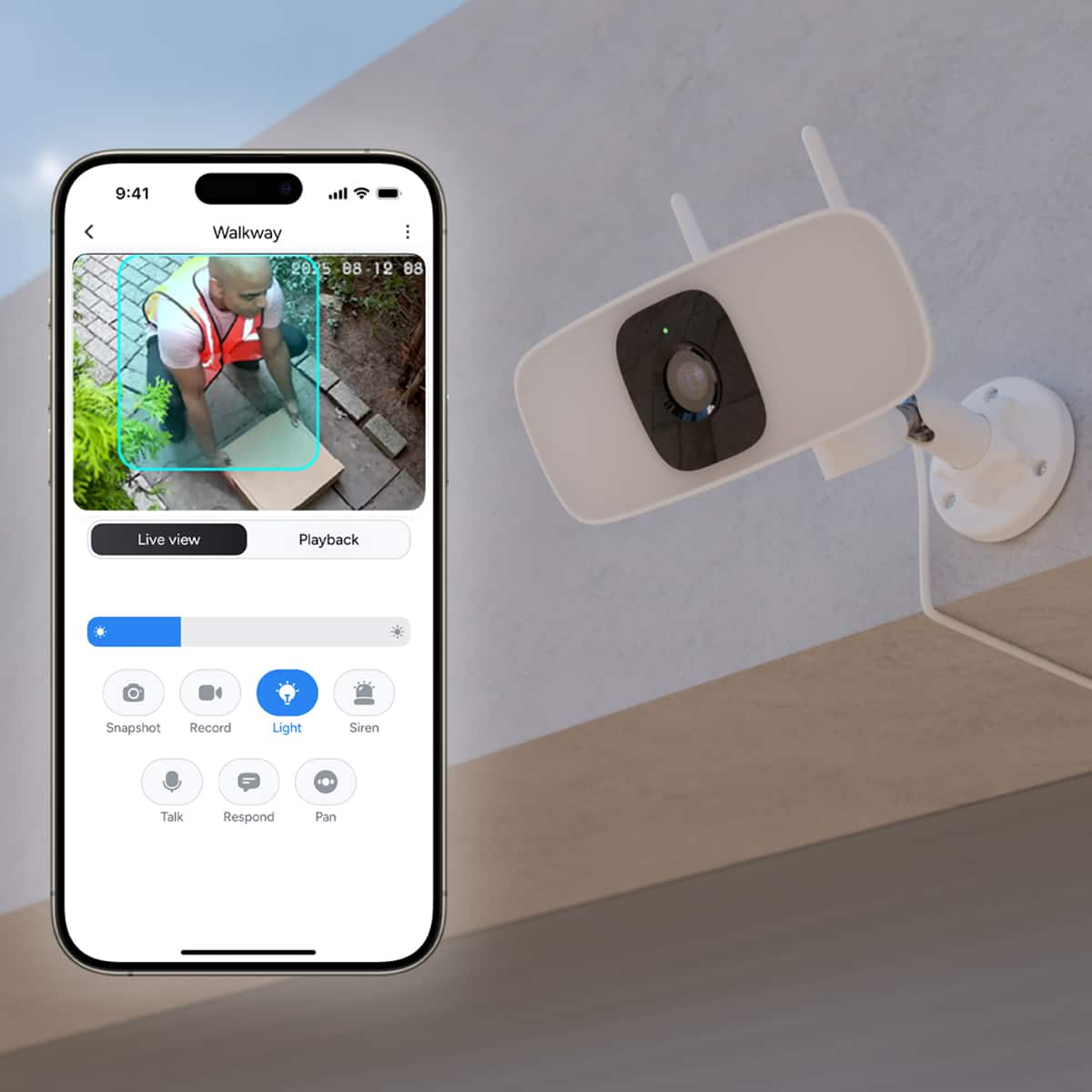
|Posted .This reviewer received promo considerations or sweepstakes entry for writing a review.Out of the box the unit is easy to set up and register. I have used remote cameras on and off for several years. The image quality has gone up and the price has gone down. The only reason this gets 4 stars is that in order to get the best features, you need to pay for cloud storage and a subscription fee -- UGG! However, with the SD memory on board this is very useful. The pan function is wonderful to get additional coverage. With this I can see someone drive (or arrive) into my driveway and keep track of them right to the door. Night vision is quite impressive and with the integrated floodlight, image quality improves even more. The app is easy to use and allows you to take a snapshot, record, turn on the lite, activate the siren, talk, pan, mirror and respond with scripted computer generated speech. You can choose: How can I help you No thank you Please leave the package at the door Sorry nobody and come to the door right now, and We will be right there. This is very useful if a younger person needs to respond to a stranger. Or if your privacy in terms of your voice is a concern. The only other down side is the lack of a battery backup. However, in my neighborhood, crime isn't that big of a problem and I have other battery backed up cams in the vicinity, just incase. This is a good fit for the way I am using it and if you are already a Lorex subscriber and pay a monthly fee, it will be excellent.
I would recommend this to a friend - Pros mentioned:Brightness, Night vision, Video quality
A very bright security camera
|Posted .This reviewer received promo considerations or sweepstakes entry for writing a review.First impression: My first impression of the Lorex Connect 2K Floodlight Wi-Fi Security Camera is that it is another quality camera from Lorex. The build quality feels good, and the pan motor feels strong. It is smaller and lighter than my other Lorex cameras, so I’m curious if this means anything. What’s in the Box: • 2K Floodlight Wi-Fi Security Camera • Lorex Warning Decal • Installation Template • Mounting Hardware Kit • Power Adapter • Mounting Plate Technical Specifications: • Video resolution: 2K {1440p} • Camera Resolution: 2048 x 1536, 640 x 480 • Frames per Second: 15 • Aspect Ratio: 4:3 • Focal Length: .13” • Aperture: f2.0 • Video Compression: H265 • Image Sensor: CMOS • Pan: 160 • Connectivity: Wi-Fi 4 • Wi-Fi band: 2.4 GHz • Encryption: WEP, WPA, WPA2, WPA3 • Streaming: Yes • Video/Audio Recording: Yes • Storage: microSD • Lighting: Floodlight • Max. Brightness: 1500 Lumens • Color Temperature: 4000 k • Number of IR LEDs: 6 • Field of View: 120 • Audio Communication: 2-way • Alarm Type: Audible • Siren: 100 dB • Max temperature: 122 F • Minimum Temp: -4 F • Power: Power adapter with 9’8” cord. • Size: (W) 7.53” x (H) 5.93” x (D) 4.33” • Weight: .96 lbs. Features: • Bright, Customizable LED Floodlight • Live-View Auto-Tracking • AI enhanced Alerts • Full Color Night Vision • Plug & Play Connect App • Communicate with Ease, Anytime with Two-Way Talk • Weatherproof Setup: I had a problem during the setup and required help from Lorex support. I was very impressed with their support. They immediately reached out when I opened a ticket, but they were also patient with my busy schedule. We did the normal testing procedures, and then she asked if I had a VPN. I do have a VPN on my phone, and as soon as I disabled it, the Lorex Connect app immediately found my Wi-Fi network. Once it was connected and installed, I was able to turn the VPN back on without any interference with the Connect app. The app is easy to use and holds all the configuration in it. You open the app and then power the camera up, and follow the simple directions on the app. The app connects to the camera, then connects the camera to your wireless network. As I mentioned above, if you have any trouble, Support was right there to help me out. Performance: The video quality is very good. The colors are accurate, the image is sharp, and the video quality is superb. The night vision color is pretty good, and when it cannot be, it switches to IR mode. The 1500 Lumen really lights up the area, it is very bright when set to 100%. The AI enhanced auto detection and tracking works very well, and the sensitivity can be set to find the perfect setting, always tracking while cutting down on false positives. I like the new Lorex Connect app, but I don’t like having to now use 2 apps for my home. I’m not sure what I am going to do about this, as I already have 7 cameras outside my house that use the Lorex Classic app. I also have my office and clients Lorex system on that app. I needed 1 more, and now it will be separated from all the other cameras on the Lorex Classic app. The new Connect app is very nice though. It has extensive settings for the camera. For detection settings, you have Motion, Sound, and Person detection. All three allow you to set the sensitivity, Motion and Person add Zones, and 2 of them allow you to light the floodlights on detection. There are also Light settings, Notification and Alert settings, Siren settings, Video settings, audio settings, and storage settings, all giving full control of each section. Conclusion: I like Lorex cameras. I have used them commercially for years, and the outside of my house is protected by Lorex. This is not a PTZ, but it does pan, using either Auto-Tracking or manual mode through the app. It has good video, clear two-way audio, and a very bright floodlight that can be triggered or manually powered on. Enhanced AI detection has improved detection while reducing false positives. And the 9’ 8” cord, makes it easy to install the camera in the location I wanted to mount it in the garage. This is lightweight, easy to mount, easy to configure, and easy to use Lorex camera. If you are looking for a small Floodlight camera with panning and auto tracking, good video, good audio, and extensive customization in the settings, then I highly recommend the Lorex Connect 2K Floodlight Wi-Fi Security Camera.
I would recommend this to a friend Not bad
||Posted .This reviewer received promo considerations or sweepstakes entry for writing a review.It’s an ok camera. Would like for it to be continuos recording.
I would recommend this to a friend- Pros mentioned:App usability, Night vision, Video quality
Feature packed subscription free recording!
|Posted .This reviewer received promo considerations or sweepstakes entry for writing a review.When I first pulled this out of the packaging, my first thought was "this is quite an ugly design". Surprisingly, this turned out far better than I had expected. The Lorex 2K Floodlight Security Camera offers subscription free security monitoring with a 160⁰ horizontal pan and a 1500 lumen floodlight. The interesting tidbit with this unit, this is a mobile first camera with local microSD card recording. However, the packaging contains a pamphlet that mentions a cloud service with added AI analysis of motion triggers. So if you prefer cloud based recordings, this could be an option for you. KEY TAKEAWAYS + GREAT IMAGE QUALITY - Clear 2K video with natural colors and 120-degree wide view + FULLY FEATURED - Smart AI-powered detection (people/pets/vehicles), auto-tracking, color night vision, and two-way audio with minimal lag + USER FRIENDLY APP - Intuitive controls for pan, zoom, scheduling, and customizable alerts + SUBSCRIPTION FREE RECORDING - Writes directly to microSD card The Lorex 2K Floodlight Wi-Fi Camera is a great option for wireless security cameras. Not only does it offer a great image quality, it adds great, locally housed, smart functions to detect people, vehicles, and generalized motion, which from my short testing seems to capture most of those accurately. Each can be customized with 3 presets so you can fine-tune them to your specific environment. Motion activated tracking can be paired so your object always stays within view. The app is easy to use and navigate to find every necessary setting easily. Manually triggering the spotlight or siren is simple directly from the live view UI. Color night vision gives good enough details as long there's enough ambient light around such as a full moon. Night vision offers impressive range with it's 6 IR sensors. As a mobile first camera system, there doesn't appear to be any native method to sending the image to a larger screen. Your options are limited to things like installing an emulator on PC and viewing the feed from within. Extracting the video feed to external storage and viewing from PC. Mirror/Cast your phone's screen to a larger screen. However, most of these options have a negative effect on the displayed image. ISSUES/QUIRKS + No setting exists to change picture settings such as brightness, contrast, hue, etc. + No apparent limit, either systematically or mechanically, on the pan motor. Pan to the end of the available range it permits and continue to try pan in that same direction. You reach a point where it begins to click as if the system is still trying to make it pan further. + Expanding the image and using landscape mode on your phone takes the feed from what seems like a 16:9 image to a 4:3 ratio. + Searching for events offers more detection modes than there are settings to trigger (maybe this is related to the cloud option that will be added in the future). + No download option on videos to get them in your phone. There's a forward button but it's greyed out and not selectable. WANTS/NEEDS + Ability to view from a different device other than a phone; TV, computer, etc. + For those with a diy recorder or spare storage space on a NAS, accesible ports such as RTSP so video is accessible on another device in case the microSD card corrupts. CONCLUSION A good entry level camera for the average user, with enough features to make for a good camera. With sufficient night vision capabilities, this does more than enough during nighttime monitoring, without the need for large sources of light or the spotlight itself. The storm is loud and the spotlight is bright, enough to deter any surprised individual. The combination of manual pan control, automated tracking, and local storage makes this a versatile and cost-effective security solution, that won't have you relying on a subscription based security solution. This is worth 4-stars
I would recommend this to a friendBrand response from Lorex Technology Team
Posted .Thanks for your review! We appreciate your suggestions and will consider them for future product updates.
Regarding the download issue, you need to tap the down arrow in the top right, you will see all available videos, then tap the video you want to download.
Thank you,
Lorex Customer Experience Team
- Pros mentioned:Pan functionality, Video quality
The Best Outlet Powered Floodlight Camera! 2K Vids
|Posted .This reviewer received promo considerations or sweepstakes entry for writing a review.I am pleasantly surprised by this Lorex 2K Floodlight Wi-Fi security camera. It's the first time I have used a floodlight camera like this that works on a standard outlet (no main connection required). This made installation a breeze, as I was able to use an existing outlet on my deck and all I had to do was drill the 3 holes for the mount. The camera does support onboard microSD storage. There's no included card, but they do include a tiny screwdriver to open the microSD slot. I would suggest you install the microSD card BEFORE you mount the camera! It is easy to quickly unscrew mounting bracket. Phew! Setup was kinda easy. After I plugged in the camera, it did some horizontal pans (cool!) and then said ready for pairing. You then login to the Lorex Connect App and pair the camera. You need to scan the QR code on the back of camera. Again, best to do this before you position the camera. The Lorex paired quickly to my mesh WiFI network (eero) and after the obligatory software update, I was away! The Lorex App is pretty good, no nagging for subscriptions and the controls are intuitive and fast. I was surprised to find you can also control the intensity of the floodlight. In terms of the horizontal pan, this is pretty cool and great if you have a wide area to cover. Much more useful than a fixed camera. Video quality is very clear. I'm testing this on home WiFi but even when I did a cell phone only test, it was great. I think it may be helped that this has proper visible antennas, so I suspect it has rock solid WiFi connectivity compared to other cameras. What is great. Local based storage. There was a little card inside my box saying cloud storage coming soon, but I honestly love on board storage. No paying monthly charges for a camera is great! The power cable length is also great. What could be better. The wall wart style plug would be better more as a bayonet style. If you have a weather proof outlet, the plug design is not ideal. Installation Tip: The Lorex Floodflight is on a ball joint, so install the core mount so you can angle the camera the way you need it, as it only pans, it's not pan and tilt. Tip: This uses the Lorex Connect App. But if you're coming from legacy Lorex products (now called Lorex Classic), you can use the same login. That was a pleasant surprise.
I would recommend this to a friend - Pros mentioned:Night vision, Video quality
Good security light with pan features
|Posted .This reviewer received promo considerations or sweepstakes entry for writing a review.The Lorex 2K Floodlight Wi-Fi Security Camera is a nice floodlight for your security needs. The camera comes well packaged and setup was extremely easy. It was probably one of the easiest cameras I’ve set up. I’ve had some cameras that would have issues with the app or setup process. However, I didn’t experience any issues setting this camera up. It required a firmware update during installation, which had no issues. I have a Lorex system already. I was hoping to add it to the Lorex app with those cameras. However, I was not able to add it to the Lorex Classic app. It says that it’s not supported. It requires a new app called Lorex Connect. Now I have to use two separate apps. One app for my other cameras and one app for the floodlight. It would have been nice if they were able to find a way to combine both apps together. The camera has a nice 2k picture quality during daylight hours. At night it supports black & white night vision or colored nigh vision. The black & white night vision works best because you’re able to see things when there is no other light source on. The colored night vision shows nothing until the camera lights come on or there’s another light source shining light in the area. The camera supports the ability to pan from left to right using the app. I also noticed a slight glitch in the app. While using Live View, there are some toggles and controls that appear on the screen. Unfortunately, they disappear within a second. When I tap the screen for them to reappear, they quickly disappear. Hopefully, they can get that issue resolved. The camera also has to plugged in for power. Overall, it’s a good security light with potential.
I would recommend this to a friend - Pros mentioned:Brightness, Video quality
Small but bright!
|Posted .This reviewer received promo considerations or sweepstakes entry for writing a review.The Lorex came in a box small than anticipated and was easy to unbox and setup. I physically installed the camera/spot light in about 15-20 minutes near an existing outlet. This is a plug in camera only and it does not come with a way to fully “hardwire” the camera on an electrical box. The camera uses a micro SD card for its storage so no need to pay for cloud storage or monthly fees. Lorex has an app called Lorex Connect and it allowed me to scan the camera’s barcode, establish WiFi and I was set. I have quite a few things to point out and while they are not negative, you should know about them. As I stayed in the set up, you cannot mount this camera really to a existing electrical box where you would normally have a spotlight you might be able to, but it doesn’t come with the brackets or anything really to to do that and I didn’t see anywhere on the directions that explained that you could attach it to an electrical box so you would have to mount this camera directly on the side of the house on an Eve, depending on where you’re gonna put it. You also must plug this in. It does not come with a separate adapter spliced so you can hardwire this camera. You need to plug it right into an outlet. I really don’t understand that because if it’s outside, you know, I don’t want to cord dangling off the side of my house and someone could just come up and unplug the camera so you would have to somehow come up with a system if you’re gonna have this high up and probably install electrical box and drill a hole through your house and figure it out that way, which is fine but I don’t understand whether or not other options since this is a spotlight style camera it should just be an option maybe even an additional kit that you purchase. Also, this camera can only pan it can only go left and right it cannot tail up and down remotely so you can use the app to pan the camera left and right, but you can’t use the app to go up and down the only way you can go up and down is to manually adjust the camera now it does have a super wide viewing angle so I don’t think this is really an issue in the pan feature works quite nicely. Also, the camera has a feature where it will let you say something to a person that is pre-recorded it has like five or six different sayings, but I have not been able to figure out how to get access to say what I want to say directly. Don’t get me wrong. I like the feature with the pre-recorded saying so someone can’t hear my voice, but that really doesn’t matter to me. I’d rather be able to say what I want, but it is nice having the ability to quickly look at things and just hit the button and it will spit it out if there is a unwanted visitor. My biggest complaint is that you cannot use the original Lorex app. Lorex had made a change and there are two apps there is Lorex classic and Lorex Connect. I already have existing cameras under the original classic app so when I went to install this camera, I was not able to pair it with the rest of my cameras and actually had to pair with the connect app which is separate from the classic app so I cannot have all of my Lorex cameras on one app. Now my other cameras are older, not terribly old, but this is something to note. I would say if you’re buying all new cameras, you shouldn’t have a problem as everything will be most likely on the new app. The camera has a variety of features, including an adjustable spotlight while the two lights are thin and small. I actually think they’re quite bright. I like the ability to pan the camera because you’ll be able to throw the spotlight where you need it. This is great even if you’re not using the camera so you can point the light where you need it. What I mean by the just Spotlight is that you can actually decrease or increase the brightness again a useful feature not always just needed for when you are using the camera. I would say the camera is is pretty well-made. I’m not a fan of the two intense sticking out, but if it helps pick up reception for my Wi-Fi router, I don’t mind it. I also noticed after the camera was set up for a little bit of time that the mount became loose. I believe this was because of my own doing, and I tightened it and haven’t had problems since, but I recommend that you make sure to double check your tightness of your mouth so your camera doesn’t tilt down for when you need it most. The camera is quite clear. I’m actually impressed. I can see all the details and the colors are pretty vibrant and I would say true to color. It is nice being able to have the spotlight so you can see in color and in full. The night vision is also very strong, but having the ability to flick on that spotlight makes the world a difference. I did not give this camera a full five stars because of the few inconveniences I talked about now not all of them were negatives, but not being able to use the same app was a hit and also not being able to mount this camera on an electrical box easily without modifying the camera. What this camera is Gray for is that if you don’t have an electrical box and just need to be able to add a spotlight with a camera you can now easily mount this camera and plug it in as long as you have an outlet nearby.
I would recommend this to a friend - Pros mentioned:App usability, Video quality
Simple, responsive security camera with microSD
|Posted .This reviewer received promo considerations or sweepstakes entry for writing a review.The Lorex 2K Floodlight Security Camera seems like it's meant to be the beginning of new era for Lorex. I've used a few generations of Lorex cameras personally, and have gotten pretty used to their Fusion series of products that work with their Lorex Home (now Lorex Classic) app. The FL301 2K floodlight is one of their first products to use the new Lorex Connect app and is not compatible with the Lorex Classic/Fusion line of NVRs. In addition, the Lorex Connect app is so new that you can't even subscribe to their cloud based monitoring or storage options just yet. On the plus side, this gives us the opportunity to test the camera without any cloud-based AI processing or storage, using just a 32GB microSD card inserted in the camera. That alone puts the FL301 up on several of their competitors. #Unboxing and first impressions# Unboxing the FL301 was a bit underwhelming. I was a little taken aback that the camera requires a standard barrel connector for power rather than PoE or even USB-C. By being limited to the DC barrel plug, you have to make sure you have a 120V outlet close to where you are mounting this camera. It also is exceptionally easy for an attacker to disconnect the power with this type of connection. Otherwise, the product arrived nicely packed in an attractive box. Considering the extremely fair price of this camera, I think it feels pretty high quality. A template and all hardware are included for mounting the camera. #Using the camera# When I selected the Lorex 2K floodlight camera I assumed that I would be able to link it with my Lorex Fusion system as an additional channel. I was initially disappointed to find that it is part of a new ecosystem built around a differnet app. However, for a customer who isn't trying to add on to a Lorex system, I think they might be on to something with the new app. Lorex Connect was extremely simple to use and is much more responsive than their older app. The panning ability is pretty responsive through the app as well, and it supports tracking motion automatically. Video quality is also pretty good, at better than 1080p resolution with decent performance in moderately dim light, even without the floodlight running. The floodlight itself is kinda meh, in my opinion. It's certainly MUCH brighter than a traditional security camera's small LEDs, but it is significantly dimmer than the LED floodlights I have on the corners of my home. Given the fact that you can't wire it straight up to 120V mains, nor can you use POE or USB-C, I ended up just using it for my garage where it both adds a ton of light and also is easy to plug in and keep the adapter dry. #Final thoughts# Since I couldn't test out the cloud services as they aren't available yet, I will just leave it at the recommendation that even without cloud storage, you can get very good use out of this camera with just a micro SD card. If it's going to be the only security camera you have, I think it's an incredible value. Given how responsive the app is for this camera vs my "Classic" Lorex models, I may look into upgrading when a Connect based NVR is available. It's a little frustrating that the camera requires a barrel connection for power instead of an easier to integrate solution, but in the right situation I think this camera checks a lot of boxes.
I would recommend this to a friendBrand response from Lorex Technology Team
Posted .Thanks for your feedback! We appreciate your detailed comments and will take them into consideration for future improvements.
- Pros mentioned:Pan functionality, Video quality
Clear, bright, smart tracking, and easy setup
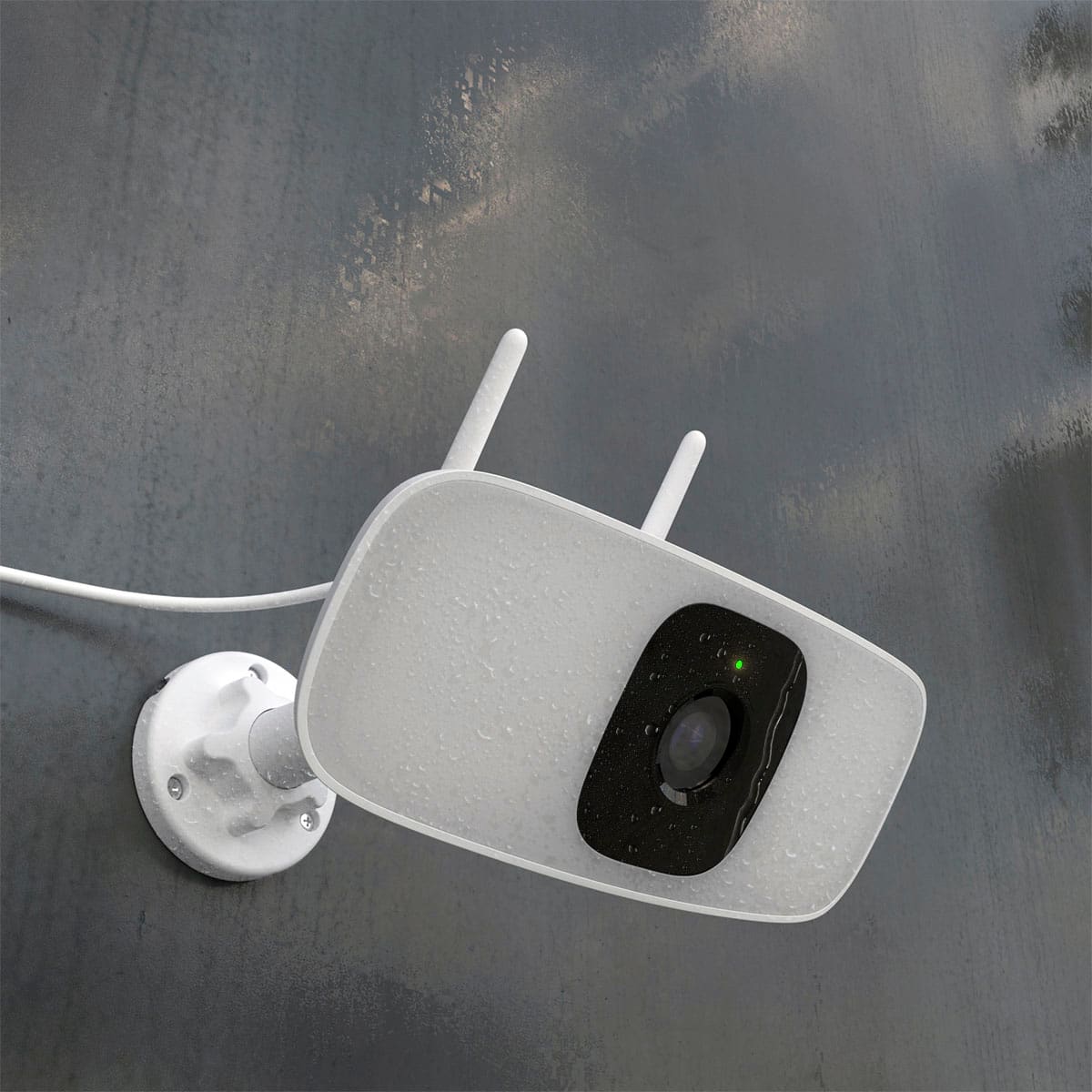
|Posted .This reviewer received promo considerations or sweepstakes entry for writing a review.I’ve been using this floodlight camera for over a week, and it has turned out to be a strong performer with several features that stand out, especially the horizontal pan and the customizable lighting. If you’re looking for a security upgrade without monthly fees and without complicated wiring, this is a solid option. Installation & Setup Setup was simple since this model is plug-in. I mounted it, plugged it into an outdoor outlet, and connected it through the Lorex Connect app. No electrical work needed, which is rare for floodlight cameras. The app setup was smooth, and the camera connected to Wi-Fi immediately. Camera Quality & Night Vision The 2K video is crisp during the day, and the color night vision is excellent. Even in low-light conditions, face and details are easy to recognize. The 120° field of view covers a wide area, and with the horizontal pan, I can adjust the coverage without physically moving the device. After a week of use, this has been one of the most useful features are you can reposition the camera anytime from the app to monitor different areas. Floodlight performance The floodlight is bright up to 1500 lumens and the brightness slider lets you tune it to the exact level you want. I have mine set to turn on with motion at night, and it activates instantly. You can also put it on a schedule or turn it on manually, which is convenient. Motion detection, Alerts The AI detection has been reliable so far. It accurately distinguishes people from general movement, reducing unnecessary alerts. Custom motion zones, sensitivity adjustments, and schedules help dial things in so you only get notifications you care about. After playing with the settings for a couple days, the alerts became very accurate. The auto-tracking feature is another highlight. When someone walks into the frame, the camera zooms and follows the movement in real time while still recording the full scene. This makes it easier to review events without guessing where a person moved. Audio & Two-way talk The microphone and speaker work well. Two-way talk is clear with minimal delay, and the option to play pre-recorded messages is a nice touch for deliveries or deterring unwanted activity. Build quality & Weather resistance It’s built solidly, and the IP66 rating gives confidence for year-round outdoor use. After a week of sun and a bit of rain, no issues at all. Local storage — No subscription needed One of the biggest advantages is the ability to use a microSD card. No forced cloud subscription, no monthly charges and everything stores locally. Overall, after a full week of daily use, this camera has been reliable, bright, and smart. The pan feature, strong floodlights, accurate AI detection, and 2K clarity make it a highly capable security option. If you want a flexible, plug-and-play floodlight camera with no subscription fees, this one is worth considering.
I would recommend this to a friend - Pros mentioned:Video quality
Subscription free security
|Posted .This reviewer received promo considerations or sweepstakes entry for writing a review.The Lorex 2K Floodlight security camera is a good option for people seeking a floodlight type security camera that can be plugged in rather than hardwired like most floodlight type security cameras. In the box you will find the camera, power adapter as well as some mounting hardware. Lorex does give you the ability to use a micro SD card for local storage which is great so you are not required to subscribe for cloud storage. I would recommend using a micro SD card that is rated for extreme temps such as a sandisk ultra card that can be acquired for a fairly cheap price. The setup is quite simple once you setup an account on the Lorex connect app. Once you plug in the camera it has you add the camera by simply scanning the QR code on the camera. Once added you are able to tweak the settings you your liking. I mounted the camera to my garage to replace a floodlight that had recently gone bad. Since I already had a whole drilled I was able to route the power cable through the existing whole and plug it in to an outlet in my garage. The camera provides a great image rain or shine and the floodlight is quite powerful. The IP 66 rating was put the test as I had quite a bit of rain in my area for a few days after installing the camera. I would add some electrical tape around the connector between the camera and power adapter if it will be complety exposed to the elements as I see this as a potential intrusion point for water. The color nigh vision works well but who do lose a little detail in the image. There is a warning siren to scare off any intruders and you do have the ability to talk to people through the app. The live alerts worked well for my camera for the most part as a few motion events were missed at night. The camera also does feature AI detection that allows you to customize your alerts but I tend to stray away from any type of AI detection tools at the moment. The best feature in my opinion is the ability to pan the camera horizontally which further enhances your 120 degree field of view to see much more by panning left or right. Overall if you are looking for a plug and play floodlight camera then Lorex has provided a great option that can be used without a subscription
I would recommend this to a friend - Pros mentioned:Brightness, Pan functionality, Video quality
Great combo
|Posted .This reviewer received promo considerations or sweepstakes entry for writing a review.While Lorex may not be one of the brands that initially come to mind, their combination products are innovative and affordable I wanted a security camera and a floodlight to go above my garage and to add a layer of security to my driveway. I looked at both and found this product that only required mounting and plugging in one product Unboxing was uneventful and mounting simple since I only had to install one product Connecting it to my network was as simple as adding any other home automation product Where this really shines is in the use Download the free app, create an account and start the simple steps customizing First off, the flood light is up to 1,500 lumens. That is bright and I would argue one of the best in the industry The camera is 2K, bit that is perfect since 4K is not necessary for such a small image Yes you can hear and talk through it like many others One thing that really differentiates it is the pan functionality. Set to automatic and see as wide as 160 degrees The app was stable and intuitive and I am enjoying this home investment Yes, I would recommend this to friends and family
I would recommend this to a friend - Pros mentioned:Video qualityCons mentioned:Motion detection
Was hoping for more
|Posted .This reviewer received promo considerations or sweepstakes entry for writing a review.The camera install is fairly straightforward, you insert the microSD card. And I would suggest setting it up, indoor first, its just easier that way, than installing it outside and then setting it up freezing in the cold wind, and downloading firmware updates further away from your wifi router. Anyhow, the first thing you would notice is, that its NOT the same Lorex app as the older cameras. Apparently there is anew app called Lorex Connect, and the one I already had Lorex Classic doesn't support this. Not user friendly. Once you have the app and are logged in though, the setup is fairly straightforward. Now that the camera is connected to your app, you can install it. There is a sticker for drill hole positioning, so that's easy enough. But I don't know why the wire has no secure path through the neck/housing. Either ways you really need to plan your install, since this camera comes with a normal adapter. There is no option for hardwiring, and the adapter is fairly big, and the cord length is not that great. So, measure that your cord will reach the outlet, before installing the camera. I had to drill a hole into my garage wall to fish the wire through, since I didn't want to isntall it on the exterior outlet for someone to simply pull it out. And there goes your security. Now don't get me wrong, the camera does what its supposed to, the panning works as its supposed to, the light is pretty bright, the video is crisp even in low light. However, I had such high hopes with this camera. I have a few Lorex cameras already, and they do their job. There is no subscription needed. There is local storage of video. So, you have remote video access, control of lights, and on some cameras even the ability to speak out of the camera using the app, and communicate. But honestly, their achiles heel has always been motion/ people detection. They always seem to over notify, and sometimes with the constant notifications, you start to ignore them. Anyways, I had hoped that the newer ones would be better, with smarter detections. But no matter what I do with the settings, they either get triggered with just tiny gnats flying in its field of view, or only catch a person when they are fully centered, and sometimes never if they pass through its FOV quickly. Again, a decent camera does its job, but I would rather have it over notify me, than not, so those are the settings I have landed on, however annoying.
No, I would not recommend this to a friendBrand response from Lorex Technology Team
Posted .Thanks for your feedback! We appreciate your comments and will work on improving detection accuracy.
- Pros mentioned:Brightness, Video quality
Great for Safety in Rural Area!
|Posted .This reviewer received promo considerations or sweepstakes entry for writing a review.We recently had my husband install the Lorex 2K Floodlight Wi-Fi Security Camera outside our rural home, and it’s been a game-changer for our peace of mind. Living out in the country means parts of our property are pretty dark at night, so having a reliable light + camera combo was exactly what we needed. First off — the floodlight! When motion triggers the camera, the light is bright and powerful. It really illuminates the area (enough to make shadows disappear), which helps not only with surveillance but also scares off any potential trespassers or wildlife creeping around. The 2K video quality is crisp, and even when the light is on, I can clearly see faces and details. I also really like the pan feature: you can control the camera’s horizontal movement right from the app, which means you don’t have to rely on just a fixed view. My husband and I can slide the camera side to side on our phone to check different sections of the yard, so nothing stays hidden in the dark corners. Setting it up was more manageable than we expected. He mounted it on the exterior wall, connected it via Wi-Fi, and then used the Lorex app to fine-tune motion zones. The app’s interface is pretty user-friendly — I’m not super technical, but I was able to check motion alerts, live view, and flashlight logs without a ton of hassle. One thing I really appreciate: the floodlight feels like a real physical deterrent. It’s not just a little LED. And because it’s wired, we don’t have to worry about battery life, which is something we were worried about with other wireless cameras. In day-to-day use, being able to see what’s happening outside — especially after dark — has given both of us a lot more confidence in our security. If you live somewhere rural (or just want a camera with serious lighting power), this Lorex floodlight camera is totally worth considering. Highly recommend it.
I would recommend this to a friend