Customer Ratings & Reviews
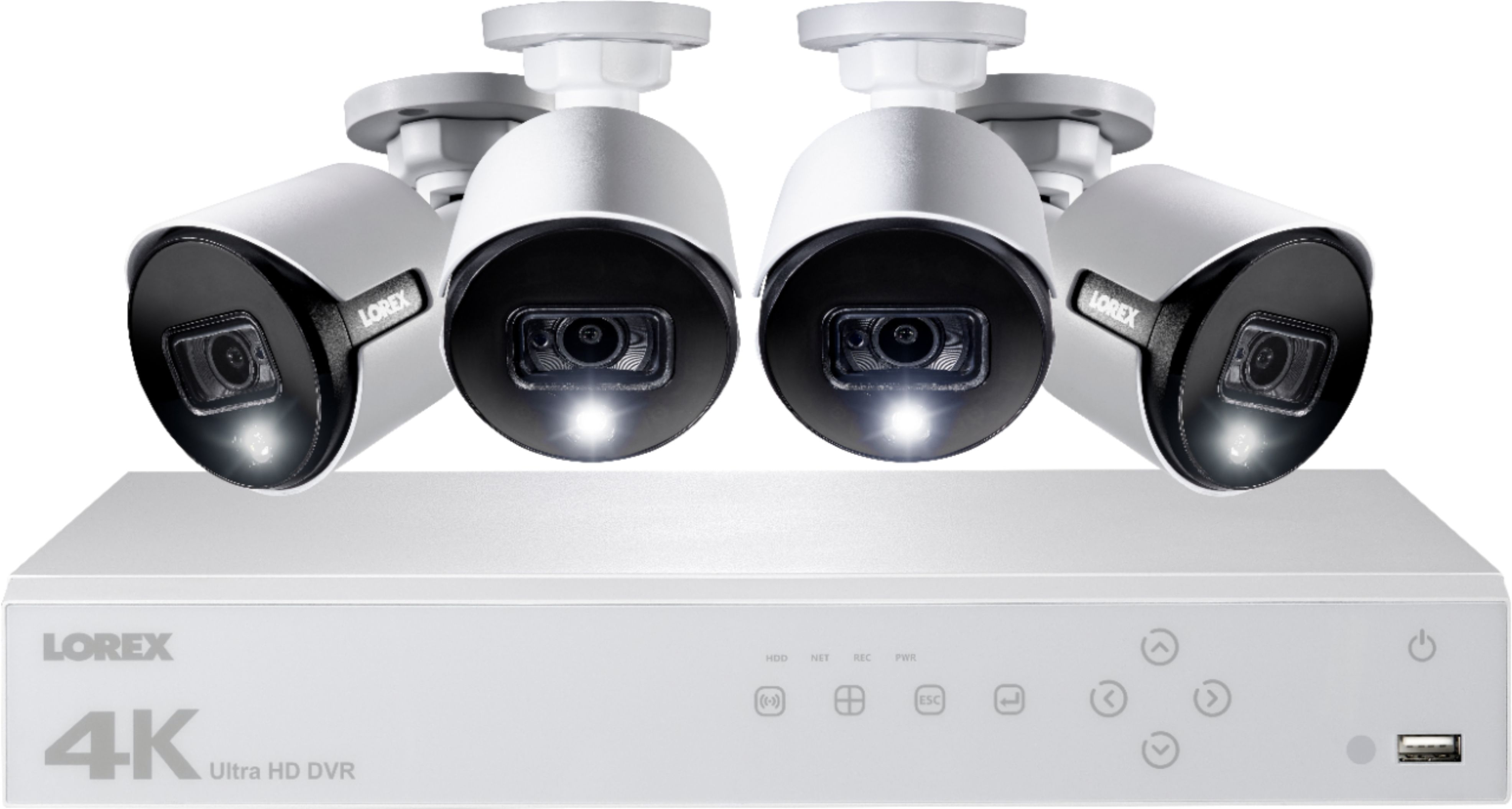
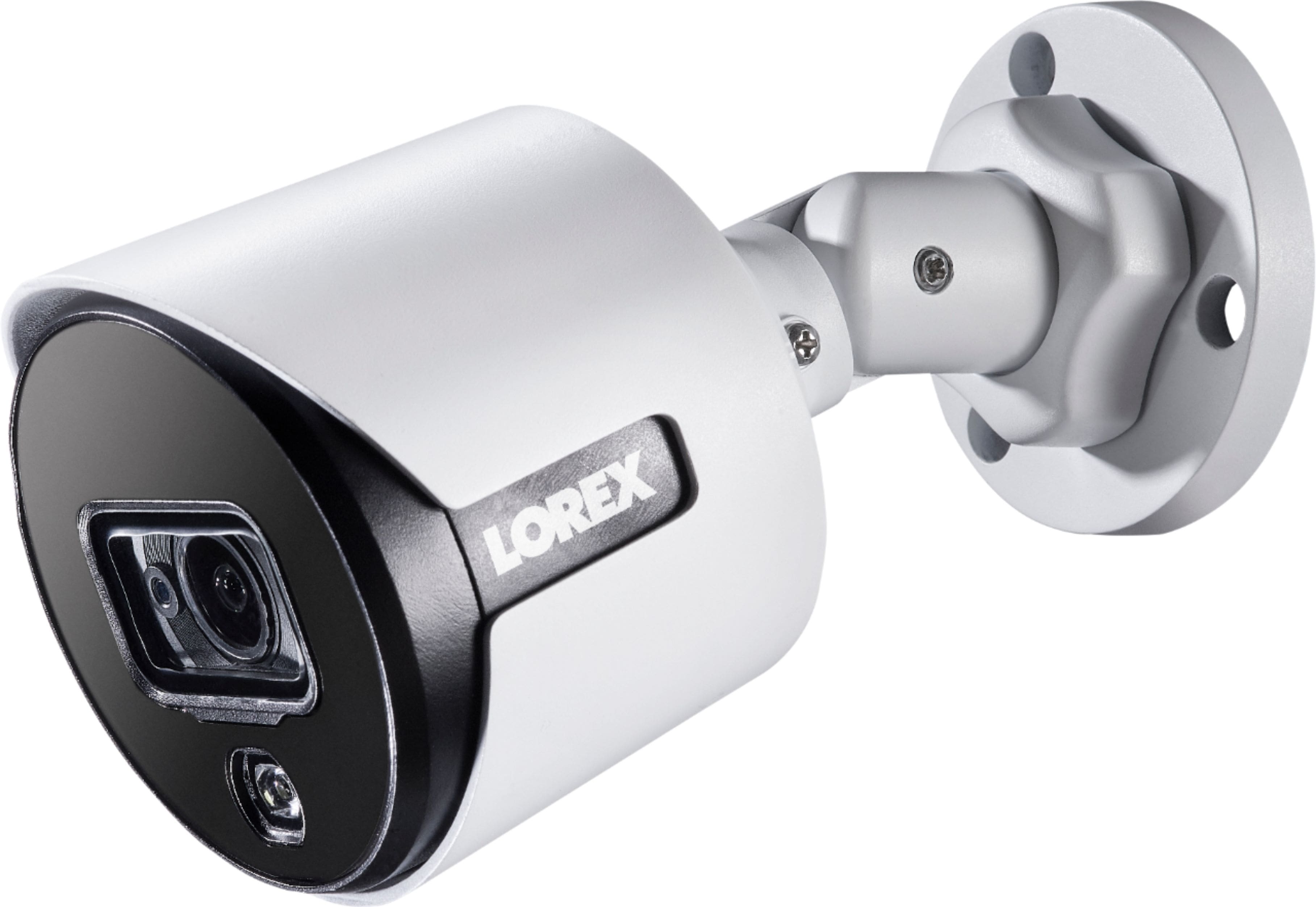
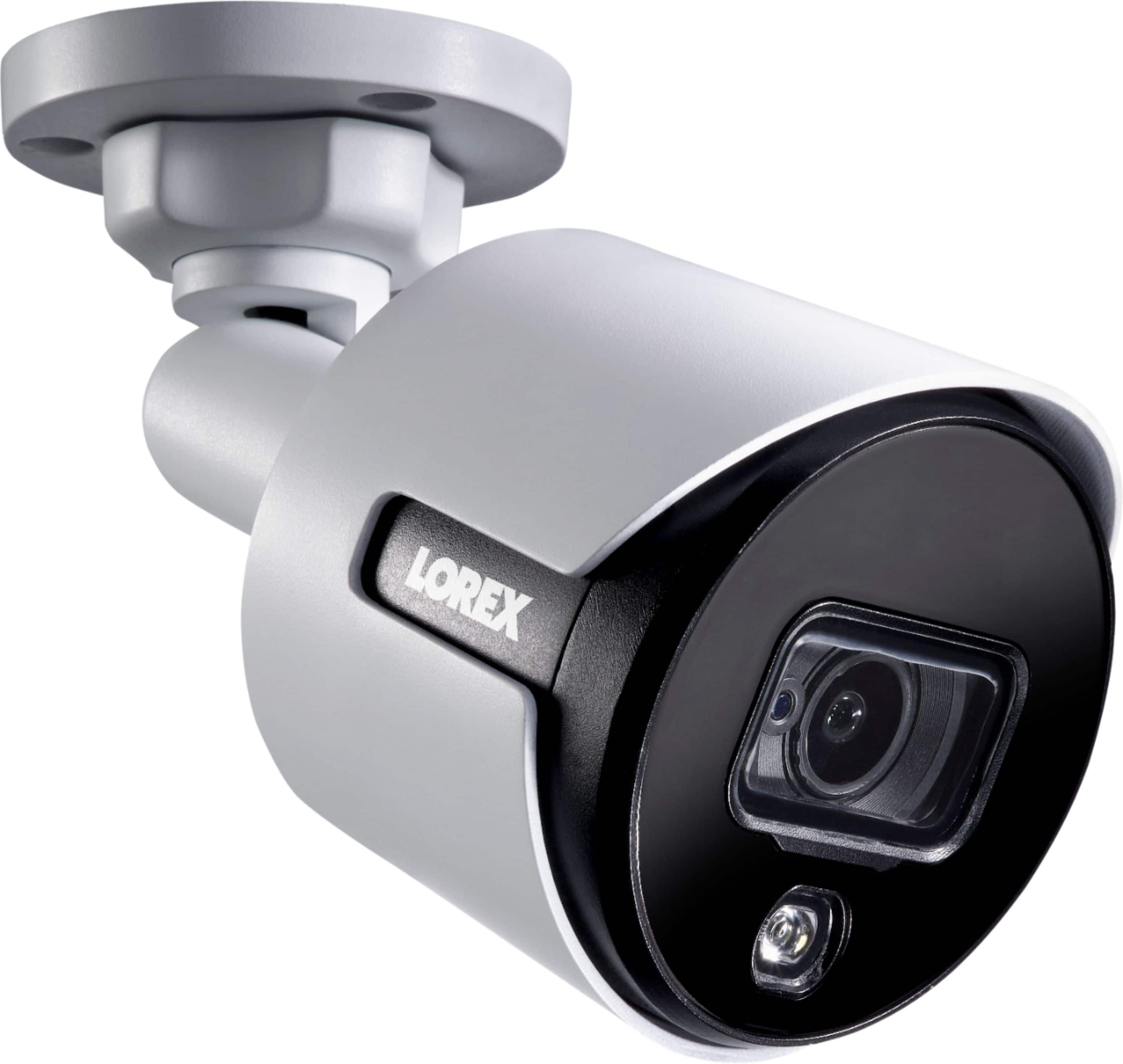

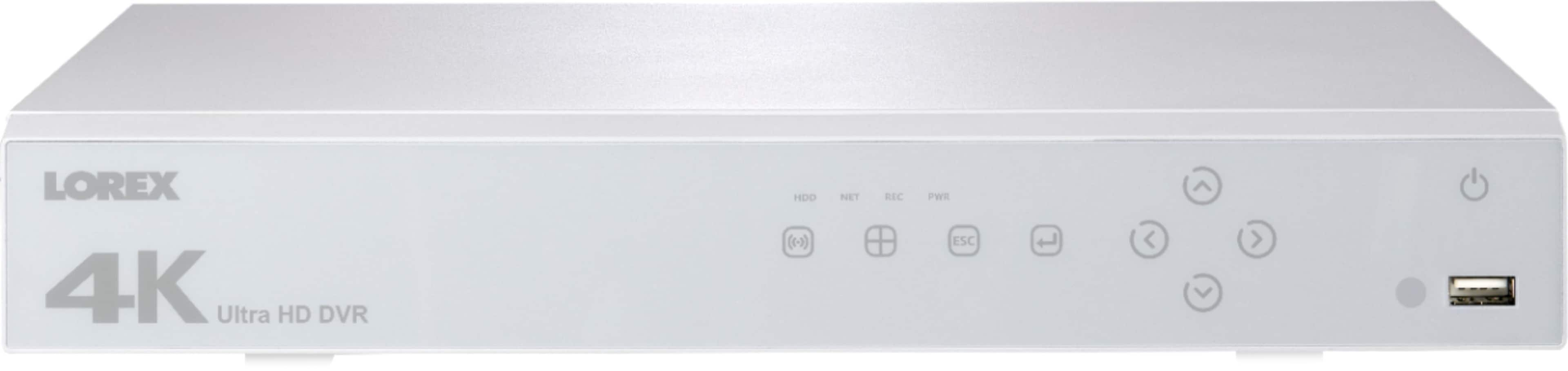

- Model:
- LHV51082T4KXW
- SKU:
- 6203029
Rating by feature
- Value
Rating 3.9 out of 5 stars
- Quality
Rating 4.0 out of 5 stars
- Ease of Use
Rating 3.9 out of 5 stars
Customers are saying
Customers often highlight the excellent camera quality, producing great pictures both day and night. The high resolution, while requiring manual adjustment to 4K for optimal results, is also frequently praised. Many appreciate the effective night vision capabilities, including color night vision in sufficiently lit areas and clear infrared vision in darkness. Ease of installation and user-friendly navigation are additional positive aspects mentioned by users.
This summary was generated by AI based on customer reviews.
- Pros mentioned:Night vision
Good for stationary objects, but not for moving.
||Posted .This reviewer received promo considerations or sweepstakes entry for writing a review.I bought this system to replace an old 1280x1024 60 degree field of view security camera system. We had some auto burglaries in our neighborhood, and the old system could barely tell that the suspect vehicle was an S-10 pickup, and couldn't even tell if it had a license plate, let alone what the numerals were. I wanted higher resolution and better field of view, so if anything happens again, the video is actually useful to the police. My first disappointment out of the gate, is that after installing all of the cameras, I found that they would not work with my old cables. This despite them being continuous coaxial cables with the standard BNC plugs, and standard power connections. I ended up having to spend an extra $130 and ordered four 120 foot, high grade cables from Lorex, then of course spent 2 days in my attic and crawl space, re-running/fishing cable. Having the system not work with the existing cables caused more work and money spent. Once I got the system hooked up to the new cables, everything worked like a charm. I did notice the resolution was definitely not 4k, but a check of the system settings found they had the system set at 1080p by default. I switched it to 4k resolution, and it was a dramatic difference. The pros would be these cameras have a great field of view, much wider than the old ones, and the resolution on stationary items is fantastic. I could make out license plates on stationary vehicles up to about 70 feet from the cameras. The night vision and color night vision both also work very well, with very clear images of everything in the camera view. Now the con, and it's a big one- The cameras only record at a maximum of 7fps (they default to 1fps but you can increase it to max 7fps in the settings), which is just not sufficient for moving objects. Cars doing as little as 10mph are blurry, and the license plates are a lost cause. Part of what prompted this purchase was the prior lack of ability to identify the suspect vehicle in a rash of crimes in my neighborhood, and this system still won't be able to identify a suspect vehicle, due to that 7fps limitation. That limitation defeats the entire purpose of this purchase, and for that reason, I cannot recommend this system. If Lorex could resolve that and make a higher fps option via a firmware update that would resolve moving objects, then maybe then, but not at present. *Note- The white truck in the attached photo was coming to my house for a service call, and was slowing to stop and then back into my driveway. Even at only about 7mph, moving vehicles are blurry.
No, I would not recommend this to a friend - Pros mentioned:Image quality, SetupCons mentioned:Cable length

Crisp/Clear 4K Recording
|Posted .This reviewer received promo considerations or sweepstakes entry for writing a review.I recently obtained an all wireless HD security camera system that I truly enjoy. However, we had one incident where the camera was not able to pick up enough detail. Even though the cameras for that system are listed as HD/1080p, there just was not enough fine detail. Now that I have the Lorex 4K Wired system I can see all the details that I have been missing. The comparison photo of the two systems below doesn’t really do it justice, but you should be able to see just how much clearer, sharper and detailed the Lorex is in comparison. The second picture is a comparison of the night recording. Color Night Recording is enabled by default only if there is enough ambient lighting. Some nights my porch light was enough, some it was not. When there is not enough light, it uses IR light to get the typical night vision image, but with great clarity and distance. The top two images are of the Lorex system while the bottom two are with the wireless HD system, with my porch light on and off. It is kind of unfair to compare a wireless system to a wired system due to their various difference, as I wanted the wireless system for the freedom of placement, but in comparison to price, the Lorex system is still cheaper than the wireless system with 4 cameras and the recording capability is drastically better. Setup is fairly straightforward, but requires some precise planning if you don’t want to have to purchase additional cables as the included cables are short. The BNC/Power cables are 60ft long and barely long enough to get around 2 sides of my house to reach a corner, but plenty long to reach the nearest two corners. The included HDMI, LAN and power cable on the other hand makes you believe that they intended for you to stack everything right on top of the DVR as they are not even long enough to connect in my entertainment center. I also have mine connected to an UPS to ensure recording even during power interruptions but that was a stretch with the short cables. Once everything is attached you can manage the DVR with the mouse for all of the setup. The interface is clunky and takes a bit to get used to. However, once a password is set up and connected to the network, I found it easier to use a web browser to manage the rest of the settings. You just access it by the IP that is displayed on the Info screen with the admin/password that you gave it. It will not work with Chrome due to the requirement to use NPAPI. The web interface allows you to do everything you can do directly through the device, just with the comfort of your regular computer. The DVR is designed to work with all kinds of different cameras, so some features show available, like Pan/Tilt/Zoom, but the cameras do not support it. One of the first things I did is change the resolution to 3840*2160(4k) for everything to make sure I get the maximum out of it. With that though, settings have a huge impact on how much you can store on the 2TB drive. I have had continuous recording on for 10 days with all 4 cameras at 4k, 7fps, CBR, 4096 bit rate and the drive now reads full. However, that just means the old footage is being overwritten. This is still more than my other service as they only kept 7 days without a paid subscription and that was only motion detection events. The Lorex Cloud app also allows you to manage your device, view live cameras, and look at playback. However, the resolution you receive through the app is horrible and more just for general reference and allows for push notifications when motion is detected. WIth that though, you will need to do some fine tweaking of motion settings as it is default I was getting notifications with every gnat that flew by. The app interface is just as clunky as the DVR interface. However, when looking at a single camera, you can enable the security light, which is just an LED, and the siren, which is laughable. I don’t expect that light or alarm to actually scare anyone from my house, but it might at least get their attention so that you get a clear image of their face. I was against getting a wired system, simply due to issues like being limited to 60ft. However, the 4K clarity of this system has convinced me to change over. Over time I might consider getting some different supported cameras so that I may use the PTZ features. But, for now this system has my house covered and I’m almost anxious to catch something in action so I can show off the detail to others.
I would recommend this to a friend - Pros mentioned:Night vision
Security without a subscription
||Posted .This reviewer received promo considerations or sweepstakes entry for writing a review.I did a lot of research on security systems before my purchase. A lot of the competitors are going wireless and have a cloud storage which comes at a monthly cost. With the Lorex 4k system(wired), it records directly your DVR up to 1 week on 4k recording or you can go out a few months if you set it up on lower resolution. This video system is 4k and for a residential house it's perfect. Plus, you can add cameras (comes with 4). I'm impressed with the day, color night vision, and in complete darkness it turns on the infrared vision to see black and white in complete darkness. It's not lacking on those features. The features I really like about this system is the ability to setup 24/7 recording and also motion detection that will send your phone app a notification that someone is within the video frame. It works for knowing when packages are delivered or just keeping eyes on your property while away. I can actually zoom all the way to my neighbors front door (about 200') and see if they have a package delivered. I highly recommend this to anyone looking to purchase their first or even a new security system. It does the job and has optional cloud storage from the company at a low cost if you absolutely want that feature.
I would recommend this to a friend - Pros mentioned:Image quality
Great security and clarity
||Posted .This reviewer received promo considerations or sweepstakes entry for writing a review.Great box camera kit with everything you need. Find the areas you want covered and mount cameras. Includes 4 cameras with 4 100' camera cables to wire to the dvr. Feel a little more security being hard wired than a WiFi one that could be hacked and worry about batteries. Easy setup instructions, plug and play, your on your way. Cameras have great clarity and night vision is very impressive. I like it!
I would recommend this to a friend - Pros mentioned:Image quality, SetupCons mentioned:Cable length
Great security system with some tweaks.
|Posted .This reviewer received promo considerations or sweepstakes entry for writing a review.This all-inclusive system has everything you need to get going right out of the box. The only obvious things missing are installation tools. There's enough cable to install in an average sized home (30x30). Setup was easy and is ready to go as soon as you plug everything in. For testing purposes, I connected it to my 55" 4k TV to check the resolution. I made some adjustments to get the image view in 4k though it didn't really look like 4k, probably due either to the h264.h compression or the thin looking cables supplied or both. Now, I see no reason to use up my last hdmi port on that not to mention constantly having the fan noise in the background from the dvr unit. The cameras are certainly high quality and I have no doubt they are capable of delivering true 4k video, though the cables appear to be rated for 1080p only. Increasing resolution causes the video to lag a bit to the tv and lag a lot to the phone app. I found the included mouse to be an invaluable tool setting up and using the features of the DVR. The remote has very little use other than switching views and a few other mundane things. The app from Lorex is perfect to fully utilize the systems abilities in a user friendly format. I initially used the Flir app I already had which also worked for most things. The deterrence system can be setup to flash the light after a certain hour which is good for deterrence and helps you find the keyhole in the dark. You can't automatically set the siren to go off in conjunction with the LED since it could be viewed as a nuisance in some communities. I had limited use with wired security systems since my current unit was a single wireless ip camera with pan/tilt/zoom capabilities. Though I was expecting these units to be stationary, the info says it zooms 16x digital; this is not the case. It doesn't zoom at all. The only way I was able to zoom in on things was through the app on my phone by just picking a camera feed and using the phone's pinch-to-zoom. Even with that type of zoom, you're able to see things clearly almost up to the max limit which is impressive! I think if you truly want 4k out of the system, you need to buy new cables. I might consider it for one of the cameras in the future, but for now, it's just right.
I would recommend this to a friend - Pros mentioned:Image quality, Night visionCons mentioned:Cable length
Great 4k resolution surveillance system
|Posted .This reviewer received promo considerations or sweepstakes entry for writing a review.I have a one story home on a corner lot and was looking for something that would provide high quality video in both day and night. The Lorex 4k surveillance system met my needs and has an unexpectedly good 4k feed. In the box are 4 cameras with 4 x 60' cables, camera mounting hardware, a 2 TB DVR, remote, mouse, and HDMI and Ethernet cables for DVR. The initial setup is easy, with 1 page illustrated quick start guides for both networking and hardware installation. Once everything was set up I found that the 60' cables weren't going to be enough for full installation and will have to order longer ones, this is something to consider if you have a large amount of space to cover. The good news is that the power to the cameras is supplied via the cables, so only one cable to run per camera. Another thing to note is that the DVR defaults to 1080 resolution, so to get full effect you will need to go change the settings to 4k, the DVR will reboot and the resolution improvement is amazing! The cameras are off white, and fixed, so while the DVR will control pan / tilt you will need to buy additional cameras to use this feature. Once I had the cameras mounted and the right viewing angle set the coverage is almost a full 90 degree range, providing great coverage. I had no issues in daylight settings, and found that at night, I could get color video if there was enough ambient light (porch or street light) but in the areas with low lighting the cameras switched to the IR night vision which is grey scale. I included a photo of the IR camera in 4k as I'm still amazed at the resolution. The included security light and siren on each camera are underwhelming, and at best might startle the neighbors dog off your lawn. I didn't find this to be an issue, since I prefer that my cameras are not noticed. I do like how they blend in well with the overhangs, they don't stick out as much as the black bodied cameras do. Overall hardware rating is a full 5 stars. The DVR setup was straight forward, but I had to move my router nearby to connect via Ethernet. I see that wireless option is a planned feature, but would prefer it soon because I had to arrange my router to the DVR location, yes I know, first world problems. The app was easy to install and set up on my Andriod, overall the process was painless. The issue, and the reason for the 4 star rating, is because the DVR software is a bit awkward and not intuitive. Once I figured out the quirks things went smoothly, but I found that the interface just felt out of place with a DVR that supports 4k technology. You can play, pause, zoom, and capture photos from the video, you can also control your pan / tilt if you buy the cameras that allow this movement. I did like that I wasn't tied to the DVR and could set up motion alerts and live viewing via the app. The app is what saved this setup, if I was tied to the DVR and its software faults this would be more of a 3 star system. Overall, if you need the resolution and can run the cables, this is the system for you, just be patient with the DVR interface or skip it and use the app.
I would recommend this to a friend Excellent resolution, only a couple of flaws
|Posted .This reviewer received promo considerations or sweepstakes entry for writing a review.This is a decent security system with some flaws and some things that I think should be changed or included with the kit. The most important thing I would tell you before you attempt to install this system, is to make a detailed plan of what you want to do and where you want it to go. I haven’t hardwired my system in yet because of a few reasons that I will mention later. I did however hook it up and test it in various conditions including daytime and at night. The cameras themselves seem to be pretty cheaply made, but the resolution is much better than I thought they would be. I tested them both at night and during the day and the images came across very clear. I did have the system hooked up to my Sharp 4k TV also. The playback looked very grainy until I changed the settings to 4k resolution, reset the DVR box and played with the camera settings a bit and it was significantly better. As I mentioned before, planning your installation is critical for several reasons. One, because the cables are only 65ft in length for each camera. For some installations, this may be more than sufficient, but for mine, it wont work, so I will have to shell out a minimum of $40 for either longer cables or extension cables to do the install. While 65ft may sound like a lot of cable, but by the time you snake it through walls and around studs, etc, that quickly runs out. The wall cable is also only about 2ft in length so if you are like me and have multiple items plugged into a surge protector, that is kind of short. See picture. Secondly, the DVR needs to be near your router in order to record and display the cameras. My office which is where my router is located is towards the front of my house, which is roughly 50ft from the back deck where I planned to install one of the cameras. That leaves me 15 ft to play with, which changes the installation location that I had originally planned. Ideally, a wifi connection would be preferred, but there appears to only be a handful of systems that have that feature. I did see that Lorex offers some wireless cameras that are compatible with this system, but they are a bit pricey, especially when you factor in the $600 this thing already costs. Right now, im kind of in limbo as to how I want to set this up. I do have Orbi and Velop routers that I can plug the DVR into which gets me closer to a middle location in my home to run the wires for the exterior cameras, but I prefer to have the DVR out of a common area. I do like that the cameras can be viewed remotely using the available app, but I haven’t had the time to setup this feature yet. When I initially setup the unit to test it, I got a chance to play around with the software and its pretty simple to use and you can also rename the cameras based on location or however you prefer to identify them. I definitely suggest using the 4k setting if you can, but the recordings will take up more space on the hard drive. You can take clips of videos and also have the option to backup your recordings with a thumb drive or possibly a portable hard drive which are great options if you need to use the videos to report any theft. Other than the items I mentioned, this seems to be a pretty decent system with some good features and easy to use interface. I just have to decide if I want to splurge for the wireless cameras for the back side of my house or just buy the longer cables to run through the walls. I would look around for some other options, but all in all this is a respectable system. Pros - Camera images are crystal clear - DVR is pretty quiet overall, just make sure you install in a well ventilated location - Software is easy to use Cons - Price is a bit on the high side - Short cables. 65ft cables may work for some installations, but 100ft would be better. Longer cables can run upwards of $40 each - Wall plug is less than two feet in length. - Would like it to have wireless connectivity so that I have more options for installation locations
I would recommend this to a friend- Cons mentioned:Frame rate
Cheap 4K DVR, but only for the tech savvy
|Posted .This reviewer received promo considerations or sweepstakes entry for writing a review.Pros Good resolution once adjusted Local Recording works without internet Remote viewing responds quickly with good internet speeds No batteries to change Complete package includes everything needed. Expandable to 8 cameras Also works with IP Cameras Doesn’t require manual port forwarding License plates easily readable during the day Cons Quality reduced with H.264+ compression instead of H.265+ Considered 2K by industry standards since that is the highest 15FPS setting A software bug is preventing any resolutions to go above 7FPS Siamese wires are very small Smart Search only works when directly connected to DVR No IFTTT, Smart Home, or Geofencing support Recording doesn’t come set to properly utilize cameras Camera housings are plastic Color night vision doesn’t stay on even in bright light Administration layout and wording is poor IR light creates hot spot at night No desktop app or program No cloud AI features available (Cloud Backup, Daily Recap, etc.) Motion alerts do not allow polygon zones Motion alerts weigh close bug the same as distant person or car Camera lens can sometimes cause reflection in video IR light causes license plate lights to be unreadable at night Configuring alert zones on phone is hard as you cannot zoom in Remote connection via Lorex servers has already been proven unsecure Limited 6-digit pin/password is unsecure 4K sensor limited by Lack of WDR or HDR No support for modern browsers, must use Internet Explorer (A fix is in the works) Phone app is dated and not user friendly To start, if you aren’t the hands-on technical type, you are best suited going to a simpler system. The 4K Active Deterrence system uses a local recorder with its own hard drive to store videos. Cameras are hardwired so this isn’t your typical afternoon project. It does yield results in clarity. The system is designed to run with little upkeep, so some extra work upfront yields some benefits. The cameras are connected via the older style Siamese cable, although they are thin wires instead of coax, so some careful handling is required. Since the signal is analog, routing is key to a good signal. The system uses a Lorex proprietary technology called MPX so if you want to reuse your cameras with another DVR it must be another Lorex. However; the DVR is compatible with multiple protocols, including even IP cameras. Even though the DVR has good flexibility in usage, some specs leave a bit to be desired. The industry standard is for rating a system based on what resolution it can provide at 15 frames per second. The cameras are rated at 8MP 4K with 15FPS but unfortunately the DVR caps out at 7FPS. The highest resolution the supported at 15FPS is 2K, so by standards the package is essentially 2K. Oddly, even though the system touts 4K, the DVR was not configured from the factory to record video from the 4K. Neither the quick start guide nor manual, not included, warn you of this. To maximize video quality, you must set the system up to record in Super H.264H, Resolution at 2840x2160, 7fps, with the image quality on 6, and bit rate of 12288Kbps to fully utilize the cameras. To view in max quality mobile, you need to change your apps to use the Main Stream instead of the Sub Stream. Even if you do decide to set the recorder up to record in 4K the use of H.264+ compression reduces the quality. The issue is H.264 compression was designed to support high definition and not ultra-high definition. The combination of slower frame rates on the DVR and lower quality compression hurts the overall recorded video quality. When set correctly, it is still definitely high quality, but unfortunately the compression causes artifacts and a slight blur that take away some from the actual resolution of the cameras. Compression is good and is needed. Without compression the same system would require a lot more storage and processing power. The issue is that there is a newer standard that would better suite the cameras that is not being utilized. The H.264 compression is also evident in recordings where surfaces tend to periodically “pulsate” as the compression refreshes still objects and slight light changes certain objects to look like a cloud keeps passing over them at regularly cycles. This isn’t unique to Lorex but rather a side effect of the compression technique. Although the cameras do have good resolution, that doesn’t mean they are without faults. First, the housing is made of plastic. This means after just a few years the housing will be broken down by the elements and weakened. Installing under a roof and out of sun will help longevity but these are certainly not built to last. They certainly aren’t vandal proof either. The cameras do include a sun shade, but it is not adjustable and appears to be mostly cosmetic. During the day, faces and license plates are distinguishable at about 55 feet if they aren’t moving fast. The make, model, and color of a car is recognizable at approximately 300 feet. Even though the camera only has on IR LED it is a bright one. In fact, it is so bright it causes license plates to appear as a glowing rectangle at night. This means they are completely unreadable at night. Although better than most, the IR produces a marked center hot spot. Without HDR or WDR this means objects in the hot spot appear washed out and outside the hotspot have far less detail. Because this IR is so bright without the sensor having the complimentary dynamic range this means you also must be careful of even the slightly reflecting surface near the camera. If mounted under a soffit, the surface of the soffit can cause a reflection even out of frame which causes a haze on the image. Depending on conditions, the lens of the camera also might cause reflections leading to random artifacts in the picture. The deterrent LED is a nice touch. It is very noticeable from a distance to let others no they are being monitored, but it feels Lorex missed an opportunity. The cameras are supposed to have color night vision. If the LED had been made bright enough it could have been used to facilitate color identification of subjects even as ambient light becomes too low. As it stands, the color night vision seems to not work as intended on these units. There is no spec listing how dark vision works but most marketed as color night vision or ultra low lux operate in color to 0.01 or 0.03 lux. Without a proper meter it is hard to judge the exact cutoff for color night vision but in testing, the color night vision didn’t work until the scene was literally no longer night. In testing, 120 watts of light in a 20x10 foot area was not enough to trigger color night vision. In fact, color did not turn on until the equivalent of 600 watts of light was applied. It seems the cameras are too quick to jump to IR night vision as the sensor can show color in very dark conditions. In changing from the 600 watts of lighting and dropping down to the equivalent of 20 watts of light, the cameras were able to show color with good detail an acceptable noise before the IR based night vision kicked in. It would be nice if Lorex would issue a firmware update or allow an adjustment to the threshold, so the cameras weren’t so aggressive switching to black and white IR mode and the CNV could be properly utilized. Each camera has a manual alarm that sounds for about 30 seconds based when activated. The volume ramps up slowly and is quite loud. Motion is detected based on frame comparison and not passive infrared so thorough testing and adjusting of motion sensitivity to prevent frequent false alerts. Even with thorough testing, frequent insects flying can cause excessive false triggers. There is no artificial intelligence to discern a close flying bug from a distant person. Reducing sensitivity to prevent false triggers from close flying bugs causes it to miss distant people. Of course, increasing the sensitivity will catch the distant person but will excessive false alerts. The only way to prevent this is making sure placement is away from an area where flying bugs frequent. There are interface oddities such as calling post recording as delayed recording. You are offered to give the channel names descriptors, such as front door, but the interface simply uses the channel number anyway. The manual defines settings such as Chroma as “This is how you adjust Chroma” and has a camera feature called EQ with no description of what it does. The apps for iOS and Android are just as unpolished with confusing scheduling options with no descriptions to technical terms. Tapping a notification brings you to the live video instead of the video of the event. Remote access is handled through Lorex cloud, but the system is tied to your serial number and a max six-character password which has already proven easy to hack. In short, it has a learning curve to its operation In the end, the system still performs the primary job of recording 4K video reliably but devoid of polish regular consumers expect. Specs wise, it checks a lot of boxes that tech savvy consumers will like. Lorex could improve this with future firmware updates which could really improve the appeal to a larger market. It would be nice if Lorex could update it to support H.265+ and Lorex’s cloud AI features like rapid recap. If you, or someone you know, are comfortable getting hands on and technical, can accept some quirks, want to get a system with high quality video, and don’t want to spend a few thousand on a high-end professional NVR then Lorex 4K Active Deterrence DVR system could work good for you.
I would recommend this to a friend - Pros mentioned:Image quality
Great security system
|Posted .This reviewer received promo considerations or sweepstakes entry for writing a review.As someone who used security surveillance systems before I must say that this is one very good system. I am very impressed. Picture it’s very clear in both, live video view and recording playback. There is no skipped frames and video clips can be download to both USB stick and mobile device. Cameras are permanently mounted with screws, sturdy and firm (cannot be pushed to look other way) and connected by high quality BNC cord which also has power line attached (for those who wonder: not IP camera system and not POE). Make sure you set camera/recording setting to 4K because by the default it might not be. I am using 4 8MP cameras included and 4 more from my old DVR (1080P) and results from both are great, but with visible difference of course. Make sure you plan where to install cameras, and I would advise make each camera set to look forward each other or cross pathing area between them (right camera to look to the left, left camera to look to the right), that minimize any chances for tempering. Motion recording feature is the best I ever used, several zones and settings, plus advanced search option based on motion in specific area. Camera also has flashing LED light and siren which is not very load but these two combined can scare any intruders or unwanted animals on your property. Cameras are good in low light condition and digital zoom it’s very decent (I will include picture example of room and items on table inside of that room, and pictures are even captured thru mobile app). Again, two reminders: 1. Set your cameras settings to 4K and 2. set your display resolution on system itself on highest display resolution. With this set you also will get free DDNS account from Lorex and two-year warranty. Lorex Cloud mobile app it’s great, fast and easy to use, and lets you talk thru the camera (one-way audio only). Make sure that you set preferred view of main or sub video view settings based on your cellphone or other used device network speed. I have only two complaint about this 1. Included 60ft cords are short for my use so I did order few 100ft Lorex 4K from BestBuy 2. I could not successfully set up email alerts, but will try again System comes with 2TB storage and your recorded data period (# of recorded days) might very from few factors such as number of installed cameras and preferred recording resolution. System supports several types of cords (CVI, AHD, CVBS and TVI), but I would recommend only Lorex 4K original cord, it really does give you best results. Overall, system it’s very good, and I am extremely satisfied with it. I would and will gladly recommend this system to anyone.
I would recommend this to a friend Solid system with added features
|Posted .This reviewer received promo considerations or sweepstakes entry for writing a review.This system was easy to set up and provides the great reliability of a wired system with a real DVR. The easy set up guide with clear pictures, sticker based camera mounting template, and ability to setup remote viewing in the Lorex Cloud App using a QR code on the top of the DVR made installation much easier than I expected. One possible issue is that the included wires are only 60ft, which maybe too short. I also found that some non-Lorex (generic) 100ft cables caused interference on multiple channels meaning you need to get the longer Lorex cable or test them before install. I love the HDMI option for connecting to the TV. The color is not perfect, but image is sharp and overall quality is excellent and looks crystal clear on my 55” HD TV. In low light it toggles to black and white, but the image remains sharp with good contrast. Imagine quality in the phone app is ok; there is some distortion, but push based motion notifications come through in seconds and most of the DVR features are accessible in app. The DVR menus are clean, but not always intuitive. The mouse is required; the remote works best for switching views, but only allows basic selection. I found some settings and features through trail and error. The navigation also has no back or exit (you have to exit using the opposite mouse button). It is useable, but not as user friendly as it could be. Last is the key feature of this unit: “active deterrence”. The camera has a small light and siren, which can be manually triggered or set up as a motion event. The light is not like a spot light and is hard to see in even dim light. The light also caused the camera to toggle back to color in some situations and the image was actually less clear. The siren is not really loud enough; it is noticeable within sight of the camera, but quiet enough to blend in with normal white noise so that it is hard to hear inside or from a distance. They both only last about 10 seconds when activated from the App or directly at the DVR. I doubt the light or siren would scare any intruder, but it might make them aware they are being watched and cause them to move on. I would recommend this because of the image quality, set up, and lack of monthly fee for a solid remotely viewable system. The active deterrence is a partial success at least allowing you to make your camera more visible to would be criminals.
I would recommend this to a friend- Pros mentioned:Image quality, Night vision
Good clear system
||Posted .This reviewer received promo considerations or sweepstakes entry for writing a review.The video camera system is very clear and easy to install. The only thing I do not like is when you zoom in the picture becomes very distorted and blurry. The night vision system works well and even better if you have a light source near the camera which makes it even clearer. Over all it’s a good system wish it had a better zoom feature then it would be great.
I would recommend this to a friend - Pros mentioned:Image quality, Night vision
Glad I purchased
||Posted .This reviewer received promo considerations or sweepstakes entry for writing a review.I was originally researching a POE security system when the hard drive on my current system crashed. Not ready to spend the big bucks we purchased this figuring if it didn't work out we could just return and order the expensive stuff. We are very happy with this system and don't regret the purchase at all. The Lorex app works very well compared to are old system. was worried at first because the picture quality was pretty bad when viewing on phone at first but after changing some settings it got much better. We have enough light in the front of our house to keep the night vision on through out the night on one of the cameras. I haven't been able the get the FLIR program to work on the mac computer but works on the windows based computer. Good camera for the money.
I would recommend this to a friend - Cons mentioned:Frame rate
Bad Tech Support
||Posted .This reviewer received promo considerations or sweepstakes entry for writing a review.I cannot recommend buying this system for several reasons. The main reason is the tech support is very bad. As a side note I am a tech, and am quite familiar with many brands of surveillance systems. I have setup systems such as QSEE, Nightowl, Hikvision, Arecont, Lorex, etc. That includes systems that are analog or digital, DVR, NVR. First of all the system came with a bad camera. That is fairly normal. I have purchased many systems that had bad cameras right out of the box. Night Owl is well known for having bad cameras. Lorex is no different. However this is where the problem lies, it is very difficult to get a bad camera replaced with Lorex. One has to jump through hoops to get a bad camera replaced. First you have to go through many troubleshooting steps to prove camera is defective. Then I had to send at least 10 emails to get camera replaced. Lorex wanted camera serial number, model of system, serial number of system, Device ID, place purchased, Date purchased, and copy of receipt. When I sent them all this info they would reply that they needed more info. As an example, I would send them the receipt in an email, then they would respond back that they needed the receipt. It was like they were not actually reading the emails I sent them. It took three weeks to get camera replaced. I tried calling them many times. I would wait on hold for more than an hour every time I called. The techs are polite, however it is unacceptable to have to wait for more than an hour to talk to someone. Some of the techs are quite knowledgeable, most are not. Many of the techs only knew basic things about the system. That is not the techs fault they need to be trained for all their products and not just go by a script. This system is a newer model and they did not know much about it. I had a problem with the frame rate of the cameras and it took weeks to solve. The technicians tried to help they just didn’t have the knowledge. They would ask their supervisor for help and they would email me the next day. This was the problem, the cameras are rated at 4K @15fps live & @7fps recording, 4MP@30fps live & @15fps recording. When viewing video it is 15 FPS but when played back video it is very choppy 7 FPS. I could not set the cameras above 7 FPS no matter what I tried. 7FPS is very choppy 15FPS is much smoother. The specs of system says it can record 15 FPS at 4MP. The Lorex techs emailed me for weeks trying to help. They sent me many different firmware’s to try, none of them worked to fix the problem. They even messed up at one point by sending me firmware for the wrong DVR. When I would email them that the latest thing they asked me to try didn’t work, they would email me the next day. This took weeks. Also I kept calling them every day, however I would hang-up after waiting on hold for more than an hour. After weeks of this I finally was able to get through on the phone to a knowledgeable tech. I explained the situation to him. I told him he needed to try to replicate the problem on the exact same system I had. He said he would try that. A few days later he called back with a way to increase the frame rate. The fix is you go into a special hidden menu and change a hidden setting within the camera. The setting actually modifies the camera not the DVR. It worked, however it crops about 15 percent of viewable area on all four sides of camera. That is a bummer because now your camera view is much smaller. The frame rate is now smooth but has less viewable area. Getting camera to 15 FPS took three weeks for tech support to solve. I think the settings are hidden because when you set camera to 15 FPS it crops the video. These settings are so hidden it took one of their better techs to figure out why it wouldn’t go to 15 FPS. One may ask why I didn’t return system instead of going through this hassle. When I first got system and discovered that frame maxed out at 7FPS I went and bought another system. I figured I would return the other one. The first system I bought at Best Buy, the second system I bought at Costco. The second system had the same DVR but slightly different cameras. But all the specs were identical except the cameras had slightly different infrared emitters and were a different color. The second system from Costco had the exact same problem. The cameras would not go above 7 FPS, even though the specs said it will go to 15 FPS at 4MP. I now figured at this point that the problem was either the specs were wrong or that Lorex was shipping out bad systems. I would have returned both systems but I had already ran the Siamese power cables through my attic. Of course I was not going to pull out the cables nor was I going to purchase new cables to put back in the box for the return. As a side note, my house already had been wired with Siamese cables from a previous Night Owl system. However this Lorex system did not work well with the older cables, I got lines on the video. So I had to replace my older cables with the Lorex cables. I would have bought a surveillance system that had a NVR and not a DVR except I have an older style D1 camera by my front door that is connected with coax. To replace that coax with Cat 6 would almost be impossible because of a firewall. The camera was prewired when the house was built. A Surveillance system that has a NVR is usually better than a system with a DVR. Normally NVR systems cost more money but have higher frame rates. They connect with cat 5 or 6 and not coax. I wish I could have went with a NVR system but I didn’t have a choice. As for this Lorex system, the picture quality is decent in the day. At night the picture quality is ok except for one problem. When looking at something that has motion such as a car or a person walking, you get ghosting in video. As an example when someone walks by you see blurring and an after image trailing the walking person. If you have a lot of light the problem is not as bad. What I do like about the system is the hidden menu, you can change many, many settings such as the type of backlighting BLC, WDC, HLC, etc. You can change the trigger points of when the cameras go into nighttime mode on a camera by camera basis. These hidden settings are great if you are very familiar with security systems. Every home or business has different needs and lighting conditions. So the expert menu settings can adapt to your user environment. Most entry level systems do not have such settings. I understand why these settings are hidden, if you don’t know what you’re doing you can mess things up. I have to rate this system at one star. I would like to rate the system at a 3 or 4 stars, but I cannot. Returning a bad camera to Lorex is a pain. Also waiting for more than an hour for tech support every time you call is a pain. The company Lorex needs to hire more techs. It is unacceptable to have to wait that long. I question if all the reviews on the Best Buy web site are real. Many say almost the exact same thing, even with the same type of grammar. Also many of the positive reviews were posted on the same day. One review says: “Picture quality is good, reaction time to movement is even better. Cables that come with system are extremely long.” That is silly these cables are very short 60ft. Many homes need at least 100 ft. Another review I believe to be fake says: “I don’t have the words to describe how excellent this home security system has been so far... great great great.” Nobody writes a real review like that. A few of the reviews are real. One person complains about the quality of software for DVR being clunky. That is normal almost every brand of surveillance systems has software that looks like it came from the 90’s. I recommend not buying this system for most people. I only recommend this system to somebody who would never need tech support. Or someone who doesn't mind waiting for hours on the phone. I would have never needed support if it wasn't for the bad camera, and wanting to increase the frame rate.
No, I would not recommend this to a friendBrand response from LorexbyFLIRSupportTeam
Posted .We are sorry to hear about your concern and that this product did not meet your expectations. Please note that the frame-rate is dependent on the camera and the DVR. Please note that setting the camera through the on-screen display for 15fps also changes the resolution for the camera from 8MP/4K to 4MP.
When using 4K/8MP cameras we recommend to use our cabling as it is rated and tested for the best out of the box experience. We sell 4K cables in both 60 and 100ft variants.
Please note that the ghosting you are experiencing at night-time may be due to the camera have insufficient lighting in the background and may also cause noise/graininess in the picture.
Please contact us at [email protected] if you should require further assistance.
The Lorex Customer Service Team
- Pros mentioned:Image quality
Great video system value
||Posted . Owned for 3 weeks when reviewed.This reviewer received promo considerations or sweepstakes entry for writing a review.Bought this on BB deal of the day. Easy installation, of course not everyone is able to get up in their attic to install wiring, but I found it quite easy. Hookup to DVR unit was simple. When there is light, the video is crystal clear! At night, the video is easy to see images, but not true recognition of object in a clear manner whereas you could identify a burglar or a vehicle license plate (Grainy), but for the price without a paid monthly service, this system is great! With my small are for surveillance, I thought 4 cameras would be enough, but this system can utilize up to 8 cameras which would be perfect! The DVR unit does make some noise, so storing in a bedroom isn’t optimal. The app on your phone option works great too! I would recommend this system if you don’t want to spend a lot of money nor need a monthly service payment.
I would recommend this to a friend - Pros mentioned:Image quality
Great
||Posted .This reviewer received promo considerations or sweepstakes entry for writing a review.This cameras are good wish it had audio although they are good records and they do have good night vision quality. I do recommend them.
I would recommend this to a friend - Pros mentioned:Image quality, Night visionCons mentioned:Cable length, Connectivity
Great video quality…but TOO many other “problems”
|Posted .This reviewer received promo considerations or sweepstakes entry for writing a review.INITIAL IMPRESSIONS: The packaging is nice, and everything inside the box is packaged in such a way so as to waste as little space as possible. Additionally, no plastic is used (in the packaging…obviously, the product’s components all have plastic cases). Score “1” for it’s environmentally-friendly packaging. I like that the cameras are white, as they blend in easier for interior walls, and they would (typically) be less noticeable on exteriors (compared to black cameras). The same cannot be said for the DVR base, which is also white, but looks “out of place”. Considering this is a 4K unit, and needs to be connected to either a 4K HDTV, or a computer monitor with (at least) 4K resolution, it appears that Lorex forgot that other components the DVR base will be placed close to – receivers, DVD/Blu-Ray players, cable boxes, computers, etc – tend to be black, so the DVR base will “stand out like a sore thumb”. Looking at all the other Lorex units Best Buy carries (pretty much all the security camera systems Best Buy carries), the DVR/NVR bases are ALL black, so WHY did they make this one white? When using security cameras, one would want the DVR base to “blend in” with components that it’s placed close to. If someone breaks into your house (whether, or not, they noticed the cameras), when they get to an area close to where you’ve placed the DVR base, they WILL easily notice it. Even worse, once they realize what it is, you can be (virtually) guaranteed that WILL be one of the items they steal. They won’t care that they’re not getting the cameras, as the only thing they’ll be interested in is preventing you from identifying them – they steal the DVR base, you no longer have video proof of anything. Lorex, this is a HUGE “minus”. VIDEO QUALITY, RECORDING LENGTH: Here is this system’s “saving grace” – the video quality, and the storage capacity. The 4K video imagery is incredibly good (much better than my older Night Owl 1080p cameras), and the night vision just blows my old cameras away (Lorex @ 150ft, Night Owl @ 25ft). That being said, the included BNC cables might be a bit short for some people, as Lorex only includes 60’ cables (my old Night Owl system included 100’ Ethernet (PoE system) cables). Speaking of cable length, another “problem” for some will be the VERY short power cable, as it’s is only 2ft from outlet prongs-to-power brick. Another “plus”…albeit, not as much of one…is the LED light built into each camera. They provide enough light to “warn” intruders, which is excellent, but they don’t provide enough light to completely illuminate the area. I might suggest (at least for certain key locations – front door, back door, driveway) installing a separate, brighter, light with its own motion detection Regarding the storage capacity of the 2TB drive, Lorex claims “45 days of continuous recording”, as well as “2.5 months of motion recording”. Starting with the motion recording, the length of the DVR’s recording ability will actually be determined by the frequency of motion detection, so, while you could actually get the time claimed, you could also get considerably more…or considerably less. Going back to Lorex’s claim of “45 days of continuous recording”, as I have not had the system installed for very long, I am entirely unable to determine its actual 24/7 recording length ability. Regarding both recording lengths mentioned, I won’t make any assumptions as to the accuracy of Lorex’s claims. However, considering that the 4-camera system claims 45 days/2.5 months, and the 6-camera system claims 30 days/45 days, and the 8-camera system claims 22 days/35 months, I’m thinking Lorex’s “claimed” length of recording ability is not exactly accurtate. SOUND QUALITY: For obvious reasons, I have nothing to say here. The only reason I even have a “sound quality” section is to point out the fact that the DVR base has but one audio input, so you, as the buyer, will…if you want ANY audio in the recordings…have to pick a single location (it can be near a camera, or somewhere entirely different) for where the recorded audio comes from. This is a HUGE disadvantage, especially when compared to security cameras that are wireless, or DVR/NVR-based camera systems that use PoE (Power over Ethernet), as these are able to have recorded audio from EVERY camera…another “rock in the heel”. ADDITIONAL THOUGHTS: It’s fantastic that Lorex is getting on the 4K security camera bandwagon, but, in a day & age where most others have gone to PoE, it’s sad to see Lorex sticking with the old BNC connectors. Even worse, as mentioned, above, they still only have a single audio input (PoE provides power, video AND audio for each & every channel), which means you have to select a single location for your recorded sound. That means…for example…if you’re installing at least two cameras outside (maybe front & back doors), then, if you want audio in your recordings, you ‘ll have to pick only one. Maybe you want video of window locations, and possibly your driveway, as well. Sorry, consumers, but, again, you can ONLY have one recorded audio source. This, unfortunately, is a major “rock in the heel”, so to speak. FINAL VERDICT: The Lorex 8-Channel 4K 2TB Surveillance System (whether with 4, 6, or 8 cameras, as Best Buy sells all three configurations) isn’t a “bad” system, per se, but it does have a few problems…and, unfortunately, these are not “minor” problems. The image quality is excellent, the night vision ability is amazing, and the storage capacity is not only incredibly good, it can also be (fairly) easily upgraded (NOTE: although Lorex might want to void your warranty for doing this, federal law clearly states that they can NOT void the warranty for doing this). On top of that, you have an app that, while not without its own set of problems, it does work CONSIDERABLY better than the Night Owl app I was “forced” to use with my previous security camera system. At this point, you’re thinking “great”…but you also need to consider the “minuses”………. While more & more security camera systems are going wireless, or PoE, Lorex has chosen to “remain in the dark ages”, by sticking with BNC connections. This not only means separate cables (even if they are “connected”) for video signal & power, but also means the cable does NOT include audio. If you want any audio included in your recording, that is a separate connection. Even worse, Lorex does NOT include a mic…if you want audio, you will have to purchase that separately. Speaking of cables, while most manufacturers (including Lorex, in their “better” systems) include (at least) 100ft cables, they have only included 60ft cables. Adding insult-to-injury, they do “offer” 100ft cables, but they have to be purchased separately (for an additional $50/cable…which is an additional $200 for a 4-camera system). Continuing on the “cable”, most manufacturers (again, including Lorex, in their “better” systems) have switched to the far more versatile PoE systems, which not only allow a single cable per camera, but said cables provide power, video, AND audio…that means EACH camera has its own audio, and ALL audio channels get recorded. Lastly (this might be “minor” to some, but will be “major” to others), people want their base unit to be discreet…that means a black casing, NOT white. The fact that Lorex chose to encase the “brains” in white makes me wonder what they were thinking. As great as the image quality is, as great as the night vision is, and as great as the recording capacity is, I can NOT recommend this system. If the problems were on the minor side, I would have given this system a 4-star rating…unfortunately, the problems are “severe” enough that I have no choice but to downgrade it by an additional star. A note to Lorex: Your other systems, be they the “lower-end” systems sold by Best Buy, and other retailers, or the mid-range & high-end systems sold directly by you, or via professionals, are extremely good…so, one has to wonder why you would release such a product as this??? Disclaimer: This product was provided free, or at reduced cost, for the purpose of reviewing the product. Nevertheless, the above review, be it positive, negative, or anywhere in-between, is a 100% honest review, and the price paid played absolutely no part in my review.
No, I would not recommend this to a friendBrand response from LorexbyFLIRSupportTeam
Posted .Thank you for your feedback about this product. Please note that we offer 4K PoE NVR systems on Bestbuy.com under the item numbers of 6211926 and 6211927. With the MPX/CVI technology that we use you aren't limited to having one channel recording audio only. You can have multiple channels recording audio over MPX/CVI technology over BNC/coax when you use a camera with a built-in microphone.
You may contact our technical support team at [email protected] for further assistance if this doesn't resolve your issue or questions.
The Lorex Customer Service Team
- Pros mentioned:Image quality, Setup
Security Cameras
||Posted .This reviewer received promo considerations or sweepstakes entry for writing a review.Perfect number of cameras and an excellent storage device. Did have to purchase some longer camera cabeling and the Lorex exterior mounting boxes. All said, the cameras do a fabulous job of both day and night coverage. Easy setup and a seemless pairing with the ap lets me view the system anytime.
I would recommend this to a friend - Pros mentioned:Image quality
still getting the hang of it (playback, etc.)
||Posted . Owned for 2 weeks when reviewed.This reviewer received promo considerations or sweepstakes entry for writing a review.I like the quality of the four pictures we have. At night it works ok, but needs some solar lights in the area to give some ambient light. Otherwise, the only area really visible is fairly near the camera itself. If something happened at the outer edges of the picture at night it would be hard to identify.
I would recommend this to a friend - Pros mentioned:Image quality
Get the best right from the start
||Posted .This reviewer received promo considerations or sweepstakes entry for writing a review.I purchased this unit after I bought a Cobra and had a lot of false alarms and then I purchased a Nightowl unit that the App just did not work. They were trying to get it working but had no idea when that would happen. I then purchased this Lorex unit and it works very well. The picture is amazing and the app works very well. I have no issues with this purchase and would highly recommend. Best Buy does offer a 30 day return policy if that makes you feel more comfortable. The problem I had was a lot of installations to finally come to the conclusion I should have spent a little more money and got a lot more by purchasing the Lorex. What a waste of time on the other purchases and hours of installation. Save some time on go with this one!
I would recommend this to a friend - Pros mentioned:Image quality
Great camera system
||Posted .This reviewer received promo considerations or sweepstakes entry for writing a review.I love our upgrade to this! I did quite a bit of research online and best buy. This is such a great price for what you get. What i didnt realize with 4k quality is that it takes soo much storage. I have 8 cameras hooked up to the 2TB hard drive and we only get about 5 days storage. An upgrade online for the storage is another $180 bucks or so. So in the future i will be upgrading hard drive. It is super easy just a few screws. Other than that it has everything we need and more!!!
I would recommend this to a friend