Customer Ratings & Reviews












- Model:
- ZGM-00026
- SKU:
- 10397724
Rating by feature
- Battery Life
Rating 4.8 out of 5 stars
- Speed
Rating 4.8 out of 5 stars
- Display
Rating 4.9 out of 5 stars

An Outstanding Laptop For Students & Writers
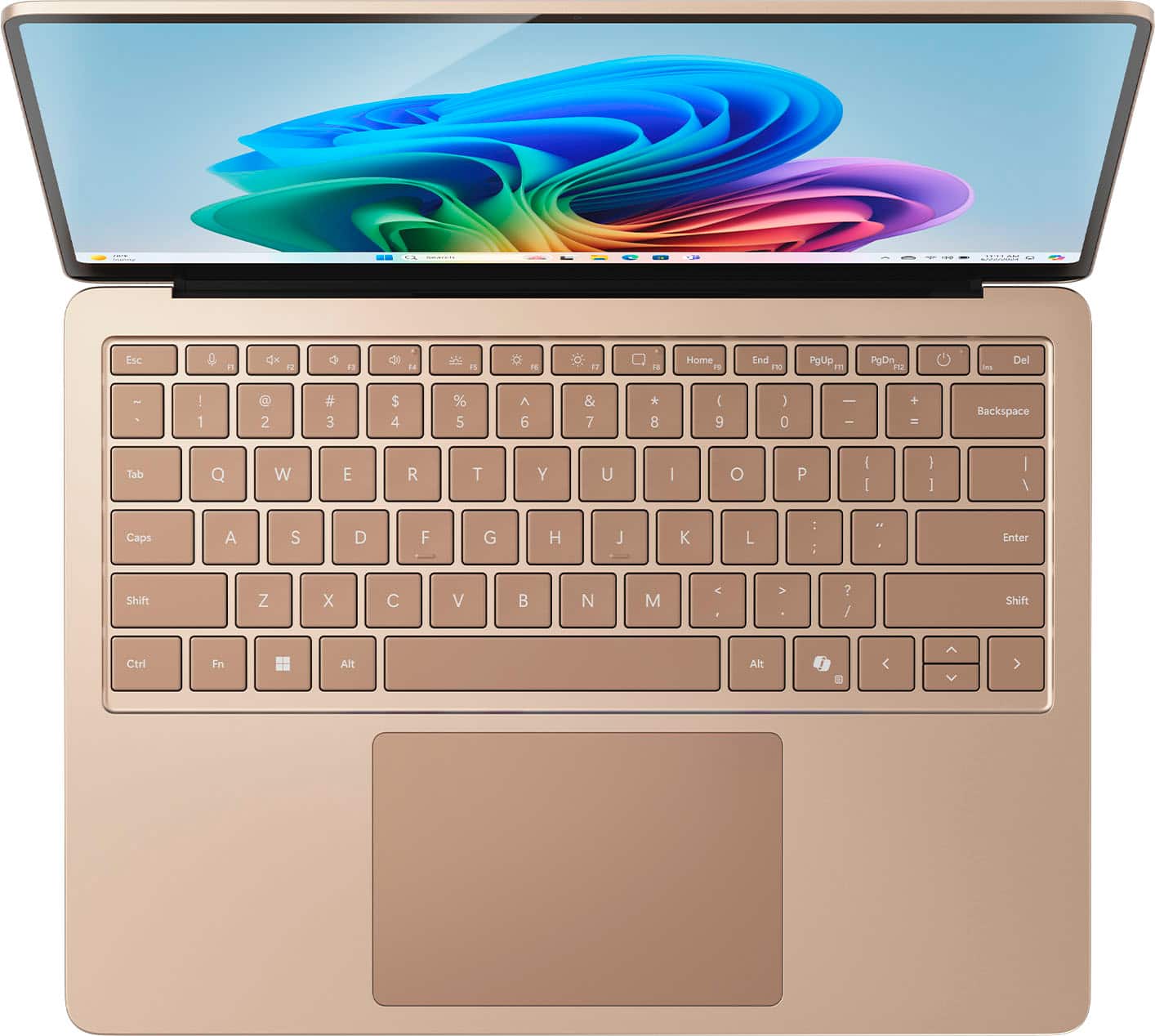
|Posted .This reviewer received promo considerations or sweepstakes entry for writing a review.Wow! I have to say that I have always appreciated the Microsoft Surface line for its style and form-factors, but have always been a little 'meh' about the innards. This time, Microsoft hit on all cylinders. Not only is this a solid and nice looking laptop, but the new ARM architecture and the POTENTIAL of the Copilot+ system really make this a powerful system for pretty much anyone (with the exception of graphics creatives and gamers), but especially for students. I am really impressed with the power that we are seeing from these new ARM chips, especially when you factor in the battery sipping specs. I have been working on this laptop for almost a week now, doing all sorts of test and a lot of Copilot testing and still have not had to recharge it from its initial fill up. Now granted, I was not doing any of the 'usual-suspects' for battery drain (that is: gaming and photo/video/audio encoding), but that is mainly because there aren't any 'big-name' pieces of software out yet for the Windows-ARM environment. Still, this really isn't intended to be that kind of platform in the first place. Once we see some inroads with GPUs in this sphere, THEN we can talk about real horsepower and battery sipping ability. It has been a joy using the laptop over the last few days. The screen is beautiful and bright. The keyboard is pleasant to type on, and the trackpad is large and responsive. I don't touch my screens so I can't speak to that (I hate fingerprints on my laptops), but I have always been a fan of the 3:2 aspect ratio on laptops and I'm glad that Microsoft is sticking to its guns on this and leading the way. I've also been really lucky over the years and have never really had to have any work done physically on any of my laptops (software is another issue altogether), but from what I understand from other reviewers, is that the Surface is relatively easy to fix which should translate to a longer useful life and/or cheaper repairs if needed. My only gripe with the physical features of the Surface Laptop is with Microsoft continuing to use its own proprietary charge port. I am less frustrated with this since you CAN use USB-C to charge your laptop but it's more the principle of the matter. The power brick is relatively tiny and light (as to be expected with something that only cranks out 39W), but there is ZERO reason why it is not just a simple USB-C brick and a nice cable to go along with it. Just sayin'. Getting back to the good stuff. What has REALLY been fun over the last few days or so has been playing with Copilot+. I've never really had any need to use any of the AI platforms previously, and to tell the truth I didn't think I ever really would, but after just a bit of work with Copilot in both office apps and as a stand-alone, I think the POTENTIAL for Copilot is absolutely crazy. It's fun to play around with writing prompts and see where they lead. This will actually be a pretty cool tool to use for my writing, especially with character development. It has also been good to help me identify tropes that I may be leaning on a bit too much. I put in a few sci-fi story ideas and let Copilot run with them, and quite a few of those tropes kept popping up (hence them being tropes), but it becomes glaring once you see them in several different story ideas. While I can also see how this can make someone pretty lazy with their work, for me it frees up some brain cycles for me work on plot and dialogue and less on the peripheral characters. My biggest gripe with Copilot+ though, is the content restrictions. I completely understand the AI not wanting to generate material that is sexual, hateful, defamatory (though really, it ought to do it if asked, or there should be a setting to do the processing locally if the issue is using Microsoft servers for the work), but some rather anodyne requests were met with statements from Copilot that said that it could not do that and encouraged me to generate that material on my own. Again, we are still in the early stages of the 'AI Revolution', but I think we could use a bit more 'Wild West' and a little less 'Corporate Boardroom'. As a former educator, this platform really excites me and scares me a bit. It excites me to think about the ideas and content that students could produce with such a powerful platform, but then the teacher in me worries about how I could ever separate the student from the AI with the current tools available. Fortunately, I'm retired and that is no longer my problem, and so I can just be excited to see what my rather gifted nephew is going to churn out with this laptop once I give it to him next month for his birthday. Microsoft has really hit it out of the park with this generation of Surface devices, and I think you are getting a really high-quality laptop with tons of power and phenomenal battery life for a really good price. If you are looking for a solid laptop that is light, powerful, beautiful, and in the Windows ecosystem, then the Surface Laptop with Copilot+ is a no-brainer. It
I would recommend this to a friendValue
Posted .This reviewer received promo considerations or sweepstakes entry for writing a review.This is a very good value for its capabilities. Low weight, good screen, and gread battery life.
I would recommend this to a friendA step toward the future of computing...
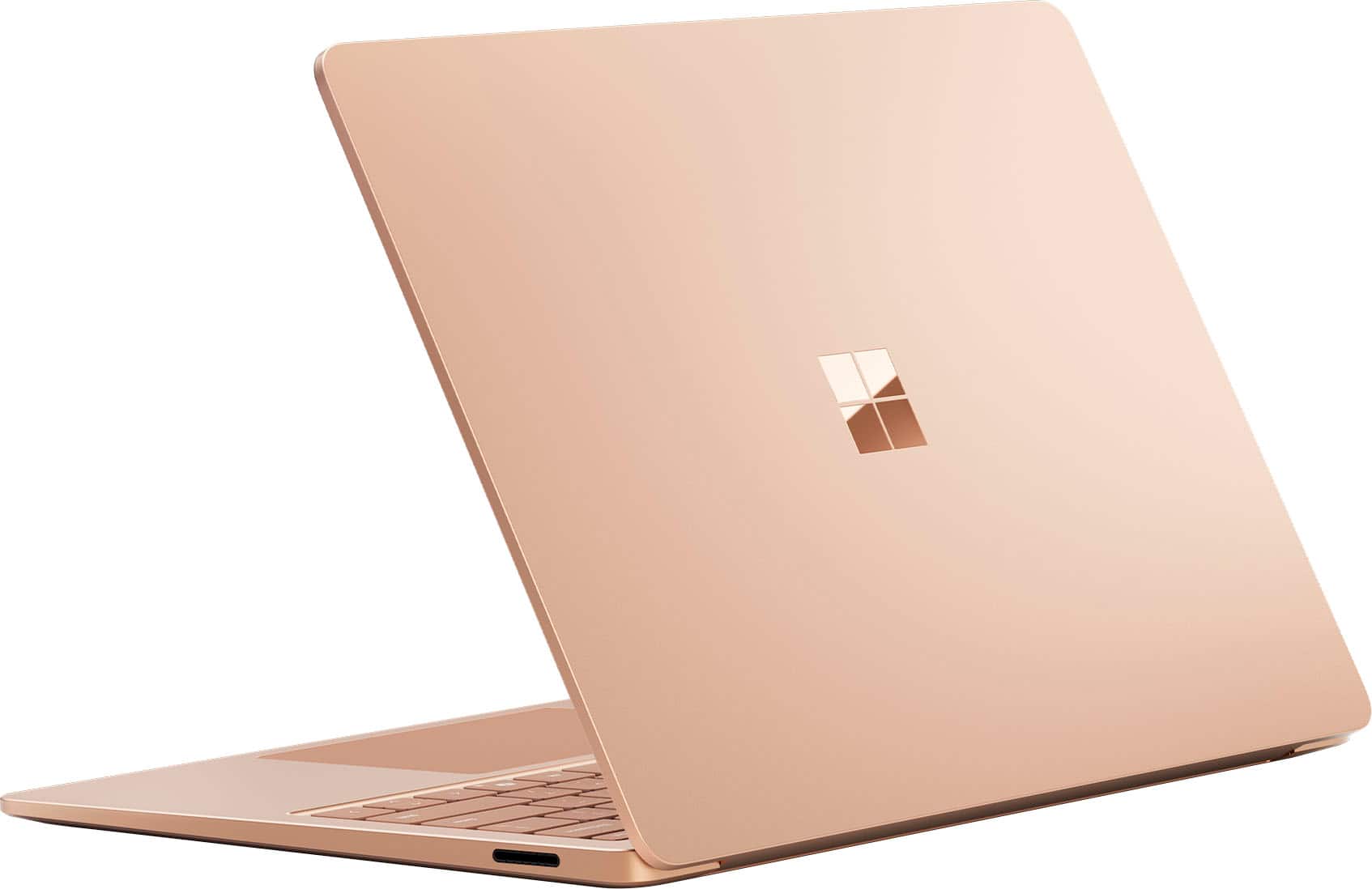
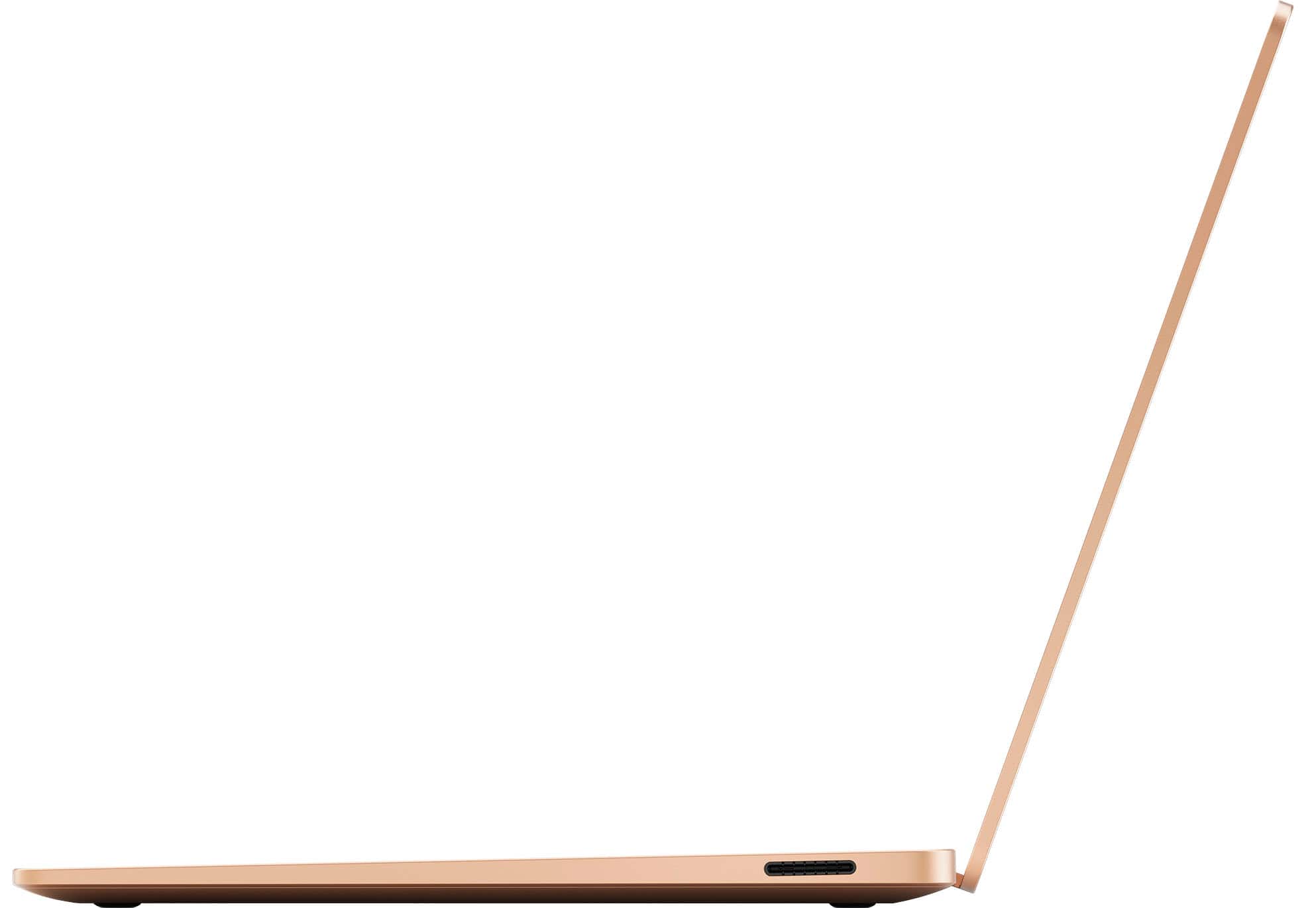
|Posted .This reviewer received promo considerations or sweepstakes entry for writing a review.This laptop is an absolute joy to use for about every task I’ve thrown at it. It is lightweight, fast, sturdy feeling, has a good keyboard and touchpad, and is quick with everyday tasks that include web browsing, productivity stuff, and photo editing. It’s very good camera and AI features make it a wonderful WFH machine, and the AI features can translate for you as well as run real time filters on your video. Gaming is limited right now, but I’m sure it will improve very soon as more devs port their apps to run ARM native or get ported over from mobile where they are already running on ARM. If you’re considering this laptop, go ahead, it’s a great value! Packaging is wonderful. Everything can be put in the recycling as far as I can tell, even the cord wraps are paper. Excellent. The Surface 7’s build feels rock solid, full aluminum chassis, very subtle branding on the lid, not a single RGB decoration to be found. The backlit keyboard is comfortable and easy to type on. The aluminum has a good feel, I prefer the keyboard 100% more than my ***Book Pro. It has two USB-C ports, a USB-A port, and a headphone jack on the left side, while the right side hosts the Surface power adapter port, which can also be used for Microsoft’s proprietary docks and port replicators that will power the laptop and add the ports with just one plug. This machine straddles the past and future by also offering current standard USB-C with PD and DP, so you can use a third-party dock to get the same functionality, super flexible! Wifi 7 is a notable feature to have on your computer going forward, it’s the new standard in Wi-Fi and the Surface’s Wi-Fi/Bluetooth chip works great on Wi-Fi 6 and Wi-Fi 7 networks. I used Bluetooth for connecting a keyboard, controller and headset and did not have any problems. I think the Copilot+ features that are enabled on these new machines are limited right now just to a few “demonstration” features in Windows. The possibilities are wide open. Hopefully developers going forward can leverage the NPU to do some really cool stuff soon. Even beyond the Copilot+ features and all of the future promise, this is a very well sorted computer. I really enjoy the lack of OEM junk hanging out in every corner of the machine. I can use all the power the computer offers because it does not have to continually run the unstable system resource drains that are on almost every OEM machine. This computer has a big advantage that it does not run the background tasks that OEMs run, so it will almost always be faster than other machines with the same specs. I’ve gotten great battery life on this machine, more than enough for my needs. The Surface Laptop 7 13.8” Copilot+ is arguably the best everyday laptop you can buy right now, and it’s only going to get better. Folks may balk at the price, it’s a good value. Recommended.
I would recommend this to a friendPerfect
Posted .This reviewer received promo considerations or sweepstakes entry for writing a review.It’s a MacBook that doesn’t suck. Got the lowest tier with 512 SSD for school and work. It’s quick when using applications, but not the fastest when it comes to opening apps (maybe im just used to a G14). Worth the $971 out the door. Nice on the lap too, not too small. I had a choice between this or another gaming laptop. I’m glad I chose this.
I would recommend this to a friendIt's good but feels half-baked
|Posted .This reviewer received promo considerations or sweepstakes entry for writing a review.On a surface level, this is a really good laptop. The hardware construction is great, and it feels nice to the touch. It's not horribly heavy, and it doesn't feel flimsy. The face unlock is reliable, and the screen is amazing - it's crisp and clear, and the brightness can go up so high it actually hurts to look at. It also works flawlessly for all of your basic tasks, such as YouTube or word processing. The battery life is decent, and despite being an ARM64 processor it can run standard X86-64 apps just fine. Here's where it starts to fall apart. First off, the battery life doesn't feel like it's up to where they promised it to be. I've also noticed that it drains alarmingly much while sleeping - I left it sleeping for a day and it lost half of the battery charge. Second, despite all the fanfare about how while this machine isn't for gaming it is capable of it, it's really... sad. Even with the Windows update that says it introduces support for a lot of anti-cheat software, I haven't had any luck getting any games that use anti-cheat to actually run. A lot of newer games just crash immediately, and some older games will run great for a bit then freeze the whole computer. Indie games at least run great, as well as Borderlands 3. The big marketing feature about this laptop was that it was able to run AI. For instance, certain AI features of Photoshop (like background replacers) can run on the device rather than in the cloud, which saves on both time and bandwidth. Having this ability is nice. However, having the hardware there doesn't really save AI that's not that great. I was really excited, for instance, to try out the Live Captions - being able to watch videos that aren't in English and don't have subtitles sounded lovely. Unfortunately, it wasn't very good. The translation quality felt pretty bad. It was like Google Translate - I could get the memo, but it took some figuring out errors and I'm certain some stuff was lost along the way. Windows Studio Effects and Cocreator worked... fine? Cocreator was decently quick, too. I'm not *super* impressed with them, but I'm not really the target audience for them. They don't seem *bad*, at least, which is nice since I didn't really have a great experience with Live Captions. (For what it's worth, I will say as far as Cocreator goes, that I'm genuinely glad that this laptop comes with a USB-A port instead of just USB-C ports. A lot of drawing tablets use USB-A cables. Making sketches for Cocreator to work off of was a lot more enjoyable when I was able to use my drawing tablet than when I was trying to use a trackpad or a mouse.) The AI component that really shone was Automatic Super Resolution. Remember what I said about Borderlands 3 running? At times it looked a little rough (especially text), but it always ran smoothly after loading was done. It ran *surprisingly* smoothly. It actually reminds me of the early Arc graphics drivers - they were really rough, and only a few games worked right on them, but the ones that did work right worked great. So, I suppose that Auto SR actually gave me faith that this will improve as time goes on, and lightweight gaming laptops powered by Qualcomm will actually be a viable gaming platform for casual titles. Maybe even this one, if Qualcomm does enough work on their drivers and Microsoft keeps improving Auto SR compatibility as well as the X86 emulation. I would *love* to play Destiny 2 on this thing in between classes or on my lunch break. Overall, I really like this laptop. It's a genuinely good computer. However, it feels like it was released to the public a little too quickly. Most of the AI is okay at best, and the AI that is genuinely good is hampered by the fact that a lot of games are incompatible with the system. (Though admittedly, I do think a professional could get more mileage out of Cocreator than an amateur like me.) While I do have faith that the AI pertaining to gaming will improve with time, I do think that maybe it would have benefited with Microsoft waiting a few more weeks to release this thing. I would *cautiously* recommend it, just for being a good machine in general, but I would say to temper your expectations, as it has the "new technology" issue of a bunch of problems that need ironing out.
I would recommend this to a friendLove my computer
Posted .This reviewer received promo considerations or sweepstakes entry for writing a review.Love my computer. Clearest screen. Beautiful color
I would recommend this to a friendgreat investment
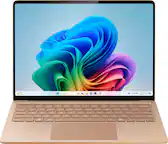
Posted .This reviewer received promo considerations or sweepstakes entry for writing a review.I love this laptop I use it every day for organizing media, updating client profiles, and streaming series for hours. the speaker system is phenomenal, the battery lasts without the charger for a while even with a variety of tabs open. I love the sleek pink as well!
I would recommend this to a friendMr. Martin Alfaro
Posted .This reviewer received promo considerations or sweepstakes entry for writing a review.Great purchase for value. Everything I need for work and play.
I would recommend this to a friendHappy girl happy life
Posted .This reviewer received promo considerations or sweepstakes entry for writing a review.Got it for my girl she loves it it’s everything she needs for school and work
I would recommend this to a friendPrfectino :)
Posted .This reviewer received promo considerations or sweepstakes entry for writing a review.Its a perfect laptop at this price range, Fast and pioneer technology of hardware
I would recommend this to a friendA writer’s dream
Posted .This reviewer received promo considerations or sweepstakes entry for writing a review.Perfect for writing my book. The built in AI feature helped design a beautiful book cover!
I would recommend this to a friendCame right on time for my school time & college.
Posted .This reviewer received promo considerations or sweepstakes entry for writing a review.I like it the color its very nices also the brand also
I would recommend this to a friendMicrosoft Surface Laptop
Posted .This reviewer received promo considerations or sweepstakes entry for writing a review.This is my 2nd generation of this computer. Prior model was purchased about 8 years ago, and still working. Keyboard was starting to become troublesome after the years of use, but satisfied enough with the model's performance and reliability to purchase this model again.
I would recommend this to a friendPrinter connection problems
Posted .This reviewer received promo considerations or sweepstakes entry for writing a review.I realized the processor is not intel instead of RAM , so I even cant connect to my printer
No, I would not recommend this to a friendBrand response from Snapdragon team
Posted .Hi MeiyaL, thank you for your feedback. We’re continuously working to expand support for printers. Currently, over 8,500 modern wireless printers from top vendors are compatible with Snapdragon X Series powered windows PCs To ensure compatibility and for the most up-to-date list of supported printers, please check https://www.qualcomm.com/snapdragon/laptops-and-tablets/printers.

Microsoft Surface Laptop -great purchase!
Posted .This reviewer received promo considerations or sweepstakes entry for writing a review.I'm happy with my Surface Laptop. It arrived on time. I had no issues with the order and delivery.
I would recommend this to a friendMICROSOFT OUGHT TO BE ASHAMED OF THEMSELVES!
Posted .This reviewer received promo considerations or sweepstakes entry for writing a review.It's a beautiful piece of trash...It looks sleek and works well for a couple months. Then a barrage of issues come up - freezing, not maintaining connections with printer or iphone, losing files (which occasionally resurface). New windows pop up without being cued. It multiplies files - sometimes I've ended up with 5 copies of the same file. The battery loses charge quickly. Every day it does a new trick. This is the WORST computer I have ever owned. You ask if I'd recommend this item? Well, duh!
No, I would not recommend this to a friendBrand response from Snapdragon team
Posted .Hey FemmeDeMaison, Snapdragon X Elite & X Plus platforms are engineered for outstanding performance and efficiency, promising all-day battery life. If you’re not seeing this, please review your power settings and manage background applications, as these factors can significantly affect battery longevity.