Customer Ratings & Reviews
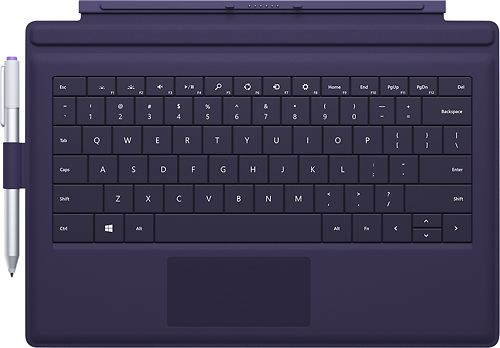
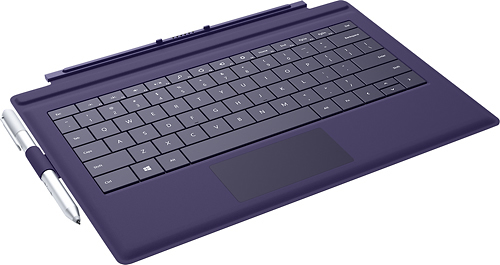
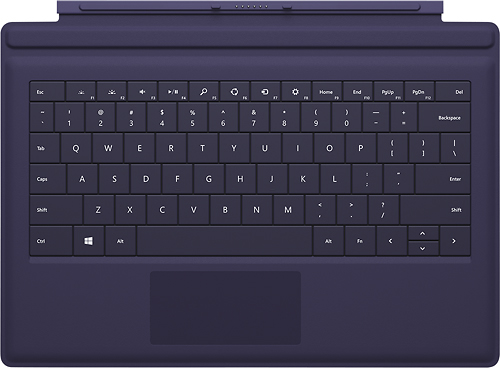
- Model:
- RD2-00078
- |
- SKU:
- 6727187
Customer reviews
Rating 4.6 out of 5 stars with 3447 reviews
(3,447 customer reviews)to a friend
Customers are saying
Customers regard the Type Cover for Surface Pro 3 keyboard favorably, praising its high-quality feel, ease of use, and lightweight design. Many appreciate its protective qualities and the variety of colors available. However, some customers find the price to be a drawback. A common criticism focuses on the pen holder's functionality.
This summary was generated by AI based on customer reviews.
- Pros mentioned:Keyboard qualityCons mentioned:Pen holder
Rated 5 out of 5 stars
This keyboard was a must buy for me
||Posted .This reviewer received promo considerations or sweepstakes entry for writing a review.This is in my opinion a must own accessory for the surface pro 3. The keyboard works flawlessly and when closed it protects the screen well. The only negative I can say about this is I hate the pen holder. It literally sticks the keyboard with adhesive... So I'm supposed to trust a "sticker" to hold my Surface pen that costs $50 to replace If lost? No thanks! I left the pen holder off of my keyboard and just clip the pen on the keyboard on the thin fold area. It's been holding on perfectly in that position.
This review is from Microsoft - Surface Pro 3 Type Cover - Red
I would recommend this to a friend - Pros mentioned:Keyboard quality, Protection
Rated 5 out of 5 stars
Great Add-on for a Great Tablet
||Posted .This reviewer received promo considerations or sweepstakes entry for writing a review.Transform your tablet into a laptop with one quick click. The keyboard is magnetic and self aligns with the tablet so there is no fusing around trying to find the right input. The variations of colors gives the user a unique look to call their own. And the keyboard cover provides enough protection for around the home or office.
This review is from Microsoft - Surface Pro 3 Type Cover - Red
I would recommend this to a friend - Pros mentioned:Keyboard quality
Rated 5 out of 5 stars
This is a must have for the Surface Pro 3
||Posted .This reviewer received promo considerations or sweepstakes entry for writing a review.It is the best key board I have used. I have two others key boards. I really like the color options
This review is from Microsoft - Surface Pro 3 Type Cover - Red
I would recommend this to a friend - Pros mentioned:Keyboard quality
Rated 3 out of 5 stars
Type Cover Still Falls Short
||Posted .This reviewer received promo considerations or sweepstakes entry for writing a review.While the SP3 is compatible with the previous Type Cover, the new Type Cover will protect the entire face of the larger screen. It is also designed to fold up onto the screen surface and put the keyboard at a more comfortable angle. This makes it more usable on the lap too. The touchpad is improved, with a larger and smoother surface. But the praise ends there. A common complaint I’ve heard is folding the keyboard at an angle makes the icons at the bottom of the screen more difficult to touch. I haven’t had too much trouble with it and tend to use the pen. If my pen isn’t readily accessible, I just pull the keyboard flat. I don’t mind sacrificing a little inconvenience for screen space, so this is a minor thing. With the larger Type Cover, I would have expected all of the keys to be full size or near-to-it, but the keys are all the same as before. Maybe this is a bigger undertaking than I think, or maybe it’s just more cost-effective for Microsoft to use the same keys. It’s a small improvement that could have been made and may have solved my next issue. The biggest problem is the touchpad is not centered on the Type Cover. When I type normally, I often find my left hand on the edge of the track pad, and the cursor will activate and send my typing off into strange places. It’s happened at least four times while typing this entry. Once, I managed to click something that took me to a completely different page, and I almost lost everything I did here. I have a laptop with an off-center touchpad too, but it has a simple way to turn the touchpad off and on, so I have no problems. I suppose I could program a keyboard shortcut, but it’s well established I’m lazy. And this is a design flaw with which I shouldn’t have to deal. Technically (and financially), the Type Cover is an accessory, so if this is “the tablet that can replace your laptop,” a keyboard is an essential piece of equipment. The only reason I would recommend it to anyone is it's the best option available when using the Surface Pro 3 on the go. I hope there are plans in the works for improvements, because the Type Cover is far inferior to the Surface Pro 3 itself.
I would recommend this to a friend Rated 5 out of 5 stars
Type Cover
||Posted .This reviewer received promo considerations or sweepstakes entry for writing a review.Microsoft - Surface Pro 3 Type Cover - Black works great and looks durable. Seems like it will take some wear an tear for my work environment.
This review is from Microsoft - Type Cover for Surface Pro 3 - Black
I would recommend this to a friend- Pros mentioned:Keyboard quality
Rated 4 out of 5 stars
Nice Keyboard/Cover
||Posted .This reviewer received promo considerations or sweepstakes entry for writing a review.If I hadn't owned a laptop with a flip screen I think I would have rated this 5 stars. But the way I personally use the Surface Pro, it would be nice to have a keyboard that still worked even if it wasn't attached at a specific angle. Maybe even a blue tooth keyboard that is linked to that specific Surface? Other than that it is a really good buy!
This review is from Microsoft - Type Cover for Surface Pro 3 - Black
I would recommend this to a friend Rated 5 out of 5 stars
Excellent Keyboard
||Posted .This reviewer received promo considerations or sweepstakes entry for writing a review.I bought this for my wife after originally purchasing the tablet. She loves it. You most likely will too.
This review is from Microsoft - Type Cover for Surface Pro 3 - Blue
I would recommend this to a friend- Pros mentioned:Keyboard quality
Rated 5 out of 5 stars
Very good item,easy to use and have all funtions
||Posted .This reviewer received promo considerations or sweepstakes entry for writing a review.I thought i can save $130 with out buying type cover keyboard but not,with the keyboard you can protect the surface pro 3 and very nice to have keyboard including track pad .Wow i won't regret to bought the type cover for my surface pro 3,i recommend for everyone to buy this type of cover.
This review is from Microsoft - Type Cover for Surface Pro 3 - Blue
I would recommend this to a friend - Pros mentioned:Keyboard quality
Rated 5 out of 5 stars
Innovation at it's best
||Posted .This reviewer received promo considerations or sweepstakes entry for writing a review.I've had the touch cover 1 and 2, and the type cover 1 and 2 and they were great innovations with some caveats but with this Type Cover 3, Microsoft has nailed it.
This review is from Microsoft - Type Cover for Surface Pro 3 - Blue
I would recommend this to a friend - Pros mentioned:Ease of use, Keyboard qualityCons mentioned:Price
Rated 5 out of 5 stars
Must have for the Surface Pro 3
||Posted .This reviewer received promo considerations or sweepstakes entry for writing a review.This keyboard is fantastic! It is very stable and solid enough to use on your lap, lights up and the accompanied stylus is great. It is a little pricey, but if you are going to spend a lot of time working on your Surface Pro 3, then it is well worth the investment. With my Surface Pro 3 and this keyboard, I no longer need to travel with a laptop and an iPad. I have one tool that accomplishes everything I need in a lightweight and versatile package that suits my every need.
This review is from Microsoft - Type Cover for Surface Pro 3 - Blue
I would recommend this to a friend - Pros mentioned:Ease of use, Keyboard qualityCons mentioned:Pen holder
Rated 4 out of 5 stars
Only problem was adhesive pen holder
||Posted .This reviewer received promo considerations or sweepstakes entry for writing a review.Didn't like that this is an accessory. However it works well. Also didn't like that the pen holder is an adhesive sticky that you have to apply yourself. Had to return my first one for an exchange as the adhesive did not hold and kept coming off. It was applied by the store clerk when they also applied my screen protector. It didn't even last a day. On my 2nd purchase I applied it myself. Have had it 2 months, so far holding up. Other than that I'm happy with my keyboard. I like that it lights up and can be used at night or in the dark. That's a plus. Easy to attach & remove.
This review is from Microsoft - Type Cover for Surface Pro 3 - Black
I would recommend this to a friend - Pros mentioned:Keyboard qualityCons mentioned:Pen holder, Price
Rated 4 out of 5 stars
Great Keypad for the Pro 3
||Posted .This reviewer received promo considerations or sweepstakes entry for writing a review.I love this keyboard! It attaches easily and you don't have to sync it or set anything up. It has a back lit key pad, which is more than my laptop has! The only things I don't like about it are the price and pen holder. The pen holder is very chincey and is basically taped on. For $120+ I think a more durable pen holder could be added. I can't even fit the pen into the one the keyboard came with. Overall, I'd recommend this if you have a Surface Pro 3 but get a case with a pen holder if it's something you need.
I would recommend this to a friend - Pros mentioned:Color, Ease of use
Rated 5 out of 5 stars
Great
||Posted .This reviewer received promo considerations or sweepstakes entry for writing a review.Definitely a must-have if you purchase the surface. I like that it "deactivates" when the cover is flipped to the back. I think it's a good size and the color options are pretty cool. I do wish I could scroll up/down/across the screen with the touchpad like on my previous laptop and I couldn't find an option to set that up on settings, but it still works great. Does the job.
This review is from Microsoft - Surface Pro 3 Type Cover - Red
I would recommend this to a friend - Pros mentioned:Keyboard qualityCons mentioned:Price
Rated 4 out of 5 stars
A generally positive impression
||Posted .This reviewer received promo considerations or sweepstakes entry for writing a review.I purchased my new Surface Pro 3, and there really weren't any other options, so this keyboard made it into my bag. Here are my thoughts: The Bad: -The price - This costs way too much, especially when standard Bluetooth keyboards start in the $50 range. I would love to see this come down a bit. If you are a student/teacher you can get a 10% discount, by mentioning the education discount from the Microsoft store. Best Buy will honor this. -The mouse pad - Not the worst I have ever used, but there is only a very small portion of the pad that can be used for right-clicking. I can't count the amount of times I have missed that area. Additionally, If you are using this in your lap, the left-click will have occasional issues, especially when clicking in the furthest lower left corner. -Wear and Tear - I have only had this a few weeks and the keys/mouse pad are already showing signs of wear. I'm curious about how long of a life this thing will have, especially for the price. The Good: -Clicks on an off very quickly! -Does a great job of protecting the screen in transit. -Comes with a stick-on pen holder. -Comfortable size for extended use. I'm working on the second edition of a book, and the keyboard feels great. -Seamless integration - There is something to be said for how well it works while adding very little bulk to the Surface itself.
This review is from Microsoft - Type Cover for Surface Pro 3 - Black
I would recommend this to a friend - Pros mentioned:Ease of use, Keyboard quality, Weight
Rated 5 out of 5 stars
a necessity
||Posted .This reviewer received promo considerations or sweepstakes entry for writing a review.The keyboard makes the tablet more into a computer. Bought Surface Pro 3 for son for college. He uses the tablet when convenient and easily attaches the keyboard when that helps on doing his course work. Both are lightweight and easy to carry in a standard backpack with textbooks, etc.
This review is from Microsoft - Surface Pro 3 Type Cover - Red
I would recommend this to a friend - Pros mentioned:Ease of use, Keyboard qualityCons mentioned:Price
Rated 5 out of 5 stars
Amazing Product
||Posted .This reviewer received promo considerations or sweepstakes entry for writing a review.This is probably “smartest” key board that I have. I was not sure how it work with the Surface but when I attached and heard the click I said “Wow”. You never see a magnetic key board that gets in the right place. Easy to detach when on the go. Awesome product. Only con was the price.
This review is from Microsoft - Type Cover for Surface Pro 3 - Blue
I would recommend this to a friend - Pros mentioned:Color, Ease of use, Keyboard quality
Rated 5 out of 5 stars
Love This Keyboard/ Cover
||Posted .This reviewer received promo considerations or sweepstakes entry for writing a review.I really love this keyboard. It is so easy to attach. All you do is hold the Surface Pro 3 over the connection points and it magnetizes right into place- Wonderful!!!! I bought the gorgeous turquoise color- which I love. It's nice that there are so many colors to choose from- it was not an easy choice to make. It's really nice that the keys are lit up and the little holder for the pen. It sits perfectly with the stand on the Surface Pro 3 and it's very nice that it is also a cover when you close it up. It's also very thin and lightweight, so that together with the Surface Pro 3 it is very portable.
This review is from Microsoft - Type Cover for Surface Pro 3 - Cyan
I would recommend this to a friend - Pros mentioned:Keyboard quality
Rated 4 out of 5 stars
Big improvement over its predecessor
||Posted .This reviewer received promo considerations or sweepstakes entry for writing a review.Pros- 1. Comfortable and accurate typing. 2. Vastly improved touchpad. 3. Backlit keyboard 4. Useful shortcut keys. Cons- 1. Overpriced. 2. Cheap material showing wear and tear. I purchased a Surface Type Cover 3 along with my Surface Pro 3 the day it came out. So far I have enjoyed the keyboard and it has proven to be a very good upgrade over the Type Cover 2 from last year. The keyboard retains most of the good quality from the Type Cover 2 while fixing a lot of the issues that plagued it. Pros- (continuation) 1. The Type Cover 3 provides a very good and comfortable typing experience. It is not the biggest keyboard in the world but it really makes the most out of the space it has. The individual keys are pretty big and they provide a lot of tactile feedback. I find myself making very few mistakes. I also do not have that cramped feeling that I often experience with small ultrabooks. The part of the keyboard where you rest your palms while typing has been increased in size. This makes the typing more comfortable and my palms don’t touch the touchpad and cause the mouse pointer to move all the time. That was an issue I experienced with the Type Cover 2. It was not a big problem but it was annoying. That problem has been fixed. Microsoft also added a magnet to the top part of the keyboard that attaches to the screen. This raises the keyboard which makes it more stable when you are typing on your lap. 2. The weakest point the Type Cover 2 used to have was the touchpad. Fortunately Microsoft listened to the critics and improved it. They improved it a lot. The touchpad is considerably bigger than the previous one. It is also made of a different material that is less prone to discoloration. The touchpad of my Type Cover 2 started losing its color after a few days of use. It looked dirty. The left and right buttons are much better also. The buttons on the Type Cover 2 lacked responsiveness and you often had to click several times in order to make a right click. It was irritating. The buttons on the Type Cover 3 work as they are supposed to. They work all the time with one click. The swipe gestures are also more responsive and easier to use thanks to the size increase. Overall the touchpad is not as good as the one on the MacBook Air but it is a vast improvement over its predecessor. 3. The Type Cover 3 has a backlit keyboard. It is very useful when you are using the computer in dark environment. It is one of those features that you don’t think you are going to need until you actually need it. It comes with three different light setting ranging from barely visible to really bright. The keyboard backlight will automatically turn off after a few seconds of inactivity in order to save battery. It will turn back on when you start using it again. 4. The Type Cover 3 just like most keyboard comes with shortcut keys on the top. However, I find the shortcuts to be more useful than a lot of the keyboards on the market because they are designed specifically for the Type Cover 3 and Windows 8. For example, I am always using the search key because it allows me to search anything on the hard drive or the internet with one click. You have keys to increase or decrease the backlit on the keyboard, mute the sound, as well as the classic scrolling up and down the browser pages. There is also a dedicated keys with shortcuts to settings, sharing documents, as well as the search key that I mentioned before. Cons- 1. The Type Cover 3 costs $130 dollars plus tax. It is expensive and overpriced. The keyboard is specifically made for the Surface Pro 3 and you are paying a big premium for it. Microsoft advertises the Surface Pro 3 as if it an optional accessory, it is not. It is a necessity. If you really want to get work done you need the keyboard. It is a shame that the keyboard is not included with the laptop. The keyboard is not made of any premium material or does anything that any other keyboard doesn’t do. You are paying $130 because Microsoft knows it is the only keyboard that fits the Surface Pro 3 like a glove. 2. The only difference in material that was change from the Type Cover 2 to the Type Cover 3 was the touchpad. Everything else is exactly the same. The keys are the same and the material surrounding it is still the same. It is not metal, it is not plastic, it is a cheap leathery type of material. Don’t really know what to call it. I wouldn’t mind so much if it wasn’t for the fact that the keyboard tends to show discoloration after a few months of use. In fact, I have already started to see a small white discoloration on the magnetic strip that attaches to the screen. In conclusion, should you buy this keyboard? Well, if you really want to purchase the Surface Pro 3 and get real work done then you really do not have much of a choice. It is the only keyboard made specifically for the Pro 3. You can use a cheaper Bluetooth keyboard with the Pro 3 but it will not provide the portability and flexibility than this keyboard does. For the most part it is a very good keyboard and it gets the job done. I am writing this review with it. It is a shame it is so expensive. The keyboard is much better than the Type Cover 2. It is more comfortable to type than ever before and you will find the touchpad to a big improvement. I would still like to see a better material use for the next generation. I hope that this review has helped you decide whether the keyboard is good for you.
This review is from Microsoft - Type Cover for Surface Pro 3 - Black
No, I would not recommend this to a friend - Pros mentioned:Keyboard qualityCons mentioned:Price
Rated 5 out of 5 stars
Excellent Keyboard
||Posted .This reviewer received promo considerations or sweepstakes entry for writing a review.Received this keyboard for Christmas '14. (It was an open box floor model) Pros: - I love that it has a magnet connection for easy removal and attachment. The keys feel normal when pressed. In the past my experience with blue tooth portable keyboards has not been the best. My typing errors increase dramatically with most portable/bluetooth keyboards but not with this keyboard. - The track pad is accurate and responsive. - The keys are backlit which I like a lot. - The keyboard has two positions: 1) it can lie flat on whatever surface you place it on or 2) It can attach magnetically a little bit higher on the Surface Pro 3 to give it a bit of an angle like a normal keyboard (which helps me type more efficiently). - Automatically powers off the Surface Pro 3 when closed Cons: - Price is too high
This review is from Microsoft - Type Cover for Surface Pro 3 - Black
I would recommend this to a friend - Pros mentioned:Ease of use, WeightCons mentioned:Price
Rated 4 out of 5 stars
Great Product
||Posted .This reviewer received promo considerations or sweepstakes entry for writing a review.I like the cover. It is lightweight and easy to attach / detach. The only issue that I have is it is an essential part of the Surface Pro 3. It should be included with the purchase. Plus, it is an expensive addition that many consumers do not realize they have to purchase separately.
This review is from Microsoft - Type Cover for Surface Pro 3 - Black
I would recommend this to a friend