Customer Ratings & Reviews
- Model:
- HK9-00001
- |
- SKU:
- 4630500
Customer reviews
Rating 4.7 out of 5 stars with 1223 reviews
(1,223 customer reviews)Rating by feature
- Value4.8
Rating 4.8 out of 5 stars
- Quality5.0
Rating 5.0 out of 5 stars
- Ease of Use5.0
Rating 5.0 out of 5 stars
Customers are saying
Customers appreciate the Xbox Wireless Adapter for Windows for its wireless connectivity, easy setup, and plug-and-play functionality. It is compatible with Windows 10 and offers a lag-free gaming experience. Some customers find the size of the adapter to be a bit bulky and the price to be on the higher side.
This summary was generated by AI based on customer reviews.
- Pros mentioned:Compatibility, Ease of use
Rated 5 out of 5 stars
Absolute must have for Windows 10
||Posted .This reviewer received promo considerations or sweepstakes entry for writing a review.While many on PC tell you to that you need a mouse and keyboard, there are many games that are better enjoyed with a controller (Assassin's Creed, Fallout, etc). This device is a must! It has a much further wireless distance than the Xbox One and was very simple to get it going. Just plug in, pair and play. For those wondering if the Xbox One controller will work with older games that used Xbox 360 controllers, the answer is a yes for many older titles I tested (GTA IV, Call Of Duty Black Ops 1, Fallout 3 and New Vegas, etc). Some will allow audio via the headphone jack with a headset, some will not. Best part is, I can now seamlessly talk to my Xbox friends via the Xbox app on Windows 10.
I would recommend this to a friend - Pros mentioned:Ease of use, Range
Rated 5 out of 5 stars
Xbox one on you pc
||Posted .This reviewer received promo considerations or sweepstakes entry for writing a review.Perfect works on my tablet on my PC and will link 10 devices works wonderfully has great range have never had a disconnection or any errors with it. And I use my Xbox one controller on my PC frequently. It's simple no real hassles just link it with your controller with the sync buttons on both thus stick and the controller and pow done. However if you are taking the controller back and forth between your consol and PC it requires syncing each time or so mine does so I just got another controller and have one for each now. Only because i didn't want to keep syncing when I kept changing plus of someone wanted to be on PC and Xbox one at the same time well then I needed two anyway.
I would recommend this to a friend - Pros mentioned:Compatibility
Rated 5 out of 5 stars
Works without issues
||Posted .This reviewer received promo considerations or sweepstakes entry for writing a review.Plugged the adapter into my Windows 10 gaming machine and after a few minutes I was ready to rock. If you are using the newer style controller with the 3.5mm jack, apply the controller update then hook up your headset. Besides showing up as a controller, it will also show up as a usb audio device.
I would recommend this to a friend - Pros mentioned:Ease of use
Rated 5 out of 5 stars
Small USB, easy to set up and use.
||Posted .This reviewer received promo considerations or sweepstakes entry for writing a review.PROS: Easy to set up and use. Tons of customization options when paired with an Xbox Elite Wireless Controller. CONS Only works with Windows 10 and Xbox One game pads. Support for chat headsets is limited to four even though you can connect up to eight controllers.
I would recommend this to a friend - Cons mentioned:Size
Rated 5 out of 5 stars
Works great, is a bit big
||Posted .This reviewer received promo considerations or sweepstakes entry for writing a review.Product works exactly as one would expect. You can pair up to 8 controllers in the same way you would pair them with the console itself, and once paired, they stay paired until you pair the controllers with something else. The only disappointment is the size, it's rather large.
I would recommend this to a friend - Pros mentioned:Ease of use
Rated 5 out of 5 stars
Neat capability!
||Posted .This reviewer received promo considerations or sweepstakes entry for writing a review.This is easy to use and allows me to use the same XBOX One controller on both platforms. The only drawback is that the controller can only be pared with one platform at a time. Since I would not be gaming on both at the same time, this seems like an unnecessary limitation.
I would recommend this to a friend - Cons mentioned:Driver installation
Rated 4 out of 5 stars
Wouldn't install automatically
||Posted .This reviewer received promo considerations or sweepstakes entry for writing a review.Only reason it gets 4 stars is because I had to scour the internet for drivers for this thing. I'm on Windows 10 but for whatever reason it would not auto install the drivers from windows update. It was a struggle, but I consider my self an advanced user. For an average user or gamer that has a pre-built pc, they may not be able to get it going if they had the same problems as me.
I would recommend this to a friend - Pros mentioned:Compatibility
Rated 5 out of 5 stars
Needs for Xbox one controller on pc
||Posted .This reviewer received promo considerations or sweepstakes entry for writing a review.I got this adapter to use on my win7 pc. I'm currently using it with a Xbox one elite controllers and works great. They updated the drives to always this to work with win7 & win8, not just win10 anymore. So if you want to use your Xbox one controller on pc get it!
I would recommend this to a friend - Pros mentioned:Ease of use
Rated 5 out of 5 stars
Works great
||Posted .This reviewer received promo considerations or sweepstakes entry for writing a review.Bought for my son for Christmas, an impulse buy while picking up headphones. It works great and he likes being able to use his controller on the computer for games that allow it. I tried it and it makes playing games much more natural than using a keyboard.
I would recommend this to a friend - Pros mentioned:Ease of use
Rated 5 out of 5 stars
Works Great
||Posted .This reviewer received promo considerations or sweepstakes entry for writing a review.This adapter is great if you already own an xbox one controller. Plug and play easy setup. Works great for Steam Big Picture mode and any other PC gaming that you do. The included usb dongle is also great if you need a little extra space to place it.
I would recommend this to a friend - Pros mentioned:Compatibility
Rated 4 out of 5 stars
I like it
||Posted .This reviewer received promo considerations or sweepstakes entry for writing a review.It works great with my windows 10 PC connected to a USB 2.0 socket on the front. However, it does not work with my Dell Venue 8 running windows 10. I have to use a usb adapter to connect it to the tablet though, so that's probably the issue. But the xbox controller does work with the tablet when wired with a USB cable. Really awesome with the Desktop PC!
I would recommend this to a friend - Pros mentioned:Range
Rated 5 out of 5 stars
Perfect for Playing Xbox on the PC
||Posted .This reviewer received promo considerations or sweepstakes entry for writing a review.using smartglass i was able to successfully attach a controller using this bad boy, and now i can play and control my xbox on my laptop in any other room in the house. so when someone is on the main tv, i can still play. perfect.
I would recommend this to a friend - Pros mentioned:Wireless
Rated 5 out of 5 stars
Great for PC gamers.
||Posted .This reviewer received promo considerations or sweepstakes entry for writing a review.Are you a PC gamer? Do you love being able to use your xbox one controller on your PC? Well, now with this adapter you will be able to use your xbox one controller wireless. No need to have the USB cable plugged into the controller all the time.
I would recommend this to a friend Rated 5 out of 5 stars
Perfect
||Posted .This reviewer received promo considerations or sweepstakes entry for writing a review.If you are like me and have family members fighting over the TV while you are trying to play a game, or you like to play games on your computer that require a controller, then this is just what you need. I like to stream my XBOX One to my ProTab3 so I can sit next to my wife and play while she watches TV. I bought this so I can have my computer on my lap and not have short cables dictating how close my computer is to my face. I use it for all my PCs weather I'm playing a PC game on my Desktop,or streaming my XBOX One to my ProTab3.
I would recommend this to a friend- Cons mentioned:Size
Rated 4 out of 5 stars
Worked Great
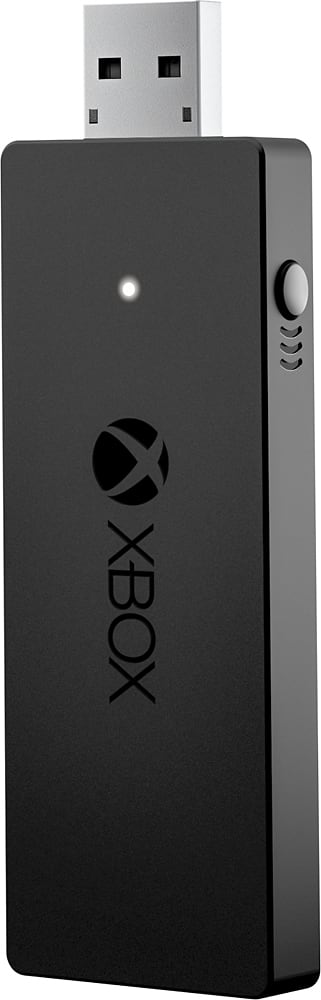
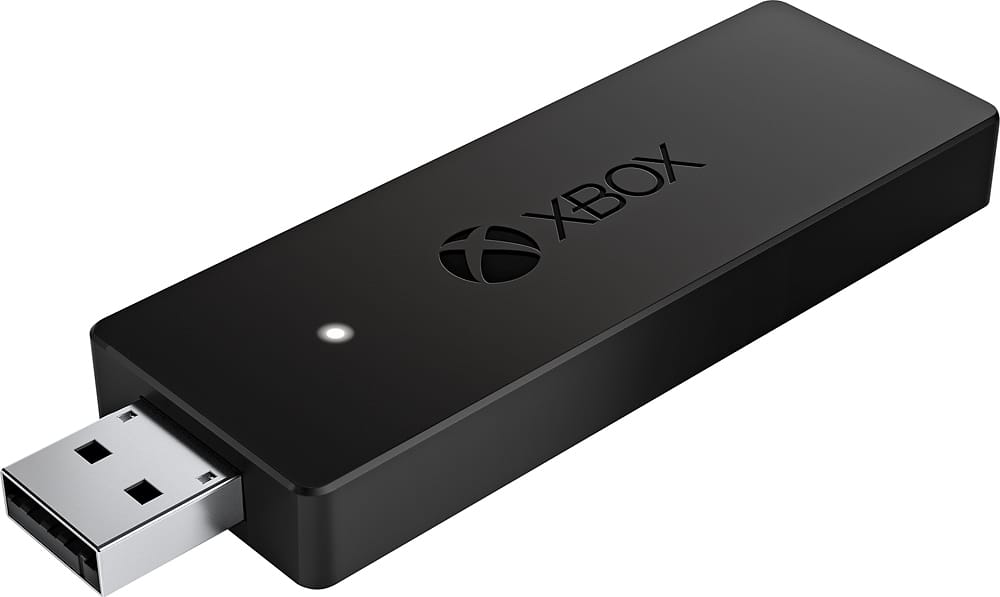
||Posted .This reviewer received promo considerations or sweepstakes entry for writing a review.Easy setup and worked great on all my games that support a controller. Would have given it a five star, but the design seemed very bulky. I would have much rather pay a little more for a slimmer adapter. It stick out a good 3-4 inches and makes me a little nervous about breaking it when gaming with a laptop on my lap.
I would recommend this to a friend - Pros mentioned:Wireless
Rated 5 out of 5 stars
great item
||Posted .This reviewer received promo considerations or sweepstakes entry for writing a review.i got this to use my new xbox 1 controller with my pc and i loved it it worked great even without windows 10 sadly i guess my xbox 1 was too close to (far side of my home) my pc and it kept turning on the xbox when i used it
I would recommend this to a friend - Pros mentioned:Connection
Rated 5 out of 5 stars
Easy setup, works great!
||Posted .This reviewer received promo considerations or sweepstakes entry for writing a review.I got this so my some could play on the Xbox remotely from his PC. He (almost 13) opened the box and got it working in short order. Connection is reliable, and setup required no input from me whatsoever.
I would recommend this to a friend - Pros mentioned:Wireless
Rated 5 out of 5 stars
Xbox Controller on PC
||Posted .This reviewer received promo considerations or sweepstakes entry for writing a review.This thing works exactly as advertised. Just plug it into a USB port and press the sync button on the dongle and controller. I use it from roughly 6 feet away and have not had any connectivity issues. I'm using Windows 10.
I would recommend this to a friend - Pros mentioned:Wireless
Rated 5 out of 5 stars
Xbox Wireless adapter
||Posted .This reviewer received promo considerations or sweepstakes entry for writing a review.Must have if you game on a pc. No more need to have your xbox remote connected with a micro usb cord. Have not had any connectivity issues with this wireless adapter as of yet & purchased it 8 months ago.
I would recommend this to a friend - Pros mentioned:Ease of use
Rated 5 out of 5 stars
Love This Thing
||Posted .This reviewer received promo considerations or sweepstakes entry for writing a review.I'm not a big PC gamer, but with the X-Box anywhere games I wanted to try them on the PC. I actually have been using my PC as much as my X-Box thanks to this little device, it's simple and works well.
I would recommend this to a friend