Customer Ratings & Reviews
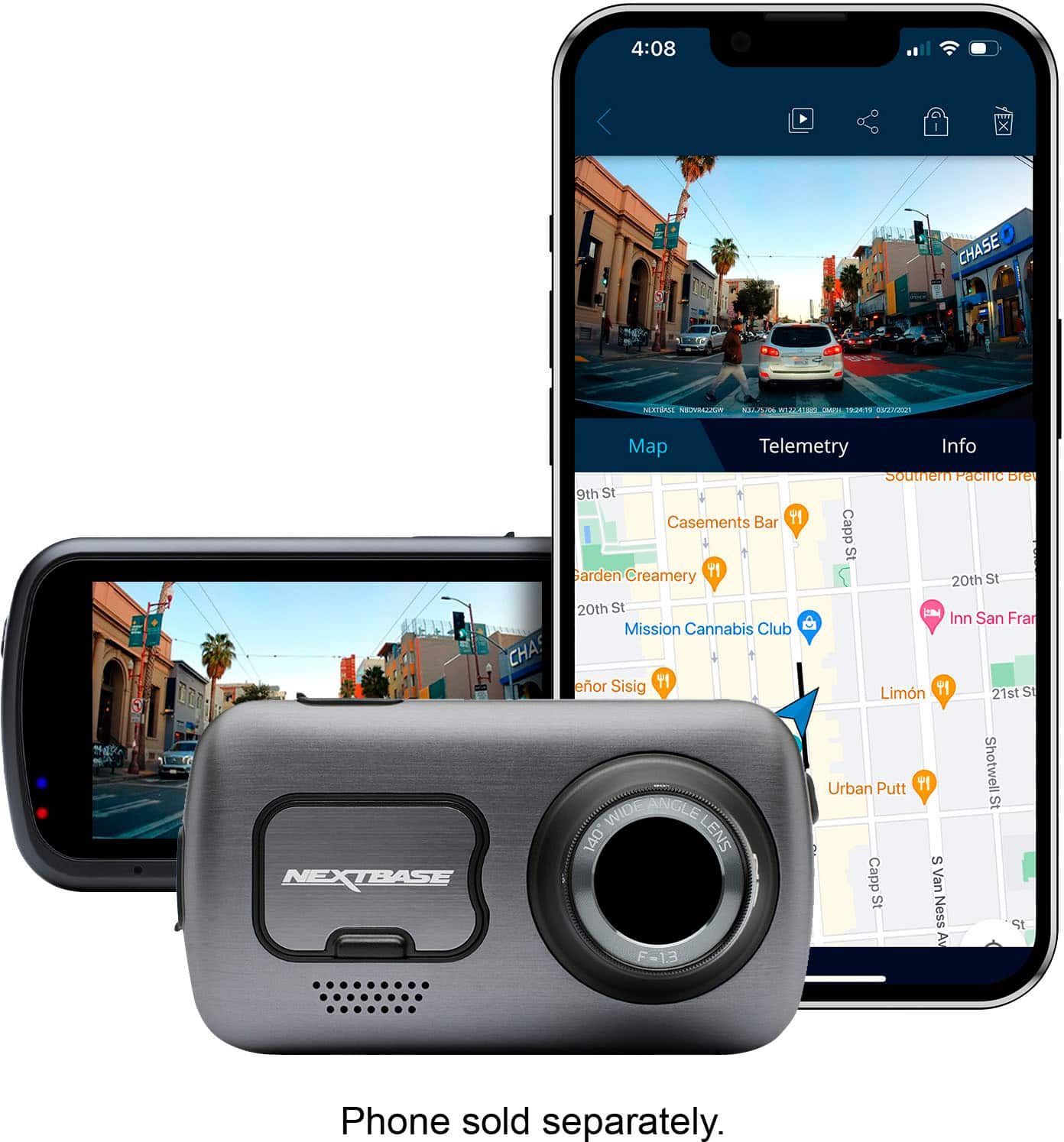

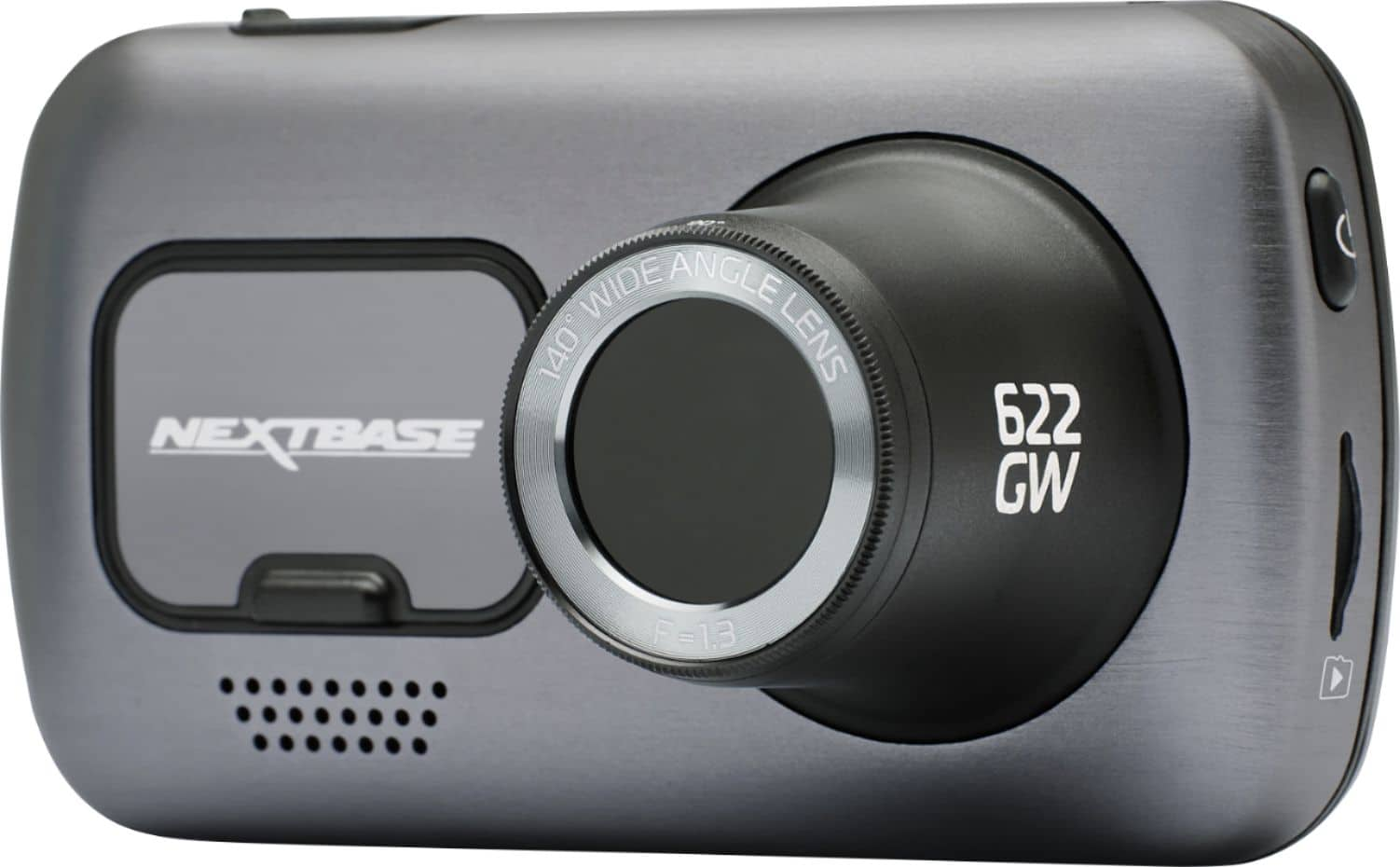
- Model:
- NBDVR622GW
- SKU:
- 6412920
Rating by feature
- Value
Rating 3.7 out of 5 stars
- Quality
Rating 4.0 out of 5 stars
- Ease of Use
Rating 4.0 out of 5 stars
Customers are saying
Customers are enthusiastic about the 622GW 4K Dash Cam's video quality, ease of use, and GPS capabilities. Many appreciate the straightforward installation process, high resolution, and effective parking mode. Some customers have expressed concerns regarding battery life, the app, and initial firmware updates.
This summary was generated by AI based on customer reviews.
- Cons mentioned:Reliability
Do not buy
||Posted . Owned for 1 week when reviewed.This reviewer received promo considerations or sweepstakes entry for writing a review.Just installed my nextbase 622gw in my truck and after awhile the camera froze. Allowed it to power off and now it won't come back on. I'm an OTR truck driver so I just can't return it right away. I just got burned.
No, I would not recommend this to a friendBrand response from Nextbase
Posted .Hello Brick,
Thank you for reaching out and sharing your experience, and I’m truly sorry to hear about the issue you’ve encountered with your Nextbase 622GW. We completely understand how frustrating this must be. We want to resolve this for you as quickly as possible.
If the camera is froze, we recommend trying a soft reset by removing the SD card and pressing and holding the reset button at the bottom for 2 to 5 seconds. If the issue is resolved it might indicate the SD card you're using is incompatible with the device and might need to be changed.
But, if the issue persists, please contact our support team at [email protected], and we’ll prioritize assisting you with a solution that works for you. The product is covered under warranty for cases like this, we value your time and understand the importance of having a reliable device, so rest assured, we’ll do everything we can to get your camera working again.
-The Nextbase Reviews Team
- Pros mentioned:Gps, Parking mode, Video quality

Absolutely Stunning True 4K Dash Cam!
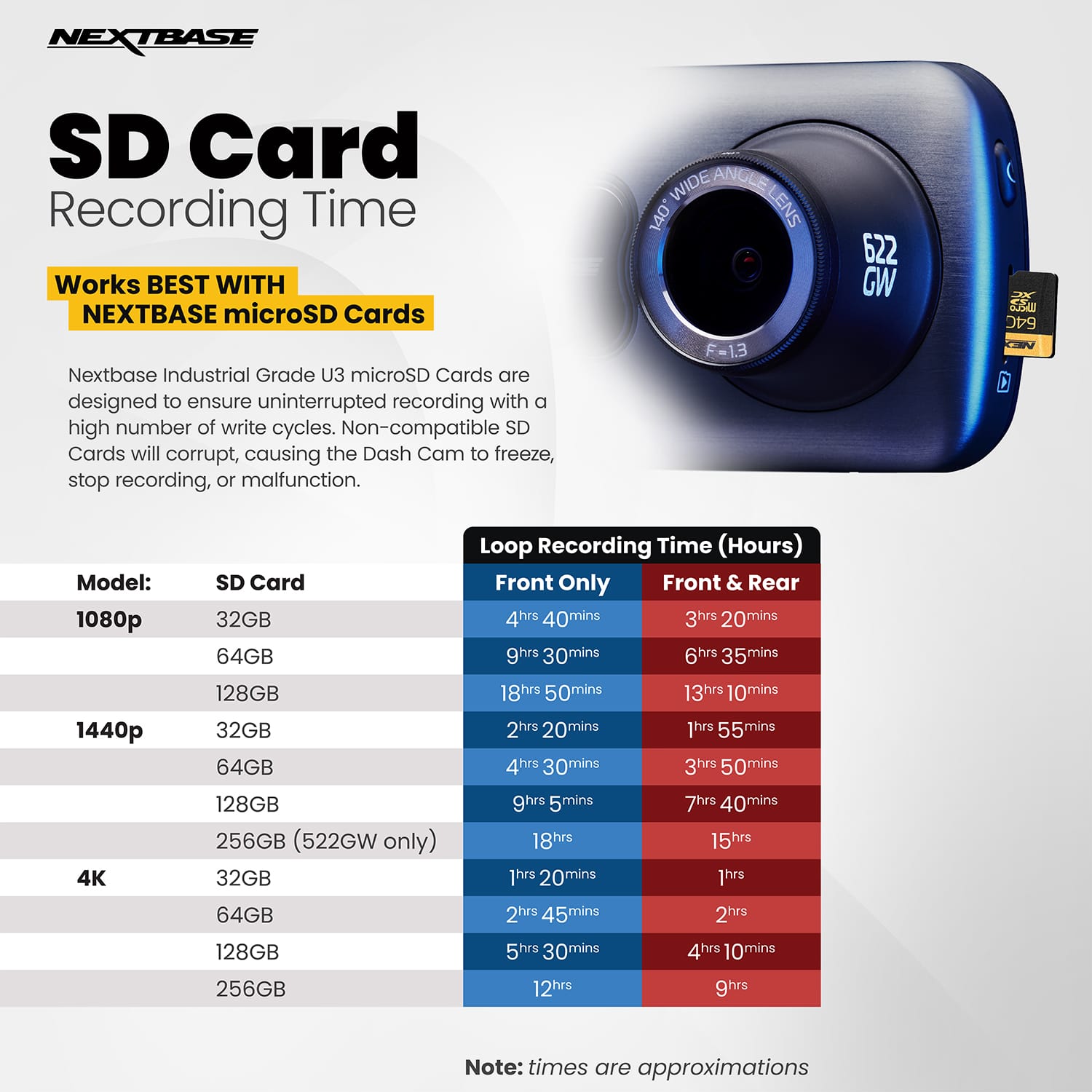
|Posted .This reviewer received promo considerations or sweepstakes entry for writing a review.I've owned a previous model, the Nextbase 322GW for a couple of years now, and with an unfortunate wreck back in August 2020, I added a rear view camera that month as well. I was so incredibly impressed with the Nextbase 322GW and the data it captured during that wreck, that I couldn't wait to try out this brand new 4K 622GW. Nextbase have continued the same mounting mechanism for their latest release, so it was as easy as unclipping my previous camera, and clipping in the new camera into the magnetic mount, and connecting the rearview camera (not included with the 622GW), and I was up and away. I'd already inserted a Nextbase 64GB card (which is recommended for 4K recording) and formatted it. Compared to the 322GW, the 622GW has a slightly larger footprint, a larger touchscreen on the back, and a significantly larger aperture for the lens on the front. The clarity of the 4K image is beautiful, the image stabilization feature works really, really well, and GPS location with What3Words make this dash cam invaluable. Touted as the 'Ultimate 4K Cinematic Dash Cam Experience', that is exactly what it is. The image is recorded in 4K (3840 x 2160) at 30fps, which gives you great clarity and detail, and the image stabilization allows you to view license plates with ease, and all the details of your journey. And the great thing is, that the 622GW records in full 4K, while also recording high quality 1080p through my rear camera, both at 30fps. This latest generation also comes with Enhanced Night Vision, which picks out a lot more detail in low light settings, clearer details on the darkest of roads. This is done by using larger pixels, which allow more light into the camera, coupled with image enhancing technology. In addition to that, the camera also features Extreme Weather Mode, which enhanced the image digitally in weather events such as fog, where details are a lot harder to see. Built in algorithms capture the clearest image possible. Super Slow Motion is another image setting that allows you to play slow motion videos, 1080p at 120fps, giving you the opportunity to reveal great detail, such as license plates or faces, should you need to. Compared side by side, the 4K resolution offers a less harsh contrast, creating higher definition, notably of clouds in the sky, you see all the gradients and undulations, whereas the 1080p version created harsher white shapes, with little definition. Of course, you aren't capturing clouds, that resolution translates into crisper, clearer visuals on the road, be it a road hazard, an incident, or a license plate. The image stabilization is in itself almost cinematic, I have quite a bumpy driveway that shakes my Jeep from side to side, but viewing through the 622GW, the image is smooth as silk. It truly is remarkable. You will also never be lost again, with the What3Words functionality embedded within the dash cam, it can pinpoint your exact location to a 3 meter squared space! What3Words has divided the world into 3 meter squares and assigned them a three word designation that will never change, allowing pinpoint accuracy, way more accurate than an address or an intersection. That location can then be shared with roadside assistance or emergency services, should you need to. Best of all, you don't need to have a data connection for it to work, it is able to provide your location at any time, no matter what. That's piece of mind right there! The 622GW has Alexa built in, so you can ask Alexa to play music, place calls, turn on your smart lights as you pull in the driveway, and even control the 622GW dash cam itself! The camera also has wifi connectivity, bluetooth connectivity and an SOS Emergency Alert option (should you choose to set it up) that can alert emergency services automatically, of your blood type, allergies or any other pre-set medical conditions to help with your treatment. Another invaluable feature is the intelligent parking mode that when set, automatically records if it notices any bumps or physical movement of the vehicle when left unattended. Perfect for a hit and run scenario or attempted theft. I definitely have that feature turned on at all times. The Nextbase downloadable software is phenomenal. I can speak from experience of the aforementioned wreck we recently had. The data available and picture quality was able to prove instantly with no contest that the wreck was not our fault. The software shows the speed, direction, GPS location, the G-force, and even Google Maps highlighted route of your direction of travel. So much data is available, and made it so much easier when filing an insurance claim. I had a response from the other parties insurance accepting 100% liability within 4 hours. No back and forth, it was right there in high definition. So far I have been incredibly impressed with everything that the 622GW has to offer in the short time I've owned it.
I would recommend this to a friend - Pros mentioned:Parking mode, Video qualityCons mentioned:Battery life
Dash cam like an action cam
|Posted .This reviewer received promo considerations or sweepstakes entry for writing a review.My last dash cam was the Owlcam which I thought was pretty good with a bunch features. I stopped using it because there is no longer support for it and subscription fees for cellular are too high. The other reason was that it always overheated. This Nextbase Dash Cam has performed well without overheating but summer is still ahead. PROs: 1. Shoots in 4K/30fps and it actually looks great. It also has 1440P/60fps, 1080P/120,60,30fps. You have to use the app to switch resolution to 1080P/120fps (Super Slow Motion feature). The settings on the dash cam does not have that resolution available for some reason. 2. The mount uses friction to hold the camera in place and so far it has kept it in place through all the bumps on the road. The camera itself mounts on the mount with magnets so if you ever need to remove it, you can easily put it back on the mount without readjusting it again. Awesome! Well there was one time when I was rushing to remove it and I kinda messed up the adjustment but it was no big deal to readjust it. 3. Telemetry shows your speed, location so you know where you were while playing the clip and it is pretty accurate. It also embeds your speed, GPS heading, time and date on the footage which can also be disabled in the app. For example you can disable the speed from being recorded, wink wink. 4. Image stabilization - Footage is super smooth 5. It has a rechargeable battery so it doesn’t have to be hard wired into your car’s electrical system to use the Parking Mode. This also lets you use it as an action camera. Helpful when you have to take pictures of the accident site. The battery life isn’t that long. 6. Intelligent parking mode works. It captures footage when your car is parked and it gets hit. You can attach a rear view camera and Nextbase has three different types, cabin view, telephoto and rear window camera so that it can record front and rear views. 7. It has a built-in polarizing filter. It really makes a difference in the video quality so make sure you make the adjustment with the rotating bezel. 8. It has 3” touchscreen for viewing setup and captured footage. 9. You can lock footage that you want to keep so it doesn’t get deleted. I would suggest using at least a 128GB SD card if your going to take advantage of the 4K resolution. Footage can be saved to your device or shared. 10. Emergency SOS (subscription required - one year FREE then $3.99/mo afterwards) would be helpful in situations where you are unable to call for emergency help. The dash cam is able to detect a crash and call your emergency contact and emergency responders. 11. Super Slow Motion uses a resolution of 1080p to capture footage at a fast 120fps. This will allow you to view more frames to get finer details. CONs: 1. NO USB-C connection but instead it uses the old micro USB type. 2. Needs to add a USB port since this will take away the 12v socket in my car that I usually plug my phone into for charging 3. Dash cam went into standby while I was waiting in the drive-thru. The stand-by mode should be disabled if it is connected to external power. 4. You can only get footage out of dash cam when your device is connected to it via Wi-Fi. I was only able to connect to the dash cam when I was a few feet away and the dash cam also has to be on, not on stand-by. It turns off while viewing footage. Hopefully this can be remedied with software or firmware updates. 5. You can also adjust the exposure but it doesn’t give you a live view as you are setting it. You have to set it, save it and exit to the live view and if you don’t like the setting, repeat the steps. Annoying. Other notable features: - I don’t use Alexa but for those that do, it has Alexa built-in - It uses what3words location service. what3words divided the world into 3 meter squares and gave each square a unique combination of three words. These 3 words can more precisely identify your location and it is helpful during emergencies. - It ha an Extreme Weather Mode which helps with foggy locations and low visibility conditions. I wasn’t able to try that out because I am in Hawaii and we don’t get those kine conditions. I really like this dash cam because of the video resolution, convenience, versatility and many feature sets. There are a few annoying quirks but I’m hopeful that they can be remedied.
I would recommend this to a friend - Pros mentioned:Video qualityCons mentioned:Firmware update
Solid video with room for software improvement
|Posted .This reviewer received promo considerations or sweepstakes entry for writing a review.Pros Compact Offers tons of telemetry Clear picture Adjustable polarized filter reduces glare Upgradable to cabin or rear camera Upgradable storage Strong magnetic mount Hardwired option available SOS Function Whatthreewords function Alexa functionality Most license plates are readable Cons Poor touchscreen sensitivity at corners No way to combine video files in app Video can only be reviewed in 1 to 3 minute segments Camera sometimes shuts off or restarts while connected via Wi-Fi Cabin camera connection on right instead of left side Software feels dated and sometimes fails GPS date and time failed to update automatically with strong signal Design and Features The 622GW is currently the top-of-the-line model from Nextbase which can record in 4K at 30fps or if you want to catch faster movement you can drop it all the way down to 1080p and record at 120fps. Video is recorded on a microSD card which is not included. They recommend using the Nextbase card for best reliability. The most important part is the card is fast enough and can tolerate extreme temperatures. The included mount attaches with a 3M pad which holds firmly. An extra pad is also included, and a suction cup is available separately. The camera connects and is held on the base using strong magnets. Built into the lens is an adjustable polarized filter to cut down on glare and reflections. Out of the box it is powered by standard car power port with very long cord and a tuck too to allow you to hide the cord behind trim. You can also purchase a hardwired kit which allows you to power the dashcam straight off your battery. Also available for purchase is a camera to record the rear of the vehicle, the cabin, or the rear using a zoom lens. You have three different options but the dashcam can only connect to one at a time. Included free for the first year is an Emergency SOS service that monitors for a crash and, if needed, contacts emergency services and shares important information including your location. The system uses your phone to contact emergency services. While nice to have, more smartphones are beginning to include similar functions without the need for an additional subscription. Performance and Usage Basic setup is simple and straightforward. Just mount it and connect it to power and it begins working. There is a small ring around the lens you use to adjust the polarizing filter to reduce glare. It is a bit hard to turn as it is very thin, but it makes a difference. While it doesn’t cut out all the glare it does greatly reduce it making videos through the windshield clearer. Setting up Alexa was a bit more finicky. Setup would go smoothly at first but after adding the skill the Nextbase app would not continue. Checking back in the app later and Alexa was activated. Once connected the calling Alexa via the dashcam would work to control Alexa on the iPhone but unfortunately the iPhone refused to connect to the stereo anymore. Removing the Bluetooth profile from the stereo and phone would allow it to pair again and partially work but calls and music control wouldn’t function through the stereo. It’s worth noting that since the phone received a recent update, strange Bluetooth issues have occurred between other devices and the phone. While the phone might be part of the cause of the issues, the dashcam also acted a bit strange. When connected via Direct Wi-Fi to the dashcam viewing video clips the dashcam would just randomly turn off or restart. The screen also seems much less sensitive to touch in the corners requiring multiple button presses of back or Ok to navigate menus. It’s hard to say what exactly was causing the Bluetooth issue but the combination would not work fully together. While testing crash detection and parking protection are a bit difficult without damaging your vehicle, video performance is easy to test. Compared to previous generations of Nextbase Dashcams, the upgrade from 1080P to 4K is a subtle but important difference. The most important difference is in reading license plates. When you view videos on your phone it might seem at first that license plates are not readable but if you safe a photo using the camera button inside a video a good number of license plates are legible, even while moving, in challenging lighting conditions. It isn’t going to capture every license plate with perfect clarity, but it is far better than in the past. This is also without using the new image stabilization. Unless you live on a country road or go offroad often the standard video is very smooth without the sacrifice of needing to crop the video down. Video quality is the strength of the 622GW. The Nextbase app and method for viewing videos still feels dated. If an event was recorded while in parking mode it doesn’t let you know you have a new video to check. The SD Card also needs to be manually formatted periodically or it will stop saving recordings. A subtle new feature of viewing is using low resolution for Bluetooth so you can quickly view videos. If you need high resolution, you choose the download button and it automatically switches to Wi-Fi Direct to download the full quality. There is still no way to view playback continuously. IF you are looking for a particular section of video you will need to browse and watch individual 1 to 3 minute long video clips to find the one you need. If what you are looking for spans more than one video file, the app doesn’t seem to have a way to combine them into a single video. A standout feature is just how much telemetry is stored in videos. Video files include the date, time, high resolution GPS location, speed, lateral force, and acceleration. For some reason though It kept showing a year of 2020 instead of 2022 requiring the date and time to be manually set. Final Thoughts It would be nice to see Nextbase focus on refining layout and operation of the app, but video quality is what matters most. While some of the extra features might seem a bit of a gimmick and a bit unrefined, capturing quality usable footage is where the Nextbase 622GW excels.
I would recommend this to a friend Missing part or newer version?
||Posted .This reviewer received promo considerations or sweepstakes entry for writing a review.I’m upset I open this box and the cover has. Alexis of card board which advertised shows a hard plastic clip with the name nextbase. Instead this cardboard piece is protecting the magnetic part? Horrible for $399 you call the customer service says you’re number 1 in place for the longest.. smh doesn’t seem this company is based out of USA. Smh
No, I would not recommend this to a friendBrand response from Nextbase
Posted .Hello Yani, thank you for taking the time to leave your review. We really appreciate your feedback. I'm sorry to hear that you are disappointed after opening the camera's box. Due to previous customer feedback regarding the lack of dust cover usage and in an effort to reduce environmental impact, we have removed the dust cover from the camera box as a large number of our customers were discarding them. We would be happy to send out a Dust Cover if you're able to provide pur Support Team with a copy of your Proof of Purchase and also your postage address. Please contact [email protected]
- Pros mentioned:Video qualityCons mentioned:App
Marginal improvement over 322W
|Posted .This reviewer received promo considerations or sweepstakes entry for writing a review.I’ve been a Nextbase dash cam user for years and currently use the Nextbase 322W. The 622W is similar in form factor but slightly larger. The 622W automatically powers on and off with the engine plugged into a DC outlet in the vehicle. It also automatically begins recording when powered on. Recordings are filmed in 1-minute intervals which is standard for most dash cams. The one major downside of increments is that vital data may not be recorded fully or not at all if an event happens at the moment of an interval change. I once had an incident where the recording caught the very beginning of an incident, stopped and resumed immediately. It recorded most of the event but a vital milli-second or two of footage was missing. I’m torn on video quality. I was expecting a night and day difference in video quality between the 322 and 622. Instead, the 622W footage only looks marginally better than the 322 and not consistently. The 622 video quality wins hands down when the vehicle is stopped but the 322 footage seems smoother and cleaner during playback when the vehicle is in motion. This was surprising given the built-in image stabilization of the 622, but for whatever reason, the 60fps HD video looks cleaner and smoother than the 30fps 4K video. Both cameras still jitter and shake slightly when the vehicle hits bumps in the roadway. I initially suspected maybe the playback hardware needed to be more robust for the 4K footage. However, even on a high-end gaming machine, the 4K video was still choppier and less clean than the HD video when the vehicle was in motion. Night recording is about the same for both but the same differences in quality were noted. Both cameras suffer from chromatic aberration which is affected by lighting, time of day, environment and vehicle speed. I attached two screen grabs below. The lighter roadway with the left turn sign was recorded with the 622 and the darker roadway with the 45mph speed sign with the 322. Both were recorded with the vehicle in motion. The roadway appears sharper and slightly more detailed in the 322 photo, particularly around the line of the shoulder. The foliage, utility poles and traffic signs are a bit more detailed in the 622 recording. These photos pretty much sum up my experience with the two cameras. The 622 has the higher resolution and bells and whistles but the 322 seemingly has a superior sensor. I say seemingly because it could be an inferior sensor on paper. In my real-world use, it seems superior. I tested in bright sunny daylight, in night time darkness and in rainy overcast conditions. Results were consistent among the three different environments. The 622 ships with a permanent adhesive mount rather than a suction mount like the one included with my 322. Suction mounts are great for multi-vehicle use and concealing both the camera and mount if desired. On the downside, suction mounts tend to frequently fall off the windshield in hot weather, especially if the sun is shining directly on the windshield. I’ve used both mount types and have never had a problem with adhesive mounts falling off the windshield in hot weather. If anything, adhesive mounts sometimes stick too well. I had a very hard time removing one from our former vehicle. The 622W works with both mount types through the cool magnetic connector. The connector enables me to easily swap Nextbase accessories like the mount. I’m currently using the suction mount because it was already in place. I will likely switch to the included adhesive mount in the spring. The last thing I’ll mention is the Nextbase app. It is definitely a little flaky as the App Store ratings suggest. After installing the app, it advised it had to upgrade the camera’s firmware. It also showed that it was actively connected to the camera through Bluetooth. The update began installing, or so it said, and ran for a long time. I stared at the “update in progress, do not interrupt” message for nearly an hour before finally realizing it was stuck. I powered off the camera and the app displayed a message that it lost connectivity. When I restarted the camera a message appeared in the app stating a wifi connection was required to install the update. Neither the app nor the camera indicated a wifi connection was required when I performed the initial setup and update attempt. After connecting to the 622W with wifi rather than Bluetooth, the update resumed and completed within minutes. The app does have some useful features that allows settings changes, video playback, and live view directly from the camera. It could also use some UI improvements, in particular, removing the in-your-face ads for other Nextbase products and services.
Brand response from Nextbase
Posted .Hello,
Thank you for your detailed feedback regarding your 622GW and the experience you had setting it up.
On the 622GW you can change the recording increments to 1, 2 or 3 minute intervals. This can be done within the camera's settings: Settings- Video Settings- Video Length. If the 1 minute video file does not suit your needs, I'd recommend the 3 minute intervals instead.
Regarding the video quality, please ensure that your 622GW is on the new firmware version R10.5. The 622GW records Dual Files- one high resolution file and one low resolution file simultaneously. These can be identified by the 'FH' or 'FL' at the end of the footage title. I'd recommend playing the front high resolution (FH) file using the MyNextbase Player application for the best image quality.
Thank you for your feedback regarding your app experience, I have passed comments onto to our App Development Team.
If you need any further assistance, please contact our Support Team at [email protected] .
- Pros mentioned:Video qualityCons mentioned:Firmware update
GREAT QUALITY HARDWARE – Skip the Windows Software
|Posted .This reviewer received promo considerations or sweepstakes entry for writing a review.REVIEW: NEXTBASE 622GW 4K DASH CAM Best Buy Tech Insider Network GREAT QUALITY HARDWARE – Skip the Windows Software My first dashcam, so I was not sure what to expect. Overall, I am very happy with the unit. The hardware is top notch and very well made and constructed. The images are very sharp and clear (4K). I’ll likely get a second unit for my wife’s car. Do yourself a favor and skip the windows software as it adds no value. Just use your favorite video player or editor and you will be much happier. The images are stored on an SD card in normal “camera” format and folders. The included permanent mount and suction cup mount are a nice touch for flexibility. I also appreciate the wide array of compatible accessories from prior models. It is good to see that you don’t have to toss out all your accessories each time you upgrade. At first, I was surprised by the very old style USB connector (USB Mini-B) but then I came to appreciate that is part of their strategy to keep backwards and forward compatibility. I plan to use it to capture fall color driving tours, as well as some of the crazy people on the road. Last year I was driving my son to work and the person ahead of me was putting on their makeup and frequently driving into oncoming traffic lanes. If I had the Nextbase, I could have done something about it. If I tried to fumble around for my cell phone I would have made it worse. Overall, I recommend the Nextbase 622GW 4K Dash Cam for just about anyone who wants a little piece of mind while driving. The device itself is very small, a little larger than a business card. I don’t find it obstructing the view or distracting in anyway, especially with the screensaver on. FAVORITE FEATURES - Sticker that says format SD Card “FORTNIGHTLY” - 4K Video (Clear Images) - Suction Cup Mount included - Super Powerful Magnets to connect to Mounts - All included Cables - Flexibility to configure what to record (size, volume, speed, location, etc) - Compact Size - Polarizing Filter to adjust contrast and reflections - Little tool to “tuck wires” into headers and dash SETUP: The so called “quick start guide” is 18 pages long, and frankly is a little out of sequence. With all devices I suggest updating the firmware before doing anything else. The windows software kept telling me that there were no firmware updates available but I knew that was wrong. Perhaps if I used the Android app it would have worked. Instead, I followed the instructions for manually updating the firmware (from the website). The steps are roughly as follows. 1. Install SD Card (make sure it is u3 speed designed for video or webcams) 2. Put on Charger for 2 hours 3. Format SD Card 4. Download Firmware on PC from the website 5. Connect Camera to PC 6. Select “Update Firmware” on Camera when it boots up 7. Browse to Camera Root Folder from Windows 8. Copy Firmware Files (not the zip files but the files inside) to Root Folder 9. Disconnect from Computer 10. Wait for a few reboots while firmware is uploaded (red lights eventually turn white) 11. Pair Camera W/ Phone 12. Download App (QR Code does not work) search for software manually 13. Watch for a flash “press to pair, tiny print” and press it 14. Pair the phone 15. Look for BT Icon on dashcam to know you are paired (app seemed to be stuck in a loop) 16. Reboot Phone 17. Reboot Camera 18. Re Launch App 19. Optional Alexa Setup NOW you can continue with step 2 of the quick start and pay close attention to Step 8 to get the contrast correct. By doing this all in your house, you are not sitting in your car for hours trying to figure it all out. FEATURES AND SETTINGS There are a lot of features and I’m sure I’ve not used them all but here I my thoughts on a few. IMAGE STABILIZATION – Not worthwhile unless you want to make a movie. It is only digital which means it reduces the resolution from 4K to something less then uses software to try to stabilize. I would rather have the “raw” 4K image, so I turned it off. WIFI – This is on the box, but nowhere else in the manuals. It took me forever to figure out what this was or how it was used. All it means it the once the phone app connects to the device over bluetooth, it sets up a virtual “hotspot” between the phone and the dashcam so your video are moved to your phone over WiFi (at a higher speed than Bluetooth supports). This is all automatic you don’t have to do anything or think about it. Many cameras also use this same trick. WHAT3WORDS – Allows your location to be communicated by 3 random words like Butter-Box-Flag instead of GPS coordinates. Interesting, you can take it or leave it. ALEXA INTEGRATION – In effect all it is doing is allowing the MIC in the dashcam to talk to the Alexa App on your phone. It is not really a standalone Alexa Device. But it works well enough. It is one less distracting thing in that you don’t have to fumble with your phone while driving. We use Alexa to bypass the need for multiple music subscription services for each car. SOS – I have not activated this yet as it is only a 1 year subscription. Once I decide whether or not to get a second unit I’ll think about the SOS feature. It is a nice feature, but I’m not sure I want “one more subscription” to worry about. OVERALL RECOMMENDATION I think it is a great unit, I could go on and on about how horrible the windows software is, but if you just don’t use it, then problem solved or at least avoided. [OK I can’t help myself just a little. SLOW, Choppy playback, overrides the correct timestamp on the video files and dashcam – thinks I’m in London, pause does not work, does not import still photo files from dashcam – only video, firmware update does not work, and more] Phew, got that out my system. Get this for the top class hardware and image quality, use your own software you will be perfectly happy.
I would recommend this to a friend - Pros mentioned:Gps, Parking mode, Video qualityCons mentioned:Firmware update
Best Dash Cam, Feature Packed
|Posted .This reviewer received promo considerations or sweepstakes entry for writing a review.TLDR; Specs: [4k@30Hz], [1440p@60Hz], [1080p@120Hz], 140 degree viewing angle, 3” IPS touchscreen, image stabilization. what3words integration, GPS 10Hz polling, WiFi, Bluetooth 5.0. Intelligent Parking, SOS Emergency Response, Alexa Integration This dashcam is packed with features, but its subtle creature comforts make this so good to me. Starting with mounting, the 622GW sports a mounting base that also incorporates the power source. This means that the 622GW can be easily affixed or removed via magnetic mount and supplied with power without the need to plug in the power source directly to the camera. Once mounted, the ball joint allows you to fine tune your positioning; a lot of other dash cams are static once mounted, so this is a huge plus. The 3" touchscreen is quite large when in use and can double as a screensaver (ie., a digital speedometer) while you're in motion. It becomes less of a distraction. And that's a good thing. A quick blurb on video quality....it's dang good. Ok moving on. Once you're plugged in and ready to move, there are a couple of things to note: the recordings are 1, 2 or 3 minute intervals, meaning it will cut a new video at each interval allowing for its most important feature. The 622GW has the ability to detect unusual shifts in motion (is hard braking, sharp turns, hard acceleration, etc.). This is particularly important because the camera will recognize this and tag your video with an icon when such activity happens. This makes it extremely easy to search for them when you need to. The most obvious types of motion that we are all interested in are fender benders and the like, and this camera will capture those sudden jolts with ease. And it doesn't end there. When parked, the Intelligent Parking Mode records any bump or physical movements it detects, which is pretty awesome. The 622GW is equipped with a GPS sensor that keeps track of your car's physical location. This is particularly important in the event of an incident. This location metadata can be very useful in cases where you're not familiar with the area or providing proof of where an incident took place. Moreover, GPS will capture speeds traveled to further aid in situations where speed was considered a factor and proving you were not at fault. You will have all the evidence you need if you need to turn to law enforcement. One big selling point of this dashcam is the inclusion of what3words, a much simpler way of providing location information to others in an emergency situation. The main idea is to break up the world into 3 square meter segments and give each segment a unique 3 word combination. For example, if I'm at Autopia at Disneyland, I can use what3words to lookup "equality.pastime.outdoor", which would give my location to approximately 3 square meters. Jumping back to the 622GW, if you're in an emergency situation (and you have adequate GPS signal), you can simply tap the what3words icon on the touchscreen and it will give you your 3 word combination that you can provide to emergency services. Speaking of emergency services, the 622GW comes with an SOS feature that will alert emergency services in the event that a crash is detected and the driver is not responsive. How it basically works is once in a crash situation, you have a few minutes to respond to the 622GW or your cellphone to effectively cancel the SOS. If you are not able to cancel the SOS, then emergency services will be contacted. There is no need to worry about false alarms; if it starts the SOS process and detects motion, then the SOS will automatically cancel. The user manual has a very thorough flow chart of the events that need to take place in order for an SOS to initiate. The last couple of things I want to mention are the MyNextbase Connect app and the MyNextbase Player (PC). On the MyNextbase Connect app, you can change settings on the dash cam as if you were doing it directly from the dash cam itself. You’ll also be able to see a live feed of your dash cam. Also, you’ll be able to set up SOS (which is free for the first year, then a premium is required). Another convenient thing you’ll be able to do is download your videos directly to your phone, which is probably the biggest reason why you would have the app in the first place. Finally, firmware updates can be done through the app when an update is available. The app itself is very easy to navigate through and does put a lot of emphasis on SOS setup and accessibility. On the MyNextbase Player (which you’ll have to download and install as well), you’ll be able to view your videos and see all telemetry information, including G-sensor statistics and your GPS location shown using Google Maps. I don’t see many folks using this application often, but if you have to, it is available for download. Now for the cons: I only have one gripe with the unit, and it’s how difficult it was to update the firmware using the MyNextbase App. I had connectivity issues with the 622GW during the firmware upload process, both on Android and iOS. I had to go a manual route where you physically copy the binary files into the SD card and connect the 622GW to a PC. There is a detailed set of instructions on how to do this on the Nextbase website. As of this review, I have updated the firmware to 11.1. Whew. I don’t know if it’s user error on my part, but I hope Nextbase is aware of this and maybe can follow up. Overall, I’m extremely satisfied with the 622GW. It’s fun to tinker with at first and get dialed in for your personal use, but it’s one of those things that just becomes part of your vehicle that you should rarely put hands on, as it should be. Just know that when that moment arrives where you need a hand, the Nextbase 622GW will be there. I highly recommend this camera.
I would recommend this to a friend - Pros mentioned:Video qualityCons mentioned:Heat
Great 4K dash cam
|Posted .This reviewer received promo considerations or sweepstakes entry for writing a review.I used lots of dash cameras in last few years and NextBase 622GW is one of the best I tried. Packaging: ……………….. Very nice and clean packaging, that included camera itself, two cords (one usb for house, other with 12V car plug), GPS stick on magnetic mount with power connector, suction cup extension mount, warning window sticker, extra sticky pad, cable tucking tool, SD card and instruction guide. Setup: ……………….. Initial setup of the camera was easy and first step was to charge camera (this camera has internal battery) per instructions, then getting MyNextBase app and configuring device to my own preference. Initial setup vent fine but my problems started after initial setup and I had few of them: 1. Unable to install prompted firmware update from 5.9 to 6.4. Download of the new firmware was completed but it always failed to install it. – This was resolved and updated by downloading update file by computer to SD card 2. Second issue was being unable to get live view once I connect to camera 3. Unable to download files from camera to the app/phone, and every time when attempted to download files camera would freeze and wouldn’t even power off. 4. Unable to play recorded videos on MyNextBase app In order to resolve problems 2, 3 and 4 I did try a lot, and this is what I did at end to make it work: Performed reset the dash cam to all defaults Reset the network settings on the phone Left camera ON but unplugged to drain dash cam battery Waited 24 hours before I continued Reset the camera settings again Did initial setup again and everything worked fine. For issues listed above I will take away 1 star. Experience with device: ……………….. I used sticky pad GPS mount simple because I know it won’t fall of in hot days which I cannot guarantee for any suction cup mount. Camera is easy removable from this magnetic GPS mount by simple pull back toward yourself. For the video quality mine was set for 4K at 30fps (it also supports 1440p 30fps, 1080 60fps and 1080 30fps), and I like short clips 1 minute which is my preference but there is option for 2 and 3 minutes clips as well. Camera supports pictures capturing by double tapping the camera touchscreen (yes, this device has really clean touch screen), and video clips could be protected from overwriting by simple pressing of the small “NextBase” button right under the screen. Video & picture quality is clean and beautiful to provide enough details such as road signs, license plates of the cars in front of you etc. This camera has built in polarizing filter which help to reduce or eliminate windshield reflection which also makes big difference when it comes to video quality. Since I am talking about video part I should mention that NextBase 622 has option to save two clips for each file (or each occurrence), one in high resolution and other in low resolution. I decided to disable this feature in order to save up space on SD card. Camera also support image stabilization (if enabled). Audio quality is also great and clean to understand passengers or hear car next to you honking, extreme brakes squeaking or even yelling and lauder talking around your car. If you choose to enable all display options, your recording video could have on screen information for your speed, GPS coordinates, camera model, time and date. NextBase 622 lets you connect to your phone by both Bluetooth and Wi-Fi which makes file accessing (and sending to someone) very pleasant and easy. Camera supports parking mode but I am not using this feature because my 12V power outlet is not working if car is turned off. Emergency SOS is feature that monitors camera sensors (in case of accidents) to determine crash and sends a SOS signal (or message) to emergency services including your location and medical information (to setup up this location in your phone for NextBase app needs to be set on “always”, and you will need to setup feature with your name, phone number and voluntary medical data such as allergies, blood type), and this service it’s free for 12 months. Honestly I am not using this feature. This dash cam also supports Alexa but simple because I have iPhone with Siri I am also not using this feature. Conclusion: ……………….. I like this product mostly because of great video & audio quality that is after all my main reason to get a dash camera. I like the camera design, touch screen, great magnetic GPS mount which allows you to remove camera fast and easily, and integrated polarizing filter which is great addition to improve video clarity. Currently my only concern is the fact that this camera gets little bit hot (in December) so I would recommend to use screensaver feature. Pros: ……………….. Great audio & video quality Touch screen Magnetic GPS mount Integrated polarizing filter Image stabilization Design Cons: ……………….. Camera gets little bit hot
I would recommend this to a friend - Pros mentioned:Ease of use, Video quality
Quality video but overpriced
|Posted .This reviewer received promo considerations or sweepstakes entry for writing a review.I want to say first that the overall functionality and video quality of the Nextbase is quite good. I have had other dash cams, and set up of this one was comparable to others. I don’t hardwire mine, not least of which because I couldn’t do it without help. However, I do make sure to tuck the cords in so that I don’t have a mess of stuff hanging down in my car. As with most things these days, there is an app to go with the cam, however I didn’t find it especially useful or difficult. Just neutral there. My disappointment with this dash cam lays more in the extras that you need but are not included. Honestly, it’s one of the most expensive I’ve seen on the market. And that is just the base price. It does not include the SD card, which when purchased separately is not an insignificant additional expense. And keep in mind, we’re not talking expandable storage. The cam has no built in storage so you must purchase the SD card, and it has to be U3. Nextbase won’t guarantee the product unless you use their own branded U3 SD card. The Nextbase 622GW has some very cool features. But for me, they still don’t line up with the steep cost and personally, I’d look at other options.
No, I would not recommend this to a friendBrand response from Nextbase
Posted .Hello,
Thank you for taking the time to leave your review.
We always recommend using a U3 Nextbase SD card with our Series 2 range as they have been specifically designed for use with our camera's and loop recording. Nextbase offer a 1 year Manufacturer Warranty as long as a proof of purchase can be provided. Using another brand of SD card will not void the warranty.
The Nextbase SD card isn't included with the camera as standard but can sometimes be purchased as part of a bundle. I will pass your comments on to the relevant team for future consideration.
Please feel free to contact us at [email protected] if you need any assistance in the future.
Screen delaminated.
||Posted . Owned for 3 weeks when reviewed.This reviewer received promo considerations or sweepstakes entry for writing a review.Unit delaminated in under a month. I was out of town and could not return. I have a 322gw that is a couple of years old and has had no issues.
No, I would not recommend this to a friendBrand response from Nextbase
Posted .Hello Ryan,
I am very sorry to hear that you've had an issue with your 622GW. The 622GW has a one year warranty, so please contact our Support Team via phone on +1 800 2805 178 , email at [email protected] or Live Chat on our website and we can help you further.
- Pros mentioned:Gps, Video quality
Great Dash Cam with some cool features
|Posted .This reviewer received promo considerations or sweepstakes entry for writing a review.I’ve been using a dashcam for a few years and when the GW622 arrived, my kid said - “wait, you still have that old one after all this time?” I guess I go through a lot of tech … TL;DR for my frequent readers and details below. Good: WiFi access to videos without having to pull the SD Card Touch screen GPS Speedometer Auto Time Update Adhesive Mount Magnetic Mount Sound 1080p 120fps / 2k 60fps / 4k 30fps So many software features Bad: App access to videos, screenshots Meh: MicroUSB (just shocked to see it) Setup hurdles (SD Card) OK, this thing is great, but for more than 3x the price of my last dashcam I guess it comes with the price point. I started right off setting up the camera, but every time I went to do the firmware updates, it failed! Then, I grabbed an old MicroSD card and put it in the camera, formatted it and fixed the firmware update issue: you need to have a card inserted. Maybe it said that somewhere, but I clearly missed it. Once updated, Live View was pretty cool and responsive - say, maybe 1.5 seconds of delay. Now, onto the camera and controlling the menus. Talk about a responsive touch screen! Easy to tap on & swipe; it made going through the menus a breeze, vs having to click buttons that may or may not be intuitive. Want the speed recorded on the video? Or GPS coordinates, or model, etc? It’s just about all there for you to enable/disable. Another great thing is that it auto-corrects time drift with GPS - great for keeping accurate time. Once I got it where I wanted it configuration wise, I went out to mount it to the windshield. In a hot and sunny year-round area, suction cups don’t work and I’ve had great luck with the double-sided tape for my old dash cam for ages, so this was a good thing for me to see. A magnet holds the camera to the mounting bracket and the power goes into the bracket. This makes removing the camera so easy, which is great because I used to fear the eventual 150 degree bake-off the windshield of my last camera where removing it wasn’t so easy. Off to the road I went in the evening, to get a feel for the footage at dusk & night. To save the current video, click at the bottom of the screen - the red Nextbase button; to take a picture, tap the screen. After getting home, I decided to fiddle with downloading & watching the footage. Internal audio is nice and crisp, easy to know what song was on & hear conversations and my awful singing. I stuck with 2k 60fps as my default as I wanted a bit more resolution and a decent FPS; 1080p / 120fps is tempting, but at this time - neither that, nor 4k 30fps are a setting I want to go with. When the download hits the App and you’re back on Data - the ‘follow my drive’ map is pretty cool. Some things to note about interacting with the App: - When you download the photos, they stay in the App & don’t to to your Gallery - You need to ‘share’ them somewhere like Google Drive, but none of those places are the local device - “Screenshots” don’t snap the current spot in the video, just the beginning thumbnail - You can’t see your GPS track in the App until you have downloaded the file & are back on a Data network (WiFi/LTE/5G, etc). - Uploading to the Nextbase Cloud needs to be on vehicle power as via USB at home seems to let the camera go to sleep and interrupt the upload. I never got one to complete. NOTE: Because the videos themselves are stamped, there’s no going in after and removing GPS or your speed, unless you video-edit/crop the entire bottom out. The videos overall are pretty good, to be honest; nice and clear enough to see speed signs at 50mph. With the videos and the ability to crop some of the photos after the fact, this thing gets a 4. Why not a 5? Getting videos out of the App’s Library is a pain; I don’t want to share it 95% of the time, I want to save it to my local device. When videos range from 200-500MB, sharing it becomes a struggle. Do I recommend this? I sure do. Why? Well, the quick connect magnetic base, 2k 60fps & 1080p 120fps options and some cool details when looking at the map + video view.
I would recommend this to a friend No good
||Posted . Owned for 6 months when reviewed.This reviewer received promo considerations or sweepstakes entry for writing a review.Camera is already randomly turning off. Do not buy.
No, I would not recommend this to a friendBrand response from Nextbase
Posted .Hello,
I am very sorry to hear that your dashcam is turning off. Do you have Parking Mode and Screen Saver disabled please?
Please give our Support Team a call on the following number and they can troubleshoot the issue further and get you up and running. We look forward to hearing from you.
+1 800 2805 178
- Pros mentioned:Gps, Video quality
Feature packed
|Posted .This reviewer received promo considerations or sweepstakes entry for writing a review.The NextBase 622 is a feature packed dash cam that gives you top of the line specs and features for added piece of mind. Since getting my first dash cam a few years back I’ve tried a few different brands and NextBase is one of the top. Setup is easy with the touchscreen and the NextBase app, though the initial connection took a little longer (about a minute or two) than I would have expected for something with Bluetooth 5.0. With the app you can connect directly to the dash cam to view video without having to remove the SD card and view it on computer. This feature is generally only on the mid tier to higher priced dash cams, but is definitely worth it. Having this ability just makes it easier if you do need to access the contents quickly or give the video to someone. The dash cam also has built in GPS so when viewing footage on your phone it shows the route also. The 622 also has features such as Alexa, SOS (subscription required after trial), what3words, extreme weather mode and parking mode. When enabled parking mode will hopefully catch someone who messes with or hits your car while it’s parked. The camera can record 4K @ 30 fps which gives you very clear images during the day and night. The polarizing lens filter also helps reduce glare from the windshield. At night you won’t be able to make out license plates unless it’s in the ideal lighting conditions. Street signs and other reasonable size signs shouldn’t be a problem though. The camera also has a super slow mo feature and digital image stabilization. If you use it to record in 4K you’ll definitely want to use at least a 128gb sd card as it will fill up fast and overwrite old video quickly on a 16/32GB card. The 622 gives you a lot but also cost a lot, this is my main issue with it. If it included a rear camera it wouldn’t as much of an issue. If you’re looking for a 4K dash cam and want all the features but don’t need a rear camera, the NextBase 622 is a solid entry.
I would recommend this to a friend Nextbase Dash Cam .. Sticky PaD
||Posted . Owned for 5 months when reviewed.This reviewer received promo considerations or sweepstakes entry for writing a review.Purchased this item 6month ago n Sticky PaD on Dash CaM Will NoT Stay Attached to Windshield
No, I would not recommend this to a friendBrand response from Nextbase
Posted .Hello,
Thank you for taking the time to write your review. I'd recommend:
1. Cleaning your windscreen with an alcohol wipe to ensure it's clean and free of debris.
2. Removing the old adhesive pad from the adhesive bracket and using the spare from the box instead.
3. If you've already used the spare, purchasing a new pad from our Spares and Parts website and use this on the mount.
If there's anything else that we can do to help, please don't hesitate to get in contact.
- Pros mentioned:Video qualityCons mentioned:App
Gorgeous Video and Dash Cam!
|Posted .This reviewer received promo considerations or sweepstakes entry for writing a review.Dashcams are a must in every vehicle, you never know when you will need one but it’s always better to have a dashcam than to not have one in an urgent situation. The Nextbase Dash Cam surprised me with all the various features! Some of my favorites are auto screen dimming, image stabilization, and the emergency SOS service just in case you get into an accident. The SOS service will alert medical services to your location. The 4k video is stunning and the nighttime video is extremely clear. The camera is heavy, but it feels like it was built extremely well. I found the installation of the dashcam easy and trouble-free. All I had to do was charge the camera for a few hours and it was ready for installation. The app is a great complementary to the camera as it allows you to view all your videos and change settings on your camera quickly. Although, there are a couple of bugs that need to be addressed. One of them being connecting to Alexa, I tried to connect to Alexa but unfortunately could not succeed. You will have the option to install the dash cam with a suction mount or an adhesive 3M mount. I went with the adhesive since the dashcam will be staying in my vehicle long term. The suction mount is perfect for portability. In the box, you will also receive a 12-24v power(cigarette) cable, a USB cable to view all your videos on your computer, and a power cable fitting tool to help you with the wiring for the camera. Overall, I would recommend this dashcam. This dashcam is a bit on the expensive side and the rear camera that goes with this is sold separately but if you have the funds for this dash cam, definitely consider this as one of your choices.
I would recommend this to a friend - Pros mentioned:Video qualityCons mentioned:Firmware update
Not a Great Upgrade
|Posted .This reviewer received promo considerations or sweepstakes entry for writing a review.I was looking forward to replacing my Nextbase 522GW which has only 1440p with this 622GW because of its 4K resolution. There are some really nice features on the 622GW, but also a couple of setbacks that give me pause. PROs • The 4K resolution is excellent. It’s most helpful when looking at small details, like a license plate from a car way ahead of you. This by itself makes it worth upgrading to any 4K dash cam if yours doesn’t have it. • Enhanced Image Stabilization (EIS). I was not expecting much from the image stabilization but it works really well. Footage is far smoother and less bumpy. But it does a remarkable job keeping license plates and other text sharp. One tradeoff to EIS is max native resolution drops from 3840x2160 (4K) to 2704x1520, though it is then expanded back to 4K. Unless you’re trying to capture every original detail of a scenic drive, I would leave EIS turned on as it makes it easier to read plates in motion. • Faster response with the iPhone Nextbase app. The 522GW was lethargic connecting to the app compared to the 622GW • Fits seamlessly into the same mount as the 522GW. This meant that I did not have to install new wiring. CONs • The biggest con is the polarizing filter in the 622GW has a terrible color cast. The polarizer is very useful because you can rotate the filter on the lens to remove reflections from your windshield. But whatever polarizer is used in the 622GW causes a strong red cast, especially when driving into the sun. See attached photos of the 622GW versus 522GW. I’m surprised this made it past quality control. • MyNextbase app on my iMac would not update the firmware on the 622GW. When I attach the 522GW, it recognizes it and the dash cam allows me to invoke an update. No such recognition on the 622GW. A further annoyance is that the macOS app is supposed to check for its own updates but never finds one. So I manually downloaded the latest version of the macOS app – and one last aggravation with that is the Nextbase website confusingly has only a Windows logo only for the app, even though when you click through it downloads a dmg file. Regardless, it was all a waste of time since I could not get the player to update the dash cam firmware. • I also tried to update the firmware using the Nextbase iOS app on my iPhone 11. Unfortunately it kept saying that installed ver 5.9 was the latest release, even though the website shows a ver 6.4. Ultimately, I had to download the bin files, copy them to the microSD card, and manually update the firmware on the dash cam. When I ran the iOS app again to check for updates, it offered to “update” the ver 6.3 firmware back to the ver 5.9. The good news is after the manual update, the MyNextbase app on the iMac recognized the 622GW, and I was able to use it to check for new firmware versions. • When I set the dash cam to record 2 minute long videos, every now and then, it missed a few seconds of footage when starting a new video. When I set it to 1 minute videos, I did not notice any time skips. In summary, it you already have an older Nextbase with the same mount, this is worth upgrading just for the image stabilization. The color cast is obnoxious, but if you’re trying to prove what happened, the color shift shouldn’t matter. If you’re not worried about easy install, then you should look for another dash cam that has image stability but with a superior image.
No, I would not recommend this to a friend Good unit
||Posted . Owned for 3 weeks when reviewed.This reviewer received promo considerations or sweepstakes entry for writing a review.Very reliable unit. The only drawback I find is that it will NOT send a mirror image of the rearview camera to a secondary monitor, i.e., to another smartphone, iPad, etc.
I would recommend this to a friendBrand response from Nextbase
Posted .Hello Tim,
Thank you for your review, we do not currently have a way of flipping the rear image using our MyNextbase Connect or MyNextbase Player app. The best thing I can recommend is downloading the footage onto a computer and using third party software to flip the footage. I've passed on your feedback to our Development Team to consider adding onto the app. Thanks for your time, if you need any help with anything please give us a call on +1 800 2805 178.
- Pros mentioned:Gps, Video quality
Excellent DashCam for Motorcycles
|Posted .This reviewer received promo considerations or sweepstakes entry for writing a review.Hear me out, excellent camera for motorcycle rides! I got rid of my car a while ago and now just use a motorcycle, I’ve been looking at different vendors to get a dashcam to record and track my rides, which is often me driving into areas I’ve never been before, and I forget exactly where I was when I saw interesting things. I originally tested the dashcam on a bike usability by purchasing a cheap $60 dashcam, which has stuck to my windshield for over 2 years(!!). That made me comfortable knowing that a new mount/cam won’t fall off on the ride, and can now buy a more expensive dashcam with actual features. The first thing I noticed when researching this particular dashcam, is that the file lengths are only 1, 2, and 3 minutes (vs my 15 minutes on my cheap dashcam). The UK support told me the reason lengths are so short is to quickly save files and not have gaps between files. For reference, there would always be a 2-3 second gap between my 15 minute files. Even though that does not sound like much – it is, especially if you want to take an image that occurred in those 2-3 seconds! It can be frustrating! When the dashcam arrived, there is a rather large notice on the box “BE SURE TO USE A NextBase microSD card, Available separately” and the instructions also note the importance of using their card versus another other card, even if it’s a U3 rated card. I take issue with this – if it is important to use their own card, then they should *include* a card, don’t sell it separately! Especially since their branded cards are much more expensive than regular U3 cards. They say you *can* use any cards, but it will eventually fail…so again, this is very lousy way to force you to buy their card after you’ve spent a lot of money on the original dashcam. Another lousy thing, they have a polarizing filter you can add, which for sure would help any ride, but did they include that? No, of course not! So now I’m reading the instructions and I have 2 items I should have, but don’t! That was very frustrating. I highly recommend downloading the manual from their website, as the one included doesn’t really have enough info on the configuration/settings, THERE ARE A LOT! After configuring all the settings (including turning Image Stabilization on and setting Impact Sensitivity to low), I mounted it camera to my bike, and took off for a ride towards and around Downtown Los Angeles. On my way down there, I noticed that the camera went into Protect mode a few times – because it thought I was in an accident. I wound up having to turn off Impact Sensitivity, which I also did on my previous dashcam so that was expected – it’s a bike, it’s going to bounce a lot. I did not bother using the NextBase IOS app, but I did use the PC app, and what an experience! As you can see from the picture, the player shows you the video, the speed, the location, how much the image stabilizer is working, and the file route segment in a google maps corner. In this example it only shows a short street because I have not combined any of the videos, which you can also do. This is extremely helpful, as now I can pinpoint where any cool murals I stumble into are exactly located! Lastly – the image stabilization is fantastic – my videos are all very smooth with it on! All of my previous videos on the cheap dashcam were all very bumpy. Pros: Excellent Image Stabilization Touch screen, including a button to protect the video (so it doesn’t get erased) Strong Magnetic connection from dashcam to mount USB cable plugs into the mount, instead of the camera, and the mount separates and attaches easily GPS and MPH (or KMH), Date and Time stamps on the video (these are options that can be turned on or off, including adding your license place on the video) Ability to merge files to a longer video Cons: NextBase branded/formatted cards are required, but they do not include it Polarizing filter recommended, also not included NextBase Player takes a long time to load 37 HD files(for this ride) and it looks like the player gets stuck/frozen, but it’s just creating the thumbnails, so be patient. 2 hour ride = 28GB, I only have a 64GB card, so I’ll have to wait until there is a sale on their cards to buy a much bigger one, even though I have multiple 256GB U3 cards, which if I believe them, will all fail eventually. As you can see, there aren’t that many cons on this – the 2 cons are essentially lousy sales techniques, and loading a lot of video files is expected to be slow. I *love* this dashcam – for my bike, I’m so glad I contacted UK support prior to ordering this, otherwise I would not have ordered it thinking that 3 minute video files are totally useless. I did not think to ask support about the importance of their branded cards, if I had, then I would have gone ahead and ordered their cards, instead of ordering mine (which I am not even going to bother testing). I guess that is a reminder to always read online manuals / FAQs of any expensive products to make sure it will meet your expectations!
I would recommend this to a friend - Pros mentioned:Video quality
Nice 4k dashcam
|Posted .This reviewer received promo considerations or sweepstakes entry for writing a review.Having used and reviewed the Nextbase 422GW dashcam, I figured I’d give this one a try as well. One of the concerns I have was mounting compatibility between dashcams as well as power input/output. After finally receiving the 622GW, I was glad that they are compatible. The dashcam came with the same necessities to mount it. The adhesive plate can be swapped and is compatible with other dashcam models. This is great as it allowed me to take the 422GW I used and swap it with the 622GW. The magnetic mount piece is also compatible but I have opted to use the included one to ensure no potential issue with installation and compatibility. Even the cigarette lighter power adapter has the same power output at 5 volt 1.5 amp. While I could easily reused the same magnetic mount and power cable, I have opted not to so I can be assured of no installation problem that may occur. The only piece used from the 422GW is the adhesive plate. (NOTE: Nextbase has provided a ()GB microSD card to Tech Insider Network reviewers at no cost. This is to ensure reviewers do not need to rush out and purchase a memory card to use the product. Retail purchase does not include a microSD card so make sure you either have one around or add one to your purchase.) The 622GW records at a maximum 4k at 30fps. And while there are other lower resolutions with higher framerate, I have opted to stay at 4k for the highest image detail possible. A higher framerate (ie. 60fps or 120fps) is nice but the benefit is not much better than 30fps in a dashcam. But the option is there if you prefer a higher framerate. Viewing recorded videos shows that 4k brings additional details into the overall picture. However, upon viewing some individual frames from these videos, I can spot some compression artifacts. I have never noticed it before since I do not have anything to view 4k videos natively. Turning the video resolution down to 1440 did not help in that regard so I left it at 4k. The built-in polarising filter helped a bit in reducing sun glare and windshield reflections. This is, to say the least, better than having no filter at all. I believe all dashcams should come with a polarising filter built in. There are other features like Emergency SOS, Alexa voice assistant, and geolocation through what3words. While they are there, I did not use them nor did I turn on the feature. For people who use Alexa, they will find this useful. As a user of Google Assistant, I cannot form any opinion on how well it works. For geolocation using what3words or its Emergency SOS feature, I also cannot review these features as I do not believe either will be of much use. Smartphones have evolved to the point where it’s easy to set up an emergency system and info in place should one become incapacitated. Connecting the dashcam to the smartphone app is easy, as basic connection is through Bluetooth. However, other functions, such as live preview or viewing/listing recorded videos require connecting to it via WiFi. (WiFi stops recording? double-check) Viewing the list of past recordings turned out to be unstable, as I can list them at first but it would failed to do so again when switching tabs in the app. I do not believe the app added anything to the overall usage and experience to the dashcam. Transferring videos don’t happen often and one can simply eject the SD card or take the entire dashcam and connect directly via USB. While those methods are unconventional, it’s a lot better than using the phone’s WiFi to connect to it. Due to personal preference, I have turned off two settings -- “Speed Stamp” and microphone. Turning the microphone off will limit the amount of data written to the video file but also helps on privacy. “Speed Stamp” is a digital stamp that displays your current speed (likely estimated from GPS tracking). I have turned this off as there is an off chance where this information can be used against you, even though a dashcam in general is supposed to be beneficial to you. There are a few strange oddities with the dashcam. One of which is partly my fault. For starters, prior to installing the dashcam, I updated the firmware to the latest available (6.4 as of review). What I should have done is use the dashcam with the stock firmware as it arrived. Because of this, I ran into an issue while using it. During my time of using it and driving around with it, the dashcam would lock up. Thus far, in the single week of random driving, several of them are short distance with one long distance, I have noticed the dashcam freezing twice. Both at random times. The first time it happened, there was no way to force it to power down. Only after cutting the engine off and waiting would it finally shut down (but not properly, as it ran out of power to display anything). After the second time, I went into the system settings to reformat the SD card and start anew. While I have yet to run into this problem again, it is worth pointing out as a possible issue. Overall, I’m satisfied with the dashcam. The video quality is good enough (aka passable). And other than the aforementioned freezing issues, I’m satisfied with it. The companion app does not add much to the overall usability and experience and is only usable when you need to quickly check any recorded videos. I do wish that the video quality in 4k and 1440p was better. But better image quality will always equate to more data being written to the SD card. The Good: 4k 30fps to capture more details, built-in polarising filter, mount/power compatible with other Nextbase dashcams, peace of mind while driving to avoid he-said-she-said disputes The Bad: realizing the dashcam locked up/froze after you got home and parked The Ugly: seeing compression artifacts at 4k and 1440p Verdict: Recommended buying for the peace of mind when driving (image notes: These are sample still images taken from the video itself. They were in PNG lossless format and were too large to upload. They were converted to JPEG with the highest quality setting possible to minimize further loss of image quality.)
I would recommend this to a friend