Customer Ratings & Reviews
- Model:
- 1749
- SKU:
- 6512000
Rating by feature
- Value
Rating 4.6 out of 5 stars
- Quality
Rating 4.7 out of 5 stars
- Ease of Use
Rating 4.6 out of 5 stars
Customers are saying
Customers are impressed with the outstanding video quality and ease of use. They also appreciate the fast and accurate autofocus, good low light performance, and convenient size and weight. However, some customers have noted concerns regarding the battery life and the absence of a flash. It's worth noting that overheating does not appear to be an issue.
This summary was generated by AI based on customer reviews.
Like the camera and lenses!
||Posted . Owned for 3 weeks when reviewed.This reviewer received promo considerations or sweepstakes entry for writing a review.Light weight camera! I also got the telescope lense and default lense. Love this camera so far.
I would recommend this to a friend- Pros mentioned:Autofocus, Low light performance, Video qualityCons mentioned:Battery life

Simple and versatile
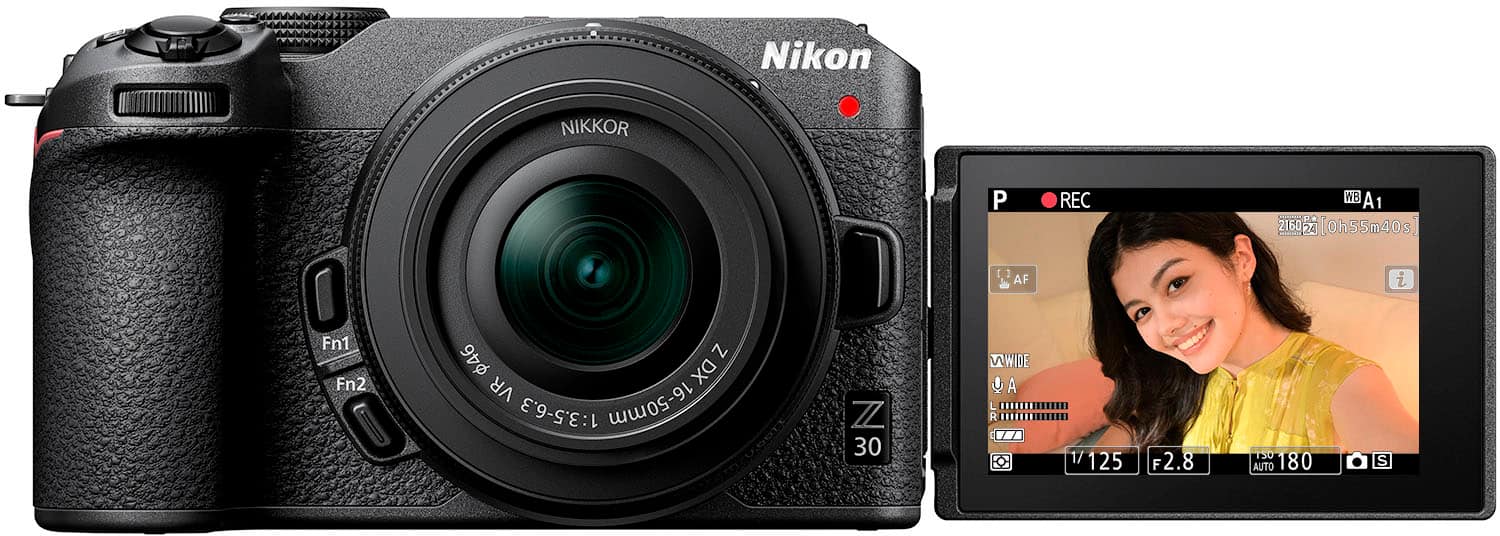
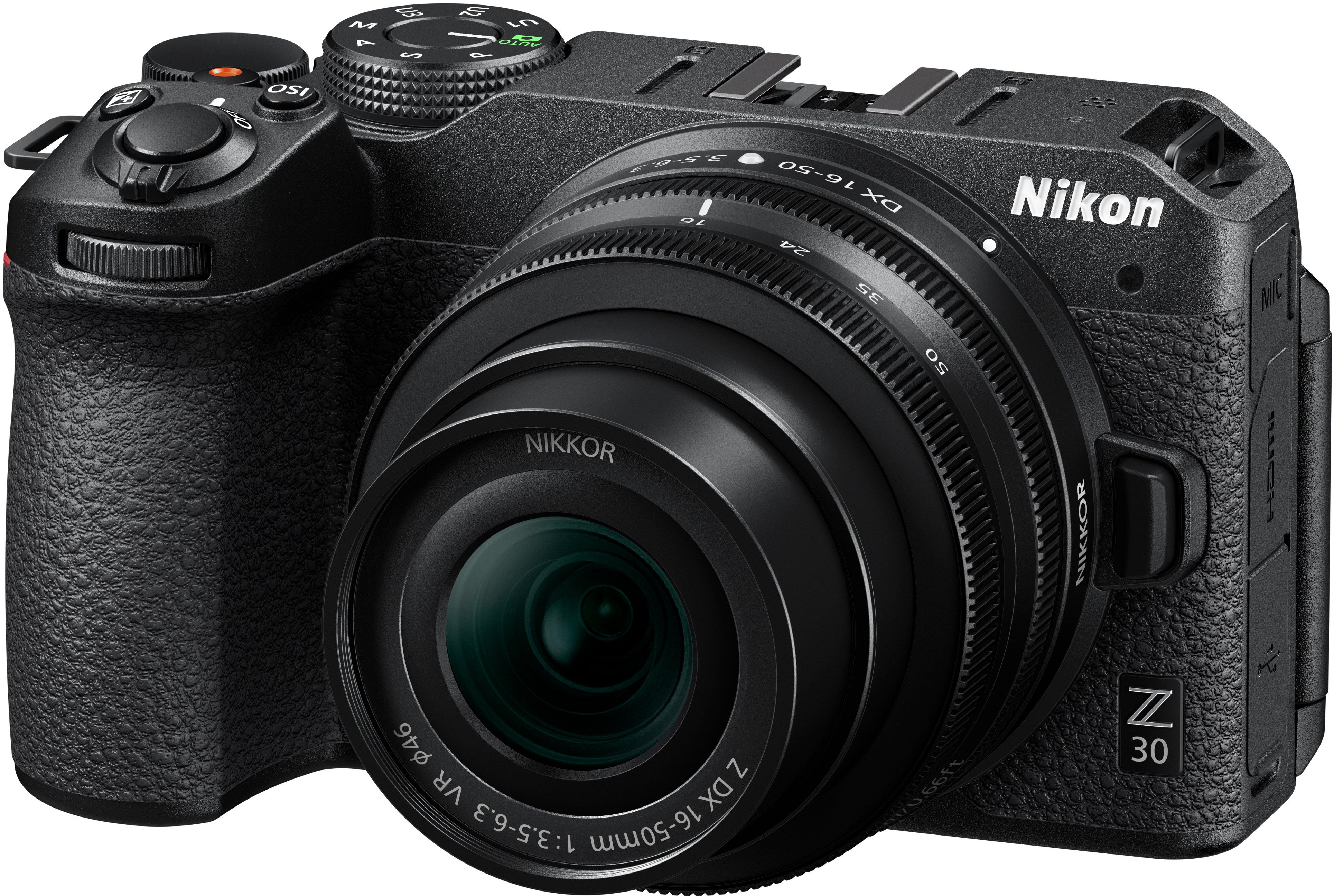
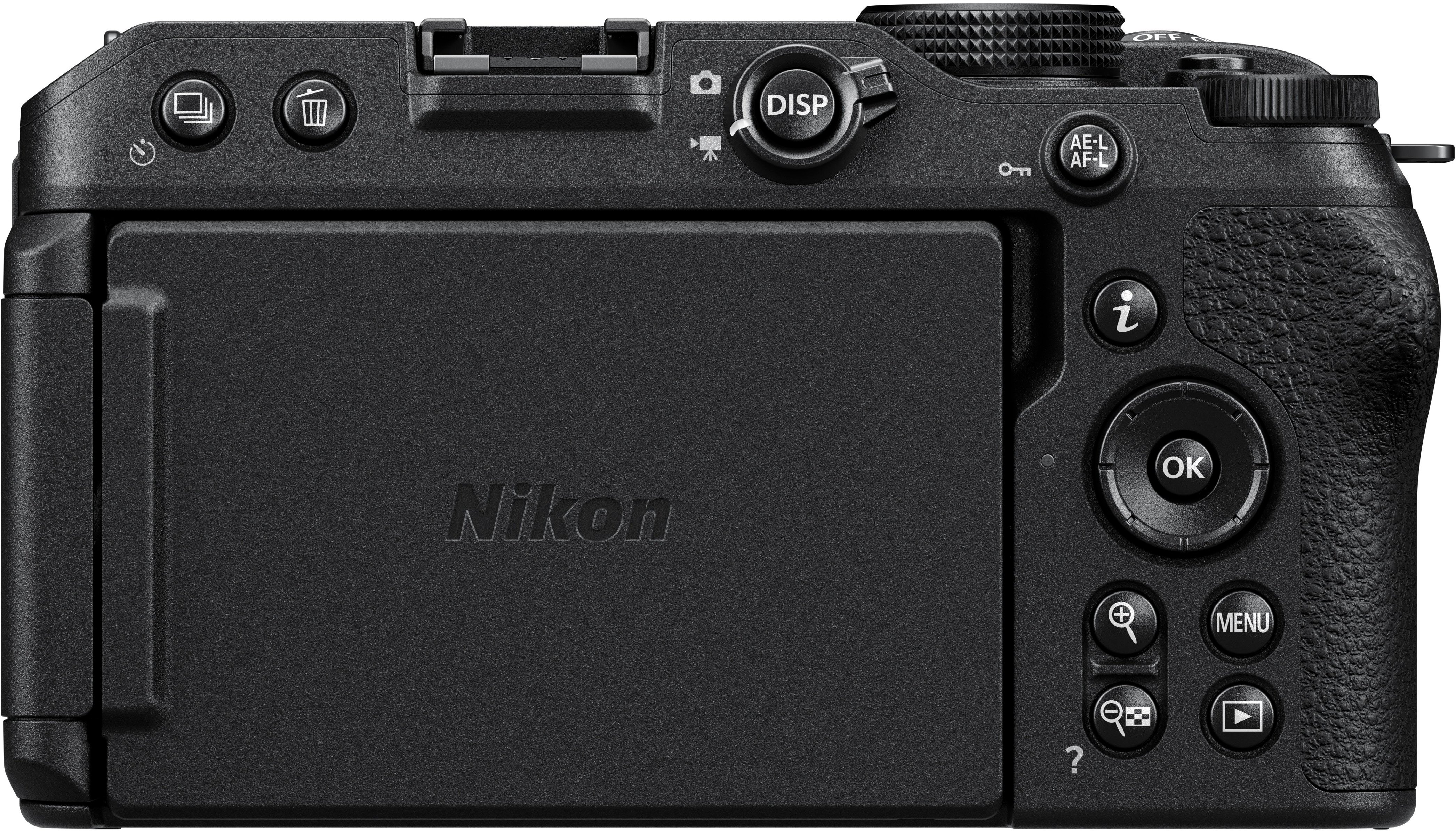
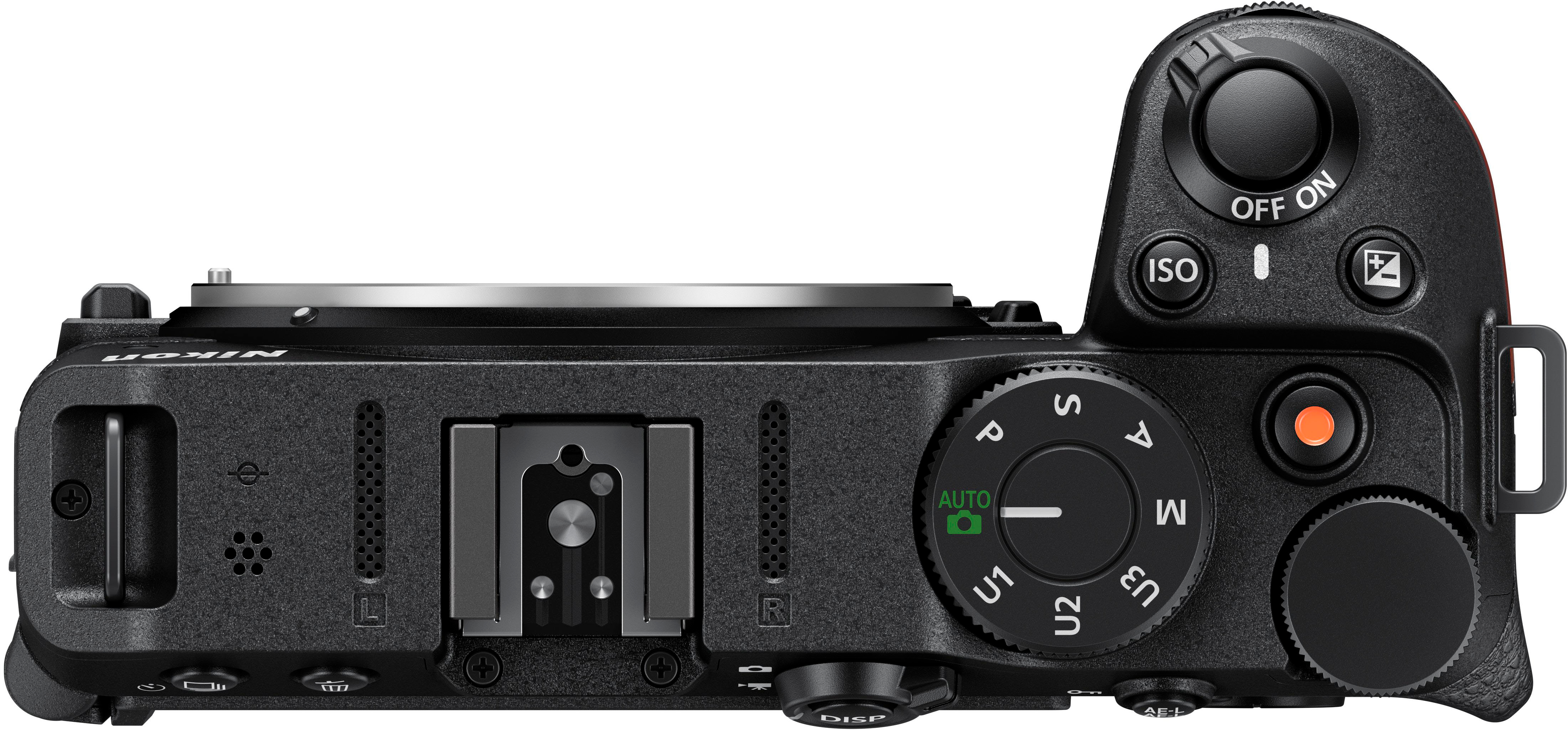
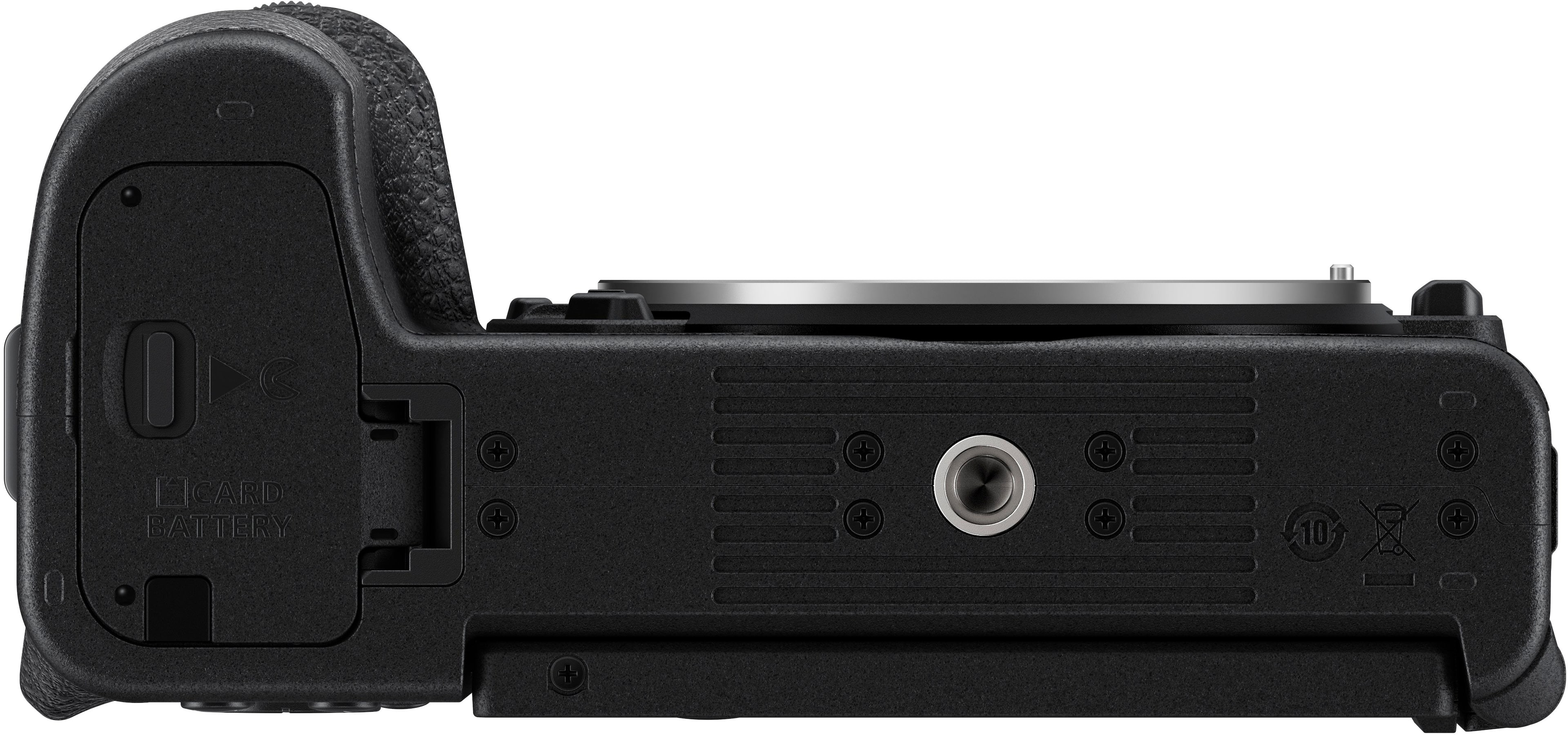
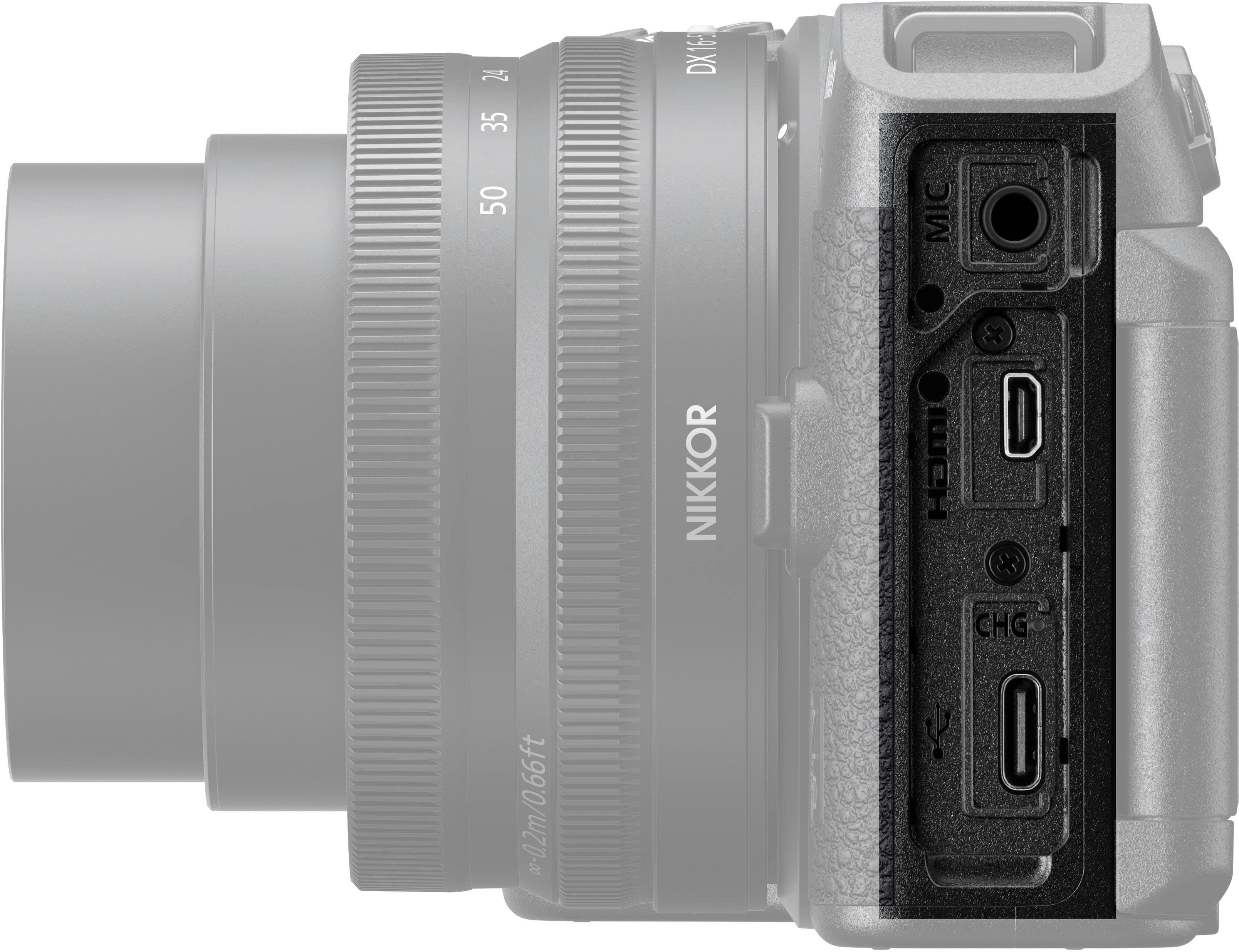
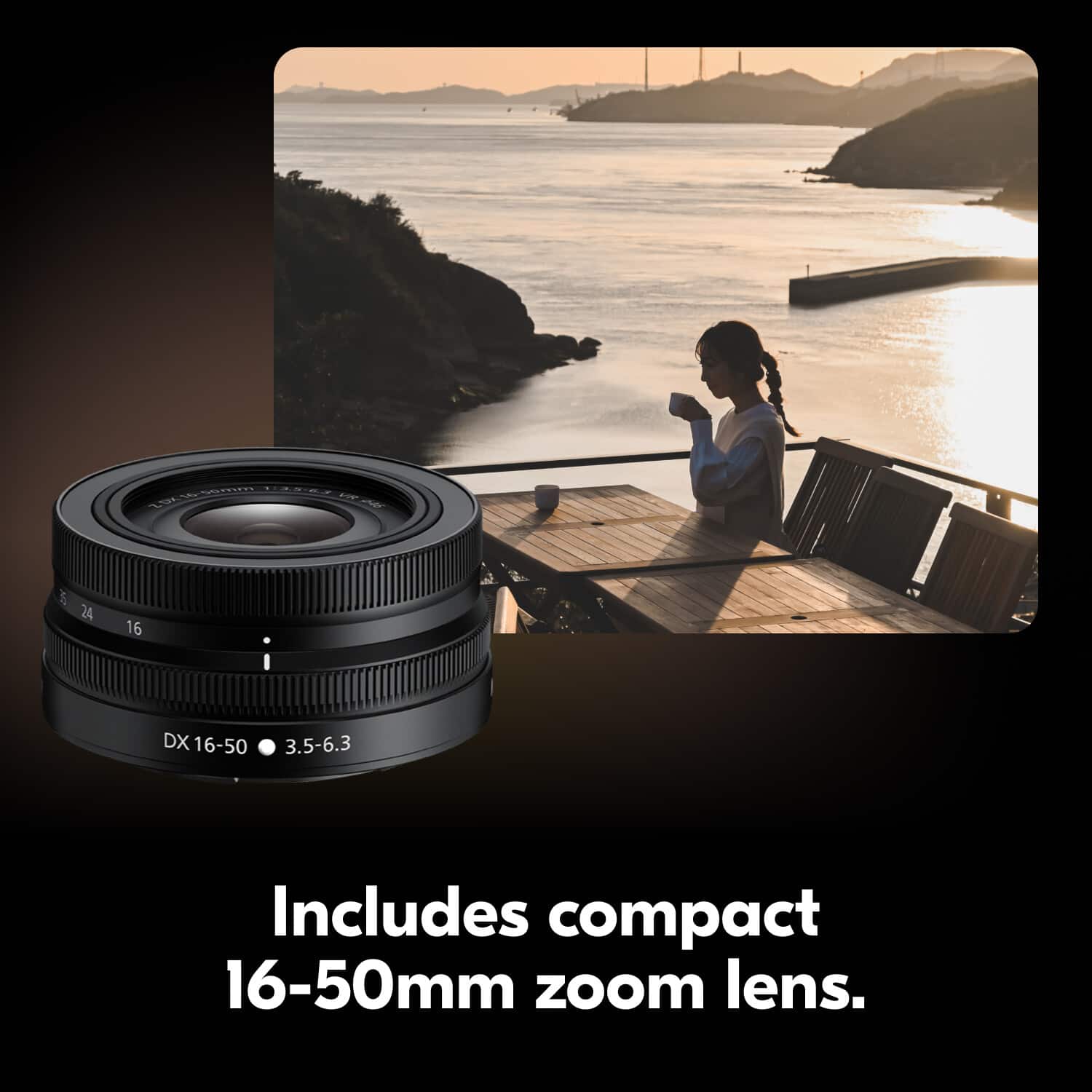
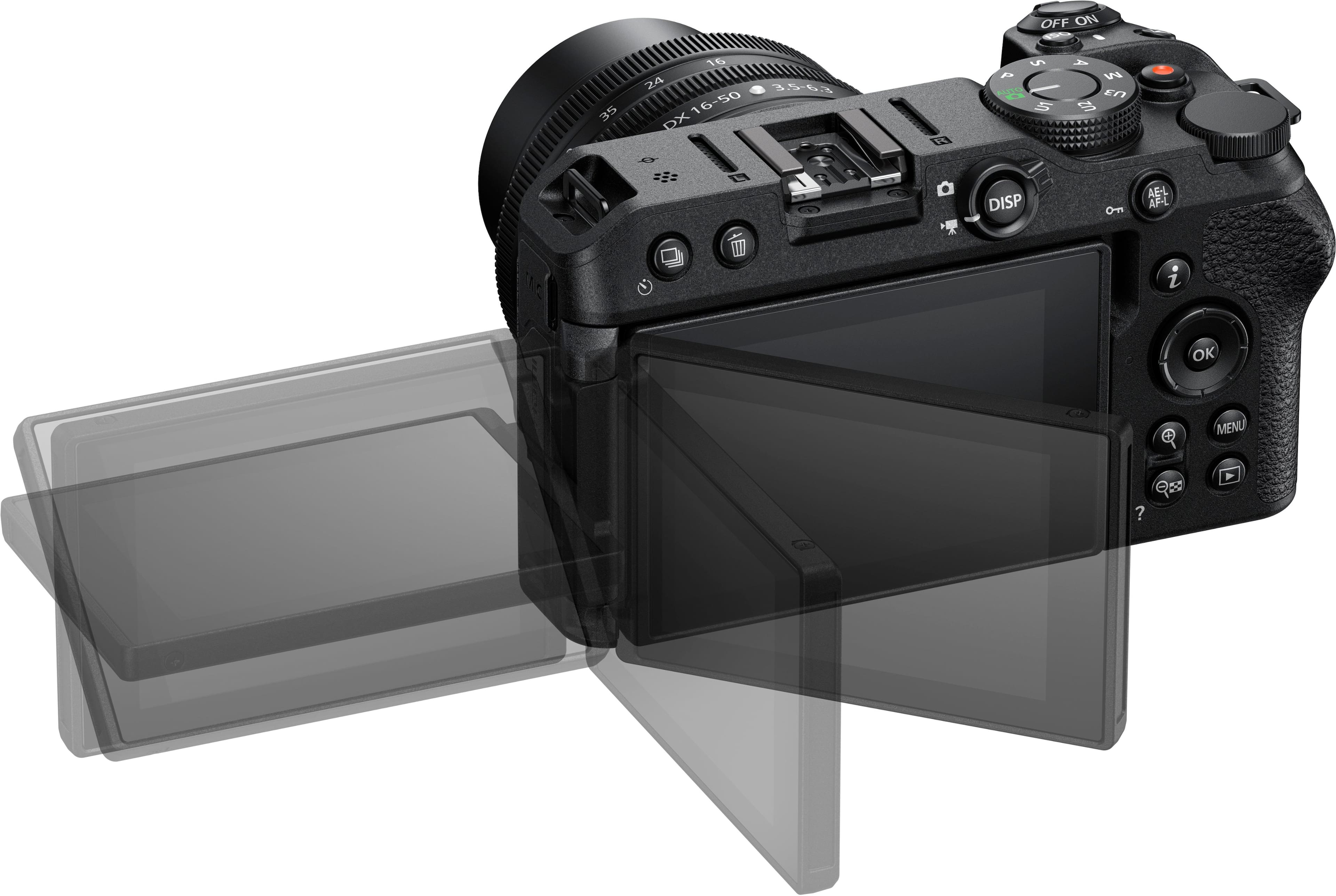
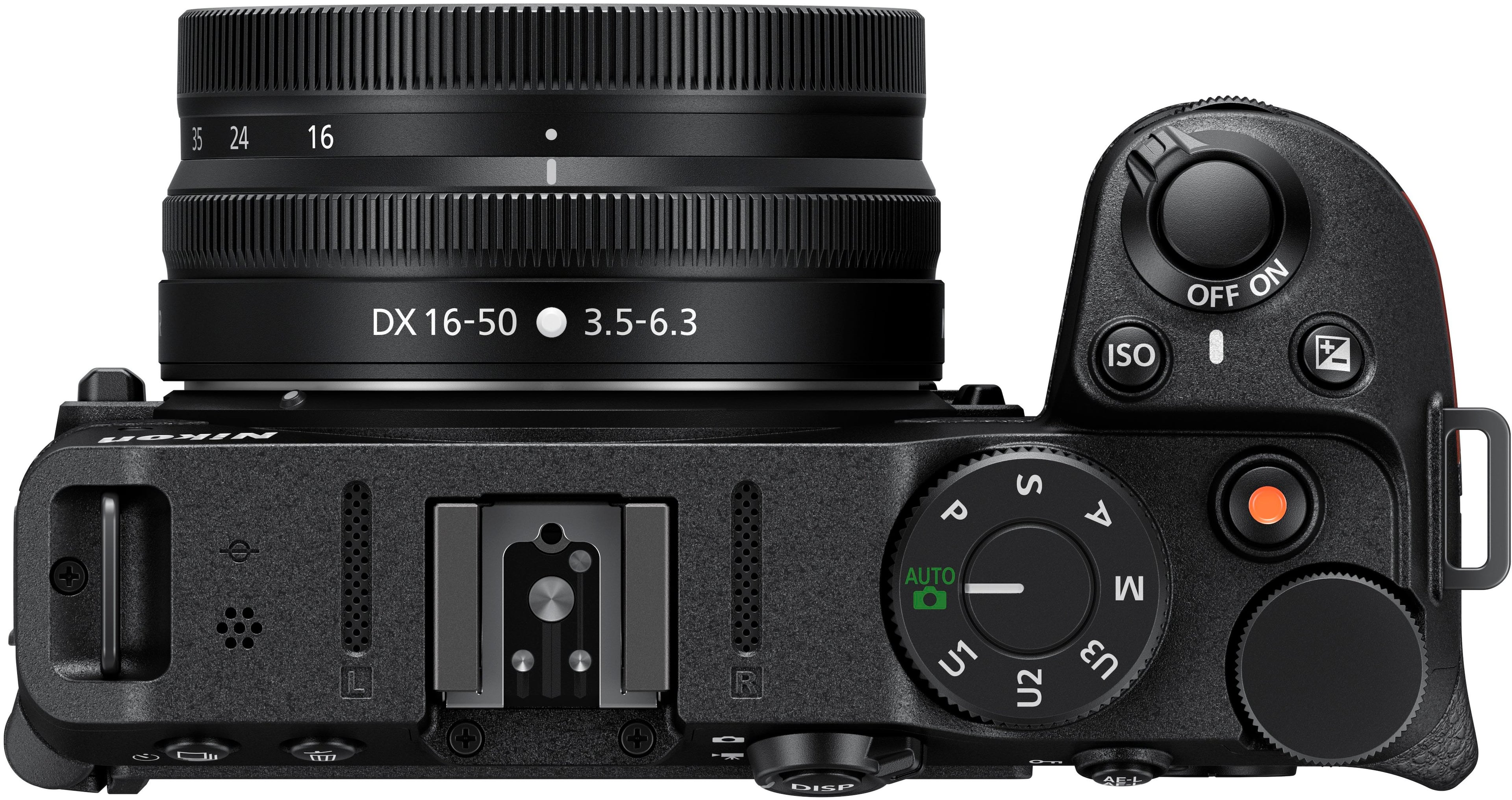
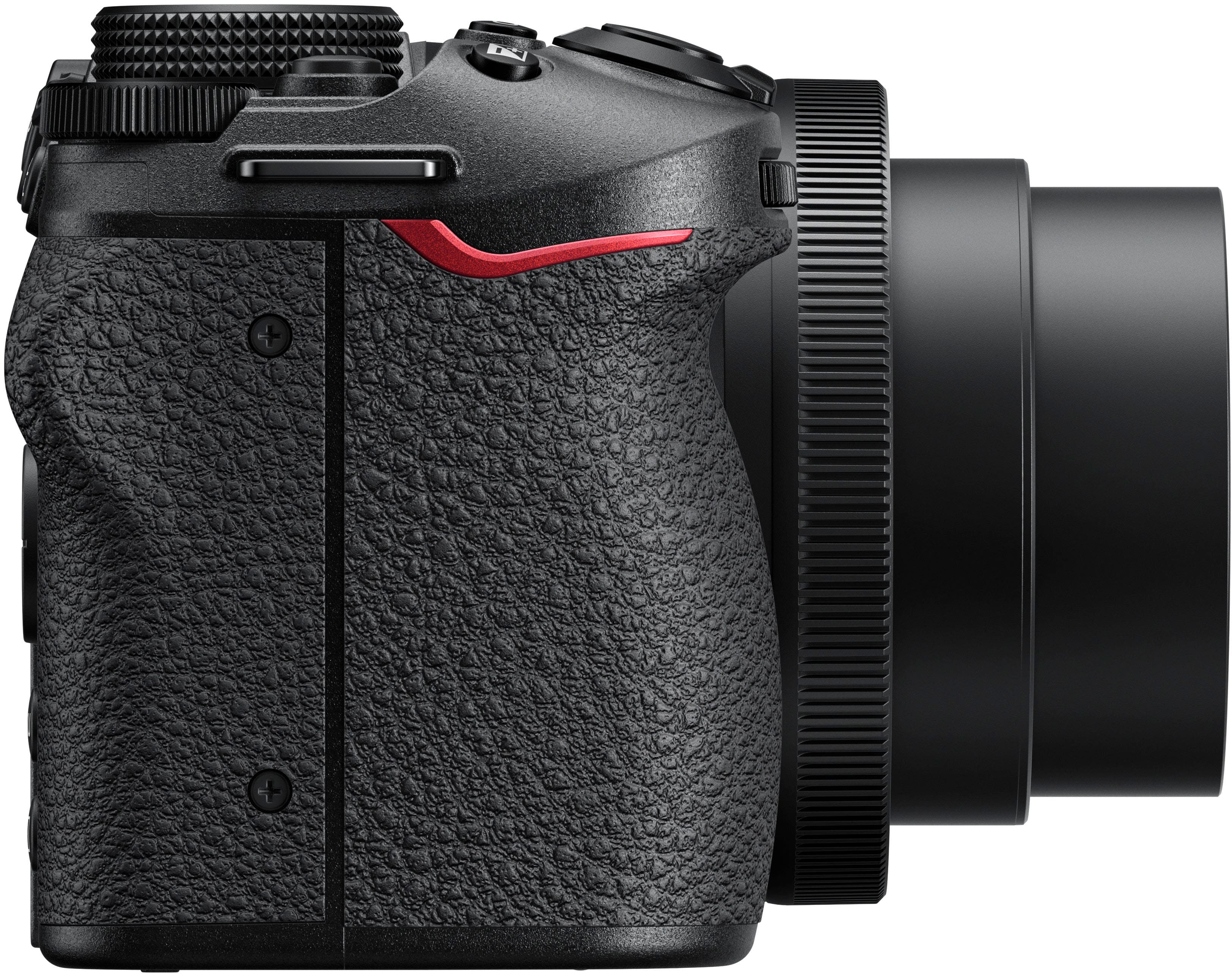
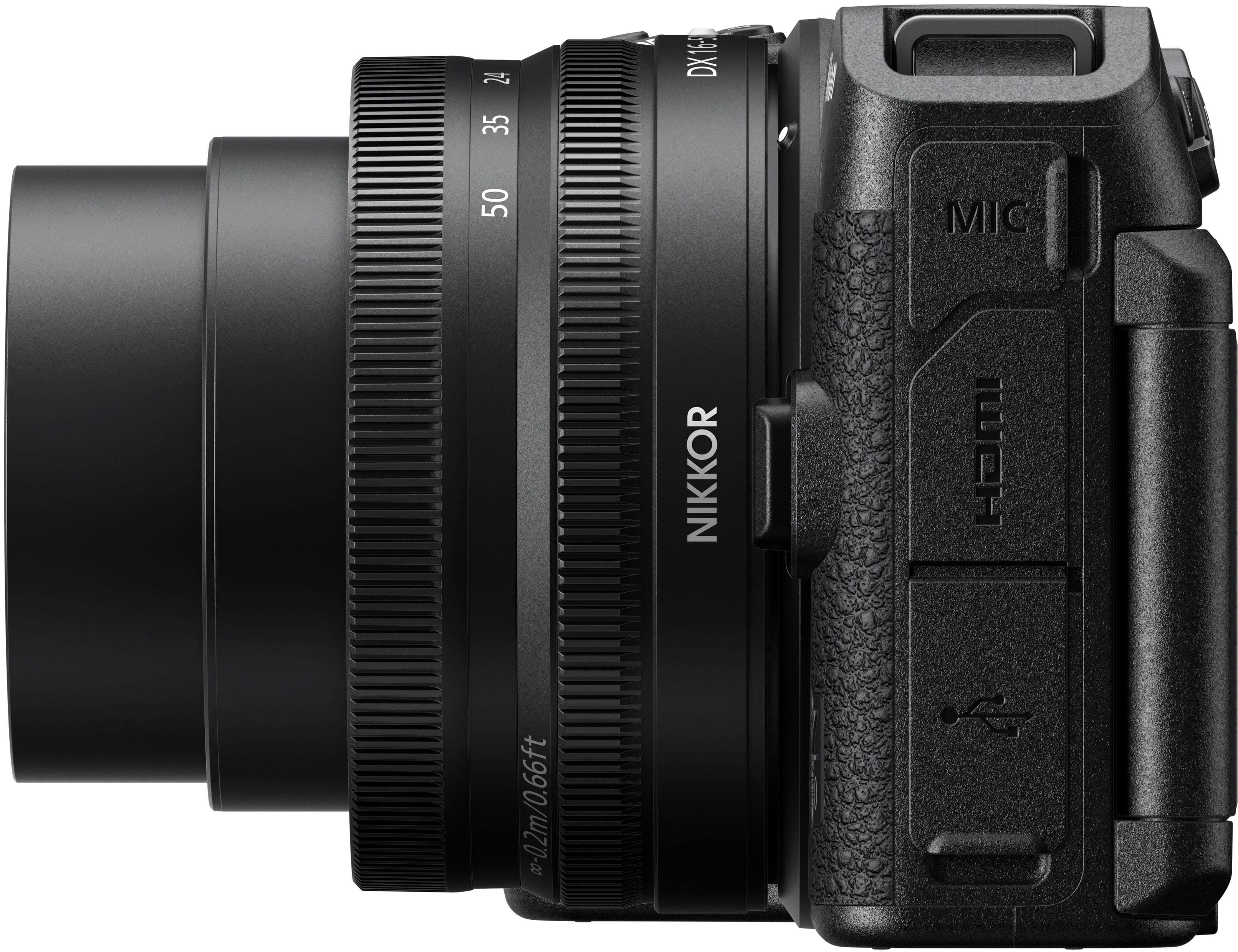
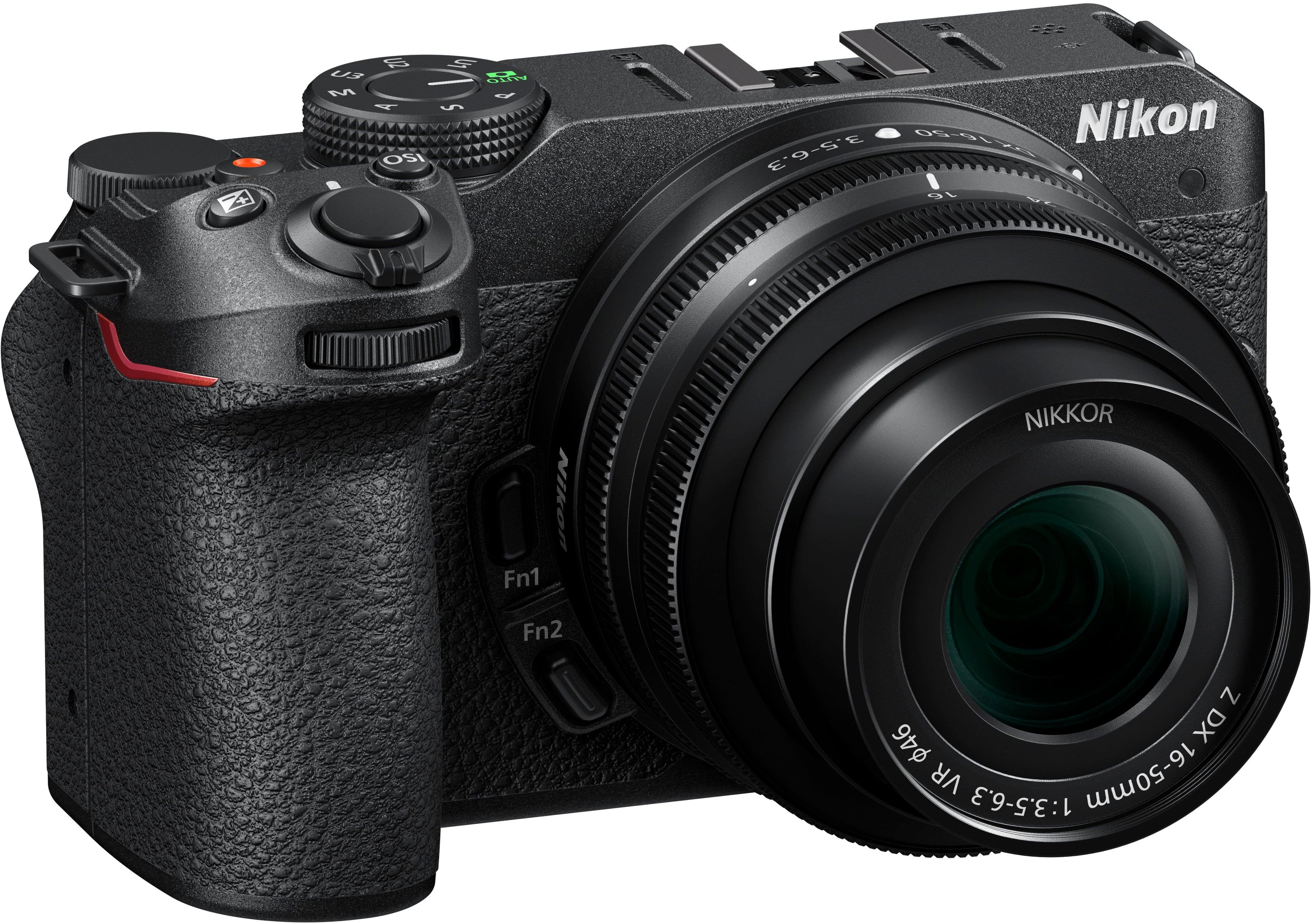
|Posted .This reviewer received promo considerations or sweepstakes entry for writing a review.Pros Has tally light Lens stores compact Light for feature set Has camera control app Designed to work as a webcam Good grip for secure hold Has photo and video modes Easy to use by just leaving on auto Allows you to learn features on your time Screen flips to show from front Allows saving custom profiles Has both touch and conventional controls Creates shallow depth of field naturally Low light photos are very low in noise Large selection of lenses with adapters Integrated stereo mics with noise reduction Can record video for over 2 hours Cons Short battery life No headphone audio jack Limited number of native lenses No viewfinder for conventional shooting Autofocus noises sometimes recorded video Can only record around 30 minutes of 4K before thermal shutdown Design and Features The Z30 is Nikon’s latest offering targeting vloggers looking to transition to the next step beyond smartphone and webcam video. For starters, there is no viewfinder. This task is handled by the integrated touchscreen. The touchscreen can be viewed from the back of the camera or flipped around and viewed from the front. It can also be flipped to face the camera to store the screen and protect it from damage. With the touchscreen, you have the option to control and configure the camera via touch or conventional buttons. While most buttons are like other cameras there are some notable differences. Since the Z30 was intended to be both a still and video camera it has two separate “shutter” buttons. The main one up front on the top of the grip is set by default to take still photos and them behind that is a smaller button which activates video. Just above the screen is a toggle switch that changes the camera from photo to video mode. This changes the presets for what is displayed on screen and how buttons operate, including the mode dial up top. The mode dial has the standard options such as Auto, Program, Shutter Priority, Aperture Priority, and Manual modes but then adds three more options labeled U1, U2, and U3 which store your own custom settings. On top are stereo mics which offer some built in wind cancellation. A windsock is available as an option to further reduce wind noise. External connections include an HMDI port, USB-C port, and Mic port. The mic port can be used to add a shotgun mic for further noise cancellation but unfortunately there is no headphone jack to monitor the audio. The USB-C port is used for charging but also has video capability. The battery bay also houses the SD card slot and has a special access door to install a dummy battery while keeping the main door closed. This is handy if you choose the route of connecting via HDMI and a capture card as you don’t have to have the battery door hanging open. Usage and Performance Nikon seems to have put a fair bit of effort into making the Z30 a bridge device for those who want to upgrade from phone or webcam video to something more but aren’t ready for the complexities of higher end DSLRs. The removal of the viewfinder and addition of the touchscreen allows those more comfortable with touchscreens to feel at home. Auto modes are quite good to get started. You won’t utilize the camera to the fullest, but over time you can learn how to adjust more settings and further dial in the camera to your preferences. To help you learn the functions the Z30 has built in explanations for different features. There is a button to the right of the screen with a question mark. You can press that to get an explanation of what a particular setting changes. If you want to use the Z30 as a streaming camera you have a simple option that doesn’t even require extra hardware like a capture card. You just install Nikon Webcam utility and plug the camera in via USB-C. You just need to change USB-C power delivery option and that’s it. The camera will show us just like any other webcam. If you want more control, you can get a dummy battery and use the HDMI port and connect it to a capture card. The HDMI output is clean so no worries about camera settings overlaying on your video. By default, the focus mode is auto area people. The camera determines the area that it thinks you want in focus and looks for people in that area to focus on. This is helpful but it does mean if you want to show something you must block your face or change the focus mode to something other than people. It would have been nice to see Nikon offer a mode where it focusses on people unless something is in the foreground and then focuses on that. Beyond streaming, the Z30 is a capable shooter with the included kit lens. The lens collapses into a storage position making the overall package smaller and easier to carry. The included lens does best for macro, portraits, and vlogging. If you are vlogging solo and have shorter arms you may find the included lens harder to get that super blurry backgrounds without your face filling the whole frame. In any other situation it’s very easy to get the natural bokeh. If you can’t afford a shotgun mic the integrated stereo mics do a respectable job of picking up speech. There is a software-based wind noise filter which does a decent job until you can afford to upgrade or if you need to stay more low profile. If you want to see your audio levels, you will want to turn off self-portrait mode as the audio levels will go away the moment you flip the screen around with the mode enabled. Autofocus eye tracking comes in handy for both photos and videos. From a distance it will focus on what it recognizes as a person or animal, depending on what you set. As the person or animal gets close enough it will put a box over the eye it has found. You can also choose which eye to track for focus. If you move out of the frame for a second and come back it will find the same eye and lock the focus again. Video resolution maxes out at 4K 30 fps which at first might seem like nothing big but unlike smartphone video which looks good but has contrast and sharpness set very high to hide the limitations the Z30 doesn’t need to do this. The large sensor on Z30 means you get a naturally sharp image and accurate colors that is hard to describe but easy to see next to smartphone photos or videos. Where this really comes in handy is in low light. Pictures and videos stay naturally sharp and clear with very little noise even in low light. Combine this with a blurry background that isn’t generated by software but naturally by the lens and you get video and pictures that look more professional. One small caveat is cameras at this level still can’t handle recording 4K video for long periods without overheating. If you have a way to provide power, the Z30 can record video for over 2 hours at 1080P. Switch that to 4K and the camera will start to thermal shutdown somewhere just past 30 minutes depending on conditions. In most cases 30 minutes should be enough but it is worth noting. If you are using the Z30 as a streaming camera there is no specific time limit. With no recording being done on camera it stays much cooler and should run for hours on a stream assuming you have no other heat issues near it. However, there have been some reports of thermal shutdown when streaming via USB-C so for extended streams it might still need the traditional dummy battery and capture card. If you do longer streams and are concerned it might be good to wait for the community to do more testing. Final Thoughts There is so much more that could be covered about the Z30. Minor quirks notwithstanding, Nikon has created a very capable camera for streamers looking to up the quality of their content without jumping into the high-end equipment. If you are a vlogger, streamer, photographer, or even hobbyist looking for a way to start working their way into DSLR cameras the Nikon Z30 is a solid contender. The combination of features to help you transition to professional equipment and versatility, the Z30 is a compelling bridge camera to start you on your way to better photo and videography.
I would recommend this to a friend - Pros mentioned:Video quality
Love love love
||Posted . Owned for 2 weeks when reviewed.This reviewer received promo considerations or sweepstakes entry for writing a review.Absolutely love this camera . Highly recommend has super clear pictures
I would recommend this to a friend - Pros mentioned:Low light performance, Video qualityCons mentioned:Battery life, Flash
Easy & fun to use
|Posted .This reviewer received promo considerations or sweepstakes entry for writing a review.I am an amateur photographer, I am not a vlogger so this review is based more on the photography end. Even though this camera is intended more for video use instead of using cellphones I found it takes very good pictures. The camera is fairly lightweight and has a nice solid grip to hold onto. The touchscreen is nice because you can enlarge and view your pictures and also just press the screen to take a picture or a video. It shoots very well in low light, see images below. There are a lot of built in settings & you can customize your own & save them. You can set, shutter speed, iso, & aperture. There is an info button & question mark in the settings menu for help. The included video when you register your camera was very helpful, it’s good for 5 yrs. so I’ve referred to it a few times already. The screen closes when not in use which protects it & it flips for selfies. It will not flip if external mic is connected. A sturdy neck strap, battery & 16-50 lens are included. Many extra lenses can be purchased separately. I found all the controls to be right there & easy to use, only problem I had was there’s a photo/video switch & I didn’t switch it so it didn’t record. You can download your pics via Bluetooth or wifi but it’s done through the setup menu & you have to find it, connects easily once done but I have other cameras that have the wifi button on the outside & it’s much easier. I highly recommend the content creator kit, it comes with a remote which you also have to connect through a camera and a tripod which can be handheld or sets on a table and the remote fits magnetically right in it. Also comes with an external microphone, which sounds good, and slides right into the external flash on the top of the camera. People complain that the camera overheats, I didn’t record for that long but noticed that it was getting a little bit warm. I felt that the video looked a little blurry to me, but it could’ve been something that I did and not the camera . Now for the things I wasn’t too crazy about, and the reason for the four stars, there is no built-in or pop-up flash, no viewfinder, no battery charger, and the battery and charger are not sold on Best Buy. This is my first Nikon camera and other than those three things I did enjoy using it and can’t wait to take some more shots and see all this camera has to offer.
I would recommend this to a friend Great buy
||Posted . Owned for 5 months when reviewed.This reviewer received promo considerations or sweepstakes entry for writing a review.Great cam. This is my first cam. I used it for fun, street photography and guitar covers.
I would recommend this to a friend- Pros mentioned:Autofocus, Low light performance, Video qualityCons mentioned:Battery life
Way more than video recording
|Posted .This reviewer received promo considerations or sweepstakes entry for writing a review.This is my first time owning a Nikon product ever, my preference and loyalty (perhaps the latter not anymore) were for a competing brand. I decided to give it a try since I hadn’t experienced with mirrorless devices before. Although it appears that the Nikon Z30 is advertised mainly as a 4K video recording device for creators/vloggers/streamers, this device is more than that, besides shooting high quality videos, I can take awesome pictures with its NIKKOR DX 16-50mm lens (the package came with this lens.) I can also attach other DX mirrorless lenses and, although I haven’t tried, it looks like through the Mount Adapter FTZ other F-mount series lenses can be attached as well. So, lots of options in terms of lenses. I am even in the process of acquiring a NIKKOR Z DX 50-200mm VR lens (available again at BestBuy, it was out of stock a few days ago), so it can become a more complete camera. There are plenty of settings to “customize” your experience but so far, from only a few days of use, the default “Auto” settings for video and photo are all you need to take great quality videos and pictures in bright and low light settings (brightness, eye tracking and focus are adjusted just fine.) Bottom line, there could be potentially several enhancements to it, but as an entry level device in the Nikon Mirrorless Cameras lineup, the Nikon Z30 is a perfect camera when you are on the go and need to record videos and takes photo that look professional. - Pros: 4K video resolution, autofocus, clear/quality video/photo, not bulky, remote control. - Cons: none so far. >> Video As already noted, the Nikon Z30 is designed mainly for video, but it doesn’t come in the shape/form of a video recording device, its form factor is more of a regular DSLR. As a result, it is not easy to hold it for long periods of time with one hand when filming yourself. So that is where the Tripod Grip in the Creator’s Accessory kit comes in handy. The tripod Grip allows you to get a good grip on the Z30 not only for shooting videos but also for photography. When you add the remote control to the equation, then it becomes a lot easier to do recordings of yourself and other objectives. It is no surprise that the lens that come with this kit are NIKKOR 16-50mm VR, it allows to record yourself while doing your vlogging, so that it is why perhaps you don’t care that much if the zooming capabilities are not that great (you need to manually adjust the zoom.) When recording yourself and having the touch-enabled monitor screen flipped to the front direction (of course it has to be flipped otherwise you don’t see a thing of what is being recorded), you can choose to focus the lens on different areas by tapping on the touch screen, that’s it. And using the remote, the only option available is to record. So, a little limited in that sense, but with the Auto mode capabilities of this device, I think you don’t need much more for most situations. At 4K with 30p max, I think it fits most of my needs, video is very detailed and looks smooth overall. I am not a video expert per se, but I always figured that having higher fps was always a plus, but after doing some research it looks like 30p is the standard overall for other 4K video devices. I can tell the difference between 4K and regular HD, and although you can choose to have more frames with HD, at 4K, tied with the autofocus and low light support, great and detailed video can be accomplished. One other aspect to highlight on this device is the eye tracking feature. If you are recording while walking for example, changing the focus from you to other objects and then coming back to you, it can detect and track your eyes appropriately. I wear glasses and this device it can pick my eyes moving, so it is for sure a superior device in this aspect. That being said, I was shooting indoors and there was a box behind me with a picture of a person, the camera started tracking the eyes on it! Well, I guess there is some setting to prevent such things from happening. >> Photo This is my first experience with the NIKKOR VR lens, and I am gladly surprised, stabilization is awesome. Sometimes with my shaky hands, photos wouldn’t come as great, but with stabilization and fast autofocus, pictures come out crips and clear. Photos of close objects depict a nice blurry background with enough detail that the overall picture looks enhanced. In addition, in low light scenarios, the capture image has enough detail that it needs little editing (if you are one person that likes editing pictures.) I am planning on using this as my primary photo device when doing reviews. Let me emphasize two of the features I love in Auto mode, the brightness and focus adjustment. It is just great when shooting outdoors, for example. I can focus on different objects with different levels of light and the Nikon Z30 is able to adjust very fast. Sometimes I need to take continuous pictures of something moving among different bright and shaded areas, and with this device, I don’t need to worry too much, as I just move the camera and shoot and, so far, I’ve found the camera almost instantly adjusts as pictures have come out very clear. >> Creator’s Accessory Kit I already talked about the components in the Creator’s Accessory kit, but they deserve special highlighting. Having the tripod grip, the remote and the mic, is highly recommended. At the very least, the tripod is a must, it makes it easy to hold the camera while filming, and even while taking pictures; otherwise, the way the camera has to be held when filming without the tripod grip is not comfortable, and in fact it is almost undoable if you are filming yourself (defeats its purpose as a vlogger tool.) The remote is extremely useful as well, and although it takes some practice to get used to it (sometimes I don’t seem to get it easily connected to the camera,) I find using it to even take pictures while pointing at some object. The mic could be optional but still is required if you are outdoors filming yourself logging your endeavors and want extra audio clarity. In my case, right now, I am fixing my wooden fence, and I am using this device to document the whole process and publish it as a tutorial at some point (hopefully.) Summarizing, invest in the Creator’s package for the Z30, you won’t regret it. >> Other thoughts It is advertised that fully charged, the battery last for a few hundred shots and can record over an hour of video. However, I haven’t gotten close to those numbers. Charging the battery doesn’t take long, though, just take into consideration what is mentioned in the Owner’s manual regarding charging the battery, so you don’t feel like something is wrong and the battery is dead. The ML 7 remote control is very useful; however, when you flip the LCD screen monitor to the front to record yourself, the only two options available are record or take a shoot (depending on whether you set the device to video or photo mode.) When the camera is in video mode, there is no way to take a picture or snapshot while in the middle of filming or even when not filming at all, which is a bummer. Sometimes you are filming, but also want to take a quick picture and continue filming. To accomplish that you need to pause, change from video to photo, take the picture, change back from photo to video, and continue. The ML 7 remote control has more options to control the camera when using it without flipping it to the front. You can select the focus point, zoom-in/out, and take pictures. These options disappear when the monitor screen is flipped in the front direction.
I would recommend this to a friend - Pros mentioned:Video quality
Nikon z 30
||Posted . Owned for 1 week when reviewed.This reviewer received promo considerations or sweepstakes entry for writing a review.The screen quality displaying the image could be crisper but overall the pictures look amazing especially for the price.
I would recommend this to a friend - Pros mentioned:Autofocus, Video quality
Excellent mirrorless camera incompact form factor
|Posted .This reviewer received promo considerations or sweepstakes entry for writing a review.I am an amateur photographer who uses photography for work, outdoor activities, and vacation pictures. I have owned a DSLR camera from a different brand since 2018 and still use it to serve my need. However, this Nikon Z 30 mirrorless camera offers advanced features and easy utilization of much-needed features that are considered essential these days. Design: I like how Nikon designed it to be high-quality and lightweight; even when mounted on the tripod stand, it was comfortable to handhold. The 16-50mm lens is interchangeable, so more lenses can be used on this camera. The 3-inch touchscreen display is intuitive and well-designed. It is fully articulated and rotates to take selfies since the screen provides all the functions. It offers all the settings and functions that are handy at my fingertips. Physical buttons are well-placed and accessible with no issues. Except in selfie mode, Personally, I found that the touch screen worked best for taking photos after I enabled the autofocus /shutter, so I simply touched the screen to take a photo. This is well-thought-out. There is no viewfinder, and I think it is in favor of the compact design and affordable mirrorless camera. Recording a video enables a red lamp to light up, indicating the video mode is being operated. No SD card, which I expected considering the price, I purchased a Samsung Pro Plus Full-Size SDXC Card 256GB and inserted it into the camera, which is compatible with the camera specs, and went to setting to format, and the memory card was ready to use. After the battery was fully charged, I strapped the camera around my neck, turned the camera dial to Auto mode and autofocus was on, and started shooting photos. Autofocus can be changed to choose people/animals, people only or animals, etc. The autofocus uses eye tracking to track the face/ object and keeps it in the frame. This feature worked flawlessly, and I was amazed by the quality and excellent details of the photos, although I did not touch the photo and video settings. Later on the touch screen, I made a few changes to the picture settings by enabling fine images instead of normal and changing the video resolution to 4K at 30p, pictures were way better. Slow motion is enabled only when the video resolution is set to HD at 120 fps. The 21MP takes gorgeous pictures with blurred backgrounds. I love how the photos taken can be cropped and edited on board. The video is 4K is impressive, and the video recording continues until the memory card is full. Settings can be accessed through the touchscreen and the menu button on the camera body. The built-in microphones provide outstanding audio quality even without using the external microphone. Because Nikon made and designed this camera mainly for vlogging, the creator kit by Nikon is a good value; it includes a tripod with a good grip for taking selfies that houses the Bluetooth remote control and storage for an SD card in the tripod in addition to microphone and cable. USB-C port for charging as well as transferring data to the computer. The camera can be charged via any power bank for continued use. The camera is Bluetooth and Wi-Fi enabled. I downloaded Nikon SnapBridge and connected my iPhone to the camera via Wi-Fi to quickly transfer the captured media. Also, the app offers basic features like enabling GPS location on the photos and remote photographing. Note SnapBridge app would disconnect if the app runs in the background.
I would recommend this to a friend nikon Z30
||Posted . Owned for 1 month when reviewed.This reviewer received promo considerations or sweepstakes entry for writing a review.it’s not a beginners camera, if you don’t have pervious knowledge i don’t suggest it but i loved the flip screen!
No, I would not recommend this to a friendGreat camera for vlogging or photos
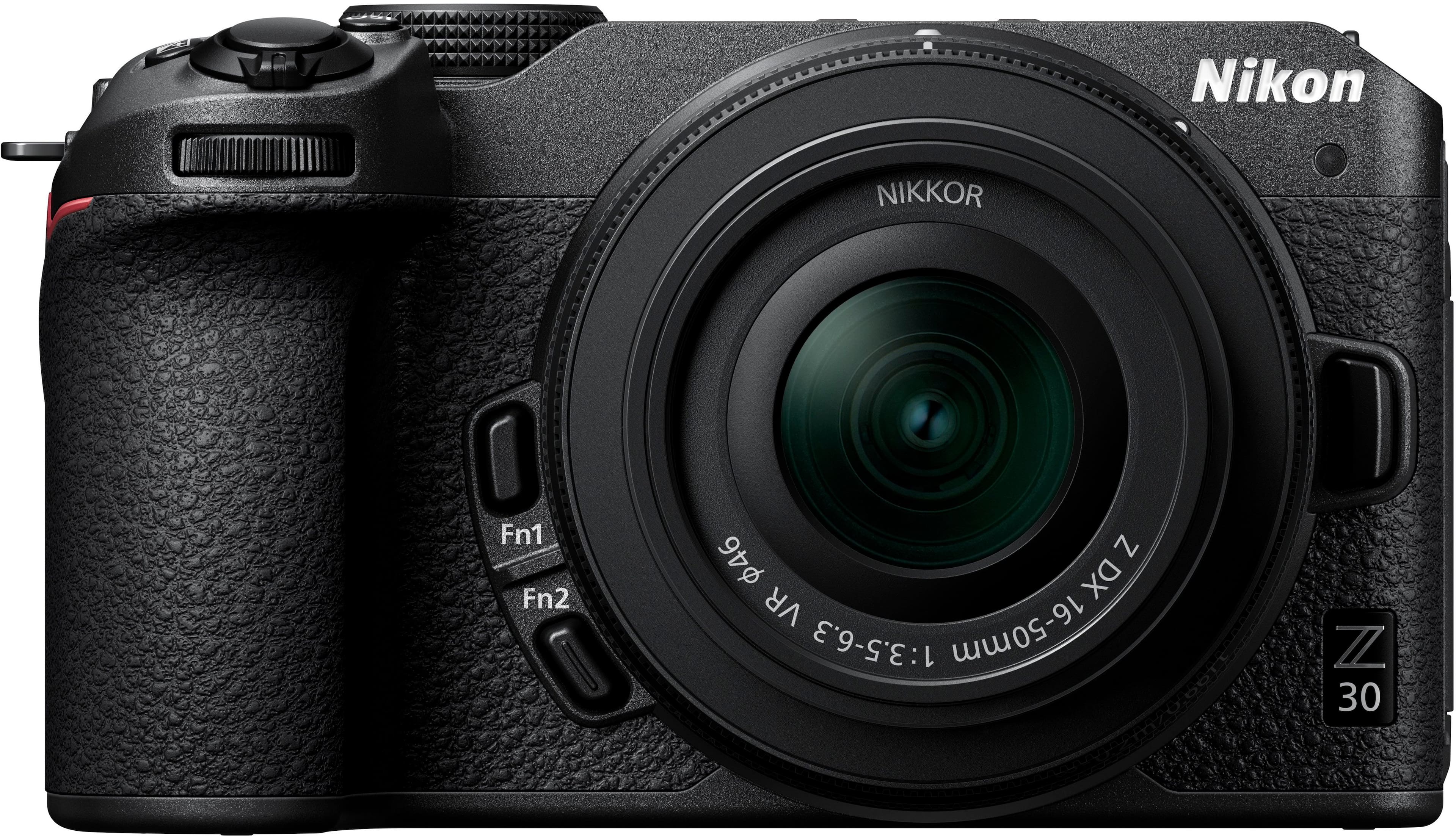
|Posted .This reviewer received promo considerations or sweepstakes entry for writing a review.I have always used a competitor brand of cameras since that's what my dad always used. In fact, I still use his old film camera that he had when I was born (I'm 41). I had since bought a DSLR from that brand and have enjoyed using it over the years. However, it is meant to just be a still camera. It can do video, but it's focus is still shots. As such, being a larger DSLR, it is heavier and more cumbersome. The Nikon Z30 is basically meant to be a vlogging camera first, and a still camera second. A key factor in that is weight. The Z30, being a mirrorless camera, is lighter by far. This makes a huge difference when vlogging. Watch a YouTube channel that shows a lot of content of the creator with the camera pointing at them. They're holding it at nearly arms length when filming themselves. Holding a lot of weight like that for extended periods is tiresome. The Z30 combats that issue by being less than one pound without a lens. The screen flips around to be viewed from the front and the camera has a recording light on the front so you never have to guess if it's actively recording. The screen is also a touchscreen. This feature can be turned off. I noticed that while walking around, the screen would touch me and the camera would take a shot. If you use this camera for stills and wear it around your neck and end up with a ton of pictures that you don't remember taking, that is what is happening. I received this camera with the Creator's Accessory Kit, which includes the ML-L7 remote, SmallRig tripod/grip, and Rode microphone. Although I didn't keep any recorded video, I carried the camera around for a while just walking around and filming. I can say, that the camera's light weight really showed. It wasn't tiring at all. The Rode microphone worked great at recording audio and really kept wind noise to a minimum. It's great that the remote seats into the grip (using a magnet) and is perfectly positioned to use while vlogging. Both the camera and remote have "Function 1" and "Function 2" buttons which are programmable to do what you want. The grip feels great in the hand. Your index finger sits right under the top pivot point naturally giving you extra stability. Both camera and video capture buttons are perfectly positioned for your thumb. The 4k resolution is great for videos, however, 30fps just doesn't quite seem enough. Even my phone records 4k at 60fps, so it seems that this camera should have that capability too. I will say that videos are perfectly clear and it's not a deal-breaker for me. The auto focus is quick to adapt to changing scenery or if you hold something up to the camera. As far as photos, the Z30 is still great for still shots. The camera's auto focus will track the eyes of the subject (including people, dogs and cats). The screen will show a yellow box around the eye and if the subject moves their eyes, it will track them. I have mainly used this camera in "Auto" mode. It seems to know what I'm trying to do with the shot and adapts instantly. I have included a picture of a little flower. The camera focused on it and left the background perfectly blurry. Another shot of my car is in lower light conditions. It's clear and sunny outside, but both the car (in the shade) and the very bright background are perfectly clear and balanced. You can still see all of the details in the shade. One feature that I wish the camera had was the ability to take a picture while recording video. This would be great for thumbnails for videos. Even if you're not actively recording, if you're in video mode, you can't take a picture. I understand why it doesn't, but it seems like a feature that would be possible to have since my phone can do it. Overall, this is a great camera. Both for photos and vlogging. It's perfect for someone just starting out with vlogging. I would definitely recommend it with the Creator's Accessory Kit.
I would recommend this to a friend- Pros mentioned:Low light performance, Video qualityCons mentioned:Flash
A real content creator's camera
|Posted .This reviewer received promo considerations or sweepstakes entry for writing a review.Video logging is the in thing nowadays when it comes to cameras. And quite obviously cell phones at the front of this new trend. As such camera manufacturers are well aware of this trend and as to remain competitive, these companies have been offering “video logging” cameras in recent years. Nikon some reason has not joined in the fray until now. So here comes the Nikon Z 30 APS-C video logging camera. The Nikon Z 30 can be viewed as the little brother of the existing Nikon Z 50. It has similar specs compared to the Z 50 which includes the sensor, form factor and build quality and even the battery. There are notable differences though which I’ll explain below. First is the absence of an electronic view finder and a built-in flash. Now some people especially those who are more into stills photography who may consider the lack of an electronic view finder is a dealbreaker, the absence of a view finder makes perfect sense. It seems the Z 30 is marketed to beginner or a bit advanced video loggers and videographers coming from cell phones, hence a viewfinder will not be a dealbreaker for them. Also, the removal of the viewfinder and the built-in flash makes the costs lower which also makes sense, since these are beginner users making a lower price point appealing to them. Second, the 30-minute limit in video recording has been increased to roughly two hours which puts the Z 30 in the realm of camcorders. Do note that in certain countries (especially those in Europe) have limits on video recording capabilities. But there are reports that the Z 30 has tendency to overheat or to put it gently warm up after extended use. So far in my limited test on the video capabilities, I have not encountered any warmups. Lastly, since this is now more of a “video camera with stills capabilities” rather than a “stills camera with video capabilities”, Nikon has decided to include a USB-C port that can power (and charge) the camera so that it can fully function not only as a video camera but as a web cam also. Another thing to note is the auto-focusing capabilities of the Z 30. Since video loggers are presumed to wok mostly alone, the tracking capabilities of the Z 30 is top notch. It uses eyes tracking to auto-focus on moving objects and it also has good auto-focusing on subjects such as products or items being displayed for close up. In this regard the Z 30 passes as a “video logging” camera. The primary common thing of the Z 30 as compared to the Z 50 and also the retro-style Zfc is the image quality. This is a no brainer since all three crop sensor cameras share the same sensor. One thing of note that that even though this is an APS-C camera, performance in low light is very good. In addition, the included kit lens (which all three cameras share) has good image quality for a kit lens. In fact, background blur is more pronounced that the included kit lens is entering APS-C baes f2.8 territory (I may be saying too much but the kit lens is actually good.) Unfortunately, Nikon AFAIK only offers three APS-C Z mount lenses while the rest are full frame. And though you can use full frame lenses on the APS-C Z mount cameras, they are quite expensive. But then again Nikon may be presuming that newbies may be satisfied with the kit lens only. Moreover, I understand Nikon has a lens roadmap for the Z series out on the internet. Handling of the Nikon Z 30 is also superb. It is fairly small enough but has a grip which makes it like holing a compact DSLR. The body is light enough and even though the feel is a bit plasticky, holding the Z 30 is perfectly fine. I understand that the body of the Z 30 is weather sealed too. But I cannot determine if the included kit lens is also weather sealed too. And though in my opinion most video loggers will not be needing a weather sealed body and not having a weather sealed lens is self-defeating, having a weather sealed body is always a welcome addition. One thing I don’t like about the Z 30 is the lack of a stand-alone charger. Charging via USB-C takes long at around seven hours. A trick here is to use a power direct charger whether it’s a plug-in or a PD battery pack. A stand-alone charger is also for purchase. But unfortunately, it seems cameras like cell phones no longer include chargers. (I understand that Nikon sells different creators’ accessory kits in the region, but the one described above is the one available in the United States.) Finally, to add to the video logging experience, a dedicated creators’ accessory kit is available to complement the Z 30. This includes the Nikon BT remote, a tripod and remote holder, and a Rode Video Mic with wind screen. A small wind screen which you attached to the hotshot is also available for purchase. But personally, Nikon should have also included it in the box. Overall, the Nikon Z 30 is a video logging camera also which is also good for stills too. It is sold at a reasonable price point aimed as video loggers who are considering upgrading their gear in the near future.
I would recommend this to a friend - Pros mentioned:Autofocus, Video qualityCons mentioned:Battery life
A versatile camera for photography and vlogging.
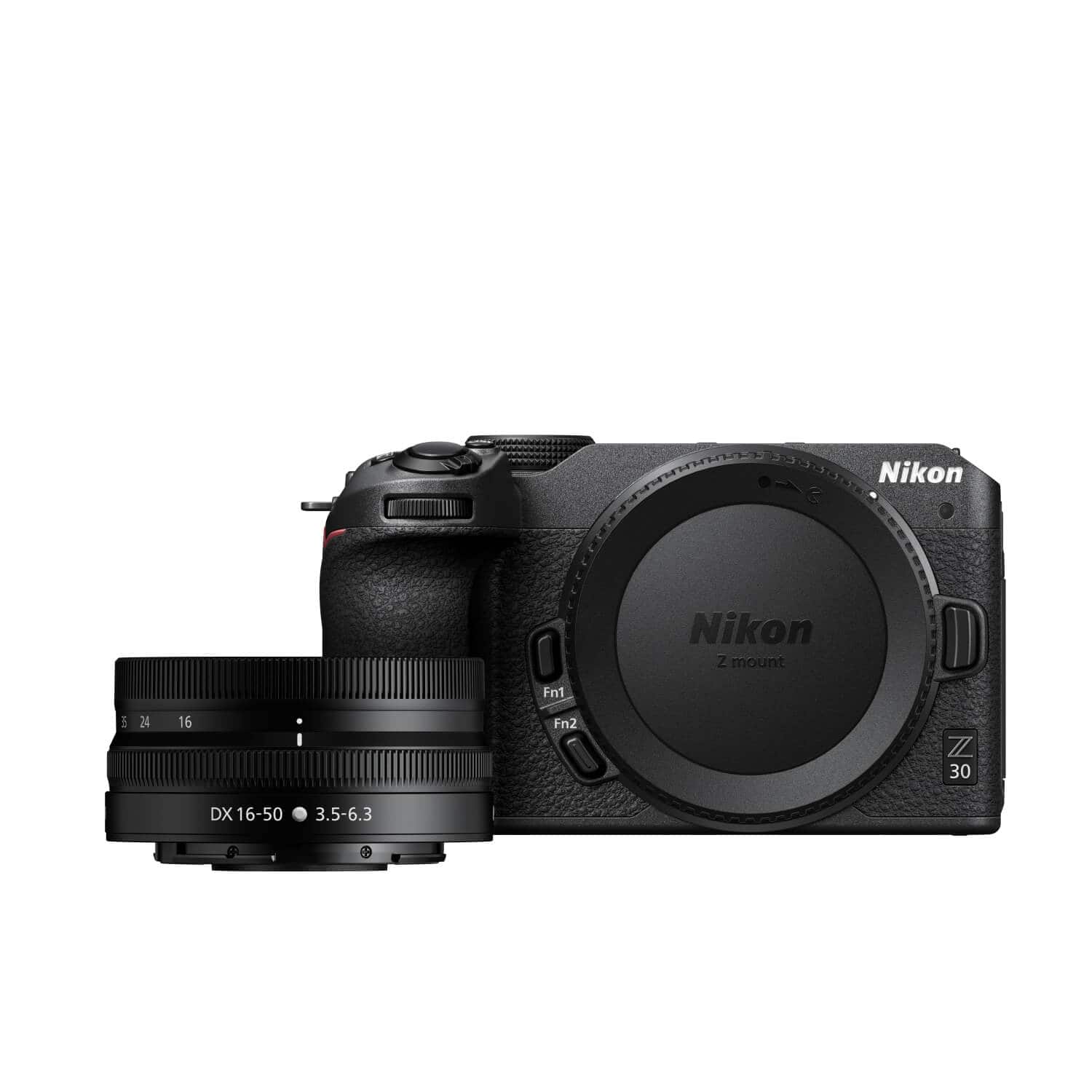
|Posted .This reviewer received promo considerations or sweepstakes entry for writing a review.The Nikon Z30 mirrorless 4K camera is a versatile device that’s good for people wanting to take excellent photos, but also for people into consumer-level or semi-pro level of videography or “vlogging”. For a camera of this type it’s actually pretty compact, being almost 2 ½ inches high by just under 3 inches wide and five inches deep. Without a lens it weighs just under a pound. There are at least a couple of lenses available for it with my kit coming with a Nikkor 16-50 millimeter lens with image stabilization. A zoom lens is available but you can also get an adapter which will allow you to use other Nikon lenses. This particular kit gives you a good standard working range with wide angle and a bit of zoom for general day-to-day photography and video. A 3-Inch touch LCD screen is what you will use to compose your images and video. It’s bright and clear and allows you to control settings as well. The screen flips out and twists so you can angle it to varying degrees as well as flip it forward so that you can take selfie images or video with the camera. Stereo microphones are built in, but there is also an adapter for an external microphone if you want to use something more professional. Likewise an external flash can be used if desired as there is no built-in flash in the camera itself. A mini-HDMI port allows you to connect to varied devices that can use it to view pics and video, and a tripod mount on the bottom of course allows for table-to-tall tripod use. The battery (included) and a standard SD sized memory card (not included) fit in the bottom. As a side note, Nikon sells a “Creator’s Kit” that includes a table tripod/grip combo, a Bluetooth remote for basic commands, and an external microphone with fuzzy windscreen (or you can buy each separately). I tried out the remote which worked well from a distance, and the microphone will catch audio somewhat better than the built-in mics at greater distances. Nikon also has a “SnapBridge” app for Apple or Android devices that allows you some basic controls as well as the ability to transfer data from the camera directly into your phone or tablet using the camera’s WiFi feature (note, using this drains the battery faster). The battery is charged in-camera via a USB-C cable, and unfortunately an external charger is not included. The estimate is that you can get just over 300 photos per charge but of course it will range up and down depending on how you use the camera. The 21 megapixel (20.9 to be exact ) images are bright and clear with good dynamic range and colors. Images can be taken in JPEG or RAW if you want more creative control using software later. Photos in lower light with the iso range of 100-51,200 generally look very good (lens choice make a difference as well), but the expanded software iso of up to 204,800 does look a bit grainy – though can work to your advantage depending on the look you’re trying to achieve. Video can be taken in resolutions up to 4K and 30 FPS. I did notice that after several minutes the camera did become warm when recording video. I have not yet experienced the camera shutting down due to overheating, although it is mentioned in documentation that this can happen depending on conditions. I haven’t noticed any stuttering or skipped frames, although if you pixel-peep enough, a few artifacts will momentarily appear when panning. Overall I’d say it’s in the very good video range. The Z30 is pretty good about locking onto a subject’s eyes and following them, including pets. A small box will highlight the area and follow them and stay locked with focusing. I found this to be pretty accurate unless the subject moved suddenly where it would take a second or two to relock. Overall the feature works well although if there are several people participating in high action movement it will get confused. Sound is recorded pretty clearly at reasonable ranges, but you will want to invest in an external microphone for longer range. Overall I think this is a very good camera, but I do have a couple of nit-picky things I’d like to see Nikon address: First of all, having to charge the battery in-camera and it taking roughly 7 or so hours to do so from a dead battery is very inconvenient, and an external charger should be included. While many may opt for an external flash, it also would have been nice to have a basic popup flash or small flash on the camera for shadow fill-in purposes without having to resort to an external one. The heating issue should also be addressed as those who wish to take longer videos may have some hassles to deal with in this regard. The Z30 is still a very good system though, and I’m sure many will find a lot of great uses for it, even considering my few small picky cons about it. Recommended.
I would recommend this to a friend - Pros mentioned:Low light performanceCons mentioned:Flash
Stop using your phone for vlogging
|Posted .This reviewer received promo considerations or sweepstakes entry for writing a review.If you've been using your phone to film your vlogs and thinking of upgrading - this is the camera for you! This kit comes with everything that is needed to start including an awesome stand/handle with integrated remote control, external microphone and image stabilized 16-50 f/3.5-63 lens. Your viewers will notice the difference! Camera has a large 23.5mm x 15.7mm 20.9 Megapixel sensor (which is definitely larger than any smartphone sensors combined) that offers great low light performance with minimal noise, on board stereo microphones (plus included external RODE mic) and a built in touchscreen that can be oriented to face at any direction. Front of the camera features tally light (Red LED) to indicate that you are really recording. Camera saves the material to UHS-I SD card (full size SD) which is easily accessible. External power can be provided via on-board USB-C port to allow for a long recording time or use as an awesome web camera for your zoom calls/live stream events. Material can be transferred to your smartphone or a tablet using Nikon SnapBridge app (which also allows to be used as a remote control). A few things that you should consider before buying though: There is no eye view finder so internal display or external app are the only way to look at the frame, there is no in-body image stabilizer (IBIS), if stabilization is important - make sure you use stabilized lens (that said - Nikon has a wide variety of lenses to choose from - both Z-mount and F-mount plus FTZ adapter). Camera has external mic input, but no headphone jack to monitor audio real time (additionally sound meters disappear from the screen if it's oriented towards the object you are filming for some odd reason). There is no on-board flash either, so think of an external flash if needed. But overall - this is an amazing upgrade from filming using your smartphone to a dedicated professional camera (which actually has most of the settings available via dedicated buttons), your vlog viewers will definitely notice!
I would recommend this to a friend - Pros mentioned:Ease of use, Size
Just when you thought your Camera Phone was enough
|Posted .This reviewer received promo considerations or sweepstakes entry for writing a review.I'll be the first to admin, I never thought I'd own another dedicated camera after buying a Nikon D5600 DSLR a few years ago to take on a cruise. While it was a great camera, it was huge and bulky even for a compact crop sensor camera and getting photos on and off of the camera were more cumbersome just using my phone and sharing to friends, family, social media, or printing services. Around the time I got my DSLR, I had heard of "Mirrorless" Cameras becoming popular for their reduced size and bulk, full size cmos sensors, fewer moving parts/failure issues, and better response and video capabilities. There were some downsides, like overheating, but overall they seemed to be the direction digital photography was headed. So of course I was thrilled to test Nikon's entry-level Z30 4K with Vblogger kit when I had the chance. My initial impressions right away was what a massive difference there was in camera body size and weight. You can see there's no longer the bump for the mirrors in the camera body and the lack of a viewfinder for better or worse (more on this later) also make for a big difference in size. Then you take into account the D5600 has an 18-140mm lens while the Z30 has a 16-50mm lens and it almost feels like the Z30 is a point and shoot or an old school Nikon Coolpix because it is so compact in size. That was actually something that was kind of a negative at first for me, the smaller body and profile on the Z30 made initial impressions seem like it felt less "premium" but after using it for awhile its clear that less can be better and the camera overall felt great in the hand with a pronounced grip bump. The 16-50mm kit lens however definitely does not feel as nice in terms of build quality or feel when focusing it compared to the 18-140mm kit lens that came with the D5600, which is regarded as one of the best kit DX kit lenses that Nikon came out with. I may get the Nikon FTZ II adapter to use my old 35mm and 18-140mm DX lenses but I will get a lot of the bulk back that way, however, the 18-140mm kit lens is pretty much perfect for a single lens and not having to swap for most touristy or sight-seeing usage. Also, if you have any inkling of needing a better telephoto lens, go ahead and spend on the Z30 kit that has both the 16-50mm and 50-250mm kits as that will save you $100 over buying it later. On to connectivity and the Snapbridge app. This is something that REALLY bothered me on my D5600, you couldn't take remote photos using Snapbridge unless connected directly to the Camera using WiFi, which was slow and cludgy and disconnected you from your local WiFi. Not a big deal if you're out shooting in the field, but if you wanted to transfer pictures to the cloud you have to disconnect and reconnect to WiFi internet to start that transfer. Also, you can't connect both the Camera to the App and the Nikon wireless controller via Bluetooth simultaneously, it is one or the other. I really wish the Snapbridge App just let you use it in Bluetooth mode for setting time delay or snapping a picture, but again, it must be in WiFi mode as it transmits an image to your phone as a digital viewfinder. The remote is just via Bluetooth so you can use it like a remote to just take pictures, set delay etc. Also, when using the App to take pictures, you must use A, M, or S mode, you can't just set to Auto and snap pictures, but you can with the remote controller. I was really hoping 5 years of upgrades would make this experience better, but sadly it is still clunky integration with the app. One really nice feature of the App however is that it gives you free lifetime storage of 2MB versions of your pictures with account and registration. Some people may have privacy concerns but that is a great free cloud options through Nikon. As previously mentioned, this camera does not have a viewfinder port, so you will definitely find yourself struggling with that at times and also struggling to get the right distance for closer shots because you can't put the camera to your face but still view what you are shooting with the LCD to frame your shot. That may drive anyone looking for a more traditional camera experience a little bonkers, but for most people its not a big issue since the LCD viewfinder is very similar to using a camera phone. The full swivel LCD is also great of course for self-filming and vlogging. The included Vlogging kit is nothing special, its a 3rd party tripod/grip that really just holds the Nikon OEM remote control and it has a furry wind muffling microphone to help in outdoor conditions. I think most serious vloggers are still going to use some kind of pocket/remote microphone instead. The remote is great however, but setting it up is a little different than in the instructions. You go to the setup area (not Network) on the camera settings and add it there but the instructions are off slightly, you have to choose to pair to remote ML-07 OR smart device Bluetooth, you can't have both connected at once. The video recording capabilities were very good, easy to use and the self-stabilization feature was really excellent. I used the camera to record Happy Birthday for my daughter's party and it came out great as darkness set in. I didn't even have to focus the camera and just held it while recording and both sound and audio came out great. You do have to remember to change the mode slider between camera and video however! I didn't have any issues running into the camera shutting down or overheating, but it was cool and around 60 degrees outside. In the direct sunlight or summer heat, with a black camera body that situation may be different. Make sure to set the video resolution and quality in the settings in advance so you know what you're getting! Finally, in terms of physical connectivity, there's good and there's bad. First with the bad, there is no actual battery charger. Not that Nikon has a great track record of blazing fast battery chargers, but the ability to charge a battery while shooting was a pretty big benefit. You must charge the battery while in the camera, and that charge speed is fully dependent on the type of charger you have connected to the camera. A USB-C from most PCs or laptops will charge VERY slowly, like 7hours at 10W (5V 2A), with faster chargers like 40W or 65W you can charge faster, but they cost additional money. The USB-C port can also be used to transfer photos off of the camera which is nice so when you connect the Camera vs. USB-C it shows up like any other mass storage device as "Z 30" with the individual picture directories. Navigation is super fast, so I'll probably use this method to move photos around instead of removing the SD Card and finding my USB 3.0 adapter for it, or using some cloud medium to move things around. There's also a micro-HDMI port for previewing photos or movies, I have an adapter somewhere but I've never used it before. Maybe for folks editing video in the field this is useful but the option is there. So that's pretty much it, I've used the camera for about 1.5 weeks taking some pictures of the yard and family and its a huge difference in terms of portability and accessibility, two of the main reasons people use their smartphones more and more. People just don't like to lug around extra things when they are trying to stay mobile and active and live in the moment instead of through a lens. With the Nikon Z30, its small enough and light enough that its not really that obtrusive and with the 16-50mm lens, its actually small enough to fit into moderate sized jacket pockets. For those who want a little more full featured camera and a viewfinder, take a look at the Z50. But for those who want to vlog or take pictures on the go with a minimalist camera, the Z30 is an excellent option!
I would recommend this to a friend - Pros mentioned:Autofocus, Low light performance, Video quality
Great little camera
|Posted .This reviewer received promo considerations or sweepstakes entry for writing a review.I think Nikon really hit the mark with this mirrorless camera. Granted this is the first mirrorless that I have owned, but it's not the first camera from Nikon as I have a few of the other models as well. However, let's talk about the great things about this camera. One is the video quality at 4K even in low light is very good. One of the unique features of this camera is the ability to autofocus on its ability to track the eyes of the subject. As the subject moves the camera appears to be tracking the movement and focusing really well on the eyes. As a content creator, I find this camera very intriguing as it makes my life a lot easier. I'm not having to worry about the focus being off when I'm moving around or when I look away and then look back at the camera. The camera's ability in low light situations is great as well without a lot of noise being put into the picture. The 4K resolution is absolutely phenomenal and I could not be happier with the camera itself. Overall the camera is great and very versatile. As a professional photographer and content creator, I'm very satisfied with the camera.
I would recommend this to a friend - Pros mentioned:Low light performance, Video quality
A camera that does it all, and does it well!
|Posted .This reviewer received promo considerations or sweepstakes entry for writing a review.I have been using the new mirrorless Nikon Z30 for just over a week and have fallen in love with photography again! I am an armature photographer, having been out of the game for many years, who is just now delving into the world of vlogging and content creation for some of my social media groups and channels. I like to collect things and I love to share photos of the items I collect. From the start, the Nikon Z30 has been an amazing camera for a newly emerging content creator such as myself. From shooting photos at 11fps to recording 4k at 30fps, this is an extremely powerful camera and tool to have in the vlogging world, especially with the highly useful Nikon SnapBridge app. One of the first features I really liked is the VR, aka Vibration Reduction, which, in combination with slower shutter speeds your images will come out sharp and clear without motion blur. The CMOS sensor combined with the Exspeed 6 processing engine dramatically help produce high quality photos in very low light conditions. Even some astrophotography, such as pictures of the moon, when using the right settings, comes out looking really great! The creators accessory kit for the Z30 comes with a mini boom mic, tripod grip and remote. The remote fits perfectly in the handle of the tripod/ selfie stick, which I love. I recommend using the boom mic when outdoors where wind might cause some unwanted noise interruption. Otherwise, the mic on the camera itself is fantastic and easily isolates sounds closer to the device. The tripod/handle makes handling the camera solo much easier when taking video, especially with the rotating LCD monitor. And with the remote a solo act is all you need to produce high quality film and photography. The Auto Focus on the Z30 is great! The eye detection on people and pets is really unique and accurate. I was very surprised at how quickly the camera picked up eyes in the shot and adjusted everything including a slight blur in the background. The quality of the Auto Focus makes capturing photos quick and easy at a time when timing is everything. The 4k video capture on the Z30 is very sharp and has great detail, even in low light situations. There is a separate button for video recording and during recording there is an indicator light on the front letting you know the camera is rolling, which is always appreciated. I also like the red light because it lets others in public know to be courteous when walking by. Overall I love this camera. It’s helped to bring out the photographer in me, who I thought I lost years ago. I do have some major brushing up to do, as this camera is much more advanced than what I used to use in High School many years ago. But with the help of the Nikon School online and the free 30+ minute training video I received when purchasing this camera, I’m picking it all back up pretty quickly and can’t wait to take this baby on vacation somewhere beautiful! I highly recommend this camera and the content creators kit to anyone who vlogs, owns a website or shares their content on social media sites, groups and channels.
I would recommend this to a friend - Pros mentioned:Video qualityCons mentioned:Battery life
The Nikon z30 is a small & sleek with everything
|Posted .This reviewer received promo considerations or sweepstakes entry for writing a review.Straight out of the box, the Nikon z30 is a small, sleek, and manageable camera. Lens, buttons, and screen are the perfect size despite the small structure of the overall camera. Alongside the z30 is the Creators Accessory Kit, including a microphone, tripod, and remote control. While also paired with the accessory kit, the z30 is quite the starter kit for new creators. Its primary purpose is aimed towards vlogging, but it can also be used as a more affordable and compact precise camera. With its large grip, the z30 feels comfortable in the hands of many but also feels small enough to be a travel-friendly camera. The flip screen is very clear, and it also comes in handy that it’s a touch screen which makes it easy to change for quick changes. The buttons and tabs feel high quality; nothing feels cheap about the z30 despite the entry-size price. The battery can hold up to 75 minutes of recording, which isn’t the worst but isn’t the best. With Nikon’s 20.9MP APS-C sensor and 4K quality, the z30 is an excellent first choice for camera rookies. First, starting up the z30, the first step tutorial was relatively straightforward. Multiple settings were easy to change and, overall, had a well-put user interface. The z30 also has a Bluetooth connection that was reasonably easy for Nikon’s app SnapBridge. Trying to establish a connection between my phone and camera was straightforward, but it also took a while to connect. Although the Bluetooth connection was handy, I thought that being able to connect to Bluetooth to disconnect the connection with the remote control was a disability to the camera’s potential. The dials and switches were easy to understand, and it was clear what functions were controlled by what buttons scrolls. Unfortunately, the z30 doesn’t have a headphone socket, so there’s no way to monitor the audio that’s being recorded; There are audio level indicators but it’s difficult to determine whether or not you’re picking up any wind or background noises. The additional mic was a helpful addition, but without a headphone socket to check the audio, it’s almost an unnecessary addition. The z30 is a very capable camera. Shooting 4k video up to 30 fps is a fair number, although it doesn’t have an image-stabilized sensor. 1080 is also an option and can shoot up to 120p; but also, there’s no 30-minute limit on videos on the z30. Nikon's 16-50mm collapsible zoom is a decent lens that offers a useful wide angle of view and better quality than some other cameras. The z30 can also use the same Z lens mount as Nikon’s much larger full-frame sensor cameras. Starting at $700, the z30 is the cheapest mirrorless camera that Nikon offers. The majority of the buttons are on the right side of the camera, making one-handed operations easy, but unlike on some cameras, there are no joysticks that you can use to move the focus on around the frame. Nikon states that the z30 will record 125 minutes of 1080 footage if power is provided in the camera’s USB-C port. The ‘i” menu gives you entrance to twelve of the camera’s key settings, and you can customize it if there are other options you need access to. With the z30, its EN-EL25 battery gives a CIPA rating of 330 shots per charge. Not the best, but the z30 can be recharged using its USB-C socket, or it can also be operated from a second external battery. Coming alongside the z30 is the Creators Accessory Kit which holds the RODE VideoMicro microphone, SmallRig Tripod Grip, and Bluetooth Remote Control (ML-L7). The microphone is small but capable. It can pick up most audio and has a sock cover to protect the microphone itself. Unfortunately, there isn’t a headphone socket to monitor the audio, but the external microphone is better than the stock mic included inside the z30. Also paired with the mic, the SmallRig tripod is a comfortable small-size grip that can be held by any size hand. The body of the tripod itself feels a bit too much plastic but still holds durably. Its joints feel very cheap and hard to adjust but when in place is a well-stable tripod. Coming along the tripod is the ML-L7 Bluetooth remote control that connects to the z30. Trying to connect the z30 to the remote was fairly straightforward, it just took a while to connect, and occasionally the remote would shut off when trying to pair with the camera. But when all paired and connected, the remote works well with the tripod. Being able to hold the tripod and also control the z30 by remote makes it easier for users to create vlogs or content. Altogether the z30 is a formidable easy entry camera that’s fairly user-friendly. The quality produced by the
I would recommend this to a friend - Pros mentioned:Ease of use, Video quality
Great for content creators!!
|Posted .This reviewer received promo considerations or sweepstakes entry for writing a review.THE BREAKDOWN: The Nikon Z30 is packed with options for creators and leans toward the vloggers and streamers. It has 4K video a flip out touch screen with great audio all in a light-weight package. The Nikon Z30 has a great feel, the layout is great and feels very well made. When you pick it up you think this is a nice piece of equipment. The ergonomics of the Z30 is great. I feel like I have larger hands, and this felt really good in the hand. The video quality is really amazing at 4k with the frame rate of 30p, they also offer 25p and 24p. Never miss a session again by forgetting to actually start recording, this camera includes a red REC lamp (tally light) to let you know you are recording. This is a great feature. The Z30 has a 20.9-megapixel resolution that really delivers on the detail. The CMOS sensor and the Expeed 6 processing engine combine to produce high resolution low noise photos even at speeds up to 51,200 ISO. Speaking of ISO, on this camera it goes from 100 to 51,200. This camera can shoot up to 11fps which is really great for action shots. The internal mic is actually pretty good in a pinch. I was skeptical at first on how the inherent mic would perform, but like I said it actually performed rather well. I personally like to have a good mic to have really good audio. The Rode video micro is a great high performing mic that comes in the Nikon creators accessory pack along with the handheld grip/tripod and Bluetooth remote. The grip/tripod works great for content creators. It is easy to hold on to and use. When you are creating content, you can just set it on the table and start recording then you can go into vertical mode very easily to shoot for Instagram or Facebook. One note on the remote is that you have to wake it up to sync when you want to use it. Not that big of deal but I wanted to mention it isn’t always connected and ready. The internal system of the camera can seem very complex at first but once you work it for a while it becomes easier to navigate. If you are coming from a smart phone to the Z30 you may be overwhelmed at the menu options at first. One other thing I wish this camera had is in-body stabilization. It isn’t a deal breaker but after you use it for a while you overcome how to hold and use the camera to adjust for it. This camera is created for video, but I do miss the EVF (electronic view finder) when using it to take photos. The Nikon Smart bridge app is really amazing. I love being able to take photos and video’s and they automatically go to my phone so I can share and post them. The camera comes with a Nikkor Z DX 16-50mm f/3.5-6.3 VR which is a good wide-angle zoom lens for both video and photos. The VR portion of the title is for the Vibration Reduction or as you might have heard of image stabilization. The auto focus feature works very well. It is touted to have 209-point autofocus system which works quickly and well. PRO’s: - Tally light - Lightweight setup - Both touch and conventional controls - Great for creating content CON’s: - Battery life - No viewfinder SUMMARY: Overall, this product worked as intended, and I would recommend this to a friend if they were in the market for a device like this.
I would recommend this to a friend - Pros mentioned:Video quality
Nikon Quality in Compact Form, with Compromises
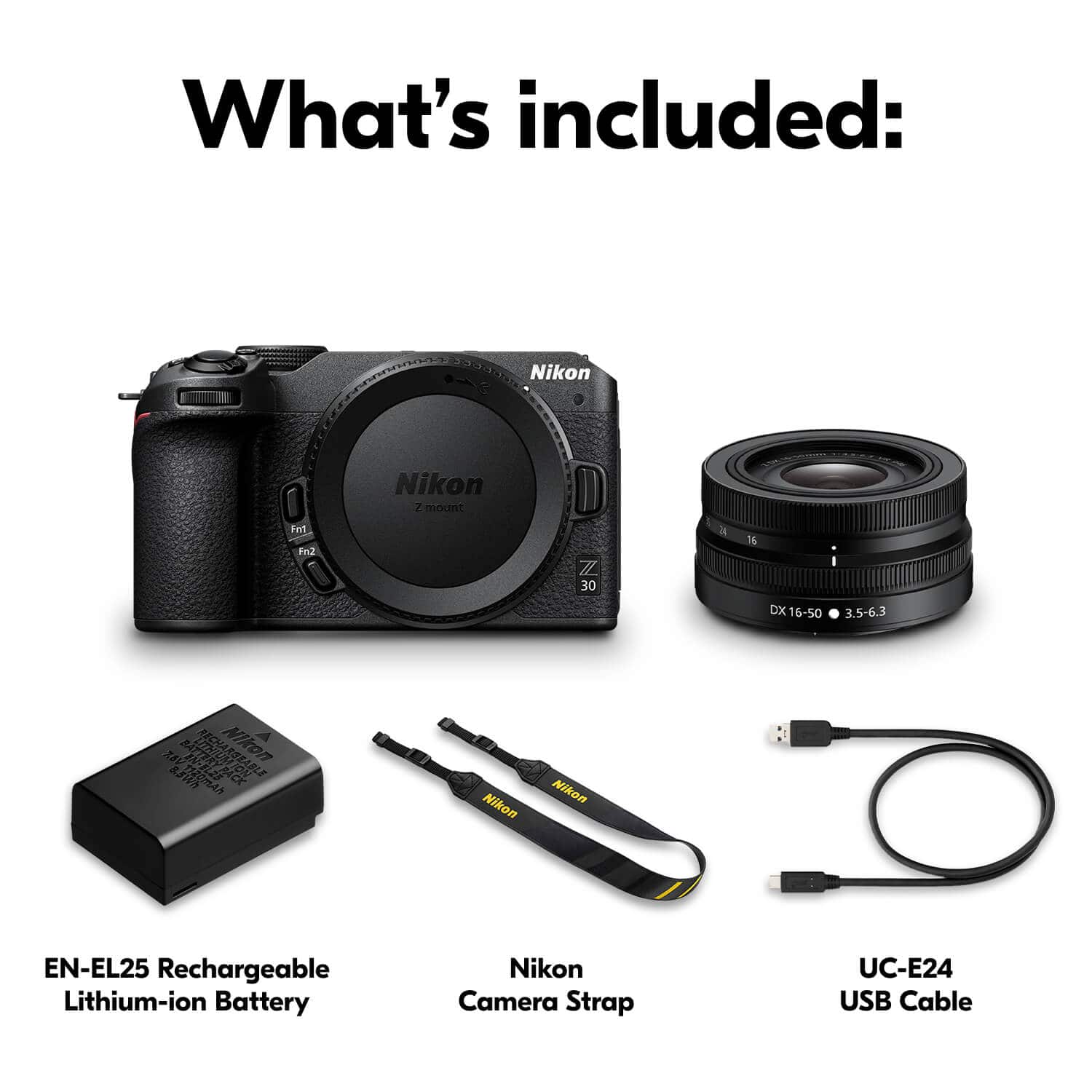
|Posted .This reviewer received promo considerations or sweepstakes entry for writing a review.Nikon's latest digital camera, the Z 30, is their attempt at offering a creator-focused, video-forward device in what has quickly become a popular, competitive space: mirrorless cameras. To that end, Nikon is aiming the Z 30 squarely at the creator/vlogger/streamer crowd, with their marketing materials leaning heavily into the video capabilities and self photo/video capture abilities of their new camera. The Z 30 also happens to be the most affordable entry point into Nikon's Z lineup of mirrorless cameras, meaning those of us that have been very curious about mirrorless devices but unwilling or unable to fork out thousands of dollars for a mirrorless camera have a new option to consider. I'm approaching the Z 30 as a amateur photographer and decade-long user of a Nikon DSLR who is new to the mirrorless field. I've loved my 2010-era Nikon DSLR for many years, and it's faithfully served me across the world. While my DSLR is still fully functional and capable of high-quality images (a testament to the reliability of Nikon products, for sure), it's sorely lacking many of the technological advances of the past decade. The Z 30 arrived in typical understated Nikon packaging, with the 16-50mm kit lens, charging cable, camera strap and basic user manual and warranty documentation. Upon first inspection it's clear that even with their entry-level model Nikon goes great lengths to produce a quality product, with excellent fit-and-finish and a reassuring heft. Yes, it's an all-plastic model, but don't let that be a turnoff. The Z 30 and its kit lens are absolutely quality products, and plastic has the added benefit of being lightweight. If you've used any Nikon DSLR or mirrorless product you'll be right at home with the Z 30. I've always been a fan of Nikon's logical controls and excellent in-hand feel and the Z 30 is no exception. Despite being substantially smaller and lighter than my Nikon DSLR the Z 30 feels every bit as comfortable in my hand, with the ergonomics I've come to expect from this brand. Buttons may have moved around slightly but everything is instantly familiar and usable. Display tech has come a long way since my 2010 DSLR, and the Z 30's screen is excellent. It smartly swings out from the side and rotates 180 degrees, allowing you to position it exactly where you need to for the perfect shot, and then fold it away for safekeeping when you're done. Resolution is great and touch sensitivity is top-notch -- if you've not had a touchscreen on your camera, it's a fantastic addition, giving you smartphone-like control when you need it but reassuringly backed up with a plethora of physical controls. It's a good thing Nikon includes a great screen, because you'll be using it 100 percent of the time. There's new viewfinder on the Z 30, electronic or not, nor is there a built-in flash. Those are two big differences between the Z 30 and the Z 50, the camera above this one in Nikon's mirrorless system. There are pros and cons, and I think I still prefer a viewfinder in many cases (especially outside in direct sunlight), but having access to the touchscreen and full menus while framing your shot is awesome. My favorite feature is the tap-to-focus option, which lets you lock focus on your subject with a simple tap. Importantly, the Z 30 has enough screen resolution to see whether you hit the right focus target before you upload all your photos to your phone or computer. Connectivity is another strong suit of the Z 30. This camera includes both bluetooth and wifi connection options and full compatibility with Nikon's free SnapBridge mobile app. Connecting your phone or tablet to the Z 30 with SnapBridge is pretty straightforward, and I've had no connection problems since initial setup. Communication is two-way and can be set to happen in the background, which enables awesome features like GPS location on your photos and videos and automatic uploading of your photos to your mobile device for immediate sharing. I encourage you to explore all the settings in SnapBridge and the camera menus, as leaving all the options turned on the background drains your camera and mobile device batteries faster, and uploading every photo can quickly become annoying. SnapBridge also enables remote control of the Z 30, which depending on your use case can be invaluable. I definitely appreciated the ability to connect to the Z 30 via wifi and selectively upload full-resolution JPEGs to my phone on a recent business trip where I found myself without an SD card reader. The Z 30 includes menus upon menus of controls for fine-tuning your photos, videos and camera behaviors, accessible from the camera's display using both touch and physical controls. If you're familiar with Nikon's menu structures you'll once again find yourself right at home, but if you're intimidated by the sheer volume of options, you'll be happy to know the camera can handle everything with alacrity in its automatic mode. Even after a decade of Nikon use I still appreciate the "?" option available on many camera menus, which offers a succinct description of many controls to guide you as you use the camera. It's quicker than a web search and can save you from mucking things up when you're out using your Z 30. So how does this Nikon perform? With photos, my comfort area, I'd say the Z 30 is top-notch. The 20 megapixel crop sensor (DX APC-C size, aka 1.5 times smaller than a full-size sensor) provides more than enough detail, and Nikon's fabulous image processing, auto-focusing and color-handling prowess is on full display here. Photos are generally sharp and balanced, colors are accurate and focus is on-point, every bit as good and better than my DSLR. Nikon's excellent 16-50mm kit lens really is a gem, with a very usable focal range and great image stabilization. If you know Nikon's DX cameras you know they don't come with image stabilization in the camera body, instead relying on the lens, denoted by the "VR" branding in this lens' full name. Image stabilization is high on my priority list for someone that snaps photos almost exclusively handheld. This kit lens produces great results at all focal lengths with appropriate lighting, and Nikon's excellent ISO capabilities mean you can get good results in low light, although you'll want to stay close to that 16mm length for the best results. The Z 30 produces quality images even at high ISOs, but you'll certainly start to notice digital noise as the ISO increases. Regardless, this lens focuses quickly and silently, introduces almost no distortion, can produce great background blur and folds up into itself for storage and transport. The Z 30 with this lens is a compact, lightweight shooter, perfect for popping in your bag and infinitely more transportable than even the smallest DSLRs. Video quality is great, especially with the built-in stereo mics, photo-and-video "selfie" mode (rotate the screen to face the same direction as the lens, turn the camera around and you'll have a selfie powerhouse), and I'm sure video types will appreciate the ability of the Z 30 to record continuously for 125 minutes, much longer than many competitors. However, there are a few things keeping the Z 30 from a perfect score in my mind. Advertised as a video-forward device, the Z 30 lacks a few important options. While it can record beautiful 4K video, it can only do so at 30 frames per second. The going rate these days is 60 fps, which the Z 30 can only do in 1080p. The difference between 30 and 60 fps is noticeable even to untrained eyes. With 4K video quickly becoming the standard I think Nikon's decision to limit the Z 30 to 30 fps in 4K resolution is problematic, especially considering modern smart phones can shoot 4k in 60 or even 120 fps. Add to this the Z 30's lack of a headphone jack -- which means you can't listen to your audio through stereo headphones as it's recorded, leaving you guessing as to the real audio quality until you upload your video to your editing device -- and I'm left scratching my head as to why Nikon left out two key video features you can find in the mobile device you're probably reading this review on. For me personally, the bigger issue is the lack of DX-specific lenses for Nikon's DX-line mirrorless cameras like the Z 30 and Z 50. Nikon has dozens of Z-mount lenses, yes, but only three DX-specific Z-mount lenses. The 16-50mm kit lens is very good, but the lack of options is noticeable even to this amateur hobbyist photographer. DX-line Nikons lack in-body image stabilization, meaning a lens without Nikon's VR designation leaves you with no image stabilization whatsoever, a huge loss when shooting handheld, especially in low-light situations. Hands-down my best low-light photos come from so-called "fast prime" lenses that offer fixed focal lengths and ultra-low minimum apertures. Nikon has no DX-line fast prime Z lenses, instead offering only fast-primes without VR, designed mainly for use on their full-frame models. While you can use these lenses on the Z 30, you'll be doing so without image stabilization, possibly resulting in blurry photos when shooting handheld on the ultra-compact, lightweight Z 30. Overall, I really, really like the Nikon Z 30. It's delightfully compact but reassuringly high-quality, it's easy for anyone to use, and it can produce excellent images. That said, I think Nikon missed the mark when it comes to video, with no 60 fps at 4K resolution and no headphone jack to be found. As a photographer I can forgive these omissions, but I am pretty disappointed in the lack of affordable, DX-focused lenses, especially the infinitely-useful fast-prime type. I am waiting anxiously for Nikon to reveal their planned "24mm DX" Z-mount prime, which -- if it includes VR and a reasonable price tag -- will be a must-have for me and many others.
I would recommend this to a friend - Pros mentioned:Video quality
Nikon Z 30 Crushing It!
|Posted .This reviewer received promo considerations or sweepstakes entry for writing a review.I shoot videos, photographs and create flyers and training brochures highlighting training and events my organization conducts year round. It’s an amalgam of quick action shots, highlight films, formal presentations and ceremonies in all types of locations and weather and lighting conditions. Creating the right content for the right situation has always been a challenge of choosing the right camera for the job. I use a JVC GY-HM200U for most of my stationary shoots that have time to set up a tripod but the JVC is big and heavy for a grab and go action shot, so I fall back to the GoPros which are great but it’s hard to get the up close intimate feeling of the subject. GoPros are always so grand and sweeping and they have their place to be sure! And then what about the quick “how to guide” or a vlog style “FAQ session” ? Well that’s when the Nikon Z30 came into the picture for me (pun intended). It really has filled a void in our content creation that I sensed was there but did not really understand just how much story telling I was leaving on the wayside because I either had a great close up with my JVC or an awesome action shot but it was wide and sweeping…. With the Nikon Z 30 I can almost do it all (less the under water, or harsh wet weather shots, Gopro will probably still have to grab those). 4K stunning video, 20mp phots, streaming! Filter’s, slow motion and even time lapse. Out of the box, it feels good. Solid and sturdy with one hand. It is low profile and light weight which is so important for usability. The LCD is sharp and crisp and I don’t miss the EVF one bit! This is my first camera that does not have an EVF (electronic viewfinder) which I was a little concerned about at first… but over the years I have come to realize that at least for me, I use the EVF to frame shots really out of habit than necessity. I actually spend most of the time watching and framing from the LCD. The bulk of the EVF isn’t worth having it anymore for me. Even on the JVC, I use the LCD and NEVER THE EVF!!! Good riddance. AS I played around with it I was just amazed how sharp and crisp the photos and 4k videos are. But I really love just how intuitive it is! I mean after a few tweaks an average person could literally just pull it out of the box and shoot amazing professional looking content from a hand held camera…I mean that’s just freaking amazing!!! And as more and more people seek information and products and entertainment from content creators on the internet rather than legacy platforms the Z30 is here to help the next generation of content creator deliver! Why not just use a cell phone? I do from time to time if that’s all I have but they use algorithms to enhance the picture which is great but look at the optics of the Z 30, ZDX 16-50mm and just how much more you can get with the APS-C CMOS Senor that the pinhole cameras on your phone… They are great but if you really want to look and have your content have that “professional” Aire to it… you have to have professional level equipment. The tweaks that are a must out of the box: Change the photo quality to “ JPEG Fine” from normal! Not sure why they would ship not that way? Same for the video quality! 4K all the way!!! Unless you want the 120 frames for the slow motion mode. 4K is only 30 frames. I was also looking at the auto mode just for convivence but the P mode can do all the same things the auto mode can do but it lets you play around with some other color profiles in the quick shortcuts options of the camera like “vivid and “black and white” ect. The manual is 500 plus pages so you can really geek out if you want!!! I love how easy and fast it is to switch modes on screen on both the video and photo settings! As I continued to learn and use the Z30…some features really stuck out and are really going to take my content up a few notches… One is the eye tracking capability… It really hones the viewer into the subject and vice versa because the eyes don’t lie when you are telling intense or emotional stories. Having the camera really keep that intensity of the eye contact is subtle but substantial. It even works on animals or at least a dog that I can vouch for. Same with the low light condition shots …you keep all the shot but don’t loose any of the low light mood! Remarkable!!! The Z30 crushes low light situations!!! Another cool feature that is tremendously useful if the ability to be shooting video and then grab a picture as your are shooting video!!! How many times have you been videoing something and think, “wow, that would make a great shot!” well wait no more! Likewise you can also grab a frame from a previous video as well! Very versatile!!! The camera can shoot for up to 125 minutes with out a cut off as well!!! You an also plug it into a power source for indefinite recording!!! JUST PHENOMINAL!!!! That is important if you want a really long time lapse. Battery life is also amazing! My unit came with the content creator bundle which is a MUST HAVE with this camera!!! What an awesome and useful accessory!! It includes a rode videoMicro with the furry wind shield that is amazing and plugs in perfectly on the Z30! A small tripod with the Nikon ML-L7 3070 remote that is so useful. The whole rig looks professional, is super lightweight and handles superbly in the hand. IT is so easy to set and adjust and produces top notch sound and easy use with the remote. The remote is also magnetic so its easy to grab and stand off and hit record while you are in front of the camera. Also has a prominent red light to let me know I’m recording! Now to a feature that I usually hate about a new product but I ABSOLUTEY LOVE on the NIKON Z30! The app! The app is called Snapbridge and it is awesome! From the back end production side of content creating…moving pics and memory cards from my mac to pc or whatever I was using is such a pain…but with the Snapbridge…boom connects to the camera from my phone and boom content lands in my photos folder. I use an Iphone so it all goes to the cloud….and that means…. I can access ANYWHERE and drag into Adobe Creator or where ever!!!! SO helpful! You can also use your phone as a remote!!! Although I primarily use the Z30 for photography and videography mostly…a vlog is on the horizon. Mainly due to just how easy the Z30 lends itself to that very task!!! The only thing that would have been nice is not being able to check the audio live on board while recording. The Rode mic is awesome though and I have not had any issues. For that matter the onboard mics are not that bad either! Overall, if you are considering multimedia content creation for whatever reason or for the next step in the “selfie” evolution and going pro vlogger, The Nikon Z30 hits way above its weight class!! I will also be bringing this along on vacations as well. It’s an amazing one stop shop for all types of creators!!!! Can’t go wrong!
I would recommend this to a friend