Customer Ratings & Reviews
- Model:
- 42637
- |
- SKU:
- 4504900
Customer reviews
Rating 4.5 out of 5 stars with 15 reviews
(15 customer reviews)to a friend
Customers are saying
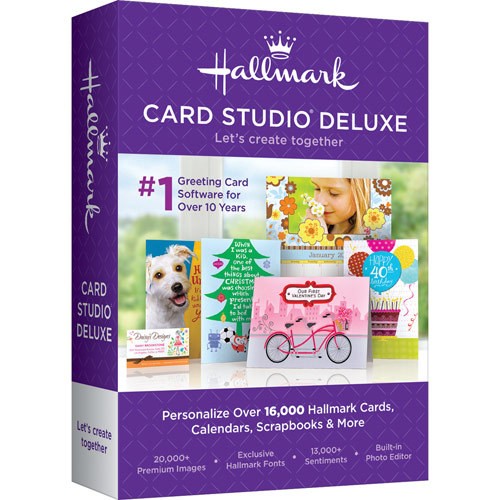
Customers are enthusiastic about Hallmark Card Studio Deluxe 2016 (1 Device) due to its user-friendly interface. Customers appreciate how easy it is to install and use, allowing them to create professional-looking cards with ease.
This summary was generated by AI based on customer reviews.
- Cons mentioned:Complexity, Features
Rated 3 out of 5 stars
A Little Complicated. Too Many Steps.
||Posted .This reviewer received promo considerations or sweepstakes entry for writing a review.The reason I said it was complicated is because prior to this, I was using another program that was much easier with a lot less steps. It also did some things this program does not. My other program, an older one by Hallmark in conjunction with Microsoft, put out the same quality cards. Maybe if you have never used another program that was more user friendly, you may not notice the amount of steps you need to create a personalized card. I would not purchase this again.
No, I would not recommend this to a friend - Pros mentioned:Easy to use
Rated 5 out of 5 stars
No issues with it
||Posted .This reviewer received promo considerations or sweepstakes entry for writing a review.Loved the software. It was easy to install and is user friendly. My aunt, who is in her 50's were able to jump on the computer and create or find everything she wanted. Good product. I hope we are able to find a Christian software....
I would recommend this to a friend - Cons mentioned:Apple products need 3rd party app
Rated 5 out of 5 stars
Worth the upgrade from Older Version
||Posted .This reviewer received promo considerations or sweepstakes entry for writing a review.Not only does it print cards, etc. - but you can create e-cards with video and audio added, using included files or adding your own. Super to email cards to kids and/or grandkids. Note: The e-cards with audio/video are send as .AVI files - so your Apple Products will need to have a 3rd party app installed in order to view them.
I would recommend this to a friend - Pros mentioned:Compatibility
Rated 5 out of 5 stars
Easy to install
||Posted .This reviewer received promo considerations or sweepstakes entry for writing a review.Compatible with Windows 8. Works great!! Already made 2 cards. Lots of options and you can cut and paste your own images as well.
I would recommend this to a friend - Pros mentioned:Creativity, Save money
Rated 5 out of 5 stars
Love Hallmark
||Posted .This reviewer received promo considerations or sweepstakes entry for writing a review.I have always used Hallmark software to create cards, invitations and calendars. You really can't go wrong with Hallmark software. It allows for your own creativity or if you feel you are not so creative it still isn't a problem with Hallmark. Used them for years and will continue to do so. Good buy for your money!
I would recommend this to a friend - Pros mentioned:Calendar options
Rated 5 out of 5 stars
Very handy software
||Posted .This reviewer received promo considerations or sweepstakes entry for writing a review.Have used Hallmark card studio for several years and have never been disappointed. Love the calendar options.
I would recommend this to a friend - Pros mentioned:Easy to use
Rated 5 out of 5 stars
easy to use
||Posted .This reviewer received promo considerations or sweepstakes entry for writing a review.love the program , its easy to use , has a lot of chose's to chose from
I would recommend this to a friend Rated 4 out of 5 stars
it works
||Posted .This reviewer received promo considerations or sweepstakes entry for writing a review.it is little different and it works i got it for a good price
I would recommend this to a friend- Pros mentioned:Easy to use
Rated 5 out of 5 stars
Makes Great Project
||Posted .This reviewer received promo considerations or sweepstakes entry for writing a review.This software is so easy to use and the final projects look ready-made. It's so much fun though to be able to add those special touches and photos that personalize each greeting card or other project. I most definitely recommend it.
I would recommend this to a friend - Pros mentioned:Save money
Rated 5 out of 5 stars
good cards
||Posted .This reviewer received promo considerations or sweepstakes entry for writing a review.Saves a lot of money from buying cards in the store
I would recommend this to a friend Rated 5 out of 5 stars
Excellent Card Program
||Posted .This reviewer received promo considerations or sweepstakes entry for writing a review.I've owned all of the card programs over the years and this is my favorite. You can't go wrong with this one.
I would recommend this to a friend- Pros mentioned:Easy to use
Rated 5 out of 5 stars
Good Product!
||Posted .This reviewer received promo considerations or sweepstakes entry for writing a review.The 2016 version of Hallmark Card Studio Deluxe is easy to use and produces quality greeting cards.
I would recommend this to a friend Rated 3 out of 5 stars
ok if you want to do the work
||Posted .This reviewer received promo considerations or sweepstakes entry for writing a review.so so. if you by from nova you get lots of other free programs. woks fine but too much work, rather buy my cards from store.
I would recommend this to a friend- Cons mentioned:Complexity, Missing capabilities
Rated 2 out of 5 stars
Not very user Friendly
||Posted .This reviewer received promo considerations or sweepstakes entry for writing a review.I really don't like this software at all. It's doesn't do some of the things the older Hallmark Studio I had. Too many different steps to accomplish the same results as the older version. Frustrating to use. Some things not even capable of doing.
No, I would not recommend this to a friend Rated 5 out of 5 stars
Great Program
||Posted .This reviewer received promo considerations or sweepstakes entry for writing a review.I had a previous versions and loved it, this on is just as good
I would recommend this to a friend