Customer Ratings & Reviews


- Model:
- 945128972500001
- SKU:
- 5709686
Rating by feature
- Value
Rating 4.6 out of 5 stars
- Quality
Rating 4.9 out of 5 stars
- Ease of Use
Rating 4.7 out of 5 stars
Customers are saying
Customers are positive about the SHIELD TV's streaming capabilities, performance, ease of use, and 4K picture quality, with many praising its gaming functionality. However, customers are negative about the remote control design and some experienced issues with lag and WiFi connectivity. A few also mentioned the price point as a potential drawback. The user interface also received mixed reviews, with some finding it clunky or difficult to navigate.
This summary was generated by AI based on customer reviews.
- Pros mentioned:Ease of use, Performance
Best on the market
||Posted .This reviewer received promo considerations or sweepstakes entry for writing a review.I can definitely say this is by far and away the best box I have used! This blows Apple TV out of the water, and comparing it to anything else is absolutely sub par by a mile! Easy set up Fast Small User friendly The best!
I would recommend this to a friend Expensive But Worth It
||Posted .This reviewer received promo considerations or sweepstakes entry for writing a review.My Roku 4 started acting up so I was in the market for a new streaming device. One of the biggest selling features for the Roku was being able to plug headphones into the remote. After I got tired of changing batteries in the remote, I started connecting my iPhone. I've had my eye on this for awhile, and I decided to pull the trigger. It comes with an Xbox type controller, which is where the headphone jack is. Another big plus is that it's an Android box so I can actually download Kodi and Plex to this device instead of sideloading it like I would have to do with a Firestick. The picture is awesome since it supports 4K. My next one would be the 500GB box for my living room. I would highly recommend this one if you have the money to do it.
I would recommend this to a friend- Pros mentioned:Gaming, Performance
Best Box for Streaming Video
||Posted .This reviewer received promo considerations or sweepstakes entry for writing a review.Dollar for dollar, this is your best bet for getting a smart TV box that literally can do just about everything. This is the best box to stream Amazon and Netflix. Performance is quick and fast, and the 4K HDR and gaming capabilities are top notch. The controller especially this time around, is a great improvement. The box is a small which is nice. I added an external usb flash drive to expand the storage space, which can also be used for apps!
I would recommend this to a friend - Cons mentioned:Remote control
Best streaming device on the market
||Posted .This reviewer received promo considerations or sweepstakes entry for writing a review.I’ve used Android Boxes, 1st & 2nd gen Firestick/Fire Tv boxes/Chromecast to Ruko what a waste of time the Nvidia shield TV blows them all out of the water – Streaming Netflix/YouTube/Starz works GREAT – I use KODI a lot and it works PERFECT, best box for any Kodi user. I even joined GFORCE GO it best place for games – I love to be able to play these games and not have to store the data on my box. I love begin able to use Ethernet cable, 2.4 & 5g connections. You can MINIMIZE your apps too so I can have KODI load up and get that ready to be used MINMIZE it and play a game until I’m ready. Youtube works great when bored. You will need more storage I went with the SanDisk Ultra Fit 128GB USB 3.0 Flash Drive - SDCZ43-128G-GAM46 and it works PERFECT. CON: The REMOTE volume slide function is pretty cool idea but I hate it! The slide function is too sensitive, every time I grab the remote I seem to hit the volume slide and it goes straight to max volume or max low. Makes me not want to use the remote – Wish there was a silicone cover skin for this remote. Unable to hook up WIRELESS Xbox 360 controller. PRO: Gaming CONTROLLER volume slide function is PERFECT love it – 100% better than the remote volume slide function. I now only use the game controller with everything I do even Kodi. The game control is pretty AWESOME and you are better off getting the $200 version than the $180. Small box and looks and works GREAAAAAAAAT! VERY GLAD I GOT THIS
I would recommend this to a friend - Pros mentioned:GamingCons mentioned:Remote control
Very good media box...bad remote
||Posted .This reviewer received promo considerations or sweepstakes entry for writing a review.Overall the Shield is a great 4k/HDR media player, as well as a very good gaming machine/game streamer. Its a little pricey, but includes a halfway decent game controller. My only complaint is the remote; its often laggy, the touch volume control is annoying, and overall just doesn't feel very good.
I would recommend this to a friend The best Android TV box you can buy!
||Posted .This reviewer received promo considerations or sweepstakes entry for writing a review.Can't say enough in this short space but I can cover its main points: 1. Has a Plex server built in, other boxes can't do, and can also run Kodi, as others do, but the Shield does it best. Nobody else has the Nvidia Tegra 1 chip, ( if you're not familiar, just know it's the best). 2. Comes with 16GB storage, but can be expanded with a USB stick or drive, (recommend 1TB or more if using Plex for all of your movies as a server. If just streaming media, 16GB is fine). Drive memory is merged into the internal memory which is great, but the drive is encrypted to the Shield, so you would have to reformat it to use elsewhere, but just get a dedicated drive. Picked up a 4TB drive for $100 here as well, and it's networked on the Shield to all devices in my house, no PC server needed. Awesome! 3. Streams 4K and HDR. If you have this, it's sweet. Not too many boxes do this, and the very few other ones don't do it as well. 4. Runs all Android apps, Hulu, Netflix, and only one to run 4K Amazon Prime, (plus all the other streaming apps, i.e. Terrarium TV, Mobdro, etc. sweetly, especially with a Real-Debrid account). You should first download ES File Explorer to get Chrome and Aptoid. Sideload other apks not offered by the TV version of Google Play Store, (YouTube this box and there are tutorials to get all of this set up info). Add an IPTV service for about $15/mo and you're golden. 5. They have GeForce Now gaming built-in and you get about 170 games free to stream, plus your Steam account games. (you need about 100 Mb connection for perfect streaming i.e. Spectrum min. is now 200 Mb), but when you cut cable you can afford to upgrade. 6. Google Voice Assistant is built-in. Works awesome. Ask it to play music and movies from your services; weather and sports info; whatever you can do on your phone. Plus, you can control home devices if you have those type of devices. All in all, it's a bit pricey but you really get what you pay for! I have 3, (1 for each TV, and they're networkable so we can share data on the network), and I don't regret it.one bit. When you cut the cable and upgrade your internet for half the price, or more, they pay for themselves. If you're serious about cable cutting this won't disappoint you like a cheaper box. Like I said, just YouTube this box, not enough space here...
I would recommend this to a friend- Pros mentioned:Speed
Fantastic
||Posted .This reviewer received promo considerations or sweepstakes entry for writing a review.There simply isn't another option, like this, out there. It's so fast when it comes to booting on and on and when you resume your content it's lightning quick. It plays games tremendously well and with the right HDMI cable, the colors and picture quality are gorgeous. Unless you're invested in the apple ecosystem, if you want something that will stream your favorite movies and tv shows, your media library, watch youtube, browse the web on and even play your steam games [and nvidia titles] look no further - it's a tremendous value with the controller and game pad, too!
I would recommend this to a friend - Pros mentioned:Ease of use, Streaming
This thing is fast!!!
||Posted .This reviewer received promo considerations or sweepstakes entry for writing a review.This thing is the fastest streaming device I've ever used, and I've tried many of them. It's super fast and very easy to use but you'll have to look up the controls because they are confusing at first. One thing I couldn't find listed anywhere was how to show all the apps that are open but it's just a double tap on the right circle button. Once open you can close any open apps or go back to them. Unfortunately most that are open just reopen and you lose your place. But then again this thing is fast, super fast so that's a non issue. The other thing this will do is stream in the best quality available easily. I've tried watching shows on streaming services with other devices and they all seem to have hangups on what quality can be supported. This bad boy will stream immediately at the best quality your internet will allow. I do have my device connected to my steam account on my PC and it works wonderfully and pretty much the same as a steambox except one feature. It only supports one controller at a time. But the included controller is good. Also this thing has Chromecast built in and that is awesome. Storage space is a non issue as well because you can easily add permanent storage. Overall it's a solid device. I sure hope they support it for years to come.
I would recommend this to a friend Incredible Streamer
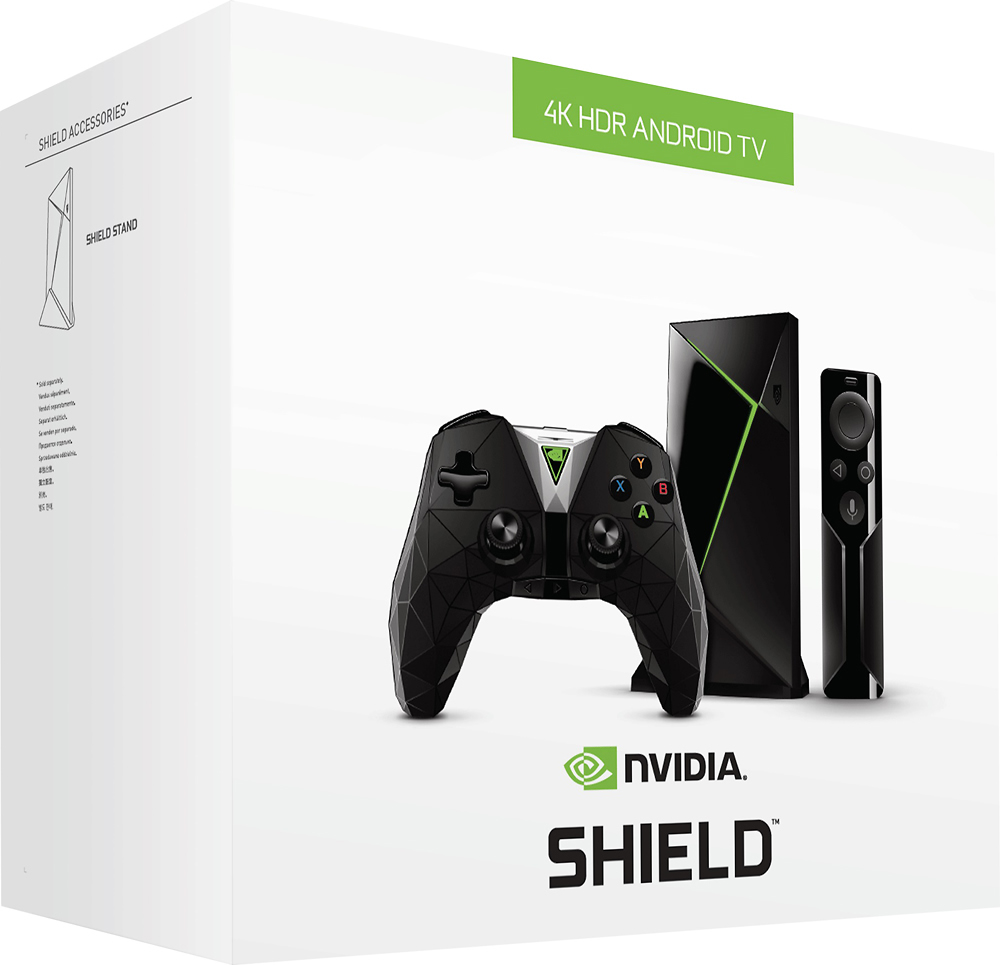
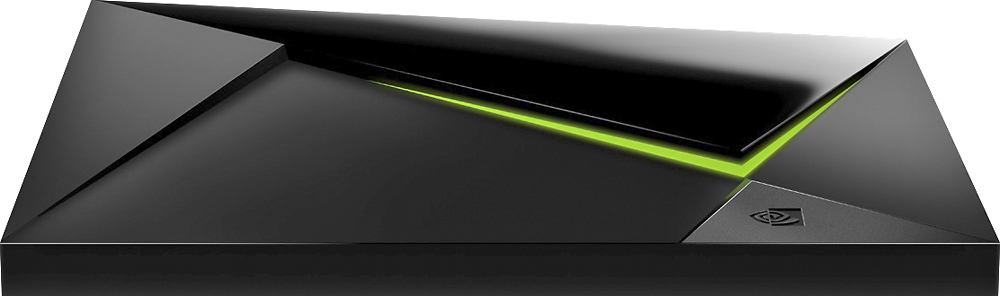
||Posted .This reviewer received promo considerations or sweepstakes entry for writing a review.All things considered, the Nvidia Shield is an excellent streaming box. There are other options out there for less than the Shield’s price point worth considering but, should you desire a 4K video streaming player that can handle some of your favorite games, this is the perfect addition to your audiovisual armory.There’s plenty to appreciate about the new Nvidia Shield. But out of everything –the 40% reduction in overall size, the integration of Google Assistant, the addition of Amazon Instant Video for the first time on Android TV – the best changes are the ones that happened to the streaming video box’s operating system, Android TV. It’s far and away better than it was when the gaming-centric streaming box first came out close to two years ago. A greatly improved universal search function on top of a larger selection of apps on top of Google Home and Assistant integration have finally empowered Nvidia’s hardware to really shine. Said simply, if there’s ever been a time to take a serious look at Nvidia’s already-great streamer, this is the time to do it. But let’s hold on for a second. Maybe this is your first experience with the Nvidia Shield, the $199 / £189 (about AU$260) 4K-capable, HDR-ready video streaming device that’s been developed by a primarily graphics card-focused company. If it is, what you’re reading about is one of the most powerful streaming video players on the planet – one that can double as a gaming system, and triple as the center of your smart home. It has the power to stream your favorite shows like Amazon Fire TV or any one of the Roku players, but with the added perk of being able to play Android TV and some PC-quality games via GeForce Now. Finally, while other streaming devices might make you tack on a Bluetooth controller in order to really enjoy games (cough, Apple TV), Nvidia Shield comes with a completely re-designed gamepad that works much better than it did previously. It has its shortcomings, but overall Nvidia’s Shield TV has enough on offer to persuade even the most ardent of skeptics to give this little streamer a shot. Design When you picture a streaming video player you might call to mind a sleek, flat square no more than an inch or two high, or a small hockey puck-shaped plastic box. Nvidia Shield isn’t quite like either of those. Nvidia eschewed traditional design years ago and has developed its own style for the Shield that’s neither round nor flat, but an interesting mix of criss-crossing lines, unique slants and stark angles. The headline feature here is that the 2017 Shield is 40% smaller than before, bringing it from about 20cm (8-inches) wide down to about 13cm (5-inches). It’s able to shed some plastic by dropping the micro-SD card slot that used to hang out on the back and retail in only one hard drive size – 16GB. (Of course, Nvidia tells us that the 500GB version of the Shield will still be available at the old 2015-version size, too, but it will cost a bit more and be called the Nvidia Shield Pro, check out our original Nvidia Shield review for an overview of the hardware). So what ports are left? Spin it around and you’ll still find Gigabit Ethernet, HDMI 2.0a and two USB 3.0 ports. Although the box is compatible with 802.11ac Wi-Fi your best bet for consistent 4K video streaming or GeForce Now gaming is going to be running an ethernet cable directly from your router into the box. All that said, its diminutive stature actually makes the console smaller than the included controller, something which has also gotten a facelift for the new year. The 2017 Shield TV controller is less bulky than its predecessor and much more angular. The surface of the controller is covered in a triangle pattern that, in some ways, makes the controller easier to hold in your hand. These new controllers won’t offer the touchpad that you’d find on the ones that shipped with the original Shield, and that’s because Nvidia said those were a holdover relic from the “web browser on your TV” craze. That said, you can still use the original gamepads with the 2017 Shield should you have any of them laying around. And while the latest controllers say goodbye to the touchpad, you can still find a built-in microphone on each and every controller. That’s used, among other reasons, to activate Google Assistant – a Siri equivalent built for Android devices – which we’ll touch on soon. The controller is a step in the right direction on all accounts, but admittedly it’s still not the best pad out there for extended play sessions, especially when stacked up against Sony’s DualShock 4 or Microsoft’s Xbox One controller. We could enumerate the number of tweaks Nvidia needs to make here, but the first steps Nvidia should consider taking here would be to make it weightier, more durable and redesign the triggers, D-Pad and face buttons. Nvidia says the controllers are rated for around 60 hours of battery life, but didn’t say if that number is for active use or standby mode. The controller turns itself off after a period of use to save on power so it’s sort of tough to say how long it can last on one charge. Here’s some good new, though: Each and every Nvidia Shield will now ship with a basic remote – something that used to be an optional accessory – for free. The remote has a built-in microphone in case you stray too far from your controller, a set of three simple buttons for navigation and a touch-capacitive channel to raise and lower the volume. It’s an excellent addition, and something that makes it much easier to use the console as just a streaming box if you don’t want to bother with the gaming side of things for a session.
I would recommend this to a friend- Pros mentioned:Gaming
Shield or Xiaomi
||Posted .This reviewer received promo considerations or sweepstakes entry for writing a review.I've tried several media boxes before this one, including the fire stick (2nd gen), fire tv (3rd gen), Mi box 3, Roku and Apple tv. I personally enjoy android tv and being apple to openload and sideload apps. I also love having the ethernet and usb 3.0 ports. The Mi box is budget friendly and similar to the shield, because it also has the Android tv (6.0)(shield 7.0), a ethernet port and usb 2.0 port, but it isn't as great. The Mi box is advertised as 4k hdr, but it's only 1080 full hd, although it's still a good picture. The shield has true 4k and hdr. Trust me you can tell the difference, especially if you use Netflix. If you're looking for 4k hdr, sorry the budget friendly Mi box isn't what you want. On the Shield you can also force your downloaded apps to resize and store directly to your external storage (by enabling it in settings), which you can format as removable or internal storage. This is awesome, because most apps (on any device) stores to your internal storage and can't be moved. I'm able to power on my tv and soundbar with the shield remote and controller by enabling CEC and IR, but I'm unable to power off the devices including the shield with the shield remote. I have to use my tv remote to power everything on/off. It would be nice if I could also use my tv remote to navigate through the shield interface, as I am a one remote kind of gal. The gaming is a plus. I'm not a hardcore gamer, but I do like to do some gaming in my free time and this suits me just fine. Geforce online gaming tends to stutter at night, but it could be due to my vpn or my ISP. I haven't experienced any video lagging as of yet, but it's only been about 2 weeks. I was hesitant about purchasing this due to the price, but so far I like this device the best. I would've stuck with the 4k hdr fire tv if they kept the ethernet and 3.0 usb ports. I like my devices hardwired with tons of storage. I'm most likely going to buy the NS pro version or add 1 to 4 tb external storage to the one I have. Games take up a ton of space. If I could change anything I would add a power button to the remote and a hdmi cable should be included for 199.00 (I bought it on sale for 179.00. Saved a whole 20 bucks. yay me!!!) If anything changes I'll come back and update my review.
I would recommend this to a friend - Pros mentioned:Speed, Streaming
Expensive, but great
||Posted .This reviewer received promo considerations or sweepstakes entry for writing a review.I use this primarily as a media streamer, and, as those go, it is one of the more expensive options, especially since it is fairly rare for it to go on sale. For me, however, it was absolutely worth it. I tried the Apple TV, and wanted to like it, but I had far more issues with it in a week than I have with this in the month I've had it. It's stable, quick, does pretty much anything I could ask of it, and makes my streaming media look fantastic! If you can afford it, I highly recommend it!
I would recommend this to a friend - Cons mentioned:Lag
High Recommend
||Posted .This reviewer received promo considerations or sweepstakes entry for writing a review.The NVIDIA Shield is great. It was super easy to setup and after some updates, I was ready to roll. Immediately I tested it out with some 4k content and it truly looks incredible. Now for the main reason I purchased is for game streaming. It took some time for me to figure how to get this up and running ( I couldn't get any games to show), but after restarting the computer I was finally able to get it working. And it worked great, no lag what so ever both hardwired and wireless.
I would recommend this to a friend - Pros mentioned:SpeedCons mentioned:Lag
Simply the best on the market today.
||Posted .This reviewer received promo considerations or sweepstakes entry for writing a review.nVidia Shield TV is not marketed with crazy $ advertising so it is not well known but whenever you read a review it is glowing. That's because it is the best. The UI is really good and this thing is lightning fast. I couldn't stand the Amazon firestick because the UI was stupid and fairly slow. I loved the firestick for the remote though--and the Shield has (basically) the same thing. It is VERY cool to play the PC version of Call of Duty streaming to my big screen. Need For Speed is also super fun but I'm not used to the controller yet. Joystick on the PC is better but only because I haven't played enough. No lag--very fast. Set up Kodi and you've got yourself a super fast UI to watch all your videos--from any TV connected to your LAN (wifi or ethernet). P.S. Don't bother getting the 500Gb version (extra $100) unless you are a super serious gamer. You can add a USB stick or external HD.
I would recommend this to a friend - Pros mentioned:Ease of use, Gaming, Performance
Best streamer currently available
||Posted .This reviewer received promo considerations or sweepstakes entry for writing a review.Doesn't get much better and more powerful than this little guy. Streams anything I can throw at it was ease. Easy to install and get up and running. Much more powerful than anything else out on the market right now. All the popular addons plus the addition of being able to play some pretty great games!
I would recommend this to a friend - Cons mentioned:Lag, Remote control
Great Android TV!
||Posted .This reviewer received promo considerations or sweepstakes entry for writing a review.Just got the 2017 edition of the Nvidia shield TV Beside the remote control has poor design (Copy from Apple TV) and it is sooooooo laggy It seems to be a perfect 4k streaming media player....
I would recommend this to a friendBrand response from NVIDIA Community Team
Posted .Hi,
We’re sorry to hear about your issues with the remote. We should be able to help you resolve these issues. Please reach out to us at SHIELD-BBY-support@nvidia.com and include a link to this review so that we can help you out. You can help learn more about these remote issues here.
- Pros mentioned:Gaming, StreamingCons mentioned:Lag
Best out there
||Posted .This reviewer received promo considerations or sweepstakes entry for writing a review.I recommend this for streaming and gaming. Doesn't buffer or lag like cheaper alternatives.
I would recommend this to a friend - Pros mentioned:Ease of use
Amazing
||Posted .This reviewer received promo considerations or sweepstakes entry for writing a review.So far I’m blown away. The ease of use, the graphics, and the small size make this a great purchase. I love that I can turn everything on with one button, and say, Hey Google, turn off, to turn it all off. Games, 4K TV, apps, this is amazing. The only thing I’m missing now is the USB cord to connect it to my hard drive so I can watch my existing movies. Once I do that, I’m golden. Love this thing!!
I would recommend this to a friend - Pros mentioned:Performance, Speed
Best streaming box
||Posted .This reviewer received promo considerations or sweepstakes entry for writing a review.I’m used Amazon’s fire stick and fire box, roku’s, etc... and this device blows them all out of the water. Performance is excellent, all menus and apps open extremely fast with no lag. Nvidia gamestreaming from my desktop works great as well. It’s nice to have one device that will do Google Play and Amazon Video (as well as the other streaming apps obviously).
I would recommend this to a friend - Pros mentioned:Gaming
Best THE BEST set-top box
||Posted .This reviewer received promo considerations or sweepstakes entry for writing a review.This is the central unit for a small conglomeration of different media. I have an antenna on top of the house which connects to an HD Homerun which connects to the Plex server I have installed on this unit. The Plex has DVR which I use to record the OTA programming onto a USB drive hooked up to the unit. It flawlessly plays Plex, Netflix, HBO and any other app I have thrown at it. It is amazing how slow most other players are (ROKU) when compared to this unit. You will not be able to go back. The unit is versatile for gaming as well. I have had no issues playing my steam games, uPlay games and even Origin games (with some effort). I came to really like the included controller, though you can hook up a wired XBOX one controller if you so desire. My network is hardwired and if you plan on streaming/gaming on this, there is no reason to handicap it with wireless unless you have no other choice. The small remote is responsive and easy to hold. The range is about 30 feet from my testing. It may go farther depending on walls and composition of your house. Overall, this was a solution to many different problems and I have been nothing but happy with it. One last tidbit. If you use the Shield as your DVR, make sure you turn off the auto sleep feature.
I would recommend this to a friend - Pros mentioned:Speed, StreamingCons mentioned:Lag
The best media streamer on the market
||Posted .This reviewer received promo considerations or sweepstakes entry for writing a review.This thing is incredible. Extremely fast packed with functionality due to Android TV. Streaming games from my gtx 1070 to my 4k tv is my favorite feature. On a wired connection I get no noticeable lag and no stuttering. Overall great purchase.
I would recommend this to a friend