Customer Ratings & Reviews
- Model:
- PL3-10-24
- SKU:
- 6644451
Rating by feature
- Value
Rating 4.4 out of 5 stars
- Quality
Rating 4.4 out of 5 stars
- Ease of Use
Rating 4.3 out of 5 stars
Customers are saying
Customers find value in the product's surface texture, which is frequently highlighted as a positive attribute by users. Additionally, the item is praised for its ability to provide reliable durability and protection. Overall, these features contribute to a positive reception regarding the quality of the product.
This summary was generated by AI based on customer reviews.
Nice smooth friction for note taking.
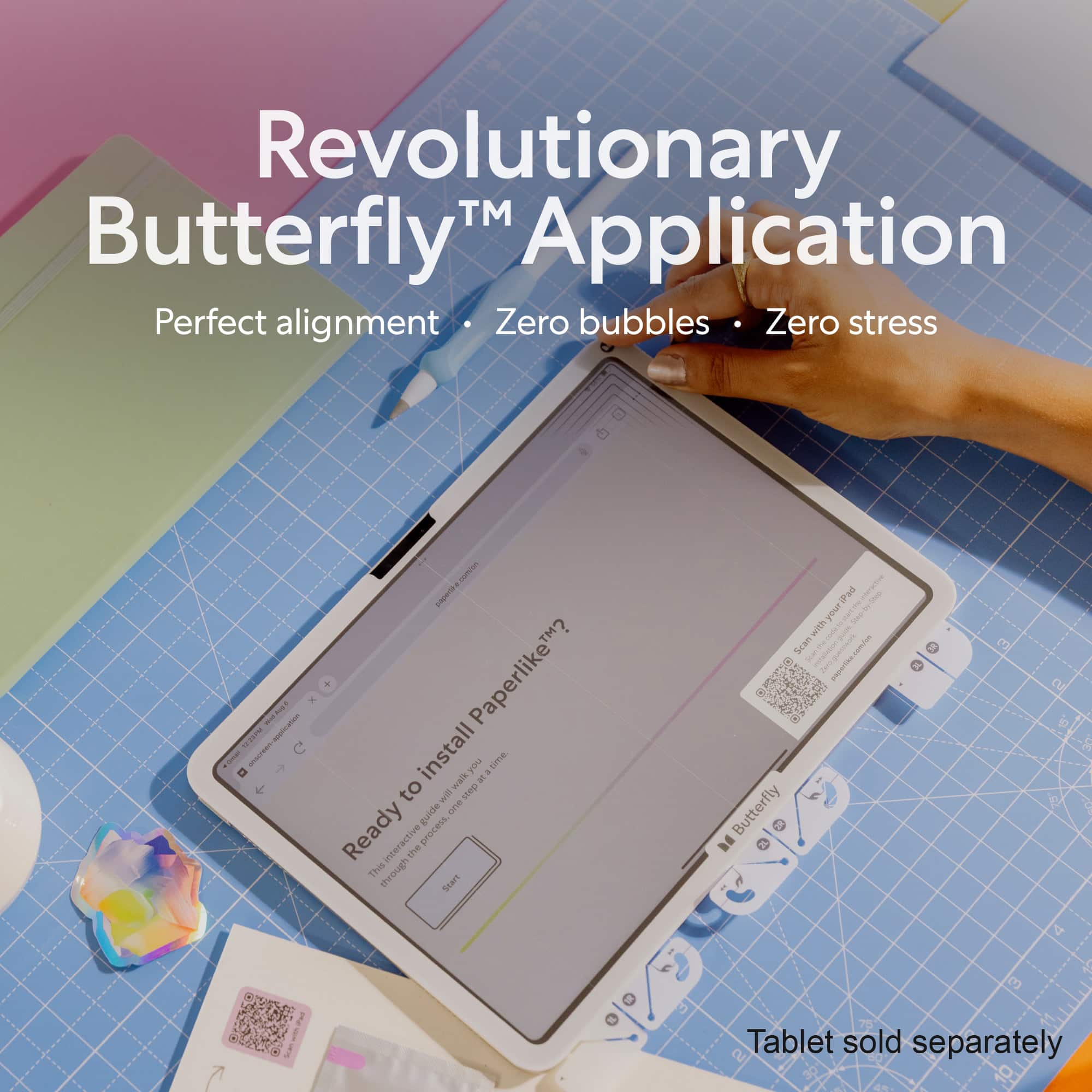
||Posted . Owned for 2 weeks when reviewed.This reviewer received promo considerations or sweepstakes entry for writing a review.Paperlike 3 is great in a sense that it can give nice friction while using pencil but in my experience it compromises a lot in screen brightness sharpness and color quality. But since I use mainly for note taking, I am okay with it. Also it scratches a bit easily. The application is a bit complicated and lengthy. But the presentation is phenomenal.
I would recommend this to a friendBrand response from Paperlike Team
Posted .Thanks for the thoughtful feedback! We’re glad the friction works well for note-taking and that the presentation stood out. We appreciate you sharing the trade-offs you noticed—it helps us keep improving the Paperlike™ experience 🙂

The product and delivery were excellent.
||Posted . Owned for 3 weeks when reviewed.This reviewer received promo considerations or sweepstakes entry for writing a review.My iPad is an invaluable tool, providing exceptional portability for professional tasks and delivering outstanding graphics and seamless daily workflow capabilities. The online ordering process through Best Buy was efficient and convenient, with direct delivery to my location.
I would recommend this to a friendBrand response from Paperlike Team
Posted .Hi Krystall, thank you for your review. Have a great day.
Must have for drawing
||Posted . Owned for 2 weeks when reviewed.This reviewer received promo considerations or sweepstakes entry for writing a review.Great item when you buy a new iPad and a case to protect it:)
I would recommend this to a friendBrand response from Paperlike Team
Posted .Thank you, Roger! We’re happy to hear Paperlike™ has been a great addition to your iPad setup for drawing and everyday use. Enjoy your Paperlike™ experience 🙂
Perfect solution to write on the iPad
||Posted . Owned for 3 weeks when reviewed.This reviewer received promo considerations or sweepstakes entry for writing a review.I originally felt I didn't need this because I didn't really have any issues writing on my iPad with the Apple pencil. As I started writing more notes with it, I could tell my handwriting wasn't as consistent as writing with a pen and paper. After putting on the Paperlike screen protector, I immediately noticed I had so much more control over the Apple pencil. Now that my handwriting is more consistent with it, I'm not second guessing my notes. My only gripe is that i couldn't find one for the iPad pro 11 inch. They offer one for the iPad air,which works, but the camera cutout is in the wrong location for the pro model. I don't use my iPad for video calls so it doesn't really bother me. Just that if I ever needed to, the camera will look hazy.
I would recommend this to a friendBrand response from Paperlike Team
Posted .Thank you, Vance! We’re thrilled to hear Paperlike™ helped make your handwriting more consistent and natural. We also appreciate your feedback about model compatibility, but we do offer one for the 11" PRO. Please feel free to reach out to: support@paperlike.com so we can find a solution for you. Enjoy your Paperlike™ experience 🙂
Almost perfect - installation is challenging
||Posted . Owned for 1 month when reviewed.This reviewer received promo considerations or sweepstakes entry for writing a review.This is almost perfect. The writing surface is very much like writing on paper with an Apple Pencil. The instructions and video are easy enough to follow, but invariably you'll get dust or misalignment on the first attempt at installing this screen protector. I followed the instructions meticulously, and still ended up with a dust spec right in the middle of the screen. Good thing it comes in a 2-pack so that you don't have to revisit the store to get another one. I haven't noticed any clarity or ghosting artifacts when using this on my iPad. Movies and videos still look great, as do games like Civilization. The self-healing nature of the screen protector make the minute scratches from the pencil go away with a simple wipe down. Overall I'm very pleased with the purchase, but the installation is still always a bit of a challenge.
I would recommend this to a friendBrand response from Paperlike Team
Posted .Thank you for the thoughtful feedback, DenverPat! We’re glad you’re enjoying the paper-feel writing experience, screen clarity, and self-healing surface. We also appreciate your honest notes about installation, and we’ll continue working to make the process even smoother. Please contact our support team at: support@paperlike.com should you have any questions. Enjoy your Paperlike™ experience 🙂.
- Pros mentioned:Durability
Best Screen Addition for your iPad…
||Posted . Owned for 1 month when reviewed.This reviewer received promo considerations or sweepstakes entry for writing a review.I’ve had one in f these on every iPad I have owned. Feels so much better using the pen on the screen. Perfect resistance just like you would feel if writing with a pen on paper. My last one was on my iPad for 7 years…the screen was perfect when I traded it in. You will not regret the money you spent on these. Installation was fast and simple thanks to the video instruction they provide. I will never own an iPad without these once you have tried it.
I would recommend this to a friendBrand response from Paperlike Team
Posted .Thank you for the amazing feedback! We’re thrilled to hear Paperlike™ has been part of your iPad setup for years and that you’re loving the paper-feel writing experience and easy installation. Enjoy your Paperlike™ experience 🙂
- Pros mentioned:Durability
Paper like definitely!!
||Posted . Owned for 2 weeks when reviewed.This reviewer received promo considerations or sweepstakes entry for writing a review.Provides durability and protection as well as creates a smooth surface for writing and drawing.
I would recommend this to a friendBrand response from Paperlike Team
Posted .Hi Jasmine, thank you for your review. Glad to see you are enjoying your Paperlike™ experience 🙂.
Great product that’s worth the price
||Posted . Owned for 1 month when reviewed.This reviewer received promo considerations or sweepstakes entry for writing a review.Writing on the iPad is night and day with this new screen protector. Before this my handwriting on the screen was awful due to the lack of friction and now it’s immaculate.
I would recommend this to a friendBrand response from Paperlike Team
Posted .Thank you! We love hearing what a difference the added friction has made to your handwriting. Enjoy taking notes with your Paperlike™ experience!
amazing packaging
||Posted . Owned for 1 week when reviewed.This reviewer received promo considerations or sweepstakes entry for writing a review.love the way it feels when writing with the pen, easy to apply with help of a video that you can just scan from the packaging LOVE IT !
I would recommend this to a friendBrand response from Paperlike Team
Posted .Thank you, Rocio! Great to hear the video made installation easy and that you’re loving the writing feel. Enjoy your Paperlike™ experience!
Best Screen Protector
||Posted . Owned for 3 weeks when reviewed.This reviewer received promo considerations or sweepstakes entry for writing a review.Really surprised at how much I love this screen protector. Did not think that was a feature I cared too much about. But this one allows for an instructional video to play so that you get step by step walkthrough on how to apply the protector. Made it a seamless and easy process. I love the feel of it especially paired with my apple pencil and then it also functions as a glare protector. Best screen protector in my opinion!
I would recommend this to a friendBrand response from Paperlike Team
Posted .Thank you, Emily! We’re thrilled the installation guide made setup seamless and that you’re loving the feel with your Apple Pencil. Enjoy your Paperlike™ experience!
I love it!
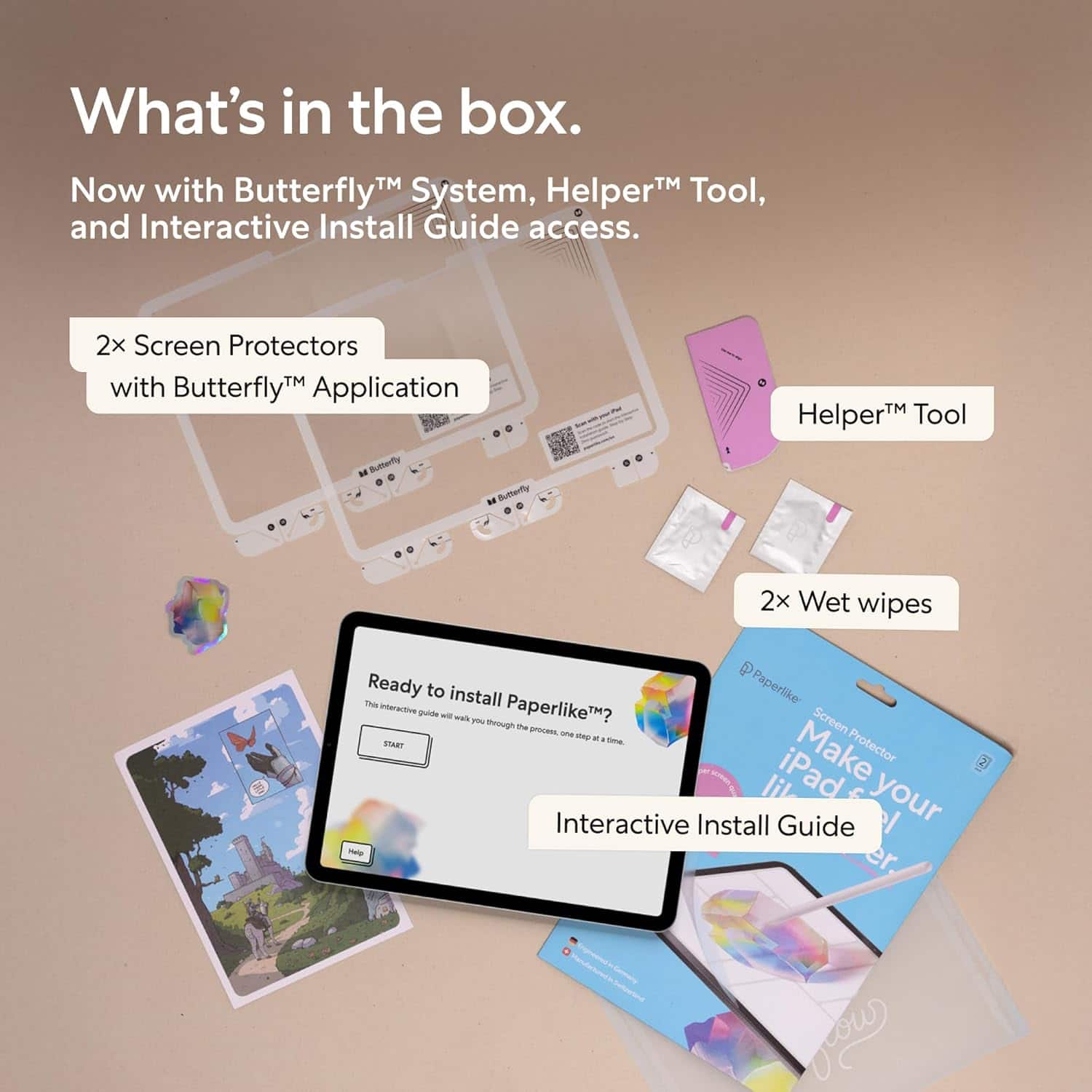
||Posted . Owned for 4 months when reviewed.This reviewer received promo considerations or sweepstakes entry for writing a review.I’ve always heard such good reviews and seen many people use Paperlike I had to give it a try. Love the stickers and print it came included. Paperlike definitely made it much smoother to write and draw on the iPad if you’re into digital art or journaling. It’s also gives the screen such a smooth surface when you like to play games.
I would recommend this to a friendPaper like protector
||Posted . Owned for 4 months when reviewed.This reviewer received promo considerations or sweepstakes entry for writing a review.I’ve tried cheaper products claiming to do the same. This is one of those situations where if you want a paper like experience you have to get the premium option. The prismatic effect of the matte/textured screen is still noticeable. But it is significantly better than other products. Paired with the paper like Apple Pencil tip it is excellent
I would recommend this to a friendBrand response from Paperlike Team
Posted .Thank you, Falafelot! We’re thrilled Paperlike™ stands out from the alternatives you’ve tried, especially paired with the Apple Pencil tip. We appreciate the thoughtful feedback and hope you continue enjoying your Paperlike™ experience!
Easy to install
||Posted . Owned for 2 weeks when reviewed.This reviewer received promo considerations or sweepstakes entry for writing a review.Just follow the video directions and its easy to install, looks great without being off centered or with any bubbling or dust caught underneath. A little pricey but worth the protection and use with the apple pen.
I would recommend this to a friendGreat feel
||Posted . Owned for 3 weeks when reviewed.This reviewer received promo considerations or sweepstakes entry for writing a review.The protector does feel great and I don't have to constantly worry about scratching my ipad. The installation was not too difficult. However the screen doesn't look as good as it naturally does but I guess that's the cost of protection. Also, it is only for close impact, I don't think it will protect your screen from breaking if it falls or something.
I would recommend this to a friendBrand response from Paperlike Team
Posted .Thanks, Aaryac! We’re glad you’re enjoying the feel and added scratch protection. And you’re right—Paperlike™ is designed primarily for the writing experience and everyday screen protection, rather than heavy impact protection. We hope you continue enjoying your Paperlike™ experience!
- Pros mentioned:Durability
Paper like screen protector
||Posted . Owned for 2 weeks when reviewed.This reviewer received promo considerations or sweepstakes entry for writing a review.Excellent quality. Used by college student to take notes. Works great and no slipping with pen use.
I would recommend this to a friendBrand response from Paperlike Team
Posted .Thank you, Barbara! We’re glad it’s working well for note-taking and giving you that stable paper-feel when writing. Enjoy your Paperlike™ experience 🙂
- Pros mentioned:Durability
Would get again
||Posted . Owned for 2 weeks when reviewed.This reviewer received promo considerations or sweepstakes entry for writing a review.Like that it came with 2. I do like the texture. Been good for art!
I would recommend this to a friendBrand response from Paperlike Team
Posted .Thank you, Jennifer! Great to hear you’re enjoying the texture and getting good use out of it for art. Enjoy your Paperlike™ experience 🙂
Wonderful screen protector
||Posted . Owned for 2 weeks when reviewed.This reviewer received promo considerations or sweepstakes entry for writing a review.This clear screen protector pack is just perfect to protect the IPad AirM4.
I would recommend this to a friendPaperlike - Protector
||Posted . Owned for 3 weeks when reviewed.This reviewer received promo considerations or sweepstakes entry for writing a review.Love it, Nice and smooth. Highly recommend it to all who have an iPad
I would recommend this to a friendBrand response from Paperlike Team
Posted .Thank you! We’re so glad you’re loving the smooth feel and would recommend it to other iPad users. Enjoy your Paperlike™ experience!
Little, to no, impact on screen quality
||Posted . Owned for 2 months when reviewed.This reviewer received promo considerations or sweepstakes entry for writing a review.Previously, I had a knockoff version that greatly affected the screen quality of my iPad. I’m so glad I decided to give Paperlike a try because it is hardly even noticeable!
I would recommend this to a friendBrand response from Paperlike Team
Posted .Thank you, Joe! Happy to hear you’re enjoying the clear display and improved experience. Enjoy your Paperlike™ experience 🙂
Great product
||Posted . Owned for 1 month when reviewed.This reviewer received promo considerations or sweepstakes entry for writing a review.With the price of it I was not sure about it. But it was very very easy to put on. And you get two of them so if you do mess up well there is another. But I do not think you could mess up cuz it was so easy
I would recommend this to a friendBrand response from Paperlike Team
Posted .Thanks so much for sharing, Gina! We’re glad the application felt easy and stress-free, and that having a second sheet gave you extra peace of mind. Enjoy the smooth setup and the Paperlike™ experience 🙂