Customer Ratings & Reviews


- Model:
- SK-1000209-01
- SKU:
- 11022798
Rating by feature
- Value
Rating 4.7 out of 5 stars
- Quality
Rating 4.7 out of 5 stars
- Ease of Use
Rating 4.7 out of 5 stars
Dishonest marketing
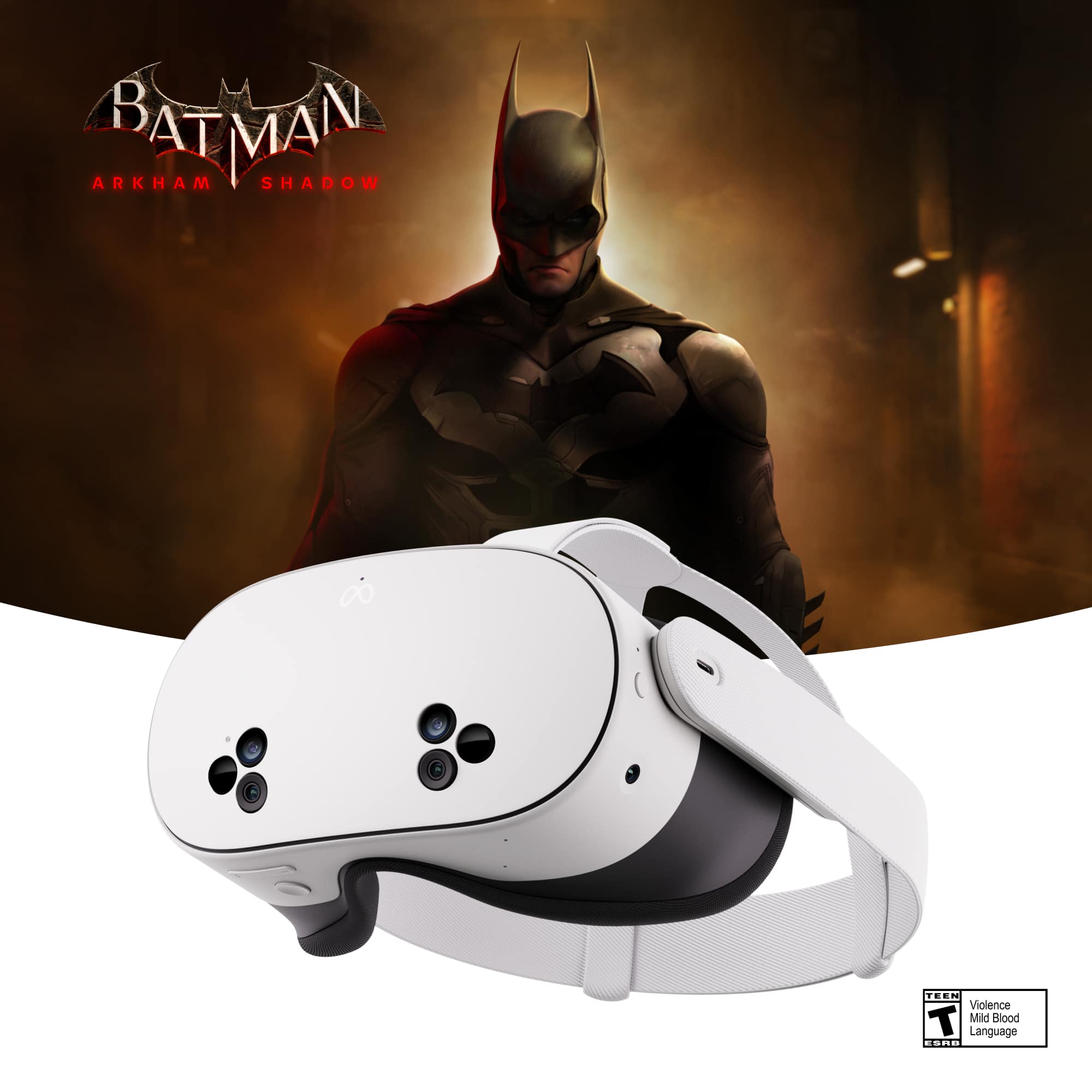
||Posted . Owned for 3 weeks when reviewed.This reviewer received promo considerations or sweepstakes entry for writing a review.The Batman game was not included and this device was way too expensive.
No, I would not recommend this to a friendBrand response from Meta Store Support
Posted .Hey!
If you are having issues finding your copy of Batman please contact us directly via our support so we can help you save Gotham asap!
Not received
||Posted .This reviewer received promo considerations or sweepstakes entry for writing a review.I did not receive this yet.and it says it was delivered!?
I would recommend this to a friendDon't buy
||Posted . Owned for 1 month when reviewed.This reviewer received promo considerations or sweepstakes entry for writing a review.Heavy, quest pro is wayyy better! .....,...........
No, I would not recommend this to a friendMeta quest 3
||Posted . Owned for 1 month when reviewed.This reviewer received promo considerations or sweepstakes entry for writing a review.I didn't received the Batman game or the 3 month trial as promised
No, I would not recommend this to a friendBrand response from Meta Store Support
Posted .Hi Nelson!
We're sorry to hear of your issues with the promotion! Please get in touch with our support team via our Help Center at your nearest convenience.
They are available 24/7 and would love to help!

Emersive and super fun experience.
|Posted .This reviewer received promo considerations or sweepstakes entry for writing a review.The new Quest 3s is a whole lotta fun. OK…this is my first venture into the VR/AR world. I’m having a blast exploring and getting used to the immersive world that this little gem has opened. First off, quick shout out for all recyclable packaging. I do appreciate that effort. Setup was super easy. I just put the headset on and did what it told me to do. I had to go get the Meta Horizon app to complete setup, but it’s also very easy to install and navigate. Before I forget, you can cast to a TV, so other people in the room can both see and hear the same thing that you are experiencing. There can be a slight lag in audio between what you hear and what comes out of the TV. It makes for a very slight echo. It didn’t bother me, but I wanted to mention it. I was a little surprised that I needed to wear my glasses. I expected things to be close enough that I didn’t have to wear them, but somehow, the depth of field is very similar to the real word. Things far away are fuzzy without my glasses. There is no need to be concerned about comfort. The headset fits over my glasses comfortably with the included spacer that makes room for your nose piece. I’m really enjoying the various experiences that you can find in the device. From workouts to first person video games, to relaxation, to cinema. It’s just super cool and fun. The video quality is fantastic. I realize that the high spec’d unit has even better resolution, but I’m perfectly happy with what the 3s offers. Workouts are more interesting than walking aimlessly on a treadmill, and the yoga options are cool. I haven’t spent a lot of time in the fitness area yet, but what I’ve seen, I like. Video games are interesting. I found it disorienting at first. My brain is still learning how to process the inputs, but I’m getting more and more comfortable interacting with an immersive virtual world. In some games, you must reach out to grab things and climb things just like you would in the real world. It takes practice, but it’s engaging. I got a little dizzy at first, but that is getting better the more I use it. Relaxation stuff is super fun for me. I love just looking around in a super chill environment of my choosing. It’s cold and dark this time of year, being able to lose myself while exploring a warm sunny environment is wonderful as an evening decompression routine. I’m not usually alone at home, so watching movies on the headset isn’t something I’m going to get to do often. I have played around with it however, and it’s super cool. The headset essentially projects a screen out in front of you like what you’d see at a movie theater. The sound quality is adequate to enjoy watching a movie at that scale from the comfort of you easy chair or bed. If you want to get crazy, you can connect your favorite buds or earphones and have even better sound. It’s a very good experience. The unit is easy to operate once you get the hang of it. It has a tutorial that gives you the basics, then you just get in there and play around. I’m getting pretty good at navigating with the handheld controllers, but you can also run the whole thing purely with hand gestures. It projects hands into your field of view, and you can manipulate things by simple hand gestures. You can grab and drag menus around in your field of view. It’s a highly a highly configurable experience. Overall, I’m really enjoying the unit. The entire experience is new to me, and very unique. You have to get past the fact that you look ridiculous to other people around you. If you can get over that, you’ll enjoy it.
Brand response from Meta Store Support
Posted .Hey there!
We appreciate and thank you for sharing your opinion about your experience with the Meta Quest 3S.
Your feedback is valuable to us and we hope you have the best experiences in the Metaverse ahead.
Meta Quest 3S fails to pair with app
||Posted . Owned for 3 weeks when reviewed.This reviewer received promo considerations or sweepstakes entry for writing a review.Had to return them after numerous attempts to pair with the app. Used Meta Support, completed factory reset several times to no avail. Very disappointing on Christmas morning and over the next 3 days as we tried and tried to get it to work.
No, I would not recommend this to a friendA pretty amazing VR, and by far the best value VR
|Posted .This reviewer received promo considerations or sweepstakes entry for writing a review.I bought an Oculus Quest 2, right before the name change to Meta Quest 2, and I really loved the product at first, I used it quite a bit for a couple of months. But I found that my desire to use it waned and I wasn't sure why. Seeing ads, and reading about the Meta Quest 3S, I believe a large part of why I didn't play more was the size, weight and wires of the model that I owned. Opening up, and unboxing, this unit, the Meta Quest 3S, confirmed right away that I think that was the case. This unit is smaller, lighter and feels more usable in regards to the psychology of using something that you wear upon your head. I did have some issues getting going. The unit, when turned on, went to the Meta Quest blue logo and then would restart, this would continue on and on. I let it run out of battery power, and then charged it back up fully, and tried again. No luck, so I next restarted it, holding down the Volume - button and power on, releasing as soon as the unit showed activity on the screen. From there I selected factory reset and all was good upon rebooting. Getting into the actual VR I noticed immediately everything was vastly sharper and clearer, more like an actual current video game, versus an older one from the PS2 or maybe PS3 era. The clarity and refresh rate seemed much more rock solid and the first game I played, the one that comes with it, Batman Arkham Shadows, was really truly immersive, and I think a great game to get into VR if you haven't already. The main complaint, or issue, is that you must buy another headset strap, because the strap that comes with it, while a fine strap, simply doesn't offer the proper counterweight to the heft/weight of the actual unit. I used the unit for about 2 hours without any neck strain but I have a thick, muscular neck, and I feel most people are going to really have issue with the strap. Get the elite strap, or any other aftermarket strap and you're good to go. I also recommend a proper charging dock and an extra battery, whether you get it on your headstrap (keeping everything in one contained unit) or get one that just plugs into your headset, giving you the flexibility to use any strap you desire. The choice is yours, and it's really the only choice to be made here, as the Quest 3S is going to be a great headset for most VR users, and the best value headset for VR that you can find anywhere. And lastly, I'd be remiss if I didn't note just how amazing the AR is, augmented reality, because it will allow you to do a lot of things in VR that you would otherwise not be able to do without being aware of your surrounding world. It's truly a major upgrade that everyone should be aware of and what makes the 3S a real clear winner for all prospective VR owners.
I would recommend this to a friendBrand response from Meta Store Support
Posted .Hi Shaunh20
Thank you very much for the five star review, full of fantastic detail and feedback. Amazing to hear you are loving the full capabilities of the Quest 3S!
Remarkable experience!
|Posted .This reviewer received promo considerations or sweepstakes entry for writing a review.This is my second VR set that I have had in the last 5 years. My first experience was with an Oculus and I thought it was pretty good 5 years ago. This Meta Quest 3S has come a long way from the Oculus days in quality and price! Right out of the box you will notice how light weight it is, which is important if you plan to use it for at least a couple of hours. Even though it is lightweight, you can tell that you have a quality product in your hands. One major difference that I noticed from my last VR headset is that it comes with a glasses spacer. I normally wear contacts, but after a long day, I like to wear glasses. Having the glasses spacer makes it comfortable to wear glasses while using the VR headset. One of the first things you want to do is to download the Meta Horizon app. This is where you can access the extensive library that Meta offers. After fully charging the headset, it lasted a good 2 hours. There is so much to explore with the library. I simply can't get over all of the options that you can enjoy with this Meta Quest 3S. I spent the first hour just exploring and making notes of everything that I want to try out. The second hour I spent playing the Batman Arkham game. The video game experience was just mind-blowing. I really felt like I was Batman in this game! This is what you always dreamed of playing games as a little kid and now it is reality. On my second charge, I spent it watching some of my favorite shows and movies. I really loved having the option to go Netflix, Prime Video or Disney+ to watch on the large simulated screen. Another big difference that I noticed from my last VR set is the hand controller set. They are way more accurate and very intuitive and easy to manipulate when you are gaming. Overall, I am extremely please with this Meta Quest 3s. It is lightweight, easy to set up and easy to start accessing the extensive library once you get the account set up. I love that this device offers much more than just gaming. This is another great option for gaming and consuming video at a very reasonable price. I highly recommend this VR headset if you are shopping around other options.
Brand response from Meta Store Support
Posted .Hi Longhorn74
Thank you for the five star review!
We are thrilled to see you are enjoying the VR experience!
Blurry
||Posted . Owned for 1 week when reviewed.This reviewer received promo considerations or sweepstakes entry for writing a review.Heavy and blurry on the eyes. For the amount of money and the tech it should be crystal clear not a constant fuzz it wears on your eyes.
No, I would not recommend this to a friendBrand response from Meta Store Support
Posted .Hi there,
We really appreciate you taking the time to share your thoughts on this matter. We'd absolutely love to have a chat with you about it, so please don't hesitate to get in touch with our Support Team via our website.
Gave me a migraine
||Posted . Owned for 1 month when reviewed.This reviewer received promo considerations or sweepstakes entry for writing a review.Roller coaster made me sick I never recovered had to go to ER cause it induced a migraine with N/V.. it’s fun but I can’t recommend it
No, I would not recommend this to a friendBrand response from Meta Store Support
Posted .Hi there!
We take health and safety very seriously, please contact us directly so we can look into this further for you!
Headaches….
||Posted . Owned for 2 weeks when reviewed.This reviewer received promo considerations or sweepstakes entry for writing a review.I’m 23, and this is too much for me. My wife and I would get headaches after 10 minutes. I think even for a kid this is dangerous.
No, I would not recommend this to a friendBrand response from Meta Store Support
Posted .Here at Meta Quest, we take health and safety seriously. For us to assist best, please click here to contact us and get in touch with an agent: meta.com/help/support/
Not what I was expecting
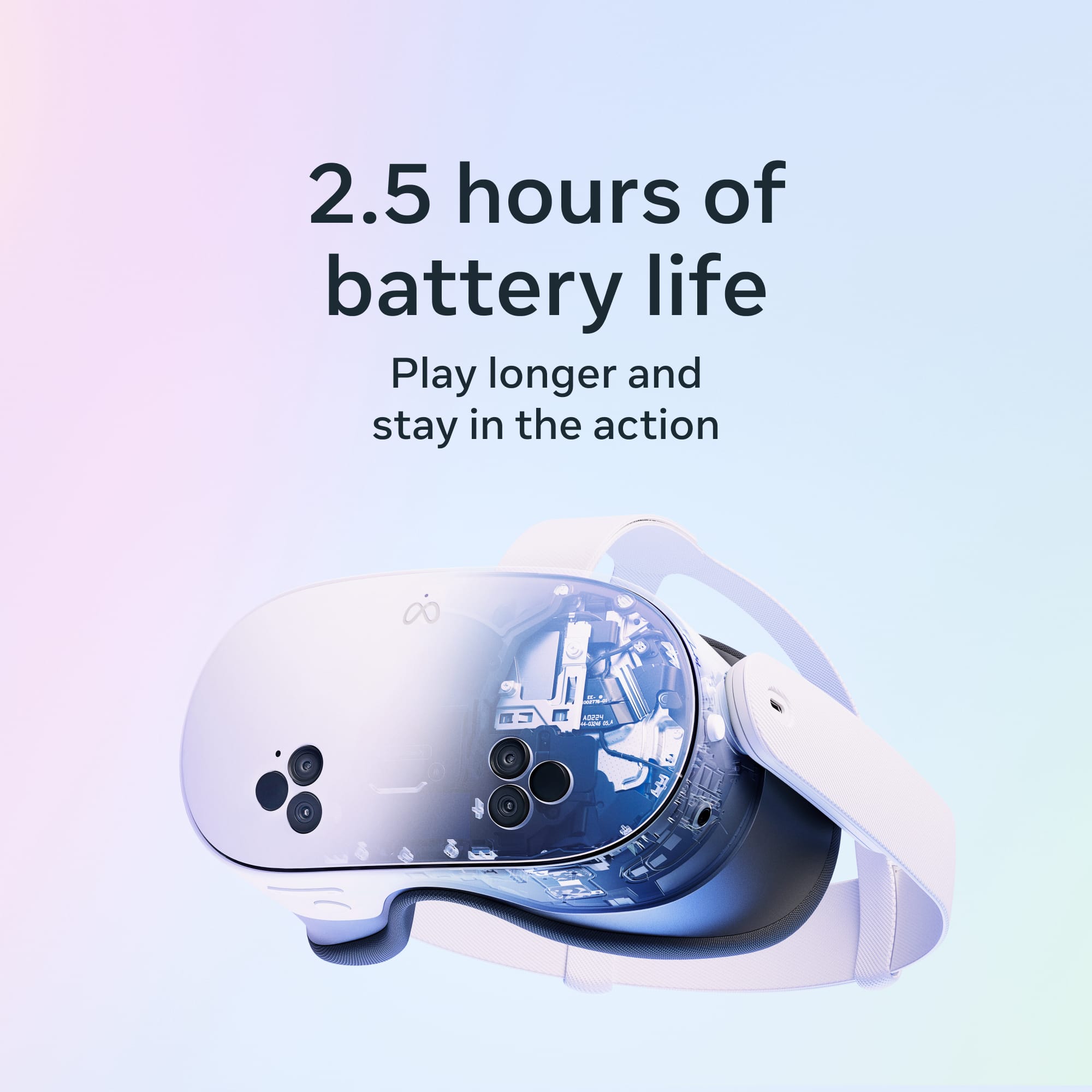
|Posted .This reviewer received promo considerations or sweepstakes entry for writing a review.first time user here with a VR system. I have some misconceptions and some things I guess I should have known prior to getting this device. Good: 1. Light weight 2. Comfortable to wear 3. Easy to charge with included cable and charger brick 4. Comes with adaptor for people that wear glasses 5. Sound is really good for size of speakers 6. Can play games, watch videos, or visit notable locations virtually 7. Lots of games to play (paid mostly) Bad: 1. About 1/2 of the total lens are blurry around to the center. so I really can't look down with out having to tilt my head as well, otherwise it is a blurry mess 2. Battery life is around 2 hours of light use, so no movies or long games unless you find a way to charge while using it 3. Setup was harder than I assumed. you have to download app, go through all those steps before you can even start to setup the VR system. 4. There are small amount of instructions on how to use this, it is more trial and error for the most part. my partner had some issues as well, so I know it was not just me 5. controllers are not rechargable (use 2 AA each) and it is hard to find the section that tells you the battery levels. So I would suggest you have some close by in case they stop working suddenly 6. hard to find free games to play to get use to the system. the demo you use, get you all ready to go and then there is a paywall. 7. passthrough is grainy and low resolution so it does not feel real life in the AR part of the system 8. controllers (in use) seem shaky, so adjusting/moving items in VR are not very easy 9. refresh rate is not quite up to par. When using a roller coaster simulation, you see the jitter on long smooth angles (like it renders the first part and then jumps to second part) 10. Unable to adjust lens to sharpen visuals (like turning the lens left or right) 11. Even a non motion sick person felt uneasy with graphics and movement
No, I would not recommend this to a friendBrand response from Meta Store Support
Posted .Hi Studio421,
Thank you for your review. We appreciate your feedback regarding our Meta Quest 3S. If you need help with anything, we would love to help you out, so don't hesitate to contact our Support Team via our website.
No good
||Posted . Owned for 3 weeks when reviewed.This reviewer received promo considerations or sweepstakes entry for writing a review.I am considering returning it back , giving us a headache
No, I would not recommend this to a friendBrand response from Meta Store Support
Posted .Hello Vivienne,
Thank you for your feedback on your Meta Quest 3S experience and if you need any help we would be more than happy to see how we can assist you, you can always contact our Support Team via our website.
Pi$$ed
||Posted . Owned for 1 month when reviewed.This reviewer received promo considerations or sweepstakes entry for writing a review.Not as expected or described. Horrible experience!
No, I would not recommend this to a friendBrand response from Meta Store Support
Posted .Hi there, Dianna! Thanks for reaching out with your review, we really appreciate the feedback. If there's anything you think we could assist with, or specifically report, please feel free to reach out to our Support team. You can find them on the Meta Quest help center on our website.
We hope to hear from you soon!
Focus issues with contacts
||Posted . Owned for 1 month when reviewed.This reviewer received promo considerations or sweepstakes entry for writing a review.Could not align focus with or without my contacts.
No, I would not recommend this to a friendBrand response from Meta Store Support
Posted .Hello,
Thank you for making us aware of this.
We would love to look into this further for you.
Please contact our support team directly via Meta.com/help/support.
Thank you.
Oculus 3s
Posted .This reviewer received promo considerations or sweepstakes entry for writing a review.Love this item. Very happy overall with this purchase. The only thing i would aay is to buy a different head strap for this.
I would recommend this to a friendBrand response from Meta Store Support
Posted .Hey there, thanks so much for taking the time to leave a review!
We're so glad to see that you're loving your new Meta Quest 3S headset and we hope you can continue to enjoy it with every new world you explore!
WOW, Awesome VR experience.
|Posted .This reviewer received promo considerations or sweepstakes entry for writing a review.I was blown away the first time I used the Meta Quest 3s. This is my first VR headset. In the past I had family that had first gen sets that used your phone to simulate VR. And that would hurt my eyes after a few minutes and I really didn’t care for it. The Meta 3s fits any and all sizes and shapes comfortably. Virtually no short term eye strain. However, there is a little after 30 plus minutes of use. It takes a few minutes for your eyes to readjust. Included with the unit is a glasses adapter that I installed without issue. This is perfect, when I am using the Meta my glasses are not smashed into my eyes or they don’t feel like they are being pushed down on my nose. The sound is very impressive with speakers near your ears. When I first booted, I made an account and did the walkthrough which was extremely helpful. The included dual controllers are very easy to use. When you put them down and hold up your hands they too can be used to control the Meta. I always wondered how people could have a safe zone so you wouldn’t hit anything or fall. Meta takes care of that. When you go Immersive the first thing it does is map out a zone for you. After confirming it, anytime you step out of the zone. The Meta turns off the immersive zone and you are able to see your surroundings. Once back in the zone, Immersive turns back on. The included free Batman Game is very cool. This game will help you become more comfortable with the Meta with the use of the controllers and hand. The main screen is basically a PC OS with browsing, settings, the Meta store for apps (tons of free stuff) I was also floored watching TV and movies. You can set it up anywhere in your viewing area and resize the screen. This is a neat feature for those that like to multitask. You can open other items and work or play as the movie or video is playing. You can even remote into your desktop. I love the concert or sporting event videos. You really feel like you have a front seat and are there. As it has a slight 3d effect. The battery life is a little short and only work for a few hours before needing recharged. But this is about the right amount of time to let your eyes have a break. The dual hand controllers also have batteries that have to be replaced. The Horizon worlds are a very neat little area where you can further get used to the VR and controller with cute little games, you can even go to different themed rooms and meet people or groups. I am very impressed and can’t wait to see what all I can do as time goes on with the Meta. I would recommend to family and friends.
I would recommend this to a friendMeta VR goggles
Posted .This reviewer received promo considerations or sweepstakes entry for writing a review.Love how easy it is to set up and play. My son loves playing the alien game
I would recommend this to a friendBrand response from Meta Store Support
Posted .Hello Nicole!
Thank you for taking the time to leave a review.
We are happy to hear that you found the headset easy to set up and use and that your son is enjoying playing in the Metaverse.
We wish you a wonderful rest of your day and a continued great time in the Metaverse!
Amazing!
|Posted .This reviewer received promo considerations or sweepstakes entry for writing a review.When I first got my hands on the Meta Quest 3S 256GB, bundled with Batman: Arkham, I knew I was in for a treat. Meta’s sleek packaging was a delight from the get-go. The box feels premium, and once you slide off the top, you're greeted by the headset, controllers, and a neatly organized set of accessories. The unboxing experience immediately sets a tone of high quality and innovation. Setup Experience Setting up the Quest 3S was surprisingly smooth. All you need is the Meta Quest mobile app, which guides you through connecting the headset to Wi-Fi and adjusting your play space. In under 10 minutes, I was ready to explore. The app itself is intuitive, offering a hub for game purchases, updates, and managing your VR experience. Once setup is complete, the real fun begins: Horizon Worlds customization. You can personalize your avatar to your liking with countless options. I spent more time than I’d like to admit tweaking my character — changing facial features, outfits, and even adding little quirks to reflect my style. It’s a nice touch to have a virtual representation of yourself in this expansive VR world. Gaming Adventures The Quest 3S is all about delivering immersive experiences, and it doesn't disappoint. Here are some highlights: Batman: Arkham VR Sliding on the headset and stepping into Batman's boots was a dream come true. Exploring the Batcave and solving mysteries in Gotham felt incredibly realistic. The motion tracking is spot-on, and the dark atmosphere pulls you right in. I was Batman, and for those precious minutes, I forgot the real world existed. Gorilla Tag If you want pure chaos and fun, Gorilla Tag is a must-play. The game’s physicality — swinging your arms to move — provides a hilarious workout. The controllers track every motion precisely, and the Quest 3S handles this fast-paced game effortlessly. First Encounters This introductory experience is perfect for getting used to VR. It's playful, interactive, and highlights the system’s capabilities, especially the refined hand tracking. The visuals are crisp, and interactions feel natural, even without controllers. Meta Horizon Worlds Exploring different worlds within Horizon is a blast. Whether you're hanging out in virtual lounges, attending events, or playing user-created games, the sheer variety keeps things fresh. Each world loads quickly, and the Quest 3S handles the transitions seamlessly. Performance & Features Hand Tracking: I was genuinely impressed by how well the hand tracking works. Whether navigating menus or interacting with objects, it’s as fluid and responsive as using the controllers. It adds a new level of immersion — sometimes, I just preferred using my hands for basic interactions. Battery Life: The headset delivers around 2-3 hours of continuous play, which is decent. For longer sessions, I’d recommend a break or keeping a battery pack handy. The controllers have excellent longevity and lasted over a week before needing a recharge. Comfort: Comfort is crucial for extended VR sessions, and Meta nailed it. The Quest 3S feels lighter than its predecessors, with adjustable straps and balanced weight distribution. I wore it for up to 2 hours without feeling significant fatigue. The face padding is soft, and ventilation keeps things cool. Audio & Mic Quality: The built-in speakers provide surprisingly good spatial audio. The sound is clear, and you get a sense of directionality, which is essential for games like Batman: Arkham. The microphone is clear and picks up voice commands and chat without any issues. If you want more isolation, you can always plug in headphones. Download Speeds: Downloading games and updates was quick over Wi-Fi 6. Batman: Arkham VR took about 10 minutes to download and install, which was reasonable for its size. Conclusion The Meta Quest 3S 256GB delivers an all-in-one VR experience that's hard to beat. From the satisfying unboxing to the seamless setup, immersive games, and impressive hand tracking, it feels like a step forward in the world of virtual reality. The comfortable design and solid battery life make it suitable for extended play, while the speakers and mic clarity ensure you stay connected. Whether you’re a fan of exploring Gotham as the Dark Knight, running wild in Gorilla Tag, or creating and hanging out in Meta Horizon Worlds, the Quest 3S has something for everyone. If you're looking for a self-contained VR headset that brings immersive gaming and exploration to life, the Meta Quest 3S is an easy recommendation.
I would recommend this to a friendMeta quest
Posted .This reviewer received promo considerations or sweepstakes entry for writing a review.I got one for my boyfriend for his birthday and one for me and we love it. We been playing it since we got it!
I would recommend this to a friendBrand response from Meta Store Support
Posted .Hey there Mariah
We are also super glad you and your boyfriend are all having fin with the Quest 3s. VR is great when experienced together.