Customer Ratings & Reviews



- Model:
- SK-1000209-01
- SKU:
- 10844582
Rating by feature
- Value
Rating 4.7 out of 5 stars
- Quality
Rating 4.7 out of 5 stars
- Ease of Use
Rating 4.7 out of 5 stars
Customers are saying
Customers value the Quest 3S 256GB for its very good overall performance and awesome VR experience. Many find the headset to be comfortable, lightweight, and easy to set up, with clear graphics. However, some customers have concerns regarding battery life, motion sickness, lens quality, and fit.
This summary was generated by AI based on customer reviews.
V R Headset
||Posted . Owned for 1 month when reviewed.This reviewer received promo considerations or sweepstakes entry for writing a review.My son loves it and it is an upgrade from what the had at first. He plays on it almost everyday. He said the graphics are better and makes his game play more fun!
I would recommend this to a friendBrand response from Meta Store Support
Posted .Hi Latoya,
Thank you for the five star review! It sounds like the Quest 3S was the right move!
It’s wonderful hear that your son is fully enjoying the Metaverse! We hope that he continues to explore, discover and most importantly - have fun!
Happy gaming!
Great headset at a good price
||Posted . Owned for 3 months when reviewed.This reviewer received promo considerations or sweepstakes entry for writing a review.The Meta Quest 3s is really fun to use but the strap it comes with is terrible as per usual with Metas headsets. A cheaper strap to produce means a cheaper device tho so I'm ok with the tradeoff.
I would recommend this to a friendGood product
||Posted . Owned for 1 month when reviewed.This reviewer received promo considerations or sweepstakes entry for writing a review.This is a good product. I gave this as a gift to my husband and he likes it.
I would recommend this to a friendBrand response from Meta Store Support
Posted .Hey there Lili!
We would like to thank you for taking the time out to share your review and provide our product with a 5 star rating. This is awesome!
We are thrilled to know how much your husband is enjoying the Meta Quest 3S and we have no doubt he is having the best of time exploring the Metaverse! We wish him many more memories playing his favorite games. Why not try it out yourself? We have something for everybody here at Meta!
We hope you have a great day!
Meta quest
||Posted . Owned for 1 week when reviewed.This reviewer received promo considerations or sweepstakes entry for writing a review.It really works your out. My sons love it and its very interactive. You gotta get the stand it keeps it safe and everything where it goes
I would recommend this to a friendBrand response from Meta Store Support
Posted .Hi there, Jackie! Thanks for the excellent 5 star review. We really appreciate the feedback and are so glad to hear that your sons have been enjoying the headset so much!
Oculus quest 3
||Posted . Owned for 1 month when reviewed.This reviewer received promo considerations or sweepstakes entry for writing a review.Great awesome toy my stepson loved it what a great Christmas because of this toy came with 50$ dollar gift card
I would recommend this to a friendBrand response from Meta Store Support
Posted .Thank you so much for the amazing 5 star review!
We are really stoked that you and your stepson are having a great time in VR.
And hope it continues for ages to come!
Thanks
Meta Quest 3. Great purchase.
||Posted . Owned for 1 month when reviewed.This reviewer received promo considerations or sweepstakes entry for writing a review.Awesome! I love this headset, I upgraded from the Quest 2, and the graphics on this are incredible!
I would recommend this to a friendBrand response from Meta Store Support
Posted .Hi JustinFelt.
Thank you for the review! We love to hear reviews like this. We hope you continue to enjoy everything the Metaverse has to offer. Take care.
4/5
||Posted . Owned for 1 month when reviewed.This reviewer received promo considerations or sweepstakes entry for writing a review.My daughter loves it I love it for her great view still learning how to work the game it does get a little hot fast . But other than that it’s good
I would recommend this to a friendBrand response from Meta Store Support
Posted .Hey there!
Thank you for taking out time to give your wonderful review!
We hope your daughter continues to love the Metaverse experience and if you have any queries/issues in the future, feel free to reach our wonderful support team via our support page.
Awesome, but not for me.
||Posted . Owned for 3 weeks when reviewed.This reviewer received promo considerations or sweepstakes entry for writing a review.It’s great, but I get very dizzy after use. So I’ll be returning it later today!
No, I would not recommend this to a friendFantastic
||Posted . Owned for 1 month when reviewed.This reviewer received promo considerations or sweepstakes entry for writing a review.Fantastic: I can play with my son and feel in the game.
I would recommend this to a friendBrand response from Meta Store Support
Posted .Thank you for your 5-Star review!
We love to hear that you are exploring the Metaverse with your son!
Hopefully you both get a lot of use out of your Meta Quest 3S for years to come!
See you both in the Metaverse soon!
Happy
||Posted . Owned for 2 weeks when reviewed.This reviewer received promo considerations or sweepstakes entry for writing a review.Got it for my son. We need to open it. We are excited.
I would recommend this to a friendBrand response from Meta Store Support
Posted .Hi DianaE,
Thank you for the review! We would love to hear more from you next time.
Christmas gift
||Posted . Owned for 1 week when reviewed.This reviewer received promo considerations or sweepstakes entry for writing a review.So far so good son been wanting one now we found one
I would recommend this to a friendBrand response from Meta Store Support
Posted .Hi Bellard
Thank you for the five star review! We think the 3S makes a fantastic Christmas gift and we hope your son loves it!
- Pros mentioned:Vr, WeightCons mentioned:Battery life

Endless hours of entertainment
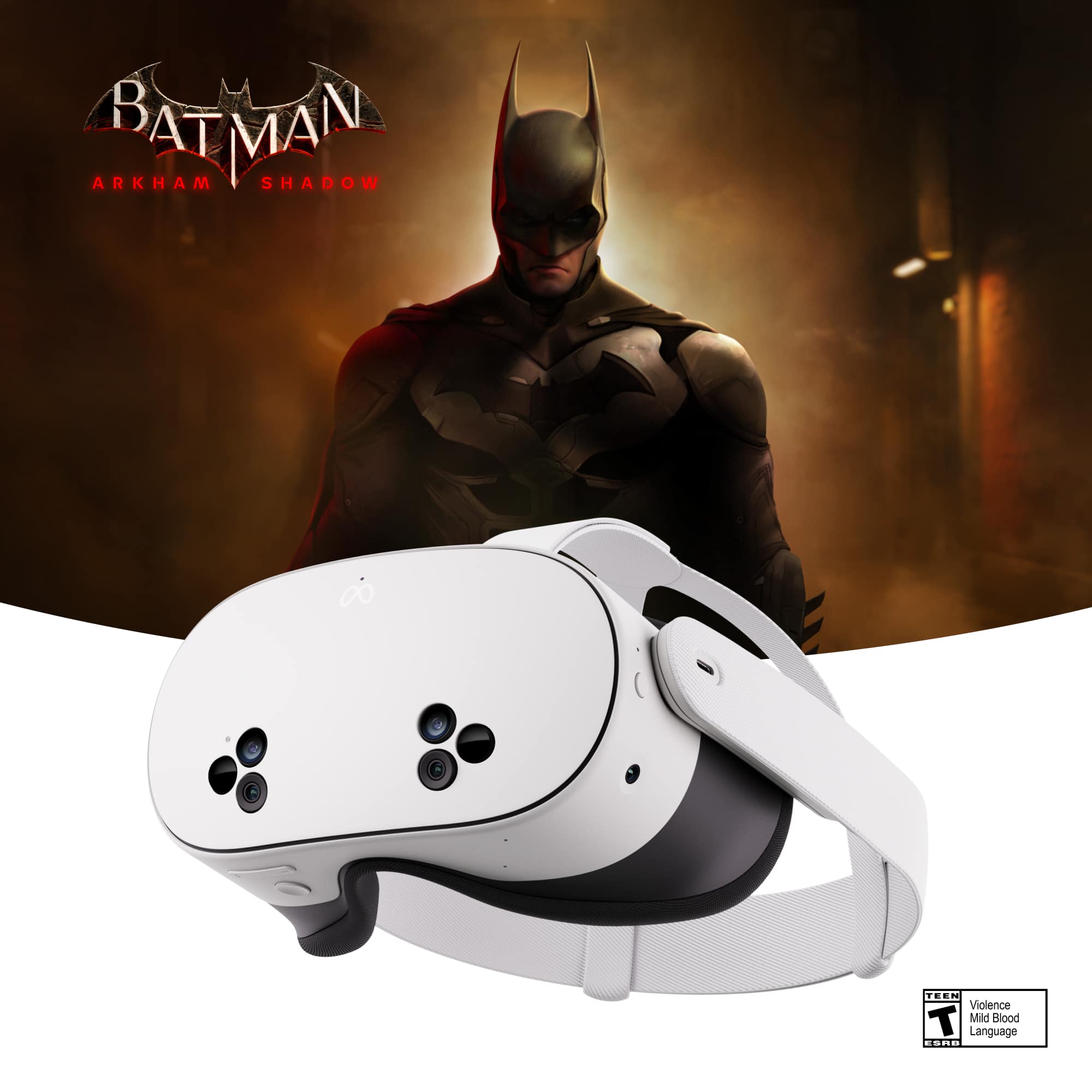
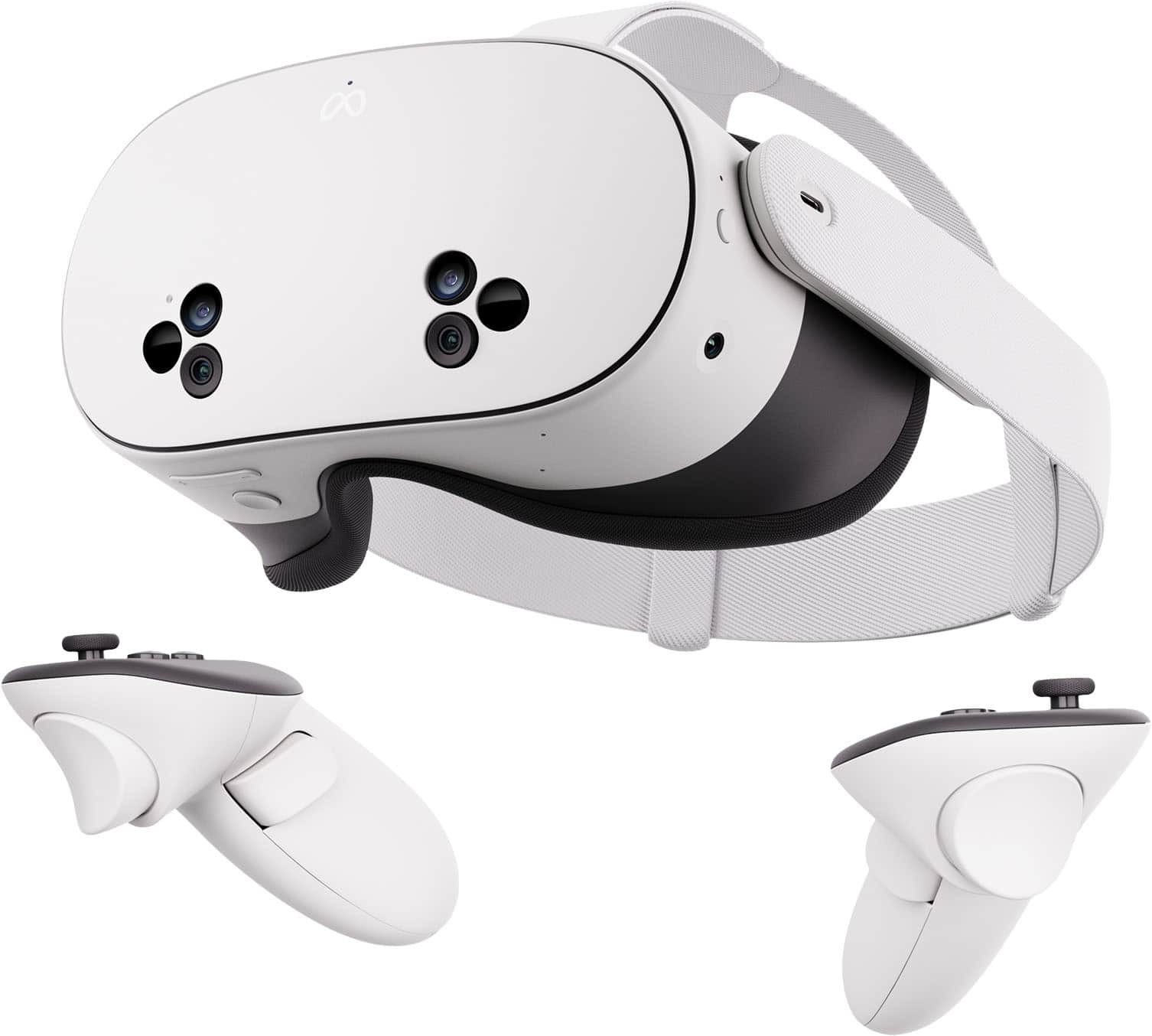
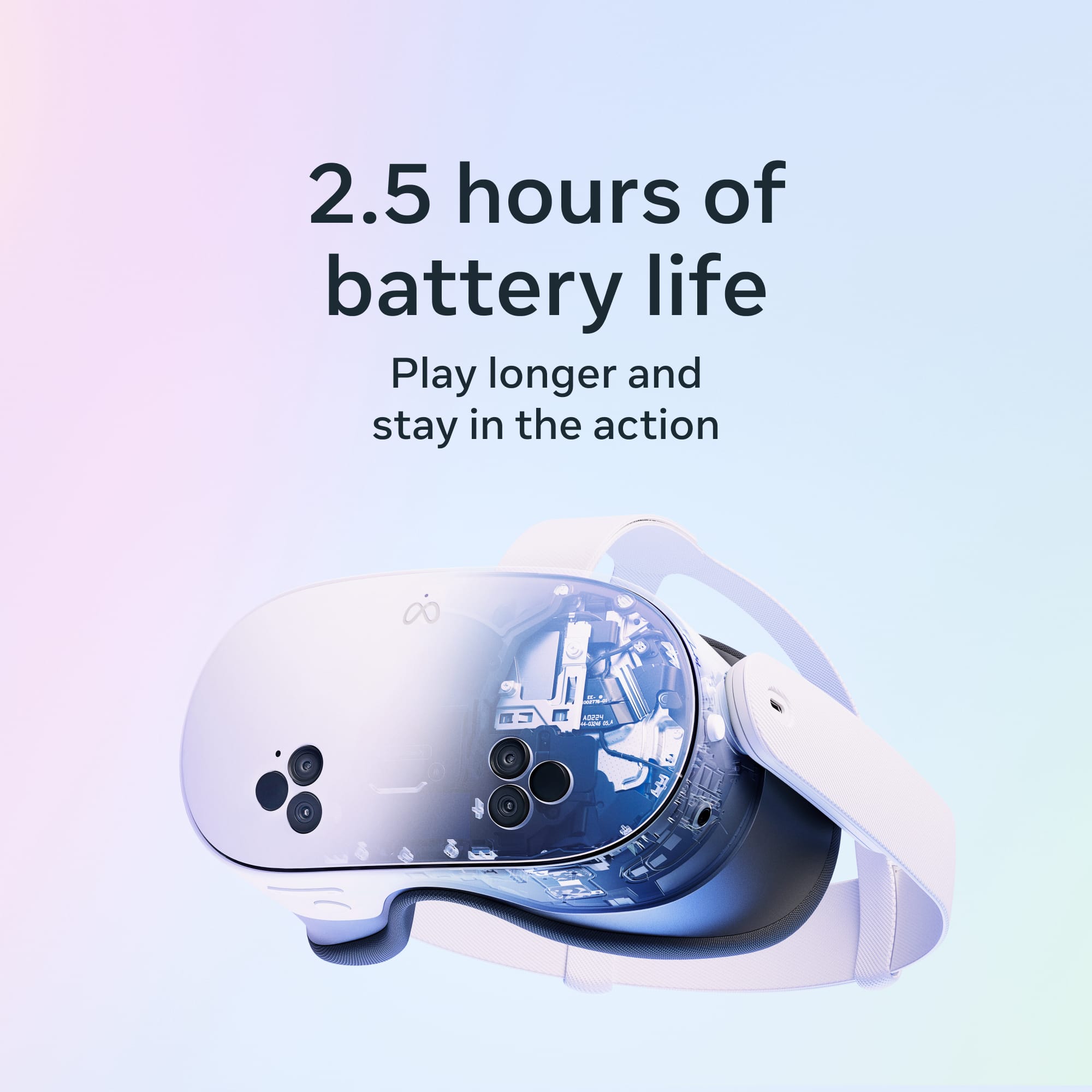
|Posted .This reviewer received promo considerations or sweepstakes entry for writing a review.The Meta Quest 3S 256GB is my first VR headset. It truly is the ultimate virtual reality experience because it's so immersive and captivating. It will honestly blow your mind away if you're never experienced it before. It's very cool. Setting up the Meta Quest was very easy and only took a few minutes. It prompts you through the few steps to set up the account on the headset, connect to your WiFi and you will need to download the Meta Horizon app on your phone. Even though I was struggled coming up with a user name I liked (start thinking of one now), I actually had a lot of fun setting up my avatar. You can customize it your liking with different outfits and styles. The headset itself is lightweight at only 18 oz and adjustable for maximum comfort. There's a side strap and top strap to adjust for tightness and support and the lenses have three different space width settings to get the clearest picture. A couple things to keep in mind while playing. First, always use the wrist straps on the controls. We've had one occasion already where it went flying across the room and thankfully, did not break anything or hurt anyone. Second, if you are prone to motion sickness like I am very much so, remember to take frequent breaks. I can only be on for short periods of time. The Meta Quest is great for so many things. You can work on your fitness with different workouts, gaming, socializing on chats, social media and in hangouts and entertainment with videos and movies. There are thousands of choices for your Meta Quest with all of the games, events, videos and hangouts to choose from. You can literally pull up multiple screens so you can do different things at the same time. It's possible to be watching videos, messaging your friends at the same time and looking at new apps. One of the coolest features is that the Meta Quest can act like your own personal theater. The high-definition resolution with the 1832x1930 pixels per eye makes the picture clear and crisp. The special visual effects that the Meta Quest 3 has are amazing. It really feels like you are in a whole new space. It's totally immersive. When it darkens everything so your actual physical surroundings are hidden and you are totally immersed in the blackened screen, your new environment seems exactly like what you're seeing on the screen. It feels like you've been transported, whether its courtside watching a basketball game, in the middle of your own battle or halfway around the world exploring. The battery life is okay. On a full charge, on average the headset can last up to 2.5 hours. I would say a couple hours seems to be the case so far. It always drains faster than anyone would like and my family fights over who's turn it is next once it's charged. I take that as a good sign. You can even cast your experience onto a TV so others can enjoy it with you as well. One downside is that even though the headset is rechargeable, the two hand controllers are not. They are battery operated. It would have been nice if the whole system was rechargeable. We are all having a lot of fun exploring with the Meta Quest. When you're doing it, it seems so real. It makes it very impressive and fun. You can play with your current friends and you can meet new ones. It's also a bonus that the Meta Quest 3S currently includes the Batman Arkham Shadow game and a 3-month trial of Meta Quest+. I'd say if you're considering a VR set, the Meta Quest has been great. The price is comparable to other gaming systems and this is so fun and entertaining with the special effects being completely immersed in the experience. I highly recommend it.
I would recommend this to a friendBrand response from Meta Store Support
Posted .Hi mamallg,
Thank you for the five-star review! We really appreciate your thorough and insightful feedback.
We're ecstatic you're enjoying your new Quest 3S and we can't to see you back in the Metaverse with us soon!
Entertainment
||Posted . Owned for 1 month when reviewed.This reviewer received promo considerations or sweepstakes entry for writing a review.Kid love it even have the adults playing on it lol
I would recommend this to a friendBrand response from Meta Store Support
Posted .Hi there Car1,
Thank you for the great review! We're glad you and your family are enjoying your new Meta Quest 3S as much as we do. We hope you all continue to have a great time exploring the Metaverse!
- Pros mentioned:Overall performance, WeightCons mentioned:Resolution
Great entry into the world of VR.
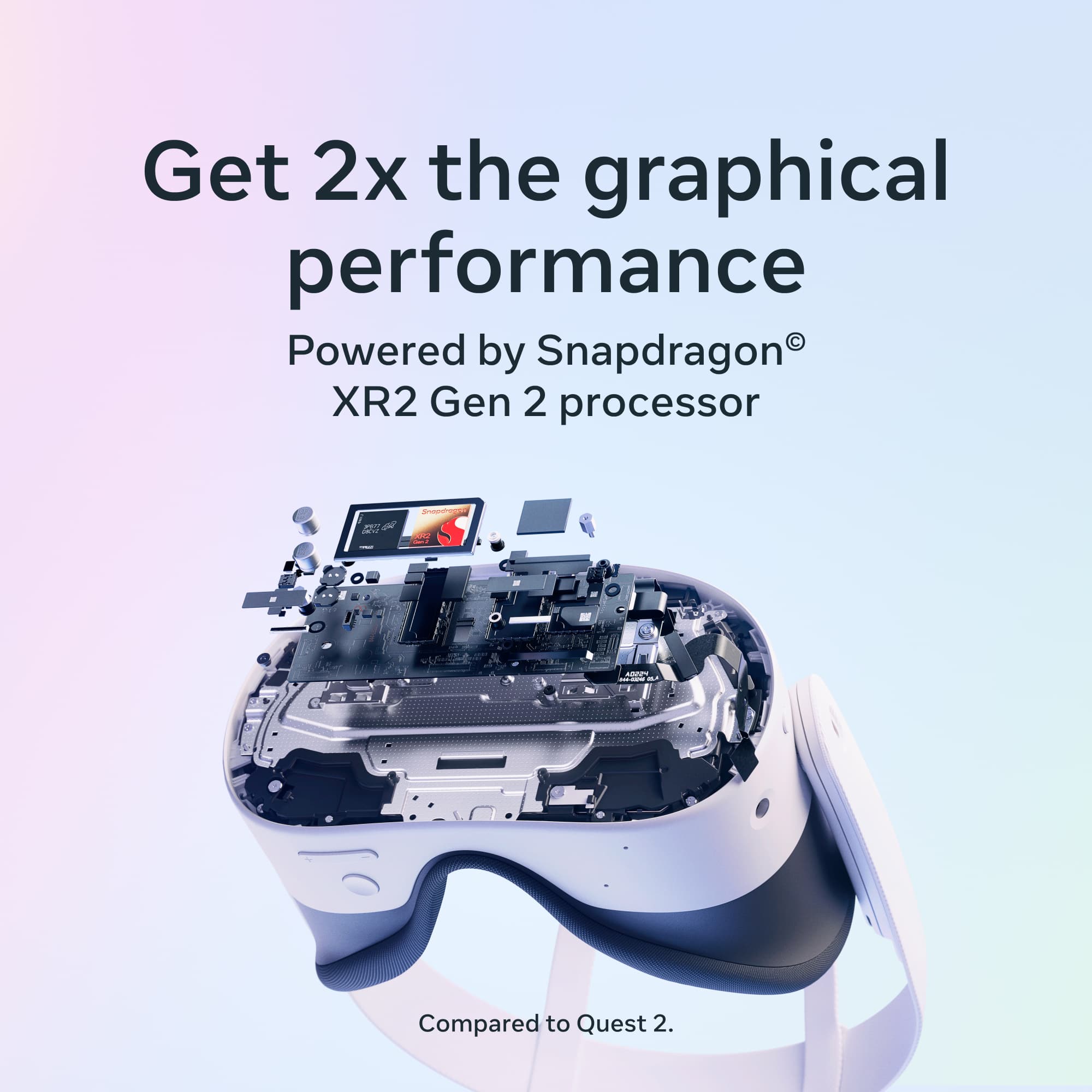
|Posted .This reviewer received promo considerations or sweepstakes entry for writing a review.The MQ3S is geared towards affordability and performance. In this I think it has stricken a good balance. Several things have been scaled down from its more expensive sibling. Frankly, the lower resolution has not affected my visual enjoyment. Games and movies look vibrant and quite clear. Eye adjustment has fewer options, and the field of view (FOV) is lower. In my experience, immersion suffers a tiny bit as the environment shows up occasionally when outside the play area. The environment see-through feature is slightly granny, but still works well. 128GB is OK, but since many AAA games go above 30GB, one must keep an eye on that. There’s always the 256GB option. The most disappointing thing (at least for me) is the lack of a 3.5mm headphone jack. I must either pair a Bluetooth headset or buds or use USB-C compatible ones. Nevertheless, sound immersion is great when using the very capable side speakers. In reality, the lower resolution is not entirely a bad thing as the performance is buttery smooth due to the Snapdragon XR2 Gen 2 processor and 8GB of RAM. I have yet to experience any significant slowdowns or hiccups while playing demanding games. If this was the only VR headset I owned, I would be totally happy. Also, the lower weight and design allows for a more comfortable, yet slightly unbalanced, fit. I found them quite comfortable when laying down and watching video content. The controllers are easy to hold and use, and the motion detection (with or without controllers) is tight and fairly accurate. The battery is great, since the basic display makes it last for at least 2 hours or more. All that said, I find the MQ3S is an amazing, affordable entry into the world of VR. It provides the full experience without breaking the bank.
I would recommend this to a friendBrand response from Meta Store Support
Posted .Hey insomniak1,
We are so happy you are enjoying your new Quest 3s.
Thank you for the kind words and we hope you continue to have some great adventures in the world of VR!
- Pros mentioned:Graphics, Overall performance
Wow! Blown away by the advances in VR and AR/XR
|Posted .This reviewer received promo considerations or sweepstakes entry for writing a review.It's been a few years since I've tried a VR headset, dating all the way back to some poor experiences with the far forebearer of this Quest 3S headset, the Oculus Rift. At the time, the technology was cool but unweildy and not yet ready for prime time. But boy have things changed - this Meta Quest 3S is an ENTIRELY different experience - very polished and ready to bring VR to the masses. But is it for everyone? Is it for YOU? Read on to find out. The first thing you notice when unboxing the Quest 3S is how well thought out the whole thing is. The packaging and guides (which, like most things these days, including a QR code to download the companion app on your phone - here's that essential) are all nicely done and do a graet job at getting you quickly up and moving. My headset came mostly charged, but I did take a bit of time to make sure it was fully charged before I first turned it on (a kiddo getting this for a present can immediately jump in without waiting for charging though if they want). The headset and controllers are very well made and everything seems to have great fit / finish and like it will last until well after the electronics inside are dated. The setup experience was easy, I elected to not use my Facebook account and create a new Meta account and all went very smoothly. The headset boot up was quick and there was a short update before I was off and going. Likewise, pairing the controllers was quick and easy. I LOVE the menu experience in the 3S - it's super seamless since (1) using the external cameras, you can see the room around you so it appears that the menus are floating in your normal space and (2) the use of the controllers (which feel great in your hands) is very intuitive if you've used controllers for any previously length of time. You even get a multi "window" experience in the interface if that's what you want. The cameras have a fairly high resolution, so it really does feel like you're just looking at windows floating in your room. With this package, you get the Batman: Arkham Shadow game you can redeem to your account and download to the headset along with a 3 month trial of the Meta Quest+ service - basically like a Game Pass services or PS+, you get 2 free to keep games per month and then free use during your subscription of many other games. It's a great way to jump in and try a bunch of different things and very easy to use, though I'm not sure if I'll renew past 3 months to keep the options open or focus on a few games that I've purchased. That gets me to the next point - there are really sort of 4 primary use cases for this headset - 1. Gaming ON the headset itself - though it wouldn't have been possible even a few years ago, you really can have a SOLID VR gaming experience with just the headset and no external computer. The Batman game that's including the package and the Meta Quest+ service are based around just that, as are the hundreds of games you can buy in the Meta Store. I picked up a couple of games to try and had a great time racing a superbike in VR, slicing fruit and a few other experiences. Graphics vary, but generally the effect was quite good and immersive, though many of the games are a bit shorter. These games use the non-expandable 256GB storage on the device, but that's enough for plenty of games as they tend to be on the smaller side storage wise. Solid positive experience here and this is, to me, the biggest reason to buy the headset. 2. Gaming on your computer THROUGH the headset - much like that original Rift headset, you can connect this headset to your gaming PC (if it's powerful enough - the link cable is also not included / must be purchased separately) and use it as a VR headset for grander PC gaming. I was excited to try this out with some car racing games on my PC and it didn't disappoint, really cranking up the immersion factor of my driving sims. My PC (powered by an Nvidia 4070 Super) is plenty powerful enough to drive the headset and the experiences greatly exceeded through on the device itself. THAT SAID, you do end up tethered a bit for maximum performance (there's a wireless option, but I didn't try that yet so I'm not sure about the lag, etc.) and it requires a decently powerful gaming PC. This could be a great reason to pick up a headset, though most people will likely lean toward the on headset options first. 3. Productivity/Education - while I haven't had a virtual meeting in Workspaces yet, there are tons of options to add additional "virtual monitors" to your PC or even create entirely virutal PCs, interact with objects in 3 dimensions that you're modeling, visit places you've never been or learn about things in ways that a flat 2D image on a monitor or tablet just can't approach. When used right, I can certainly see this being a top use case and a great way to learn in a simulated / safer environments skills that you'll need to deploy in the real world. 4. Content consumption - while, yes, you can use the headset to simulate a GIANT 120"+ screen (or even multtiple screens at once) and either stream online media or play your own local media (with a USB-C capture card, it's even possible to do things like use the headset to play content from any HDMI source), this is the shakiest use case to me. It's novel and all that you can do so (particularly if you're sitting next to a family member that wants to watch something different) and it DOES work, it's a bit odd to sit and watch an entire movie on a fundamentally flat surface (virtual surface) with a weight strapped to your head. This is really the only time that the weight of the Quest 3S (which isn't a lot of weight) become a thing because in most other VR content, you're moving around and engaging, not trying to hold your head still and watch). Likewise, while it's a fairly compact headset, it's still a lot for the latest hyped use case of taking it on a plane to watch content there. It would certainly work, but might be a bit awkward. For these use cases, it might be better to buy a TV or tablet.. So there you sort of have it - I'd highly recommend the Quest 3S for gaming - on headset or linked to a gaming PC - or productivity / educational use if you have the right content / apps for it. Not sure I'd recommend it for content consumption, but your expereinces may differ. Beyond, that it's a super polished and well thought out and executed experience that is well-worth the price of admission. The advances in the last few years are simply amazing. So if you're interested in jumping into the VR fun, this is a GREAT way to get started. Give it a try today!
I would recommend this to a friend - Pros mentioned:Ease of use, Overall performanceCons mentioned:Battery life
Must have! The future at an affordable price!
|Posted .This reviewer received promo considerations or sweepstakes entry for writing a review.Simply impressive! This is absolutely the future at an affordable price! This is the first time I own a VR device, but I work in the tech industry and have played here and there with VR devices in museums and malls. I never thought I would own one as I thought it would be prohibitively expensive and the quality not as good… oh, was I mistaken! The Meta Quest 3S completely transports you to a different dimension! It transforms any space into a completely different reality and you feel you are inside! It’s just incredible! For those Marvel fans, part of this feels close to the technology Tony Stark/Ironman uses. Think of this as being inside your computer or smartphone. You use your hands or the provided controls to control/manipulate the toolbar, apps, windows and browser. In other words, it’s very intuitive to use because it’s similar to any computer/smart phone but in 3D. You’re inside selecting, for example, the “app store”, your “browser”, or the library with the list of apps/games you have installed. And once you select a game… oh boy… you’re into a completely immersive virtual reality that makes you feel you’re absolutely living inside a different world! Absolutely amazing! For gamers, this is obviously an absolute must have! But it’s not just for gamers. I love movies. And while there are apps (like “Prime Video” and “Peacock”) made for Meta Quest, I decided Not to install them due to poor reviews. However, you don’t need to! Meta Quest comes with a real browser so you can go to any website, such as Netflix, Disney+ or whatever you want. Then, using your hands or the controls, you can resize the browser to be as HUGE as you want… and the browser has a “Theater Mode” button at the top right corner that dims everything outside the browser and you have the biggest screen you can ever wish for! I can see this being a game changer when taking it in an airplane! I can’t wait to give it a try! The only drawback is that the battery lasts only about 2 hours. But it seems we can buy a headset extension that has an extra battery. There are so many things that I want to try! There’s one app with great reviews for learning new languages. Apparently not only are there recorded classes, but there are virtual gatherings all day long with real people all around the world, with the goal of practicing speaking a language! I can see how much faster it’d be to learn new languages! Drawback: I can see this becoming very addictive! I’m actually kind of glad the battery lasts only about 2 hours. I would think that being submerged in a virtual world longer than that would not be very healthy! And I can see the appeal for people to connect through a virtual world rather than the real world… exciting and scary times we’re living in!
I would recommend this to a friendBrand response from Meta Store Support
Posted .Hi there,
Thank you for the five stars! We are so glad to hear that your Quest device exceeded your expectations. Making VR accessible to all is something we are very passionate about and our 3S is a great device to kickstart your time in the Metaverse with. Enjoy!
- Pros mentioned:Overall performanceCons mentioned:Battery life, Lenses
Great entry level VR
|Posted .This reviewer received promo considerations or sweepstakes entry for writing a review.This is a great entry level VR headset. It has a few issues, but it is forgivable as the device is meant for value. I would highly recommend this if this is your first VR set or would just like one for casual use. Pros: - Good battery life - Comfortable - Great performance - Good UI - Lots of apps - Great hand and controller tracking - Great pass through camera Cons: - Lower resolution screen - Only 3 optic positions - Controllers use AA batteries - Low quality plastic lenses First impressions: The design of the 3S is great. It looks very high tech with cameras all over the headset. The build is all plastic and cloth but it feels high quality and durable. The fit is great for most heads as the strap is adjustable on the sides and top. The controllers are comfortable to hold and also feel high quality. Setup: You will need a Meta account to set this device up. This will allow you to make purchases, redeem coupons (3 month trial of Quest+ and Batman in this case). The account also lets you setup security features such as a PIN for use in the device. It is kind of weird using the headset and setting it up via your phone at the same time as the pass through camera is good, but not good enough to read a cell phone screen. After a quick update and installing some apps, I was good to go. UI and general use: The device is much better than previous versions. Hand tracking is amazing without a controller. Controller tracking is also great. The UI feels much more mature in this model. Grabbing and moving windows is easy now and there are plenty of experimental features such as Meta AI allowing for great voice control. My main concern is that as a cost saving measure, the optics only allow for three positions. I had my best results in the widest setting but it was never great as there were always blurry patches. The lenses are also plastic and have a sweet spot for focus which is a bit annoying. Speakers are great with good audio separation. Gaming: I primarily tested on the new Batman game. It is amazing on this device! I did not have any issues with motion sickness and any issues I had was with positioning of the optics. The set up boundaries work great in VR with virtual walls appearing when you get close to an edge. The Snapdragon XR2 Gen 2 processor is amazing for on device gaming and the illusion of being in Gotham was outstanding with detailed textures and great frame rates. The device is truly capable of high end gaming on the go. You can get even better results with the USB cable to game on your PC using the GPU to do the processing of higher end games. The controller inputs are extremely accurate and the visor blocks out all light with the exception of a tiny bit near your nose (depending on your nose size). Fitness games are great as well with the speakers providing good music output and the headset being relatively lightweight. Entertainment: Watching YouTube, Amazon or Netflix were great for me. The strap is minimal so you can wear it comfortably when lying down while watching a show. 1080p video looks great on with a large simulated screen. Work: There are plenty of apps for work using a virtual desktop in the store. I think the main issue here is that this model has a lower resolution compared to other models so it works for this use, but might not be the best device for that job. Battery: It is rated at 2.5 hours of use. I think this is fairly accurate as a 1:30 session in Batman used about 60% of my battery. There is an optional battery back strap you can get if you want more time. The controllers have great battery life but need replaceable batteries. I recommend you get optional controller charging station which uses rechargeable batteries
I would recommend this to a friend Wrong product in the box
||Posted .This reviewer received promo considerations or sweepstakes entry for writing a review.My son got this for Christmas and it was the Walking Dead inside the Batman game. How does that get mixed up?
I would recommend this to a friend- Cons mentioned:Battery life
Not worth it. Short battery life
||Posted . Owned for 3 weeks when reviewed.This reviewer received promo considerations or sweepstakes entry for writing a review.Bought two of these should have returned both. Battery life horrible. Not worth it in my opinion. Only used it twice and now is a regret.
No, I would not recommend this to a friendBrand response from Meta Store Support
Posted .Hi there,
Meta Quest 3S can provide on average 2.2 hours of use across a variety of activities. Some activities, such as Mixed Reality and Virtual Meetings, are more demanding and may result in shorter battery life. Users can extend their battery life by switching on Battery Saver mode from the power settings menu, although this may reduce graphic quality.
Battery life for specific applications using Battery Saver mode:
- Gaming (for example, Beat Saber): 2.4 hours of usage on average
- Social (for example, VRChat): 2.2 hours of usage on average
- Productivity (for example, Horizon Workrooms): 1.5 hours of usage on average
- Media (for example, YouTube VR): 2.9 hours of usage on average
- Mixed Reality Gaming (for example, Drop Dead): 2.1 hours of usage on average
If your device's battery is being depleted faster than the average, please do not hesitate to contact us via support on the Meta website.
- Cons mentioned:Lenses
Affordable VR for Newcomers and Enthusiasts
|Posted .This reviewer received promo considerations or sweepstakes entry for writing a review.Having lately acquired the Meta Quest 3S 256GB, I must admit that this small VR powerhouse really impresses me. This headgear seems like the ideal starting point for someone who has been fascinated about virtual reality but reluctant to delve in owing of the great expenses. Let's first address the price. Though still delivering a significant punch in terms of performance, the 256GB variant is far more wallet-friendly than its cousin, the Quest 3. Whether you are exploring alien worlds in Red Matter or chopping fruit in Fruit Ninja, the Snapdragon XR2 Gen2 processor and 8GB of RAM guarantee that games and apps work seamlessly. The full-color passthrough is one of the best aspects since it lets you view your actual surroundings without removing the helmet. This is fantastic when you have to grab a drink or make sure you won trip over your cat. Also rather amazing are the mixed reality possibilities. It felt like I was in a sci-fi film when I checked out a demo whereby little alien things were emerging from my real walls and lurking behind my furniture. Though honestly I hardly noticed during games, the display resolution (1832 x 1920 per eye) is not quite as sharp as the Quest 3. The vivid colors and the 90–120Hz refresh rate help everything to look flawless. Enough field of view—96 degrees horizontal and 90 degrees vertical—allows one to feel fully submerged in most events. Remarkably good is the battery life. Meta claims 2.5 hours on average, which, given my use, seems reasonable. For a good gaming session, it's plenty; but, for marathon VR days, you will surely want to have the charger close at hand. Now, things are not ideal exactly. The Fresnel lenses are somewhat less clear than the Pancake lenses of the Quest 3, hence you may see some god ray or a somewhat narrower With just three preset settings to choose from, the IPD change—that is, the distance between the lenses—is likewise more limited. Should your IPD be unusual, this could present problems. The head strap that is offered is passable. It gets the task done, but after an hour or two I started wishing for something a little more cosy. Fortunately, should you wish to upgrade, there are lots of outside choices. The absence of a headphone port was one item that required some adjusting. Although the built-in audio is really strong, Bluetooth headphones or a USB-C dongle will help you to have a more private experience. The controllers feel fantastic hand-held with accurate tracking and good tactile feedback. The analog sticks are a little small, though, which might be problematic for someone with bigger hands. Regarding content, there are plenty of games and applications just waiting for you. There is something for everyone from artistic tools like Vermillion to exercise experiences like Supernatural. If you enjoy productivity, you can even create virtual monitors to operate in VR; although the lower resolution results in less clarity than a genuine monitor. I'm generally having great fun with the Meta Quest 3S. This is a really affordable approach to enter VR and mixed reality without going broke. Though for most users the 3S finds a sweet spot of performance, features, and pricing, there are certain concessions compared to the more costly Quest 3. If you have been unsure about VR, the Quest 3S might be the helmet you need to persuade you at last to jump in. Just be advised – you may find it difficult to return to reality once you start exploring virtual worlds!
I would recommend this to a friend