Customer Ratings & Reviews


- Model:
- SK-1000209-01
- SKU:
- 12127667
Rating by feature
- Value
Rating 4.7 out of 5 stars
- Quality
Rating 4.7 out of 5 stars
- Ease of Use
Rating 4.7 out of 5 stars

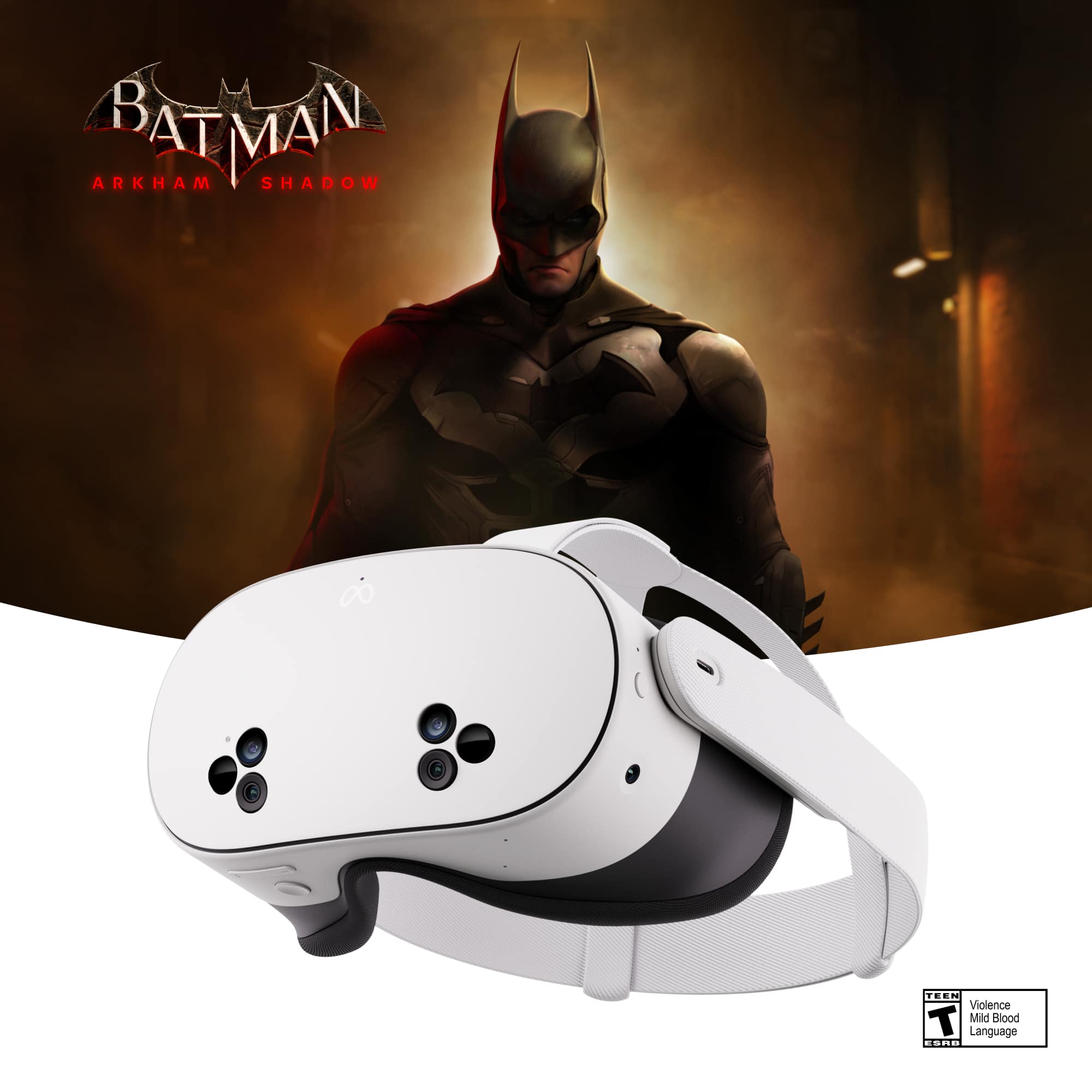
Probably the Best Most Advanced Affordable VR
|Posted .This reviewer received promo considerations or sweepstakes entry for writing a review.Let me start by saying this is the first VR Headset I've used since Samsung had the Galaxy Phone VR Converter headset about 7 years ago. The Meta Quest 3S is both a testament to how far VR has come since then and a reminder that there is still room to improve before VR becomes a common place thing. When I first started up my Meta Quest 3S I was mesmerized and blown away. The see-through feature was so cool, seeing the Quest home screen in front of me but my room all around it was crazy. The controllers worked great and were easy to figure out. The hand movement detection was crazy good. It was all insanely cool. Being really a first time VR user (since I don't count the very little amount of time I actually used that old Galaxy Phone headset), I was glad to see that Meta created an onboarding activity that walks you through things and teaches you how to use everything. It was a great intro to help me understand how it works and get me going. I've only had the Quest 3S for a short amount of time so my review is based on my experience thus far. Overall, I am impressed with the device. It's affordable and works quite well out of the box. But trying to do specific things or trying to figure out how to set specific settings is not always intuitive and the new Meta AI Assistant is not much help with those either. Still, without really changing much, a lot of fun can be had either gaming or entering into virtual worlds where you can play games, experience live events, or meet other people. And while viewing videos via streaming is not as simple as I wish it were, once I figured some of it out, I was wowed by the "big screen" experience I could get sitting in my dining room. Since I'm a huge fan of The Office, one of the first virtual world portals I entered was "The Office Portal." It was pretty cool and fun. No you don't get to interact with virtual Dwight or Michael. Instead you get to explore the office which is laid out exactly as it is on the show and then occasionally there are "office games" such as trying to catch bats or rescuing Angela's cats - all simple fun things based on the show. That was very cool and a lot of simple fun for my first deep delve into the virtual world. Of course, for gamers there are a ton of games available. My headset came with Batman Arkham Shadow as well as a Meta Quest+ 3 Month subscription which is a rotating list of games you get to play for free as part of the subscription. I am not much of a gamer myself, but I have never played a VR game before so did start out with the Batman game just to check it out. I can easily see how for gamers, this is an awesome experience - it's everything you love about gaming but instead of staring at a screen, you get to be IN the game. That takes some getting used to but you can set it up and play as a beginner which helps you out. It was pretty cool and definitely immersive. I was perhaps most interested in what it would be like to watch movies and stuff using the Quest 3S and especially my own 3D movies I have digital copies of since 3D TV's are no more. Unfortunately, getting those movies from my computer to the Quest is a lot more complicated than it should be. I figured I could just plug my quest into the computer and it would automatically go into "drive" mode so I could copy stuff over (like my digital video camera and most other things do) but that was not the case. In fact, I've tried a bunch of different things and got tired of trying and gave up. I did try watching a few shows and movies on Amazon Prime which I subscribe to. A reality TV show I've been watching looked pretty amazing, but when I watched a clip from The Boys it was obvious that the resolution was not what I'm used to. I tried searching to see if there's a way to change it as I could see it was only 1080P but either there isn't a way or I couldn't figure it out. The only native streaming apps are Prime & Peacock. However, you can use any streaming service via the Web Browser and I watched a couple of things on NetFlix and they looked great! I also used the YouTube app and YouTube streaming was never so BIG and cool - the YouTube app works excellently and was a great experience. As for productivity, I can't say I've tried to do anything productive with this yet, but it does support virtual desktops and multiple screens. But I honestly don't think I'd choose to use this over a more conventional method with actual multiple computer screens. So, my final verdict... It's not perfect, but it's quite impressive. Using the Quest 3S is easy and fairly intuitive. Getting around, using various screens, using the on-screen keyboard (with controllers or using your hands), closing and opening apps is all pretty amazing! Many of the features on this rival those of Apple's Vision Pro at a fraction of the cost. The "see through" system worked great and really surprised me. And things like drawing a virtual border in your room using "see-through" before you then go immersive so that the system can then prevent you from walking off steps or running into furniture is brilliant! The controllers are maybe the best of any controller I have ever used and they are SO accurate. The hand detection is honestly awe-inspiring - I am blown away by how easily I could use the VR Headset without the controllers and just use my hands to do everything when surfing the web or watching movies. I can see this being an excellent device for teenagers - It would give them the ability to have their own large screen TV in their bedroom to stream shows and stuff, play games, and visit virtual worlds. For gamers of all ages, this is a great jump into the virtual gaming world and seems to have some of the most advanced integration of any VR Headset. For productivity purposes, I think the tech has a ways to go to be practical. As for me, I can see myself using this for an occasional escape both for games and virtual worlds - wielding a light saber in the Darth Vader game is definitely on the top of my list - as well as using it to surf the web or watch movies in the living room while my spouse is watching TikTok or something else. As for comfort, I would say this headset is somewhat comfortable to wear...for a while. And that's one of the areas where VR Headsets still have a lot of room to improve. The Quest may be one of the lightest yet and it may be overall "comfortable" but you are still wearing a big piece of technology and it's hanging off the front of your face. It never feels "normal" and after an hour it starts to be a bit annoying. After two hours, when I take it off, my face is screaming "thank you." Again, it's probably one of the best, but even the best is still not super comfy for long periods of time. And there's no way I would use this as my way of watching movies or TV for long when I have a 4K TV in my living room. Things that hopefully will be improved with updates: Easier to find and adjust settings; actual intelligence in the Meta AI to assist with using the Quest; simplified method to transfer digital movies onto quest memory. Things I hope to see if future hardware: Higher resolution screens in the affordable Quest (granted the 3 does have this for the higher price) and even lighter, more comfortable head gear (longing for the day when it feels like just putting on a ball cap and pair of glasses)! I would also say that for the price difference between the 3 and the 3S (especially the 256gb model), for an adult, it's worth the extra money for the 3 which has a higher resolution screen which would enhance the experience with everything and better cameras for the see-through. But that's not to dismiss the 3S which to me feels like the best most affordable VR Headset on the market. Although the 3S has room to improve, what META has accomplished with this is impressive. It's definitely one of the best, most advanced VR Headsets available right now. They really did what Apple couldn't do which is to make a headset that the masses can afford. I'm looking forward to spending more time with mine and discovering even more fun ways to utilize everything it has to offer, and as long as you know what you're getting going in, I can't imagine anyone being disappointed with the Meta Quest 3S.
I would recommend this to a friendBrand response from Meta Store Support
Posted .Thank you for the brilliantly comprehensive review!
We really appreciate feedback as it helps to keep improving our products in the future.
If you would like to share your improvement suggestions with our development team, please drop-by the Ideas section of our Meta Quest Community forums, and also get to meet other like-minded users.
Thanks so much!
Huge upgrade for me. Blown away (again).
|Posted .This reviewer received promo considerations or sweepstakes entry for writing a review.I'm not new to VR, but it's been a while since I've gotten any new VR hardware. I was an early adopter with the first Oculus Rift Dev Kit and then the OG Oculus Rift when it finally came out (way back in 2016). That's where my VR journey has pretty much stayed over the last decade. I was always blown away by what VR could do even back then. Suffice it to say, this new experience has blown me away again. Setup was pretty easy. It's a little time consuming but I was able to get through it pretty casually with a couple kids around. Most of it is just onboarding and guidance. Since this is a standalone VR unit, there isn't a ton to set up. You download the app to your phone and it guides you through most of the steps like logging in to your Meta account (would be great if you didn't need that, but such is life). I'd say, I went through the setup steps and guidance without any issues in about 20 minutes. This setup process is a huge contrast to the old school PCVR setup with my old Oculus Rift which felt like a whole thing. Setting up tracking cameras just right and manually defining boundaries and everything. Now it's just a matter of looking around your space so it can define and save a boundary for that area. It takes seconds. Boundaries feel very disposable so you can just redefine them if they aren't perfect or your change your room at all. Then there's the color passthrough. My old rift didn't have any passthrough at all. It was crazy how putting on the headset and seeing your normal space instantly changed my brain into understanding that I can just walk around with this headset on. It took my old, dedicated room VR setup and instantly switched me over to thinking "OK, I'm free to use this anywhere I want". I feel like words don't even do it justice. I know a lot of my feelings around this headset stem from the advancements that have been made over the last 8 years but it really does feel like I'm getting into VR again for the first time. The camera quality could be a little better but when you aren't focused on anything in the real world, it kind of just blends in and feels like you're just in your old space. The big downgrade from the Quest 3 is the screens, lenses and field of view and it's definitely visible. None of it is BAD at all. But the field of view I do notice the most. It would have been nice to have it be a little wider. Otherwise, you have the same power as a Quest 3 in this bad boy. Everything feels snappy and quick and responsive. Apps like YouTube are easy to install and use. Tracking! My old rift relied on infared cameras. I had 3 of them that had to be mounted and calibrated perfectly to really work and they still lost your hands plenty of times. Now it's like it's not even a thing you need to think about. On top of the controllers working and tracking incredibly well, but you can also opt-in to just using your hands as your controller with gestures that tackle most of what you'd want to do with the controllers. You get walked through both (controllers and hands) in the onboarding guides. The included Batman: Arkham Shadow game plays and looks incredible. Really feels like the old Arkham games just in VR. Experiences like these are what make you forget you're using an entry level headset. Everything ran smoothly and looked great. A lot of comfort options to fit whatever VR legs you have. Definitely recommend checking it out since it comes with the headset. Another thing that blew me away is AirLink and SteamLink. I was initially bummed when I didn't see many of my old games and apps in my library on my Quest 3S. Then I realized that I'm using a standalone headset instead of a PCVR headset and those libraries are completely separate. There are some crossbuy games and apps but I feel like they're rare. But, fear not! Your library isn't gone. You just need to use your PC to access it. If you download the Oculus Link software and pair your headset, you can use your PCVR library, wirelessly (or wired, if you buy a Link cable), right from your Quest headset. I ran into a couple small issues when setting it up but they sorted themselves out pretty quick and once I was up and running I wouldn't have even noticed I was streaming everything from my PC instead of running it natively on my headset. But that's AirLink and it's built right into the headset so surely the SteamLink app that I downloaded onto my headset can't be that easy and nice to use.... It is! Just paired Steam from my PC with the SteamLink app on my Quest headset and I was streaming No Man's Sky and other VR games from my Steam library without any hiccups. It felt so surreal to me. I, again, wouldn't have even known I was streaming everything from my PC, wirelessly, if I didn't just set it all up. Another sorta demo is the First Encounters experience which gets your familiar with scanning your room and using it for mixed reality experiences. Scanning was pretty painless and you're given a lot of options to customize your scanned space. Add a gate that it missed and such. When you're all done, it uses the scan and started a fun little shoot'em up experience where an alien race of fuzzy creatures burst through your walls. It's mostly a demo of what kind of mixed reality experiences you can do and it's a really cool showcase. My kids also enjoyed watching me shoot up the game room while trying to catch all the fuzzy creatures. Which leads me to another note. It was incredibly painless to stream/cast my gameplay to my TV for others to view. All of these things that you'd think just have to be missing because it's a wireless, all in one headset. But no, it seems like it can pretty much do anything a PCVR headset can do at this point. Just without the cables. I'd say the only things keeping this from a 5 star review (something I give our VERY rarely, mind you) is the battery life being only an hour or 2 depending on what you're doing. It doesn't take a huge time to charge and I'm sure you could strap a battery pack to your belt and get some extra play time that way but it can feel a little short sometimes. Also, the passthrough cameras could do with a little higher resolution. And lastly, the requirement for a Meta account to do anything with the headset just feel icky. Bottom line, if you're looking to get into VR, this is a great headset to get your feet wet and not feel like you're sacrificing much at all. You could get a crisper picture and a wider FOV with a Quest 3 but you'll also pay a bit more for that so you just have to figure out what's important to you. If you're just starting out, though, you really can't go wrong with this headset.
I would recommend this to a friendBrand response from Meta Store Support
Posted .Hi swemoney
Thank you very much for the four star review full of great and comprehensive feedback. Amazing to hear you are enjoying your experience with the Quest 3S.
In terms of battery life we do have a battery available on the Meta store if you are interested feel free to check it out.
Fantastic to hear your thoughts have fun in the Metaverse!
Fun for the entire family
||Posted . Owned for 1 month when reviewed.This reviewer received promo considerations or sweepstakes entry for writing a review.I recently purchased the Oculus (Meta Quest) and I’m honestly amazed at how far virtual reality has come. Setup was simple — the headset connected to my phone and Wi-Fi in minutes, and I was inside the virtual world almost instantly. The visuals are crisp, motion tracking is smooth, and it feels surprisingly natural to move around and interact. What really stands out is how immersive everything feels — from gaming to exploring virtual environments, it’s a full sensory experience. The sound quality is great too; you don’t even need external headphones to get lost in it. Battery life could be a bit longer (I usually get around 2 hours of intense gameplay), but charging is fast and the headset is lightweight enough for longer sessions. If you’ve ever been curious about VR, this is absolutely worth it. Whether you’re gaming, watching 360° videos, or just exploring, the Oculus delivers a top-tier experience that feels futuristic yet totally accessible. Highly recommend — this thing turns your living room into another world.
I would recommend this to a friendBrand response from Meta Store Support
Posted .Hey there!
Wow!! What an amazing review, we greatly appreciate your feedback!
We absolutely agree with what you're saying about how far VR has actually came, it's truly amazing. Becoming fully immersed within the Metaverse is definitely an experience.
We're delighted that you're enjoying your Device so far and hope that you can continue to support us going forward. In regards to your battery life, have you had a look at our Elite Strap battery pack? You can charge directly from that itself!
We hope you have a lovely rest of your day.
Immersive, Powerful, and Worth Every Penny
||Posted .This reviewer received promo considerations or sweepstakes entry for writing a review.Absolutely excellent VR experience. The visuals are sharp, performance is smooth, and setup was quick and straightforward. The headset is comfortable even during longer sessions, and tracking is very accurate. Games feel immersive and responsive, especially action titles like Batman, which really show what this device is capable of. Battery life is decent, controls are intuitive, and the overall build quality feels premium. Whether you’re new to VR or upgrading, this is a solid choice and delivers exactly what it promises. Highly recommended.
I would recommend this to a friendMassive Upgrade & Tons of Fun – Perfect for Gaming
||Posted . Owned for 2 weeks when reviewed.This reviewer received promo considerations or sweepstakes entry for writing a review.I picked up the 256GB Quest 3S, and I’m glad I did. VR apps and games add up quick, and having the extra space means I’m not constantly deleting things just to try something new. Setup was simple—power it on, connect, sign in, and you're basically ready to go. No cords, no hassle. The headset feels well-built, lightweight, and balanced enough for longer sessions. What I love: Versatility: This headset isn’t just for gaming. There are apps for education, productivity, and even design. One app lets you build or arrange things and preview exactly how they would fit in your actual room—super cool and surprisingly accurate. Visuals: Crisp and clean picture quality for the price. Movies look fantastic, and playing in a “virtual theater” feels like having your own giant screen. Performance: Smooth menus, fast loading, and excellent tracking. Everything feels responsive. Multiplayer: If you plan to get two headsets, it’s incredibly easy to jump into co-op games or shared experiences together. Freedom: Completely wireless out of the box. Just put it on and play. Things to consider: Straps & Comfort: It’s okay stock, but if you use VR a lot, I highly recommend upgrading the strap. I bought a BOBOVR-style strap with a swappable battery, and it completely changed the comfort and playtime. A built-in or interchangeable battery system makes a huge difference. Battery Life: Good for short sessions but you’ll want extended battery options if you play for long periods. Overall: The Quest 3S is an incredible all-around headset—fun for gaming, useful for work and education, and awesome for movie watching. The 256GB version was absolutely worth it, and I’d buy this setup again without hesitation. Perfect balance of price, performance, and versatility.
I would recommend this to a friendA continuously refined and mature VR experience!
|Posted .This reviewer received promo considerations or sweepstakes entry for writing a review.Meta Quest 3S 256GB — Get Batman: Arkham Shadow and a 3-Month Trial of Meta Quest Summary: A continuously refined and mature VR experience! Use: We like to hike, walk our dogs, ride our bikes, or go dancing as much as we like questing in Azeroth, Tamriel, or other gaming universe. Sometimes it is hard to choose or make time for both - unless the weather does it for us. The Meta Quests have filled an unexpected role in our lives. The Quest can satisfy both a need for physical activity and sate our thirst for fantasy or sci-fi. The dogs get to sit back and laugh. We bought into the Meta-verse because we are game geek afficionados, first and foremost. We love supporting cutting edge technology and we have seen the vast array of offerings that tried to leave their mark and establish themselves as THE AR/VR ecosystem to beat. The Quest Meta has made large leaps and strides towards this end. While we definitely enjoy the more traditional gaming experiences offered on PC and on console, the Meta offers a way to play games and "get moving." The most basic experience are games like Beat Saber, LOL. That is some great fun! But we have enjoyed the thrill of trying to survive zombie mobs and cast magical spells to obliterate our foes. The Batman Arkham Shadow experience builds on the platforms success by offering a block buster title with some fun game play mechanics and a good story. You climb over or duck under obstacles. You combo punch and dodge enemies. You fling your battarang grappling hook and even do the famed bat glide to cross distances fast. The movements took some getting used to, but that is just because the feel of the controllers, though mostly familiar, still feel a bit different. The graphics of the game are great when compared to the Quest 2. The levels are well thought out, give you plenty to look at, and offer a unique way to experience Gotham and being in shoes of the caped crusader. What is even more amazing is the snappier response times, controls, and even network connectivity seems improved. Before, downloading a song pack for Beat Saber would take a minute or so. On the 3S, it takes a second or two. My favorite feature? The auto-generated boundaries! The unit will survey, with the help of you turning in place, your play space and build a boundary for you automagically. This allows maximum use of available space and it's fast and seamless. We own a few earlier iterations of the Quest including the Pro and a Quest 2. Even though this is the "lite" version of the Quest 3, you wouldn't know it. The cameras, the display resolution, and the overall performance is definitely and markedly improved from the previous generations. If you're looking to step into the world of VR, this is the time to do it and model is perfect for a first-time adventure, or to augment a family collection for cooperative (or competitive) game play. Pros: * Form Factor. The Quest 3S iterates on the already practical form factor. The head strap is easy to adjust, and I feel more intuitive. * Visual Fidelity. The display is better than the Quest 2 and this offers for a more convincing and immersive experience. * Performance. The unit is much faster and more responsive further augmenting the immersive experience. * Augmented Reality. The AR view is immensely improved. Full color AND you can easily even your devices like your phone, etc., as is often needed when preparing to stream, connect to TVs, etc. It is simply a matter of pressing an awkwardly located button. * Audio. The speakers to this unit offer the directed audio that help keep your experience immersive, but also relatively quiet at normal levels (depending on how immersed you need to be). * USB-C. The USB-C charging port is conspicuously placed and easy to get to making for a quick charge connection. * OS. The operating system performs well and offers a smooth VR experience whether you're in a lobby or switching between applications and media. * Memory. The memory capacities still seem a bit on the small side for today's technology, but it is adequate enough to install plenty of applications and/ or games. * Controllers. The controllers resemble the original controllers but have lost the protective arch and feel a bit lighter. I'm still getting used to them and their straps! They are responsive. * Hand Tracking. The AR cameras and the hand motion sensing work well! You can navigate without the controllers with a little bit of getting used to. I still wish there were a "Power Glove" like offering, but all things considered, hand control is pretty impressive. * Battery. I was able to play about an hour or so before my head got so sweaty that I needed a break. The battery was at 65% by then. I had played some Batman, and several Beat Saber and browsing sessions. I'm not sure I can run out the battery in a single sitting, but I'm going to try! Cons: There is no cons. At this price point and the maturity of the ecosystem and the iteration of the product, I feel like this is an excellent buy that can offer hours of fun and entertainment and even workouts. The only con is still the familiarity barrier - more people need to experience the Quest to appreciate just what VR can be and offer. If I *HAD* to be picky and complain about something it would be a lack of a carrying case, or satchel, no matter how basic. We love these things and highly recommend them to everyone. The 3S is a high value budget friendly version and perfect for those budget-minded-yet-curious folk!
I would recommend this to a friendBrand response from Meta Store Support
Posted .Thank you for taking the time to write such a fantastic review! We're so pleased to hear you've been loving your time with Quest 3S!
The Coolest Gift You Can Give
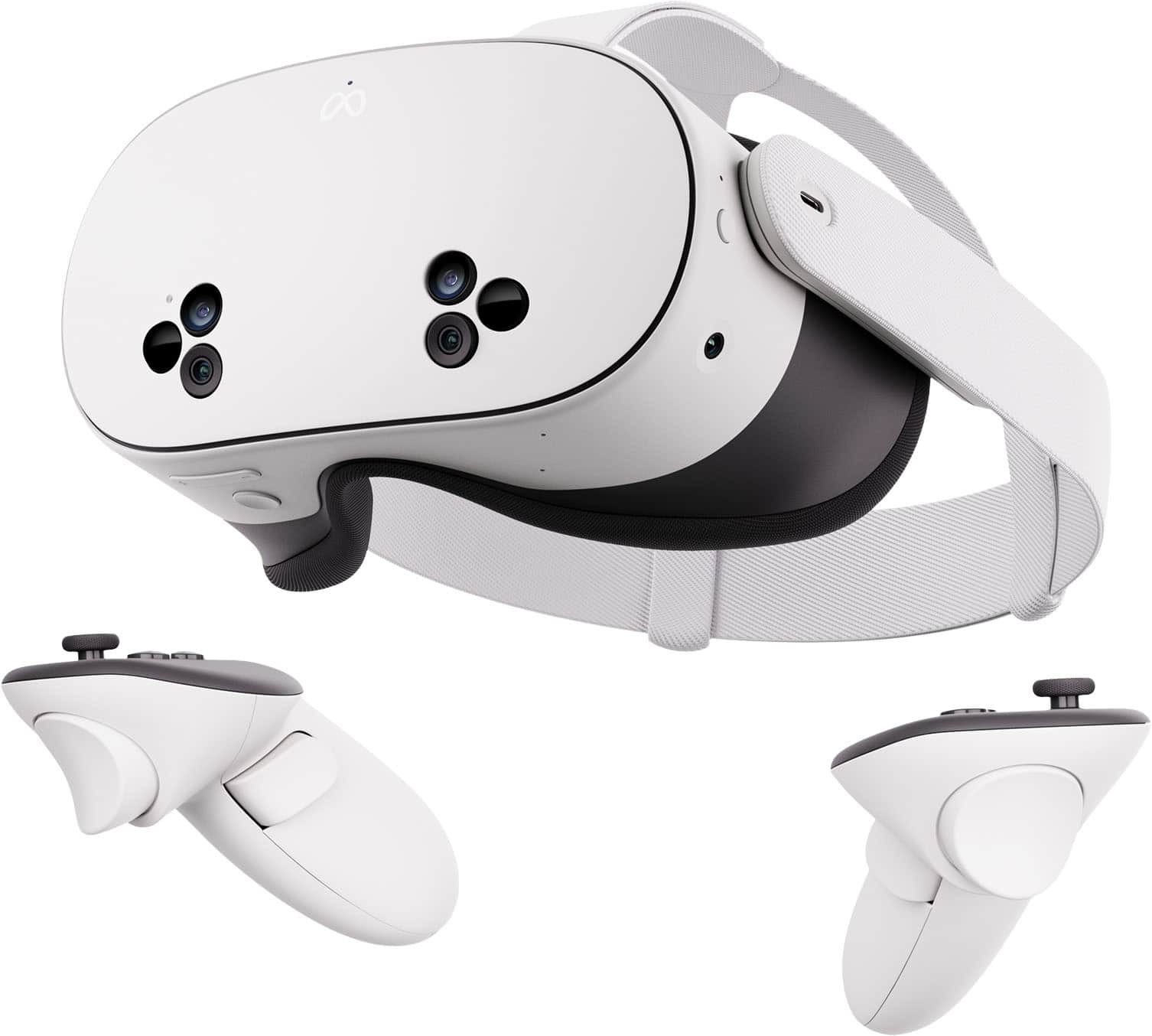
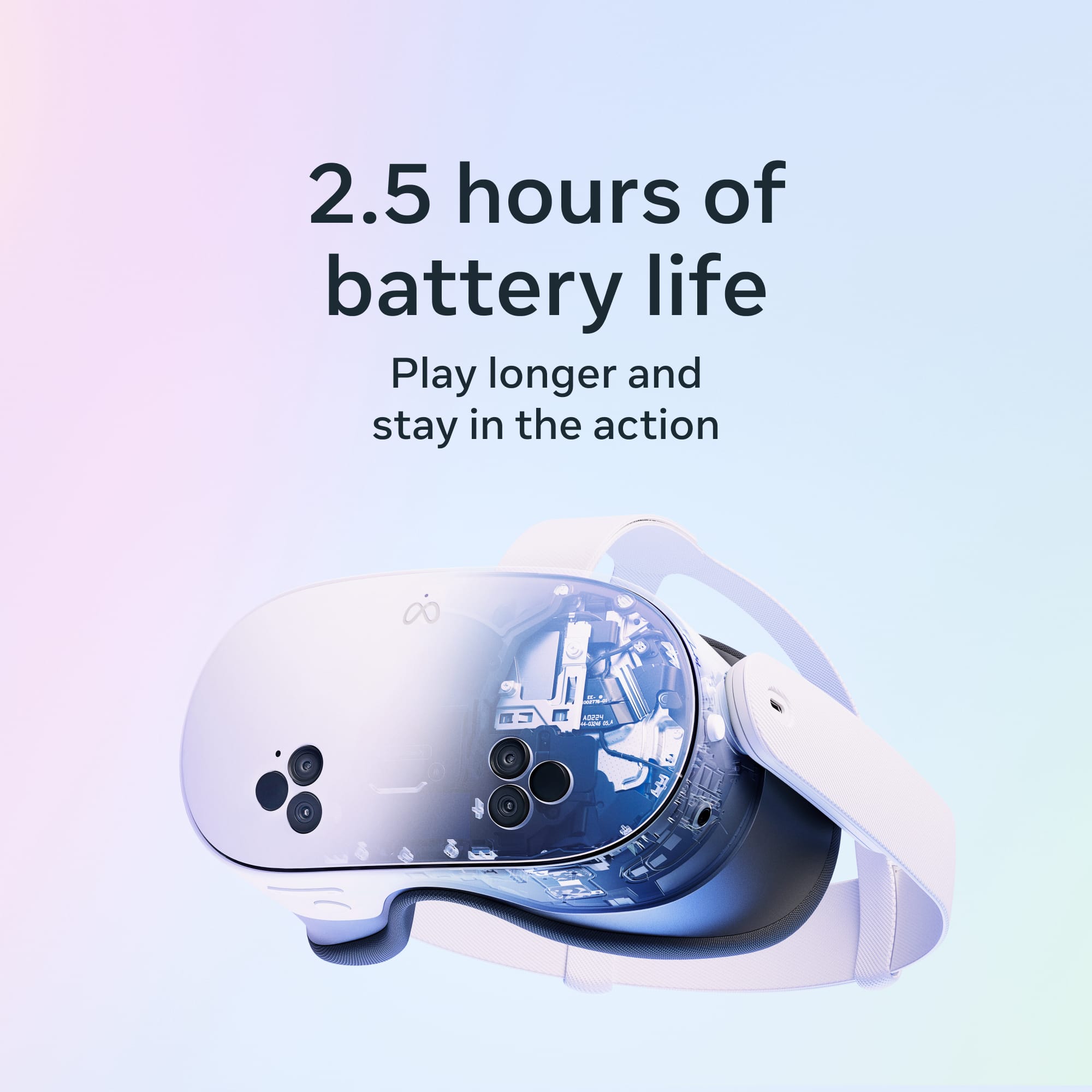
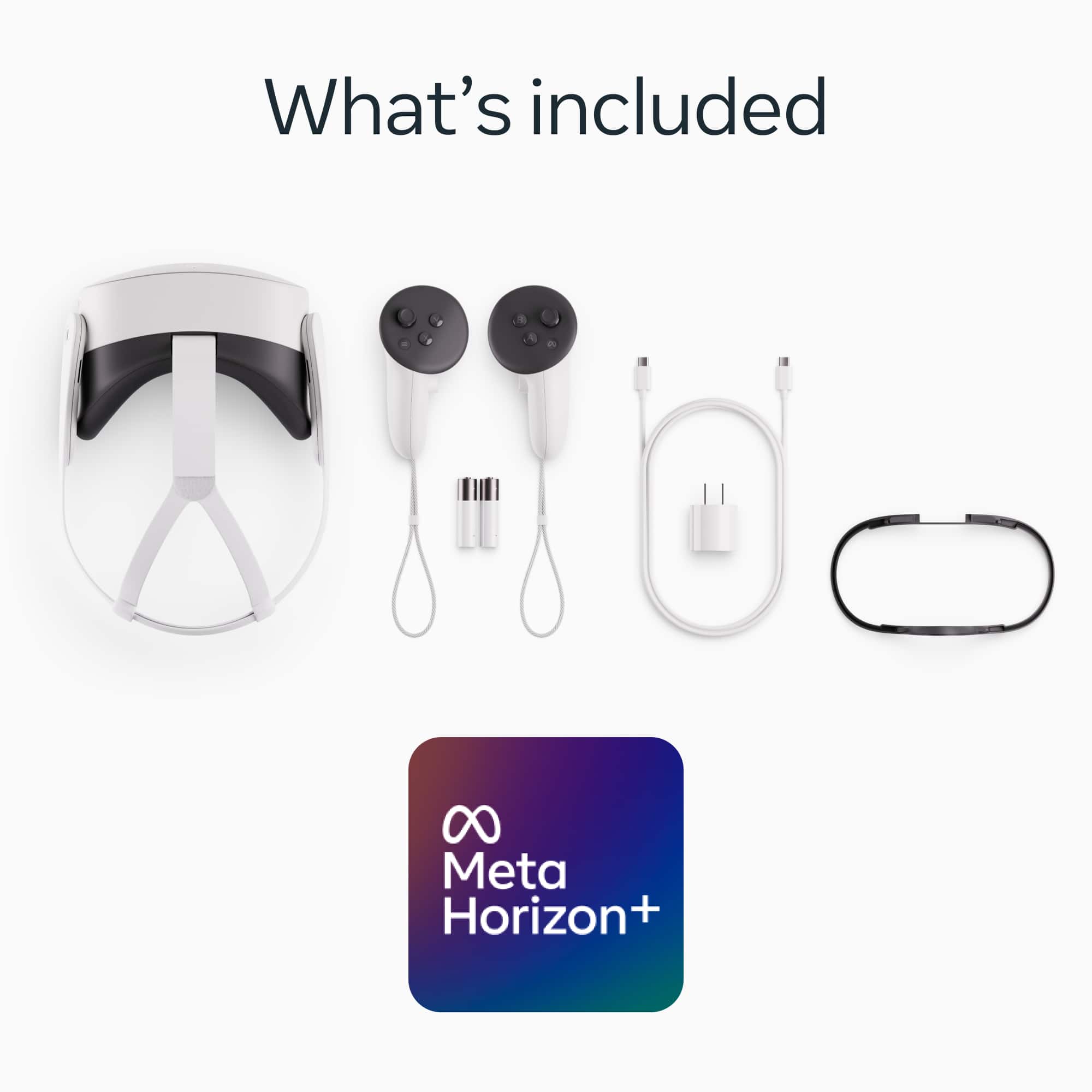
|Posted .This reviewer received promo considerations or sweepstakes entry for writing a review.As someone who has never used a VR headset before, the first words that came out of my mouth, while wearing the Meta Quest 3S, was "OMG, this is the coolest tech I have ever used". If you are looking for a gift for your children, grandchildren, spouse etc., stop wasting your time looking for something. THIS IS IT! Out of the box the first thing to do is to fully charge the device. When putting it on for the first time you have to adjust the head straps for a snug fit that will not allow the headset to move or slide when your head is moving. An adapter for eye glasses is included and is easily installed by snapping into place. You should also install the Meta Horizons app on your phone and pair your phone to the Quest. The push of a button on the left side turns on the power. You will be prompted to install updates. The headset turns on in Mixed Reality mode which overlays the Virtual Reality into your actual environment. There is a button on the underside of the headset which will switch to complete Virtual Reality. However, you will be prompted to allow the headset to survey your surroundings so that it can set boundaries on where you can step without running into physical items such as furniture. You must look at the floor to complete this survey. Meta provides you with a comprehensive user interface introduction which teaches you how to interact with the device including how to use the controllers and all necessary hand gestures. When I first put the headset on I thought that it felt a little heavy. But after using it for a while and getting into the experience of using it I simply forgot all about that. There are 2 hand controllers included along with a charging cable and adapter. The controllers are very comfortable to hold and intuitive to use. There are so many activities that you can do from Whatsapp, Youtube, Netflix, gaming, email, messaging, phone calls, etc. And one of the biggest surprises to me was the audio quality. It far exceeded my expectations and helps to get you more immersed in the experience. My unit came with 256gb of storage, enough for apps and games without worrying about running out of space. It has 8gb of memory and an LCD screen with 1832 x 1920 resolution with a 120 htz refresh rate. Also included is the Batman Arkham Shadow game. The Fresner lenses are only adjustable to 3 prefixed settings that snap into place by sliding the lens to the left or right. To me, this is the weakest part of the whole experience. I was constantly adjusting between 2 of these settings trying to find the perfect clarity. Also the field of sight in which you get the clearest picture is smaller than I would have liked. I sometimes had to move my head up or down to try to find the clearest picture. A variable setting for the lenses would be a better alternative. Meta claims 2.5 hours of battery life per charge. I think 2 hours is more realistic. However, 2 hours should be enough time to spend each day with the Quest. If more is needed, there are battery packs available for you to purchase. Overall bang for the buck, this should be at the top of everyone's gift list this year. Every time I used it I found myself smiling and enjoying the experience.
I would recommend this to a friendBrand response from Meta Store Support
Posted .Hi gtdad
Thank you for the five star review!
Chrissy
Meta Quest 3s: Perfect Upgrade for Fun and Value
Posted .This reviewer received promo considerations or sweepstakes entry for writing a review.I bought the Meta Quest 3s for my child, and it’s been a fantastic! It’s a noticeable upgrade from the Quest 2, with sharper visuals, better performance, and improved comfort for extended play. The setup was straightforward, and my child loves the immersive experience. Compared to the Meta Quest 3, the Quest 3s offers excellent value—delivering a top-notch VR experience at a more economical price point. The variety of family-friendly games is a big plus, though I wish the battery lasted longer during long sessions. Overall, it’s a smart choice for fun and creativity without breaking the bank!
I would recommend this to a friendBrand response from Meta Store Support
Posted .Hello Chris,
Thank you so much for the detailed review and the five stars – we're delighted that you're enjoying your new Meta Quest 3s! We love knowing you're having fun with your family in the Metaverse.
If you want to improve your device or its battery, please get in touch with us via Meta Store Support. We'd be happy to give you some suggestions!
Iterative Upgrade from Quest 2 but a GREAT Headset
|Posted .This reviewer received promo considerations or sweepstakes entry for writing a review.I am really enjoying the new Meta Quest 3S. As someone who bought the Oculus Quest 2, which then became the Meta Quest 2, I have noticed some nice upgrades. Roughly half of the upgrades come from the package I have versus noticeable upgrades in equipment. Upgrades: The biggest upgrade I’ve noticed is the Color Passthrough. I can now see my surroundings in full color, albeit a bit grainy. I am able to read notifications on my phone and watch without removing the headset, which is also great! Of course, Face ID doesn’t work with the headset but if you have a fingerprint sensor to unlock your phone you are golden. As I mentioned, it’s a bit grainy but it gets the job done. I can see where things are and who is around. Sometimes when I am immersed in virtual reality I wonder if someone in the family is entertaining themselves by watching me swing my arms and move awkwardly around. This set came with Batman Arkham Shadow for free which is a fun game and saves money if you would’ve purchased a game like this separately. It also comes with 3 free months of Meta Quest+. I am finding that this is a great way to discover new games and to add to your game collection without additional cost, at least for 3 months. My unit also has 256GB of storage which is a welcome upgrade from the Quest 2 which only has 64GB. The processor is also 3-4 generations newer than my Oculus 2. Pretty Similar: I will say that I was a bit disappointed that some things remain largely the same from the Quest 2. Don’t expect a huge upgrade in graphics - if that is what you are after, you’ll want the Meta Quest 3 (without the “S”). The 3S also uses the same “pancake” lens style as the older versions. This just means there is more of a sweet spot looking straight on. If you keep your head stationary and move just your eyes the surroundings will become a bit blurred. The Quest 3 uses a different lens that keeps things more clear. The bottom line is the Meta Quest 3S is an iterative upgrade from the 2. You get the Batman game, 3 months of Quest+, updated controllers, a faster processor, and the Color Passthrough. It’s somewhat like upgrading your phone from the 15 to the 16. For some, the upgrades I mentioned will be well worth it, for some it won’t. If you don’t have a VR/MR unit at all you will love the Meta Quest 3S! If you have the Quest 2, there are some nice features that you may want to upgrade to but the Meta Quest 3 might be a better choice for you.
I would recommend this to a friendValue per Dollar
||Posted . Owned for 1 month when reviewed.This reviewer received promo considerations or sweepstakes entry for writing a review.I’ve always loved the Quest line up. I’m coming from the Quest 2 and the Quest 3s is an excellent upgrade. Be mindful that the graphics/resolution are not that different from the quest 2 BUT it is snappier than the quest 2. Also, pass-through is now in color where the quest 2 was in black and white. One of my favorite features is the laydown mode (which is accessible through experimental settings). I can lay down and view my favorite streaming content! For the price you can’t lose! Also, if you’re into 360 cameras and know how to edit/keyframe, you can watch your edits by importing it into quest 3s like an external drive! ONLY drawback is battery life could be better but you can buy the elite strap or use a battery bank.
I would recommend this to a friendBrand response from Meta Store Support
Posted .Hey there
It’s awesome to hear from a long-time Quest fan! Nothing makes us happier than seeing a Quest 2 veteran make the jump and find so much value in the new hardware.
We hope you have many more VR adventures ahead.
A perfected Quest 2, which is a great thing!
|Posted .This reviewer received promo considerations or sweepstakes entry for writing a review.With the exception of PSVR, all of my main VR experiences have been through Meta. I've owned the Rift, Quest, and Quest 2. The Quest 2 became my benchmark for ease of use, no room set-up, and overall casual use. The Quest 3 intrigued me, but I couldn't justify the price jump for my usage, especially since I was still satisfied with the experience of my Quest 2. Then I received the 3S, and this has enhanced my experience exponentially! From the first power up, I noticed the improvements in hardware and software. Better hand tracking, better obstacle avoidance and barrier creation, and my favorite, the RGB passthrough. It makes AR experiences so much more immersive. As you may have read, the visual experience is almost identical as the Quest 2. For me, that is not an issue, as I still feel the Quest 2's visuals are excellent. What I do notice is a slight bump in "smoothness" in more resource hungry applications which shows the processor and extra memory are being put to work! Another major improvement is connectivity. With the Quest 2, I had so many issues connecting/reconnecting between systems. The 3S was one shot. Mobile and PC. Not a single issue on first set-up and none since. Including Steam VR. One factor that will pull me deeper into VR is the ease in which I can use it across multiple platforms and entertainment mediums. The 3S is indeed checking more and more boxes. Here's a small irritation, the side anchors for the straps are just a smidgen smaller, so I will need to buy a new elite strap in the future. Grrrr! You could have given me that bone. Ah well. You have read "beginner headset" or "starter VR," but I challenge that notion. The 3S is recommended for anyone looking for a great VR/entertainment experience, which is myself. While I'm still keeping my Quest 2 around for back-up and travel, the 3S has done more than enough to become my main player. If you are looking to update your Quest 2 but can't justify the 3, this will absolutely fill that void with no regrets.
I would recommend this to a friendBrand response from Meta Store Support
Posted .Hey JKhan!
Thanks for the awesome in-depth 5 star review. We at Meta appreciate the time you have taken to learn, enjoy and share about the Meta Quest 3S and Meta Quest 2.
The Meta Quest 3S is for everyone and we are so happy that you are enjoying using it!
We are excited to see all the amazing things you will get up to in the MetaVerse and once again thank you so much for such a nice review!
Honestly worth it.
||Posted . Owned for 2 months when reviewed.This reviewer received promo considerations or sweepstakes entry for writing a review.If you're into using VR for shows or movies, I'd totally recommend it. Just a heads-up though, there are a few quirks. Since it uses Fresnel lenses, you'll need to do a bit of adjusting to get the picture just right and avoid seeing those ridges. The battery isn't amazing, but it's good for a couple of hours, depending on what you're up to. If you're doing some light gaming, it'll last about an hour, and you might feel a bit of a hotspot on your forehead. I'd suggest grabbing a battery pack or a third-party head strap for better balance and comfort.
I would recommend this to a friendBrand response from Meta Store Support
Posted .Hi Jack,
Thank you for sharing! Your feedback is greatly appreciated, we hope to maintain your positive experience.
Have a wonderful day!
Vr experience
||Posted .This reviewer received promo considerations or sweepstakes entry for writing a review.Bought this item for my son for Christmas and he loves it. Easy to setup and super fun to use. Only down side is the strap os a little uncomfortable and the battery only last bout 3hours. Alot of games to choose from and have fun plaything though.
I would recommend this to a friendBrand response from Meta Store Support
Posted .Hey there,
Thanks so much for taking the time to leave a review! We're glad to see that your child loves the Quest 3s headset, we recommended tightening and loosening the headset straps to find the best position for it so your child can enjoy the Metaverse comfortably!
Fun for my whole family
||Posted .This reviewer received promo considerations or sweepstakes entry for writing a review.The meta vr is awesome. My kids love it! It did make me feel a little sea sick trying it sitting down. But once i tried it standing up, it was fine. The battery doesn't last very long, like 2 hours. With 4 people trying it, it died pretty fast.
I would recommend this to a friendGreat console
||Posted . Owned for 3 weeks when reviewed.This reviewer received promo considerations or sweepstakes entry for writing a review.It’s great, me and my family loved it. Really easy to set up, the only down side is the battery life. But that helps you touch grass haha
I would recommend this to a friendBrand response from Meta Store Support
Posted .Hey there Luis
Thrilled to hear about your experience with the Quest 3s, It's also great that your family get to have fun with it also.
Thanks
Great way to get into VR
|Posted .This reviewer received promo considerations or sweepstakes entry for writing a review.Overall the Meta Quest 3s is a great way to get into VR for a reasonable price. The included games and Meta Quest+ subscription allow you to experience a good amount of games. However, Meta could improve the first time experience for most users. Setup: The Quest 3s comes with pretty much everything you need to get going. It has the main unit, two controllers, a USB-C charging cable, and charger. After the initial power on, you will go through a basic tutorial that teaches you the basic commands and gestures you can perform with your hand and the included controller. Before setup of the quest, I created a Meta account and linked my unit using the code displayed in the headset. Games: The quest has the First Encounters game pre-installed which is a fun little AR shooting game. The system also includes a copy of Batman: Arkham Shadow which unfortunately gave me motion sickness and could not play for more than a minute. You also get a 3 month complimentary subscription to Quest+ which includes access to 26 games. Even if you are like me and get motion sickness from some VR games, you should be able to try out a combination of games that work well for you. SteamVR: If you have a capable PC, I highly recommend you set up Steam VR as well. This will let you play the amazing game Half Life: Alyx. AR: AR works pretty well with the Quest 3s. While it isn’t the most high fidelity, you will be able to navigate the world around you with ease. Gripes: My main gripe is that the quest isn’t as beginner friendly as I would have liked. It took me a lot of searching to find things like the included batman game and the Meta Quest+ subscription. I think having more minigames like First Encounters would also be a good add on to get new users into the experience. Also, they should make it more obvious that the controllers use AA batteries. I spent a while looking for the USB-C port on the controllers only to look up on line that it uses disposable batteries Wrap Up If you are looking to get into VR, you can’t go wrong with the Quest 3s.
I would recommend this to a friendGreat way to experience the VR world
||Posted . Owned for 1 month when reviewed.This reviewer received promo considerations or sweepstakes entry for writing a review.Purchased for my grandson. He is absolutely ecstatic about having this VR headset. The fit is easy to adjust, setup is easy, the media is practically endless. I experienced a VR 360 video of a snow packed base camp at Mt Everest. It was like being there, I literally felt cool. The futuristic worlds are fantastic. Cannot say enough about the amazing virtual reality world experience. It is simply fantastic, Worth every penny.
I would recommend this to a friendBrand response from Meta Store Support
Posted .Sounds like you're having the most amazing experiences and epic adventures already! First stop Base Camp at Mount Everest.....where to next? The possibilities just go on and on and on.
We hope you and your grandson continuing sharing these amazing experiences together.
This will make going to Grandpa’s fun again!
|Posted .This reviewer received promo considerations or sweepstakes entry for writing a review.I confess to absolutely no experience with computer games. So giving a go at the newest VR headset was truly a test of their product usability to the neophyte. Since some of the folks reading this review might be in this category, this might lessen your concerns about "where do I start?" Unboxing and getting the Meta Quest 3S up and running was surprisingly intuitive. The packaging and instructions were clear, although the included paper “getting started’ guide had almost microscopic print. The steps were well laid out, and easy to follow, but a magnifying glass was not included. The Meta Quest eyeglass spacer worked very well, and was easy to mount to the headset. Charging up the headset was fast, and it was fully charged by the time I had downloaded the mobile phone app for Meta Horizon. Setting up a Meta account is easy, and if you already have a Facebook or Instagram account you can sign in with those. You need the Meta Account for any games, downloads, or other aspects that you wish to add to the Quest headset. The Meta Horizon app seems to be mostly to provide a credit card number because your really don’t use the phone app for the running of the headset. Once you have a game purchased, it is available in your online library of apps. Games and other programs are loaded onto the Meta Quest 3S, with generous 256 gigabytes of storage. That storage makes the headset self contained, not needing having the phone in close proximity. I found immersing in the entire VR experience quite intriguing. The augmented reality concept, seeing your living room, with floating displays of your choices in front of you, was nothing short of miraculous. I started out watching a free video from David Attenborough, who is a prominent PBS host and narrator of many natural history and ecology series. This was a brief (about 12 minutes) program about the origins of early life from the time of the Earth’s birth. The animation and 3D immersion was amazing. You really have the feeling of being undersea and turning your head in any direction seamlessly brings different vistas into view. I have been SCUBA diving many times, and indeed this brought that wonderment back for me. I next moved to a free trial of language learning from the company Immersive. You can start out for two weeks before your subscription fees start, which is where having the Meta account is needed. I have a novice capacity with Spanish, so gave that a spin. The program is very well adapted to the VR format, so much more than the audio only programs I have used in the past. The animations and the audio portions were first rate. They started with a fluency testing quiz, to help decide at which level to place you. Here I ran into a bit of a snag. The quiz was a brief conversation between two avatars, and then a series of questions about your understanding of what they were talking about. But there was no obvious way to adjust the volume of the conversation. Adjusting the volume was not obvious. And no apparent way to pause the program, so I could search for how to increase the volume. Once Immersive Language has control of the presentation, my only option was to shut down the headset, and reboot. After finding out how to increase the volume I restarted the program. It seemed a bit tedious to have to shut down, then reboot just to fine tune volume settings. Included in the bundle with the Quest 3S is the video game: Batman Arkham Shadow. As I am less than novice in video games, the controllers were completely foreign to me. Since I was alone in the room, I wasn’t concerned about looking foolish grasping in the air at imaginary objects. Having no prior knowledge of hand controllers, and having immediately forgotten the brief tutorial for the 12 or so different things that you can do, it was trial and error. Fairly quickly, I figured out what did this or that, and stumbled through my first encounter with 21st century video gaming. I was aided by having chosen the easiest and most forgiving level of play. So I could die multiple times before having to start back at the beginning. All told, I found it pretty easy to navigate the scenes, speed of walking, throwing a Molotov cocktail, etc. Also included in the purchase is a 3 month trial of Meta Quest+, with greater access to various games, add ons, etc. I’m holding that in abeyance for now, until I have a bit more experience with the headset, so that I can better optimize my 3 month subscription. But the account offers you two games a month to claim, and you own access to those 2 for as long as you are registered member of the Meta Quest+. There are also a revolving library of over 20 apps that you can use for as long as they are in the catalog. The current catalog has 26 games and VR adventures, so boredom from lack of choices is not an issue. What were my downsides? Battery life was pretty good. After my learning foray into the Batman game, spending probably an hour fiddling with the controls and learning how to play a video game, there was 66% battery life still present. So I would estimate a 2 to 2.5 hour run time before needing recharging. Certainly more than enough for my needs, but with 3 grandsons and passing the headset from one to another, it might be insufficient for their needs. However, there is an available extra battery headstrap attachment at the Meta store offering an additional 2 hours of headset use from the built-in battery pack. That is a purchase for the future, if the battery life seems to be an issue. A couple of times, in the home screen of the Meta Quest neighborhood, the screen that was being shown was way off the edge, visible in the corner of my view rather than straight ahead. To recenter, I shut off the headset and then restarted. I later found a simpler solution from the Meta Quest site: “To reset your view with your Touch or Touch Pro controller: Point your controller straight ahead and press and hold the Meta logo button until your view resets.” The pass through visualization, where you see the room you are in, with the headset floating screens of info, menus, choices, and directions directly ahead and wrapped around. Moving you head from side to side and up and down brings additional info screens, or more of your surroundings into view. The resolution of the pass through images of your living room is rather grainy, whereas the projected VR material is very sharp and crisp. But it allows you to reach onto the coffee table and grab your drink, and even go get a refill without crashing into furniture. Apparently prior pass through cameras were B&W, but this is full color. This graininess of the pass through is noticeable, but does not affect any of the VR experience. Having the pass through images also lessens any claustrophobia that might be an issue otherwise. Bluetooth headphones apparently can be paired, but I found the sound quality and volume levels fine. Perhaps if you were in the same room with someone else, they might find the soundtrack interrupting their concentration. While playing a game, the markings on the controllers were not displayed on the screen. So to get a clue of what button I should be using, I needed to take the headset off to read which letter or symbol was on each button. Of course, with just a bit of familiarity, it will become intuitive. Like the alphabet characters on my computer keyboard: I don’t need them most of the time, but finding the ~ key does require being able to look for it. The user interface can be counter intuitive as well, especially if you have several games or apps open, and are trying to move between them. Not a big issue, really, since I think most of my usage will be focused on one game or YouTube video, without much active switching between apps. My next forays into the Quest will be trying the fitness apps, which are some of the most popular usages. I have not embraced any social network environment, but I can see that VR might up the ante nicely for the Zoom-Face Time conversations that have become our methods of choice for keeping in touch with family and friends. From what I have read, actual workplace use of VR, as a replacement for Zoom has not taken off, despite Meta’s promoting the Workplace environment for distance group meetings. As I am retired, the lack of workplace is a blessing, not a limitation. So all told, this investment hits the sweet spot of affordable, yet flexible. This will be intriguing enough for my use, and a great draw for the grandsons while they are visiting. I would not have spent $1000 (or more) for competing products, but this will work out just fine.
I would recommend this to a friendBrand response from Meta Store Support
Posted .Hi Josenieve
Thank you for the five star review!
We are thrilled to hear that you are enjoying your Meta Quest 3s, it's great to see you are exploring so many different experiences in the VR world!
Great Entry-Level VR Headset
|Posted .This reviewer received promo considerations or sweepstakes entry for writing a review.This is an excellent all-in-one VR headset. It’s a good upgrade over the older Quest 2 and the color passthrough is top notch. The main sacrifice you make over the Quest 3 is in the display and it’s a meaningful difference, but if you don't want to make the extra investment in the Quest 3 the Quest 3S is in a class of its own. The headset isn’t extremely heavy and feels comfortable on my face, though I definitely felt some fatigue about an hour into my play sessions with all of the weight on the front of my face. The included fabric strap is comfortable and pretty easy to adjust, but I think the Elite Strap or some similar 3rd party accessory is an essential purchase for this and really helps out with the long term comfort. The Touch Plus controllers are similar to the ones that were included with the Quest Pro, though they do not have built-in batteries (they run on AA’s) and don’t have inbuilt tracking like the Quest Pro’s controllers did. They’re comfortable to hold though and I haven’t had any issues with tracking since I’ve been using them. The display is the same as the one that was on the Quest 2. It doesn’t look bad, but having come from previously using pancake lenses on the Quest Pro I can definitely say the Fresnel lenses are of a noticeably lower quality by comparison and the sharpness falloff on the peripheral of my vision can be distracting at times. There are also only 3 fixed adjustments for the IPD and I feel like my ideal adjustment is somewhere in between them. If VR is a sometimes thing for you this is easy to live with, but if it’s going to be an everyday thing for you I think it’s worth investing in the higher end non-S model for the pancake lenses alone. The color passthrough is excellent and I love that there is a button on the headset that will quickly switch you between VR and AR. I wouldn’t say it looks ‘natural’, but it’s much much better than what I’ve experienced on the Quest Pro and I’m able to walk around and do pretty much everything with it on, including looking at my phone and watching TV. The general interface on the Quest 3S is easy to use and navigate using both my hands and the controllers. I really like how the sensors in the headsets can now automatically map out the room and define play areas so that no longer needs to be done manually. You don’t need a Facebook account to use the Quest, which is nice, but you will need to sign up for a Meta account. Playing games so far has been a great experience. The bundle I got included Batman Arkham Shadow, which is not just an excellent VR game but an excellent Batman Arkham game. You’ve got all the classic hits like Beat Saber and you also get 6 months of Meta Quest+, which gives you access to even more games. The Snapdragon XR2 processor isn’t going to match for a dedicated PC for VR, but it delivers some pretty impressive experiences for an all-in-one headset and you can still use the Quest 3S with a PC via a dedicated cable or wireless link. The headset has built-in speakers that sound pretty good, though they don’t quite measure up in the more immersive experiences and I’d recommend pairing some headphones. The Quest 3S doesn’t have a 3.5mm audio jack, but the USB-C port does support audio output and can use a 3.5mm adapter. I’ve been getting around 2 hours of battery life using the Quest 3S and I’d consider that to be adequate since being in VR for much longer than that makes me a bit nauseous anyway. The Quest 3S does include a USB-C charging cable and adapter, though I do wish the included cable was a little bit longer - it’s only about 3ft long. Overall I’m very happy with the Quest 3S. If you’re looking to get into VR for the first time and not sure if it’s going to be for you this is the one to get. For anyone more serious about VR the non-S model might be the better buy.
I would recommend this to a friendBrand response from Meta Store Support
Posted .Hi SamG
Thank you for the five star review!
Great product with one flaw
||Posted . Owned for 1 month when reviewed.This reviewer received promo considerations or sweepstakes entry for writing a review.This is a fun device and it’s nice that you can hear the sound without using ear plugs. Everything functions well and is seamless BUT I can’t give it five stars since it doesn’t come with the rechargeable battery kit. It’s a separate purchase which on many systems would be included. Having to worry about changing out batteries in the hand controllers is annoying.
I would recommend this to a friend