Customer Ratings & Reviews
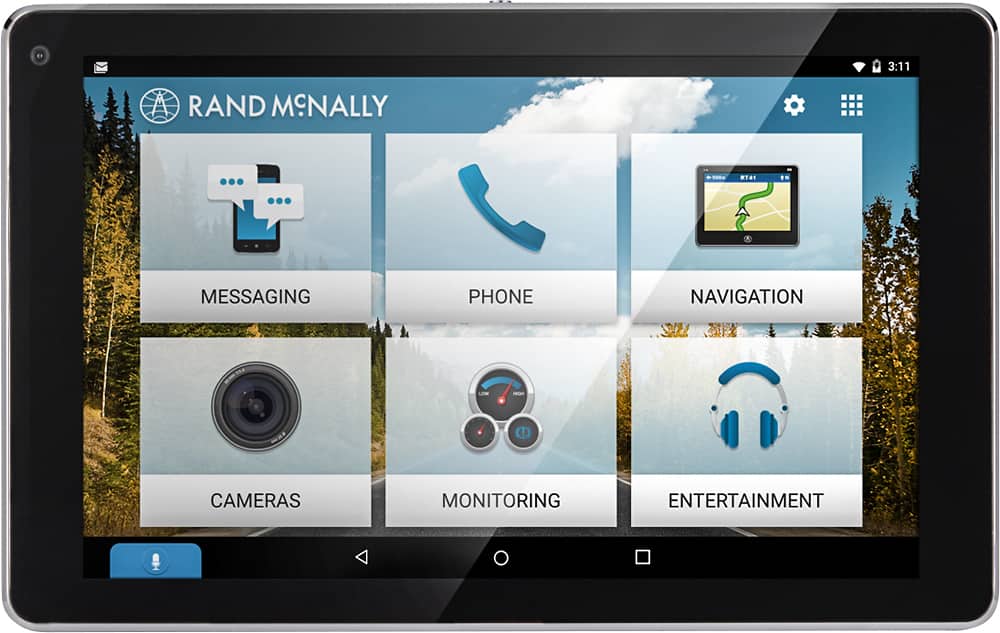
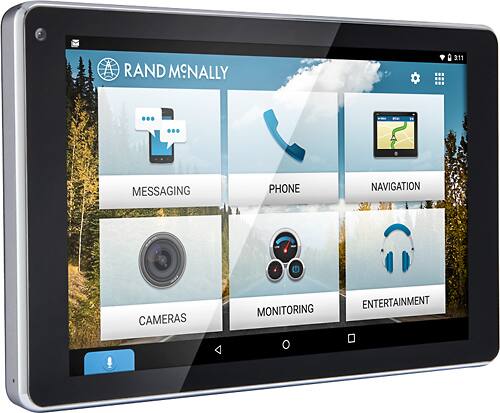
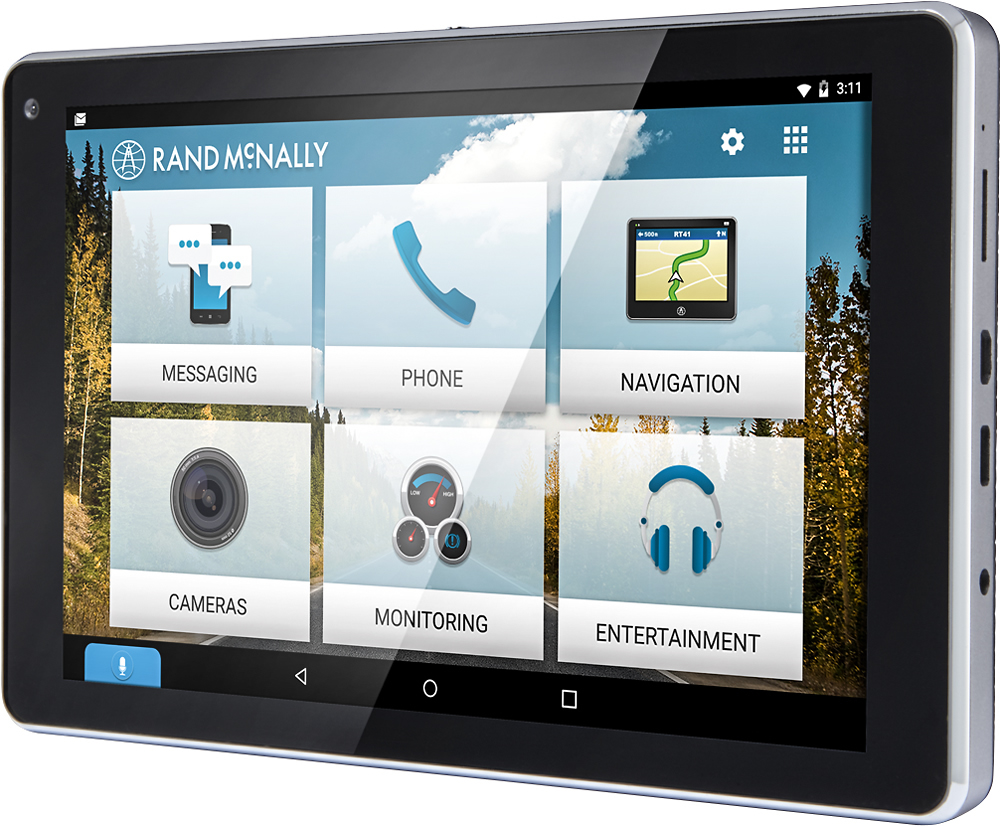
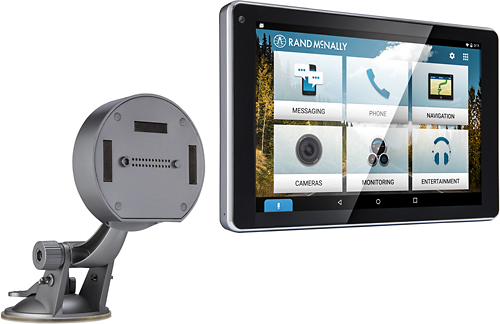





- Model:
- OVERDRYVE 7
- SKU:
- 5557700
to a friend
Customers are saying
Customers highly value the OverDryve 7's GPS and large, easy-to-read screen, frequently praising its user-friendly interface and reliable navigation. The built-in dash cam and optional backup camera are also appreciated features, although some users note limitations in battery life. Overall, the device receives positive feedback for its convenience and functionality.
This summary was generated by AI based on customer reviews.

Everything you need in a nicely size tablet.
|Posted .This reviewer received promo considerations or sweepstakes entry for writing a review.Rand McNally Overdryve Customer Review I wasn't expecting much from this “little” navigational system at first glance. Actually I wasn't familiar with the Rand McNally brand and their Overdryve system. I am familiar now. This device has everything you need in a nicely size tablet. After reading the start up guide, I quickly discovered that this isn’t simply a standard navigational system and is more of a multimedia system. I mean this device has everything. It’s like having the ability to connect your tablet to your vehicle. It’s what you need if you have an older car that does not have all the new gadgets that new cars come with today. This device has all the bells and whistle needed to take advantage of all the tech on your phone and then some. I am excited each time I get in my car and watch how quickly the system connects and syncs with my phone. The screen’s picture is amazing and the colors are bright and vibrant; so bright that they may want to consider including or designing a privacy screen so that others aren’t able to see what you have on your screen when they are outside of the vehicle. I love all the options you have to connect to it as well. I have a micro SD card inserted with almost a thousand songs on it. The device itself has plenty of gb’s to store information directly on it as well. You can connect to the internet, you can download additional apps, see your text messages and have them read out loud, us Siri (I have an iPhone), watch small videos, view your pictures, maps, traffic, weather, gas prices, front camera to record your trip and an unfortunate car accident if necessary, and on and on and on and on. This device is worth every dime you spend on it. I had my device installed by Best Buy’s Geek Squad. It actually turned out to be by far one of the best Best Buy customer services experiences I have had in many years. My Geek Squad installer displayed exemplary customer service at its’ apex. His approach to customer service should be utilized for training purposes. I would not be surprised if there was a correlation between increased sells and the excellent customer service provided by my installer. I have NEVER considered utilizing Geek Squad for installation or work because I own a foreign car, but my installer changed my mind on Geek Squad’s expertise and skill-set. I am certain I would have paid 5 times the cost at the dealer and still would not have received the level of customer service I received. Thank you Best Buy for a job well-done! I highly recommend getting the Rand McNally Overdryve system if your car is lacking some of today’s new tech and you’ve found yourself using your cell phone more often because your car’s features are limited.
I would recommend this to a friend- Pros mentioned:Gps
Great for those without a factory GPS
|Posted .This reviewer received promo considerations or sweepstakes entry for writing a review.This unit has great features (GPS, dashcam, audio playback, etc). I am used to the Garmin units, but the options that this unit has makes it my new favorite. I have a GPS already built into my vehicle, so I use it for the dashcam primarily, but it is fantastic. The only reason I gave it four stars is because I am not sure how to update the software or maps. It came with a screen protector, windshield mount and all of the cables you need for it. Definitely worth buying in my opinion.
I would recommend this to a friend OK
|Posted .This reviewer received promo considerations or sweepstakes entry for writing a review.This unit is really intended for cars that do not have bluetooth, rear backup camera, aux ports, and related. With that said, it can fill a gap in older cars where one wants to stream music from their phone through this device, use this device for a hands-free speakerphone, use this device as the GPS, install and use a rear backup camera through this device, etc. It does all of these things as described. As to whether I would recommend it, yes I would -- within the above context. This is not an all-singing, all-dancing device. It bridges a gap with older cars that don't have all the bells and whistles...
I would recommend this to a friend- Pros mentioned:Screen sizeCons mentioned:Battery life
A phone is a better option
|Posted .This reviewer received promo considerations or sweepstakes entry for writing a review.I really wanted to like this device, but I found it was a better experience to use an android phone for navigation. The biggest problem for me is that the tablet is very large and on the attached mount, it is just too big to fit in a convenient location in my vehicle. On the windshield or dash, it takes up too much space and limits my view. Also, you should check your state laws to determine where and if you can use this on your windshield or dashboard. Using the device wasn't very pleasant. It could not import contacts from my phone, but could import text messages. I couldn't get the voice recognition to work consistently, which made entering addresses or finding locations more difficult that it needs to be. Navigation did work well, though, and rerouting was fast. One of the selling points is that you can use this as a tablet when you get to your destination. It does mount firmly to the stand and is easy to disconnect. However, using this as a tablet is not great. The battery life is stated to be 6 hours, but I got about 4. Without Google services or the Google Play Store, the app selection is limited (you can install other app stores, such as Amazon). As a tablet, the screen is a little small and there is considerable lag when loading apps. On the plus side, in the car, the large screen does give you a good viewing area, and the mount does provide a more powerful GPS connection. For my use, I would rather use my phone with Google maps for navigation.
No, I would not recommend this to a friend - Pros mentioned:Screen size
Good GPS If You Don't Have A Smart Phone
|Posted .This reviewer received promo considerations or sweepstakes entry for writing a review.This GPS is real nice and has a lot of different functionality, the only problem is I can do almost everything this device does with my smart phone. I like the nice big screen but the cradle that holds it takes up way too much space which impacts my visibility. Since the power is plugged into the cradle, you can not use a different one. I can only recommend this to people with older vehicles or people who do not have a smart phone.
I would recommend this to a friend Good as navigator, but using your phone is easier
|Posted .This reviewer received promo considerations or sweepstakes entry for writing a review.Summary: The Overdryve has better navigation features (when they're working properly) than Google Maps, but it doesn't offer much else that your phone can't already do. Other features, like voice/hands free, depends entirely on your phone, while car system check needs add-on accessories. So with most features requiring the phone, there's no real reason to not just use your phone, unless you need navigation without the data usage or a dash cam. Good: -nice stand alone navigation system -dash cam -can be used as a regular tablet -smart mount is sturdy -reads out text messages Bad: -how good or bad the voice and hands free depends entirely on your phone -basic navigation aside, most features require network connection, including voice commands (when paired with Android phone at least) -mic isn't great -can be buggy and crahses -output audio to AUX from smart mount has very loud static video showing this: https://youtu.be/JY_2MCrUMH4 -big footprint, can block a good amount of view The touted features for this navigation and tablet hybrid can be somewhat misleading. Yes it does do all the features promised, albeit not all of them well, but many of them is entirely done by your phone, in my case a Samsung S6. This tablet only acts as a bluetooth mic and speaker. I just don't see the point of having another device mounted on your dash to do what is essentially the same as mounting your phone. Phones can already do GPS, voice commands, read text out loud, play and stream music, and connect to your car speakers. Not having to worry about data usage for gps and having a dash cam is nice, but buying those device individually is much cheaper than this tablet. Usability: The magnetic smart mount is nice and sturdy and has a wide range of adjustments. The mount has its own set of speakers with DC in, AUX out, FM transmitter, and USB. However, when I used the AUX connection (which is recommended) there's very loud static. It goes away whenever the device is producing sound (menu clicks or directions) but then comes right back. It only does this with the mount and may be a defect with my unit. As a navigatior system, it performs quite well, better than Google Maps, but that's when it's working properly. It gives more details with lane information, exits signs, notifications, and weather. The problem is it can be buggy. When I do a voice search for a destination, there's a bug that won't let me select it to navigate. It keeps refreshing the list. It's also froze on me a few times and crashed once. As a hands free device, it does what it says it does. It reads messages upon arrival, and voice commands and calls works decent enough, but as I stated, it depends on your phone. The mic isn't great. The unit is mounted about two feet from me and often times it doesn't catch words or can't hear over the ac noise. As a tablet, it's definitely not up to par with flagship tablets out there. It's a middle tier android tablet. It works but not great. It has HDMI out, which is unexpected. After using this tablet for a bit, I can confidently say that I won't be using it on regular basis. Maybe if I'm on a long road trip and need to conserve my data usage from my phone. It's just easier to use your phone.
No, I would not recommend this to a friendNice GPS, but falls short in other areas
|Posted .This reviewer received promo considerations or sweepstakes entry for writing a review.I have a couple newer cars with the latest bluetooth input and navigation, but I also have an '05 model with just the basic FM radio. So, I was pretty excited to get my hands on the OverDryve to bring my '05 into the modern world. I really wanted to love this device. Unfortunately, I was disappointed. I'm an engineer that loves gadgets so I feel bad saying this, but I wouldn't recommend it to people. First, I'll start with the things I did like. It's a nice GPS. The screen is big, easy to read, the 3D mode is beautiful, and the voice through the speakers is loud and clear. The voice search (when you're at home connected to WiFi) is very handy and much better than typing in a destination. The audible "speed limit reduced ahead" warning was a pleasant surprise, too. The "right curve ahead" and "left curve ahead" warnings got to be a little tiresome and I didn't see a way to disable those while keeping the other warnings, but I could live with it. The magnetic mount also worked very well and made it easy to remove and re-attach the device. Now, the disappointing part. Reading the Rand McNally OverDryve page, it's billed as a device to "bring luxury car features to any car, maximizing the driver's capabilities and minimizing distractions." Having other cars with those "luxury" features for comparison, I can say this misses the mark. At best, it becomes a distracting "middle man" between your smart phone and the car. The advertised features are navigation, bluetooth media streaming, making and receiving phone calls hands-free, an integrated dash camera, and then the ability to take it out of the car and use it as a regular Android tablet for whatever you want. Your three options for audio output are the speakers on the mount, an audio cable to an aux port if your car has one, or using the FM transmitter to broadcast to an empty station on your car radio. It's important to know that the OverDryve doesn't have any way to connect to the Internet other than a WiFi connection that you provide. Without that network connection, the voice search in the Nav app does not work. Neither do any of the live data features like gas prices, weather, or traffic. So, you need a MiFi hotspot in your car or have tethering capability with your smart phone, or you lose those features while driving. Depending on your phone contract, tethering is likely to cost extra. The Voice Assistant feature for anything outside of the Nav app (calling, texting, etc.) is simply a link to your phone's voice capability through Siri or Google. This is where the OverDryve just becomes a "middle man" talking to your phone. Depending on what voice command you issue, the result may display on your phone rather than OverDryve, too. It was at this point where I began to think, "why don't I just use my smart phone to do all of this?" With Android at least, you can easily set your phone to respond to "Ok, Google" so that you can use voice for calling, texting, having your texts read to you, and also searching and displaying changes to navigation (like Google Maps). Google maps actually seems much smarter about choosing the best route and also reacts to real-time traffic updates to re-route. If you're worried about it using your data (or losing your cell connection at a critical point), you can store "offline areas" in Google Maps now to avoid that. If your phone's speaker isn't sufficient, you can connect the exact same audio cable to your car's aux port. Inexpensive FM transmitters, even ones that use Bluetooth to your phone, are available if FM is the only option available to your car stereo. The dash cam feature is something you probably wouldn't want to do with your phone, but then I wasn't overly impressed with the OverDryve version. A normal dash cam, one you might get for $50 somewhere, is "set and forget." It'll start recording video when you turn on your car and stop when you turn it off. However, with OverDryve I found I had to go into the Cameras app each time, tap on Dash Cam, and then hit the Record button to start it. I couldn't find a way to do this automatically. At this point, you might argue "but it's still an Android tablet that I can use for other things outside of the car." I realize it's a streamlined Rand McNally version of Android, but all traces of Google were missing from it. Most importantly, this means there is no access to the Google Play store. I was astonished to see three App stores recommended when I tapped on "Get Apps." These were APKPure, Amazon, and Aptoide. I've used the Amazon app store before, but not having heard of the other two I'd be very reluctant to trust any apps that might be available there. There are many mainstream apps I'm used to having on my phone that aren't available via these app stores, so use as a tablet is going to be limited. As I mentioned, the Nav app (standard GPS function) is nice, but I also have a concern about the map updates for it. I could not find anything in the documentation or the interface that indicated it would get free updates or if updates would be an additional cost. So, it may be that buying any of the current GPS devices on the market with lifetime map updates would be a better option. For me, as much as I like the idea of the OverDryve, I'd have trouble recommending it to a friend. Instead, I'd recommend spending a few dollars on a nice phone mount and an FM/Bluetooth transmitter (if needed) and sticking with the smart phone they're already using. In fact, with the money saved they'd likely be able to upgrade to a pretty nice model of smart phone.
No, I would not recommend this to a friendGreat Concept but Poor Implementation
|Posted .This reviewer received promo considerations or sweepstakes entry for writing a review.The idea of a kit that can bring a non-techie car into the age of tech was attractive to me. The Rand McNally OverDryve 7 looked like the perfect solution. But it has some fatal flaws: 1) The instructions give generic directions without detailed illustrations. It was not hard to guess if I had it right, but left me a little insecure. 2) The biggest problem is that the hardware options for attaching the tablet and tech to your dashboard simply did not work for me. There is a special stand with a suction cup bottom that can either be attached to a bean-bag like weight, or a special smooth mounting plate with a peal-off adhesive to stick on your dashboard. I tried both solutions and neither worked. The bean-bag did not have sufficient weight to counter-balance the tech so it wobbled on the edge of falling over (even when I set it at a slant to help it). The smooth mounting plate also did not have enough 'hold' to balance the tech and it simply would not stay fixed to the dashboard. 3) Because of #2, there was not a solid, stable stationary mounting for the tablet which made using it while driving very precarious, at best. Although I used it in order to give it the benefit of the doubt, it was dangerous and frustrating. 4) The previous problems made it difficult to completely assess the tablet tech. It may be that, with a good solid mounting, it would be more usable. However, I personally found the tech much more of a distracting and frustrating experience than simply mounting my iPhone on the dash, even though the table has a larger screen. This was because: a] The Navigation system depends on the internet connection of my iPhone hotspot, which had to be re-connected each time I left the car and returned to it. b] The bluetooth connection with Siri worked intermittently in that it was not optimal for Siri to understand my requests via the tablet, and, when I asked for directions, I ended up hearing the OverDryve instructions on the tablet while hearing Siri's own, separate directions from the phone. The larger screen was nice for navigation, once it was on track. But that made it necessary for me to ask the OverDryve for directions - without letting Siri hear me. I could go on with challenges with this system, but I won't. It still seems like there's a great concept there - it just isn't ready for prime time yet. The system paired with my iPhone well and played music and presented text messages and other phone functions well. It is Android based and so it may well work much better with an Android phone. I hope these issues are corrected in a future version. For now I would definitely pass. One thing: It comes with free installation via Geek Squad at Best Buy. It's possible they could do something to fix the mounting problems.
No, I would not recommend this to a friendNice system for it's use
|Posted .This reviewer received promo considerations or sweepstakes entry for writing a review.Nice design in tablet form, setup is fairly easy. Touchscreen is not very intuitive. Sometimes you may have to press more than once or twice to get a function to work. It is top of the line with features. voice control, hands free calling and texting, blue tooth connection to smart phones. Even has a setting to prevent distractions while the vehicle is in motion. Also has wireless and wired connectivity to in dash radios which comes in handy for older vehicles. (uses a wireless FM modulator).
I would recommend this to a friendDon't ever need to buy a car with add-on features!
Posted .This reviewer received promo considerations or sweepstakes entry for writing a review.This tab converted my old car into something unbelievable. First of all why did Rand Mcnally the father of the Atlas maps come late into the market. These guys are the pioneers in navigation. The connectivity it provides interms of bluetooth, dash camera with rear camera, Great navigation with nice connectivity to my phone. If I needed to get a car with all the these features I would have needed to shell down $10,000. But for 350 bucks it just improves my car's resale value a ton. Will recommend to anyone who wants to convert their car into an advanced one without creating a hole in your pocket. To all those who are buying new cars - just buy a basic model and just get this addon and you will have save a ton.
I would recommend this to a friendGreat Product
Posted .This reviewer received promo considerations or sweepstakes entry for writing a review.First off, I'm not a techie and when my husband saw that I brought home an OverDryve, he had a look, chuckled and said good luck. So for a person who has trouble pairing a bluetooth ear piece, I was very surprised that I was able to follow the OverDryve setup process which believe it or not was pretty easy. It has you go through the normal stuff, connect with wifi, connect with your phone, something about connecting to your car stereo which I didn't do, register your product and so on. Only took a few minutes and after I was done, I went to make a phone call expecting that surely something would have to be redone in order to get it to work. Well, guess what. It worked. It loaded my contacts, I called my sister and she and I could hear each other clearly. I brought it from my house to the car and have been loving it ever since. I've only used the GPS app a few times and while i could figure it out, I want to spend a bit more time with it before commenting too much. At first glance, it may be a little trickier to use than Google maps, but the directions seemed to be a lot clearer and I could much better see what lane to be in and how to get on or off a highway. I think it will become my preferred navigation app but want to use it some more before saying for sure. Haven't done much more that calls and texts, which work perfectly, and some directions, but in time will try out some of the other things I saw from the Best Buy display. Love it so far and recommend you give it a try.
I would recommend this to a friendCool product
|Posted .This reviewer received promo considerations or sweepstakes entry for writing a review.My husband has been using this in his work Truck since he travels all over NM and parts of TX. It's like a mini tablet. Works well as long as you are in direct line of the sky. He can't set it in the house, just won't work the navigation.
I would recommend this to a friend- Cons mentioned:Startup time
Excellent addition for an old vehicle
Posted .This reviewer received promo considerations or sweepstakes entry for writing a review.I caught the OverDryve 7 on sale at Best Buy for $299, a fair price. I also purchased the crescent bean bag dash pad. Overall I am extremely pleased with the capability of the OverDryve and I look forward to purchasing the back up camera in the future. Highlights: The GPS maps are nice and easy to read. The directions function seems to give good advice and can be customized for your preferences. My reference is Waze, which I love for the real time feedback, but provides terrible directions in my experience. I love that they provide a mute button on the map interface. This mutes the voice directions, but does not mute any content you are streaming by Bluetooth from your phone. The Bluetooth connection allows me to stream music and podcasts through a connection to my auxiliary input. This sounds great and doesn't have connectivity problems like I've seen with other Bluetooth receivers. I can have my iPhone in my pocket & control all playback through the OverDryve. Sweet, with one less gadget required for Bluetooth! The low lights: the nature of this beast is that it is an add on unit. The bean bag mount and the cables to the cigarette lighter and the auxiliary port are unsightly. You probably don't want to lure thieves by leaving the unit permanently attached. I discovered that it is essential to close the apps, especially the GPS when you turn off the unit. Otherwise you will probably return to a dead OverDryve. You do not have to power down the unit, you just need to turn off the Apps. Fortunately that is simple to do. You could totally power down the OverDryve, but you are looking at at least a 45 second boot of the operating system. Note the GPS still takes time to find the satellites, so adding those times together can add minutes to the startup. Cell phone maps start up much faster, but are worthless if you have no cell coverage. GPS doesn't have that problem. I have however noticed that cloud cover seems to impact this GPS more than the Garmin I owned in the past. Overall, I recommend the OverDryve, but highly recommend you go through the manual in detail to avoid issues. Every annoying problem I encountered had a solution once I reviewed the documentation. Enjoy, Joe Mac
I would recommend this to a friend - Pros mentioned:Gps
Microphone sucks
Posted .This reviewer received promo considerations or sweepstakes entry for writing a review.I got this for my birthday as a present from my wife cause my car works grate but it is behind the times technology wise. The tablet is a nifty little gadget for your car and you can store it in easily in your glove box when not in use. Let’s start with what I like about this tablet 1. Its size makes it easy to use and mount in the car and take with you on the go. 2. The apps and buttons are well displayed making it very easy to use when mounted in the car. 3. The Bluetooth works grate when connected and the am transmitter is fantastic it has a very strong signal with little to no static. Now my dislike/issues with the tablet 1. The microphone does not work well it seems its range is very minimal when making call or receiving them the person on the other end is unable to here you when using the tablet. I always have to change my phone to speaker when receiving calls in order to talk to someone which kind of defeats the reason for the fully hands free tablet. 2. The tablet is unable to use apps like YouTube, Netflix or any google based apps because the tablet is not google compatible.
I would recommend this to a friendBrand response from Rand McNally
Posted .It sounds like there might be an issue with your microphone or a setting on your phone causing this problem. Please contact our 24/7 customer support team and they can help troubleshoot.
The tablet does not include Google-based apps, but you are able to install most other 3rd party apps (like Netflix). Click the "Get Apps" button on the homescreen and follow the instructions to access one of the available 3rd party app stores where you can then download these apps.
Thanks for your feedback, we greatly appreciate it.
Make your car smart!
|Posted .This reviewer received promo considerations or sweepstakes entry for writing a review.Great way to add current technology to an older car. Set up was easy and the interface is very straight forward to use. Hopefully it continues to get support and updates to make it even better in the future.
I would recommend this to a friendI owned it for 63 minutes
Posted .This reviewer received promo considerations or sweepstakes entry for writing a review.Low rating due to missing cigarette cord/charger. The box and all documentation suggested it would be in the box. It was not. Took the unit back within an hour and the manager checked all remaining inventory for cord - none had them. As much as I would like to blame Best Buy for this - I can't. That having been said, the hour I owned it was great. It had the three big I was looking for, Navigation, Dash Cam, Early Alert Warning. Although my brief time with it did not allow me to road test it, assuming it worked as it appeared, then it's all good. I really enjoyed the touch screen as compared to the previous models. It connected to my cell phone hot spot as easily as anything ever has and was simply up and running within minutes. I changed some options, tested function with blue tooth, it played stuff from my cell phone right into the AUX jack like it has been doing it for years. I was impressed with what I saw, I did not have that feeling you may get when you just dropped half your paycheck on some whiz bang, it looked to be really worth it. Until I tried to plug it into the car, and found that I was missing the cigarette adapter. The manager at BB tried to find a compatible power supply but Rand decided to make some 1973 barrel connection for the charger and hence nothing at all worked. I cant remember ever buying something for a car and not having an acceptable power connection of some sort included. That was the deal breaker. I would hope that Joe or whomever was working the line that day gets better and is able to return so we can all get the power adapter that everything says is included from the factory, what a day that will be! I am looking forward to it, but not until then. If you buy this thing - best check the box before leaving the lot.
I would recommend this to a friendBrand response from Rand McNally
Posted .We had a small, isolated issue with a handful of units that were shipped in error without the included 12V power cord. We have resolved this issue and replaced all units that had this missing cord. We're sorry about the bad experience you had with OverDryve and we really appreciate your feedback.
Worth it.
Posted .This reviewer received promo considerations or sweepstakes entry for writing a review.I agree with everything positive said by prior reviewers including that you can add a micro SD card to get that extra memory space. However,there are some upgrades I will like in future. Firstly (pls mind my grammar), I wish the camera on the tablet was a 2 - way camera, so that you have the option of videoing activities inside the car also if you want to. For now, the camera is a 1- way dash camera and only takes video of activities in front of the car. Now that almost all modern tablets have 2 - way camera systems, this should be an easy fix but might add an extra cost to this product. 2ndly, the external tire pressure monitoring sensors are humongously large (again mind my grammar, but this is to emphasize how huge they are in size) and draw attention easily. In fact, it will take you an effort to ignore them. I see them being easy targets for thieves. I wish they were smaller and less of attention seeking.I hope the current size will spook curious minds and make the ignorant think that they are a kind of anti-theft devises, wishful thinking maybe. Overall, this is a brilliant innovation.I bought the complete set i.e,7" tablet,mount stabilizer,back up camera and tire pressure sensors.The rationale being to use the available time to set up everything all at once.This may not be reasonable or applicable for everyone.Getting the tablet alone may be easier for some. I hope in future Rand McNally will address the two observations I made above i.e, upgrading to a 2- way dash camera system and using less obvious external tire pressure sensors. Things I worry about in future: 1.Will Rand continue to provide regular software updates including updated maps for free or will there be a fee? 2.Will the back up camera be mist proof? Are the seals water and air tight? A previous 3rd party back up camera system I had was good initially but with the passage of time, it was filled with mist from inside, reducing visibility.There was no way I could clean the mist and the images ended being very poor and hazy. 3.How long will the external tire pressure sensors survive the outside elements of rain,snow and dry simmering heat ? Inspite of my wishes and concerns, I do recommend this product. Great job,Rand!
I would recommend this to a friendAlmost perfect
Posted .This reviewer received promo considerations or sweepstakes entry for writing a review.I bought this for my truck to ultimately use the back up camera. Before I got the camera I used this for GPS, blue tooth, and just about ever other app that is available on device. Everything works great! Only reason I didn't rate it a "5 star" is because for some apps to work it must be plugged into a 12V power source to work properly; such as the wireless camera. When I finally bought and installed the camera, I could wait to use it in my Ford F-150. U had it on the docking station but it was not plugged into a 12V power source. Wireless camera didn't work properly (even with the "tablet" fully charged) until the docking station was plugged into power.
I would recommend this to a friend- Pros mentioned:Gps
Great investment
Posted .This reviewer received promo considerations or sweepstakes entry for writing a review.After buying the I-Phone 7 I was having to look at replacing the stereo in my 2006 Cherokee to keep the music streaming going. I found this removable device that fit all my needs. Without replacing the entire radio system I know have a GPS and can still stream the music through the original car stereo. I waited a while to review, as I wanted to get some road time with it, but after a 3000 mile road trip, I made the right choice!
I would recommend this to a friend Nice Device But Missing Functions
Posted .This reviewer received promo considerations or sweepstakes entry for writing a review.This is a nice device. Basically, it is a tablet. Unfortunately, it is missing two critical things that make it a viable GPS/Dashcam. (1) It doesn't automatically power on/power off with your vehicle.You have to manually turn it on, and even worse, you have to remember to turn it off. (2) The dashcam does not automatically start up with the device. You have to select the camera app, then select Dashcam. You then have to go back and select Navigation to enable the GPS. These are missing features that are on pretty much every dashcam/GPS in existence. How they missed this is beyond me. My wife does not want one specifically because of these missing options.
No, I would not recommend this to a friend