Customer Ratings & Reviews
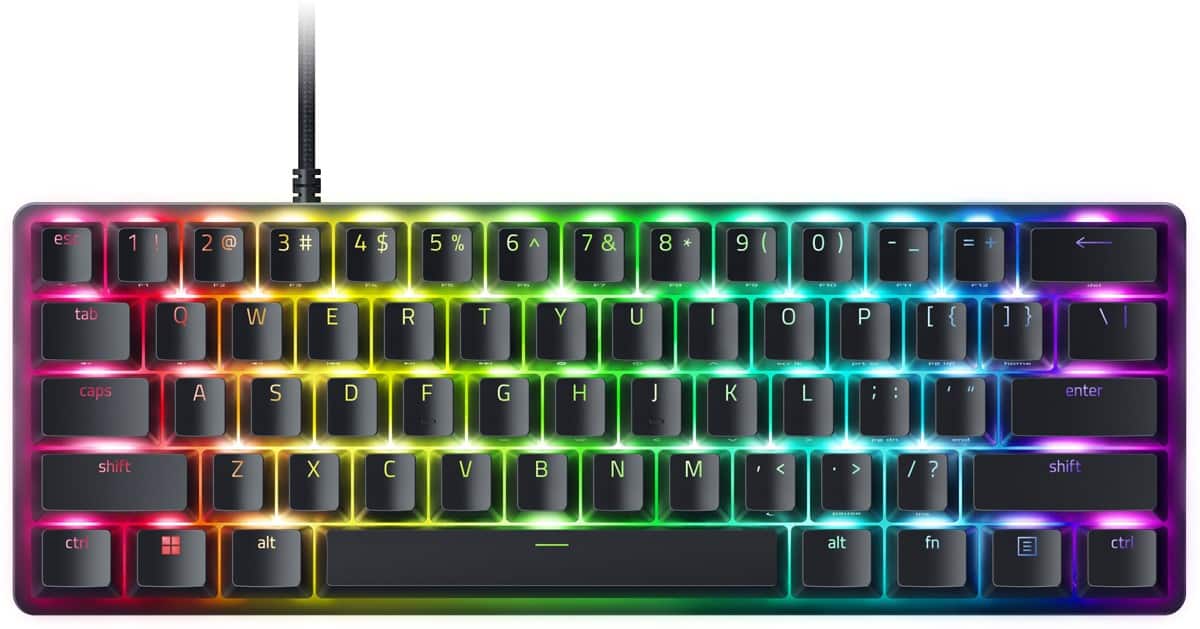
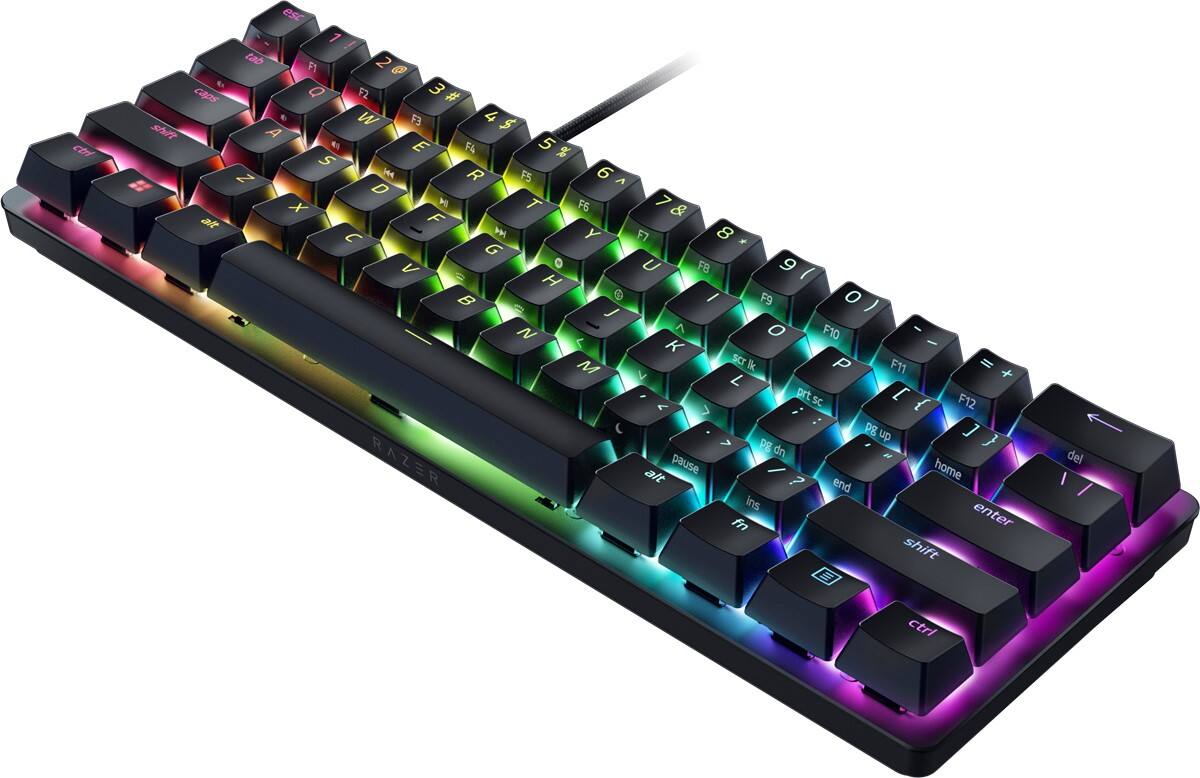
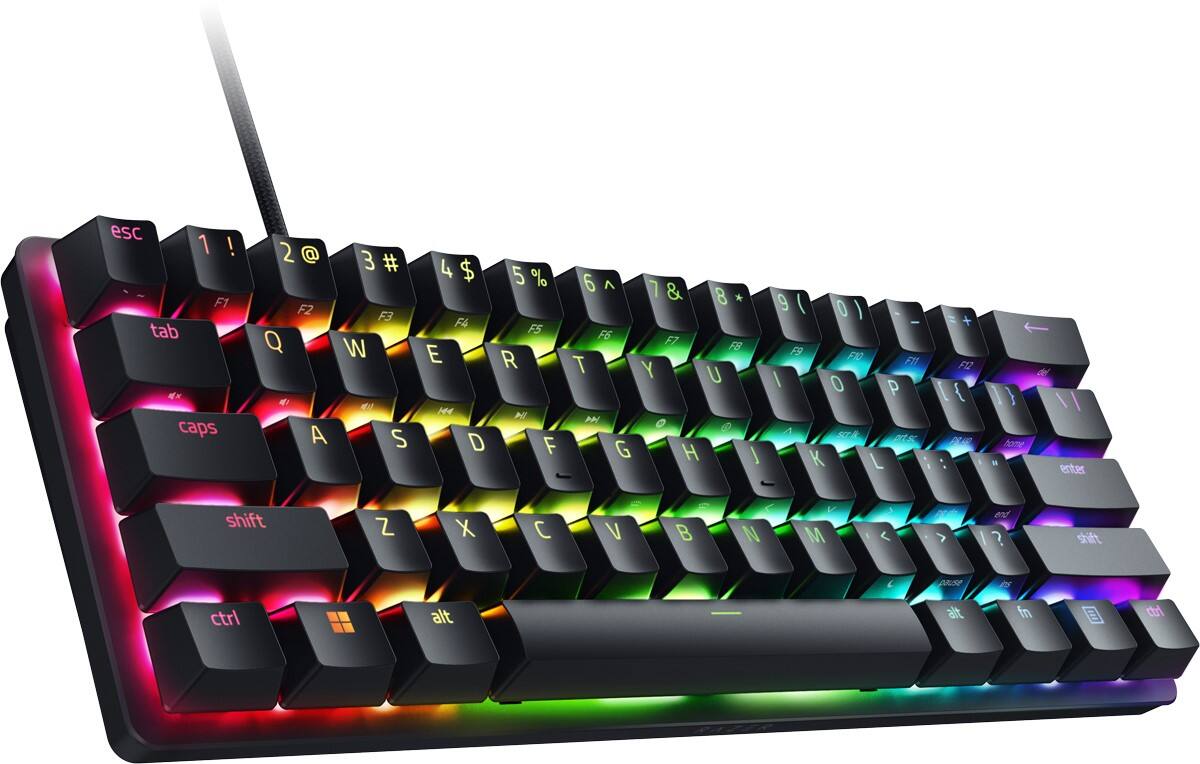
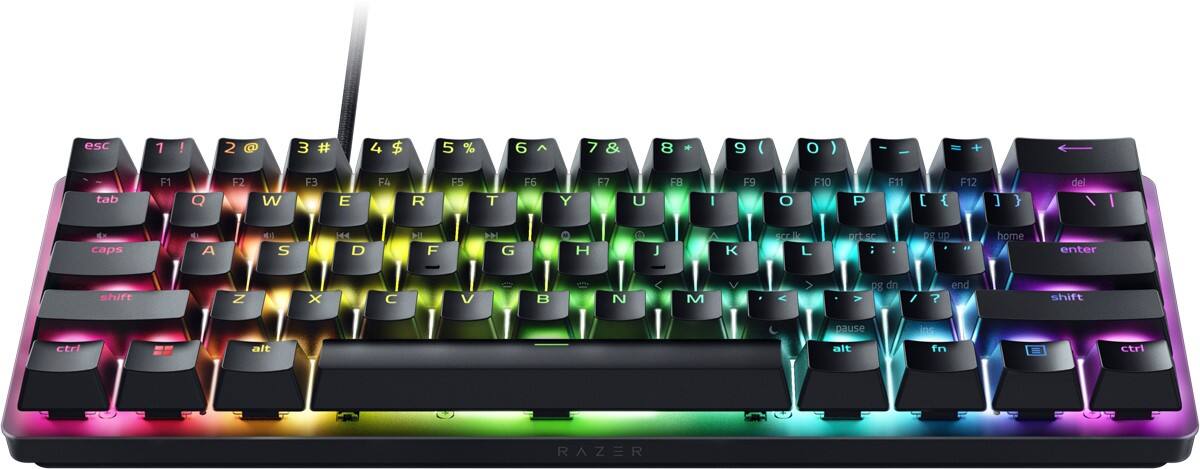
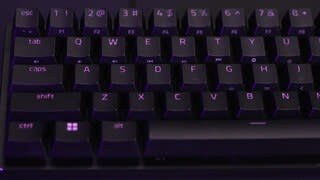
- Model:
- RZ03-04340200-R3U1
- SKU:
- 6496584
Rating by feature
- Value
Rating 4.7 out of 5 stars
- Quality
Rating 4.9 out of 5 stars
- Ease of Use
Rating 4.7 out of 5 stars
Customers are saying
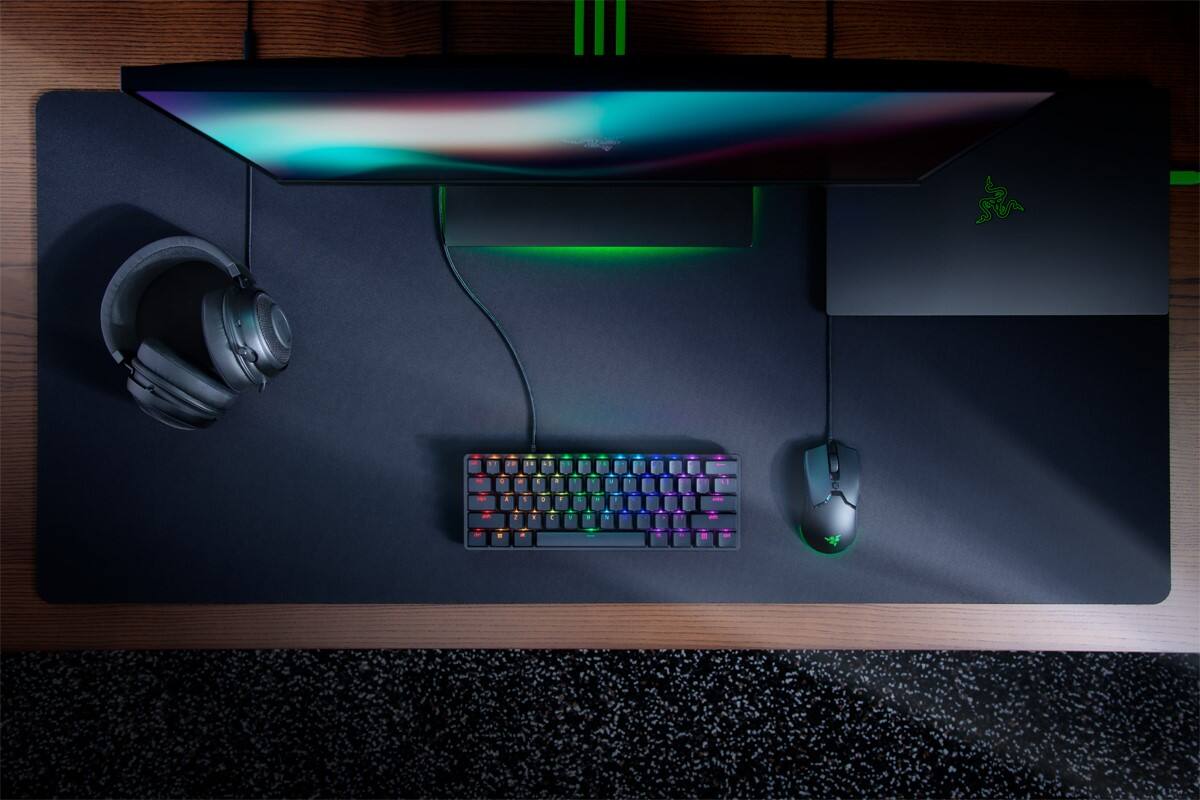
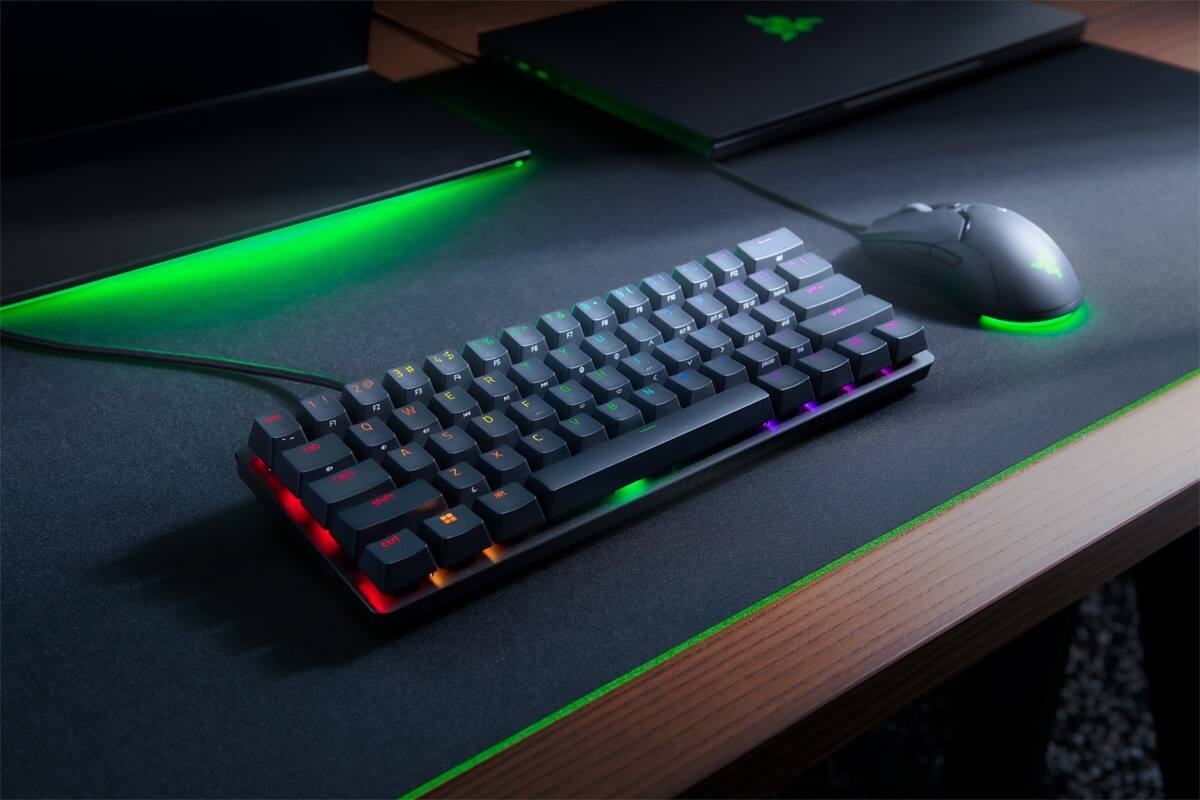
Customers regard the Huntsman Mini Analog keyboard's compact size and satisfying key feel as significant advantages, praising its robust software customization options and vibrant RGB backlighting. While the placement of function keys is a common point of feedback, many appreciate the keyboard's overall value and the high-quality PBT keycaps. The customizable lighting and ease of use are frequently highlighted as positive aspects.
This summary was generated by AI based on customer reviews.
- Pros mentioned:Keyboard size
Great for a small desk set up
||Posted . Owned for 1.5 years when reviewed.This reviewer received promo considerations or sweepstakes entry for writing a review.Great for a small desk set up. Lots of customizability. Razer app has some issues as far as keeping settings between updates. 4/5
I would recommend this to a friend Good, but not great
||Posted . Owned for 2 months when reviewed.This reviewer received promo considerations or sweepstakes entry for writing a review.If you want to buy this because of the custom actuation point or you're a Razer fan, get it. Compared to a custom keyboard, it's somewhat faster and more responsive, but the feeling and typing experience is just too far off.
I would recommend this to a friend- Pros mentioned:Keyboard sizeCons mentioned:Function keys
Awesome 60% Keyboard!
||Posted . Owned for 5 months when reviewed.This reviewer received promo considerations or sweepstakes entry for writing a review.Relly nice 60% keyboard, I still have yet to use the analog function but I can't see myself going back to a fullsize keyboard. I think the only buttons I really miss are the arrows which you can still use by holding down the "Function" button. Overall really happy with this purchase and can't wait to see future iterations on this keyboard.
I would recommend this to a friend - Pros mentioned:Keyboard size
Good if you can get on sale
||Posted . Owned for 1 week when reviewed.This reviewer received promo considerations or sweepstakes entry for writing a review.Got it on sale for 80 dollars. Good keyboard for thr price, good quality, cant complai
I would recommend this to a friend - Pros mentioned:Price
Razer keyboard
||Posted . Owned for 4 months when reviewed.This reviewer received promo considerations or sweepstakes entry for writing a review.It’s a great keyboard with a great price. I love it
I would recommend this to a friend Keyboard
||Posted . Owned for more than 2 years when reviewed.This reviewer received promo considerations or sweepstakes entry for writing a review.Grandson loves it, still working great.anyone would love it
I would recommend this to a friendgood mini keyboard
||Posted . Owned for 3 weeks when reviewed.This reviewer received promo considerations or sweepstakes entry for writing a review.super compact and fast, lots of customization options too. takes up little to no space on small desks.
I would recommend this to a friendSmall Keyboard
||Posted . Owned for 1 month when reviewed.This reviewer received promo considerations or sweepstakes entry for writing a review.Small keyboard so that I have more mouse space for gaming.
I would recommend this to a friend- Pros mentioned:Keyboard size
LOVE THIS
||Posted . Owned for 2 weeks when reviewed.This reviewer received promo considerations or sweepstakes entry for writing a review.Best keyboard. So many functions to enchance your gaming techniques.
I would recommend this to a friend Buy it.
||Posted . Owned for less than 1 week when reviewed.This reviewer received promo considerations or sweepstakes entry for writing a review.Great keyboard it has a lot of features and I would say the switches feel great and responsive I still think the mini liner red switches feel faster IMO the sound damper inside the keyboard makes no difference it is a loud keyboard so keep that in mind.
I would recommend this to a friend- Pros mentioned:Keyboard size, Keycaps, Software

A 60% that works extremely well!
|Posted .This reviewer received promo considerations or sweepstakes entry for writing a review.The Razer Huntsman Mini Analog is a mighty little 60% keyboard. 60% keyboards eschew all but the most necessary keys, hiding the more advanced functions behind Fn modifiers. These means 2 things: these are the smallest full sized key keyboards by far, and these require chords of keys to accomplish many normal functions that you might be used to. Is this keyboard for you? Are Razer’s analog switches any good? Read on! Essentially Razer’s analogue keys feel like a mechanical “red” style switch. This suits their analog nature quite well. What exactly is an analog key switch? Well, it’s a switch that responds not with a simple on or off, but a range of activation. For instance, the Huntsman lets you set two distinct actions for various depths of a press, or even to bind the WASD quad to the left joystick on a controller (which works surprisingly well). This is a huge differentiator for Razer, as optical analog keys are still a pretty unique feature. So in practice what does this 60% bring to the market vs others? Well, having owned a few 60% keyboards, I can tell you, I can’t get used to the Fn key’s location. I find 60% keyboards practically unusable because of it, as I use a lot of keys and combos in daily use. The allure of a 60% keyboard is the amount of desk space you can save, which is naturally ergonomic. Sure a TKL brings a lot of those benefits with very little compromise, there’s nothing smaller than a 60% keyboard. The ability to remap the Fn to another key is paramount to me for usability. The good news is you can remap the Fn key to caps lock, which is the perfect use of caps lock. You get a nice wide key, and it’s off hand of many of the functions (as most are associated on the right hand). Speaking of, I love that the arrow keys are aligned with IJKL. Some other 60% I’ve had move them one key to the right and I find that awkward to align. Being able to hold caps lock and use the arrow keys from home row is so natural and quite easy for me. I’m a software engineer, so being able to use arrow keys + Alt to navigate by words is huge, and this keyboard aligns very well with that. PGUP/PGDN and Home/End are were things get a bit dicey (moving all the way to ] for Home), but the core keys are very accessible and I’m sure I’ll adjust quickly. It is surprising how fast you adjust to having most of your functions on home row - which is the beauty of a 60%. Now, the keys, like stated before, are similar to mechanical Red in feel. The keycaps are PBT, which provides an excellent feel and durability. These won’t shine or look greasy in a month or two. Backlighting is superb - with per key control and layers. Honestly, I feel like it looks great in Razer Green, but obviously RGB per key is here. Software to configure these features is surprisingly good. Razer Synapse was once kind of a joke, but it’s come a long way, and its ability to configure hardware is on par with other manufacturers. It no longer supports MacOS, so keep that in mind if you’re a Mac user. I have a KVM setup, and I can easily configure the keyboard in Windows, and have a majority of settings carry over. I like knowing that key assignments are hardware and not software based (for instance the Caps Lock assignment I talked about carried over perfectly) is comforting and shows the level of maturity Razer brings to the table these days. So back to the real differentiator on this keyboard: Analog switches. Are they worth the premium? I think that’s a relative question. While you can emulate (very easily) the left hand joystick to the WASD cluster, keep in mind, this requires a soft touch. Overall the analog control is an interesting idea. I used it to play Dark Souls 3 and Elden Ring, and I was surprised at how easy it was to modulate the keys. That said, it was an adjustment. In games like Flight Simulator, it does bring a degree of control you won’t get from a standard keyboard. This does beg the question, why not just buy a controller, because the keys aren’t quite as intuitive. Finally, is it worth the extra cost over the Hunstman Mini non-analog? I think that’s up to you. The analog switches bring a very unique feel and unique capability. Having that option of both dual function and analog joystick is a nice to have. Overall the key feel and capabilities are unique. The execution of the keyboard is top notch, and I’m a huge fan of what Razer has done with this keyboard. Highly recommended.
- Pros mentioned:Keyboard size, Keycaps, Software
Awesome, Compact Gaming Keyboard
|Posted .This reviewer received promo considerations or sweepstakes entry for writing a review.The Razer Huntsman Analog 60% wired optical keyboard is great. If nothing else, pressing the keys is so satisfying due to the analog switches. The compact size is great for gaming, especially when you need extra space for a large mouse, drinks, and snacks. The Razer Huntsman achieves its small size by eliminating the numerical pad on the right-hand side of the keyboard, as well as the function keys across the top. While I use these a lot for work, I am happy to not use the extra space for these keys when I am gaming and don't need them. The backlighting for the keys is awesome, it looks amazing without any tweaking, however, you can establish a different color for each key, if you want. This can be great for when starting a new game in which you are not familiar with the keyboard layout. Finally, the Razer Synapse software allows you to remap any key, meaning that the lack of a numerical pad of function keys should never be an issue. This is a great addition to any pc gaming setup, and can even be used on home gaming consoles, if they support a keyboard.
I would recommend this to a friend - Pros mentioned:Keyboard size, Rgb backlighting, Software
Mini But Powerful For Gaming
|Posted .This reviewer received promo considerations or sweepstakes entry for writing a review.If you are looking for a small compact keyboard, then this one might just be for you. This keyboard is well built and the aluminum casing makes this keyboard lightweight. It is a bit higher than some keyboards I have used, but I like that and it feels comfortable. The cord is a bit long, coming in at around 5.5 feet. I feel the long cord makes up a bit for it not being a wireless keyboard. It is RGB backlit which makes it easier to see in the dark for an added bonus. This keyboard has analog optical switches for the keys, which allows for a full range when you depress a key. There is a learning curve to this keyboard if you assign two functions to a single key. You will press down half way on a key for one function and all the way down for the second function. Since this is a mini keyboard, some keys (that I consider mostly unessential) will be missing from it, number pad, up and down arrows, etc. This makes assigning two functions to a key essential for the missing keys you do use. You will need to install the Razer Synapse app onto your computer to customize key functions, the different lighting effects and to create different profiles for your games. You can save up to 5 profiles to the keyboard itself and use the keyboard on different computers that do not have the app installed. In all this is a good wired mini gaming keyboard. It works with all the different games I have used it for and after assigning two functions to a key and getting used to it, I really like it and would recommend it.
I would recommend this to a friend - Pros mentioned:Keyboard sizeCons mentioned:Function keys
Small in size big on performance
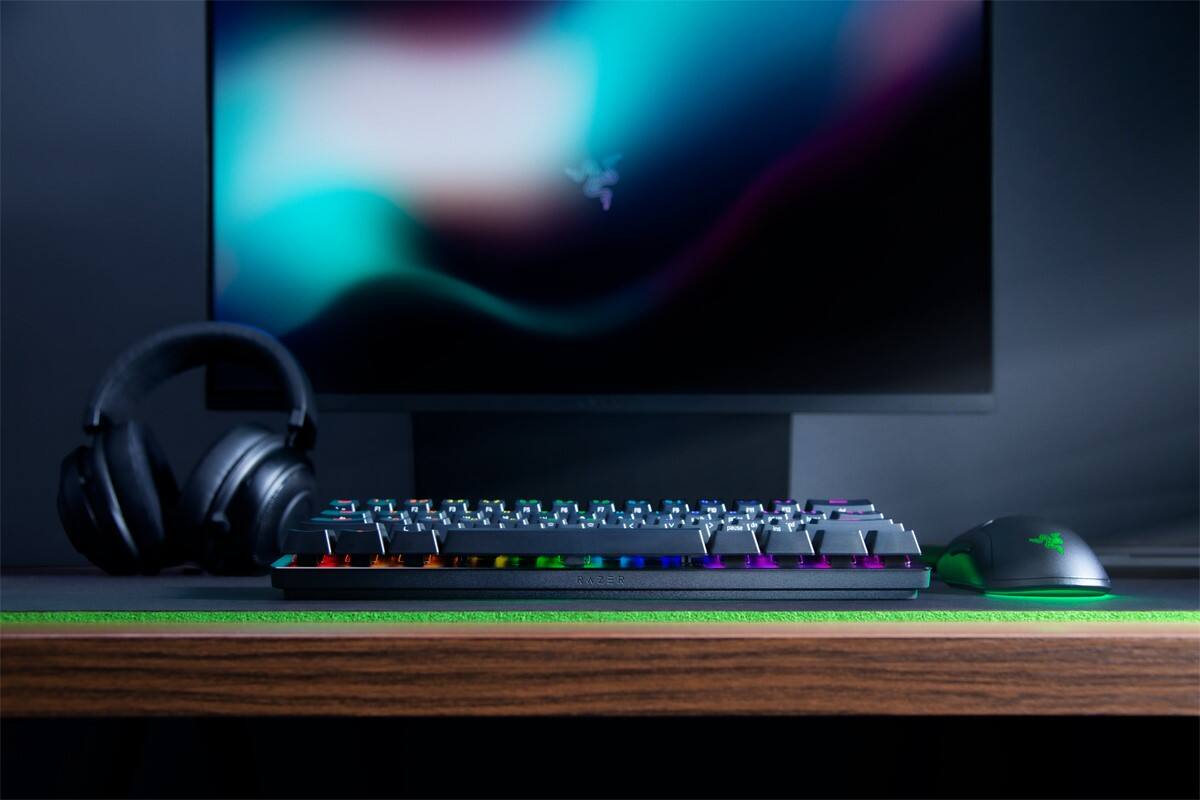
|Posted .This reviewer received promo considerations or sweepstakes entry for writing a review.First thing you notice is how small the keyboard really is. When you go lace it in front of the 34 In gaming monitor it looks tiny. The second thing you’ll notice is how sturdy it actually is, while the small makes it look a bit cheap the feel of the keyboard says anything but that. It’s a solid well built keyboard that will standup to the wear and tear of me banging on it even when I just died - at least in the game. The tactile feel of the keys is very good and the click is great for gaming. A bit distracting for school work but as I said great for gaming. As for the software and customizations - if you’ve had one of these before it the same however if it’s your first time a YouTube video or tow should do the trick. I’ve used razor keyboards before and this replace the previous version that I been using for a year or so. That said I know there are improvements to the previous version however they don’t seem to jump out in use. Bottom-line is that if you have the previous versions and it works well I wouldn’t rush out to pick this one up however if your in the market for a new one would not hesitate to pick up one of these - you won’t be sorry.
I would recommend this to a friend - Pros mentioned:Keyboard size, Rgb backlighting
The exact audible keystrokes we were searching for
|Posted .This reviewer received promo considerations or sweepstakes entry for writing a review.My son is primarily a pc player and has been asking for a gaming keyboard. Everything he wanted is what this keyboard posses. The main thing he wanted was the audible clicks from the keystrokes. They aren't too loud. Its a compact size and very comfortable. There are certain games on Roblox that he seems to have trouble being able to use the keyboard with. It seems to act as a controller vs the act keyboard. Otherwise it does work as expected. With the games we frequently play. It has the usual customization of the colors. Being able to change these colors and save it as a customize. You can do a solid color or patterns such as waves. The main game that seems to act a console controller with is on Roblox. Its an anime style game. My son's top favorite game to play using this keyboard is Minecraft which he feels has a much faster keystroke to what he would typically be using. So overall it has replaced what we previously had. It was worth the change and I do plan to stick with this particular brand for gaming accessories.
- Pros mentioned:Keyboard size
Great gaming keyboard
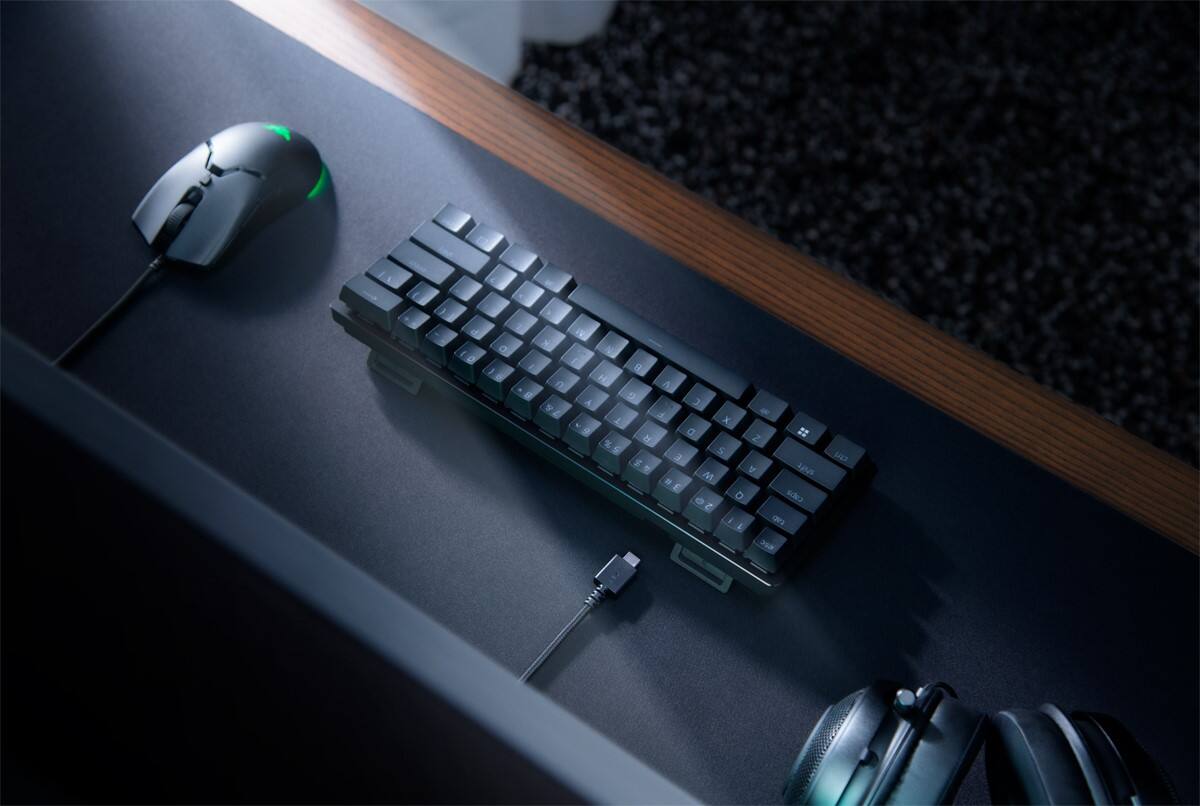
|Posted .This reviewer received promo considerations or sweepstakes entry for writing a review.I got the opportunity to review this keyboard and try it out. My setup is usually a laptop and we all know laptop keyboards are. They are good but not close to what people can use externally like on a desktop PC. I've used various Razer products in the past and figured I'll try this keyboard as well since I want to use my laptop on a TV Inside the box you get the keyboard itself , manuals and a USB type A to USB type C cable to plug the keyboard into the computer. The USB type C goes into the keyboard and the Type A goes into the computer. I would wish it would just use USB type C because that's the future but most gaming laptops will have a USB type A port and desktops will anyways. Anyways this keyboard is very minimal and very portable as well. It forgoes the Function row and the num pad. It is analog optical switch keyboard which is nice as well. Much better feel then on a normal laptop keyboard. Inside the Razer synapse software you can change the actuation points with the key caps so it can have a different feel if you want to make it easier. I just leave it on default. I like this keyboard but I just wish it got rid of the USB type A plug
I would recommend this to a friend - Cons mentioned:Function keys
Great for Gaming, not so much for everyday tasks
|Posted .This reviewer received promo considerations or sweepstakes entry for writing a review.Disclosure: I have received this product for the purpose of this review. First impression of the keyboard is it is tiny. Cute is the word I would most use to describe it. However, don’t let the small form factor trick you, this thing is built to last and feels very sturdy. The box that it is packaged in is smaller than the standard 10-keyless keyboard that I am currently using. With the loss of even more keys the device shrinks even more. This is great for those gamers that also have work to do at their desk. I have used all types of keyboards since getting my first computer many years ago and have come to appreciate mechanical keyboards the most for their feel and function. I am not a big fan of membrane keyboards. Personally, the feel of these keys is not my style, they lack tactile feedback. This keyboard feels as if it combines the two types of keyboards in one. Right out of the box it has the look of a mechanical style with the touch sensitivity of a membrane style. This is a nuisance for those who are used to having to press the key all the way down to achieve an action. These keys are not that way; however, you can adjust the action of the keys with the software that is included on the firmware of the keyboard. The software allows you to set the actuation height (in millimeters), which sets the feel of the keyboard and allows a more responsive keystroke a higher actuation height. That aspect is particularly helpful in the gaming arena. When used to general typing it feels better to me to set it at a further key travel before it responds to the key press. The actuation level can be set per key or across the entire keyboard so you can have it setup to have the most common keys used in a particular game set to a fast actuation and save it as a profile for that specific task. The software also allows you to set the RGB lights to quite a few variations for the backlights of the keys. I am sure that the RGB lighting can be fully customized as well. I have not fully gone thru the software for its truest potential. Overall, this keyboard is cool and if you have space issues when gaming this would be a great 10 keyless design. For normal day to day tasks this is not meant to be used for that purpose solely. Shrinking a normal 10 keyless design to fit in the footprint of a main key layout has it advantages and disadvantages. Learning how to use all the F-keys and other keys that are set to double duty keys can be a challenge. I think Razer tried to do too much on a keyboard as far as functionality. They didn’t really need to include a way to control media.
I would recommend this to a friend - Pros mentioned:Rgb backlighting
Portable working, or so it seems
|Posted .This reviewer received promo considerations or sweepstakes entry for writing a review.Not allowed to show and tell about this, I feel like the one place that you might miss the boat is this would be so much cooler. If it came with a wireless USB connector from the keyboard to your device. It is cool that it's a tiny keyboard and if you can type one-handed it is a really cool keyboard to have. The cord is plenty long so you can still get up walk around holding it. Just that depend upon how you walk. You got to watch your steps and make sure not to get tripped up on chord. Obviously this keyboard has the RGB lights in them. It looks like the keys are interchangeable so if you found interchangeable keys that are appropriate for this keyboard size because they're very tall and close together, they appear to be interchangeable. I haven't given up hope on that wireless thing and I'm looking for interchangeable keys now cuz that's the only thing that would make this thing even cooler. I have any recommend this and I hope I find those other attachments to make this that much cooler.
I would recommend this to a friend - Pros mentioned:Keyboard size
Solid Gaming Keyboard
|Posted .This reviewer received promo considerations or sweepstakes entry for writing a review.The Razer Huntsman 60% gaming Keyboard is a great choice for any gamer. The smaller size allows for more mouse pad space while playing first person shooters. This is one of the main benefits of using a smaller keyboard. You get just the keys you need for gaming which allows for a wider area of movement for games like Fortnite, Warzone, Valorant etc. A main issue I had while playing these games, was that with my lower sensitivity settings, I required more mouse pad space for aiming and other movements. The keyboard itself is great, high quality and I have enjoyed using it so far. It is really a no-frills keyboard. There is no media bar or other controls. It does what it needs to do, and it does a good job. Using the Synapse software, you can customize various settings and RGB colors. This software has always worked very well for me, and it is east to use. Overall, I really enjoy this keyboard. It’s simple, well made and does what it needs to do. If you’re looking for a smaller keyboard to maximize your space, you should certainly consider the Razer Huntsman!
I would recommend this to a friend Nice mini keyboard
|Posted .This reviewer received promo considerations or sweepstakes entry for writing a review.I've had a kind of strange(?) experience with this keyboard. My initial impression upon unpacking it was positive as it seems high quality and sturdy as are my other razer products. Seems quite small compared to most keyboards, it's a 60% size but the keys are full sized and comfortable for typing. I like the smaller size which frees up a lot of deskspace and looks good. It eliminates dedicated keys for the less used keys but still gives access to them with the function key. (F1-F12, arrow keys, multimedia keys, plus a few others are accessed with the function key.) Uses a standard usb-c connector at the keyboard and comes with a usb-c to usb-a cable. I just used the cable from my old keyboard which was already connected and is the same type. I immediately went to their website to download the manual though it does come with one my eyes tend to have trouble reading the tiny print. Ok so far. That's when the strange part began. It seemed that some of the function keys were sometimes inconsistent and had unexpected results. Maybe I just wasn't used to it yet? I noticed they had a firmware updater so I tried it but it wouldn't work. It appears to be a generic huntsman updater and maybe not for this specific one. It's the "analog" one which is a plus but makes it different from the other Huntsman mini keyboards. More about that later. Oh well, it's pretty new so maybe there's no updates out yet. So I decided to try it with my current favorite game Forza Horizon 4 for pc. The game would start to load then suddenly kick me out to the windows desktop. I tried it several times with the same result. I hadn't had this problem with my old keyboard so I switched back to the old one and the game ran fine. Strange that a gaming keyboard would prevent me from playing a popular game. I had installed the driver for the keyboard. I began to dislike this keyboard and doubted whether I would use it. I decided to try it with my older computer with other games and it seemed to work fine. So I gave it one more chance with my newer computer and horizon 4 and guess what? It suddenly worked. I don't know why but now it works great. Perhaps some sort of updates occurred in the background. I do use a xbox/pc controller for the game which is also from razer. So now I like it again. The basic functions and lighting can be controlled without installing razer's synapse software but for full control you'll need to install it. The analog function is a nice addition which allows you to adjust the sensitivity or assign dual functions to a key depending on how far it's pressed. It also allows the keys to emulate a controller with some variation based on how far you depress the key all on per key settings. Keyboard remapping and macros as well. Apparently no per key lighting which would be nice but there are several nice lighting effects. Not a clicky keyboard so not a lot of tactile feedback but I suppose that's because of the analog feature. They do offer a clicky type without the analog. Also the standard size keytops can be changed with others though none included. If not for the lack of per key lighting and the initial issues I experienced I would easily give it 5 stars. It seems like a high quality keyboard with a great feel for gaming and general use which should last a long time.
I would recommend this to a friend