Customer Ratings & Reviews
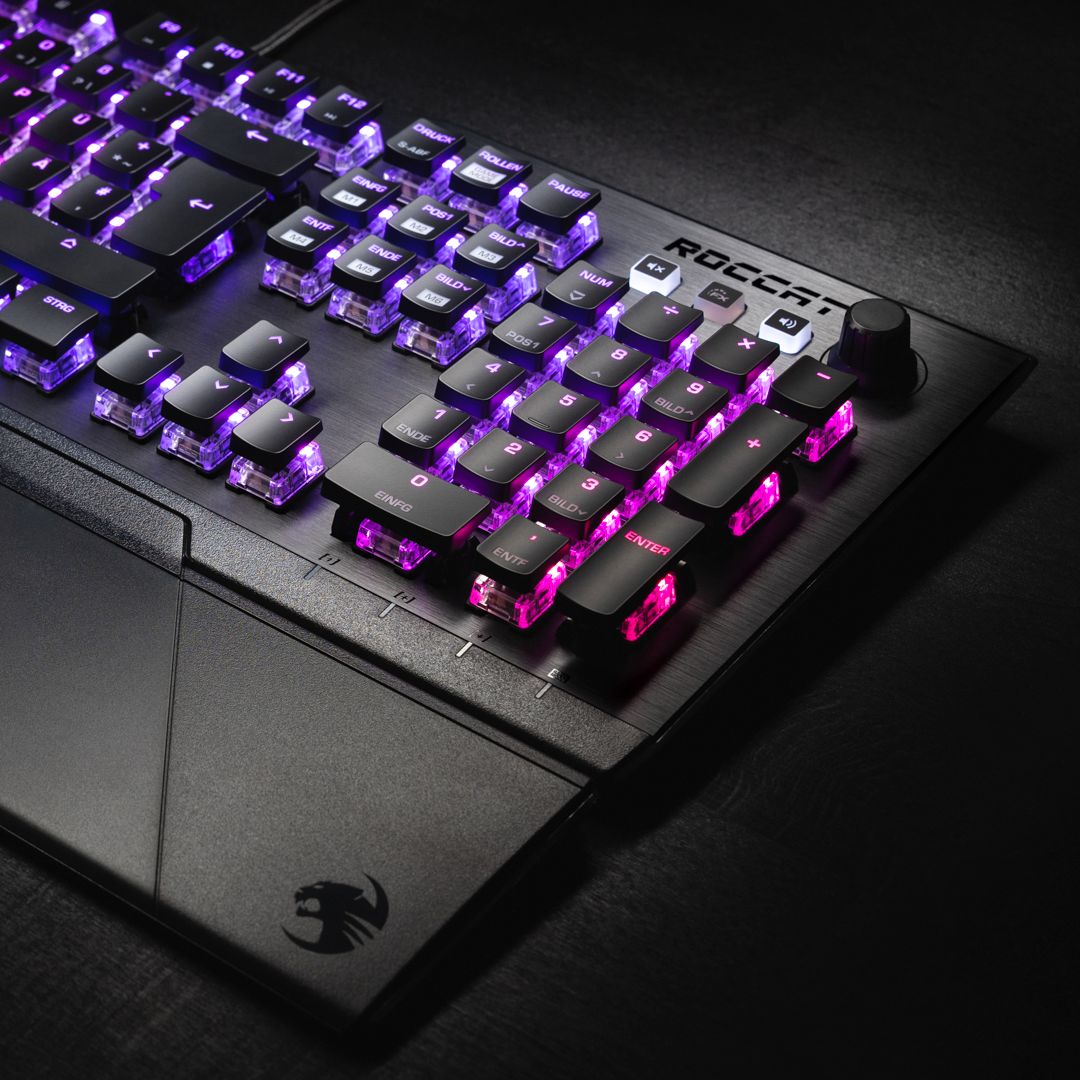
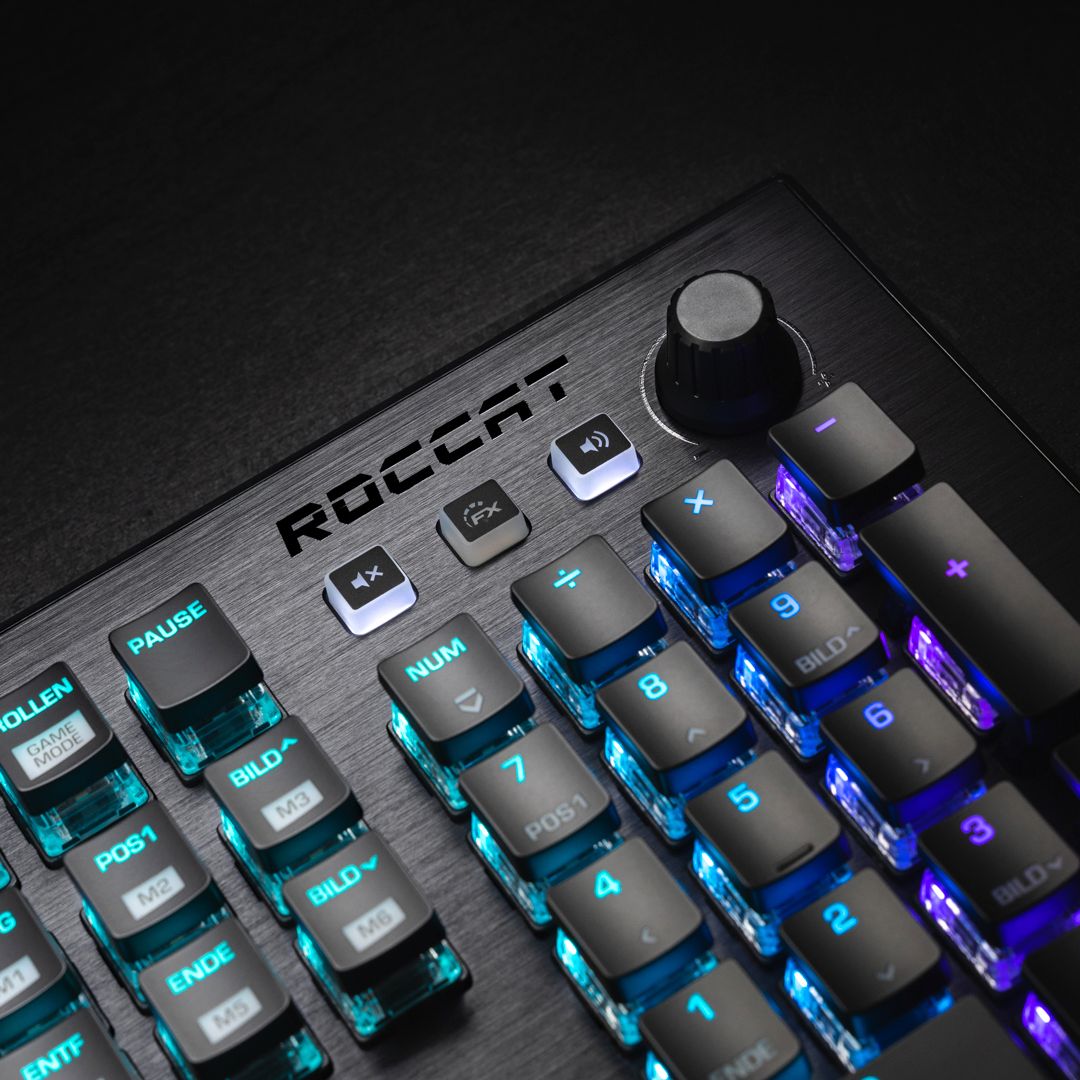
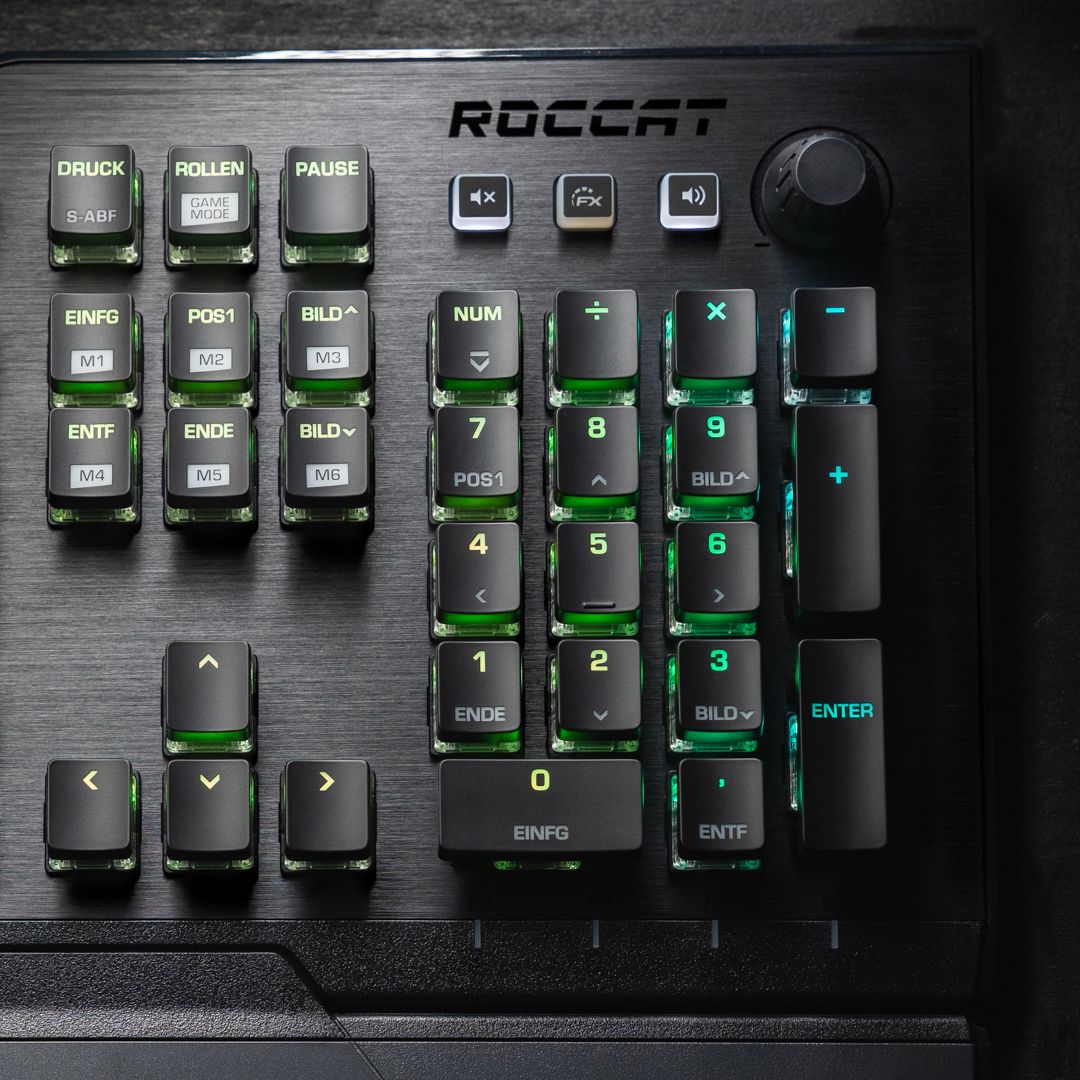
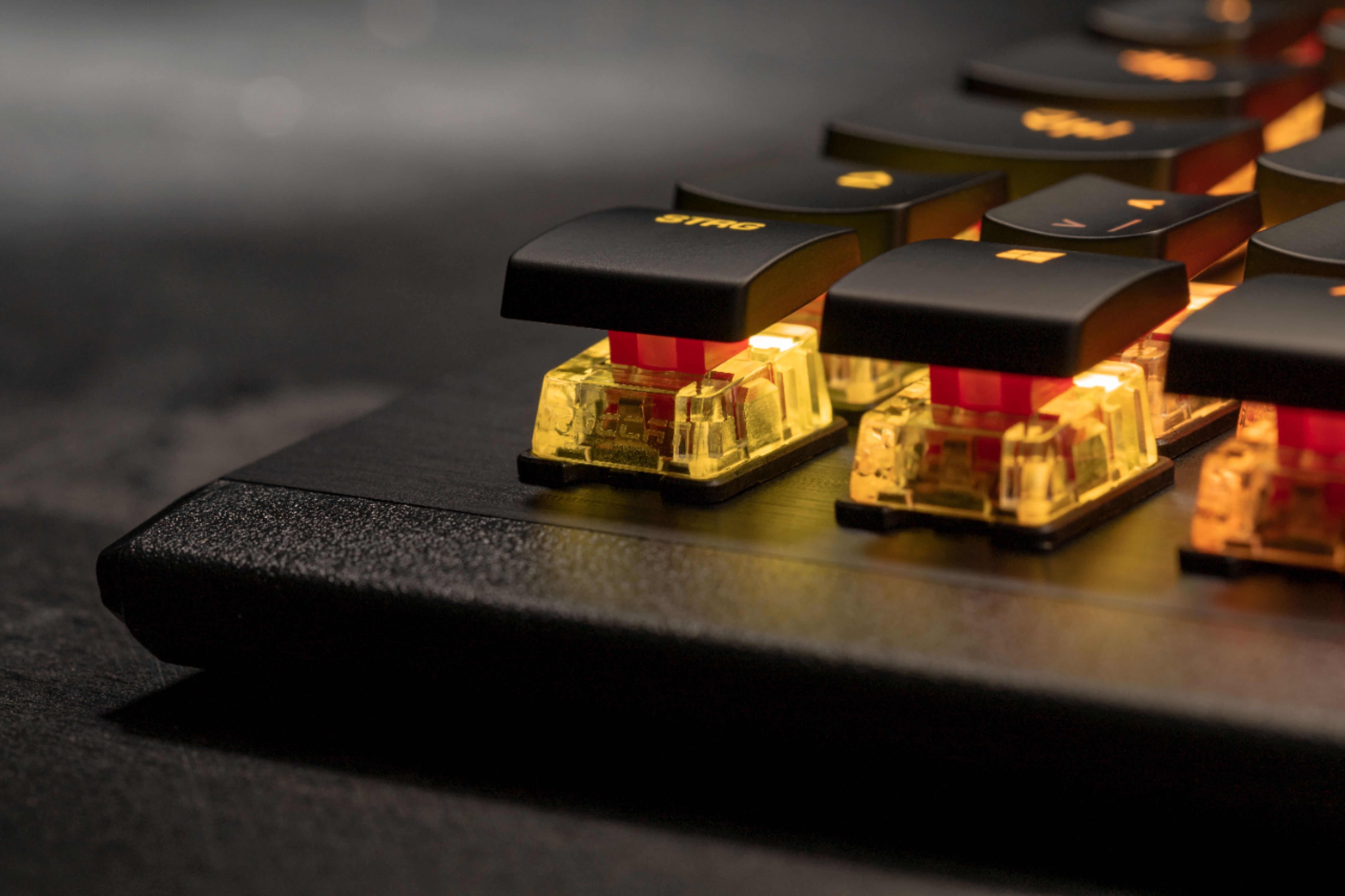
- Model:
- ROC-12-671-RD-AM
- SKU:
- 6376745
Rating by feature
- Value
Rating 4.6 out of 5 stars
- Quality
Rating 4.8 out of 5 stars
- Ease of Use
Rating 4.8 out of 5 stars
Customers are saying
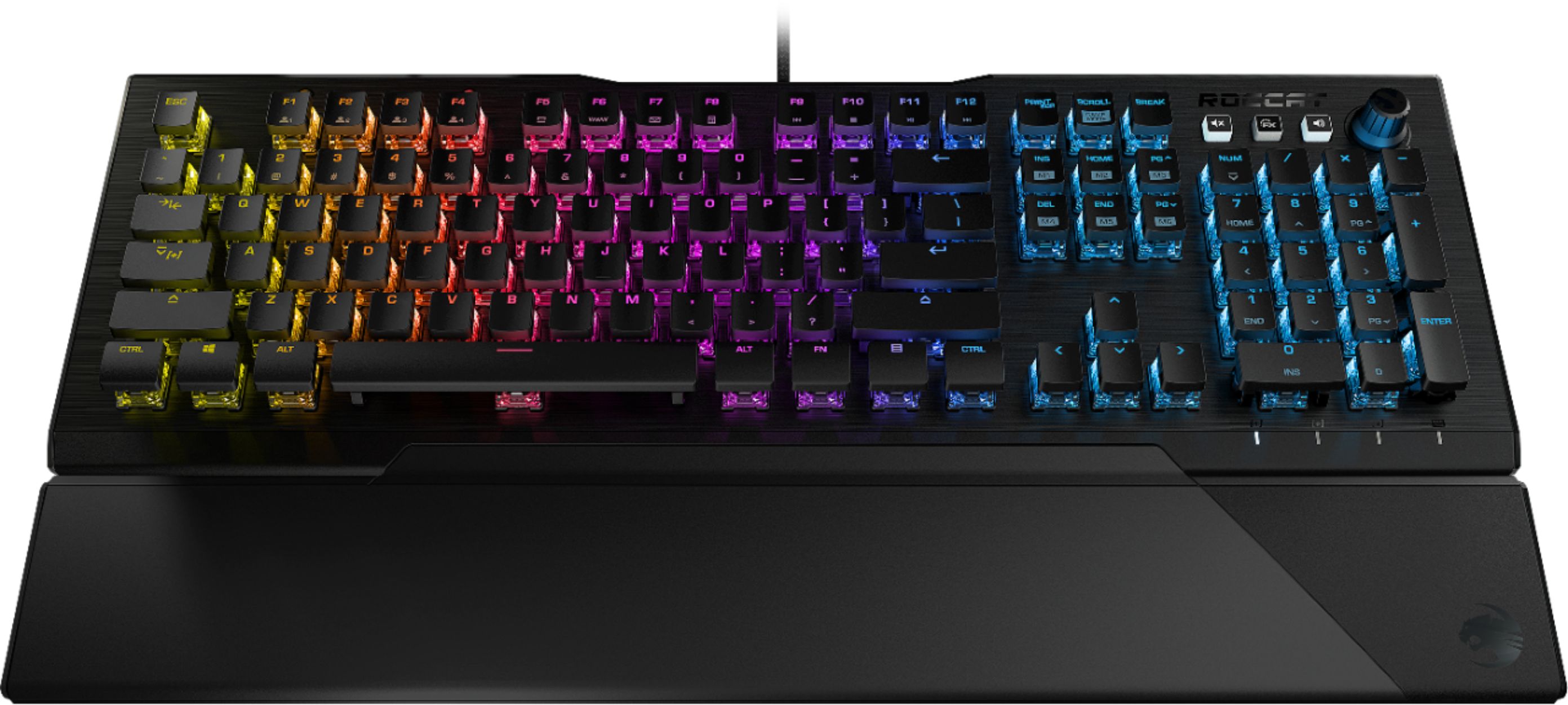
Customers are enthusiastic about the Vulcan 121 RGB keyboard's high-quality build, responsive keys, and customizable RGB lighting. Many appreciate the included wrist rest and the intuitive software for personalization. The smooth typing experience and easy setup are also frequently praised. Positive feedback highlights the keyboard's overall ease of use and satisfying features.
This summary was generated by AI based on customer reviews.
- Pros mentioned:Keyboard quality, Lighting, Rgb lighting

Color me impressed…!!!
|Posted .This reviewer received promo considerations or sweepstakes entry for writing a review.============================= >>>>> Bottom Line Up front: <<<<< ============================= I’m definitely not new to world of gaming keyboards – let alone the world of “everyday” keyboards to say the least. I pretty much rely on keyboard to make my living. After using the Roccat Vulcan 121 AIMO keyboard as my daily driver for a week now, it has left me with a new found respect for Roccat products. It really has me wondering why I haven’t given one of their products a solid run a good long while now. Roccat may not be as “synonymous” as some other companies that may come to mind when you think the word “keyboard” – however they deserve honest consideration alongside the more “commonly known” brands … especially after my time with the Vulcan 121 AIMO at home. The Vulcan 121 has enough RGB to give you the holiday “feel” year-round if that your deal, and thanks to its minimalist keycap and overall design – you can still pull off of an ”all business” approach if that is more your style. This is all made possible through highly customizable feature sets that you tune to your liking through the Roccat Swam software, but I must admit… the Swarm software could definitely use some more work to make it “easier to use” and “prettier” to look at – especially compared to the competition in the market at this price – but not in anyway that seriously hurt the functionality or appeal of this great keyboard. =============================================== >>>>> Detailed Observations after a regular usage: <<<<< =============================================== Over the past week I used the Vulcan 121 AIMO to help tackle my daily development and debugging work in the daytime hours, alongside my FPS and space shooter addictions in the darkness of night. Needless to say, the Vulcan handled all of that with ease and often times had me forgetting I wasn’t gaming on my normal $200 gaming dedicated keyboard that it was replacing. That is saying a lot, in my book - since I am always trying to find “the one” keyboard that can handle both business and pleasure sides of my daily routines – I end up trying/going through A LOT of them. To be honest, I was pretty happy with my previous one I was using (rhymes with shmorsh-mair) … up until now. Roccat isn’t exactly new to the gaming keyboard and peripherals scene, and they have even sponsored some pretty popular E-Sports players and gaming tournaments from time to time – in case you didn’t already know. So, they definitely no a thing or two about what gamers are looking for and want in a product. I’ve personally known some good friends to have purchased and owned some of their products over the years and all of them were regularly happy with whatever Roccat product they were using. As I said before, I never really gave them a chance until now. Traditionally, I have always preferred “mechanical” Cherry MX “Brown” switches - primarily for their increased actuation pressure/weight which helped me to reduce errors and balance speed and accuracy for my typing style. While those MX Browns were better for typing in use, they weren’t necessarily the “best” when playing games. I have always been a little leery of “custom” or “in-house” key switches – particularly ones that were not “mechanical” – but let me tell you how impressed I am with the Vulcan’s “Titan” linear switch…I caused me to reverse what I previously though a “linear speed” speed switch should “feel” like. The closest mainstream switch I could compare the “Titan speed” switches in this Vulcan 121 AIMO - is to the Cherry MX “Reds” – both in actuation pressure and overall “speed feel” as I went about my daily duties in my documents/terminal screens. I think a portion of that can be attributed to the “curved” or angled keycaps of the key design, in addition to the accuracy of the Titan switches registering the inputs as well. Having owned/still own several Cherry MX Red keyboards, I never preferred that particular switch because I often found myself “double tapping” a key or making more errors in my typing that I would like. It was one of the reasons I opted to settle on a Cherry MX Brown switch-based keyboard in the first place – HOWEVER - when I compare this Vulcan 121 AIMO with the “Titan Speed” switches in this model to my older keyboard - I was pleasantly surprised at how different they felt to me. With the Vulcan, I still find myself typing around 65 words per minute AND maintain my typing accuracy at the same time. I felt that I was getting amore “responsive” feeling back compared to the Cherry MX Browns. I suppose that is in part to the mechanical versus linear switch differences of the two, however the fact that the “Titan Speed” switches can provide me with the similar benefits of the Cherry MX Browns while simultaneously offering similar key stroke accuracy and improved perceived speed – I’ll take it. Maybe its just my previous experience with other linear switches, but the “Titan Speeds” seemed to be a little on the noisier side than I would have though, however they are nowhere near as loud as my previous keyboard with the MX Cherry browns. Arguably the most important part of this review is the Food Processor’s actual performance. I started with a nice homemade salsa recipe to see how the “multi-use blade” would handle the mix of whole Roma tomatoes, red onions, and garlic cloves along with soft leafy cilantro and canned jalapeno peppers. Sadly, it didn’t turn out as well as I’d hoped – I wound up basically liquefying the first batch as I was adjusting to the learning curve/speed/sharpness of the multi-purpose blade. I’ll chalk that up to mastering the digital pulse button on the Ascent 3500 in addition to underestimating the cutting/chopping power of it (especially compared to my old inferior/dull unit). Fortunately, armed with that knowledge I expertly was able to produce the creamiest guacamole I have ever made at home thanks to this attachment! Personally, I think If you’re a hardcore MOBA player, or like having 25+ customizable macro/FX keys on your deck – you may find the Vulcan 121 AIMO a little lacking. It does cover the bases with its dedicated media/lighting keys in the upper right-hand corner, and by adding a “Game Mode” hot key functionality with the INS/HOME/PG UP/PG DOWN/DEL/END keys - however I wouldn’t exactly say its class leading or revolutionary in any way. As I just stated, its not the most elegant solution, but it works for the most part. Personally, I don’t use macros much so it’s not an issue for me and I appreciate the slimmed down/no nonsense approach to styling that comes as a result of the Vulcan not having a million and one extra keys that I don’t regularly use. ========================= >>>>> Closing thoughts: <<<<< ========================= All in all, I was really impressed with the Vulcan 121 keyboard. Roccat’s “Titan Speed” switches really changed my perception of linear switches, and they have been delivering reliable and smooth key actuation flawlessly for a week now in everything that I do. The Vulcan 121 does so many things right, it’s hard to find faults unless I find my self knit-picking things. From its aluminum clad keyboard deck, customizable polling intervals, thoughtfully designed “magnetic” wrist rest (other competitors should take a note here), to its outstanding lighting effects, … it just works. I love products that “just work”. If I had to say there was one particular area for improvement it would be Roccat’s Swarm software…it lacks the polish and user friendliness of the other players software/UIs, but Swarm gets the job done. However, when so many other aspects of the Vulcan 121 AIMO are executed so well, Swarm quickly becomes the most glaring area in need of improvement in my eyes. It wouldn’t hurt to add an extra media key or two to the Vulcan’s deck or maybe a little beefier keyboard deck support mechanism – but overall, I wouldn’t gig the keyboard it. It’s lack of dedicated macro keys may be deal killer for some, but if you’re like me and don’t NEED them, you won’t be disappointed. I’ll defiantly be on the lookout for more Roccat products from this point on, and I think if you’re in the market for a new board that can handle both business and please – the Roccat Vulcan 121 AIMO should be in/on the top of your list.
I would recommend this to a friend - Pros mentioned:Keyboard quality, Rgb lighting
Love it
||Posted . Owned for 1 week when reviewed.This reviewer received promo considerations or sweepstakes entry for writing a review.I saved $80 when I bought this and didn’t buy the original keyboard I went in for. All the same features for less. Great response and feel. RGB lighting synced from the first time I plugged it in, even without the Roccat software. Great board, great price! Happy customer.
I would recommend this to a friend - Pros mentioned:Keyboard quality
Quiet Keyboard
||Posted . Owned for 1 week when reviewed.This reviewer received promo considerations or sweepstakes entry for writing a review.I am not a Keyboard aficionado with that said it is the best keyboard I have personally ever owned. My daughter kept complaining about our old keyboard being loud and this resolved it. The keys have great resistance and feel good. Will buy again.
I would recommend this to a friend - Pros mentioned:Keyboard quality
Sweet Keyboard
||Posted . Owned for 3 weeks when reviewed.This reviewer received promo considerations or sweepstakes entry for writing a review.I needed a keyboard to use at night and it turned out the board is the best i'd ever seen and it's worth every dollar.
I would recommend this to a friend - Pros mentioned:Rgb lighting, Software
it’s beautiful!
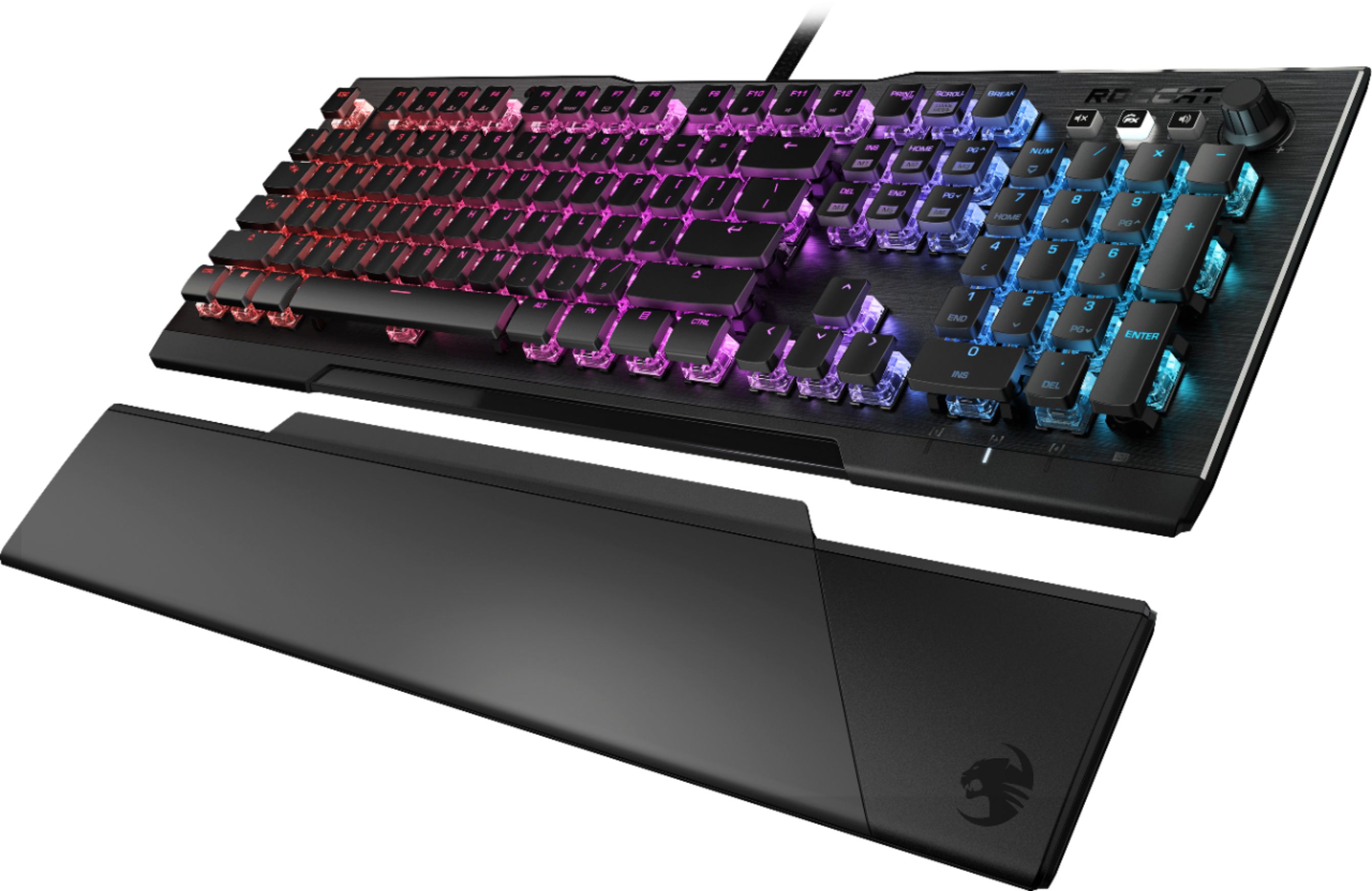
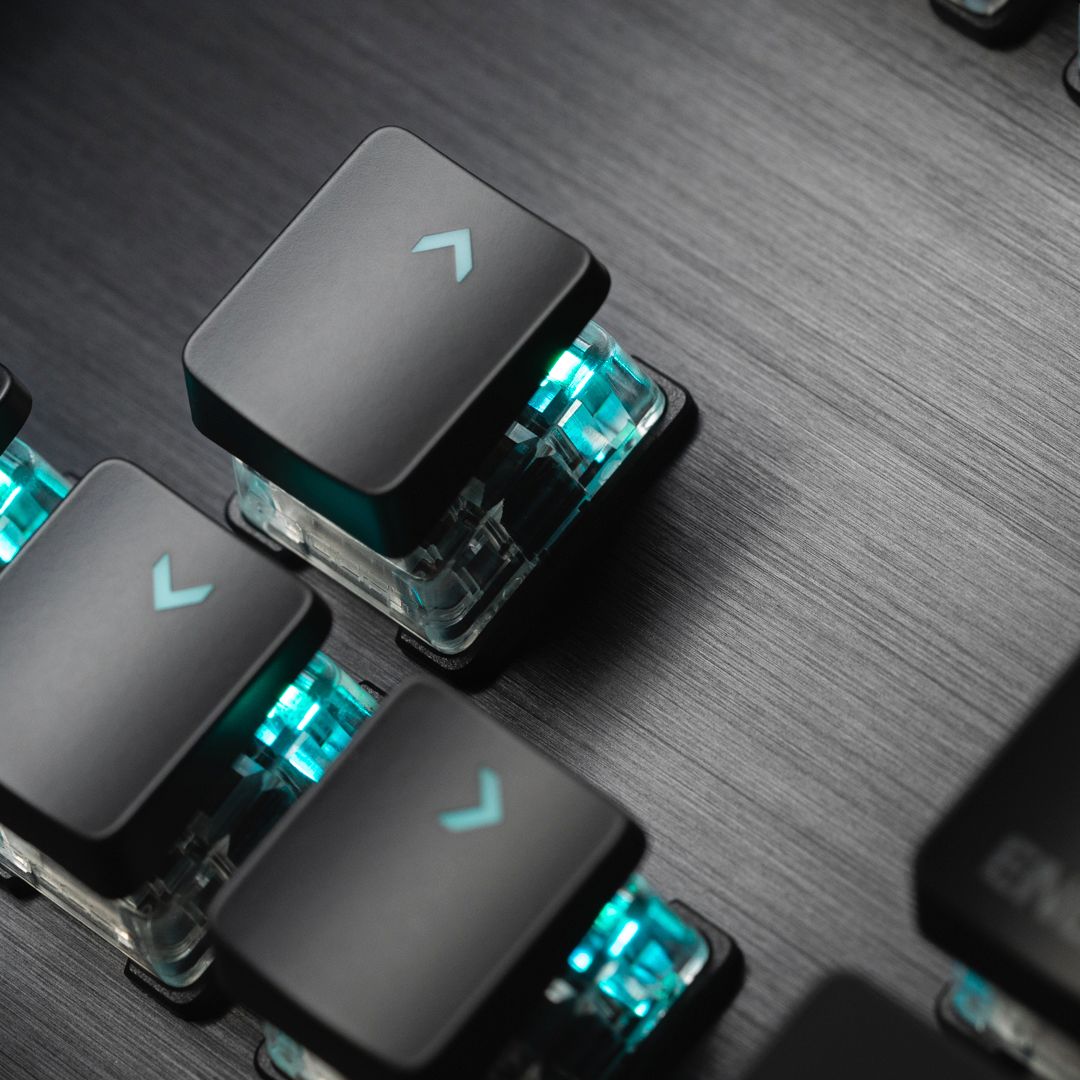
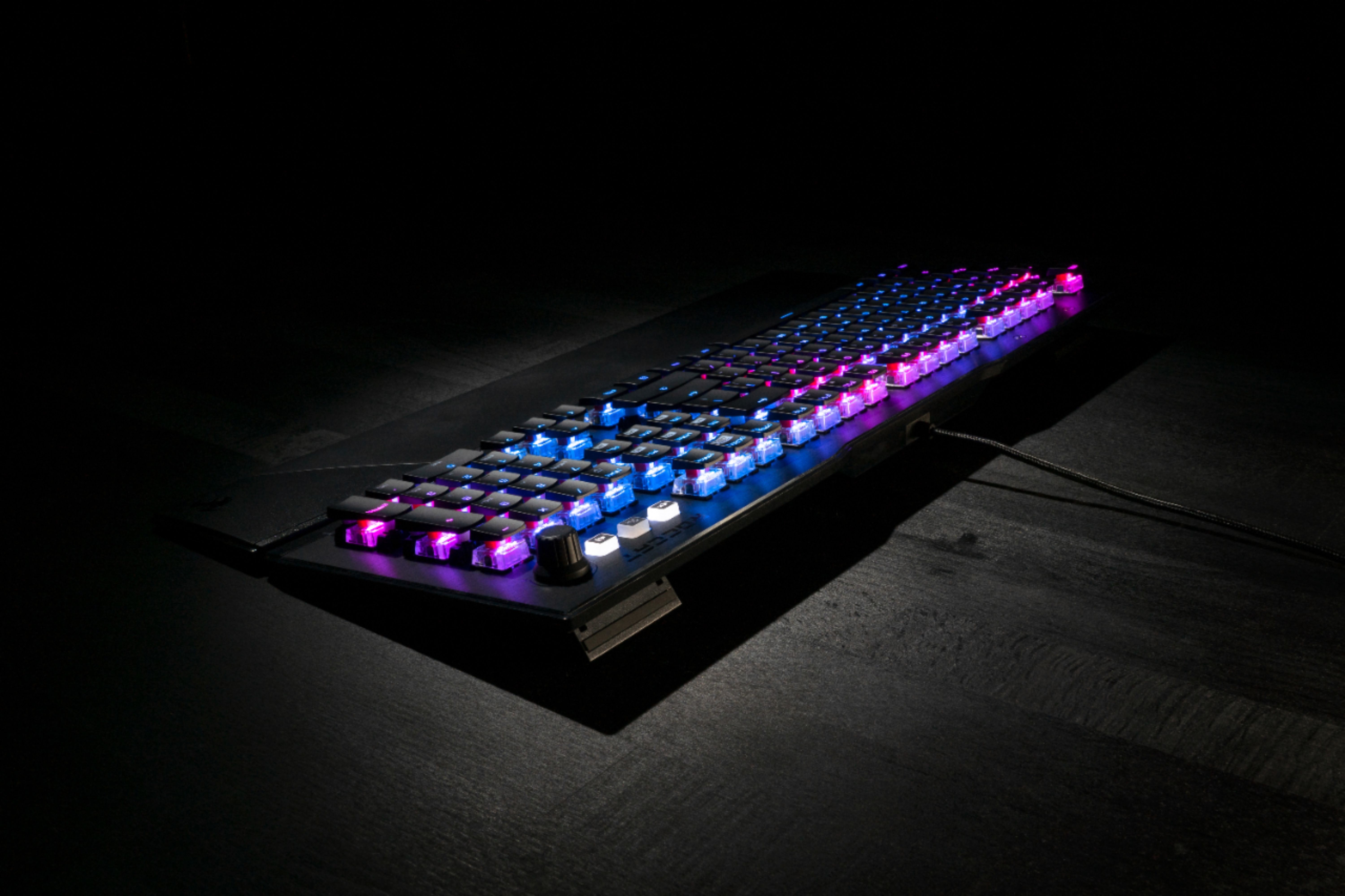
|Posted .This reviewer received promo considerations or sweepstakes entry for writing a review.Roccat Vulcan 121 Aimo is prob the most beautiful RGB mechanical keyboard i’ve ever had! Pros - Vulcan 121 is one beautiful keyboard, the key caps are super tin, the main body of each key are clear that helps the RGB lights shines - 2 legs at the back that can be switch to give yourself some elevation - Vulcan 121 comes with thin plastic arm rest that is magnetize that blends the look for the keyboard - Swarm software is amazing, you’ll have the ability to customize your RGB lighting, you can even set individual key to create something or original - ok the top right section you have your own media keys that can be use to adjust the volume of audios and by pressing the FX button it can be use for RBG lighting - have the ability to turn game mode on through the keyboard without using the software - the keys are comfortable people says they’re equivalent to MX Browns , I have logitech that have Cherry switches, and Vulcan is a little loader than my logitech keyboard when it comes to pressing the keys - going back to RGB having the AIMO technology on the software make this keyboard stand out to have one of the best looking lighting i’ve ever seen, the rgb reacts to your presses and i’ve tested this feature and it does work, the best part of having a roccat Cons - the caps are thin to where i’ve had some situations that I couldn’t tell if i’m pressing the right letter an issue i’ve never had on regular key caps - not a fan of not having the name “Caps” “Shift” “Control” on the keyboard, instead they gave you symbols that I don’t quite like - the thin hand rest was kinda useless I still prefer something with more thickness like what Razer or what logitech offer - the keyboard caps looks cheap and there’s no extra caps inside the packaging as well I’m enjoying this keyboard a lot the looks of rgb is amazing, way better than logitech, having a media control is something that I wish all keyboard should support, it’s a must! I would say buy this keyboard and you will not be disappointed
I would recommend this to a friend - Pros mentioned:Keyboard quality, Rgb lighting
Great job!
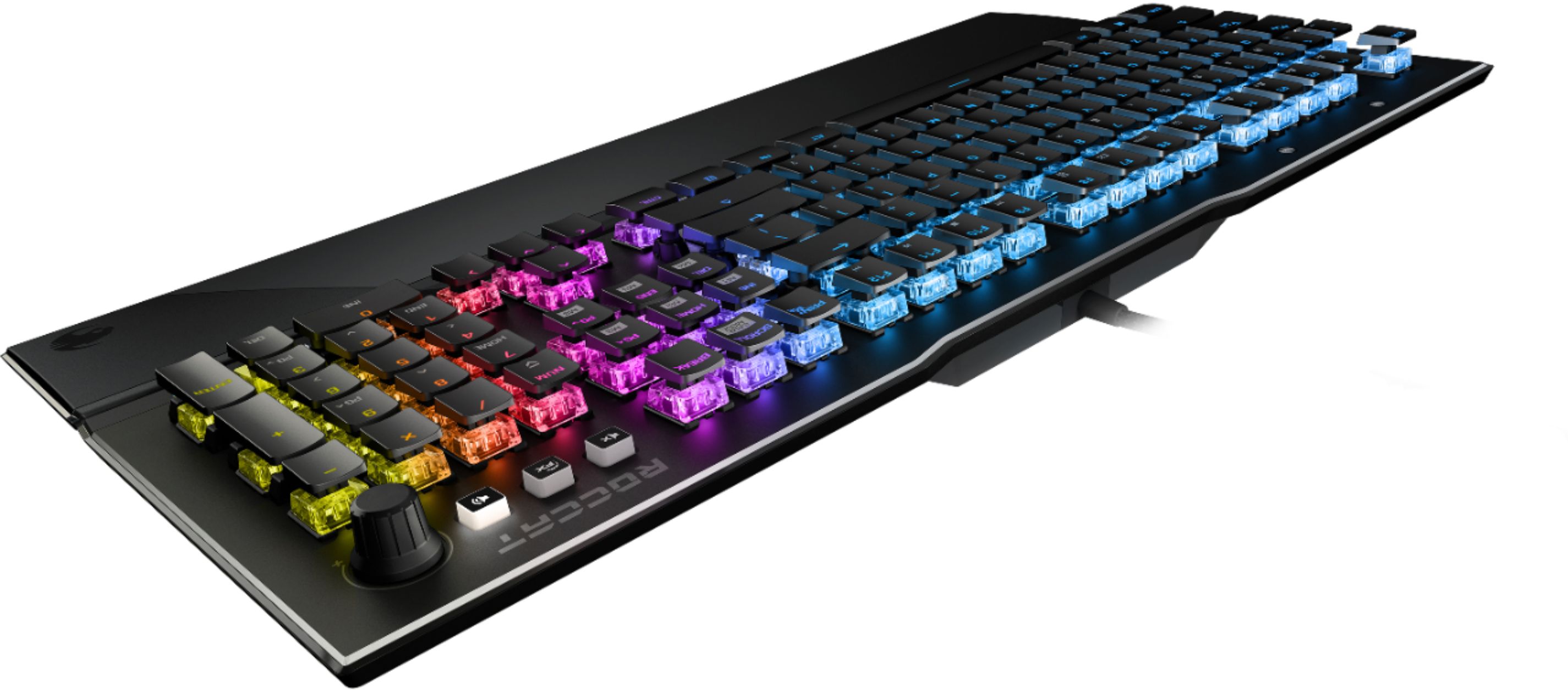
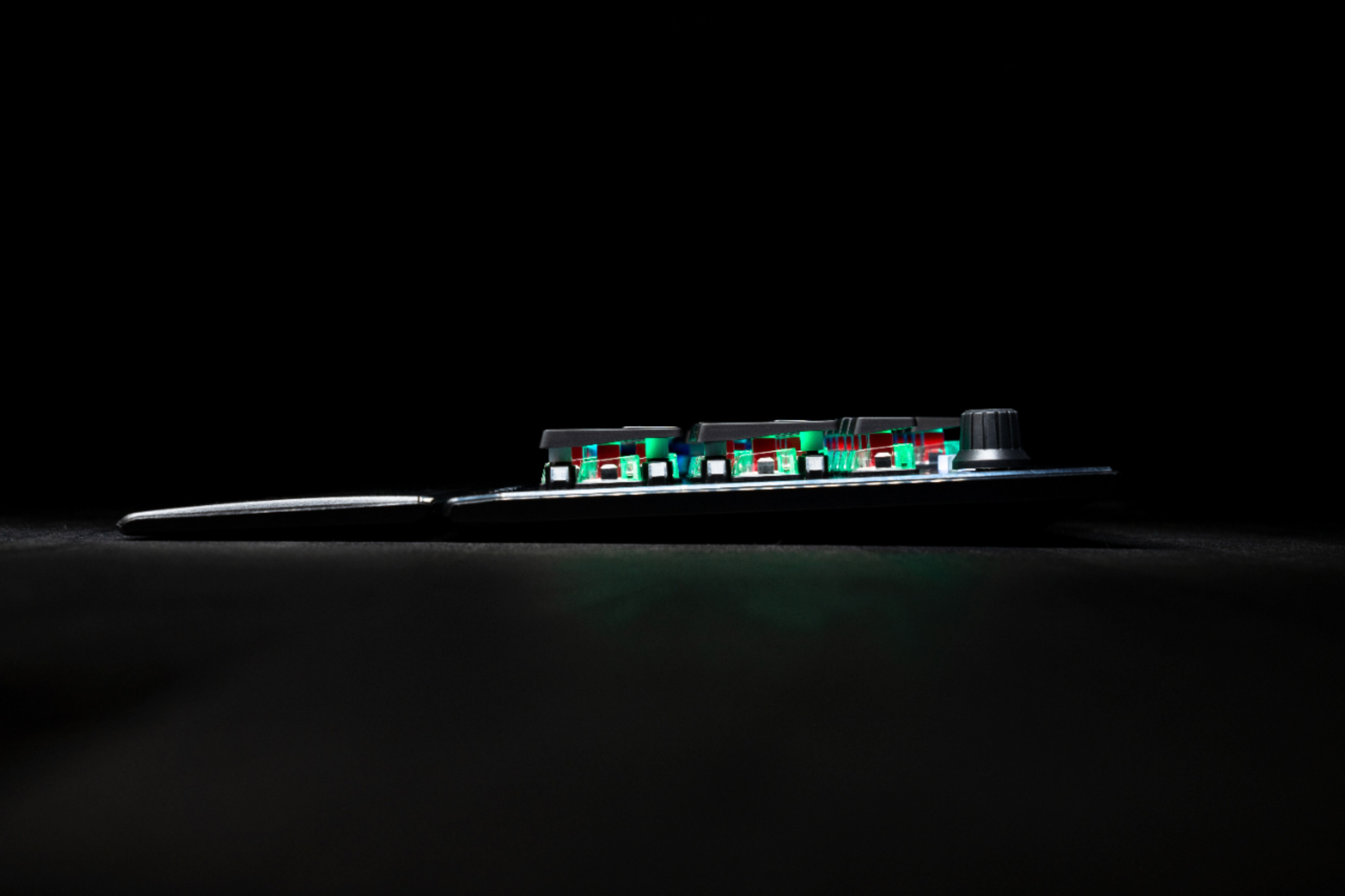
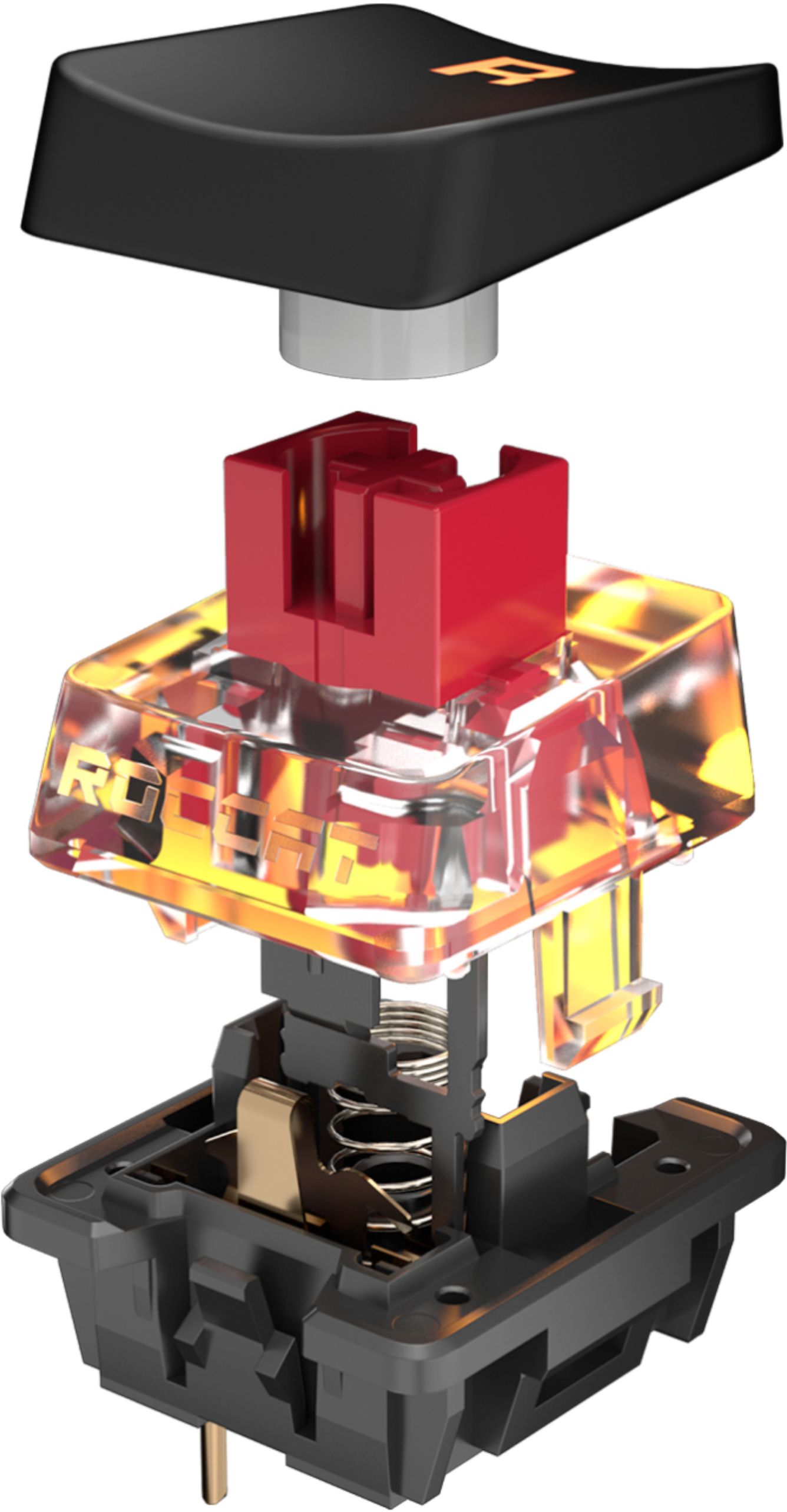
|Posted .This reviewer received promo considerations or sweepstakes entry for writing a review.I am really digging the Vulcan 121 AIMO. Its simplicity makes it classy without being pretentious. It is made of black anodized aluminum that feels cool to the touch. Personally, I would have like to have the entire chassis made of the same material as the bottom is made of simple plastic. Not a big deal, but I had to mention it. Still, this is a pretty heavy keyboard at a little over 2.5 lbs. Roccat included a handy plastic palm rest that I might switch for a soft padded one. It is not that it is bad, it’s just my preference. The keyboard features a full-size keyboard layout (with Numpad), a useful volume rocker, a sound selector, and an FX button. I feel that these were kind of tacked on and I would have like to have seen more features instead. Then again, these functions were not really the main features of this keyboard. The true stars of the show are these newly designed Titan switch keys. I must say that I am quite impressed. The keys are linear and the best way I can describe the feel is tactile but not “clicky”; sort of like modified brown switches. They have a 1.8mm travel press, going down very quickly at a full distance of 3.6mm. With that much distance, I was surprised that the keys register extremely fast. Coming from a different switch (red), it did not take me long to adjust. The spacing is good enough to minimize mistakes and double pressing keys (ghosting). Overall, this keyboard is a joy to type in. Of course, the Vulcan 121 AIMO would not be a gamer keyboard without RGB lighting. The illumination is quite impressive. The letters are well highlighted and distinct. Because the design has the keycaps raised, exposing the bottom, I was worried that the lighting would “bleed” all over the place. I am happy to say that that was not the case as the bottom is encased in clear plastic, containing the light, producing a pleasant look. Also, I will highly recommend downloading Roccat’s SWARM software. Not only does it allow you to keep your keyboard’s firmware up to date, but also gives you access to a great number of options such as key assignments, macros, sound feedback, and of course, full per-key RGB customization as well as profiles. In the end, I think Roccat did a great job. The build quality, customization, cool lighting, and amazing typing-gaming experience is well worth the price.
I would recommend this to a friend - Pros mentioned:Keyboard quality, Lighting
Responsive and colorful. Customizable for all.
|Posted .This reviewer received promo considerations or sweepstakes entry for writing a review.Tldr: Solidly built keyboard with a ton of lighting effects that’s perfect for light typists and those with smaller fingers. Why do you need a gaming keyboard? Because it’s solid? Faster? Has pretty lights? Lets you add macros to keys? If you answered yes to all of those questions, then you'll be very happy with the Roccat Vulcan 121. Roccat, among others, Makes many gaming keyboards. All Roccat boards use the same control software, Roccat Swarm. What differentiates them is the type of switches used, locally stored profiles, and the number of colors displayed. This keyboard is near the top in all of those categories. Solid base: The keyboard base is made of aluminum. It’s about as solid as a keyboard can get these days, While still being light enough to sit on your lap. There is no noticeable give when typing or hitting the keys hard in an intense gaming session. It feels well-built and is not going anywhere. Fast response: There are two sides to a fast response keyboard. The Vulcan indicates a key is pressed when it’s 1.4mm down. It also requires relatively little pressure to initiate a key press. If you are a light typist and / or her repeatedly being on the same set of buttons such as in a first person shooter, you will enjoy using the Vulcan. if you are used to a stiffer keyboard, you will find yourself making many typos. Pretty lights: If you want to light up your gaming gear, Go in all the way! With Roccat’s software, You can control what your keyboard responds to. My favorite pattern is the ripple effect. This creates a ripples of customizable light whenever you press a key. In fast typing, This is a nearly endless stream of blinking lights moving in seemingless every direction at once. It's a fun way to extend the frenetic activity from your screen to your keyboard. the colors are completely customizable in the easy-to-use software. How the LEDs are not a 100% match against the screen, you won't be disappointed in the color choices. Macros: Taking your eyes off the screen takes you out of the gaming experience. Macros help you stay there. Out of the box, Roccat provides a number of layouts for more popular games. These range from Call of Duty to Minecraft. The layouts allow you to out so like you to quickly map frequently used functions to your keyboard. You can lend, if you like customize these to either add additional functions or to add custom key sequences. Customization is done with simple drag-and-drop. Drag from the list of commands and drop onto the key you would like to use. You can save your customization into 1 of 4 profiles. A simple key press switches profiles from the keyboard or you can use the software. Media keys: This has a very convenient volume control knob, and a quick mute button in case you need to hear what's happening in the real world. Media controls are built into the function keys as an alternate function. These can be switched to the main function using the customization software. As a heavy typist, I did not find this keyboard comfortable for everyday usage. My fingers were constantly making typos as they moved around. It would be great if this was another area that could be customized. My daughter who has a much lighter touch than I, found this to be the perfect combination of functionality, of form, and of full spectrum lighting. If I only played games with this, it would be fine, but when I have to do work on my machine, I have to swap out the keyboard. The upside is my daughter is now happy when I have to work in the evening, as she gets to use the keyboard!
I would recommend this to a friend Awesome Keyboard
||Posted . Owned for 2 weeks when reviewed.This reviewer received promo considerations or sweepstakes entry for writing a review.Very well-made and has very cool lighting effects and lots of customization options!
I would recommend this to a friend- Pros mentioned:Keyboard quality, Lighting
One Beautiful Gaming Keyboard
|Posted .This reviewer received promo considerations or sweepstakes entry for writing a review.The ROCCAT - Vulcan 121 RGB PC Gaming Keyboard retails for $159.99. This is one good looking gaming keyboard. When I first saw this keyboard, I was amazed on how great it looks. Clear backlit keys on a black surface looks sharp. Each of the keystrokes has a nice feel to them. It kind of hard to explain. You'll have to try it for yourself. And it comes with a detachable wrist rest that feels pretty nice. Its a little heavy but its great so it doesn't slide around. I'm overall please with this gaming keyboard.
I would recommend this to a friend - Pros mentioned:Lighting
Quality and Construction
|Posted .This reviewer received promo considerations or sweepstakes entry for writing a review.I love it! From the aluminium chasis, to the controlable lighting, and detachable wrist pad. I can say that the Roccat Titan Linear Switch Keyboard is everything that you would expect from a gaming keyboard. I've used it to play quite a few games from Call of Duty to Among Us. Very responsive, and not so loud even though it is a mechanical keyboard. Installation was simple. Just head on over to the Roccat website, and download the swarm program. It will detect the keyboard, and go from there. I can say that Turtle Beach has done an excellent job with the Roccat brand for PC gamers. Highly recommmend this one!
I would recommend this to a friend - Pros mentioned:Key feel, Keyboard quality, Rgb lighting
Feels great, looks great
||Posted . Owned for less than 1 week when reviewed.This reviewer received promo considerations or sweepstakes entry for writing a review.The way my room is set up, I was having trouble seeing the keyboard keys because it was too dark. Saw this on sale and saw that the LTT crew liked it, so I bought it and this thing is SICK. Downloaded the Swarm software and played with all the different RGB settings. The keyboard feels so well-built and premium. The keys have a soft sort of feel to them, it feels great. The included magnetic wrist rest feels perfect for my average adult male hands. Set up was a breeze. Plugged it in then went to the ROCCAT website and downloaded Swarm, which is their program for keyboard settings. I really like the volume knob too. Very cool. I'll always buy ROCCAT from meow on. Thanks!
I would recommend this to a friend - Pros mentioned:Keyboard quality
Pretty much what I was hoping for
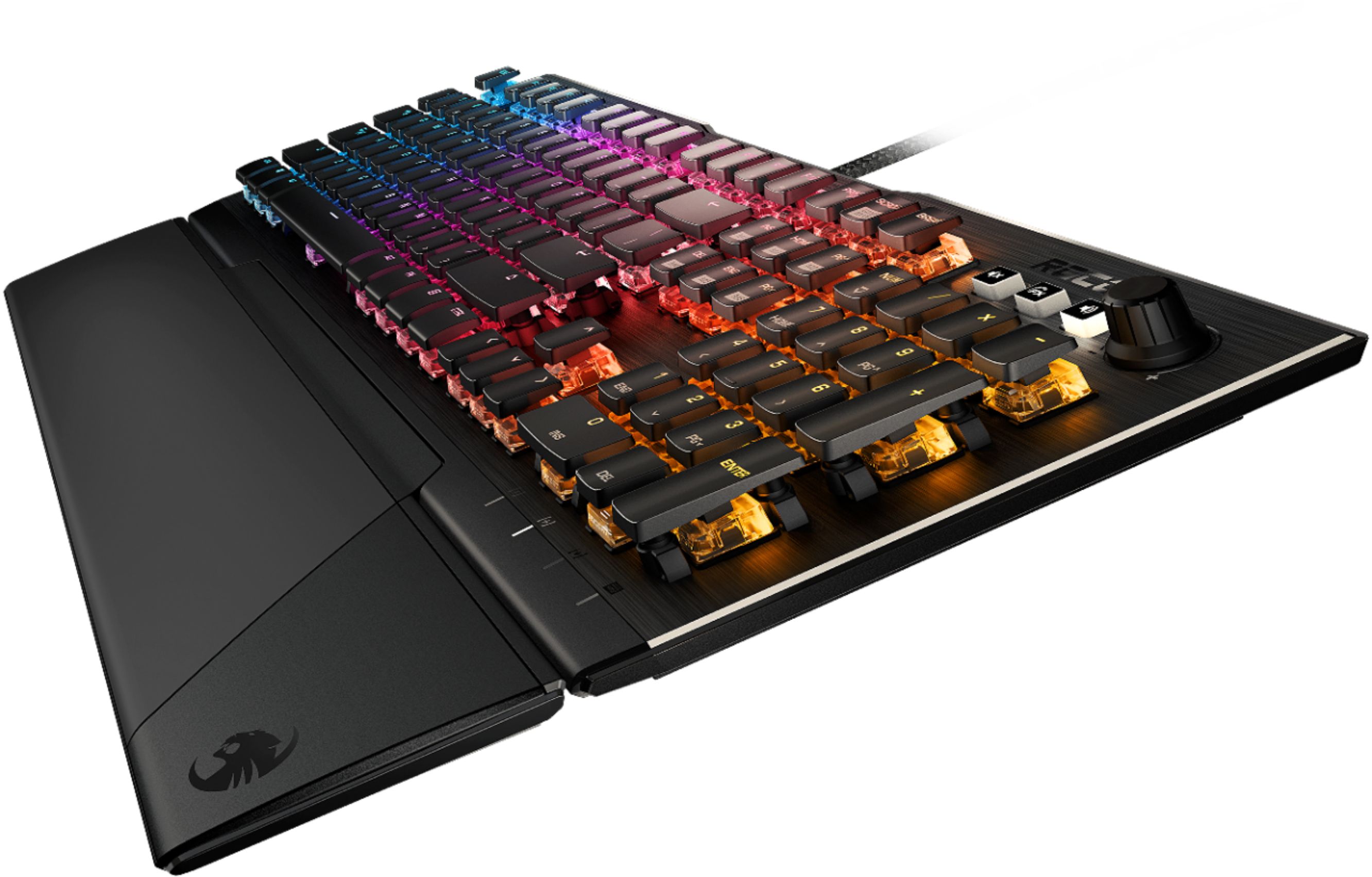
||Posted .This reviewer received promo considerations or sweepstakes entry for writing a review.There are two Vulcan 121s, one with tactile non-clicky switches and one with linear switches. This is the one with linear switches. Using this after a couple years on normal Cherry reds took a week to get used. Switched to this from an old Corsair Strafe with reds because I wanted the RGB with clear switch bases, a flat top plate to make cleaning easier unlike the recessed areas for the Strafe's keys, and to try a new spin on linear switches. The RGB is particularly vibrant and the colors flow seamlessly. Top of the keyboard is flat except the switches and extra controls on the top right, makes cleaning as easy as I'd hope it would be. Speaking of the controls on the top right, the first one is a mute/unmute button. The second changes the knob's function to brightness control. The third changes the knob's function to volume control. These extra controls don't seem like an afterthought as they are very satisfying to use. The three buttons have a wonderful click and the knob spins infinitely either direction. Volume control matches the bumps of the knob quite well. Brightness control is hard to tell depending on the color in use but is easy find the minimum by spinning all the way to off then one step on. The magnetic wrist-wrest is neat but is plastic, if you were looking for cushion this is not it. It's not rough by any means and is actually quite smooth, definitely comfortable to me at least. As for the switches themselves, they're quick. Most people have said they don't generally notice "faster" switches with shorter actuations and travel distances when gaming but I can 100% feel it in this. Most "fast" switches actuate at either 1.8, 1.6, or 1.4mm but these actuate at 1.2mm. When playing League I was messing up combos for a while because the key presses register so early. Outside of that I could still tell the difference when typing but a little less so. All in all, I love this keyboard and will probably be using it for a long time. If I had to share one gripe it would be Roccat's software. I haven't had a bad experience with it per se but I do wish there were more lighting options for the keyboard. That said the AIMO style system Roccat created as the default is pretty awesome.
I would recommend this to a friend - Pros mentioned:Key feel, Keyboard quality, Rgb lighting
Fantastic keyboard! No key bounce.
||Posted .This reviewer received promo considerations or sweepstakes entry for writing a review.Love it! I'm used to mechanical keyboards from the big names, but recently noticed issues with key 'bounce' where I would get multiple hits from a single button press. This keyboard has eliminated all of that. Keys are fast and responsive, not at all loud and clicky like some mechanical keyboards and just feels like a rock solid product that will last for a long time. Roccat have built a good quality product, I hope the other brands pay attention and step up their game! RGB works great and the Swarm software is very easy to use.
I would recommend this to a friendBrand response from Turtle Beach Support
Posted .Thank you for taking the time to review your new keyboard, glad to hear you like it!

- Pros mentioned:Key feel, Keyboard quality, Rgb lighting
Beast Keyboard
||Posted . Owned for 1 week when reviewed.This reviewer received promo considerations or sweepstakes entry for writing a review.An awesome keyboard! The quality of the keyboard is top notch. RGB on the keyboard is also bright and very high quality. The keyboard feels great, it's also much quieter than other Red Switch keyboards. Overall, the keyboard is what you'd expect for the price. THey say that this keyboard takes awhile to get used to because of the way the keys are a little spaced out... but that wasn't the case for me.
I would recommend this to a friend - Pros mentioned:Keyboard quality, Software
Solid keyboard for the price
||Posted . Owned for 1 month when reviewed.This reviewer received promo considerations or sweepstakes entry for writing a review.Very content with this keyboard. Solid value, not the most expensive but also not cheaply made. No complaints. Don't really use the software to control lighting or macros, but it seems easy enough to use. Can dim all the way to no light if that is your concern. Keypress is perfect. Not super clacky.
I would recommend this to a friend - Pros mentioned:Keyboard quality, Rgb lighting
Great keyboard
||Posted . Owned for 1 week when reviewed.This reviewer received promo considerations or sweepstakes entry for writing a review.After getting the 100 series and trying to get a service plan on it unsuccessfully, we returned it and got this one. I purchased it for my wife so she can use at her office to annoy her co-workers because this thing is flashier than her wired Dell keyboard. And a bit louder. But her never owning a gaming keyboard before she was surprised on how expensive it was(it's really not) and how customizable it was. She prefers to use the gel rest pad she already had than the one included which is a hard plastic piece she didn't feel comfortable using. It's helping her honing her typing skills compared to her crappy Dell keyboard. She does say it's rather big but very sturdy. The software that comes with it is quite basic. The lighting on it really pops because of the particular design that allows more of the lighting under the key to be exposed. It's quite neat. So far very happy with the purchase.
I would recommend this to a friend - Pros mentioned:Keyboard quality, Rgb lighting, Software
great first keyboard
||Posted . Owned for 5 months when reviewed.This reviewer received promo considerations or sweepstakes entry for writing a review.great keyboard to purchase. keys feel a little sensitive at first but easy to get used to. the wrist rest slides off pretty easy while using with rapid wrist movements. the volume knob is a feature i didn’t know i needed. the software is really easy to navigate and the rgb presets are all cool.
I would recommend this to a friend The best keyboard
||Posted . Owned for more than 2 years when reviewed.This reviewer received promo considerations or sweepstakes entry for writing a review.I’ve had this keyboard for years and I’ve never had such an amazing time with this one I used to use any keyboard I could get my hands on but once I heard the flush keystrokes and super clicky keys it became so addicting and satisfying to hear as I played my hardest with my friends I would definitely recommend this to anyone looking for a new keyboard and I definitely will buy it again if I ever have any issues down the line. Roccat will forever be my favorite brand because of this keyboard!
I would recommend this to a friend- Pros mentioned:Key feel
Excellent Keyboard for the price.
||Posted . Owned for 1 week when reviewed.This reviewer received promo considerations or sweepstakes entry for writing a review.This is a great keyboard for pretty much anything. It has excellent typing feedback and the keys are super satisfying to type on. The backlit LED's are also fully customizable through Roccat's software, and they have great light. Lastly, the removable wrist rest is an awesome feature. I was originally skeptical about it, but since it's magnetic, it's super easy to move out of the way when you don't need it. Overall, great buy for the price.
I would recommend this to a friend - Pros mentioned:Rgb lighting
Great keyboard if you get it at a discount
||Posted .This reviewer received promo considerations or sweepstakes entry for writing a review.I was initially skeptical to get this keyboard since the switches are developed by roccat themselves rather than the usually cherry mx ones, but I was very happy once I received the product. The keys are way better than I expected, color lighting is better than any other keyboard on the market and the volume knob has a great feel! Only downside is that the roccat swarm software is kinda janky.
I would recommend this to a friend