Save up to 50% on 3-Day Sale deals.Ends 12/7.Shop now

Skip to content
Gift Ideas
Main Content

Customer Ratings & Reviews
Your price for this item is $69.99

Customer reviews

Rating 4.7 out of 5 stars with 18 reviews

Rating Filter

Pros mentioned filter

Cons mentioned filter

There aren't enough negative mentions yet.
100%
would recommend
to a friend
The vast majority of our reviews come from verified purchases. Reviews from customers may include My Best Buy members, employees, and Tech Insider Network members (as tagged). Select reviewers may receive discounted products, promotional considerations or entries into drawings for honest, helpful reviews.
Page 1 Showing 1-18 of 18 reviews
  • Pros mentioned:
    Build quality, Performance, Setup ease
    Tech Insider Network Member

    Rated 5 out of 5 stars

    Nice compact splitter

    |
    Tech Insider Network Member
    Posted .
    This reviewer received promo considerations or sweepstakes entry for writing a review.

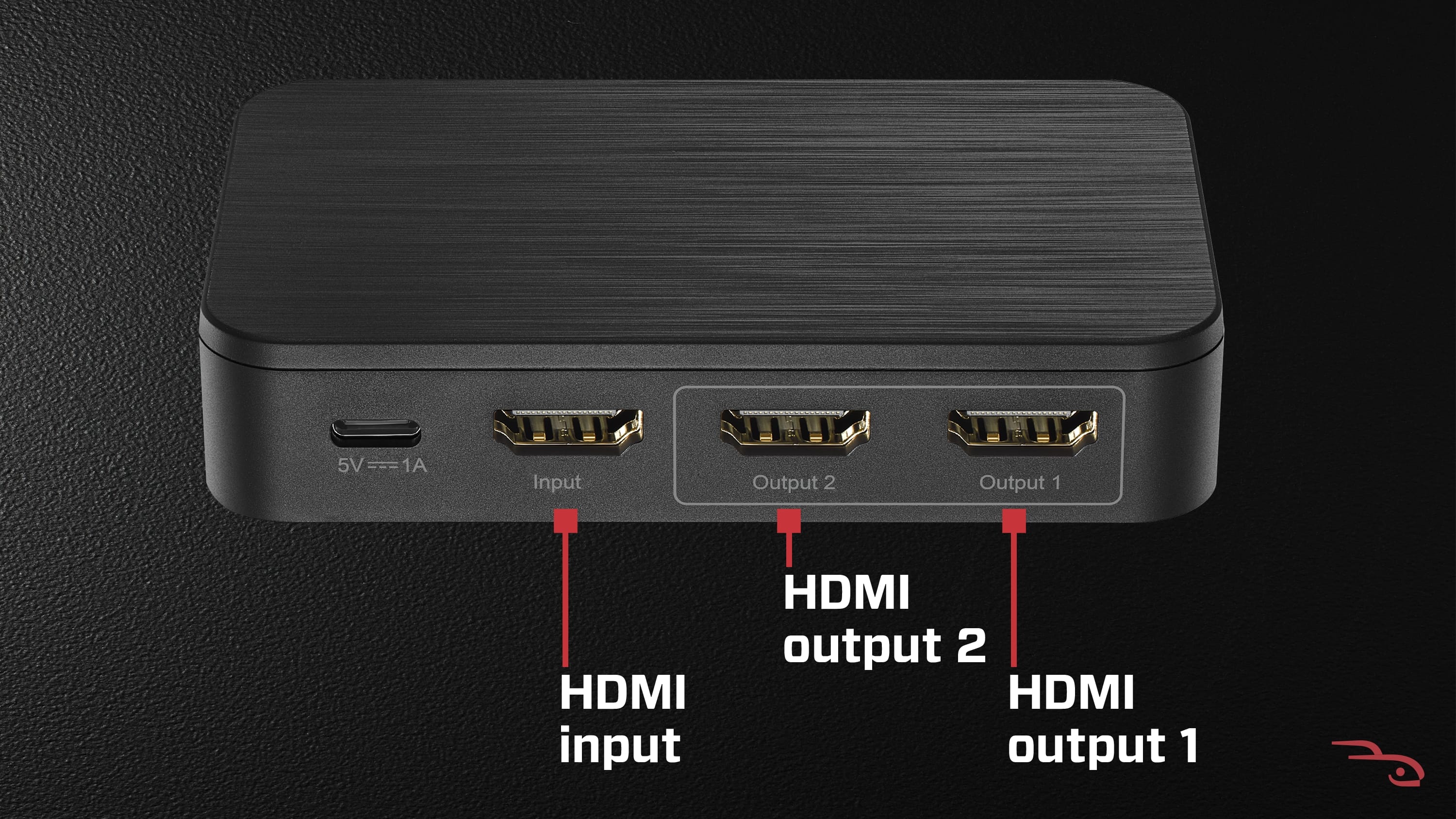
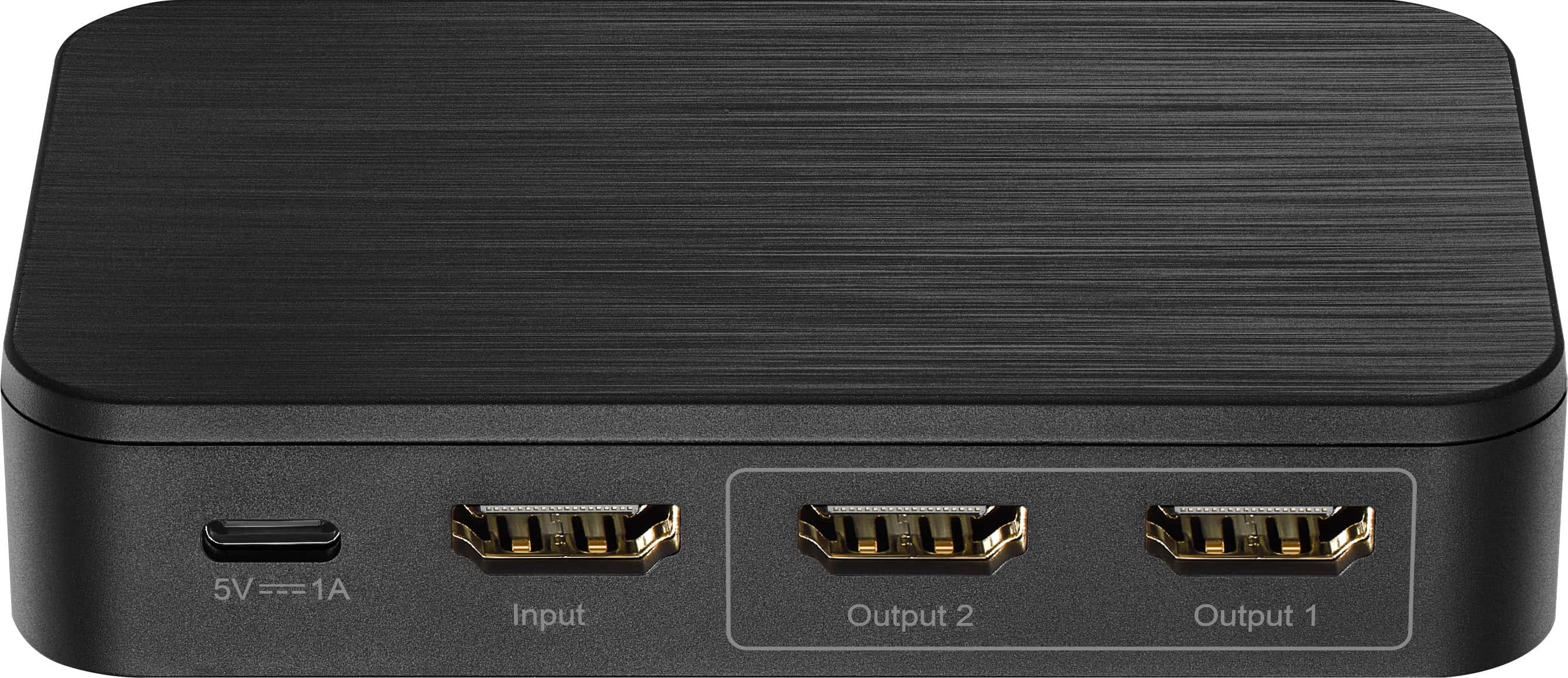
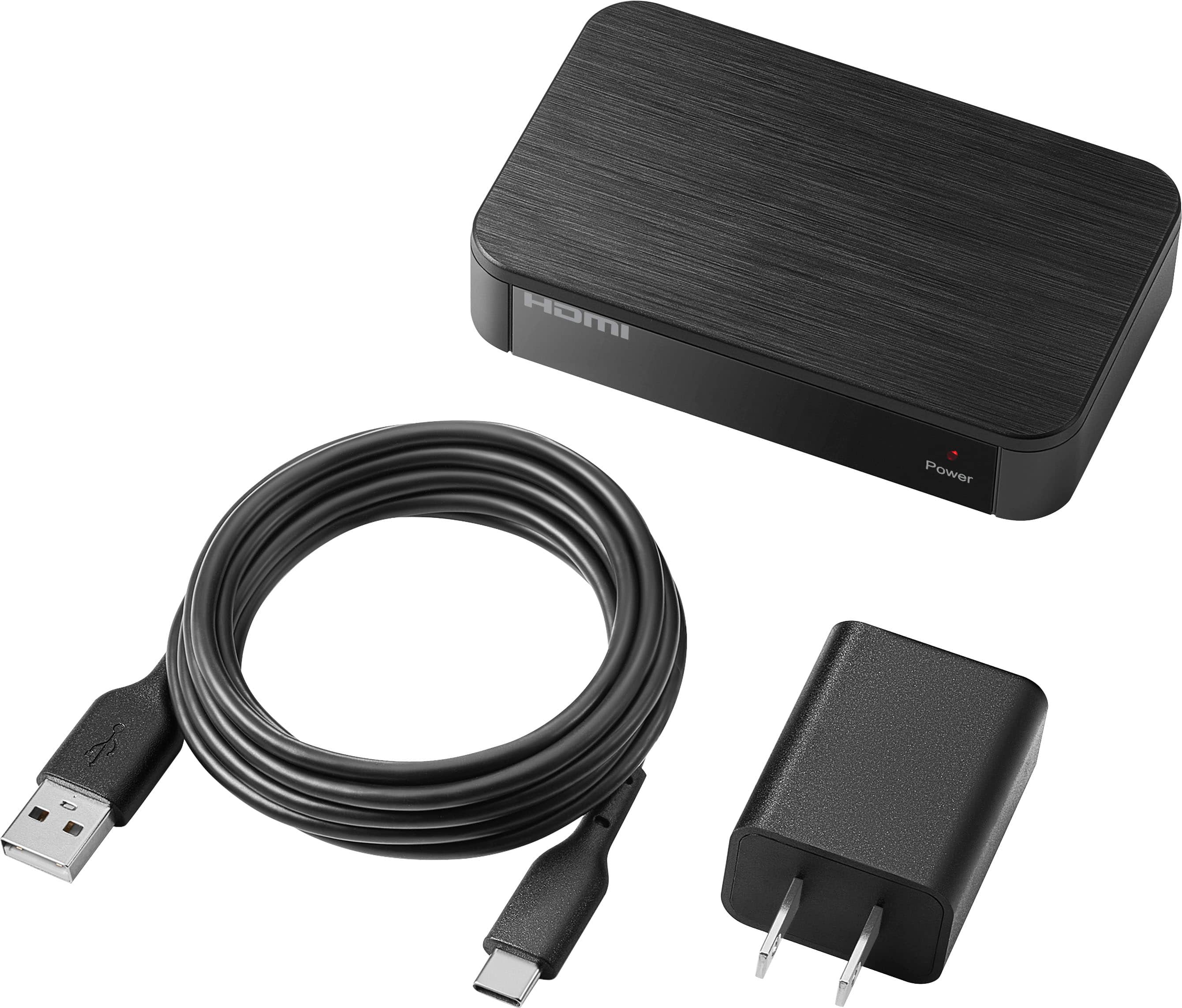
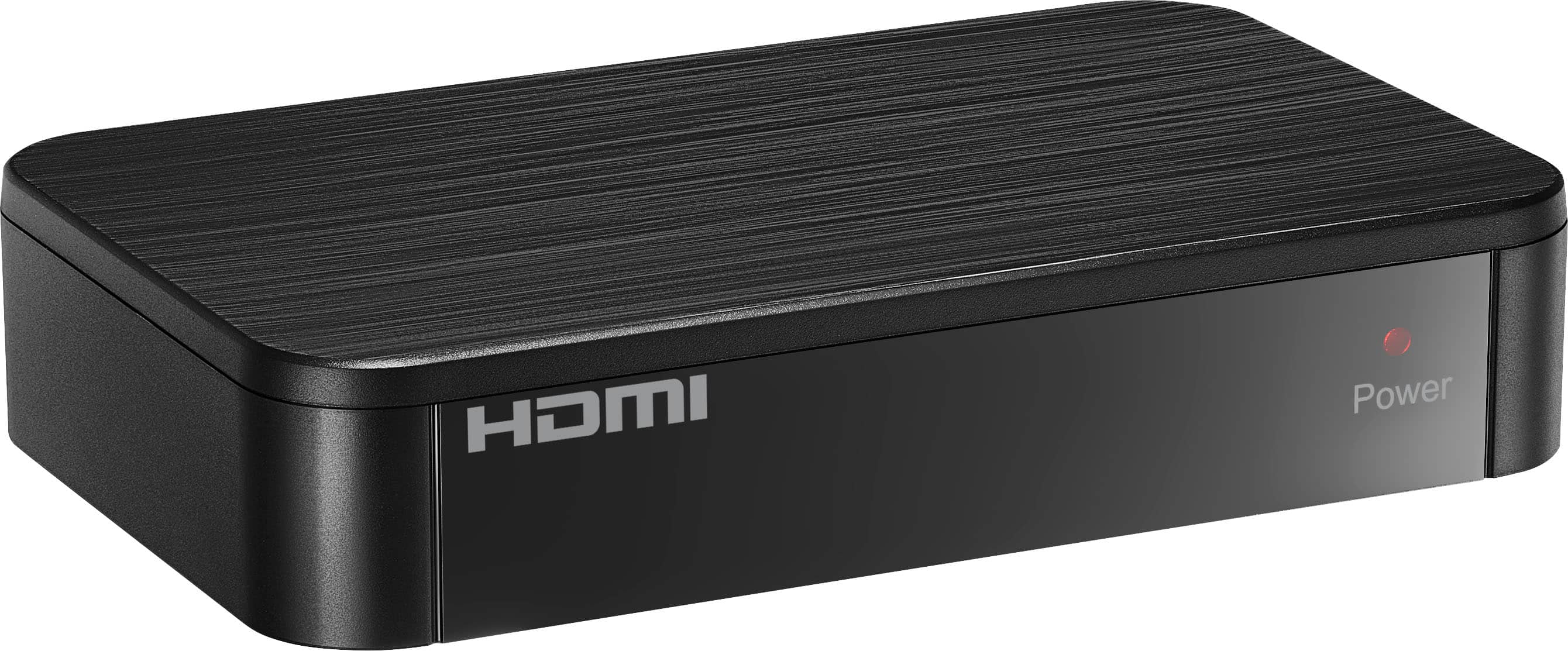
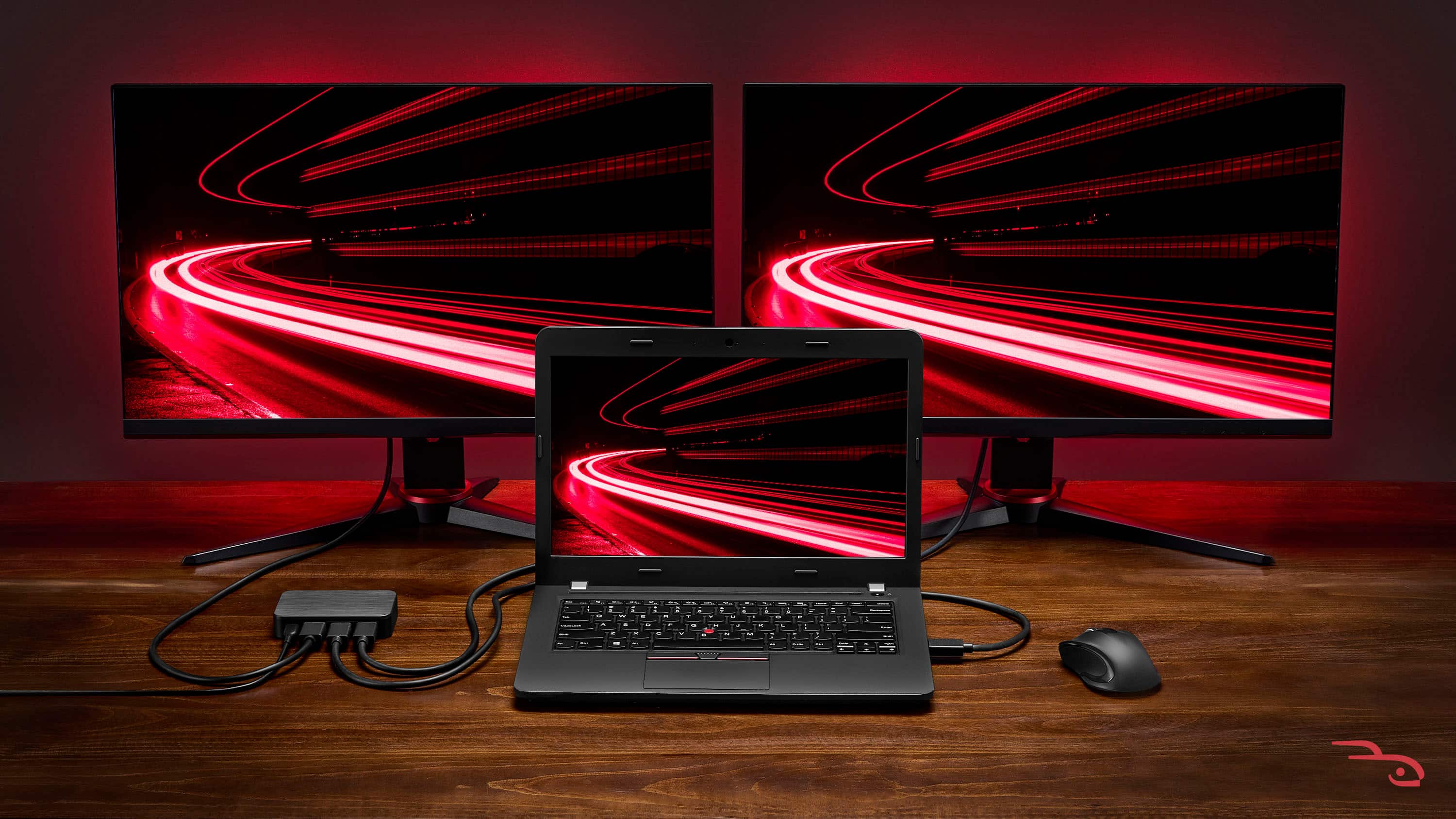
    My testing consisted of a computer with 2 monitors. You will need 3 HDMI cables that are not included. One from the splitter to your computer and one each to the monitors. Measure the length you will need and choose the smallest length that will work. Setup will take about 5 minutes or less (I had to feed cables through my desk). Very simple plug and play. The Splitter, setup guide, AC adapter and 6’ USB-A to USB-C are included in the box. It will fit easily on your desk as it is similar in size to a deck of playing cards. Specs include 8K@60Hz, HDR10 and Dolby Vision HDR compatible. I appreciate the rubber fit as it helps keep the splitter in place and not scratch my desk. Such an easy setup and it works seamlessly. Very easy to view my monitors and great for when we are watching funny videos or trying to read a document together. Just remember to do your research as splitters and switches are very different. There are several videos to help understand the concept. This will split your same image to 2 displays.

    I would recommend this to a friend
  • Pros mentioned:
    Build quality, Performance
    Tech Insider Network Member

    Rated 5 out of 5 stars

    Rocketfish 2-Output Ultra HD HDMI Splitter

    |
    Tech Insider Network Member
    Posted .
    This reviewer received promo considerations or sweepstakes entry for writing a review.

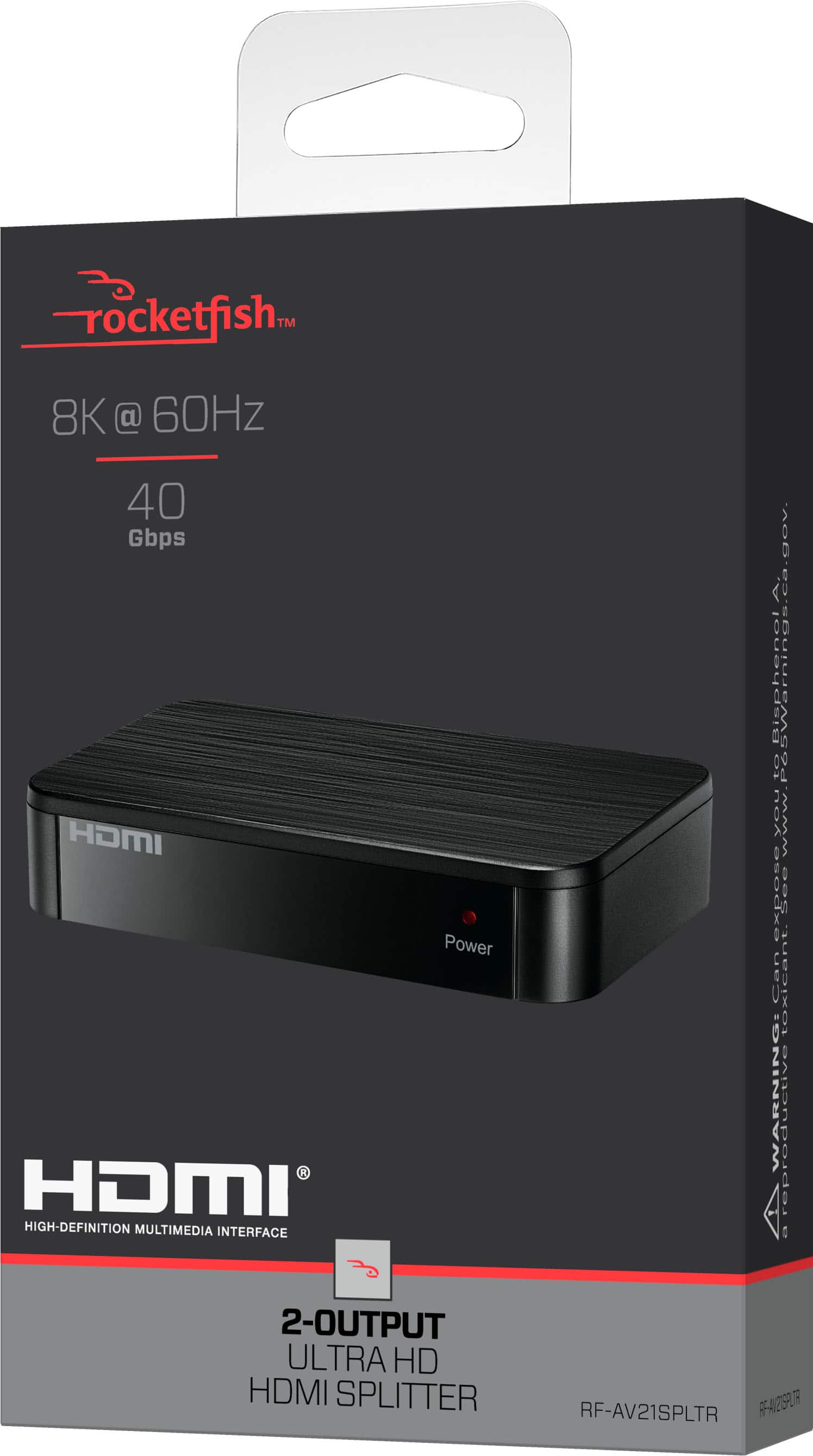
    Introduction If you need a simple, reliable way to send one HDMI source to two screens, the Rocketfish 2-Output Ultra HD HDMI Splitter is worth a look. It’s compact, understated in black, and built for people who want clean, no-fuss connectivity whether at home or in a meeting room. I will walk through what it does well and where it might trip up so you can decide if it fits your setup (which it did for me). Design and Build The splitter looks and feels thoughtfully made. Its compact black chassis blends into most entertainment centers, and the included double-sided tape makes it easy to tuck the unit out of sight. There’s also a wall-mount option that adds flexibility for permanent installs or tidy cable runs. Overall, the design favors practicality over flash, which is exactly what you want from a utility device. Performance and Image Quality Where this unit really stands out is performance. It supports resolutions up to 8K, and in everyday use it delivers crisp, consistent images across both displays. I didn’t notice any lag or stuttering, and both outputs tended to match each other closely, avoiding the uneven brightness or color shifts that sometimes plague splitters. For streaming, presentations, or gaming, the picture quality is solid and dependable. Compatibility, Setup, and Value Setup is straightforward. The package includes a USB cable and power brick, so you have everything needed to get started right away. Most modern TVs and monitors worked without issue, but older or very old devices may struggle to recognize the signal. That’s the main caveat to keep in mind. Pros - Reliable 8K-capable output - Consistent image quality across both displays - Compact design with mounting options and double-sided tape - Includes power cable and brick for easy setup - Affordable for the performance offered Cons - May have trouble with legacy devices that don’t properly recognize the signal (mostly much older devices) This splitter strikes a good balance between price and performance. It doesn’t try to be fancy; it just does the job well. Conclusion If you want a straightforward HDMI splitter that looks neat, installs easily, and delivers high-resolution output without fuss, the Rocketfish 2-Output Ultra HD HDMI Splitter is a solid choice. It’s especially appealing for anyone who needs dependable, budget-friendly video distribution for home theaters, small offices, or classrooms. Recommended!

    I would recommend this to a friend
  • Pros mentioned:
    Setup ease
    Tech Insider Network Member

    Rated 5 out of 5 stars

    Put It In Your Cart

    |
    Tech Insider Network Member
    Posted .
    This reviewer received promo considerations or sweepstakes entry for writing a review.

    Definitely serves the purpose. If you're a gamer like myself. You have encountered the need for extra HDMI ports. Ever been playing COD online with your friends, then your girlfriend/ wife/ husband/ boyfriend, heck roommate comes in wanting to run a fade on you in Mario Kart. Now you've gotta reach behind the TV/ monitor to change "Switch" out your HDMI cables because you've got your cable box/ steam box connected to your only other available port. With the "Rocketfish", you can now add an extra port with this splitter. Inhave to say this almost ever time write a review. Y'all know how I love easy to install tech. If you don't know. Now you know. Technology is supposed to make our lives easier. And the first step should be simple installation. This is as simple as they come. The package hoses the small and sleek splitter box with key wholes slots, for wall mounting, a 6ft power cord, sticky strips, just in case don't want to put pin while I'm your wall. And it also comes with ISB-A power brick. I always love when companies give me a power brick. With the brick being separate, it allows you use the brick or plug it directly into USB-A on your monitor or TV. After that connect you HDMI cables and (Bob's your uncle.) Too simple. This is always good to have on hand It's small enough to take it with you on away missions, as well. Easy purchase. Even easier to use. Cart this up. And happy steaming.

    I would recommend this to a friend
  • Pros mentioned:
    Performance, Setup ease
    Tech Insider Network Member

    Rated 5 out of 5 stars

    Simple sleek HDMI splitter.

    |
    Tech Insider Network Member
    Posted .
    This reviewer received promo considerations or sweepstakes entry for writing a review.

    Rocket fish is known for AVR component products. So this HDMI splitter is inline with the products and services that they offer. Setup is super simple. Comes with charger sticky tape and power cord. Looks like it runs on USB c so it is a low voltage power supply. I plugged the USB power supply adapter into the wall and then in to the HDMI splitter and the power was on. After that I picked my source and then my 2 output devices. Boom I was all setup and running. For this application I used it to split my security camera system audio and video 4K setting. My complexity is that I ran my second feed over Cat 5e to a remote Screen. It worked just fine. No complaints. No lag or noise. If I was able to do that with this complex setup it should work for a more simplistic setup that is right next to the source. Anyway if you are looking to split your HDMI output, look no further as this item will achieve what you need. Simple, compact, easy to install. Nice sleek black look. Can't go wrong.

    I would recommend this to a friend
  • Tech Insider Network Member

    Rated 5 out of 5 stars

    Simple and sleek!

    |
    Tech Insider Network Member
    Posted .
    This reviewer received promo considerations or sweepstakes entry for writing a review.

    Rocketfish 2-output HDMI splitter does what it is supposed to do i.e. split one output to two HDMI signals. I am using it with my laptop so that I can have 3 screens to work with. The splitter is quite small and sleek. The setup is very simple. You will need 3 HDMI cables that are not included with the splitter. One cable will go from your device (my laptop in my case) into the splitter and the two other cables from the splitter to the monitors (or devices) that you want to connect with your source device. It supports upto 8K. In my use, both the audio and video are excellent. It needs a power supply via USB-C cable. An adapter and the cable are included in the box. The splitter has small rubber feets so it won't scratch your desk. It has a mounting whole on the back, so if needed it can be mounted as well. The box also has two double sided adhesive strips if you would like to tape it in a fixed position. Overall, it is a nice, simple and sleek device that does what it is supposed to do. In my case, it is a great productivity booster!

    I would recommend this to a friend
  • Pros mentioned:
    Performance

    Rated 5 out of 5 stars

    How to Send One HDMI Source to Multiple Receivers

    |
    |
    Posted . Owned for 3 weeks when reviewed.
    This reviewer received promo considerations or sweepstakes entry for writing a review.

    Does what it says it does, which for high-bandwidth modern HDMI isn't a given.

    I would recommend this to a friend
  • Pros mentioned:
    Build quality, Performance, Setup ease
    Tech Insider Network Member

    Rated 5 out of 5 stars

    Great!

    |
    Tech Insider Network Member
    Posted .
    This reviewer received promo considerations or sweepstakes entry for writing a review.

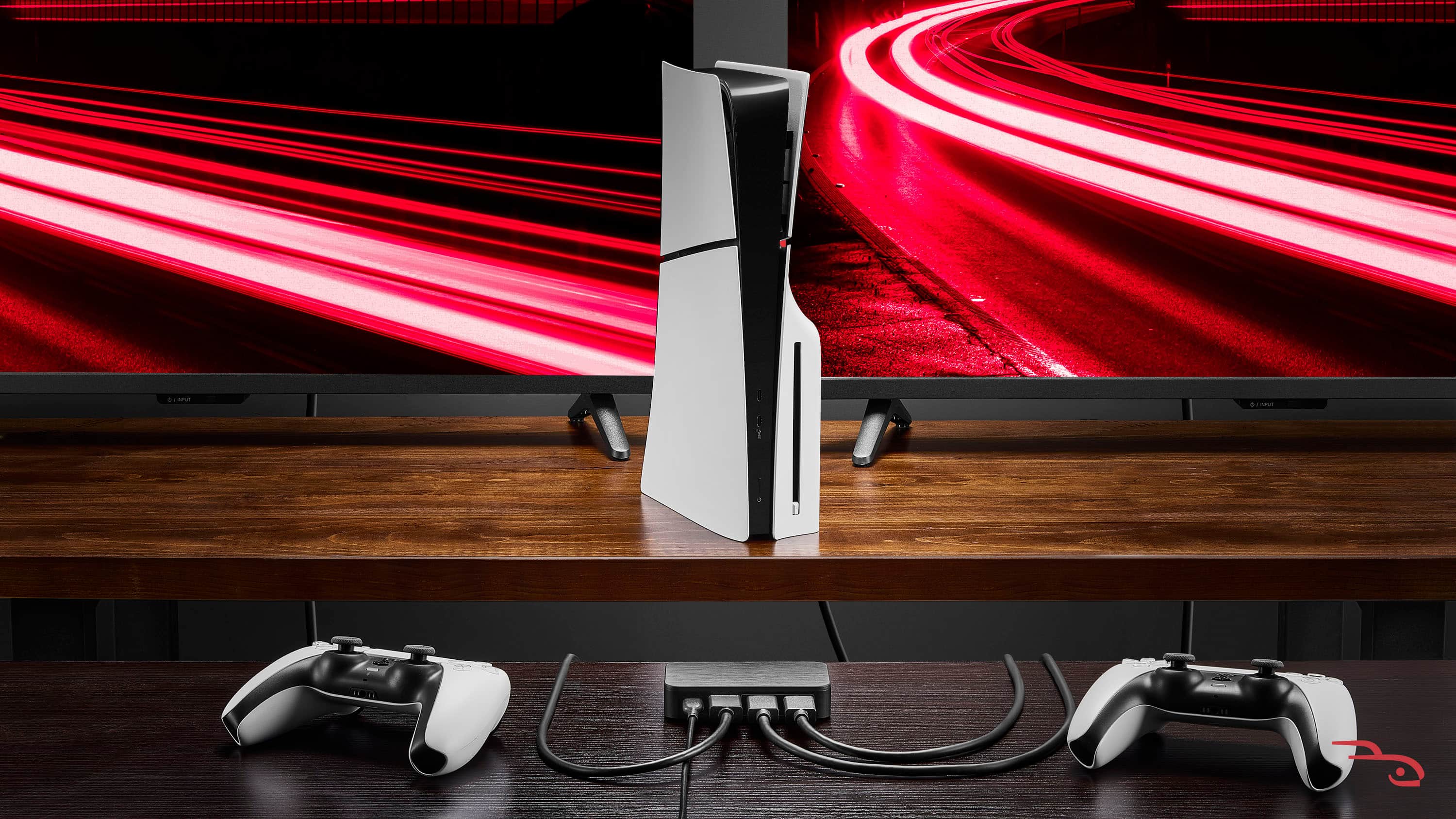
    When I first unboxed the Rocketfish 2-Output HDMI Splitter, I wasn’t expecting much — it’s a simple, compact black box with a single job. Still, the build felt solid and the setup looked easy: one HDMI input, two HDMI outputs, a power adapter, and a quick-start guide. No unnecessary extras, no software — just plug and play. Setup with PS5 and Gaming PC I tested it with both my PlayStation 5 and my gaming PC to see how it handled two demanding setups. With the PS5: I ran the HDMI output from the PS5 into the Rocketfish, then connected one output to my 4K HDR TV and the other to a secondary display. Right away, both screens lit up perfectly. No flicker, no handshake issues, and the HDR looked just as rich and colorful as a direct connection. Games like Spider-Man 2 and Horizon Forbidden West looked crisp and fluid at 4K 60 Hz. With my gaming PC: I connected my GPU’s HDMI out to the splitter and mirrored it to my main 4K monitor and a secondary monitor I use for streaming previews. The signal stayed sharp, with no visible lag or image degradation — even when running fast-paced titles like Call of Duty: Modern Warfare II. The splitter didn’t seem to introduce any noticeable delay, and the image quality remained consistent across both displays. Ease of Use and Build Quality Honestly, this is about as easy as it gets. Plug everything in, power it up, and you’re done. There’s no configuration menu or software setup — it just works. The device feels durable and well-made, with sturdy HDMI ports that hold cables securely. It doesn’t overheat, even after several hours of use. The power adapter is small enough to fit neatly behind your setup, and the overall footprint is minimal. Performance and Limitations This splitter supports up to 4K @ 60 Hz with HDR pass-through at 18 Gbps, which covers most gaming and entertainment needs. I didn’t notice any color drop-off, flickering, or quality loss during testing. That said, it’s built for duplication — not for extending your display. Both screens will show the same image. Also, if one display isn’t HDR-capable, the splitter may downscale both outputs to match the weaker signal. It’s also not intended for 120 Hz or 144 Hz setups, so if you’re gaming on a high-refresh monitor, you’ll hit its bandwidth ceiling. Final Thoughts For anyone looking to mirror a PS5 or PC display to two screens — like a TV and a monitor — the Rocketfish 2-Output Ultra HD HDMI Splitter is a reliable, no-nonsense solution. It keeps the image sharp, the setup simple, and the performance smooth. It’s not made for advanced multi-monitor configurations or high-refresh gaming, but for straightforward 4K HDR duplication, it nails it. I’ve kept it plugged into my setup ever since testing, and it’s worked flawlessly. Bottom line: Easy to use, great signal quality, and perfect for console or PC gamers who just want their display mirrored without the headache.

    I would recommend this to a friend
  • Pros mentioned:
    Build quality, Performance, Setup ease
    Tech Insider Network Member

    Rated 4 out of 5 stars

    Great splitter that does the job.

    |
    Tech Insider Network Member
    Posted .
    This reviewer received promo considerations or sweepstakes entry for writing a review.

    I've been enjoying using the Rocketfish 2-Output 8K HDMI 2.1 Splitter (model RF-AV21SPLTR) and it’s been working really well. Setup was easy — just plug it in and go. I’ve tested it with my Xbox, a projector and a few different laptops. It performed well without any issues. The picture looks sharp on both screens, no lag or signal loss. I was a little worried about the splitter getting hot after extended use, however this wasnt a problem. I mainly use it to show the same thing on two displays, like gaming on one TV and mirroring it to another or running a laptop to a monitor and projector at the same time. The only thing to know is that it matches the lower resolution if you use two different screens, so both will run at that level. It’s a bit more expensive than the no-name splitters online, but its pretty solid and has been dependable. Overall, I’m really happy with it — it does exactly what it’s supposed to do and hasn’t given me a single issue. A few things to note: The convenience with this device it perfect. I'm guessing HDMI cables weren’t included in an attempt to keep the price down. It's important to note, this is SPLITTER not a SWITCH. 8k looks terrific however keep in mind that the resolution will default to the lower spec monitor if you have a combination of both.

    I would recommend this to a friend
  • Pros mentioned:
    Build quality, Performance, Setup ease
    Tech Insider Network Member

    Rated 5 out of 5 stars

    Fantastic HDMI Splitter!

    |
    Tech Insider Network Member
    Posted .
    This reviewer received promo considerations or sweepstakes entry for writing a review.

    I recently purchased the Rocketfish 2-Output 8K Ultra High-Speed HDMI 2.1 Splitter and it has been a flawless addition to my setup. I am using it to run a single HDMI 2.1 output from my console/AVR to both my 4K TV and a secondary 4K projector and it worked perfectly. It is plug-and-play and connected two displays with certified HDMI 2.1 cables, plugged in the power, and everything worked immediately and no extra configuration needed. There is no lag, no flicker, and no random signal drops as of now and switching between displays is instant and seamless. The picture quality is stunning. It supports up to 8K at 60Hz and 4K at higher refresh rates and delivering crisp, clean video with no visible loss in quality. HDR10 and Dolby Vision pass through without any issues, and games and movies both look fantastic. The build quality of this unit feels solid and well made, not cheap or flimsy. The compact size fits neatly behind my TV/receiver, and the indicator lights make it easy to see what’s active at a glance. Overall, this splitter has future-proofed for my home theater systems and saved me from constantly swapping HDMI cables between TV and Projector. If you have more than one display and want to keep full HDMI 2.1 features, this Rocketfish splitter is absolutely worth it.

    I would recommend this to a friend
  • Rated 2 out of 5 stars

    Does not work with old and new TVs

    |
    |
    Posted . Owned for 2 weeks when reviewed.
    This reviewer received promo considerations or sweepstakes entry for writing a review.

    If you have 2 TVs with different HDMI protocols this will not work with out rebooting every day. You’ll need an EDID splitter for that.

    I would recommend this to a friend
  • Pros mentioned:
    Setup ease
    Tech Insider Network Member

    Rated 5 out of 5 stars

    No hassle, perfect function

    |
    Tech Insider Network Member
    Posted .
    This reviewer received promo considerations or sweepstakes entry for writing a review.

    I'm slowly setting up a studio to run a live stream, and I needed a way to split the controller the host uses to their display and a display in the "control room." I was running into output limitations, and things were starting to get frustrating because this seemed like a such a solveable problem. It seemed that way because it is a problem - and this splitter was such an obvious fix that it was almost laughable that I spent any time worried about it. The setup was no-frills, immediate function, and I now I have two snappy displays running without issue. This needs dedicated power, which can mean you might have to do a little planning about where it's placed - but it comes with its own six foot power cable and usb plug, which is a nice comprehensive inclusion (so many peripherials like this just kinda shrug and let you figure power out by yourself). But it supports wall mounting with clever keyholes in the housing, so that opens up options for physical setup. Note that this doesn't include HDMI cables, so that's another thing to plan ahead. But everything else is in the box and ready to go.

    I would recommend this to a friend
  • Tech Insider Network Member

    Rated 4 out of 5 stars

    Exactly as advertised

    |
    Tech Insider Network Member
    Posted .
    This reviewer received promo considerations or sweepstakes entry for writing a review.

    The Rocketfish 2 Output 8K HDMI 2.1 splitter works exactly as advertised on the box or on the website. It splits one HDMI 2.1 input into two outputs - but only at 60hz. When I first saw this splitter, I assumed that the stated 8K/60hz maximum was like most other HDMI 2.1 devices, and that it would also support 4K/120 or 1440p/240. Unfortunately, that doesn't seem to be the case, so that makes this inexpensive splitter a bit less useful than I'd hoped. However, It will still work exactly as advertised for what it promises on the box - a 4K Blu Ray player or streaming media device connected to an older audio receiver that doesn't support 4K/8K video. It's still great for my specific use case (connecting a PC to a 1440p/60hz monitor but routing audio via HDMI to an older audio receiver). It just doesn't seem to be a panacea for using a gaming console with an older audio receiver. What I found is that it only accepts 60hz signals at each resolution. My older audio receiver doesn't support 4K at all, nor does it support any PC resolutions, so this worked perfectly to allow me to run HDMI to my secondary monitor, split through the Rocketfish splitter, and have multichannel PCM or DD+/TrueHD running to my receiver. It would also work great with a 4K Roku or Fire Stick and an older receiver. I think it's an excellent value considering the low price, as long as you know the limitations.

    I would recommend this to a friend
  • Tech Insider Network Member

    Rated 5 out of 5 stars

    An Excellent HDMI Splitter!

    |
    Tech Insider Network Member
    Posted .
    This reviewer received promo considerations or sweepstakes entry for writing a review.

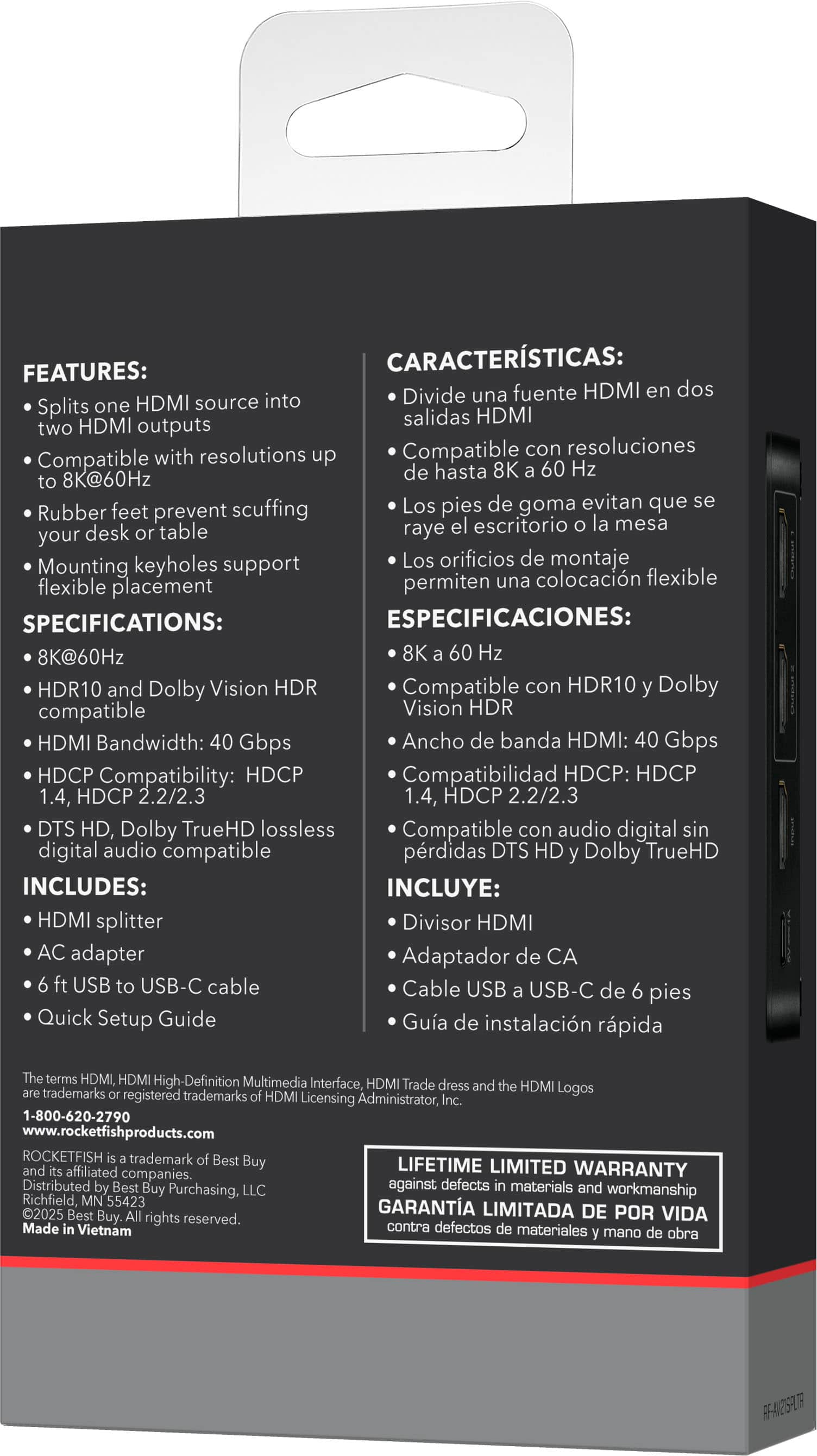
    The Rocketfish 2-output Ultra HD HDMI Splitter is an excellent and straightforward device that does what is says it does - splitting an HDMI single into two HDMI signals. The device carries both audio and video through the splitter to the two devices that the signal is connected to. This device is ideal for use case where one needs to split a single source such as a DVD player, game console, or TV box to have the same output shared to two devices. The noted features of this device are: - Splits one HDMI Source to two HDMI Outputs - Compatible with resolutions up to 8K@60Hz - Rubber feet prevent scuffing of your desk or table. - Mounting keyholes to support flexible placement (wall mounting - screws not included) Additional specifications include: - HDR10 and Dolby Vision HDR compatible. - HDCP Compatibility: HDCP1.4, HDCP 2.2/2.3 - DTS HD, Dolby TrueHD lossless digital audio compatible. Included in the box: - HDMI Splitter - AC Adapter - 6 ft USB to USB-C Cable (for power adapter) - Quick Set up Guide (English and Spanish) My testing setup consisted of a Laptop with an HDMI output and two monitors with HDMI Inputs. Setup was quick and easy and consisted of connecting the laptop to the Input port of the splitter with an HDMI cable (not included) and the two monitors to the output ports of the splitter with an HDMI cable for each (not included) and then connecting the included power adapter and included USB cable to the splitter and plugging in the power adapter. Turning on the monitors and setting their input to the HDMI port resulted in each receiving the video and audio output from the laptop. A few notable items found in the user guide: - For 8K resolution support the HDMI cables should be HDMI 2.1 and be no more than 9.84 ft/ 3 m in length. - For 4K resolution support the HDMI cables should be HDMI 2.0 cables and be no more than 16.4 ft/ 5 m in length. - Actual output resolution is related to the host, display, cables and your HDMI splitter's configuration. From there is was use the laptop as normal with each monitor receiving a copy of the output. I could easily see this device being used to support trade show setups or other use cases where having mirrored output would be useful. I could also see this driving two television units for displaying video and/audio for sporting, religious, or community events.

    I would recommend this to a friend
  • Tech Insider Network Member

    Rated 5 out of 5 stars

    For the Right Use-Scenario, It's What You Need

    |
    Tech Insider Network Member
    Posted .
    This reviewer received promo considerations or sweepstakes entry for writing a review.

    Simply put, the Rocketfish - 2-Output Ultra HD HDMI Splitter just does what it claims to do: takes one HDMI input and splits it into two identical outputs. The Ultra supports resolutions up to 8k (which I was not able to test since I don’t have 8k hardware). This means it’ll handle everything up to that. All-in-all it’s pretty straightforward. I think the key thing in considering the Rocketfish - 2-Output Ultra HD HDMI Splitter, is being sure you understand what it does - and does not - do. This will not e-x-t-e-n-d your computer screen onto a 2nd monitor. It will duplicate your computer screen on two monitors. Because of this, it’s vital that you’re clear on what you need this splitter for. Many use it for sending a TV or streaming signal to 2 monitors that are in separate locations in a family-room. Think of a group of friends and family watching the same sports games together. In those cases, you need to be aware of how long the cables will need to be to carry the signal between the two monitors (3 meters for 8k | 5 meters for 4k). I’ll be using the Rocketfish splitter to duplicate my laptop screen for some podcasts in which I’ll be recording myself next to one monitor, while using the 2nd for me to view while doing the presentation (on Keynote). This is exactly what I need. If you’re clear on what you need, you can’t go wrong with the Rocketfish - 2-Output Ultra HD HDMI Splitter.

    I would recommend this to a friend
  • Tech Insider Network Member

    Rated 5 out of 5 stars

    Perfect for streaming and events

    |
    Tech Insider Network Member
    Posted .
    This reviewer received promo considerations or sweepstakes entry for writing a review.

    I’ve been able to spend some time with the Rocketfish HDMI Splitter. I run a few events and have a need for this to allow me to have multiple viewing areas for screens. Whether is be an event for 200+ people in attendance or something at my house. I’m a gamer that likes to stream so this device makes it easy to just attach a capture device easily without have to disconnect the whole setup. It also helps for when I run tournaments. I’m a person that plays TCGs and have a streaming/recording setup so it allows for multiple viewing areas and also allow for multiple people see the monitor out. It has been very helpful for flexibility in setups. I hate never having enough outputs. But this allows for that flexibility and ability. It has been very helpful with my events. It has 8k ability which makes it even better for the future. I’m a fan of over spec as it allows it to do everything I need with ease rather than be hindered by hardware. It has HDMI 2.1 so this also allows for 4k 120fps for that buttery smooth gaming with not downside. Overall it is an event coordinator and streamers best friend.

    I would recommend this to a friend
  • Tech Insider Network Member

    Rated 5 out of 5 stars

    Essential for multi-monitor setups

    |
    Tech Insider Network Member
    Posted .
    This reviewer received promo considerations or sweepstakes entry for writing a review.

    This is such a simple set up for anyone to use. The only con that comes to mind is that there is no HDMI cable included in the box. The other aspect to remember is that it is not a switch, which means the same content will be displayed on both the monitors. Like I said, the set up is easy. There is no app or software involved. Plug the mother cable into the Input HDMI port and then connect the monitors/tvs through the output ports. It says 8K at 60Hz so if you are into high speed gaming, this may not fit the bill but that should be a minority among minority of all users. In my case, I tried 4K streaming on two different monitors and it worked without any hiccups. I also experimented with two different Tvs and it worked flawlessly. Granted that all the monitors and TVs I used are not that old, but please check your own Tv's HDMI configuration as older sets may not work commensurately. There is a rubber pad that gives traction if you intend to keep it on your desk. That's about it. Buy this if you are a gamer or have a multi-monitor setup that you need to use for trading or anything else. Highly recommended.

    I would recommend this to a friend
  • Tech Insider Network Member

    Rated 4 out of 5 stars

    Compact HDMI Splitter (1 HDMI to 2 HDMI)

    |
    Tech Insider Network Member
    Posted .
    This reviewer received promo considerations or sweepstakes entry for writing a review.

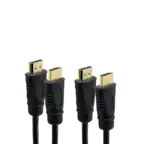
    I have a small office, where we want to have a TV (2 TV's total), 1 at each end of the conference room, so that people at each of the table can read what is on the screen closest to them. All going through a central HDMI port. This Rocketfish 2 Output HDMI controller does just that, What's great is it's super compact, lightweight, and was easy to install and mount using the included tape strips behind one TV, then we ran HDMI through the wall cavity to the second TV. I have been using this all day for presentations and there's no lag, stutter, or degradation in quality - which is impressive given the compact size. There's no real setup, just plug in and go. I was up and running in under 10min (we already had preinstalled the HDMI cable for the 2nd TV). FYI. This would also be perfect for bars where you want to push out the same sports game across multiple screens at your venue. Or a restaurant or small business where you want to have digital signage. BTW. This is not (just in case you're confused) a device for sharing multiple devices to 1 display (that's a different kind of splitter).

    I would recommend this to a friend
  • Pros mentioned:
    Setup ease

    Rated 5 out of 5 stars

    Video splitter

    Posted .
    This reviewer received promo considerations or sweepstakes entry for writing a review.

    The perfect solution for complicated tasks. Plug and play, that's how easy it is to use!

    I would recommend this to a friend