Customer Ratings & Reviews



- Model:
- 4850R
- SKU:
- 12498499
Rating by feature
- Value
Rating 4.7 out of 5 stars
- Quality
Rating 4.7 out of 5 stars
- Ease of Use
Rating 4.8 out of 5 stars
Good quality and fast GUI
||Posted . Owned for 3 weeks when reviewed.This reviewer received promo considerations or sweepstakes entry for writing a review.I purchased this device because it's one of only two devices that allow me to watch the Formula 1 app in 4k resolution
I would recommend this to a friendRoku review
||Posted .This reviewer received promo considerations or sweepstakes entry for writing a review.Bought it for a Father’s Day gift…. Roku never disappoints!
I would recommend this to a friendSolid product
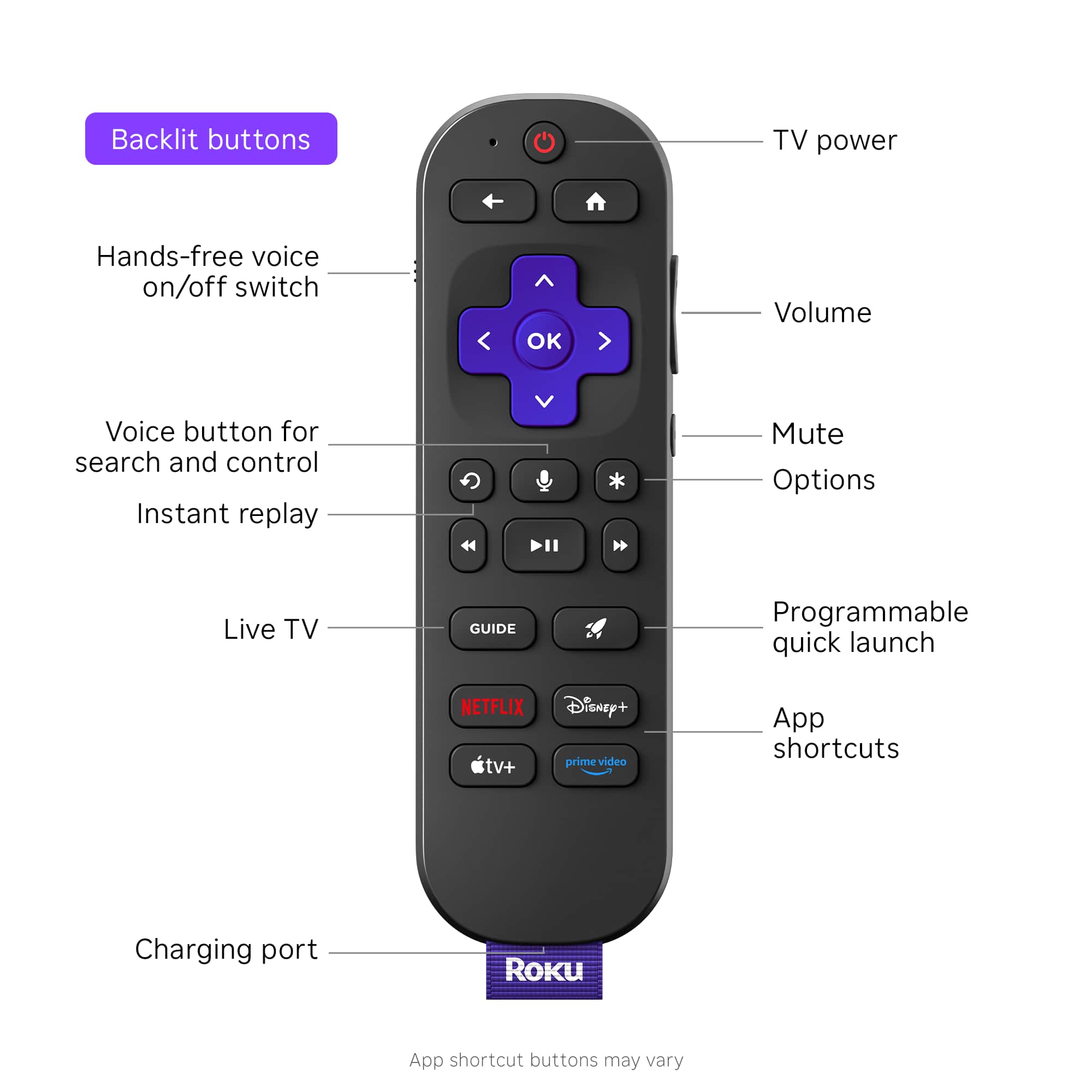
||Posted . Owned for less than 1 week when reviewed.This reviewer received promo considerations or sweepstakes entry for writing a review.It’s fast and handles a media server as advertised. Lit remote is a bonus. 99.00 is a little high but it does work well. Should be more like 70 or something.
I would recommend this to a friendGreat Product, need lower price compete w/ amazon
||Posted . Owned for 1 month when reviewed.This reviewer received promo considerations or sweepstakes entry for writing a review.You need to keep the discounted price on this device active all the time to compete with Amazon.
I would recommend this to a friendMy roku
||Posted . Owned for 3 weeks when reviewed.This reviewer received promo considerations or sweepstakes entry for writing a review.There are so many great features on this roku its hard to name them all. One of my favorites is the Bluetooth feature for my headphones.
I would recommend this to a friendMy Roku
||Posted .This reviewer received promo considerations or sweepstakes entry for writing a review.Excellent resolution on my TV. Easy to cast videos from my phone
I would recommend this to a friendNew Roku
||Posted . Owned for 3 weeks when reviewed.This reviewer received promo considerations or sweepstakes entry for writing a review.We have used Roku for many years now and we enjoy the programming.
I would recommend this to a friendRoku Ultra
||Posted . Owned for 4 months when reviewed.This reviewer received promo considerations or sweepstakes entry for writing a review.Easy to use the only issue that I experience is I have to reset the Roku box to repair the remote to the box. TheTV stays paired but the Roku box needs the power cord unplugged and plugged back in to be remotely controlled ! ???
I would recommend this to a friendBrand response from Roku Team
Posted .Hi Dan, we understand you're having trouble with your Roku remote. Sometimes, Roku remotes can unpair from their devices due to power issues, Wi-Fi problems, or random glitches. First, check that your batteries are aligned correctly and there's no debris blocking the path. Try to restart your Roku device by going to Home > Settings > System > Power. If you don't see Power, go to System Restart. Additionally, ensure that your device is operating on the latest software version. This will significantly enhance its functionality and provide access to the most recent features. You can refer to this link to learn more at https://support.roku.com/article/208755668. If you are still facing the same issue. Please visit us online at http://support.roku.com/contactus for further assistance.
Thanks!
Elmer, Roku Customer Advocate
Buy this
||Posted . Owned for 1 month when reviewed.This reviewer received promo considerations or sweepstakes entry for writing a review.Spend the extra $60 to get the ultra. It is our single remote controlling volume channel selection and tv power
I would recommend this to a friendGreat
||Posted . Owned for 3 weeks when reviewed.This reviewer received promo considerations or sweepstakes entry for writing a review.It’s easy to use and features are great, the price is just right
I would recommend this to a friendNice product
||Posted . Owned for 3 weeks when reviewed.This reviewer received promo considerations or sweepstakes entry for writing a review.The Roku is easy to set up and fast to browse. The free TV options are better than expected.
I would recommend this to a friendAwesome
||Posted . Owned for 6 months when reviewed.This reviewer received promo considerations or sweepstakes entry for writing a review.Excellent experience, high quality. Crisp resolution
I would recommend this to a friendGREAT
||Posted .This reviewer received promo considerations or sweepstakes entry for writing a review.I love my roku. Best Buy makes it so easy to purchase with fast delivery
I would recommend this to a friendGreat streaming device
||Posted . Owned for 7 months when reviewed.This reviewer received promo considerations or sweepstakes entry for writing a review.Love the product as I already have 2 other Roku streaming devices in use. Does drop internet connection periodically.
I would recommend this to a friendBrand response from Roku Team
Posted .Hi Doug, this is a bit unusual. But no worries, we're here to help! To start, try unplugging your Wi-Fi router for at least 60 seconds to fix this. Then, restart your Roku device by going to Home > Settings > System > System Restart. You can find more tips to improve your Wi-Fi connection at https://support.roku.com/article/213122277#section-1. Also, try connecting to a different network, like a Mobile Hotspot, to find out if the issue is with your Wi-Fi router or Roku device. If the issue persists, feel free to contact us at support.roku.com. Your feedback is really important to us and helps us improve our products and services.
Happy Streaming!
Elmer, Roku Customer Advocate
Great
||Posted .This reviewer received promo considerations or sweepstakes entry for writing a review.This has been a significant upgrade over the functionality built into my SamsungTV
I would recommend this to a friendRoku to make remote easier than TV remote.
||Posted . Owned for 3 weeks when reviewed.This reviewer received promo considerations or sweepstakes entry for writing a review.EZ to install, no problem! EZ to purchase online or in store. Has plenty of Apps already installed.
I would recommend this to a friendDefinitely Recommend
||Posted . Owned for less than 1 week when reviewed.This reviewer received promo considerations or sweepstakes entry for writing a review.We've had 2 other Roku Ultra devices. This is by far the best. New romote design is great! System works like a charm. Definitely recommend!!
I would recommend this to a friendGreat product
||Posted .This reviewer received promo considerations or sweepstakes entry for writing a review.Buy and new one every year just to get the latest and greatest.
I would recommend this to a friendRoku Ultra
||Posted .This reviewer received promo considerations or sweepstakes entry for writing a review.A great little device. Nice to cut the cable wire. Every TV in the home has a Roku.
I would recommend this to a friendWorth the extra money
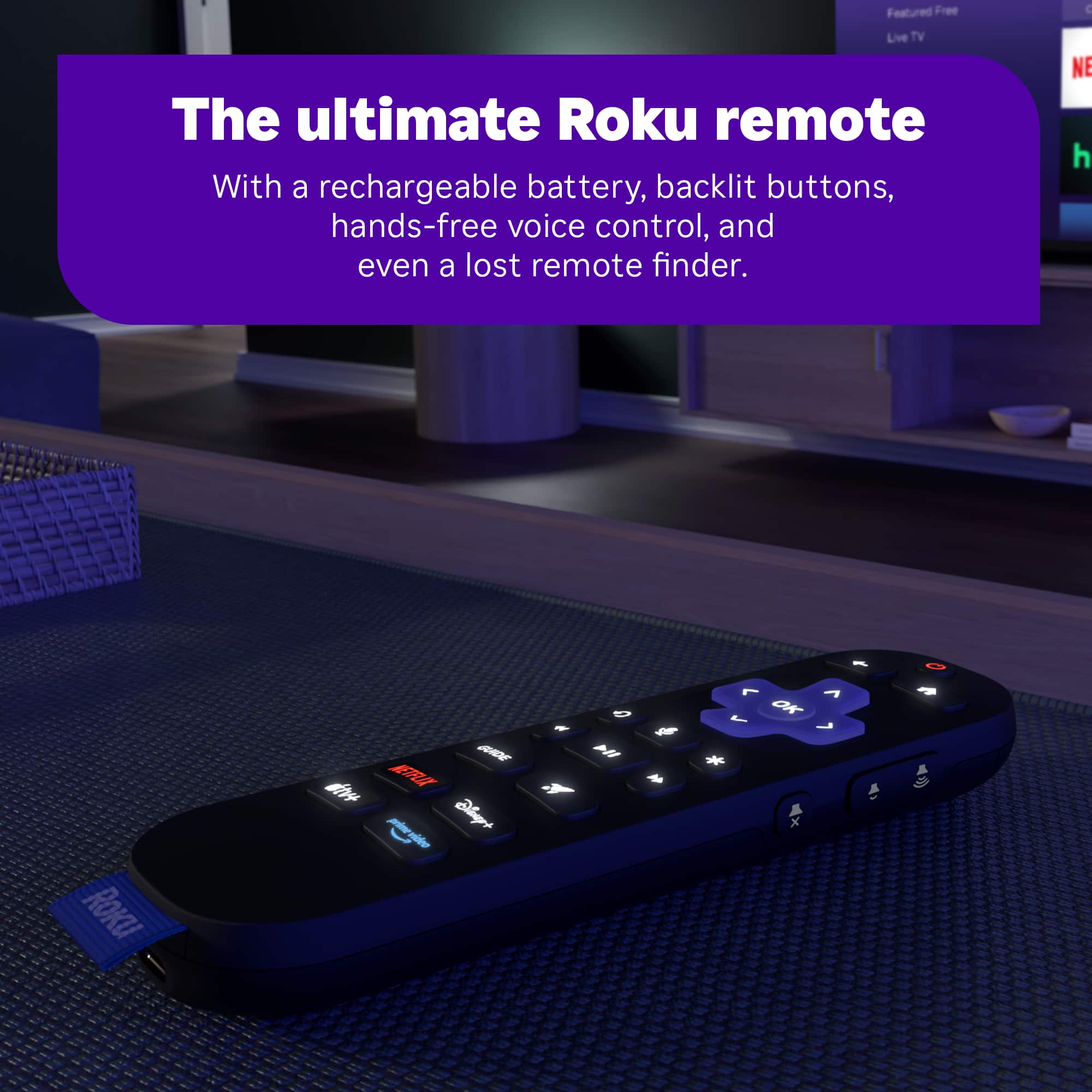
||Posted . Owned for 2 weeks when reviewed.This reviewer received promo considerations or sweepstakes entry for writing a review.Love it. Backlit remote is a game changer. You can even ask device to find remote for you and remote will make a beeping noise. Awesome feature
I would recommend this to a friend