Customer Ratings & Reviews





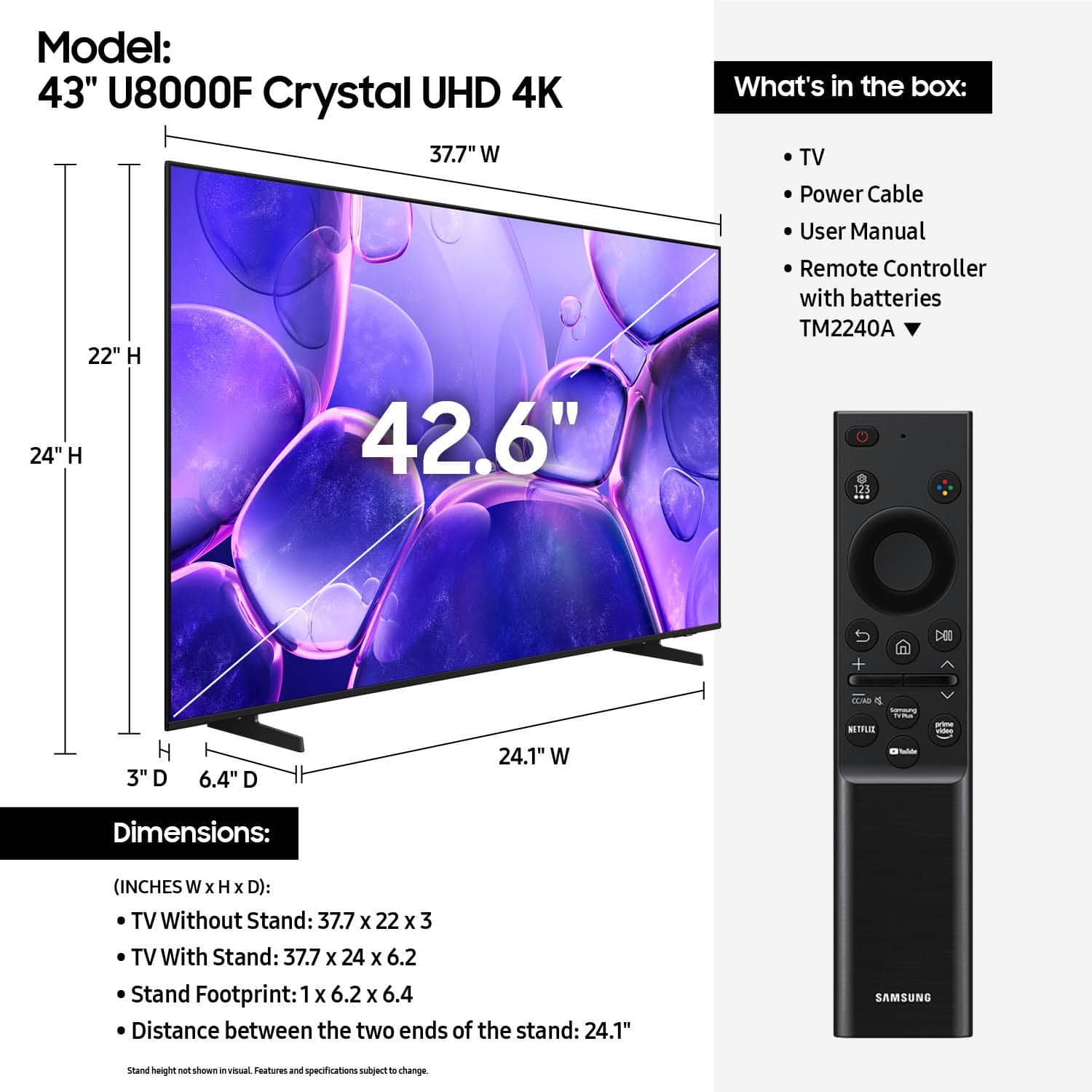












- Model:
- UN43U8000FFXZA
- SKU:
- 12161418
Rating by feature
- Picture Quality
Rating 4.8 out of 5 stars
- Sound Quality
Rating 4.6 out of 5 stars
- Brightness
Rating 4.7 out of 5 stars
- Pros mentioned:Picture quality
Samsung 43 inch TV
||Posted . Owned for 2 months when reviewed.This reviewer received promo considerations or sweepstakes entry for writing a review.The produc work correct and the price is very good
I would recommend this to a friend - Pros mentioned:Picture quality
Solid TV
||Posted . Owned for 1 month when reviewed.This reviewer received promo considerations or sweepstakes entry for writing a review.Bought this for my son's room and he loves it, a lot.
I would recommend this to a friend Samsung long term customer.
||Posted .This reviewer received promo considerations or sweepstakes entry for writing a review.I owned several Samsung products. I stick with Samsung as I have had to call Samsung customer support a few times over the years and they are always helpful and professional.
I would recommend this to a friend- Pros mentioned:Picture quality
Great low cost quality
||Posted . Owned for 3 weeks when reviewed.This reviewer received promo considerations or sweepstakes entry for writing a review.Great sound and picture for the money. Good features and quick remote response.
I would recommend this to a friend - Pros mentioned:Picture quality
Great buy for value
||Posted . Owned for 1 month when reviewed.This reviewer received promo considerations or sweepstakes entry for writing a review.Great TV. My second purchase of the TV. I love my Samsungs!
I would recommend this to a friend - Pros mentioned:Picture quality
Nice TV
||Posted . Owned for 1 month when reviewed.This reviewer received promo considerations or sweepstakes entry for writing a review.Exactly what I was looking for in a flat panel TV!
I would recommend this to a friend - Pros mentioned:Setup ease
43" Samsung
||Posted . Owned for 1 month when reviewed.This reviewer received promo considerations or sweepstakes entry for writing a review.Great smart TV for the room needed and was easy to setup
I would recommend this to a friend - Pros mentioned:Picture quality
No Prob
||Posted .This reviewer received promo considerations or sweepstakes entry for writing a review.Works as it should. No issues yet, but I’ve only had it for about one month.
I would recommend this to a friend Great TV
||Posted .This reviewer received promo considerations or sweepstakes entry for writing a review.Ordered on line and it was great. Customer Service very good and we love the TV. It is the Samsung 43 inch U8000 and the price was wonderful
I would recommend this to a friend- Pros mentioned:Picture quality
Great tv
||Posted . Owned for 1 month when reviewed.This reviewer received promo considerations or sweepstakes entry for writing a review.Good product, easy purchase, convenient store location
I would recommend this to a friend - Pros mentioned:Picture quality
Samsung
||Posted . Owned for 3 weeks when reviewed.This reviewer received promo considerations or sweepstakes entry for writing a review.The best optimal television clarity I’ve seen thus far.
I would recommend this to a friend Not top of the line, but okay.
||Posted . Owned for 1 month when reviewed.This reviewer received promo considerations or sweepstakes entry for writing a review.The controls are weird. Seems like it has a mind of its own at times. Maybe it's the remote? Im not sure. Not sure I'd choose this one again.
I would recommend this to a friend- Pros mentioned:Picture quality
Pppppppppppopoopppppppplkjgfddvnnhfcvbgffcvhjjgfdc
||Posted . Owned for 1 month when reviewed.This reviewer received promo considerations or sweepstakes entry for writing a review.Best TV in the market•••••••••••••••••••••••••••••
I would recommend this to a friend Samsung TV
||Posted .This reviewer received promo considerations or sweepstakes entry for writing a review.I love this TV, the clarity is unbelievable. The kicked is all the free channels.
I would recommend this to a friend- Pros mentioned:Picture quality
Samaung TV
||Posted .This reviewer received promo considerations or sweepstakes entry for writing a review.Nothing wrong with the TV. BB would not cancel my order even though it was less than 2 hrs after I ordered it. Had to not be home when it was delivered so it would be returned and my money returned. Ridiculous
I would recommend this to a friendBrand response from Samsung
Posted .Hi snowflake,
Thank you for sharing your experience with Best Buy. If there’s anything we can assist with, please don’t hesitate to call us at 1-800-SAMSUNG, available daily from 8AM - 12AM EST. You can also visit the Samsung website and click on ‘Support’ for:
• Live Chat
• Manuals, Software, & Warranty Info
~ Samsung Advisor
SUPER GOOD VALUE TV!
||Posted .This reviewer received promo considerations or sweepstakes entry for writing a review.SO GLAD I BOUGHT THIS! WAS SO EAGER FOR IT TO ARRIVE!!
I would recommend this to a friend- Cons mentioned:Connectivity
Samsung 43
||Posted . Owned for 1 week when reviewed.This reviewer received promo considerations or sweepstakes entry for writing a review.somewhat disappointed with sign in not opening where tv was shut off. I do not like need of having to use two remotes to get to Comcast. I also cannot find a video optic connection to utilize my sound bar. Appears I need to find some sort of alternative to use it.
I would recommend this to a friendBrand response from Samsung
Posted .Hi GaryK,
Thank you for your feedback. Please know you can connect your Comcast remote to the TV or use the included Samsung remote for both the TV and your cable box.
To connect your Samsung remote to your cable box, please follow the instructions below:
First, connect an external device (such as a Blu-ray player) to an open HDMI port on your TV, and then turn on the external device. Your TV will automatically recognize the device when connected through HDMI, and will switch the source.
If it doesn't automatically detect it, then keep following the steps to set up the universal remote.
1. Press the Home button on your TV remote to access the Home Screen. Using the directional pad on the remote, navigate to Source. When the selector is placed over Source, the Source menu will appear.
2. Press UP on the directional pad to access Universal Remote, and then select Universal Remote on the Source screen.
3. Next, select Start and make sure the device you want to connect is turned on. Select the device you are trying to setup: Cable/Satellite box. Follow the on-screen instructions to complete the setup and register the device. The instructions will vary, depending on the device type selected.
4. Your TV and the remote will memorize the external device and its connection port (HDMI 1, HDMI 2, etc.) to make controlling everything even easier.
Occasionally, the device may not respond after it's registered. To make sure the connection is made, you will need to re-register the device.
If you need additional support, Samsung is here to help. Please call us at 1-800-SAMSUNG, available daily from 8AM - 12AM EST. You can also chat with a LiveChat agent by clicking the ‘Support’ link on our website.
~ Samsung Advisor
- Pros mentioned:Picture quality
Great Tv
||Posted .This reviewer received promo considerations or sweepstakes entry for writing a review.Nice and somewhat clear having a hard time adjusting the color but overall a very nice tv
I would recommend this to a friend Samsung TV
||Posted . Owned for 3 weeks when reviewed.This reviewer received promo considerations or sweepstakes entry for writing a review.The TV was the right size for my bedroom and was at the right price!
I would recommend this to a friendAmazing
||Posted . Owned for 2 weeks when reviewed.This reviewer received promo considerations or sweepstakes entry for writing a review.Loved the speedy service. And the app on my phone is amazing. Best buy is my favorite store. I just bought my ps5 from best buy. Now i plan on buying all my tech from best buy.
No, I would not recommend this to a friend