Customer Ratings & Reviews





Rating by feature
- Value
Rating 4.3 out of 5 stars
- Quality
Rating 4.5 out of 5 stars
- Ease of Use
Rating 4.3 out of 5 stars
Customers are saying
Customers are delighted by the sound quality, describing it as top-notch and amazing. They appreciate the easy setup process and the inclusion of Dolby Atmos, which enhances the overall sound experience. The soundbar's design is also praised for its sleek and stylish appearance. However, some customers have expressed concerns about the bass levels, the lack of wireless connectivity for the rear speakers, and occasional connectivity issues with the smart things app.
This summary was generated by AI based on customer reviews.
- Pros mentioned:Price, Sound quality
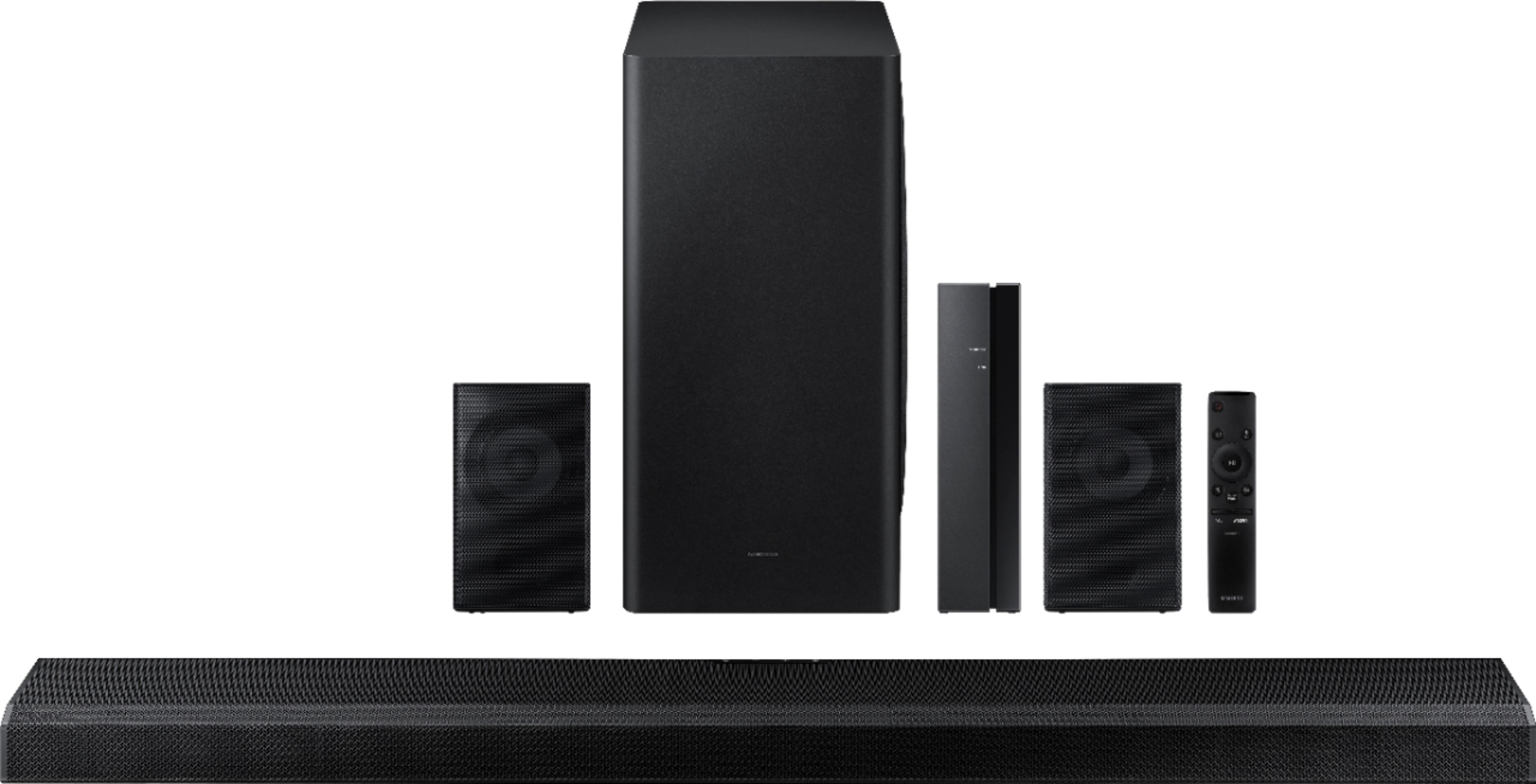
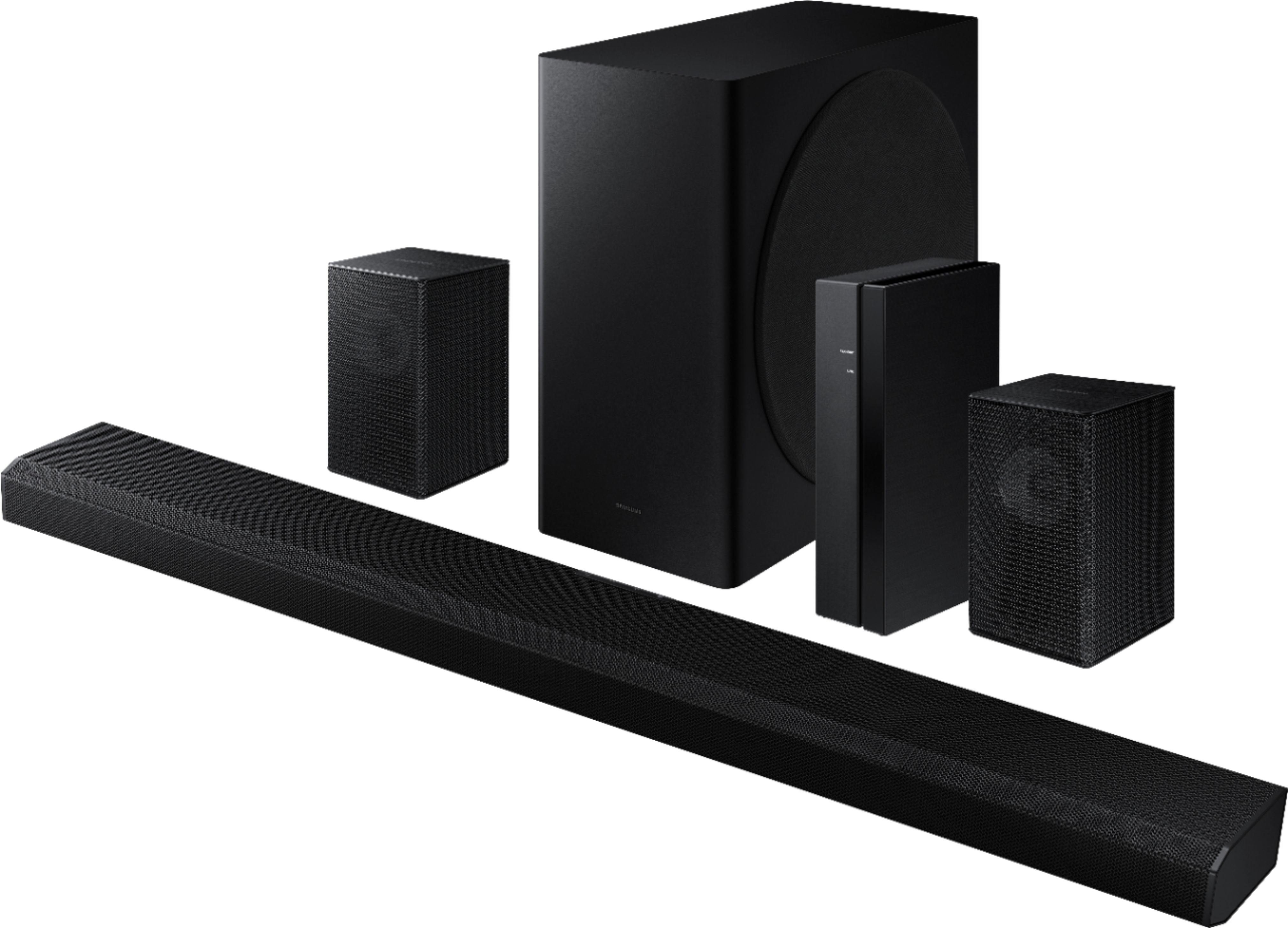
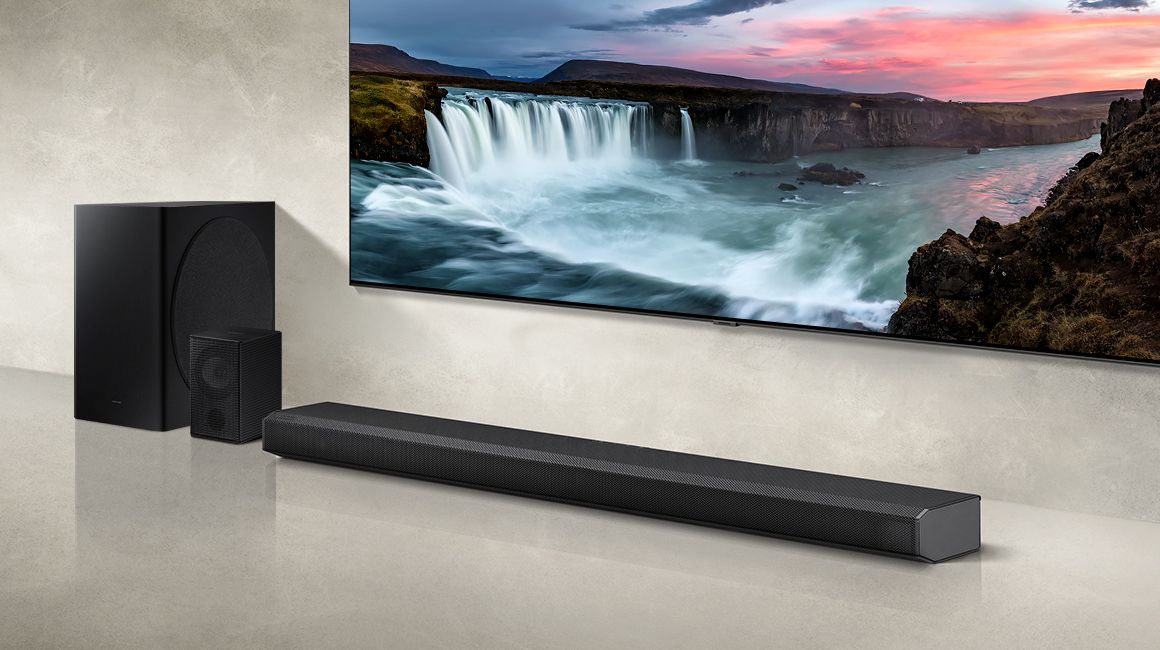
Samsung 850
||Posted .This reviewer received promo considerations or sweepstakes entry for writing a review.Very good sound quality. Very easy to use. Decent price
I would recommend this to a friend Great SoundBar.
||Posted . Owned for 1.5 years when reviewed.This reviewer received promo considerations or sweepstakes entry for writing a review.Awesome quality for this SoundBar. Using for over a year and bo Problems
I would recommend this to a friend- Pros mentioned:Easy setup, Sound quality
Great sound
||Posted . Owned for 1 month when reviewed.This reviewer received promo considerations or sweepstakes entry for writing a review.Works great with good sound. Easy set up and installation.
I would recommend this to a friend Sound system
||Posted . Owned for more than 2 years when reviewed.This reviewer received promo considerations or sweepstakes entry for writing a review.Excellent, don’t see any lag while the music playing.
I would recommend this to a friend- Pros mentioned:Easy setup, Sound quality
Sir
||Posted . Owned for 1 month when reviewed.This reviewer received promo considerations or sweepstakes entry for writing a review.Easy to set up, excellent surround sound. Would recommend
I would recommend this to a friend - Pros mentioned:Easy setup, Sound quality
Yes
||Posted . Owned for 1 week when reviewed.This reviewer received promo considerations or sweepstakes entry for writing a review.Amazing sound quality. Great dolby atmos and easy set up
I would recommend this to a friend - Pros mentioned:Easy setup, Sound quality
Sound Bar
||Posted . Owned for 3 weeks when reviewed.This reviewer received promo considerations or sweepstakes entry for writing a review.Good clear sound and easy to set up. Very nice product!
I would recommend this to a friend - Pros mentioned:Dolby atmos
Great product for sound.
||Posted . Owned for 4 months when reviewed.This reviewer received promo considerations or sweepstakes entry for writing a review.I got this to after having 2 Vizio soundbars go out on me. Since I'm a fan of Samsung tvs i decided to get this to use the Q-symphony feature and they work well together. This soundbar comes with great satellite speakers. The subwoofer is great. Only complaint i would have is the tv can't match the highs of the soundbar.
I would recommend this to a friend - Pros mentioned:Easy setup
Samsung - 5.1.2-Channel Soundbar with Dolby Atmos
||Posted . Owned for 1 month when reviewed.This reviewer received promo considerations or sweepstakes entry for writing a review.I am no techie and the set up was easy for me. Connected to my Samsung TV. Sound is good and quality of materials seem to be good as well. The only draw back would be the wired connection from the receiver to the rear speakers, wish the wire was longer.
I would recommend this to a friend - Cons mentioned:Rear speakers
Great system
||Posted . Owned for 1 month when reviewed.This reviewer received promo considerations or sweepstakes entry for writing a review.Great system overall, rear speakers are not truly wireless have to connect them with wires to a base station. Sound is a lot better then my tv audio and love that it has Alexa included. But can’t add the speaker to Alex’s speaker groups which is disappointing.
I would recommend this to a friend - Pros mentioned:Sound quality
Great buy!
||Posted . Owned for 1 month when reviewed.This reviewer received promo considerations or sweepstakes entry for writing a review.Bought this surround sound system to connect to my new Samsung 82” tv and I’m pleased with the purchase. Sound quality is great and really surrounds with the Dolby Atmos feature. Initial set up and linking the rear speakers was a little clunky but that wouldn’t deter me from recommending this system.
I would recommend this to a friend Awesome!
||Posted . Owned for less than 1 week when reviewed.This reviewer received promo considerations or sweepstakes entry for writing a review.What a good sound system. I don't get the negative reviews. The sub is loud and Deep full of Bass. Also the rear speakers can be adjusted to be louder than the default shipping setting. I adjusted them to + 6 which was the Max and heard sound out of the rear speakers at a very loud level almost too loud and I put it back to zero default. Movies take on another level of immersion. The best thing that I could recommend is buy a decent Blu-ray player and directly pass the audio stream to the soundbar to get the Raw audio stream from the source. I'm looking at you dolby atmos! Without question a good buy. Make sure you update the firmware on the tv and soundbar. The smart things app will update the sounbars firmware.
I would recommend this to a friendBrand response from Samsung
Posted .Hi findingone,
Thank you for purchasing the Samsung HW-Q850A with Adaptive Sound technology, providing you with dynamically optimized audio with enhanced voice clarity for whatever you are watching, including sports, games, movies and more. I am very glad you were able to adjust the rear speaker volume to your liking, and that you are enjoying the full surround sound performance of your new soundbar.
Should you ever have any questions or concerns or need help with settings or features, please contact Samsung Customer Support at 1-800-SAMSUNG (ask for Soundbars), available 8AM -12AM EST, 7 days a week. Or text HELP to 62913.
For additional support resources, visit us on the Samsung website and click on the ‘Support’ link in the upper right corner of the homepage for:
1) More ‘Contact Us’ options – LiveChat, Facebook, Twitter, Samsung Community, Samsung Members app
2) Manuals & Software
3) Warranty Info
4) Product Registration: For access to easy warranty support, convenient opt-in to special promos and offers, faster troubleshooting and service, and quick notification of system updates.
~ Samsung Specialist
- Pros mentioned:Sound quality
Great Soundbar/Not Wireless
||Posted . Owned for 1 month when reviewed.This reviewer received promo considerations or sweepstakes entry for writing a review.Had way to much trouble pairing the rear speakers to the system which seems to be a common complaint. Other than that it sounds great once everything is hooked up correctly. As for the wireless....nothing really wireless about this system at all.
I would recommend this to a friendBrand response from Samsung
Posted .Hi TravRich,
Thank you for purchasing the Samsung HW-Q850A Soundbar System which comes with a subwoofer and rear speaker kit. We appreciate you sharing your thoughts about the wireless description of the rear speakers
Occasionally, customers have trouble hiding and running speaker wires from the front of the room (where their soundbar is) to the back of their room (where they have their rear speakers). The Rear Speaker Kit eliminates that hassle. Connect the rear speakers to its wireless module and place these three in the back of your room. One wire is required to connect each rear speaker to the wireless module. Then plug in the power cable to the module. The “wireless” convenience is in connecting your soundbar and any other speakers at the front of the room to the rear speakers – this can now be done via Wi-Fi through the wireless module, eliminating any clutter of long wires running the length of your room.
Should you ever have any questions or concerns or need help with settings or features, please contact Samsung Customer Support at
1-800-SAMSUNG (ask for Soundbars), available 8AM -12AM EST (Mon-Fri), 9AM – 6PM EST (Sat). Or text HELP to 62913.
For additional support resources, visit us on the Samsung website and click on the ‘Support’ link in the upper right corner of the homepage for:
1. More ‘Contact Us’ options – LiveChat, Facebook, Twitter, Samsung Community, Samsung Members app
2. Manuals & Software
3. Warranty Info
4. Product Registration: For access to easy warranty support, convenient opt-in to special promos and offers, faster troubleshooting and service, and quick notification of system updates.
~ Samsung Solutions
- Pros mentioned:Sound quality
Great surround sound system for the size
||Posted . Owned for 1 month when reviewed.This reviewer received promo considerations or sweepstakes entry for writing a review.Didn’t know what to expect, but this works really well as a surround sound solution. Best sound at based solution I’ve used so far. Not as nice as a full speakers system, but great alternative if space/aesthetics are a priority.
I would recommend this to a friend - Pros mentioned:Easy setup
Worth the money!
||Posted . Owned for 1 month when reviewed.This reviewer received promo considerations or sweepstakes entry for writing a review.Over all the brand speaks for itself. I bought this as a Christmas present for my fiance. We have an open kitchen and living room and it just sounds amazing. Very easy to navigate for people that aren't tech geeks. Lol It took my fiance about 15 minutes to take out of box and set up.
I would recommend this to a friend Outstanding sound
||Posted . Owned for 1.5 years when reviewed.This reviewer received promo considerations or sweepstakes entry for writing a review.Outstanding sound from a compact, all-in-one, unit.
I would recommend this to a friend- Pros mentioned:Price
Great deal
||Posted . Owned for 3 weeks when reviewed.This reviewer received promo considerations or sweepstakes entry for writing a review.Great deal on this sound bar. Some of my expectation would include settings that last past the off/on cycle. The audio is somewhat weak on the low end but when watching a video with lots of explosions, the low end is clearly there.
I would recommend this to a friendBrand response from Samsung
Posted .Hi mrmac52!
Thank you for your review of this Samsung HW-Q850A Soundbar. We appreciate you sharing your feedback regarding the bass performance.
There are two adjustments that can be made to maximize bass from the soundbar and subwoofer:
1) Using the WOOFER button on the remote, you can adjust the level between -6 to +6. To set the subwoofer volume level to 0, press the button in.
2) Adjust the bass control by pressing the SOUND CONTROL button (gear icon) on the remote control, then select BASS to increase the level. You can adjust the volume between -6 to +6 by using the Up/Down buttons.
For precise audio adjustments, you can use the 7-band frequency equalizer to optimize the sound for your room acoustics.
I hope this helps. For further assistance with features, settings, adjustments, or functions please contact Samsung Customer Support at:
1-800-SAMSUNG (ask for Soundbars), available 8AM -12AM EST (Mon-Fri), 9AM – 6PM EST (Sat). Or text HELP to 62913.
For additional support resources, visit us on the Samsung website and click on the ‘Support’ link in the upper right corner of the homepage for:
1) More ‘Contact Us’ options – LiveChat, Facebook, Twitter, Samsung Community, Samsung Members app
2) Manuals & Software
3) Warranty Info
4) Product Registration: For access to easy warranty support, convenient opt-in to special promos and offers, faster troubleshooting and service, and quick notification of system updates.
~ Samsung Solutions
- Pros mentioned:Sound quality
Low quality components that won't last.
||Posted . Owned for 1 year when reviewed.This reviewer received promo considerations or sweepstakes entry for writing a review.Good sound, low quality components. No push buttons to attempt factory resets, only touch. Volume started jumping from 24 to 100 instantly while watching tv. Geek squad told me it would be the cost of a new one to have it repaired(it wasn't cheap in 2021). My previous home theater system lasted over 12 years and this barely lasted 1 year. I've yet to have a Samsung product that was well-made and lasted. Stay away, Go with Sony, Yamaha, Bose, etc. I would also stay away from cheaply manufactured soundbars.
No, I would not recommend this to a friend - Pros mentioned:Price
Good one for surround sound
||Posted . Owned for 2 weeks when reviewed.This reviewer received promo considerations or sweepstakes entry for writing a review.I liked the product but the bass could have been better. Thought of getting Q950A but nearly half the price made me to go with Q850A. Hope the performance was not only half worth compare to Q950A.
I would recommend this to a friendBrand response from Samsung
Posted .Hi rajasekar,
Thank you for purchasing the Samsung HW-Q850A Soundbar and for sharing your feedback regarding the performance of your new sound system.
You can try optimizing audio performance for your specific content by pressing the SOUND MODE button on your remote, and then selecting the desired sound effect by choosing STANDARD, SURROUND, GAME PRO, or ADAPTIVE SOUND.
Once the surround speakers are connected, press the SOUND CONTROL button, and select REAR LEVEL; then use the Up/Down buttons to adjust the volume within a -6 to +6 range.
There are two adjustments that can be made to maximize bass from the soundbar and subwoofer:
1) Using the WOOFER button on the remote, you can adjust the level between -6 to +6. To set the subwoofer volume level to 0, press the button in.
2) Adjust the bass control by pressing the SOUND CONTROL button (gear icon) on the remote control, then select BASS to increase the level. You can adjust the volume between -6 to +6 by using the Up/Down buttons.
Should you ever have questions or need help, please call us at 1-800-SAMSUNG (ask for Soundbars), available 8AM - 12AM EST, 7 days a week.
For additional support resources, visit us on the Samsung website and click on the ‘Support’ link in the upper right corner of the homepage for:
1) Chat with Us/Product Help: To begin a chat or find solutions, choose ‘TVs & Home Theater’ and select your model & topic.
2) Manuals & Software
3) Warranty Info
4) Register a Product: For access to easy warranty support, convenient opt-in to special promos and offers, faster troubleshooting and service, and quick notification of system updates
5) Contact Us
~ Samsung Solutions
- Pros mentioned:Sound quality
Samsung Audio & Soundbar!
||Posted . Owned for 1 month when reviewed.This reviewer received promo considerations or sweepstakes entry for writing a review.I can crisply hear my audio from whatever device I decide to pair it to! Superb bass and clear sound quality that radiates as much as I want through my kitchen and entertainment open floor plan space!
I would recommend this to a friend