Customer Ratings & Reviews




Rating by feature
- Value
Rating 4.3 out of 5 stars
- Quality
Rating 4.5 out of 5 stars
- Ease of Use
Rating 4.3 out of 5 stars
Customers are saying
Customers are delighted by the sound quality, describing it as top-notch and amazing. They appreciate the easy setup process and the inclusion of Dolby Atmos, which enhances the overall sound experience. The soundbar's design is also praised for its sleek and stylish appearance. However, some customers have expressed concerns about the bass levels, the lack of wireless connectivity for the rear speakers, and occasional connectivity issues with the smart things app.
This summary was generated by AI based on customer reviews.
Great sounding Soundbar
||Posted . Owned for 1 month when reviewed.This reviewer received promo considerations or sweepstakes entry for writing a review.Very powerful soundbar setup. Good clean sound great for a large room setup. Used the HDMI Arc to power on and off with the TV.
I would recommend this to a friend- Cons mentioned:Bass
Nope not for me
||Posted . Owned for 2 months when reviewed.This reviewer received promo considerations or sweepstakes entry for writing a review.Not enough bass for my taste. Sounded hollow on most music
No, I would not recommend this to a friendBrand response from Samsung
Posted .Hi Richard,
Thank you for your review of this Samsung HW-Q850A Soundbar. We appreciate you sharing your feedback regarding the bass performance.
There are two adjustments that can be made to maximize bass from the soundbar and subwoofer:
1. Using the WOOFER button on the remote, you can adjust the level between -6 to +6. To set the subwoofer volume level to 0, press the button in.
2. Adjust the bass control by pressing the SOUND CONTROL button (gear icon) on the remote control, then select BASS to increase the level. You can adjust the volume between -6 to +6 by using the Up/Down buttons.
For precise audio adjustments, you can use the 7-band frequency equalizer to optimize the sound for your room acoustics.
I hope this helps. For further assistance with features, settings, adjustments, or functions please contact Samsung Customer Support at 1-800-SAMSUNG (ask for Soundbars), available 8AM - 12AM EST, 7 days a week.
For additional support resources, visit us on the Samsung website and click on the ‘Support’ link in the upper right corner of the homepage for:
1) Chat with Us/Product Help: To begin a chat or find solutions, choose ‘TVs & Home Theater’ and select your model & topic.
2) Manuals & Software
3) Warranty Info
4) Register a Product: For access to easy warranty support, convenient opt-in to special promos and offers, faster troubleshooting and service, and quick notification of system updates
5) Contact Us
~ Samsung Solutions
Hard to beat the value
||Posted . Owned for 5 months when reviewed.This reviewer received promo considerations or sweepstakes entry for writing a review.Great quality , especially when on sale. Surround is decent and bass is powerful for this price range.
I would recommend this to a friendGood home theater system for average room size
||Posted . Owned for 3 weeks when reviewed.This reviewer received promo considerations or sweepstakes entry for writing a review.It is very good system for average room size with good price range
I would recommend this to a friendVery Satisfied
||Posted . Owned for 3 weeks when reviewed.This reviewer received promo considerations or sweepstakes entry for writing a review.Excellent quality product and I can not say enough about the quality of the installation. Very satisfied and highly recommend this item
I would recommend this to a friendSoundbar
||Posted . Owned for 3 weeks when reviewed.This reviewer received promo considerations or sweepstakes entry for writing a review.The soundbar is amazing! It changes the whole TV viewing experience. I am impressed with how well it integrates with the Samsung TV.
I would recommend this to a friendOpen box- excellent
||Posted . Owned for 3 weeks when reviewed.This reviewer received promo considerations or sweepstakes entry for writing a review.Awesome system. Crisp clean sound. Black Friday deal plus excellent open box knocked it down around $500 which was a steal
I would recommend this to a friendExcellent Soundbar
||Posted . Owned for 2 months when reviewed.This reviewer received promo considerations or sweepstakes entry for writing a review.Excellent soundbar. Fills the room and love the bass output.. Definitely recommend if you are looking for a non receiver unit.
I would recommend this to a friendBooming!
||Posted . Owned for 1 week when reviewed.This reviewer received promo considerations or sweepstakes entry for writing a review.This sound bar has excellent sound. The bass with the extra sub will make you feel like you’re in the movie you’re watching.
I would recommend this to a friendDecent.
||Posted . Owned for 3 weeks when reviewed.This reviewer received promo considerations or sweepstakes entry for writing a review.First day was amazing the sound couldnt be beat. After a day or two the sound has degraded alot in the subwoofer and rear speakers. I keep the subwoofer around 4 out of 6 so i know it wasnt too loud. I like the sound system but i fear there was better options for the price.
I would recommend this to a friendBrand response from Samsung
Posted .Hi Jeff,
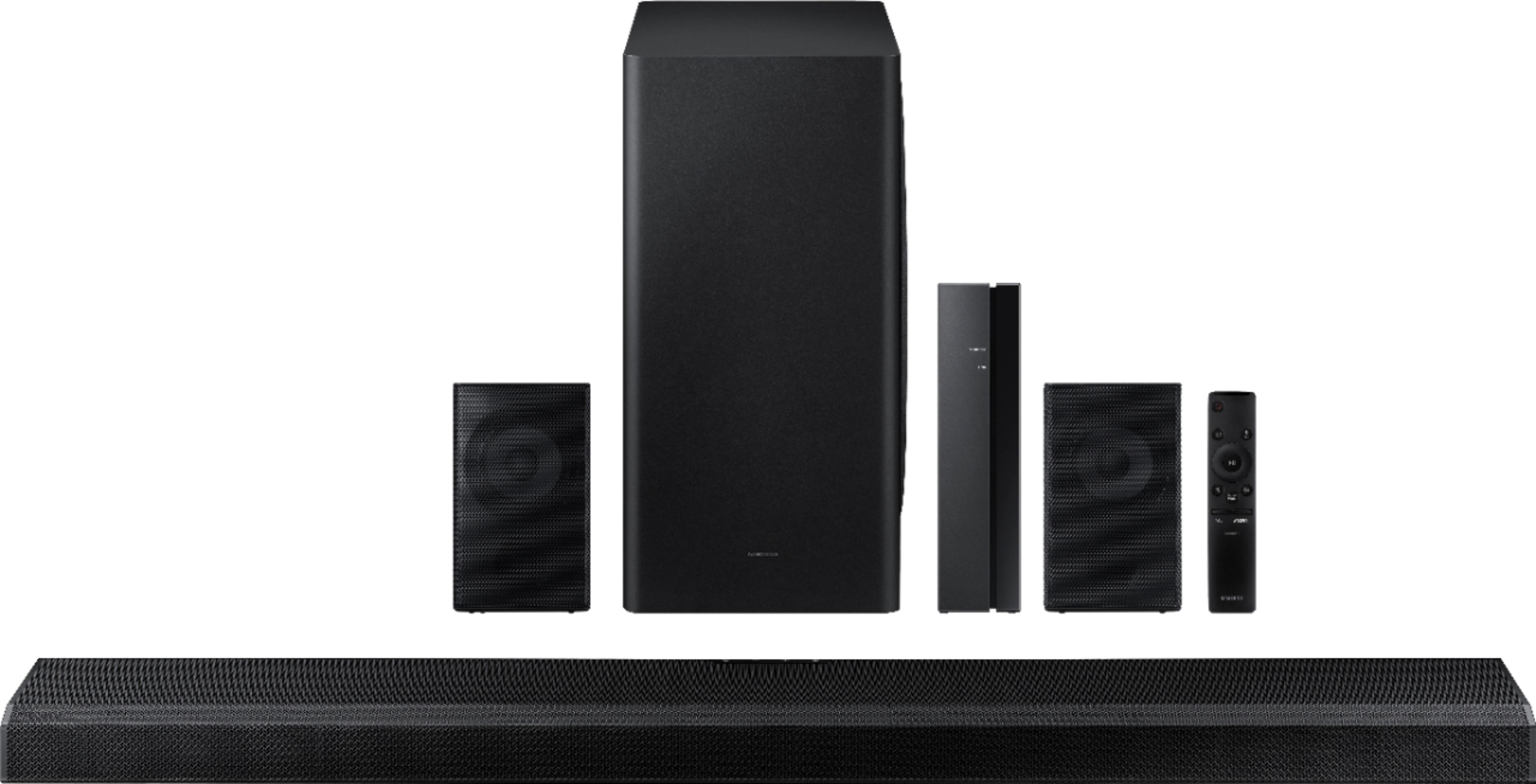
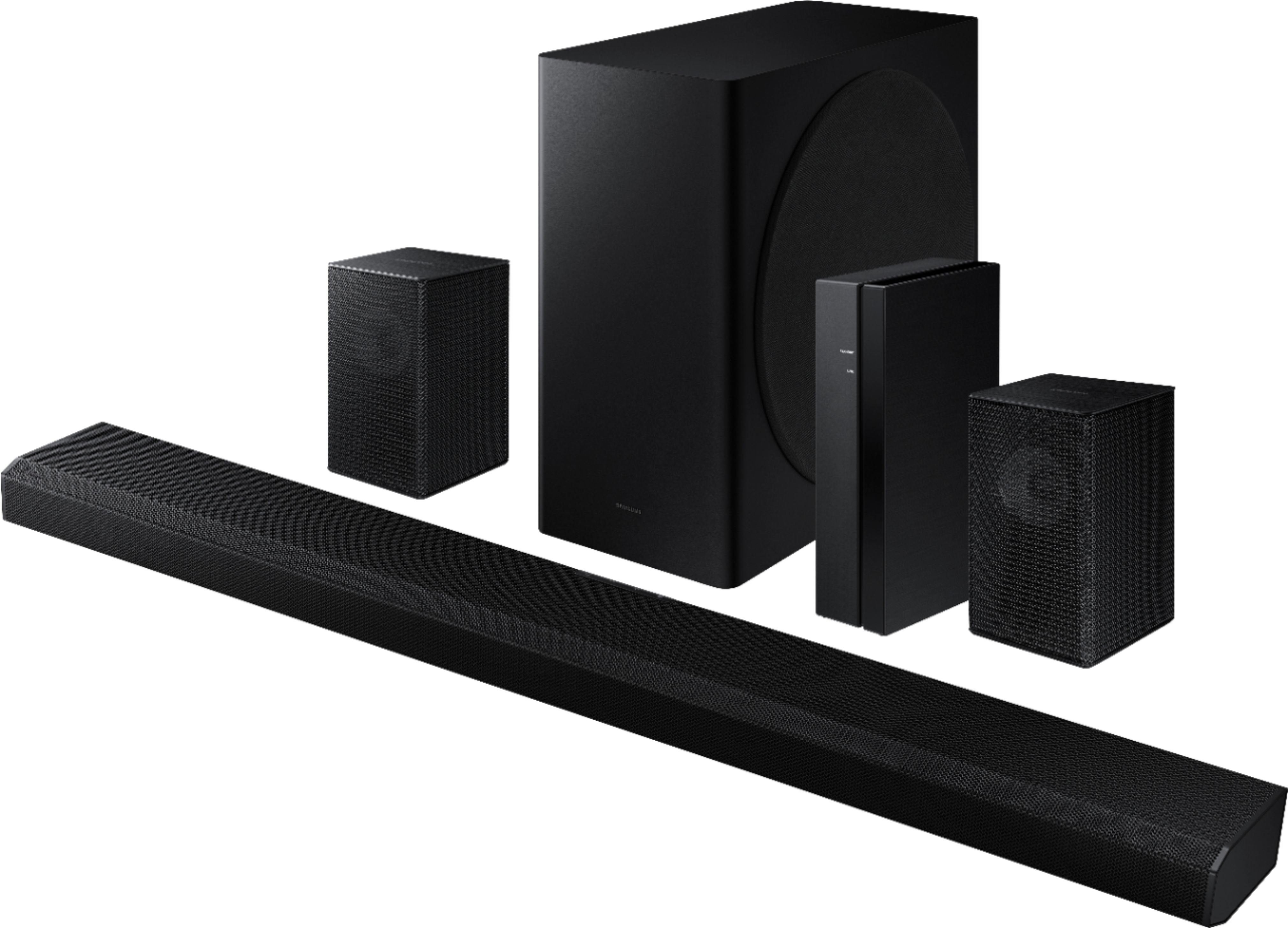
Thank you for purchasing the Samsung HW-Q850A Soundbar, bringing you realistic 3D audio with sound precisely projected from above, in front, behind and to the side of you. We appreciate your feedback regarding the audio performance of the subwoofer and rear speakers.
You can try manually optimizing your audio experience by pressing the SOUND CONTROL button (looks like a gear) to access the setting items such as AVA, TREBLE, BASS, SYNC, CENTER LEVEL, SIDE LEVEL, FRONT TOP LEVEL, REAR LEVEL, REAR TOP LEVEL, and VIRTUAL ON/OFF. The selected item can be adjusted using the Up/Down buttons.
– To control the volume of the treble or bass sound, select TREBLE or BASS in Sound Settings, and then adjust the volume between -6 to +6 by using the Up/Down buttons.
– Press and hold the SOUND CONTROL button for about 5 seconds to adjust the sound for each frequency band. 150Hz, 300Hz, 600Hz, 1.2kHz, 2.5kHz, 5kHz, and 10kHz are selectable using the Left/Right buttons and each can be adjusted to a setting between -6 to +6 using the Up/Down buttons. (Make sure the Sound mode is set to “STANDARD”.)
– To control the volume of each speaker, select CENTER LEVEL, SIDE LEVEL, or FRONT TOP LEVEL in Sound Settings, and then adjust the volume between -6 to +6 by using the Up/Down buttons.
– If the video on the TV and audio from the Soundbar are not synchronized, select SYNC in Sound Control, and then set the audio delay between 0~300 milliseconds by using the Up/Down buttons.
– SYNC is only supported for some functions.
– If Surround Speakers are connected, select REAR LEVEL and then use the Up/Down buttons to adjust the volume within a -6 to +6 range.
– The VIRTUAL Speaker function can be turned ON/OFF by using the Up/Down buttons.
Please also make sure that you have the latest firmware update. You can update your firmware by Auto Update, using the SmartThings app, or by using a USB device.
I hope these tips help improve your audio experience. If you need further assistance, please know we are here to help. You can reach Samsung Customer Support at 1-800-SAMSUNG (ask for Soundbars), available 8AM -12AM EST, 7 days a week. Or text HELP to 62913.
For additional support resources, visit us on the Samsung website and click on the ‘Support’ link in the upper right corner of the homepage for:
1) More ‘Contact Us’ options – LiveChat, Facebook, Twitter, Samsung Community, Samsung Members app
2) Manuals & Software
3) Warranty Info
4) Product Registration: For access to easy warranty support, convenient opt-in to special promos and offers, faster troubleshooting and service, and quick notification of system updates.
We look forward to hearing from you.
~ Samsung Specialist
Awesome theatre like sound
||Posted . Owned for 1 month when reviewed.This reviewer received promo considerations or sweepstakes entry for writing a review.Awesome sound, especially when streaming things. Pricey, but worth the extra investment.
I would recommend this to a friendOk but could be louder!
||Posted . Owned for 1 month when reviewed.This reviewer received promo considerations or sweepstakes entry for writing a review.Good for family room,Den or bedroom. Not what you want for basement.
I would recommend this to a friendBrand response from Samsung
Posted .Hi Micnthnl
Thank you for purchasing the Samsung HW-Q850A and for sharing your feedback regarding the performance of your new sound system. Our HW-Q850A 5.1.2ch Acoustic Beam Soundbar was designed to deliver immersive 3D sound. When paired with the wireless rear speakers, immersive sound firing from the front, side, top, and rear bring the surround sound to life. Adaptive Sound automatically analyzes the sound signal to optimize sound based on each scene including voices at the lowest volumes.
You can try optimizing audio performance for your specific content by pressing the SOUND MODE button on your remote, and then selecting the desired sound effect by choosing STANDARD, SURROUND, GAME PRO, or ADAPTIVE SOUND.
Once the surround speakers are connected, press the SOUND CONTROL button, and select REAR LEVEL; then use the Up/Down buttons to adjust the volume within a -6 to +6 range.
There are two adjustments that can be made to maximize bass from the soundbar and subwoofer:
1) Using the WOOFER button on the remote, you can adjust the level between -6 to +6. To set the subwoofer volume level to 0, press the button in.
2) Adjust the bass control by pressing the SOUND CONTROL button (gear icon) on the remote control, then select BASS to increase the level. You can adjust the volume between -6 to +6 by using the Up/Down buttons.
With the sound mode set to Standard, press and hold the Sound Control button for about 5 seconds to adjust the sound for each frequency band for precise audio adjustments. 150Hz, 300Hz, 600Hz, 1.2kHz, 2.5kHz, 5kHz, and 10kHz are selectable using the Left/Right buttons and each can be adjusted to a setting between -6 to +6 using the Up/Down buttons.
Should you ever have questions or need help, please call us at 1-800-SAMSUNG (ask for Soundbars), available 8AM - 12AM EST, 7 days a week.
For additional support resources, visit us on the Samsung website and click on the ‘Support’ link in the upper right corner of the homepage for:
1) Chat with Us/Product Help: To begin a chat or find solutions, choose ‘TVs & Home Theater’ and select your model & topic.
2) Manuals & Software
3) Warranty Info
4) Register a Product: For access to easy warranty support, convenient opt-in to special promos and offers, faster troubleshooting and service, and quick notification of system updates
5) Contact Us
~ Samsung Solutions
Great for family entertainment
||Posted . Owned for 3 weeks when reviewed.This reviewer received promo considerations or sweepstakes entry for writing a review.I really love this soundbar. It’s extremely good if you enjoy a cinema type feeling. I was amazed at how good it sounds.
I would recommend this to a friend- Pros mentioned:Dolby atmos, Easy setup, Sound quality

Theater sound in a small package
|Posted .This reviewer received promo considerations or sweepstakes entry for writing a review.It took me about 20 minutes to unbox everything, connect all the cables, and get my first sound test going. I'd never heard a system with Dolby Atmos before, but I'm pretty impressed. My wife walked into the room and even said "wow, that sounds really, really good!" We have a living room that's open to the second story above. It's not a vaulted ceiling, but a traditional flat ceiling that's about 20' above the living room. I wasn't sure how the Q850A would sound in this situation, but it's pretty fantastic. The only slight complaint I have is with the instructions--what came in the box isn't particularly detailed. The volume and subwoofer volume buttons on the remote about drove me crazy until I figured out you push/slide them forward or back to change the volume rather than push on them vertically. The other issue that's still a mystery is the directions mention pressing the multifunction button for 3 seconds to activate Alexa. I don't know if that was a mistake in the manual or I just haven't figured it out yet. But pressing the button for 3 seconds doesn't do anything, and I wasn't able to find any other references about Alexa or how to set it up. Other than those minor instruction issues, the rest of the setup was easy. I connected the TV to the HDMI ARC port. The wireless subwoofer actually linked up on its own when I powered it on, so I didn't even have to press anything. I did have to press the button to link the wireless rear speaker hub, but that worked exactly as described. Note that in addition to needing power for the subwoofer and the rear speaker wireless hub, you also have to run speaker wire (included) from each of the rear speakers to the hub. I didn't find any recommendation in the instructions for speaker placement, but we have a table right behind our sofa so it worked well to put the hub and speakers on it. I think this is going to be a great sound bar system and it's about the closest I've come yet to feeling like my living room is a real theater.
I would recommend this to a friendBrand response from Samsung
Posted .Hi FlyingC!
Thank you for purchasing the Samsung HW-Q850A soundbar giving you the ultimate 3D surround sound for your home theater with the highest level of detail and clarity. I am glad to hear you are enjoying the audio experience provided by your new soundbar.
To set up the Alexa functionality on the HW-Q850A Soundbar, you must do it within the SmartThings app. However, if you are having trouble, follow these steps on your smart phone:
1. First delete the Soundbar from your SmartThings account: At the top left corner of the main page, tap on the 3 horizontal bars > Devices > tap on the 3 vertical dots on the top right corner > Delete > select the Soundbar > Delete
2. Uninstall the SmartThings app from your smart phone
3. Reinstall the SmartThings app from the app store
4. Sign in to your SmartThings account
5. Tap the + button at the top right of the main page > select Device > AV > Samsung > Soundbar
6. After the Soundbar has been added, select the Soundbar from the main page
7. Tap on the 3 vertical dots on the top right corner and tap on “Alexa Settings” to log in to your Amazon account
You can now call Alexa, or press the multi-function button on the soundbar for 3 seconds. For more information reference pages 23 - 24 in the user manual found at the following link:
https://downloadcenter.samsung.com/content/UM/202104/20210416033940001/AH81-13904A-00_FM_HW-Q850A_ZA_ENG_210409.0.pdf
I hope this helps to resolve your issue with Alexa. If you need further assistance, please contact Samsung Customer Support at:
1-800-SAMSUNG (ask for Soundbars), available 8AM -12AM EST, 7 days a week. Or text HELP to 62913.
For additional support resources, visit us on the Samsung website and click on the ‘Support’ link in the upper right corner of the homepage for:
1) More ‘Contact Us’ options – LiveChat, Facebook, Twitter, Samsung Community, Samsung Members app
2) Manuals & Software
3) Warranty Info
4) Product Registration: For access to easy warranty support, convenient opt-in to special promos and offers, faster troubleshooting and service, and quick notification of system updates.
~ Samsung Solutions
kelzo90
||Posted . Owned for 2 weeks when reviewed.This reviewer received promo considerations or sweepstakes entry for writing a review.Works good sounds good but still can't get Atmos to work thats my one problem.
I would recommend this to a friendgreat price and sound!
||Posted . Owned for 1 month when reviewed.This reviewer received promo considerations or sweepstakes entry for writing a review.great sounding device. I am coming form a 2.1 soundbar system so this is a pleasant upgrade
I would recommend this to a friendSurround sound
||Posted . Owned for 1 month when reviewed.This reviewer received promo considerations or sweepstakes entry for writing a review.Two extra speakers really don’t have enough sound but plenty of sound on the sound bar and more then ent subwoofer sound
I would recommend this to a friendBrand response from Samsung
Posted .Hi Leog!
Thank you for purchasing the Samsung HW-Q850A Soundbar with wireless rear speakers. We appreciate you sharing your experience with the surround sound system.
By design, the surround speakers are supposed to simulate sounds happening behind the viewer. Therefore, most of the time the surround channels are only used for ambient sounds, which are naturally lower in volume.
However, there are a few settings you can change to adjust the surround effect to your preference:
1) Make sure that the source (e.g. TV output) is sending surround channels to the Soundbar. If the source is not capable of surround, then set the Surround mode to OFF on the Soundbar by pressing the Surround button on the remote.
2) If the source has surround channels, select the desired Sound Mode from the Soundbar remote.
3) Turn off Dynamic Range Control. This is done by pressing and holding the Sound Mode button while the Soundbar is in standby mode. Depending on your soundbar model, you may or may not have DRC.
4) Increase the volume level of the surround speakers using the Sound Control button on the Soundbar remote control. Press the Sound Control button on the soundbar remote (looks like a gear), then select REAR LEVEL and use the Up/Down buttons to adjust the volume within a -6 to +6 range.
I hope these tips help to enhance your audio enjoyment.
Should you need further assistance with this issue or have any questions, please contact Samsung Customer Support.
1-800-SAMSUNG (ask for Soundbars), available 8AM -12AM EST (Mon-Fri), 9AM – 6PM EST (Sat). Or text HELP to 62913.
For additional support resources, visit us on the Samsung website and click on the ‘Support’ link in the upper right corner of the homepage for:
1. More ‘Contact Us’ options – LiveChat, Facebook, Twitter, Samsung Community, Samsung Members app
2. Manuals & Software
3. Warranty Info
4. Product Registration: For access to easy warranty support, convenient opt-in to special promos and offers, faster troubleshooting and service, and quick notification of system updates.
~ Samsung Solutions
Superb sound upgrade
||Posted .This reviewer received promo considerations or sweepstakes entry for writing a review.Superb sound quality! Clarity, treble, and bass are all there. I'm really glad i got this sound bar!!!
I would recommend this to a friendMr
||Posted . Owned for 3 weeks when reviewed.This reviewer received promo considerations or sweepstakes entry for writing a review.Very nice and so good to have it installed by very professional guys.Have it in my house is beyond all the levels.
I would recommend this to a friendSamsung 5.1.2 - Channel Soundbar with Dolby Atmos
||Posted . Owned for 1 year when reviewed.This reviewer received promo considerations or sweepstakes entry for writing a review.What a great Samsung 5. 1.2 Soundbar system! Wireless back speakers sound great!
I would recommend this to a friend