Customer Ratings & Reviews




Rating by feature
- Value
Rating 4.3 out of 5 stars
- Quality
Rating 4.5 out of 5 stars
- Ease of Use
Rating 4.3 out of 5 stars
Customers are saying
Customers are delighted by the sound quality, describing it as top-notch and amazing. They appreciate the easy setup process and the inclusion of Dolby Atmos, which enhances the overall sound experience. The soundbar's design is also praised for its sleek and stylish appearance. However, some customers have expressed concerns about the bass levels, the lack of wireless connectivity for the rear speakers, and occasional connectivity issues with the smart things app.
This summary was generated by AI based on customer reviews.
10/10!
||Posted . Owned for 1 month when reviewed.This reviewer received promo considerations or sweepstakes entry for writing a review.Love this system!!! Super loud and just what we needed.
I would recommend this to a friendSurround sound
||Posted . Owned for 1 month when reviewed.This reviewer received promo considerations or sweepstakes entry for writing a review.Emm did a fantastic job selling us tje surround sound
I would recommend this to a friendBest soundbar
||Posted . Owned for 1 month when reviewed.This reviewer received promo considerations or sweepstakes entry for writing a review.Love it have no complains love watching movies now
I would recommend this to a friendDefinitely Worth the Buy
||Posted . Owned for 3 weeks when reviewed.This reviewer received promo considerations or sweepstakes entry for writing a review.Excellent system. Easy to install and great bass!!!
I would recommend this to a friendBrand response from Samsung
Posted .Hi Neche,
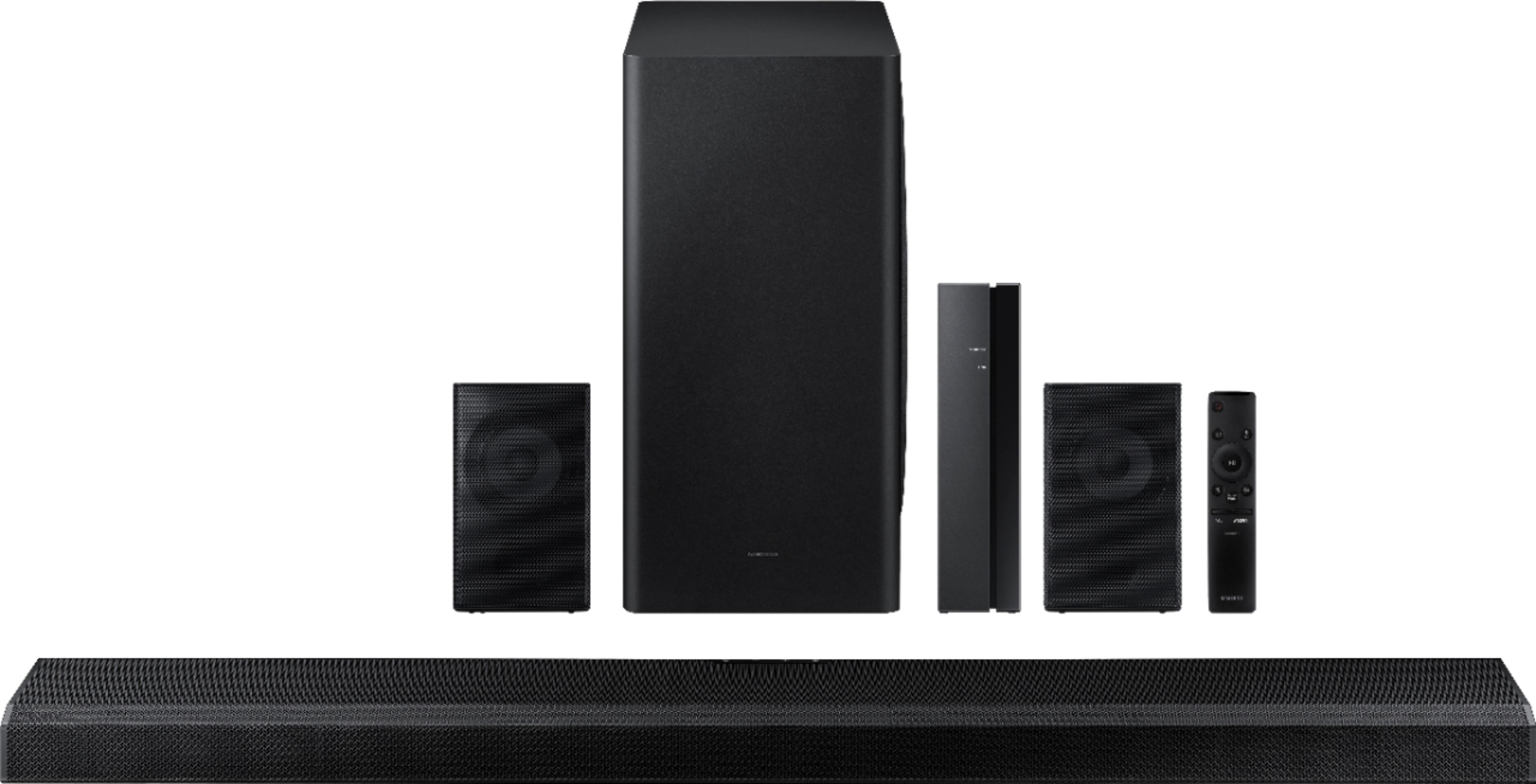
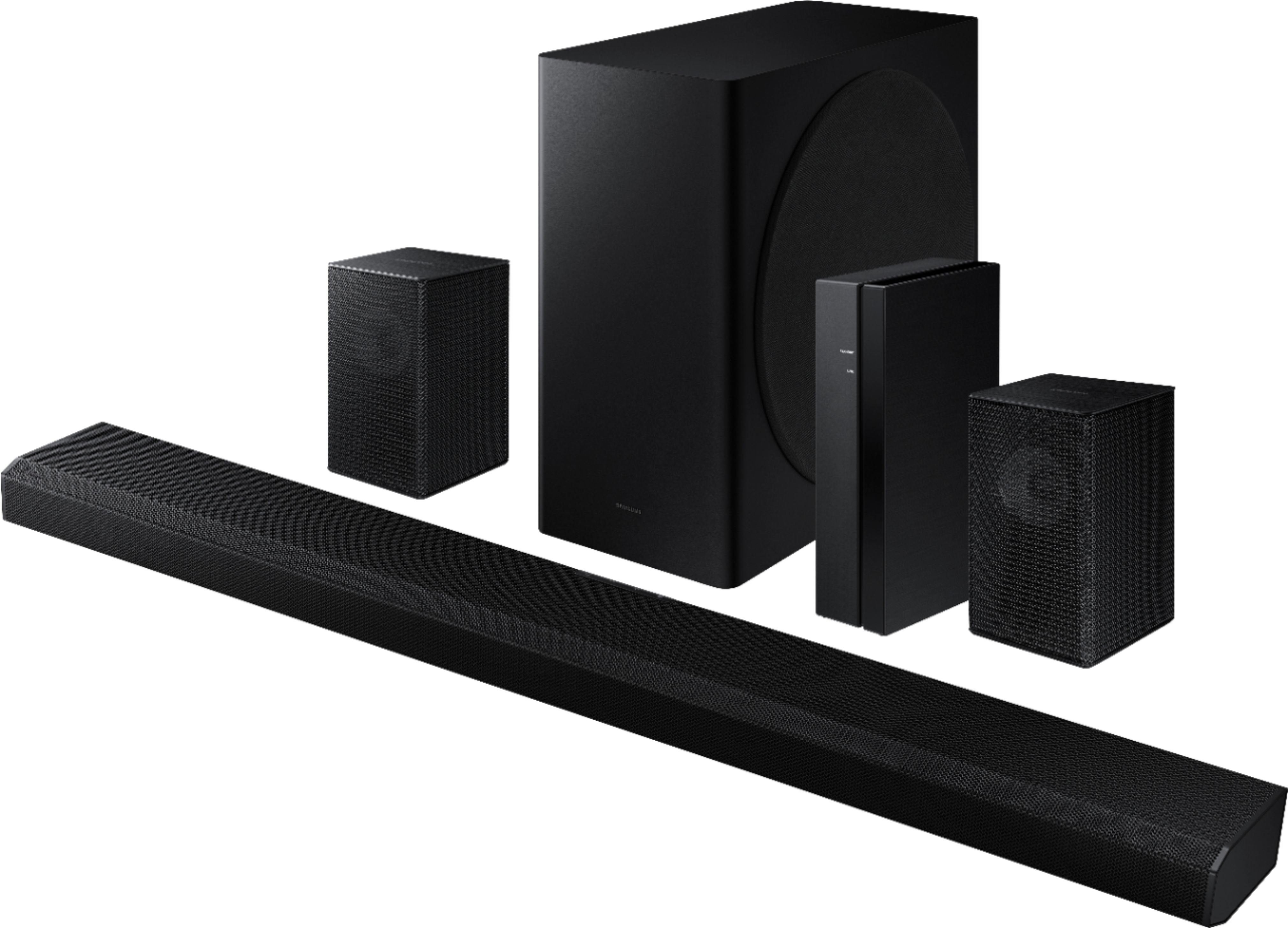
Thank you for purchasing the Samsung HW-Q850A soundbar giving you the ultimate 3D surround sound for your home theater with the highest level of detail and clarity.
Active Voice Amplifier emphasizes the voices in each scene so you can catch every word without distractions.
Should you ever have any questions or concerns or need help with settings or features, please contact Samsung Customer Support at:
1-800-SAMSUNG (ask for Soundbars), available 8AM -12AM EST, 7 days a week. Or text HELP to 62913.
For additional support resources, visit us on the Samsung website and click on the ‘Support’ link in the upper right corner of the homepage for:
1) More ‘Contact Us’ options – LiveChat, Facebook, Twitter, Samsung Community, Samsung Members app
2) Manuals & Software
3) Warranty Info
4) Product Registration: For access to easy warranty support, convenient opt-in to special promos and offers, faster troubleshooting and service, and quick notification of system updates.
~ Samsung Ambassador
Sounds good
||Posted . Owned for 3 weeks when reviewed.This reviewer received promo considerations or sweepstakes entry for writing a review.Sounds great especially movies with a lot of bass.
I would recommend this to a friendBrand response from Samsung
Posted .Hi Stephanie,
Thank you for purchasing the Samsung HW-Q850A soundbar giving you the ultimate 3D surround sound for your home theater with the highest level of detail and clarity.
With Adaptive Sound Mode, you can enjoy dynamically optimized audio with enhanced voice clarity for whatever you are watching, including sports, games, movies and more.
Should you ever have any questions or concerns or need help with settings or features, please contact Samsung Customer Support at:
1-800-SAMSUNG (ask for Soundbars), available 8AM -12AM EST, 7 days a week. Or text HELP to 62913.
For additional support resources, visit us on the Samsung website and click on the ‘Support’ link in the upper right corner of the homepage for:
1) More ‘Contact Us’ options – LiveChat, Facebook, Twitter, Samsung Community, Samsung Members app
2) Manuals & Software
3) Warranty Info
4) Product Registration: For access to easy warranty support, convenient opt-in to special promos and offers, faster troubleshooting and service, and quick notification of system updates.
~ Samsung Ambassador
Not happy
||Posted . Owned for 3 weeks when reviewed.This reviewer received promo considerations or sweepstakes entry for writing a review.Found sound to not be pleasing, music and crowd noises in small speaker, dialogue from sound bar. Do not seem to join together. Would not buy again.
No, I would not recommend this to a friend- Cons mentioned:Defective
Paying for a Paper Weight
||Posted . Owned for 5 months when reviewed.This reviewer received promo considerations or sweepstakes entry for writing a review.When this sound system actually works it's great. But I have had numerous problems with this product since I bought it which started after it was no longer returnable or exchangeable. I have been using the TV speakers while this product is currently being sent off for another inspection and set of repairs. Considering the price of this item and the issues I will probably never buy a Samsung sound product ever again.
No, I would not recommend this to a friendBrand response from Samsung
Posted .Hi 60148,
Thank you for purchasing the Samsung HW-Q850A and for sharing your review. We appreciate your feedback regarding the issues you experienced with your soundbar and are currently waiting for it to be serviced. I appreciate your patience.
Should you have any issues with your soundbar after service is complete, please contact Samsung Customer Support at 1-800-SAMSUNG (ask for Soundbars), available 8AM - 12AM EST, 7 days a week.
For additional support resources, visit us on the Samsung website and click on the ‘Support’ link in the upper right corner of the homepage for:
1) Chat with Us/Product Help: To begin a chat or find solutions, choose ‘TVs & Home Theater’ and select your model & topic.
2) Manuals & Software
3) Warranty Info
4) Register a Product: For access to easy warranty support, convenient opt-in to special promos and offers, faster troubleshooting and service, and quick notification of system updates
5) Contact Us
~ Samsung Solutions
- Cons mentioned:Connectivity
Q850A Speakers
||Posted . Owned for 1 week when reviewed.This reviewer received promo considerations or sweepstakes entry for writing a review.Sound is ok, rear speakers make interference noise some times.. issues with connecting to smart things app..
No, I would not recommend this to a friendBrand response from Samsung
Posted .Hi Sunny6789,
Updating the firmware on your soundbar gives you all the benefits of the latest improvements. When the Soundbar is connected to the Internet, Auto Update allows software to update automatically even when the Soundbar is turned off. You can also update by using the SmartThings app.
The noise could also be caused by interference by mobile devices placed nearby. (1) Be sure to move phones and tablets at least 3 feet away, (2) Make sure that all cables are firmly connected to the soundbar at both ends, (3) Finally, check if the static is occurring on all sources connected to the soundbar. If it is only occurring on one source, replace the cable that the device is connected with.
I hope these tips help, should you need additional assistance with these issues, or have additional questions, please contact Samsung Customer Support at 1-800-SAMSUNG (ask for Soundbars), available 8AM - 12AM EST, 7 days a week.
For additional support resources, visit us on the Samsung website and click on the ‘Support’ link in the upper right corner of the homepage for:
1) Chat with Us/Product Help: To begin a chat or find solutions, choose ‘TVs & Home Theater’ and select your model & topic.
2) Manuals & Software
3) Warranty Info
4) Register a Product: For access to easy warranty support, convenient opt-in to special promos and offers, faster troubleshooting and service, and quick notification of system updates
5) Contact Us
~ Samsung Ambassador
- Cons mentioned:Remote control
Think it better.
||Posted . Owned for less than 1 week when reviewed.This reviewer received promo considerations or sweepstakes entry for writing a review.Hard to find and understand the Manual. Nothing how to use control remot. Nothin in Spanish
No, I would not recommend this to a friend - Pros mentioned:Sound quality
Never got it to work.
||Posted . Owned for 1 year when reviewed.This reviewer received promo considerations or sweepstakes entry for writing a review.Bought soundbar open-box and was never able to get it to work properly with my brand new Samsung TV. Sound would with drown out or the picture wouldn't work while using soundbar. Sometimes worked and delivered awesome sound but never worked consistently between switching between apps/TV/PS5. Unable to return because it is open-box.
No, I would not recommend this to a friend I can’t hear you
||Posted . Owned for 1 month when reviewed.This reviewer received promo considerations or sweepstakes entry for writing a review.We had problems with the remote speakers. The techs had to make 2 trips to fix it and it did not work the last time so we returned it.
No, I would not recommend this to a friendBrand response from Samsung
Posted .Hi Goodsounds,
I am very sorry to hear of the difficulties you experienced with the setup of the included wireless rear speaker kit which led to you returning your new Samsung Soundbar.
Should you ever decide to give Samsung Soundbars another try and have questions or need assistance with settings, setup, or features, please know we are always here to help. Call us at 1-800-SAMSUNG (ask for Soundbars), available 8AM - 12AM EST, 7 days a week.
For additional support resources, visit us on the Samsung website and click on the ‘Support’ link in the upper right corner of the homepage for:
1) Contact Us: For additional Chat & Text options, choose ‘TVs & Home Theater’ and select your model & topic.
2) Manuals, Software, & Warranty Info
We hope to regain you as a customer in the future.
~ Samsung Solutions
Junk dont buy
||Posted . Owned for 1 year when reviewed.This reviewer received promo considerations or sweepstakes entry for writing a review.Junk dont buy Died after 1 year No support Junk dont buy
No, I would not recommend this to a friend- Pros mentioned:Design, Sound quality

Outstanding Sound
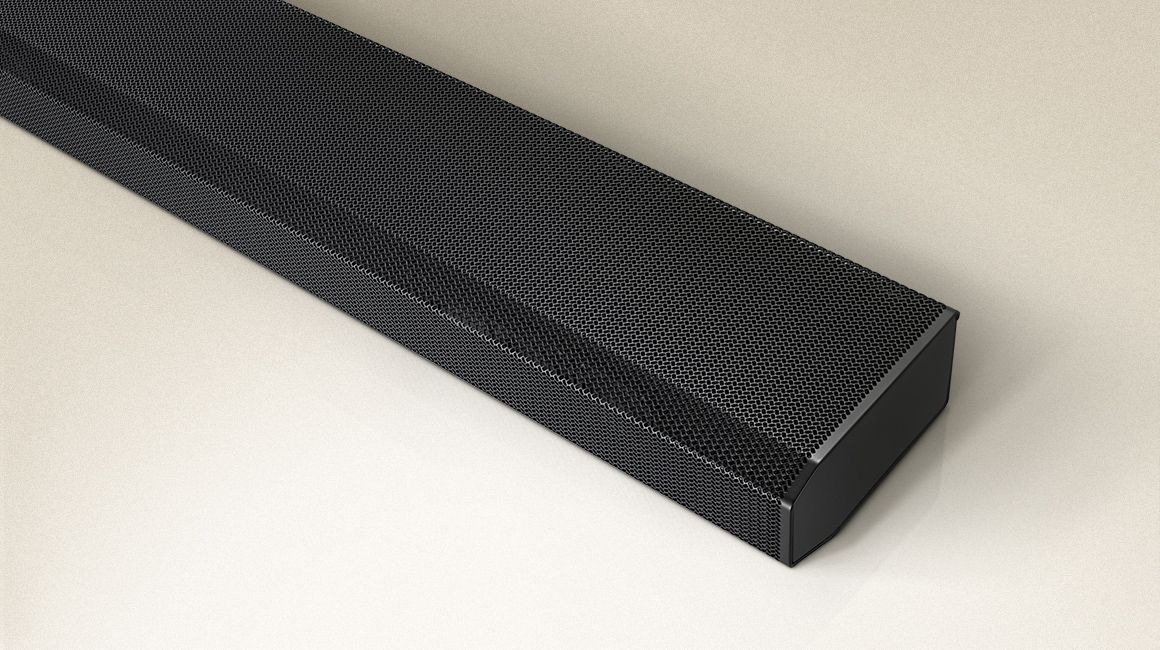
|Posted .This reviewer received promo considerations or sweepstakes entry for writing a review.The sound bar this replaced was excellent. This bar goes to another level! I almost wish I hadn't heard this bar as it now raises my expectations for what's capable from a sound bar system. The thuds are more realistic. The shots are more refractory. Voices are closer to the actual true life representation of tone and the bass is wall shaking. The first thing I noticed upon installing in the sleekness of the sound bar. Instead of being “tall”, the bar is a bit wider, thus giving a slimmer profile when situated under the TV. There is no fabric on the grill. All metal. I appreciate this as with electronics, dust can accumulate quickly and keeping the fabric clean and clear was becoming quite a chore. Installation was extremely simple. I literally just unplugged my HDMI cables from my previous unit, and hooked them to the corresponding Arc/HDMI ports and TV recognized it instantly. Then was the wildcard, connecting to the Smart Things app. With any app integration, things can be smooth or extremely wonky. Luckily, this was smooth. Integration into my overall sound scheme was quick and easy. Not something that happens as often in mismatching product brands. The first test was Extraction on Netflix. Now, with my past Atmos bar, I had to really listen to get the virtual effect of the helicopter/shots overhead. Here, there was no question. The sound bounces as intended and there was no question about the effect being produced. As for overall sound quality, it’s just top notch. No complaints. Clean, clear sound reproduction. It also packs a wallop! I could only get to level 45 out of 100 before I felt I was causing a disturbance. As a plus, music sounds fantastic! The only qualm I have is that the settings (surround level, treble, bass, etc.) are visible primarily through the speaker interface. I’d prefer them to be controllable through the app fro ease of use. My last bar had a great virtual interface. But, that’s the only downside I can report. Definitely a happy camper. Godzilla VS Kong is next up!
I would recommend this to a friendBrand response from Samsung
Posted .Hi JKhan!
Thank you for purchasing the Samsung HW-Q850A soundbar giving you the ultimate 3D surround sound for your home theater with the highest level of detail and clarity. With Adaptive Sound Mode, you can enjoy dynamically optimized audio with enhanced voice clarity for whatever you are watching, including sports, games, movies and more.
Did you know your new Samsung Q850A soundbar is compatible with the SmartThings application? You can use this app to adjust settings, control volume, set-up Alexa, and more.
Should you ever have questions or need help, please call us at:
1-800-SAMSUNG (ask for Soundbars), available 8AM -12AM EST, 7 days a week. Or text HELP to 62913.
For additional support resources, visit us on the Samsung website and click on the ‘Support’ link in the upper right corner of the homepage for:
1) More ‘Contact Us’ options – LiveChat, Facebook, Twitter, Samsung Community, Samsung Members app
2) Manuals & Software
3) Warranty Info
4) Product Registration: For access to easy warranty support, convenient opt-in to special promos and offers, faster troubleshooting and service, and quick notification of system updates.
~ Samsung Solutions
Speaker
||Posted .This reviewer received promo considerations or sweepstakes entry for writing a review.Good Quality and sound. Only had for two weeks already needs an update, because it cuts out every 30 seconds.
No, I would not recommend this to a friendBrand response from Samsung
Posted .Hi Surrounds,
Thank you for your review of this Samsung HW-Q850A Soundbar System. I’m sorry to hear that your out-of-box experience has initially fallen short of your expectations. Your experience will be shared with our product teams.
If available, we recommend using the HDMI connection to your TV. Connecting your soundbar to a TV through HDMI will give you the best audio because HDMI cables transmit sound digitally. There are 2 ways to connect your soundbar with HDMI: you can connect a device to your soundbar (like a Blu-ray player) and then connect the soundbar to the TV, or you can use HDMI ARC. The first method will give you the best possible sound from external devices you regularly use. ARC is the way to go if you want great sound from streaming apps on your TV and a soundbar.
If connected via Bluetooth to the TV and the soundbar and subwoofer are dropping out intermittently there are a few things to check before performing any troubleshooting:
1) The maximum wireless signal transmission distance is about 33 ft.
2) If there is a wall between the sound bar and the subwoofer it may cause interference or not work at all depending on the material in the wall.
3) If there is a device that uses the same wireless frequency (5.8 GHz) near the Soundbar, interference may cause some sound interruption.
4) Check all the sources on the soundbar. If the audio is dropping while watching TV it could be an issue with the broadcast.
5) Also, please be sure you have the latest firmware update. You can update your firmware by using a USB device. You can find the update on the product page of your HW-Q65T on the Samsung website.
If the issue persists, please contact us at 1-800-SAMSUNG (ask for Soundbars), available 8AM - 12AM EST, 7 days a week.
For additional support resources, visit us on the Samsung website and click on the ‘Support’ link in the upper right corner of the homepage for:
1) Chat with Us/Product Help: To begin a chat or find solutions, choose ‘TVs & Home Theater’ and select your model & topic.
2) Manuals & Software
3) Warranty Info
4) Register a Product: For access to easy warranty support, convenient opt-in to special promos and offers, faster troubleshooting and service, and quick notification of system updates
5) Contact Us
~ Samsung Solutions
Disappointment
||Posted . Owned for 1 month when reviewed.This reviewer received promo considerations or sweepstakes entry for writing a review.Sound is very good, surround speakers work intermittently and are not wireless as listed
No, I would not recommend this to a friendSurround
||Posted .This reviewer received promo considerations or sweepstakes entry for writing a review.Not sure how to operate. Directions were not clear. Need geek squad to return and reconnect to tv
I would recommend this to a friendBrand response from Samsung
Posted .Hi VinnieHomes,
Thank you for purchasing the Samsung HW-Q850A and for sharing your review. The feedback you have provided regarding the setup process and manual included is important to us and will be shared with our internal product teams.
To assist you in the functions and settings of your new soundbar, you can download the full user manual directly from Samsung’s website by clicking “Support” in the top right corner. Then go to “Manuals & Software” > “TVs & Home Theater” > “Home Theater” > “Sound Bars”. From there, you can select the HW-Q850A under Q Series.
Should you need any additional assistance with settings or features of your soundbar please contact Samsung Customer Support at 1-800-SAMSUNG (ask for Soundbars), available 8AM - 12AM EST, 7 days a week.
For additional support resources, visit us on the Samsung website and click on the ‘Support’ link in the upper right corner of the homepage for:
1) Chat with Us/Product Help: To begin a chat or find solutions, choose ‘TVs & Home Theater’ and select your model & topic.
2) Manuals & Software
3) Warranty Info
4) Register a Product: For access to easy warranty support, convenient opt-in to special promos and offers, faster troubleshooting and service, and quick notification of system updates
5) Contact Us
~ Samsung Solutions
Disappointing
||Posted . Owned for less than 1 week when reviewed.This reviewer received promo considerations or sweepstakes entry for writing a review.I'll start with the bad. The rear speakers make a white noise/buzzing sound when in standby. Even with the volume at just 30/100, I can clearly hear it. Complete shame considering the cost of this product and why I will be returning (again). Thought it was just a defect, so this was my second set from Best Buy, but apparently not. For $850 these speakers should be crisp and clear, especially when in standby (no audio playing, but soundbar on). Now for the good. I found the audio to be LOUD and fills the room. The bass would even vibate my floorboards. It's also nice the rear speakers are bluetooth connected for a nice clean look. But I'll reiterate that for $850, one should not have to deal with a white noise/buzzing coming from any of the speakers. I recommend just spending a little more money for a receiver and some speakers. That's what I'll be moving on to for true 5.1.2 Dolby Atmos Surround.
No, I would not recommend this to a friendBrand response from Samsung
Posted .Hi Steve,
I am very sorry to hear about your out of box experience with the HW-Q850A. We appreciate you sharing your issues with us and will pass the details you have provided on to our product teams.
It is possible that your unit needed minor troubleshooting, a firmware update, or adjustments in settings.
Should you ever decide to give Samsung Soundbars another try and have questions or need assistance with settings, setup, or features, please know we are always here to help. Call us at 1-800-SAMSUNG (ask for Soundbars), available 8AM - 12AM EST, 7 days a week.
For additional support resources, visit us on the Samsung website and click on the ‘Support’ link in the upper right corner of the homepage for:
1) Contact Us: For additional Chat & Text options, choose ‘TVs & Home Theater’ and select your model & topic.
2) Manuals, Software, & Warranty Info
We hope to regain you as a customer in the future.
~ Samsung Solutions
Lame, not worth it
||Posted . Owned for 2 months when reviewed.This reviewer received promo considerations or sweepstakes entry for writing a review.Not worth it at all. I would return it if I didn’t miss the very nice timeframe they allotted me to do so. I just didn’t even have it hooked up after the first few days of originally using it I put in my spare room and never brought it back…stick with regular surround sound and save your money
No, I would not recommend this to a friend- Cons mentioned:Connectivity
Good if connection would ever work.
||Posted . Owned for 2 months when reviewed.This reviewer received promo considerations or sweepstakes entry for writing a review.This system works great when the connection works. I have great wifi and the surround speakers cut out constantly. They are only 15 feet from the sound bar and drop the connection all the time. I'm sad I went with this over other options. I regret not returning it.
No, I would not recommend this to a friendBrand response from Samsung
Posted .Hi Greg,
Thank you for purchasing the HW-Q950A soundbar and for your review. We appreciate your feedback regarding connection difficulties with the subwoofer and rear speakers. Please make sure you download and install the latest firmware update (ver1009.2) which may improve connectivity. You can update your firmware by Auto Update or by using a USB device.
Your issue may be caused by wireless interference. When there is a wireless device (e.g., wireless LAN) using the same frequency (5.8GHz) near the Soundbar, the wireless connection between the Subwoofer and Surround Speaker could become unstable. This will affect the quality of audio output.
In this case, the radio frequency channel of the Subwoofer and Surround Speaker can be changed as below :
1. With the power of the Soundbar on, vertically press and hold the WOOFER button on the remote controller for at least 5 seconds.
• The display shows “W-CH” and the currently set radio frequency channel.
2. Press the Up/Down button on the remote controller to change the radio frequency channel, and then press the Play button.
• The display shows “OK” and then the frequency is set to the changed channel.
• You can exit the setting mode by pressing any button other than Up/Down or Play.
The maximum transmission distance of the main unit’s wireless signal is about 32.8 ft. but may vary depending on your operating environment. If a steel-concrete or metallic wall is between the main unit and the wireless subwoofer, the system may not operate at all because the wireless signal cannot penetrate metal.
For optimal listening performance, make sure that the area around the wireless subwoofer and the Wireless Receiver Module is clear of any obstructions.
If your issue persists, please contact Samsung Customer Support at 1-800-SAMSUNG (ask for Soundbars), available 8AM - 12AM EST, 7 days a week.
For additional support resources, visit us on the Samsung website and click on the ‘Support’ link in the upper right corner of the homepage for:
1) Chat with Us/Product Help: To begin a chat or find solutions, choose ‘TVs & Home Theater’ and select your model & topic.
2) Manuals & Software
3) Warranty Info
4) Register a Product: For access to easy warranty support, convenient opt-in to special promos and offers, faster troubleshooting and service, and quick notification of system updates
5) Contact Us
~ Samsung Ambassador
Samsung soundbar
||Posted . Owned for 7 months when reviewed.This reviewer received promo considerations or sweepstakes entry for writing a review.The back speakers are not good at all can!t hear anything out of them.
No, I would not recommend this to a friendBrand response from Samsung
Posted .Hi Greenman,
Thank you for sharing your review of the Samsung HW-Q850A Soundbar. We value your feedback regarding the sound performance of your soundbar. You can try manually optimizing your audio experience by pressing the SOUND CONTROL button (looks like a gear) to access the setting items such as AVA, TREBLE, BASS, SYNC, CENTER LEVEL, SIDE LEVEL, FRONT TOP LEVEL, REAR LEVEL, REAR TOP LEVEL, and VIRTUAL ON/OFF. The selected item can be adjusted using the Up/Down buttons.
– To control the volume of the treble or bass sound, select TREBLE or BASS in Sound Settings, and then adjust the volume between -6 to +6 by using the Up/Down buttons.
– Press and hold the SOUND CONTROL button for about 5 seconds to adjust the sound for each frequency band. 150Hz, 300Hz, 600Hz, 1.2kHz, 2.5kHz, 5kHz, and 10kHz are selectable using the Left/Right buttons and each can be adjusted to a setting between -6 to +6 using the Up/Down buttons. (Make sure the Sound mode is set to “STANDARD”.)
– To control the volume of each speaker, select CENTER LEVEL, SIDE LEVEL, or FRONT TOP LEVEL in Sound Settings, and then adjust the volume between -6 to +6 by using the Up/Down buttons.
– If the video on the TV and audio from the Soundbar are not synchronized, select SYNC in Sound Control, and then set the audio delay between 0~300 milliseconds by using the Up/Down buttons.
– SYNC is only supported for some functions.
– If Surround Speakers are connected, select REAR LEVEL and then use the Up/Down buttons to adjust the volume within a -6 to +6 range.
Should you ever have questions or need help, please call us at 1-800-SAMSUNG (ask for Soundbars), available 8AM - 12AM EST, 7 days a week.
For additional support resources, visit us on the Samsung website and click on the ‘Support’ link in the upper right corner of the homepage for:
1) Chat with Us/Product Help: To begin a chat or find solutions, choose ‘TVs & Home Theater’ and select your model & topic.
2) Manuals & Software
3) Warranty Info
4) Register a Product: For access to easy warranty support, convenient opt-in to special promos and offers, faster troubleshooting and service, and quick notification of system updates
5) Contact Us
~ Samsung Solutions