Customer Ratings & Reviews




Rating by feature
- Value
Rating 4.3 out of 5 stars
- Quality
Rating 4.5 out of 5 stars
- Ease of Use
Rating 4.3 out of 5 stars
Customers are saying
Customers are delighted by the sound quality, describing it as top-notch and amazing. They appreciate the easy setup process and the inclusion of Dolby Atmos, which enhances the overall sound experience. The soundbar's design is also praised for its sleek and stylish appearance. However, some customers have expressed concerns about the bass levels, the lack of wireless connectivity for the rear speakers, and occasional connectivity issues with the smart things app.
This summary was generated by AI based on customer reviews.
Good if it works
||Posted . Owned for less than 1 week when reviewed.This reviewer received promo considerations or sweepstakes entry for writing a review.Good it it work! The real speakers and the receiver somehow didn't work
I would recommend this to a friendBrand response from Samsung
Posted .Hi Michael,
Thank you for sharing your experience with the Samsung HW-Q850A. We appreciate your feedback regarding the setup and connection issues with your rear speakers. When powered on for the first time, the rear speakers and subwoofer should automatically connect wirelessly. If the auto-connection process fails, you can try manually connecting the sub and rears to the soundbar.
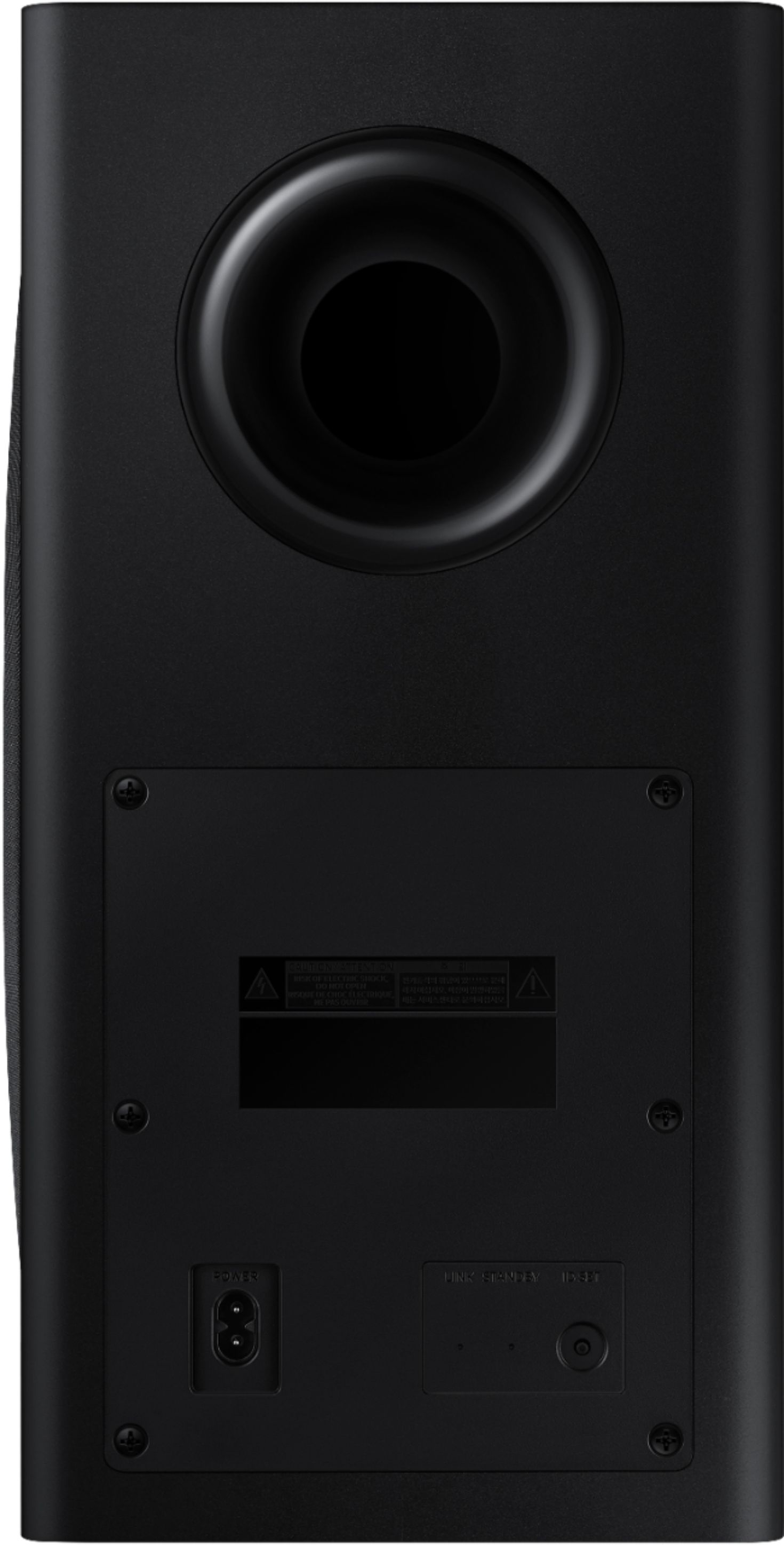
To manually setup the wireless rear speaker kit included with the soundbar if the auto connection process fails, first use the color-coded speaker wires to connect the rear speakers to its wireless module and place these three in the back of your room. Plug the wireless receiver module power cord into an electrical outlet and into the wireless receiver module to turn on the wireless receiver module. Press and hold the ID SET button on the back of the wireless module for at least 5 seconds or until the blue light starts blinking.
Turn off your soundbar and press the Up button on the remote for 5 seconds. The ID SET message will appear on the soundbar for a short time and then disappear. After the ID SET process, the soundbar power is automatically turned on. The LINK LED indicator stops blinking and glows a solid blue when a connection is established between the soundbar and the wireless receiver module.
I hope these tips help resolve the issues you are experiencing. If you would like additional assistance with the setup of your rear speakers, please contact Samsung Customer Support at 1-800-SAMSUNG (ask for Soundbars), available 8AM - 12AM EST, 7 days a week.
For additional support resources, visit us on the Samsung website and click on the ‘Support’ link in the upper right corner of the homepage for:
1) Chat with Us/Product Help: To begin a chat or find solutions, choose ‘TVs & Home Theater’ and select your model & topic.
2) Manuals & Software
3) Warranty Info
4) Register a Product: For access to easy warranty support, convenient opt-in to special promos and offers, faster troubleshooting and service, and quick notification of system updates
5) Contact Us
~ Samsung Solutions
Rear Speakers did not work, no connection
||Posted . Owned for 3 weeks when reviewed.This reviewer received promo considerations or sweepstakes entry for writing a review.Purchased Q850A from Bestbuy. Hooked it up and wireless speakers were not working. I had to reset the whole setup and start all over. Also, I have tried to reset the WIFI receiver. Nothing worked. Samsung was unable to help but requested to return it to BestBuy. Returned and ordered a brand new one. Picked up a new brand set again (second time). This time, the rear speakers settings does not show up on the settings nor no sound from the rear speakers. Also, the sound from Q850A was not great at all. Sound from Samsung TV was far better. I had to return the second set too. Very frustrated.
No, I would not recommend this to a friendBrand response from Samsung
Posted .Hi Srini!
Thank you for your review of the Samsung HW-Q700A Soundbar System. We appreciate you sharing your experience with us.It is our customers’ concerns and opinions that drive our continuous efforts towards delivering world-class service and products.
Your feedback is very important to us and will be shared with our product team.
Should you ever decide to give Samsung audio products another try and have questions or need assistance with settings, setup, or features, please know we are always here to help. Contact us at:
1-800-SAMSUNG (ask for Soundbars), available 8AM -12AM EST (Mon-Fri), 9AM – 6PM EST (Sat). Or text HELP to 62913.
For additional support resources, visit us on the Samsung website and click on the ‘Support’ link in the upper right corner of the homepage for:
1) More ‘Contact Us’ options – LiveChat, Facebook, Twitter, Samsung Community, Samsung Members app
2) Manuals, Software, & Warranty Info
We hope to regain you as a customer in the future.
~ Samsung Solutions
open box stuck in store mode cant reset it
||Posted . Owned for less than 1 week when reviewed.This reviewer received promo considerations or sweepstakes entry for writing a review.First off its beyond unacceptable i bought a floor model from best buy thats stuck in store mode and I am unable to reset it on my own due to when the device is in store mode/ demo mode it locks out the touch buttons that i need to reset it. Are you kidding me Samsung how does that make sense? Your website has nothing in regards on how to reset it when its in store mode. Theres a button on the bottom for wifi but nothing to reset it? Are you kidding me? Install a soundbar i paid 500 open box and cant use it because of bad customer service and poor thinking on Samsungs part. In additional to that it was cutting in and out. Returning it tomorrow and buying a Vizio. Must be a reason why best buy keeps getting returns for this and not the Vizio.
No, I would not recommend this to a friendCould be Better
||Posted . Owned for 1 month when reviewed.This reviewer received promo considerations or sweepstakes entry for writing a review.limited controls on surround speakers. No control on balance of speakers
No, I would not recommend this to a friendBrand response from Samsung
Posted .Hi Said,
Thank you for sharing your review of the Samsung HW-Q850A Soundbar. We value your feedback regarding the adjustment settings available on your soundbar. You can manually optimizing your audio experience by pressing the SOUND CONTROL button (looks like a gear) to access the setting items such as AVA, TREBLE, BASS, SYNC, CENTER LEVEL, SIDE LEVEL, FRONT TOP LEVEL, REAR LEVEL, REAR TOP LEVEL, and VIRTUAL ON/OFF. The selected item can be adjusted using the Up/Down buttons.
– To control the volume of the treble or bass sound, select TREBLE or BASS in Sound Settings, and then adjust the volume between -6 to +6 by using the Up/Down buttons.
– Press and hold the SOUND CONTROL button for about 5 seconds to adjust the sound for each frequency band. 150Hz, 300Hz, 600Hz, 1.2kHz, 2.5kHz, 5kHz, and 10kHz are selectable using the Left/Right buttons and each can be adjusted to a setting between -6 to +6 using the Up/Down buttons. (Make sure the Sound mode is set to “STANDARD”.)
– To control the volume of each speaker, select CENTER LEVEL, SIDE LEVEL, or FRONT TOP LEVEL in Sound Settings, and then adjust the volume between -6 to +6 by using the Up/Down buttons.
– If the video on the TV and audio from the Soundbar are not synchronized, select SYNC in Sound Control, and then set the audio delay between 0~300 milliseconds by using the Up/Down buttons.
– If Surround Speakers are connected, select REAR LEVEL and then use the Up/Down buttons to adjust the volume within a -6 to +6 range.
– The VIRTUAL Speaker function can be turned ON/OFF by using the Up/Down buttons.
If you need further assistance, please know we are here to help. You can reach Samsung Customer Support at: 1-800-SAMSUNG (ask for Soundbars), available 8AM - 12AM EST, 7 days a week.
For additional support resources, visit us on the Samsung website and click on the ‘Support’ link in the upper right corner of the homepage for:
1) Contact Us: For additional Chat & Text options, choose ‘TVs & Home Theater’ and select your model & topic.
2) Manuals & Software
3) Warranty Info
4) Register a Product: For access to easy warranty support, convenient opt-in to special promos and offers, faster troubleshooting and service, and quick notification of system updates
~ Samsung Solutions
It’s ok not as I thought
||Posted . Owned for 1 month when reviewed.This reviewer received promo considerations or sweepstakes entry for writing a review.Great sound however it distorts when I play games on my consoles.
No, I would not recommend this to a friendBrand response from Samsung
Posted .Hi Jay1973!
Thank you for sharing your thoughts on the performance of the HW-Q850A sound system featuring audio-enhancing technologies like Acoustic Beam for directional sound, Adaptive Sound mode to optimize content, and wireless subwoofer for deep bass.
Please try these tips to troubleshoot the distortion during gaming:
1) Check that the soundbar is correctly positioned correctly with the SAMSUNG logo facing up towards the ceiling. We have found that many customers are misplacing the soundbar with the SAMSUNG logo perpendicular to the floor (facing you when seated), with the unit resting on the speakers, resulting in muffled or distorted sound.
2) Ensure you are running the latest firmware version for your soundbar (v. 1008.0)
3) Check the connection of the HDMI cable to ensure it is secure. If the issue persists, try a different HDMI cable. The cable should be a high-speed HDMI cable capable of 4K/30Hz
Should you ever have questions or need help, please call us at 1-800-SAMSUNG (ask for Soundbars), available 8AM - 12AM EST, 7 days a week.
For additional support resources, visit us on the Samsung website and click on the ‘Support’ link in the upper right corner of the homepage for:
1) Contact Us: For additional Chat & Text options, choose ‘TVs & Home Theater’ and select your model & topic.
2) Manuals & Software
3) Warranty Info
4) Register a Product: For access to easy warranty support, convenient opt-in to special promos and offers, faster troubleshooting and service, and quick notification of system updates
~ Samsung Solutions
Mixed
||Posted . Owned for 1 month when reviewed.This reviewer received promo considerations or sweepstakes entry for writing a review.Sound is over taken by center speaker and subwoofer.
No, I would not recommend this to a friendBrand response from Samsung
Posted .Hi squarejar,
Thank you for sharing your review of the Samsung HW-Q850A Soundbar. We value your feedback regarding the sound performance of your soundbar. You can try manually optimizing your audio experience by pressing the SOUND CONTROL button (looks like a gear) to access the setting items such as AVA, TREBLE, BASS, SYNC, CENTER LEVEL, SIDE LEVEL, FRONT TOP LEVEL, REAR LEVEL, REAR TOP LEVEL, and VIRTUAL ON/OFF. The selected item can be adjusted using the Up/Down buttons.
– To control the volume of the treble or bass sound, select TREBLE or BASS in Sound Settings, and then adjust the volume between -6 to +6 by using the Up/Down buttons.
– Press and hold the SOUND CONTROL button for about 5 seconds to adjust the sound for each frequency band. 150Hz, 300Hz, 600Hz, 1.2kHz, 2.5kHz, 5kHz, and 10kHz are selectable using the Left/Right buttons and each can be adjusted to a setting between -6 to +6 using the Up/Down buttons. (Make sure the Sound mode is set to “STANDARD”.)
– To control the volume of each speaker, select CENTER LEVEL, SIDE LEVEL, or FRONT TOP LEVEL in Sound Settings, and then adjust the volume between -6 to +6 by using the Up/Down buttons.
– If Surround Speakers are connected, select REAR LEVEL and then use the Up/Down buttons to adjust the volume within a -6 to +6 range.
– The VIRTUAL Speaker function can be turned ON/OFF by using the Up/Down buttons.
If you need further assistance, please know we are here to help. You can reach Samsung Customer Support at: 1-800-SAMSUNG (ask for Soundbars), available 8AM - 12AM EST, 7 days a week.
For additional support resources, visit us on the Samsung website and click on the ‘Support’ link in the upper right corner of the homepage for:
1) Contact Us: For additional Chat & Text options, choose ‘TVs & Home Theater’ and select your model & topic.
2) Manuals & Software
3) Warranty Info
4) Register a Product: For access to easy warranty support, convenient opt-in to special promos and offers, faster troubleshooting and service, and quick notification of system updates
~ Samsung Solutions
- Cons mentioned:Rear speakers
Simply not worth it
||Posted . Owned for 3 weeks when reviewed.This reviewer received promo considerations or sweepstakes entry for writing a review.Rear speakers are a joke, and at this price, I immediately found it wasn’t worth it and returned the item along with my defective Samsung frame tv.
No, I would not recommend this to a friendBrand response from Samsung
Posted .Hi Jangbox,
Should you ever decide to give Samsung Soundbars another try and have questions or need assistance with settings, setup, or features, please know we are always here to help. Call us at 1-800-SAMSUNG (ask for Soundbars), available 8AM - 12AM EST, 7 days a week.
For additional support resources, visit us on the Samsung website and click on the ‘Support’ link in the upper right corner of the homepage for:
1) Contact Us: For additional Chat & Text options, choose ‘TVs & Home Theater’ and select your model & topic.
2) Manuals, Software, & Warranty Info
We hope to regain you as a customer in the future.
~ Samsung Solutions
- Pros mentioned:Sound quality

Soundbar
|Posted .This reviewer received promo considerations or sweepstakes entry for writing a review.I hate to say it, but I'm a little disappointed in this Samsung soundbar. It sounds nice, communicates well with my non-Samsung tv and allows a good deal of customizations, but its main selling feature, Dolby Atmos, is virtually imperceptible. The surround sound is great. Very immersive and well-synced with the action from front, rear, and even the sides, even though there are no side speakers. You may see some reviews complaining about how quiet the rear speakers are, but they are not meant to be as loud as the soundbar itself. They are really only intended for home theater use with surround sound. So, yes, they are quiet when you've got Def Leppard blasting, but they'll come to life when the Avengers are battling Thanos. Initially, I found the center channel to sound tinny and lacking. Voices were clear, but sounded flat. Adjusting the EQ did little good. Then, I discovered that I had Voice Enhancement activated. Once turned off, the center channel sounded great. My conclusion is that Voice Enhancement is best suited for casual TV watching, but for surround sound cinematic experiences I suggest turning it off. You have the ability to adjust (somewhat) the volume for each the center, rear, and subwoofer channels. Adjusting the center channel did enough for me to help understand dialogue while keeping my eardrums from bursting during explosions. Explosions though, get a lot of their oomph from the subwoofer. Like rear speakers, the subwoofer is there to supplement the main speakers. This one does a good job, but if you're looking for something to challenge your high school neighbor's car that rattles the glasses in your cupboard for the duration of a song, this might disappoint. Now, as for this soundbar's offer of Dolby Atmos. I have found that the internet consensus for the best movie to test a home theater Atmos system is Bladerunner 2049. I wasn't overly impressed. The only scene I noticed any sort of height effect with the sound was when Ryan Gosling's character stumbles upon beehives, right before meeting Harrison Ford's character. The illusion of bees buzzing around and above is very effective. Unfortunately, that was the only moment in the movie I found any sense of height with the sound. I also tested both Avengers Infinity War and Endgame, but really got nothing out of their Atmos soundtracks. Don't get me wrong, all 3 movies sounded spectacular. It just sounded like regular old 5.1 surround sound, though. I could hear nothing to warrant the extra cost of offering Atmos. All of this soundbar's customization can be done via its included remote control, which is sleek and minimalistic looking. There's even a way to adjust the EQ band settings on the remote. As nice as the remote is, the Samsung SmartThings app is a little easier to navigate. From there you can change sound effects, adjust the different channel levels, tweak the EQ, and quite a bit more. The indicator screen on the soundbar itself will show you which mode or adjustment you are in while using the remote, but the screen is so small and you have to cycle through everything. The app on the other hand, allows you to see what you're doing easier and quicker. One feature of this soundbar that impresses me is how well it connects with my tv. The previous two soundbars I had hooked up to this tv had sporadic troubles keeping connected. They would act as if they weren't turned on, allowing the sound to come from the television speakers. Sometimes they would turn on with the tv, sometimes they would not. I would have to either go into the tv settings to reconnect or cycle the soundbar power to get them to work. I have had no issues with this model connecting at all. One of the others (a lesser model Samsung) had lip sync issues, too. This soundbar syncs beautifully. I imagine a Samsung television will offer an even stronger connection. This model offers something called Q-Symphony that only works with newer QLED Samsung TVs. I haven't been able to test it, but supposedly it uses the tv speakers to enhance the audio immersion. Super surround sound. Like most soundbars, this model offers Bluetooth support. It even goes a step further with "Tap Sound." This feature allows you to just lightly tap your phone to the top of the soundbar itself to connect your music. It's unnecessary, but kind of cool all the same. If you're interested in utilizing this soundbar as a smart speaker, it is Amazon Alexa enabled. Unfortunately, Alexa is the only smart assistant this unit will work with. You will have to have an Echo device for this to connect with to use Alexa. I had mine paired and it worked with no issue other than Alexa would get confused which device I was talking to. I would ask my Echo in the kitchen to play music, but it would start to play on the soundbar in the basement. This is really an issue with Alexa, not the soundbar, but it annoyed us enough to unpair the soundbar. Of course, you can change the word used to get Alexa's attention on your Echo and that would alleviate this issue. You cannot do this with the soundbar though. "Alexa" is the only word that will get its attention. I really do like this unit. I'm able to hear dialogue without having to turn up the volume, only to have to turn it right back down during action scenes. Not to mention, it sounds great. The sticker price, though, makes me want to suggest looking for something different. Save yourself a couple hundred dollars and get a comparable model that doesn't have Atmos, because you probably won't hear much difference. Pros: - Atmos, DTX enabled - SmartThings control - channel adjustments, particularly the center channel - connection/compatibility with (non-Samsung) tv - wall mount kit and HDMI cable included - Tap Sound is pretty cool - Q-Symphony (only with Q-series Samsung tvs) Cons: - kind of big - wire"less" not wire free - Alexa gets confused - only Alexa smart assistant-compatible - small status screen - voice audio can lack depth, tinny (when Voice Enhancement is activated) - Atmos is lacking
I would recommend this to a friendBrand response from Samsung
Posted .Hi Cm79!
Thank you for purchasing the Samsung HW-Q850A Soundbar System and taking the time to share your detailed experience. It is our customers’ concerns and opinions that drive our continuous efforts towards delivering world-class service and products. Your feedback will be shared with our product teams.
If you have not already tried it, you may want to try increasing the top firing speaker levels to further improve the Dolby Atmos experience. You can do this the same way you have adjusted the center channel by using the Sound Control button on your remote. Please make sure the sound mode is set to Surround for the optimal experience.
Also, please know that room size does play a factor in choosing the appropriate soundbar for your desired audio expectations. Samsung does offer various soundbar systems ranging from 2.1Ch 200W systems to 11.1.4Ch 512W systems. You may want to consider the HW-Q900A Samsung Soundbar with Dolby Atmos, which offers true 7.1.2ch sound from 17 speakers, including 2 that fire upward and 2 that fire from the side, or the HW-Q950A Samsung Soundbar with Dolby Atmos, which offers true 11.1.4ch sound from 22 speakers, including 4 that fire upward and 4 that fire from the side thanks to the addition of the improved Wireless Rear Speaker Kit.
Should you ever have questions or need help, please call us at:
1-800-SAMSUNG (ask for Soundbars), available 8AM -12AM EST (Mon-Fri), 9AM – 6PM EST (Sat). Or text HELP to 62913.
For additional support resources, visit us on the Samsung website and click on the ‘Support’ link in the upper right corner of the homepage for:
1) More ‘Contact Us’ options – LiveChat, Facebook, Twitter, Samsung Community, Samsung Members app
2) Manuals & Software
3) Warranty Info
4) Product Registration: For access to easy warranty support, convenient opt-in to special promos and offers, faster troubleshooting and service, and quick notification of system updates.
~ Samsung Solutions
- Cons mentioned:Rear speakers
Sound System Issues
||Posted . Owned for 3 weeks when reviewed.This reviewer received promo considerations or sweepstakes entry for writing a review.Rear speakers are a waste. Volume is very low even when other speakers are turned down and rear speakers are maximum.
No, I would not recommend this to a friendBrand response from Samsung
Posted .Hi Joseph!
Thank you for purchasing the Samsung HW-Q850A Soundbar System including a wireless subwoofer and rear speaker kit. We appreciate you sharing your experience with the surround sound system.
By design, the surround speakers are supposed to simulate sounds happening behind the viewer. Therefore, most of the time the surround channels are only used for ambient sounds, which are naturally lower in volume.
However, there are a few settings you can change to adjust the surround effect to your preference:
1) Make sure that the source (e.g. TV output) is sending surround channels to the Soundbar. If the source is not capable of surround, then set the Surround mode to OFF on the Soundbar by pressing the Surround button on the remote.
2) If the source has surround channels, select the desired Sound Mode from the Soundbar remote.
3) Turn off Dynamic Range Control. This is done by pressing and holding the Sound Mode button while the Soundbar is in standby mode. Depending on your soundbar model, you may or may not have DRC.
I hope these tips help to enhance your audio enjoyment.
Should you need further assistance with this issue or have any questions, please contact Samsung Customer Support at:
1-800-SAMSUNG (ask for Soundbars), available 8AM -12AM EST (Mon-Fri), 9AM – 6PM EST (Sat). Or text HELP to 62913.
For additional support resources, visit us on the Samsung website and click on the ‘Support’ link in the upper right corner of the homepage for:
1) More ‘Contact Us’ options – LiveChat, Facebook, Twitter, Samsung Community, Samsung Members app
2) Manuals & Software
3) Warranty Info
4) Product Registration: For access to easy warranty support, convenient opt-in to special promos and offers, faster troubleshooting and service, and quick notification of system updates.
~ Samsung Solutions
Disappointed in performance.
||Posted . Owned for 3 weeks when reviewed.This reviewer received promo considerations or sweepstakes entry for writing a review.After doing extensive research and discussing with Best Buy and Samsung representatives to insure this unit was compatible and would perform as demonstrated with my Sony TV, I purchased it. Is not a cheap soundbar. Soundbar settings screen is too small. Sound was echoey. Lacked bass. And would not voice synch. Samsung concluded the soundbar synch may be defective. I returned the soundbar. Was disappointed the soundbar did not perform.
No, I would not recommend this to a friendBrand response from Samsung
Posted .Hi Hopeful,
We appreciate you sharing your experience with the HW-Q850A and detailing the reasons that have led you to return your Soundbar. Your feedback is important to us and will be shared with our product teams.
Should you ever decide to give Samsung Soundbars another try and have questions or need assistance with settings, setup, or features, please know we are always here to help. Call us at 1-800-SAMSUNG (ask for Soundbars), available 8AM - 12AM EST, 7 days a week.
For additional support resources, visit us on the Samsung website and click on the ‘Support’ link in the upper right corner of the homepage for:
1) Contact Us: For additional Chat & Text options, choose ‘TVs & Home Theater’ and select your model & topic.
2) Manuals, Software, & Warranty Info
We hope to regain you as a customer in the future.
~ Samsung Solutions
Build your own sound system, not this.
||Posted . Owned for 5 months when reviewed.This reviewer received promo considerations or sweepstakes entry for writing a review.Returned this due to not being impressed with the sound output. I came from an older 1000w 5.1 Samsung system that blew this out of the water.
No, I would not recommend this to a friendBrand response from Samsung
Posted .Hi CptnMorgan2308,
Thank you for your review of the Samsung HW-Q850A Soundbar System. We appreciate you sharing your experience with us. It is our customers’ concerns and opinions that drive our continuous efforts towards delivering world-class service and products.
Should you ever decide to give Samsung Soundbars another try and have questions or need assistance with settings, setup, or features, please know we are always here to help. Call us at 1-800-SAMSUNG (ask for Soundbars), available 8AM - 12AM EST, 7 days a week.
For additional support resources, visit us on the Samsung website and click on the ‘Support’ link in the upper right corner of the homepage for:
1) Contact Us: For additional Chat & Text options, choose ‘TVs & Home Theater’ and select your model & topic.
2) Manuals, Software, & Warranty Info
We hope to regain you as a customer in the future.
~ Samsung Solutions
need more helpful instructions
||Posted . Owned for 1 month when reviewed.This reviewer received promo considerations or sweepstakes entry for writing a review.it's been a month and I still can't get it to connect. went to lots of videos and articles to get instructions and advice. Samsung needs to give better instructions or better yet videos online to follow to connect. I'm a senior citizen and am having trouble although i have had a few other soundbars and no trouble following instructions. I bought geek squad package but I doubt they come to your house to assemble.
No, I would not recommend this to a friendBrand response from Samsung
Posted .Hi danscan,
I’m very sorry for the difficulties you’ve experienced with your Soundbar’s setup. We completely understand your frustrations, and we are here to help.
To assist you in the functions and settings of your new soundbar, you can download the full user manual directly from Samsung’s website by clicking “Support” in the top right corner. Then go to “Manuals & Software” > “TVs & Home Theater” > “Home Theater” > “Sound Bars”. From there, you can select the HW-Q850A under Q Series.
Your Q850A features three ways to connect to a TV; HDMI/ARC, digital optical audio, and Bluetooth wireless audio technology. If your TV is compatible with one of these three audio connections, you should have no issue connecting the soundbar to your TV. We recommend using HDMI ARC or digital optical audio when available. Follow the steps below to connect the soundbar to your TV via one of the available connections:
HDMI ARC (Audio Return Channel) lets certain TVs and soundbars transfer audio back and forth using one HDMI cable. In other words, you can use the HDMI port as both an input and audio output. To set up HDMI ARC, power on your TV and soundbar.
1. Next, connect one end of an HDMI cable into the HDMI IN (ARC) port on your TV.
2. Connect the other end into the HDMI OUT (TV-ARC) port on your soundbar.
3. Next, change the source on your soundbar to the D.IN. setting.
4. After a few seconds, "TV ARC" will appear on the soundbar's display, and the TV will transfer audio through the soundbar.
An optical cable is another way to connect your soundbar to your TV. You can also connect your devices (cable boxes, video game systems, and Blu-ray players) to the TV, and have the sound output from the TV to the soundbar.
1. With the TV and soundbar turned on, connect one end of a digital optical cable to the OPTICAL OUT port on the TV.
2. Then, connect the other end to the DIGITAL AUDIO IN (OPTICAL) port on the soundbar.
3. Press Source on the remote or soundbar, and then set the soundbar to the D.IN. setting.
4. Finally, on the TV, you need to set the speaker output to external speakers.
The TV's sound will now play from the soundbar.
I hope these tips help. Should you ever have questions or need help, please call us at 1-800-SAMSUNG (ask for Soundbars), available 8AM - 12AM EST, 7 days a week.
For additional support resources, visit us on the Samsung website and click on the ‘Support’ link in the upper right corner of the homepage for:
1) Chat with Us/Product Help: To begin a chat or find solutions, choose ‘TVs & Home Theater’ and select your model & topic.
2) Manuals & Software
3) Warranty Info
4) Register a Product: For access to easy warranty support, convenient opt-in to special promos and offers, faster troubleshooting and service, and quick notification of system updates
5) Contact Us
~ Samsung Solutions
- Cons mentioned:Defective
NOT SO GREAT,soundbar
||Posted . Owned for less than 1 week when reviewed.This reviewer received promo considerations or sweepstakes entry for writing a review.THERE IS A REASON Q850A IS DISCONTINUED,THEY ARE DEFECTIVE. RIGHT REAR SPEAKER PORT,BUZZING HUM
No, I would not recommend this to a friendBrand response from Samsung
Posted .Hi Dennis,
Thank you for sharing the issues you are experiencing with your Samsung HW-Q850A Soundbar. So we can better understand the problems you are experiencing and provide you with troubleshooting assistance or warranty service, please contact Samsung Customer Support.
Please call us at 1-800-SAMSUNG (ask for Soundbars), available 8AM - 12AM EST, 7 days a week.
For additional support resources, visit us on the Samsung website and click on the ‘Support’ link in the upper right corner of the homepage for:
1) Chat with Us/Product Help: To begin a chat or find solutions, choose ‘TVs & Home Theater’ and select your model & topic.
2) Manuals & Software
3) Warranty Info
4) Register a Product: For access to easy warranty support, convenient opt-in to special promos and offers, faster troubleshooting and service, and quick notification of system updates
5) Contact Us
~ Samsung Solutions
Not great Atmos surround
||Posted . Owned for 7 months when reviewed.This reviewer received promo considerations or sweepstakes entry for writing a review.Was definitely not impressed. Returned right away and got the Vizio elevate, a much better system for the money.
No, I would not recommend this to a friendBrand response from Samsung
Posted .Hi Will,
Thank you for your review of the Samsung HW-Q850A. Your input is invaluable in our continuous pursuit of delivering the best in product and customer experience
Should you ever decide to give Samsung Soundbars another try and have questions or need assistance with settings, setup, or features, please know we are always here to help. Call us at 1-800-SAMSUNG (ask for Soundbars), available 8AM - 12AM EST, 7 days a week.
For additional support resources, visit us on the Samsung website and click on the ‘Support’ link in the upper right corner of the homepage for:
1) Contact Us: For additional Chat & Text options, choose ‘TVs & Home Theater’ and select your model & topic.
2) Manuals, Software, & Warranty Info
We hope to regain you as a customer in the future.
~ Samsung Solutions
Not what I expect from Samsung
||Posted . Owned for 2 months when reviewed.This reviewer received promo considerations or sweepstakes entry for writing a review.Bass is really poor and The Surround doesn't work with my new TCL 6 series, the app has many limitations
No, I would not recommend this to a friendBrand response from Samsung
Posted .Hi Xavier,
Thank you for purchasing the Samsung HW-Q850A and for sharing your review. We appreciate you sharing the details regarding the audio performance and limitations with the Smart Things app. Your feedback will be shared with our product teams.
You can try optimizing audio performance for your specific content by pressing the SOUND MODE button on your remote, and then selecting the desired sound effect by choosing STANDARD, SURROUND SOUND, GAME, or ADAPTIVE SOUND.
Additionally, there are two adjustments that can be made to maximize bass from the soundbar and subwoofer:
1) Using the WOOFER button on the remote, you can adjust the level between -6 to +6. To set the subwoofer volume level to 0, press the button in.
2) Adjust the bass control by pressing the SOUND CONTROL button (gear icon) on the remote control, then select BASS to increase the level. You can adjust the volume between -6 to +6 by using the Up/Down buttons.
For precise audio adjustments, you can use the 7-band frequency equalizer to optimize the sound for your room acoustics.
If the rear speakers are not playing audio, it may be due to the source content not supporting surround sound, or the sound mode you are using on the soundbar. If you set the sound mode to SURROUND, GAME PRO, or ADAPTIVE, you will get surround sound effect from the rear speakers.
Should you ever have questions or need help, please call us at 1-800-SAMSUNG (ask for Soundbars), available 8AM - 12AM EST, 7 days a week.
For additional support resources, visit us on the Samsung website and click on the ‘Support’ link in the upper right corner of the homepage for:
1) Chat with Us/Product Help: To begin a chat or find solutions, choose ‘TVs & Home Theater’ and select your model & topic.
2) Manuals & Software
3) Warranty Info
4) Register a Product: For access to easy warranty support, convenient opt-in to special promos and offers, faster troubleshooting and service, and quick notification of system updates
5) Contact Us
~ Samsung Solutions
Not worth it.
||Posted . Owned for 1 month when reviewed.This reviewer received promo considerations or sweepstakes entry for writing a review.Completely unsatisfied with this purchase. The fact that it's wireless it has issues connecting from time to time. Not really much control on fine adjustments for sound quality. Subwoofer definitely not anywhere to satisfactory. And spent three hours trying to match the audio with the video seems to be near impossible. Save your money and get a real system.
No, I would not recommend this to a friendBrand response from Samsung
Posted .Hi Grizzlyman06,
Thank you for sharing your review on the HW-Q850A Soundbar. I’m sorry to hear that your out-of-box experience has initially fallen short of your expectations. Your experience will be shared with our product teams.
If available, we recommend using the HDMI connection to your TV. Connecting your soundbar to a TV through HDMI will give you the best audio because HDMI cables transmit sound digitally. There are 2 ways to connect your soundbar with HDMI: you can connect a device to your soundbar (like a Blu-ray player) and then connect the soundbar to the TV, or you can use HDMI ARC. The first method will give you the best possible sound from external devices you regularly use. ARC is the way to go if you want great sound from streaming apps on your TV and a soundbar.
If connected via Bluetooth to the TV and the soundbar and subwoofer are dropping out intermittently there are a few things to check before performing any troubleshooting:
1) The maximum wireless signal transmission distance is about 33 ft.
2) If there is a wall between the sound bar and the subwoofer it may cause interference or not work at all depending on the material in the wall.
3) If there is a device that uses the same wireless frequency (5.8 GHz) near the Soundbar, interference may cause some sound interruption.
4) Check all the sources on the soundbar. If the audio is dropping while watching TV it could be an issue with the broadcast.
5) Also, please be sure you have the latest firmware update. You can update your firmware by using a USB device. You can find the update on the product page of your HW-Q850A on the Samsung website.
There are two adjustments that can be made to maximize bass from the soundbar and subwoofer:
1) Using the WOOFER button on the remote, you can adjust the level between -6 to +6. To set the subwoofer volume level to 0, press the button in.
2) Adjust the bass control by pressing the SOUND CONTROL button (gear icon) on the remote control, then select BASS to increase the level. You can adjust the volume between -6 to +6 by using the Up/Down buttons.
For precise audio adjustments, you can use the 7-band frequency equalizer to optimize the sound for your room acoustics.
If the video on the TV and audio from the Soundbar are not synchronized, select SYNC in SOUND CONTROL (looks like a gear), and then set the audio delay between 0~300 milliseconds by using the Up/Down buttons.
I hope this tip helps improve your sound experience. Should you ever have questions or need help, please call us at 1-800-SAMSUNG (ask for Soundbars), available 8AM - 12AM EST, 7 days a week.
For additional support resources, visit us on the Samsung website and click on the ‘Support’ link in the upper right corner of the homepage for:
1) Chat with Us/Product Help: To begin a chat or find solutions, choose ‘TVs & Home Theater’ and select your model & topic.
2) Manuals & Software
3) Warranty Info
4) Register a Product: For access to easy warranty support, convenient opt-in to special promos and offers, faster troubleshooting and service, and quick notification of system updates
5) Contact Us
~ Samsung Ambassador
- Cons mentioned:Defective
Samsung flop
||Posted . Owned for 2 weeks when reviewed.This reviewer received promo considerations or sweepstakes entry for writing a review.Did not work right out of the box brand-new very unfortunate
No, I would not recommend this to a friendBrand response from Samsung
Posted .Hi Nemesis,
We appreciate your feedback regarding the issues you are experiencing with your HW-Q850A Soundbar.
Samsung is committed to providing the best possible product experience, quality, and value. We back this Samsung Soundbar with a 1-year limited manufacturer's warranty, including authorized repair for manufacturer defect, if purchased brand-new directly from an authorized seller.
Please give us the opportunity to assist you by contacting Samsung Customer Support at 1-800-SAMSUNG (ask for Soundbars), available 8AM - 12AM EST, 7 days a week.
For additional support resources, visit us on the Samsung website and click on the ‘Support’ link in the upper right corner of the homepage for:
1) Chat with Us/Product Help: To begin a chat or find solutions, choose ‘TVs & Home Theater’ and select your model & topic.
2) Manuals & Software
3) Warranty Info
4) Register a Product: For access to easy warranty support, convenient opt-in to special promos and offers, faster troubleshooting and service, and quick notification of system updates
5) Contact Us
~ Samsung Solutions
Poor Quality Soundbar
||Posted . Owned for 11 months when reviewed.This reviewer received promo considerations or sweepstakes entry for writing a review.Soundbar stopped working after 11 months. Before that it was fine. Thankfully it was in warranty but I had a Samsung dryer also stop working after 15 months recently. Definitely stay away from Samsung products, they are poorly made.
No, I would not recommend this to a friendNOT worth the money!!!
||Posted . Owned for 7 months when reviewed.This reviewer received promo considerations or sweepstakes entry for writing a review.For the price point, this system is garbage! We transitioned from a Vizio 5.1.2 system that sounded GREAT, but was buggy in compatibility with a Samsung TV. The woofer is WEAK, and the component speakers are virtually worthless. Soundbar is fair; much better than the rest of the system. WOULD NOT RECOMMEND
No, I would not recommend this to a friendBrand response from Samsung
Posted .Hi Texas,
Thank you for purchasing the Samsung HW-Q850A and for sharing your review. The feedback you have provided regarding the performance of the included wireless subwoofer and rear speakers is important to us and your details will be shared with our product teams.
By design, the surround speakers are supposed to simulate sounds happening behind the viewer. Therefore, most of the time the surround channels are only used for ambient sounds, which are naturally lower in volume.
However, there are a few settings you can change to adjust the surround effect to your preference:
1) Make sure that the source (e.g. TV output) is sending surround channels to the Soundbar. If the source is not capable of surround, then set the Surround mode to OFF on the Soundbar by pressing the Surround button on the remote.
2) If the source has surround channels, select the desired Sound Mode from the Soundbar remote.
3) Increase the volume level of the surround speakers using the Sound Control button on the Soundbar remote control. Press the Sound Control button on the soundbar remote (looks like a gear), then select REAR LEVEL and use the Up/Down buttons to adjust the volume within a -6 to +6 range.
There are two adjustments that can be made to maximize bass from the soundbar and subwoofer:
1. Using the WOOFER button on the remote, you can adjust the level between -6 to +6. To set the subwoofer volume level to 0, press the button in.
2. Adjust the bass control by pressing the SOUND CONTROL button (gear icon) on the remote control, then select BASS to increase the level. You can adjust the volume between -6 to +6 by using the Up/Down buttons.
For precise audio adjustments, you can use the 7-band frequency equalizer to optimize the sound for your room acoustics.
Should you ever have questions or need help, please call us at 1-800-SAMSUNG (ask for Soundbars), available 8AM - 12AM EST, 7 days a week.
For additional support resources, visit us on the Samsung website and click on the ‘Support’ link in the upper right corner of the homepage for:
1) Chat with Us/Product Help: To begin a chat or find solutions, choose ‘TVs & Home Theater’ and select your model & topic.
2) Manuals & Software
3) Warranty Info
4) Register a Product: For access to easy warranty support, convenient opt-in to special promos and offers, faster troubleshooting and service, and quick notification of system updates
5) Contact Us
~ Samsung Solutions
open box excellent with missing cables & Manual.
||Posted . Owned for less than 1 week when reviewed.This reviewer received promo considerations or sweepstakes entry for writing a review.I ordered open box excellent condition, but got delivered with missing two power cables and user guide. I have to return with no other choice. It's a waste of time ordering, opening the box, figuring out the missing parts, repacking, and return to the store. I don't know what will be in Open-Box Satisfactory & Open-Box Fair.
No, I would not recommend this to a friendBrand response from Samsung
Posted .Hi sivk!
Thank you for purchasing the Samsung HW-Q850A Soundbar. We appreciate your feedback regarding the missing items from the open box unit you received. I would recommend you contact Best Buy directly for assistance. We hope your issue is resolved in a timely manner.
If you ever need help with product features, specs, or operation, please contact Samsung Soundbar Support at: 1-800-SAMSUNG (ask for Soundbars), available 8AM -12AM EST (Mon-Fri), 9AM – 6PM EST (Sat). Or text HELP to 62913.
For additional support resources, visit us on the Samsung website and click on the ‘Support’ link in the upper right corner of the homepage for:
1) More ‘Contact Us’ options – LiveChat, Facebook, Twitter, Samsung Community, Samsung Members app
2) Manuals, Software, & Warranty Info
We look forward to hearing from you.
~ Samsung Solutions