Customer Ratings & Reviews
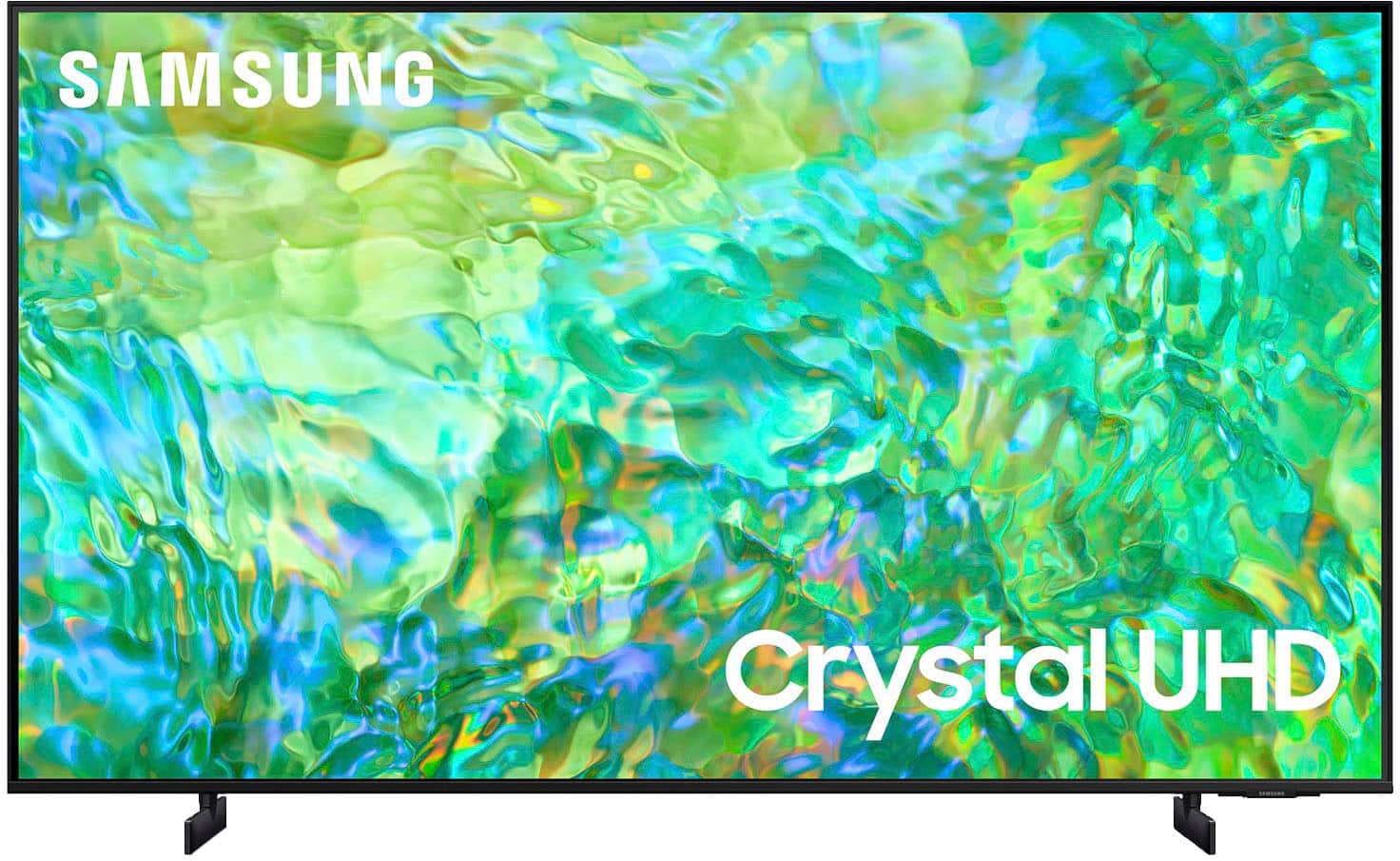
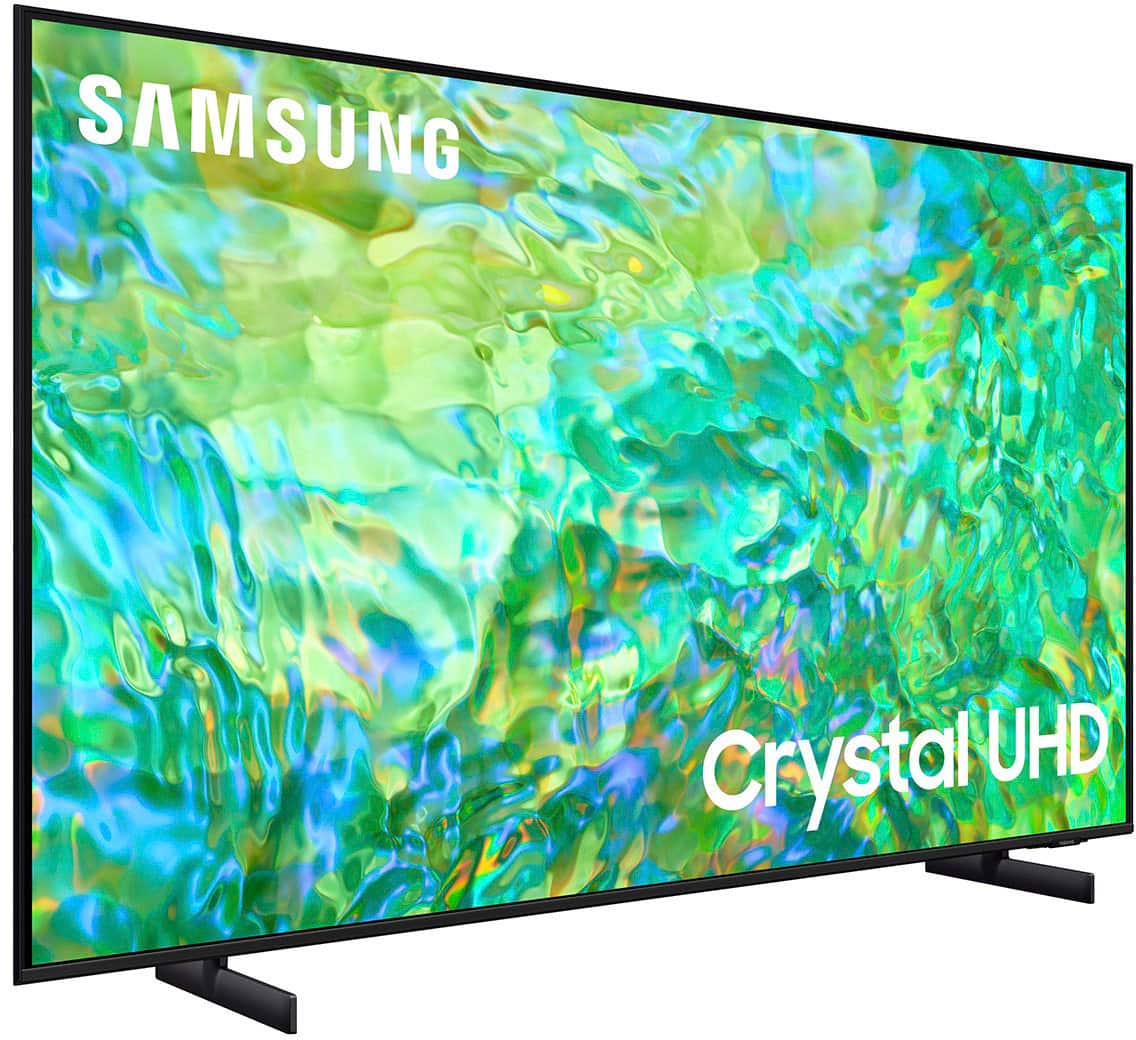
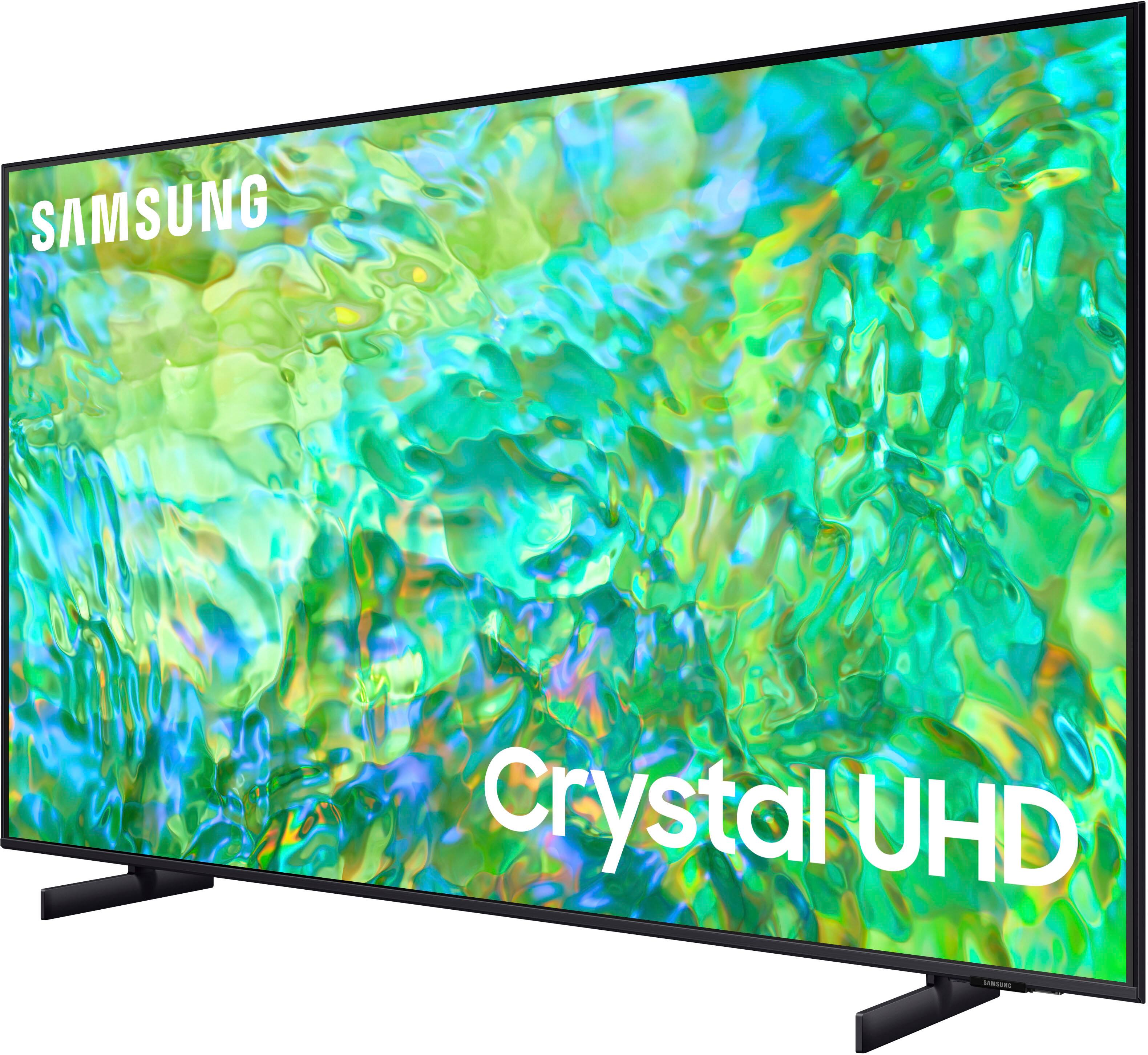
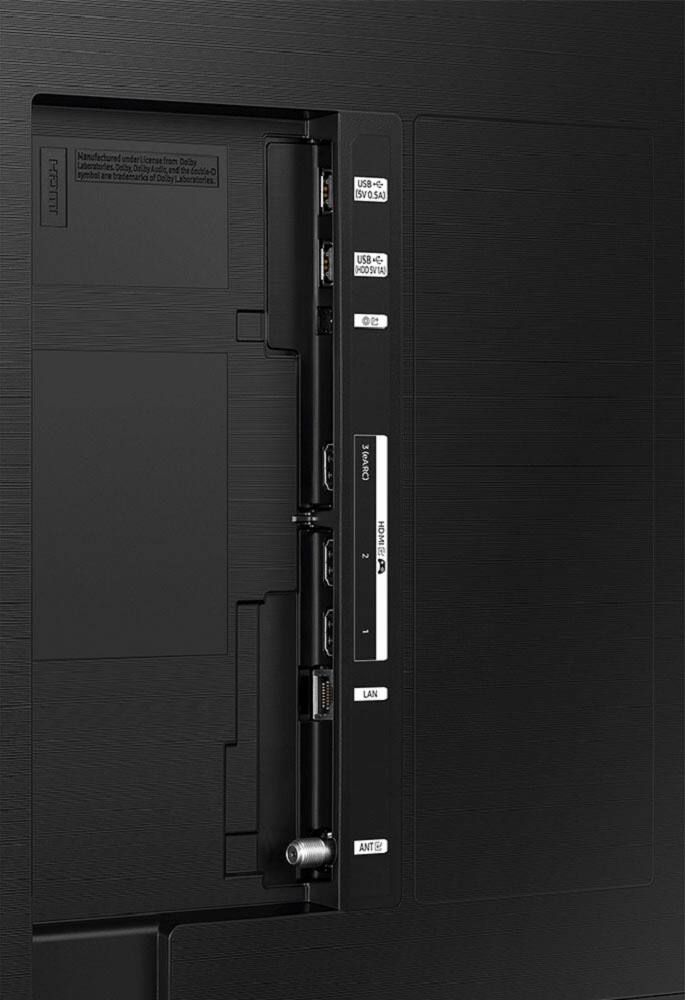
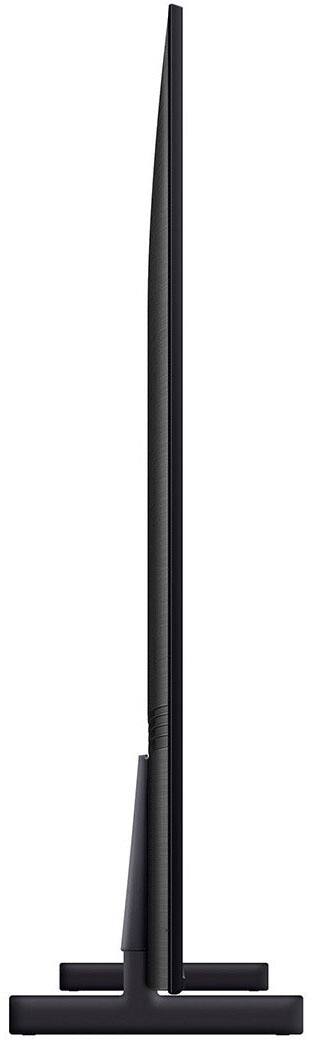



- Model:
- UN55CU8000FXZA
- SKU:
- 6537378
Rating by feature
- Picture Quality
Rating 4.7 out of 5 stars
- Sound Quality
Rating 4.5 out of 5 stars
- Brightness
Rating 4.6 out of 5 stars
Customers are saying
Customers highly value the excellent picture quality, ease of use, and vibrant colors of the 55" Class CU8000 Crystal UHD 4K Smart Tizen TV (2023). Many also appreciate the user-friendly remote control and consider the TV to be a good value for its price. While some users noted minor issues with volume control and software responsiveness, the positive feedback on picture quality and ease of use overwhelmingly outweighs these concerns. The convenient setup process was also frequently praised.
This summary was generated by AI based on customer reviews.
We made a mistake.
||Posted . Owned for 3 weeks when reviewed.This reviewer received promo considerations or sweepstakes entry for writing a review.Very disappointed in this tv. We just don't like the picture no matter what adjustments we make. Movies don't look real and faces just aren't right. We are stuck with the wrong tv.
No, I would not recommend this to a friendBrand response from Samsung
Posted .Hi JohnK,
We appreciate your feedback on the CU8000 TV's image quality. I believe what you are describing is a feature Auto Motion Plus which eliminates ghosting and blurring that occurs from fast-moving images. These motion smoothing settings look great on live TVs, like sporting events or parades, which are filmed at 30 frames per second. Most movies, however, are filmed at 24 frames per second and are not intended to be viewed with these features. When turned on, this causes the dreaded soap opera effect.
To Change Motion smoothing settings on your TV:
Navigate to Settings > All Settings > Picture > Expert Settings > Auto Motion Plus Settings (Picture Clarity Settings).
1. The default setting is Auto. This means the feature automatically turns on and off based on the type of program being watched.
2. Select Auto Motion Plus (Picture Clarity) to change the setting to either Off or Custom.
If you select Custom, three additional options are available:
• Blur Reduction: Use the directional keys on the remote to adjust the Blur setting.
• Judder Reduction: Use the directional keys on the remote to adjust the Judder setting.
• LED Clear Motion: This option allows you to configure the LED backlight to sharpen fast-moving images. Select to turn On or Off.
I hope this tip helps you enjoy your new product.
You can contact us for further help at 1-800-SAMSUNG, 8 AM - 12 AM EST, seven days a week. Our LiveChat agents are also available by clicking on the ‘Support’ link on our website.
~ Samsung Advisor
this TV does not have a strong tunner.
||Posted . Owned for 1 month when reviewed.This reviewer received promo considerations or sweepstakes entry for writing a review.this smart TV does not have a good tuner that will receive over the air local TV stations. Our older Samsung tv received many over the air local stations on our antenna this one only gets a few channels. very disappointing.
No, I would not recommend this to a friendExtremely disappointed
||Posted . Owned for 1 week when reviewed.This reviewer received promo considerations or sweepstakes entry for writing a review.This TV is wonderful .. if you’re only using it with a cable box. ALL of the apps freeze and crash your TV every single time you use them. I have never been so disappointed and angry in my entire life over a TV purchase. Its completely unacceptable and Samsung had the guts to tell me they’re going to charge me for a technician to come take a look at it, even though its under factory warranty. DO NOT buy this TV unless you are only using it with a cable box. If you want to stream apps, this TV isnt for you.
No, I would not recommend this to a friendBrand response from Samsung
Posted .Hi DanielC,
We appreciate you letting us know about the issues you are experiencing with apps crashing on your CU8000 TV. Please try the below troubleshooting steps to prevent this from happening.
To ensure performance is fully optimized, please make sure your TV is running the latest firmware. To do so, go to Settings> Support> Software Update. You can easily update from there if necessary.
Next, let's try running a cold boot on your TV. To do so, hold down the Power button on the Samsung TV remote until the TV turns off and then on again. This should take about 5 seconds.
If you are running your TV on Wi-Fi, please try the following:
1. Use 5Ghz Wi-Fi if possible
2. Try wired LAN if available
3. Try repositioning the router so there are no obstacles between your TV and the router
I hope these tips help resolve the issues you mentioned. We appreciate your patience!
You can contact us for further help at 1-800-SAMSUNG, 8 AM - 12 AM EST, seven days a week. Our LiveChat agents are also available by clicking on the ‘Support’ link on our website.
~ Samsung Advisor
Junk Samsung
||Posted . Owned for 3 weeks when reviewed.This reviewer received promo considerations or sweepstakes entry for writing a review.Bought Tv April 17 2024, ended up with a crack .. defective from factory.. tried to return it 2 day after Best Buy’s 15 day return policy. They did nothing Samsung and BestBuy did both companies horrible. Way to stand behind your product . Never again will I walk into a Best Buy
No, I would not recommend this to a friendDisappoinred in TV's Smart Part
||Posted . Owned for 1 month when reviewed.This reviewer received promo considerations or sweepstakes entry for writing a review.Can't work the Smart TV. There is no more to say. The Smart Part needs to be easier not Smarter than the consumer.
No, I would not recommend this to a friendBrand response from Samsung
Posted .Hi ChristineG,
Thank you for choosing Samsung and for sharing your experience learning the features of the CU8000 TV. We are sorry that you are having trouble learning the ins and outs of the Smart Hub.
We have information available for you on our website that will guide you step-by-step through learning the various parts of your TV, including downloading apps, scanning for local channels, connecting external devices, and more. Head here to learn more: https://www.samsung.com/us/support/answer/ANS00062199/
I hope this helps! If you’d like more help with settings, please give us a call at 1-800-SAMSUNG, 8AM - 12AM EST, 7 days a week. Or visit us on the Samsung website and click on the ‘Support’ link for:
• LiveChat
• Manuals, Software, & Warranty Info
~Samsung Advisor
Sales people could have advised better
||Posted . Owned for 1 month when reviewed.This reviewer received promo considerations or sweepstakes entry for writing a review.The tv looked amazing in the store….i feel the sales people should advise the customer if they do not have high def cable it will not look the same! Also the tv was for an elderly gentleman…he had a very hard time adjusting to it….should have taken that into consideration also the sound is not great for someone 93
No, I would not recommend this to a friendABYSMAL FOR THE PRICE
||Posted . Owned for 1 week when reviewed.This reviewer received promo considerations or sweepstakes entry for writing a review.Very average TV. The sound is abysmally bad. I have it hooked up to a Samsung soundbar that was very loud before I replaced with this Samsung TV. I can hardly hear it now at full volume. The remote doesnt have any Volume setting on it either which is very strange !! Im sorry I bought it !! Its not worth the $500 I paid for it !!!
No, I would not recommend this to a friendBrand response from Samsung
Posted .Hi NeolM,
Thank you for sharing your experience with low volume. There are several volume features you can adjust, which may improve your audio experience.
1) Auto Volume automatically adjusts the sound to a certain level when changing channels or switching to another external input. Go to Settings > All Settings> Sound > Expert Settings > Auto Volume.
2) Adaptive Sound automatically adjusts to a specific volume level while watching TV. The TV analyzes your volume usage history by time period to automatically adjust the volume when you use an app or switch to an external input source. Go to Settings> All Settings> Sound> Sound Mode> Adaptive Sound.
3) Several Sound Modes are likewise available to meet your personal preferences: Home > Settings > All Settings> Sound > Sound Mode.
4) When connected to your Soundbar, please check whether the Digital Output Audio Format is set to Pass-Through by going to Settings > All Settings> Sound > Expert Settings > Digital Output Audio Format > Auto.
If you continue to have issues, please call us at 1-800-SAMSUNG, 8 AM - 12 AM EST, seven days a week. LiveChat with an agent, as well as manuals, software, and warranty info, can be found at the ‘Support’ link on our Samsung website.
~ Samsung Advisor
Model series faulty
||Posted . Owned for 2 months when reviewed.This reviewer received promo considerations or sweepstakes entry for writing a review.Brand new tvs with issues. After 2 and a half month requested service from Best Buy due to faulty performance. Too slow, network does not work properly, some lines appears randomly. I bought one 65" and the 55", both faulty. I think is something wrong with this Samsung model.
No, I would not recommend this to a friendBrand response from Samsung
Posted .Hi RafaelC,
We appreciate your purchase and feedback on the CU8000 TV. I'm sorry that you have had issues with a slow network and image distortion. Please know we are here to help and have a few suggestions that may improve your experience.
First, let's ensure you are running the latest Firmware. Go to Settings> Support> Software Update. To ensure you do not miss any Firmware Updates, I recommend enabling Auto Updates. Go to Settings> Support> Software Update> then select Auto Update.
Next, let's try running a cold boot on your TV. To do so, hold down the Power button on the Samsung TV remote until the TV turns off and then on again. This should take about 5 seconds.
If you are still seeing lines on your screen please follow the below steps.
1. If any external devices are connected, check all input cable connections
2. If the issue persists, define precisely what is wrong with the display. For example, mosaics and blocks, multiple lines or white dots, and fixed horizontal or vertical lines.
3. Try changing channels using the remote control. Is the issue the same on all channels?
4. Press the Home button (looks like a house), select Source, and choose another input source. Is the issue the same on all sources?
5. If the same problem persists, run a diagnostic test. (Home > Settings > Support > Device Care > Self Diagnosis > Picture Test)
6. If the problem disappears during the test, check your TV signal (Home > Settings > Support > Device Care > Self Diagnosis > Signal Information) to check the signal strength. The signal strength must be more than 20 dB (more than 4 bars on the icon) for stable signal reception
Should your issue persist, please contact Samsung Customer Support. You can call us at 1-800-SAMSUNG, 8 AM - 12 AM EST, seven days a week. Our LiveChat agents are also available by clicking on the ‘Support’ link on our website.
~ Samsung Advisor
Poor picture quality in low light scenes
||Posted . Owned for 1 month when reviewed.This reviewer received promo considerations or sweepstakes entry for writing a review.I regret buying this TV. Looked good in the store. At home discovered terrible picture in low-light/dark scenes even at highest brightness setting. Too dark. Wish I had returned it when I had the chance. I recommend spending a little more to get better picture quality
No, I would not recommend this to a friendBrand response from Samsung
Posted .Hi DMK1,
It’s unfortunate to hear you’re not fully satisfied with the brightness of your CU8000 TV’s picture. Please know that we are here to help you.
First, let’s ensure you are running the latest Firmware Update. Go to Settings> Support> Software Update.
For darker scenes, I recommend Dynamic Picture Mode, which makes pictures brighter and clearer in bright viewing environments. Go to Settings > All Settings> Picture > Picture Mode > Dynamic.
You may also want to disable Power Saving Mode, which automatically adjusts the brightness to reduce the TV’s power consumption. Go to Settings > All Settings> General > Eco Solution> Power Saving Mode.
I hope this helps to improve your picture. Should you need further assistance, please contact us at 1-800-SAMSUNG, 8 AM - 12 AM EST, seven days a week. LiveChat with an agent, as well as manuals, software, and warranty info, can be found at the ‘Support’ link on our Samsung website.
~ Samsung Advisor
This TV's JUNK.
||Posted . Owned for 1 year when reviewed.This reviewer received promo considerations or sweepstakes entry for writing a review.JUNK. Lasted exactly 13 months-- just long enough for the warranty to expire. First time buying a Samsung, too. Never again. JUNK JUNK JUNK.
No, I would not recommend this to a friendMr.
||Posted . Owned for 1 month when reviewed.This reviewer received promo considerations or sweepstakes entry for writing a review.Not happy with the overall quality nd preformance of th eunit
No, I would not recommend this to a friendBrand response from Samsung
Posted .Hi PatrickM,
It's unfortunate to hear you're not having the same great experience that the majority of our customers report having. So we can better understand the problems you are experiencing and provide you with troubleshooting assistance, please reach out to Samsung Customer Support at 1-800-SAMSUNG, 8 AM - 12 AM EST, seven days a week. Our LiveChat agents are also available by clicking on the ‘Support’ link on our website.
~ Samsung Advisor
Tv
||Posted . Owned for 3 weeks when reviewed.This reviewer received promo considerations or sweepstakes entry for writing a review.Product is fair. Nothing spectacular about it. Wouldn’t buy it again
I would recommend this to a friendBrand response from Samsung
Posted .Hi Naapp,
Thank you for taking the time to provide feedback on your CU8000 TV. Please know that your feedback will be shared with our internal product teams. We take pride in our products and are sorry to hear that your experience was not up to our high standards.
We do hope you will give Samsung another chance when purchasing your next TV. If there’s anything we can ever help with, please call us at 1-800-SAMSUNG, 8 AM - 12 AM EST, seven days a week. Or visit us on the Samsung website and click on the ‘Support’ link for:
1) LiveChat
2) Manuals, Software, & Warranty Info
~ Samsung Advisor
quality
||Posted . Owned for 1 month when reviewed.This reviewer received promo considerations or sweepstakes entry for writing a review.The TV broke less then a month past the time we bought it. Hadnt even got it hung yet. Yet was past the time we were able to return, so now kind of stuck with it.
No, I would not recommend this to a friendBrand response from Samsung
Posted .Hi unhappy,
Samsung is committed to providing the best possible product experience, quality, and value. We back this Samsung TV with a 1-year limited manufacturer's warranty, including authorized repair for manufacturer defect, if purchased brand-new directly from an authorized seller. You can see the full details of your warranty on Samsung's website. Go to Support (upper right corner) and select Warranty information. This will allow you to search for your product and view the full details of the included warranty.
Please give us the opportunity to assist you by contacting Samsung Customer Support at 1-800-SAMSUNG, 8 AM - 12 AM EST, seven days a week. Our LiveChat agents are also available by clicking on the ‘Support’ link on our website.
~ Samsung Advisor
Slow Operating System
||Posted . Owned for 3 weeks when reviewed.This reviewer received promo considerations or sweepstakes entry for writing a review.The TV goes to the main menu all the time and takes too long to open any app, and the speakers are bad.
No, I would not recommend this to a friendBrand response from Samsung
Posted .Hi Luis,
I’m sorry to hear about the issues you’re experiencing with the CU8000 TV's slow user interface. To ensure performance is fully optimized, please make sure your TV is running the latest firmware. To do so, go to Settings> Support> Software Update. You can easily update from there if necessary.
Next, I recommend utilizing the self-diagnostic tool, which checks memory, frees unused cached memory, and closes background apps. Go to Settings > Support > Device Care > Start Device Care.
If you like, you utilize the Autorun Last App feature to automatically start the last app you used once the TV is turned on. To enable this feature, follow the steps below:
1) Navigate to Settings > All Settings> General > Smart Features > Autorun Smart Hub
2) Enable the Autorun Smart Hub feature
3) Navigate to Settings > General > Smart Features > Autorun Last App
4) Enable the Autorun Last App feature
To adjust the sound on your TV, go to Settings > All Settings> Sound > Sound Mode or customize the sound with Expert Settings by going to Settings > All Settings> Sound > Expert Settings.
We also recommend you try a Sound Test under Support > Self Diagnosis > Start Sound Test. Another way to check the source volume is to test an internal streaming source like Netflix or YouTube to compare.
If you continue to have issues, please call us at 1-800-SAMSUNG, 8 AM - 12 AM EST, seven days a week. LiveChat with an agent, as well as manuals, software, and warranty info, can be found at the ‘Support’ link on our Samsung website.
~ Samsung Advisor
Do Not Purchase
||Posted .This reviewer received promo considerations or sweepstakes entry for writing a review.This TV is extremely difficult to customize, the adds are so annoying. Do not purchase this TV unless you want to spend 3-4 hours setting it up
No, I would not recommend this to a friendBrand response from Samsung
Posted .Hi ElizabethH,
I’m sorry to hear that your experience with Samsung’s CU8000 TV has fallen short of your expectations. Your feedback is very important to us and will be shared with our internal product team.
Please know we are here to help if you have any questions or need help. You can call us at 1-800-SAMSUNG, 8 AM - 12 AM EST, seven days a week. Our LiveChat agents are also available by clicking on the ‘Support’ link on our website.
~ Samsung Advisor
not happy
||Posted . Owned for 1 month when reviewed.This reviewer received promo considerations or sweepstakes entry for writing a review.I have had it only a little over a month and am having trouble with it
No, I would not recommend this to a friendBrand response from Samsung
Posted .Hi Lynne,
I'm sorry that you are experiencing issues with the CU8000 TV. Please call us so we can better assist you with the specific problem you are experiencing. You can contact us at 1-800-SAMSUNG, 8 AM - 12 AM EST, seven days a week. Our LiveChat agents are also available by clicking on our website's ‘Support’ link.
~ Samsung Advisor
Stopped working
||Posted . Owned for 1 month when reviewed.This reviewer received promo considerations or sweepstakes entry for writing a review.Stopped working after a month and a half. Screen goes in and out.
No, I would not recommend this to a friendBrand response from Samsung
Posted .Hi MattL,
Thank you for reaching out and letting us know your Samsung CU8000 TV is no longer working. Please give us a call so we can better assist you. You can call us at 1-800-SAMSUNG, 8 AM - 12 AM EST, seven days a week. Our LiveChat agents are also available by clicking on the ‘Support’ link on our website.
~ Samsung Advisor
TV is trash
||Posted . Owned for 1 month when reviewed.This reviewer received promo considerations or sweepstakes entry for writing a review.It sucks. Constantly loses connection when all other TVs in the house don’t.
No, I would not recommend this to a friendBrand response from Samsung
Posted .Hi Kandis,
Thank you for sharing your experience with Internet connectivity. If you’re experiencing issues with the Wi-Fi connection, we suggest you try the following:
1. Use 5Ghz Wi-Fi if possible
2. Try wired LAN if available
3. Try repositioning the router, so there are no obstacles between your TV and the router
4. Try running a cold boot on your TV. To do so, hold down the Power button on the Samsung TV remote until the TV turns off and then on again. This should take about 5 seconds.
Please also be sure you are running the latest firmware. You can check to see what software version your TV is using and if there is an available update through the settings on your TV. Go to: Settings > Support > Software Update.
You can enable automatic updates for convenience.
Go to Settings > Support > Software Update, then select Auto Update.
I hope these tips help resolve your concerns. If you continue to have issues please call us at at 1-800-SAMSUNG, 8 AM - 12 AM EST, seven days a week. Our LiveChat agents are also available by clicking on the ‘Support’ link on our website.
~ Samsung Advisor
Returned Samsung TV
||Posted . Owned for 1 month when reviewed.This reviewer received promo considerations or sweepstakes entry for writing a review.We had to return this TV due to a poor picture quality. I expected better from a Samsung.
No, I would not recommend this to a friendBrand response from Samsung
Posted .Hi TamaraD,
We always aim to deliver a great experience, and it’s unfortunate to hear the picture quality of Samsung’s CU8000 TV did not meet your expectations. We greatly value your feedback and will share it with our product team.
Should you ever decide to give Samsung TVs another try and have questions or need help with settings, setup, or features, please know we’re here to help. Call us at 1-800-SAMSUNG, 8 AM – 12 AM EST, seven days a week. LiveChat with an agent, as well as manuals, software, and warranty info, can be found at the ‘Support’ link on our Samsung website.
We hope to regain you as a customer in the future.
~Samsung Advisor
Review
||Posted . Owned for 3 weeks when reviewed.This reviewer received promo considerations or sweepstakes entry for writing a review.For the price point very disappointed in the pocture quality.
No, I would not recommend this to a friendBrand response from Samsung
Posted .Hi JavirC,
Thank you for sharing your thoughts on the picture quality of your CU8000 TV. I have a few recommendations that may improve your visual experience:
Go to Home > Settings > All Settings > Picture > Picture Mode and select the mode that best fits your usage:
1) Standard: Default mode suitable for general viewing environments.
2) Natural: Reduces eye strain for a comfortable viewing experience.
3) Movie: Most suitable for watching TV or movies in a dark room.
4) Dynamic: Makes the picture brighter and clearer in bright viewing environments.
5) Filmmaker Mode: You can watch the source content (e.g., movie) as it is. If the image is defined as Filmmaker Mode, it will automatically switch to Filmmaker Mode while watching.
You can also go to Settings > All Settings> Picture > Expert Settings > to manually fine-tune your image.
If you need more help, Samsung is here for you. Call us at 1-800-SAMSUNG, 8 AM - 12 AM EST, seven days a week. Our LiveChat agents are also available by clicking on the ‘Support’ link on our website.
~ Samsung Advisor