Customer Ratings & Reviews
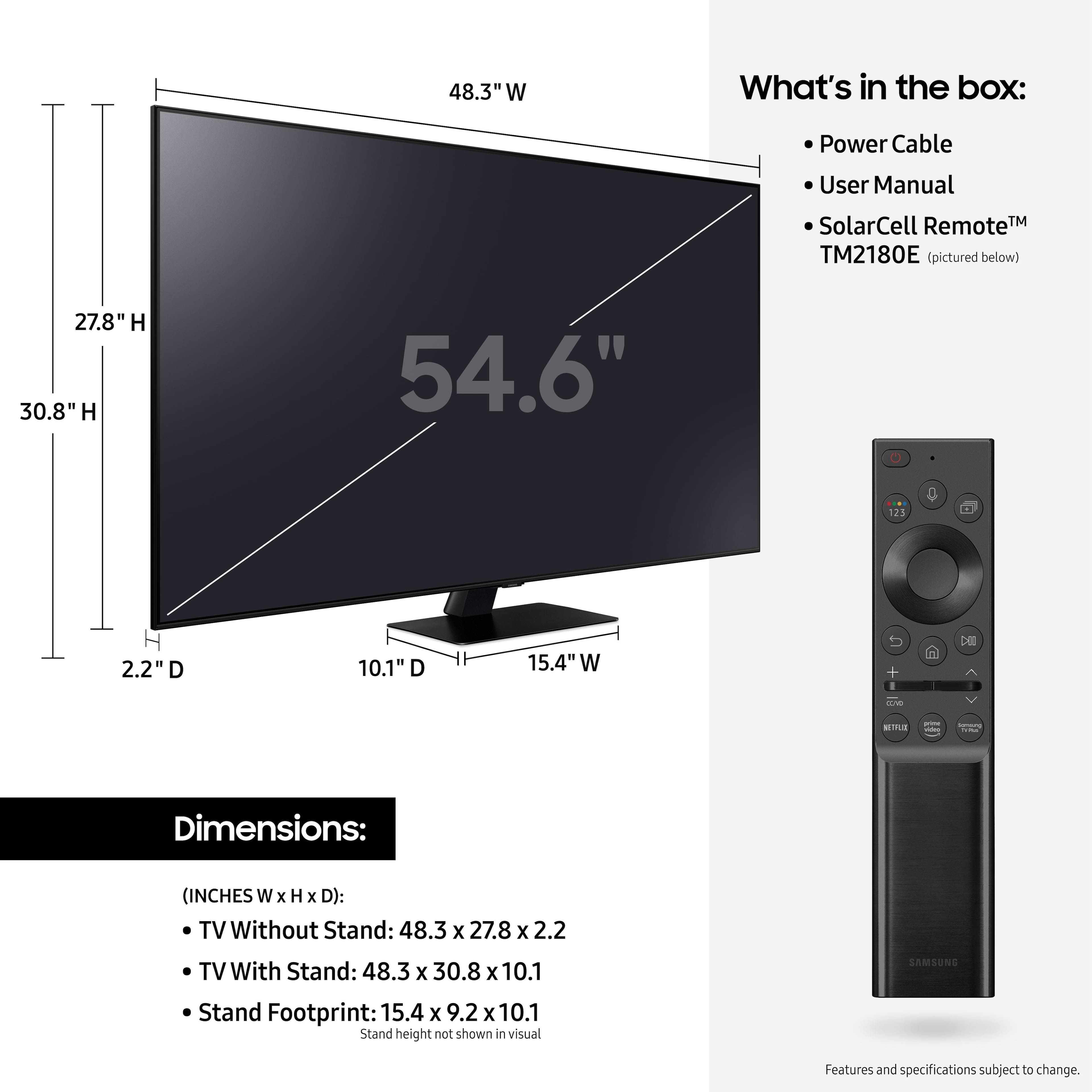
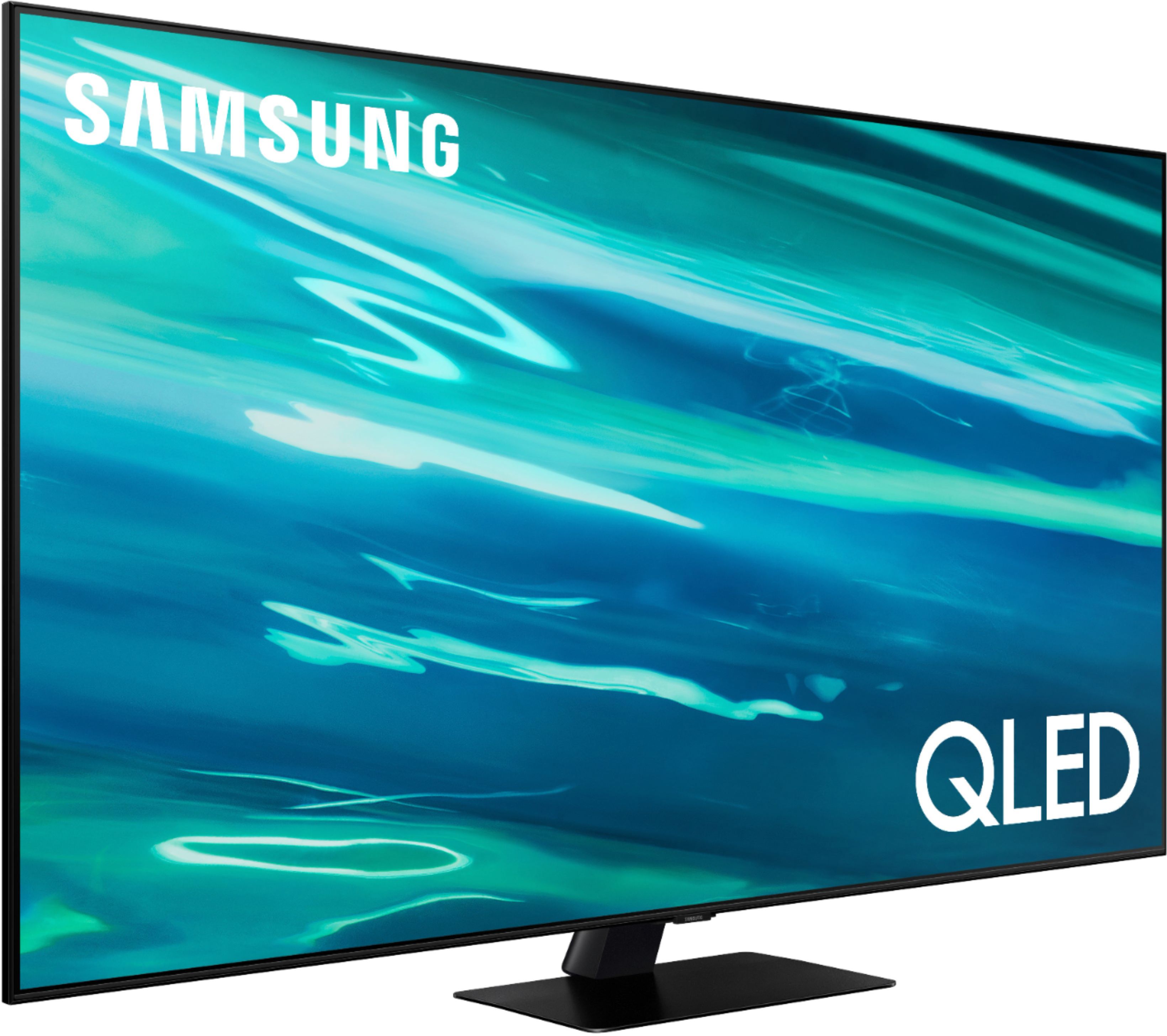







- Model:
- QN55Q80AAFXZA
- SKU:
- 6451481
Rating by feature
- Picture Quality
Rating 4.7 out of 5 stars
- Sound Quality
Rating 4.5 out of 5 stars
- Brightness
Rating 4.7 out of 5 stars
Customers are saying
Customers express satisfaction with the picture quality, describing it as great and worth the money. They also appreciate the easy setup process and find the gaming experience to be exceptional. However, some users have encountered issues with the remote control and a few have reported dead pixels and streaming problems.
This summary was generated by AI based on customer reviews.
- Pros mentioned:Color, Picture quality
Sharp, clear picture.
||Posted . Owned for 1 month when reviewed.This reviewer received promo considerations or sweepstakes entry for writing a review.We are enjoying having a "smart" TV. The color is sharp and clear. Had a Samsung TV previously and it worked great but wanted a bigger screen and the ability to stream movies and other programs. Samsung products have always worked well for us.
I would recommend this to a friend - Pros mentioned:Ease of use, Picture quality
Great TV
||Posted . Owned for 1 month when reviewed.This reviewer received promo considerations or sweepstakes entry for writing a review.Excellent TV, love the picture. Set up was easy. The remote takes a little getting used to. Have it connected to a Samsung Sound bar, connection and using the universal remote to control both was really easy to do. Definite upgrade over my 11 year old SONY.
I would recommend this to a friend - Pros mentioned:Picture quality
Great tv
||Posted . Owned for 1.5 years when reviewed.This reviewer received promo considerations or sweepstakes entry for writing a review.Beautiful picture, great sound… the price was just right
I would recommend this to a friend - Pros mentioned:Picture quality, Remote control
Worth it
||Posted . Owned for 5 months when reviewed.This reviewer received promo considerations or sweepstakes entry for writing a review.1000% would purchase again, the remote is amazing but i personally do tend to loose it since it’s pretty slim, but the solar panel remote is pretty dope! Sound Quality is amazing for just coming out of the tv. go through the settings and unlock your tvs full potential
I would recommend this to a friend - Pros mentioned:Color, Picture quality
samsung 55" QLED 4K
||Posted . Owned for less than 1 week when reviewed.This reviewer received promo considerations or sweepstakes entry for writing a review.i don't care what anybody says but $1000.00 is a lot for a tv BUT this tv is worth it.color is bright,clear and almost feels like you are in it.with this STUPID covid,omicron,delta whatever it is,we spend more time at home and this tv helps us get through it
I would recommend this to a friend - Pros mentioned:Picture quality
Great TV
||Posted . Owned for 2 weeks when reviewed.This reviewer received promo considerations or sweepstakes entry for writing a review.Excellent Picture quality and excellent resolution
I would recommend this to a friend - Pros mentioned:Ease of use, Picture quality
Home Theater
||Posted . Owned for 3 weeks when reviewed.This reviewer received promo considerations or sweepstakes entry for writing a review.I've had this TV is TV for over a month now. Excellent picture quality and ease of use. I am able to connect my Samsung phone and do multiple things on the television screen through my phone.
I would recommend this to a friend - Pros mentioned:Ease of use, Picture quality
Awesome Bedroom Theater
||Posted . Owned for 3 weeks when reviewed.This reviewer received promo considerations or sweepstakes entry for writing a review.We purchased our Samsung 55” Q80A series TV for our newly remodeled master bedroom. It was easy set up on wall Mount and easy to set up to use. Picture and sound is awesome!!
I would recommend this to a friend - Pros mentioned:Picture quality, Remote control
Great TV!
||Posted . Owned for less than 1 week when reviewed.This reviewer received promo considerations or sweepstakes entry for writing a review.So far so good. Very easy to set up and start watching right out of the box. Solar powered remote with charging feature is great, no longer needs batteries. The picture quality is nice. Excellent TV for the price! May have to buy another soon!
I would recommend this to a friend - Pros mentioned:Color, Picture quality
Brilliant picture in the budget sweet spot
||Posted . Owned for 2 months when reviewed.This reviewer received promo considerations or sweepstakes entry for writing a review.The is a bright and colorful TV. Crisp picture. Big step up from what I had. Debated stepping up to MicroLED but this picture just looked too good for the value. No regrets.
I would recommend this to a friend Most versatile TV we have owned
||Posted . Owned for 1.5 years when reviewed.This reviewer received promo considerations or sweepstakes entry for writing a review.This smart TV allows us to avoid the ZUMO box and still schieve the same function. The TV control manages all of our recordings which are stored in the Spectrum cloud. This TV saves us money.
I would recommend this to a friend- Pros mentioned:Ease of use, Picture quality
My Experience
||Posted . Owned for 1 month when reviewed.This reviewer received promo considerations or sweepstakes entry for writing a review.Great TV, a really good picture and very easy to use. The only reason I gave it 4 instead of 5 stars is the remote has a solar power battery. So if the solar option no longer works, you'll need to plug it into the wall to charge it (charging wire sold separately) :(
I would recommend this to a friend - Pros mentioned:Color, Picture quality
Excellent tv
||Posted . Owned for 1 month when reviewed.This reviewer received promo considerations or sweepstakes entry for writing a review.Just received this Samsung tv on Friday. The set up was all done on a smartphone by a Geek Squad person. This tv has incredible color and looks great. The picture quality is excellent. I purchased a Sonos soundbar with it.
I would recommend this to a friend - Pros mentioned:Picture quality
A pretty good upper entry level television
||Posted . Owned for 3 weeks when reviewed.This reviewer received promo considerations or sweepstakes entry for writing a review.the samsung 55" Q80a is a nice looking picture. scales 1080 really well in sdr from directv. The Xbox X looks really good at 4k (although HDR content is not as dynamic as my monitor) HDR is OK not great it does get pretty good black but the brightness does not seem to get quite bright enough. When using as PC monitor there is trailing or ghosting while moving the mouse. Not BAD but noticeable. Only had for a months so I can not speak for the longevity of the tv, but for a $1000 it is pretty good upper entry level tv(if it lasts). The speakers are horrible, but a cheap soundbar fixes that.
I would recommend this to a friendBrand response from Samsung
Posted .HighPhi,
Thank you for purchasing Samsung's Q80A and for sharing your thoughts on the image quality. To ensure that your TV’s picture is optimized, be sure that you are always running the latest firmware update. You can check this by going to Settings > Support > Software Update or you can enable Auto Update for convenience.
If the default brightness setting is not to your liking, you can customize the brightness level between 0 – 50 to your preference. Go to Home > Settings > Picture > Expert Settings > Brightness.
You can also try different Picture Modes to see which best fits your needs. Go to Home > Settings > Picture > Picture Mode for the below choices:
1) Standard: Is the default mode suitable for general viewing environments.
2) Natural: Reduces eye strain for a comfortable viewing experience.
3) Movie: Is suitable for watching TV or movies in a dark room.
4) Dynamic: Makes the picture brighter and clearer in bright viewing environments.
5) Filmmaker Mode: You can watch the source content (e.g., movie) as it is. If the image is defined as Filmmaker Mode, it will automatically switch to Filmmaker Mode while watching.
Intelligent Mode also enables the TV to recognize and analyze the surroundings, noise, content, and your usage patterns to provide the best viewing experience. You can enable Intelligent Mode by going to Home > Settings > General > Intelligent Mode Settings. Adaptive Picture, which is among the options, optimizes brightness and provides the best picture quality in real time, based on the lighting condition and the content you're viewing.
I hope you can use these adjustment recommendations to set the image to your liking. If you would like further assistance with settings, features, or functions, please reach out to Samsung Customer Support at 1-800-SAMSUNG (ask for TVs), available 8AM - 12AM EST, 7 days a week.
For additional support resources, visit us on the Samsung website and click on the ‘Support’ link in the upper right corner of the homepage for:
1) Contact Us: For additional Chat & Text options, choose ‘TVs & Home Theater’ and select your model & topic.
2) Manuals & Software
3) Warranty Info
4) Register a Product: For access to easy warranty support, convenient opt-in to special promos and offers, faster troubleshooting and service, and quick notification of system updates.
~ Samsung Specialist
- Pros mentioned:Picture quality, Remote control
Demonstrated Excellence: Samsung 55" Q80A TV, Svc
||Posted . Owned for 3 weeks when reviewed.This reviewer received promo considerations or sweepstakes entry for writing a review.Third Samsung 55-inch Q80 TVs we're purchased in last 8 months; very satisfied; excellent picture and remote controls; excellent Geek Squad installation team for wall-mounted unit; excellent personable skills demonstrated.
I would recommend this to a friend - Pros mentioned:Picture qualityCons mentioned:Screen
QLED 4k TV
||Posted . Owned for 1 month when reviewed.This reviewer received promo considerations or sweepstakes entry for writing a review.I upgraded from the 8 series, but can't tell much of difference. The screen is brighter which is actually a bad thing because I watch in my bedroom and it is way too much light. Good quality, but not worth the extra money from the next series down.
No, I would not recommend this to a friendBrand response from Samsung
Posted .BrightEyes,
Thank you for choosing Samsung's Q80A TV and for sharing your thoughts on the image quality. If you are uncomfortable with the default brightness settings, you can customize the brightness level between 0 – 50 to your preference. Go to Home > Settings > Picture > Expert Settings > Brightness.
You can also try different Picture Modes to see which best fits your needs. Go to Home > Settings > Picture > Picture Mode for the below choices:
1) Standard: Is the default mode suitable for general viewing environments.
2) Natural: Reduces eye strain for a comfortable viewing experience.
3) Movie: Is suitable for watching TV or movies in a dark room.
4) Dynamic: Makes the picture brighter and clearer in bright viewing environments.
5) Filmmaker Mode: You can watch the source content (e.g., movie) as it is. If the image is defined as Filmmaker Mode, it will automatically switch to Filmmaker Mode while watching.
Intelligent Mode also enables the TV to recognize and analyze the surroundings, noise, content, and your usage patterns to provide the best viewing experience. You can enable Intelligent Mode by going to Home > Settings > General > Intelligent Mode Settings. Adaptive Picture, which is among the options, optimizes brightness and provides the best picture quality in real time, based on the lighting condition and the content you're viewing.
I hope you can use these adjustment recommendations to set the image to your liking. If you would like further assistance with settings, features, or functions, please reach out to Samsung Customer Support at 1-800-SAMSUNG (ask for TVs), available 8AM - 12AM EST, 7 days a week.
For additional support resources, visit us on the Samsung website and click on the ‘Support’ link in the upper right corner of the homepage for:
1) Contact Us: For additional Chat & Text options, choose ‘TVs & Home Theater’ and select your model & topic.
2) Manuals, Software, & Warranty Info
~ Samsung Specialist
- Pros mentioned:Refresh rate
Very impressed so far
||Posted . Owned for less than 1 week when reviewed.This reviewer received promo considerations or sweepstakes entry for writing a review.Overall this upgrade from my old tv has been fantastic so far. The HDR is amazing, the software has been a step up, and the 120 hz is great to have. Of course with any samsung tv I would recommend turning off the smooth movement whatever or noise/judder reduction as it just makes it more noticeable. The software moves smoothly. And some of the new features are really cool! Picture and picture, gaming feature mode (you can make tweaks for a betting gaming experience). Plus the multiple voice assistants and smart remote are a nice touch! The assembly was a little tough due to the angle the screws got put in the base, and the sturdiness is a little wobbly compared to a 2 legged tv. But not terrible
I would recommend this to a friend - Pros mentioned:Picture quality, Remote control
Love my new Samsung TV
||Posted . Owned for 3 months when reviewed.This reviewer received promo considerations or sweepstakes entry for writing a review.Nice tv. Good size great picture. New remote control needs no batteries and i consider that a great feature. Good connectivity i have not had on previous tvs. Bright picture and easy operation
I would recommend this to a friend - Pros mentioned:Picture quality
Samsung's 55" Q80A's Fantastic Image Quality!
||Posted . Owned for 1 month when reviewed.This reviewer received promo considerations or sweepstakes entry for writing a review.I purchased Samsung's 55" Q80A QLED 4K UHD Smart Tizen TV, as a replacement for my 50" plasma TV. My plasma TV was state of the art when I originally purchased it in 2007. But, after 14 years, two (one black and one blue) vertical lines suddenly appeared on the right hand side of my plasma TV's screen. So, I decided to replace my outdated, yet beloved plasma TV with the Samsung's 55" Q80A QLED 4K UHD Smart Tizen TV. Although, I felt that the image quality of my previous TV was fantastic (before the two vertical lines appeared on the screen;) the Q80A raised that level of the picture quality, by a significant amount. Additionally, the price of the Q80A QLED 4K UHD Smart Tizen TV
I would recommend this to a friend - Pros mentioned:Color, Picture quality
Just what I needed
||Posted . Owned for 1 month when reviewed.This reviewer received promo considerations or sweepstakes entry for writing a review.Great picture …. Colors vibrant…. You can never go wrong with a Samsung. Step up from my last tv. So glad I purchased it. And unlike older models, it has an Apple app built in.
I would recommend this to a friend