Customer Ratings & Reviews



Customer reviews
Rating 4.5 out of 5 stars with 185 reviews
(185 customer reviews)Rating by feature
- Value4.6
Rating 4.6 out of 5 stars
- Quality4.5
Rating 4.5 out of 5 stars
- Ease of Use4.4
Rating 4.4 out of 5 stars
Rated 5 out of 5 stars
Good use for the price
||Posted .This reviewer received promo considerations or sweepstakes entry for writing a review.Works great for what I needed. Was able to use without issue
This review is from Samsung - Geek Squad Certified Refurbished T7 1TB External USB 3.2 Gen 2 Portable SSD with Hardware Encryption - Titan Gray
I would recommend this to a friendRated 5 out of 5 stars
Bargain
||Posted . Owned for 2 weeks when reviewed.This reviewer received promo considerations or sweepstakes entry for writing a review.I reccomend to follow the steps of the other review to give format to the disk, the same happened to me. I used Samsung Smart Switch to verify the use and it was used 1tb in total, so a bargain for the price.
This review is from Samsung - Geek Squad Certified Refurbished T7 1TB External USB 3.2 Gen 2 Portable SSD with Hardware Encryption - Titan Gray
I would recommend this to a friendRated 5 out of 5 stars
Storage when storage is hard to get
||Posted . Owned for 3 weeks when reviewed.This reviewer received promo considerations or sweepstakes entry for writing a review.So far, works as intended. I'm always worried when buying used or refurbished, but in a world where storage prices cost you a kidney or your firstborn... you gotta do what you gotta do. No complaints so far though, great price for 1TB ssd.
This review is from Samsung - Geek Squad Certified Refurbished T7 1TB External USB 3.2 Gen 2 Portable SSD with Hardware Encryption - Titan Gray
I would recommend this to a friendRated 5 out of 5 stars
Fast, reliable, compact
||Posted . Owned for 3 weeks when reviewed.This reviewer received promo considerations or sweepstakes entry for writing a review.Super reliable little drive. Durable too. Fits in the pocket. Also it’s the fastest external drive I have, I have other external ssd’s but this one is wicked fast.
This review is from Samsung - Geek Squad Certified Refurbished T7 1TB External USB 3.2 Gen 2 Portable SSD with Hardware Encryption - Titan Gray
I would recommend this to a friendRated 5 out of 5 stars
Great ssd for the price. Happy customer
||Posted . Owned for less than 1 week when reviewed.This reviewer received promo considerations or sweepstakes entry for writing a review.Happy with open-box item. Like new. Compact, silent and transferred files very fast. Plug and play. Only thing i had to do was format and that was it.
This review is from Samsung - Geek Squad Certified Refurbished T7 1TB External USB 3.2 Gen 2 Portable SSD with Hardware Encryption - Titan Gray
I would recommend this to a friendRated 5 out of 5 stars
Fast load times
||Posted . Owned for 8 months when reviewed.This reviewer received promo considerations or sweepstakes entry for writing a review.The space is good for my needs. Using it for my Xbox and the load times are quick. Can also transfer games quickly from the internal storage.
This review is from Samsung - Geek Squad Certified Refurbished T7 1TB External USB 3.2 Gen 2 Portable SSD with Hardware Encryption - Titan Gray
I would recommend this to a friendRated 5 out of 5 stars
Fast Drive
||Posted .This reviewer received promo considerations or sweepstakes entry for writing a review.The drive is nice and fast for editing 4K video in Davinci Resolve, love it!
This review is from Samsung - Geek Squad Certified Refurbished T7 1TB External USB 3.2 Gen 2 Portable SSD with Hardware Encryption - Titan Gray
I would recommend this to a friendRated 5 out of 5 stars
Nice unit
||Posted .This reviewer received promo considerations or sweepstakes entry for writing a review.Works great. Looks nice. Setup a little difficult.
This review is from Samsung - Geek Squad Certified Refurbished T7 1TB External USB 3.2 Gen 2 Portable SSD with Hardware Encryption - Titan Gray
I would recommend this to a friendRated 5 out of 5 stars
Pretty good
||Posted . Owned for 1 month when reviewed.This reviewer received promo considerations or sweepstakes entry for writing a review.Well a very good and fast ssd. Pro tip get the one with cover for a more durable version.
This review is from Samsung - Geek Squad Certified Refurbished T7 1TB External USB 3.2 Gen 2 Portable SSD with Hardware Encryption - Titan Gray
I would recommend this to a friendRated 5 out of 5 stars
Fast external storage
||Posted . Owned for less than 1 week when reviewed.This reviewer received promo considerations or sweepstakes entry for writing a review.These are fast and reliable and work well as a replacement for slow mechanical internal boot drives.
This review is from Samsung - Geek Squad Certified Refurbished T7 1TB External USB 3.2 Gen 2 Portable SSD with Hardware Encryption - Titan Gray
I would recommend this to a friendRated 5 out of 5 stars
Amazing
||Posted .This reviewer received promo considerations or sweepstakes entry for writing a review.Came in early. Love the size and style. And great price
This review is from Samsung - Geek Squad Certified Refurbished T7 1TB External USB 3.2 Gen 2 Portable SSD with Hardware Encryption - Titan Gray
I would recommend this to a friendRated 5 out of 5 stars
Samsung T7 SSD
||Posted . Owned for 3 months when reviewed.This reviewer received promo considerations or sweepstakes entry for writing a review.Very fast access and data retrieval Easy setup and formatting
This review is from Samsung - Geek Squad Certified Refurbished T7 1TB External USB 3.2 Gen 2 Portable SSD with Hardware Encryption - Titan Gray
I would recommend this to a friendRated 5 out of 5 stars
Awesome!
||Posted . Owned for 1 month when reviewed.This reviewer received promo considerations or sweepstakes entry for writing a review.Works just as intented. Super fast data reading and transfer. Reliable and a must have.
This review is from Samsung - Geek Squad Certified Refurbished T7 1TB External USB 3.2 Gen 2 Portable SSD with Hardware Encryption - Titan Gray
I would recommend this to a friendRated 4 out of 5 stars
works good as new
||Posted . Owned for 1 month when reviewed.This reviewer received promo considerations or sweepstakes entry for writing a review.Fast, light and and compact. Works good as new, definitely recommend
This review is from Samsung - Geek Squad Certified Refurbished T7 1TB External USB 3.2 Gen 2 Portable SSD with Hardware Encryption - Titan Gray
I would recommend this to a friendRated 5 out of 5 stars
Samsung ssd hard drive
||Posted . Owned for 2 weeks when reviewed.This reviewer received promo considerations or sweepstakes entry for writing a review.I really like the small profile of this hard drive. It is tony, but super fast!! Really good ssd hard drive.
This review is from Samsung - Geek Squad Certified Refurbished T7 1TB External USB 3.2 Gen 2 Portable SSD with Hardware Encryption - Titan Gray
I would recommend this to a friendRated 5 out of 5 stars
Nice and Compact Portable SSD
||Posted . Owned for 1 month when reviewed.This reviewer received promo considerations or sweepstakes entry for writing a review.Drive arrived with all the original accessories, can hit full speeds. Run a bit hot on longer reads/writes .
This review is from Samsung - Geek Squad Certified Refurbished T7 1TB External USB 3.2 Gen 2 Portable SSD with Hardware Encryption - Titan Gray
I would recommend this to a friendRated 5 out of 5 stars
Great refurbished drive
||Posted . Owned for 1 week when reviewed.This reviewer received promo considerations or sweepstakes entry for writing a review.It is a real good drive to start out with, I use it to store school work and some 3D cad files. Also some light photo and video editing and thw transfer speeds are decent.
This review is from Samsung - Geek Squad Certified Refurbished T7 1TB External USB 3.2 Gen 2 Portable SSD with Hardware Encryption - Titan Gray
I would recommend this to a friendRated 3 out of 5 stars
Good SSD; but, Best Buy Refurb Could Be Better
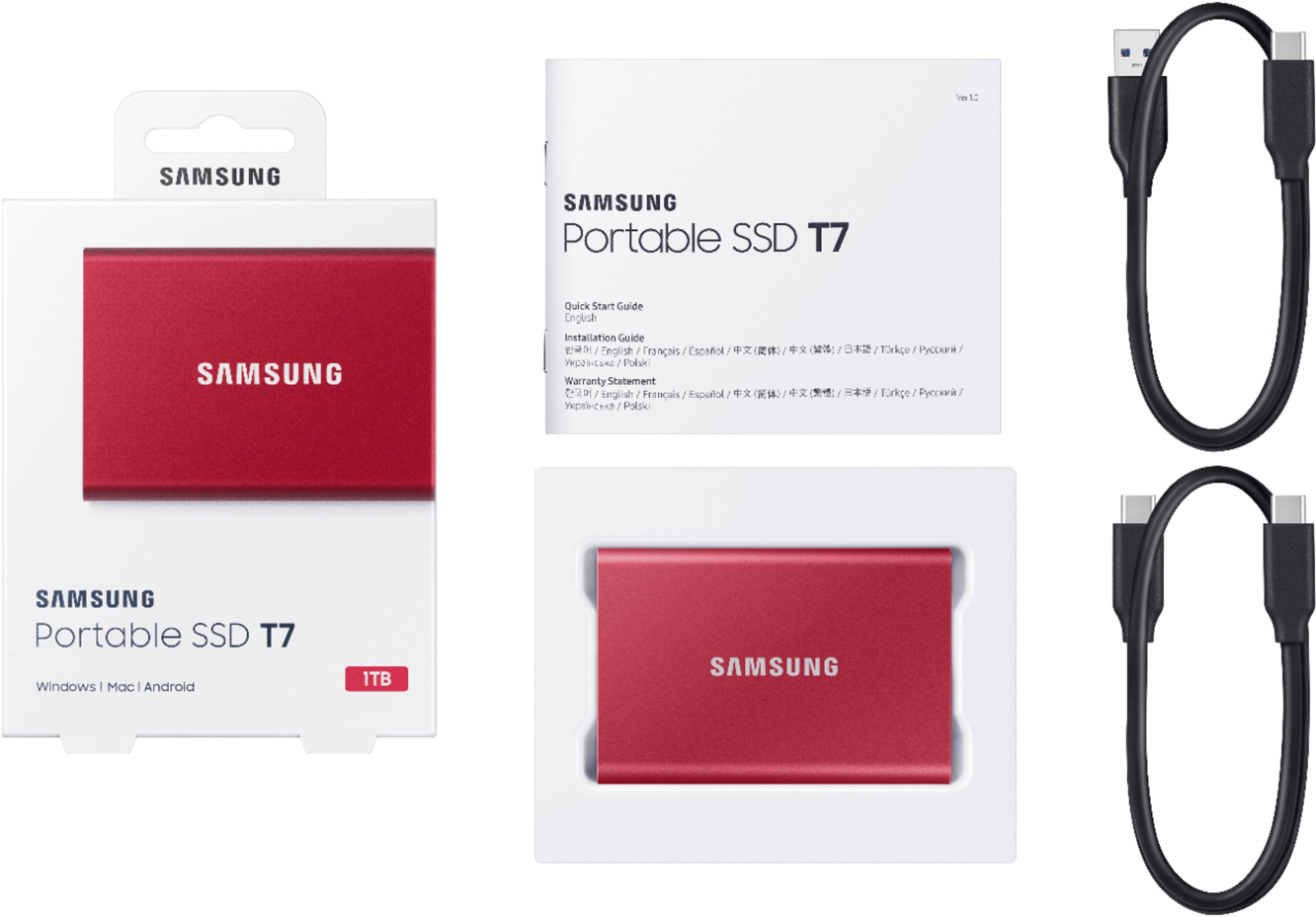
||Posted . Owned for less than 1 week when reviewed.This reviewer received promo considerations or sweepstakes entry for writing a review.The SSD came in a plain brown box with just the SSD and two sets of cables. There was no User Manual or any Samsung software included with the SSD. To make matters worse, apparently when Best Buy refurbished the SSD, they elected to leave the SSD uninitialized and unformatted. So, when I tried to connect the drive to my PC, although Device Manager said the drive was working properly, File Manager could not find it. In case you experience the same problem, here is how I fixed that once I figured out what the issue was. I searched "How do I initialize a disk' on-line. Since I am using the SSD with a Windows PC, I followed the on line instructions from Microsoft for the Disk Management option in Windows to first initialize then format the SSD. Once I did that, I was able to see the SSD in File Manager (If you are using the SSD with a MAC OS, you will need to search for how to do that with the MAC OS). I also went to the samsung.com/us/ web site and went to "Manuals & Software' under the "Support" link. Once there, I searched for "MU-PC1T0T". On that page I was able to download the Windows OS software for the SSD (you can also download MAC OS software on the same page). I also downloaded the User Manual for the SSD from the same page. Please note - there appears to be an error on the support page for the T7 SSD. The link for "User Manual" provides the User Manual for the T7 Touch, not the T7. For some reason, the User Manual for the T7 can be accessed using the "Install Guide" link. Anyhow, I hope all the above helps. A better solution would be for Best Buy when they refurb a Samsung T7 SSD to properly inititalize and format the SSD and load the MAC OS and Windows OS software on the drive. They also should at a minimum, load a copy of the User Manual on the drive when they refurbish it or preferably include a hard copy User Manual with the SSD.
This review is from Samsung - Geek Squad Certified Refurbished T7 1TB External USB 3.2 Gen 2 Portable SSD with Hardware Encryption - Titan Gray
I would recommend this to a friendRated 5 out of 5 stars
Great refurbished hard drives
||Posted . Owned for 4 months when reviewed.This reviewer received promo considerations or sweepstakes entry for writing a review.I was skeptical to buy this type of item as a refurbished item but I took the plunge and bought a couple of them. One arrived in perfect shape with an opened box that looked brand new. The second one came in a box that was destroyed. It also didn't come with the usb-3 cable. BUT, once plugged in they work great. No problems mechanically. Overall I would purchase these again.
This review is from Samsung - Geek Squad Certified Refurbished T7 1TB External USB 3.2 Gen 2 Portable SSD with Hardware Encryption - Titan Gray
I would recommend this to a friendRated 5 out of 5 stars
Super fast and extremely reliable!
||Posted . Owned for 4 months when reviewed.This reviewer received promo considerations or sweepstakes entry for writing a review.Super fast and extremely reliable! Comes with USB and USB-C cables.
This review is from Samsung - Geek Squad Certified Refurbished T7 1TB External USB 3.2 Gen 2 Portable SSD with Hardware Encryption - Titan Gray
I would recommend this to a friend