Customer Ratings & Reviews








- Model:
- HW-A40R/ZA
- SKU:
- 6454650
Rating by feature
- Value
Rating 3.5 out of 5 stars
- Quality
Rating 3.3 out of 5 stars
- Ease of Use
Rating 3.5 out of 5 stars
Customers are saying
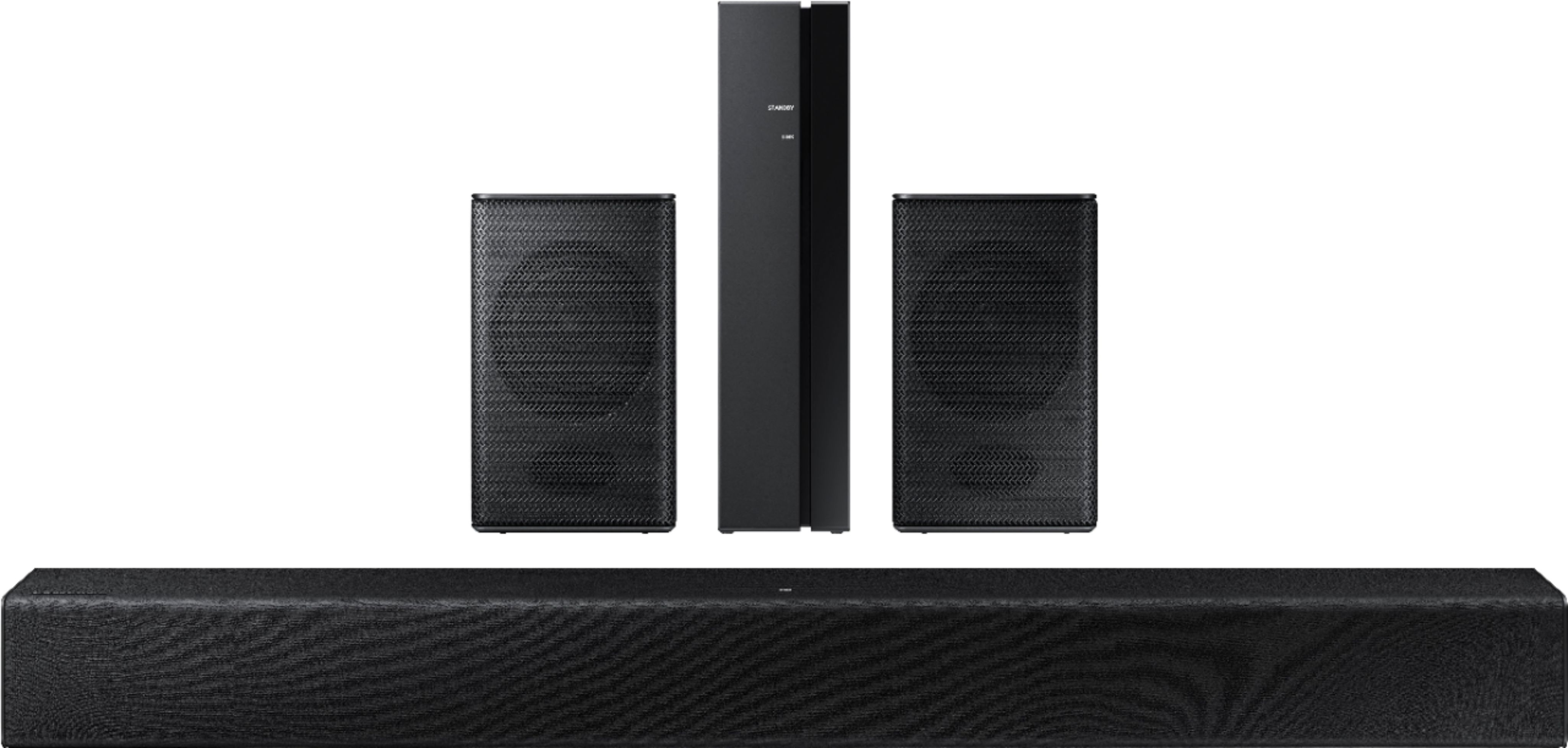
Customers are enthusiastic about the HW-A40R 4ch Sound bar's sound quality, describing it as "very good" and "amazing." They also appreciate its user-friendly setup process and affordable price point. However, some users have expressed concerns about the quality of the rear speakers, volume level, connectivity issues, and insufficient bass.
This summary was generated by AI based on customer reviews.
- Pros mentioned:Sound quality
Hector
||Posted . Owned for more than 2 years when reviewed.This reviewer received promo considerations or sweepstakes entry for writing a review.The product is perfec i have 4 year use and never i have problem. And store exelent service
I would recommend this to a friend - Pros mentioned:Sound quality
Surround sound
||Posted . Owned for 1.5 years when reviewed.This reviewer received promo considerations or sweepstakes entry for writing a review.Love my surround sound system. Easy hook up and operations of the product. Fair pricing.
I would recommend this to a friend - Pros mentioned:Sound qualityCons mentioned:Bass
Not worth it
||Posted . Owned for 3 weeks when reviewed.This reviewer received promo considerations or sweepstakes entry for writing a review.If it wasn’t on sale I wouldn’t of bought it. The 2 speakers don’t put of a lot of sound. The sound bar it good but no way to change bass, treble.
No, I would not recommend this to a friendBrand response from Samsung
Posted .Hi Tampakodiak,
We appreciate your feedback regarding the initial out of box sound experience provided by the HW-A40R. Please know, there are a few adjustment settings available that may help improve your experience.
First, please be sure you have the latest firmware version installed (v. 1014). You can update to the latest firmware by downloading the firmware file from the Samsung Electronics Website, load the file onto a USB storage device, and connecting the USB storage device to the soundbar. Updating your firmware provides the latest improvements and features, such as the ability to adjust the volume of the rear speakers.
Once the latest firmware version has been installed, press and hold the STANDARD button on the remote control for about 6 seconds then use the Bass Up/Down buttons to adjust the level of the rear speakers between -6 to +6.
Additionally, you may want to check the sound settings on your TV. If your Digital Output Audio Format is set to PCM then you will likely notice decreased performance with surround sound audio systems. Dolby options are designed for surround systems (like 3.1.2 or 7.1), whereas PCM provides great sound quality for stereo speakers.
I hope this helps! For additional assistance tuning the audio to your specific scenario, please contact us at 1-800-SAMSUNG (ask for Soundbars), available 8AM - 12AM EST, 7 days a week.
For additional support resources, visit us on the Samsung website and click on the ‘Support’ link in the upper right corner of the homepage for:
1) Chat with Us/Product Help: To begin a chat or find solutions, choose ‘TVs & Home Theater’ and select your model & topic.
2) Manuals & Software
3) Warranty Info
4) Register a Product: For access to easy warranty support, convenient opt-in to special promos and offers, faster troubleshooting and service, and quick notification of system updates
5) Contact Us
~ Samsung Solutions
- Cons mentioned:Rear speakers
Not a good sound bar
||Posted . Owned for 2 months when reviewed.This reviewer received promo considerations or sweepstakes entry for writing a review.When installing this messed up a step now the back speakers don’t work at all so I have only the bar sad with this product
No, I would not recommend this to a friendBrand response from Samsung
Posted .Hi MarkAWhitt,
We appreciate you sharing your experience with the HW-A40R soundbar and will pass your feedback to our product teams. You can try the troubleshooting steps below to improve the experience with the included wireless rear speakers.
First, please be sure you have the latest firmware version installed (v. 1014). You can update to the latest firmware by downloading the firmware file from the Samsung Electronics Website, load the file onto a USB storage device, and connecting the USB storage device to the soundbar. Updating your firmware provides the latest improvements and features, such as the ability to adjust the volume of the rear speakers and improved connection between devices.
Once the update is complete, you may also want to try manually connecting the rear speakers to the soundbar again. This will reset the connection of the rear speakers and may improve the connection even further.
Press and hold the ID SET button on the back of the wireless module for at least 5 seconds or until the blue light starts blinking. Turn off your soundbar and press the Up button on the remote for 5 seconds. The ID SET message will appear on the soundbar for a short time and then disappear. After the ID SET process, the soundbar power is automatically turned on. The LINK LED indicator stops blinking and glows a solid blue when a connection is established between the soundbar and the wireless receiver module.
If you need more help, Samsung is here for you. Please call us at 1-800-SAMSUNG, 8AM - 12AM EST (Ask for Soundbars), 7 days a week. Our LiveChat agents are also available by clicking on the ‘Support’ link on our website.
~ Samsung Ambassador
- Pros mentioned:Sound qualityCons mentioned:Volume
Good soundbar/not so good surround sound though
||Posted . Owned for 2 months when reviewed.This reviewer received promo considerations or sweepstakes entry for writing a review.The soundbar itself looks and sounds great! It is the little speakers that aren’t loud enough for me. I wish I could return it.
No, I would not recommend this to a friendBrand response from Samsung
Posted .Hi jnlmhny,
I am sorry to hear you are not completely satisfied with the sound performance from the included rear speakers. You may want to try the adjustment settings below to improve your experience:
First, make sure you have the latest firmware version installed (ver1014). Once installed, with the Soundbar on, press and hold the STANDARD button on the remote control for about 6 seconds. Then, use the BASS Up/Down buttons to adjust the level of the REAR speakers between -6 to +6.
Additionally, turn off the soundbar, then press and hold the source button on the soundbar for 7 seconds to enable Gain Boost. With Gain Boost active, the rear speaker’s volume level will be increased when the soundbar is in Surround mode. This feature can be turned off by following the same process.
I hope these tips help! Should you ever have questions or need help, please call us at 1-800-SAMSUNG (ask for Soundbars), available 8AM - 12AM EST, 7 days a week.
For additional support resources, visit us on the Samsung website and click on the ‘Support’ link in the upper right corner of the homepage for:
1) Chat with Us/Product Help: To begin a chat or find solutions, choose ‘TVs & Home Theater’ and select your model & topic.
2) Manuals & Software
3) Warranty Info
4) Register a Product: For access to easy warranty support, convenient opt-in to special promos and offers, faster troubleshooting and service, and quick notification of system updates
5) Contact Us
~ Samsung Solutions
- Cons mentioned:Rear speakers
Downgrade
||Posted . Owned for 1 month when reviewed.This reviewer received promo considerations or sweepstakes entry for writing a review.Sound not great. Was a downgrade from my previous soundbar i had. No subwoofer either so that bass dont hit as hard
No, I would not recommend this to a friendBrand response from Samsung
Posted .Hello FreddieC,
Thank you for purchasing the HW-A40R Soundbar. I am sorry to see your time with this Soundbar has not been ideal.
Please know there are a wide range of options available to further tune the audio to your liking.
First, please be sure you have the latest firmware version installed. You can update to the latest firmware by downloading the firmware file from the Samsung Electronics Website, load the file onto a USB storage device, and connecting the USB storage device to the soundbar. Updating your firmware provides the latest improvements and features, such as the ability to adjust the volume of the rear speakers.
Once the latest firmware version has been installed, press, and hold the STANDARD button on the remote control for about 6 seconds then use the Bass Up/Down buttons to adjust the level of the rear speakers between -6 to +6.
Additionally, you may want to check the sound settings on your TV. If your Digital Output Audio Format is set to PCM then you will likely notice decreased performance with surround sound audio systems. Dolby options are designed for surround systems (like 3.1.2 or 7.1), whereas PCM provides great sound quality for stereo speakers.
Should you ever have questions or need help, please call us at 1-800-SAMSUNG (ask for Soundbars), available 8 AM – 12 AM EST, 7 days a week.
For additional support resources such as downloading a full manual, visit us on the Samsung website and click on the ‘Support’ link in the upper right corner of the homepage.
~Samsung Solutions
Negative sound
||Posted . Owned for 3 weeks when reviewed.This reviewer received promo considerations or sweepstakes entry for writing a review.3 out 5 due to the pairing issues, sound issues, speaker size issues. Just made up my mind to return it to the store. Positively no surround sound to speak of. Disappointed
No, I would not recommend this to a friendBrand response from Samsung
Posted .Hello spider88,
Thank you for your review of the Samsung HW-A40R Soundbar and for sharing your experiences with the rear speakers. Your feedback is very important to us and will be shared with our product team.
Should you ever decide to give Samsung Soundbars another try and have questions or need assistance with settings, setup, or features, please know we are always here to help.
Call us at 1-800-SAMSUNG (ask for Soundbars), available 8 AM – 12 AM EST, 7 days a week.
~ Samsung Solutions

Information
|Posted . Owned for 1 year when reviewed.This reviewer received promo considerations or sweepstakes entry for writing a review.The soundbar is great but the expansion speakers never connected. Ive checked all of the wiring. Double checked the instructions. They just won't work.
I would recommend this to a friendBrand response from Samsung
Posted .Hello Mandy,
Thank you for purchasing the Samsung HW-A40R and for sharing your review. Your feedback regarding the audio performance of the rear speakers is important to us and will be shared with our product teams.
There are a few settings and adjustments that can be made to increase the volume of the rear speakers to your liking. First, make sure you have the latest firmware version installed. Once installed, with the Soundbar on, press and hold the STANDARD button on the remote control for about 6 seconds. Use the BASS Up/Down buttons to adjust the level of the REAR speakers between -6 to +6.
Additionally, turn off the soundbar, then press and hold the source button on the soundbar for 7 seconds to enable Gain Boost. With Gain Boost active, the rear speaker’s volume level will be increased when the soundbar is in Surround mode. This feature can be turned off by following the same process.
I hope this tip helps improve your enjoyment. For more help, please call us at 1-800-SAMSUNG (Ask for Soundbars), 8 AM – 12 AM EST, 7 days a week. LiveChat with an agent as well as manuals, software, and warranty info can be found at the ‘Support’ link on our Samsung website.
~ Samsung Solutions
Samsung products are the best.
||Posted . Owned for 2 weeks when reviewed.This reviewer received promo considerations or sweepstakes entry for writing a review.I've been using Samsung products for years and simply love them. However this sound bar system don't have quality in the small rear speakers as I have experienced in the past. Just recently purchased a Samsung sound bar and it sounds way better. So this system is getting four stars!
No, I would not recommend this to a friend- Pros mentioned:Sound quality
Great
||Posted . Owned for 10 months when reviewed.This reviewer received promo considerations or sweepstakes entry for writing a review.Great sound and many ways to connect do different devices. Would definitely recommend. Got the home theater feel without the extra wiring and need to hang around the home.
I would recommend this to a friend - Pros mentioned:Sound quality
Samsung Sound bar w/surround sound expansion
||Posted . Owned for 1 year when reviewed.This reviewer received promo considerations or sweepstakes entry for writing a review.Luv it! Great experience with surround sound. Whether it id movies or music, Everything sound better, crisp, and clear. Highly recommend it.
I would recommend this to a friend It's Okay
||Posted . Owned for 8 months when reviewed.This reviewer received promo considerations or sweepstakes entry for writing a review.Just okay. I was hoping to add more sound to my TV and this just adds a little better sound but not the best.
No, I would not recommend this to a friend- Cons mentioned:Rear speakers, Wireless
Not to happy
||Posted . Owned for 1 month when reviewed.This reviewer received promo considerations or sweepstakes entry for writing a review.The sound bar is ok. The rear speakers are a play on with words about being wireless. They still require wires from a wireless module. The sound from rear speakers is almost non existent. I tried some things I read online but nothing has helped. There is no volume control for the rear speakers.
No, I would not recommend this to a friendBrand response from Samsung
Posted .Hi Popcomm,
Thank you for purchasing the Samsung HW-A40R and for sharing your review. Your feedback regarding the audio performance and wireless description of the rear speakers is important to us and will be shared with our product teams.
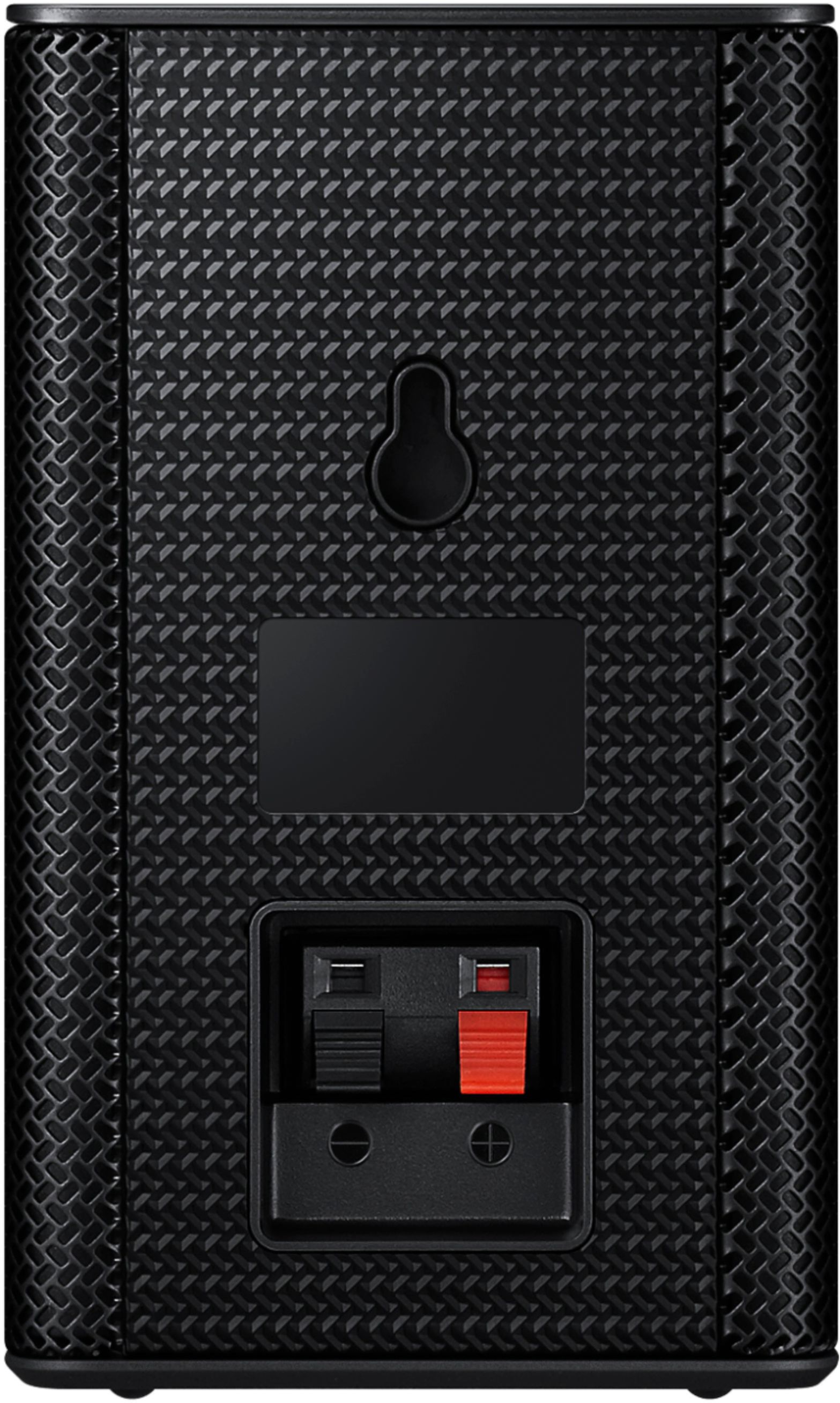
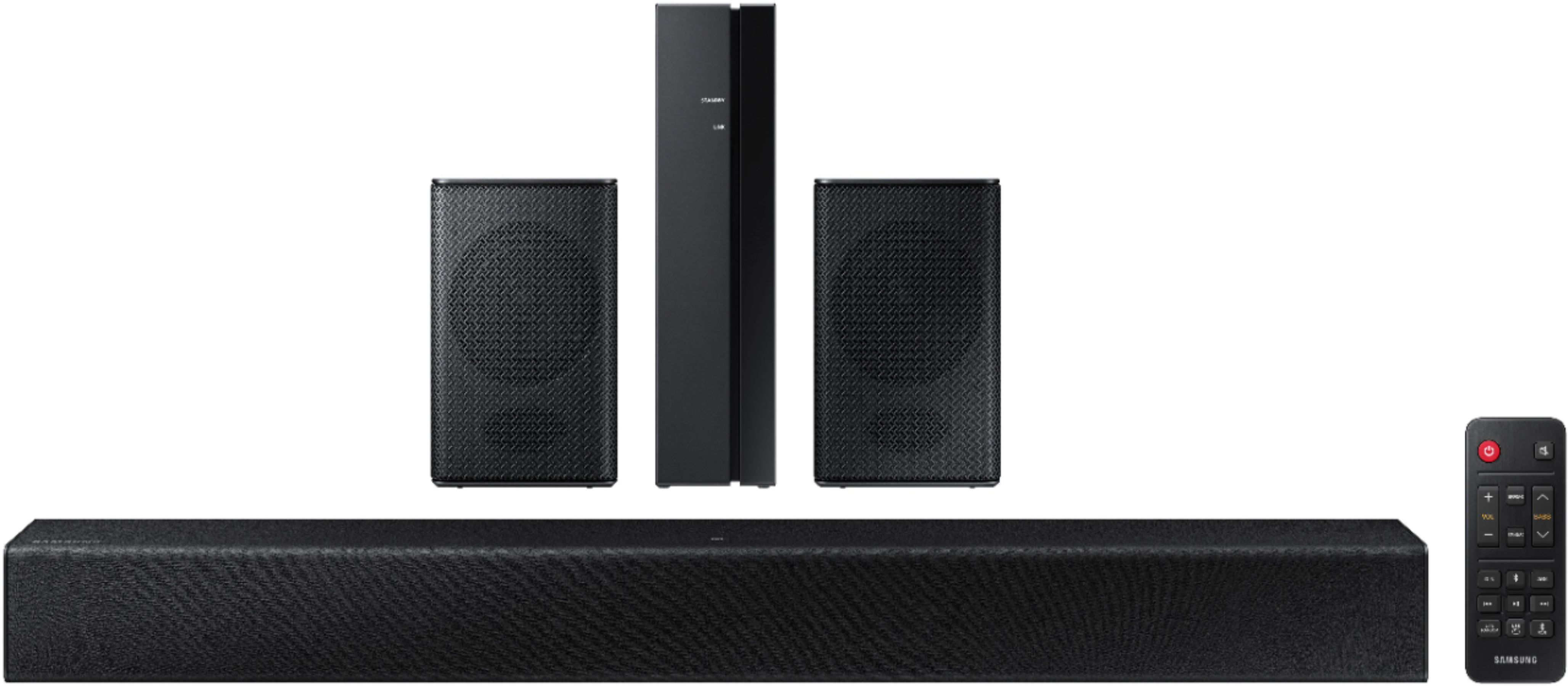
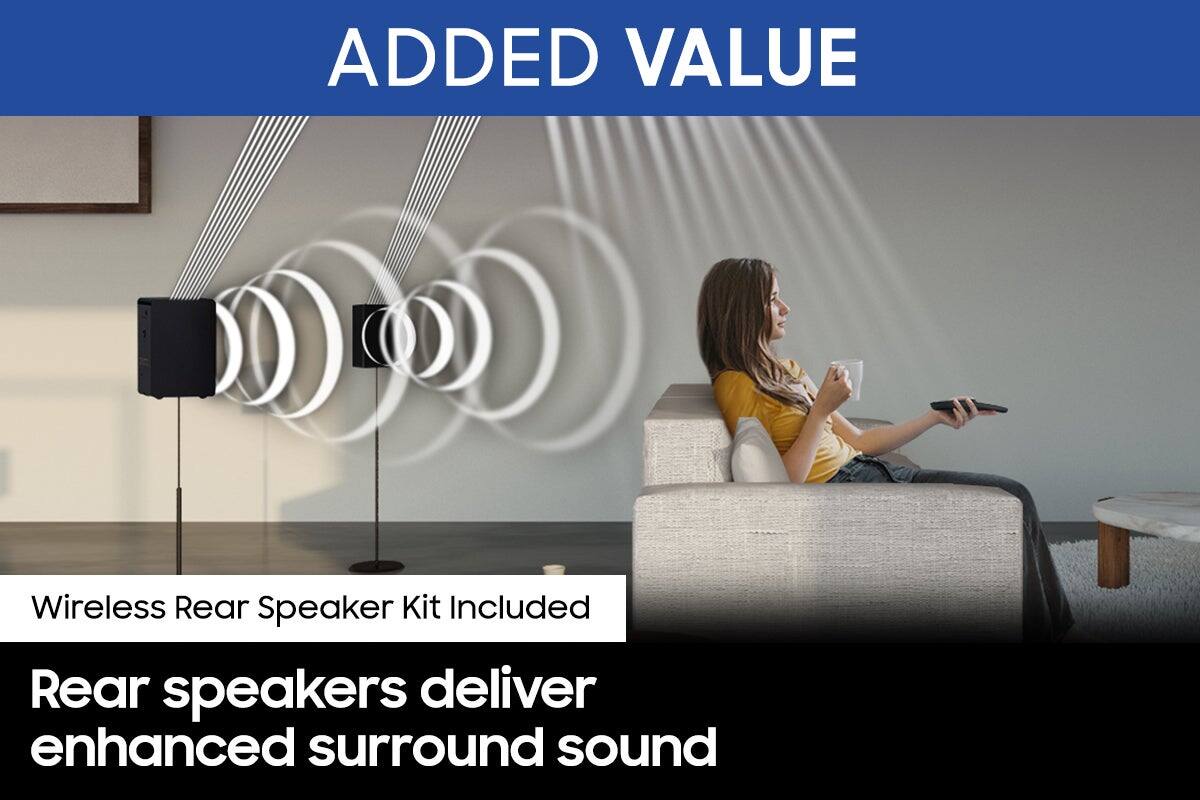
Occasionally, customers have trouble hiding and running speaker wires from the front of the room (where their soundbar is) to the back of their room (where they have their rear speakers). The Rear Speaker Kit eliminates that hassle. Connect the rear speakers to its wireless module and place these three in the back of your room. One wire is required to connect each rear speaker to the wireless module. Then plug in the power cable to the module. The “wireless” convenience is in connecting your soundbar and any other speakers at the front of the room to the rear speakers – this can now be done via Wi-Fi through the wireless module, eliminating any clutter of long wires running the length of your room.
There are a few settings and adjustments that can be made to increase the volume of the rear speakers to your liking. First, make sure you have the latest firmware version installed (HMS-A4X0WWB-1011). Once installed, with the Soundbar on, press and hold the STANDARD button on the remote control for about 6 seconds. Use the BASS Up/Down buttons to adjust the level of the REAR speakers between -6 to +6.
I hope this helps you further enjoy the audio experience. Should you need additional assitance optimizing the settings for your enjoyment, please contact Samsung Customer Support at 1-800-SAMSUNG (ask for Soundbars), available 8AM - 12AM EST, 7 days a week.
For additional support resources, visit us on the Samsung website and click on the ‘Support’ link in the upper right corner of the homepage for:
1) Chat with Us/Product Help: To begin a chat or find solutions, choose ‘TVs & Home Theater’ and select your model & topic.
2) Manuals & Software
3) Warranty Info
4) Register a Product: For access to easy warranty support, convenient opt-in to special promos and offers, faster troubleshooting and service, and quick notification of system updates
5) Contact Us
~ Samsung Solutions
- Cons mentioned:Rear speakers
advertised as Good Condition but missing speakers
||Posted . Owned for 1 week when reviewed.This reviewer received promo considerations or sweepstakes entry for writing a review.Its not a product but a Best Buy purchase review- I ordered a Good Condition Open Box but store gave me only sound bar without the rear speakers and wireless Kit. That’s a false advertisement and won’t fit the Best Buy’s Good Condition Item.
No, I would not recommend this to a friend - Pros mentioned:Ease of use, Sound quality
Not too bad, not the best but not bad.
||Posted . Owned for 3 months when reviewed.This reviewer received promo considerations or sweepstakes entry for writing a review.The sound is good and it was fairly easy to get the surround sound speakers set up. The speakers are pretty puny and don’t put out much sound at all. But otherwise for the price it isn’t too bad.
No, I would not recommend this to a friend Average
||Posted . Owned for 6 months when reviewed.This reviewer received promo considerations or sweepstakes entry for writing a review.I like Samsung and I prefer their products. This setup is okay. I do have connection issues with the wireless speakers that drive me crazy.
No, I would not recommend this to a friendBrand response from Samsung
Posted .Hello Jfst37,
Please know there is a wide range of options available to further tune the audio to your liking.
First, please be sure you have the latest firmware version installed. You can update to the latest firmware by downloading the firmware file from the Samsung Electronics Website, load the file onto a USB storage device, and connecting the USB storage device to the soundbar. Updating your firmware provides the latest improvements and features, such as the ability to adjust the volume of the rear speakers.
Once the latest firmware version has been installed, press, and hold the STANDARD button on the remote control for about 6 seconds then use the Bass Up/Down buttons to adjust the level of the rear speakers between -6 to +6.
Additionally, you may want to check the sound settings on your TV. If your Digital Output Audio Format is set to PCM then you will likely notice decreased performance with surround sound audio systems. Dolby options are designed for surround systems (like 3.1.2 or 7.1), whereas PCM provides great sound quality for stereo speakers.
I hope these tips help. For additional assistance please contact us at 1-800-SAMSUNG (ask for Soundbars), available 8 AM – 12 AM EST, 7 days a week.
LiveChat with an agent by clicking the ‘Support’ link on the Samsung website.
~Samsung Solutions
- Pros mentioned:Sound quality
Awesome sound bar
||Posted . Owned for 1 year when reviewed.This reviewer received promo considerations or sweepstakes entry for writing a review.Great for video gaming / great for movies. Has great sound bought it for my mom she loved it.
I would recommend this to a friend Soundbar
||Posted . Owned for more than 2 years when reviewed.This reviewer received promo considerations or sweepstakes entry for writing a review.An excellent product! I have put much use out of this sound bar and it is still in great condition.
I would recommend this to a friendSounds quality
||Posted . Owned for 1 week when reviewed.This reviewer received promo considerations or sweepstakes entry for writing a review.Sound quality is not that great, but at that price point you should expect that. Overall it is a decent product but not for me.
No, I would not recommend this to a friendBrand response from Samsung
Posted .Hello Spangy,
Thank you for taking the time to leave a review regarding the HW-A40R Soundbar. Your feedback of the audio quality will be shared with our internal teams.
Please know there are a wide range of options available to further tune the audio to your liking.
First, please be sure you have the latest firmware version installed. You can update to the latest firmware by downloading the firmware file from the Samsung Electronics Website, load the file onto a USB storage device, and connecting the USB storage device to the soundbar. Updating your firmware provides the latest improvements and features, such as the ability to adjust the volume of the rear speakers.
Once the latest firmware version has been installed, press, and hold the STANDARD button on the remote control for about 6 seconds then use the Bass Up/Down buttons to adjust the level of the rear speakers between -6 to +6.
Additionally, you may want to check the sound settings on your TV. If your Digital Output Audio Format is set to PCM then you will likely notice decreased performance with surround sound audio systems. Dolby options are designed for surround systems (like 3.1.2 or 7.1), whereas PCM provides great sound quality for stereo speakers.
I hope these tips help. For additional assistance please contact us at 1-800-SAMSUNG (ask for Soundbars), available 8 AM – 12 AM EST, 7 days a week.
LiveChat with an agent by clicking the ‘Support’ link on the Samsung website.
~Samsung Solutions
- Pros mentioned:Ease of use
Soundbar
||Posted . Owned for 1.5 years when reviewed.This reviewer received promo considerations or sweepstakes entry for writing a review.Don’t be scare to buy open box, great product for the size of the room, easy to install and use.
I would recommend this to a friend